
Transactions and Recovery Database Systems Lecture 14 Natasha
Transactions and Recovery Database Systems Lecture 14 Natasha Alechina
In This Lecture • Transactions • Recovery • System and Media Failures • Concurrency problems • For more information • Connolly and Begg chapter 20 • Ullman and Widom 8. 6 Transactions and Recovery
Transactions • A transaction is an action, or a series of actions, carried out by a single user or an application program, which reads or updates the contents of a database. Transactions and Recovery
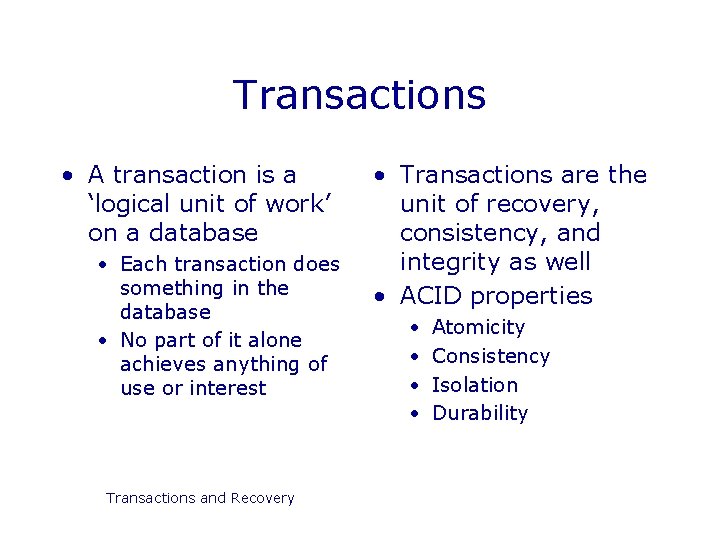
Transactions • A transaction is a ‘logical unit of work’ on a database • Each transaction does something in the database • No part of it alone achieves anything of use or interest Transactions and Recovery • Transactions are the unit of recovery, consistency, and integrity as well • ACID properties • • Atomicity Consistency Isolation Durability
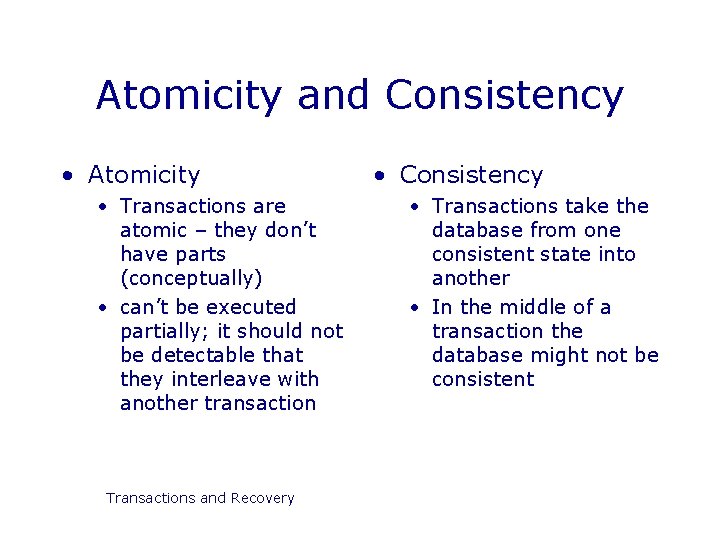
Atomicity and Consistency • Atomicity • Transactions are atomic – they don’t have parts (conceptually) • can’t be executed partially; it should not be detectable that they interleave with another transaction Transactions and Recovery • Consistency • Transactions take the database from one consistent state into another • In the middle of a transaction the database might not be consistent
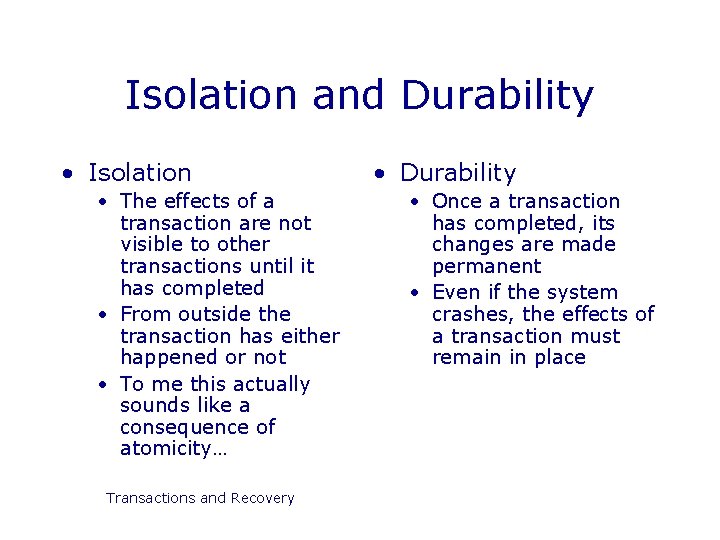
Isolation and Durability • Isolation • The effects of a transaction are not visible to other transactions until it has completed • From outside the transaction has either happened or not • To me this actually sounds like a consequence of atomicity… Transactions and Recovery • Durability • Once a transaction has completed, its changes are made permanent • Even if the system crashes, the effects of a transaction must remain in place
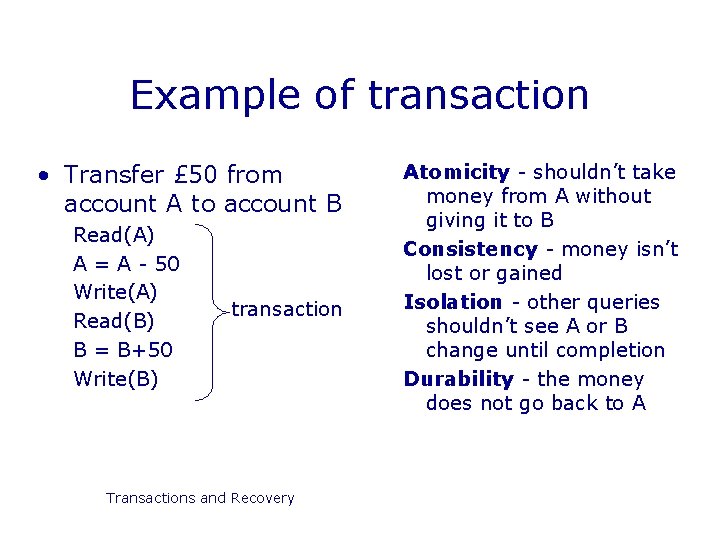
Example of transaction • Transfer £ 50 from account A to account B Read(A) A = A - 50 Write(A) Read(B) B = B+50 Write(B) transaction Transactions and Recovery Atomicity - shouldn’t take money from A without giving it to B Consistency - money isn’t lost or gained Isolation - other queries shouldn’t see A or B change until completion Durability - the money does not go back to A
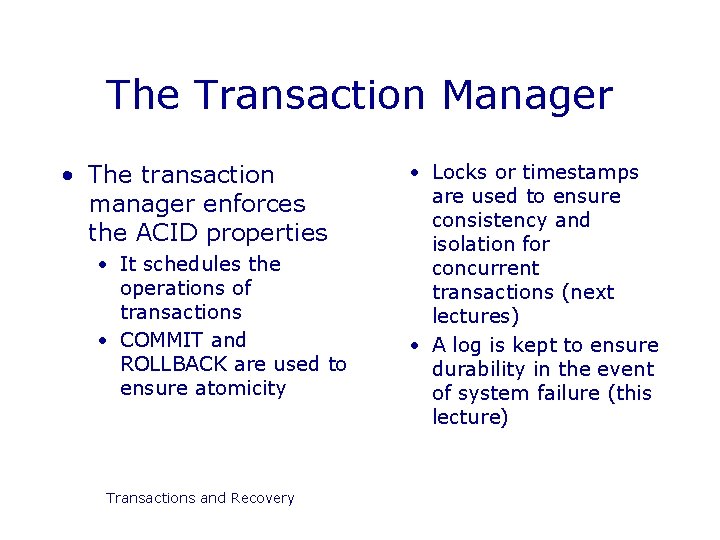
The Transaction Manager • The transaction manager enforces the ACID properties • It schedules the operations of transactions • COMMIT and ROLLBACK are used to ensure atomicity Transactions and Recovery • Locks or timestamps are used to ensure consistency and isolation for concurrent transactions (next lectures) • A log is kept to ensure durability in the event of system failure (this lecture)
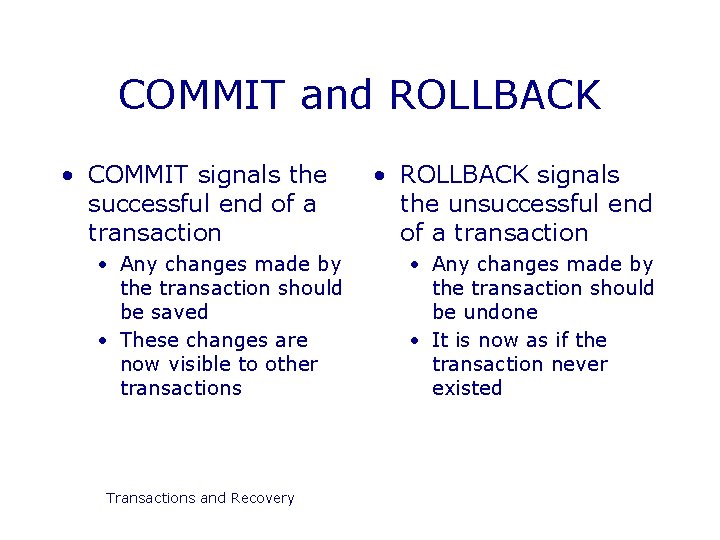
COMMIT and ROLLBACK • COMMIT signals the successful end of a transaction • Any changes made by the transaction should be saved • These changes are now visible to other transactions Transactions and Recovery • ROLLBACK signals the unsuccessful end of a transaction • Any changes made by the transaction should be undone • It is now as if the transaction never existed
Recovery • Transactions should be durable, but we cannot prevent all sorts of failures: • • • System crashes Power failures Disk crashes User mistakes Sabotage Natural disasters Transactions and Recovery • Prevention is better than cure • Reliable OS • Security • UPS and surge protectors • RAID arrays • Can’t protect against everything though
The Transaction Log • The transaction log records the details of all transactions • Any changes the transaction makes to the database • How to undo these changes • When transactions complete and how Transactions and Recovery • The log is stored on disk, not in memory • If the system crashes it is preserved • Write ahead log rule • The entry in the log must be made before COMMIT processing can complete
System Failures • A system failure means all running transactions are affected • Software crashes • Power failures • The physical media (disks) are not damaged Transactions and Recovery • At various times a DBMS takes a checkpoint • All committed transactions are written to disk • A record is made (on disk) of the transactions that are currently running
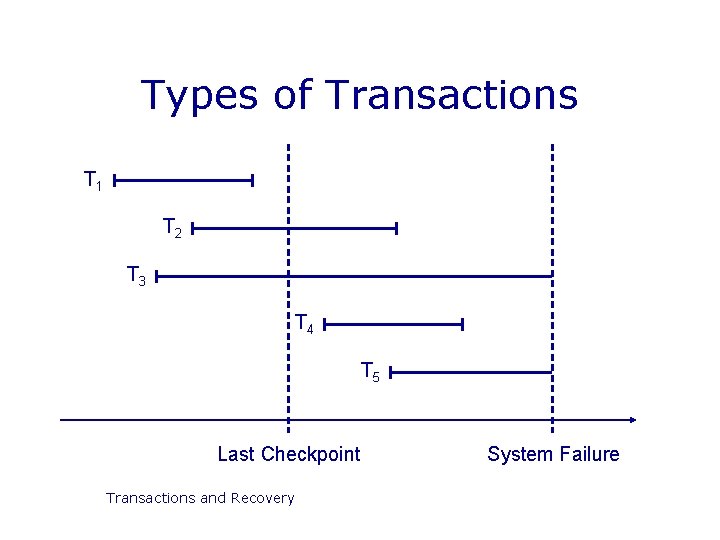
Types of Transactions T 1 T 2 T 3 T 4 T 5 Last Checkpoint Transactions and Recovery System Failure
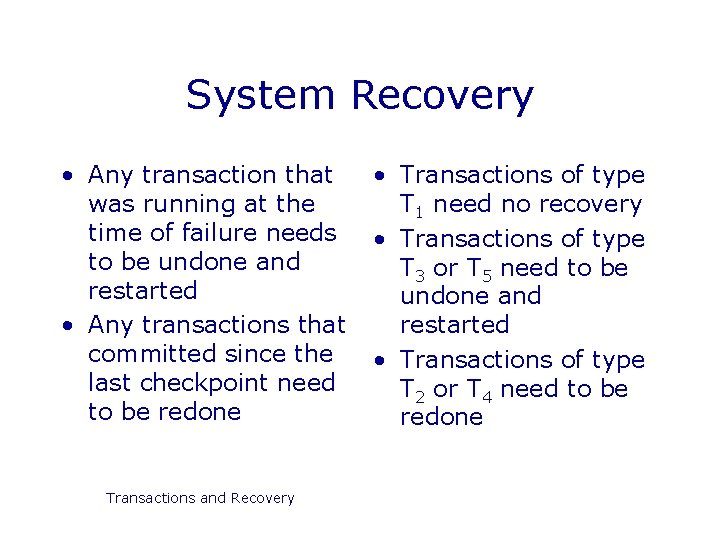
System Recovery • Any transaction that was running at the time of failure needs to be undone and restarted • Any transactions that committed since the last checkpoint need to be redone Transactions and Recovery • Transactions of type T 1 need no recovery • Transactions of type T 3 or T 5 need to be undone and restarted • Transactions of type T 2 or T 4 need to be redone
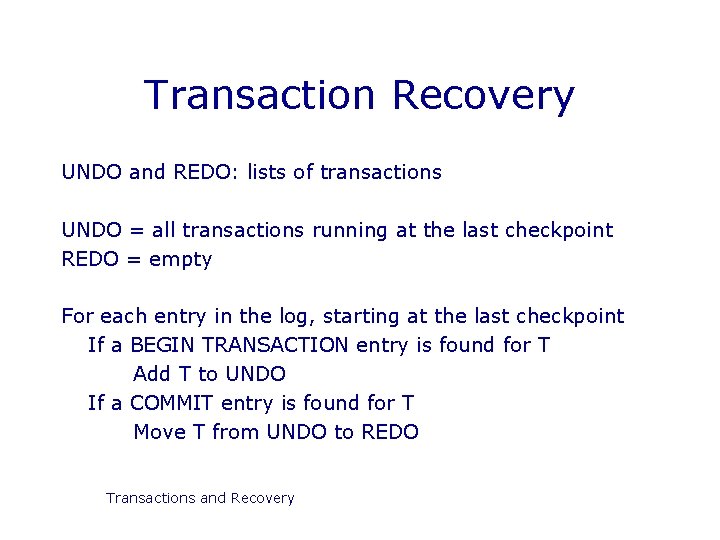
Transaction Recovery UNDO and REDO: lists of transactions UNDO = all transactions running at the last checkpoint REDO = empty For each entry in the log, starting at the last checkpoint If a BEGIN TRANSACTION entry is found for T Add T to UNDO If a COMMIT entry is found for T Move T from UNDO to REDO Transactions and Recovery
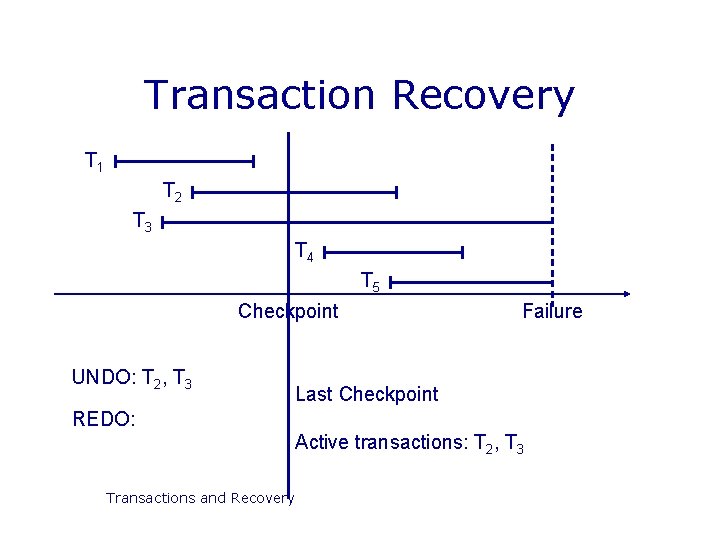
Transaction Recovery T 1 T 2 T 3 T 4 T 5 Checkpoint UNDO: T 2, T 3 Failure Last Checkpoint REDO: Active transactions: T 2, T 3 Transactions and Recovery
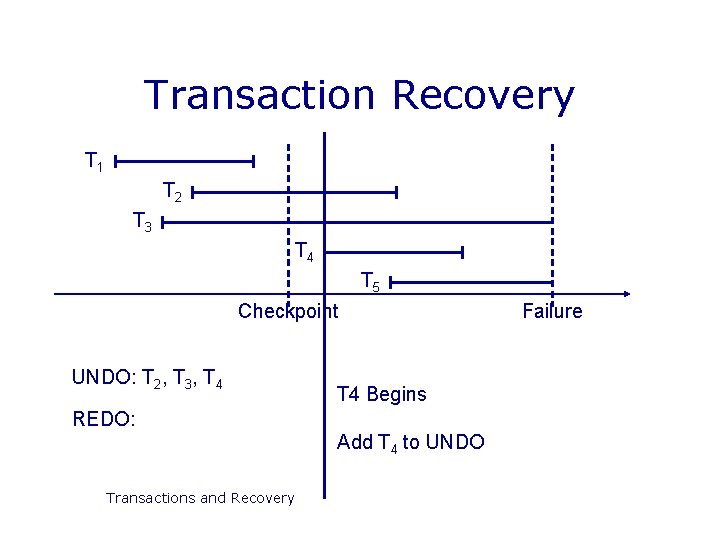
Transaction Recovery T 1 T 2 T 3 T 4 T 5 Checkpoint UNDO: T 2, T 3, T 4 Begins REDO: Add T 4 to UNDO Transactions and Recovery Failure
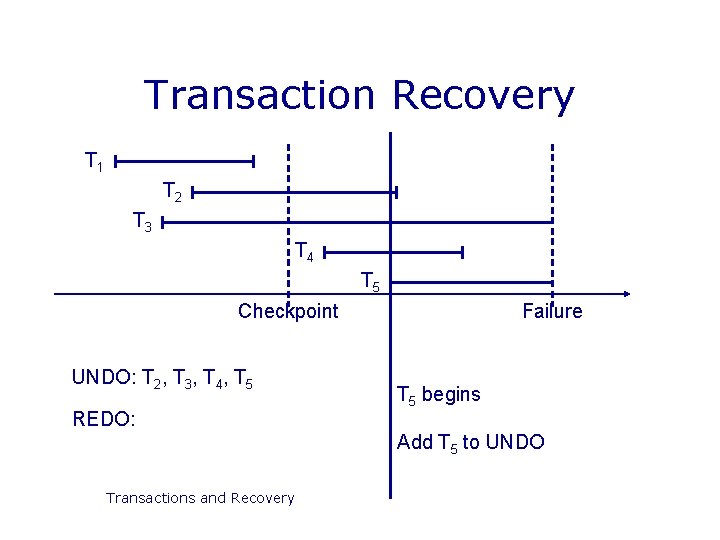
Transaction Recovery T 1 T 2 T 3 T 4 T 5 Checkpoint UNDO: T 2, T 3, T 4, T 5 REDO: Failure T 5 begins Add T 5 to UNDO Transactions and Recovery
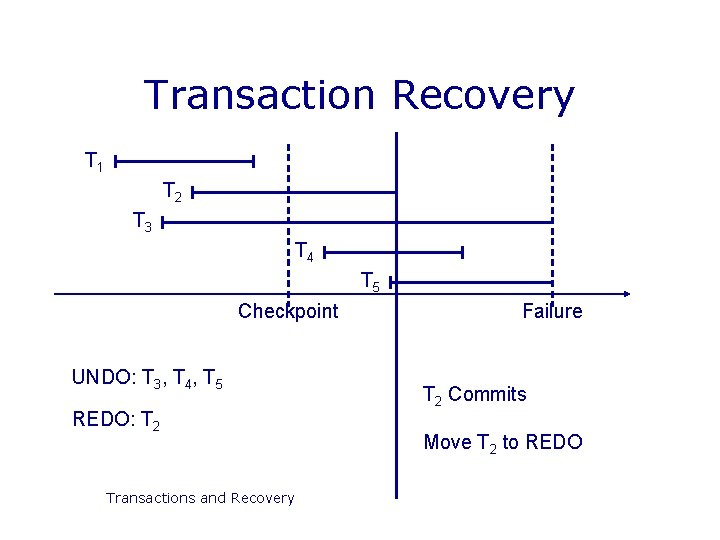
Transaction Recovery T 1 T 2 T 3 T 4 T 5 Checkpoint UNDO: T 3, T 4, T 5 REDO: T 2 Transactions and Recovery Failure T 2 Commits Move T 2 to REDO
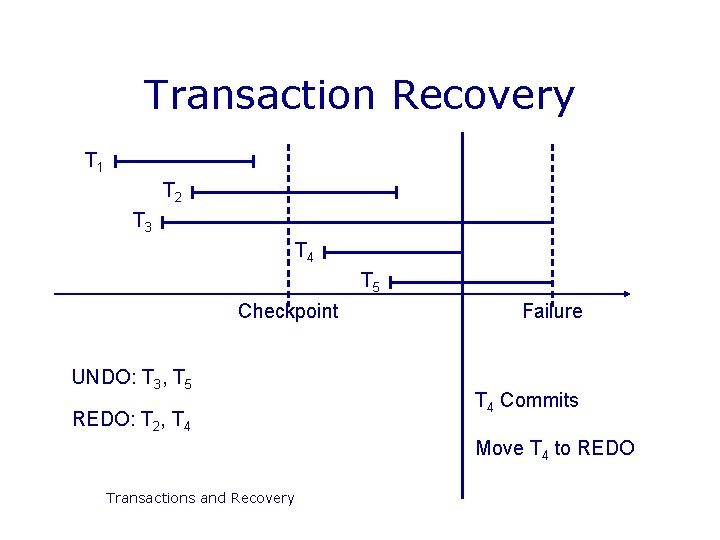
Transaction Recovery T 1 T 2 T 3 T 4 T 5 Checkpoint UNDO: T 3, T 5 REDO: T 2, T 4 Failure T 4 Commits Move T 4 to REDO Transactions and Recovery
Forwards and Backwards • Backwards recovery • We need to undo some transactions • Working backwards through the log we undo any operation by a transaction on the UNDO list • This returns the database to a consistent state Transactions and Recovery • Forwards recovery • Some transactions need to be redone • Working forwards through the log we redo any operation by a transaction on the REDO list • This brings the database up to date
Media Failures • System failures are not too severe • Only information since the last checkpoint is affected • This can be recovered from the transaction log Transactions and Recovery • Media failures (disk crashes etc) are more serious • The data stored to disk is damaged • The transaction log itself may be damaged
Backups • Backups are needed to recover from media failure • The transaction log and entire contents of the database is written to secondary storage (often tape) • Time consuming, and often requires down time Transactions and Recovery • Backups frequency • Frequent enough that little information is lost • Not so frequent as to cause problems • Every day (night) is common • Backup storage
Recovery from Media Failure • Restore the database from the last backup • Use the transaction log to redo any changes made since the last backup Transactions and Recovery • If the transaction log is damaged you can’t do step 2 • Store the log on a separate physical device to the database • The risk of losing both is then reduced
Concurrency • Large databases are used by many people • Many transactions to be run on the database • It is desirable to let them run at the same time as each other • Need to preserve isolation Transactions and Recovery • If we don’t allow for concurrency then transactions are run sequentially • Have a queue of transactions • Long transactions (eg backups) will make others wait for long periods
Concurrency Problems • In order to run transactions concurrently we interleave their operations • Each transaction gets a share of the computing time Transactions and Recovery • This leads to several sorts of problems • Lost updates • Uncommitted updates • Incorrect analysis • All arise because isolation is broken
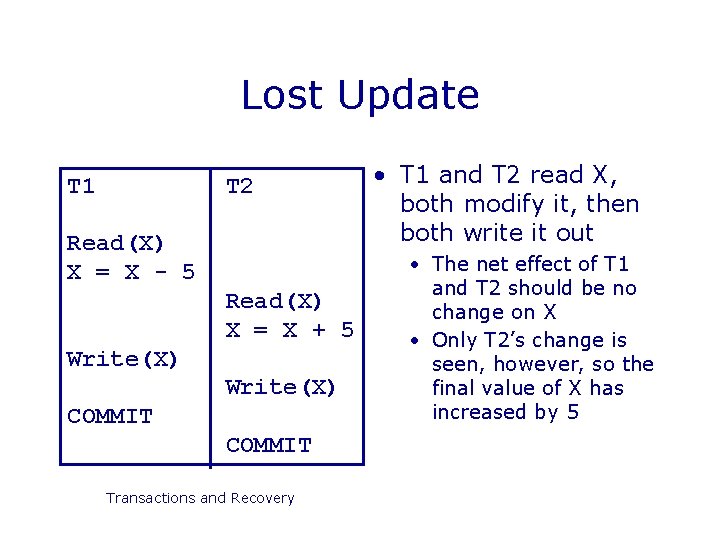
Lost Update T 1 T 2 Read(X) X = X - 5 Read(X) X = X + 5 Write(X) COMMIT Transactions and Recovery • T 1 and T 2 read X, both modify it, then both write it out • The net effect of T 1 and T 2 should be no change on X • Only T 2’s change is seen, however, so the final value of X has increased by 5
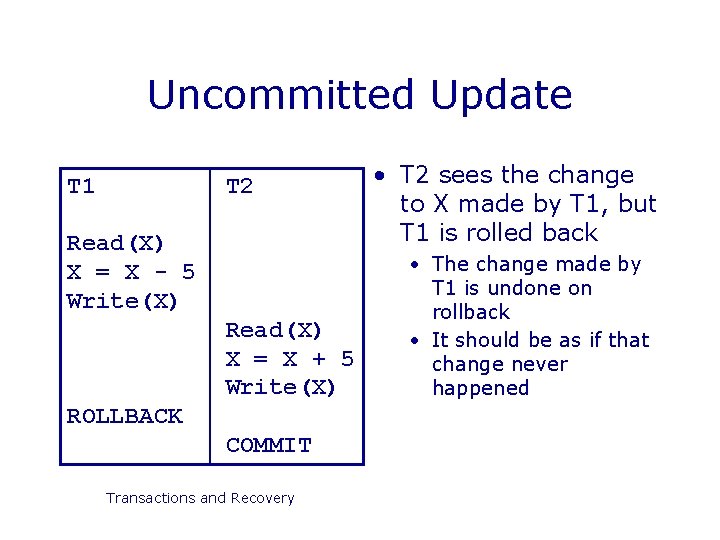
Uncommitted Update T 1 T 2 Read(X) X = X - 5 Write(X) Read(X) X = X + 5 Write(X) ROLLBACK COMMIT Transactions and Recovery • T 2 sees the change to X made by T 1, but T 1 is rolled back • The change made by T 1 is undone on rollback • It should be as if that change never happened
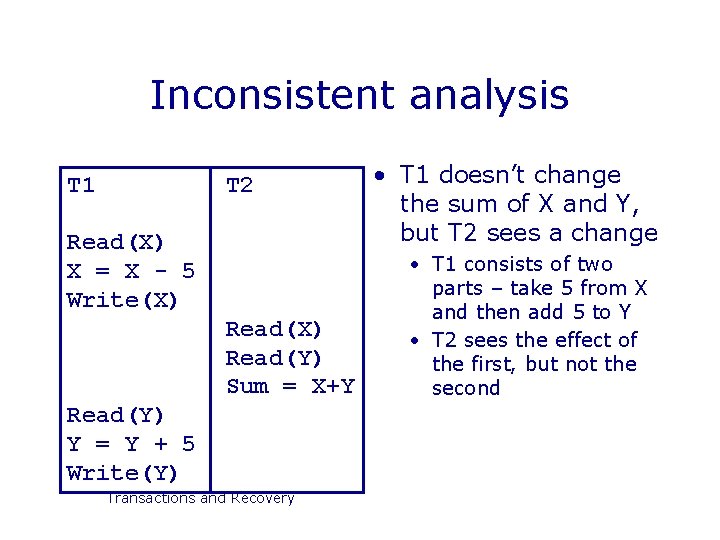
Inconsistent analysis T 1 T 2 Read(X) X = X - 5 Write(X) Read(Y) Sum = X+Y Read(Y) Y = Y + 5 Write(Y) Transactions and Recovery • T 1 doesn’t change the sum of X and Y, but T 2 sees a change • T 1 consists of two parts – take 5 from X and then add 5 to Y • T 2 sees the effect of the first, but not the second
Next Lecture • Concurrency • Locks and resources • Deadlock • Serialisability • Schedules of transactions • Serial & serialisable schedules • For more information • Connolly and Begg chapter 20 • Ullman and Widom 8. 6 Transactions and Recovery
- Slides: 30