
Transactional services overview Transactional services Transactional services Transactional



- Slides: 23
Transactional services overview
Transactional services
Transactional services
Transactional services
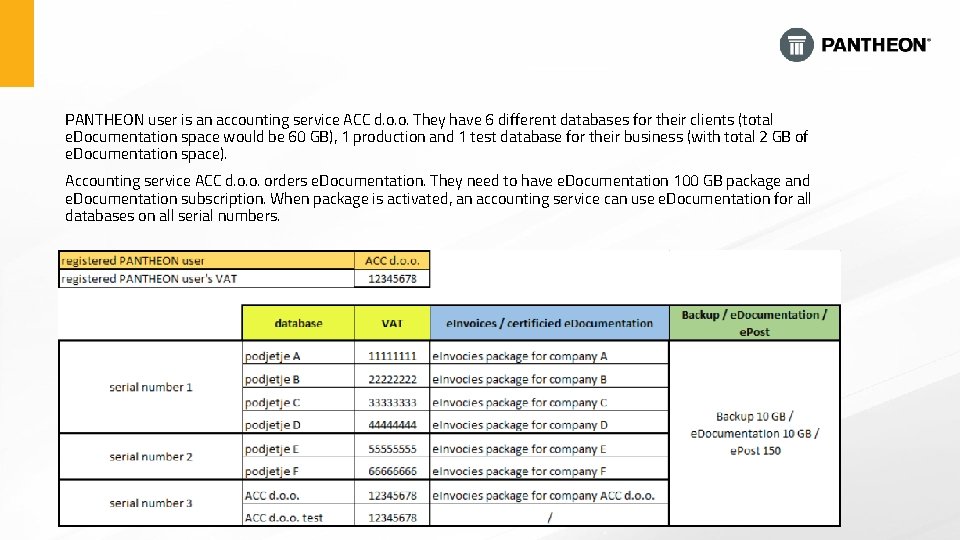
PANTHEON user is an accounting service ACC d. o. o. They have 6 different databases for their clients (total e. Documentation space would be 60 GB), 1 production and 1 test database for their business (with total 2 GB of e. Documentation space). Accounting service ACC d. o. o. orders e. Documentation. They need to have e. Documentation 100 GB package and e. Documentation subscription. When package is activated, an accounting service can use e. Documentation for all databases on all serial numbers.
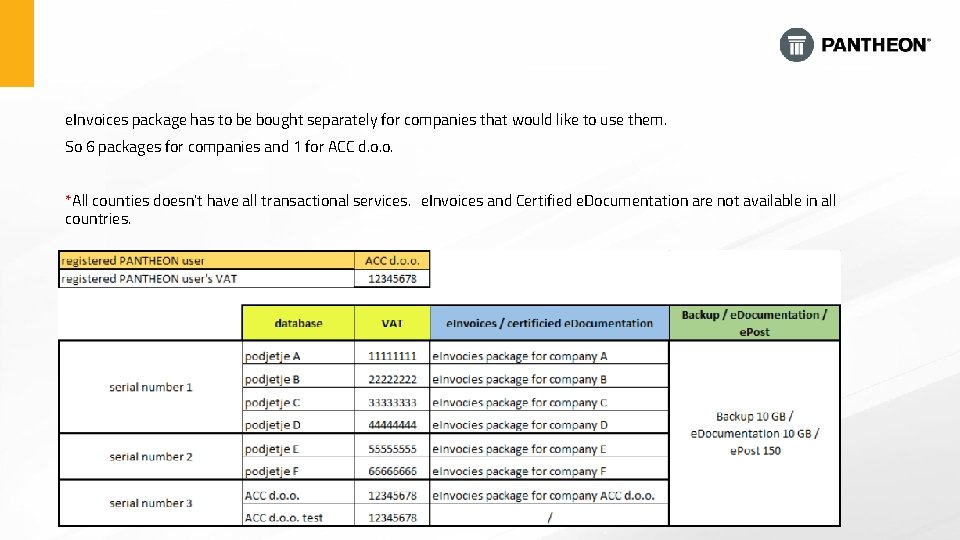
e. Invoices package has to be bought separately for companies that would like to use them. So 6 packages for companies and 1 for ACC d. o. o. *All counties doesn't have all transactional services. e. Invoices and Certified e. Documentation are not available in all countries.
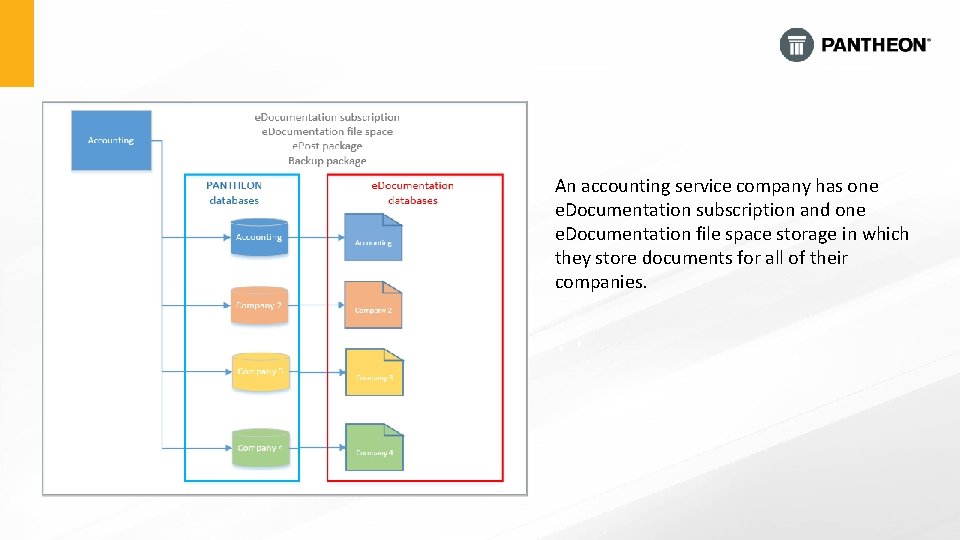
An accounting service company has one e. Documentation subscription and one e. Documentation file space storage in which they store documents for all of their companies.
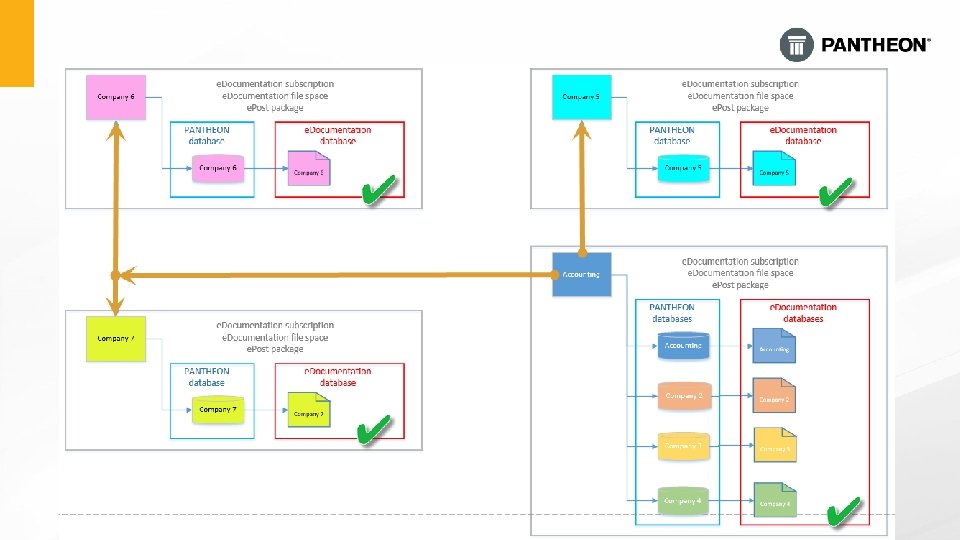
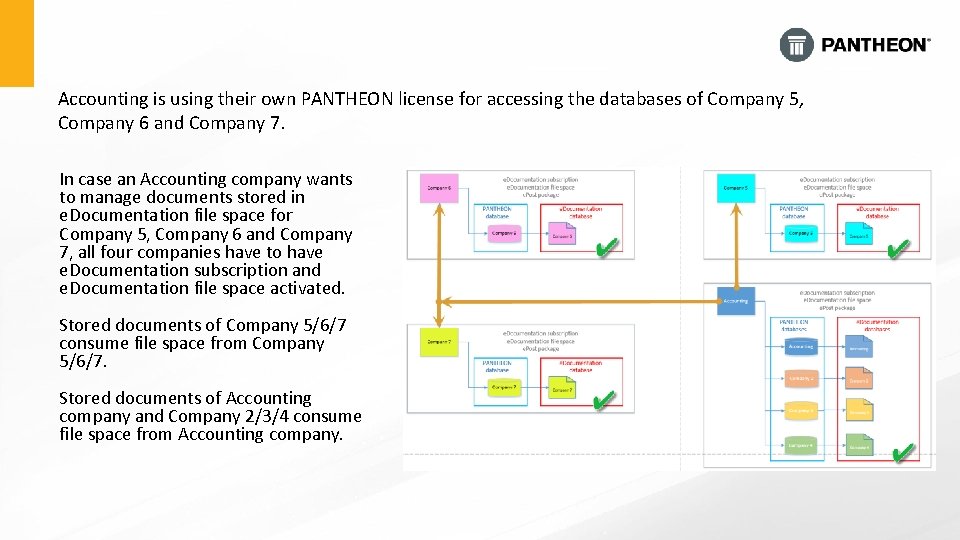
Accounting is using their own PANTHEON license for accessing the databases of Company 5, Company 6 and Company 7. In case an Accounting company wants to manage documents stored in e. Documentation file space for Company 5, Company 6 and Company 7, all four companies have to have e. Documentation subscription and e. Documentation file space activated. Stored documents of Company 5/6/7 consume file space from Company 5/6/7. Stored documents of Accounting company and Company 2/3/4 consume file space from Accounting company.
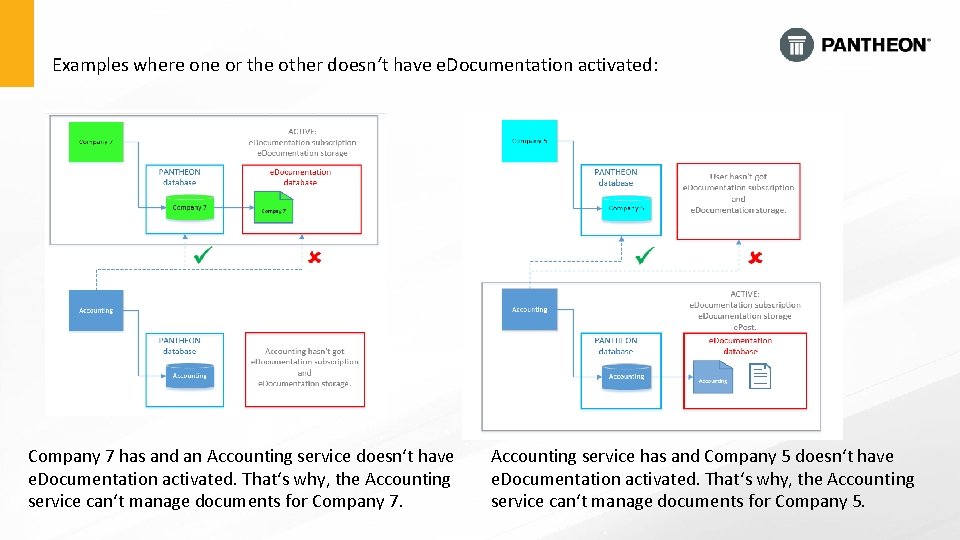
Examples where one or the other doesn‘t have e. Documentation activated: Company 7 has and an Accounting service doesn‘t have e. Documentation activated. That‘s why, the Accounting service can‘t manage documents for Company 7. Accounting service has and Company 5 doesn‘t have e. Documentation activated. That‘s why, the Accounting service can‘t manage documents for Company 5.
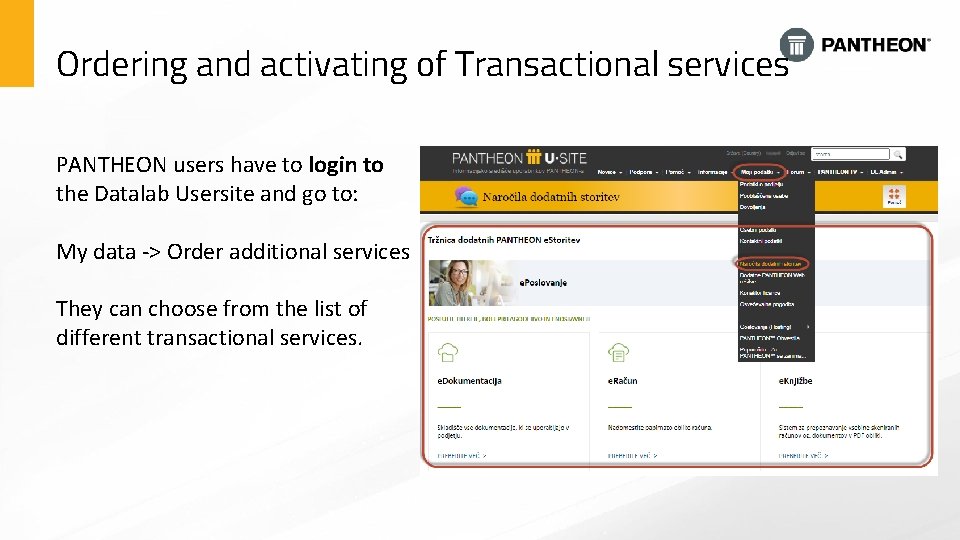
Ordering and activating of Transactional services PANTHEON users have to login to the Datalab Usersite and go to: My data -> Order additional services They can choose from the list of different transactional services.
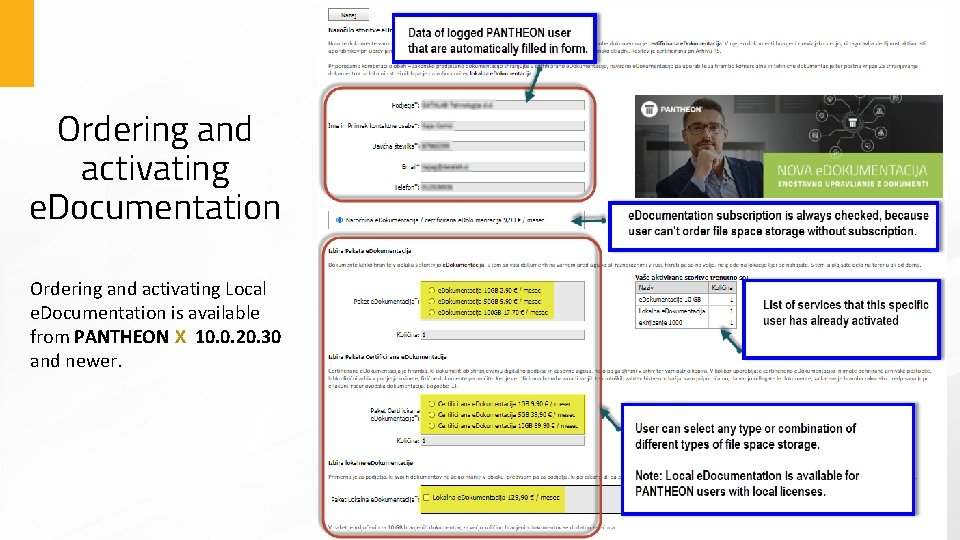
Ordering and activating e. Documentation Ordering and activating Local e. Documentation is available from PANTHEON X 10. 0. 20. 30 and newer.
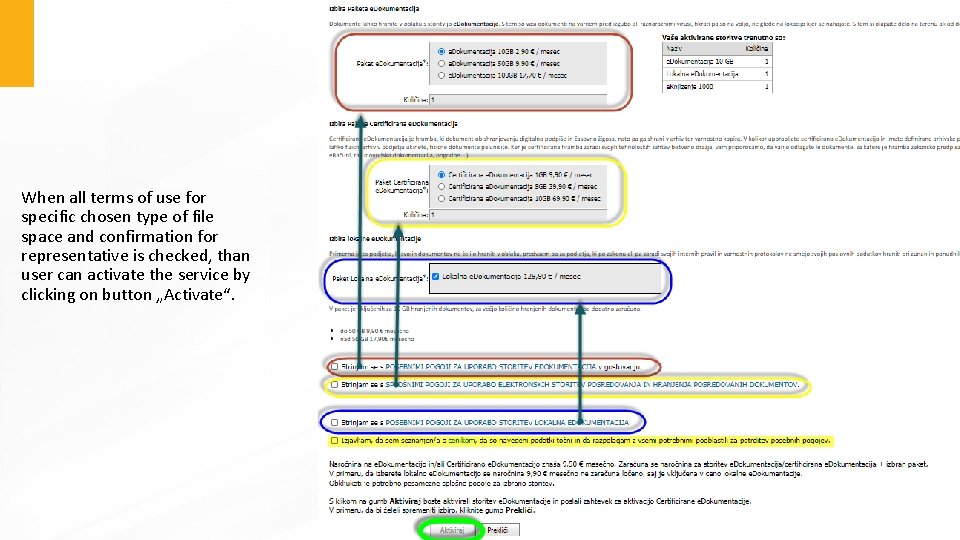
When all terms of use for specific chosen type of file space and confirmation for representative is checked, than user can activate the service by clicking on button „Activate“.
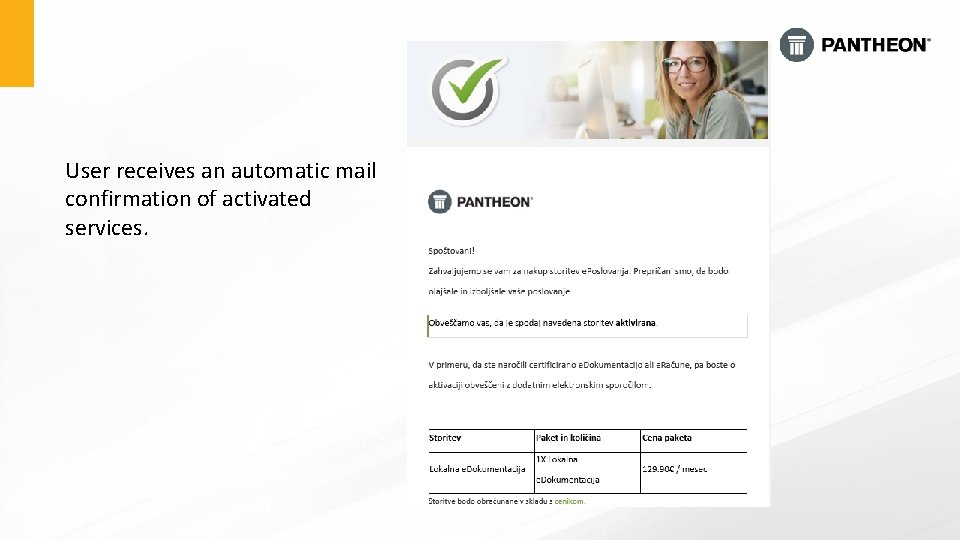
User receives an automatic mail confirmation of activated services.
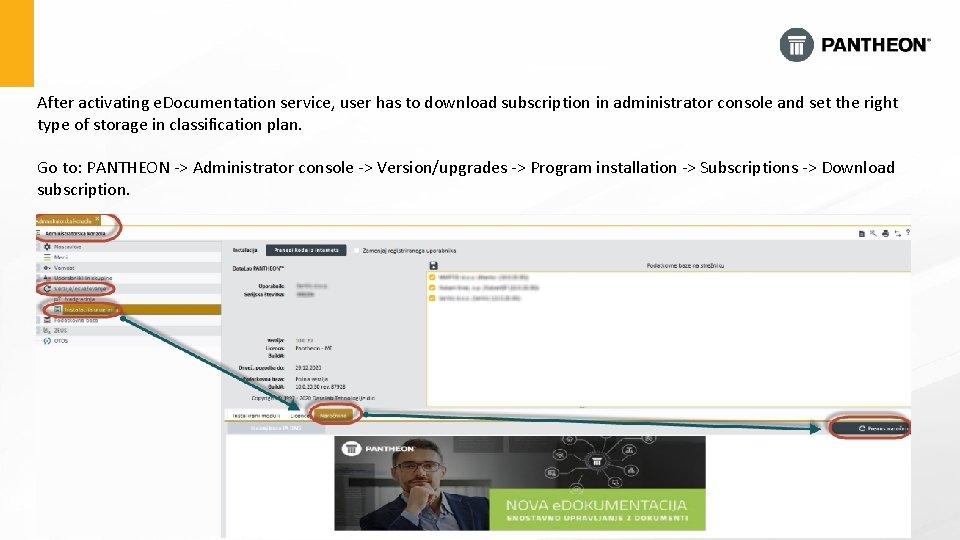
After activating e. Documentation service, user has to download subscription in administrator console and set the right type of storage in classification plan. Go to: PANTHEON -> Administrator console -> Version/upgrades -> Program installation -> Subscriptions -> Download subscription.
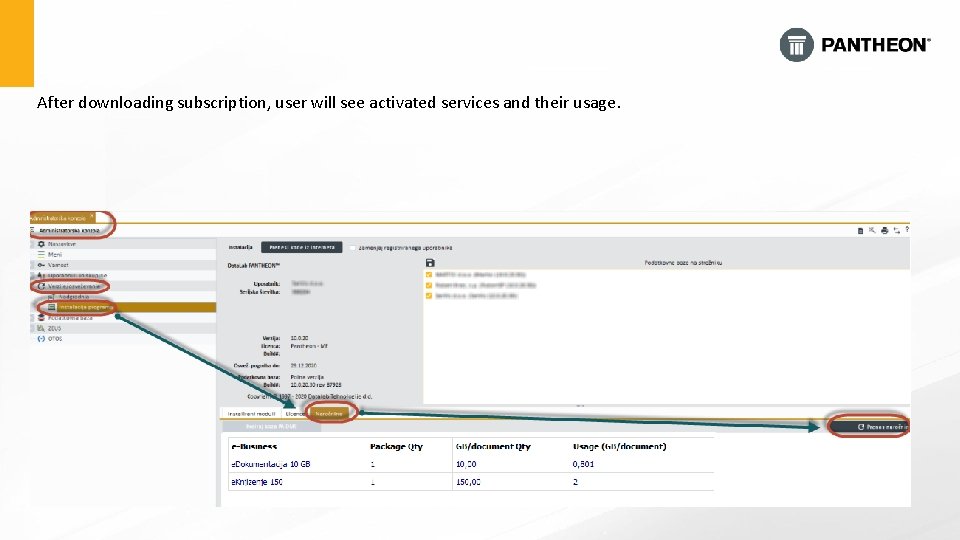
After downloading subscription, user will see activated services and their usage.
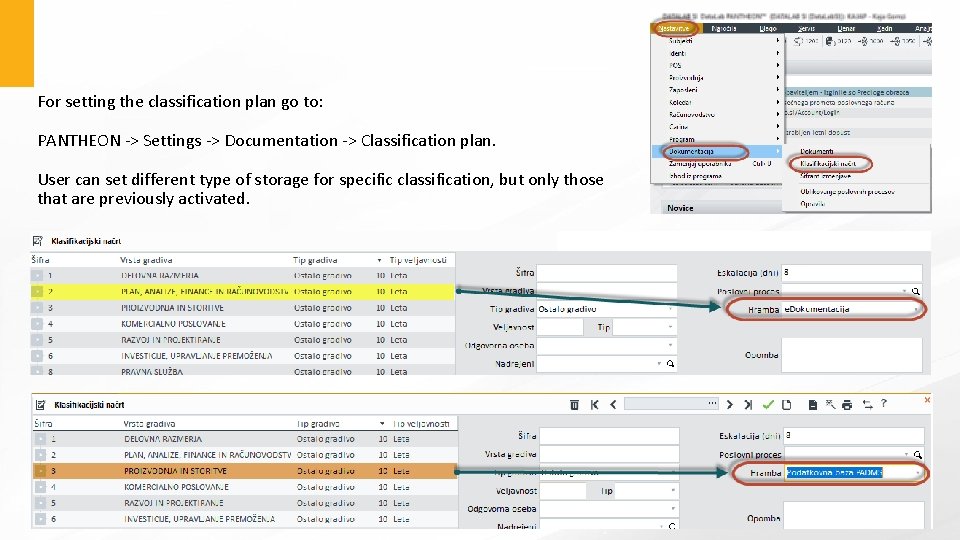
For setting the classification plan go to: PANTHEON -> Settings -> Documentation -> Classification plan. User can set different type of storage for specific classification, but only those that are previously activated.
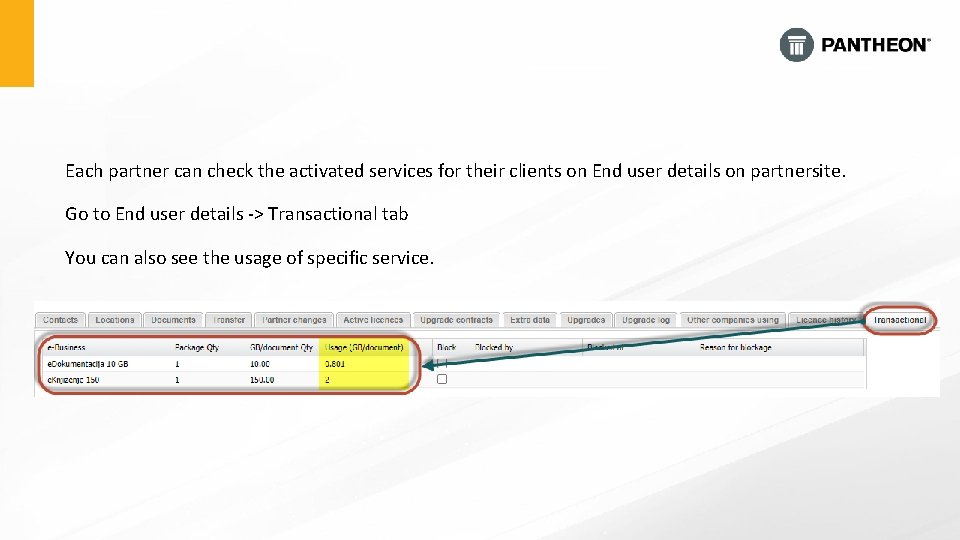
Each partner can check the activated services for their clients on End user details on partnersite. Go to End user details -> Transactional tab You can also see the usage of specific service.
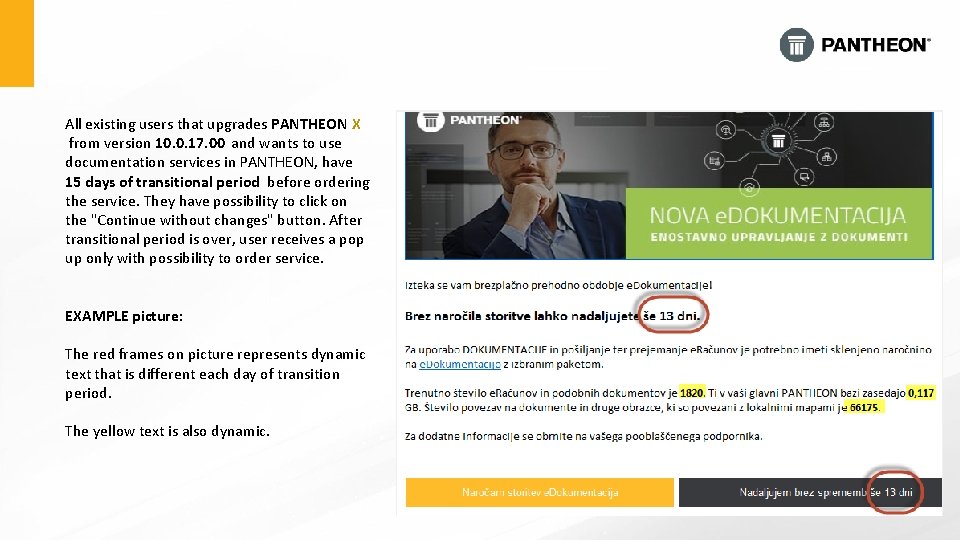
All existing users that upgrades PANTHEON X from version 10. 0. 17. 00 and wants to use documentation services in PANTHEON, have 15 days of transitional period before ordering the service. They have possibility to click on the "Continue without changes" button. After transitional period is over, user receives a pop up only with possibility to order service. EXAMPLE picture: The red frames on picture represents dynamic text that is different each day of transition period. The yellow text is also dynamic.
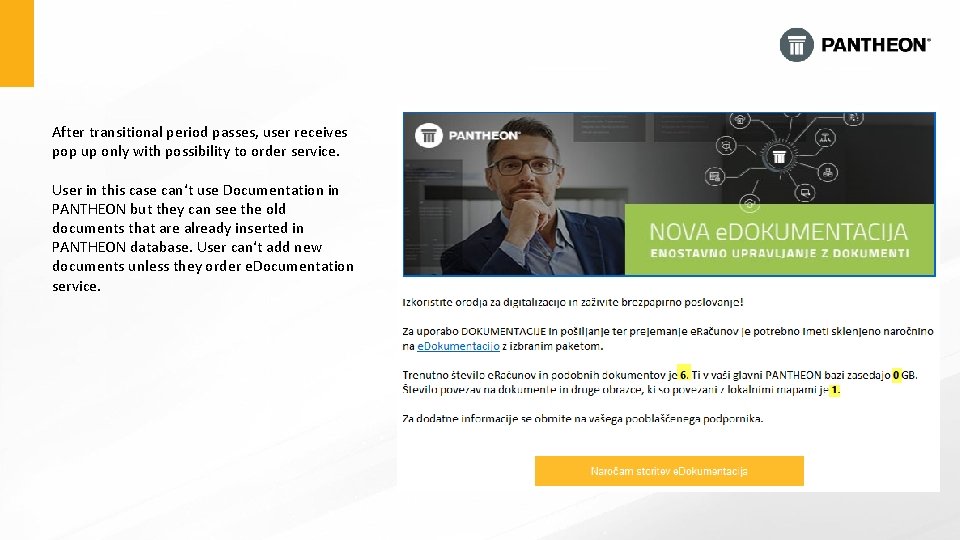
After transitional period passes, user receives pop up only with possibility to order service. User in this case can‘t use Documentation in PANTHEON but they can see the old documents that are already inserted in PANTHEON database. User can‘t add new documents unless they order e. Documentation service.
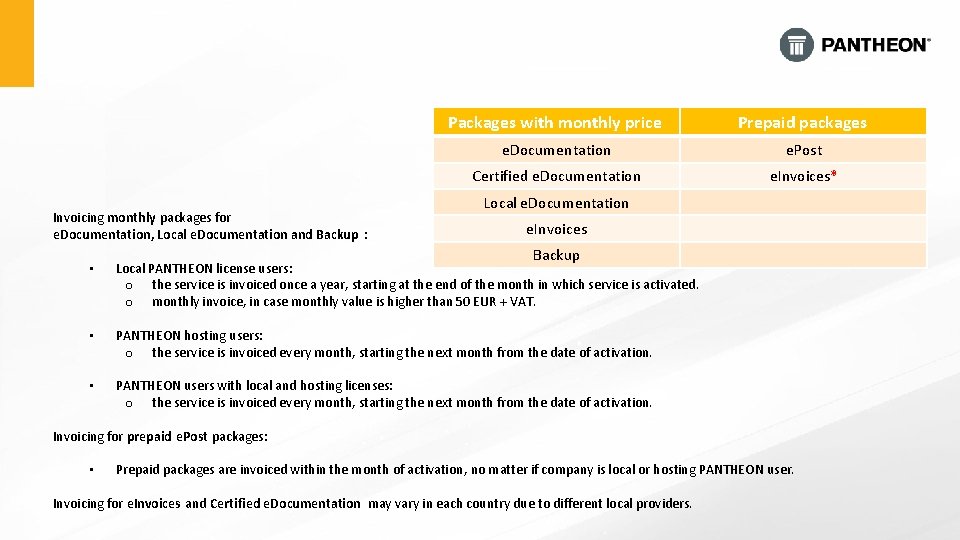
Invoicing monthly packages for e. Documentation, Local e. Documentation and Backup : Packages with monthly price Prepaid packages e. Documentation e. Post Certified e. Documentation e. Invoices* Local e. Documentation e. Invoices Backup • Local PANTHEON license users: o the service is invoiced once a year, starting at the end of the month in which service is activated. o monthly invoice, in case monthly value is higher than 50 EUR + VAT. • PANTHEON hosting users: o the service is invoiced every month, starting the next month from the date of activation. • PANTHEON users with local and hosting licenses: o the service is invoiced every month, starting the next month from the date of activation. Invoicing for prepaid e. Post packages: • Prepaid packages are invoiced within the month of activation, no matter if company is local or hosting PANTHEON user. Invoicing for e. Invoices and Certified e. Documentation may vary in each country due to different local providers.
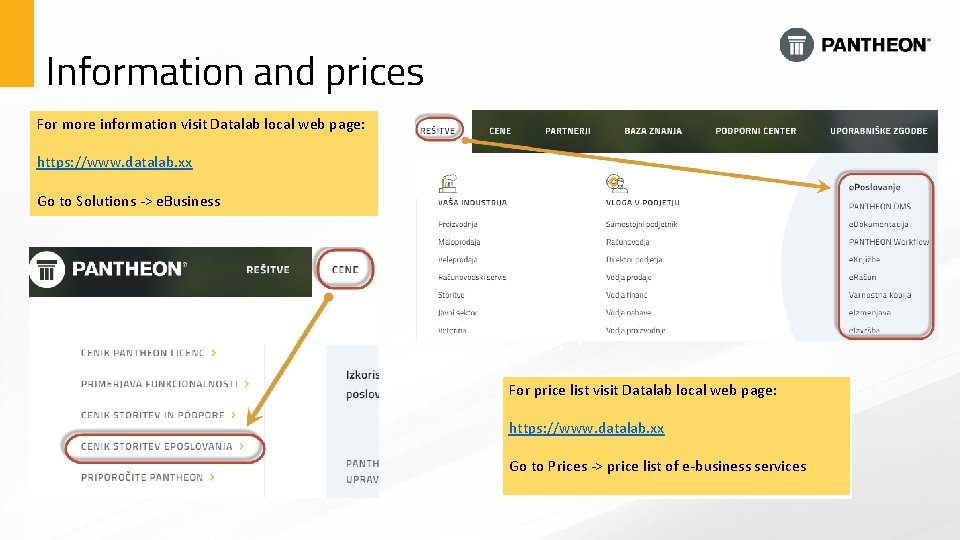
Information and prices For more information visit Datalab local web page: https: //www. datalab. xx Go to Solutions -> e. Business For price list visit Datalab local web page: https: //www. datalab. xx Go to Prices -> price list of e-business services