
Transaction Management CRUD Operations Four basic operations of
Transaction Management

CRUD Operations • Four basic operations of database application: – Create: add new records – Read: retrieve records – Update: modify records – Delete: delete records • Database servers typically offer API to do CRUD. • Demo: using C# and Mongo. DB Atlas
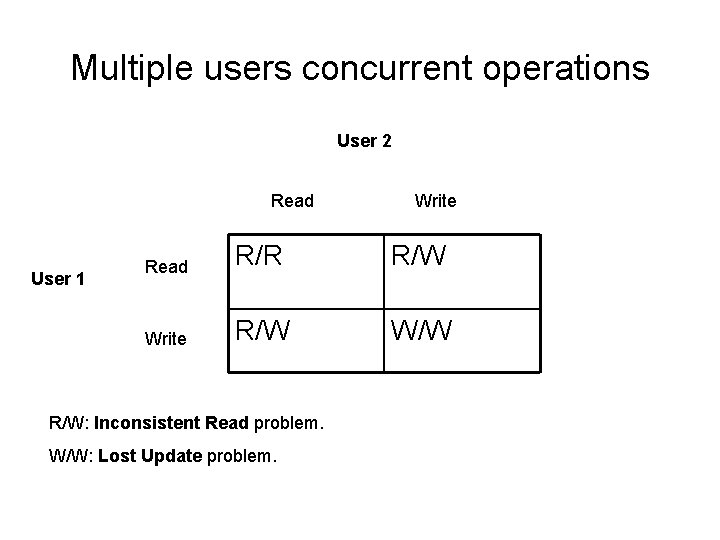
Multiple users concurrent operations User 2 Read User 1 Write Read R/R R/W Write R/W W/W R/W: Inconsistent Read problem. W/W: Lost Update problem.
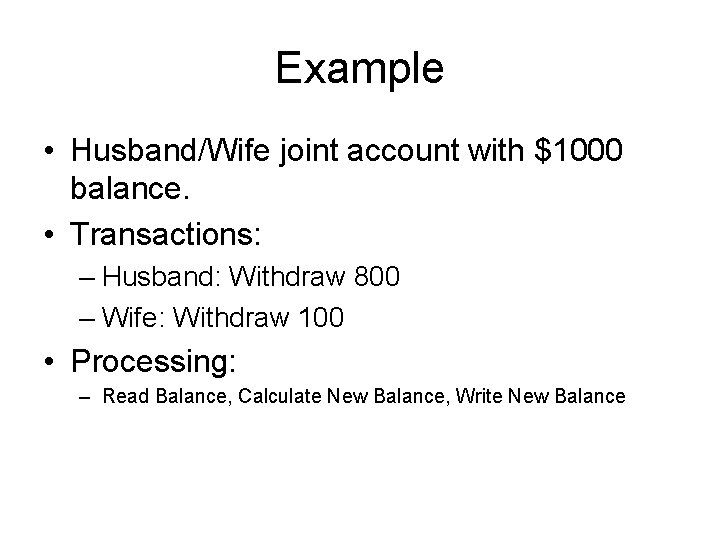
Example • Husband/Wife joint account with $1000 balance. • Transactions: – Husband: Withdraw 800 – Wife: Withdraw 100 • Processing: – Read Balance, Calculate New Balance, Write New Balance
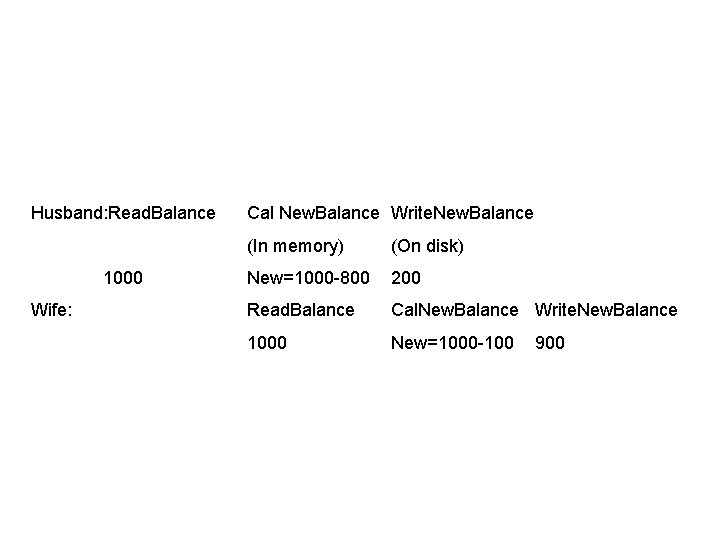
Husband: Read. Balance 1000 Wife: Cal New. Balance Write. New. Balance (In memory) (On disk) New=1000 -800 200 Read. Balance Cal. New. Balance Write. New. Balance 1000 New=1000 -100 900

Serializable Schedule • Serial Schedule: The operations of each concurrent transaction are executed consecutively without any interleaved operations from other transactions. • Nonserial Schedule: The operations from a set of concurrent transactions are interleaved. – Maximizing database availability • Serializable schedule: If a set of transactions executes concurrently, the nonserial schedule is called serializable if it produces the same results as a serial schedule.
Locking • Locking is the most widely used approach to ensure serializability of concurrent transactions. • Shared lock: read only access • Exclusive lock: for both read and write access.
Two-Phase Locking • A transaction must acquire a lock (read or write) on an item before operating on the item. – Note: A transaction may acquire many locks. • Once the transaction releases a lock, it cannot acquire any new locks. • All locking operations precede the first unlock operation in the transaction: – Growing phase – Shrinking phase
Lock Granularity • The size of data items protected by a lock. – Entire database – Entire table – A page – A record – A Field • The coarser the data item size, the lower the degree of concurrency permitted.
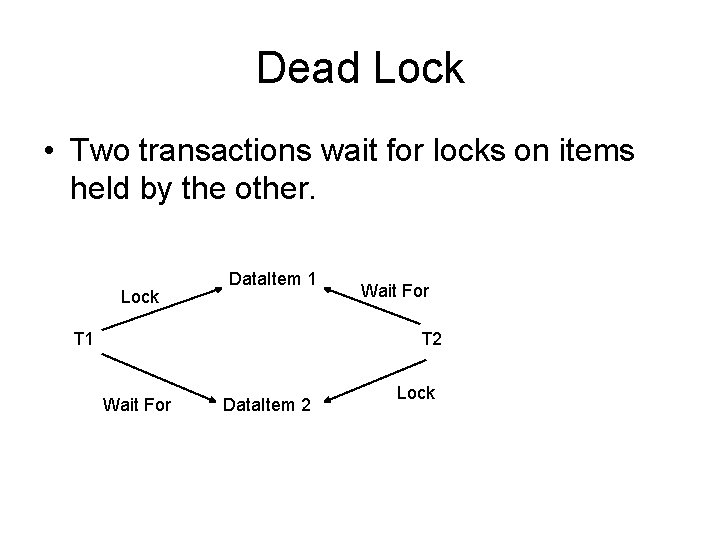
Dead Lock • Two transactions wait for locks on items held by the other. Lock Data. Item 1 T 1 Wait For T 2 Wait For Data. Item 2 Lock
Database Transaction • In a database management system, a transaction is a single unit of logic or work, sometimes made up of multiple operations. • An unit of work on database that is either completed in its entirety or is not performed at all.
Examples of Transaction • Transfer from one bank account to another: the complete transaction requires subtracting the amount to be transferred from one account and adding that same amount to the other. • Double-entry accounting: – Debit one account – Credit another account
The ACID Properties of a Transaction Database • Atomicity: All or nothing rule – Either the entire transaction takes place at once or doesn’t happen at all. There is no midway i. e. transactions do not occur partially. • Abort: If a transaction aborts, changes made to database are not visible. • Commit: If a transaction commits, changes made are visible.
• Consistency: A transaction transforms a database from one consistent state to another consistent state. • Isolation: Multiple transactions can occur concurrently without leading to the inconsistency of database state. – Serializability using locking • Durability: The effects of a successfully completed transaction are permanently recorded in the database and must not be lost.
Major Disadvantages of No. SQL Database Systems • No. SQL databases don’t have the reliability functions which Relational Databases have (basically don’t support ACID). • In order to support ACID developers will have to implement their own code, making their systems more complex. – This may reduce the number of safe applications that commit transactions, for example bank systems.
Transaction Related Commands • • • Begin (or Start) Transaction Lock Update commands Commit Roll. Back End Transaction
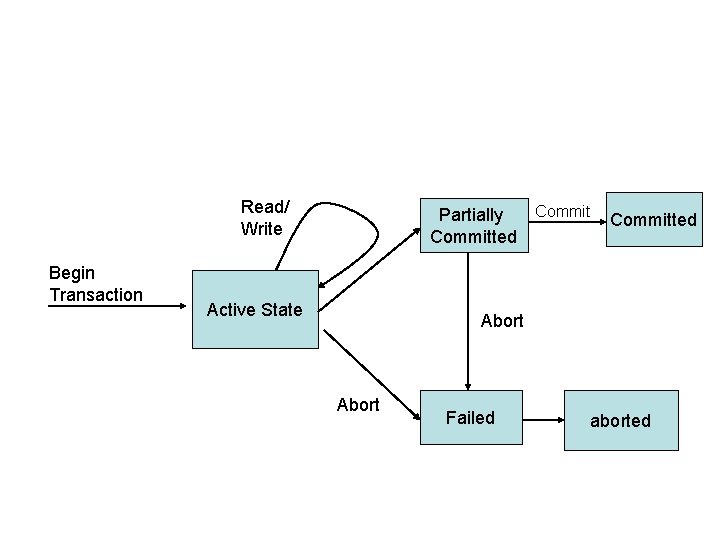
Read/ Write Begin Transaction Commit Partially Committed Active State Committed Abort Failed aborted
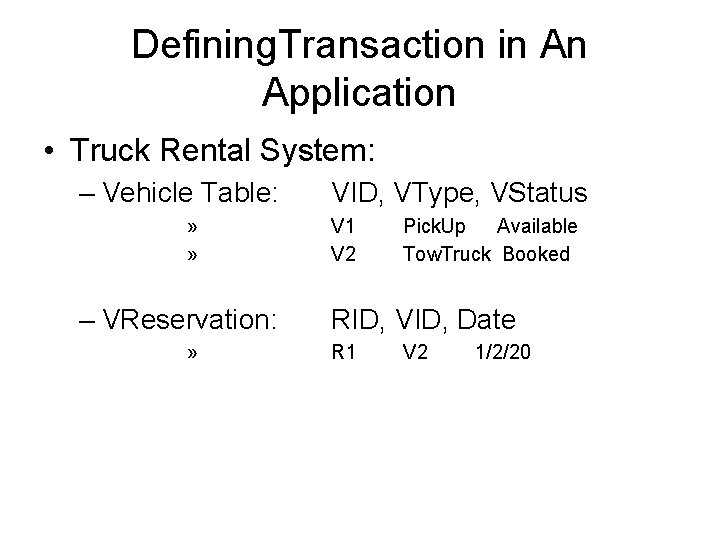
Defining. Transaction in An Application • Truck Rental System: – Vehicle Table: » » – VReservation: » VID, VType, VStatus V 1 V 2 Pick. Up Available Tow. Truck Booked RID, VID, Date R 1 V 2 1/2/20
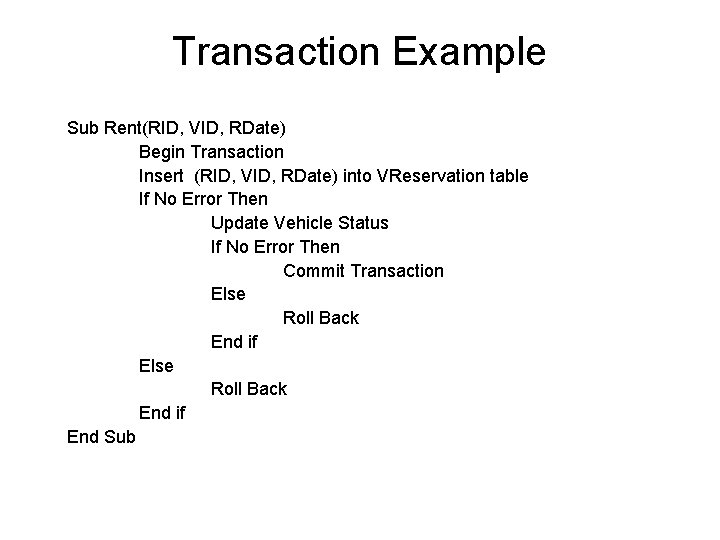
Transaction Example Sub Rent(RID, VID, RDate) Begin Transaction Insert (RID, VID, RDate) into VReservation table If No Error Then Update Vehicle Status If No Error Then Commit Transaction Else Roll Back End if End Sub
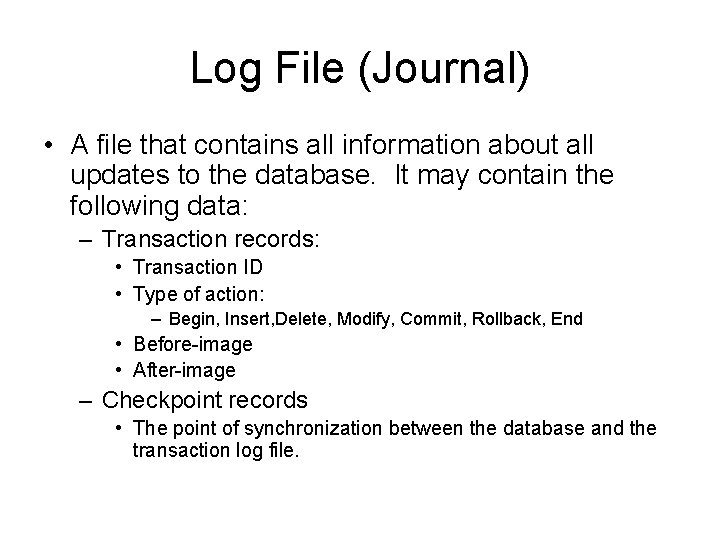
Log File (Journal) • A file that contains all information about all updates to the database. It may contain the following data: – Transaction records: • Transaction ID • Type of action: – Begin, Insert, Delete, Modify, Commit, Rollback, End • Before-image • After-image – Checkpoint records • The point of synchronization between the database and the transaction log file.
Completed Transaction • All calculations done by the transaction in its work space (RAM) must have finished, and a copy of the results of the transaction must have been written in a secure place (log file). The action of committing the transaction must also be written in the log.
Two Phase Commit • A transaction cannot commit until it has recorded all its changes in the log. • A transaction cannot write into the database until it has committed.
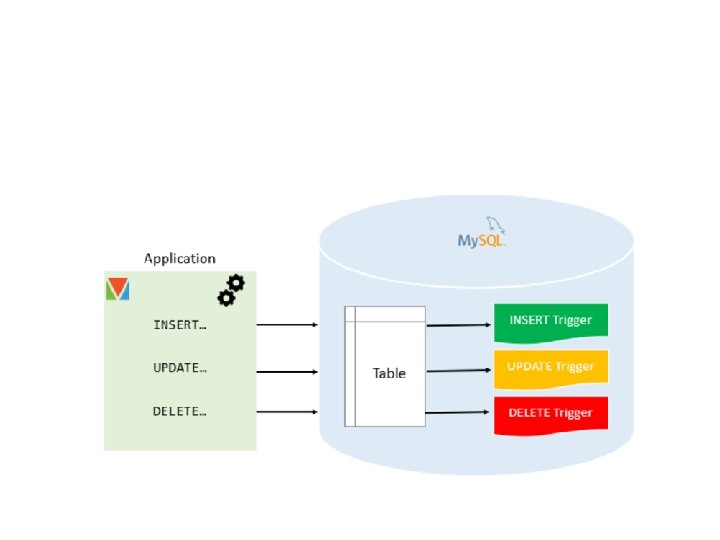
Triggers https: //www. mysqltutorial. org/mysql-triggers. aspx https: //dev. mysql. com/doc/refman/8. 0/en/trigger-syntax. html • A trigger is a program stored in the database and is called automatically when a triggering event occurs. • Update events: – BEFORE Insert|Delete|Update – AFTER Insert|Delete|Update
Advantages of triggers • Triggers provide another way to check the integrity of data and handle errors. • Triggers can be useful for auditing the data changes in tables.
Access the values of the column being affected by the DML statement • The trigger body can access the values of the columns BEFORE and AFTER the DML has fired using the NEW and OLD modifiers. • For example, if you update the column description, in the trigger body, you can access the value of the description before the update OLD. description and the new value NEW. description.
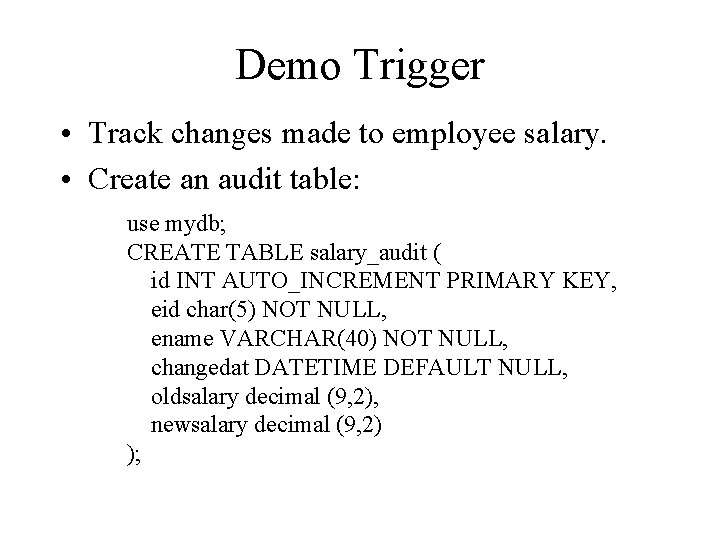
Demo Trigger • Track changes made to employee salary. • Create an audit table: use mydb; CREATE TABLE salary_audit ( id INT AUTO_INCREMENT PRIMARY KEY, eid char(5) NOT NULL, ename VARCHAR(40) NOT NULL, changedat DATETIME DEFAULT NULL, oldsalary decimal (9, 2), newsalary decimal (9, 2) );
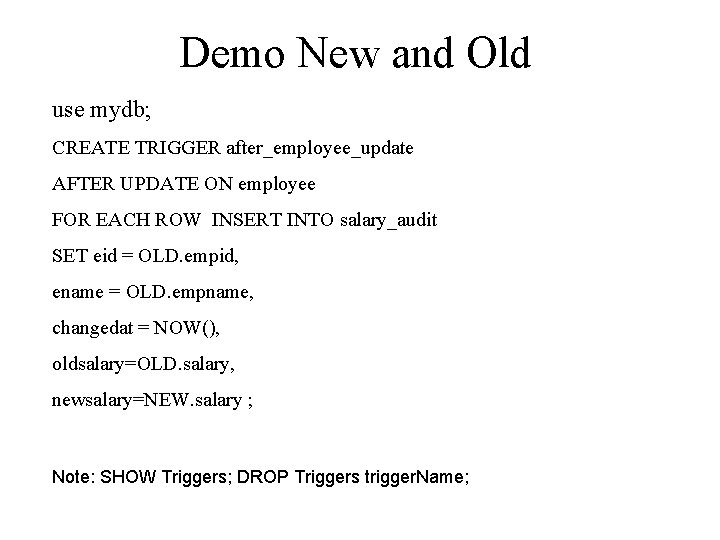
Demo New and Old use mydb; CREATE TRIGGER after_employee_update AFTER UPDATE ON employee FOR EACH ROW INSERT INTO salary_audit SET eid = OLD. empid, ename = OLD. empname, changedat = NOW(), oldsalary=OLD. salary, newsalary=NEW. salary ; Note: SHOW Triggers; DROP Triggers trigger. Name;
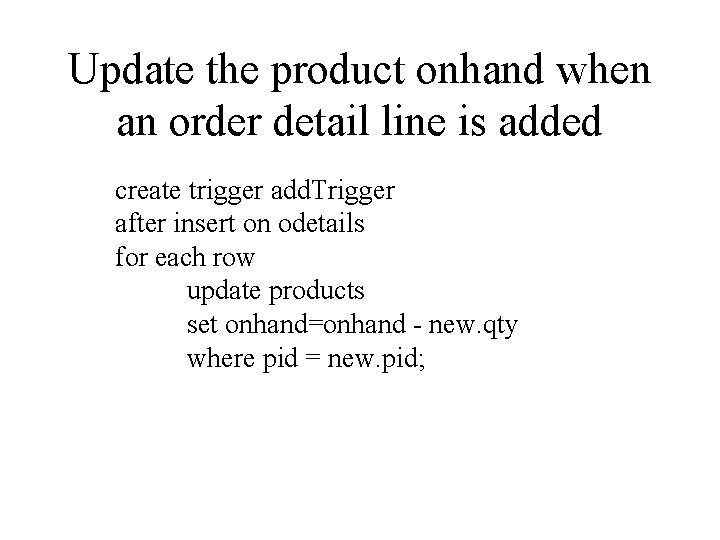
Update the product onhand when an order detail line is added create trigger add. Trigger after insert on odetails for each row update products set onhand=onhand - new. qty where pid = new. pid;
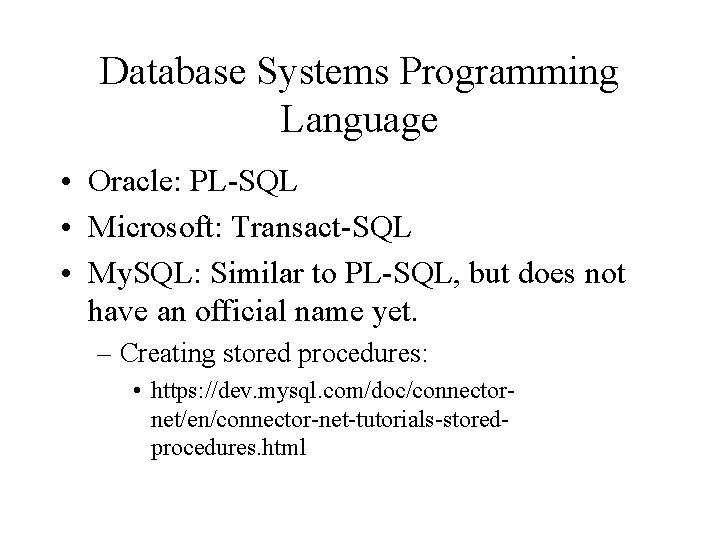
Database Systems Programming Language • Oracle: PL-SQL • Microsoft: Transact-SQL • My. SQL: Similar to PL-SQL, but does not have an official name yet. – Creating stored procedures: • https: //dev. mysql. com/doc/connectornet/en/connector-net-tutorials-storedprocedures. html
To Recover • In the event of a failure, examine the log starting from the most recent checkpoint record. • Any transaction with Transaction Start and Transaction Commit records should be redone: – Perform all the writes to the database using the after-image log records in the order in which they were written to the log.
- Slides: 31