
Trans CAD Users Guide 11252020 1 The Impact
- Slides: 31
Trans. CAD User’s Guide 11/25/2020 1
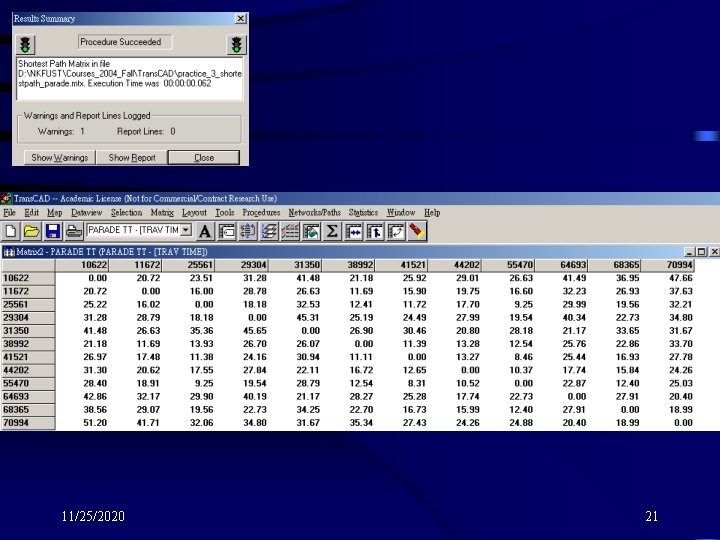
The Impact of Closing Streets for a Parade • We’re going to do a quick analysis of the impact of closing down some strees in downtown Flintbury for a parade. • We’ll use the network, shortest path, and matrix capabilities of Trans. CAD to compare the person-hours spent driving in Flintbury under normal conditions with the personhours spent driving with the parade route closed. 11/25/2020 2
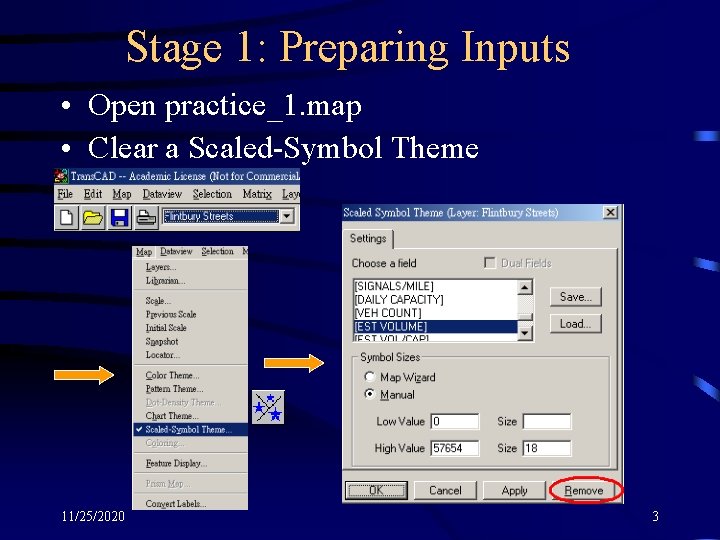
Stage 1: Preparing Inputs • Open practice_1. map • Clear a Scaled-Symbol Theme 11/25/2020 3
11/25/2020 4
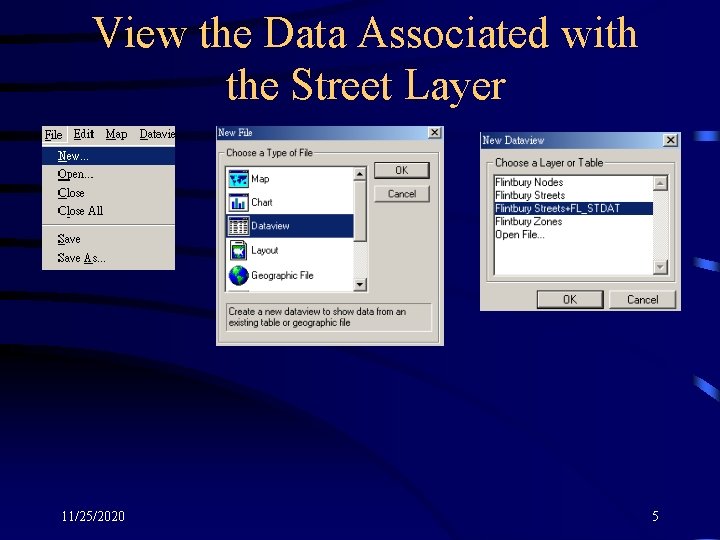
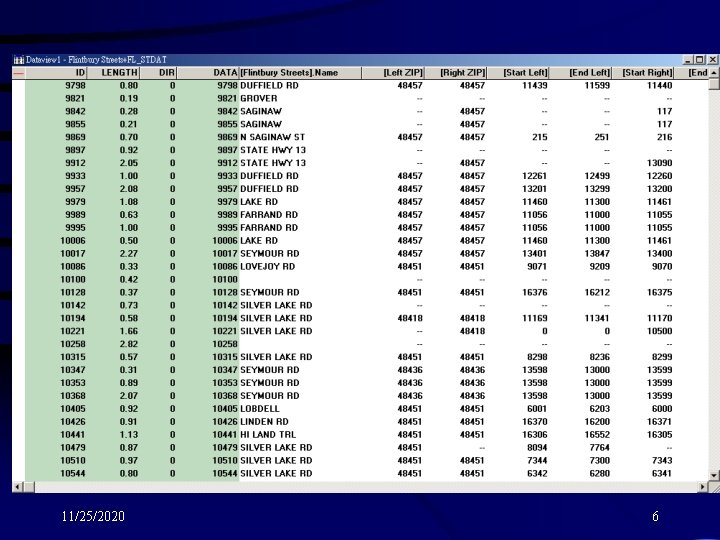
View the Data Associated with the Street Layer 11/25/2020 5
11/25/2020 6
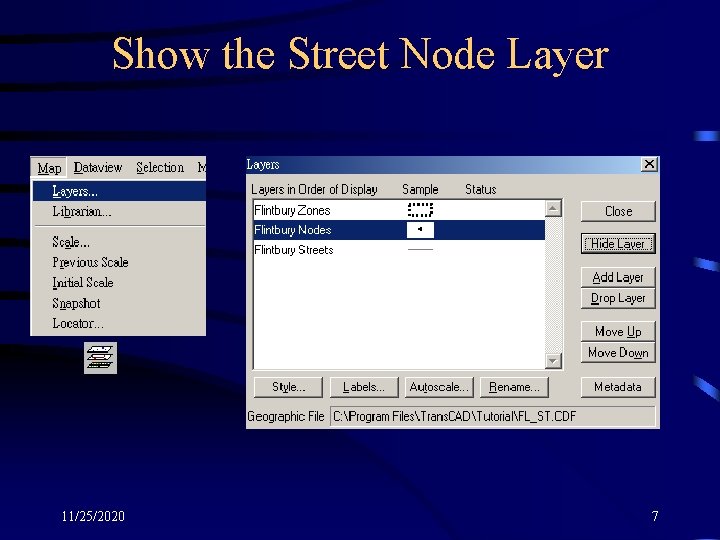
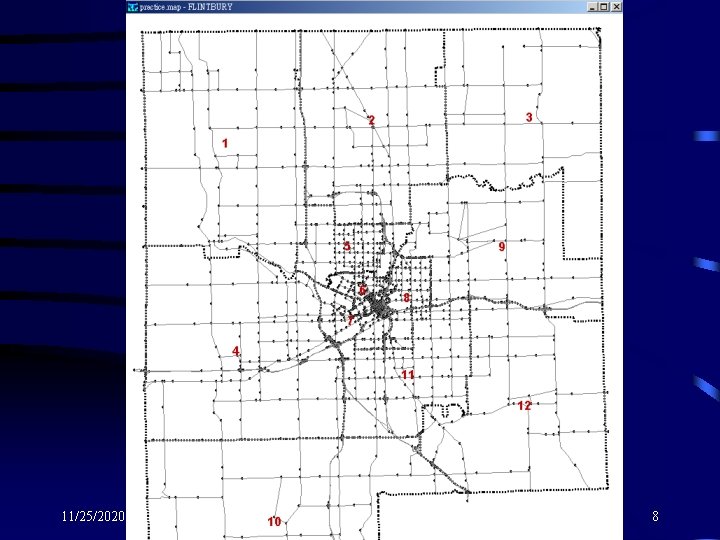
Show the Street Node Layer 11/25/2020 7
11/25/2020 8
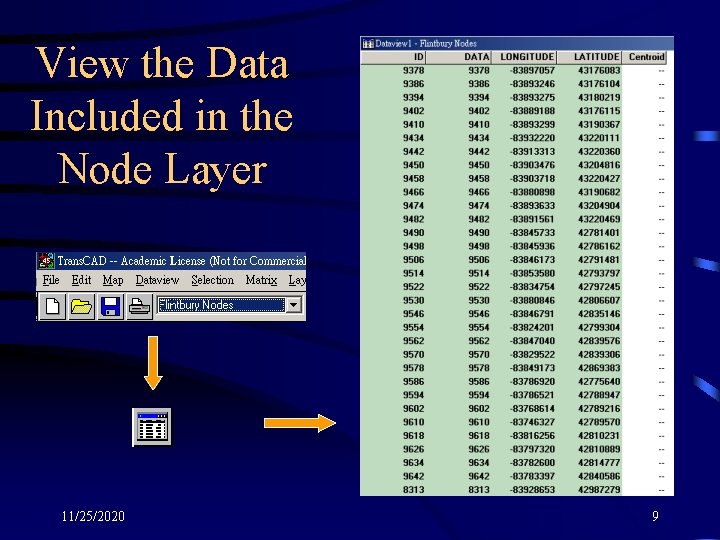
View the Data Included in the Node Layer 11/25/2020 9
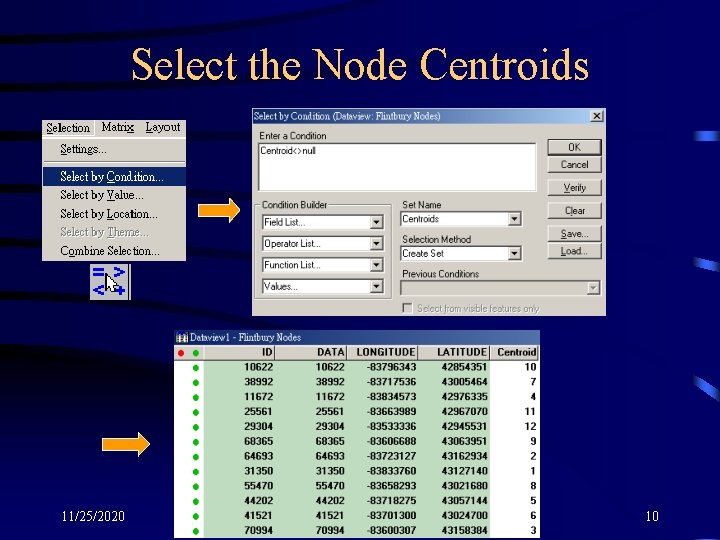
Select the Node Centroids 11/25/2020 10
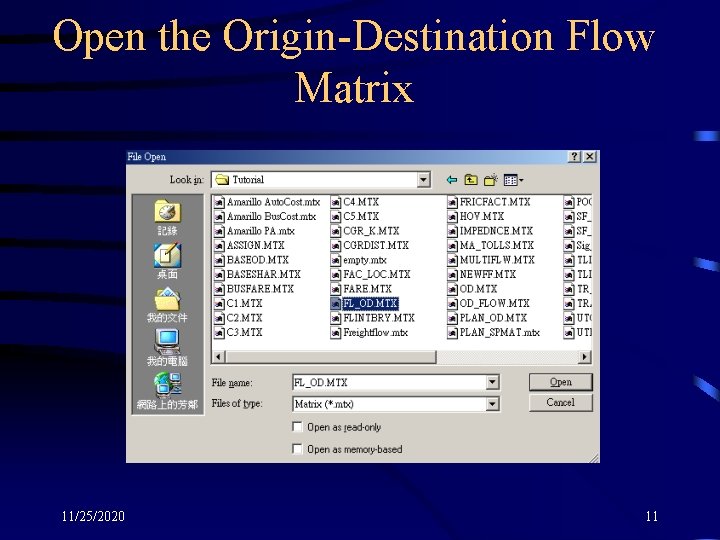
Open the Origin-Destination Flow Matrix 11/25/2020 11
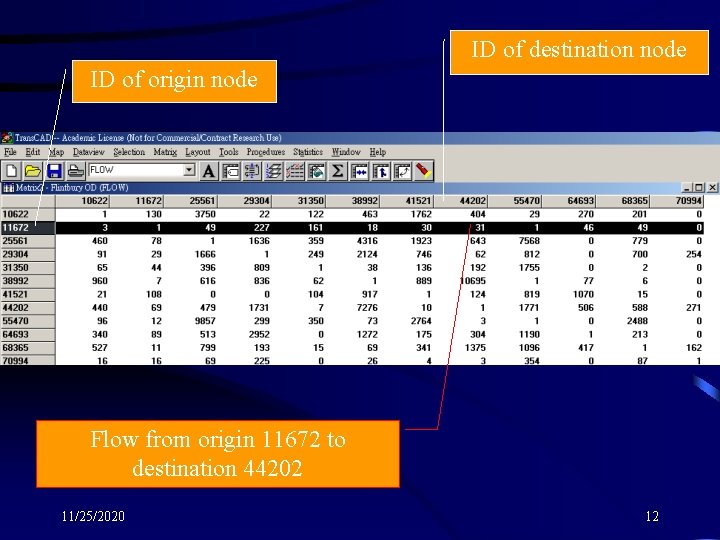
ID of destination node ID of origin node Flow from origin 11672 to destination 44202 11/25/2020 12
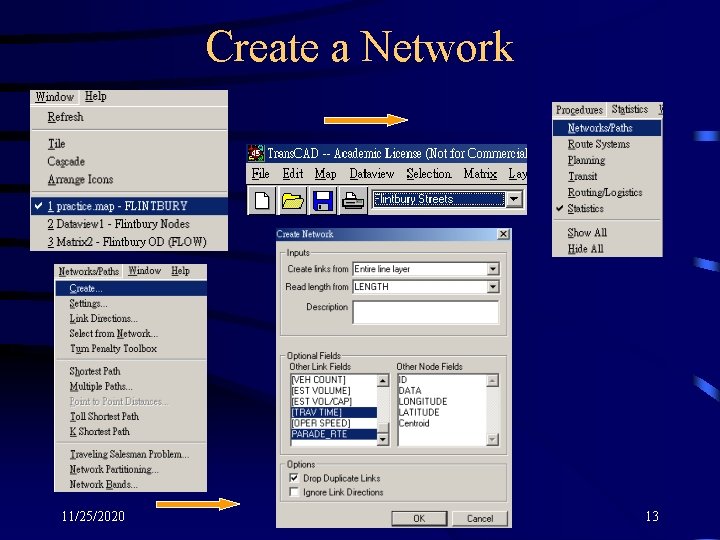
Create a Network 11/25/2020 13
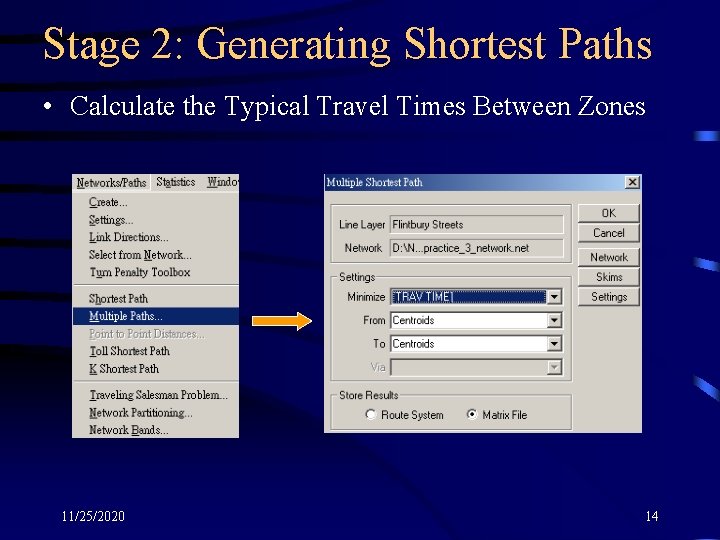
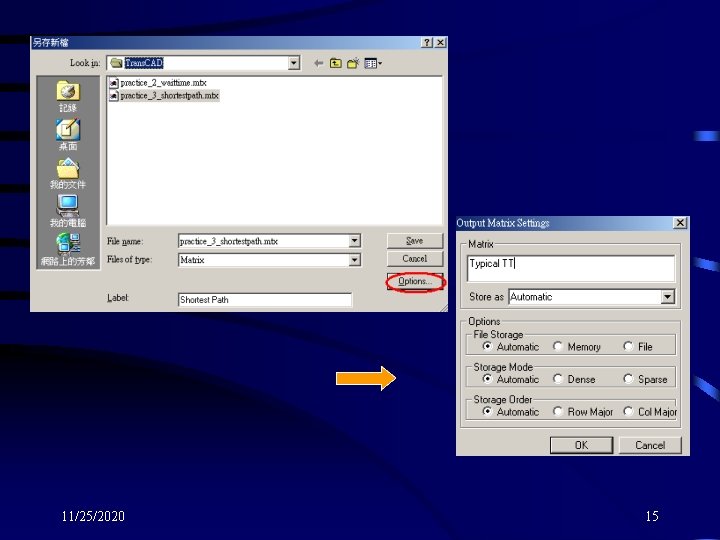
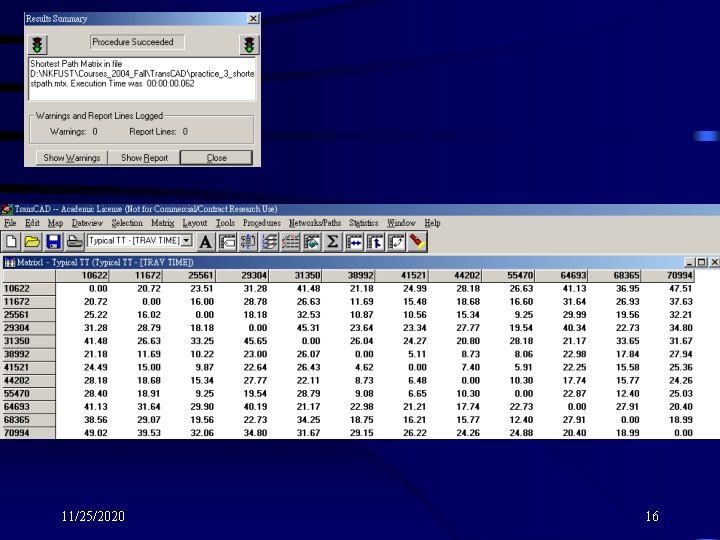
Stage 2: Generating Shortest Paths • Calculate the Typical Travel Times Between Zones 11/25/2020 14
11/25/2020 15
11/25/2020 16
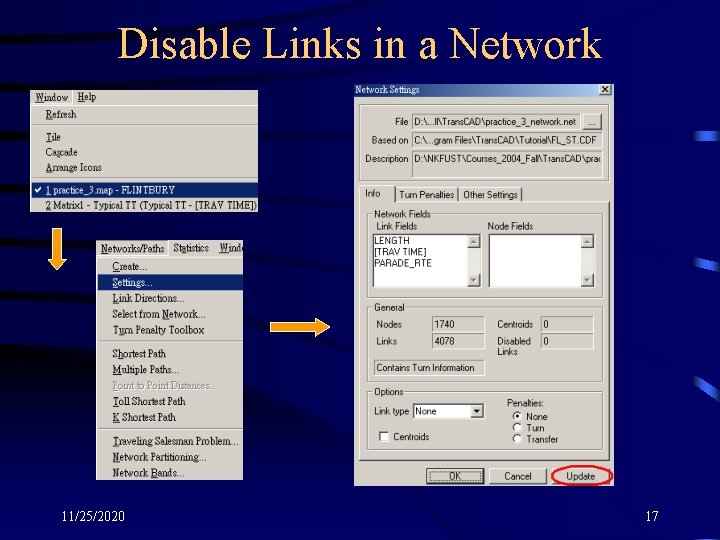
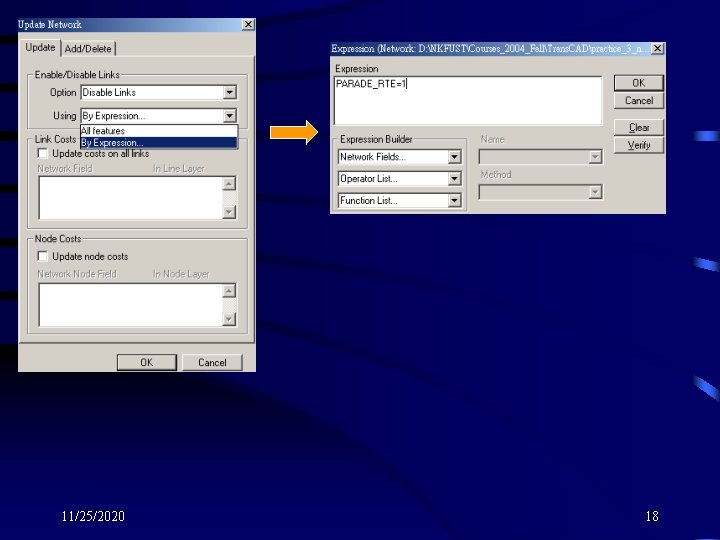
Disable Links in a Network 11/25/2020 17
11/25/2020 18
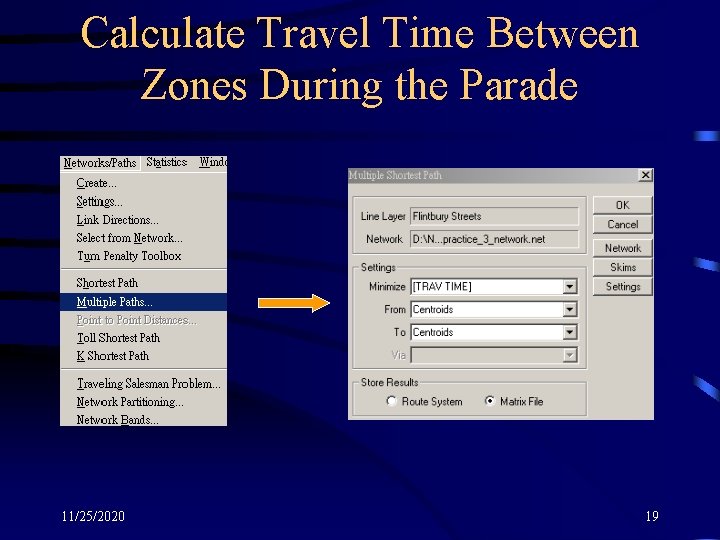
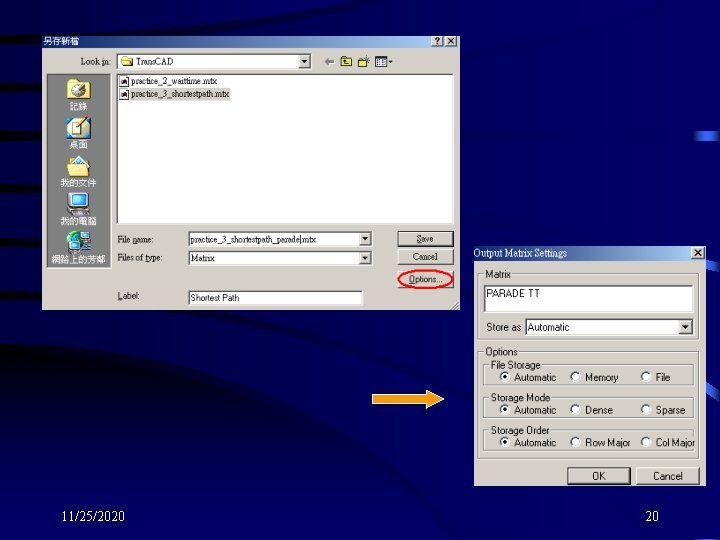
Calculate Travel Time Between Zones During the Parade 11/25/2020 19
11/25/2020 20
11/25/2020 21
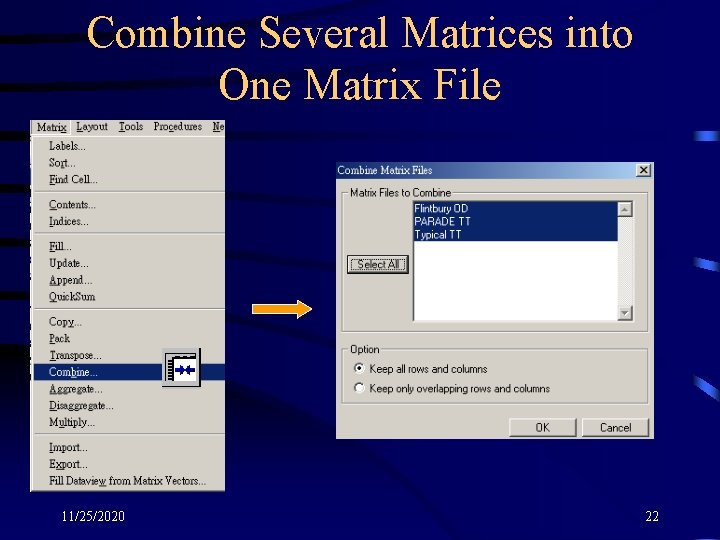
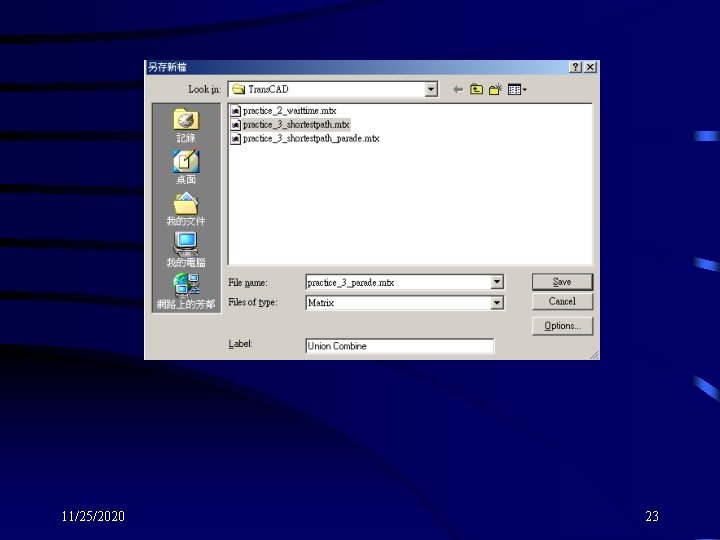
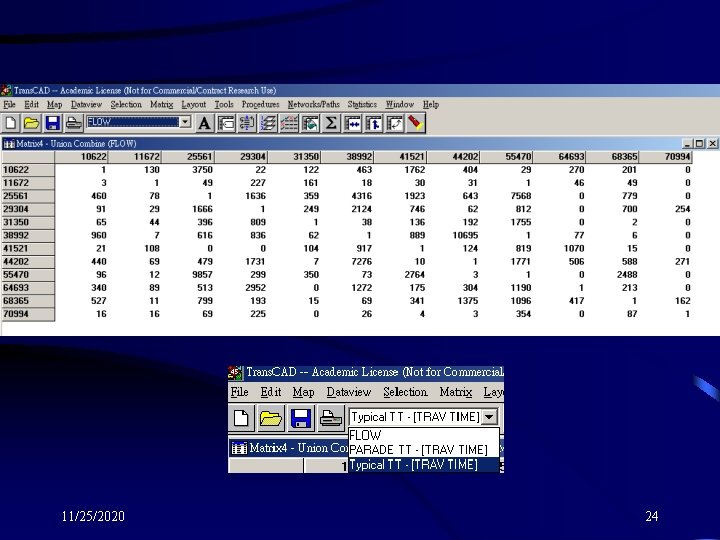
Combine Several Matrices into One Matrix File 11/25/2020 22
11/25/2020 23
11/25/2020 24
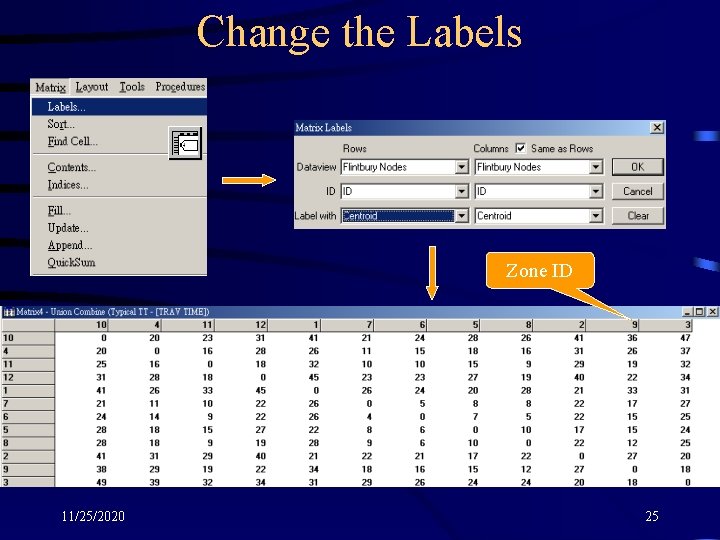
Change the Labels Zone ID 11/25/2020 25
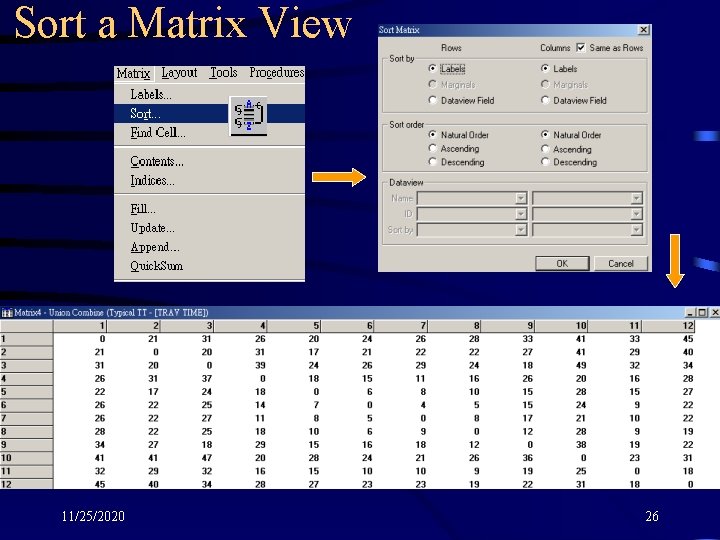
Sort a Matrix View 11/25/2020 26
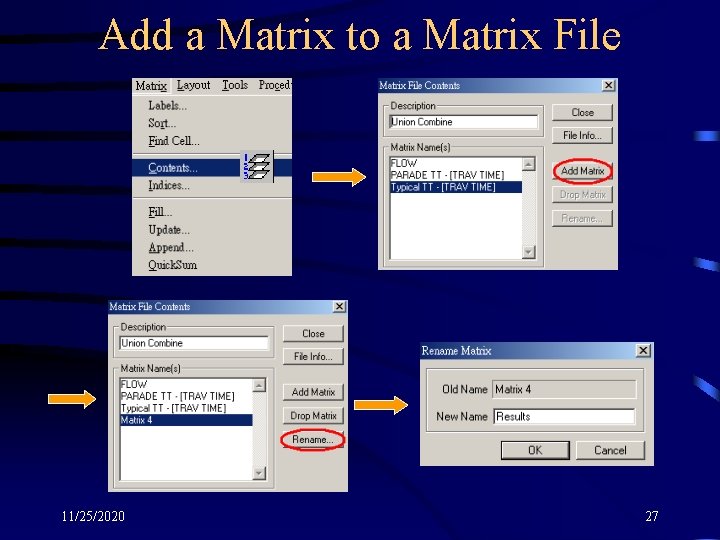
Add a Matrix to a Matrix File 11/25/2020 27
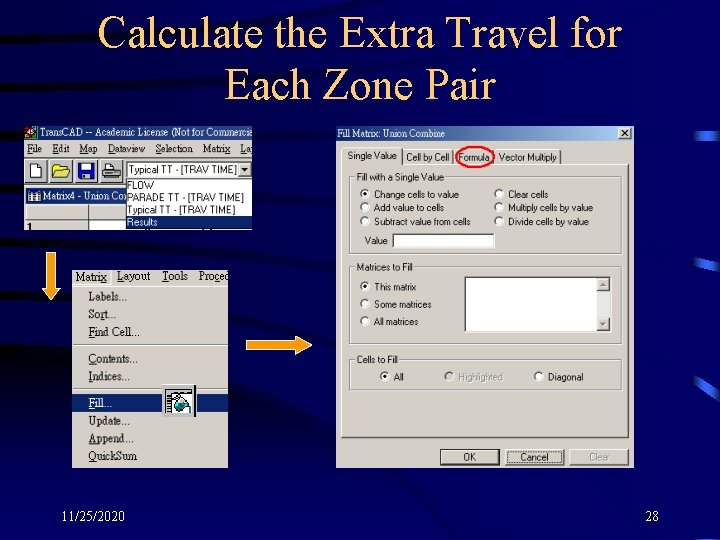
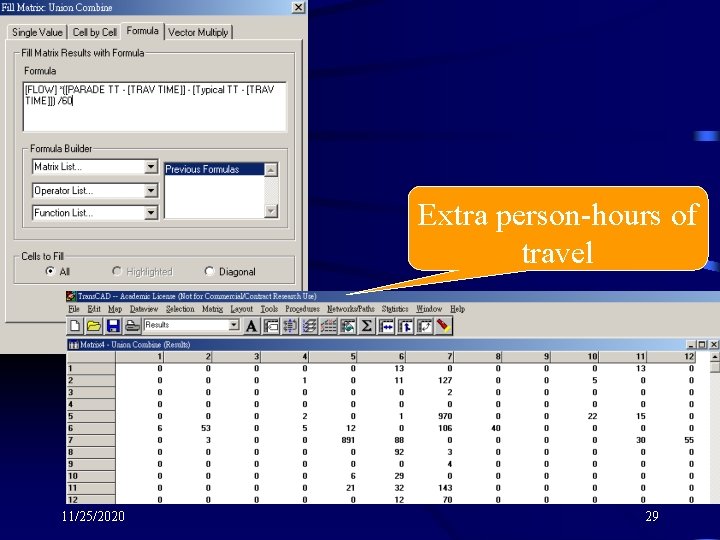
Calculate the Extra Travel for Each Zone Pair 11/25/2020 28
Extra person-hours of travel 11/25/2020 29
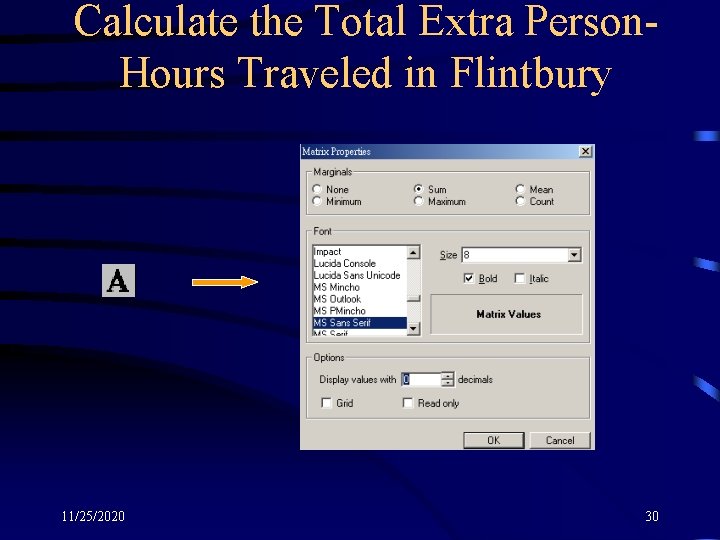
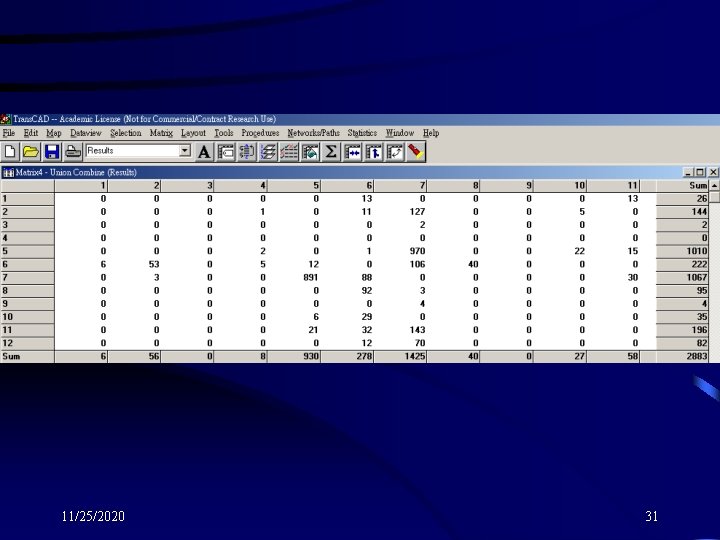
Calculate the Total Extra Person. Hours Traveled in Flintbury 11/25/2020 30
11/25/2020 31