
Training tool Admin HR Portal www eurecia com

- Slides: 17
Training tool Admin HR Portal www. eurecia. com
Agenda Training : 1 H 30 Break: 10 mn Exercices: 1 H 00 www. eurecia. com
Training objective A the end of the training session, admin will be able to o Manage the employee working life and archive data in his employee record o Add a document to the employee file o Share documents o Import payslips o Consult HR dashboards www. eurecia. com
Training program Module area o View HR dashboards o Manage employee’s working life and archive data in the employee record o Add an element in the employee record o Share documents Admin area o Import payslips www. eurecia. com
Module area www. eurecia. com
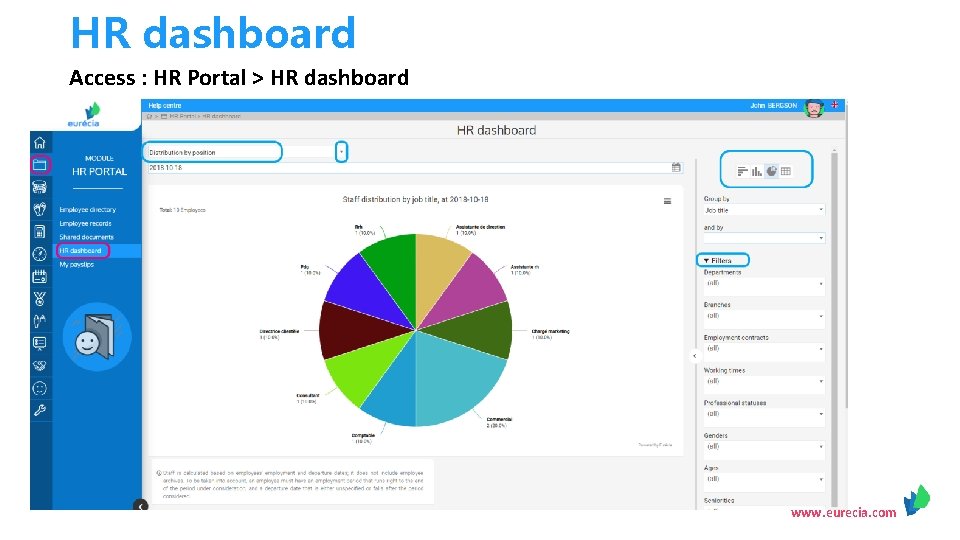
HR dashboard Access : HR Portal > HR dashboard www. eurecia. com
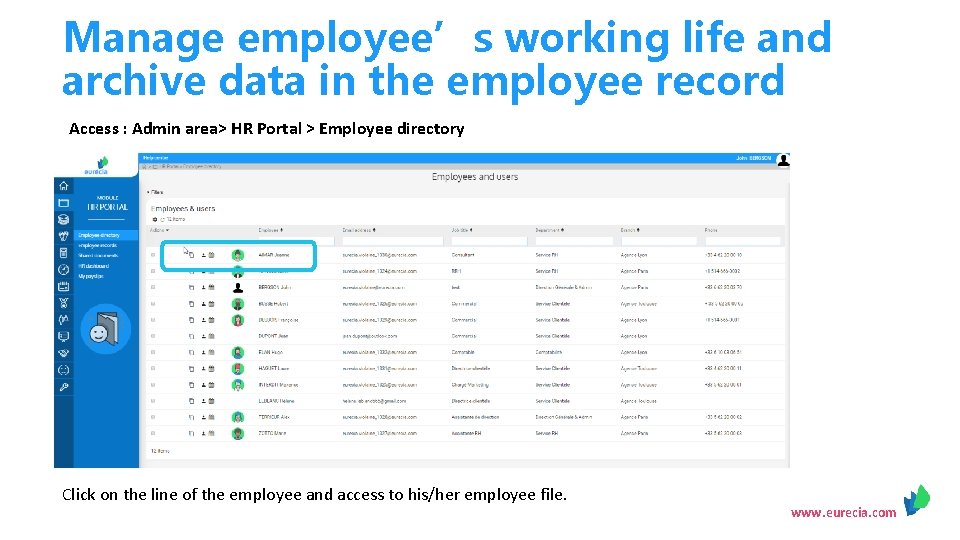
Manage employee’s working life and archive data in the employee record Access : Admin area> HR Portal > Employee directory Click on the line of the employee and access to his/her employee file. www. eurecia. com
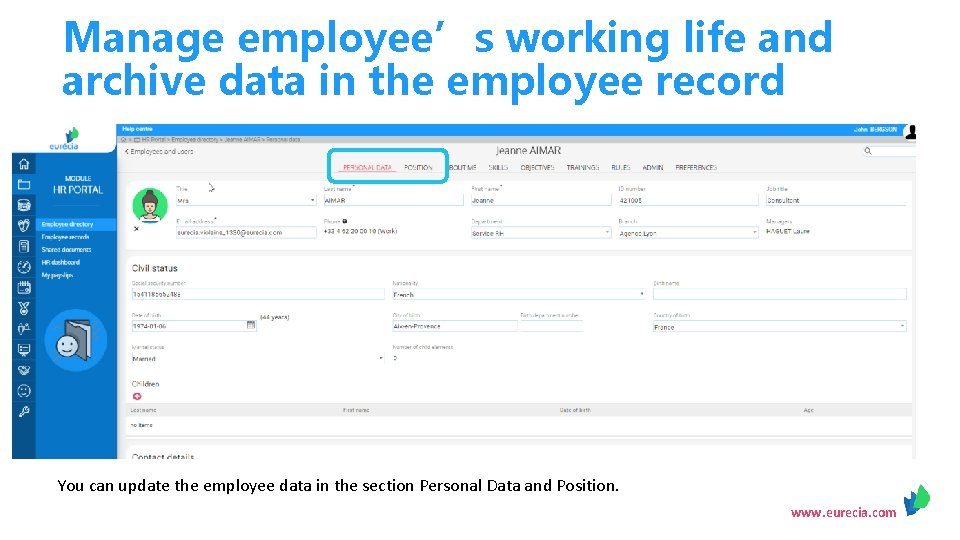
Manage employee’s working life and archive data in the employee record You can update the employee data in the section Personal Data and Position. www. eurecia. com
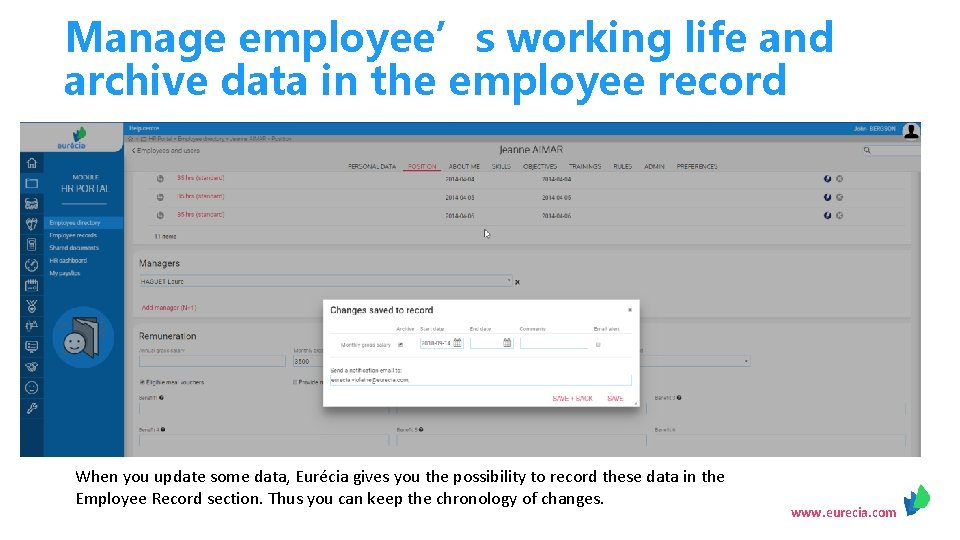
Manage employee’s working life and archive data in the employee record When you update some data, Eurécia gives you the possibility to record these data in the Employee Record section. Thus you can keep the chronology of changes. www. eurecia. com
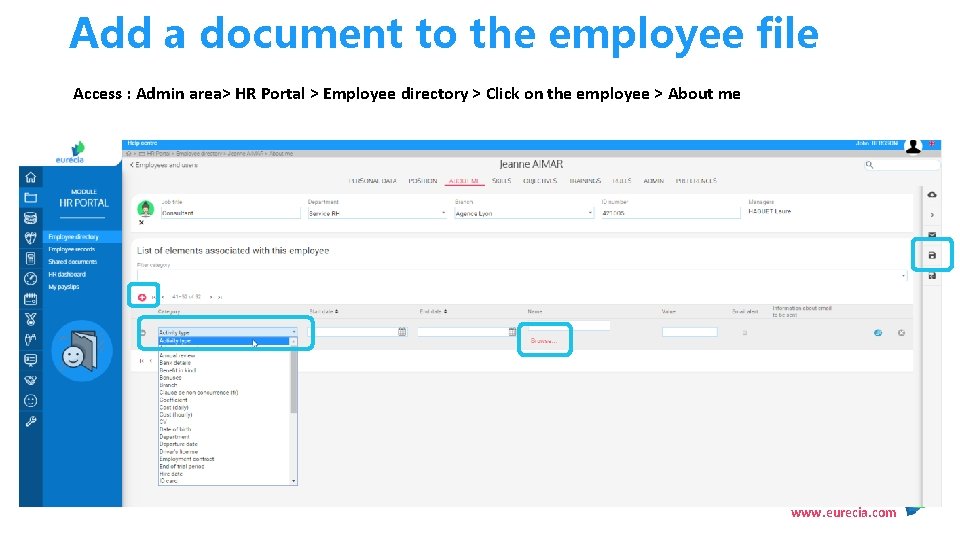
Add a document to the employee file Access : Admin area> HR Portal > Employee directory > Click on the employee > About me www. eurecia. com
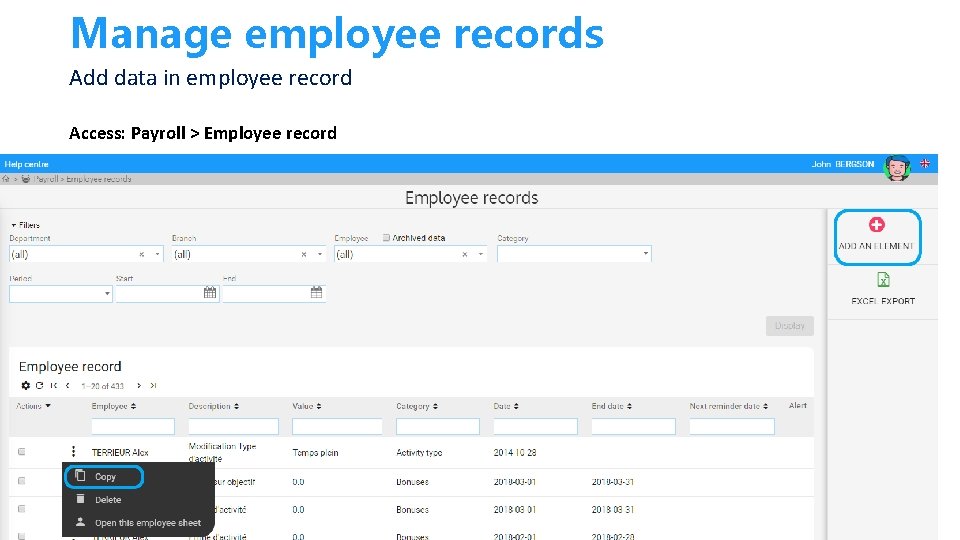
Manage employee records Add data in employee record Access: Payroll > Employee record www. eurecia. com
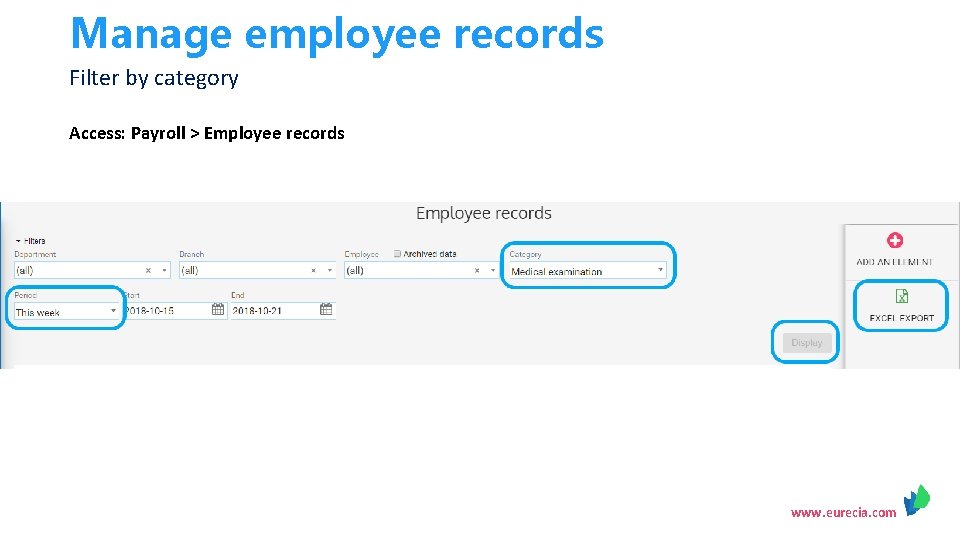
Manage employee records Filter by category Access: Payroll > Employee records www. eurecia. com
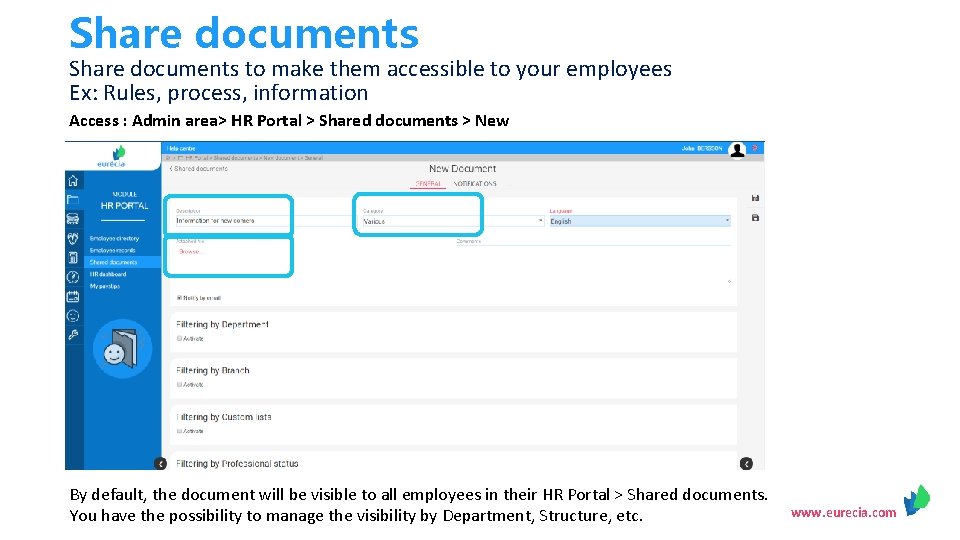
Share documents to make them accessible to your employees Ex: Rules, process, information Access : Admin area> HR Portal > Shared documents > New By default, the document will be visible to all employees in their HR Portal > Shared documents. You have the possibility to manage the visibility by Department, Structure, etc. www. eurecia. com
Admin Area www. eurecia. com
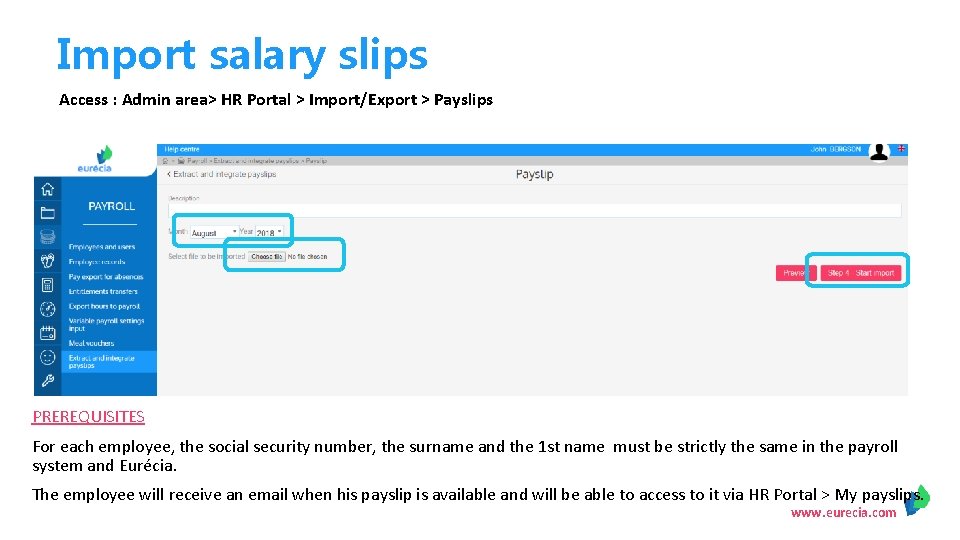
Import salary slips Access : Admin area> HR Portal > Import/Export > Payslips PREREQUISITES For each employee, the social security number, the surname and the 1 st name must be strictly the same in the payroll system and Eurécia. The employee will receive an email when his payslip is available and will be able to access to it via HR Portal > My payslips. www. eurecia. com
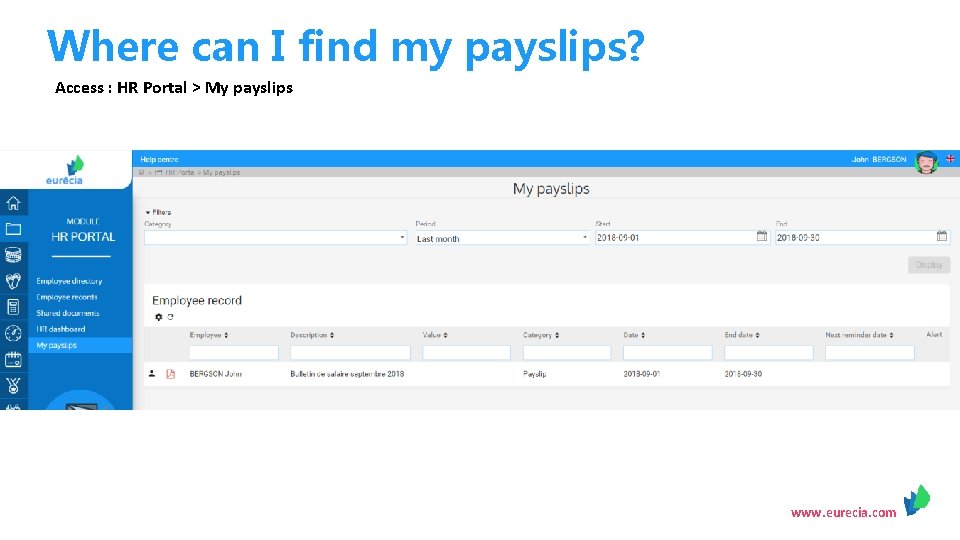
Where can I find my payslips? Access : HR Portal > My payslips www. eurecia. com
VOTRE SIRH performance & bien-être www. eurecia. com