
Training Module 1 3 Introduction to RDF SPARQL
- Slides: 43
Training Module 1. 3 Introduction to RDF & SPARQL Pw. C firms help organisations and individuals create the value they’re looking for. We’re a network of firms in 158 countries with close to 180, 000 people who are committed to delivering quality in assurance, tax and advisory services. Tell us what matters to you and find out more by visiting us at www. pwc. com. Pw. C refers to the Pw. C network and/or one or more of its member firms, each of which is a separate legal entity. Please see www. pwc. com/structure for further details.
This presentation has been created by Pw. C Presentation metadata Open Data Support is funded by the European Commission under SMART 2012/0107 ‘Lot 2: Provision of services for the Publication, Access and Reuse of Open Public Data across the European Union, through existing open data portals’(Contract No. 30 -CE 0530965/00 -17). © 2014 European Commission Authors: Michiel De Keyzer, Nikolaos Loutas and Stijn Goedertier Disclaimers 1. The views expressed in this presentation are purely those of the authors and may not, in any circumstances, be interpreted as stating an official position of the European Commission. The European Commission does not guarantee the accuracy of the information included in this presentation, nor does it accept any responsibility for any use thereof. Reference herein to any specific products, specifications, process, or service by trade name, trademark, manufacturer, or otherwise, does not necessarily constitute or imply its endorsement, recommendation, or favouring by the European Commission. All care has been taken by the author to ensure that s/he has obtained, where necessary, permission to use any parts of manuscripts including illustrations, maps, and graphs, on which intellectual property rights already exist from the titular holder(s) of such rights or from her/his or their legal representative. 2. This presentation has been carefully compiled by Pw. C, but no representation is made or warranty given (either express or implied) as to the completeness or accuracy of the information it contains. Pw. C is not liable for the information in this presentation or any decision or consequence based on the use of it. . Pw. C will not be liable for any damages arising from the use of the information contained in this presentation. The information contained in this presentation is of a general nature and is solely for guidance on matters of general interest. This presentation is not a substitute for professional advice on any particular matter. No reader should act on the basis of any matter contained in this publication without considering appropriate professional advice. Slide 2
Learning objectives By the end of this training module you should have an understanding of: • The Resource Description Framework (RDF). • How to write/read RDF. • How you can describe your data with RDF. • What SPARQL is. • The different types of SPARQL queries. • How to write a SPARQL query. Slide 3
Content This module contains. . . • An introduction to the Resource Description Framework (RDF) for describing your data. - What is RDF? - How is it structured? - How to represent your data in RDF. • An introduction to SPARQL on how you can query and manipulate data in RDF. • Pointers to further reading, examples and exercises. Slide 4
Resource Description Framework An introduction on RDF. Slide 5
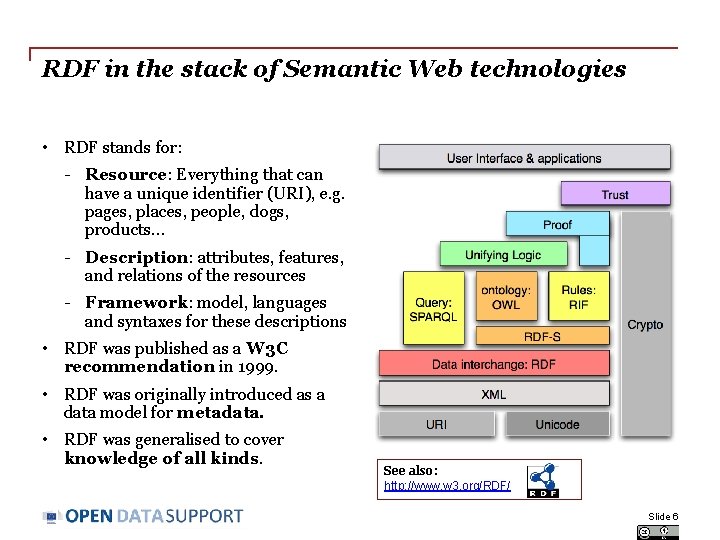
RDF in the stack of Semantic Web technologies • RDF stands for: - Resource: Everything that can have a unique identifier (URI), e. g. pages, places, people, dogs, products. . . - Description: attributes, features, and relations of the resources - Framework: model, languages and syntaxes for these descriptions • RDF was published as a W 3 C recommendation in 1999. • RDF was originally introduced as a data model for metadata. • RDF was generalised to cover knowledge of all kinds. See also: http: //www. w 3. org/RDF/ Slide 6
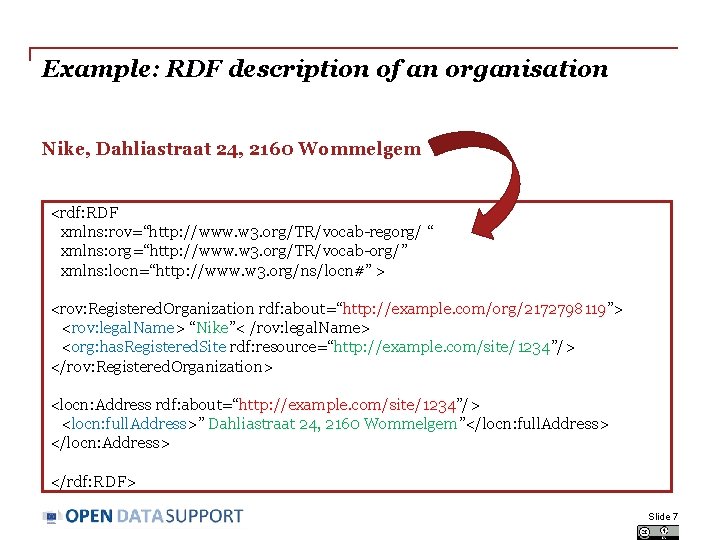
Example: RDF description of an organisation Nike, Dahliastraat 24, 2160 Wommelgem <rdf: RDF xmlns: rov=“http: //www. w 3. org/TR/vocab-regorg/ “ xmlns: org=“http: //www. w 3. org/TR/vocab-org/” xmlns: locn=“http: //www. w 3. org/ns/locn#” > <rov: Registered. Organization rdf: about=“http: //example. com/org/2172798119”> <rov: legal. Name> “Nike”< /rov: legal. Name> <org: has. Registered. Site rdf: resource=“http: //example. com/site/1234”/> </rov: Registered. Organization> <locn: Address rdf: about=“http: //example. com/site/1234”/> <locn: full. Address>” Dahliastraat 24, 2160 Wommelgem”</locn: full. Address> </locn: Address> </rdf: RDF> Slide 7
RDF structure Triples, graphs and syntax. Slide 8
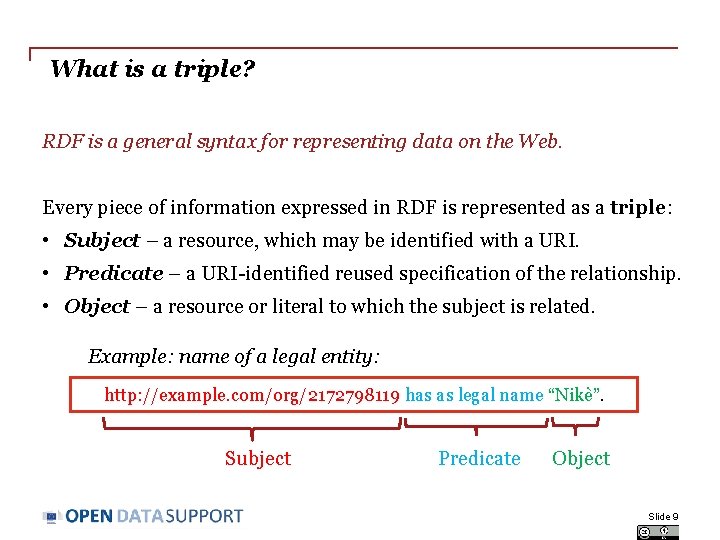
What is a triple? RDF is a general syntax for representing data on the Web. Every piece of information expressed in RDF is represented as a triple: • Subject – a resource, which may be identified with a URI. • Predicate – a URI-identified reused specification of the relationship. • Object – a resource or literal to which the subject is related. Example: name of a legal entity: http: //example. com/org/2172798119 has as legal name “Nikè”. Subject Predicate Object Slide 9
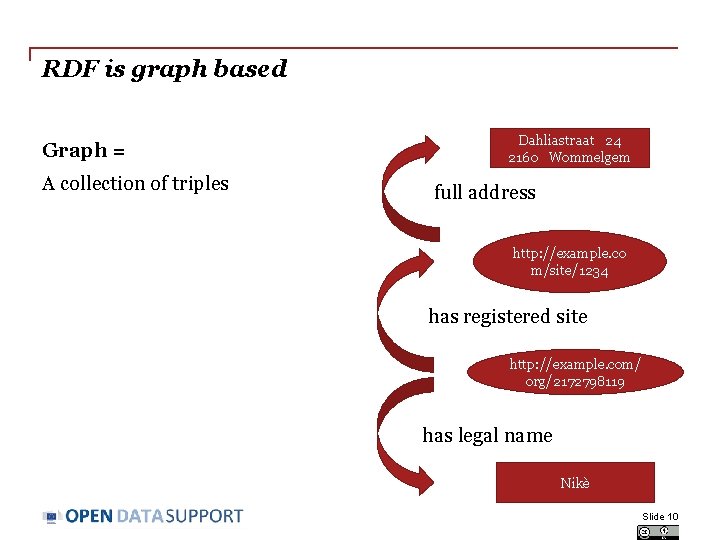
RDF is graph based Graph = A collection of triples Dahliastraat 24 2160 Wommelgem full address http: //example. co m/site/1234 has registered site http: //example. com/ org/2172798119 has legal name Nikè Slide 10
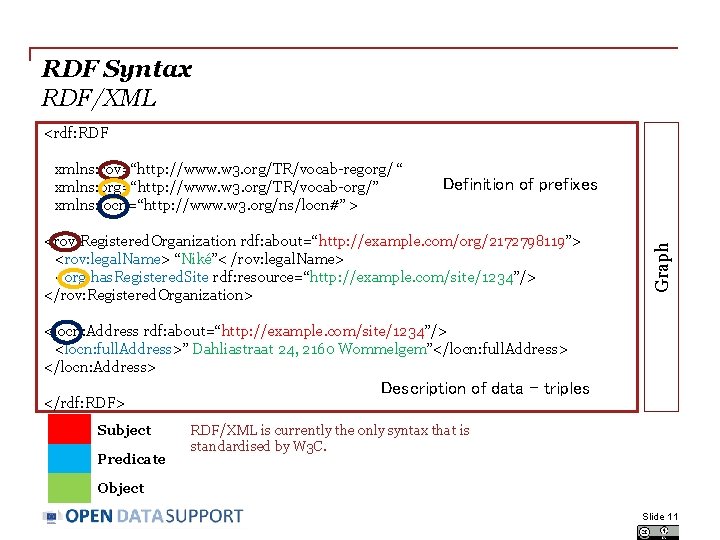
RDF Syntax RDF/XML <rdf: RDF Definition of prefixes <rov: Registered. Organization rdf: about=“http: //example. com/org/2172798119”> <rov: legal. Name> “Niké”< /rov: legal. Name> <org: has. Registered. Site rdf: resource=“http: //example. com/site/1234”/> </rov: Registered. Organization> Graph xmlns: rov=“http: //www. w 3. org/TR/vocab-regorg/ “ xmlns: org=“http: //www. w 3. org/TR/vocab-org/” xmlns: locn=“http: //www. w 3. org/ns/locn#” > <locn: Address rdf: about=“http: //example. com/site/1234”/> <locn: full. Address>” Dahliastraat 24, 2160 Wommelgem”</locn: full. Address> </locn: Address> </rdf: RDF> Subject Predicate Description of data – triples RDF/XML is currently the only syntax that is standardised by W 3 C. Object Slide 11
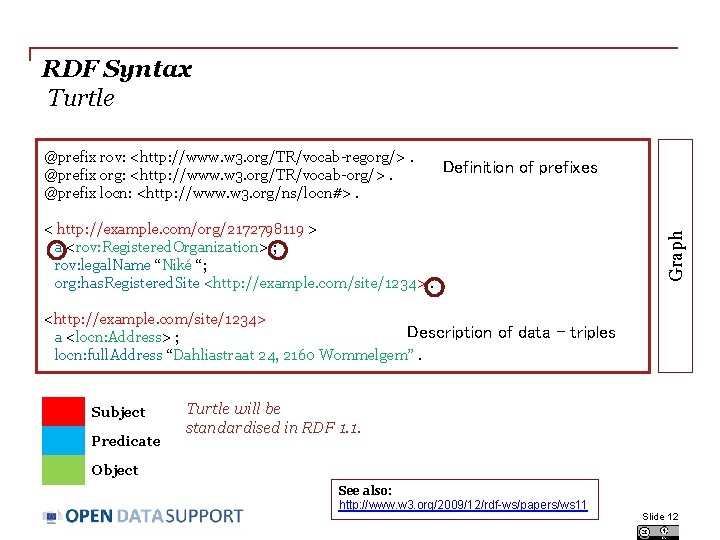
RDF Syntax Turtle @prefix rov: <http: //www. w 3. org/TR/vocab-regorg/>. @prefix org: <http: //www. w 3. org/TR/vocab-org/>. @prefix locn: <http: //www. w 3. org/ns/locn#>. Definition of prefixes <http: //example. com/site/1234> Description a <locn: Address> ; locn: full. Address “Dahliastraat 24, 2160 Wommelgem”. Subject Predicate Graph < http: //example. com/org/2172798119 > a <rov: Registered. Organization> ; rov: legal. Name “Niké “; org: has. Registered. Site <http: //example. com/site/1234>. of data – triples Turtle will be standardised in RDF 1. 1. Object See also: http: //www. w 3. org/2009/12/rdf-ws/papers/ws 11 Slide 12
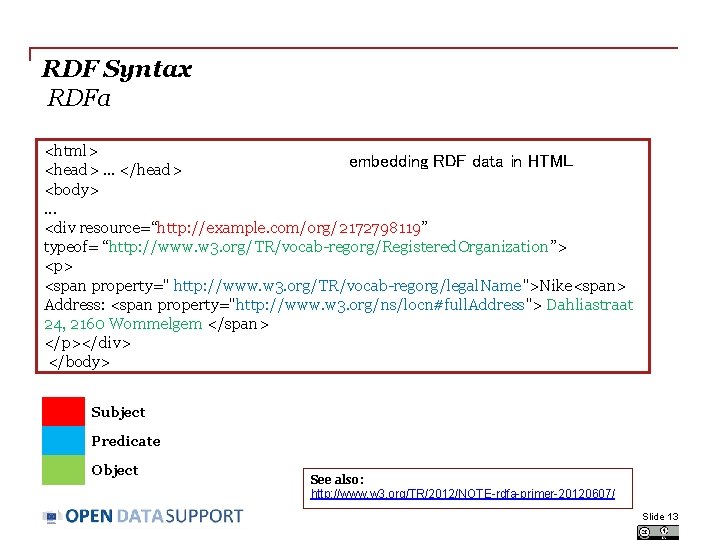
RDF Syntax RDFa <html> embedding RDF data in HTML <head>. . . </head> <body> . . . <div resource=“http: //example. com/org/2172798119” typeof= “http: //www. w 3. org/TR/vocab-regorg/Registered. Organization”> <p> <span property=" http: //www. w 3. org/TR/vocab-regorg/legal. Name">Nike<span> Address: <span property="http: //www. w 3. org/ns/locn#full. Address"> Dahliastraat 24, 2160 Wommelgem </span> </p></div> </body> Subject Predicate Object See also: http: //www. w 3. org/TR/2012/NOTE-rdfa-primer-20120607/ Slide 13
How to represent data in RDF Classes, properties and vocabularies Slide 14
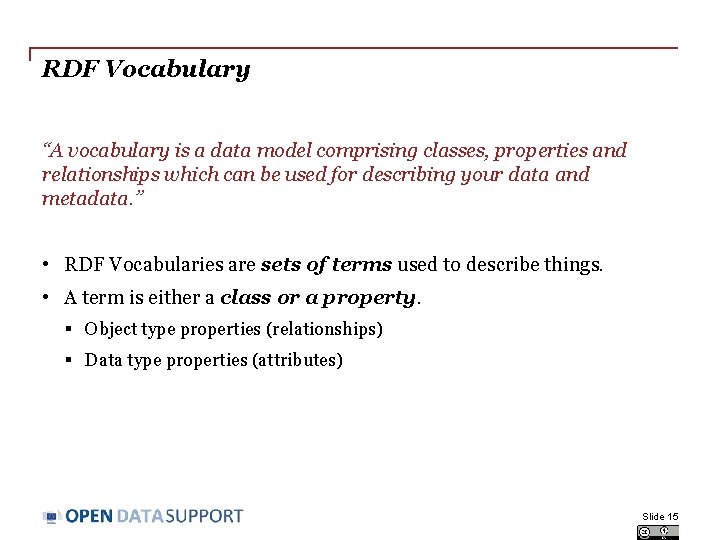
RDF Vocabulary “A vocabulary is a data model comprising classes, properties and relationships which can be used for describing your data and metadata. ” • RDF Vocabularies are sets of terms used to describe things. • A term is either a class or a property. § Object type properties (relationships) § Data type properties (attributes) Slide 15
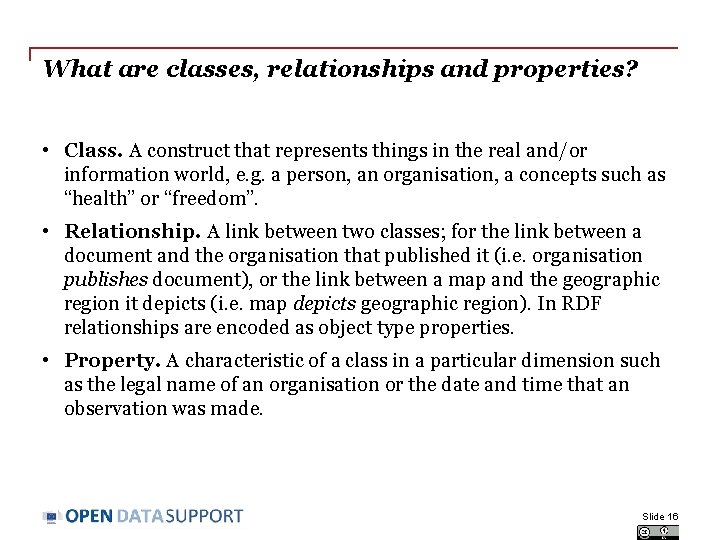
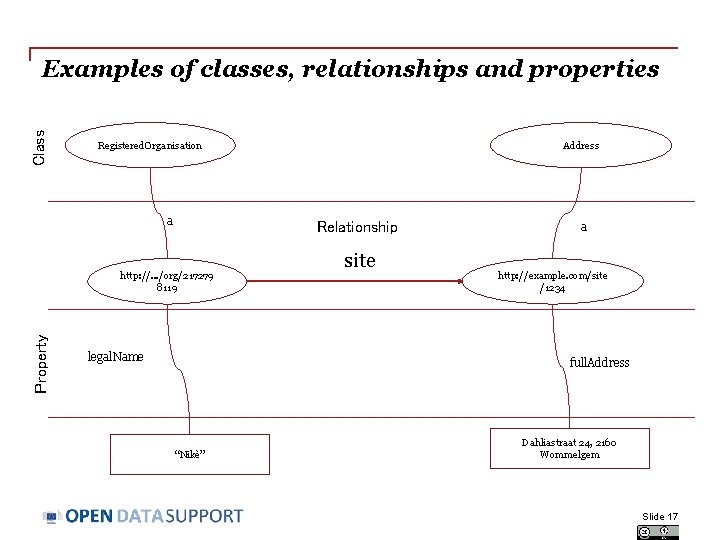
What are classes, relationships and properties? • Class. A construct that represents things in the real and/or information world, e. g. a person, an organisation, a concepts such as “health” or “freedom”. • Relationship. A link between two classes; for the link between a document and the organisation that published it (i. e. organisation publishes document), or the link between a map and the geographic region it depicts (i. e. map depicts geographic region). In RDF relationships are encoded as object type properties. • Property. A characteristic of a class in a particular dimension such as the legal name of an organisation or the date and time that an observation was made. Slide 16
Class Examples of classes, relationships and properties Registered. Organisation a Relationship http: //. . . /org/217279 8119 Property Address legal. Name site a http: //example. com/site /1234 full. Address “Nikè” Dahliastraat 24, 2160 Wommelgem Slide 17
Reusing RDF vocabularies • Reuse greatly aids interoperability of your data. Use of dcterms: created, for example, the value for which should be a data typed date such as 2013 -02 -21^^xsd: date, is immediately processable by many machines. If your schema encourages data publishers to use a different term and date format, such as ex: date "21 February 2013" – data published using your schema will require further processing to make it the same as everyone else's. • Reuse adds credibility to your schema. It shows it has been published with care and professionalism, again, this promotes its reuse. • Reuse is easier and cheaper. Reusing classes and properties from well defined and properly hosted vocabularies avoids your having to replicate that effort. See also: https: //joinup. ec. europa. eu/community/semic/document/cookbooktranslating-data-models-rdf-schemas http: //www. slideshare. net/Open. Data. Support/model-your-data-metadata Slide 18
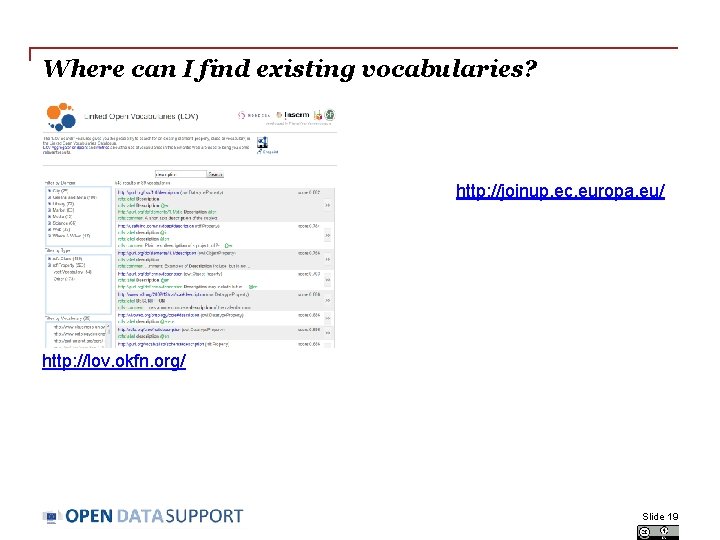
Where can I find existing vocabularies? http: //joinup. ec. europa. eu/ http: //lov. okfn. org/ Slide 19
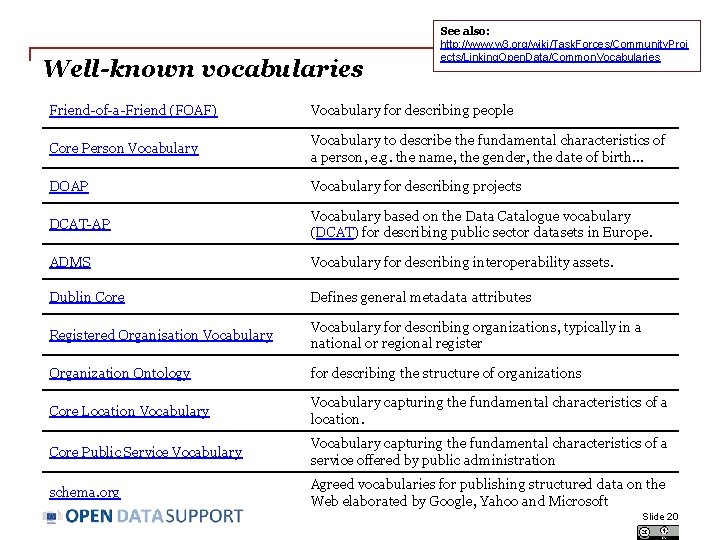
Well-known vocabularies See also: http: //www. w 3. org/wiki/Task. Forces/Community. Proj ects/Linking. Open. Data/Common. Vocabularies Friend-of-a-Friend (FOAF) Vocabulary for describing people Core Person Vocabulary to describe the fundamental characteristics of a person, e. g. the name, the gender, the date of birth. . . DOAP Vocabulary for describing projects DCAT-AP Vocabulary based on the Data Catalogue vocabulary (DCAT) for describing public sector datasets in Europe. ADMS Vocabulary for describing interoperability assets. Dublin Core Defines general metadata attributes Registered Organisation Vocabulary for describing organizations, typically in a national or regional register Organization Ontology for describing the structure of organizations Core Location Vocabulary capturing the fundamental characteristics of a location. Core Public Service Vocabulary capturing the fundamental characteristics of a service offered by public administration schema. org Agreed vocabularies for publishing structured data on the Web elaborated by Google, Yahoo and Microsoft Slide 20
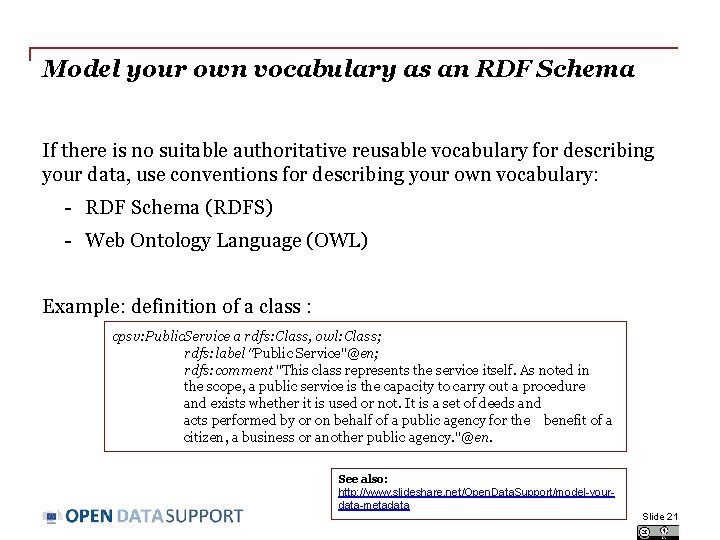
Model your own vocabulary as an RDF Schema If there is no suitable authoritative reusable vocabulary for describing your data, use conventions for describing your own vocabulary: - RDF Schema (RDFS) - Web Ontology Language (OWL) Example: definition of a class : cpsv: Public. Service a rdfs: Class, owl: Class; rdfs: label "Public Service"@en; rdfs: comment "This class represents the service itself. As noted in the scope, a public service is the capacity to carry out a procedure and exists whether it is used or not. It is a set of deeds and acts performed by or on behalf of a public agency for the benefit of a citizen, a business or another public agency. "@en. See also: http: //www. slideshare. net/Open. Data. Support/model-yourdata-metadata Slide 21
Introduction to SPARQL The RDF Query Language Slide 22
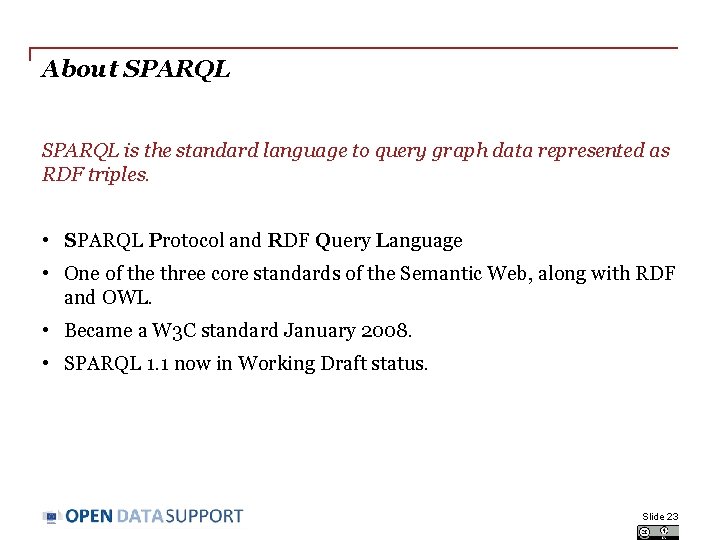
About SPARQL is the standard language to query graph data represented as RDF triples. • SPARQL Protocol and RDF Query Language • One of the three core standards of the Semantic Web, along with RDF and OWL. • Became a W 3 C standard January 2008. • SPARQL 1. 1 now in Working Draft status. Slide 23
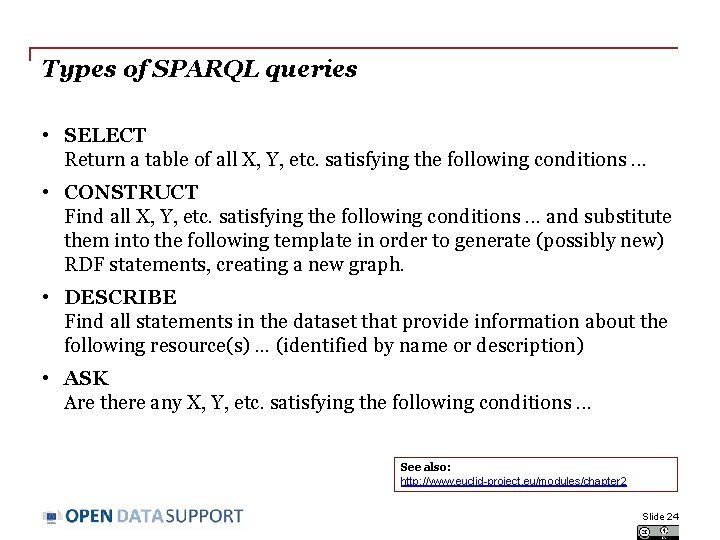
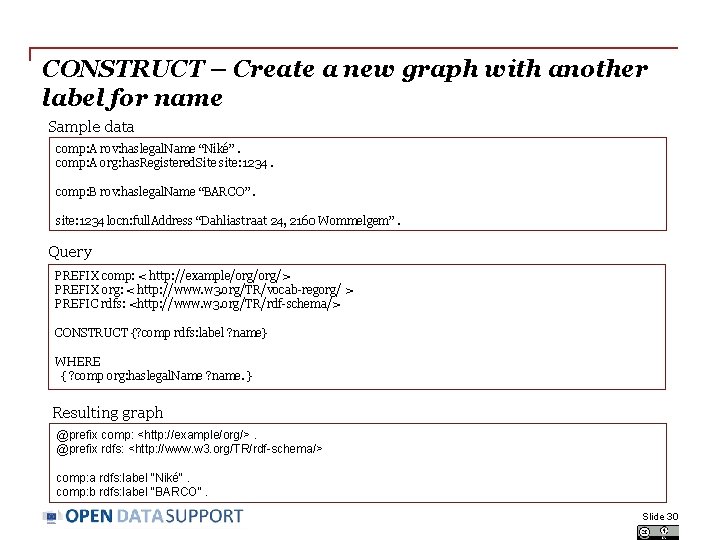
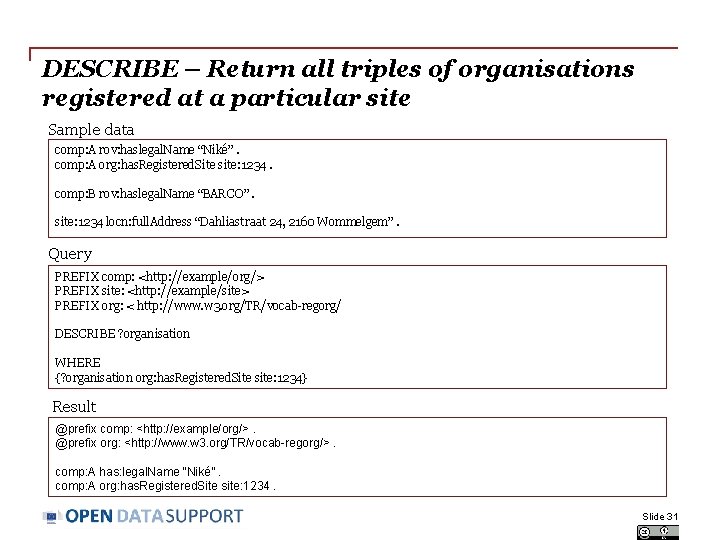
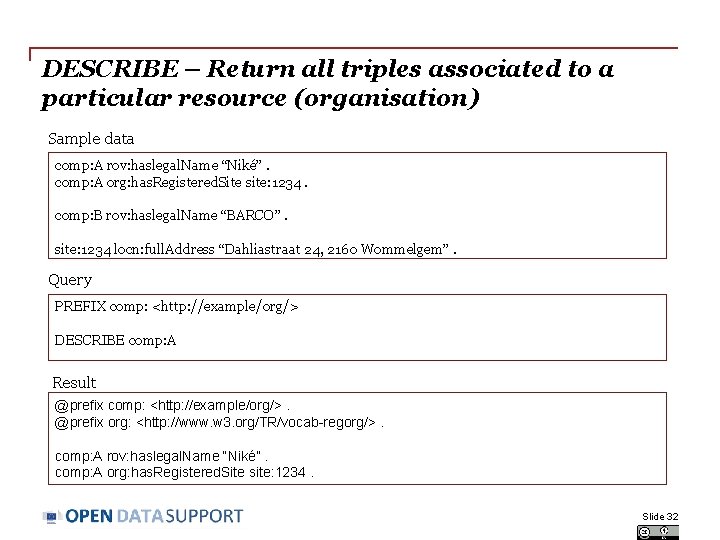
Types of SPARQL queries • SELECT Return a table of all X, Y, etc. satisfying the following conditions. . . • CONSTRUCT Find all X, Y, etc. satisfying the following conditions. . . and substitute them into the following template in order to generate (possibly new) RDF statements, creating a new graph. • DESCRIBE Find all statements in the dataset that provide information about the following resource(s). . . (identified by name or description) • ASK Are there any X, Y, etc. satisfying the following conditions. . . See also: http: //www. euclid-project. eu/modules/chapter 2 Slide 24
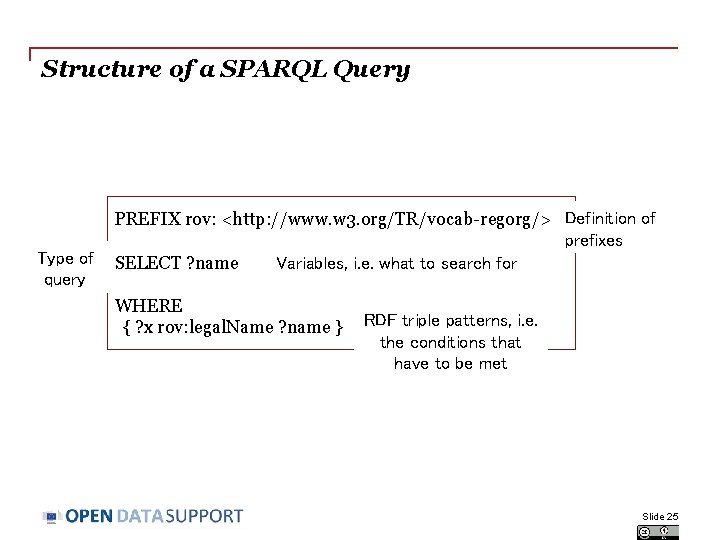
Structure of a SPARQL Query Type of query PREFIX rov: <http: //www. w 3. org/TR/vocab-regorg/> Definition of prefixes SELECT ? name Variables, i. e. what to search for WHERE { ? x rov: legal. Name ? name } RDF triple patterns, i. e. the conditions that have to be met Slide 25
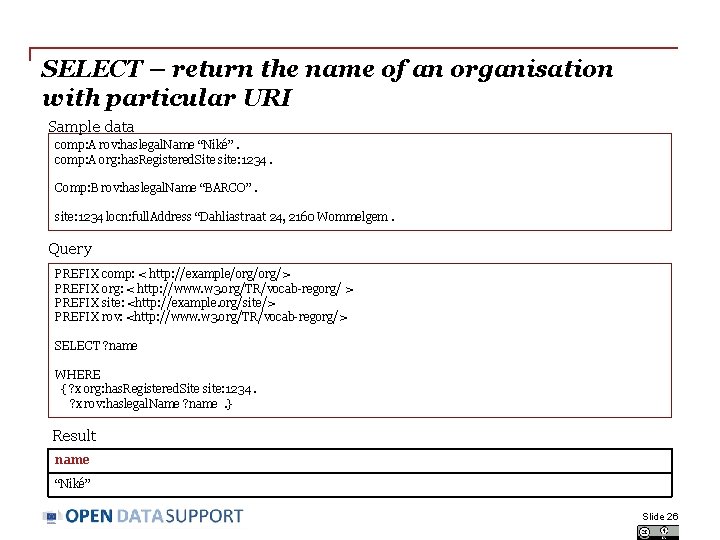
SELECT – return the name of an organisation with particular URI Sample data comp: A rov: haslegal. Name “Niké”. comp: A org: has. Registered. Site site: 1234. Comp: B rov: haslegal. Name “BARCO”. site: 1234 locn: full. Address “Dahliastraat 24, 2160 Wommelgem. Query PREFIX comp: < http: //example/org/> PREFIX org: < http: //www. w 3. org/TR/vocab-regorg/ > PREFIX site: <http: //example. org/site/> PREFIX rov: <http: //www. w 3. org/TR/vocab-regorg/> SELECT ? name WHERE { ? x org: has. Registered. Site site: 1234. ? x rov: haslegal. Name ? name . } Result name “Niké” Slide 26
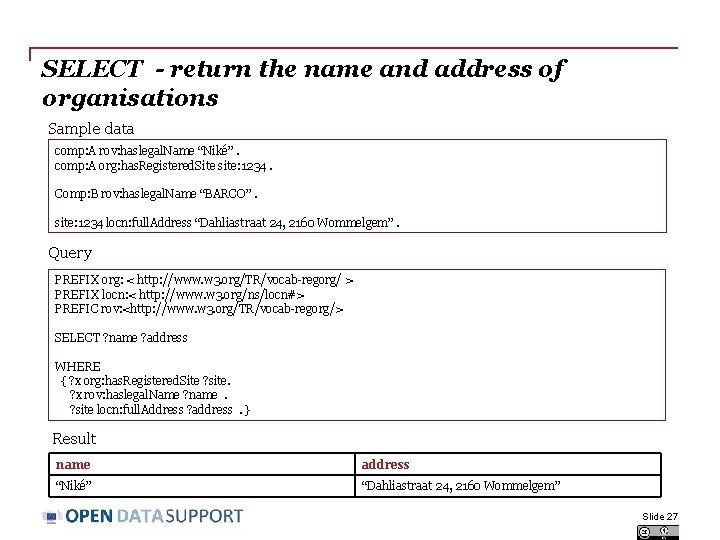
SELECT - return the name and address of organisations Sample data comp: A rov: haslegal. Name “Niké”. comp: A org: has. Registered. Site site: 1234. Comp: B rov: haslegal. Name “BARCO”. site: 1234 locn: full. Address “Dahliastraat 24, 2160 Wommelgem”. Query PREFIX org: < http: //www. w 3. org/TR/vocab-regorg/ > PREFIX locn: < http: //www. w 3. org/ns/locn#> PREFIC rov: <http: //www. w 3. org/TR/vocab-regorg/> SELECT ? name ? address WHERE { ? x org: has. Registered. Site ? site. ? x rov: haslegal. Name ? name . ? site locn: full. Address ? address . } Result name address “Niké” “Dahliastraat 24, 2160 Wommelgem” Slide 27
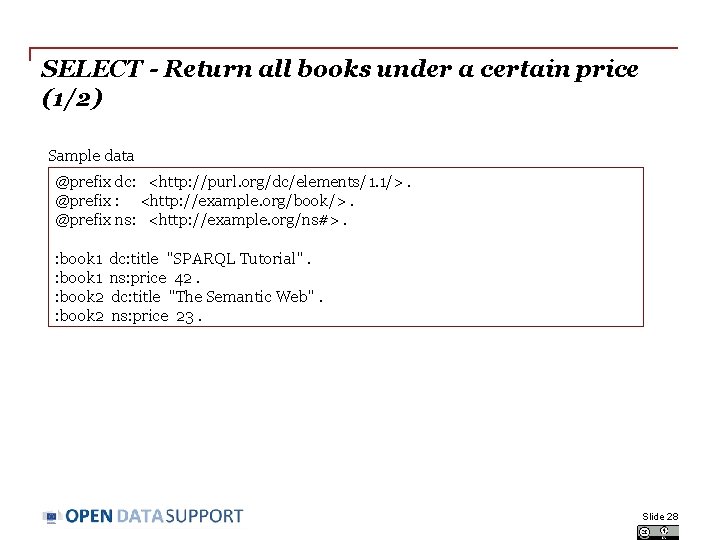
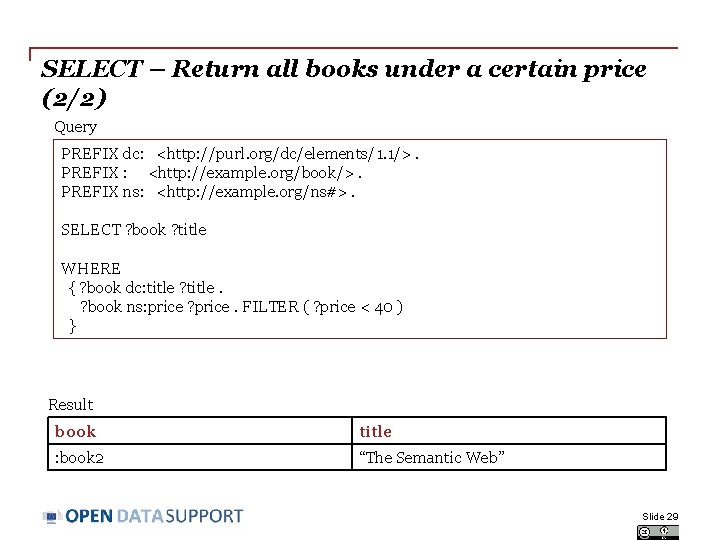
SELECT - Return all books under a certain price (1/2) Sample data @prefix dc: <http: //purl. org/dc/elements/1. 1/>. @prefix : <http: //example. org/book/>. @prefix ns: <http: //example. org/ns#>. : book 1 dc: title "SPARQL Tutorial". : book 1 ns: price 42. : book 2 dc: title "The Semantic Web". : book 2 ns: price 23. Slide 28
SELECT – Return all books under a certain price (2/2) Query PREFIX dc: <http: //purl. org/dc/elements/1. 1/>. PREFIX : <http: //example. org/book/>. PREFIX ns: <http: //example. org/ns#>. SELECT ? book ? title WHERE { ? book dc: title ? title. ? book ns: price ? price. FILTER ( ? price < 40 ) } Result book title : book 2 “The Semantic Web” Slide 29
CONSTRUCT – Create a new graph with another label for name Sample data comp: A rov: haslegal. Name “Niké”. comp: A org: has. Registered. Site site: 1234. comp: B rov: haslegal. Name “BARCO”. site: 1234 locn: full. Address “Dahliastraat 24, 2160 Wommelgem”. Query PREFIX comp: < http: //example/org/> PREFIX org: < http: //www. w 3. org/TR/vocab-regorg/ > PREFIC rdfs: <http: //www. w 3. org/TR/rdf-schema/> CONSTRUCT {? comp rdfs: label ? name} WHERE { ? comp org: haslegal. Name ? name. } Resulting graph @prefix comp: <http: //example/org/>. @prefix rdfs: <http: //www. w 3. org/TR/rdf-schema/> comp: a rdfs: label “Niké". comp: b rdfs: label “BARCO". Slide 30
DESCRIBE – Return all triples of organisations registered at a particular site Sample data comp: A rov: haslegal. Name “Niké”. comp: A org: has. Registered. Site site: 1234. comp: B rov: haslegal. Name “BARCO”. site: 1234 locn: full. Address “Dahliastraat 24, 2160 Wommelgem”. Query PREFIX comp: <http: //example/org/> PREFIX site: <http: //example/site> PREFIX org: < http: //www. w 3. org/TR/vocab-regorg/ DESCRIBE ? organisation WHERE {? organisation org: has. Registered. Site site: 1234} Result @prefix comp: <http: //example/org/>. @prefix org: <http: //www. w 3. org/TR/vocab-regorg/>. comp: A has: legal. Name “Niké”. comp: A org: has. Registered. Site site: 1234. Slide 31
DESCRIBE – Return all triples associated to a particular resource (organisation) Sample data comp: A rov: haslegal. Name “Niké”. comp: A org: has. Registered. Site site: 1234. comp: B rov: haslegal. Name “BARCO”. site: 1234 locn: full. Address “Dahliastraat 24, 2160 Wommelgem”. Query PREFIX comp: <http: //example/org/> DESCRIBE comp: A Result @prefix comp: <http: //example/org/>. @prefix org: <http: //www. w 3. org/TR/vocab-regorg/>. comp: A rov: haslegal. Name “Niké”. comp: A org: has. Registered. Site site: 1234. Slide 32
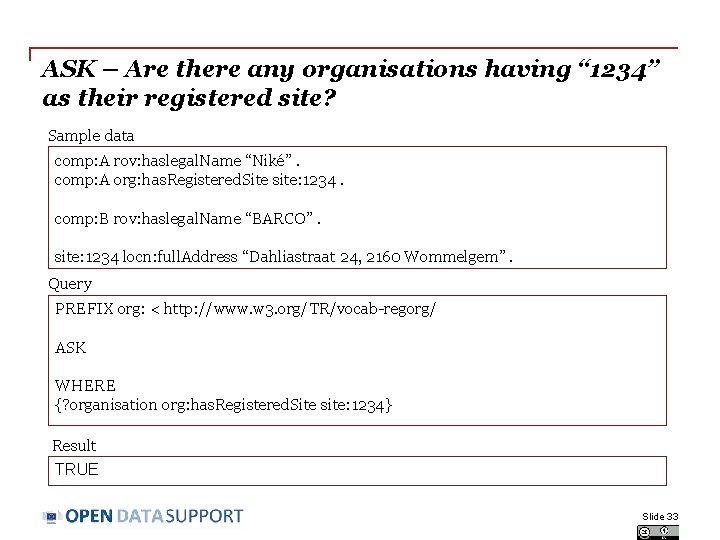
ASK – Are there any organisations having “ 1234” as their registered site? Sample data comp: A rov: haslegal. Name “Niké”. comp: A org: has. Registered. Site site: 1234. comp: B rov: haslegal. Name “BARCO”. site: 1234 locn: full. Address “Dahliastraat 24, 2160 Wommelgem”. Query PREFIX org: < http: //www. w 3. org/TR/vocab-regorg/ ASK WHERE {? organisation org: has. Registered. Site site: 1234} Result TRUE Slide 33
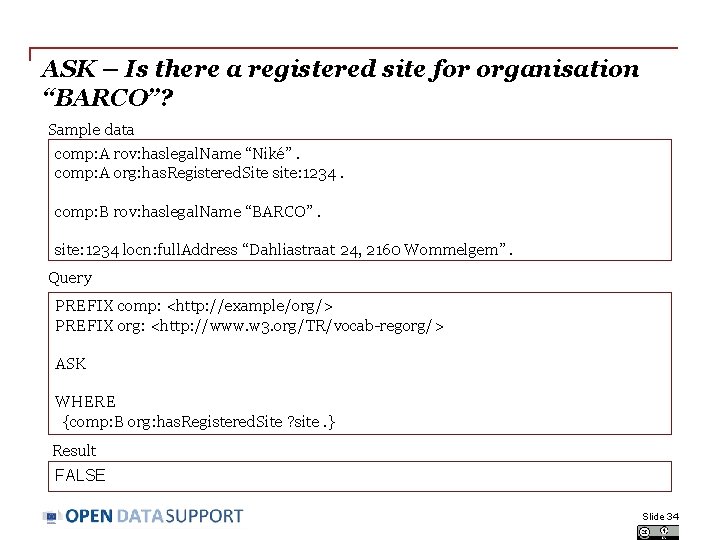
ASK – Is there a registered site for organisation “BARCO”? Sample data comp: A rov: haslegal. Name “Niké”. comp: A org: has. Registered. Site site: 1234. comp: B rov: haslegal. Name “BARCO”. site: 1234 locn: full. Address “Dahliastraat 24, 2160 Wommelgem”. Query PREFIX comp: <http: //example/org/> PREFIX org: <http: //www. w 3. org/TR/vocab-regorg/> ASK WHERE {comp: B org: has. Registered. Site ? site. } Result FALSE Slide 34
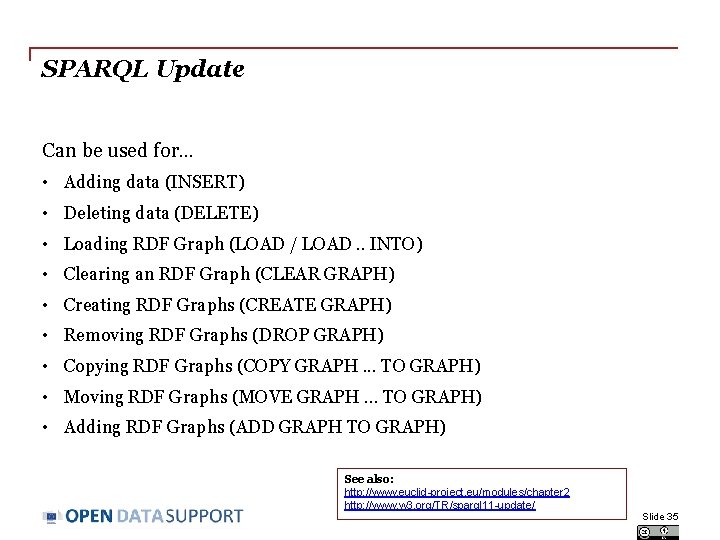
SPARQL Update Can be used for. . . • Adding data (INSERT) • Deleting data (DELETE) • Loading RDF Graph (LOAD / LOAD. . INTO) • Clearing an RDF Graph (CLEAR GRAPH) • Creating RDF Graphs (CREATE GRAPH) • Removing RDF Graphs (DROP GRAPH) • Copying RDF Graphs (COPY GRAPH. . . TO GRAPH) • Moving RDF Graphs (MOVE GRAPH. . . TO GRAPH) • Adding RDF Graphs (ADD GRAPH TO GRAPH) See also: http: //www. euclid-project. eu/modules/chapter 2 http: //www. w 3. org/TR/sparql 11 -update/ Slide 35
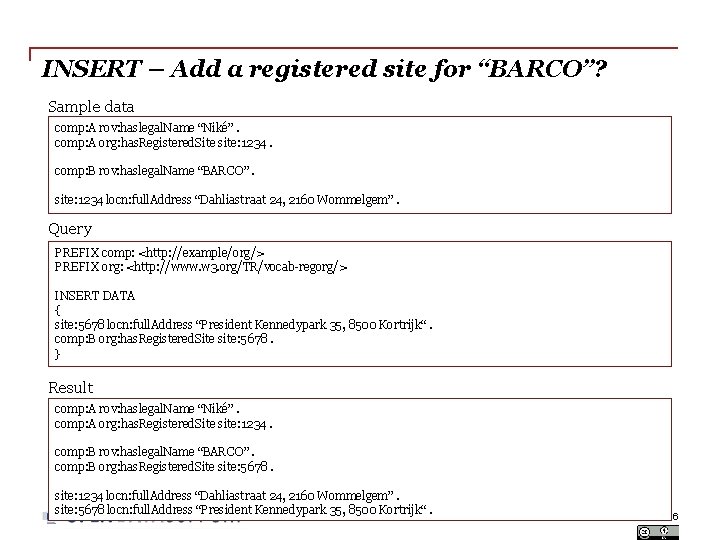
INSERT – Add a registered site for “BARCO”? Sample data comp: A rov: haslegal. Name “Niké”. comp: A org: has. Registered. Site site: 1234. comp: B rov: haslegal. Name “BARCO”. site: 1234 locn: full. Address “Dahliastraat 24, 2160 Wommelgem”. Query PREFIX comp: <http: //example/org/> PREFIX org: <http: //www. w 3. org/TR/vocab-regorg/> INSERT DATA { site: 5678 locn: full. Address “President Kennedypark 35, 8500 Kortrijk“. comp: B org: has. Registered. Site site: 5678. } Result comp: A rov: haslegal. Name “Niké”. comp: A org: has. Registered. Site site: 1234. comp: B rov: haslegal. Name “BARCO”. comp: B org: has. Registered. Site site: 5678. site: 1234 locn: full. Address “Dahliastraat 24, 2160 Wommelgem”. site: 5678 locn: full. Address “President Kennedypark 35, 8500 Kortrijk“. Slide 36
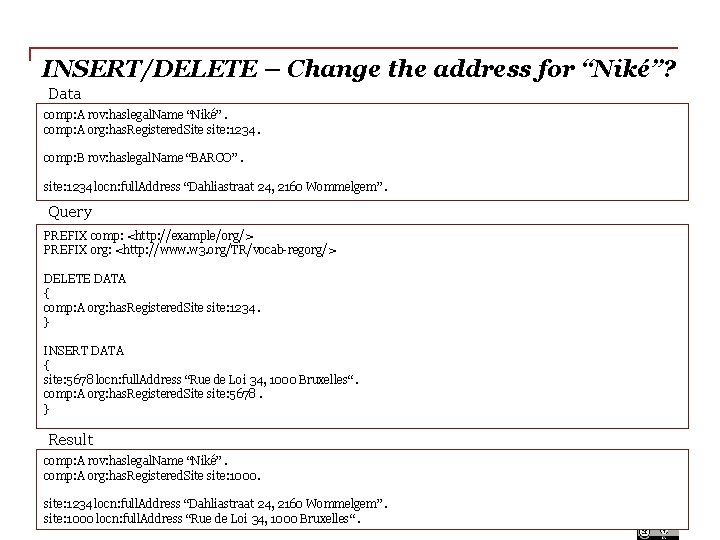
INSERT/DELETE – Change the address for “Niké”? Data comp: A rov: haslegal. Name “Niké”. comp: A org: has. Registered. Site site: 1234. comp: B rov: haslegal. Name “BARCO”. site: 1234 locn: full. Address “Dahliastraat 24, 2160 Wommelgem”. Query PREFIX comp: <http: //example/org/> PREFIX org: <http: //www. w 3. org/TR/vocab-regorg/> DELETE DATA { comp: A org: has. Registered. Site site: 1234. } INSERT DATA { site: 5678 locn: full. Address “Rue de Loi 34, 1000 Bruxelles“. comp: A org: has. Registered. Site site: 5678. } Result comp: A rov: haslegal. Name “Niké”. comp: A org: has. Registered. Site site: 1000. site: 1234 locn: full. Address “Dahliastraat 24, 2160 Wommelgem”. site: 1000 locn: full. Address “Rue de Loi 34, 1000 Bruxelles“. Slide 37
Summary • RDF is a general way to express data intended for publishing on the Web. • RDF data is expressed in triples: subject, predicate, object. • Different syntaxes exist for expressing data in RDF. • SPARQL is a standardised language to query graph data expressed as RDF. • SPARQL can be used to query and update RDF data. Slide 38
Thank you!. . . and now YOUR questions? Take the online test here! Slide 39
References Slide 6: Slide 35: • • Module 2: Querying Linked Data. EUCLID. http: //www. euclidproject. eu/modules/course 2 • SPARQL 1. 1 Update. W 3 C. . http: //www. w 3. org/TR/sparql 11 -update/ Semantic Web Stack. W 3 C. http: //www. w 3. org/Design. Issues/diagrams/swebstack/2006 a. png Slides 18& 20: • Linked Data Cookbook. W 3 C. http: //www. w 3. org/2011/gld/wiki/Linked_Data_Cookbook Slide 21: • Cookbook for translating data models to RDF schemas. ISA Programme. https: //joinup. ec. europa. eu/community/semic/document/cookbook-translatingdata-models-rdf-schemas Slide 22: • Common Vocabularies / Ontologies / Micromodels. W 3 C. http: //www. w 3. org/wiki/Task. Forces/Community. Projects/Linking. Open. Data/Co mmon. Vocabularies Slide 23 -24: • SPARQL Query Language for RDF. W 3 C. http: //www. w 3. org/TR/rdf-sparqlquery/ Slide 24: • Module 2: Querying Linked Data. EUCLID. http: //www. euclidproject. eu/modules/course 2 Slide 40
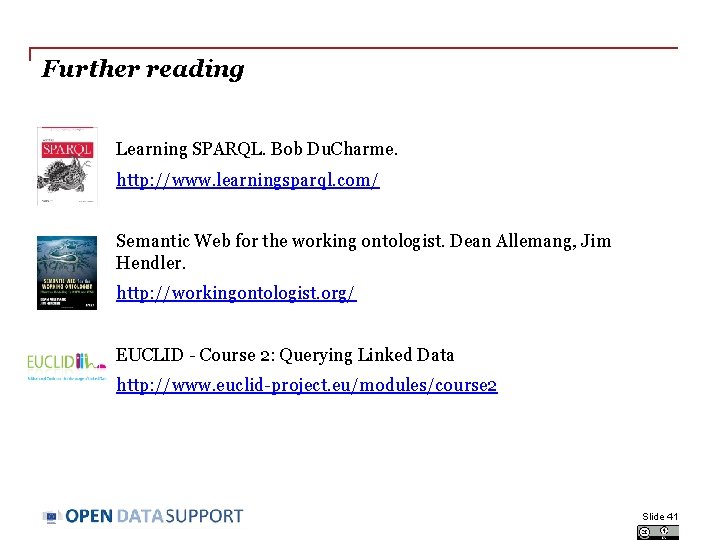
Further reading Learning SPARQL. Bob Du. Charme. http: //www. learningsparql. com/ Semantic Web for the working ontologist. Dean Allemang, Jim Hendler. http: //workingontologist. org/ EUCLID - Course 2: Querying Linked Data http: //www. euclid-project. eu/modules/course 2 Slide 41
Related projects and initiatives Joinup, https: //joinup. ec. europa. eu/ Linked Open Vocabularies, http: //okfn. org/ W 3 C GLD WG, http: //www. w 3. org/2011/gld/wiki/Main_Page W 3 C Schools – Learn RDF http: //www. w 3 schools. com/rdf/default. asp EUCLID, http: //euclid-project. eu/ Top. Braid Composer Protégé Ontology Editor , http: //protege. stanford. edu/ XML Summer School http: //xmlsummerschool. com/ Slide 42
Be part of our team. . . Find us on Join us on Open Data Support http: //www. slideshare. net/Open. Data. Support Open Data Support http: //goo. gl/y 9 ZZI Follow us @Open. Data. Support http: //www. opendatasupport. eu Contact us contact@opendatasupport. eu Slide 43