
Training Ethernet and IP Basics Overview OSI Layer
Training Ethernet and IP Basics
Overview – OSI Layer Model – Ethernet – IP – ARP – IP Routing – Higher Layer Protocols – VRRP – ATM Vision Network Setup – Practice
Section OSI Layer Model
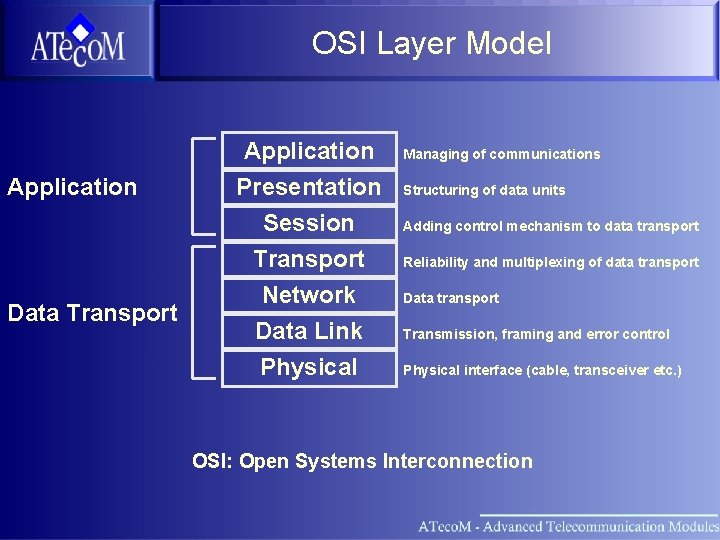
OSI Layer Model Application Data Transport Application Presentation Session Transport Network Data Link Physical Managing of communications Structuring of data units Adding control mechanism to data transport Reliability and multiplexing of data transport Data transport Transmission, framing and error control Physical interface (cable, transceiver etc. ) OSI: Open Systems Interconnection
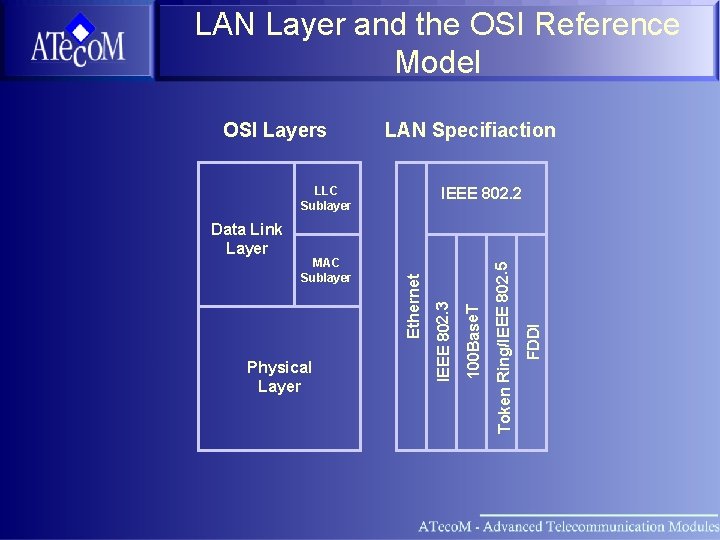
LAN Layer and the OSI Reference Model LAN Specifiaction LLC Sublayer FDDI Token Ring/IEEE 802. 5 Physical Layer 100 Base. T MAC Sublayer Ethernet Data Link Layer IEEE 802. 2 IEEE 802. 3 OSI Layers
Section OSI Layer Model Ethernet
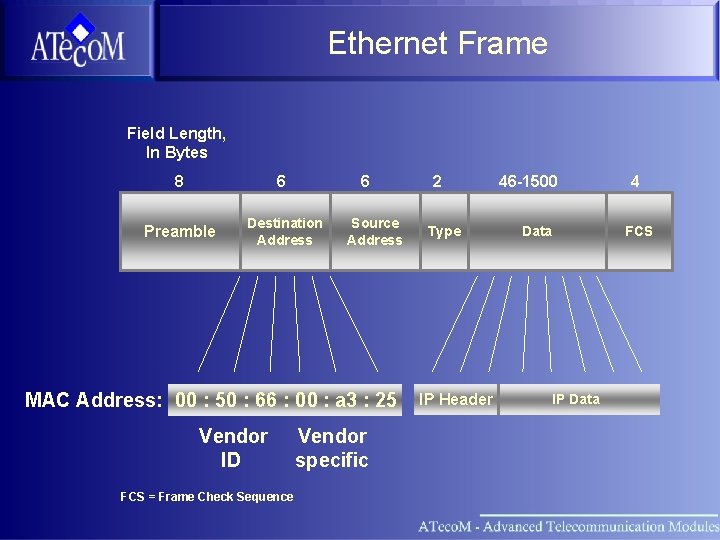
Ethernet Frame Field Length, In Bytes 8 6 6 Preamble Destination Address Source Address MAC Address: 00 : 50 : 66 : 00 : a 3 : 25 Vendor ID FCS = Frame Check Sequence Vendor specific 2 Type IP Header 46 -1500 Data 4 FCS IP Data
Section OSI Layer Model Ethernet IP (Internet Protocol)
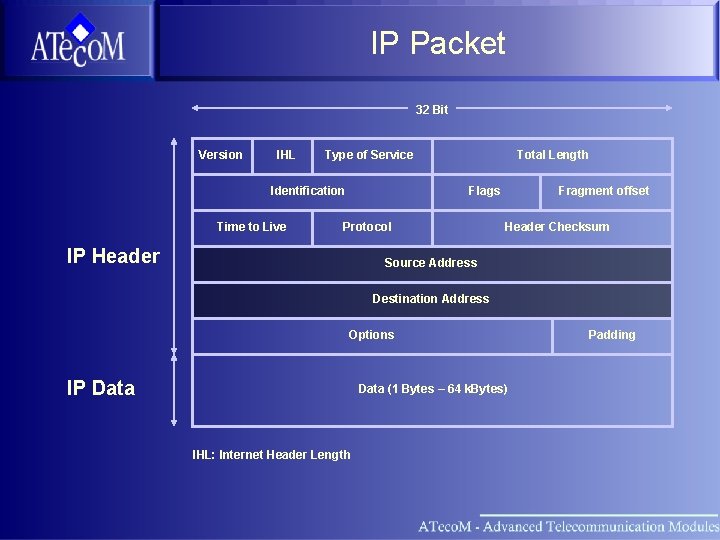
IP Packet 32 Bit Version IHL Type of Service Identification Time to Live Total Length Flags Protocol IP Header Fragment offset Header Checksum Source Address Destination Address Options IP Data (1 Bytes – 64 k. Bytes) IHL: Internet Header Length Padding
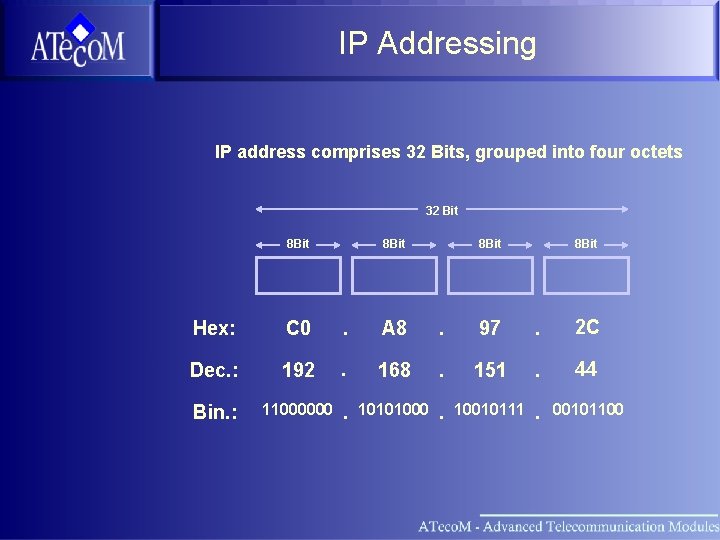
IP Addressing IP address comprises 32 Bits, grouped into four octets 32 Bit 8 Bit Hex: C 0 . A 8 . 97 . 2 C Dec. : 192 . 168 . 151 . 44 Bin. : 11000000 . 10101000 . 10010111 . 00101100
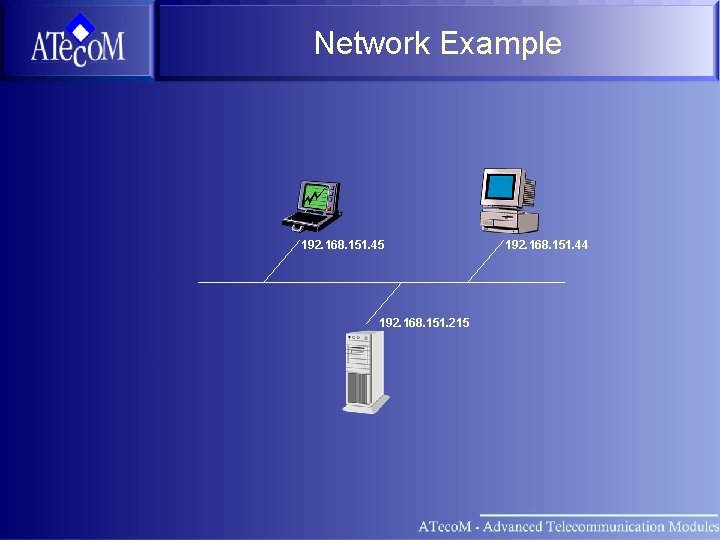
Network Example 192. 168. 151. 45 192. 168. 151. 215 192. 168. 151. 44
Section OSI Layer Model Ethernet IP ARP (Address Resolution Protocol)

ARP • ARP: Address resolution protocol • Communication between two Ethernet interfaces on a local network based on MAC addresses • The address resolution protocol (ARP) provides mapping of an IP address to the unique MAC address
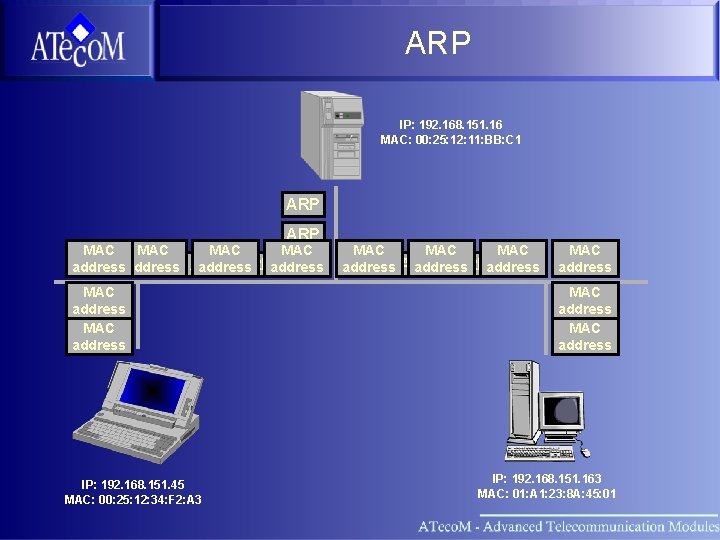
ARP IP: 192. 168. 151. 16 MAC: 00: 25: 12: 11: BB: C 1 ARP MAC MAC ARPaddress ARP address MAC ARP address IP: 192. 168. 151. 45 MAC: 00: 25: 12: 34: F 2: A 3 MAC MAC ARPaddress ARP ARP address MAC ARP address IP: 192. 168. 151. 163 MAC: 01: A 1: 23: 8 A: 45: 01
Section OSI Layer Model Ethernet IP ARP IP Routing
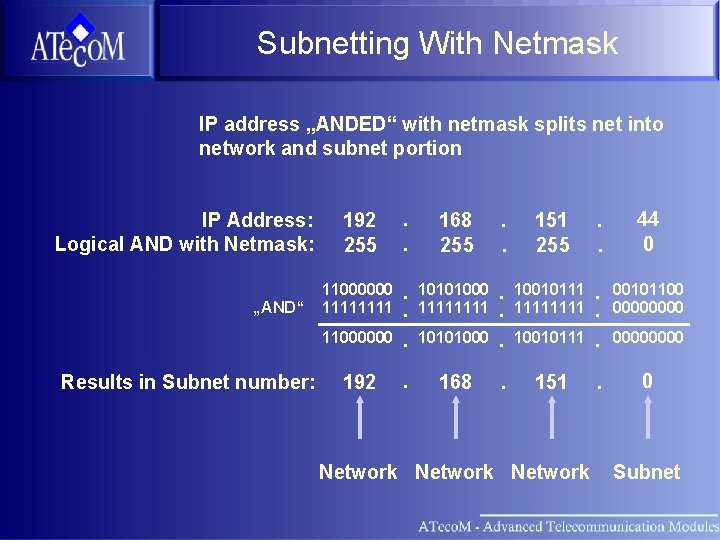
Subnetting With Netmask IP address „ANDED“ with netmask splits net into network and subnet portion IP Address: Logical AND with Netmask: „AND“ Results in Subnet number: 192 255 . . 168 255 . . 151 255 . . 44 0 11000000 1111 10101000 1111 10010111 . . . 00101100 0000 10101000 . . . 10010111 1111 11000000 . . . 192 . 168 . 151 . 0 Network 0000 Subnet
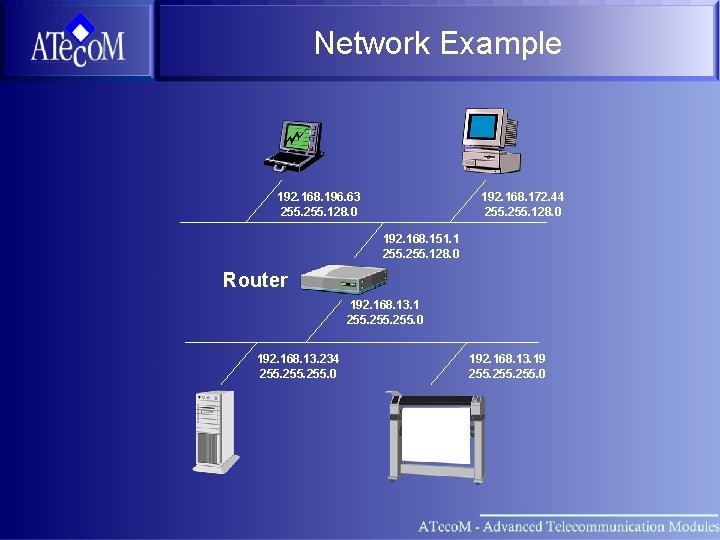
Network Example 192. 168. 196. 63 255. 128. 0 192. 168. 172. 44 255. 128. 0 192. 168. 151. 1 255. 128. 0 Router 192. 168. 13. 1 255. 0 192. 168. 13. 234 255. 0 192. 168. 13. 19 255. 0
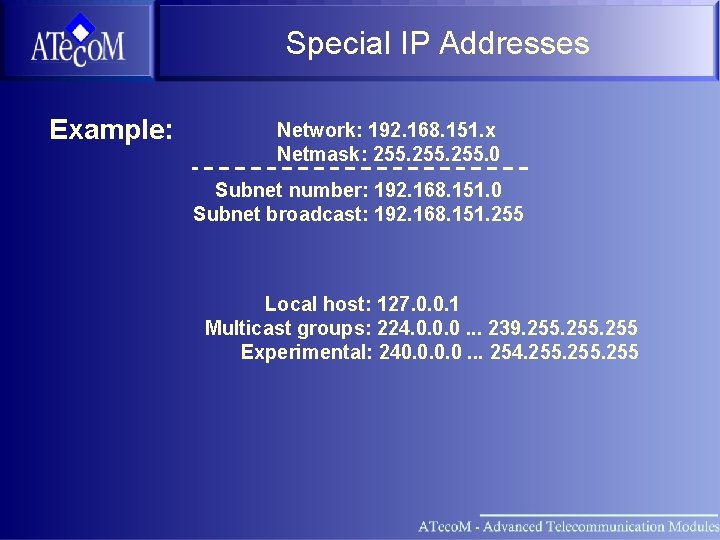
Special IP Addresses Example: Network: 192. 168. 151. x Netmask: 255. 0 Subnet number: 192. 168. 151. 0 Subnet broadcast: 192. 168. 151. 255 Local host: 127. 0. 0. 1 Multicast groups: 224. 0. 0. 0. . . 239. 255 Experimental: 240. 0. . . 254. 255
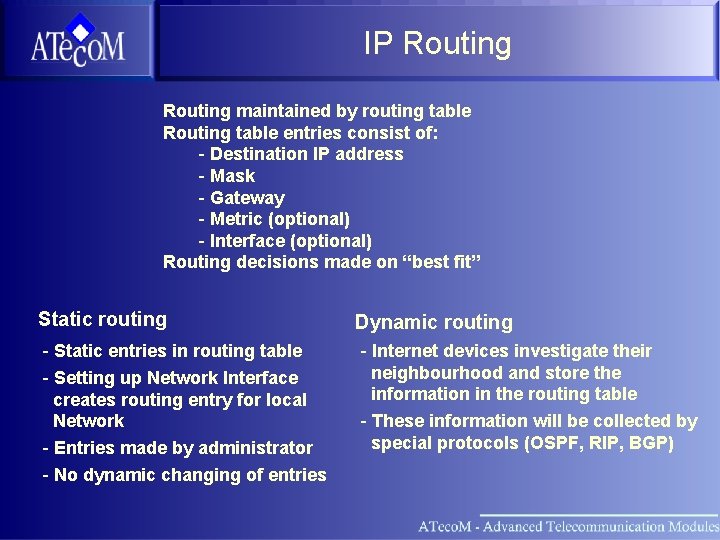
IP Routing maintained by routing table Routing table entries consist of: - Destination IP address - Mask - Gateway - Metric (optional) - Interface (optional) Routing decisions made on “best fit” Static routing - Static entries in routing table - Setting up Network Interface creates routing entry for local Network - Entries made by administrator - No dynamic changing of entries Dynamic routing - Internet devices investigate their neighbourhood and store the information in the routing table - These information will be collected by special protocols (OSPF, RIP, BGP)
Section OSI Layer Model Ethernet IP ARP IP Routing Higher Layer Protocols
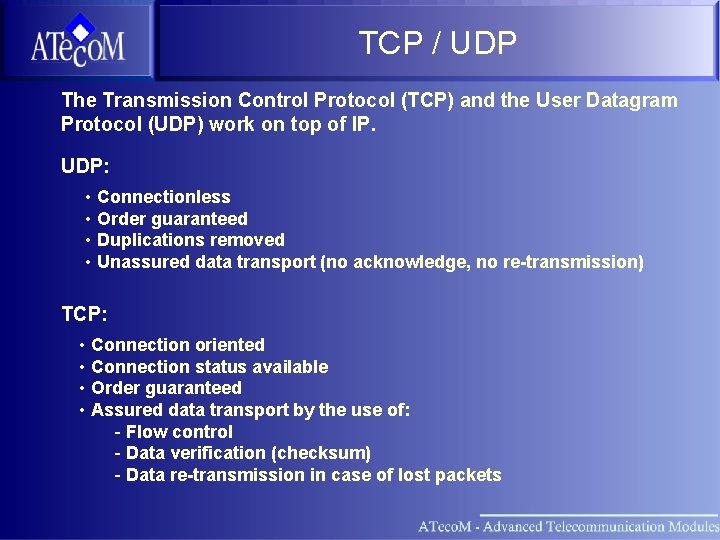
TCP / UDP The Transmission Control Protocol (TCP) and the User Datagram Protocol (UDP) work on top of IP. UDP: • Connectionless • Order guaranteed • Duplications removed • Unassured data transport (no acknowledge, no re-transmission) TCP: • Connection oriented • Connection status available • Order guaranteed • Assured data transport by the use of: - Flow control - Data verification (checksum) - Data re-transmission in case of lost packets
Firewall Devides privat and public Network or two Networks Protects privat Network from unauthorized access Restricts access to or from local machines Firewalling based on rules • accept • deny • reject Rules consists of source and destination IP address and Port (TELNET, FTP, HTTP. . . ) EXTREMLY HARD TO CONFIGURE
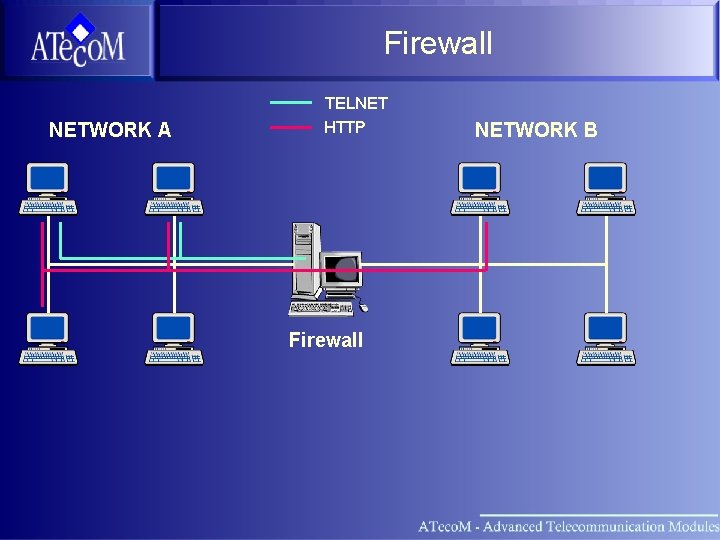
Firewall NETWORK A TELNET HTTP Firewall NETWORK B
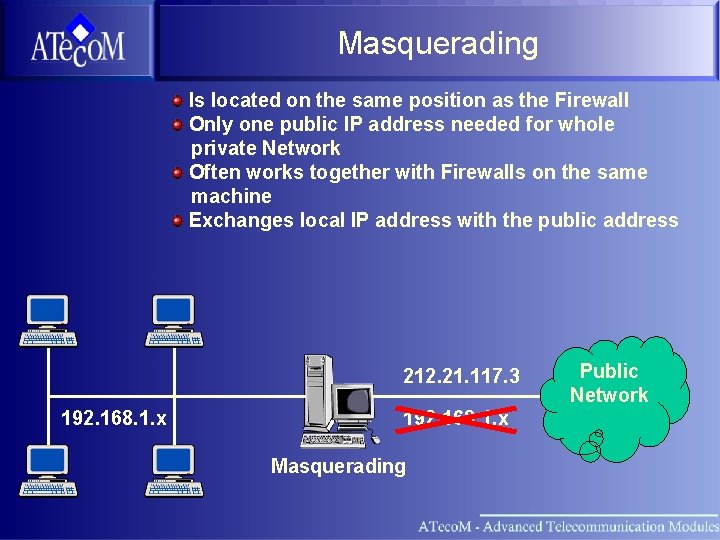
Masquerading Is located on the same position as the Firewall Only one public IP address needed for whole private Network Often works together with Firewalls on the same machine Exchanges local IP address with the public address 212. 21. 117. 3 192. 168. 1. x Masquerading Public Network
Section OSI Layer Model Ethernet IP ARP IP Routing Higher Layer Protocols VRRP
VRRP Virtual Router Redundancy Protocol (VRRP) Provides Router Redundancy transparent to hosts All Router must reside on the same Network The machine with the highest priority becomes VRRP mastership Machines with lower priority are VRRP slaves Up to 254 machines for redundancy The master broadcasts VRRP packets If no VRRP packet is received within a defined time, the Slave with the highest priority takes mastership and starts to send VRRP packets and listens on the specified IP address
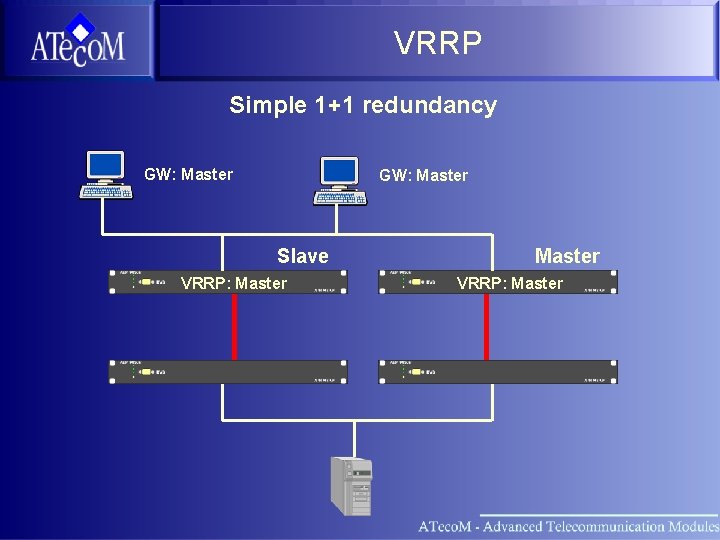
VRRP Simple 1+1 redundancy GW: Master Slave VRRP: Master
Section OSI Layer Model Ethernet IP ARP IP Routing Higher Layer Protocols VRRP ATM Vision Network Setup
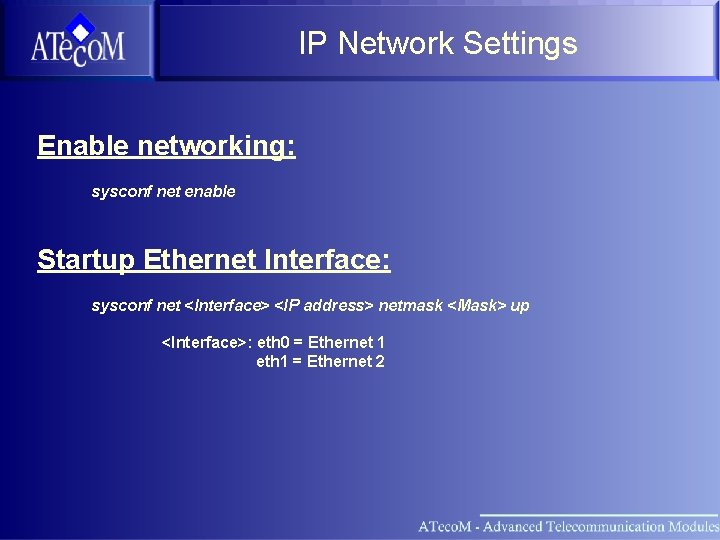
IP Network Settings Enable networking: sysconf net enable Startup Ethernet Interface: sysconf net <Interface> <IP address> netmask <Mask> up <Interface>: eth 0 = Ethernet 1 eth 1 = Ethernet 2
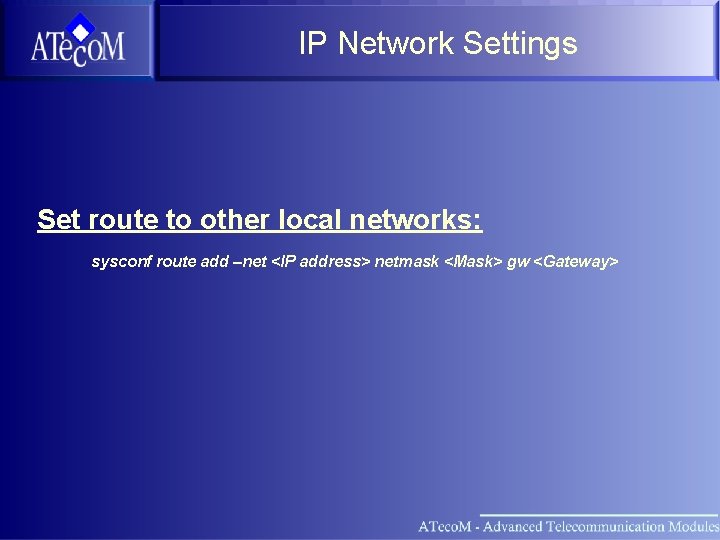
IP Network Settings Set route to other local networks: sysconf route add –net <IP address> netmask <Mask> gw <Gateway>
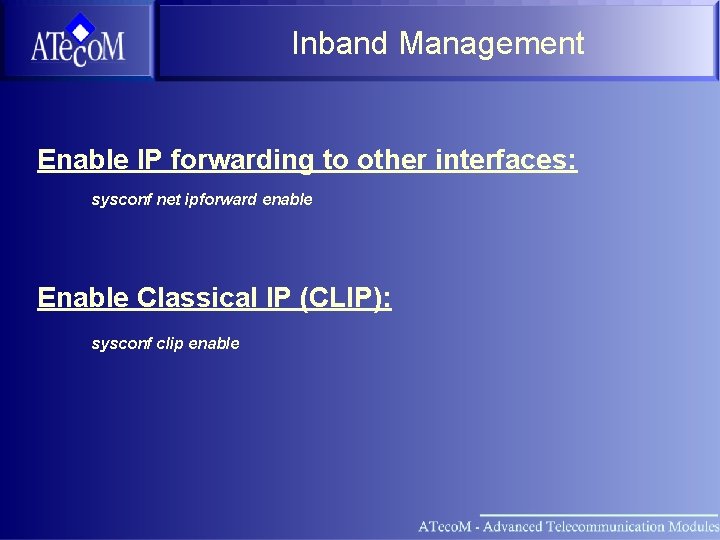
Inband Management Enable IP forwarding to other interfaces: sysconf net ipforward enable Enable Classical IP (CLIP): sysconf clip enable
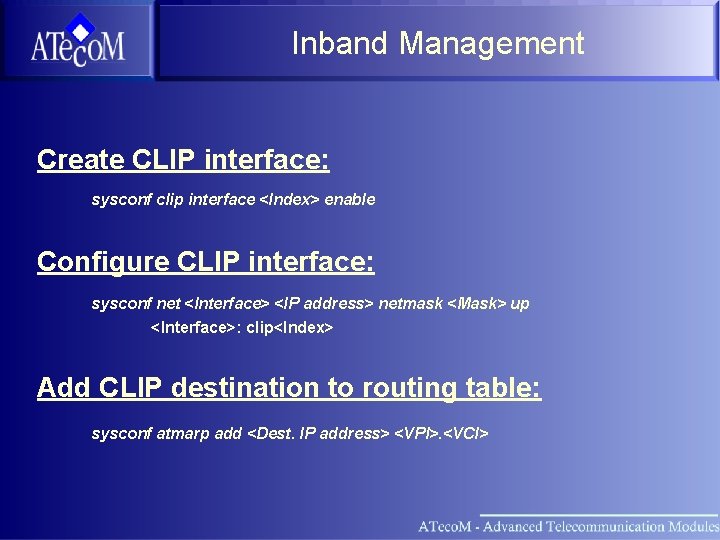
Inband Management Create CLIP interface: sysconf clip interface <Index> enable Configure CLIP interface: sysconf net <Interface> <IP address> netmask <Mask> up <Interface>: clip<Index> Add CLIP destination to routing table: sysconf atmarp add <Dest. IP address> <VPI>. <VCI>
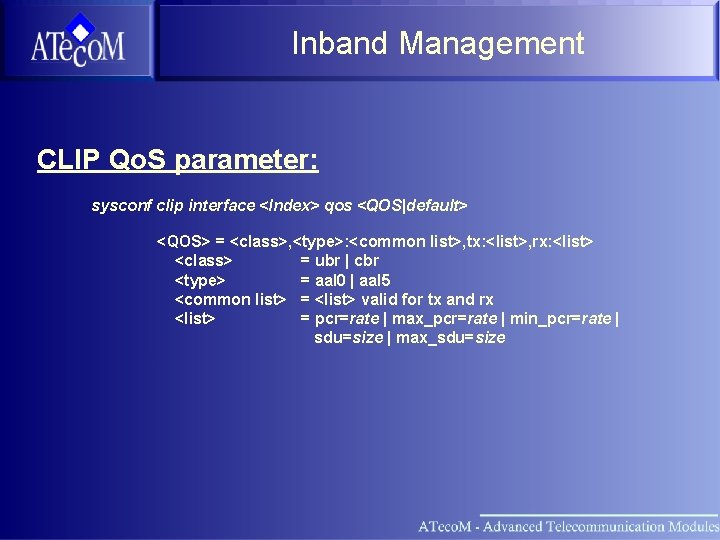
Inband Management CLIP Qo. S parameter: sysconf clip interface <Index> qos <QOS|default> <QOS> = <class>, <type>: <common list>, tx: <list>, rx: <list> <class> = ubr | cbr <type> = aal 0 | aal 5 <common list> = <list> valid for tx and rx <list> = pcr=rate | max_pcr=rate | min_pcr=rate | sdu=size | max_sdu=size
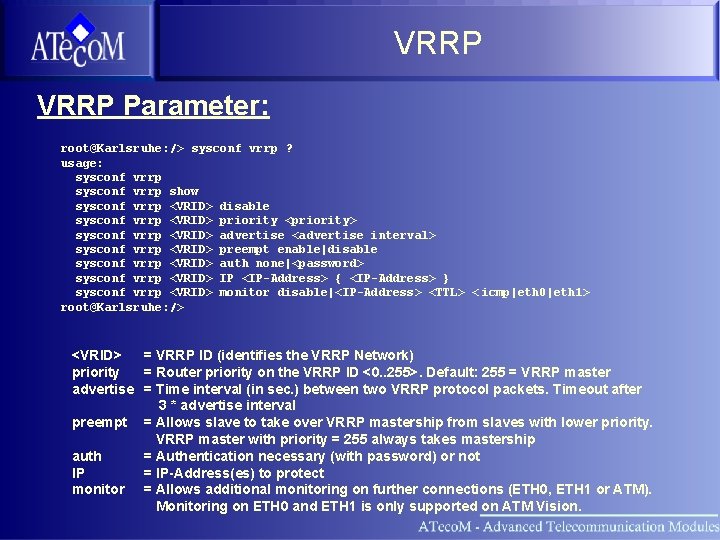
VRRP Parameter: root@Karlsruhe: /> sysconf vrrp ? usage: sysconf vrrp show sysconf vrrp <VRID> disable sysconf vrrp <VRID> priority <priority> sysconf vrrp <VRID> advertise <advertise interval> sysconf vrrp <VRID> preempt enable|disable sysconf vrrp <VRID> auth none|<password> sysconf vrrp <VRID> IP <IP-Address> { <IP-Address> } sysconf vrrp <VRID> monitor disable|<IP-Address> <TTL> < icmp|eth 0|eth 1> root@Karlsruhe: /> <VRID> = VRRP ID (identifies the VRRP Network) priority = Router priority on the VRRP ID <0. . 255>. Default: 255 = VRRP master advertise = Time interval (in sec. ) between two VRRP protocol packets. Timeout after 3 * advertise interval preempt = Allows slave to take over VRRP mastership from slaves with lower priority. VRRP master with priority = 255 always takes mastership auth = Authentication necessary (with password) or not IP = IP-Address(es) to protect monitor = Allows additional monitoring on further connections (ETH 0, ETH 1 or ATM). Monitoring on ETH 0 and ETH 1 is only supported on ATM Vision.
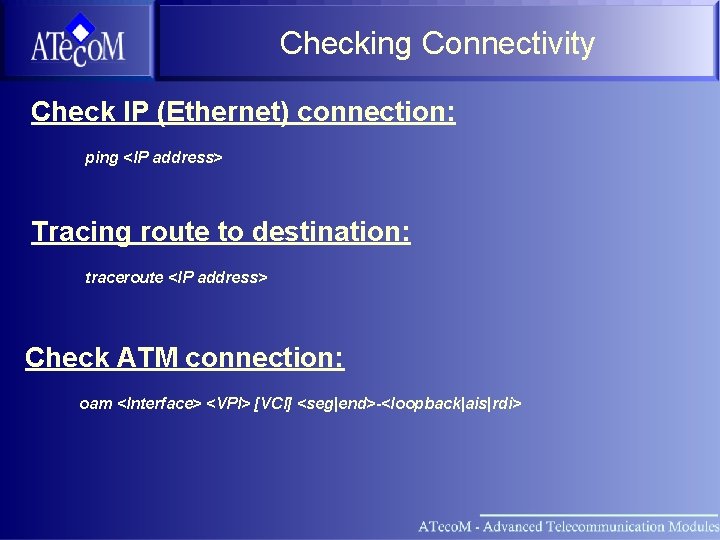
Checking Connectivity Check IP (Ethernet) connection: ping <IP address> Tracing route to destination: traceroute <IP address> Check ATM connection: oam <Interface> <VPI> [VCI] <seg|end>-<loopback|ais|rdi>
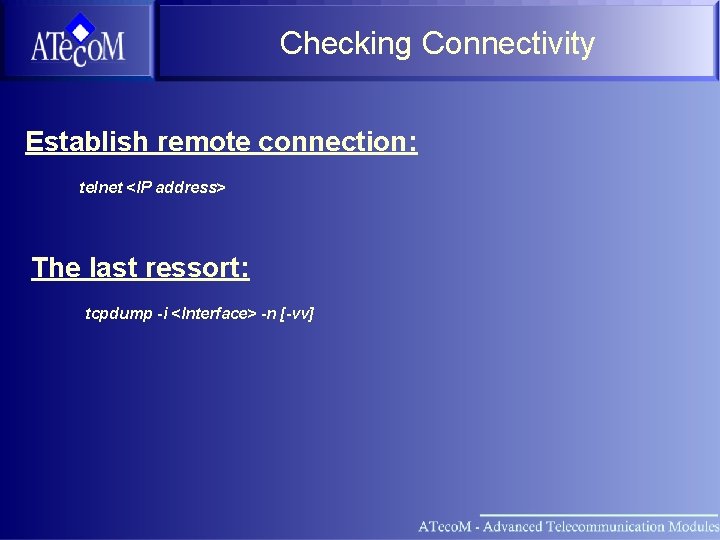
Checking Connectivity Establish remote connection: telnet <IP address> The last ressort: tcpdump -i <Interface> -n [-vv]
Section OSI Layer Model Ethernet IP ARP IP Routing Higher Layer Protocols VRRP ATM Vision Network Setup Practice
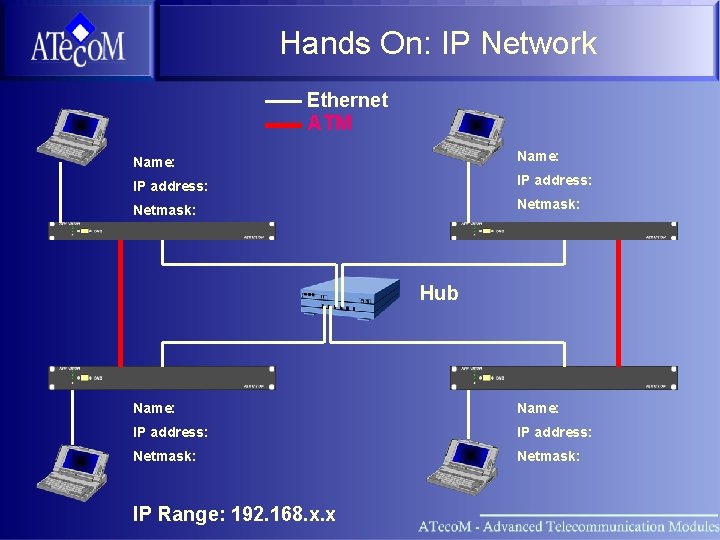
Hands On: IP Network Ethernet ATM Name: IP address: Netmask: Hub Name: IP address: Netmask: IP Range: 192. 168. x. x
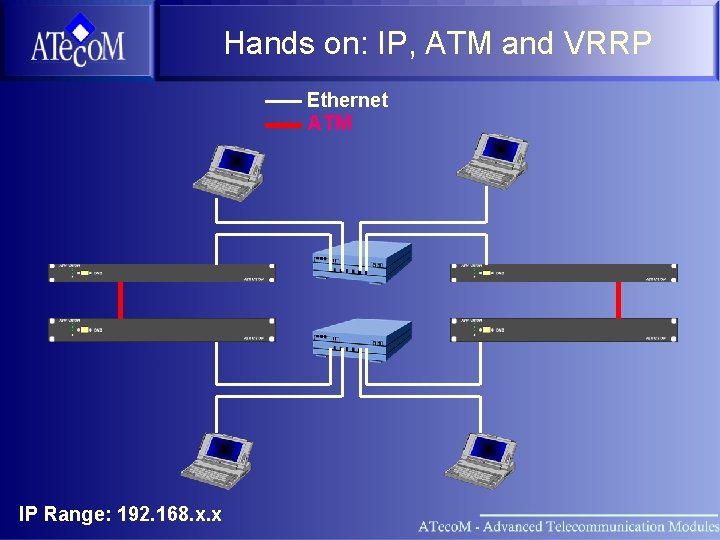
Hands on: IP, ATM and VRRP Ethernet ATM IP Range: 192. 168. x. x
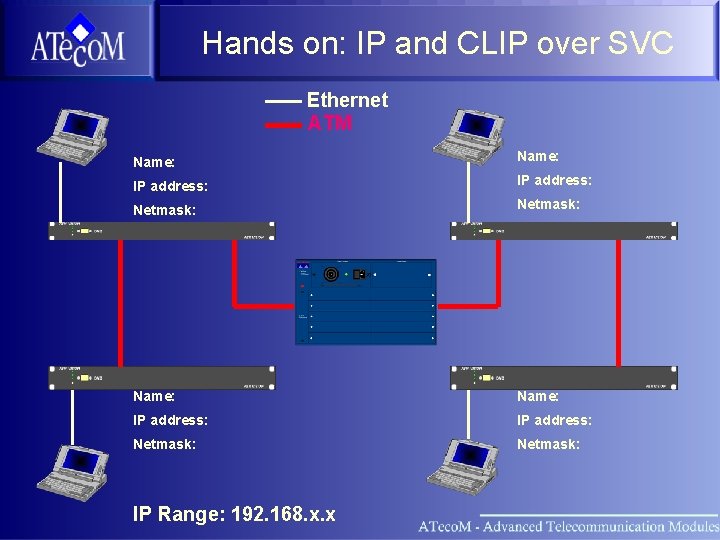
Hands on: IP and CLIP over SVC Ethernet ATM Name: IP address: Netmask: IP Range: 192. 168. x. x
- Slides: 40