
Training ATM Basics Overview What is ATM Physical
Training ATM Basics
Overview – „What is ATM“ – Physical Layers (PHY) – ATM Layer (ATM) – ATM Adaptation Layer (AAL) – ATM Vision Basic Setup – Practice

Section What is ATM ?
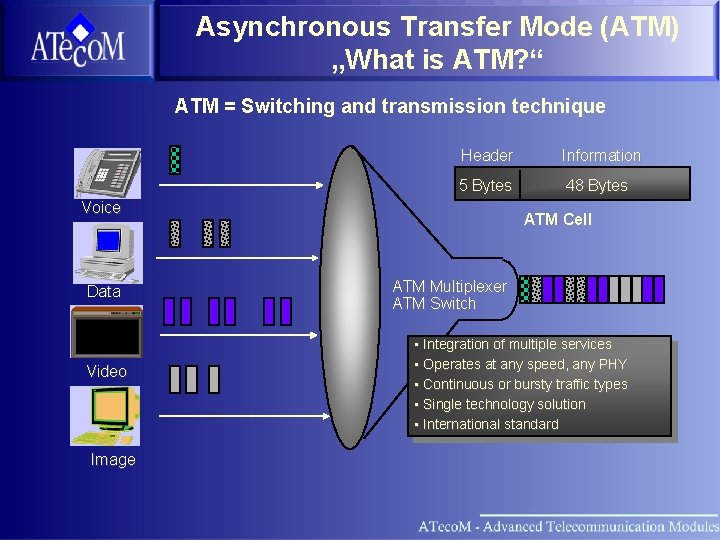
Asynchronous Transfer Mode (ATM) „What is ATM? “ ATM = Switching and transmission technique Header Information 5 Bytes 48 Bytes Voice Data Video Image ATM Cell ATM Multiplexer ATM Switch • Integration of multiple services • Operates at any speed, any PHY • Continuous or bursty traffic types • Single technology solution • International standard
Section What is ATM Physical Layer
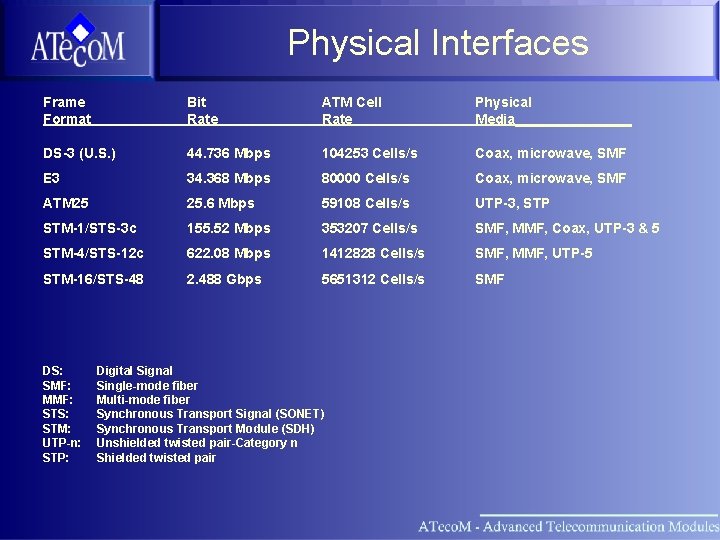
Physical Interfaces Frame Format Bit Rate ATM Cell Rate Physical Media________ DS-3 (U. S. ) 44. 736 Mbps 104253 Cells/s Coax, microwave, SMF E 3 34. 368 Mbps 80000 Cells/s Coax, microwave, SMF ATM 25 25. 6 Mbps 59108 Cells/s UTP-3, STP STM-1/STS-3 c 155. 52 Mbps 353207 Cells/s SMF, MMF, Coax, UTP-3 & 5 STM-4/STS-12 c 622. 08 Mbps 1412828 Cells/s SMF, MMF, UTP-5 STM-16/STS-48 2. 488 Gbps 5651312 Cells/s SMF DS: SMF: MMF: STS: STM: UTP-n: STP: Digital Signal Single-mode fiber Multi-mode fiber Synchronous Transport Signal (SONET) Synchronous Transport Module (SDH) Unshielded twisted pair-Category n Shielded twisted pair
Section What is ATM Physical Layer ATM Layer

Introdrucing the ATM Cell Structure Header Error Check (HEC) ATM Cell 53 Bytes Header Payload 5 Bytes (9. 4%) 48 Bytes (90. 6%) Information from higher layers
ATM Cell Header Enables • High performance switching • Ability to tailor bandwidth to exact customer needs • Operations, Administration and Maintenance (OAM) capabilities allows fault detection, location and isolation
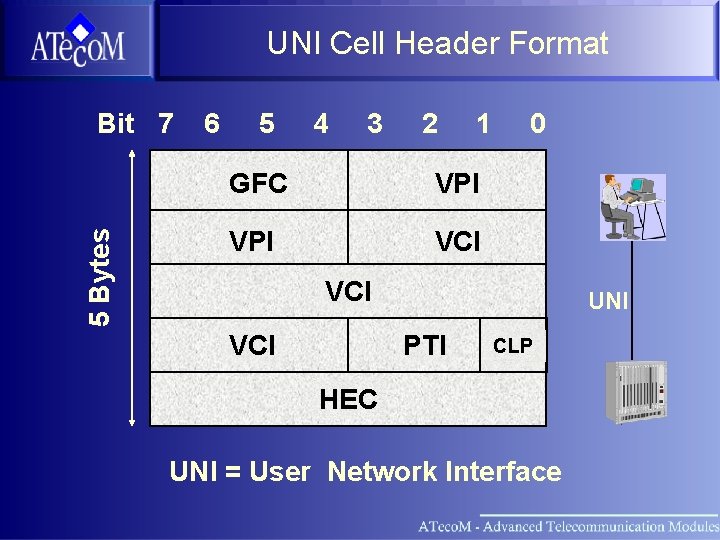
UNI Cell Header Format 5 Bytes Bit 7 6 5 4 3 2 1 GFC VPI VCI 0 VCI UNI PTI CLP HEC UNI = User Network Interface
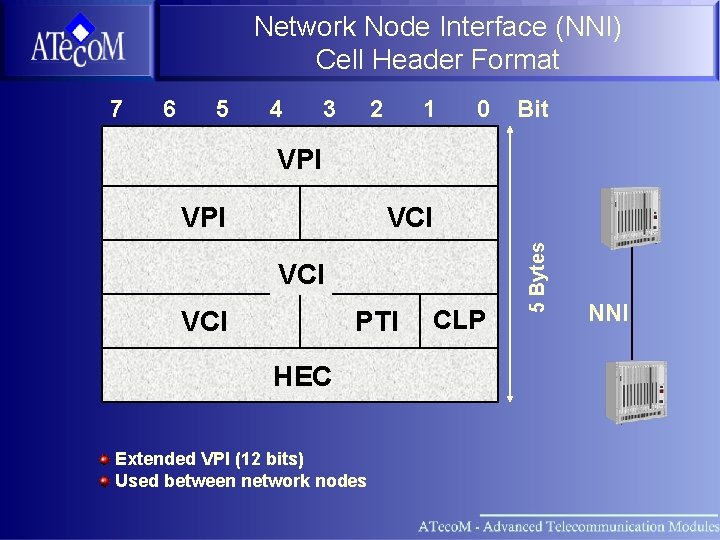
Network Node Interface (NNI) Cell Header Format 7 6 5 4 3 2 1 0 Bit VPI VCI VCI PTI HEC Extended VPI (12 bits) Used between network nodes CLP 5 Bytes VPI NNI
NNI Format Significance • Expanded VP header enables up to 4096 VPs per PHY/Trunk • Facilitates “traffic grooming” within the Service Provider network
Generic Flow Control (GFC) Currently undefined, set to 0000 Proposed future uses Ø Ø Flow control Shared media multiple access control
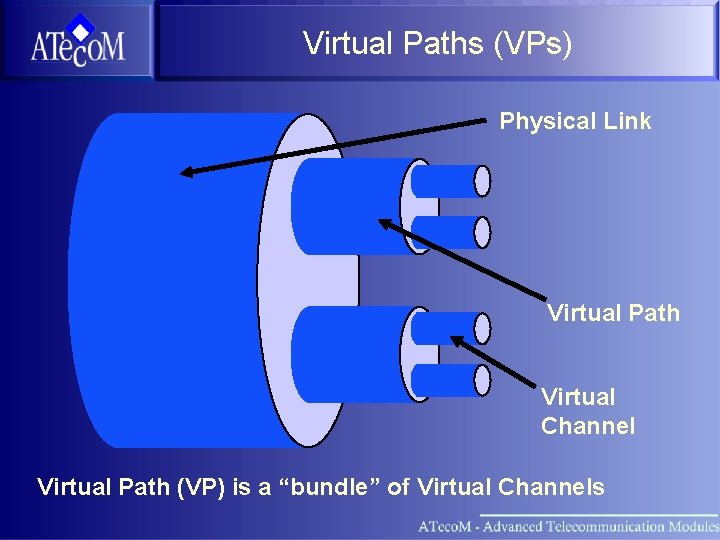
Virtual Paths (VPs) Physical Link Virtual Path Virtual Channel Virtual Path (VP) is a “bundle” of Virtual Channels
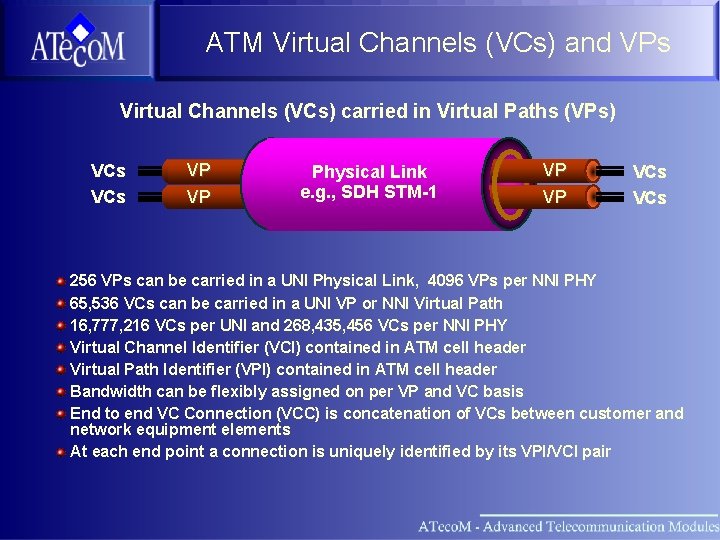
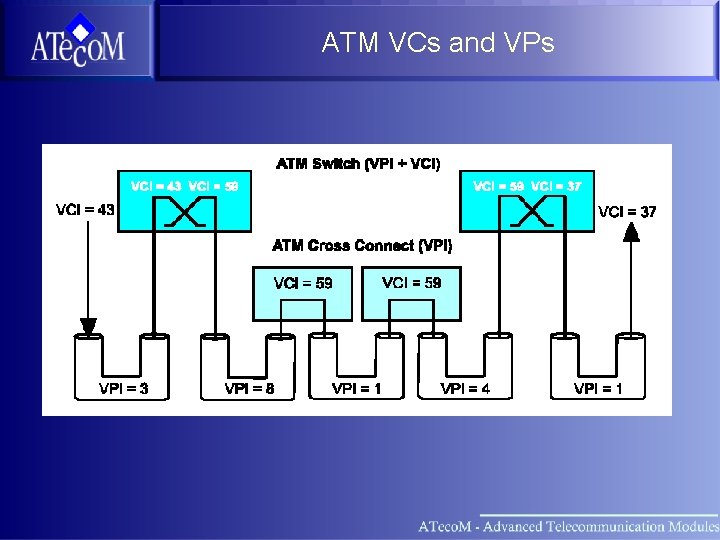
ATM Virtual Channels (VCs) and VPs Virtual Channels (VCs) carried in Virtual Paths (VPs) VCs VP VP Physical Link e. g. , SDH STM-1 VP VP VCs 256 VPs can be carried in a UNI Physical Link, 4096 VPs per NNI PHY 65, 536 VCs can be carried in a UNI VP or NNI Virtual Path 16, 777, 216 VCs per UNI and 268, 435, 456 VCs per NNI PHY Virtual Channel Identifier (VCI) contained in ATM cell header Virtual Path Identifier (VPI) contained in ATM cell header Bandwidth can be flexibly assigned on per VP and VC basis End to end VC Connection (VCC) is concatenation of VCs between customer and network equipment elements At each end point a connection is uniquely identified by its VPI/VCI pair
ATM VCs and VPs
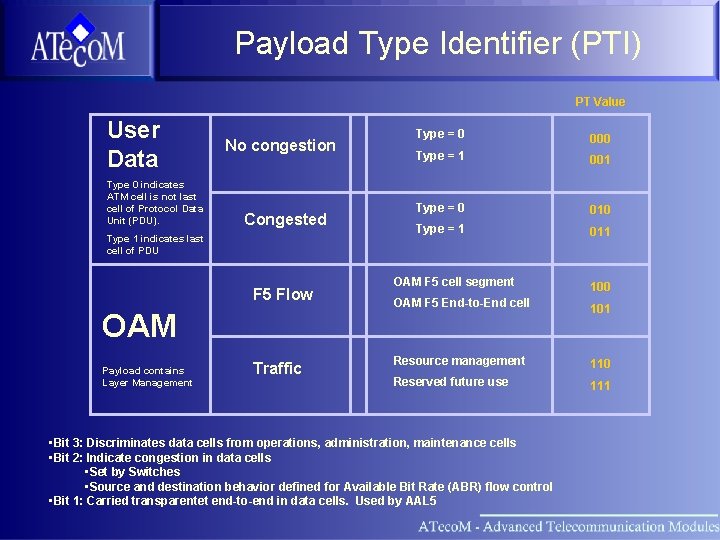
Payload Type Identifier (PTI) PT Value User Data Type 0 indicates ATM cell is not last cell of Protocol Data Unit (PDU). No congestion Congested Type 1 indicates last cell of PDU F 5 Flow OAM Payload contains Layer Management Traffic Type = 0 000 Type = 1 001 Type = 0 010 Type = 1 011 OAM F 5 cell segment 100 OAM F 5 End-to-End cell 101 Resource management 110 Reserved future use 111 • Bit 3: Discriminates data cells from operations, administration, maintenance cells • Bit 2: Indicate congestion in data cells • Set by Switches • Source and destination behavior defined for Available Bit Rate (ABR) flow control • Bit 1: Carried transparentet end-to-end in data cells. Used by AAL 5
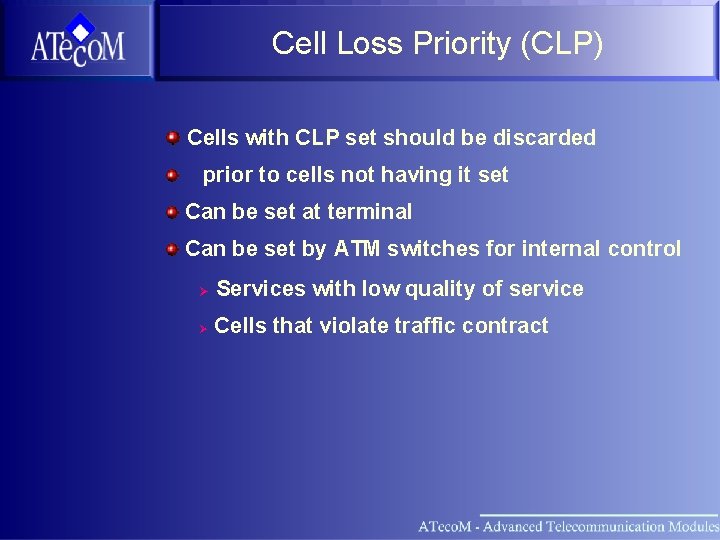
Cell Loss Priority (CLP) Cells with CLP set should be discarded prior to cells not having it set Can be set at terminal Can be set by ATM switches for internal control Ø Services with low quality of service Ø Cells that violate traffic contract
Header Error Check (HEC) • Correction Mode: – Corrects single bit errors – When a correction is performed, begin detection mode • Detection Mode: – Detects multiple bit errors – Discards cell when header error detected – If no errors detected for three times, resume correction mode
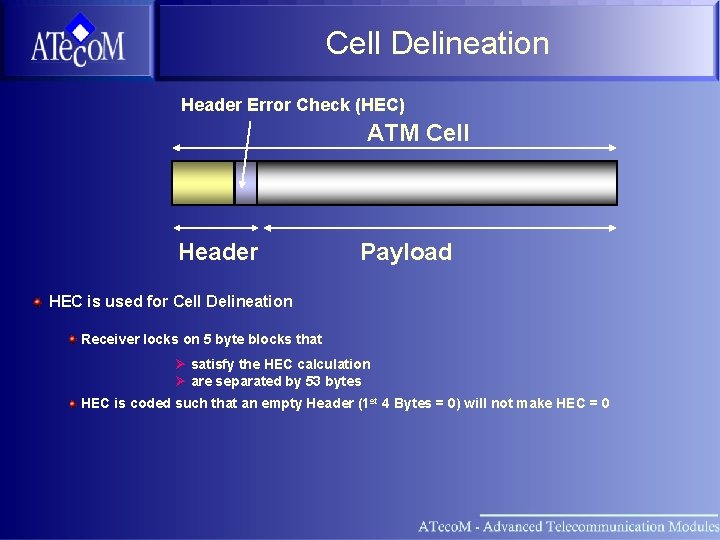
Cell Delineation Header Error Check (HEC) ATM Cell Header Payload HEC is used for Cell Delineation Receiver locks on 5 byte blocks that Ø satisfy the HEC calculation Ø are separated by 53 bytes HEC is coded such that an empty Header (1 st 4 Bytes = 0) will not make HEC = 0
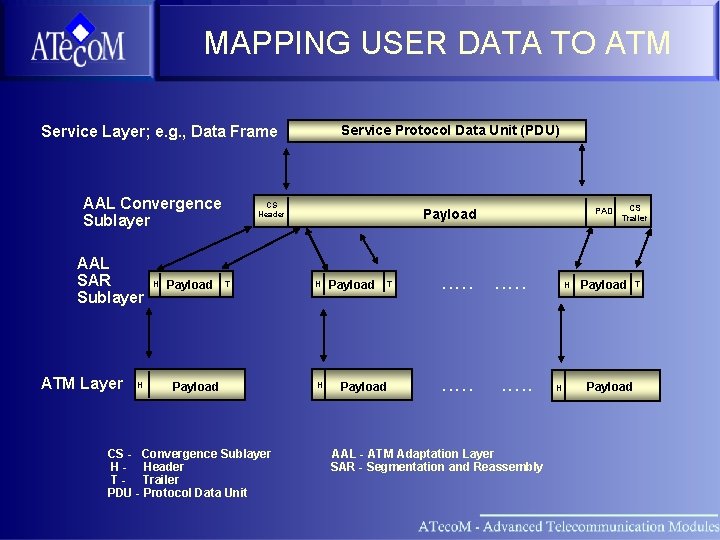
MAPPING USER DATA TO ATM Service Layer; e. g. , Data Frame AAL Convergence Sublayer AAL SAR Sublayer ATM Layer H H Payload Service Protocol Data Unit (PDU) CS Header T Payload CS - Convergence Sublayer H - Header T - Trailer PDU - Protocol Data Unit PAD Payload H H Payload T Payload . . AAL - ATM Adaptation Layer SAR - Segmentation and Reassembly H H CS Trailer Payload T
Section What is ATM Physical Layer ATM Adaption Layer
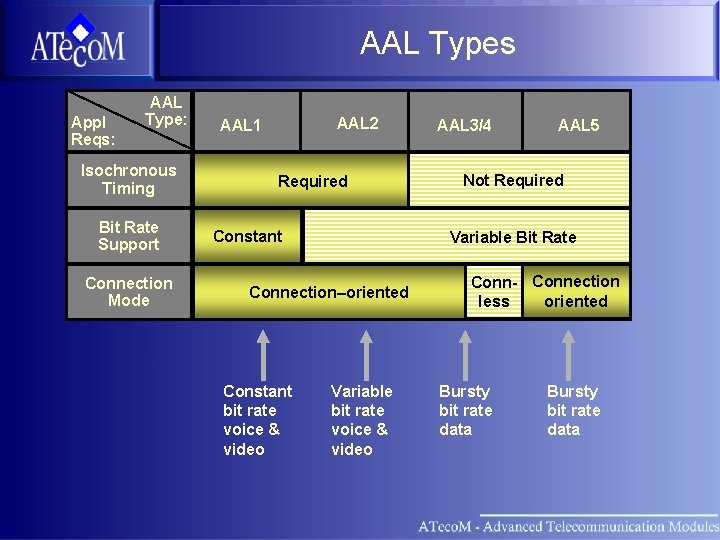
AAL Types Appl Reqs: AAL Type: Isochronous Timing Bit Rate Support Connection Mode AAL 2 AAL 1 Required Constant AAL 5 Not Required Variable Bit Rate Connection–oriented Constant bit rate voice & video AAL 3/4 Variable bit rate voice & video Conn- Connection oriented less Bursty bit rate data
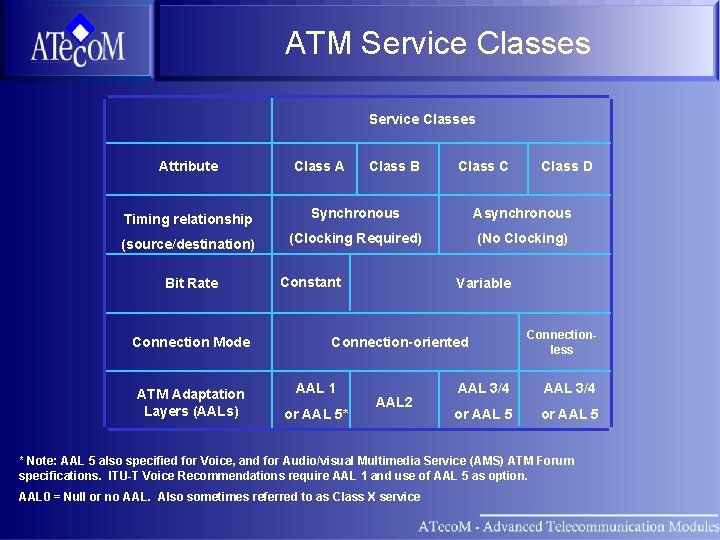
ATM Service Classes Attribute Class A Class B Class C Class D Timing relationship Synchronous Asynchronous (source/destination) (Clocking Required) (No Clocking) Bit Rate Connection Mode ATM Adaptation Layers (AALs) Constant Variable Connection-oriented AAL 1 or AAL 5* AAL 2 Connectionless AAL 3/4 or AAL 5 * Note: AAL 5 also specified for Voice, and for Audio/visual Multimedia Service (AMS) ATM Forum specifications. ITU-T Voice Recommendations require AAL 1 and use of AAL 5 as option. AAL 0 = Null or no AAL. Also sometimes referred to as Class X service
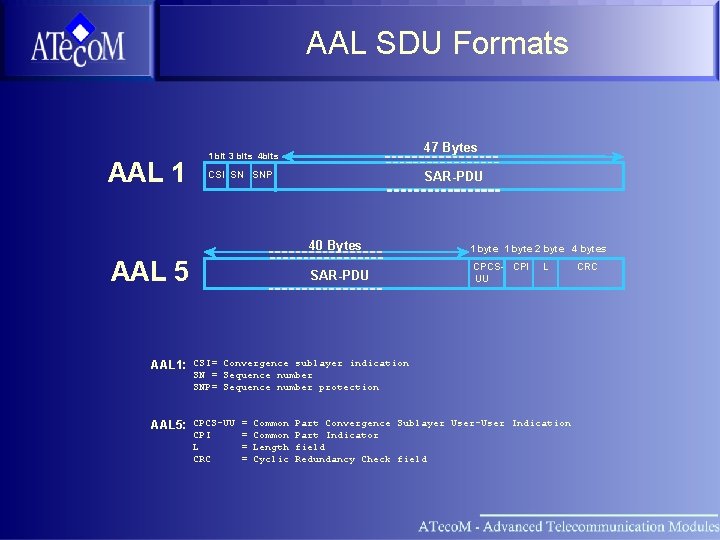
AAL SDU Formats AAL 1 47 Bytes 1 bit 3 bits 4 bits CSI SN SNP SAR-PDU 40 Bytes AAL 5 SAR-PDU 1 byte 2 byte 4 bytes CPCS- CPI UU L AAL 1: CSI= Convergence sublayer indication SN = Sequence number SNP= Sequence number protection AAL 5: CPCS-UU = Common Part Convergence Sublayer User-User Indication CPI L CRC = Common Part Indicator = Length field = Cyclic Redundancy Check field CRC
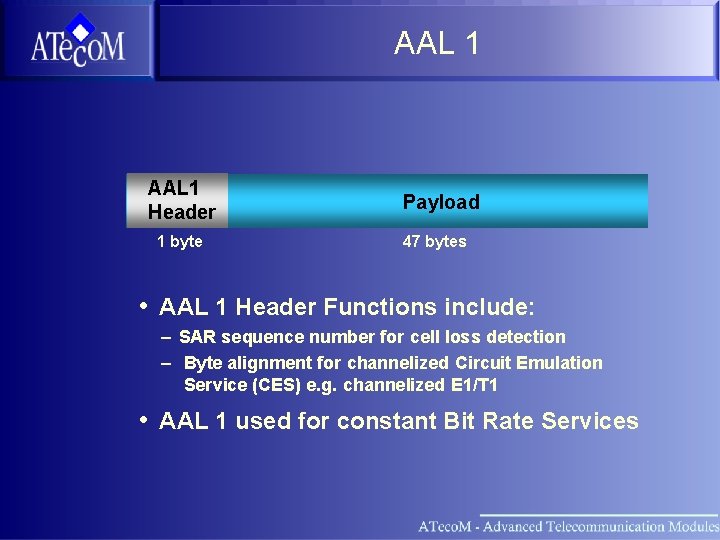
AAL 1 Header 1 byte Payload 47 bytes • AAL 1 Header Functions include: – SAR sequence number for cell loss detection – Byte alignment for channelized Circuit Emulation Service (CES) e. g. channelized E 1/T 1 • AAL 1 used for constant Bit Rate Services

AAL 1 FEC AAL 1 Interleaving Matrix for FEC Writing order 124 Byte Reading order 124 * 47 Byte = 6016 Bytes User data Maximum corrections within one Matrix: - 4 cell losses - 2 cell losses and one errored byte each row - 2 errored byte in each row without cell losses . . FEC . . 47 Byte 4 Byte
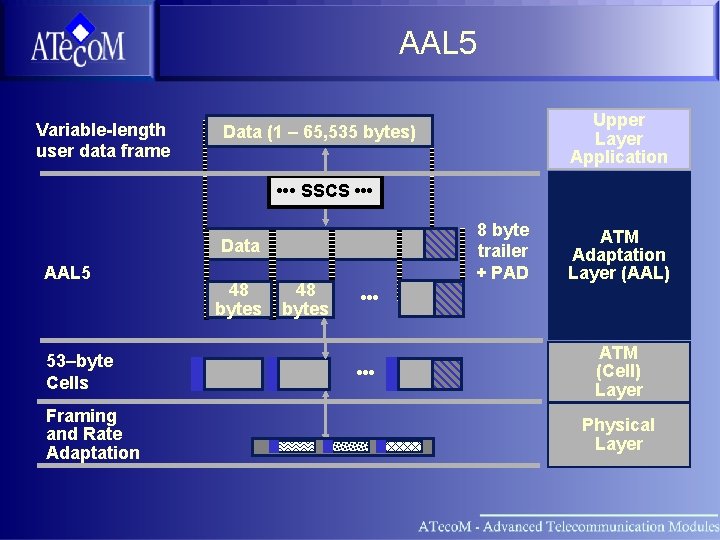
AAL 5 Variable-length user data frame Upper Layer Application Data (1 – 65, 535 bytes) • • • SSCS • • • 8 byte trailer + PAD Data AAL 5 53–byte Cells Framing and Rate Adaptation 48 bytes ATM Adaptation Layer (AAL) • • • ATM (Cell) Layer Physical Layer
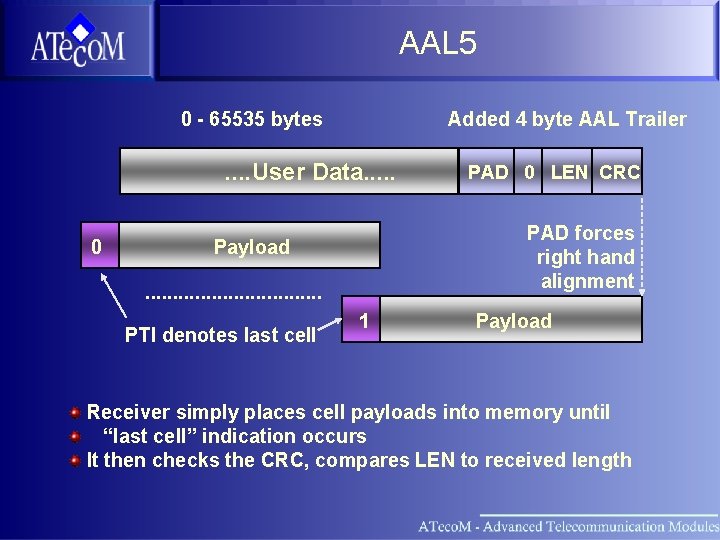
AAL 5 0 - 65535 bytes Added 4 byte AAL Trailer . . User Data. . . 0 PAD forces right hand alignment Payload. . . . PTI denotes last cell PAD 0 LEN CRC 1 Payload Receiver simply places cell payloads into memory until “last cell” indication occurs It then checks the CRC, compares LEN to received length
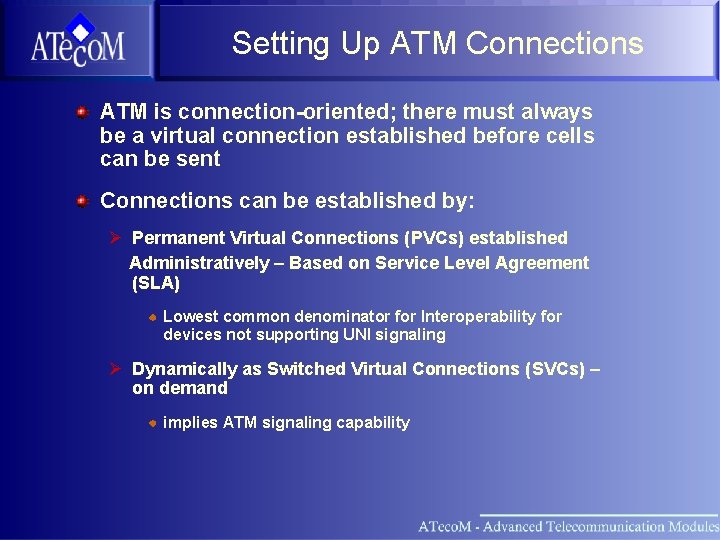
Setting Up ATM Connections ATM is connection-oriented; there must always be a virtual connection established before cells can be sent Connections can be established by: Ø Permanent Virtual Connections (PVCs) established Administratively – Based on Service Level Agreement (SLA) Lowest common denominator for Interoperability for devices not supporting UNI signaling Ø Dynamically as Switched Virtual Connections (SVCs) – on demand implies ATM signaling capability
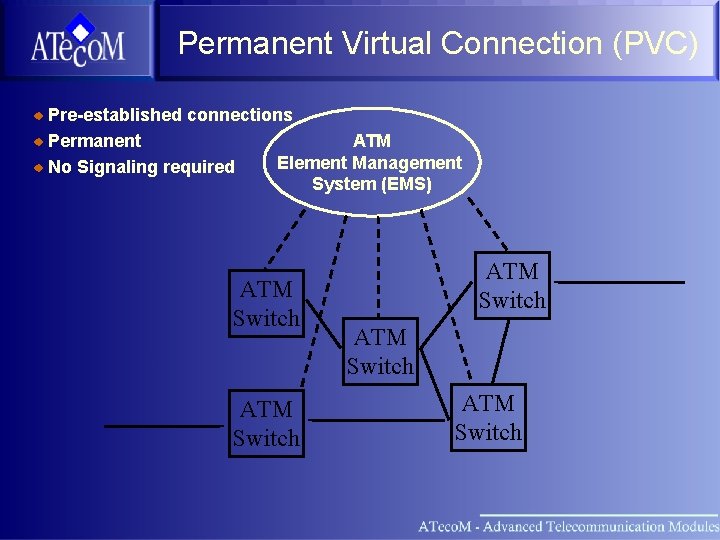
Permanent Virtual Connection (PVC) Pre-established connections ATM Permanent Element Management No Signaling required System (EMS) ATM Switch ATM Switch
Section What is ATM Physical Layer ATM Adaption Layer ATM Vision Basic Setup
ATM Vision Basic Setup ATM Vision overview Basic System Settings ATM Settings Setting up Service Channel
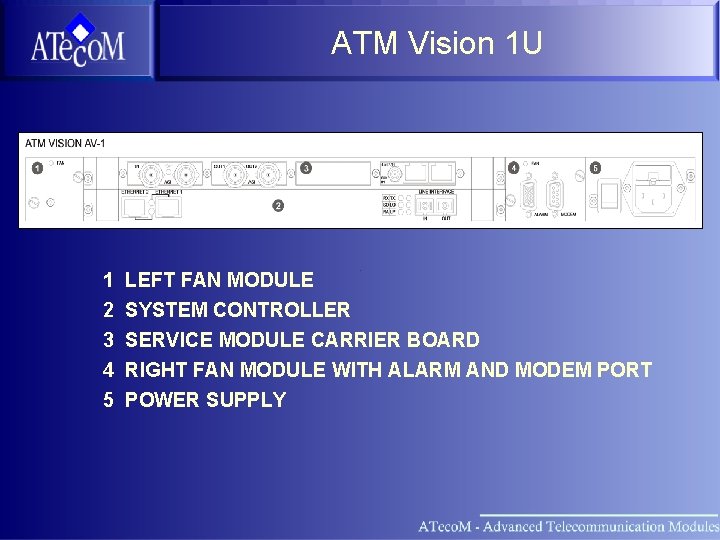
ATM Vision 1 U 1 2 3 4 5 LEFT FAN MODULE SYSTEM CONTROLLER SERVICE MODULE CARRIER BOARD RIGHT FAN MODULE WITH ALARM AND MODEM PORT POWER SUPPLY
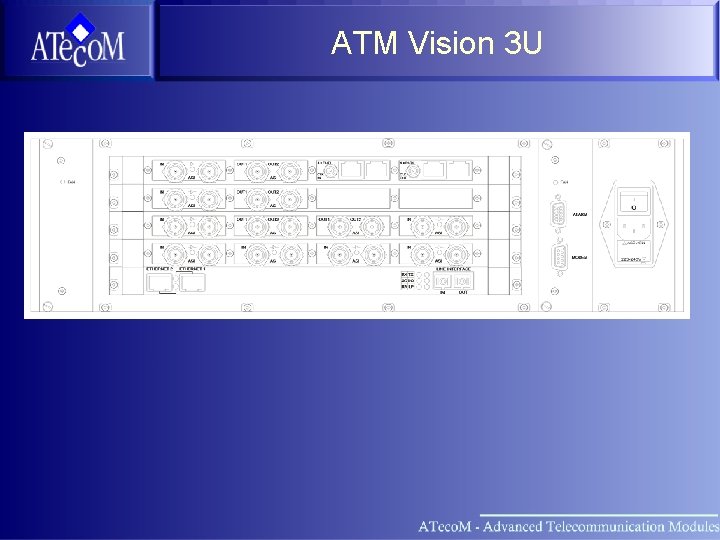
ATM Vision 3 U
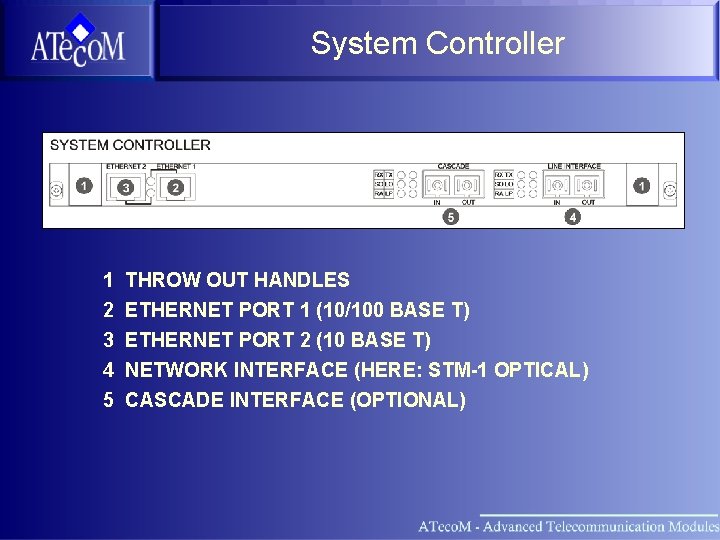
System Controller 1 2 3 4 5 THROW OUT HANDLES ETHERNET PORT 1 (10/100 BASE T) ETHERNET PORT 2 (10 BASE T) NETWORK INTERFACE (HERE: STM-1 OPTICAL) CASCADE INTERFACE (OPTIONAL)
System Controller
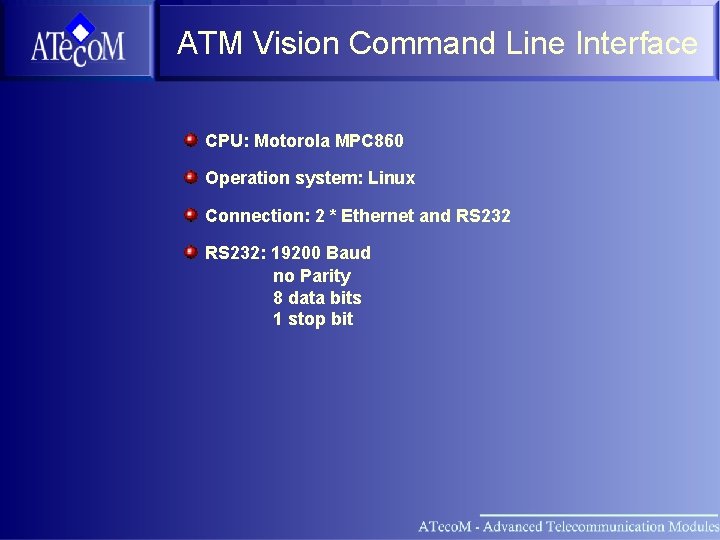
ATM Vision Command Line Interface CPU: Motorola MPC 860 Operation system: Linux Connection: 2 * Ethernet and RS 232: 19200 Baud no Parity 8 data bits 1 stop bit
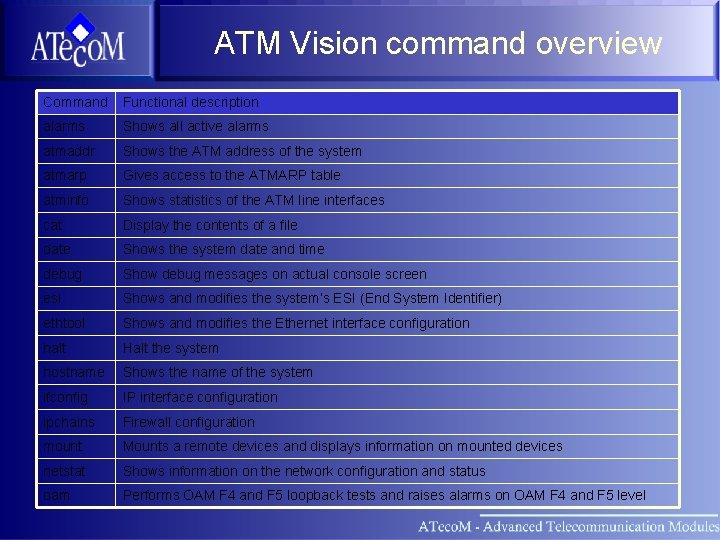
ATM Vision command overview Command Functional description alarms Shows all active alarms atmaddr Shows the ATM address of the system atmarp Gives access to the ATMARP table atminfo Shows statistics of the ATM line interfaces cat Display the contents of a file date Shows the system date and time debug Show debug messages on actual console screen esi Shows and modifies the system’s ESI (End System Identifier) ethtool Shows and modifies the Ethernet interface configuration halt Halt the system hostname Shows the name of the system ifconfig IP interface configuration ipchains Firewall configuration mount Mounts a remote devices and displays information on mounted devices netstat Shows information on the network configuration and status oam Performs OAM F 4 and F 5 loopback tests and raises alarms on OAM F 4 and F 5 level
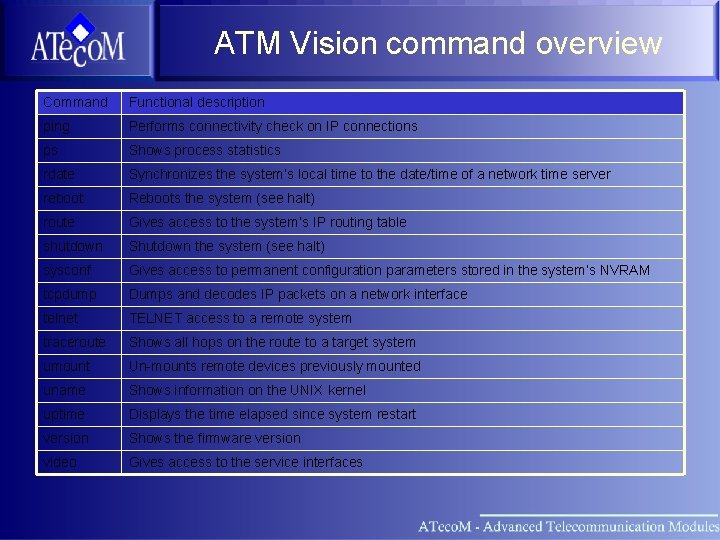
ATM Vision command overview Command Functional description ping Performs connectivity check on IP connections ps Shows process statistics rdate Synchronizes the system’s local time to the date/time of a network time server reboot Reboots the system (see halt) route Gives access to the system’s IP routing table shutdown Shutdown the system (see halt) sysconf Gives access to permanent configuration parameters stored in the system’s NVRAM tcpdump Dumps and decodes IP packets on a network interface telnet TELNET access to a remote system traceroute Shows all hops on the route to a target system umount Un-mounts remote devices previously mounted uname Shows information on the UNIX kernel uptime Displays the time elapsed since system restart version Shows the firmware version video Gives access to the service interfaces
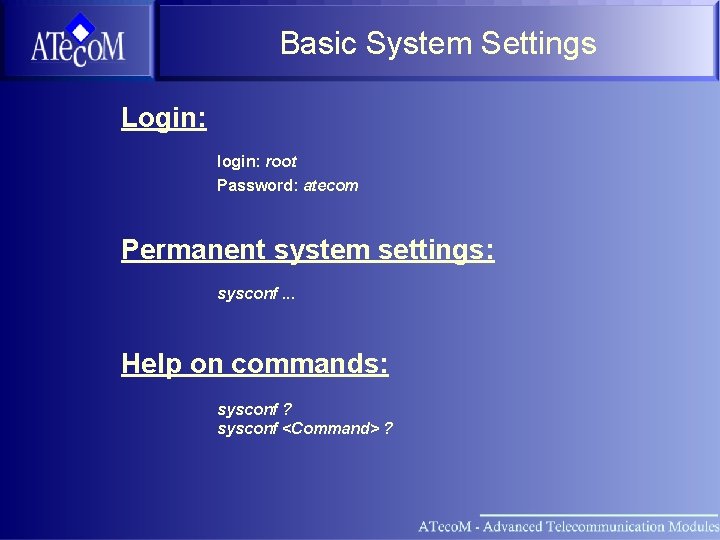
Basic System Settings Login: login: root Password: atecom Permanent system settings: sysconf. . . Help on commands: sysconf ? sysconf <Command> ?
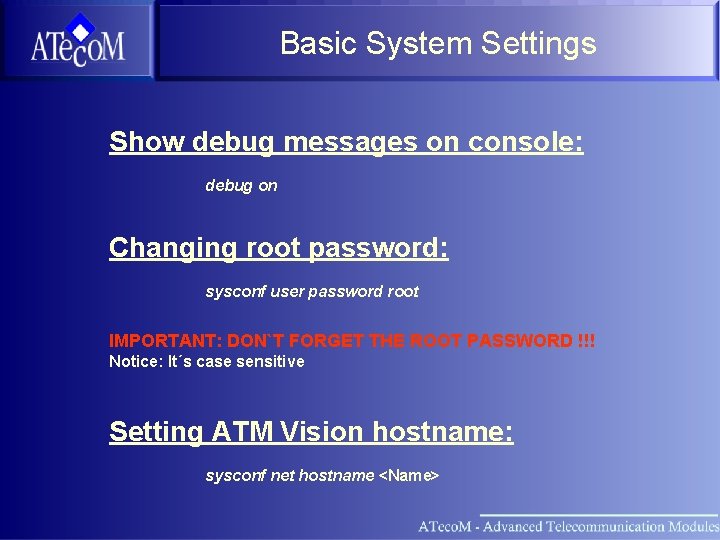
Basic System Settings Show debug messages on console: debug on Changing root password: sysconf user password root IMPORTANT: DON`T FORGET THE ROOT PASSWORD !!! Notice: It´s case sensitive Setting ATM Vision hostname: sysconf net hostname <Name>
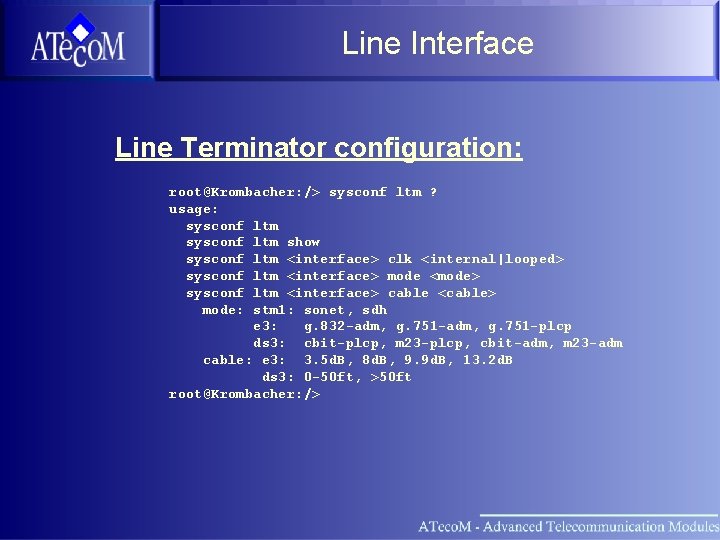
Line Interface Line Terminator configuration: root@Krombacher: /> sysconf ltm ? usage: sysconf ltm show sysconf ltm <interface> clk <internal|looped> sysconf ltm <interface> mode <mode> sysconf ltm <interface> cable <cable> mode: stm 1: sonet, sdh e 3: g. 832 -adm, g. 751 -plcp ds 3: cbit-plcp, m 23 -plcp, cbit-adm, m 23 -adm cable: e 3: 3. 5 d. B, 8 d. B, 9. 9 d. B, 13. 2 d. B ds 3: 0 -50 ft, >50 ft root@Krombacher: />
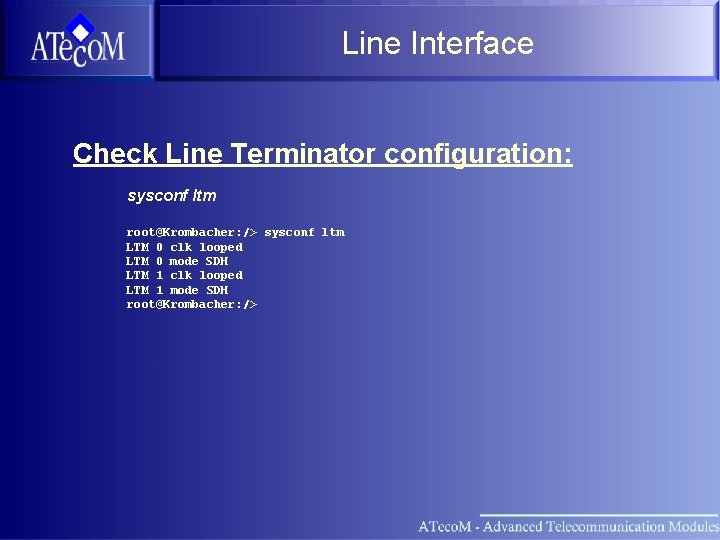
Line Interface Check Line Terminator configuration: sysconf ltm root@Krombacher: /> sysconf ltm LTM 0 clk looped LTM 0 mode SDH LTM 1 clk looped LTM 1 mode SDH root@Krombacher: />
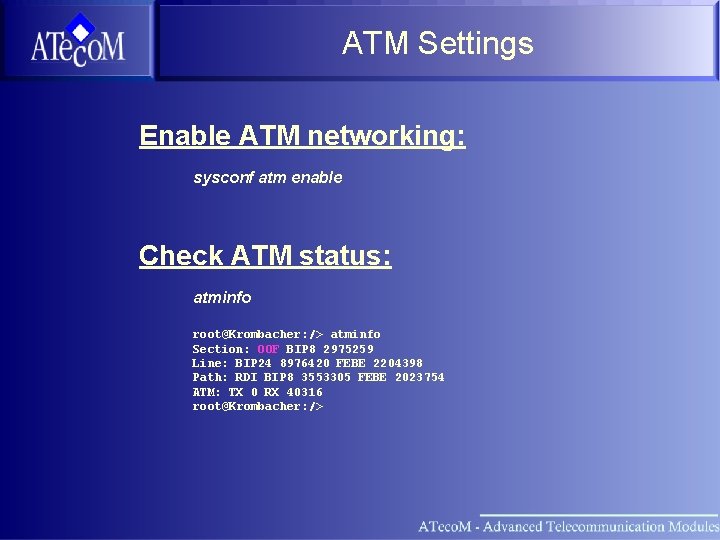
ATM Settings Enable ATM networking: sysconf atm enable Check ATM status: atminfo root@Krombacher: /> atminfo Section: OOF BIP 8 2975259 Line: BIP 24 8976420 FEBE 2204398 Path: RDI BIP 8 3553305 FEBE 2023754 ATM: TX 0 RX 40316 root@Krombacher: />
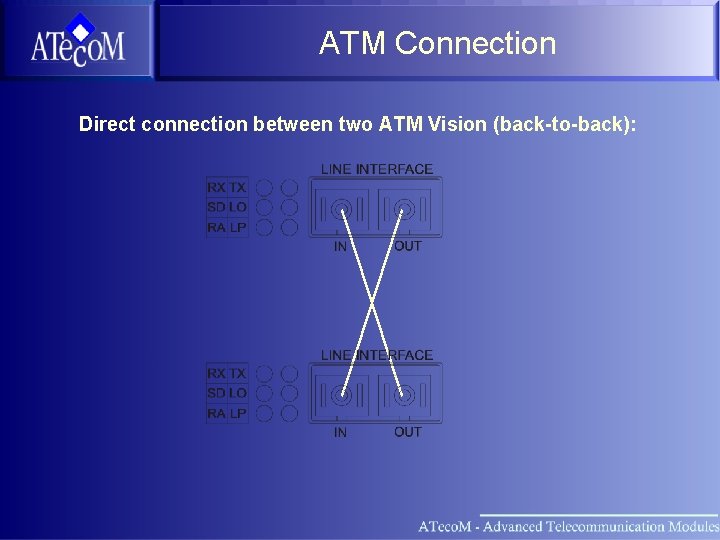
ATM Connection Direct connection between two ATM Vision (back-to-back):
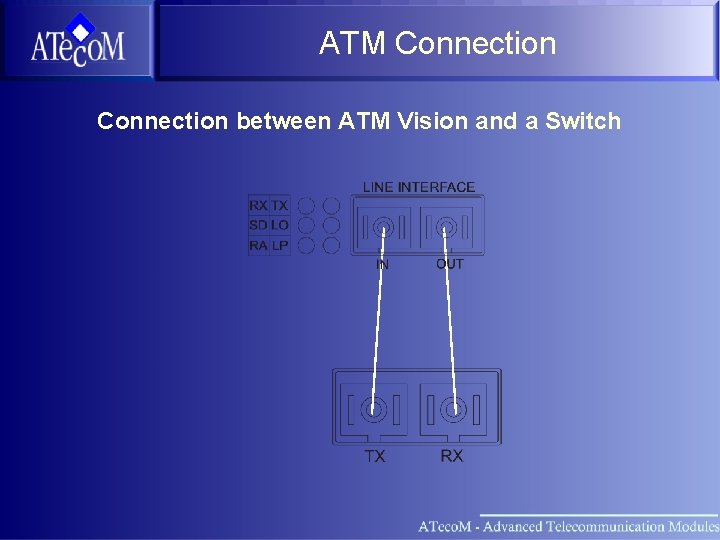
ATM Connection between ATM Vision and a Switch
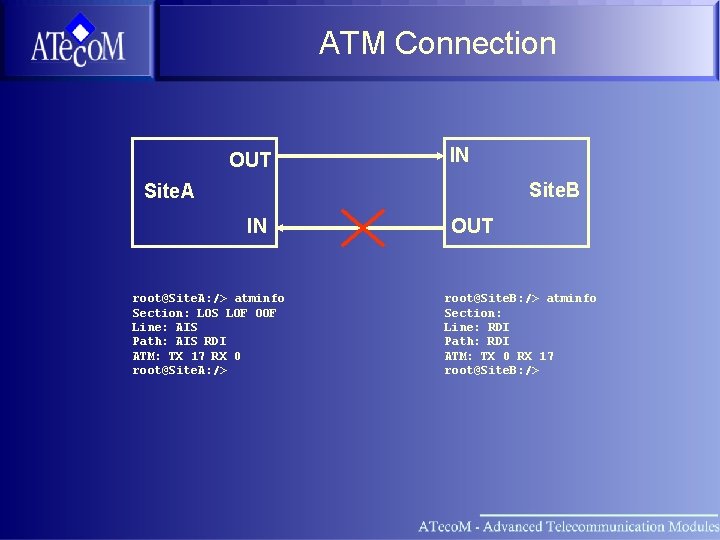
ATM Connection OUT IN Site. B Site. A IN root@Site. A: /> atminfo Section: LOS LOF OOF Line: AIS Path: AIS RDI ATM: TX 17 RX 0 root@Site. A: /> OUT root@Site. B: /> atminfo Section: Line: RDI Path: RDI ATM: TX 0 RX 17 root@Site. B: />
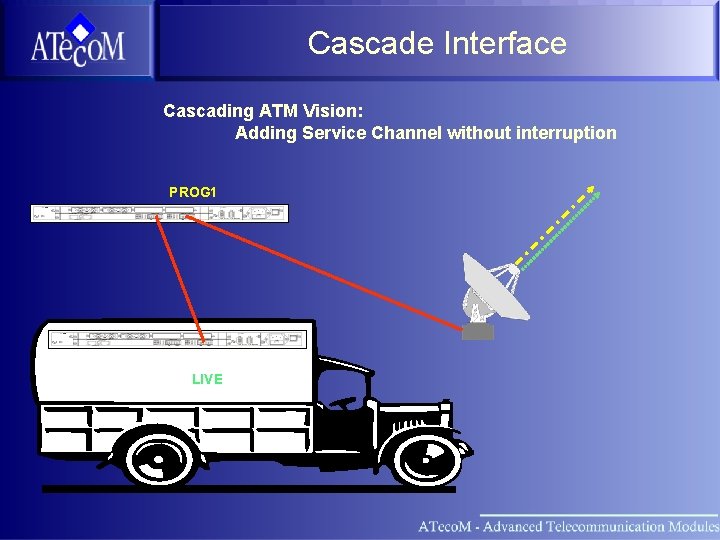
Cascade Interface Cascading ATM Vision: Adding Service Channel without interruption PROG 1 LIVE
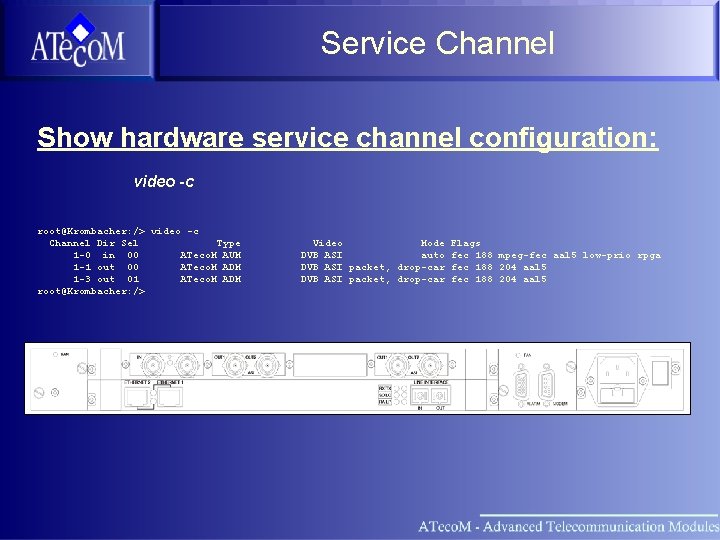
Service Channel Show hardware service channel configuration: video -c root@Krombacher: /> video -c Channel Dir Sel Type 1 -0 in 00 ATeco. M AUM 1 -1 out 00 ATeco. M ADM 1 -3 out 01 ATeco. M ADM root@Krombacher: /> Video Mode DVB ASI auto DVB ASI packet, drop-car Flags fec 188 mpeg-fec aal 5 low-prio rpga fec 188 204 aal 5
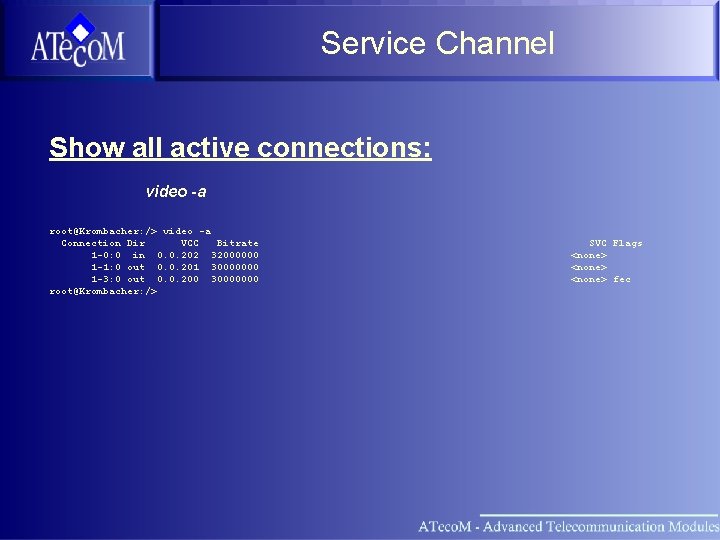
Service Channel Show all active connections: video -a root@Krombacher: /> video -a Connection Dir VCC Bitrate 1 -0: 0 in 0. 0. 202 32000000 1 -1: 0 out 0. 0. 201 30000000 1 -3: 0 out 0. 0. 200 30000000 root@Krombacher: /> SVC Flags <none> fec
![Service Channel Set new video connection: video -s <Channel> <Bitrate> <VPI>. <VCI> [Flags] Example:](http://slidetodoc.com/presentation_image/225b2d12f82eddea2992afef2bc2c920/image-52.jpg "Service Channel Set new video connection: video -s <Channel> <Bitrate> <VPI>. <VCI> [Flags] Example:")
Service Channel Set new video connection: video -s <Channel> <Bitrate> <VPI>. <VCI> [Flags] Example: video -s 1 -0 45000000 0. 202 fec Show available service channel parameter: root@Karlsruhe: /> video ? usage: video -a video -c video -s channel bitrate ATM-address [flags] flags: in out fec dvalid 188 204 mpeg-fec aal 5 dvc-pro dvcam fix-sync low-prio rpga video -d connection [flags] where flags are: in out video -v channel [flags] video -l channel <0 ( emerg), 1 (alert), 2 (crit), 3 (err) 4 (warning), 5 (notice), 6 (info), 7 (debug)> root@Karlsruhe: />
Section What is ATM Physical Layer ATM Adaption Layer ATM Vision Basic Setup Practice
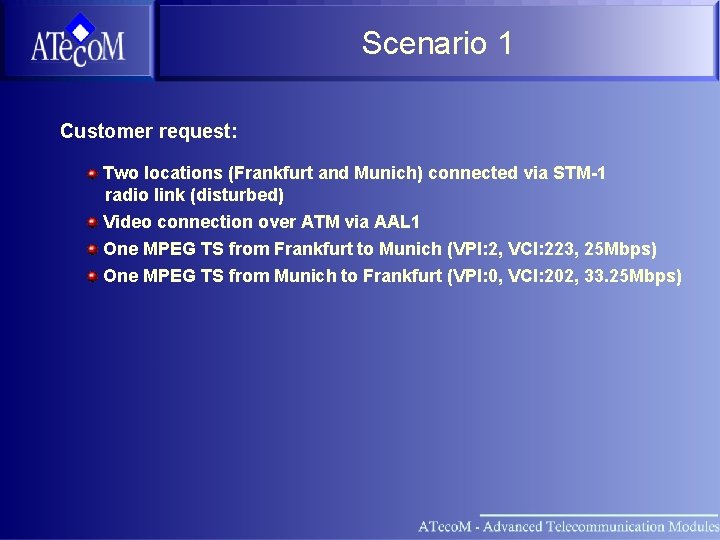
Scenario 1 Customer request: Two locations (Frankfurt and Munich) connected via STM-1 radio link (disturbed) Video connection over ATM via AAL 1 One MPEG TS from Frankfurt to Munich (VPI: 2, VCI: 223, 25 Mbps) One MPEG TS from Munich to Frankfurt (VPI: 0, VCI: 202, 33. 25 Mbps)
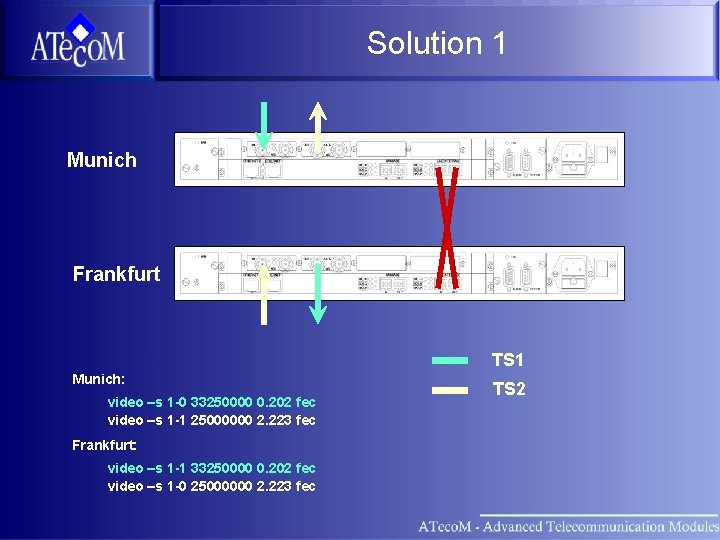
Solution 1 Munich Frankfurt TS 1 Munich: video –s 1 -0 33250000 0. 202 fec video –s 1 -1 25000000 2. 223 fec Frankfurt: video –s 1 -1 33250000 0. 202 fec video –s 1 -0 25000000 2. 223 fec TS 2
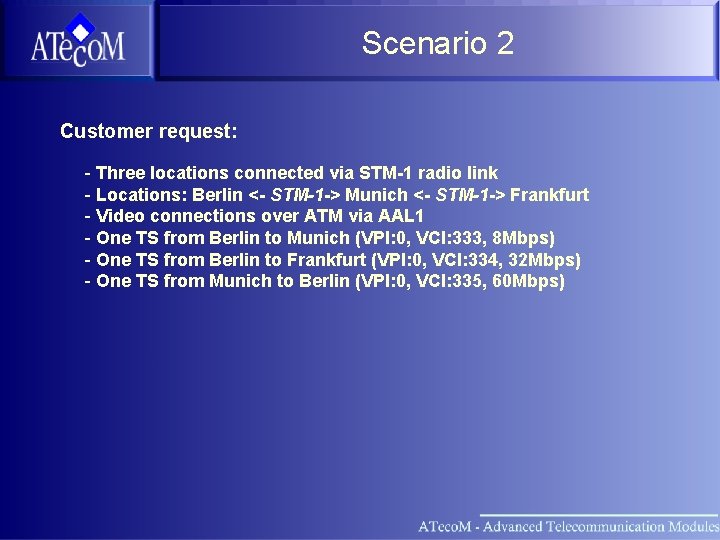
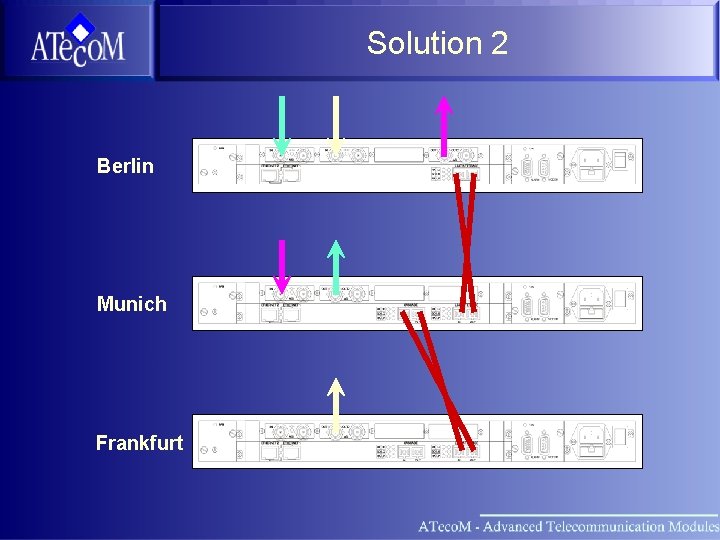
Scenario 2 Customer request: - Three locations connected via STM-1 radio link - Locations: Berlin <- STM-1 -> Munich <- STM-1 -> Frankfurt - Video connections over ATM via AAL 1 - One TS from Berlin to Munich (VPI: 0, VCI: 333, 8 Mbps) - One TS from Berlin to Frankfurt (VPI: 0, VCI: 334, 32 Mbps) - One TS from Munich to Berlin (VPI: 0, VCI: 335, 60 Mbps)
Solution 2 Berlin Munich Frankfurt
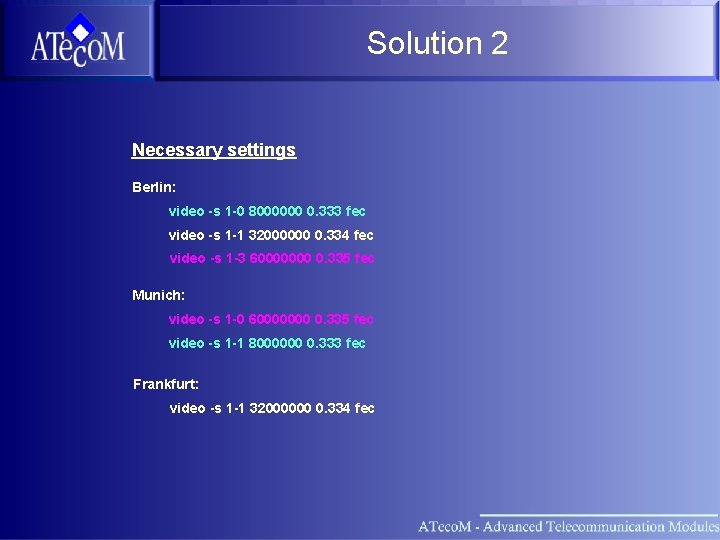
Solution 2 Necessary settings Berlin: video -s 1 -0 8000000 0. 333 fec video -s 1 -1 32000000 0. 334 fec video -s 1 -3 60000000 0. 335 fec Munich: video -s 1 -0 60000000 0. 335 fec video -s 1 -1 8000000 0. 333 fec Frankfurt: video -s 1 -1 32000000 0. 334 fec
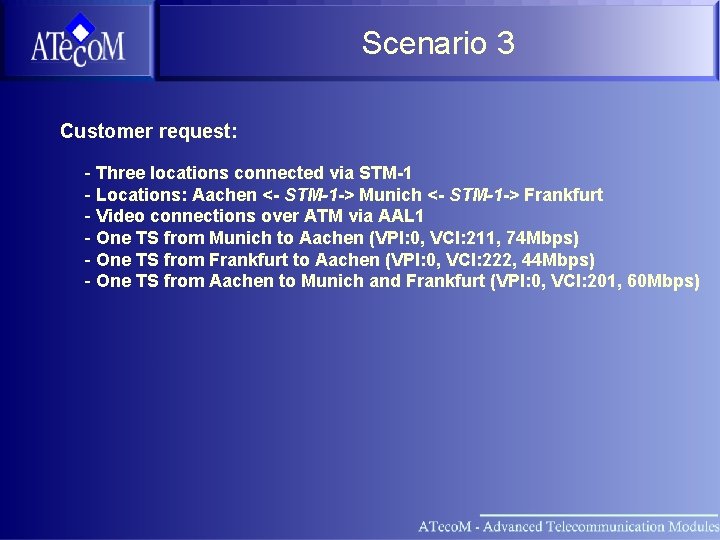
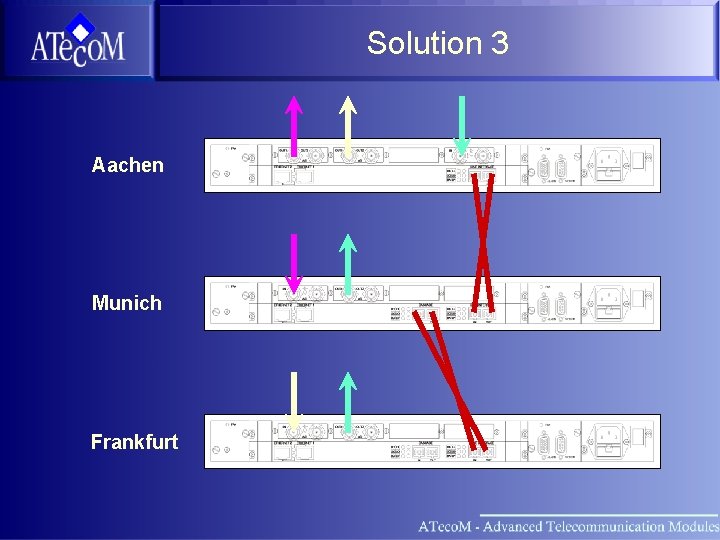
Scenario 3 Customer request: - Three locations connected via STM-1 - Locations: Aachen <- STM-1 -> Munich <- STM-1 -> Frankfurt - Video connections over ATM via AAL 1 - One TS from Munich to Aachen (VPI: 0, VCI: 211, 74 Mbps) - One TS from Frankfurt to Aachen (VPI: 0, VCI: 222, 44 Mbps) - One TS from Aachen to Munich and Frankfurt (VPI: 0, VCI: 201, 60 Mbps)
Solution 3 Aachen Munich Frankfurt
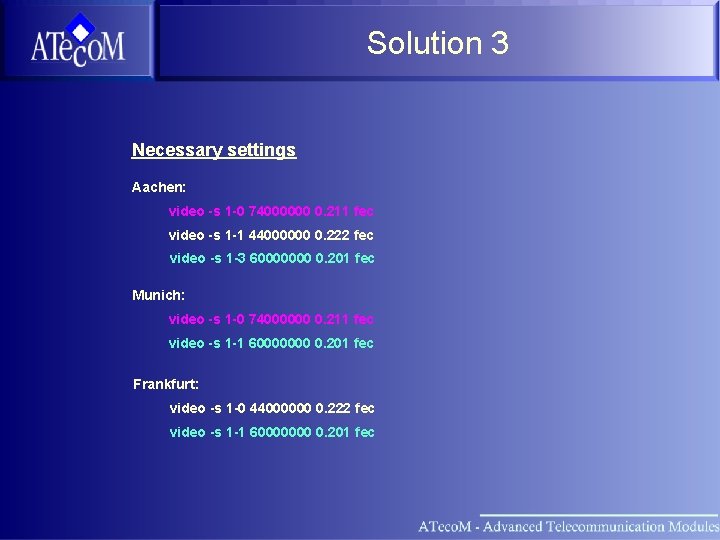
Solution 3 Necessary settings Aachen: video -s 1 -0 74000000 0. 211 fec video -s 1 -1 44000000 0. 222 fec video -s 1 -3 60000000 0. 201 fec Munich: video -s 1 -0 74000000 0. 211 fec video -s 1 -1 60000000 0. 201 fec Frankfurt: video -s 1 -0 44000000 0. 222 fec video -s 1 -1 60000000 0. 201 fec
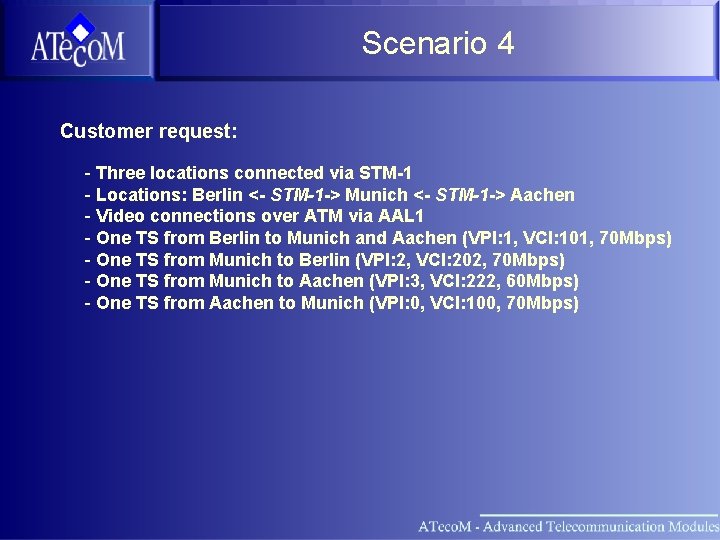
Scenario 4 Customer request: - Three locations connected via STM-1 - Locations: Berlin <- STM-1 -> Munich <- STM-1 -> Aachen - Video connections over ATM via AAL 1 - One TS from Berlin to Munich and Aachen (VPI: 1, VCI: 101, 70 Mbps) - One TS from Munich to Berlin (VPI: 2, VCI: 202, 70 Mbps) - One TS from Munich to Aachen (VPI: 3, VCI: 222, 60 Mbps) - One TS from Aachen to Munich (VPI: 0, VCI: 100, 70 Mbps)
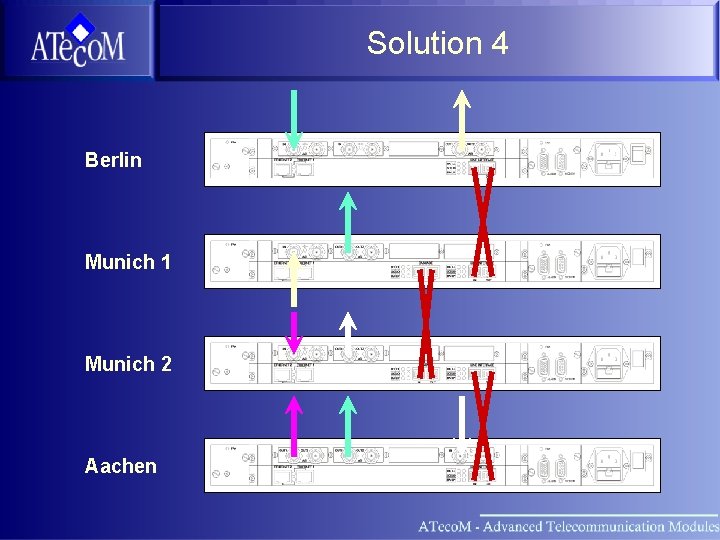
Solution 4 Berlin Munich 1 Munich 2 Aachen
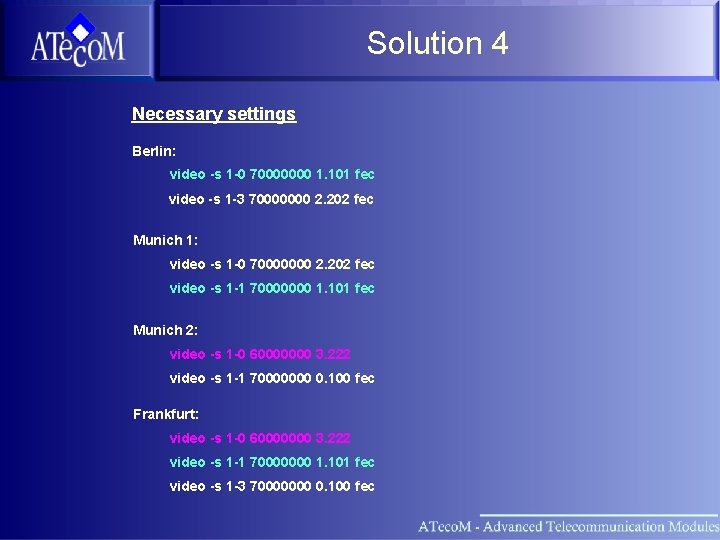
Solution 4 Necessary settings Berlin: video -s 1 -0 70000000 1. 101 fec video -s 1 -3 70000000 2. 202 fec Munich 1: video -s 1 -0 70000000 2. 202 fec video -s 1 -1 70000000 1. 101 fec Munich 2: video -s 1 -0 60000000 3. 222 video -s 1 -1 70000000 0. 100 fec Frankfurt: video -s 1 -0 60000000 3. 222 video -s 1 -1 70000000 1. 101 fec video -s 1 -3 70000000 0. 100 fec
- Slides: 64