
Training 2 Inspection using Error Abstraction and Classification
Training 2: Inspection using Error Abstraction and Classification Method Inspection of Software Requirements Document Gursimran Singh Walia Gursimran. Walia@ndsu. edu North Dakota State University
Error - Faults As per IEEE standard terminology: • Fault is a concrete manifestation of an error in a software artifact • Error is a defect in the human thought process made while trying to understand given information, solve problems, or to use methods and tools. In the context of software requirements specifications, an error is a basic misconception of the actual needs of a user or customer. 2
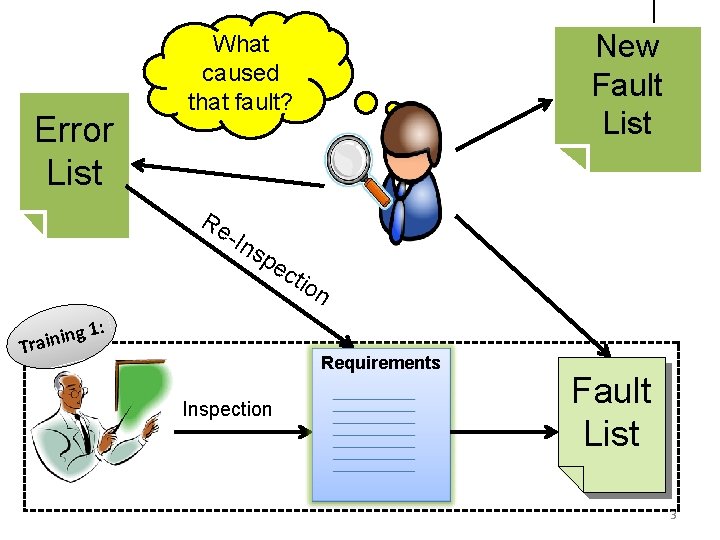
Error List Re -In s pe ing n i a r T New Fault List What caused that fault? cti on 1: Requirements Inspection Fault List 3
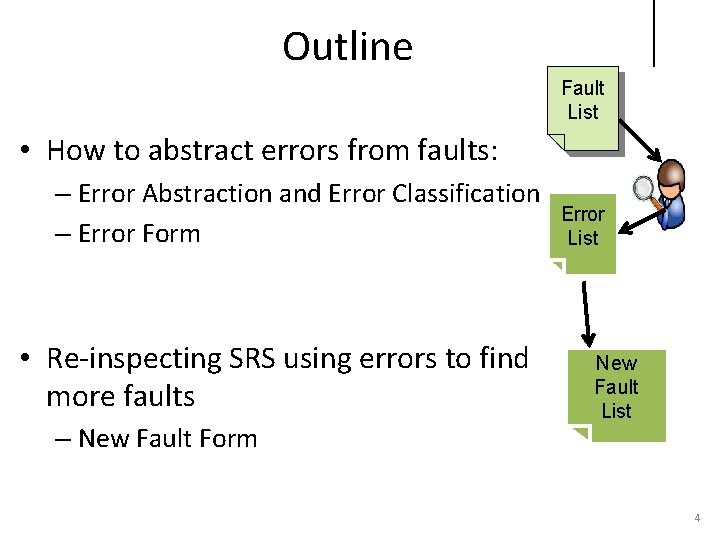
Outline Fault List • How to abstract errors from faults: – Error Abstraction and Error Classification – Error Form • Re-inspecting SRS using errors to find more faults – New Fault Form Error List New Fault List 4
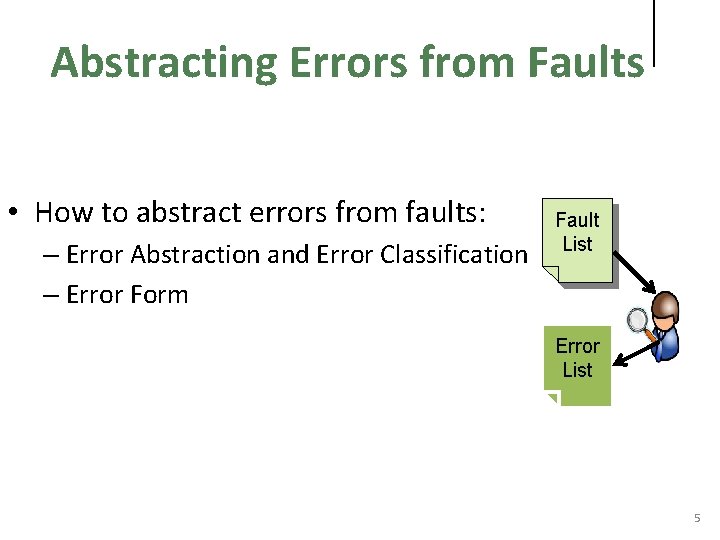
Abstracting Errors from Faults • How to abstract errors from faults: – Error Abstraction and Error Classification – Error Form Fault List Error List 5
Error Abstraction • Error abstraction process helps to abstract errors/mistakes from the faults. It includes doing: – Analysis of the fault lists • Why each fault (in your fault report form) represents a defect in the SRS? – Grouping of the related faults • Group faults based on their categories or nature (e. g. , G, MF, MP, MI, ME, AI, IF, WS) – Eliciting the underlying reasons for the occurrence of the faults • Find pattern in the grouped faults and think of some believed reasoning for these faults to have occurred – Write down the errors (Mapping errors to faults) 6
Example: Consider these faults: • F 1: The requirements say “The system keeps a rental transaction record for each customer giving out information and currently rented tapes for each customer. ” However, an explanation of exactly what information is given out for each customer has been omitted. • F 9: The requirements say that when a tape is rented, the “rental transaction file is updated. ” However, what it means to update the rental transaction file is not specified. The information to be stored here is not discussed. 7
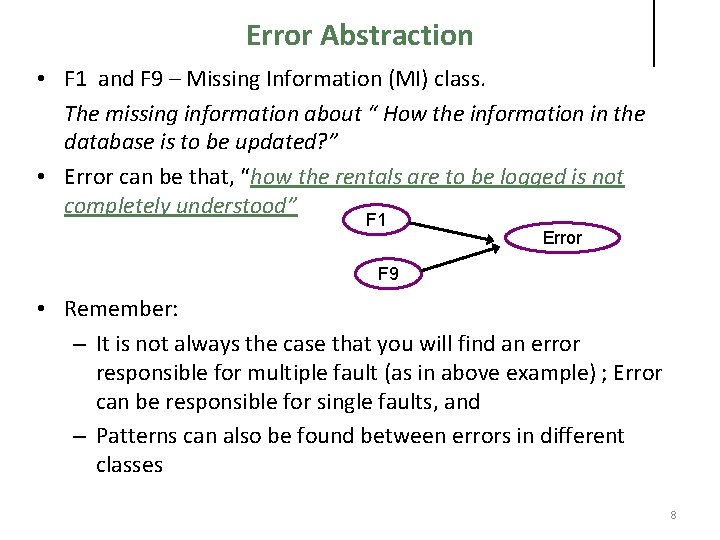
Error Abstraction • F 1 and F 9 – Missing Information (MI) class. The missing information about “ How the information in the database is to be updated? ” • Error can be that, “how the rentals are to be logged is not completely understood” F 1 Error F 9 • Remember: – It is not always the case that you will find an error responsible for multiple fault (as in above example) ; Error can be responsible for single faults, and – Patterns can also be found between errors in different classes 8
Error Abstraction • Abstracting errors from faults is a very creative process. • To support the error abstraction process, you can use the Requirement Error Taxonomy that describes the different types of errors that can occur during the development of requirement document. 9
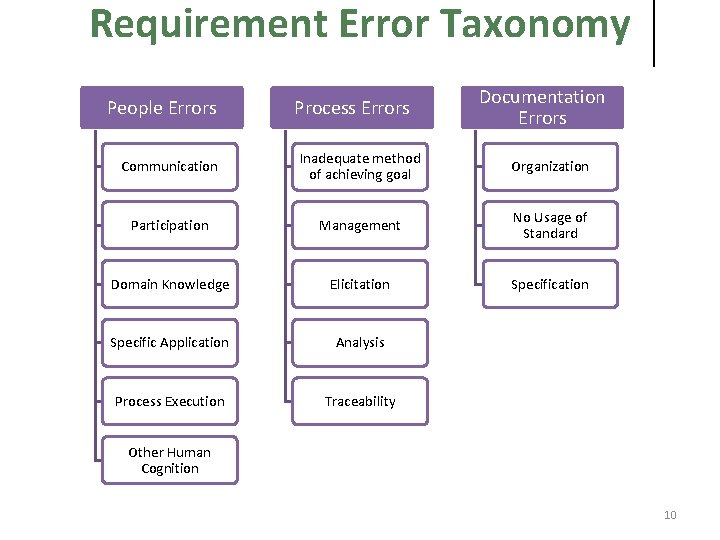
Requirement Error Taxonomy People Errors Process Errors Documentation Errors Communication Inadequate method of achieving goal Organization Participation Management No Usage of Standard Domain Knowledge Elicitation Specific Application Analysis Process Execution Traceability Other Human Cognition 10
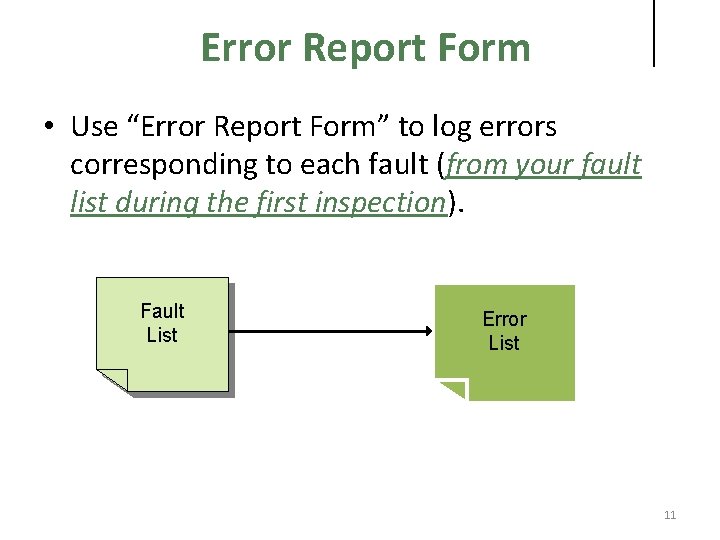
Error Report Form • Use “Error Report Form” to log errors corresponding to each fault (from your fault list during the first inspection). Fault List Error List 11
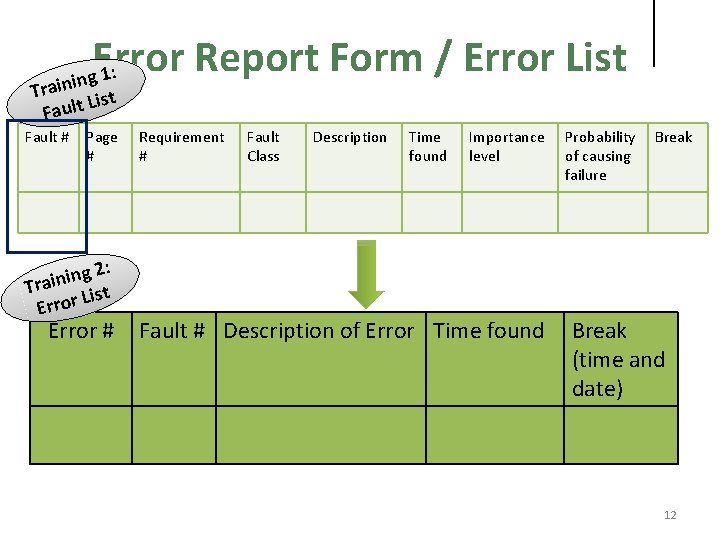
Error Report Form / Error List : 1 ining Tra ist L t l u Fa Fault # Page # 2: g n i Tra ist L r o r Er Error # Requirement # Fault Class Description Time found Importance level Fault # Description of Error Time found Probability of causing failure Break (time and date) 12
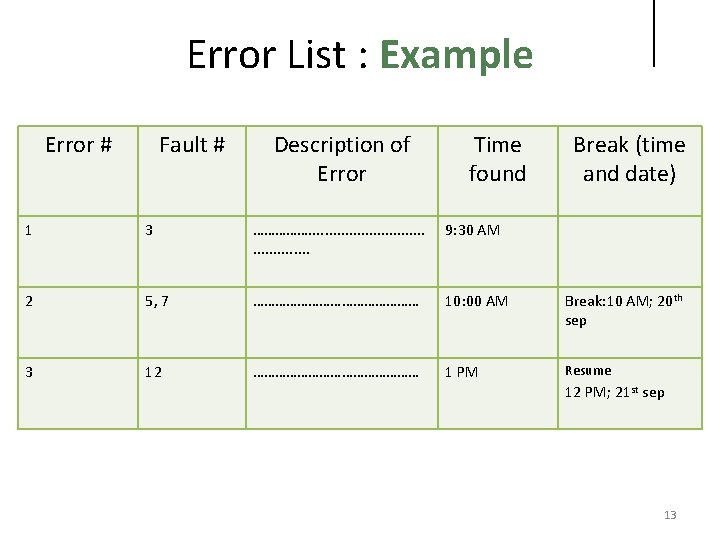
Error List : Example Error # Fault # Description of Error Time found Break (time and date) 1 3 ……………. . . 9: 30 AM 2 5, 7 …………………… 10: 00 AM Break: 10 AM; 20 th sep 3 12 …………………… 1 PM Resume 12 PM; 21 st sep 13
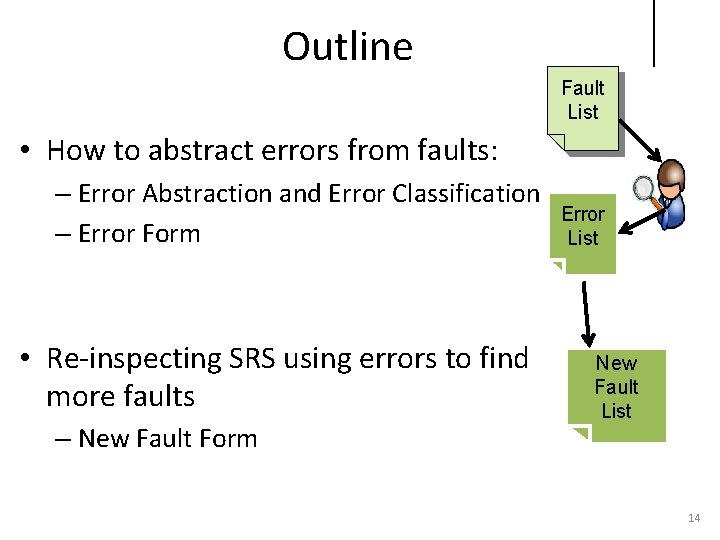
Outline Fault List • How to abstract errors from faults: – Error Abstraction and Error Classification – Error Form • Re-inspecting SRS using errors to find more faults – New Fault Form Error List New Fault List 14
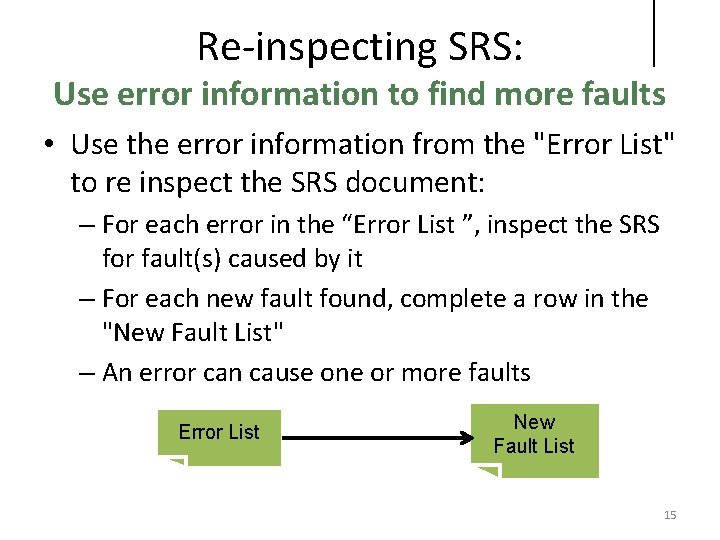
Re-inspecting SRS: Use error information to find more faults • Use the error information from the "Error List" to re inspect the SRS document: – For each error in the “Error List ”, inspect the SRS for fault(s) caused by it – For each new fault found, complete a row in the "New Fault List" – An error can cause one or more faults Error List New Fault List 15
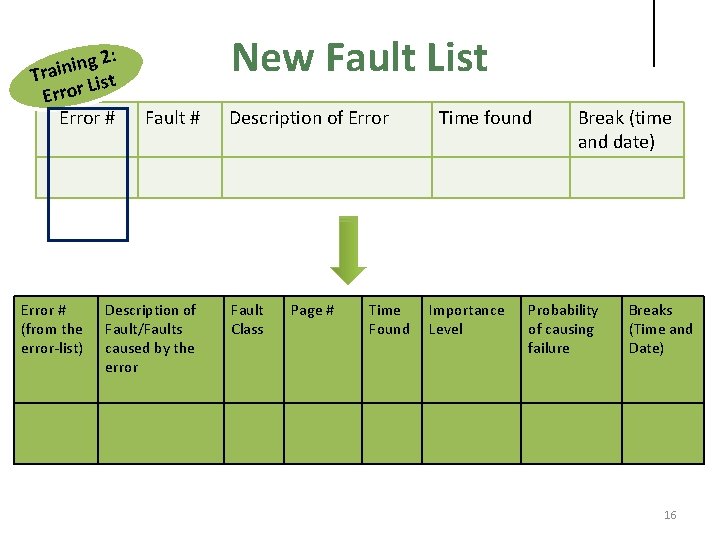
2: g n i Tra ist L r o r Er Error # (from the error-list) New Fault List Fault # Description of Fault/Faults caused by the error Description of Error Fault Class Page # Time Found Time found Importance Level Break (time and date) Probability of causing failure Breaks (Time and Date) 16
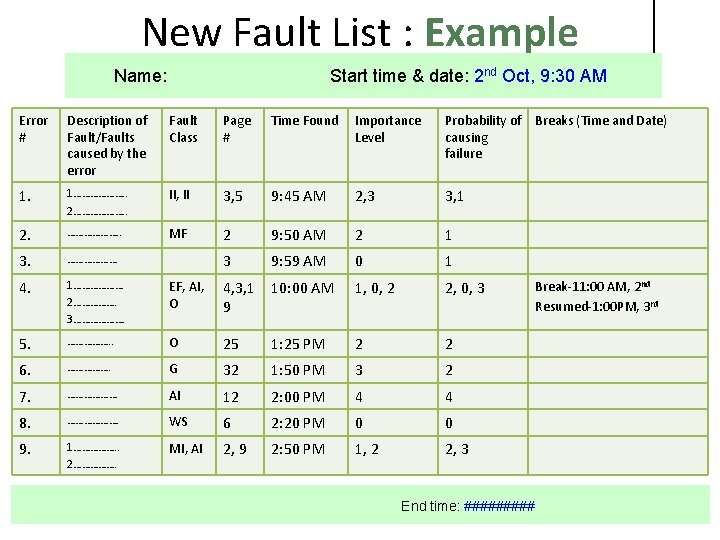
New Fault List : Example Name: Start time & date: 2 nd Oct, 9: 30 AM Error # Description of Fault/Faults caused by the error Fault Class Page # Time Found Importance Level Probability of Breaks (Time and Date) causing failure 1. 1………………. . 2………………. . II, II 3, 5 9: 45 AM 2, 3 3, 1 2. ………………. . MF 2 9: 50 AM 2 1 3. ……………… 3 9: 59 AM 0 1 4. 1……………… 2……………. 3………………. EF, AI, O 4, 3, 1 10: 00 AM 9 1, 0, 2 2, 0, 3 5. ……………. . O 25 1: 25 PM 2 2 6. ……………. G 32 1: 50 PM 3 2 7. ……………… AI 12 2: 00 PM 4 4 8. ………………. WS 6 2: 20 PM 0 0 9. 1……………. . 2……………. MI, AI 2, 9 2: 50 PM 1, 2 2, 3 End time: ##### Break-11: 00 AM, 2 nd Resumed-1: 00 PM, 3 rd 17
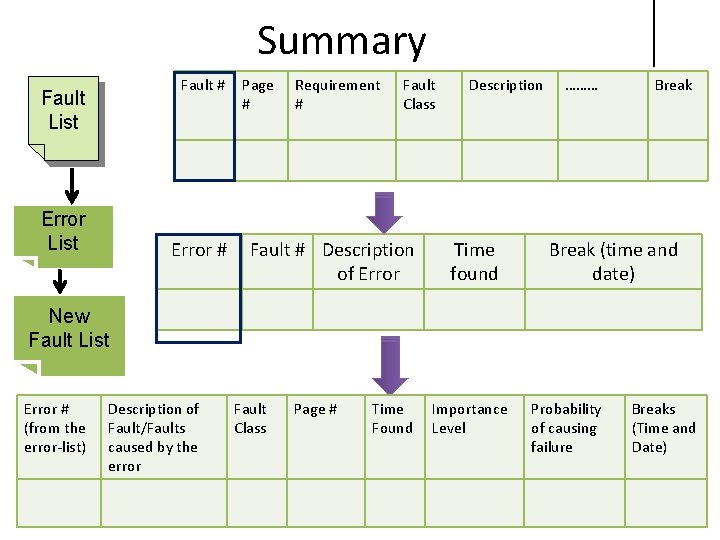
Summary Fault # Fault List Error # Page # Requirement # Fault Class Fault # Description of Error Description Time found ……… Break (time and date) New Fault List Error # (from the error-list) Description of Fault/Faults caused by the error Fault Class Page # Time Found Importance Level Probability of causing failure Breaks (Time and Date) 18
• Today Timeline – Training 2 • How to log errors and new faults during second inspection • Output – Individual “Error List” and “New Fault List” from second inspection 19
Thank you! Gursimran. walia@ndsu. edu
- Slides: 20