
Traffic Analysis Traffic Forensic Example CIS 6395 Incident
- Slides: 21
Traffic Analysis– Traffic Forensic Example CIS 6395, Incident Response Technologies Fall 2016, Dr. Cliff Zou czou@cs. ucf. edu
Acknowledgement http: //forensicscontest. com/ ◦ Example “Ann’s bad AIM” is from this website ◦ Puzzle #1 Solution: Ann’s Bad AIM http: //webcache. googleusercontent. com/search? q=cache: jo. JLa. ZV TPCAJ: forensicscontest. com/2009/09/25+&cd=1&hl=en&ct=clnk& gl=us&client=ubuntu ◦ Puzzle #1 captured file: http: //forensicscontest. com/contest 01/evidence 01. pcap https: //malwerewolf. com/2015/03/network-forensics -round-1 -anns-bad-aim/ • “Network Forensics: tracking hackers through cyberspace”, by Sherri Davidoff and Jonathan Ham, 2012 2
“Puzzle #1: Ann’s Bad AIM” from Forensicscontest. com Anarchy-R-Us, Inc. suspects that one of their employees, Ann Dercover, is really a secret agent working for their competitor. Ann has access to the company’s prize asset, the secret recipe. Security staff are worried that Ann may try to leak the company’s secret recipe, and monitor her computer’s traffic. Today an unexpected laptop briefly appeared on the company wireless network. Ann’s computer, (192. 168. 1. 158) sent IMs over the wireless network to this computer. 1. What is the name of Ann’s IM buddy? 2. What was the first comment in the captured IM conversation? 3. What is the name of the file Ann transferred? 4. What is the magic number of the file you want to extract (first four bytes)? 5. What was the MD 5 sum of the file? 6. What is the secret recipe?
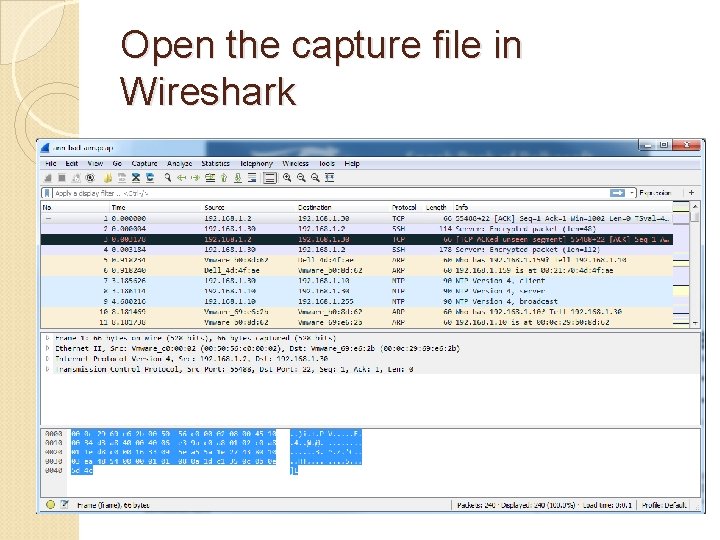
Open the capture file in Wireshark
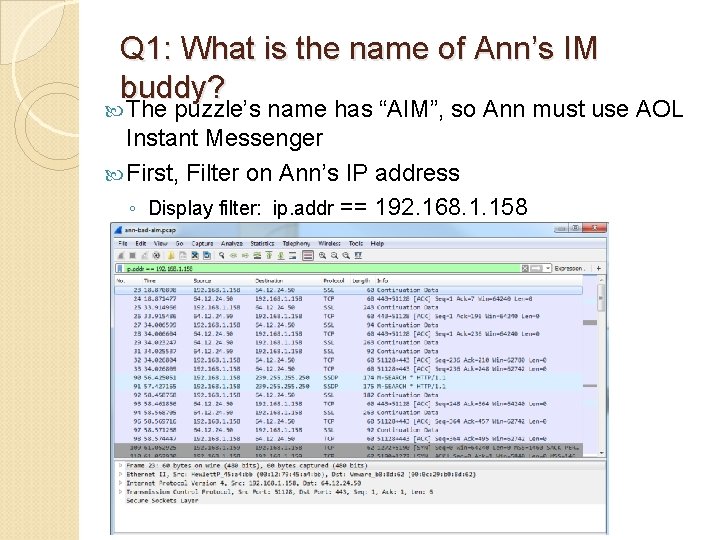
Q 1: What is the name of Ann’s IM buddy? The puzzle’s name has “AIM”, so Ann must use AOL Instant Messenger First, Filter on Ann’s IP address ◦ Display filter: ip. addr == 192. 168. 1. 158
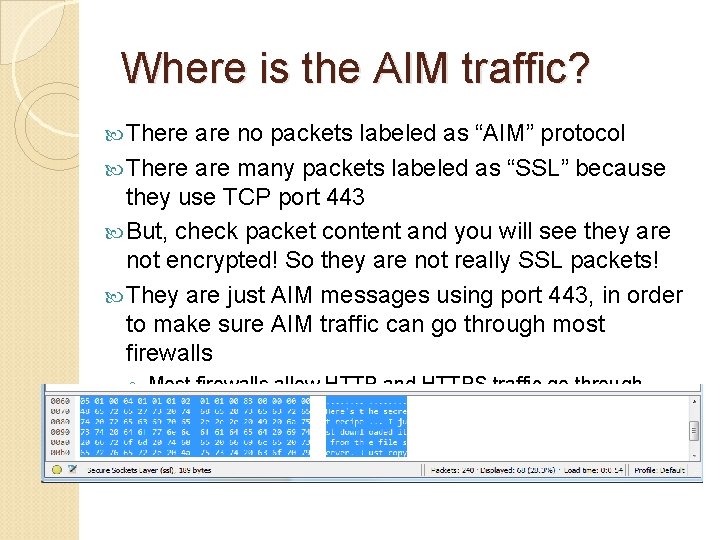
Where is the AIM traffic? There are no packets labeled as “AIM” protocol There are many packets labeled as “SSL” because they use TCP port 443 But, check packet content and you will see they are not encrypted! So they are not really SSL packets! They are just AIM messages using port 443, in order to make sure AIM traffic can go through most firewalls ◦ Most firewalls allow HTTP and HTTPS traffic go through
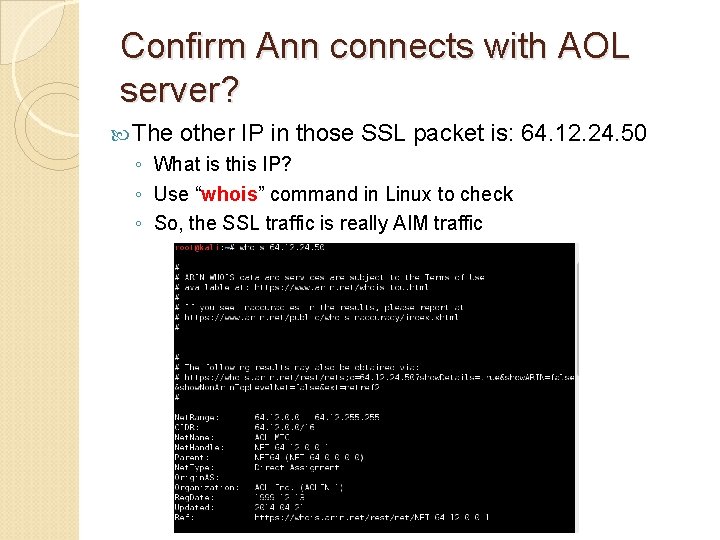
Confirm Ann connects with AOL server? The other IP in those SSL packet is: 64. 12. 24. 50 ◦ What is this IP? ◦ Use “whois” command in Linux to check ◦ So, the SSL traffic is really AIM traffic
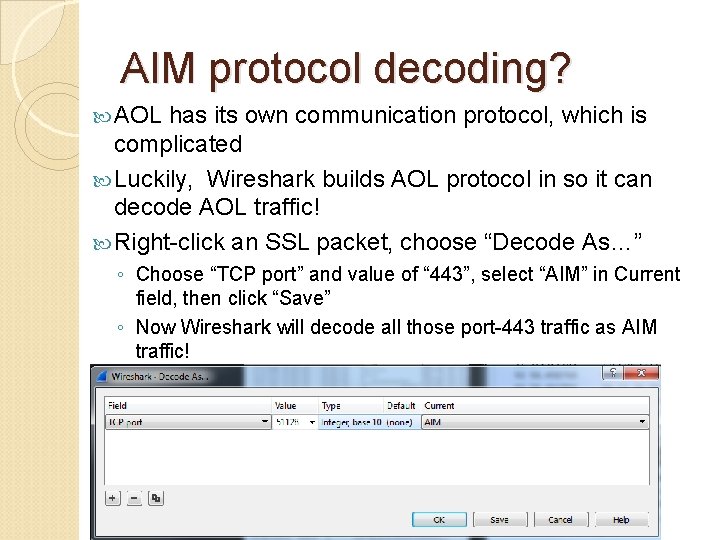
AIM protocol decoding? AOL has its own communication protocol, which is complicated Luckily, Wireshark builds AOL protocol in so it can decode AOL traffic! Right-click an SSL packet, choose “Decode As…” ◦ Choose “TCP port” and value of “ 443”, select “AIM” in Current field, then click “Save” ◦ Now Wireshark will decode all those port-443 traffic as AIM traffic!
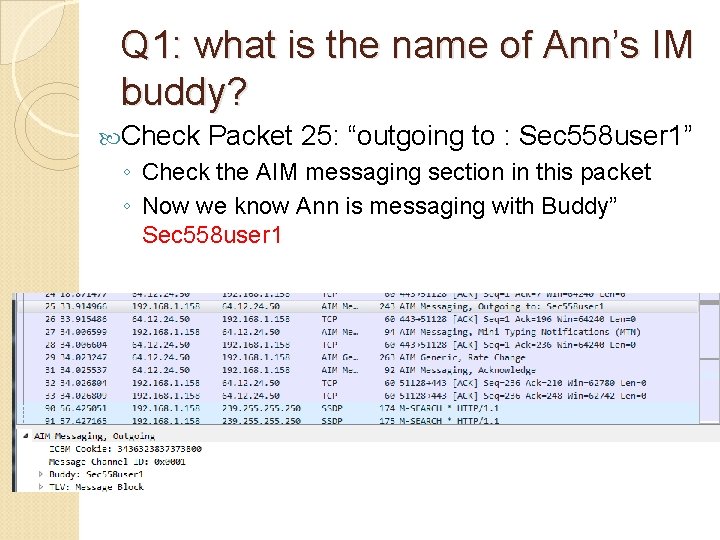
Q 1: what is the name of Ann’s IM buddy? Check Packet 25: “outgoing to : Sec 558 user 1” ◦ Check the AIM messaging section in this packet ◦ Now we know Ann is messaging with Buddy” Sec 558 user 1
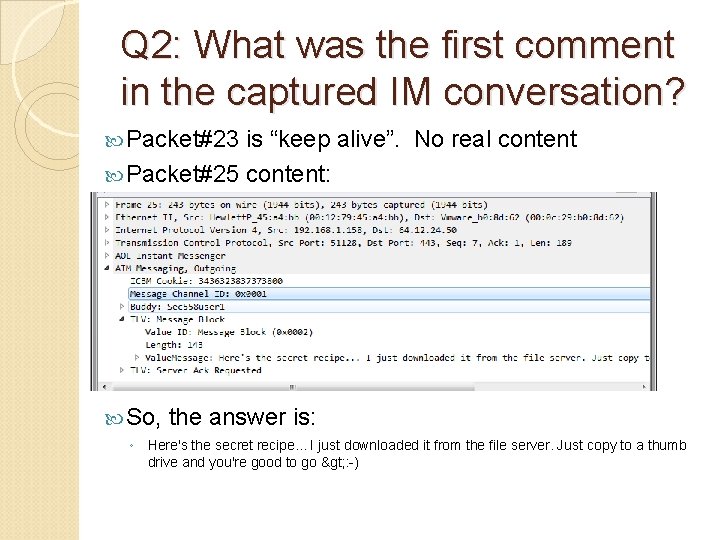
Q 2: What was the first comment in the captured IM conversation? Packet#23 is “keep alive”. No real content Packet#25 content: So, the answer is: ◦ Here's the secret recipe. . . I just downloaded it from the file server. Just copy to a thumb drive and you're good to go > : -)
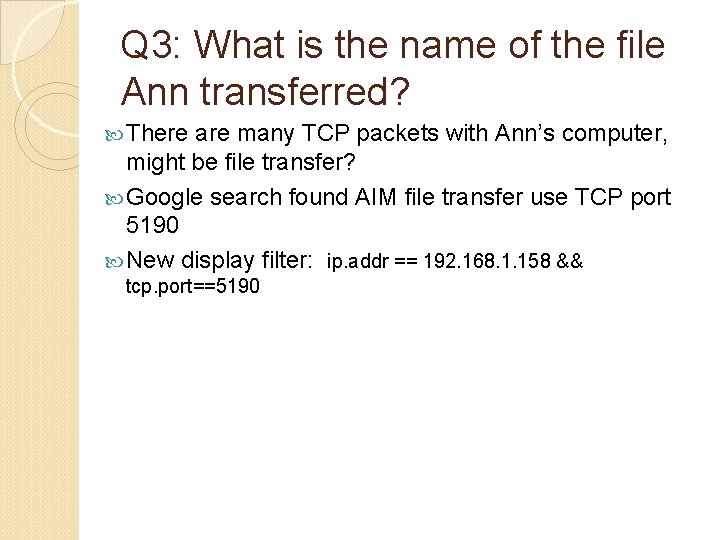
Q 3: What is the name of the file Ann transferred? There are many TCP packets with Ann’s computer, might be file transfer? Google search found AIM file transfer use TCP port 5190 New display filter: ip. addr == 192. 168. 1. 158 && tcp. port==5190
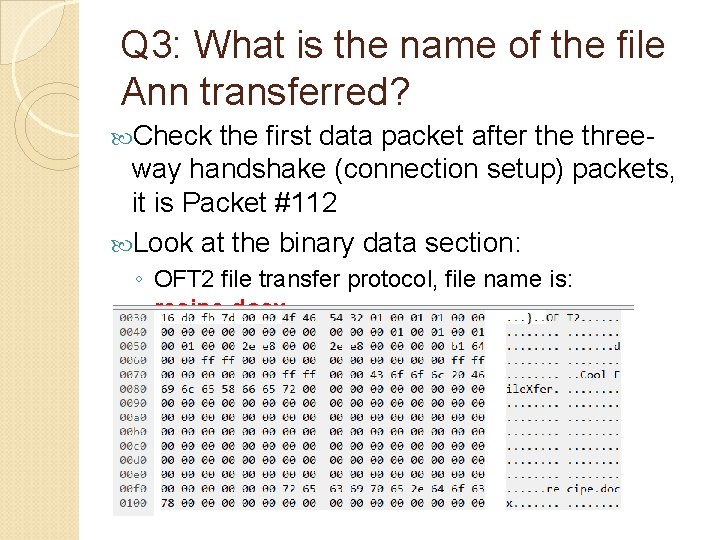
Q 3: What is the name of the file Ann transferred? Check the first data packet after the three- way handshake (connection setup) packets, it is Packet #112 Look at the binary data section: ◦ OFT 2 file transfer protocol, file name is: recipe. docx
Q 4: What is the magic number of the file Q 4: you want to extract (first four bytes)? Most protocols can be identified by well- known sequences of bytes near the zerooffset Almost all file formats have “headers” with a few zero-offset bytes to uniquely identify them These first few bytes are referred as “magic numbers” We need to “carve out” the file ‘recipe. docx’ from packet capture
Carving Out Files – Wireshark Approach We can directly use wireshark to carve out a file ◦ But, it is suitable only for small-size file From data transfer packet#112, right click to “follow TCP stream”, The duplex connection flow will show up (both directions) We are interested in the file transferred out from Annn’s computer 192. 168. 1. 158 ◦ So only need the half-duplex flow from source IP of 192. 168. 1. 158 (12 k. Bytes) ◦ The other half-duplex is protocol and Acknowledgement traffic from the receiver (512
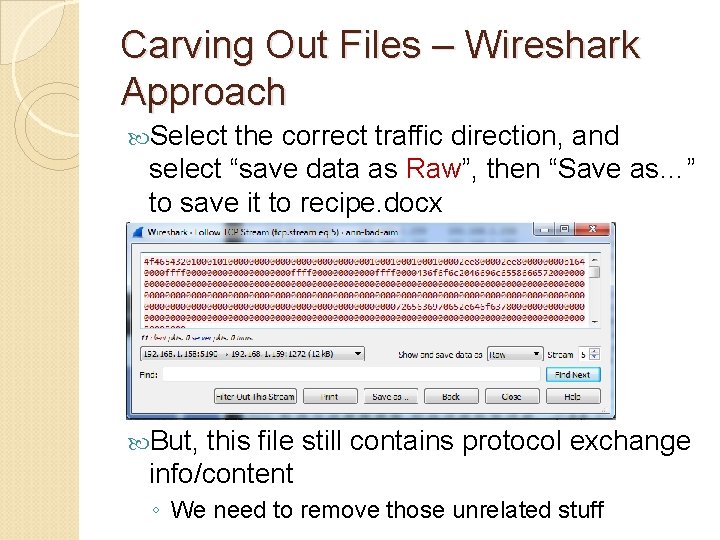
Carving Out Files – Wireshark Approach Select the correct traffic direction, and select “save data as Raw”, then “Save as…” to save it to recipe. docx But, this file still contains protocol exchange info/content ◦ We need to remove those unrelated stuff
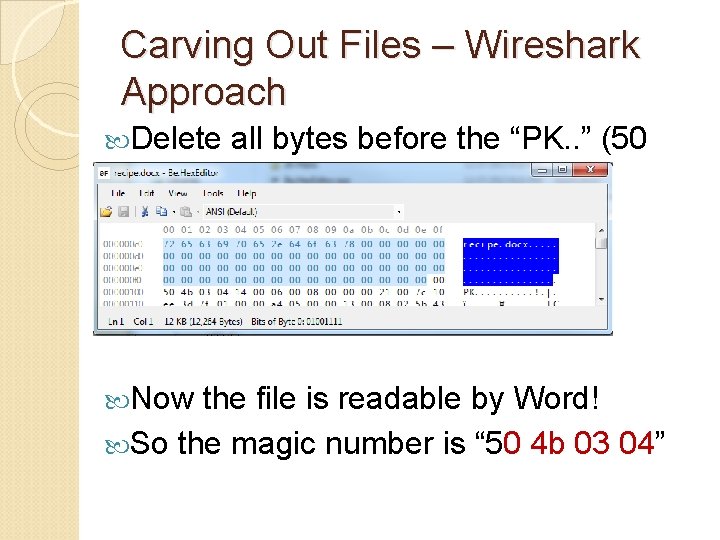
Carving Out Files – Wireshark Approach Use a Hex Editor to edit the saved file ◦ You can use any free hex editor ◦ I use Be. Hex. Editor (GUI-based, Free): https: //sourceforge. net/projects/hexbox/files/hexbox/Be. Hex. Editor%201. 6. 0/ Find the start of the receipt. docx file: ◦ Need to know the start magic number of docx ◦ Google “docx file signature”, the link: https: //en. wikipedia. org/wiki/List_of_file_signatur es Show that the start of docx should be “PK. . ”
Carving Out Files – Wireshark Approach Delete all bytes before the “PK. . ” (50 4 b) Now the file is readable by Word! So the magic number is “ 50 4 b 03 04”
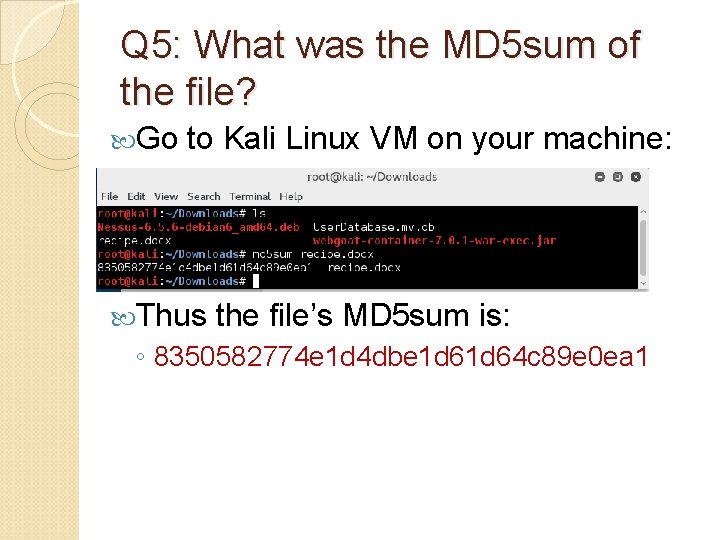
Q 5: What was the MD 5 sum of the file? Go to Kali Linux VM on your machine: Thus the file’s MD 5 sum is: ◦ 8350582774 e 1 d 4 dbe 1 d 64 c 89 e 0 ea 1
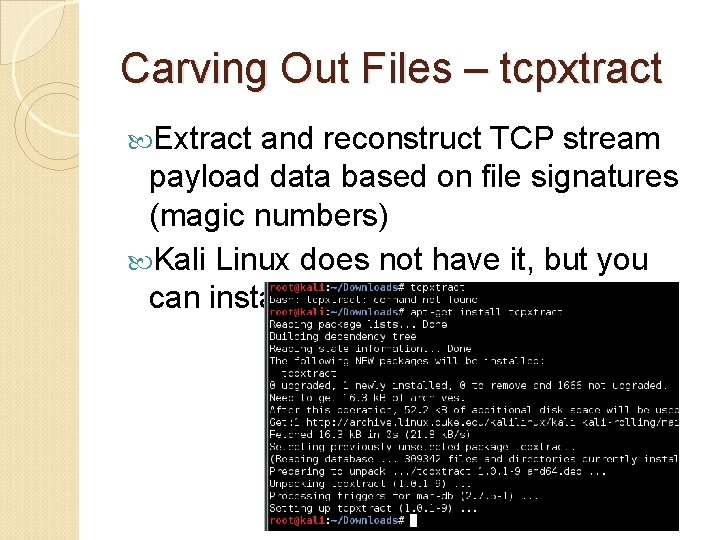
Carving Out Files – tcpxtract Extract and reconstruct TCP stream payload data based on file signatures (magic numbers) Kali Linux does not have it, but you can install it
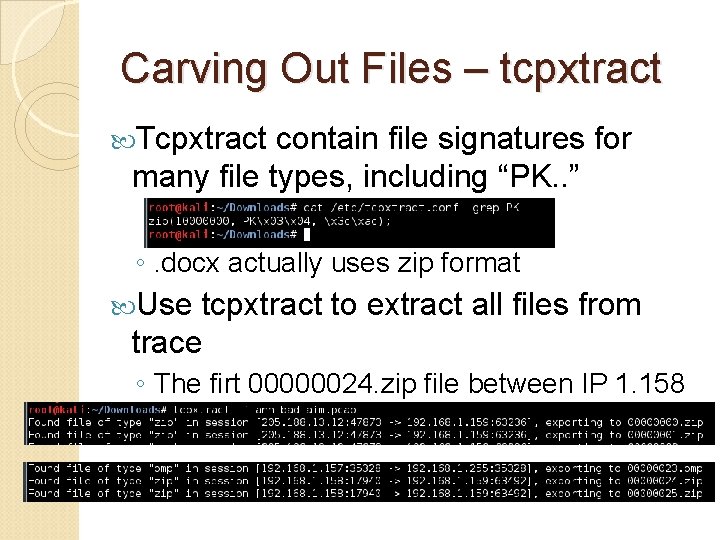
Carving Out Files – tcpxtract Tcpxtract contain file signatures for many file types, including “PK. . ” ◦. docx actually uses zip format Use tcpxtract to extract all files from trace ◦ The firt 00000024. zip file between IP 1. 158 and 1. 159 should be the recipe. docx
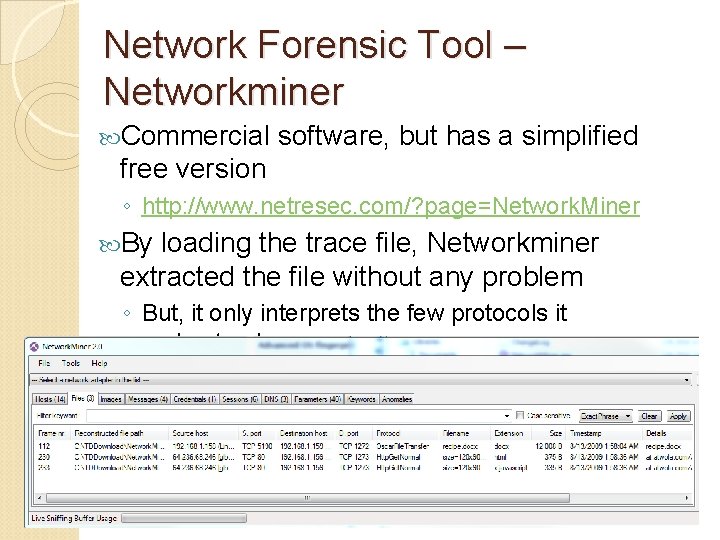
Network Forensic Tool – Networkminer Commercial software, but has a simplified free version ◦ http: //www. netresec. com/? page=Network. Miner By loading the trace file, Networkminer extracted the file without any problem ◦ But, it only interprets the few protocols it understands