
Traditional Animation How animation works the basics 2
Traditional Animation
How animation works the basics 2 D drawn animation consists of a series of drawings shot one after another and played back to give the illusion of movement. This animation can be played back in a number of ways. ● In the form of a ‘flipbook’ (basically a pile of drawings in sequence, bound together and flipped with the thumb). ● The drawings could be shot on film one drawing at a time with a movie camera and played back using a cinema projector. ● They could be shot on a video camera and played back with a video player. ● They could be shot with a video camera attached to a computer and played back on the same computer using an animation program. ● Or they can be scanned into the computer and played back.
Frames per second - FPS �Animation shot on film and projected is played at 24 frames per second. �Animation for television in Europe, Africa, the Middle East and Australia is played at 25 frames per second. In these countries they use a television system called PAL which plays at 50 fields (frames) per second and 25 frames per second is compatible with this. If we played an animated film at 24 frames per second on the television, we would see a black bar rolling up the screen.
�The Americas, the West Indies and the Pacific Rim countries use NTSC, which runs at 60 fields per second. This means you should be animating at 30 frames per second (60 is divisible by 30). Quite often some sort of digital converter is used to transfer one speed of film to another speed of video, allowing 24 frames per second film to be shown on a 60 fields per second (NTSC) TV.
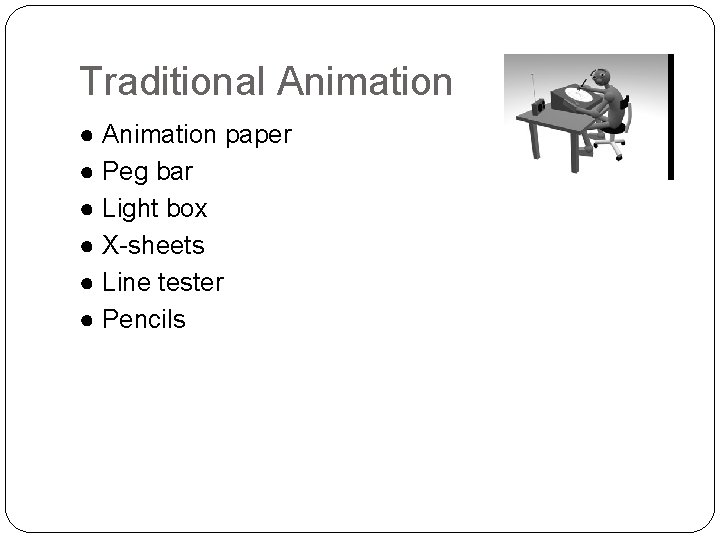
Traditional Animation ● Animation paper ● Peg bar ● Light box ● X-sheets ● Line tester ● Pencils
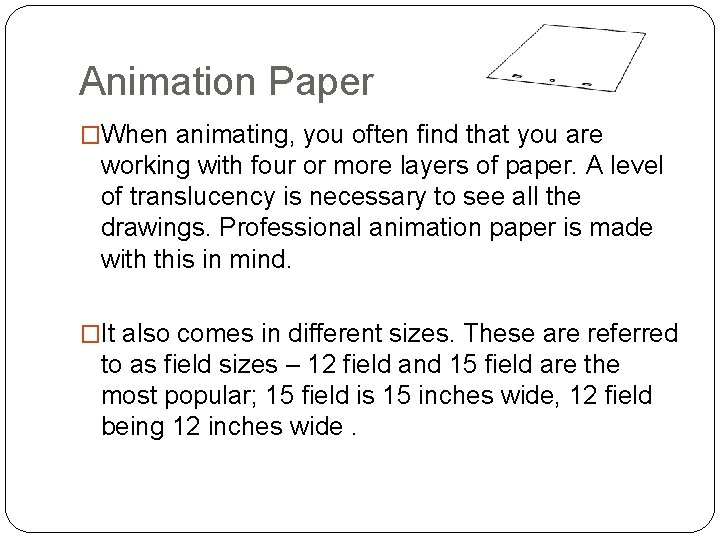
Animation Paper �When animating, you often find that you are working with four or more layers of paper. A level of translucency is necessary to see all the drawings. Professional animation paper is made with this in mind. �It also comes in different sizes. These are referred to as field sizes – 12 field and 15 field are the most popular; 15 field is 15 inches wide, 12 field being 12 inches wide.
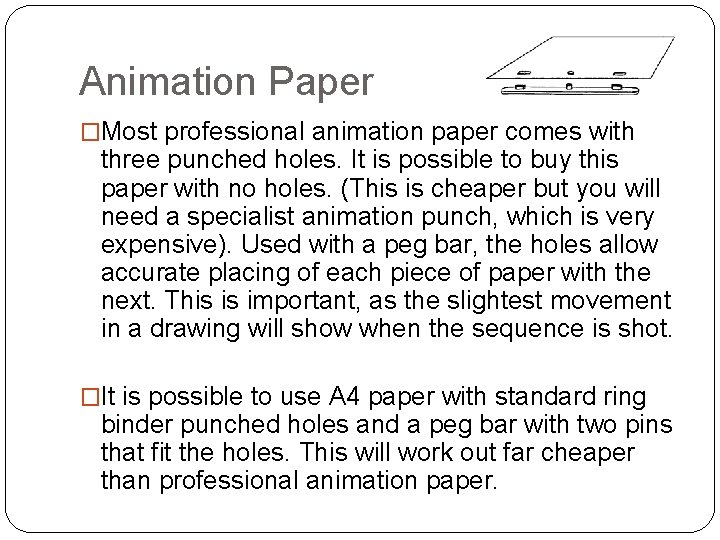
Animation Paper �Most professional animation paper comes with three punched holes. It is possible to buy this paper with no holes. (This is cheaper but you will need a specialist animation punch, which is very expensive). Used with a peg bar, the holes allow accurate placing of each piece of paper with the next. This is important, as the slightest movement in a drawing will show when the sequence is shot. �It is possible to use A 4 paper with standard ring binder punched holes and a peg bar with two pins that fit the holes. This will work out far cheaper than professional animation paper.
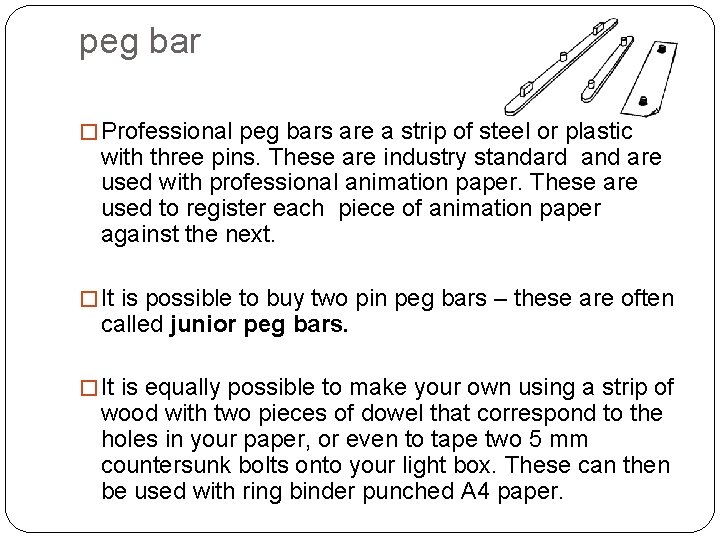
peg bar � Professional peg bars are a strip of steel or plastic with three pins. These are industry standard and are used with professional animation paper. These are used to register each piece of animation paper against the next. � It is possible to buy two pin peg bars – these are often called junior peg bars. � It is equally possible to make your own using a strip of wood with two pieces of dowel that correspond to the holes in your paper, or even to tape two 5 mm countersunk bolts onto your light box. These can then be used with ring binder punched A 4 paper.
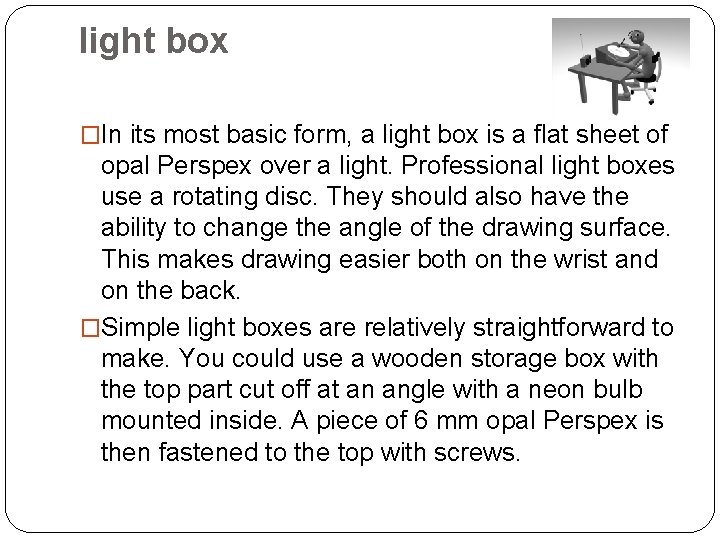
light box �In its most basic form, a light box is a flat sheet of opal Perspex over a light. Professional light boxes use a rotating disc. They should also have the ability to change the angle of the drawing surface. This makes drawing easier both on the wrist and on the back. �Simple light boxes are relatively straightforward to make. You could use a wooden storage box with the top part cut off at an angle with a neon bulb mounted inside. A piece of 6 mm opal Perspex is then fastened to the top with screws.
x-sheets �X-sheets are also referred to as dope sheets or exposure sheets. They are used by the animator to record all the necessary information relating to how the animation should be shot. �A standard x-sheet consists of several columns that run from top to bottom and 100 rows that run from left to right. Each row represents one frame of animation. If the animation is to be played back at 25 frames per second, 100 frames will equal 4 seconds of animation.
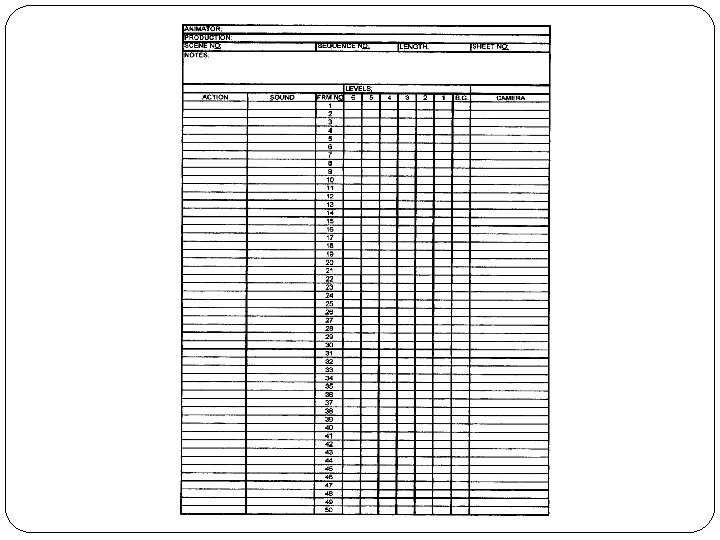
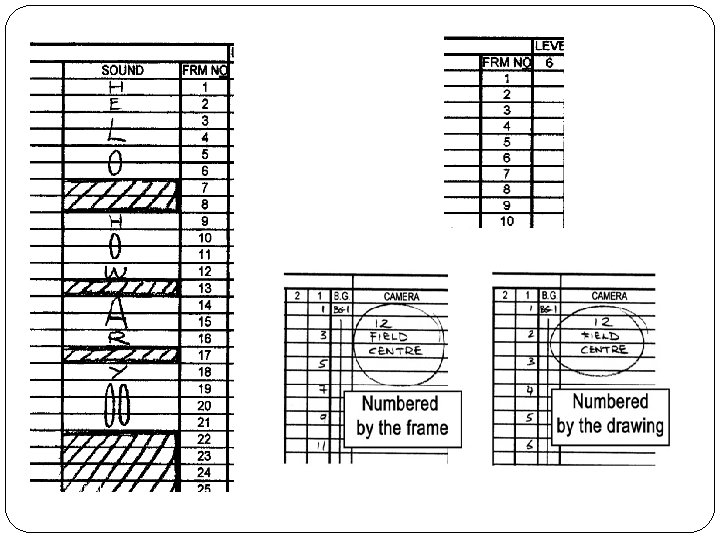
1. sound column �This contains the sounds that are relevant to the animation. Very often this is the dialogue spoken by the characters. For animation the dialogue is recorded first. It is then ‘broken down’. �This means that someone, usually an editor, will go through the sound track frame by frame. They work out where each word starts and ends and where each of the major vowel and consonant sounds are. These are then marked on the xsheet in the sound column, frame by frame. You then know that at a certain frame in a scene a particular sound is made.
2. Action column �This contains the instructions on when a given piece of animation will start and end. An experienced animator will fill out this part of the xsheet before they start animating. Sometimes the director will fill this out. The process is often referred to as ‘slugging out’.
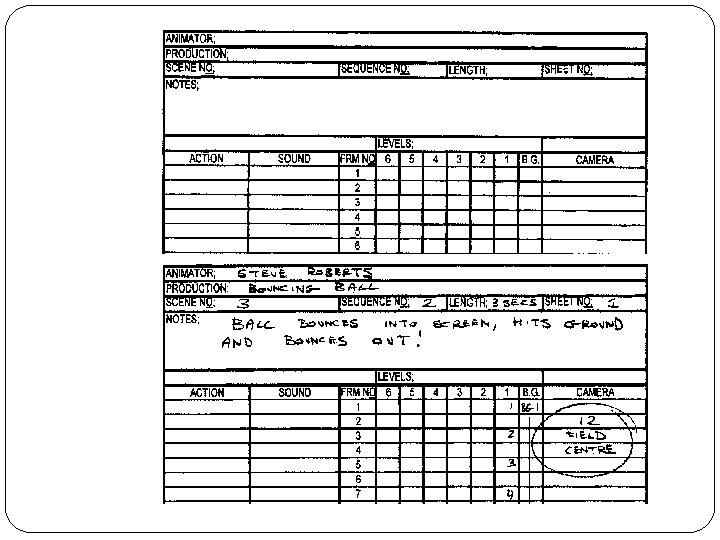
3. the frame numbers column �As the heading suggests, this is where the number of each frame is inserted. One of the main ways of ‘cheating’ in drawn animation is to do your animation on ‘twos’. This means that each of your drawings is shot for two frames. This saves a huge amount of work. �For example, if you have to animate 4 seconds you only have to do 50 drawings, rather than 100 drawings if you did a draw- ing for each frame
�There are two ways to number your drawings. The first way is to number them by the drawing. This means that drawing number one will be numbered 1, drawing num- ber two will be numbered 2, etc. The other way is to number them by the frame. This means that the drawing on frame one will be numbered 1. The drawing on frame three (if the sequence is shot on twos, this would be the second drawing) will be numbered 3, the drawing on frame five would be numbered 5, etc. �Each method has its advantages and disadvantages.
�It is probably better for the aspiring computer animator to number drawings by the frame so that when you look at your drawings in order to copy their position with your computer model you know exactly what frame that pose should be on. . �The columns show the order in which the levels are placed. Background at the bottom level, foreground at the top with the character in the middle.
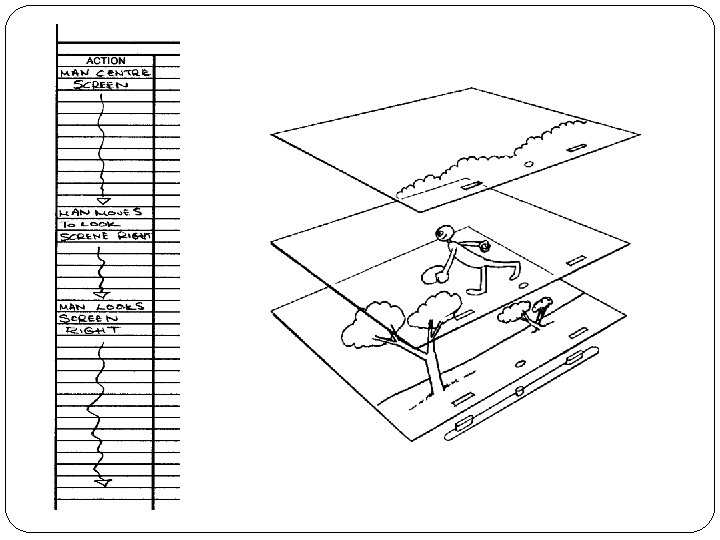
The levels columns �When a sequence is animated, even if there is only one character, the drawing for one frame of animation may be on several levels of paper. If the body remains still during the sequence, but the head and arms are moving, there will be only one drawing of the body for the whole sequence. If the head is moving at a different rate to the arms, the head will be on a separate piece of paper and the arms on a further piece. If there is a background and the character is stood behind,
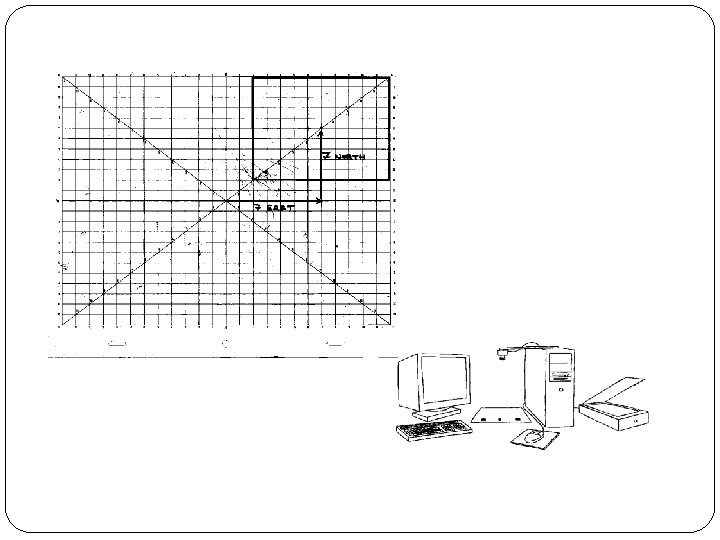
the camera column �Information in this column instructs the camera how you want the scene to be shot and pinpoints the area within the artwork. �Traditional 2 D animators use a field guide, also called a graticule, to work out the position of the shot. For example, to shoot your animation using the full size of the paper it is marked on the top of the camera column as 12 -field centre.
line tester �A line tester is a device that captures your drawings and plays them back. It is a quick and easy way to see if the roughly drawn sequence works. There a number of ways to set up a line tester. You could use a film camera, a video recorder that can record single frames or a line testing software program and a computer.
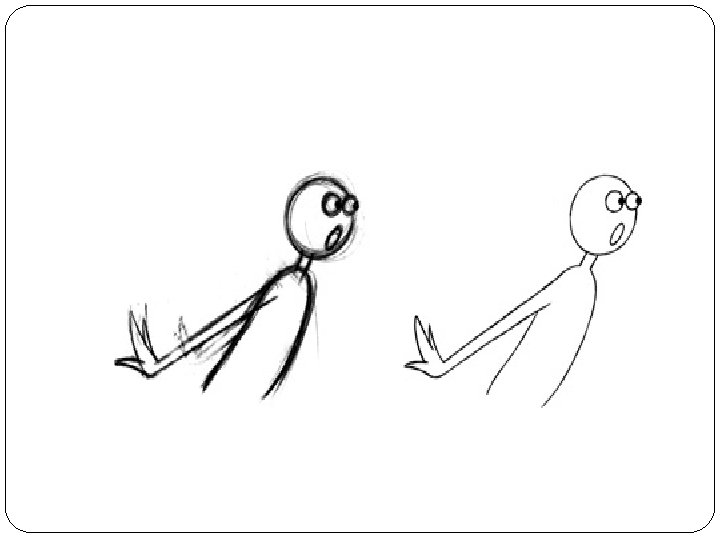
Pencils � When doing drawn animation it’s always best to work in rough with a Col-Erase blue pencil and then ‘clean up’ your drawings afterwards with a graphite pencil. This means you can define the correct lines of the character and add details in graphite pencil on top of the rough Col-Erase lines. Also, when you line test your animation the graphite line will show up more distinctly than the blue lines underneath. � An HB or B pencil is needed for the clean drawing whilst a colored pencil is used for roughing out the animation. Sold under the trade name of Col-Erase, these are colored pencils that can be easily erased and are great for drawing with. You can work rough with a graphite pencil but it can get very confusing when it comes to cleaning up the drawings.
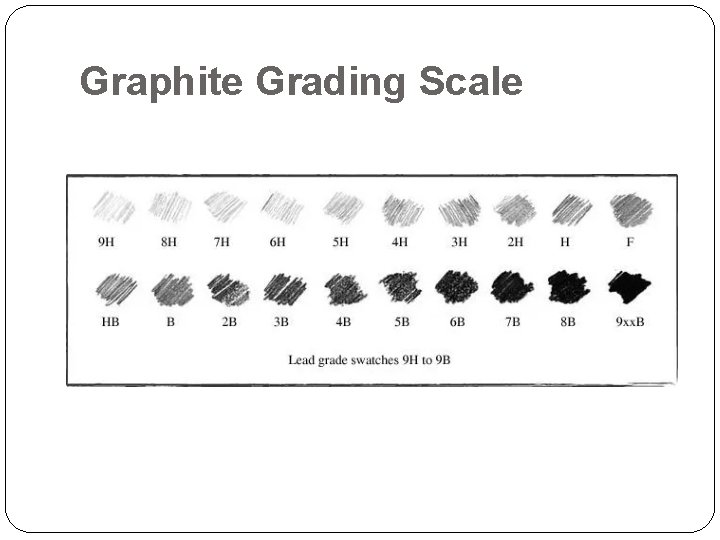
Graphite Grading Scale
How many types of HB pencils are there? �To start with the basics, designations like 4 H, 2 H, 2 B, 4 B, etc are just indicators of how hard the pencil lead is. The spectrum is usually read from B to H, such as 9 B, 8 B, 7 B, 6 b, 5 B, 4 B, 3 B, 2 B, 1 B, HB, 1 H, 2 H, 3 H, etc. The further down from 9 B to 9 H you go, the harder the lead gets.
- Slides: 27