
Trade Adjustment Assistance TAA Introduction to Performance Reporting


- Slides: 26
Trade Adjustment Assistance (TAA) Introduction to Performance Reporting 2021 Christina Omran, State Trade Program Coordinator July 2021
OBJECTIVES § Trade Adjustment Act (TAA) program overview § Florida’s service delivery structure Reporting expenditures Trade Adjustment Assistance Data Integrity (TAADI) measures TAA reporting examples in Employ Florida Monthly data reconciliation Questions § § § 1
TAA OVERVIEW Trade Adjustment Act is a federal program that assists workers who have lost or will lose their jobs due to foreign trade or competition. • TAA offers training, income support, employment and case management services, job search and relocation allowances. • TAA participants are covered by United States Department of Labor (USDOL) certified Trade Act petitions 2
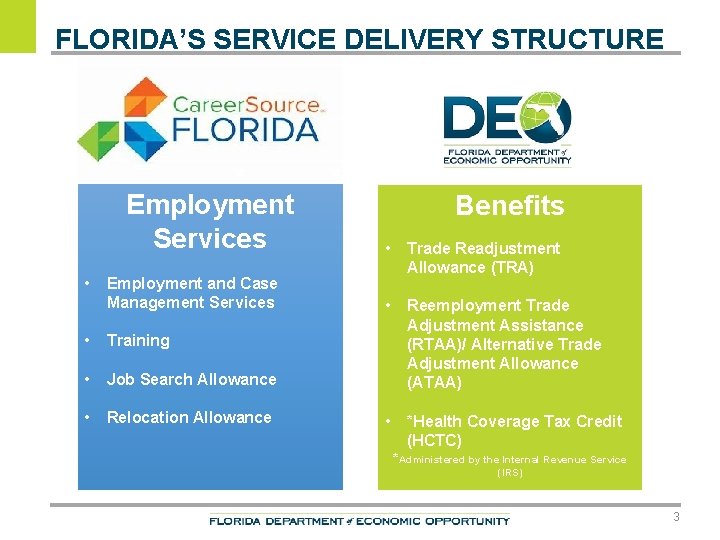
FLORIDA’S SERVICE DELIVERY STRUCTURE Employment Services • Employment and Case Management Services • Training • Job Search Allowance • Relocation Allowance Benefits • Trade Readjustment Allowance (TRA) • Reemployment Trade Adjustment Assistance (RTAA)/ Alternative Trade Adjustment Allowance (ATAA) • *Health Coverage Tax Credit (HCTC) *Administered by the Internal Revenue Service (IRS) 3
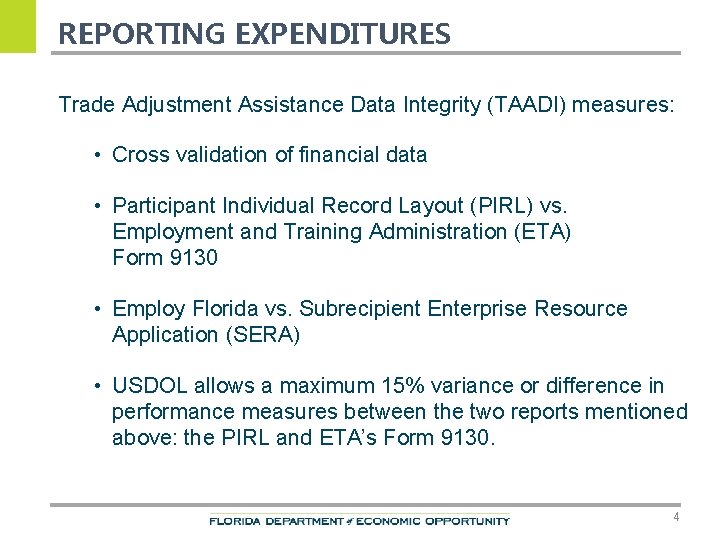
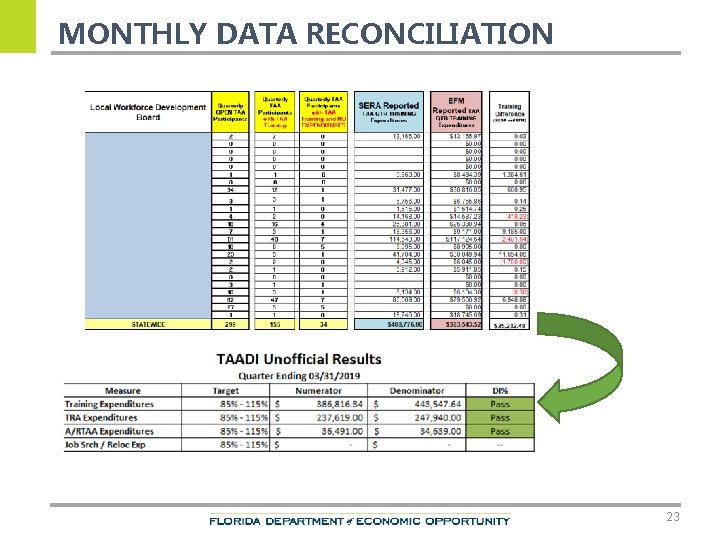
REPORTING EXPENDITURES Trade Adjustment Assistance Data Integrity (TAADI) measures: • Cross validation of financial data • Participant Individual Record Layout (PIRL) vs. Employment and Training Administration (ETA) Form 9130 • Employ Florida vs. Subrecipient Enterprise Resource Application (SERA) • USDOL allows a maximum 15% variance or difference in performance measures between the two reports mentioned above: the PIRL and ETA’s Form 9130. 4
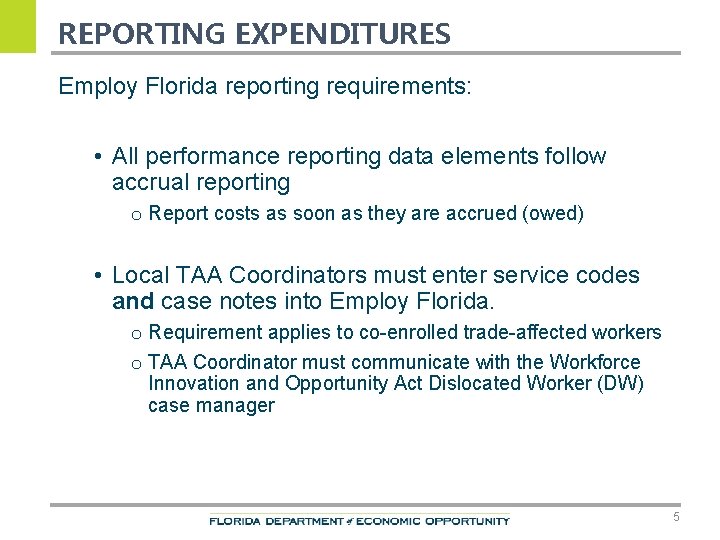
REPORTING EXPENDITURES Employ Florida reporting requirements: • All performance reporting data elements follow accrual reporting o Report costs as soon as they are accrued (owed) • Local TAA Coordinators must enter service codes and case notes into Employ Florida. o Requirement applies to co-enrolled trade-affected workers o TAA Coordinator must communicate with the Workforce Innovation and Opportunity Act Dislocated Worker (DW) case manager 5
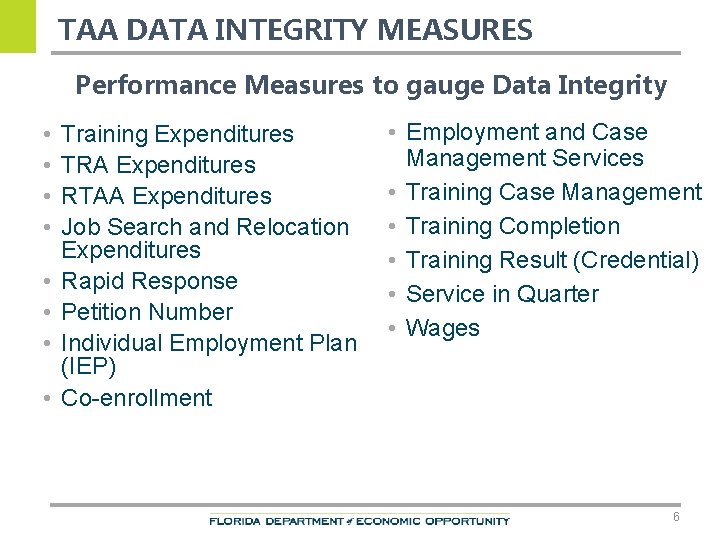
TAA DATA INTEGRITY MEASURES Performance Measures to gauge Data Integrity • • Training Expenditures TRA Expenditures RTAA Expenditures Job Search and Relocation Expenditures Rapid Response Petition Number Individual Employment Plan (IEP) Co-enrollment • Employment and Case Management Services • Training Case Management • Training Completion • Training Result (Credential) • Service in Quarter • Wages 6
EMPLOY FLORIDA REPORTING – INDIVIDUAL EMPLOYMENT PLAN Ensure an IEP has been completed prior to the trade-affected worker being enrolled in approved training. 7
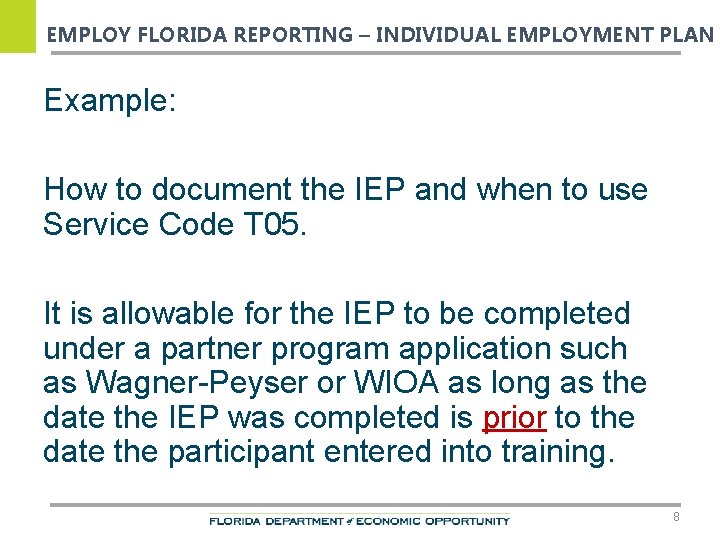
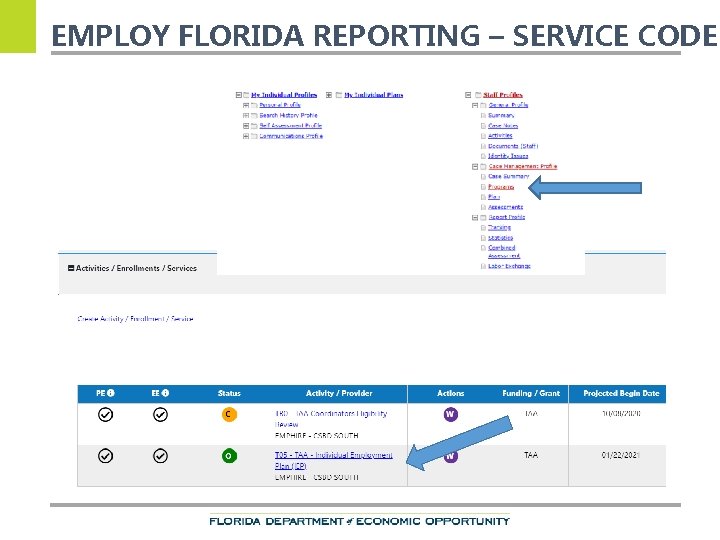
EMPLOY FLORIDA REPORTING – INDIVIDUAL EMPLOYMENT PLAN Example: How to document the IEP and when to use Service Code T 05. It is allowable for the IEP to be completed under a partner program application such as Wagner-Peyser or WIOA as long as the date the IEP was completed is prior to the date the participant entered into training. 8
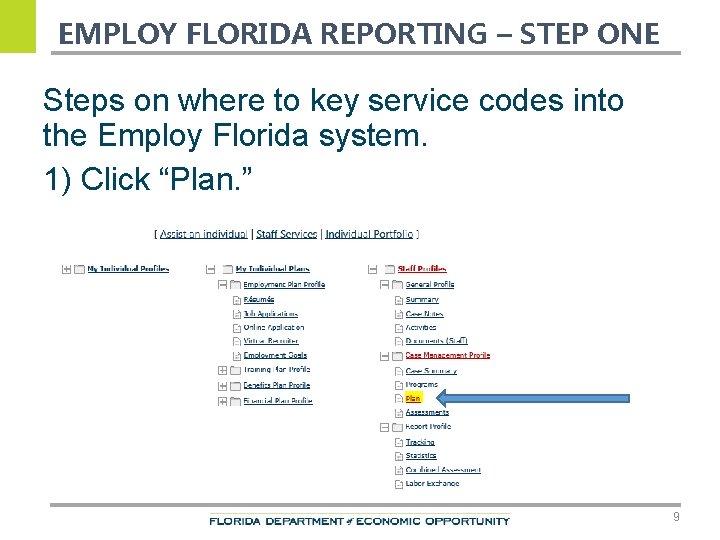
EMPLOY FLORIDA REPORTING – STEP ONE Steps on where to key service codes into the Employ Florida system. 1) Click “Plan. ” 9
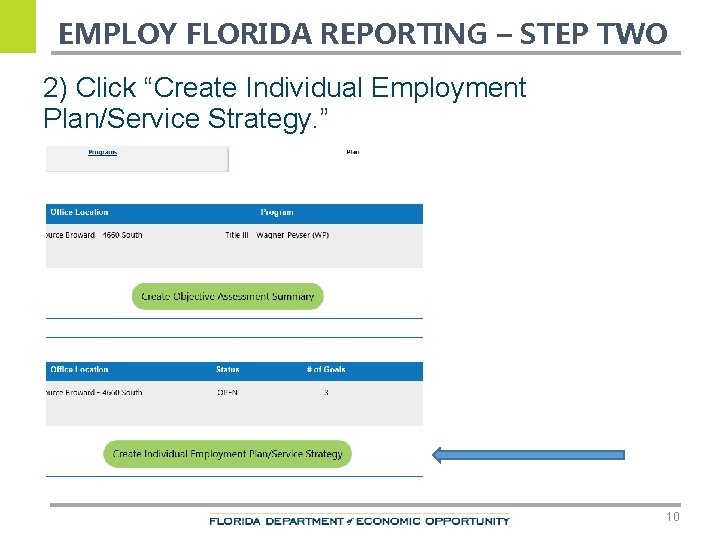
EMPLOY FLORIDA REPORTING – STEP TWO 2) Click “Create Individual Employment Plan/Service Strategy. ” 10
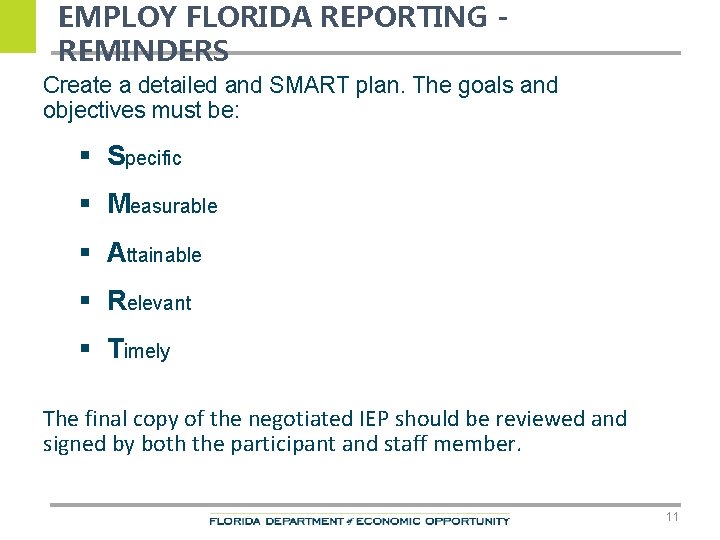
EMPLOY FLORIDA REPORTING REMINDERS Create a detailed and SMART plan. The goals and objectives must be: § Specific § Measurable § Attainable § Relevant § Timely The final copy of the negotiated IEP should be reviewed and signed by both the participant and staff member. 11
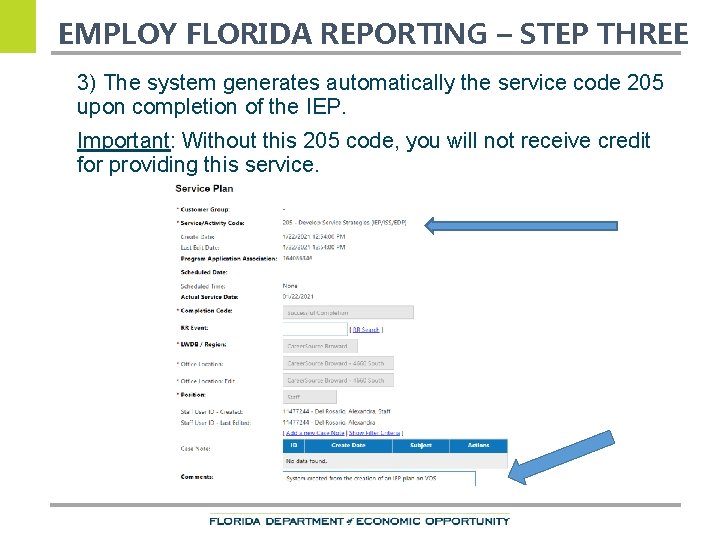
EMPLOY FLORIDA REPORTING – STEP THREE 3) The system generates automatically the service code 205 upon completion of the IEP. Important: Without this 205 code, you will not receive credit for providing this service.
EMPLOY FLORIDA REPORTING – SERVICE CODE
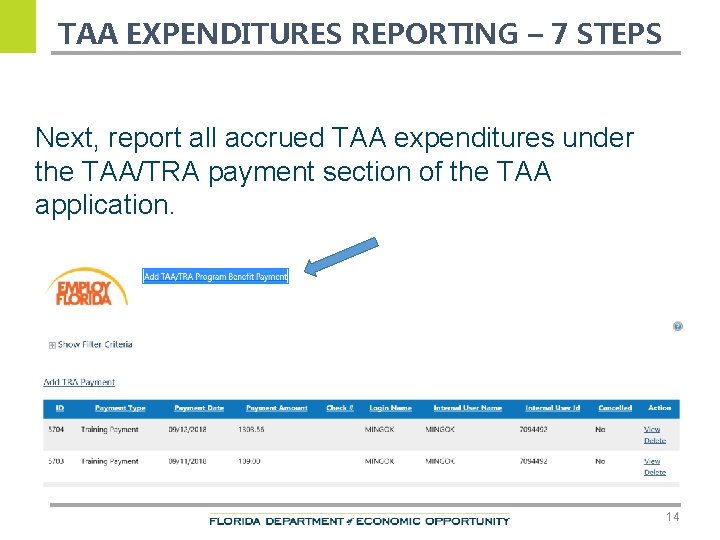
TAA EXPENDITURES REPORTING – 7 STEPS Next, report all accrued TAA expenditures under the TAA/TRA payment section of the TAA application. 14
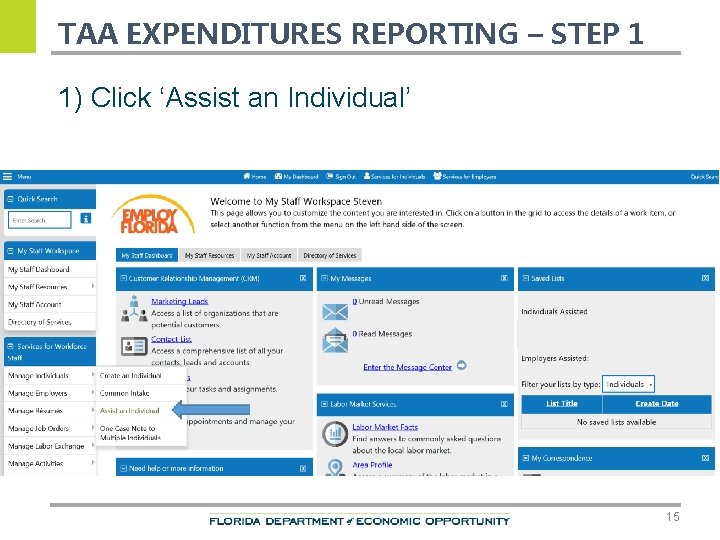
TAA EXPENDITURES REPORTING – STEP 1 1) Click ‘Assist an Individual’ 15
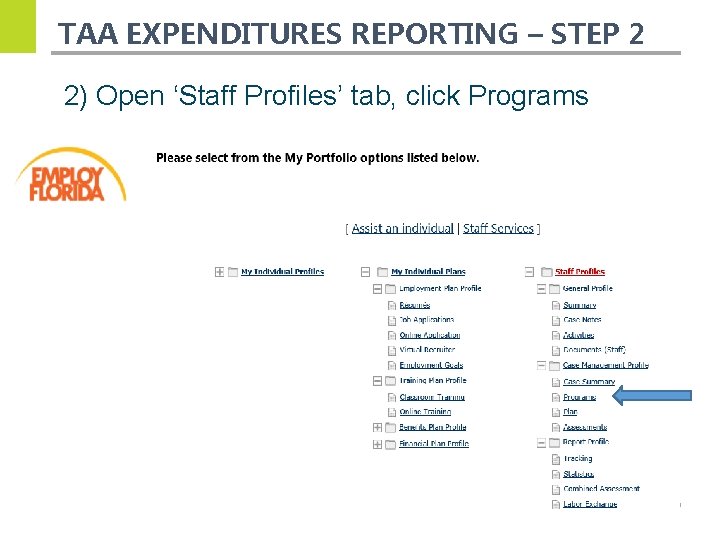
TAA EXPENDITURES REPORTING – STEP 2 2) Open ‘Staff Profiles’ tab, click Programs 16
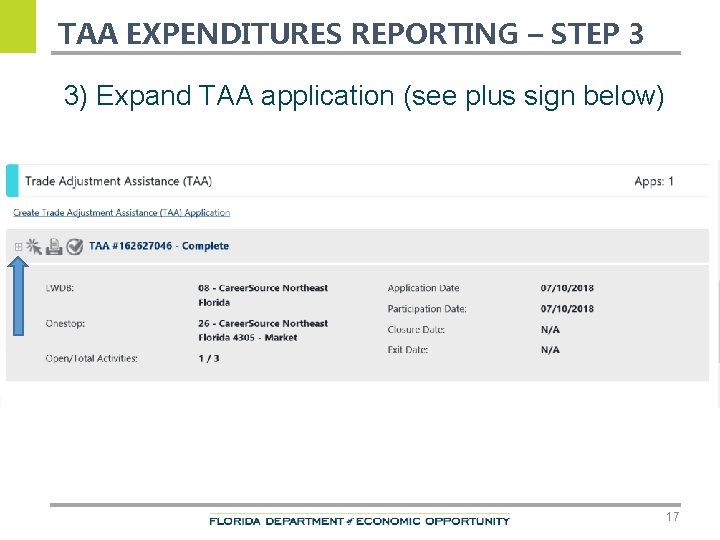
TAA EXPENDITURES REPORTING – STEP 3 3) Expand TAA application (see plus sign below) 17
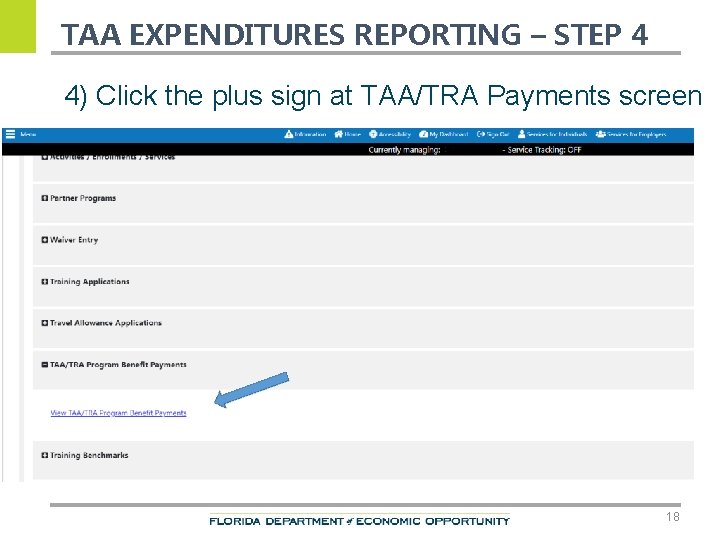
TAA EXPENDITURES REPORTING – STEP 4 4) Click the plus sign at TAA/TRA Payments screen 18
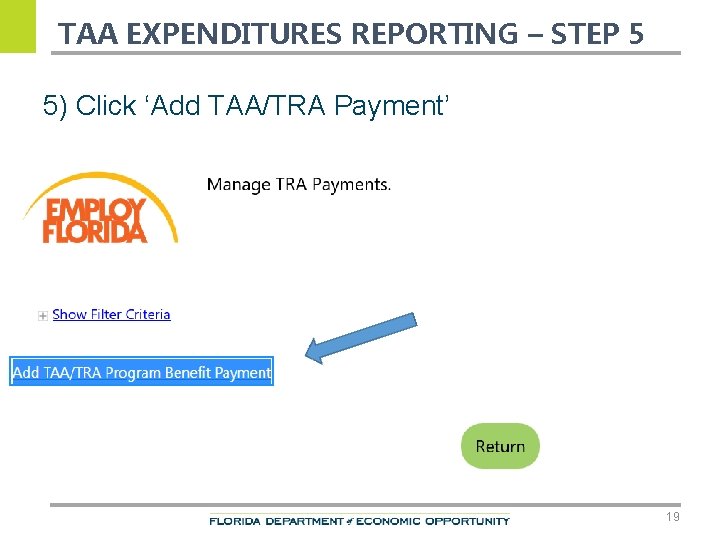
TAA EXPENDITURES REPORTING – STEP 5 5) Click ‘Add TAA/TRA Payment’ 19
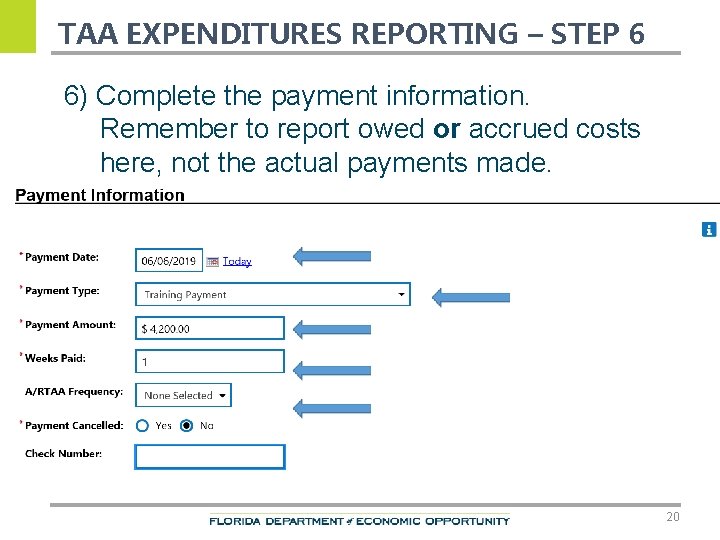
TAA EXPENDITURES REPORTING – STEP 6 6) Complete the payment information. Remember to report owed or accrued costs here, not the actual payments made. 20
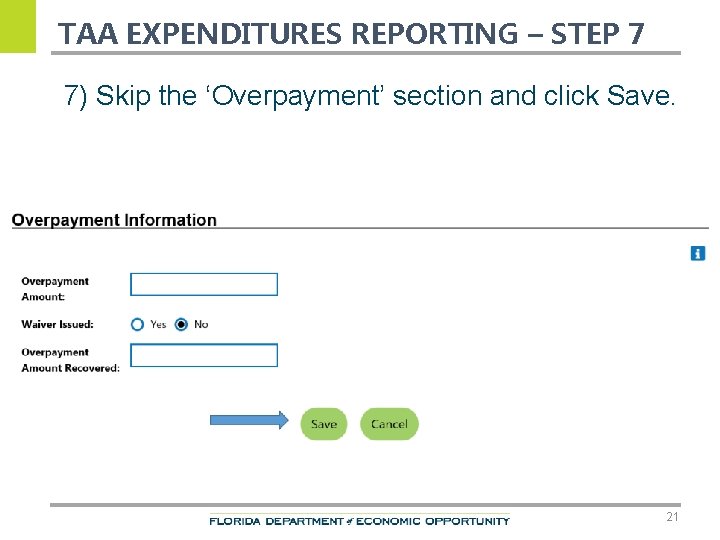
TAA EXPENDITURES REPORTING – STEP 7 7) Skip the ‘Overpayment’ section and click Save. 21
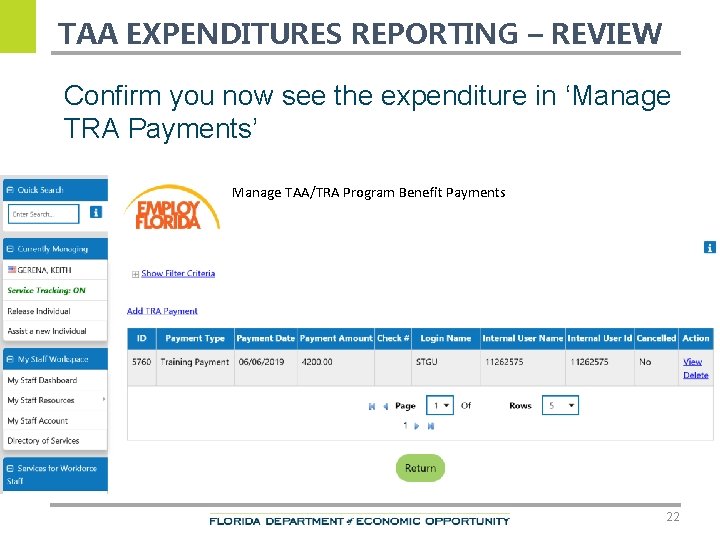
TAA EXPENDITURES REPORTING – REVIEW Confirm you now see the expenditure in ‘Manage TRA Payments’ Manage TAA/TRA Program Benefit Payments 22
MONTHLY DATA RECONCILIATION 23
QUESTIONS 12
CONTACTS Thank You. If you have questions or comments about this presentation, please contact our office. Christina Omran, State Trade Program Coordinator Main Line: 850 -245 -7477 Email: TAA@deo. myflorida. com 8