
Trackball A trackball is a pointing device consisting
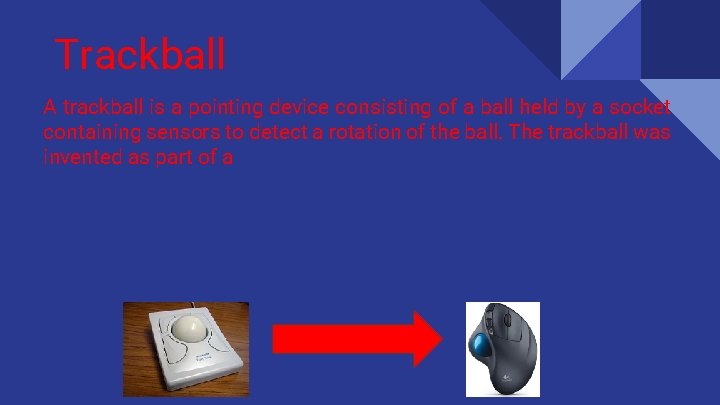
Trackball A trackball is a pointing device consisting of a ball held by a socket containing sensors to detect a rotation of the ball. The trackball was invented as part of a

Draw My Life: Pointing Devices Eduardo Enrique Montes Medellín 9 C #28 Rodolfo Humberto Arroyo Miranda 9 C #5 Patricio Menéndez Escutia 9 C #27 Cristobal Hernandez Espinosa 9 C #19
Links of Information http: //techcrunch. com/2015/09/26/3 d-touch-is-apples-new-secret-weapon/ http: //best 2015. net/best-trackball-mouse-reviews-2015 http: //greatinformer. blogspot. mx/2012/11/8 -most-important-pointing-devices. html http: //doit. org/course/input/285. htm http: //whatis. techtarget. com/definition/joystick www. computerhope. com/jargon/g/graptabl. htm http: //www. zytronic. co. uk/news/blog/inspiring-the-next-generation-of-leading-edge-interactive-products-touch-screentechnology-comes-of-age http: //www. webopedia. com/TERM/M/mouse. html http: //arstechnica. com/gadgets/2013/04/from-touch-displays-to-the-surface-a-brief-history-of-touchscreen-technology/ http: //www. digitalspy. com/tech/apple/review/a 669753/iphone-6 s-review-apples-3 d-touch-screen-and-cameraimprovements-make-the-best-better/

https: //www. techopedia. com/definition/2348/pointing-stick http: //searchmobilecomputing. techtarget. com/definition/touch-pad
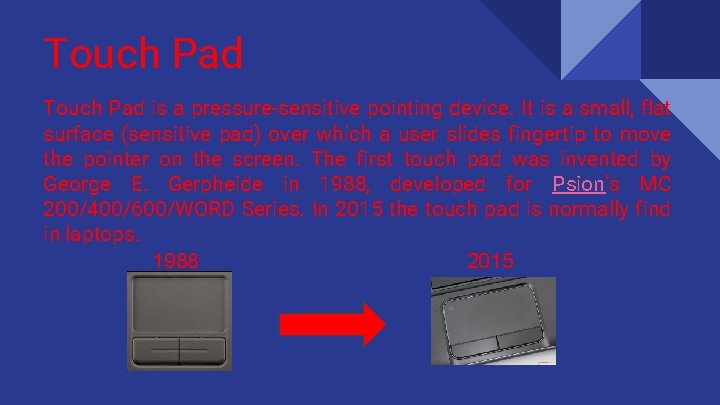
Touch Pad is a pressure-sensitive pointing device. It is a small, flat surface (sensitive pad) over which a user slides fingertip to move the pointer on the screen. The first touch pad was invented by George E. Gerpheide in 1988, developed for Psion's MC 200/400/600/WORD Series. In 2015 the touch pad is normally find in laptops. 1988 2015

Mouse A computer mouse is a pointing device that detects two-dimensional motion relative to a surface. This motion is typically translated into the motion of a pointer on a display, which allows for a fine control of the graphical user interface.
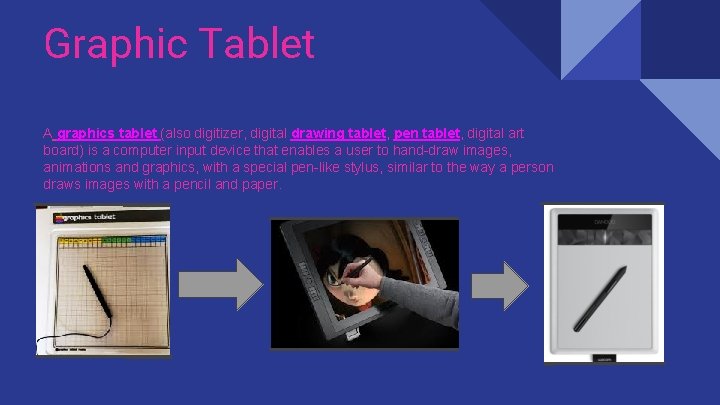
Graphic Tablet A graphics tablet (also digitizer, digital drawing tablet, pen tablet, digital art board) is a computer input device that enables a user to hand-draw images, animations and graphics, with a special pen-like stylus, similar to the way a person draws images with a pencil and paper.
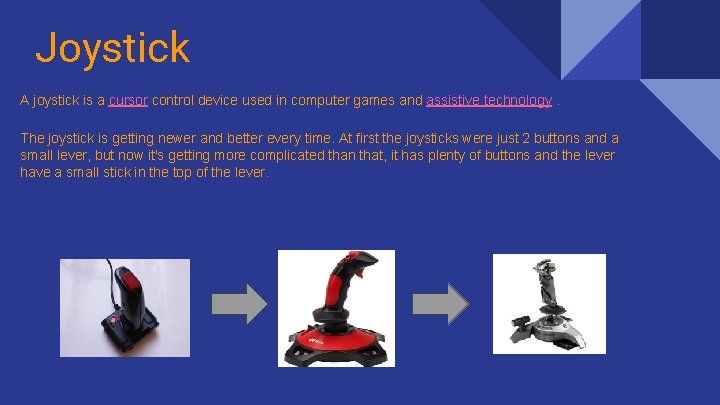
Joystick A joystick is a cursor control device used in computer games and assistive technology. The joystick is getting newer and better every time. At first the joysticks were just 2 buttons and a small lever, but now it's getting more complicated than that, it has plenty of buttons and the lever have a small stick in the top of the lever.
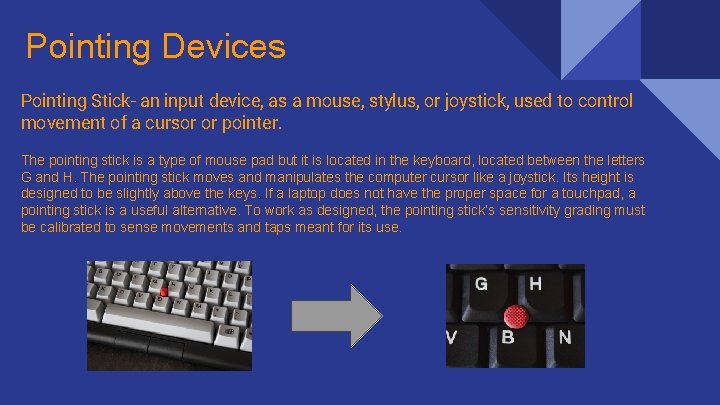
Pointing Devices Pointing Stick- an input device, as a mouse, stylus, or joystick, used to control movement of a cursor or pointer. The pointing stick is a type of mouse pad but it is located in the keyboard, located between the letters G and H. The pointing stick moves and manipulates the computer cursor like a joystick. Its height is designed to be slightly above the keys. If a laptop does not have the proper space for a touchpad, a pointing stick is a useful alternative. To work as designed, the pointing stick’s sensitivity grading must be calibrated to sense movements and taps meant for its use.
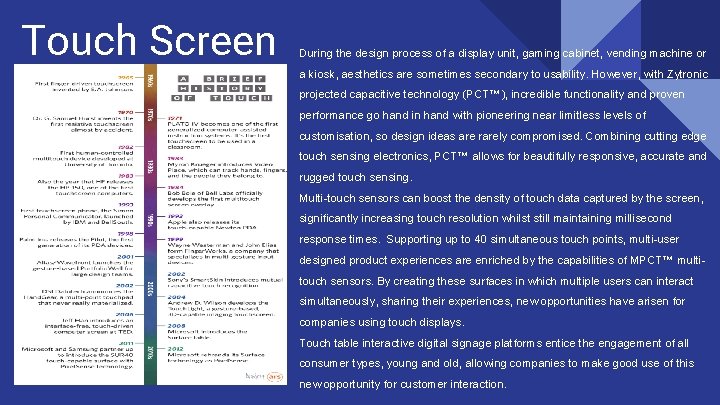
Touch Screen During the design process of a display unit, gaming cabinet, vending machine or a kiosk, aesthetics are sometimes secondary to usability. However, with Zytronic projected capacitive technology (PCT™), incredible functionality and proven performance go hand in hand with pioneering near limitless levels of customisation, so design ideas are rarely compromised. Combining cutting edge touch sensing electronics, PCT™ allows for beautifully responsive, accurate and rugged touch sensing. Multi-touch sensors can boost the density of touch data captured by the screen, significantly increasing touch resolution whilst still maintaining millisecond response times. Supporting up to 40 simultaneous touch points, multi-user designed product experiences are enriched by the capabilities of MPCT™ multitouch sensors. By creating these surfaces in which multiple users can interact simultaneously, sharing their experiences, new opportunities have arisen for companies using touch displays. Touch table interactive digital signage platforms entice the engagement of all consumer types, young and old, allowing companies to make good use of this new opportunity for customer interaction.
Apple’s first interface breakthrough happened when it unleashed real multitouch on the world. Until the original i. Phone, screens reacted to one single point and often required a stylus to operate. There were exceptions, but even after the i. Phone launched competitors couldn’t keep up and had to release resistive screen phones until they could join in the multi-touch game. This next interface trick is far more subtle. By sensing pressure applied on the surface of the Apple Watch, the new Mac. Book trackpad, and the new i. Phones, Apple has added a new layer to the touchscreen experience. In short, they have gone deep, allowing us to move past surfaces and into more dynamic menu systems and even UI tactics. As it stands 3 D touch is pretty boring right now but imagine 3 D touching into an MRI scan or anatomy textbook. Imagine 3 D touching through the cosmos. Imagine 3 D touching in games where you focus with a little pressure. There is a clear reason Apple abandoned the moniker of “Force Touch: ” what their experience offers has less to do with force and a lot more to do with a three dimensional experience. 3 D Touch isn’t an incremental update. It is a real tool and you can be sure that, by CES time, manufacturers from Samsung to Xaomi will be offering stuff called Push Touch, Deep Finger, and Insert UI for their phones. It is inevitable. And Apple had it first.
Let's get the obvious out of the way first: visually, the i. Phone 6 S's screen is identical to that of last year's handset, and that's a little disappointing on the surface. The 4. 7 -inch panel features a 1334 x 750 pixel, 326 ppi Retina display which, although impressive in its own right, fails to wow like the Samsung Galaxy S 6 Edge+'s display, or even its big brother, the i. Phone 6 S Plus with its Full HD visuals. envelope this year, this puts the smaller Apple on a slight resolution-based back foot. Of course, you'll strain your eyes to notice - the screen is still bright and punchy, with text featuring clear, defined edges and video content offering impressive contrast ratios and fluid movement. This seemingly similar screen holds a big secret, though: a new 3 D Touch panel. An evolution in capacitive touchscreen tech, the pressure-sensitive display can determine between regular and firm presses, attributing different commands to varying levels of force. Think somewhere between the Apple Watch's "Taptic" feedback and the Hover feature of the Samsung Galaxy Note 5, and you're along the right lines. The benefit? Well, it puts contextual layers of information and shortcuts just a single press away rather than half a dozen. At the time of writing, 3 D Touch features are limited to Apple's own-brand apps, but that's about to change, and the benefits are already clear to see. Home-screen 'Quick Actions' offer shortcuts to apps' most-used functions, but it's within the app that 3 D Touch comes into its own. Previewing emails, checking web links from messages, viewing pop-ups of daily calendars - there's dozens of benefits. You can even give the 3 D Touch display a firm press while tapping out a text or email and your keyboard transforms into a trackpad-style cursor. There is a definite learning curve, and a fine line between a 3 D-friendly screen press and a traditional long press that will set your app icons jangling, primed for deleting or relocation, but stick with it and you'll find it a winner. After a couple of days using the 6 S, those long, firm presses become second nature. Switching back to a standard touchscreen display leaves you feeling like you're missing something integral.
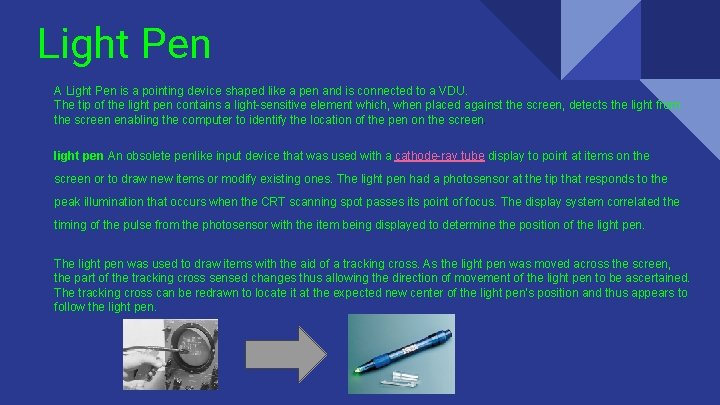
Light Pen A Light Pen is a pointing device shaped like a pen and is connected to a VDU. The tip of the light pen contains a light-sensitive element which, when placed against the screen, detects the light from the screen enabling the computer to identify the location of the pen on the screen. light pen An obsolete penlike input device that was used with a cathode-ray tube display to point at items on the screen or to draw new items or modify existing ones. The light pen had a photosensor at the tip that responds to the peak illumination that occurs when the CRT scanning spot passes its point of focus. The display system correlated the timing of the pulse from the photosensor with the item being displayed to determine the position of the light pen. The light pen was used to draw items with the aid of a tracking cross. As the light pen was moved across the screen, the part of the tracking cross sensed changes thus allowing the direction of movement of the light pen to be ascertained. The tracking cross can be redrawn to locate it at the expected new center of the light pen's position and thus appears to follow the light pen.
In 1954 development began for NORAD on the SAGE Air Defense System, using a computer built by IBM after a design based on the Whirlwind. The system included the first light pen. The term light pen may also refer to a pointing device utilizing a light that is commonly used during a presentation.
- Slides: 14