
TRACK GAMIT Kinematic GPS processing module http geoweb
TRACK: GAMIT Kinematic GPS processing module http: //geoweb. mit. edu/~tah/track_example 09/24/2008 Unavco Track Intro 1
Kinematic GPS • The style of GPS data collection and processing suggests that one or more GPS stations is moving (e. g. , car, aircraft) • To obtain good results for positioning as a function of time it helps if the ambiguities can be fixed to integer values. Although with the “back smooth” option in track this is nit so critical. • Program track is the MIT implementation of this style of processing. • Unlike many programs of this type, track pre-reads all data before processing. (This approach has its pros and cons) 09/24/2008 Unavco Track Intro 2
General aspects • The success of kinematic processing depends on separation of sites • If there are one or more static base stations and the moving receivers are positioned relative to these. • For separations < 10 km, usually easy • 10>100 km more difficult but often successful • >100 km very mixed results depending on quality of data collected. (Example results are from 400 km baselines) 09/24/2008 Unavco Track Intro 3
Issues with length • As site separation increases, the differential ionospheric delays increases, atmospheric delay differences also increase • For short baselines (<2 -3 km), ionospheric delay can be treated as ~zero and L 1 and L 2 ambiguities resolved separately. Positioning can use L 1 and L 2 separately (less random noise). • For longer baselines this is no longer true and track uses the MW-WL to resolve L 1 -L 2 09/24/2008 Unavco Track Intro 4
Track features • Track uses the Melbourne-Wubena Wide Lane to resolve L 1 -L 2 and then a combination of techniques to determine L 1 and L 2 cycles separately. • “Bias flags” are added at times of cycle slips and the ambiguity resolution tries to resolve these to integer values. • Track uses floating point estimate with LC, MW-WL and ionospheric delay constraints to determine the integer biases and the reliability with which they are determined. • Kalman filter smoothing can be used. (Non-resolved ambiguity parameters are constant, and atmospheric delays are consistent with process noise). When atmospheric delays are estimated, the smoothing option should always be used. 09/24/2008 Unavco Track Intro 5
Ambiguity resolution • Algorithm is “relative-rank” approach. Chi-squared increment of making L 1 and L 2 ambiguities integer values for the best choice and next best are compared. If best has much smaller chi-squared impact, then ambiguity is fixed to integer values. • Test is on inverse-ratio of chi-squared increments (i. e. , Large relative rank (RR) is good). • Chi-squared computed from: – Match of LC combination to estimated value (LC) – Match to MW-WL average value (WL) – Closeness of ionospheric delay to zero (less weight on longer baselines) (LG) • Relative weights of LC, WL and LG can be set. • Estimates are iterated until no more ambiguities can be resolved. 09/24/2008 Unavco Track Intro 6
Basic input • Track runs using a command file • The base inputs needed are: • Obs_file specifies names of rinex data files. Sites can be K kinematic or F fixed • Nav_file orbit file either broadcast ephemeris file or sp 3 file • Mode air/short/long -- Mode command is not strictly needed but it sets defaults for variety of situations 09/24/2008 Unavco Track Intro 7
Basic use • Recommended to start with above commands and see how the solution looks • Usage: track -f track. cmd >&! track. out • Basic quality checks: • grep RMS of output file – Kinematic site rovr appears dynamic Coordinate RMS XYZ 283. 44 662. 53 859. 17 m. – For 2067 Double differences: Average RMS 17. 85 mm • Check track. sum file for ambiguity status and RMS scatter of residuals. 09/24/2008 Unavco Track Intro 8
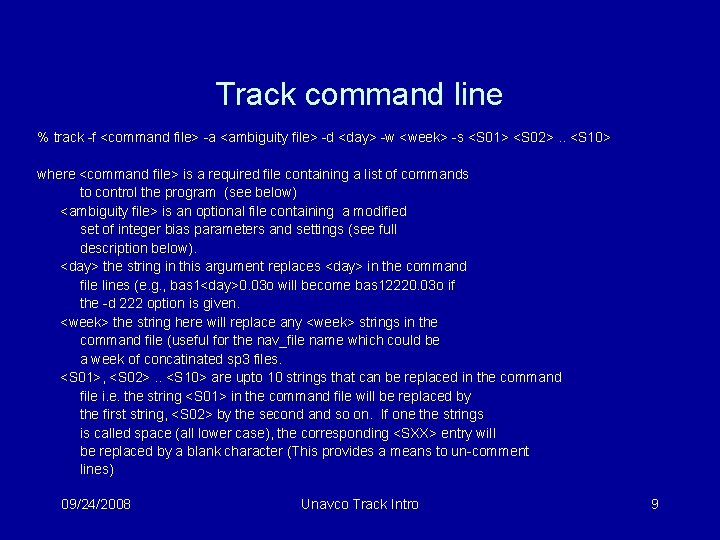
Track command line % track -f <command file> -a <ambiguity file> -d <day> -w <week> -s <S 01> <S 02>. . <S 10> where <command file> is a required file containing a list of commands to control the program (see below) <ambiguity file> is an optional file containing a modified set of integer bias parameters and settings (see full description below). <day> the string in this argument replaces <day> in the command file lines (e. g. , bas 1<day>0. 03 o will become bas 12220. 03 o if the -d 222 option is given. <week> the string here will replace any <week> strings in the command file (useful for the nav_file name which could be a week of concatinated sp 3 files. <S 01>, <S 02>. . <S 10> are upto 10 strings that can be replaced in the command file i. e. the string <S 01> in the command file will be replaced by the first string, <S 02> by the second and so on. If one the strings is called space (all lower case), the corresponding <SXX> entry will be replaced by a blank character (This provides a means to un-comment lines) 09/24/2008 Unavco Track Intro 9
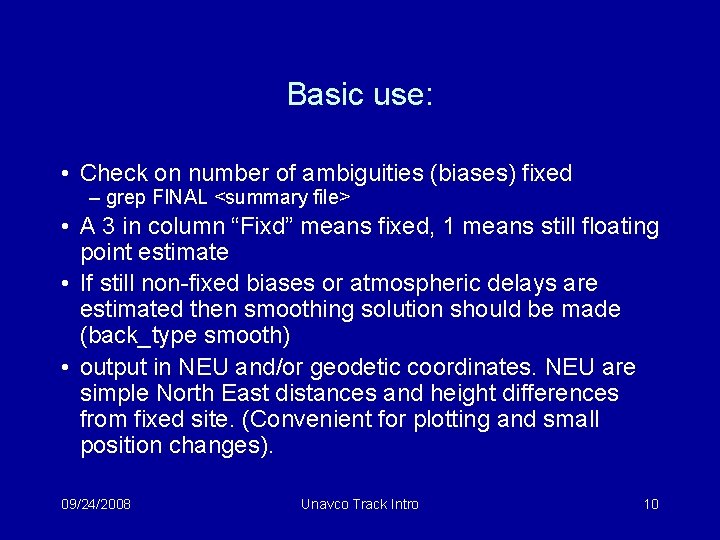
Basic use: • Check on number of ambiguities (biases) fixed – grep FINAL <summary file> • A 3 in column “Fixd” means fixed, 1 means still floating point estimate • If still non-fixed biases or atmospheric delays are estimated then smoothing solution should be made (back_type smooth) • output in NEU and/or geodetic coordinates. NEU are simple North East distances and height differences from fixed site. (Convenient for plotting and small position changes). 09/24/2008 Unavco Track Intro 10
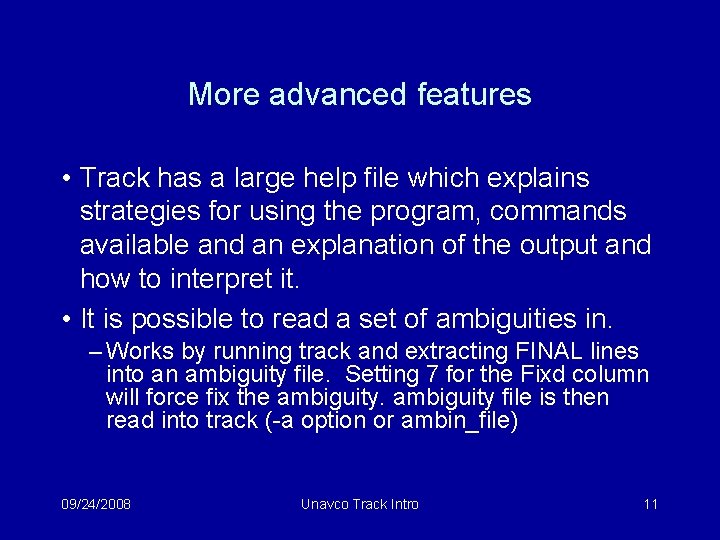
More advanced features • Track has a large help file which explains strategies for using the program, commands available and an explanation of the output and how to interpret it. • It is possible to read a set of ambiguities in. – Works by running track and extracting FINAL lines into an ambiguity file. Setting 7 for the Fixd column will force fix the ambiguity file is then read into track (-a option or ambin_file) 09/24/2008 Unavco Track Intro 11
Advanced features • Commands allow control of how the biases are fixed and editing criteria for data • Editing is tricky because on moving platform, jumps in phase could simply be movement • Ionospheric delay and MW WL used for editing. • Explicit edit_svs command • Explicit add and remove bias flags 09/24/2008 Unavco Track Intro 12
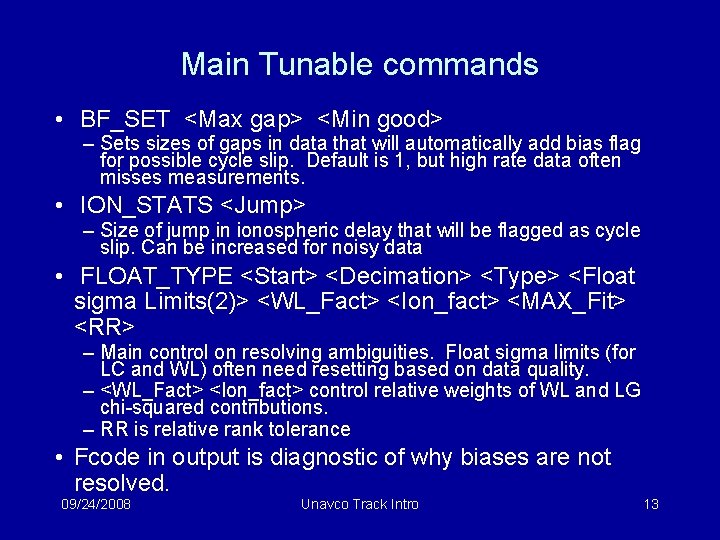
Main Tunable commands • BF_SET <Max gap> <Min good> – Sets sizes of gaps in data that will automatically add bias flag for possible cycle slip. Default is 1, but high rate data often misses measurements. • ION_STATS <Jump> – Size of jump in ionospheric delay that will be flagged as cycle slip. Can be increased for noisy data • FLOAT_TYPE <Start> <Decimation> <Type> <Float sigma Limits(2)> <WL_Fact> <Ion_fact> <MAX_Fit> <RR> – Main control on resolving ambiguities. Float sigma limits (for LC and WL) often need resetting based on data quality. – <WL_Fact> <Ion_fact> control relative weights of WL and LG chi-squared contributions. – RR is relative rank tolerance • Fcode in output is diagnostic of why biases are not resolved. 09/24/2008 Unavco Track Intro 13
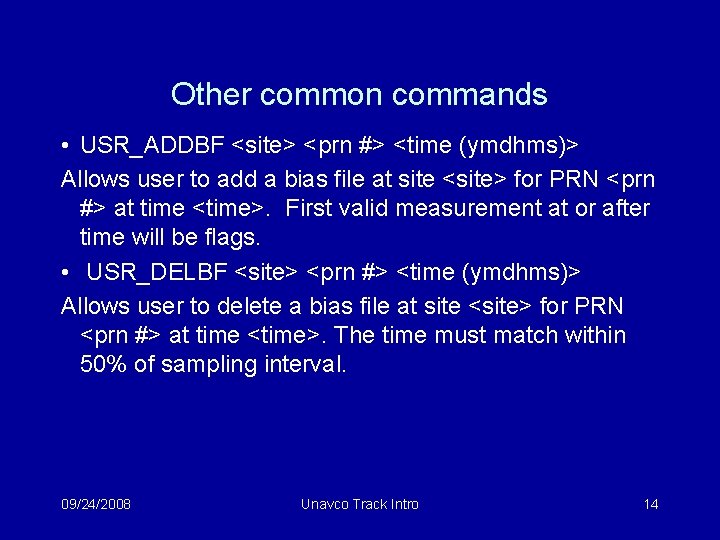
Other common commands • USR_ADDBF <site> <prn #> <time (ymdhms)> Allows user to add a bias file at site <site> for PRN <prn #> at time <time>. First valid measurement at or after time will be flags. • USR_DELBF <site> <prn #> <time (ymdhms)> Allows user to delete a bias file at site <site> for PRN <prn #> at time <time>. The time must match within 50% of sampling interval. 09/24/2008 Unavco Track Intro 14
Some results • Examine results from car (stop and go for gravity measurements) and earthquake surface wave arrivals. • Car example is 5 -second sampled with car driven and stopped (while gravity measurements are made). Trimble stop/go kinematic tags in rinex files (added by teqc) recognized (average position during stop computed) • Output files from track are simple text files. 09/24/2008 Unavco Track Intro 15
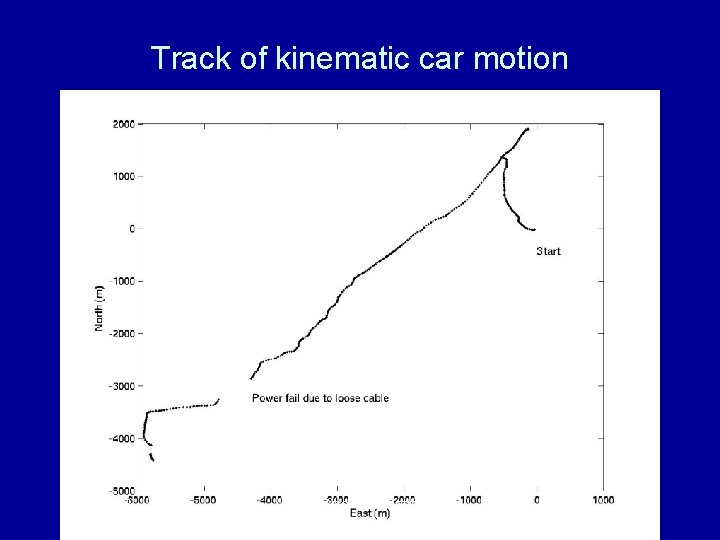
Track of kinematic car motion 09/24/2008 Unavco Track Intro 16
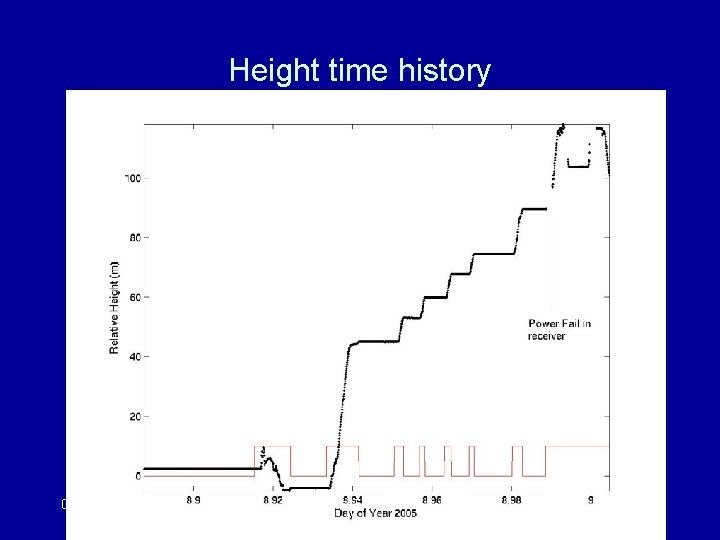
Height time history 09/24/2008 Unavco Track Intro 17
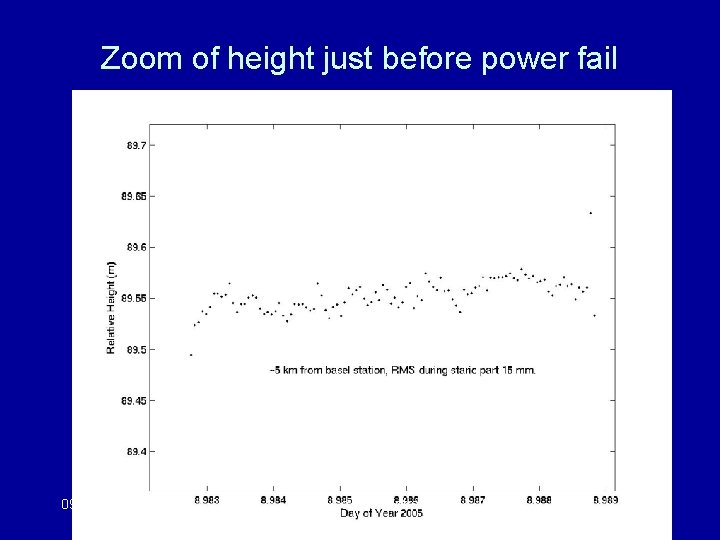
Zoom of height just before power fail 09/24/2008 Unavco Track Intro 18
Example of 1 Hz GPS San Simeon Earthquake surface waves 09/24/2008 Unavco Track Intro 19
Details around arrival time. Details and data on example web site. 09/24/2008 Unavco Track Intro 20
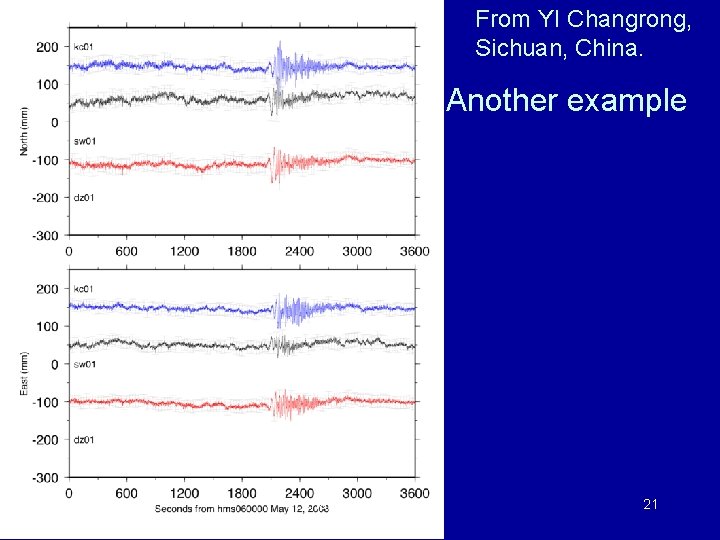
From YI Changrong, Sichuan, China. Another example 09/24/2008 Unavco Track Intro 21
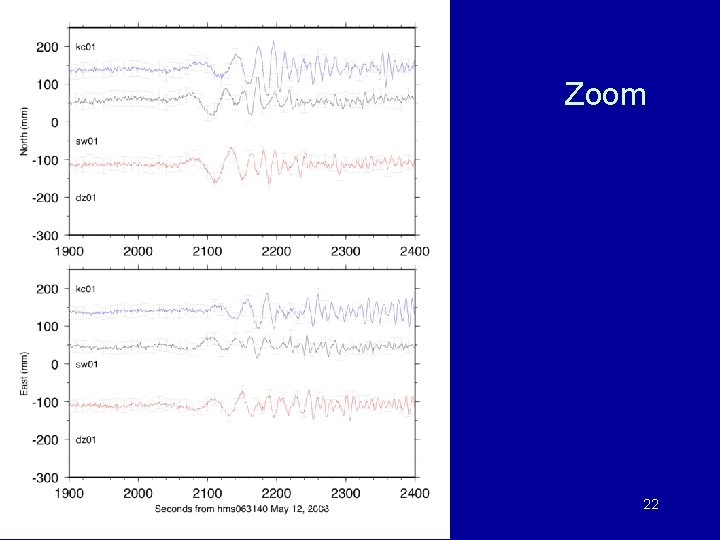
Zoom 09/24/2008 Unavco Track Intro 22
Activities • Examine results from different track runs using various data sets. 09/24/2008 Unavco Track Intro 23
- Slides: 23