
Towards the Future Neutron Monitor Digital Electronics Mahidol
- Slides: 59
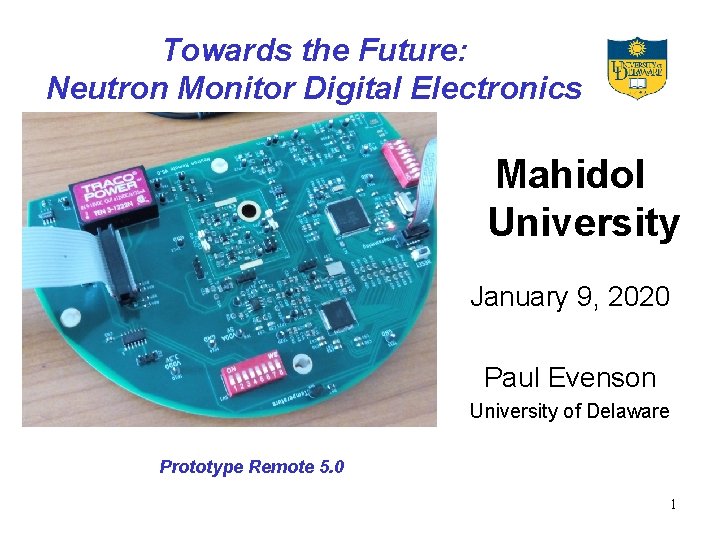
Towards the Future: Neutron Monitor Digital Electronics Mahidol University January 9, 2020 Paul Evenson University of Delaware Prototype Remote 5. 0 1
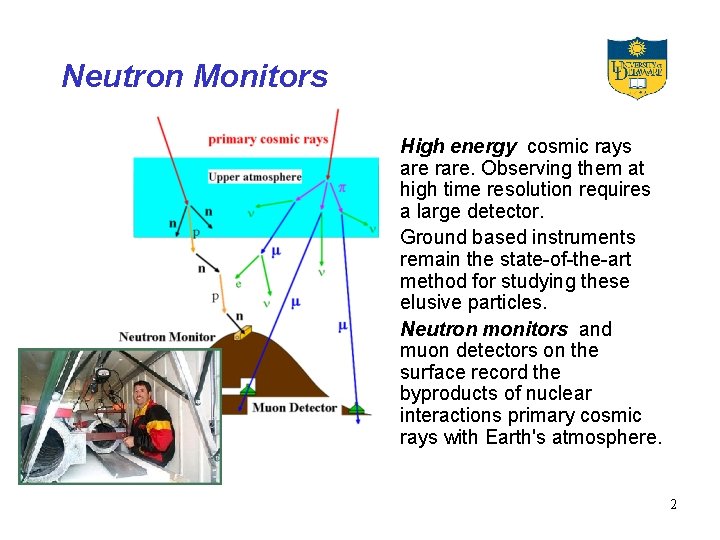
Neutron Monitors • High energy cosmic rays are rare. Observing them at high time resolution requires a large detector. • Ground based instruments remain the state-of-the-art method for studying these elusive particles. • Neutron monitors and muon detectors on the surface record the byproducts of nuclear interactions primary cosmic rays with Earth's atmosphere. 2
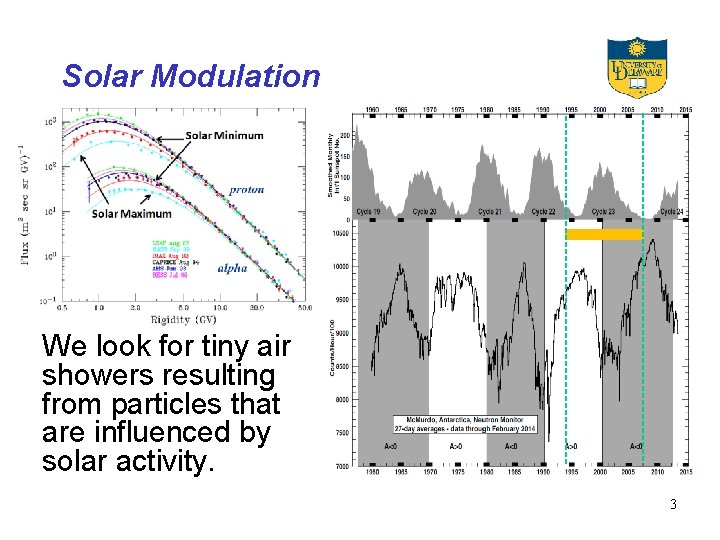
Solar Modulation We look for tiny air showers resulting from particles that are influenced by solar activity. 3
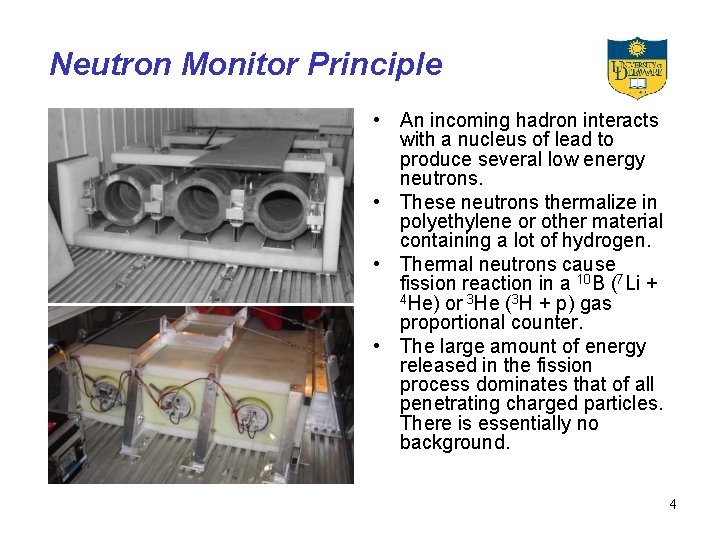
Neutron Monitor Principle • An incoming hadron interacts with a nucleus of lead to produce several low energy neutrons. • These neutrons thermalize in polyethylene or other material containing a lot of hydrogen. • Thermal neutrons cause fission reaction in a 10 B (7 Li + 4 He) or 3 He (3 H + p) gas proportional counter. • The large amount of energy released in the fission process dominates that of all penetrating charged particles. There is essentially no background. 4
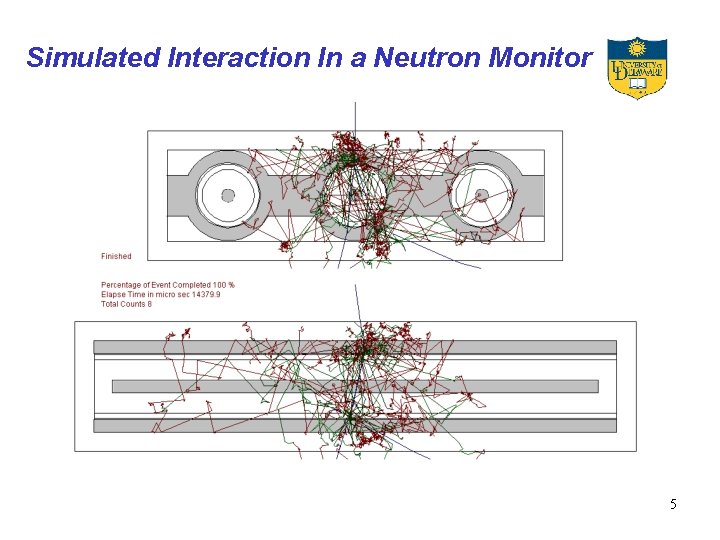
Simulated Interaction In a Neutron Monitor 5
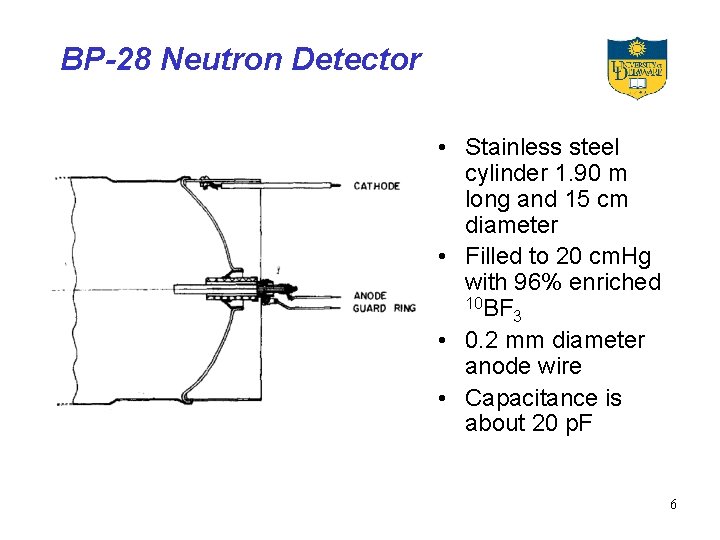
BP-28 Neutron Detector • Stainless steel cylinder 1. 90 m long and 15 cm diameter • Filled to 20 cm. Hg with 96% enriched 10 BF 3 • 0. 2 mm diameter anode wire • Capacitance is about 20 p. F 6
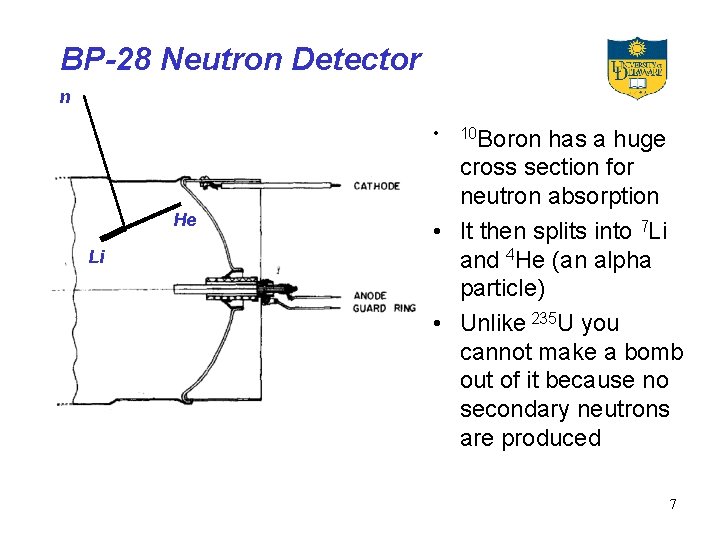
BP-28 Neutron Detector n • He Li 10 Boron has a huge cross section for neutron absorption • It then splits into 7 Li and 4 He (an alpha particle) • Unlike 235 U you cannot make a bomb out of it because no secondary neutrons are produced 7
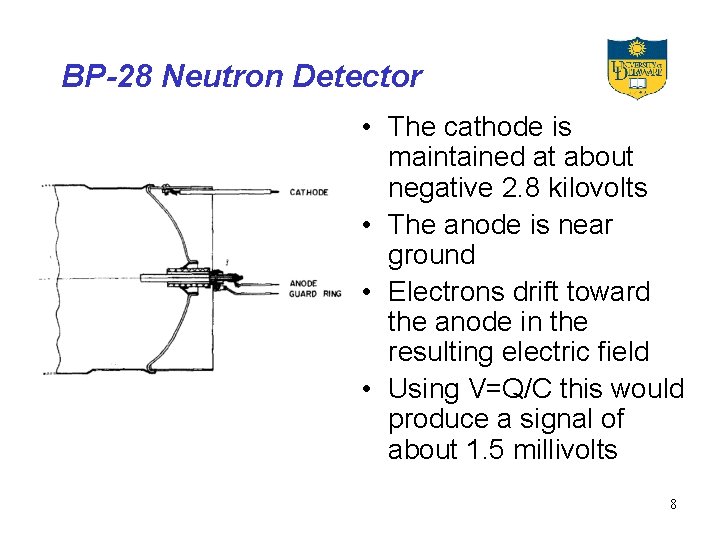
BP-28 Neutron Detector • The cathode is maintained at about negative 2. 8 kilovolts • The anode is near ground • Electrons drift toward the anode in the resulting electric field • Using V=Q/C this would produce a signal of about 1. 5 millivolts 8
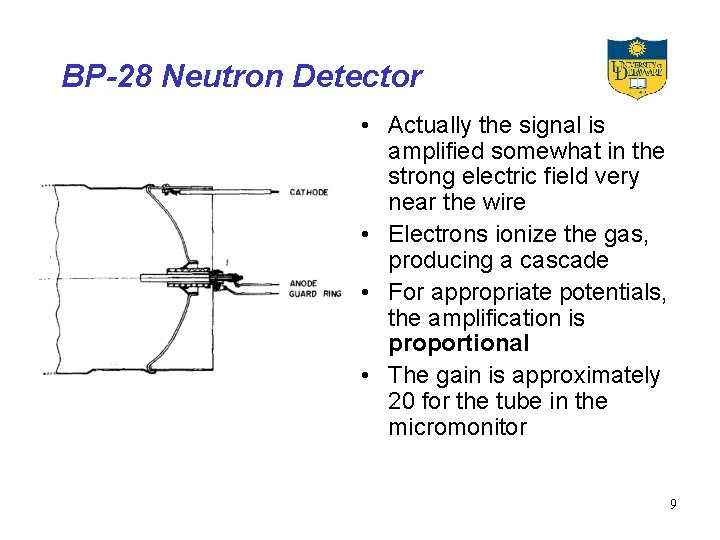
BP-28 Neutron Detector • Actually the signal is amplified somewhat in the strong electric field very near the wire • Electrons ionize the gas, producing a cascade • For appropriate potentials, the amplification is proportional • The gain is approximately 20 for the tube in the micromonitor 9
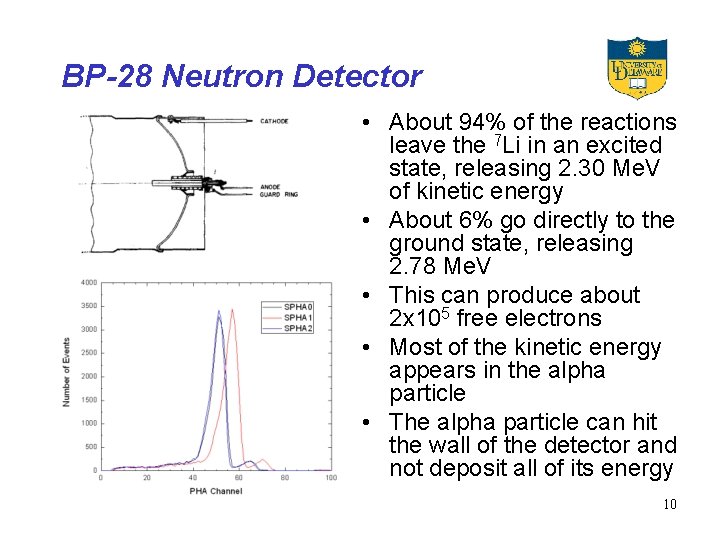
BP-28 Neutron Detector • About 94% of the reactions leave the 7 Li in an excited state, releasing 2. 30 Me. V of kinetic energy • About 6% go directly to the ground state, releasing 2. 78 Me. V • This can produce about 2 x 10⁵ free electrons • Most of the kinetic energy appears in the alpha particle • The alpha particle can hit the wall of the detector and not deposit all of its energy 10
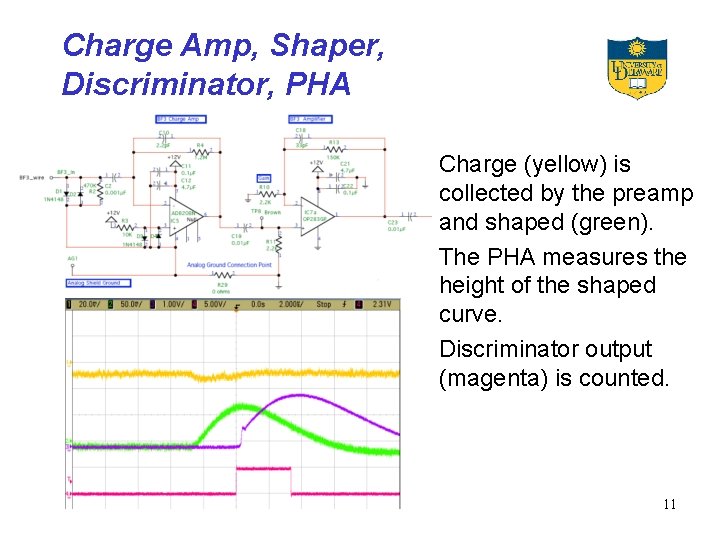
Charge Amp, Shaper, Discriminator, PHA Charge (yellow) is collected by the preamp and shaped (green). The PHA measures the height of the shaped curve. Discriminator output (magenta) is counted. 11
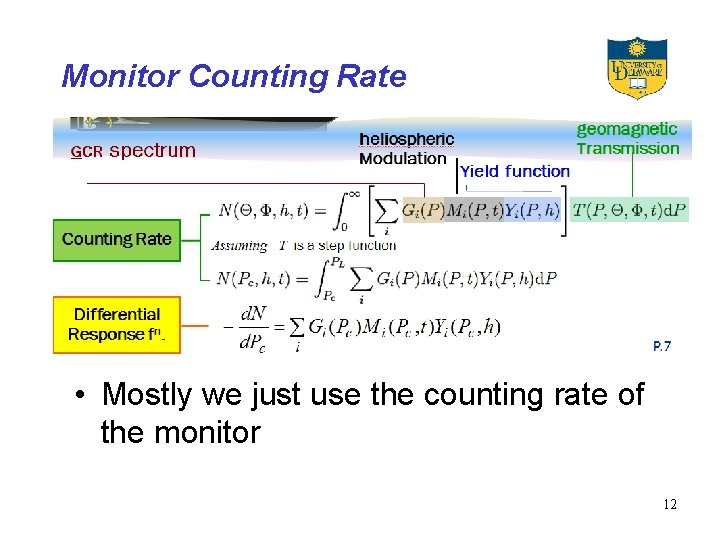
Monitor Counting Rate • Mostly we just use the counting rate of the monitor 12
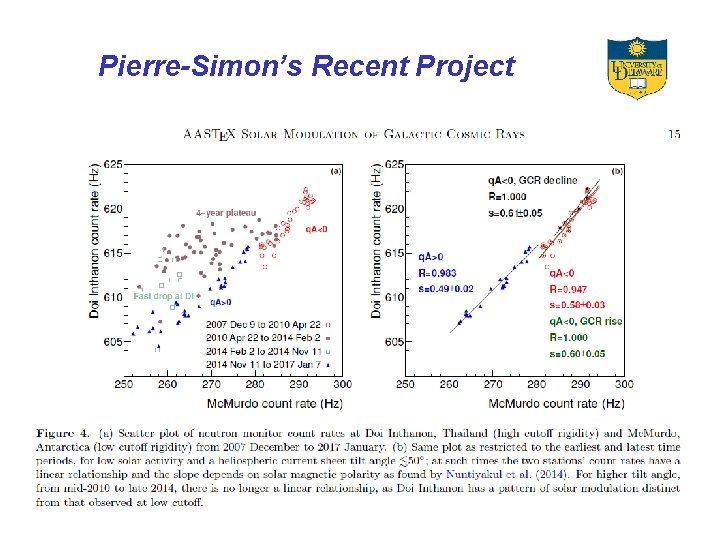
Pierre-Simon’s Recent Project 13
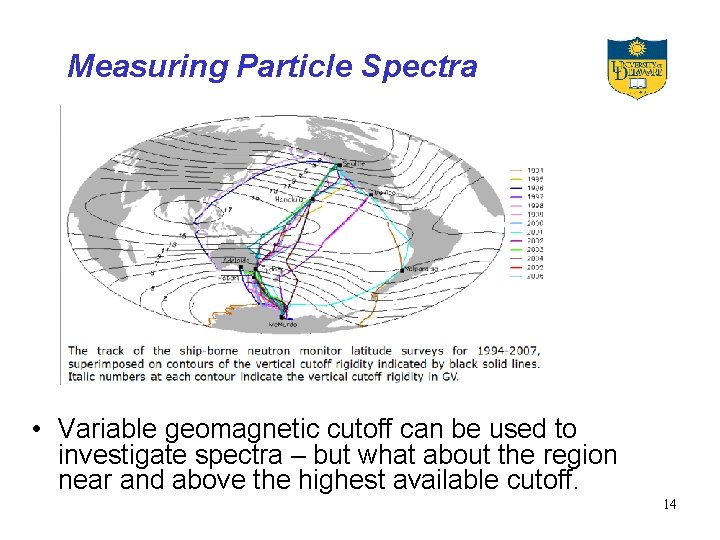
Measuring Particle Spectra • Variable geomagnetic cutoff can be used to investigate spectra – but what about the region near and above the highest available cutoff. 14
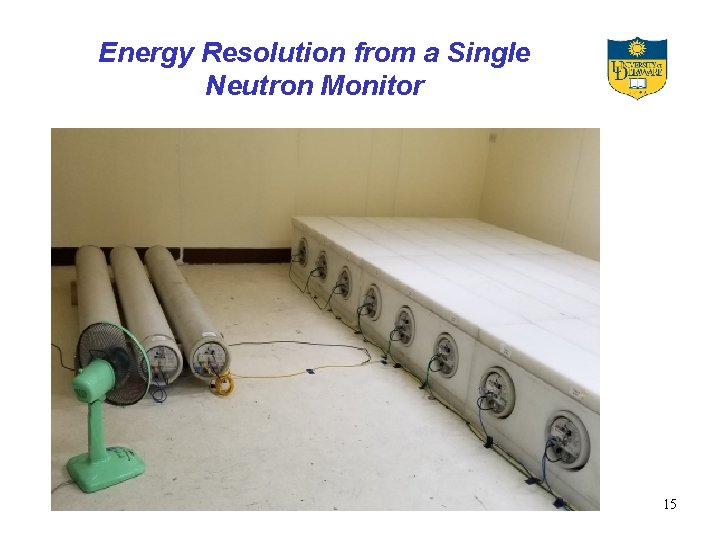
Energy Resolution from a Single Neutron Monitor 15
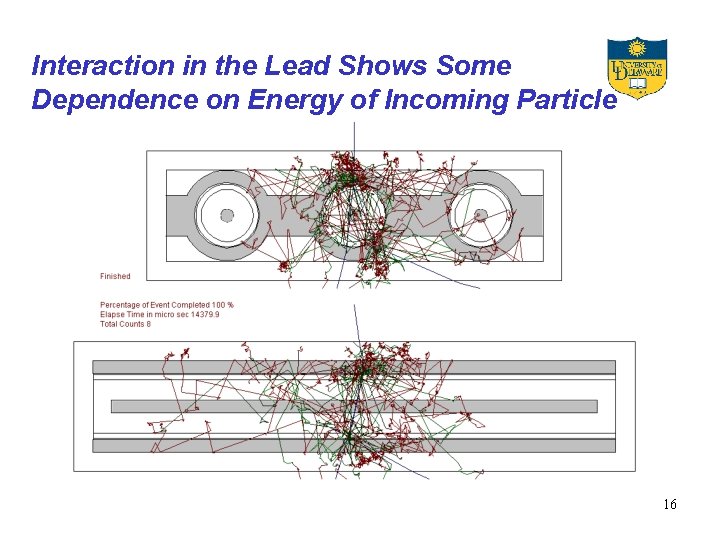
Interaction in the Lead Shows Some Dependence on Energy of Incoming Particle 16
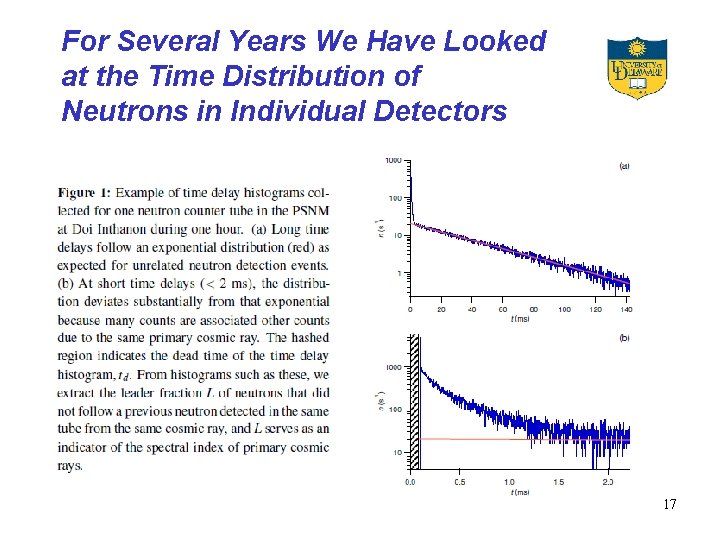
For Several Years We Have Looked at the Time Distribution of Neutrons in Individual Detectors 17
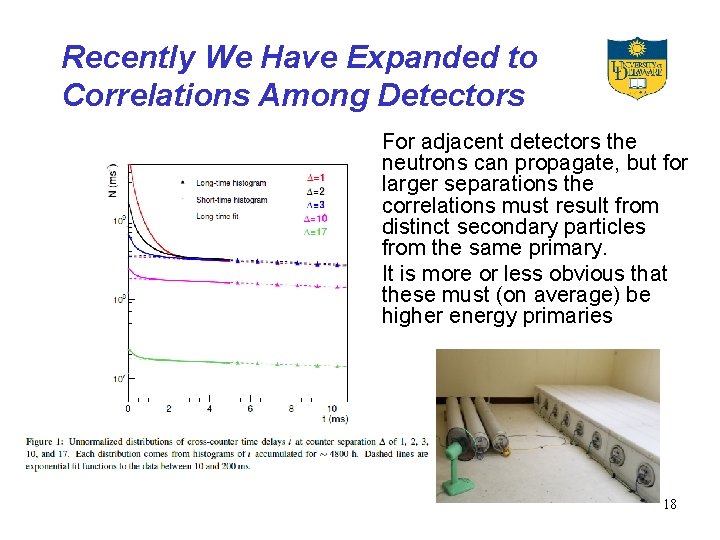
Recently We Have Expanded to Correlations Among Detectors For adjacent detectors the neutrons can propagate, but for larger separations the correlations must result from distinct secondary particles from the same primary. It is more or less obvious that these must (on average) be higher energy primaries 18
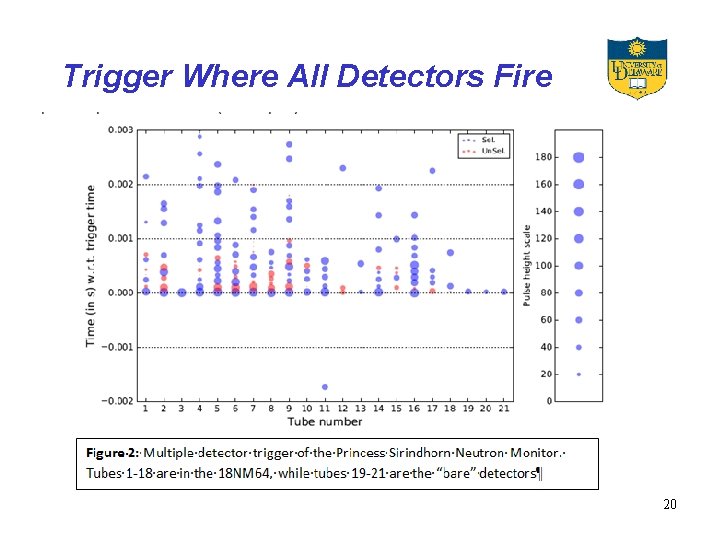
To Make A Long Story Short … • We are now working on getting time histories of these multiple events to go beyond simple two-fold correlations. We know how to proceed with the small events – or at least think we do. • But we also (surprisingly) trigger nicely on much bigger events, and have no real idea how interesting these might be. 19
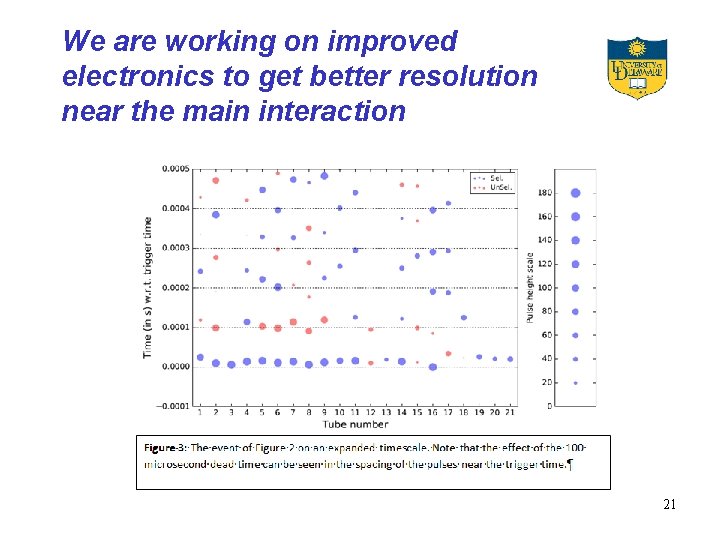
Trigger Where All Detectors Fire 20
We are working on improved electronics to get better resolution near the main interaction 21
Possible Applications • The main objective – study of modulation near 18 Ge. V with the monitor in Thailand. • Addition of energy resolution to other monitors, specifically South Pole • Study of air showers using the muon information from Syowa (next slide) • Coincidences with the Ice. Cube detector at South Pole 22
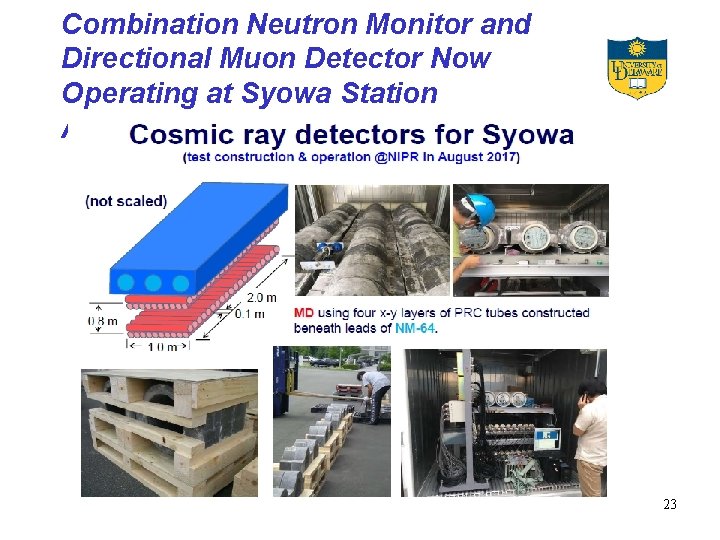
Combination Neutron Monitor and Directional Muon Detector Now Operating at Syowa Station Antarctica 23
Technical Details I will now turn to a discussion of three main topics: Timing in the present system The general approach to timing will not change in the new system, so I will just discuss how it is now done. Analysis of Digital Waveforms The main difference in the new system is that the waveform from the preamp will be digitized (with about 0. 5 microsecond resolution) and the timing and PHA information will be extracted by some clever algorithm in the microprocessor. Communications Protocol The presently operating part of the new system is the communication between the new remote and the Master. This is what is implemented in the demonstration. 24
Clock vs. Stopwatch • Timing with a microcontroller is based on the very stable oscillator that is used to sequence the instructions. • The funny frequency (3. 6864 MHz) on the present remote board is chosen to “count down” nicely to the standard COM port baud rates – 1200, 2400, 4800, 9600 …. . • The result is a “clock cycle” of 2. 17 microseconds (4 oscillator cycles) that is accessible to the programmer. • This can be used as a “clock” – giving absolute time or a “stopwatch” – giving time between two events 25
Clock • The internal clock is a 16 bit counter that advances by one every 2. 17 microseconds • It is absolute in the sense that it just keeps counting at this rate, however it is not automatically referenced to (for example) Universal Time. • The program can “read” the clock as if it is a memory location. • The reading on the clock can then be saved in memory for further use. • Special hardware logic ensures that the two bytes can be read as one number, even though the two read operations do not take place at the same time. 26
Stopwatch • To time an interval between two events: – When the first event occurs, read and record the clock – When the second event occurs, read and record the clock again – Subtract the two readings – Multiply the difference by 2. 17 microseconds – normally this would not be done “onboard” 27
Timer Overflow • The timer is only 16 bits long so it “overflows”, resetting to zero, about 7 times per second. • When this happens a control bit is set to warn the program • There is only one control bit, so the program has no way of knowing how many times the overflow has happened – it just must check often enough to keep up. • To time longer intervals, the timer can be extended by counting the overflows and keeping a record in RAM 28
Timer Capture • The problem with event timing is that the program cannot by itself recognize instantly that an event has occurred • Depending on what is happening it will take a variable amount of time to read the clock • Timer capture solves this – some events can be programmed so that when the occur the timer is automatically read and recorded in special registers • A control bit is then set to notify the program – or it can interrupt the program • Thus even though the event is not recognized instantly, the program still has an accurate time. • There is only one control bit, and one capture register – so if events happen too often they can be lost. There is no way to tell if another event happened before the program clears the control bit and the register. 29
“Remote Board” Configuration • In the remote board, timer capture (and a program interrupt) happen when the PHA discriminator “fires” • This both records the absolute time of the “event” and initiates the readout of the pulse height. 30
System Overview • Remote units continuously – Count neutrons – Collect pulse heights – Record event arrival times • • • Once per second the GPS sends a pulse to the master boards Masters send a “sync” command to the remotes Remotes record counting scaler and resume taking data Masters request and collect data from the remotes Readout board requests and collects data from the Masters, the Counter Board, and the GPS board • Readout board transmits to computer 31
REM 820 Code Version Timing • Event types are PHA, Timer Overflow, Sync, and Housekeeping • “Events” are placed in a buffer sequentially for transmission • Sequentially means the order in which they are recognized by the processor • Each is assigned a time obtained by reading the internal clock • PHA events times are quite accurate since they come from the hardware capture • Other times refer to the time the event is recognized. • They are all delayed from the real time, but by amounts that are impossible to determine exactly 32
Absolute Timing • The “Sync” transmission (a single byte sent to the remotes) is initiated by the GPS master once per second. • Each remote records the internal clock reading when the sync is recognized, and places this reading in the “buffer” in sequence with the other events. • The “Land Monitor” program can then interpret all of the internal times relative to these absolute times. • Because of the “jitter” in this reading (about 30 microseconds) the actual interpretation is based on a fit to 60 individual readings. 33
So what does the remote (REM 820) actually transmit? 1 byte: Augmented Remote Address Bits 3 -0 Remote Address Bit 4 Set to “ 1” to indicate this is from REM 820 Bit 5 Undefined Bit 6 If “ 1” PHA/Timing data have been lost Bit 7 (HOB) “ 1” to indicate 150 byte readout (PHA) “ 0” would indicate REM 302 or REM 616 (54 byte) readout. This is what is actually implemented in the demonstration 3 bytes: Counting Scaler 1 Byte: Number of events transmitted 1 Byte: Total number of events possible 48 Bytes: Event PHA (Compressed) 48 Bytes: Event Timing HOB (Clock cycles) 48 Bytes: Event Timing LOB (Clock cycles) 34
New Electronics for “Remote Unit” • Objectives – Reduce dead time to a minimum (limited by charge collection time) – Permit analysis of cases where charge is being collected simultaneously from more than one neutron interaction – Allow present data acquisition system to use new electronics interchangeably • Approach – Charge collection signal digitization – Analysis of signals “onboard” remote units. 35
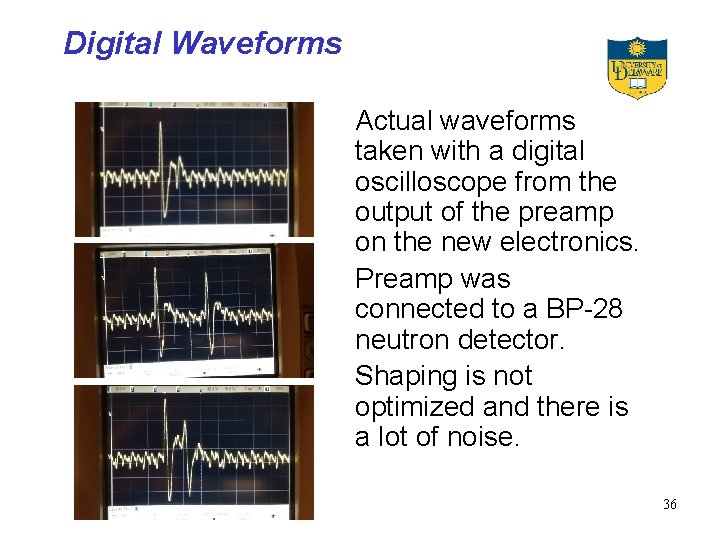
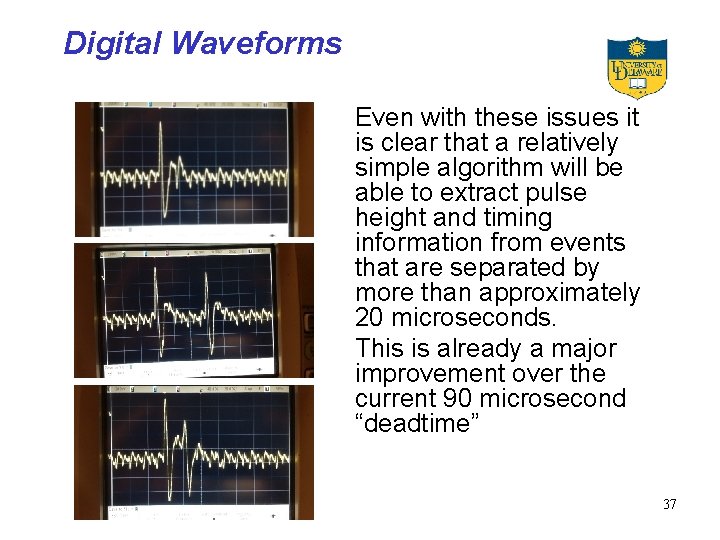
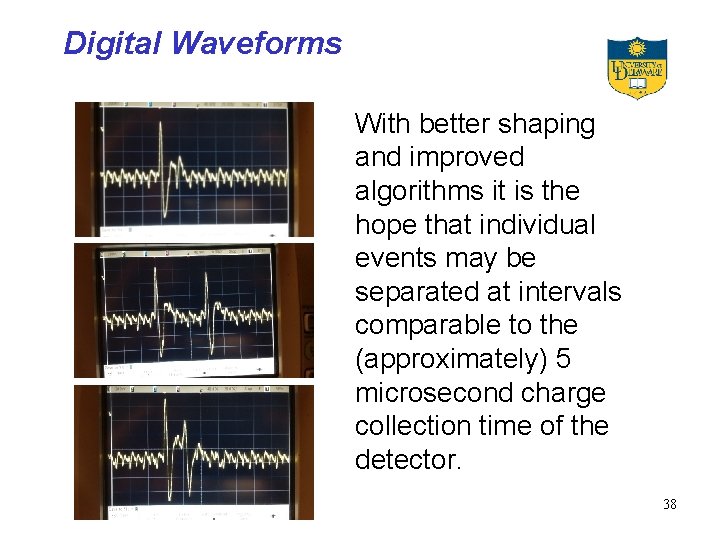
Digital Waveforms Actual waveforms taken with a digital oscilloscope from the output of the preamp on the new electronics. Preamp was connected to a BP-28 neutron detector. Shaping is not optimized and there is a lot of noise. 36
Digital Waveforms Even with these issues it is clear that a relatively simple algorithm will be able to extract pulse height and timing information from events that are separated by more than approximately 20 microseconds. This is already a major improvement over the current 90 microsecond “deadtime” 37
Digital Waveforms With better shaping and improved algorithms it is the hope that individual events may be separated at intervals comparable to the (approximately) 5 microsecond charge collection time of the detector. 38
FPGA’s and Microcontrollers • Fundamentally, then, we want to capture the digitized waveform so that it can be analyzed right on the remote unit. • There are two main ways to do this, both of which use chips with multiple, independent input and output pins • The function and timing of each pin is controlled by a program internal to the chip 39
FPGA’s and Microcontrollers • Field Programmable Gate Array – Huge numbers (millions) of individual gates on one chip that can be electronically interconnected by loading a program – Highly advanced software to translate logic equations (refer to the full adder problem) into the program – Many “gate logic” functions can be completed simultaneously • Microcontroller – “One chip computer” with internal memory – Programmed like a computer so it can do arithmetic and make fairly complex decisions – Because of this linear sequence the operation is “slow” • Chips combining both are also available, which is the basis of the new electronics approach 40
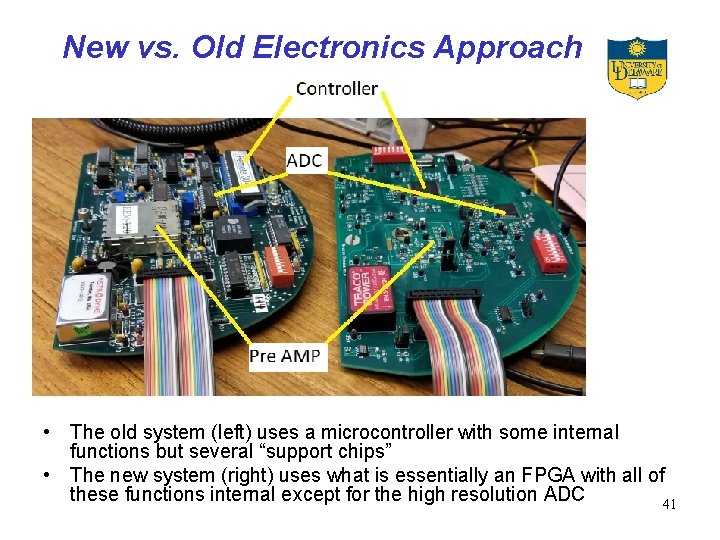
New vs. Old Electronics Approach • The old system (left) uses a microcontroller with some internal functions but several “support chips” • The new system (right) uses what is essentially an FPGA with all of these functions internal except for the high resolution ADC 41
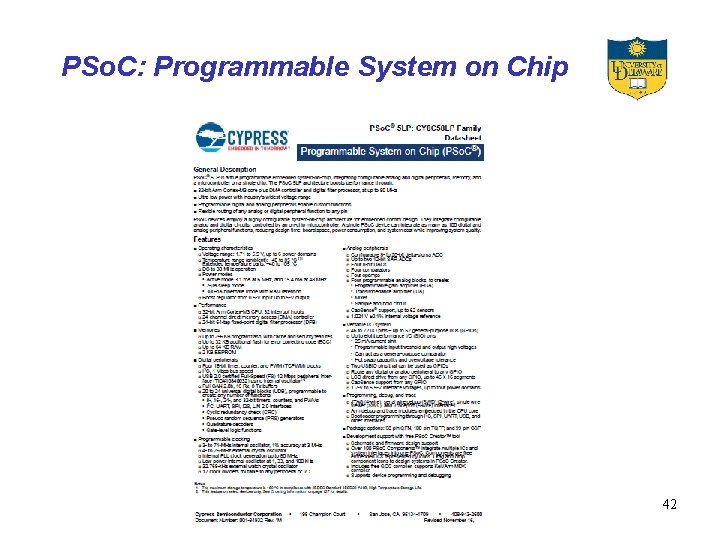
PSo. C: Programmable System on Chip 42
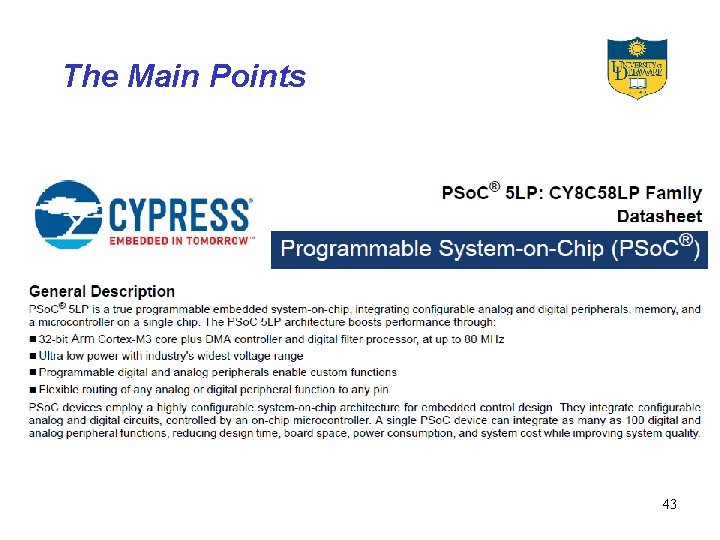
The Main Points 43
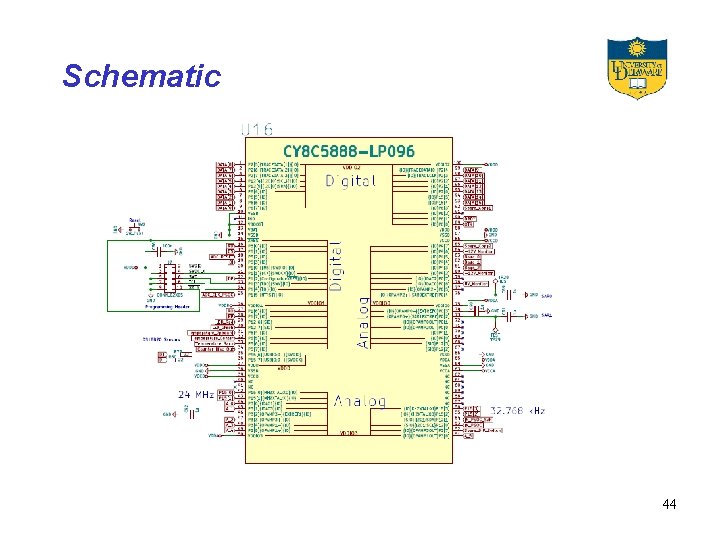
Schematic 44
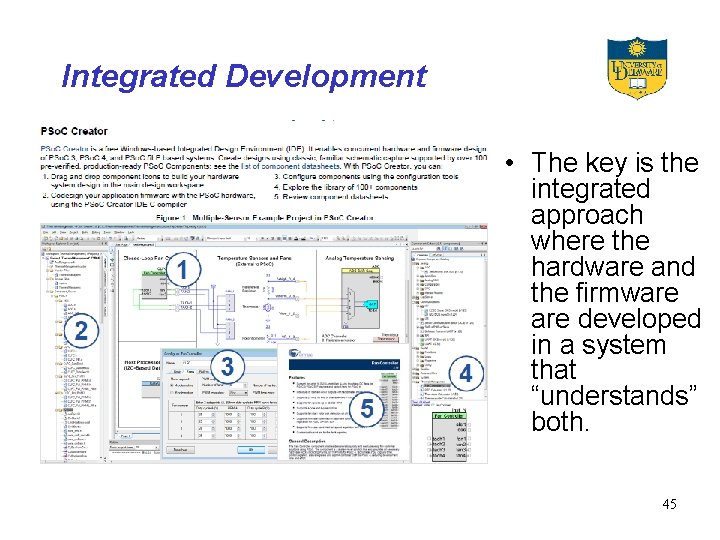
Integrated Development • The key is the integrated approach where the hardware and the firmware developed in a system that “understands” both. 45
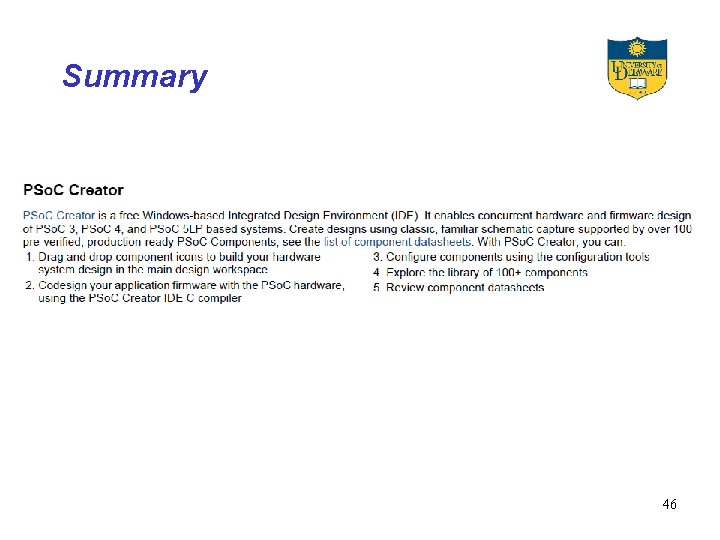
Summary 46
Communication Protocols The neutron monitor data acquisition system uses two different protocols to communicate: RS 232 is used between the card cage and the COM port on a computer RS 485 is used between the Master and the Remote. Both employ what is termed NRZ (Non Return to Zero) encoding. 47
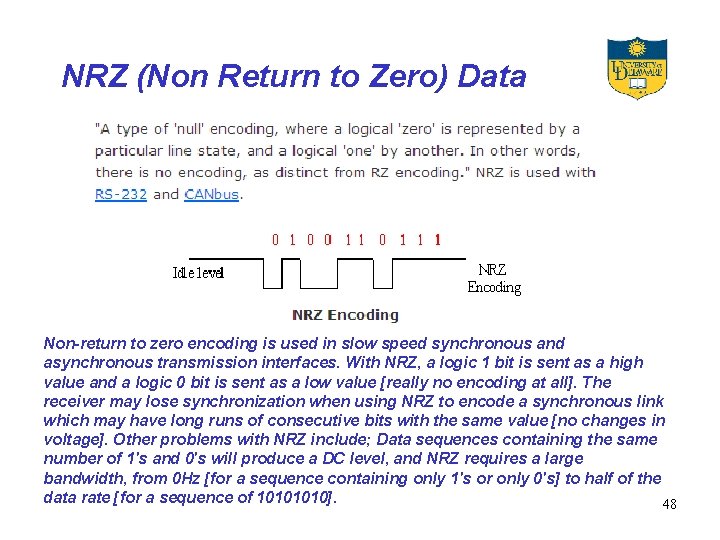
NRZ (Non Return to Zero) Data Non-return to zero encoding is used in slow speed synchronous and asynchronous transmission interfaces. With NRZ, a logic 1 bit is sent as a high value and a logic 0 bit is sent as a low value [really no encoding at all]. The receiver may lose synchronization when using NRZ to encode a synchronous link which may have long runs of consecutive bits with the same value [no changes in voltage]. Other problems with NRZ include; Data sequences containing the same number of 1's and 0's will produce a DC level, and NRZ requires a large bandwidth, from 0 Hz [for a sequence containing only 1's or only 0's] to half of the data rate [for a sequence of 1010]. 48
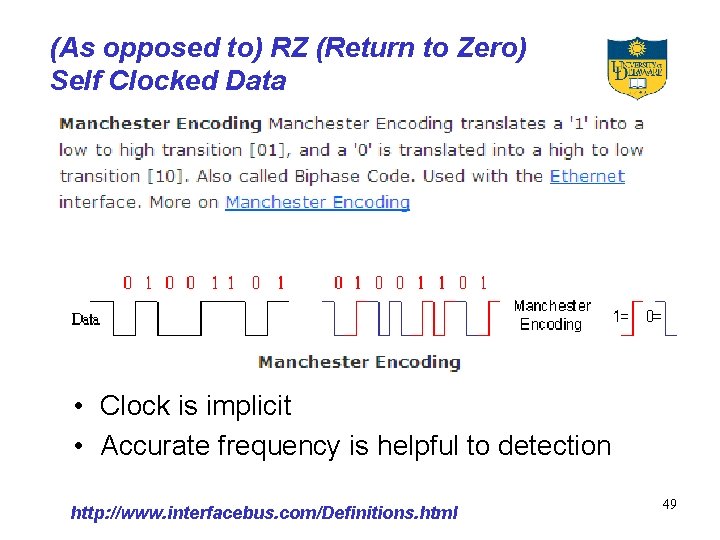
(As opposed to) RZ (Return to Zero) Self Clocked Data • Clock is implicit • Accurate frequency is helpful to detection http: //www. interfacebus. com/Definitions. html 49
UART The generic name for a device that converts the parallel data format used in a computer to the serial NRZ signal is termed a UART (Universal Asynchronous Receiver Transmitter) https: //en. wikipedia. org/wiki/Universal_asynchronous_receiver-transmitter This may be a separate chip or (most usually now) be implemented as part of the microcontroller. A microcontroller may or may not have a UART, but an FPGA does not have a UART until you put one into it – and you can put in more than one if you need more than one. 50
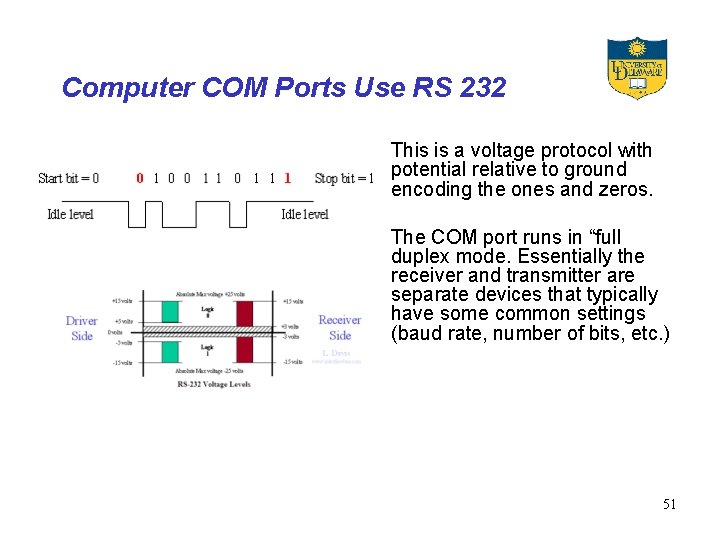
Computer COM Ports Use RS 232 This is a voltage protocol with potential relative to ground encoding the ones and zeros. The COM port runs in “full duplex mode. Essentially the receiver and transmitter are separate devices that typically have some common settings (baud rate, number of bits, etc. ) 51
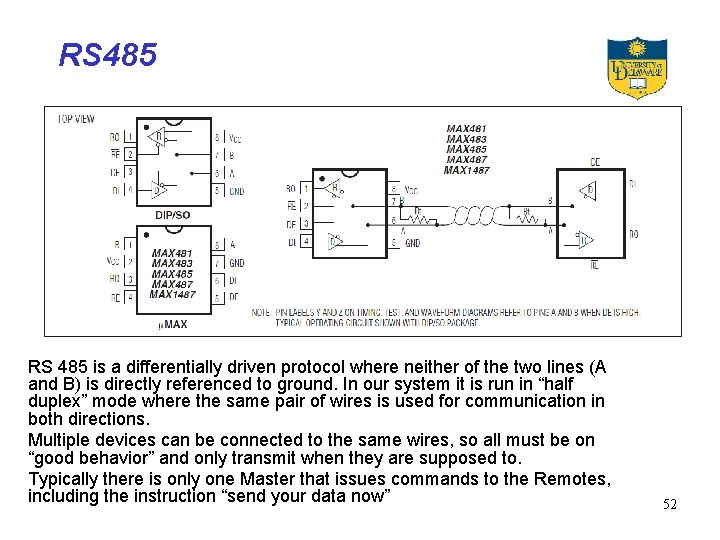
RS 485 is a differentially driven protocol where neither of the two lines (A and B) is directly referenced to ground. In our system it is run in “half duplex” mode where the same pair of wires is used for communication in both directions. Multiple devices can be connected to the same wires, so all must be on “good behavior” and only transmit when they are supposed to. Typically there is only one Master that issues commands to the Remotes, including the instruction “send your data now” 52
8 and 9 Bit Operation The UART that communicates (via RS 232) with the computer is run in the ordinary 8 bit, no parity mode, The UART that communicates with the Remotes (via RS 485) is run in a 9 bit mode; the “parity” bit is used as a flag to indicate a command from the Master. Only the Master is allowed to transmit with this bit set. The receiver on the Remote UART is set in a mode that ignores any character that does not have this bit set, so the program is not bothered by the transmissions from the other remotes. 53
Operation Review • Remote units continuously – Count neutrons – Collect pulse heights – Record event arrival times • • • Once per second the GPS sends a pulse to the master boards Masters send a “sync” command to the remotes Remotes record counting scaler and resume taking data Masters request and collect data from each remote in turn Readout board requests and collects data from the Masters, the Counter Board, and the GPS board • Readout board transmits to computer 54
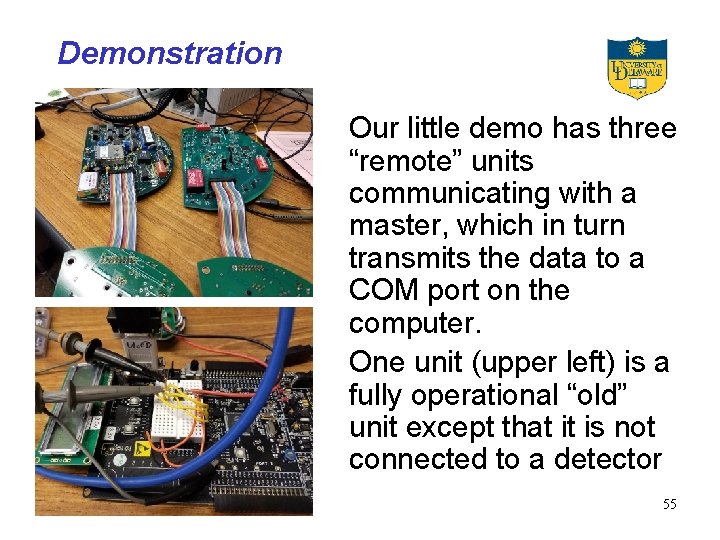
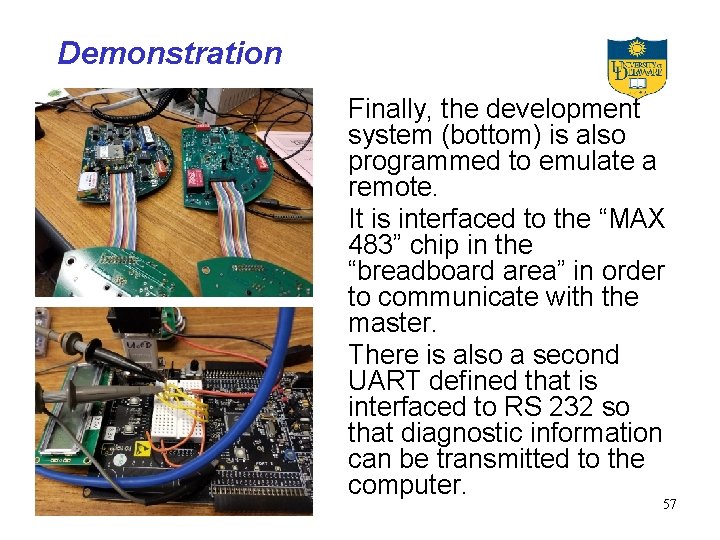
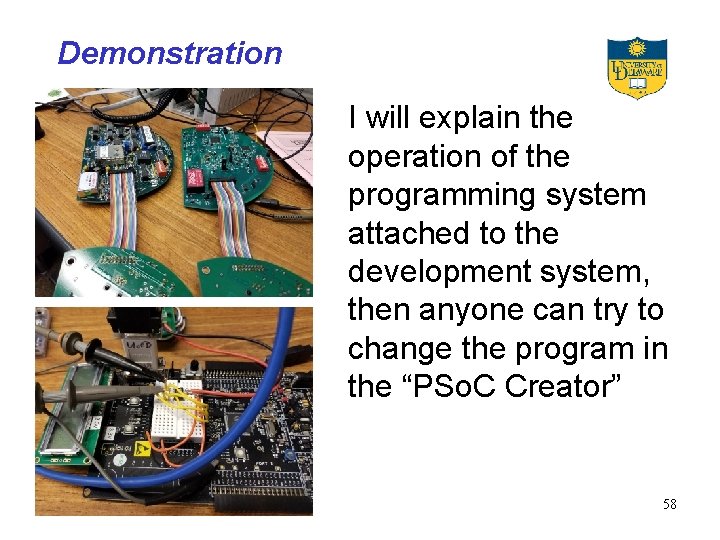
Demonstration Our little demo has three “remote” units communicating with a master, which in turn transmits the data to a COM port on the computer. One unit (upper left) is a fully operational “old” unit except that it is not connected to a detector 55
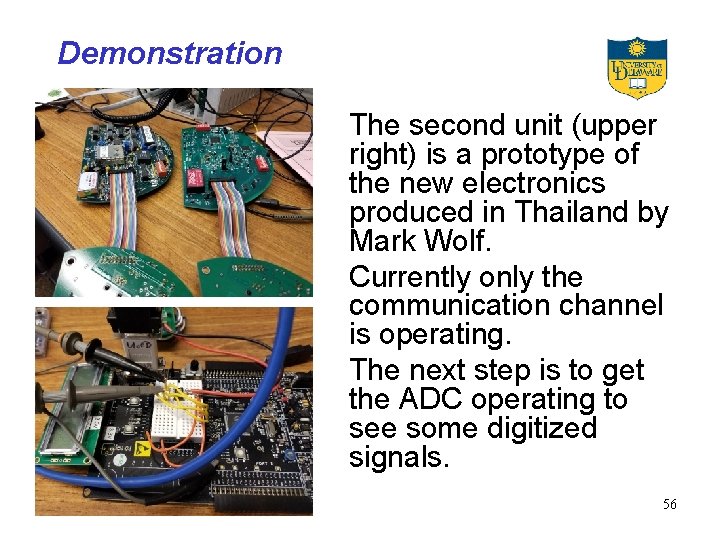
Demonstration The second unit (upper right) is a prototype of the new electronics produced in Thailand by Mark Wolf. Currently only the communication channel is operating. The next step is to get the ADC operating to see some digitized signals. 56
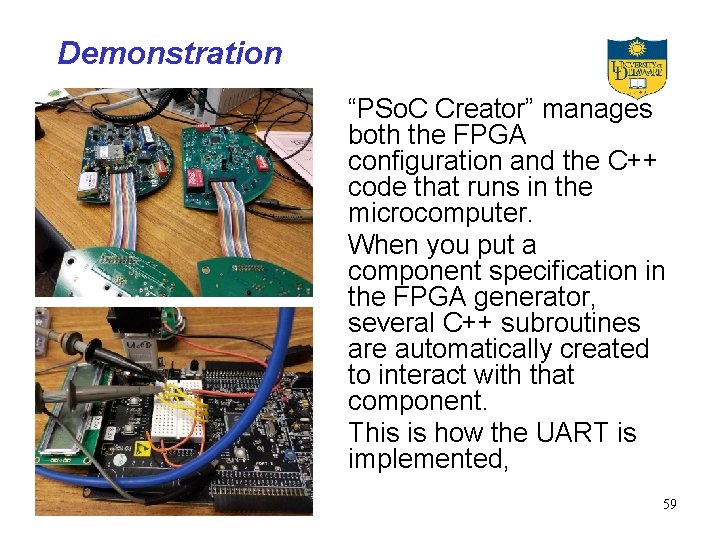
Demonstration Finally, the development system (bottom) is also programmed to emulate a remote. It is interfaced to the “MAX 483” chip in the “breadboard area” in order to communicate with the master. There is also a second UART defined that is interfaced to RS 232 so that diagnostic information can be transmitted to the computer. 57
Demonstration I will explain the operation of the programming system attached to the development system, then anyone can try to change the program in the “PSo. C Creator” 58
Demonstration “PSo. C Creator” manages both the FPGA configuration and the C++ code that runs in the microcomputer. When you put a component specification in the FPGA generator, several C++ subroutines are automatically created to interact with that component. This is how the UART is implemented, 59