
Touch Point Network For e Scan Support Engineers



- Slides: 12
Touch Point Network For e. Scan Support Engineers TPN V - 1 www. escanav. com
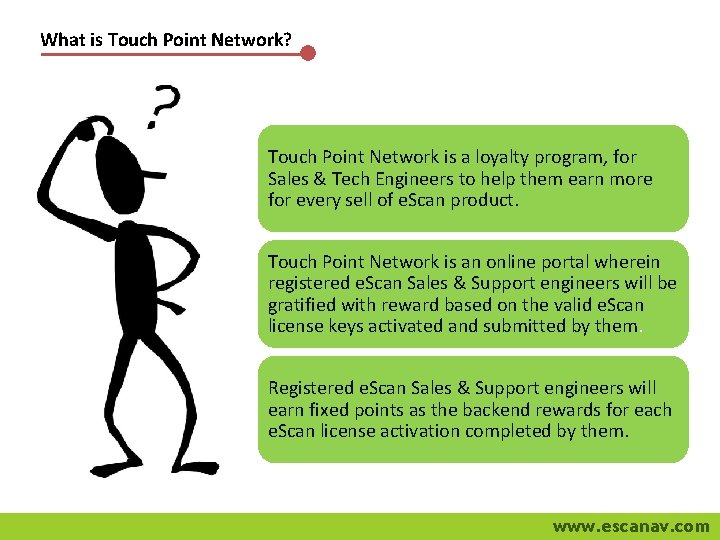
What is Touch Point Network? Touch Point Network is a loyalty program, for Sales & Tech Engineers to help them earn more for every sell of e. Scan product. Touch Point Network is an online portal wherein registered e. Scan Sales & Support engineers will be gratified with reward based on the valid e. Scan license keys activated and submitted by them. Registered e. Scan Sales & Support engineers will earn fixed points as the backend rewards for each e. Scan license activation completed by them. www. escanav. com
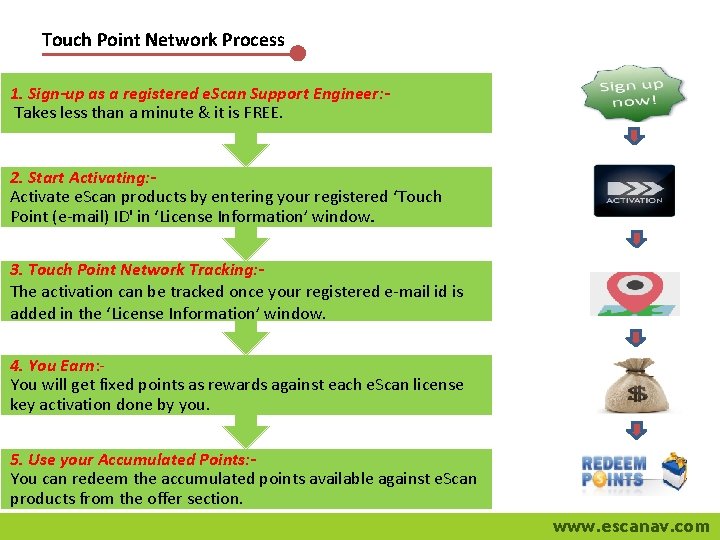
Touch Point Network Process 1. Sign-up as a registered e. Scan Support Engineer: Takes less than a minute & it is FREE. 2. Start Activating: Activate e. Scan products by entering your registered ‘Touch Point (e-mail) ID' in ‘License Information’ window. 3. Touch Point Network Tracking: The activation can be tracked once your registered e-mail id is added in the ‘License Information’ window. 4. You Earn: - You will get fixed points as rewards against each e. Scan license key activation done by you. 5. Use your Accumulated Points: You can redeem the accumulated points available against e. Scan products from the offer section. www. escanav. com
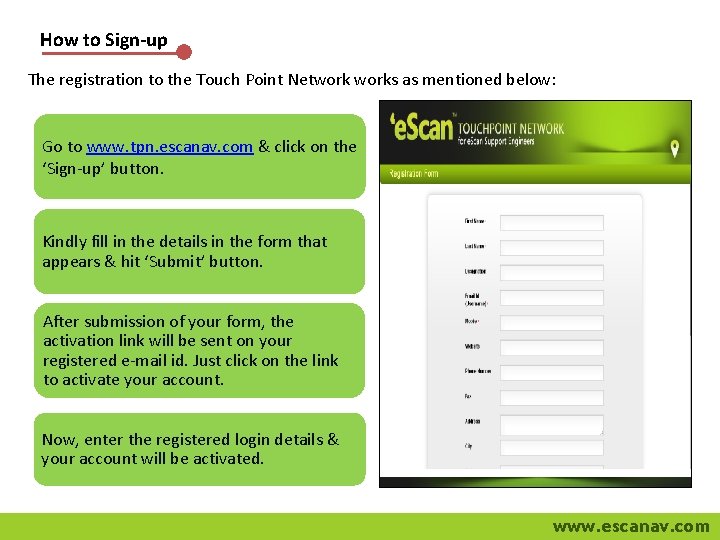
How to Sign-up The registration to the Touch Point Networks as mentioned below: Go to www. tpn. escanav. com & click on the ‘Sign-up’ button. Kindly fill in the details in the form that appears & hit ‘Submit’ button. After submission of your form, the activation link will be sent on your registered e-mail id. Just click on the link to activate your account. Now, enter the registered login details & your account will be activated. www. escanav. com
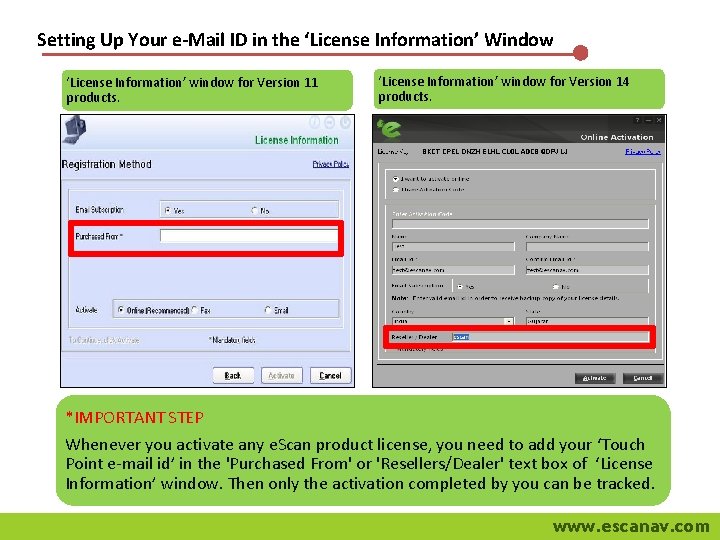
Setting Up Your e-Mail ID in the ‘License Information’ Window ‘License Information’ window for Version 11 products. ‘License Information’ window for Version 14 products. *IMPORTANT STEP Whenever you activate any e. Scan product license, you need to add your ‘Touch Point e-mail id’ in the 'Purchased From' or 'Resellers/Dealer' text box of ‘License Information’ window. Then only the activation completed by you can be tracked. www. escanav. com
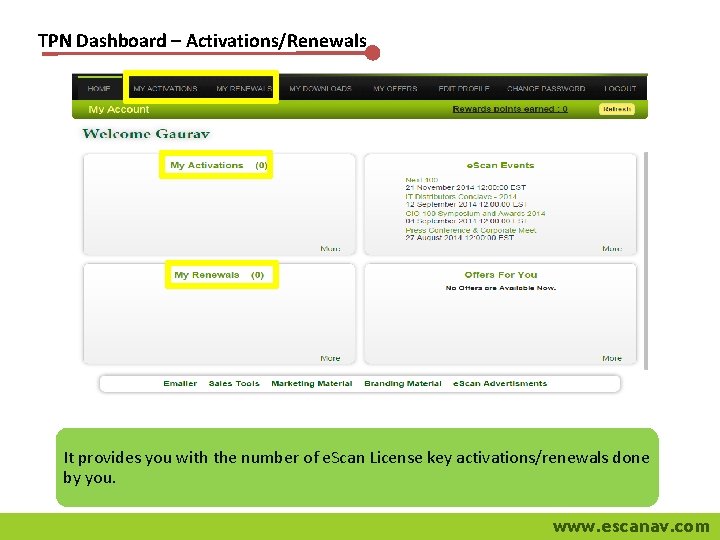
TPN Dashboard – Activations/Renewals It provides you with the number of e. Scan License key activations/renewals done by you. www. escanav. com
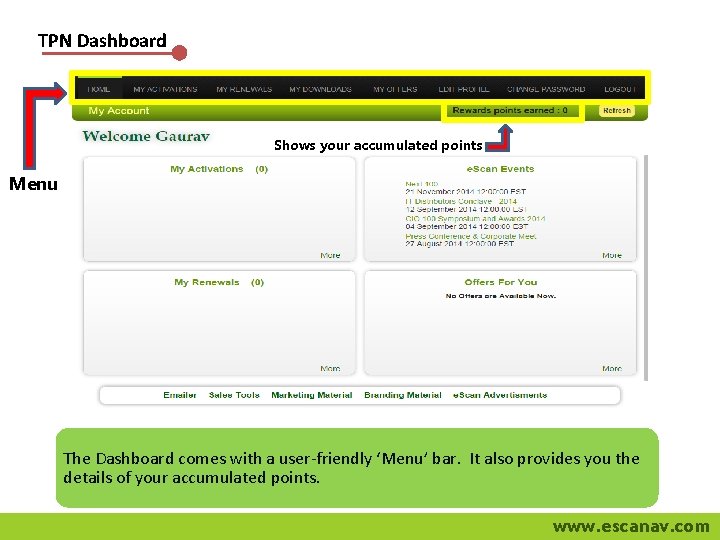
TPN Dashboard Shows your accumulated points Menu The Dashboard comes with a user-friendly ‘Menu’ bar. It also provides you the details of your accumulated points. www. escanav. com
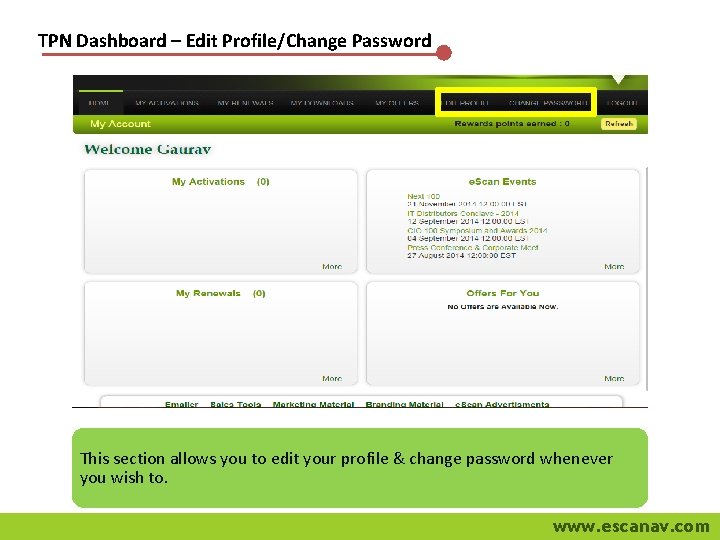
TPN Dashboard – Edit Profile/Change Password This section allows you to edit your profile & change password whenever you wish to. www. escanav. com
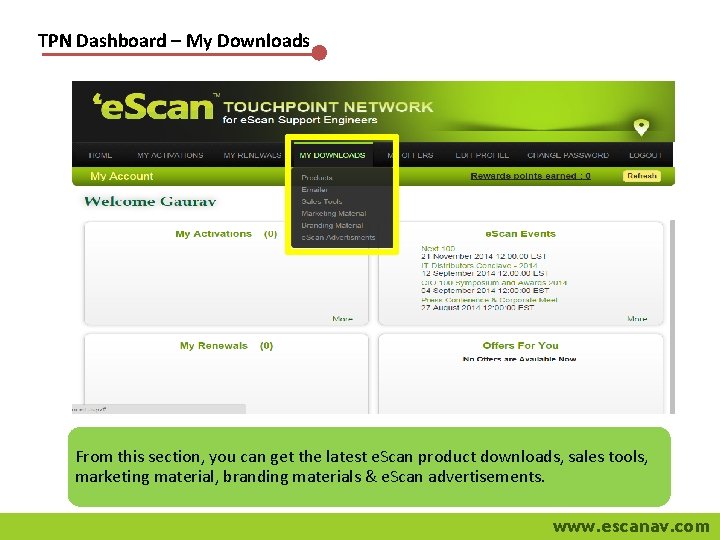
TPN Dashboard – My Downloads From this section, you can get the latest e. Scan product downloads, sales tools, marketing material, branding materials & e. Scan advertisements. www. escanav. com
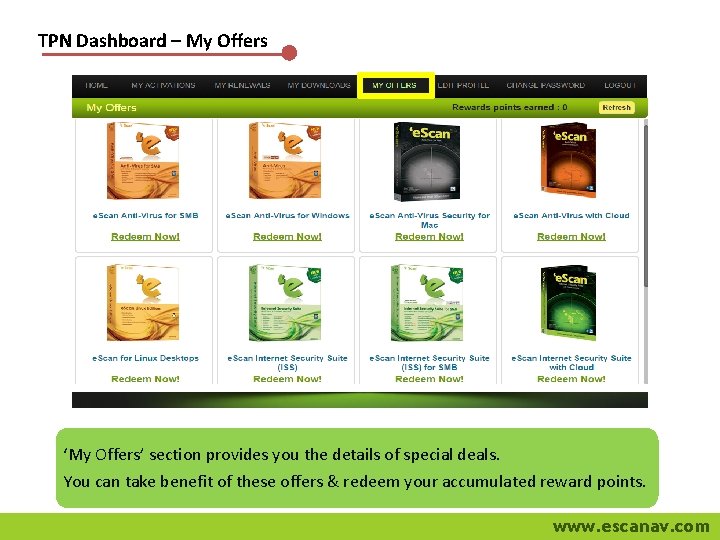
TPN Dashboard – My Offers ‘My Offers’ section provides you the details of special deals. You can take benefit of these offers & redeem your accumulated reward points. www. escanav. com
For more information, please visit www. tpn. escanav. com www. escanav. com
www. escanav. com