
Touch and Gesture Platform Windows Runtime API surface

- Slides: 46
Touch and Gesture Platform: Windows Runtime
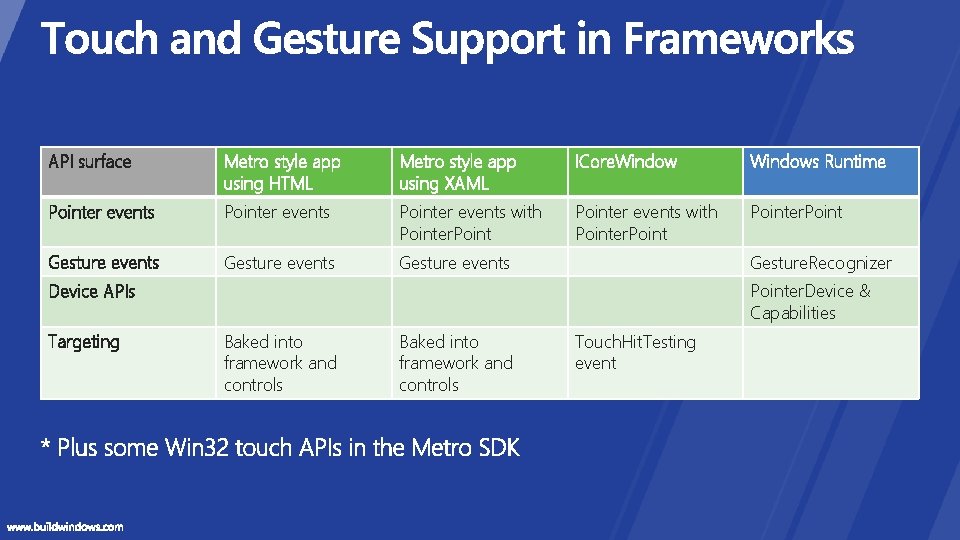
API surface Metro style app using HTML Metro style app using XAML ICore. Windows Runtime Pointer events with Pointer. Point Gesture events Gesture. Recognizer Device APIs Targeting Pointer. Device & Capabilities Baked into framework and controls Touch. Hit. Testing event
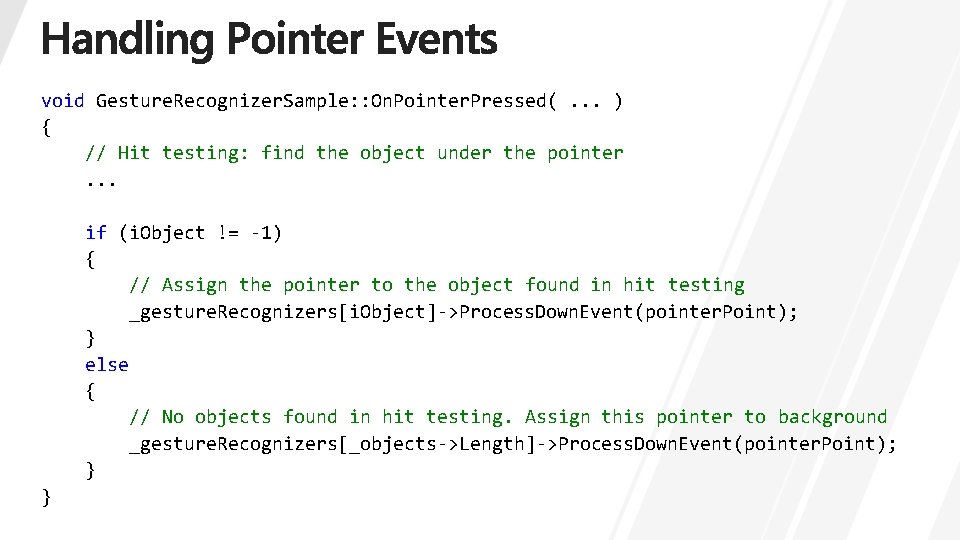
void Gesture. Recognizer. Sample: : On. Pointer. Pressed(. . . ) { // Hit testing: find the object under the pointer. . . if (i. Object != -1) { // Assign the pointer to the object found in hit testing _gesture. Recognizers[i. Object]->Process. Down. Event(pointer. Point); } else { // No objects found in hit testing. Assign this pointer to background _gesture. Recognizers[_objects->Length]->Process. Down. Event(pointer. Point); } }
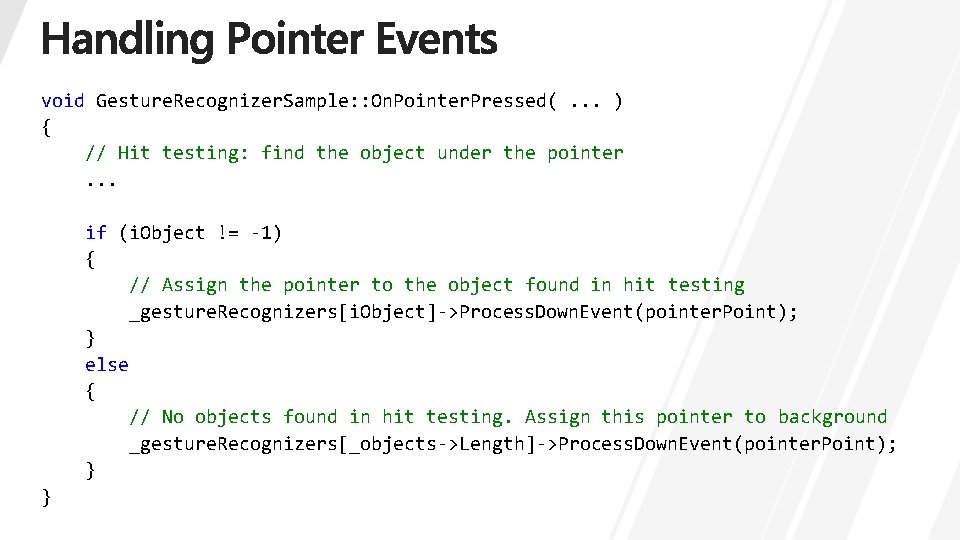
void Gesture. Recognizer. Sample: : On. Pointer. Pressed(. . . ) { // Hit testing: find the object under the pointer. . . if (i. Object != -1) { // Assign the pointer to the object found in hit testing _gesture. Recognizers[i. Object]->Process. Down. Event(pointer. Point); } else { // No objects found in hit testing. Assign this pointer to background _gesture. Recognizers[_objects->Length]->Process. Down. Event(pointer. Point); } }
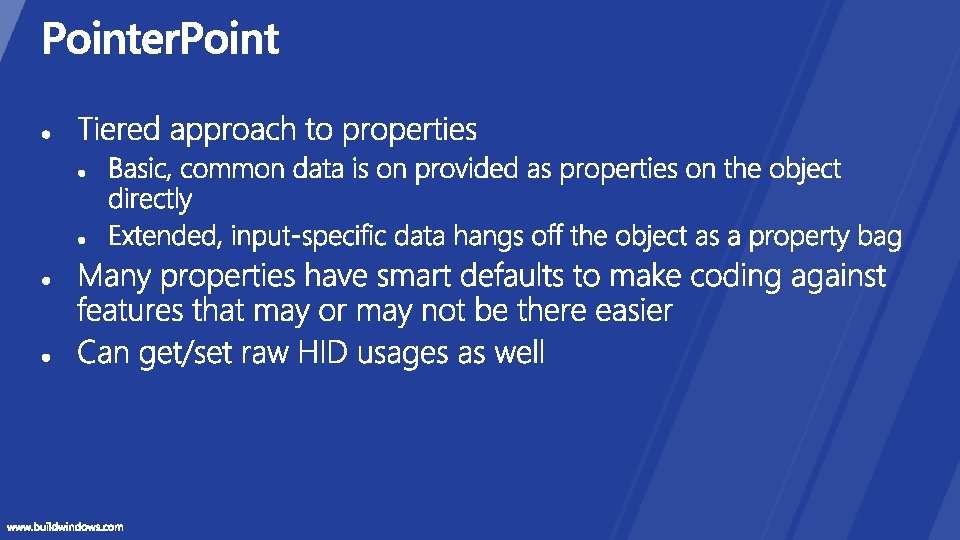
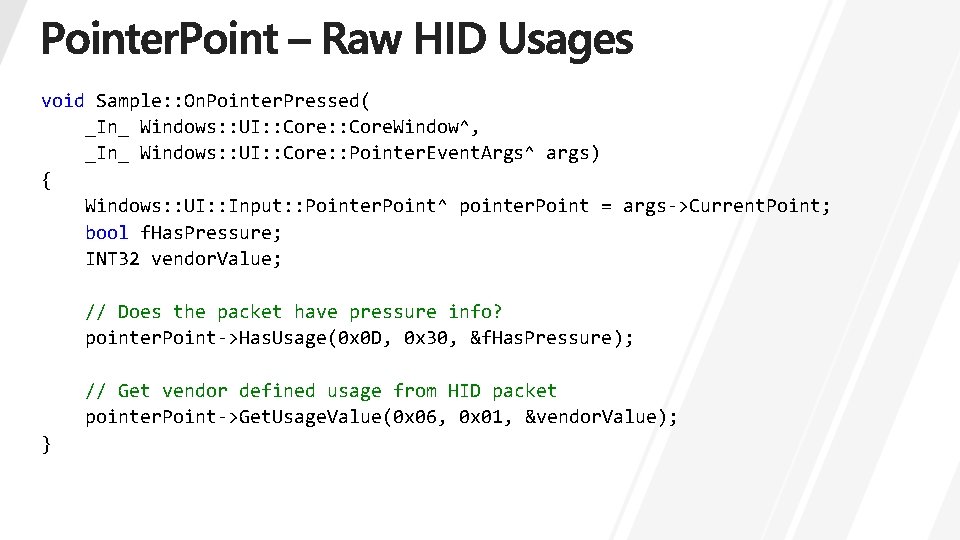
void Sample: : On. Pointer. Pressed( _In_ Windows: : UI: : Core. Window^, _In_ Windows: : UI: : Core: : Pointer. Event. Args^ args) { Windows: : UI: : Input: : Pointer. Point^ pointer. Point = args->Current. Point; bool f. Has. Pressure; INT 32 vendor. Value; // Does the packet have pressure info? pointer. Point->Has. Usage(0 x 0 D, 0 x 30, &f. Has. Pressure); // Get vendor defined usage from HID packet pointer. Point->Get. Usage. Value(0 x 06, 0 x 01, &vendor. Value); }
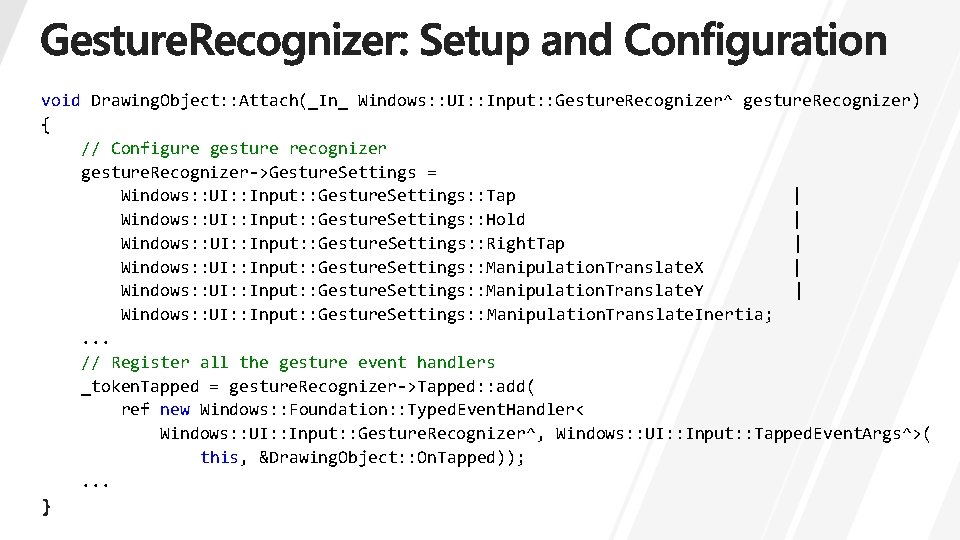
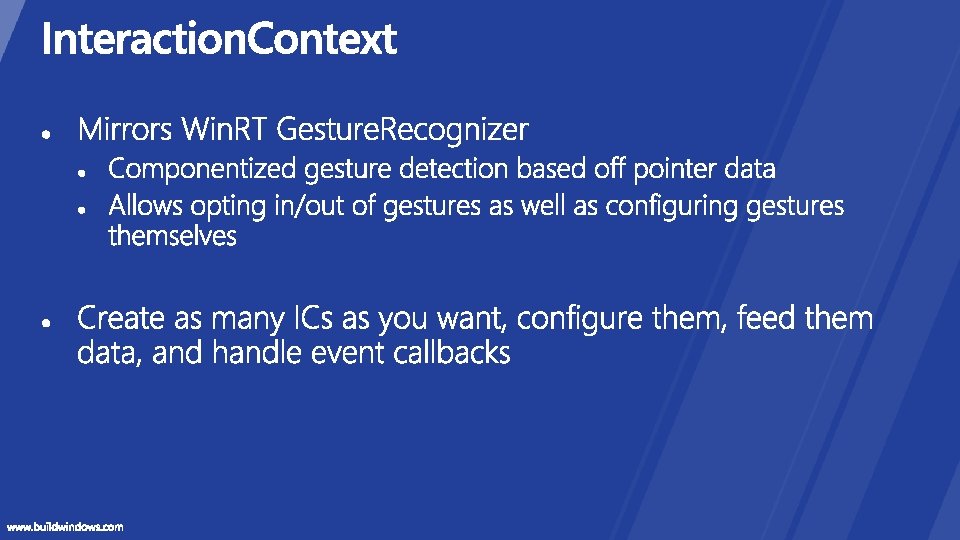
void Drawing. Object: : Attach(_In_ Windows: : UI: : Input: : Gesture. Recognizer^ gesture. Recognizer) { // Configure gesture recognizer gesture. Recognizer->Gesture. Settings = Windows: : UI: : Input: : Gesture. Settings: : Tap | Windows: : UI: : Input: : Gesture. Settings: : Hold | Windows: : UI: : Input: : Gesture. Settings: : Right. Tap | Windows: : UI: : Input: : Gesture. Settings: : Manipulation. Translate. X | Windows: : UI: : Input: : Gesture. Settings: : Manipulation. Translate. Y | Windows: : UI: : Input: : Gesture. Settings: : Manipulation. Translate. Inertia; . . . // Register all the gesture event handlers _token. Tapped = gesture. Recognizer->Tapped: : add( ref new Windows: : Foundation: : Typed. Event. Handler< Windows: : UI: : Input: : Gesture. Recognizer^, Windows: : UI: : Input: : Tapped. Event. Args^>( this, &Drawing. Object: : On. Tapped)); . . .
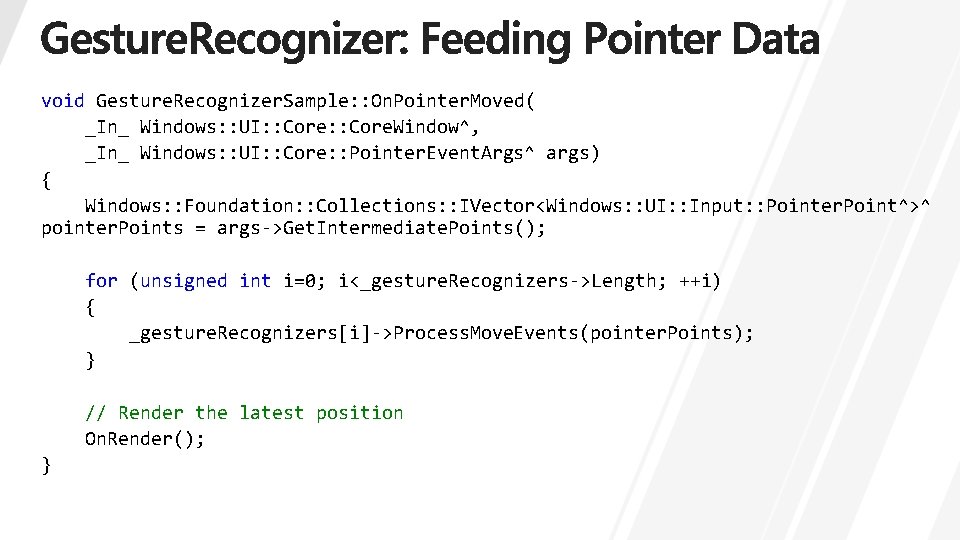
void Gesture. Recognizer. Sample: : On. Pointer. Moved( _In_ Windows: : UI: : Core. Window^, _In_ Windows: : UI: : Core: : Pointer. Event. Args^ args) { Windows: : Foundation: : Collections: : IVector<Windows: : UI: : Input: : Pointer. Point^>^ pointer. Points = args->Get. Intermediate. Points(); for (unsigned int i=0; i<_gesture. Recognizers->Length; ++i) { _gesture. Recognizers[i]->Process. Move. Events(pointer. Points); } // Render the latest position On. Render(); }
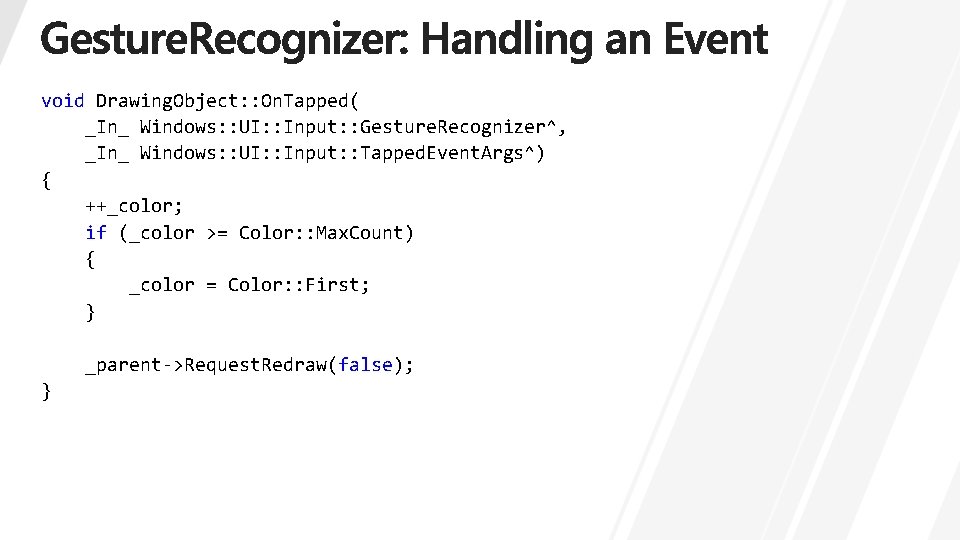
void Drawing. Object: : On. Tapped( _In_ Windows: : UI: : Input: : Gesture. Recognizer^, _In_ Windows: : UI: : Input: : Tapped. Event. Args^) { ++_color; if (_color >= Color: : Max. Count) { _color = Color: : First; } _parent->Request. Redraw(false); }
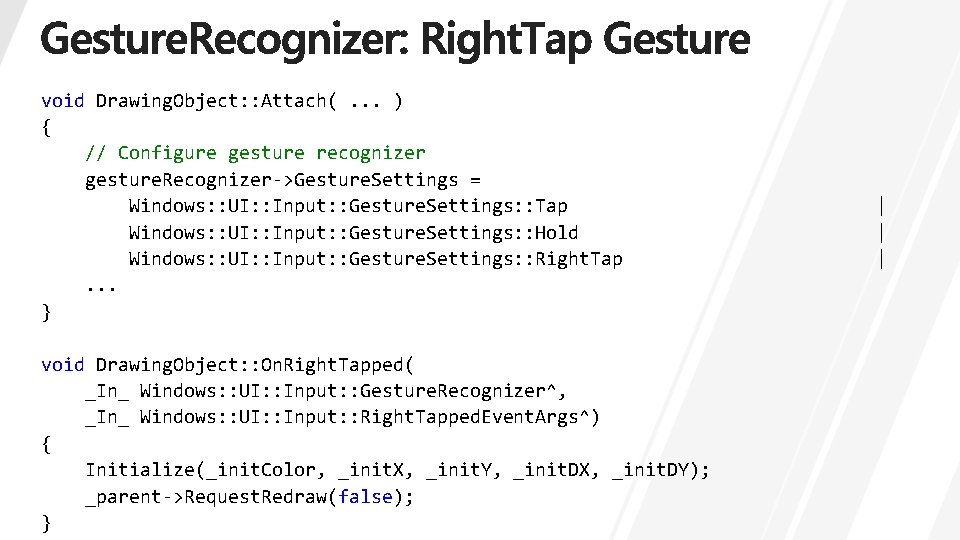
void Drawing. Object: : Attach(. . . ) { // Configure gesture recognizer gesture. Recognizer->Gesture. Settings = Windows: : UI: : Input: : Gesture. Settings: : Tap Windows: : UI: : Input: : Gesture. Settings: : Hold Windows: : UI: : Input: : Gesture. Settings: : Right. Tap. . . } void Drawing. Object: : On. Right. Tapped( _In_ Windows: : UI: : Input: : Gesture. Recognizer^, _In_ Windows: : UI: : Input: : Right. Tapped. Event. Args^) { Initialize(_init. Color, _init. X, _init. Y, _init. DX, _init. DY); _parent->Request. Redraw(false); } | | |
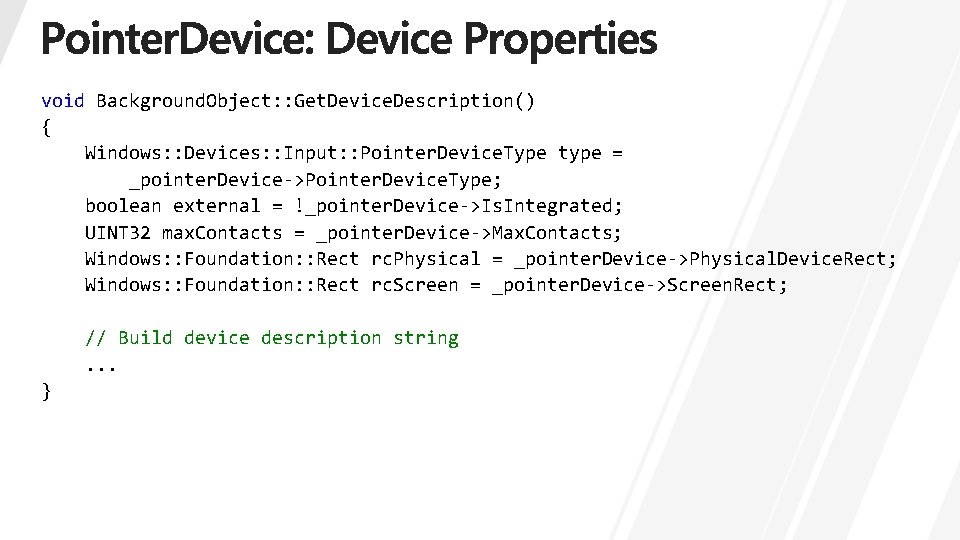
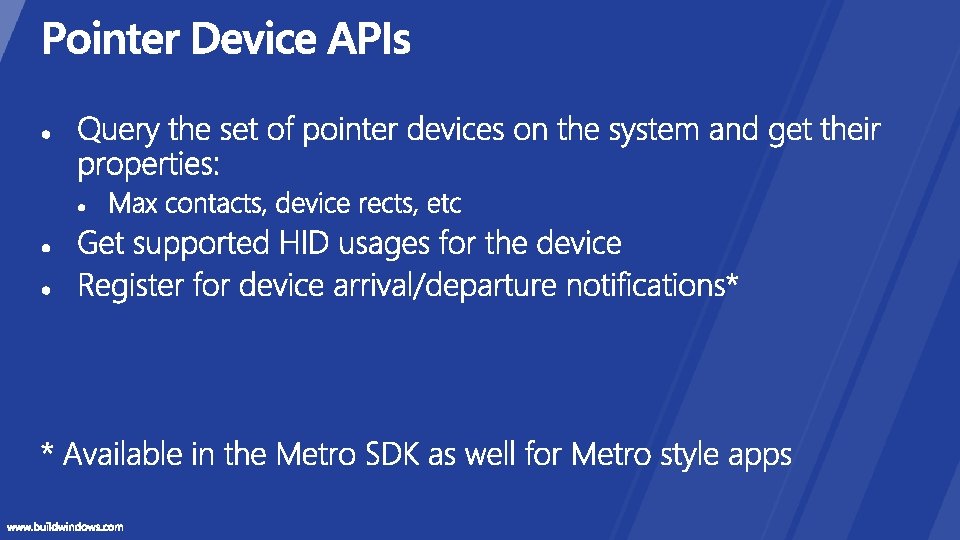
void Background. Object: : Get. Device. Description() { Windows: : Devices: : Input: : Pointer. Device. Type type = _pointer. Device->Pointer. Device. Type; boolean external = !_pointer. Device->Is. Integrated; UINT 32 max. Contacts = _pointer. Device->Max. Contacts; Windows: : Foundation: : Rect rc. Physical = _pointer. Device->Physical. Device. Rect; Windows: : Foundation: : Rect rc. Screen = _pointer. Device->Screen. Rect; // Build device description string. . . }
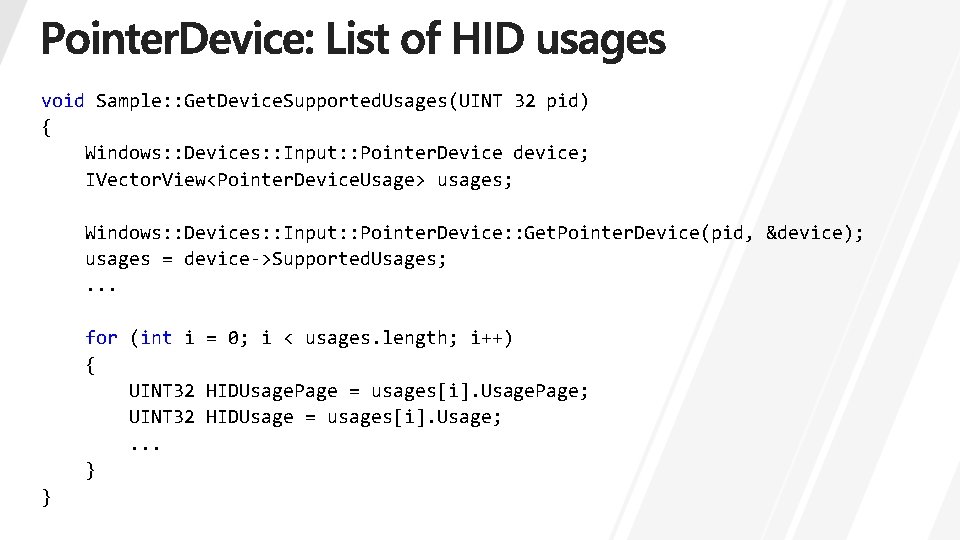
void Sample: : Get. Device. Supported. Usages(UINT 32 pid) { Windows: : Devices: : Input: : Pointer. Device device; IVector. View<Pointer. Device. Usage> usages; Windows: : Devices: : Input: : Pointer. Device: : Get. Pointer. Device(pid, &device); usages = device->Supported. Usages; . . . for (int i = 0; i < usages. length; i++) { UINT 32 HIDUsage. Page = usages[i]. Usage. Page; UINT 32 HIDUsage = usages[i]. Usage; . . . } }
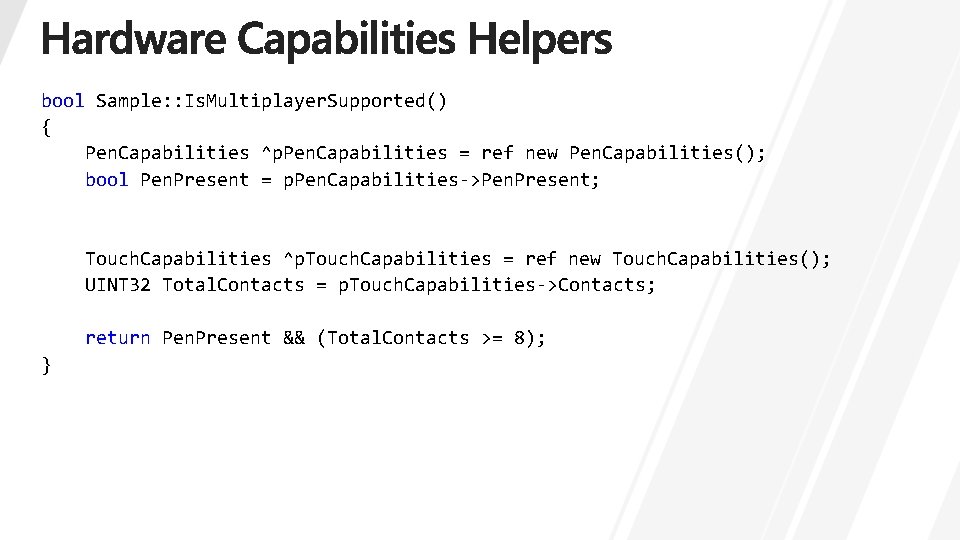
bool Sample: : Is. Multiplayer. Supported() { Pen. Capabilities ^p. Pen. Capabilities = ref new Pen. Capabilities(); bool Pen. Present = p. Pen. Capabilities->Pen. Present; Touch. Capabilities ^p. Touch. Capabilities = ref new Touch. Capabilities(); UINT 32 Total. Contacts = p. Touch. Capabilities->Contacts; return Pen. Present && (Total. Contacts >= 8); }
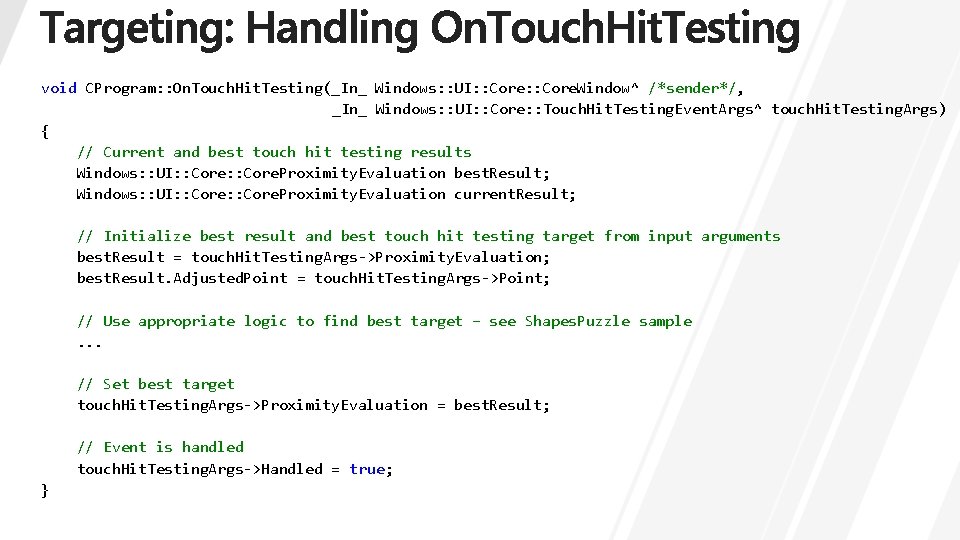
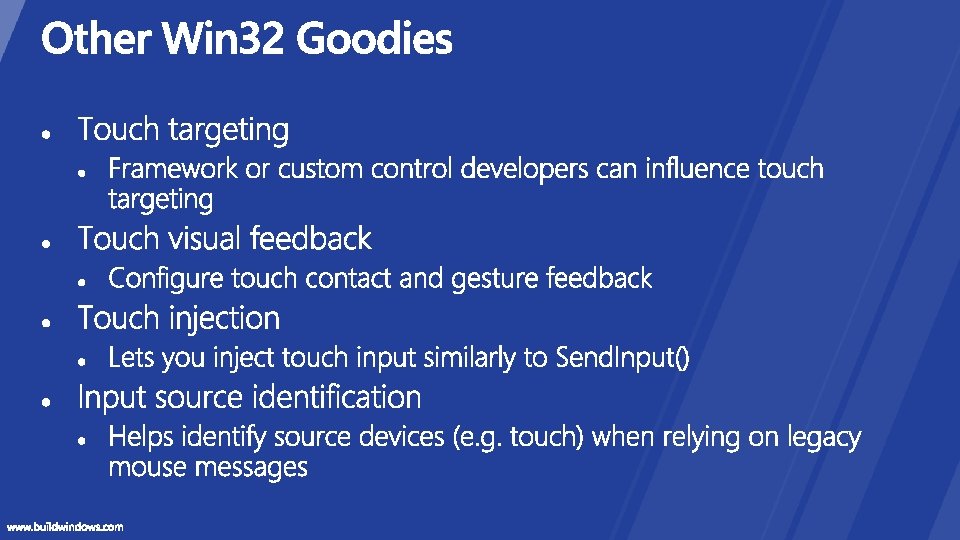
void CProgram: : On. Touch. Hit. Testing(_In_ Windows: : UI: : Core. Window^ /*sender*/, _In_ Windows: : UI: : Core: : Touch. Hit. Testing. Event. Args^ touch. Hit. Testing. Args) { // Current and best touch hit testing results Windows: : UI: : Core. Proximity. Evaluation best. Result; Windows: : UI: : Core. Proximity. Evaluation current. Result; // Initialize best result and best touch hit testing target from input arguments best. Result = touch. Hit. Testing. Args->Proximity. Evaluation; best. Result. Adjusted. Point = touch. Hit. Testing. Args->Point; // Use appropriate logic to find best target – see Shapes. Puzzle sample. . . // Set best target touch. Hit. Testing. Args->Proximity. Evaluation = best. Result; // Event is handled touch. Hit. Testing. Args->Handled = true; }
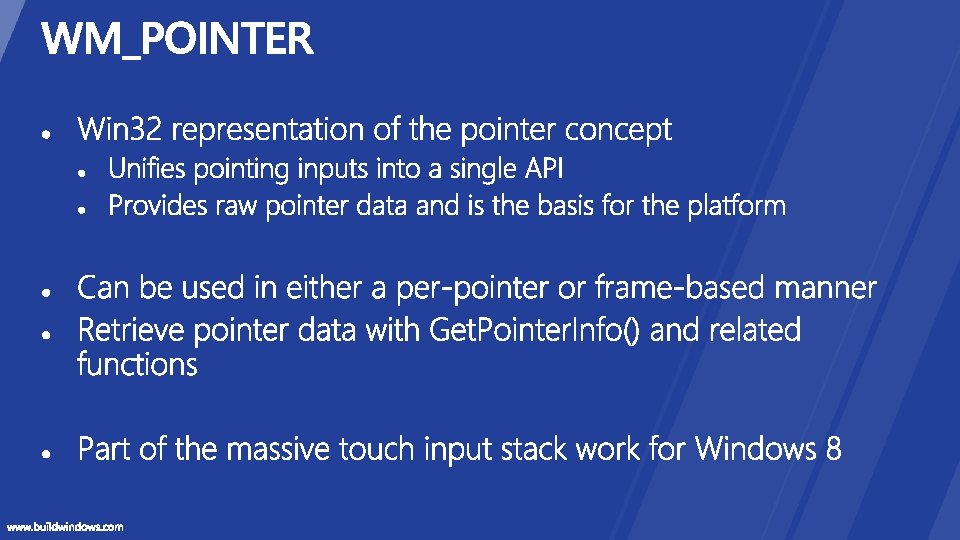
Touch and Gesture Platform: Win 32
Q&A
http: //dev. windows. com wintouch@microsoft. com
http: //forums. dev. windows. com http: //bldw. in/Session. Feedback
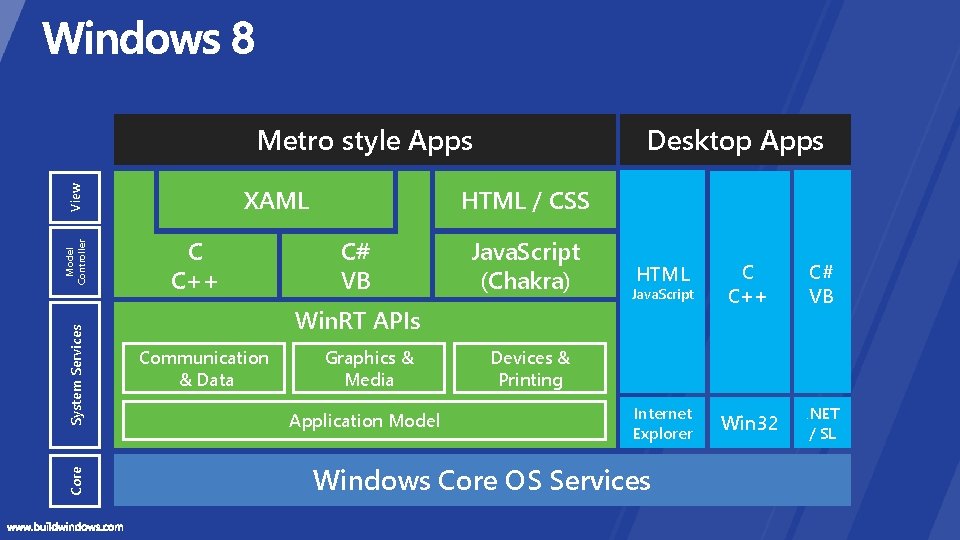
Metro style Apps Core System Services Model Controller View XAML C C++ Desktop Apps HTML / CSS C# VB Java. Script (Chakra) HTML C C++ C# VB Internet Explorer Win 32 . NET / SL Java. Script Win. RT APIs Communication & Data Graphics & Media Application Model Devices & Printing Windows Core OS Services
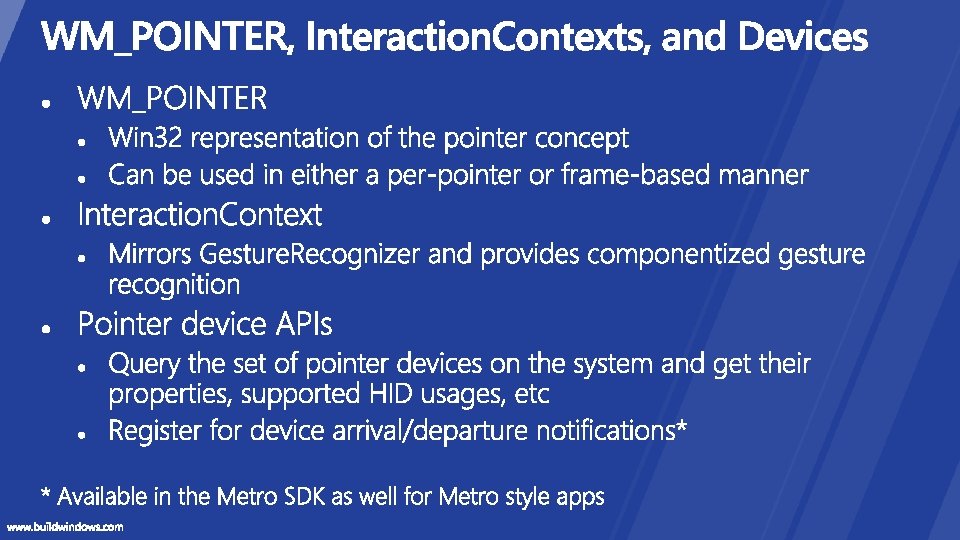
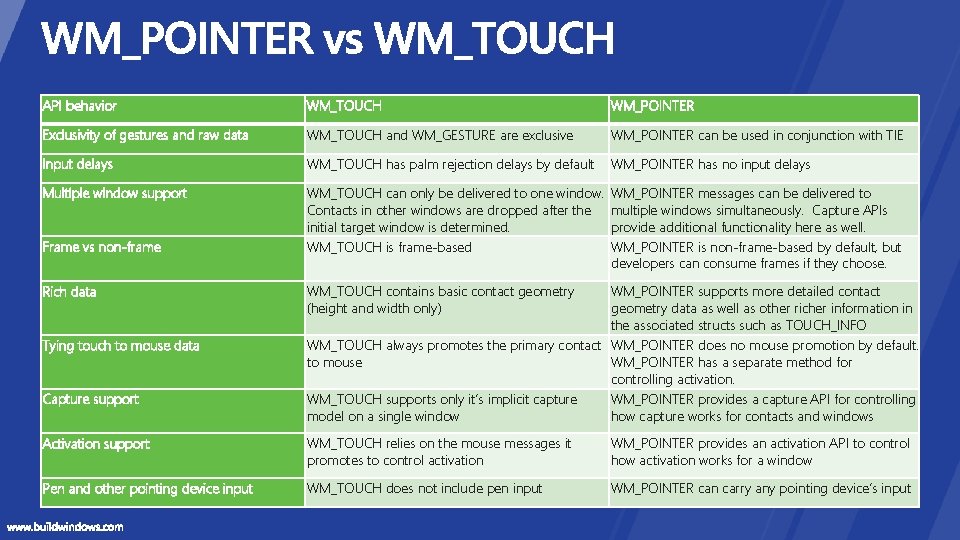
API behavior WM_TOUCH WM_POINTER Exclusivity of gestures and raw data WM_TOUCH and WM_GESTURE are exclusive WM_POINTER can be used in conjunction with TIE Input delays WM_TOUCH has palm rejection delays by default WM_POINTER has no input delays Multiple window support WM_TOUCH can only be delivered to one window. Contacts in other windows are dropped after the initial target window is determined. WM_TOUCH is frame-based WM_POINTER messages can be delivered to multiple windows simultaneously. Capture APIs provide additional functionality here as well. WM_POINTER is non-frame-based by default, but developers can consume frames if they choose. Frame vs non-frame Rich data Tying touch to mouse data Capture support WM_TOUCH contains basic contact geometry (height and width only) WM_POINTER supports more detailed contact geometry data as well as other richer information in the associated structs such as TOUCH_INFO WM_TOUCH always promotes the primary contact WM_POINTER does no mouse promotion by default. to mouse WM_POINTER has a separate method for controlling activation. WM_TOUCH supports only it’s implicit capture WM_POINTER provides a capture API for controlling model on a single window how capture works for contacts and windows Activation support WM_TOUCH relies on the mouse messages it promotes to control activation WM_POINTER provides an activation API to control how activation works for a window Pen and other pointing device input WM_TOUCH does not include pen input WM_POINTER can carry any pointing device’s input