
Tornado An Embedded System Development Tool Maung Wynn
Tornado: An Embedded System Development Tool Maung Wynn Aung Han CIS 642, Spring 2001 Prof. Insup Lee 1
Tornado l An IDE to develop real-time and embedded applications with minimal intrusion on the target system. 2
Tornado comprises: l Vx. Works, a high-performance real-time operating system. l Application-building tools (compilers and associated programs). l IDE for managing projects, host-target communication, running, debugging, and monitoring Vx. Works applications. 3
The Tornado IDE Ø Ø Ø Ø An integrated source-code editor. A project management facility. Integrated C and C++ compiler and linker. The browser, a visual monitoring tool for target system. Cross. Wind, a source-level debugger. Wind. Sh, C and Tcl command shell that controls the target. Vx. Works target simulator Vx. Sim. Wind. View software logic analyzer for the target simulator. 4

Overview of Tornado IDE 5
The Tornado shell (Wind. Sh) l l l allows you to download application modules, invoke both Vx. Works and application module subroutines. Can be used for interactive exploration of the Vx. Works operating system and applications. Wind. Sh can interpret most C language expressions. A Tcl interpreter is also included. 6
Debugger (Cross. Wind) l Setting breakpoints and controlling program execution. l Program listings and data-inspection windows. l Command-line interface extendable by Tcl scripting. 7
Browser l The main browser window can be used to monitorl active system and application tasks l memory consumption l summary of the current target memory use l The displays are snapshots and can be configured to update interactively, or the automatically at a specified interval. 8
Browser Display Includes: • • • detailed task information semaphores message queues memory partitions watchdog timers stack usage by all tasks on the target CPU usage by task object-module structure and symbols interrupt vectors 9
Wind. View l Wind. View acts as a logic analyzer for real-time software. l It allows to study the dynamic interactions of among elements of your complex system. l triggering facility to start and stop data collection. l view graph provides visual chronicle of the real-time system. 10
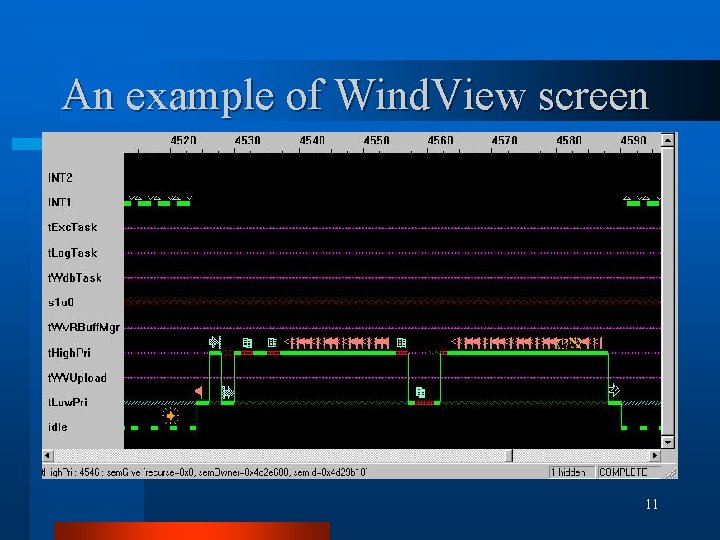
An example of Wind. View screen 11
Wind. View can be used to: • Detect race conditions, deadlocks, CPU starvation, and other problems relating to task interaction. • Determine application responsiveness and performance. • See cyclic patterns in application behavior. • Save data for deferred analysis. • Conduct post-mortem analyses of failed systems. 12
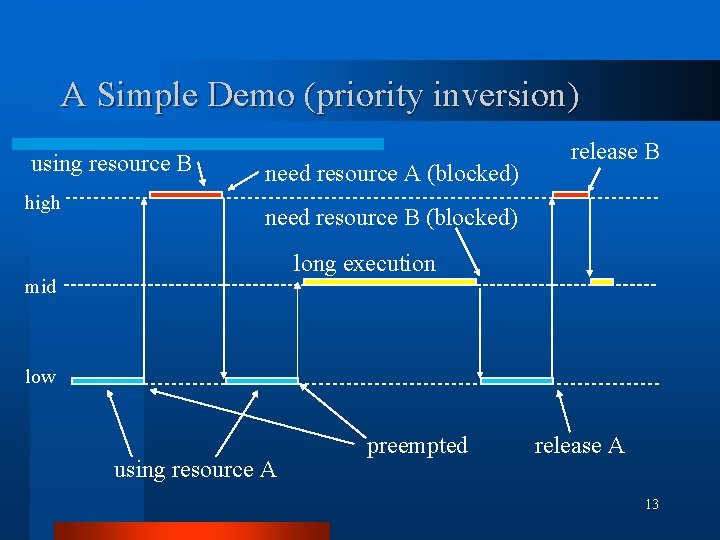
A Simple Demo (priority inversion) using resource B high need resource A (blocked) release B need resource B (blocked) long execution mid low using resource A preempted release A 13
Sample program structure l Main task will spawn three tasks with low, high and medium priorities consecutively with some delay. l Three Tasks will use resources as explained above. l After launching the three tasks, the main task terminates. 14
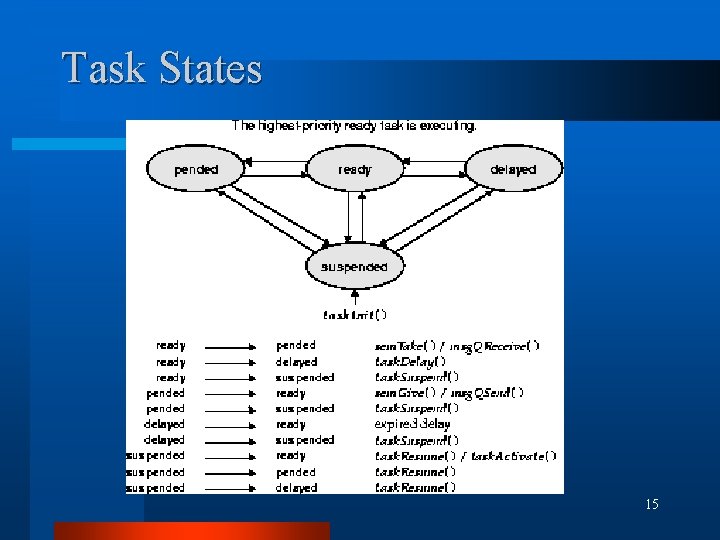
Task States 15
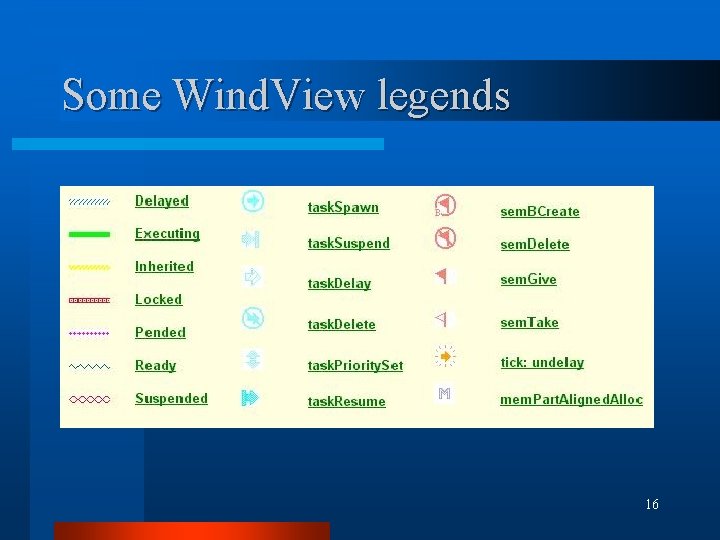
Some Wind. View legends 16
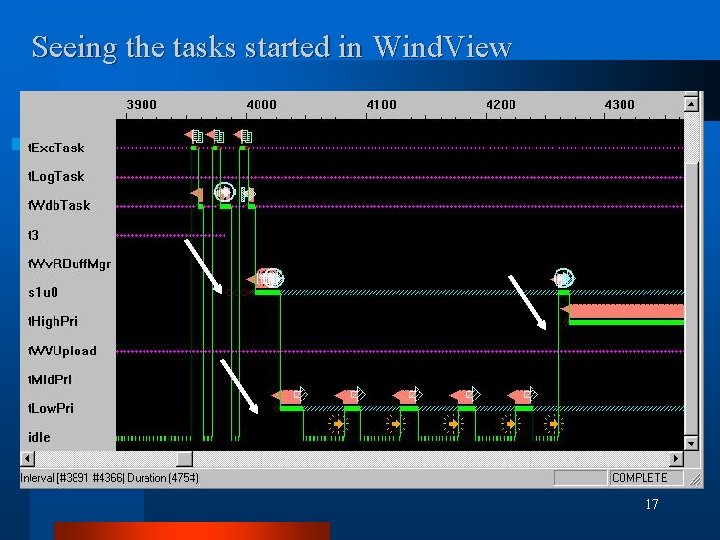
Seeing the tasks started in Wind. View 17
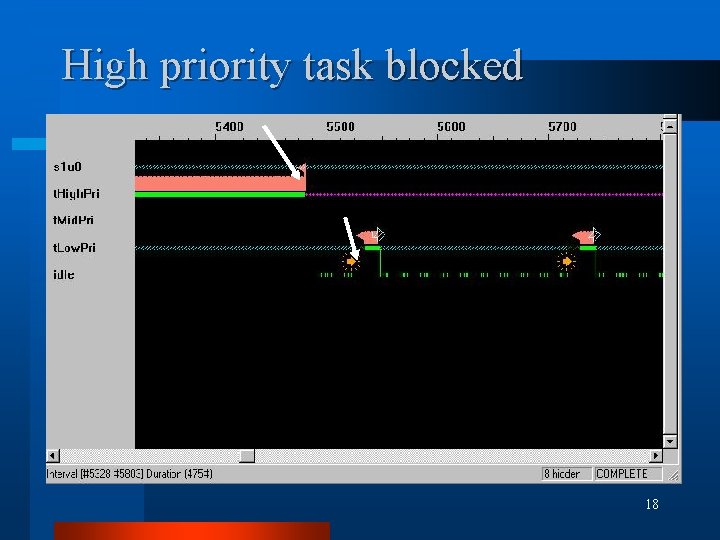
High priority task blocked 18
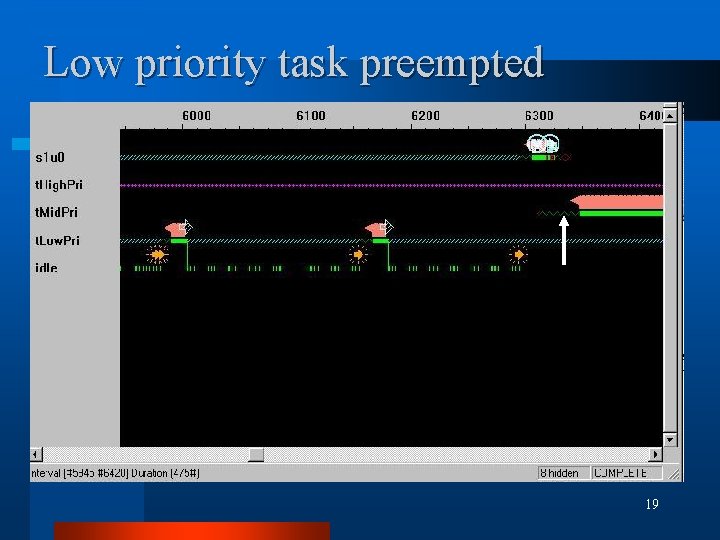
Low priority task preempted 19
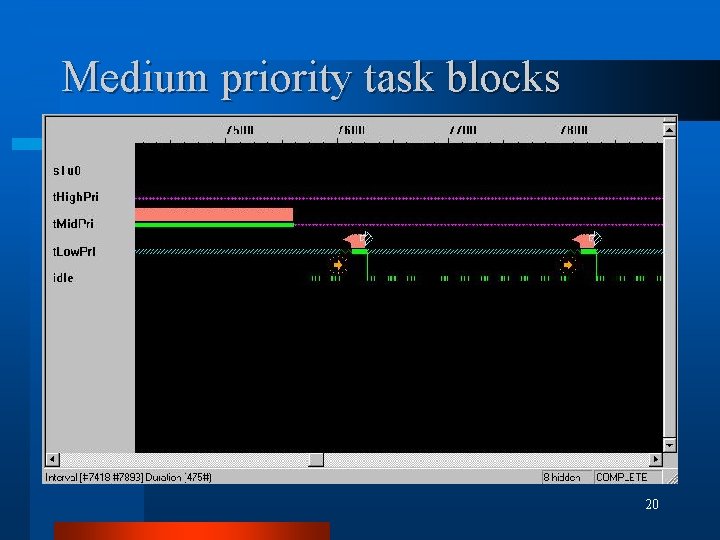
Medium priority task blocks 20
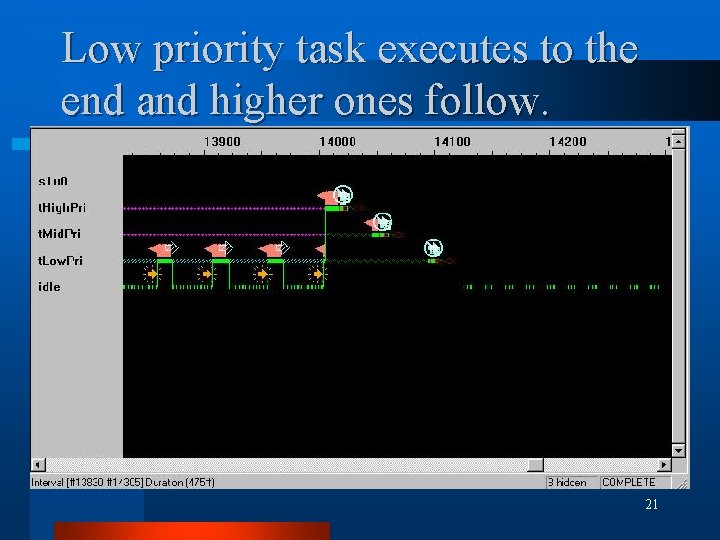
Low priority task executes to the end and higher ones follow. 21
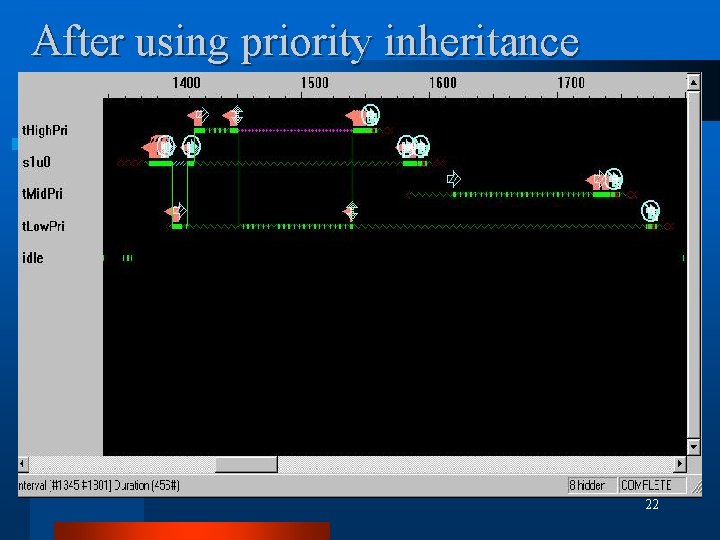
After using priority inheritance 22
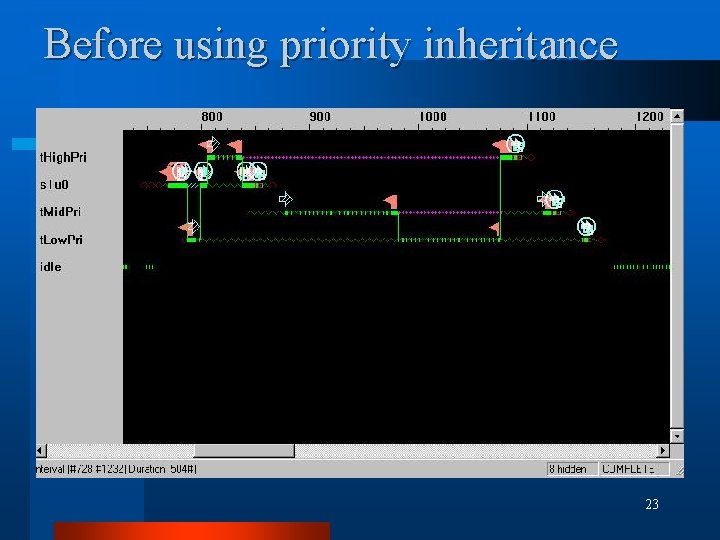
Before using priority inheritance 23
Conclusion Vx. Works is an established platform of RTOS. l Tornado suite of tools allow fast development of embedded systems. l Good debugging/monitoring tools improve reliability of systems. l Finally, I explored it out of curiosity and don’t get paid by Wind. River. : ) l l (but thanks to Mr Aftahi from Wind. River for Site Keys) 24
References l www. windriver. com l www. wrs. com 25
- Slides: 25