
Topic 7 IO Streams and Data Files Objectives

Topic 7: I/O Streams and Data Files
Objectives • In this chapter, you will learn about: – – – I/O file stream objects and functions Reading and writing character-based files Random file access File streams as function arguments The iostream class library Common programming errors C++ for Engineers and Scientists, Fourth Edition
I/O File Stream Objects and Functions • To store and retrieve data outside a C++ program, two items are needed: – A file stream object • A file is a collection of data stored together under a common name, usually on disk, magnetic tape, USB drive, or CD • Each file has a unique file name, referred to as file’s external name C++ for Engineers and Scientists, Fourth Edition
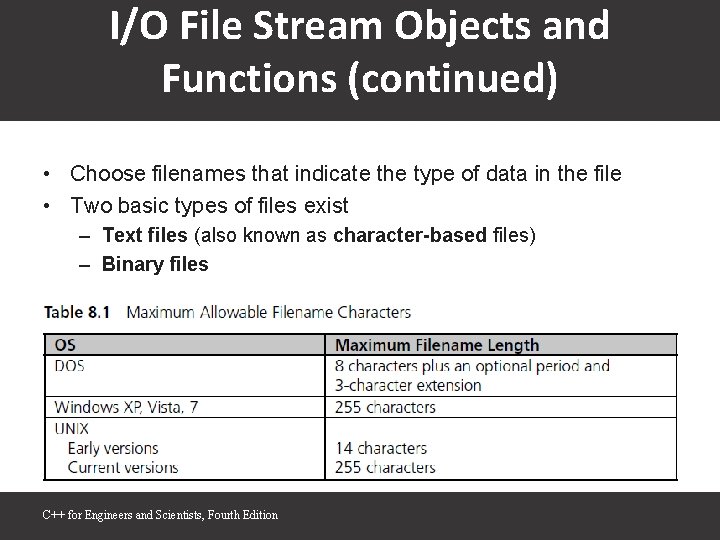
I/O File Stream Objects and Functions (continued) • Choose filenames that indicate the type of data in the file • Two basic types of files exist – Text files (also known as character-based files) – Binary files C++ for Engineers and Scientists, Fourth Edition
File Stream Objects • File stream: A one-way transmission path used to connect a file stored on a physical device, such as a disk or CD, to a program • Each file stream has its own mode that determines direction of data on transmission path – That is, whether path moves data from a file to a program or from a program to a file • Input file stream: File stream that receives or reads data from a file to a program • Output file stream: File stream that sends or writes data to a file C++ for Engineers and Scientists, Fourth Edition

File Stream Objects (continued) • For each file your program uses, regardless of file’s type, a distinct file stream object must be created C++ for Engineers and Scientists, Fourth Edition
File Stream Functions • Each file stream object has access to functions defined for its class • Methods perform following functions: – – – Connecting stream object name to external filename: opening a file Determining whether successful connection has been made Closing connection: closing a file Getting next data item into program from input stream Putting new data item from program onto output stream C++ for Engineers and Scientists, Fourth Edition
File Stream Functions (continued) • When existing file is connected to input stream, file’s data is made available for input, starting with first data item in file – Called read mode or input mode • File connected to output stream creates new file and makes file available for output – Called output mode • When opening file for input or output, check that connection has been established before attempting to use file C++ for Engineers and Scientists, Fourth Edition
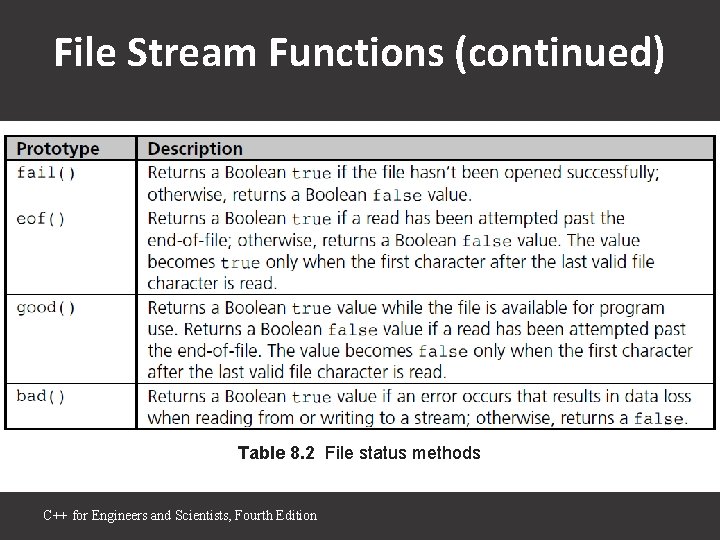
File Stream Functions (continued) Table 8. 2 File status methods C++ for Engineers and Scientists, Fourth Edition
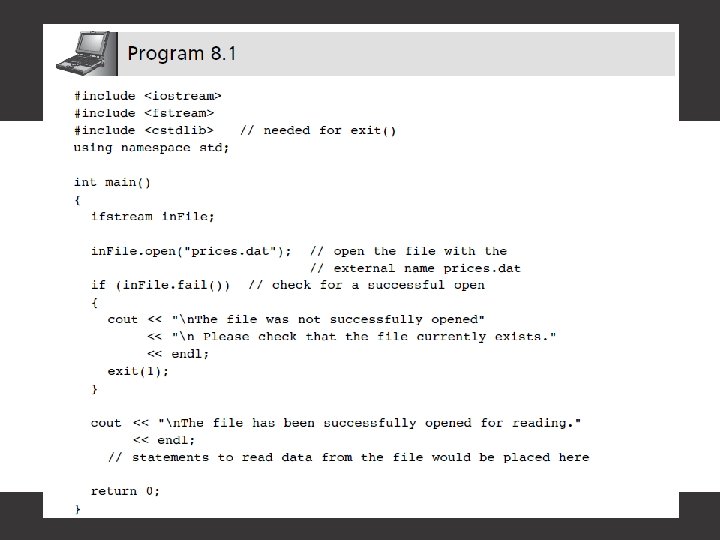
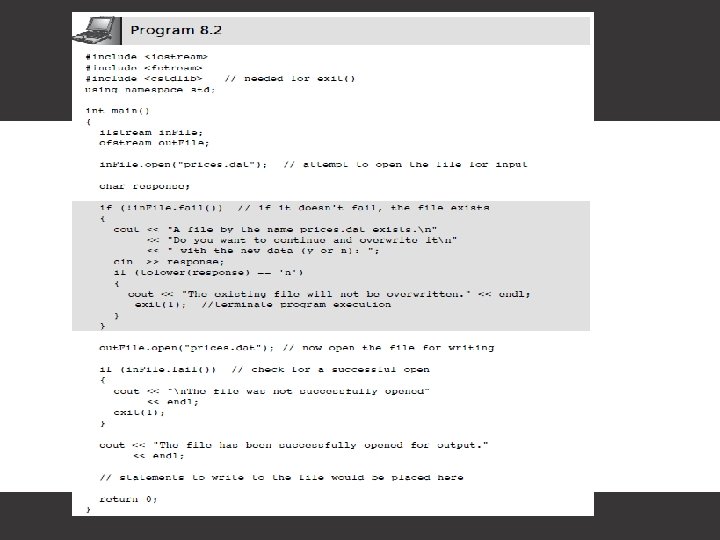
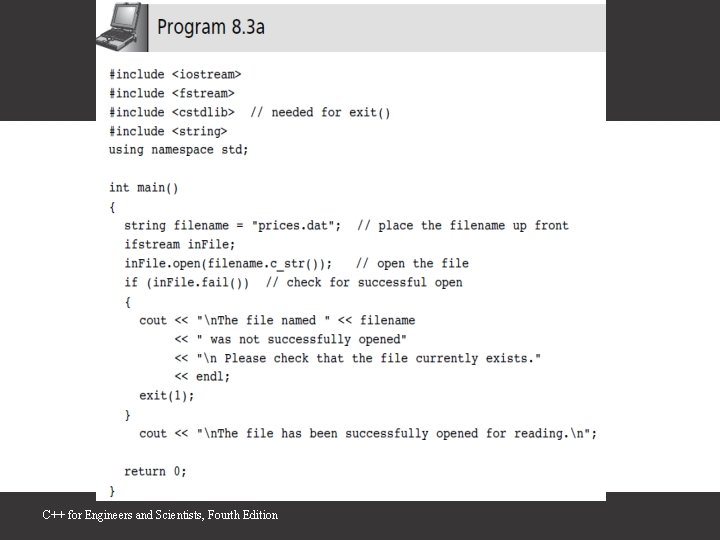
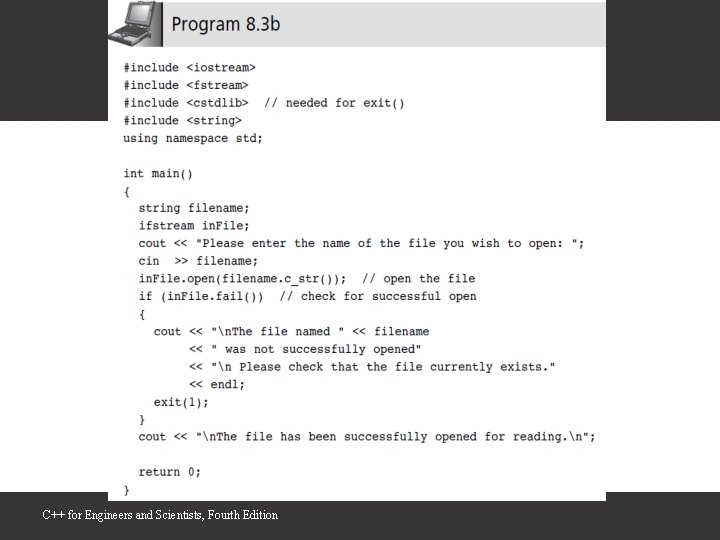
Embedded and Interactive Filenames • Programs 8. 1 and 8. 2 have two problems – External filename is embedded in program code – There’s no provision for user to enter filename while program is running • As both programs are written, if filename is to change, programmer must modify external filename in call to open() and recompile program • Both these problems can be avoided by assigning filename to string variable C++ for Engineers and Scientists, Fourth Edition
C++ for Engineers and Scientists, Fourth Edition
C++ for Engineers and Scientists, Fourth Edition
Closing a File • File is closed using close() method • This method breaks connection between file’s external name and file stream, which can be used for another file • Because all computers have limit on maximum number of files that can be open at one time, closing files no longer needed makes good sense • Any open files existing at end of normal program execution are closed automatically by OS C++ for Engineers and Scientists, Fourth Edition
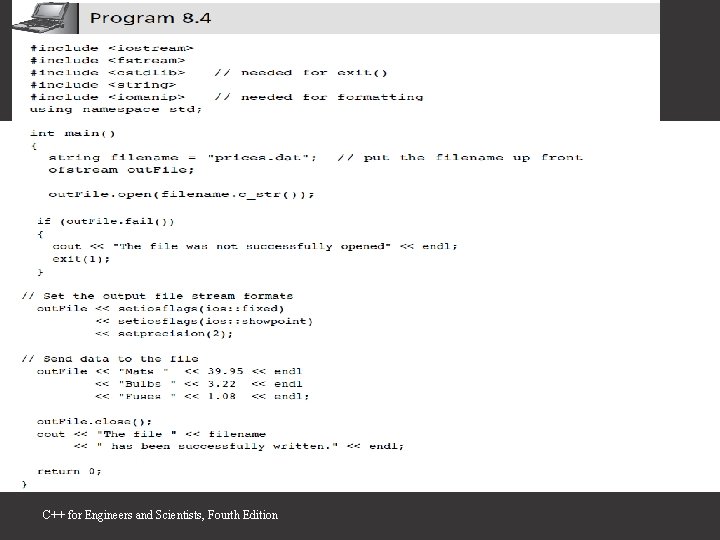
Reading and Writing Character. Based Files • Reading or writing character-based files involves almost identical operations for reading input from keyboard and writing data to screen • For writing to a file, cout object is replaced by ofstream object name declared in program C++ for Engineers and Scientists, Fourth Edition
C++ for Engineers and Scientists, Fourth Edition
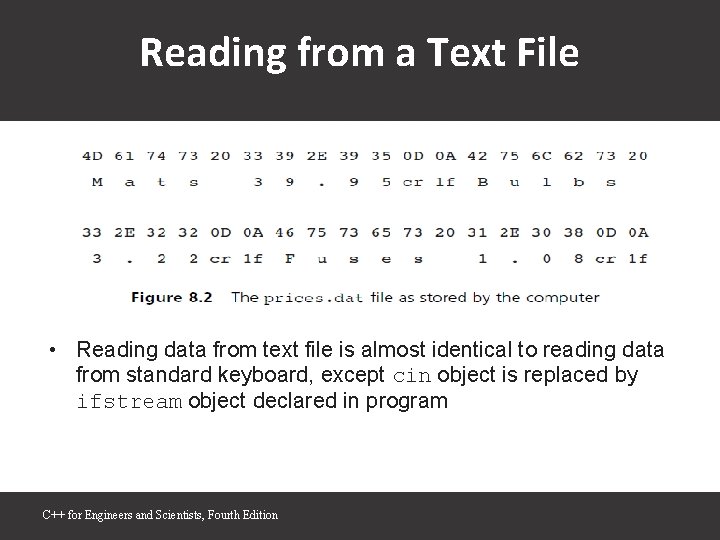
Reading from a Text File • Reading data from text file is almost identical to reading data from standard keyboard, except cin object is replaced by ifstream object declared in program C++ for Engineers and Scientists, Fourth Edition
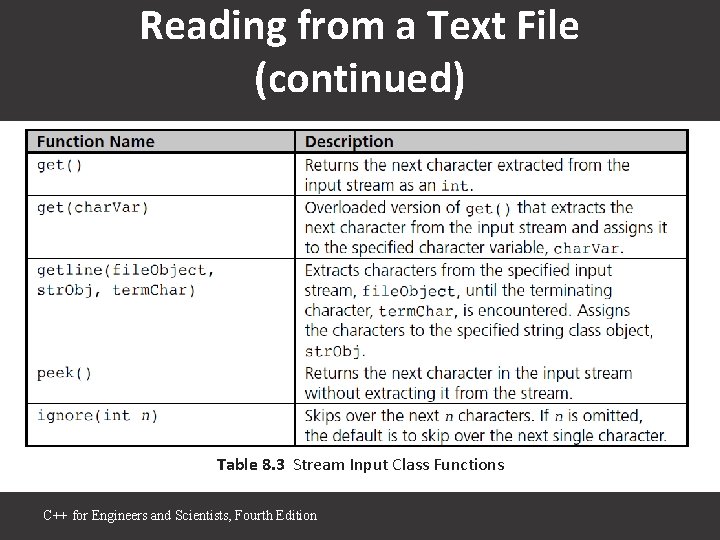
Reading from a Text File (continued) Table 8. 3 Stream Input Class Functions C++ for Engineers and Scientists, Fourth Edition
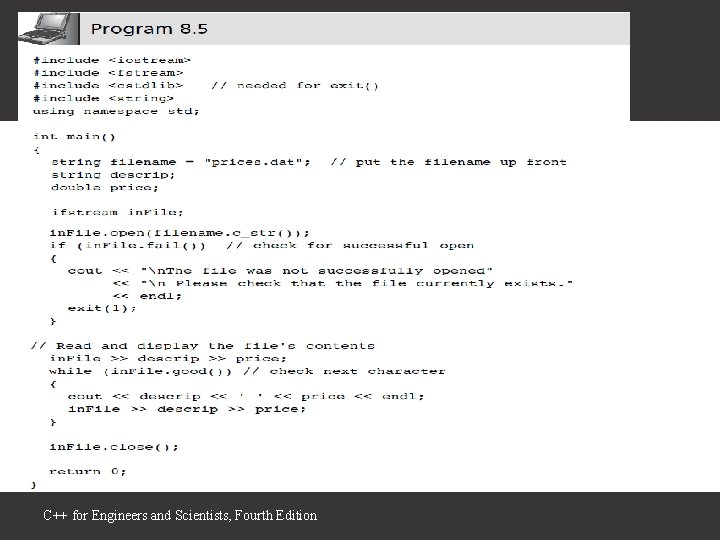
C++ for Engineers and Scientists, Fourth Edition
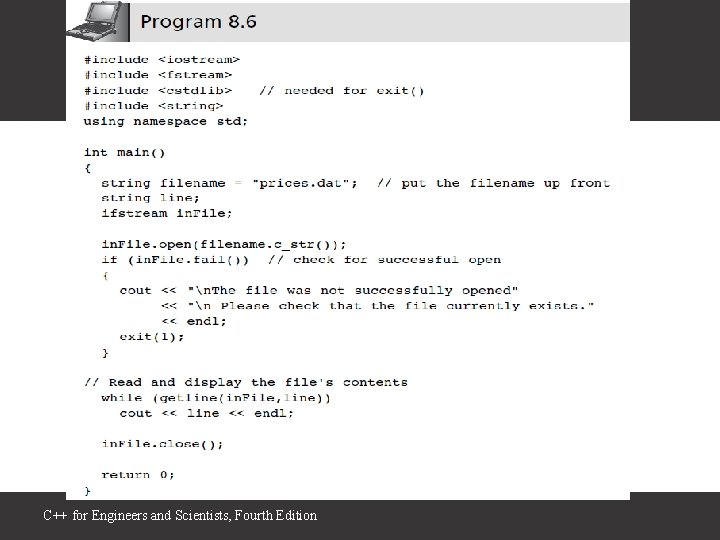
C++ for Engineers and Scientists, Fourth Edition
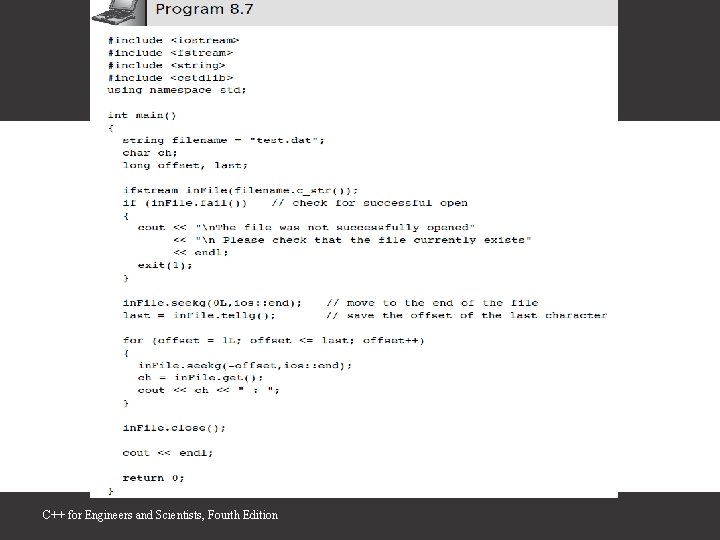
Random File Access • seek() method allows programmer to move to any position in file • Character’s position is referred to as its offset from the start of file C++ for Engineers and Scientists, Fourth Edition
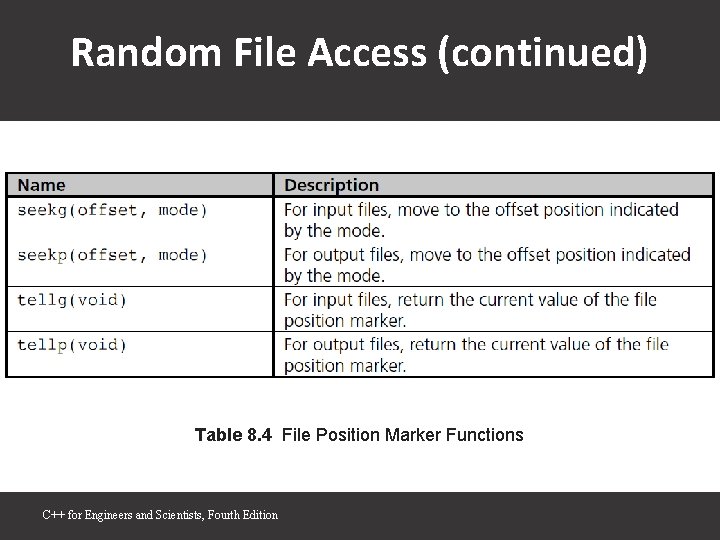
Random File Access (continued) Table 8. 4 File Position Marker Functions C++ for Engineers and Scientists, Fourth Edition
C++ for Engineers and Scientists, Fourth Edition
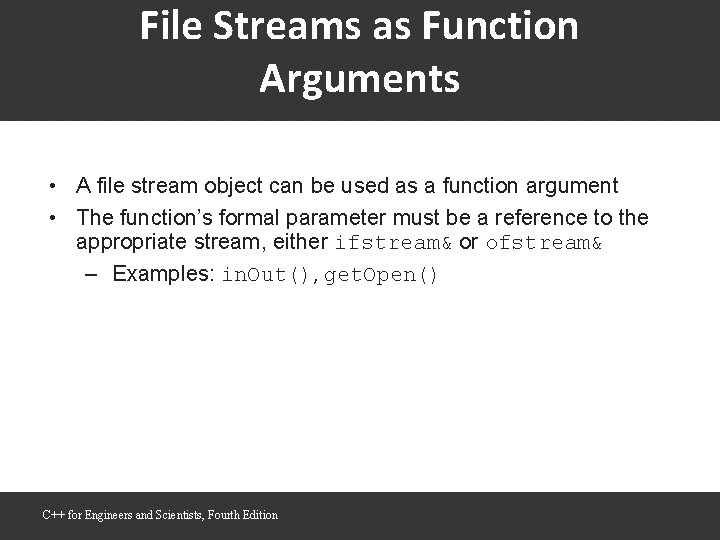
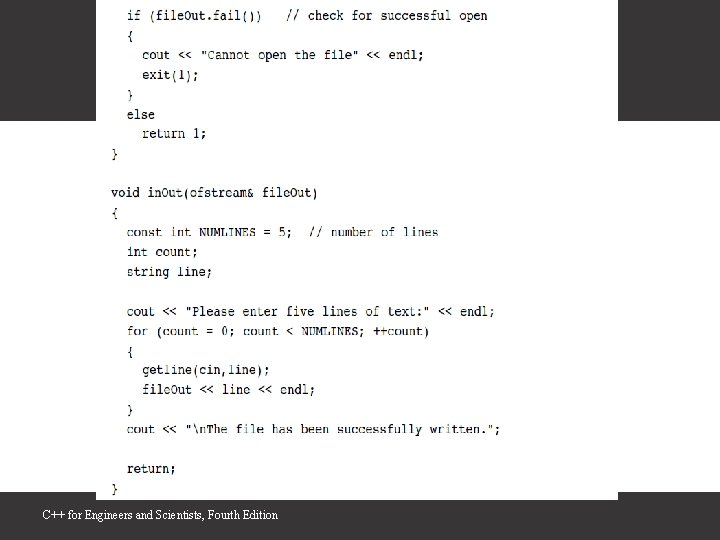
File Streams as Function Arguments • A file stream object can be used as a function argument • The function’s formal parameter must be a reference to the appropriate stream, either ifstream& or ofstream& – Examples: in. Out(), get. Open() C++ for Engineers and Scientists, Fourth Edition
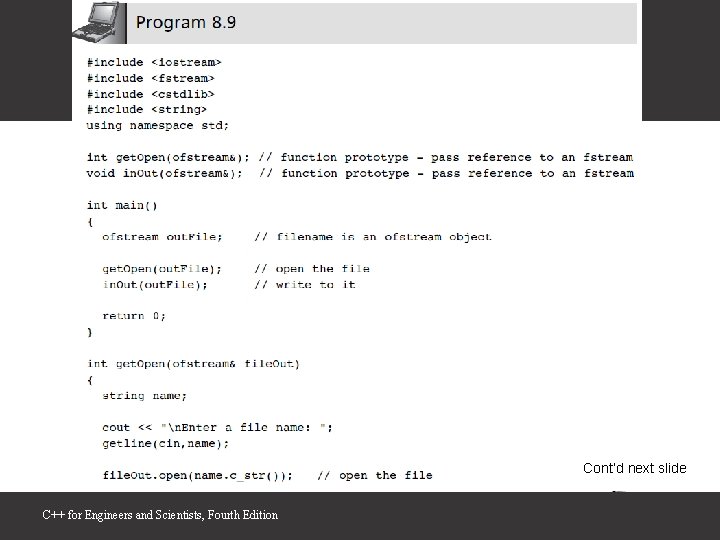
Cont’d next slide C++ for Engineers and Scientists, Fourth Edition
C++ for Engineers and Scientists, Fourth Edition
A Case Study: Pollen Count File Update • After a data file has been created, application programs are typically written to read and update the file with current data • In this case study, a file is used as a database storing the ten most recent polling counts, which are used in the summer as allergy “irritability” measures – – Analyze the problem Develop a solution Code the solution Test and correct the program • Refer to Program 8. 10 on Moodle C++ for Engineers and Scientists, Fourth Edition
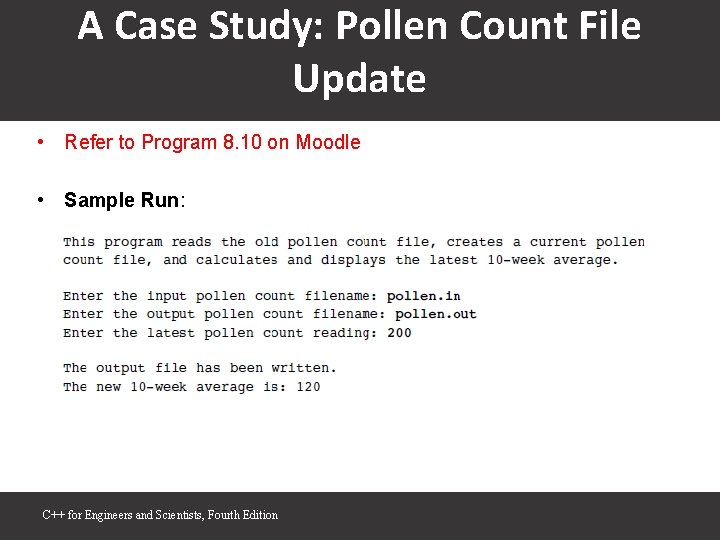
A Case Study: Pollen Count File Update • Refer to Program 8. 10 on Moodle • Sample Run: C++ for Engineers and Scientists, Fourth Edition
Common Programming Errors • Forgetting to open file before attempting to read from it or write to it • Using file’s external name in place of internal file stream name when accessing a file • Opening file for output without first checking that file with the same name already exists – Opening existing file for output overwrites that file • Not understanding that end of file is detected only after EOF marker has been read and passed over C++ for Engineers and Scientists, Fourth Edition
Summary • Data file is any collection of data stored together in an external storage medium under a common name • Data file is connected to file stream by using fstream open() function • File can be opened in input and output mode • All file streams must be declared as objects of ifstream or ofstream class • In addition to any files opened in a function, standard stream objects cin, cout, and cerr are declared and opened automatically when a program runs C++ for Engineers and Scientists, Fourth Edition
- Slides: 31