
Topic 20 Single Factor Analysis of Variance Outline
- Slides: 55
Topic 20: Single Factor Analysis of Variance
Outline • Analysis of Variance – One set of treatments (i. e. , single factor) • Cell means model • Factor effects model – Link to linear regression using indicator explanatory variables
One-Way ANOVA • The response variable Y is continuous • The explanatory variable is categorical – We call it a factor – The possible values are called levels • This approach is a generalization of the independent two-sample pooled t-test • In other words, it can be used when there are more than two treatments
Data for One-Way ANOVA • Y is the response variable • X is the factor (it is qualitative/discrete) – r is the number of levels – often refer to these levels as groups or treatments • Yi, j is the jth observation in the ith group
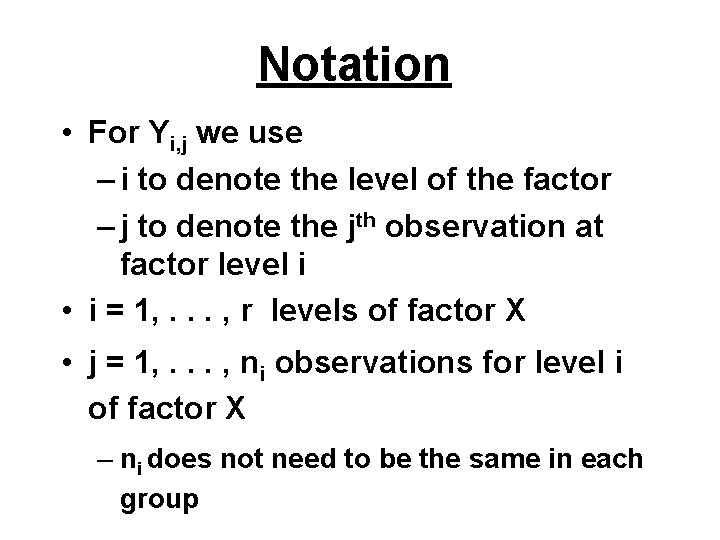
Notation • For Yi, j we use – i to denote the level of the factor – j to denote the jth observation at factor level i • i = 1, . . . , r levels of factor X • j = 1, . . . , ni observations for level i of factor X – ni does not need to be the same in each group
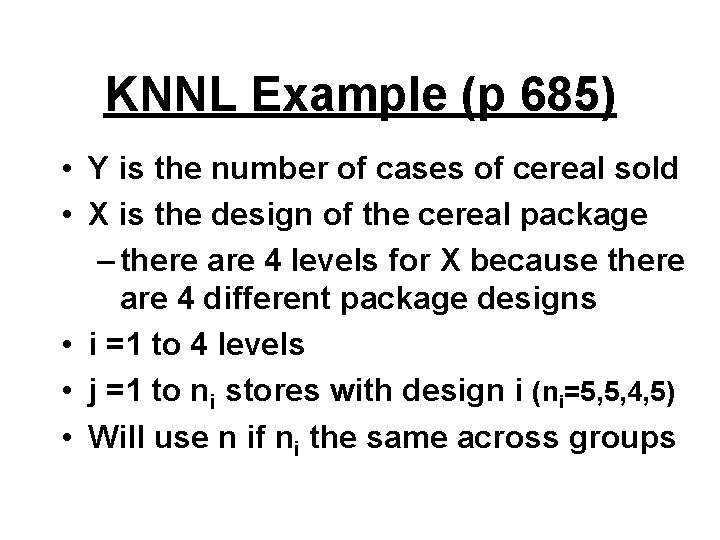
KNNL Example (p 685) • Y is the number of cases of cereal sold • X is the design of the cereal package – there are 4 levels for X because there are 4 different package designs • i =1 to 4 levels • j =1 to ni stores with design i (ni=5, 5, 4, 5) • Will use n if ni the same across groups
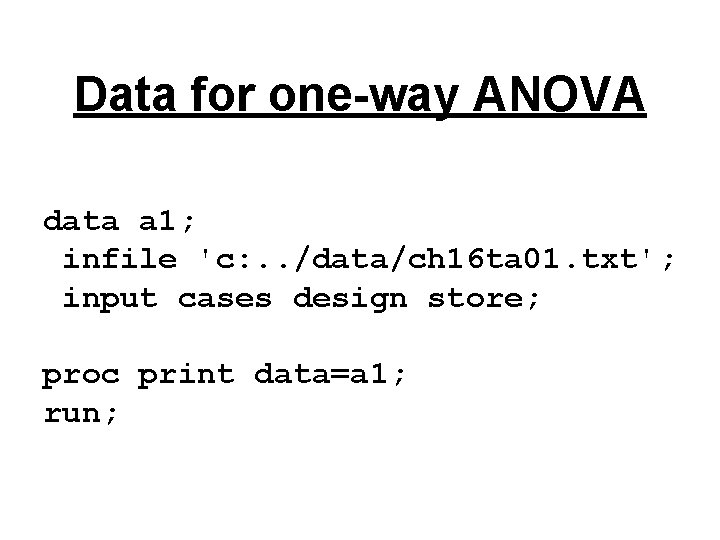
Data for one-way ANOVA data a 1; infile 'c: . . /data/ch 16 ta 01. txt'; input cases design store; proc print data=a 1; run;
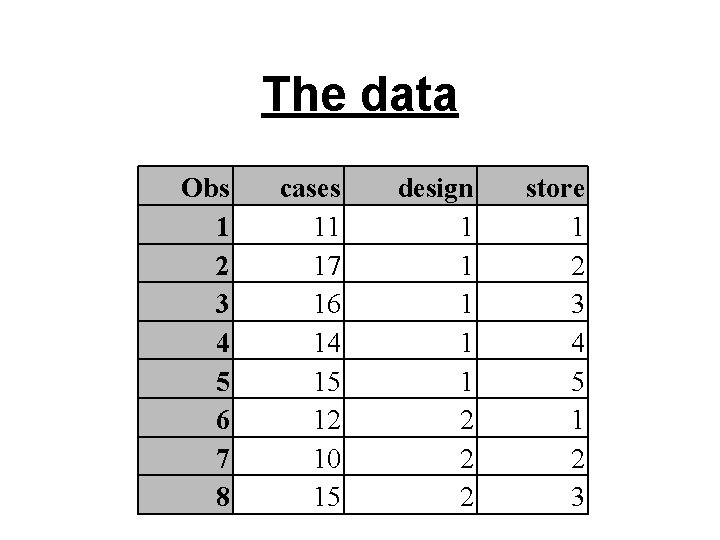
The data Obs 1 2 3 4 5 6 7 8 cases 11 17 16 14 15 12 10 15 design 1 1 1 2 2 2 store 1 2 3 4 5 1 2 3
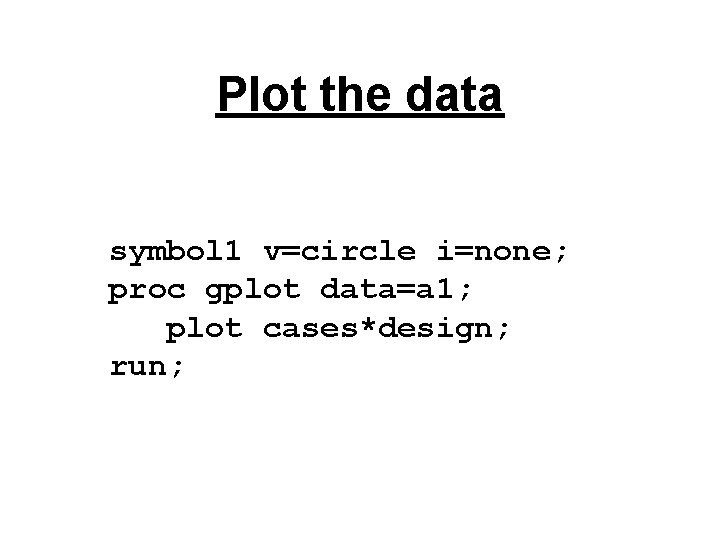
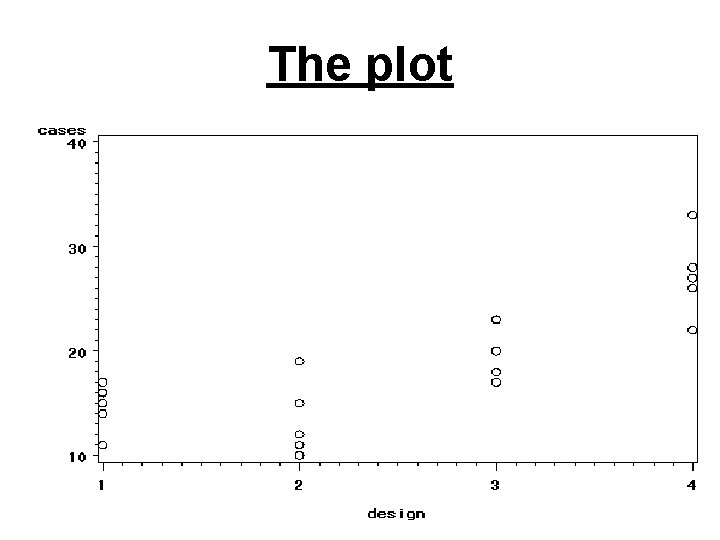
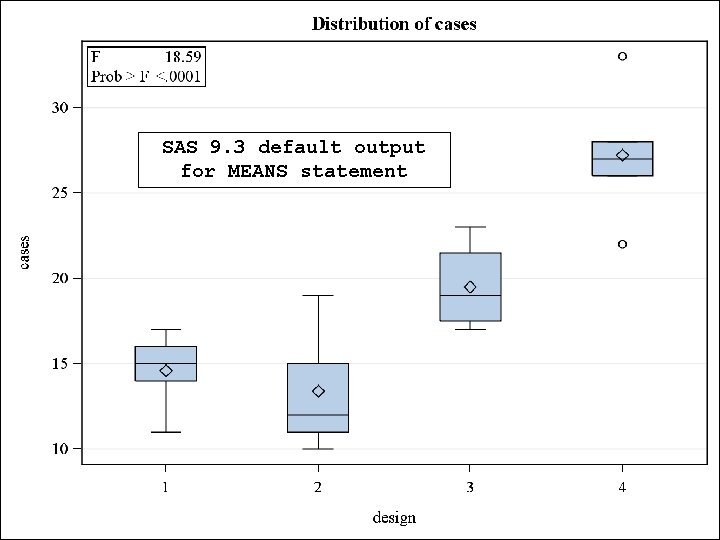
Plot the data symbol 1 v=circle i=none; proc gplot data=a 1; plot cases*design; run;
The plot
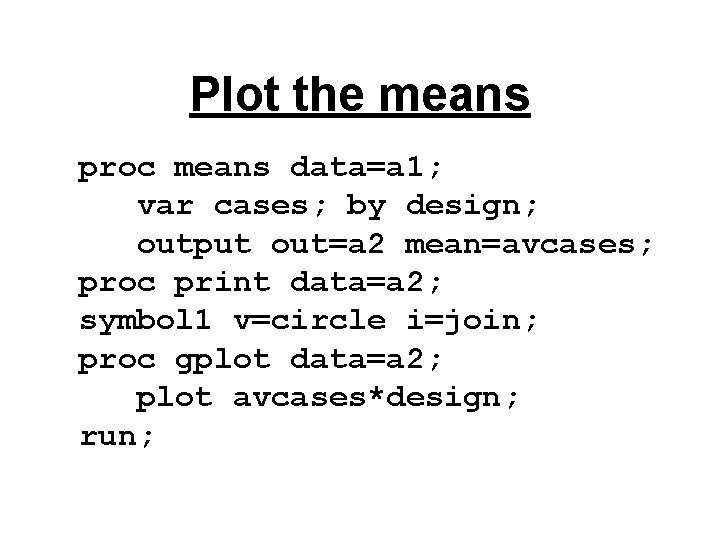
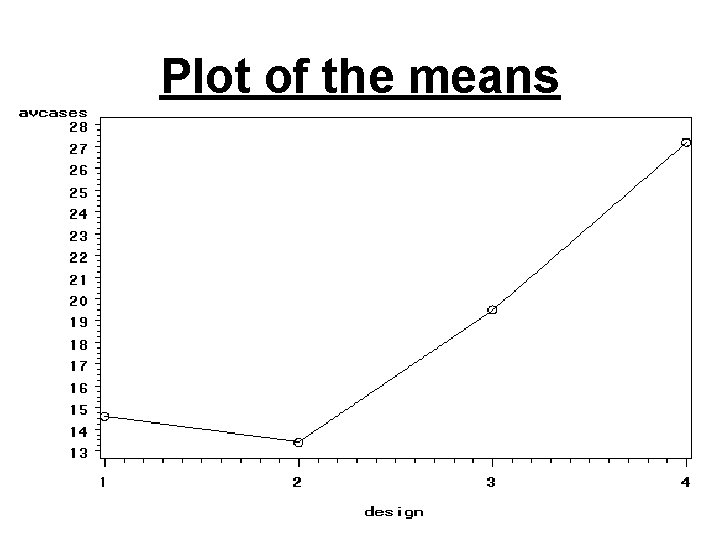
Plot the means proc means data=a 1; var cases; by design; output out=a 2 mean=avcases; proc print data=a 2; symbol 1 v=circle i=join; proc gplot data=a 2; plot avcases*design; run;
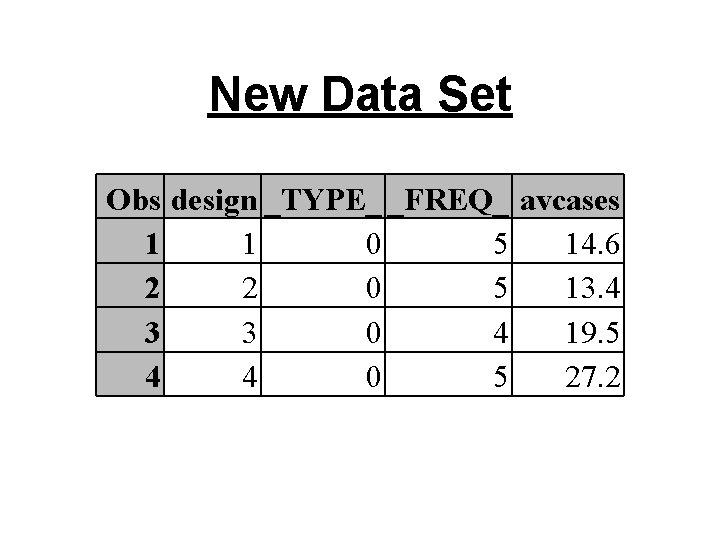
New Data Set Obs design _TYPE_ _FREQ_ avcases 1 1 0 5 14. 6 2 2 0 5 13. 4 3 3 0 4 19. 5 4 4 0 5 27. 2
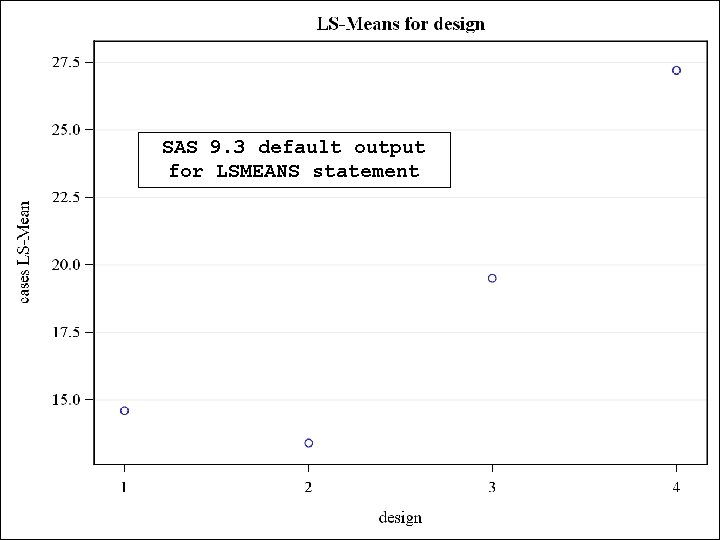
Plot of the means
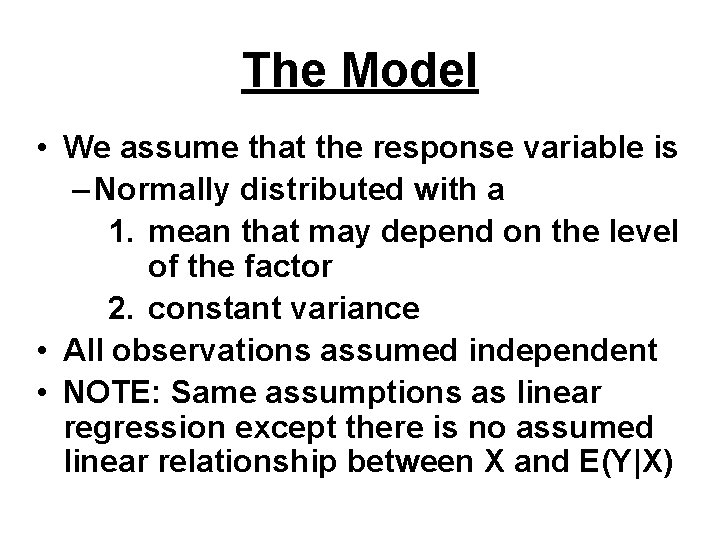
The Model • We assume that the response variable is – Normally distributed with a 1. mean that may depend on the level of the factor 2. constant variance • All observations assumed independent • NOTE: Same assumptions as linear regression except there is no assumed linear relationship between X and E(Y|X)
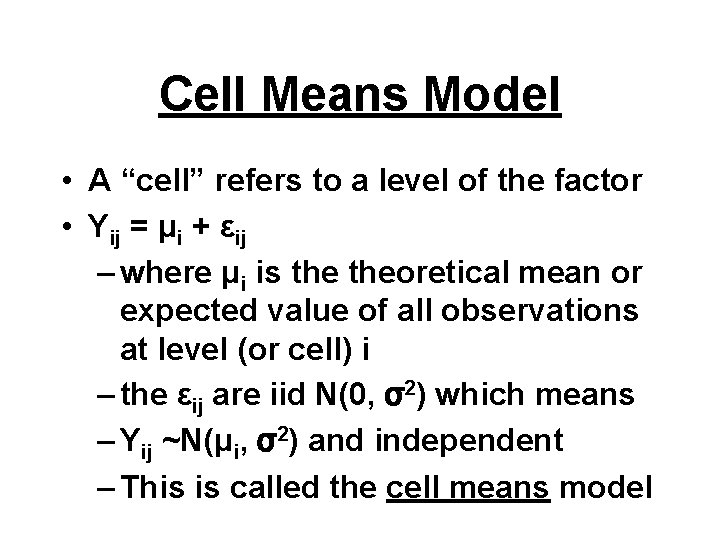
Cell Means Model • A “cell” refers to a level of the factor • Yij = μi + εij – where μi is theoretical mean or expected value of all observations at level (or cell) i – the εij are iid N(0, σ2) which means – Yij ~N(μi, σ2) and independent – This is called the cell means model
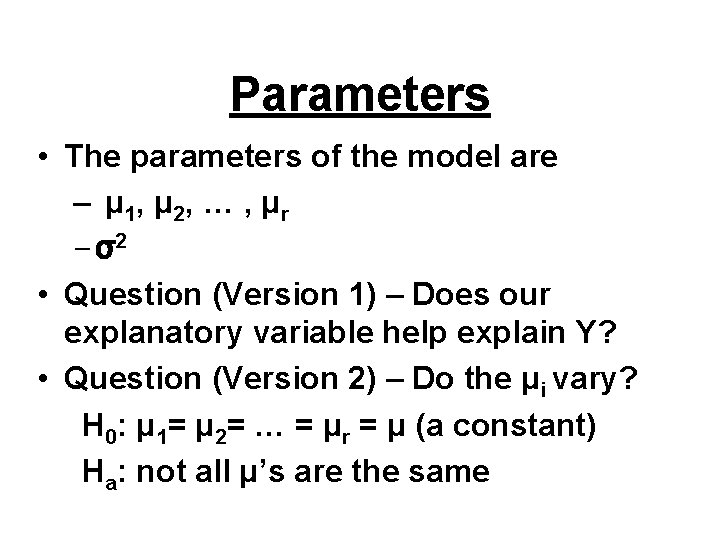
Parameters • The parameters of the model are – μ 1, μ 2, … , μ r – σ2 • Question (Version 1) – Does our explanatory variable help explain Y? • Question (Version 2) – Do the μi vary? H 0: μ 1= μ 2= … = μr = μ (a constant) Ha: not all μ’s are the same
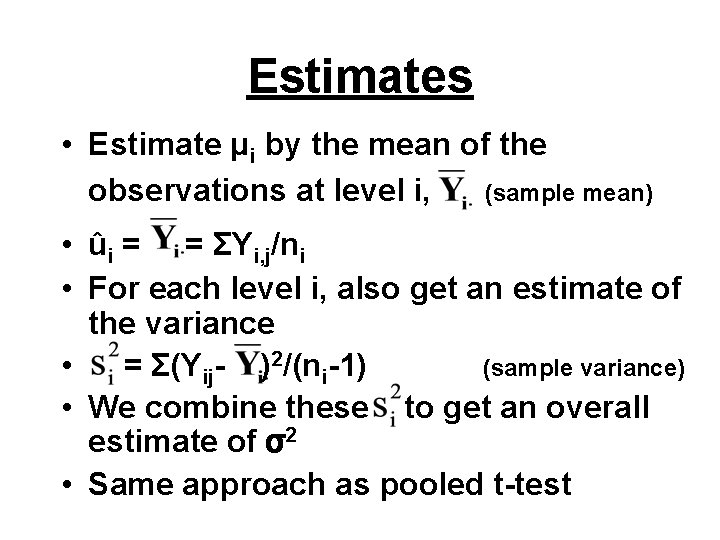
Estimates • Estimate μi by the mean of the observations at level i, (sample mean) • ûi = = ΣYi, j/ni • For each level i, also get an estimate of the variance • = Σ(Yij- )2/(ni-1) (sample variance) • We combine these to get an overall estimate of σ2 • Same approach as pooled t-test
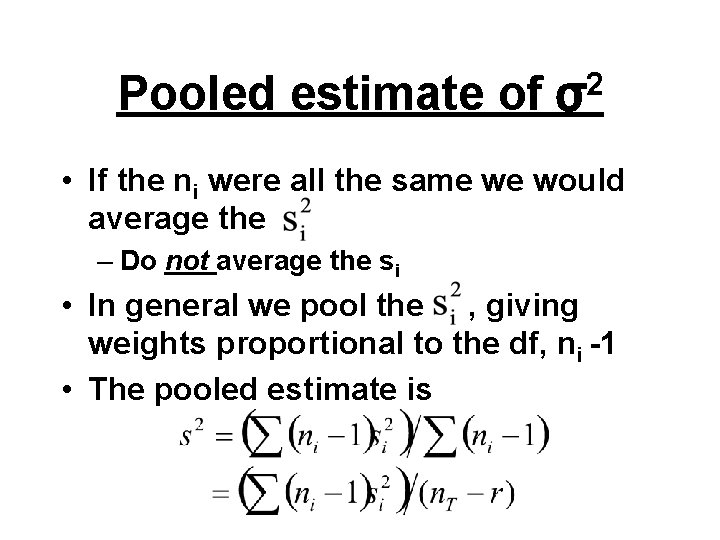
Pooled estimate of 2 σ • If the ni were all the same we would average the – Do not average the si • In general we pool the , giving weights proportional to the df, ni -1 • The pooled estimate is
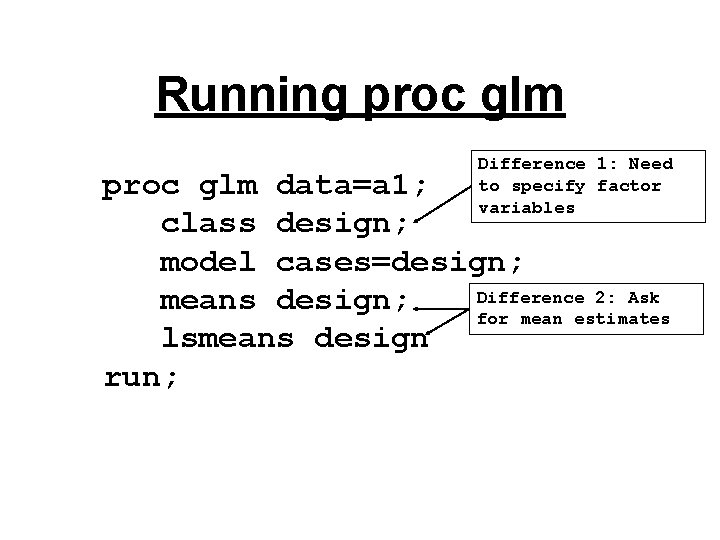
Running proc glm Difference 1: Need to specify factor variables proc glm data=a 1; class design; model cases=design; Difference 2: Ask means design; for mean estimates lsmeans design run;
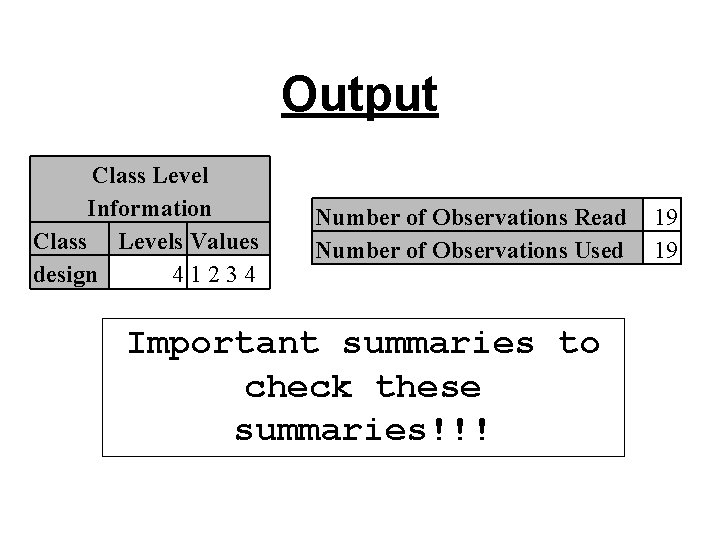
Output Class Level Information Class Levels Values design 41234 Number of Observations Read Number of Observations Used Important summaries to check these summaries!!! 19 19
SAS 9. 3 default output for MEANS statement
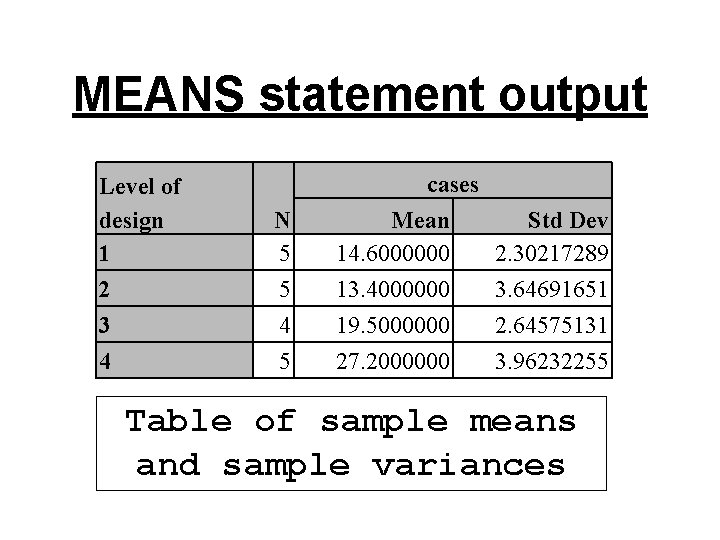
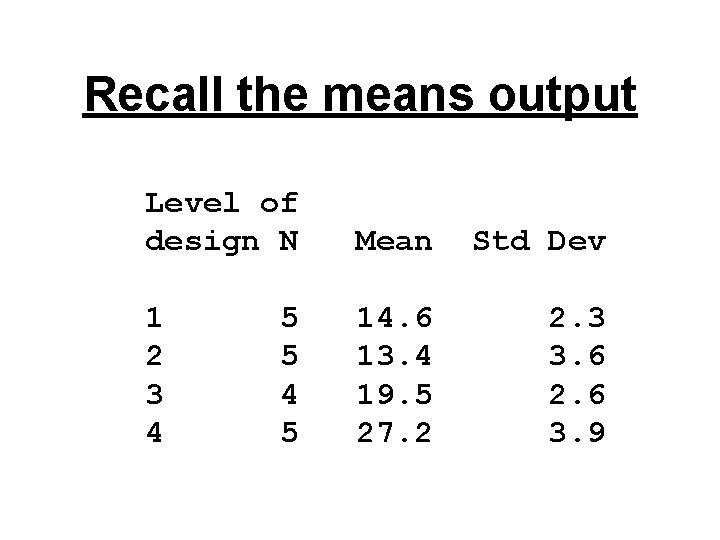
MEANS statement output Level of design 1 2 3 4 N 5 5 4 5 cases Mean 14. 6000000 13. 4000000 19. 5000000 27. 2000000 Std Dev 2. 30217289 3. 64691651 2. 64575131 3. 96232255 Table of sample means and sample variances
SAS 9. 3 default output for LSMEANS statement
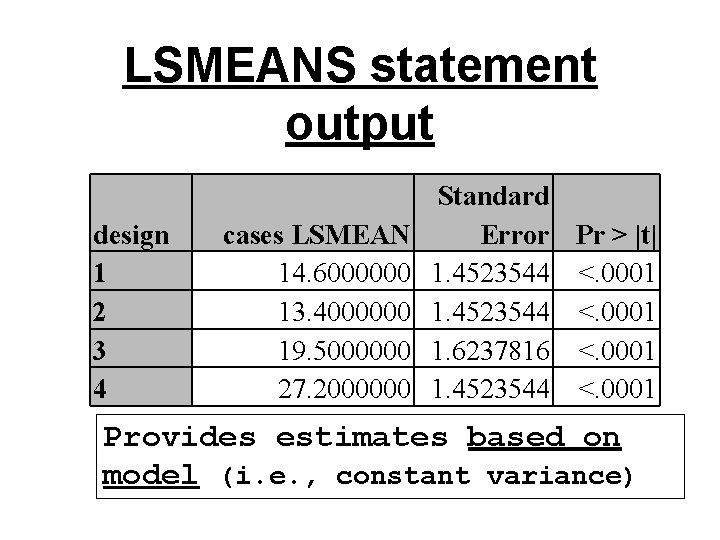
LSMEANS statement output design 1 2 3 4 cases LSMEAN 14. 6000000 13. 4000000 19. 5000000 27. 2000000 Standard Error Pr > |t| 1. 4523544 <. 0001 1. 6237816 <. 0001 1. 4523544 <. 0001 Provides estimates based on model (i. e. , constant variance)
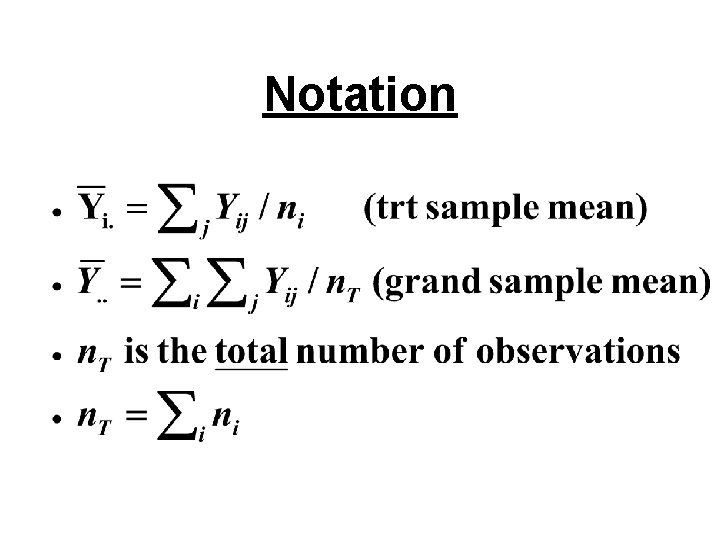
Notation
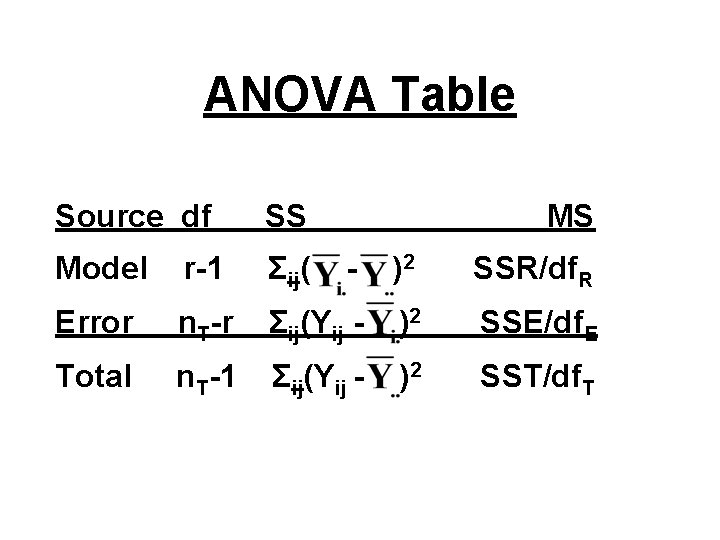
ANOVA Table Source df SS MS Model r-1 Σij( - )2 SSR/df. R Error n. T-r Σij(Yij - )2 SSE/df. E Total n. T-1 Σij(Yij - )2 SST/df. T
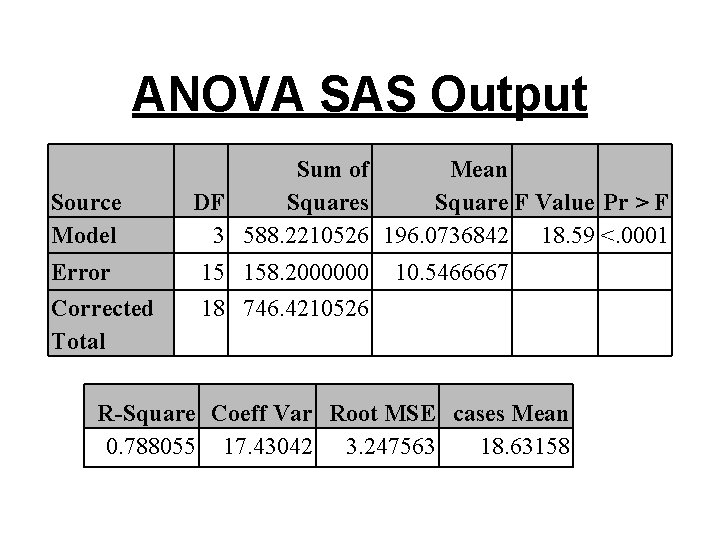
ANOVA SAS Output Source Model Sum of Mean DF Squares Square F Value Pr > F 3 588. 2210526 196. 0736842 18. 59 <. 0001 Error 15 158. 2000000 Corrected Total 18 746. 4210526 10. 5466667 R-Square Coeff Var Root MSE cases Mean 0. 788055 17. 43042 3. 247563 18. 63158
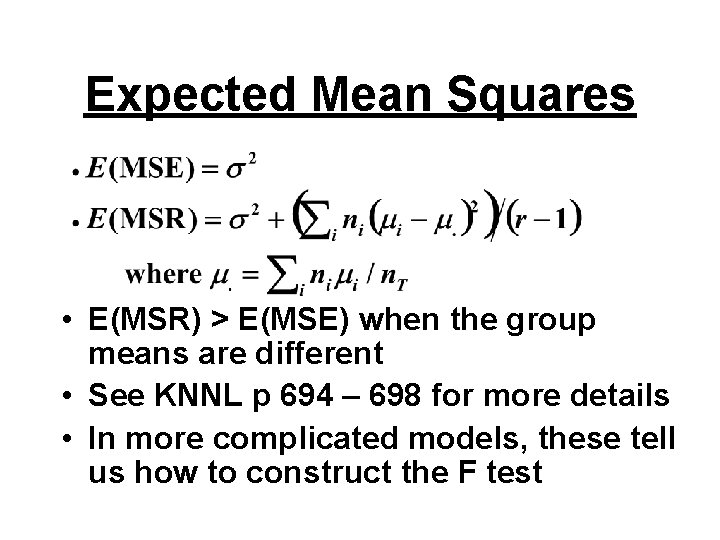
Expected Mean Squares • E(MSR) > E(MSE) when the group means are different • See KNNL p 694 – 698 for more details • In more complicated models, these tell us how to construct the F test
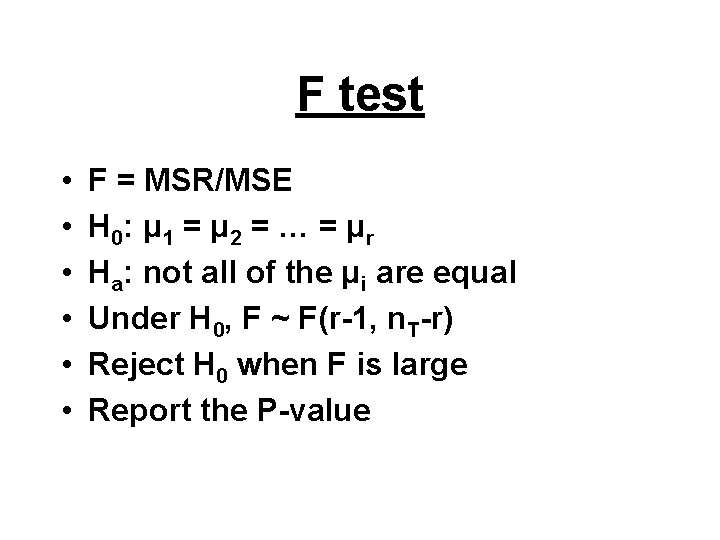
F test • • • F = MSR/MSE H 0: μ 1 = μ 2 = … = μ r Ha: not all of the μi are equal Under H 0, F ~ F(r-1, n. T-r) Reject H 0 when F is large Report the P-value
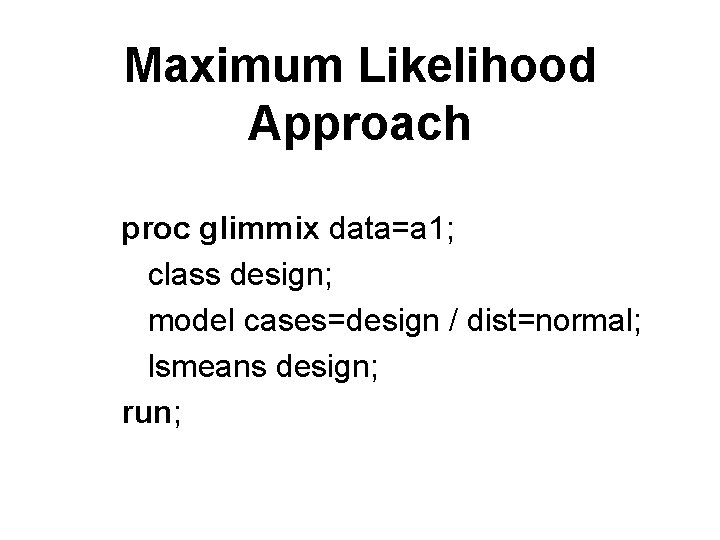
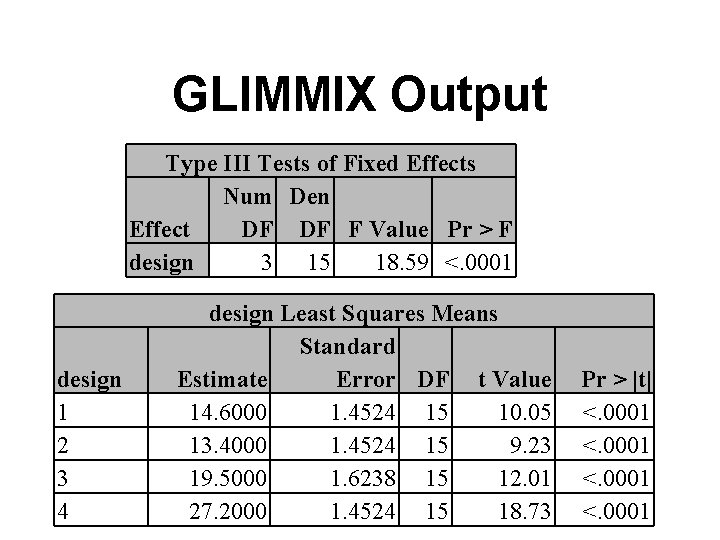
Maximum Likelihood Approach proc glimmix data=a 1; class design; model cases=design / dist=normal; lsmeans design; run;
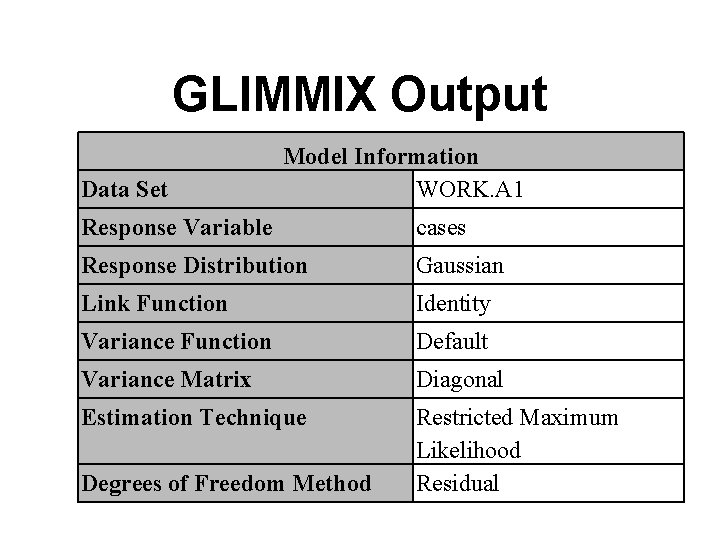
GLIMMIX Output Data Set Model Information WORK. A 1 Response Variable cases Response Distribution Gaussian Link Function Identity Variance Function Default Variance Matrix Diagonal Estimation Technique Restricted Maximum Likelihood Residual Degrees of Freedom Method
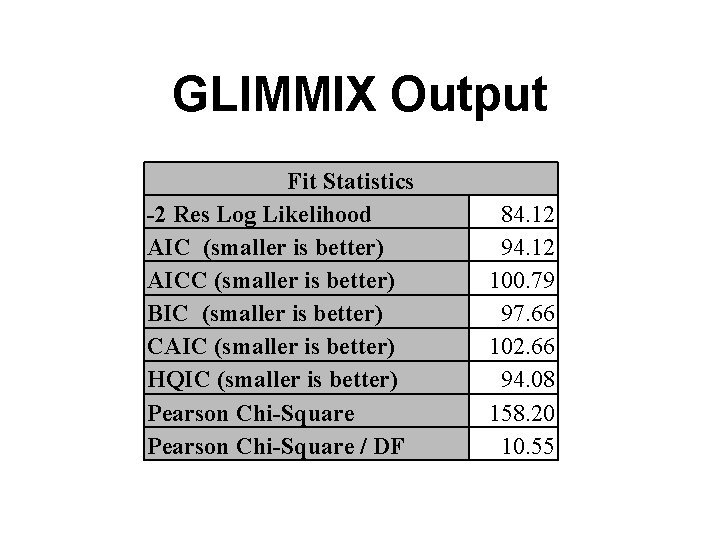
GLIMMIX Output Fit Statistics -2 Res Log Likelihood AIC (smaller is better) AICC (smaller is better) BIC (smaller is better) CAIC (smaller is better) HQIC (smaller is better) Pearson Chi-Square / DF 84. 12 94. 12 100. 79 97. 66 102. 66 94. 08 158. 20 10. 55
GLIMMIX Output Type III Tests of Fixed Effects Num Den Effect DF DF F Value Pr > F design 3 15 18. 59 <. 0001 design 1 2 3 4 design Least Squares Means Standard Estimate Error DF t Value 14. 6000 1. 4524 15 10. 05 13. 4000 1. 4524 15 9. 23 19. 5000 1. 6238 15 12. 01 27. 2000 1. 4524 15 18. 73 Pr > |t| <. 0001
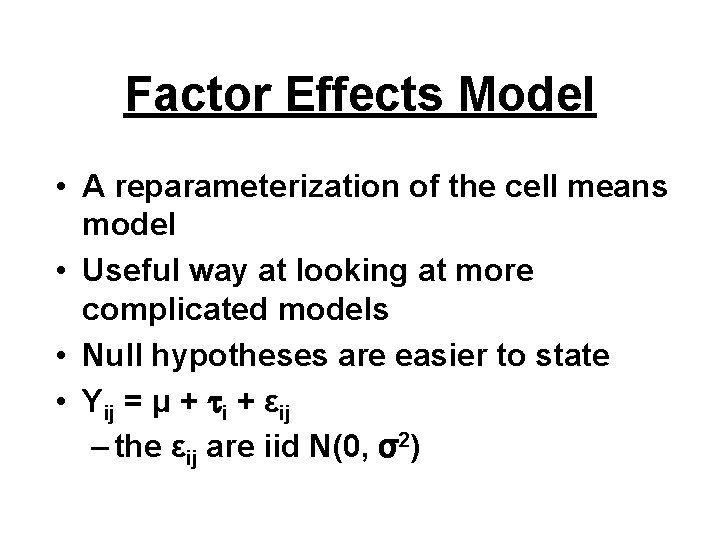
Factor Effects Model • A reparameterization of the cell means model • Useful way at looking at more complicated models • Null hypotheses are easier to state • Yij = μ + i + εij – the εij are iid N(0, σ2)
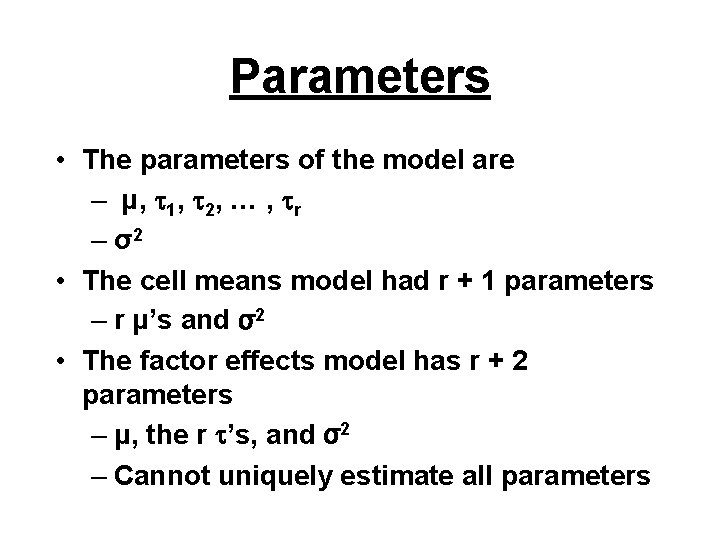
Parameters • The parameters of the model are – μ, 1, 2, … , r – σ2 • The cell means model had r + 1 parameters – r μ’s and σ2 • The factor effects model has r + 2 parameters – μ, the r ’s, and σ2 – Cannot uniquely estimate all parameters
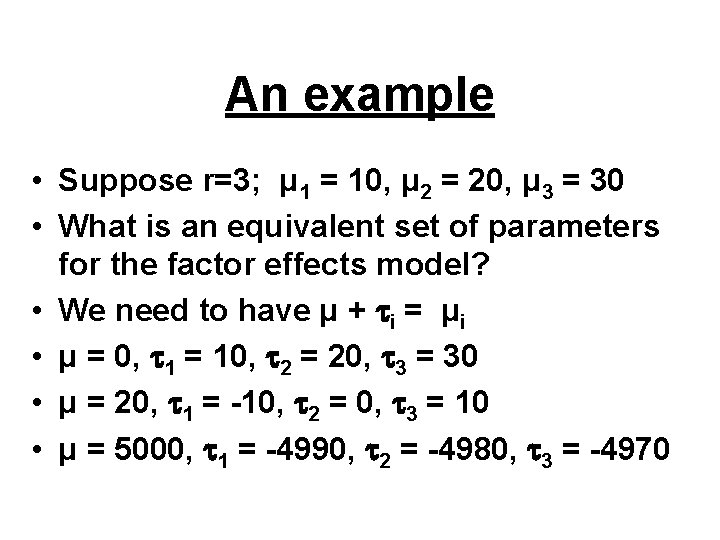
An example • Suppose r=3; μ 1 = 10, μ 2 = 20, μ 3 = 30 • What is an equivalent set of parameters for the factor effects model? • We need to have μ + i = μi • μ = 0, 1 = 10, 2 = 20, 3 = 30 • μ = 20, 1 = -10, 2 = 0, 3 = 10 • μ = 5000, 1 = -4990, 2 = -4980, 3 = -4970
Problem with factor effects? • These parameters are not estimable or not well defined (i. e. , unique) • There are many solutions to the least squares problem • There is an X΄X matrix for this parameterization that does not have an inverse (perfect multicollinearity) • The parameter estimators here are biased (SAS proc glm)
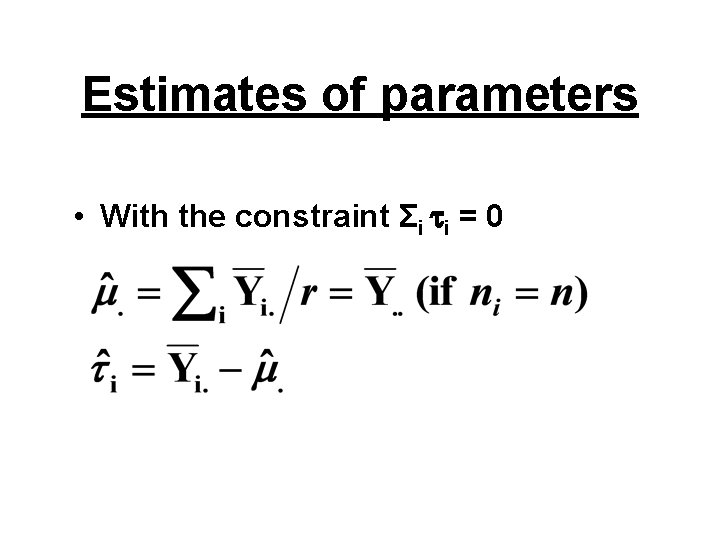
Factor effects solution • Put a constraint on the i • Common to assume Σi i = 0 • This effectively reduces the number of parameters by 1 • Numerous other constraints possible
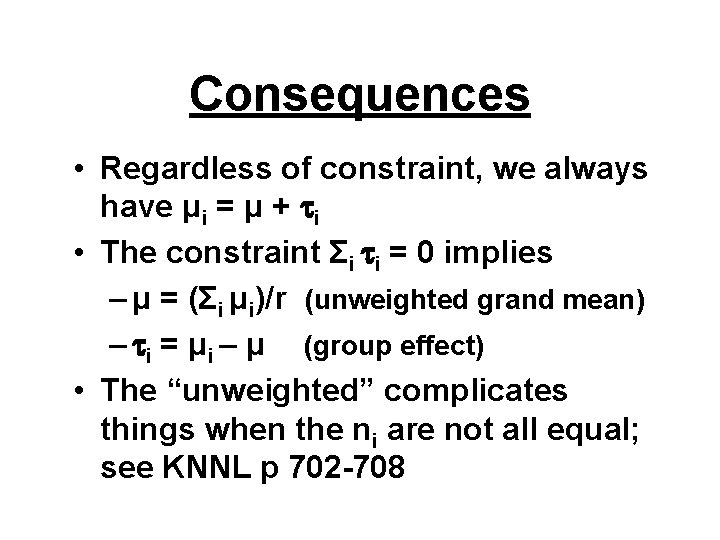
Consequences • Regardless of constraint, we always have μi = μ + i • The constraint Σi i = 0 implies – μ = (Σi μi)/r (unweighted grand mean) – i = μi – μ (group effect) • The “unweighted” complicates things when the ni are not all equal; see KNNL p 702 -708
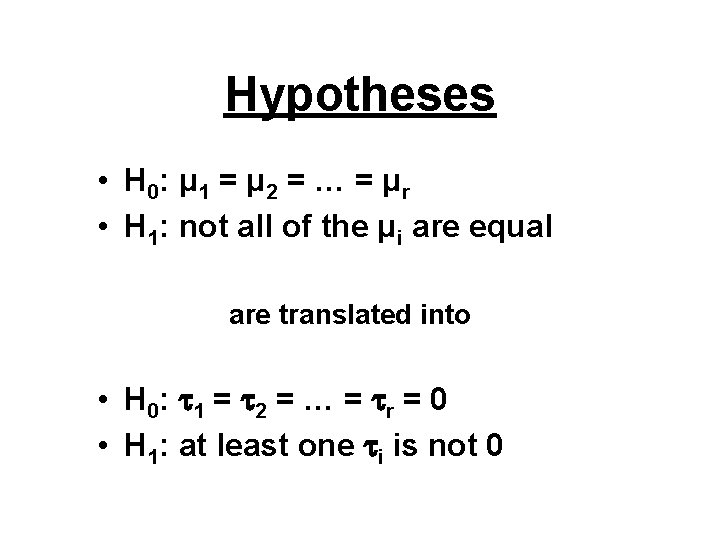
Hypotheses • H 0: μ 1 = μ 2 = … = μ r • H 1: not all of the μi are equal are translated into • H 0: 1 = 2 = … = r = 0 • H 1: at least one i is not 0
Estimates of parameters • With the constraint Σi i = 0
Solution used by SAS • Recall, X΄X does not have an inverse • We can use a generalized inverse in its place • (X΄X)- is the standard notation • There are many generalized inverses, each corresponding to a different constraint
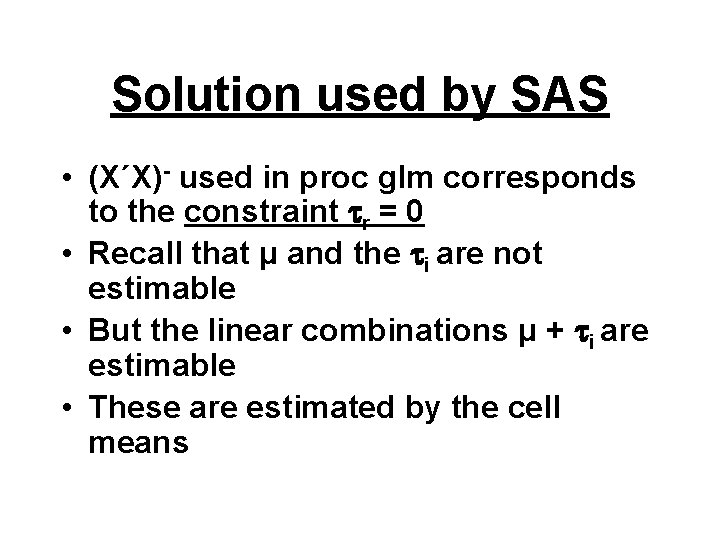
Solution used by SAS • (X΄X)- used in proc glm corresponds to the constraint r = 0 • Recall that μ and the i are not estimable • But the linear combinations μ + i are estimable • These are estimated by the cell means
Cereal package example • • Y is the number of cases of cereal sold X is the design of the cereal package i =1 to 4 levels j =1 to ni stores with design i
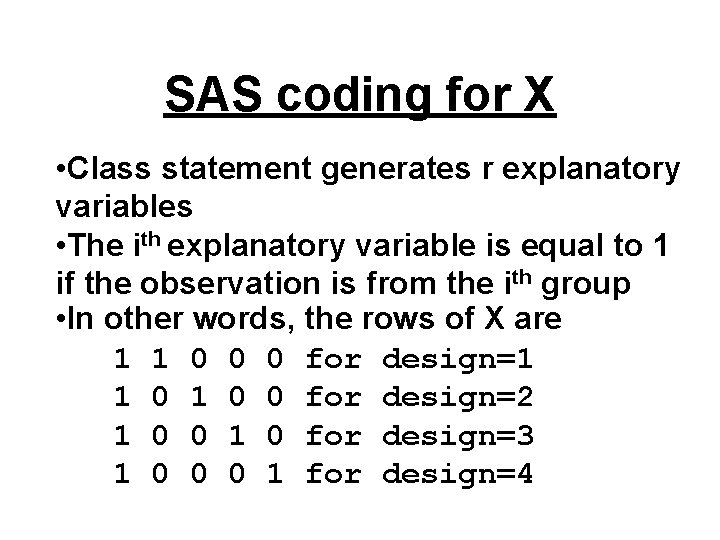
SAS coding for X • Class statement generates r explanatory variables • The ith explanatory variable is equal to 1 if the observation is from the ith group • In other words, the rows of X are 1 1 0 0 0 for design=1 1 0 0 for design=2 1 0 0 1 0 for design=3 1 0 0 0 1 for design=4
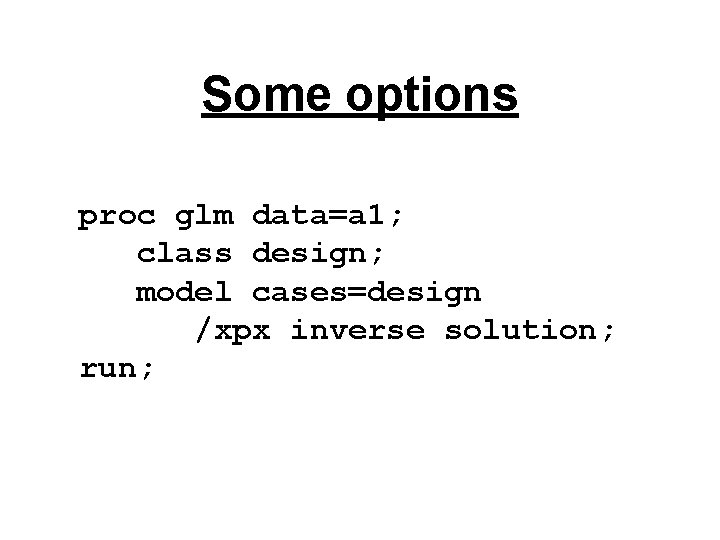
Some options proc glm data=a 1; class design; model cases=design /xpx inverse solution; run;
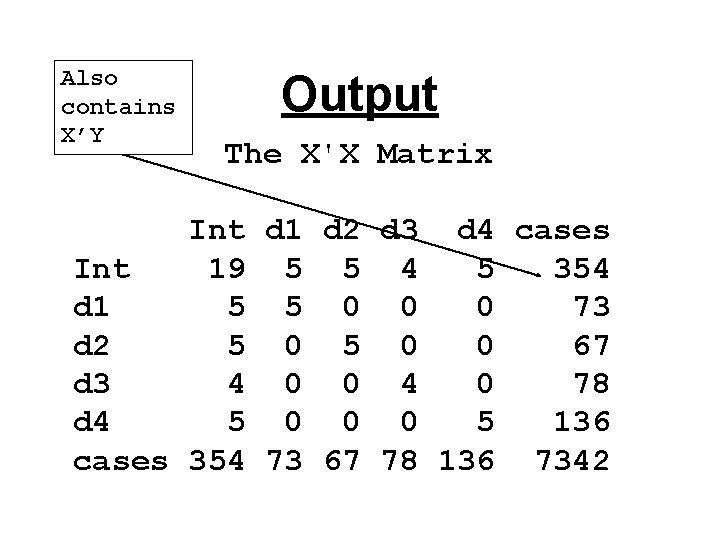
Also contains X’Y Output The X'X Matrix Int d 1 d 2 d 3 d 4 cases Int 19 5 5 4 5 354 d 1 5 5 0 0 0 73 d 2 5 0 0 67 d 3 4 0 0 4 0 78 d 4 5 0 0 0 5 136 cases 354 73 67 78 136 7342
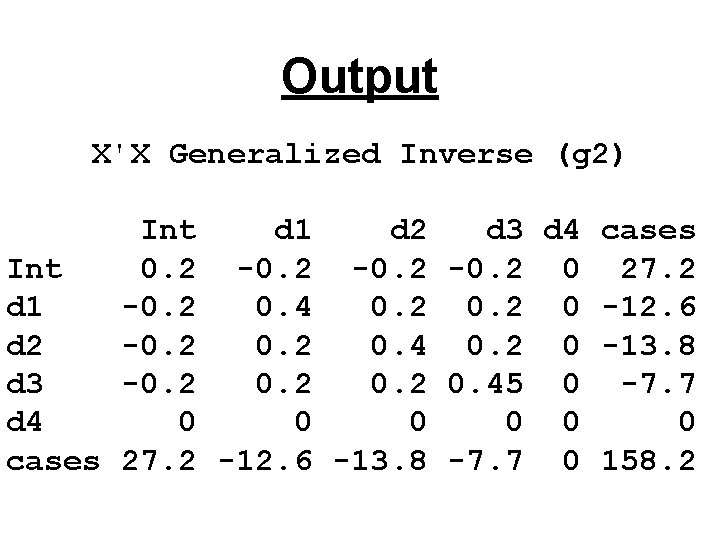
Output X'X Generalized Inverse (g 2) Int d 1 d 2 d 3 d 4 cases Int 0. 2 -0. 2 0 27. 2 d 1 -0. 2 0. 4 0. 2 0 -12. 6 d 2 -0. 2 0. 4 0. 2 0 -13. 8 d 3 -0. 2 0. 45 0 -7. 7 d 4 0 0 0 cases 27. 2 -12. 6 -13. 8 -7. 7 0 158. 2
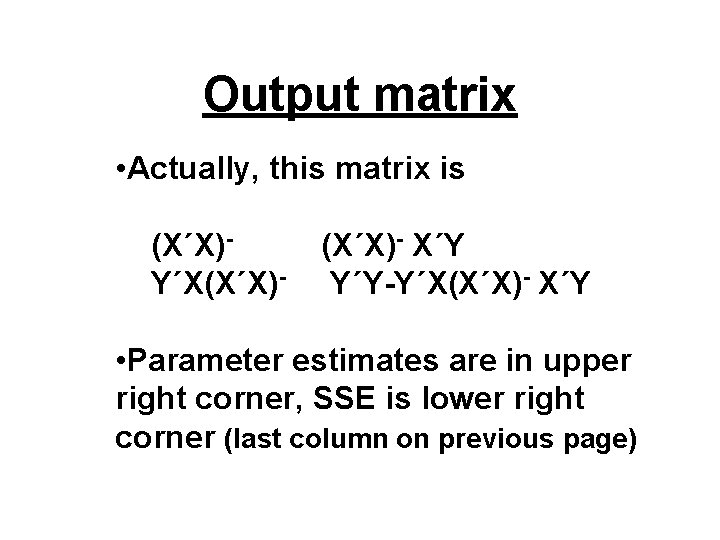
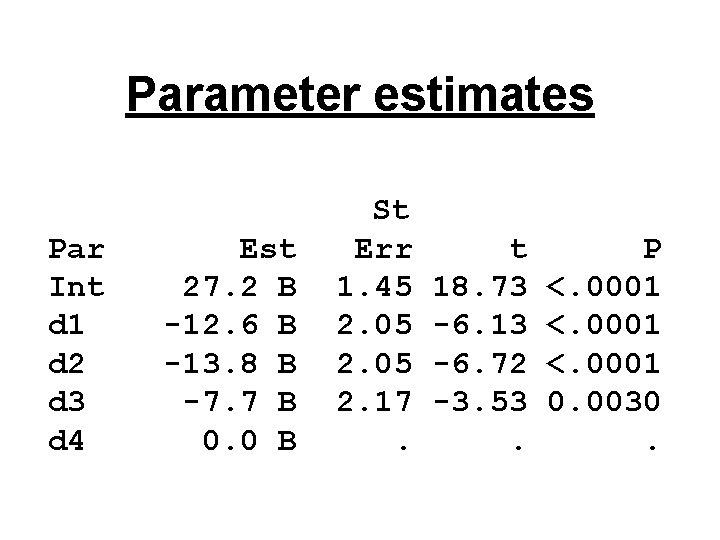
Output matrix • Actually, this matrix is (X΄X)Y΄X(X΄X)- X΄Y Y΄Y-Y΄X(X΄X)- X΄Y • Parameter estimates are in upper right corner, SSE is lower right corner (last column on previous page)
Parameter estimates Par Int d 1 d 2 d 3 d 4 Est 27. 2 B -12. 6 B -13. 8 B -7. 7 B 0. 0 B St Err 1. 45 2. 05 2. 17. t 18. 73 -6. 13 -6. 72 -3. 53. P <. 0001 0. 0030.
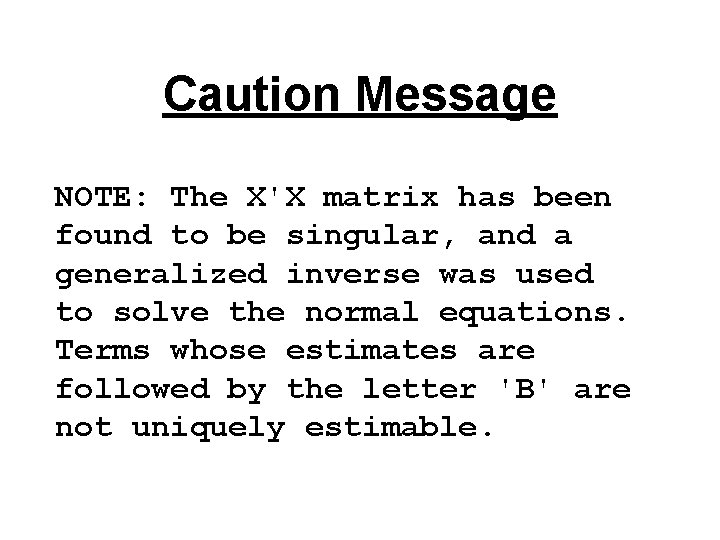
Caution Message NOTE: The X'X matrix has been found to be singular, and a generalized inverse was used to solve the normal equations. Terms whose estimates are followed by the letter 'B' are not uniquely estimable.
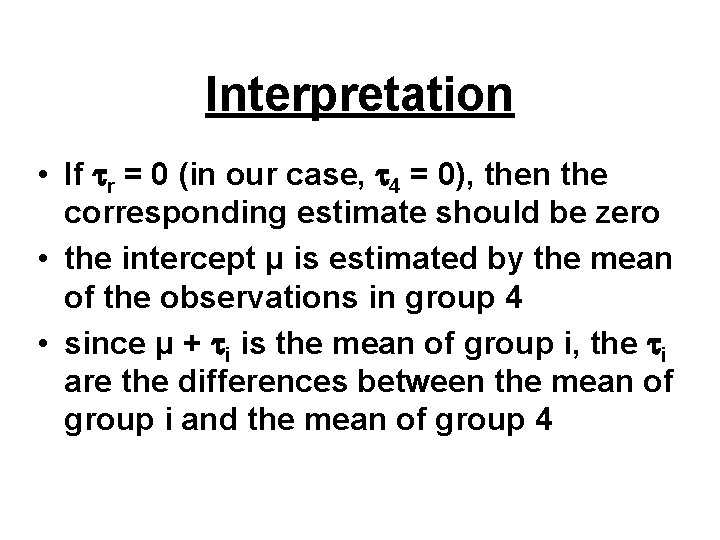
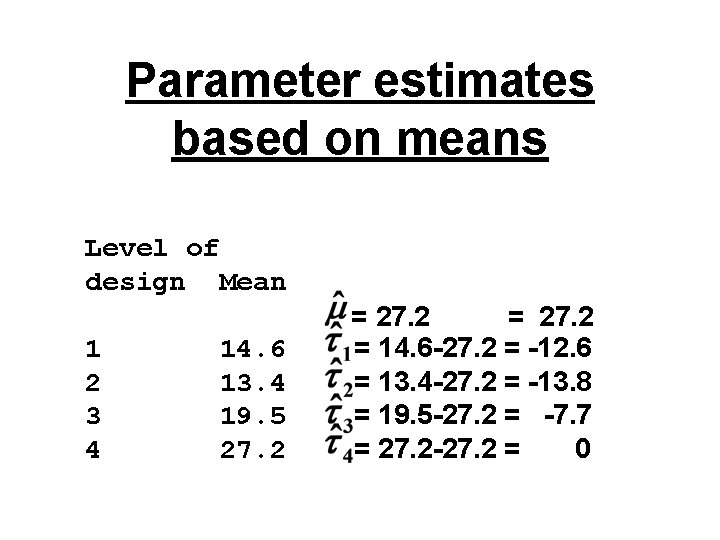
Interpretation • If r = 0 (in our case, 4 = 0), then the corresponding estimate should be zero • the intercept μ is estimated by the mean of the observations in group 4 • since μ + i is the mean of group i, the i are the differences between the mean of group i and the mean of group 4
Recall the means output Level of design N Mean Std Dev 1 2 3 4 14. 6 13. 4 19. 5 27. 2 2. 3 3. 6 2. 6 3. 9 5 5 4 5
Parameter estimates based on means Level of design Mean 1 2 3 4 14. 6 13. 4 19. 5 27. 2 = 14. 6 -27. 2 = -12. 6 = 13. 4 -27. 2 = -13. 8 = 19. 5 -27. 2 = -7. 7 = 27. 2 -27. 2 = 0
Last slide • Read KNNL Chapter 16 up to 16. 10 • We used programs topic 20. sas to generate the output for today • Will focus more on the relationship between regression and one-way ANOVA in next topic