
TOPIC 1 OVERVIEW OF A COMPUTER SYSTEM Faculty
- Slides: 54
TOPIC 1: OVERVIEW OF A COMPUTER SYSTEM Faculty of Computer and Mathematical Sciences Siti Nurbaya Ismail Senior Lecturer Faculty of Computer & Mathematical Sciences Universiti Teknologi MARA Kedah (e): sitinurbaya@kedah. uitm. edu. my (u): https: //sitinur 151. wordpress. com
Lesson Outcome At the end of this chapter, student should be able to: • Understand What Is A Computer • Understand How Computer Work • List The Computer Hardware Components • Know The Functions Of Input Devices • Know The Functions Of Output Devices • Know The Functions Of Central Processing Unit • Know The Functions Of Storage Devices • List The Computer Software Components • Describe About Peopleware
Introduction to computer and its components • A computer is an electronic device that operates under the control of instructions called program to perform a certain task or work. • It accepts data and processes data into information and store data and information. • A computer consists of two major components; • hardware (electronic devices) • software (instructions / programs)
Computer Hardware Computer hardware • the physical parts of a computer • can be seen and touched • can be divided into a few devices; • • Input device Output device System unit Storage device
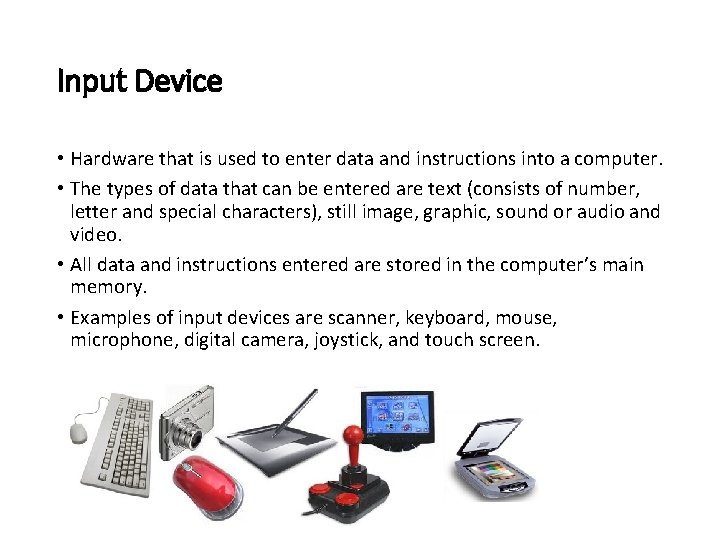
Input Device • Hardware that is used to enter data and instructions into a computer. • The types of data that can be entered are text (consists of number, letter and special characters), still image, graphic, sound or audio and video. • All data and instructions entered are stored in the computer’s main memory. • Examples of input devices are scanner, keyboard, mouse, microphone, digital camera, joystick, and touch screen.
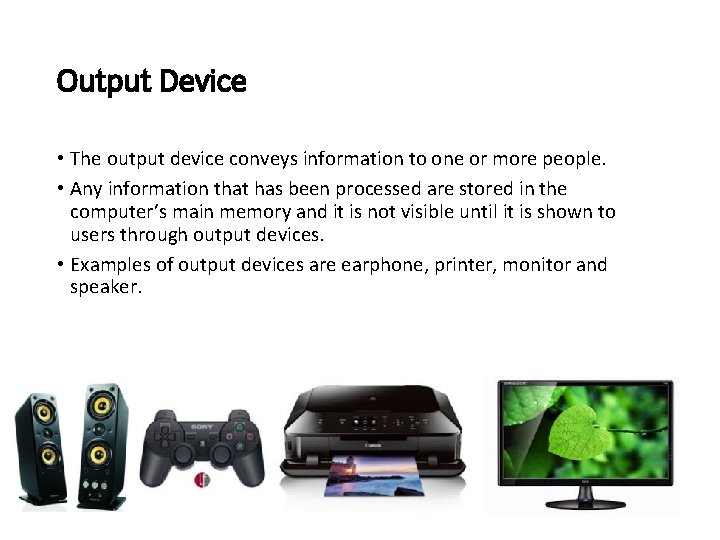
Output Device • The output device conveys information to one or more people. • Any information that has been processed are stored in the computer’s main memory and it is not visible until it is shown to users through output devices. • Examples of output devices are earphone, printer, monitor and speaker.
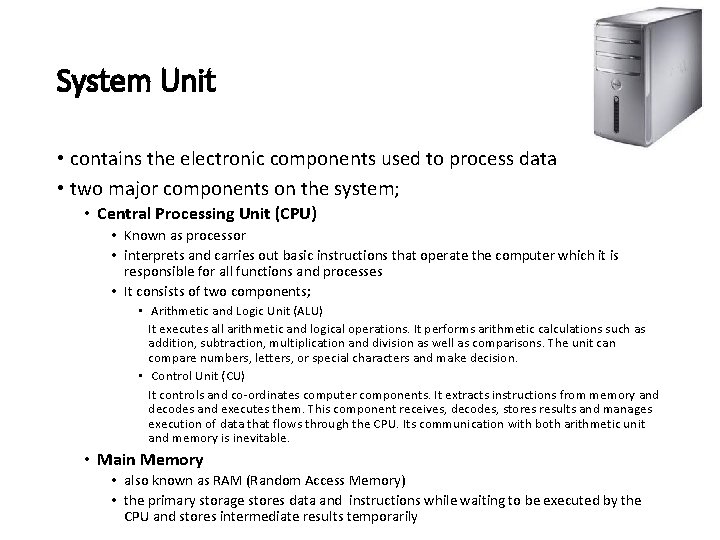
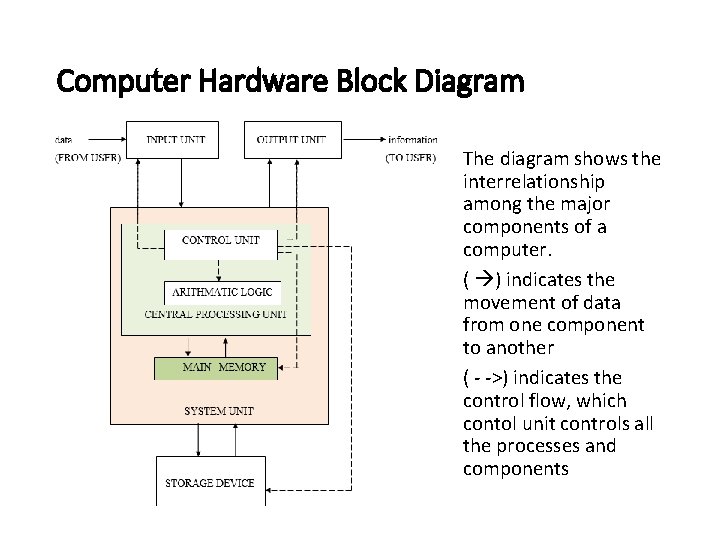
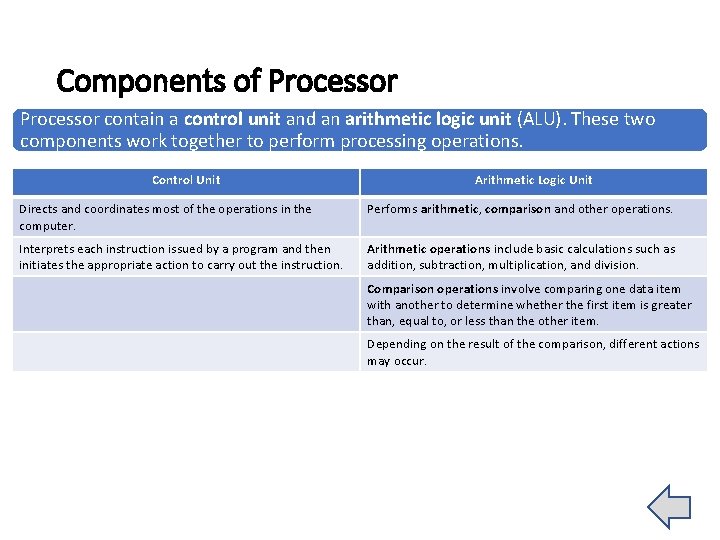
System Unit • contains the electronic components used to process data • two major components on the system; • Central Processing Unit (CPU) • Known as processor • interprets and carries out basic instructions that operate the computer which it is responsible for all functions and processes • It consists of two components; • Arithmetic and Logic Unit (ALU) It executes all arithmetic and logical operations. It performs arithmetic calculations such as addition, subtraction, multiplication and division as well as comparisons. The unit can compare numbers, letters, or special characters and make decision. • Control Unit (CU) It controls and co-ordinates computer components. It extracts instructions from memory and decodes and executes them. This component receives, decodes, stores results and manages execution of data that flows through the CPU. Its communication with both arithmetic unit and memory is inevitable. • Main Memory • also known as RAM (Random Access Memory) • the primary storage stores data and instructions while waiting to be executed by the CPU and stores intermediate results temporarily
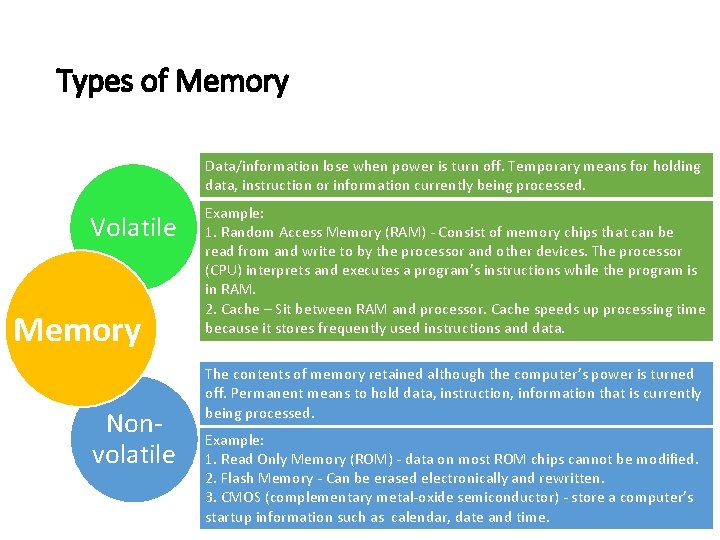
Types of Memory Data/information lose when power is turn off. Temporary means for holding data, instruction or information currently being processed. Volatile Memory Nonvolatile Example: 1. Random Access Memory (RAM) - Consist of memory chips that can be read from and write to by the processor and other devices. The processor (CPU) interprets and executes a program’s instructions while the program is in RAM. 2. Cache – Sit between RAM and processor. Cache speeds up processing time because it stores frequently used instructions and data. The contents of memory retained although the computer’s power is turned off. Permanent means to hold data, instruction, information that is currently being processed. Example: 1. Read Only Memory (ROM) - data on most ROM chips cannot be modified. 2. Flash Memory - Can be erased electronically and rewritten. 3. CMOS (complementary metal-oxide semiconductor) - store a computer’s startup information such as calendar, date and time.
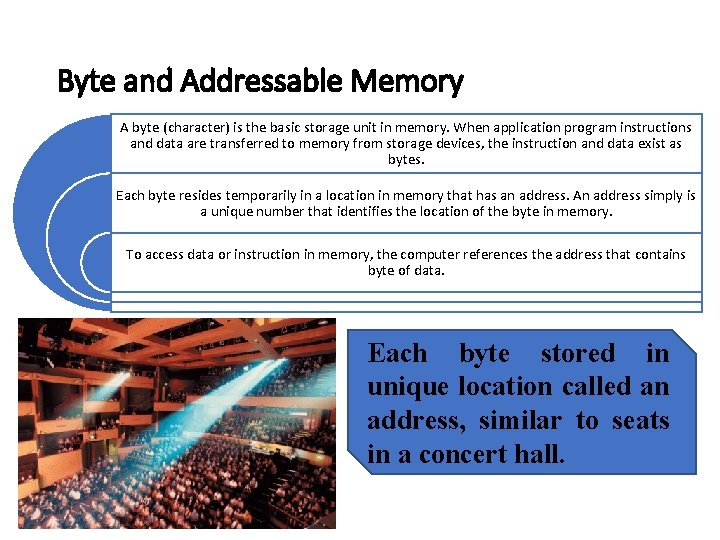
Byte and Addressable Memory A byte (character) is the basic storage unit in memory. When application program instructions and data are transferred to memory from storage devices, the instruction and data exist as bytes. Each byte resides temporarily in a location in memory that has an address. An address simply is a unique number that identifies the location of the byte in memory. To access data or instruction in memory, the computer references the address that contains byte of data. Each byte stored in unique location called an address, similar to seats in a concert hall.
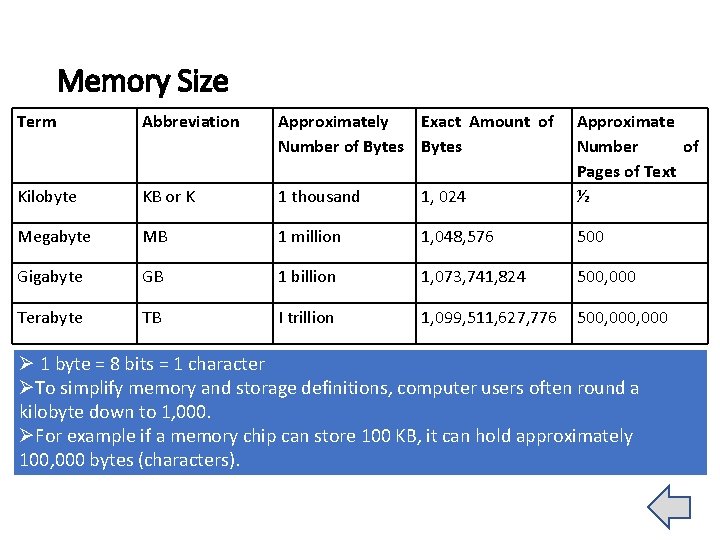
Memory Size Term Abbreviation Approximately Exact Amount of Number of Bytes Kilobyte KB or K 1 thousand 1, 024 Approximate Number of Pages of Text ½ Megabyte MB 1 million 1, 048, 576 500 Gigabyte GB 1 billion 1, 073, 741, 824 500, 000 Terabyte TB I trillion 1, 099, 511, 627, 776 500, 000 Ø 1 byte = 8 bits = 1 character ØTo simplify memory and storage definitions, computer users often round a kilobyte down to 1, 000. ØFor example if a memory chip can store 100 KB, it can hold approximately 100, 000 bytes (characters).
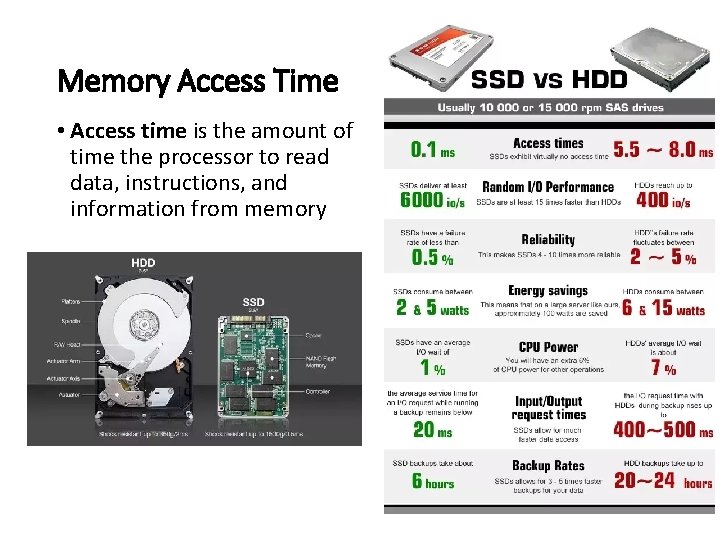
Memory Access Time • Access time is the amount of time the processor to read data, instructions, and information from memory
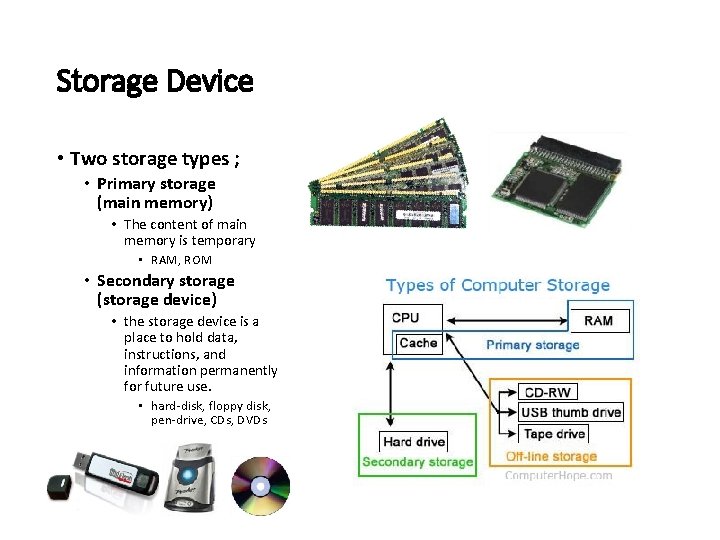
Storage Device • Two storage types ; • Primary storage (main memory) • The content of main memory is temporary • RAM, ROM • Secondary storage (storage device) • the storage device is a place to hold data, instructions, and information permanently for future use. • hard-disk, floppy disk, pen-drive, CDs, DVDs
Computer Hardware Block Diagram The diagram shows the interrelationship among the major components of a computer. ( ) indicates the movement of data from one component to another ( - ->) indicates the control flow, which contol unit controls all the processes and components
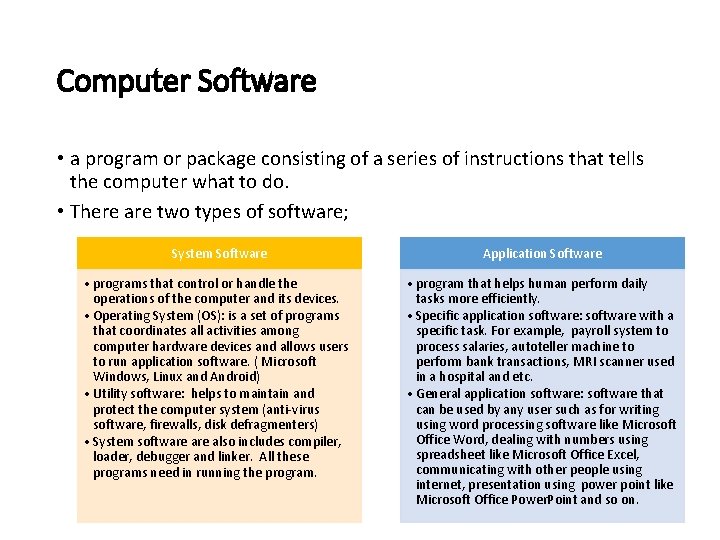
Computer Software • a program or package consisting of a series of instructions that tells the computer what to do. • There are two types of software; System Software Application Software • programs that control or handle the operations of the computer and its devices. • Operating System (OS): is a set of programs that coordinates all activities among computer hardware devices and allows users to run application software. ( Microsoft Windows, Linux and Android) • Utility software: helps to maintain and protect the computer system (anti-virus software, firewalls, disk defragmenters) • System software also includes compiler, loader, debugger and linker. All these programs need in running the program. • program that helps human perform daily tasks more efficiently. • Specific application software: software with a specific task. For example, payroll system to process salaries, autoteller machine to perform bank transactions, MRI scanner used in a hospital and etc. • General application software: software that can be used by any user such as for writing using word processing software like Microsoft Office Word, dealing with numbers using spreadsheet like Microsoft Office Excel, communicating with other people using internet, presentation using power point like Microsoft Office Power. Point and so on.
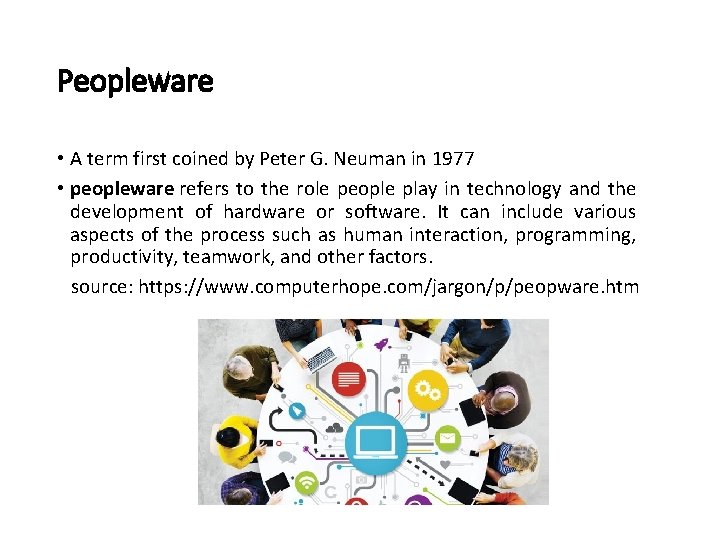
Peopleware • A term first coined by Peter G. Neuman in 1977 • peopleware refers to the role people play in technology and the development of hardware or software. It can include various aspects of the process such as human interaction, programming, productivity, teamwork, and other factors. source: https: //www. computerhope. com/jargon/p/peopware. htm
Peopleware • People involved in computer environment are information technology (IT) professionals and computer’s user or known as enduser. • IT professionals are those who work in computer field. • They may be system analyst, programmer, hardware engineers, web designer and so on. A programmer is a person who writes a program. • End-user is a person who uses a computer to do their job. • For example, bank clients are end-user for auto teller machine. A counter clerk in supermarket is an end-user for point-of-sales system.
Components of Processor contain a control unit and an arithmetic logic unit (ALU). These two components work together to perform processing operations. Control Unit Arithmetic Logic Unit Directs and coordinates most of the operations in the computer. Performs arithmetic, comparison and other operations. Interprets each instruction issued by a program and then initiates the appropriate action to carry out the instruction. Arithmetic operations include basic calculations such as addition, subtraction, multiplication, and division. Comparison operations involve comparing one data item with another to determine whether the first item is greater than, equal to, or less than the other item. Depending on the result of the comparison, different actions may occur.
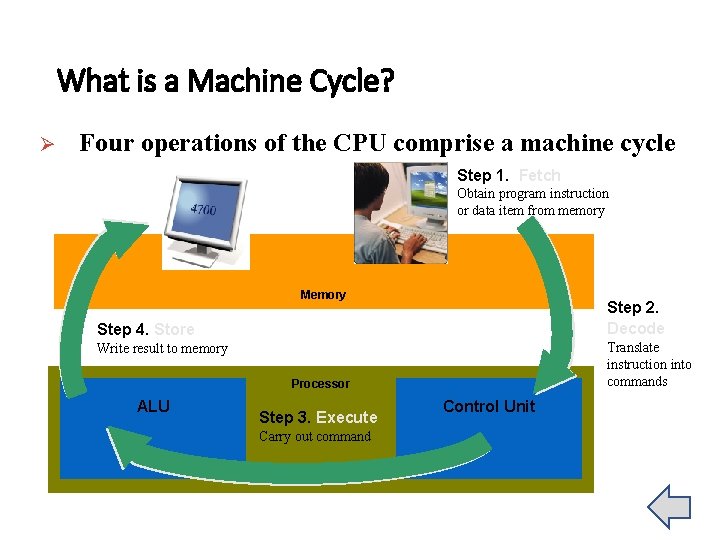
What is a Machine Cycle? Ø Four operations of the CPU comprise a machine cycle Step 1. Fetch Obtain program instruction or data item from memory Memory Step 2. Decode Step 4. Store Translate instruction into commands Write result to memory Processor ALU Step 3. Execute Carry out command Control Unit
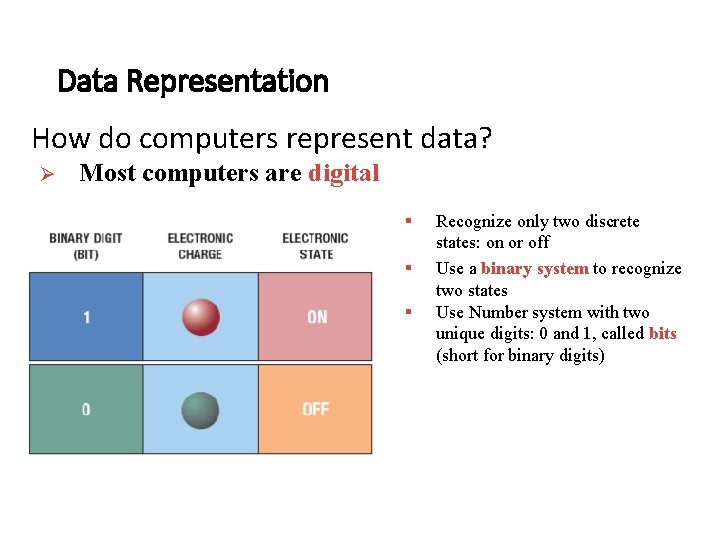
Data Representation How do computers represent data? Ø Most computers are digital § § § Recognize only two discrete states: on or off Use a binary system to recognize two states Use Number system with two unique digits: 0 and 1, called bits (short for binary digits)
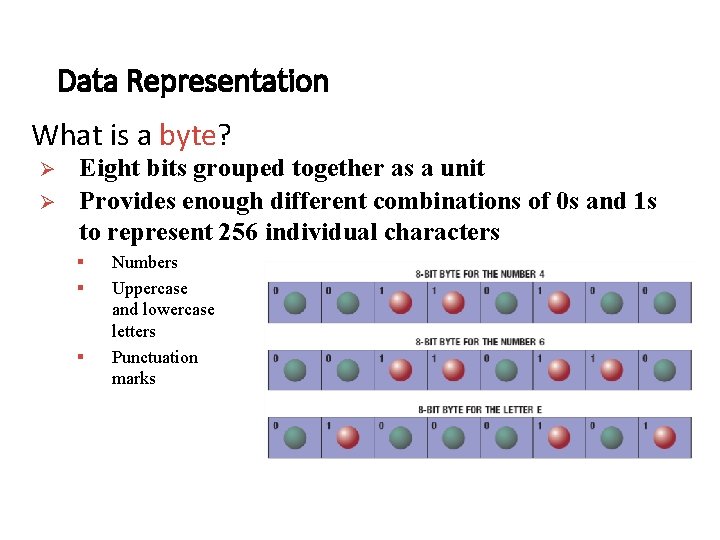
Data Representation What is a byte? Ø Ø Eight bits grouped together as a unit Provides enough different combinations of 0 s and 1 s to represent 256 individual characters § § § Numbers Uppercase and lowercase letters Punctuation marks
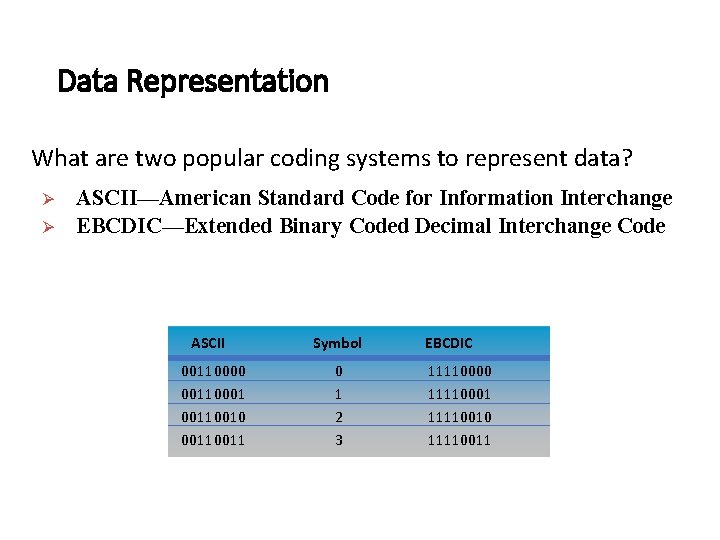
Data Representation What are two popular coding systems to represent data? Ø Ø ASCII—American Standard Code for Information Interchange EBCDIC—Extended Binary Coded Decimal Interchange Code ASCII 00110000 00110001 00110010 0011 Symbol 0 1 2 3 EBCDIC 11110000 11110001 11110010 11110011
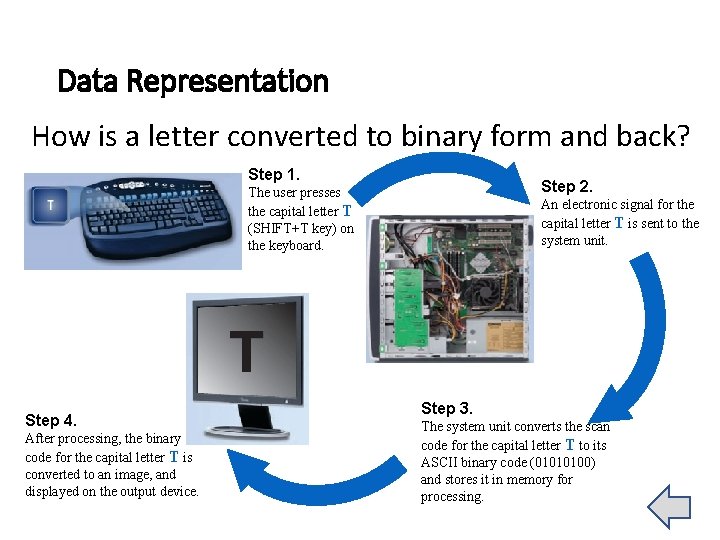
Data Representation How is a letter converted to binary form and back? Step 1. Step 2. The user presses the capital letter T (SHIFT+T key) on the keyboard. An electronic signal for the capital letter T is sent to the system unit. T Step 4. After processing, the binary code for the capital letter T is converted to an image, and displayed on the output device. Step 3. The system unit converts the scan code for the capital letter T to its ASCII binary code (01010100) and stores it in memory for processing.
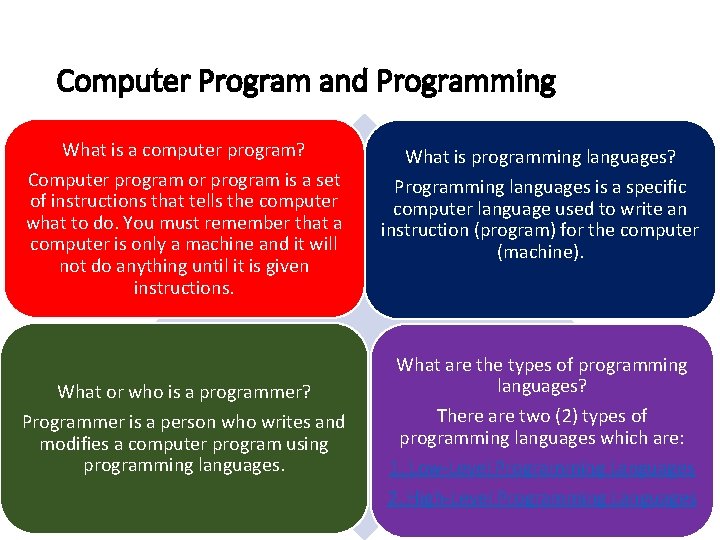
Computer Program and Programming What is a computer program? Computer program or program is a set of instructions that tells the computer what to do. You must remember that a computer is only a machine and it will not do anything until it is given instructions. What or who is a programmer? Programmer is a person who writes and modifies a computer program using programming languages. What is programming languages? Programming languages is a specific computer language used to write an instruction (program) for the computer (machine). What are the types of programming languages? There are two (2) types of programming languages which are: 1. Low-Level Programming Languages 2. High-Level Programming Languages
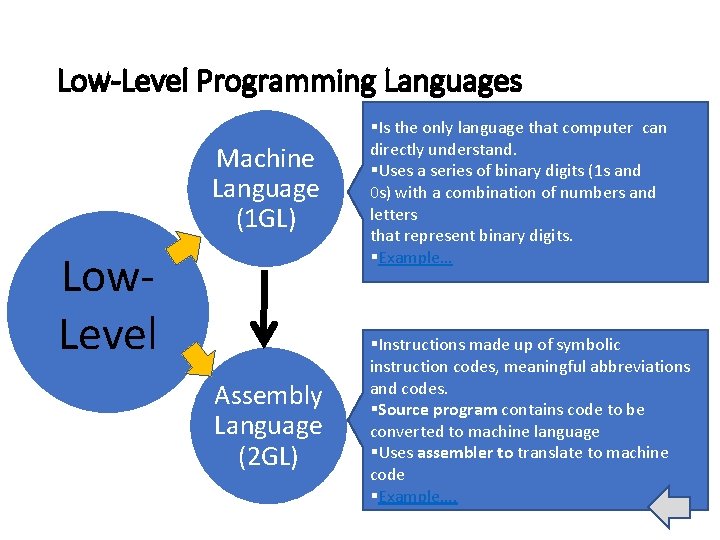
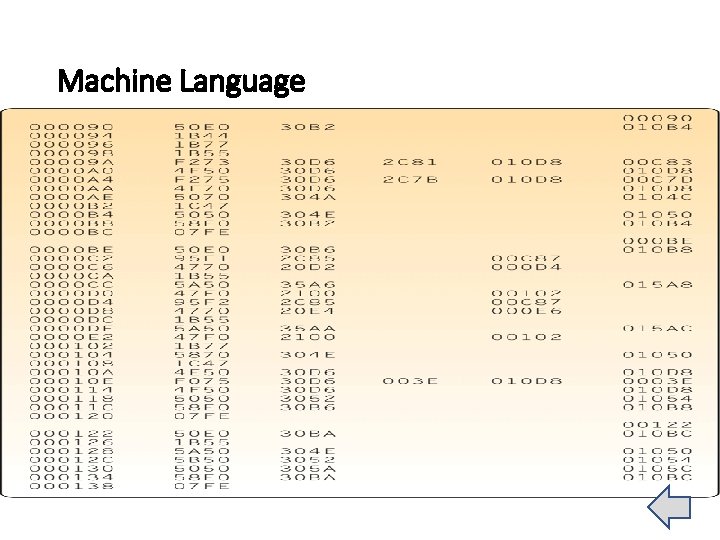
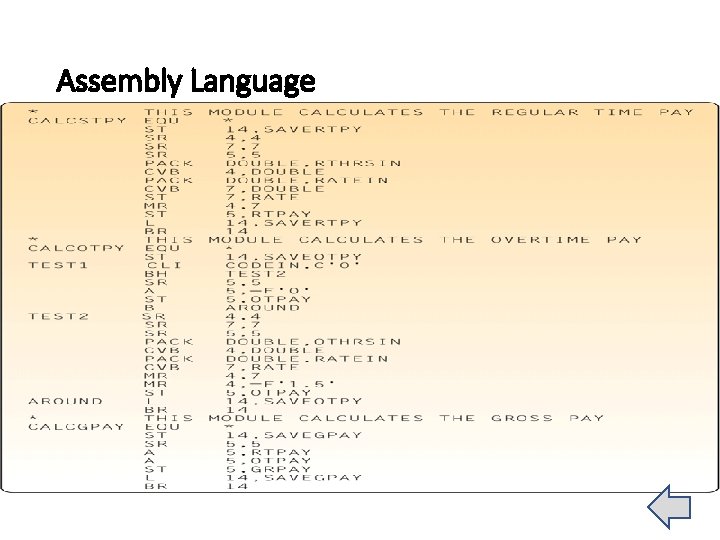
Low-Level Programming Languages Machine Language (1 GL) §Is the only language that computer can directly understand. §Uses a series of binary digits (1 s and 0 s) with a combination of numbers and letters that represent binary digits. §Example… Assembly Language (2 GL) §Instructions made up of symbolic instruction codes, meaningful abbreviations and codes. §Source program contains code to be converted to machine language §Uses assembler to translate to machine code §Example…. Low. Level
Machine Language
Assembly Language
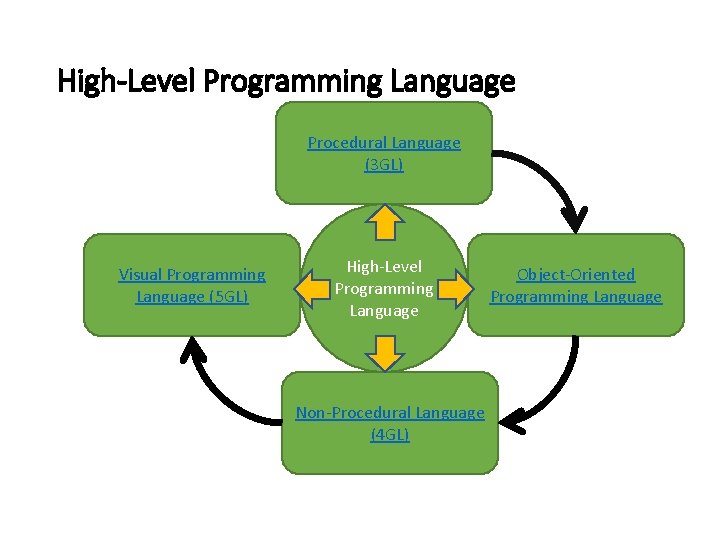
High-Level Programming Language Procedural Language (3 GL) Visual Programming Language (5 GL) High-Level Programming Language Non-Procedural Language (4 GL) Object-Oriented Programming Language
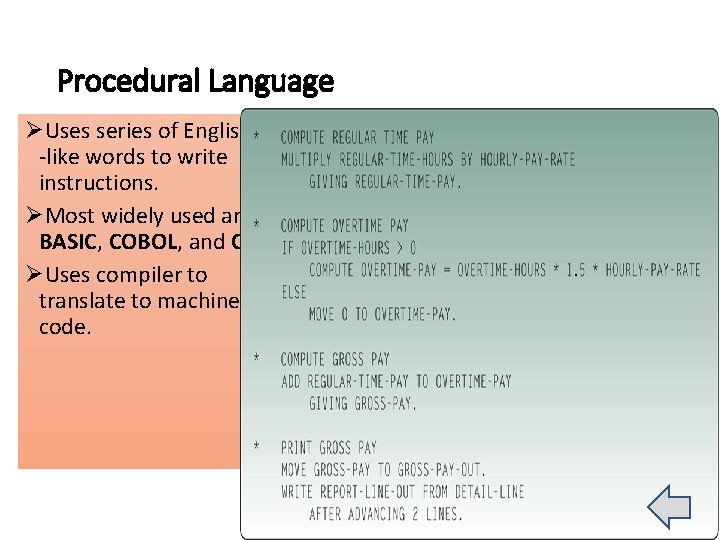
Procedural Language ØUses series of English -like words to write instructions. ØMost widely used are BASIC, COBOL, and C. ØUses compiler to translate to machine code.
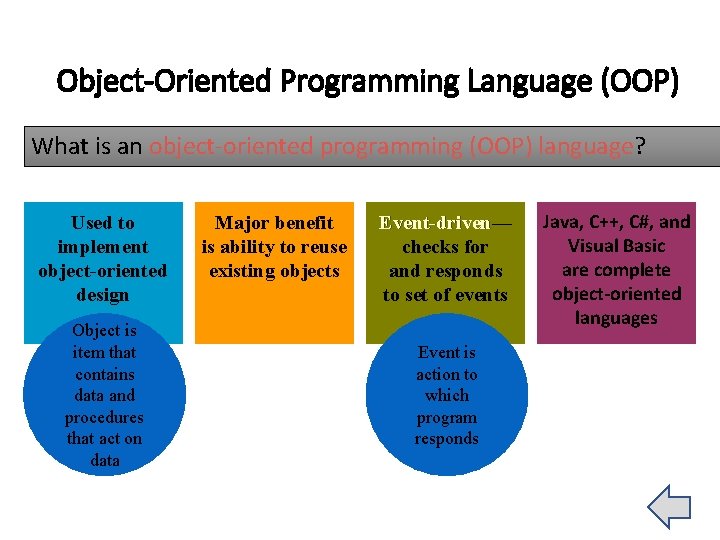
Object-Oriented Programming Language (OOP) What is an object-oriented programming (OOP) language? Used to implement object-oriented design Object is item that contains data and procedures that act on data Major benefit is ability to reuse existing objects Event-driven— Event-driven checks for and responds to set of events Event is action to which program responds Java, C++, C#, and Visual Basic are complete object-oriented languages
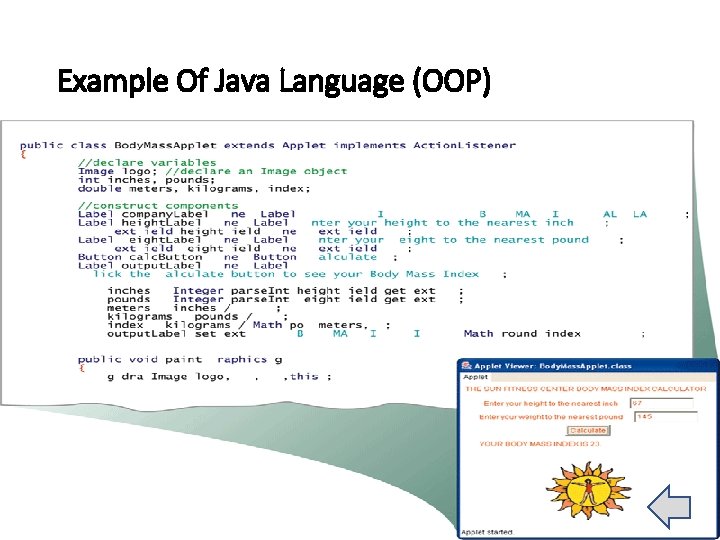
Example Of Java Language (OOP)
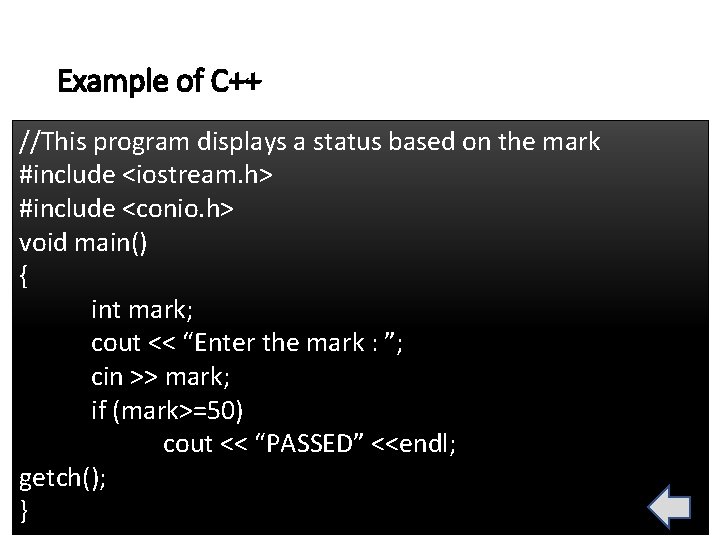
Example of C++ //This program displays a status based on the mark #include <iostream. h> #include <conio. h> void main() { int mark; cout << “Enter the mark : ”; cin >> mark; if (mark>=50) cout << “PASSED” <<endl; getch(); }
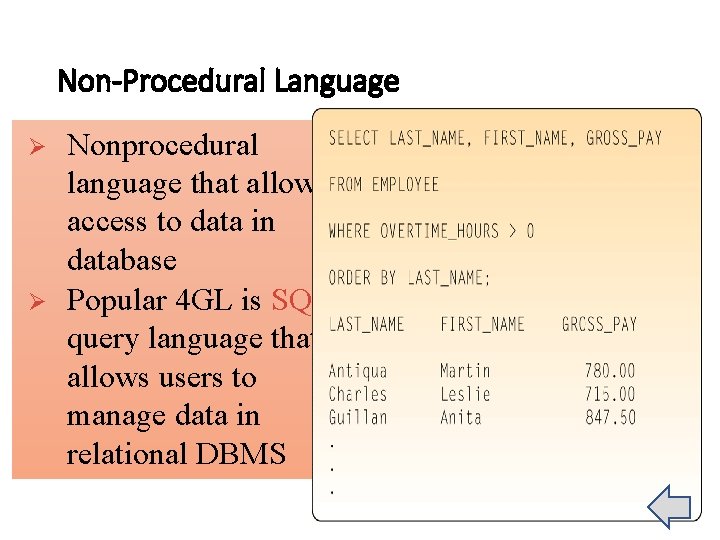
Non-Procedural Language Ø Ø Nonprocedural language that allows access to data in database Popular 4 GL is SQL, query language that allows users to manage data in relational DBMS
Visual Programming Languages ØProvides visual or graphical interface for creating source code Ø Often used in RAD (rapid application Development)environment Available in Visual Studio 2005, Delphi and Power. Builder
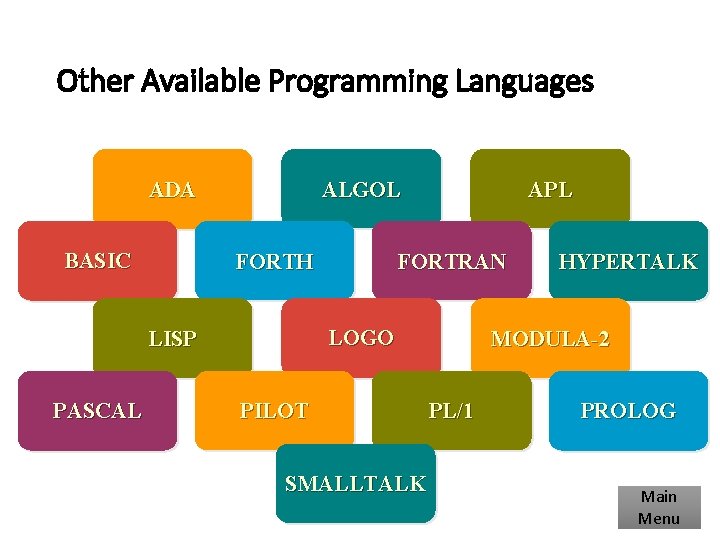
Other Available Programming Languages ALGOL ADA BASIC FORTH FORTRAN LOGO LISP PASCAL APL PILOT SMALLTALK HYPERTALK MODULA-2 PL/1 PROLOG Main Menu
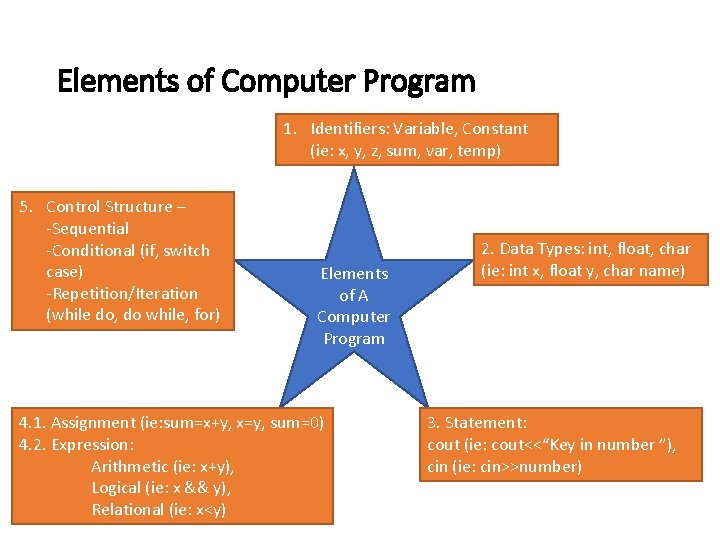
Elements of Computer Program 1. Identifiers: Variable, Constant (ie: x, y, z, sum, var, temp) 5. Control Structure – -Sequential -Conditional (if, switch case) -Repetition/Iteration (while do, do while, for) Elements of A Computer Program 4. 1. Assignment (ie: sum=x+y, x=y, sum=0) 4. 2. Expression: Arithmetic (ie: x+y), Logical (ie: x && y), Relational (ie: x<y) 2. Data Types: int, float, char (ie: int x, float y, char name) 3. Statement: cout (ie: cout<<“Key in number ”), cin (ie: cin>>number)
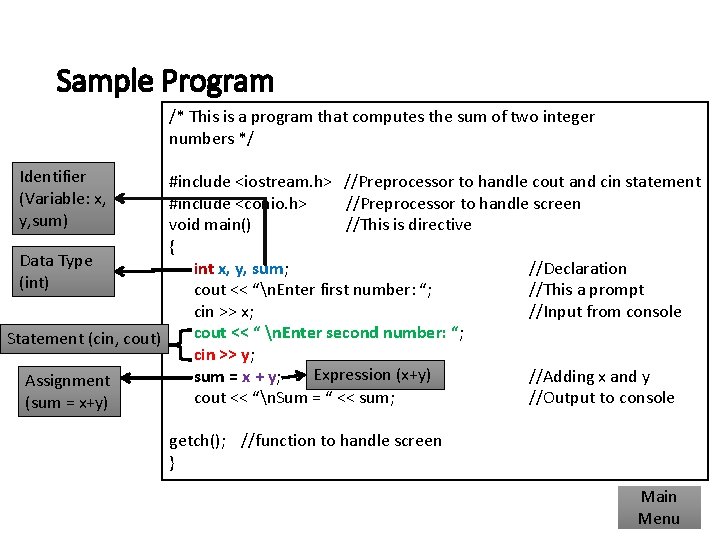
Sample Program /* This is a program that computes the sum of two integer numbers */ Identifier (Variable: x, y, sum) #include <iostream. h> //Preprocessor to handle cout and cin statement #include <conio. h> //Preprocessor to handle screen void main() //This is directive { Data Type int x, y, sum; //Declaration (int) cout << “n. Enter first number: “; //This a prompt cin >> x; //Input from console cout << “ n. Enter second number: “; Statement (cin, cout) cin >> y; Expression (x+y) sum = x + y; //Adding x and y Assignment cout << “n. Sum = “ << sum; //Output to console (sum = x+y) getch(); //function to handle screen } Main Menu
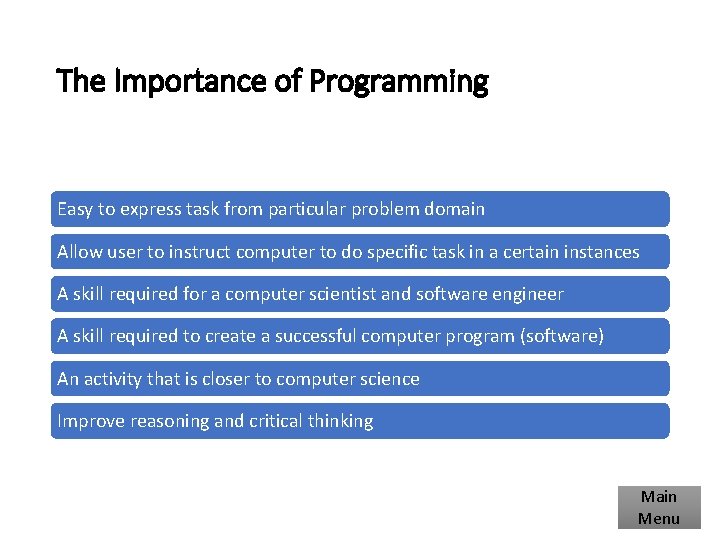
The Importance of Programming Easy to express task from particular problem domain Allow user to instruct computer to do specific task in a certain instances A skill required for a computer scientist and software engineer A skill required to create a successful computer program (software) An activity that is closer to computer science Improve reasoning and critical thinking Main Menu
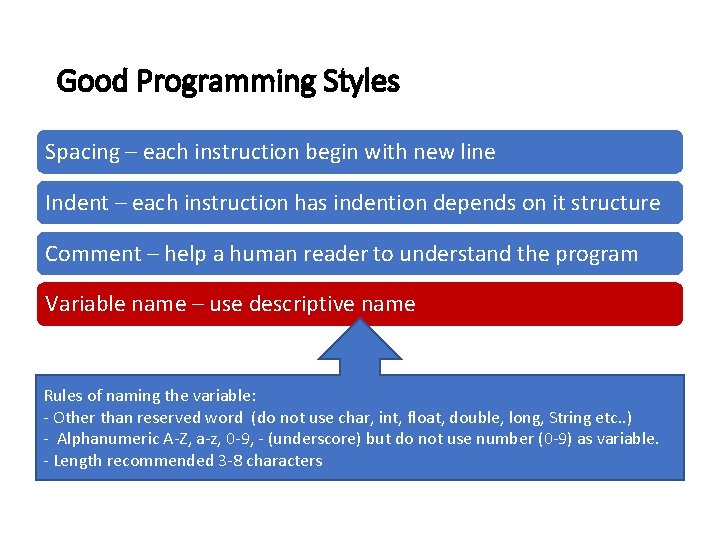
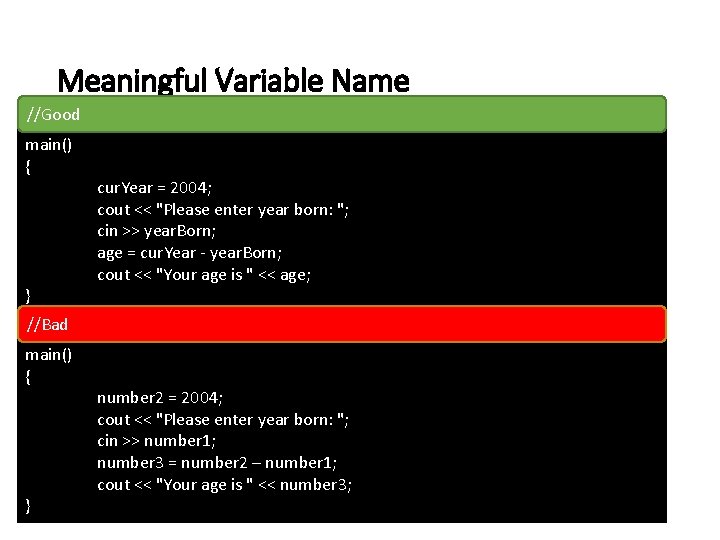
Good Programming Styles Spacing – each instruction begin with new line Indent – each instruction has indention depends on it structure Comment – help a human reader to understand the program Variable name – use descriptive name Rules of naming the variable: - Other than reserved word (do not use char, int, float, double, long, String etc. . ) - Alphanumeric A-Z, a-z, 0 -9, - (underscore) but do not use number (0 -9) as variable. - Length recommended 3 -8 characters
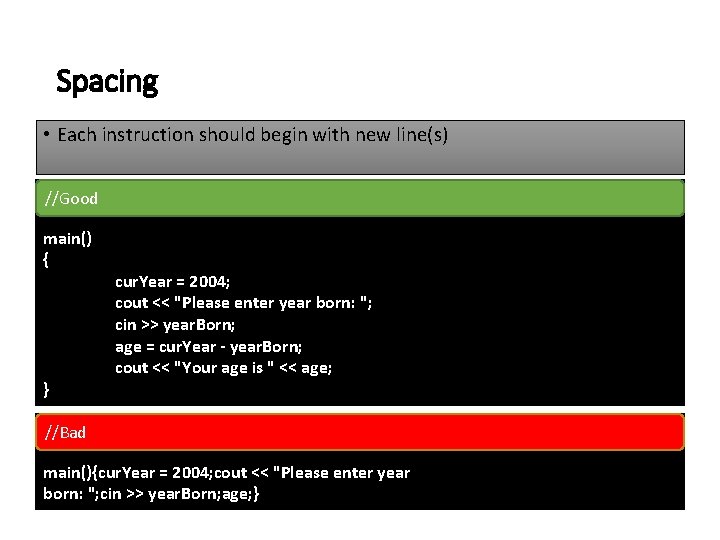
Spacing • Each instruction should begin with new line(s) //Good main() { } cur. Year = 2004; cout << "Please enter year born: "; cin >> year. Born; age = cur. Year - year. Born; cout << "Your age is " << age; //Bad main(){cur. Year = 2004; cout << "Please enter year born: "; cin >> year. Born; age; }
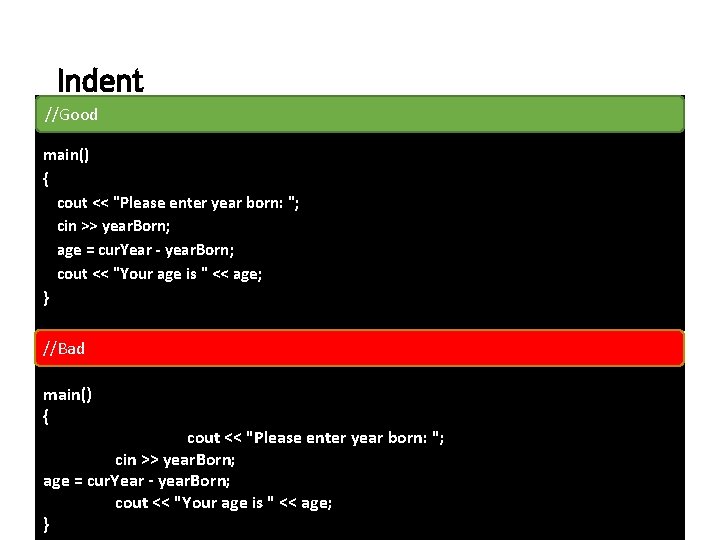
Indent //Good main() { cout << "Please enter year born: "; cin >> year. Born; age = cur. Year - year. Born; cout << "Your age is " << age; } //Bad main() { cout << "Please enter year born: "; cin >> year. Born; age = cur. Year - year. Born; cout << "Your age is " << age; }
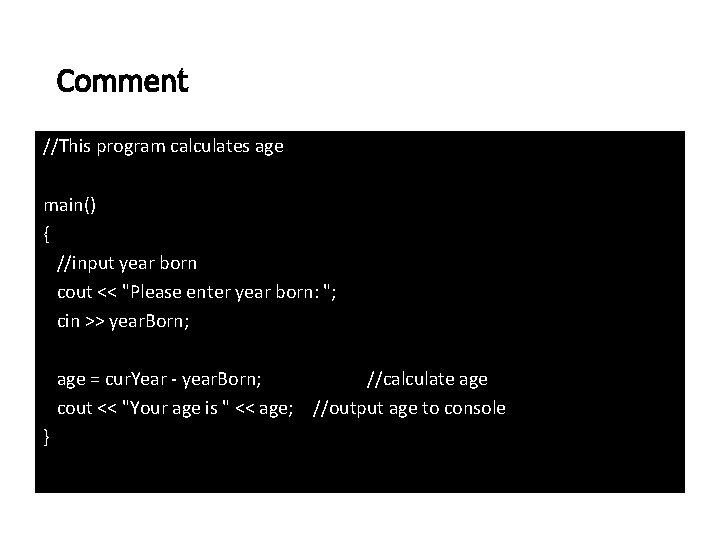
Comment //This program calculates age main() { //input year born cout << "Please enter year born: "; cin >> year. Born; age = cur. Year - year. Born; //calculate age cout << "Your age is " << age; //output age to console }
Meaningful Variable Name //Good main() { } //Bad main() { } cur. Year = 2004; cout << "Please enter year born: "; cin >> year. Born; age = cur. Year - year. Born; cout << "Your age is " << age; number 2 = 2004; cout << "Please enter year born: "; cin >> number 1; number 3 = number 2 – number 1; cout << "Your age is " << number 3;
What is a Good Programming Style? A good program is a program that is easy to read and easy to be understood by other programmers…
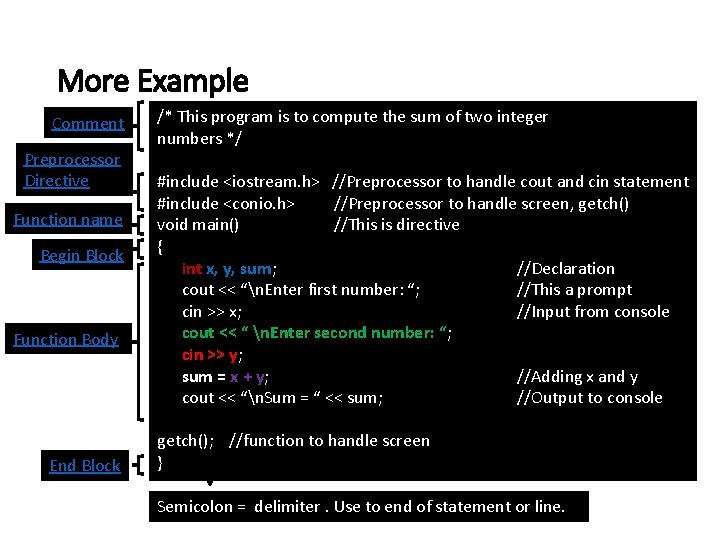
More Example Comment Preprocessor Directive Function name Begin Block Function Body End Block /* This program is to compute the sum of two integer numbers */ #include <iostream. h> //Preprocessor to handle cout and cin statement #include <conio. h> //Preprocessor to handle screen, getch() void main() //This is directive { int x, y, sum; //Declaration cout << “n. Enter first number: “; //This a prompt cin >> x; //Input from console cout << “ n. Enter second number: “; cin >> y; sum = x + y; //Adding x and y cout << “n. Sum = “ << sum; //Output to console getch(); //function to handle screen } Semicolon = delimiter. Use to end of statement or line.
Comments ØComment is used to explain the function of the program or statement in order to help them or others read and understand the programs or statement. ØUse two different punctuation marks § Begin with /* and end with */ - use if the comments runs more than one line. § // - use if takes a line or less ØAnything placed after the // or inside /* */ are considered comments and will not be executed by the computer.
The "Include" Directive and Header Files Ø#include <iostream. h> is called an include preprocessor directive. It is used to enables the program to use certain functions contained in the external file iostream. h. As the file is placed before the program proper, it is called a header file (with the extension. h) ØThere are numerous of predefined functions stored in header files and this is to simplify programming and reduce programming time. ØEach header files stores functions that are related to a particular application. For example two of the functions contained in the external file iostream. h are Øcin >> used for reading data from the keyboard Øcout << used for sending output to the monitor ØPreprocessor directive should begin with # symbol. Some other preprocessor directives: Ø#include Ø#define (commonly used along with constant value declaration)
Functions ØAll C++ are written in terms of functions. ØA C++ must have at least main() function is a reserved word. Program running started from main() function when it is been executed. ØEvery C++ function, including main() must have a body enclosed in braces {}. The function body (also called block) can be any size. ØA function always but not all end with return command. This command signals end of a function. C++ then returns control to whatever was in control of the program before the function. ØIf the function is void, therefore no value is returned. ØIf the function is other than void (i. e. int, char, float, double, string etc), therefore, it should return a value.
Braces (Begin And Ending Block) ØBraces is used to mark the beginning and ending the block of code. ØOpen “{“ is beginning of the block code. ØClose “}” is ending of the block code ØBraces “{“ and “}” should be coupling. One of the braces missing will cause syntax error in your program. Main Menu
Relationship Between Compiler, Interpreter And Program What are the compiler and interpreter? Compiler and interpreter are the program called language translator that accept human-readable source statement (code) and produces machine-readable instruction. Assembler is also language translator.
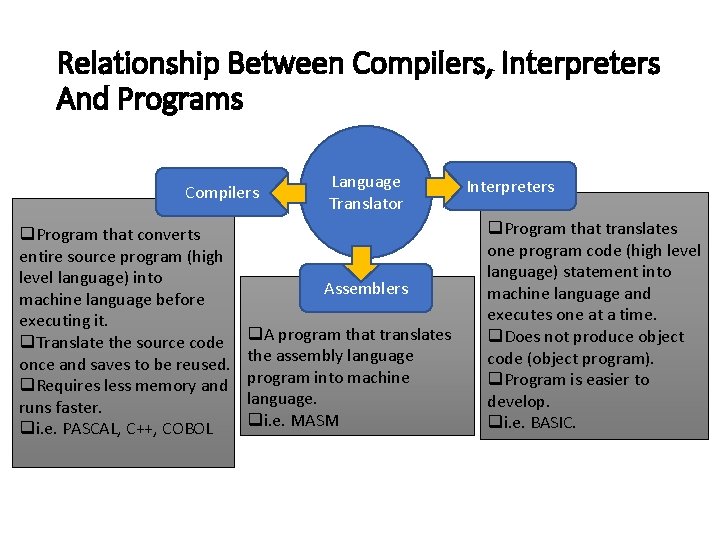
Relationship Between Compilers, Interpreters And Programs Compilers q. Program that converts entire source program (high level language) into machine language before executing it. q. Translate the source code once and saves to be reused. q. Requires less memory and runs faster. qi. e. PASCAL, C++, COBOL Language Translator Assemblers q. A program that translates the assembly language program into machine language. qi. e. MASM Interpreters q. Program that translates one program code (high level language) statement into machine language and executes one at a time. q. Does not produce object code (object program). q. Program is easier to develop. qi. e. BASIC.
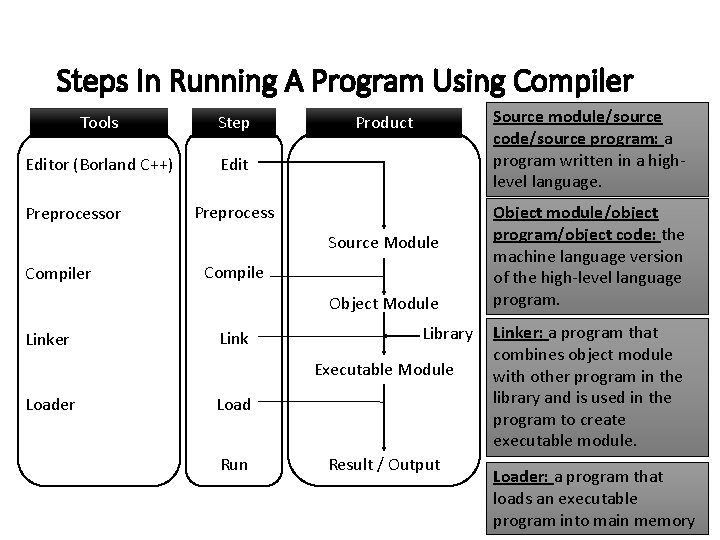
Steps In Running A Program Using Compiler Tools Step Editor (Borland C++) Edit Preprocessor Source module/source code/source program: a program written in a highlevel language. Product Preprocess Source Module Compiler Compile Object Module Linker Link Library Executable Module Loader Load Run Result / Output Object module/object program/object code: the machine language version of the high-level language program. Linker: a program that combines object module with other program in the library and is used in the program to create executable module. Loader: a program that loads an executable program into main memory
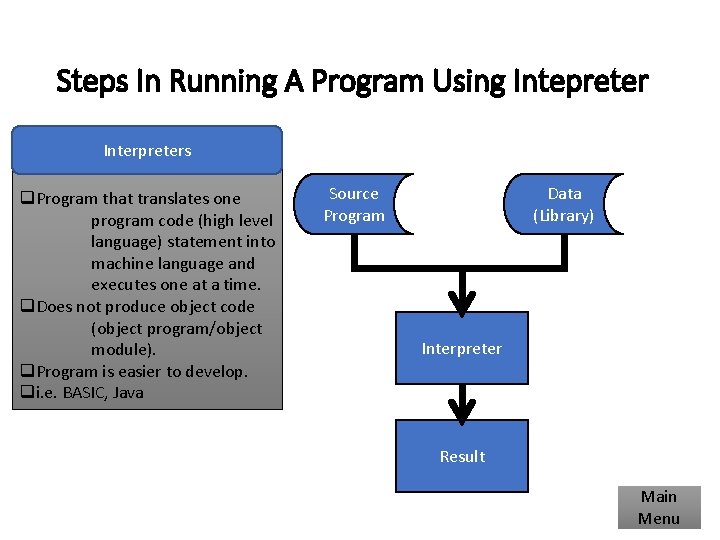
Steps In Running A Program Using Intepreter Interpreters q. Program that translates one program code (high level language) statement into machine language and executes one at a time. q. Does not produce object code (object program/object module). q. Program is easier to develop. qi. e. BASIC, Java Source Program Data (Library) Interpreter Result Main Menu
A Brief History of Programming Languages (C++) q. C++ (OOP) is built upon the foundation of C (structured programming language). q. C++ is a superset of C and C++ compilers can be used to compile C programs. q. C++ is an expanded and enhanced version of C that embodies the philosophy of object-oriented programming. q. C was invented and first implemented by Dennis Ritchie in 1970 s, while C++ invented by Bjarne Stroustrup in 1979 at Bell Laboratories in Murray Hill. q The reason for invention of C++ is to cater the increases of complexity in computer problem solving or programming. Main Menu
End of topic 1. Next topic: Problem Solving using Computers