
Topic 1 Direct Link Network Media Access Control










![References Section 2. 6: Direct Link Networks [P&D] Chapter 3: Packet Switching [P&D]](https://slidetodoc.com/presentation_image/0756dfb1ae5720746e532b8dbafdb775/image-30.jpg "References Section 2. 6: Direct Link Networks [P&D] Chapter 3: Packet Switching [P&D]")
- Slides: 31
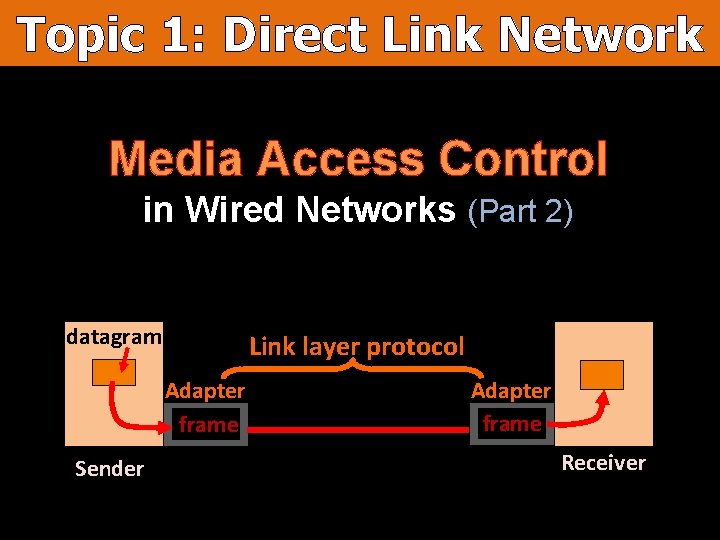
Topic 1: Direct Link Network Media Access Control in Wired Networks (Part 2) datagram Link layer protocol Adapter frame Sender Adapter frame Receiver
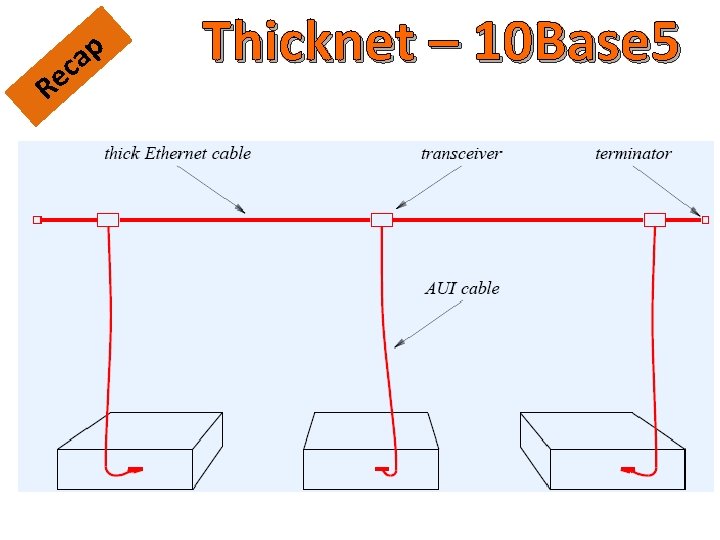
Re p a c Thicknet – 10 Base 5 Figure from: Douglas Comer: “Computer Networks and Internets”
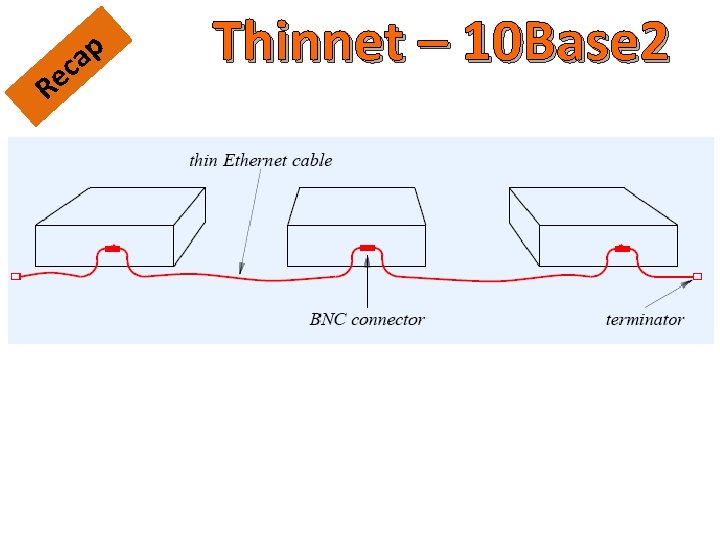
Re p a c Thinnet – 10 Base 2 Figure from: Douglas Comer: “Computer Networks and Internets”
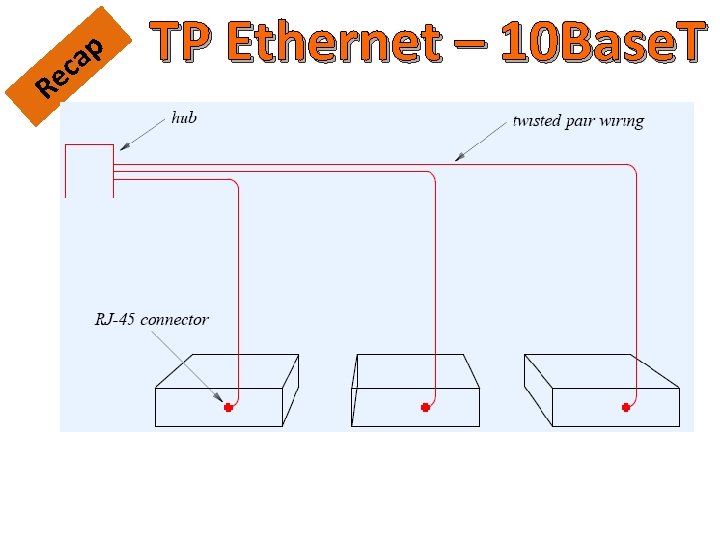
Re p a c TP Ethernet – 10 Base. T Figure from: Douglas Comer: “Computer Networks and Internets”
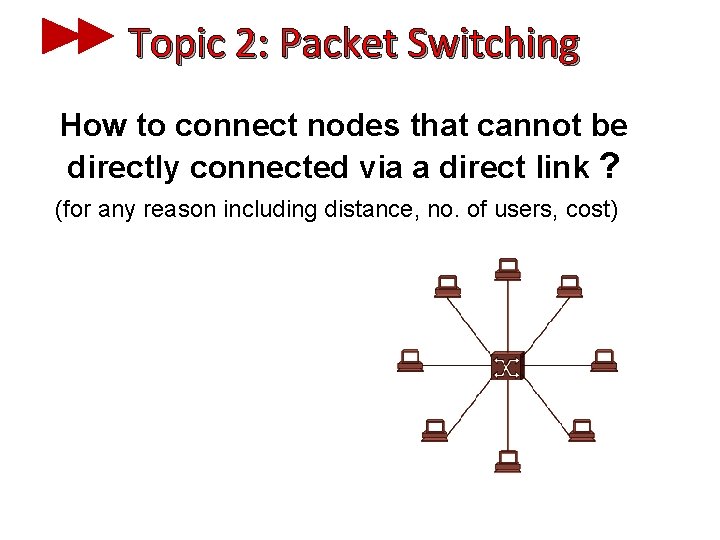
Topic 2: Packet Switching How to connect nodes that cannot be directly connected via a direct link ? (for any reason including distance, no. of users, cost)
Advantages of Switching Three desirable features: 1) Although a switch has limited I/O ports, large networks can be built by interconnecting switches 2) Switches can be connected using Point-to-Point links -> we can build geographically dispersed networks 3) Adding a new host does not necessarily degrade the network performance of existing nodes
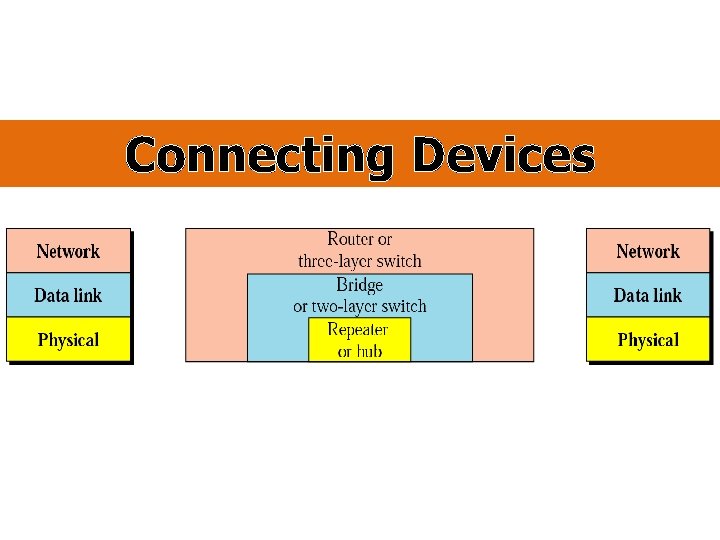
Connecting Devices
Connecting Devices - Repeaters Single collision domain
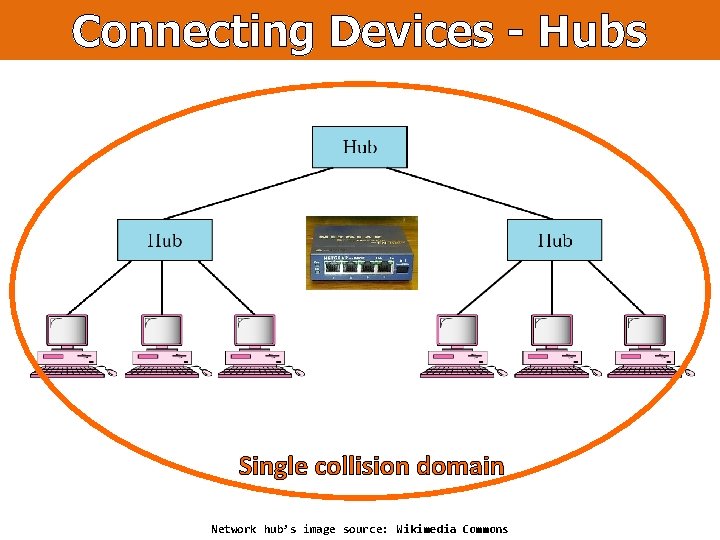
Connecting Devices - Hubs Single collision domain Network hub’s image source: Wikimedia Commons
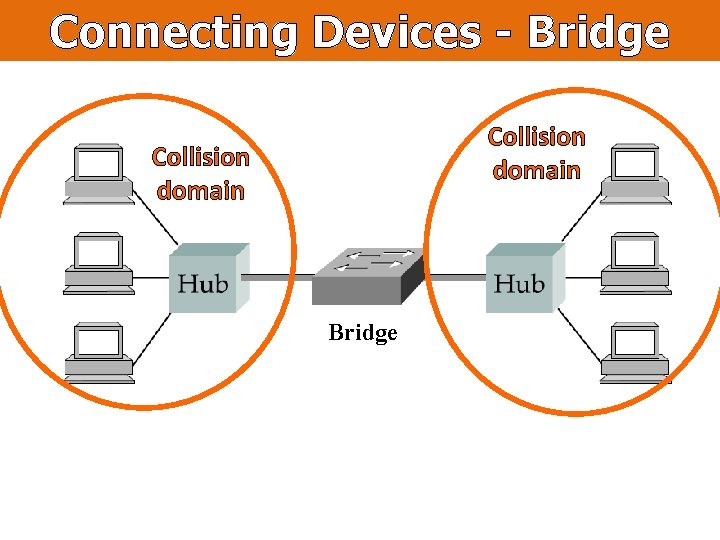
Connecting Devices - Bridge Collision domain Bridge
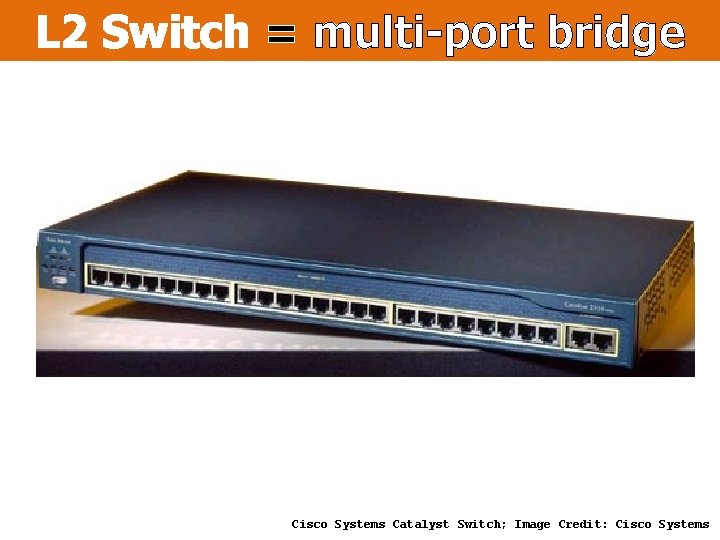
L 2 Switch = multi-port bridge Cisco Systems Catalyst Switch; Image Credit: Cisco Systems
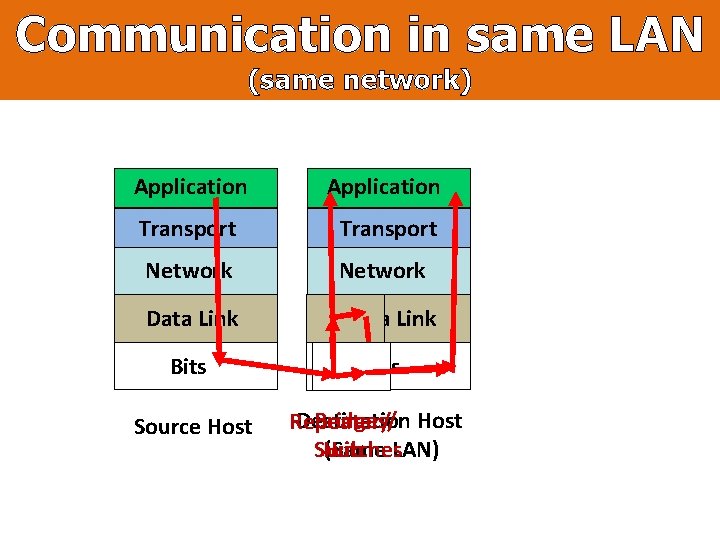
Communication in same LAN (same network) Application Transport Network Data Link Bits Source Host Destination Bridges/ Host Repeater/ Switches (Same LAN) Hub
How do bridges/ L 2 switches work? Bridge
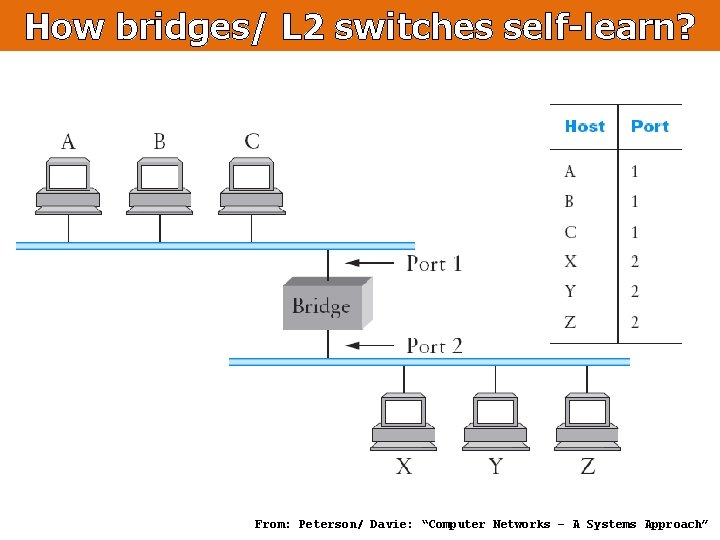
How bridges/ L 2 switches self-learn? From: Peterson/ Davie: “Computer Networks – A Systems Approach”
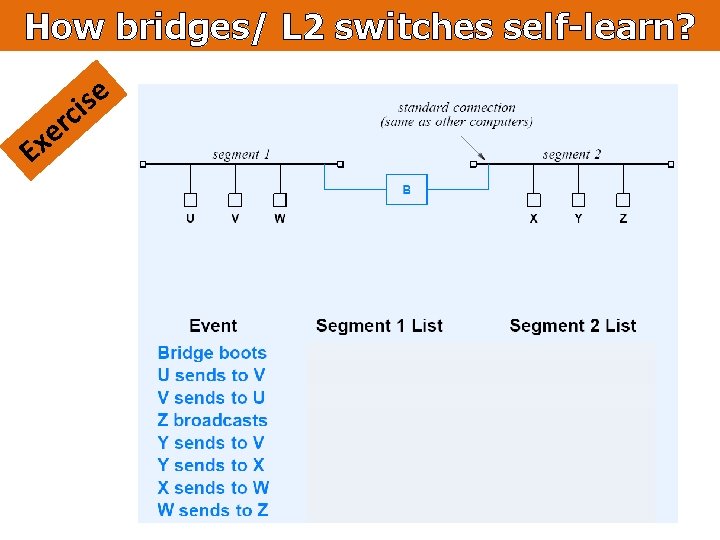
How bridges/ L 2 switches self-learn? E r e x e s ci
Loop free bridging
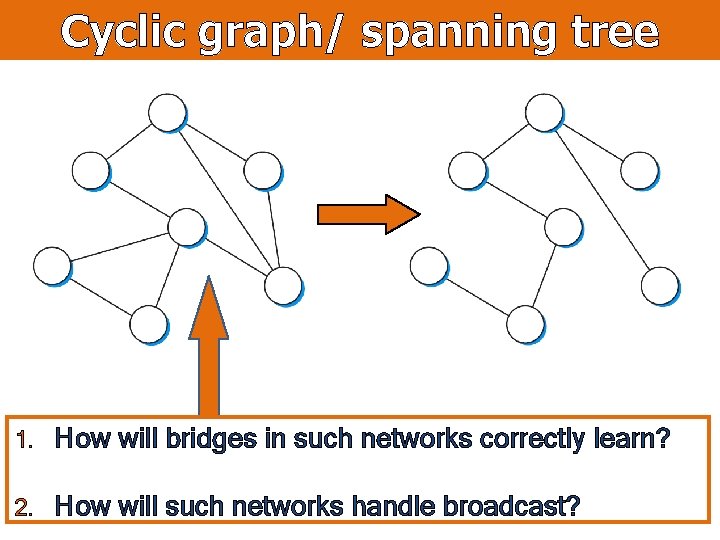
Cyclic graph/ spanning tree 1. How will bridges in such networks correctly learn? 2. How will such networks handle broadcast?
Algorhyme – Radia Perlman I think that I shall never see A graph more lovely than a tree. A tree whose crucial property Is loop-free connectivity A tree which must be sure to span, So packets can reach every LAN. First the Root must be selected. By ID it is elected. Least-cost paths from Root are traced. In the tree these paths are placed. A mesh is made by folks like me. Then bridges find a spanning tree.
Spanning Tree Protocol Root Bridge Figure from: Peterson/ Davie: “Computer Networks – A Systems Approach”
Broadcast/ Multicast From: Peterson/ Davie: “Computer Networks – A Systems Approach”
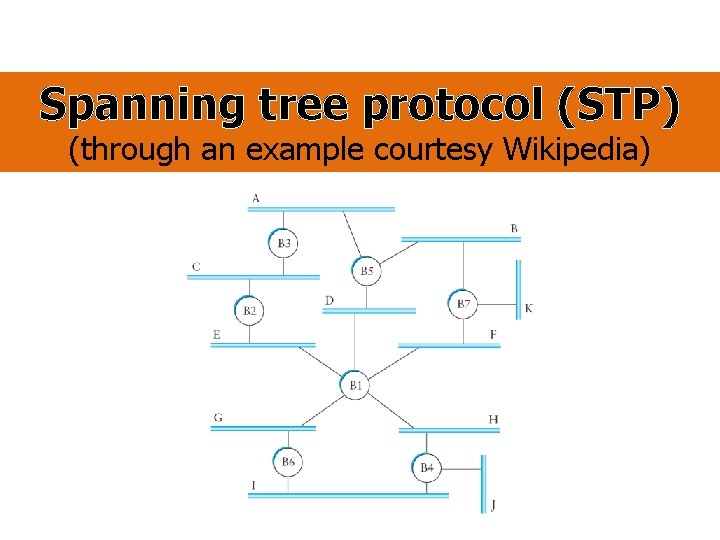
Spanning tree protocol (STP) (through an example courtesy Wikipedia)
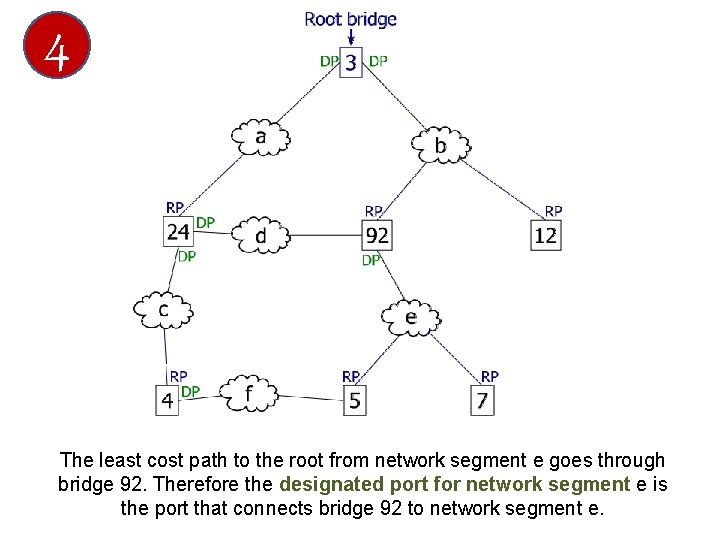
1 An example network. The numbered boxes represent bridges (number being the bridge ID). The lettered clouds represent network segments.
2 The smallest bridge ID is 3. Therefore, bridge 3 is the root bridge.
3 Assuming that the cost of traversing any network segment is 1, the least cost path from bridge 4 to the root bridge goes through network segment c. Therefore, the root port for bridge 4 is the on network segment c.
4 The least cost path to the root from network segment e goes through bridge 92. Therefore the designated port for network segment e is the port that connects bridge 92 to network segment e.
5 This diagram illustrates all port states as computed by the spanning tree algorithm. Any active port that is not a root port or a designated port is a blocked port.
6 6. After link failure the spanning tree algorithm computes and spans new least-cost tree.
Problems with L 2 Switching § Scaling and heterogeneity issues § Broadcast storms (single broadcast domain)
Virtual LAN
References Section 2. 6: Direct Link Networks [P&D] Chapter 3: Packet Switching [P&D]
? ? ? Questions/ Confusions?