
TOOLS FEATURES OF YOUR DCPS EMAIL AND HOW
- Slides: 9
TOOLS & FEATURES OF YOUR DCPS EMAIL AND HOW TO USE THEM! STANDARDS: (LAFS. 1112. W. 2. 4 & LAFS. 1112. W. 2. 6 )
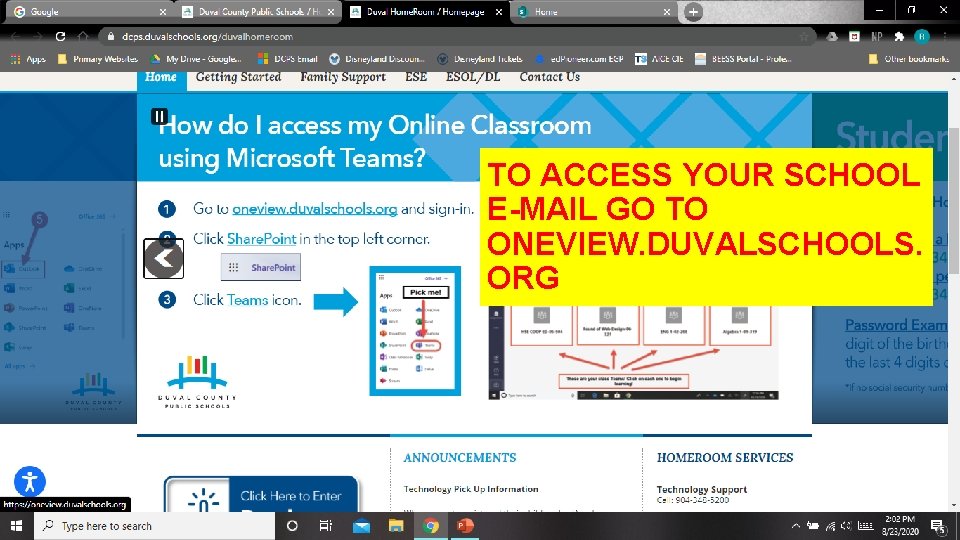
TO ACCESS YOUR SCHOOL E-MAIL GO TO ONEVIEW. DUVALSCHOOLS. ORG
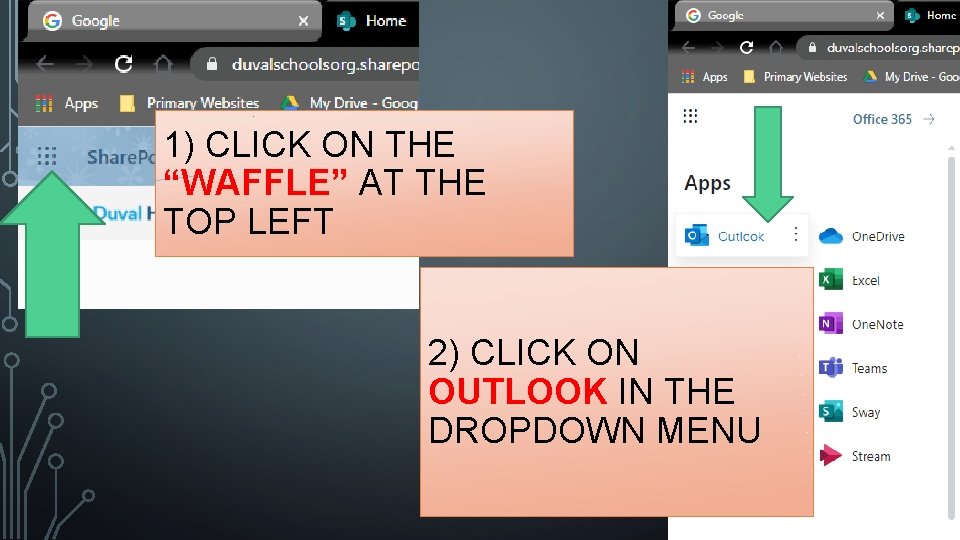
1) CLICK ON THE “WAFFLE” AT THE TOP LEFT 2) CLICK ON OUTLOOK IN THE DROPDOWN MENU
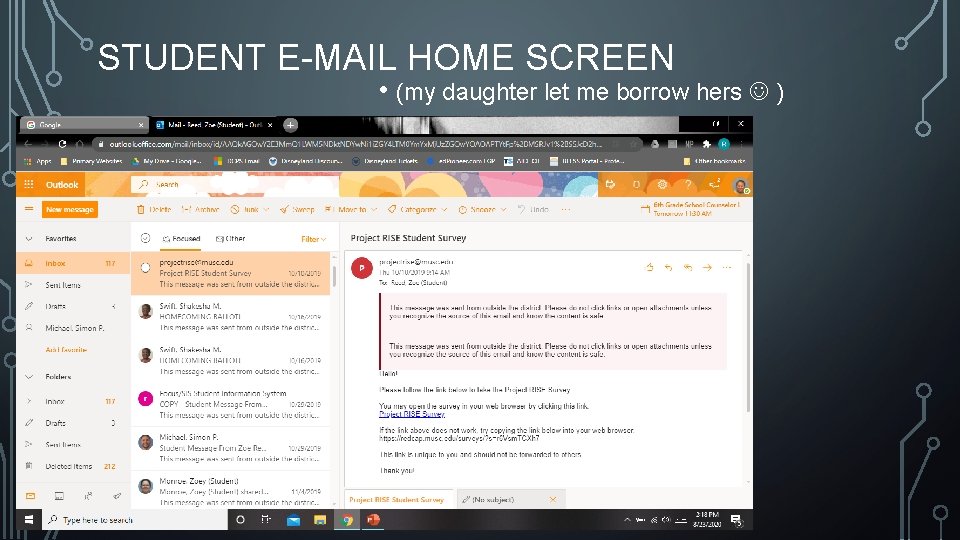
STUDENT E-MAIL HOME SCREEN • (my daughter let me borrow hers )
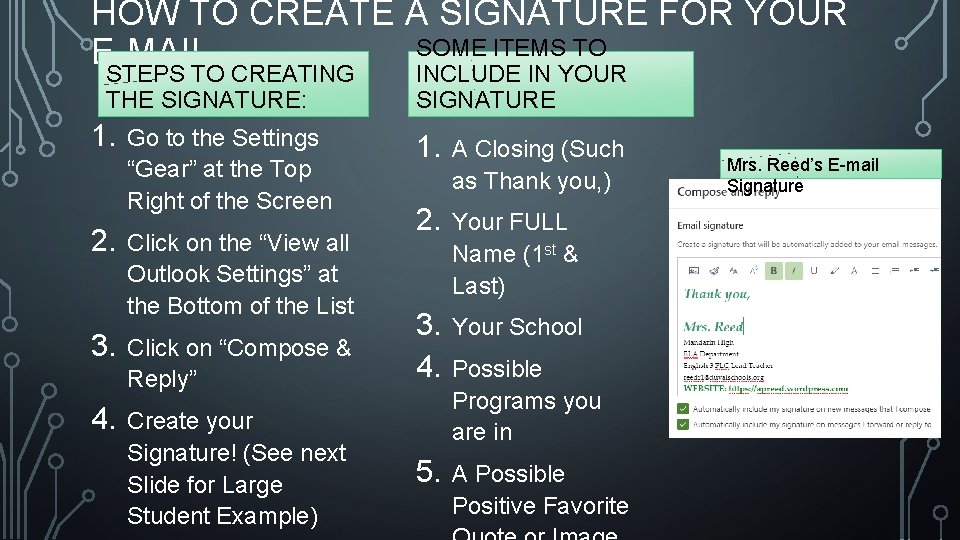
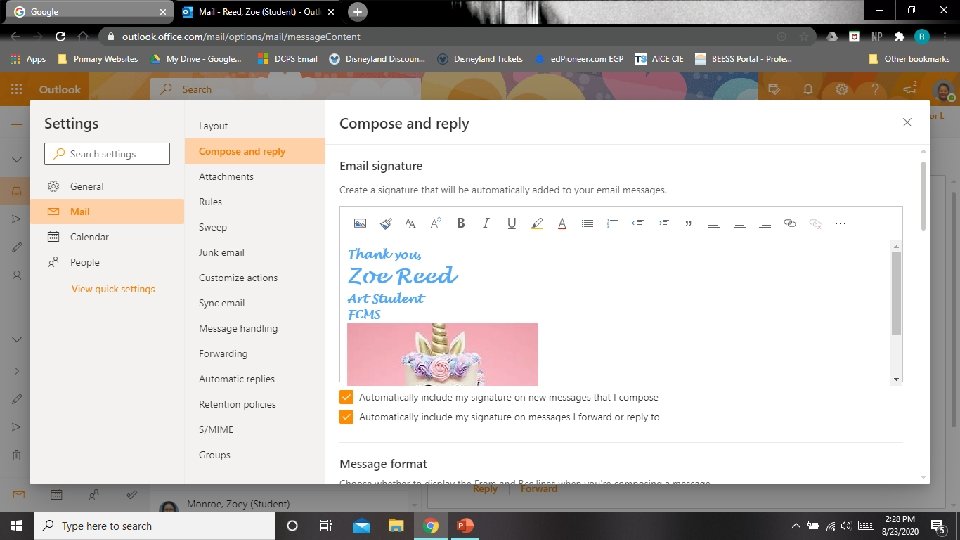
HOW TO CREATE A SIGNATURE FOR YOUR SOME ITEMS TO E-MAIL INCLUDE IN YOUR STEPS TO CREATING THE SIGNATURE: 1. 2. Go to the Settings “Gear” at the Top Right of the Screen Click on the “View all Outlook Settings” at the Bottom of the List 3. Click on “Compose & Reply” 4. Create your Signature! (See next Slide for Large Student Example) SIGNATURE 1. A Closing (Such as Thank you, ) 2. Your FULL Name (1 st & Last) 3. 4. Your School 5. A Possible Positive Favorite Possible Programs you are in Mrs. Reed’s E-mail Signature
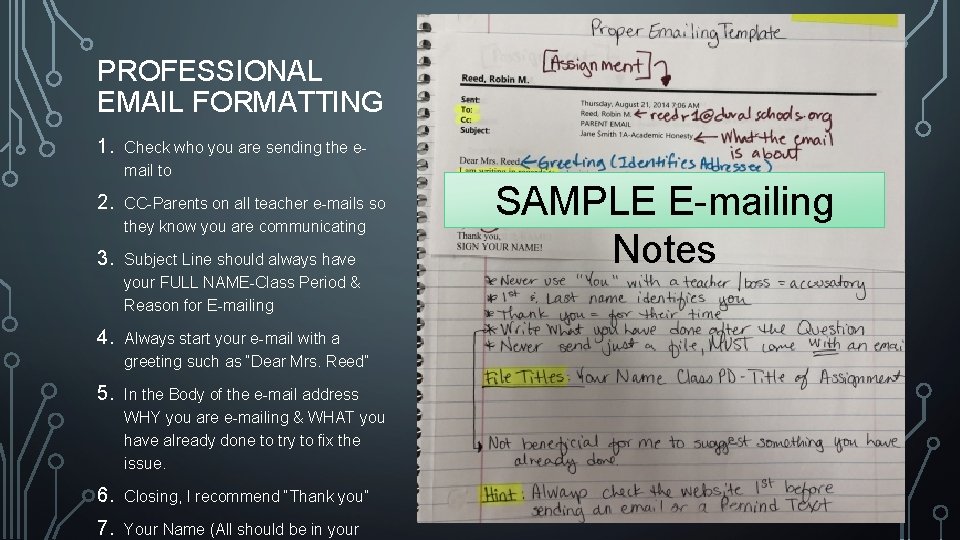
PROFESSIONAL EMAIL FORMATTING 1. Check who you are sending the email to 2. CC-Parents on all teacher e-mails so they know you are communicating 3. Subject Line should always have your FULL NAME-Class Period & Reason for E-mailing 4. Always start your e-mail with a greeting such as “Dear Mrs. Reed” 5. In the Body of the e-mail address WHY you are e-mailing & WHAT you have already done to try to fix the issue. 6. Closing, I recommend “Thank you” 7. Your Name (All should be in your SAMPLE E-mailing Notes
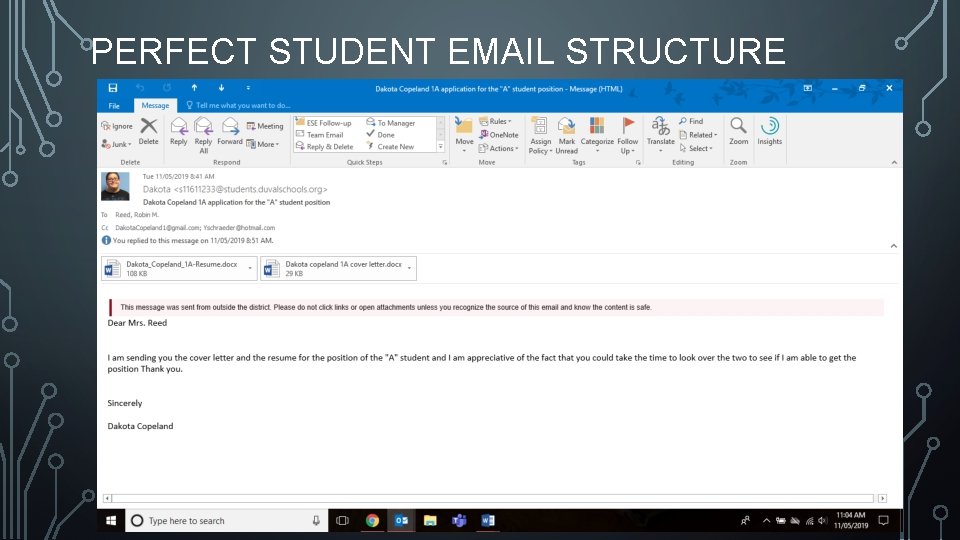
PERFECT STUDENT EMAIL STRUCTURE
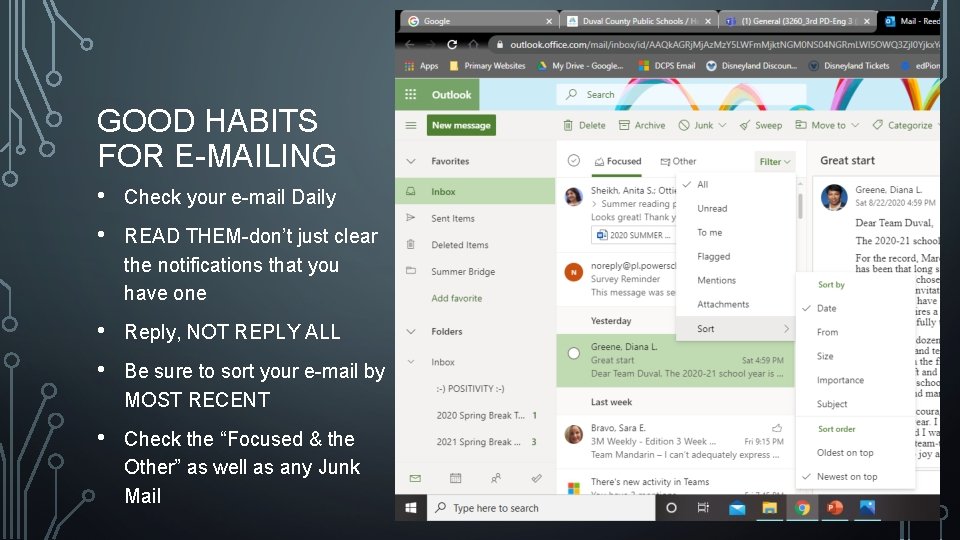
GOOD HABITS FOR E-MAILING • Check your e-mail Daily • READ THEM-don’t just clear the notifications that you have one • Reply, NOT REPLY ALL • Be sure to sort your e-mail by MOST RECENT • Check the “Focused & the Other” as well as any Junk Mail