
Tools and technology usage in PFMS application lifecycle
- Slides: 22
Tools and technology usage in PFMS application lifecycle management process LEPL Financial-Analytical Service, Ministry of Finance October, 2015 Dimitri Rakviashvili, Head of Software Department
Agenda General principles of Application Lifecycle Management FAS approach to Application Lifecycle Management Discussion (Questions And Answers) 2
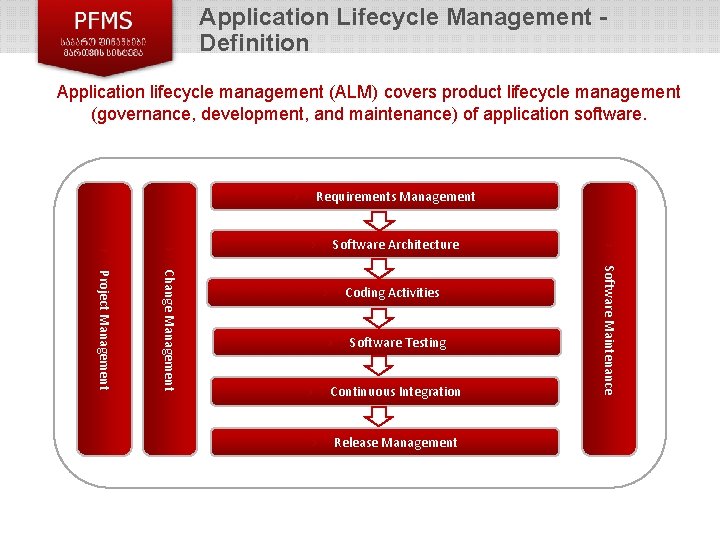
Application Lifecycle Management Definition Application lifecycle management (ALM) covers product lifecycle management (governance, development, and maintenance) of application software. Requirements Management › Change Management › Software Testing › Continuous Integration › Release Management Software Maintenance › Project Management Coding Activities › › › Software Architecture ›
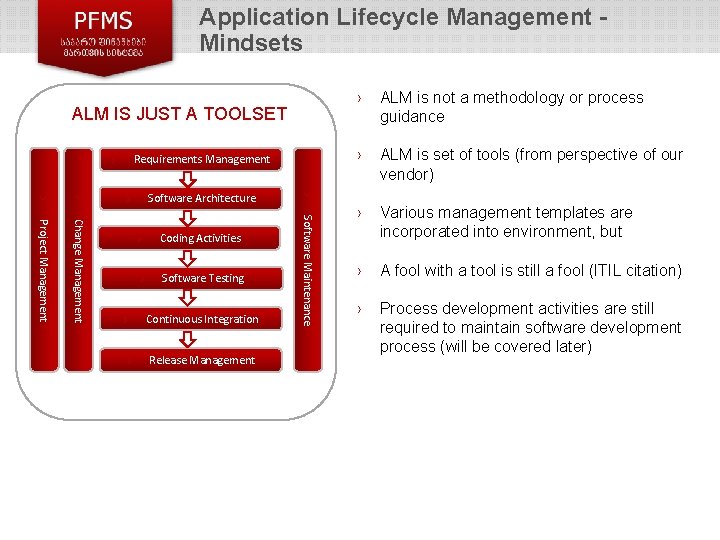
Application Lifecycle Management Mindsets ALM IS JUST A TOOLSET Requirements Management › Coding Activities › Software Testing › Continuous Integration › Release Management Software Maintenance Change Management Project Management › ALM is not a methodology or process guidance › ALM is set of tools (from perspective of our vendor) › Various management templates are incorporated into environment, but › A fool with a tool is still a fool (ITIL citation) › Process development activities are still required to maintain software development process (will be covered later) › › › Software Architecture › ›
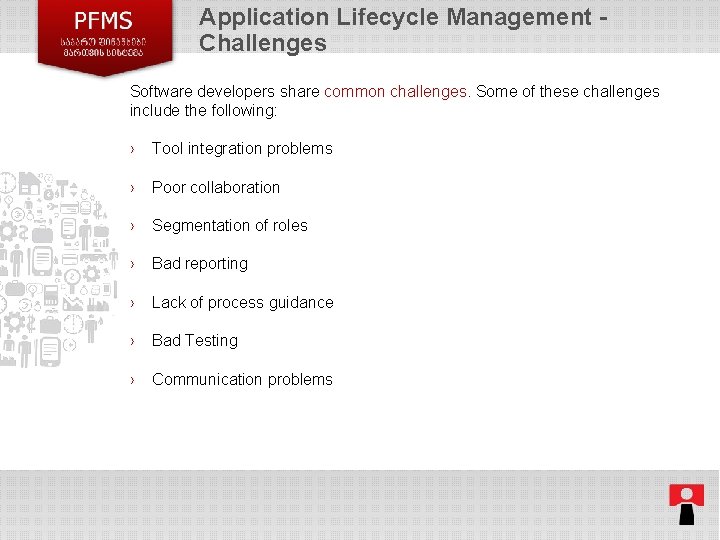
Application Lifecycle Management Challenges Software developers share common challenges. Some of these challenges include the following: › Tool integration problems › Poor collaboration › Segmentation of roles › Bad reporting › Lack of process guidance › Bad Testing › Communication problems 5
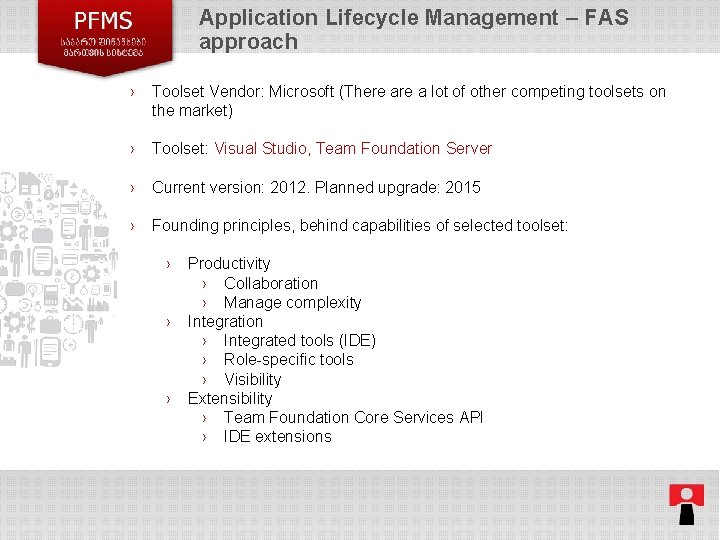
Application Lifecycle Management – FAS approach › Toolset Vendor: Microsoft (There a lot of other competing toolsets on the market) › Toolset: Visual Studio, Team Foundation Server › Current version: 2012. Planned upgrade: 2015 › Founding principles, behind capabilities of selected toolset: › › › Productivity › Collaboration › Manage complexity Integration › Integrated tools (IDE) › Role-specific tools › Visibility Extensibility › Team Foundation Core Services API › IDE extensions 6
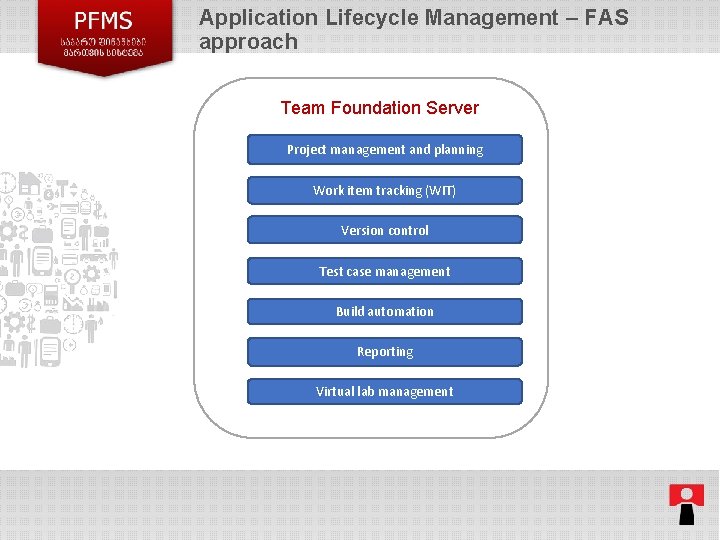
Application Lifecycle Management – FAS approach Team Foundation Server Project management and planning Work item tracking (WIT) Version control Test case management Build automation Reporting Virtual lab management 7
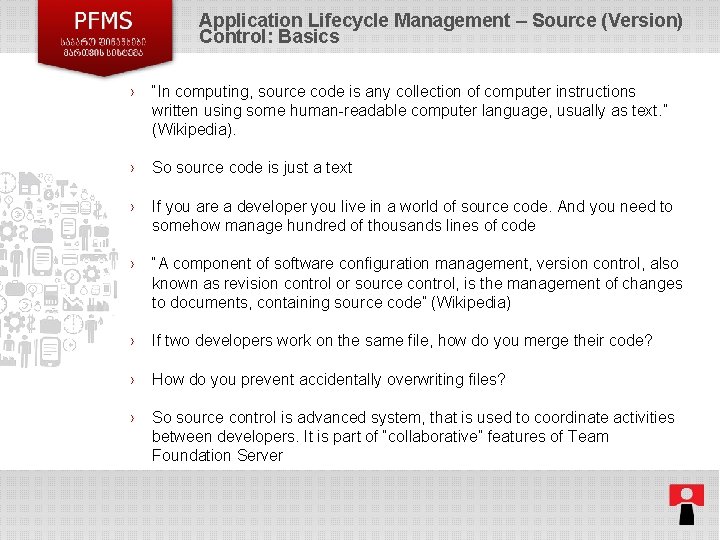
Application Lifecycle Management – Source (Version) Control: Basics › “In computing, source code is any collection of computer instructions written using some human-readable computer language, usually as text. ” (Wikipedia). › So source code is just a text › If you are a developer you live in a world of source code. And you need to somehow manage hundred of thousands lines of code › “A component of software configuration management, version control, also known as revision control or source control, is the management of changes to documents, containing source code” (Wikipedia) › If two developers work on the same file, how do you merge their code? › How do you prevent accidentally overwriting files? › So source control is advanced system, that is used to coordinate activities between developers. It is part of “collaborative” features of Team Foundation Server 8
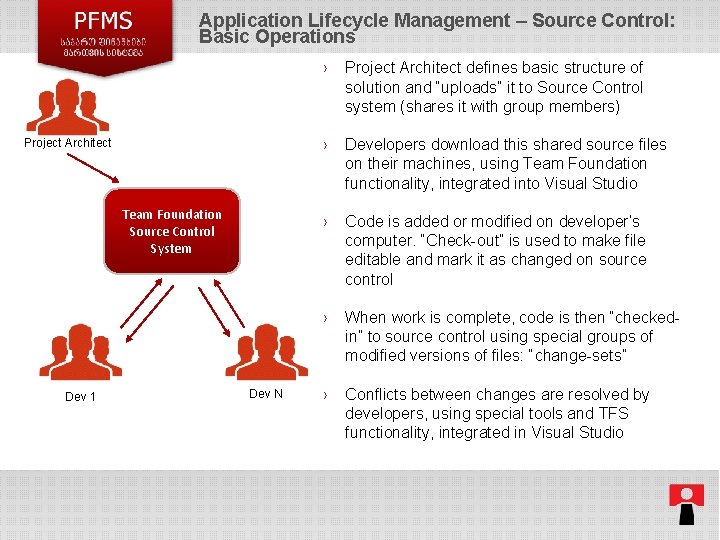
Application Lifecycle Management – Source Control: Basic Operations Project Architect Team Foundation Source Control System Dev 1 Dev N › Project Architect defines basic structure of solution and “uploads” it to Source Control system (shares it with group members) › Developers download this shared source files on their machines, using Team Foundation functionality, integrated into Visual Studio › Code is added or modified on developer’s computer. “Check-out” is used to make file editable and mark it as changed on source control › When work is complete, code is then “checkedin” to source control using special groups of modified versions of files: “change-sets” › Conflicts between changes are resolved by developers, using special tools and TFS functionality, integrated in Visual Studio 9
Application Lifecycle Management – Source Control: Basic Features › Atomic check-ins › Associate check-ins with work items › Branching and merging › Shelving › Labeling › Concurrent check-outs › Follow history › Check-in policies › Check-in notes › *Team Foundation Server proxy 10
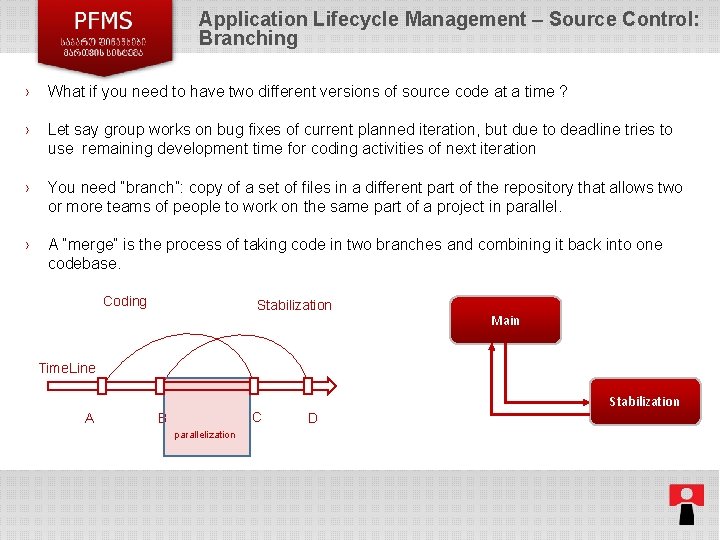
Application Lifecycle Management – Source Control: Branching › What if you need to have two different versions of source code at a time ? › Let say group works on bug fixes of current planned iteration, but due to deadline tries to use remaining development time for coding activities of next iteration › You need “branch”: copy of a set of files in a different part of the repository that allows two or more teams of people to work on the same part of a project in parallel. › A “merge” is the process of taking code in two branches and combining it back into one codebase. Coding Stabilization Main Time. Line A C B Stabilization D parallelization 11
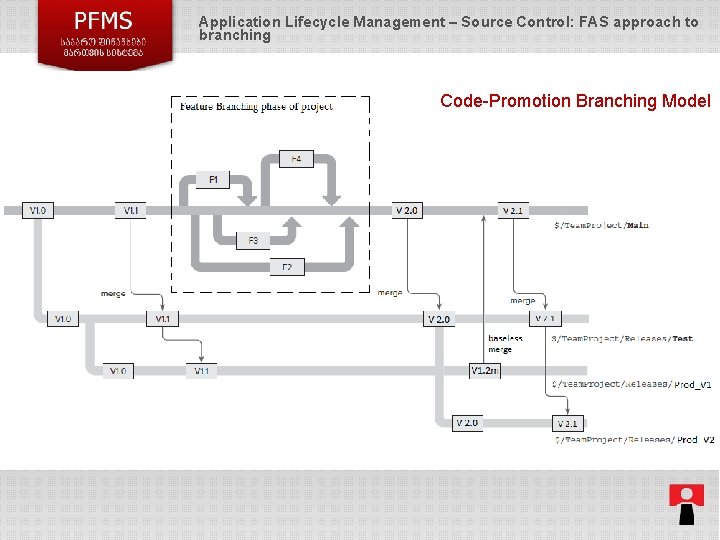
Application Lifecycle Management – Source Control: FAS approach to branching Code-Promotion Branching Model 12
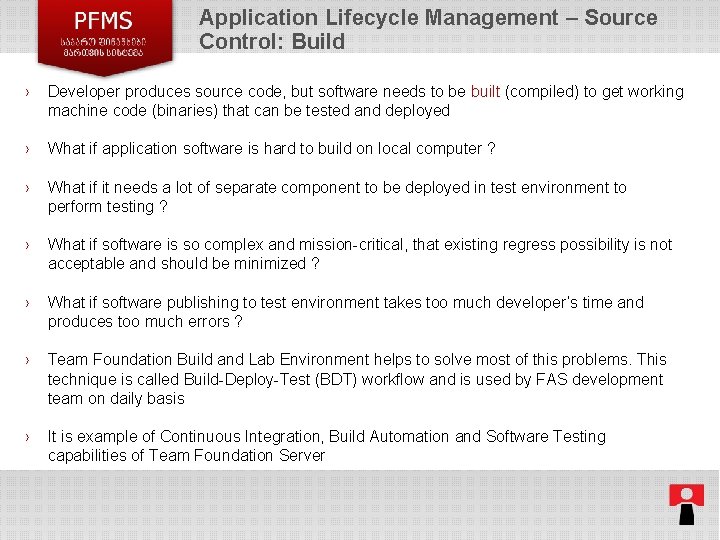
Application Lifecycle Management – Source Control: Build › Developer produces source code, but software needs to be built (compiled) to get working machine code (binaries) that can be tested and deployed › What if application software is hard to build on local computer ? › What if it needs a lot of separate component to be deployed in test environment to perform testing ? › What if software is so complex and mission-critical, that existing regress possibility is not acceptable and should be minimized ? › What if software publishing to test environment takes too much developer’s time and produces too much errors ? › Team Foundation Build and Lab Environment helps to solve most of this problems. This technique is called Build-Deploy-Test (BDT) workflow and is used by FAS development team on daily basis › It is example of Continuous Integration, Build Automation and Software Testing capabilities of Team Foundation Server 13
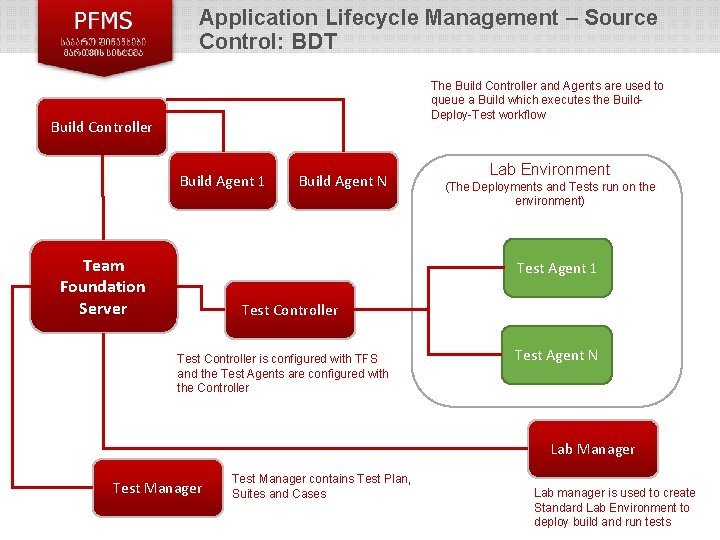
Application Lifecycle Management – Source Control: BDT The Build Controller and Agents are used to queue a Build which executes the Build. Deploy-Test workflow Build Controller Build Agent 1 Team Foundation Server Build Agent N Lab Environment (The Deployments and Tests run on the environment) Test Agent 1 Test Controller is configured with TFS and the Test Agents are configured with the Controller Test Agent N Lab Manager Test Manager contains Test Plan, Suites and Cases Lab manager is used to create Standard Lab Environment to deploy build and run tests
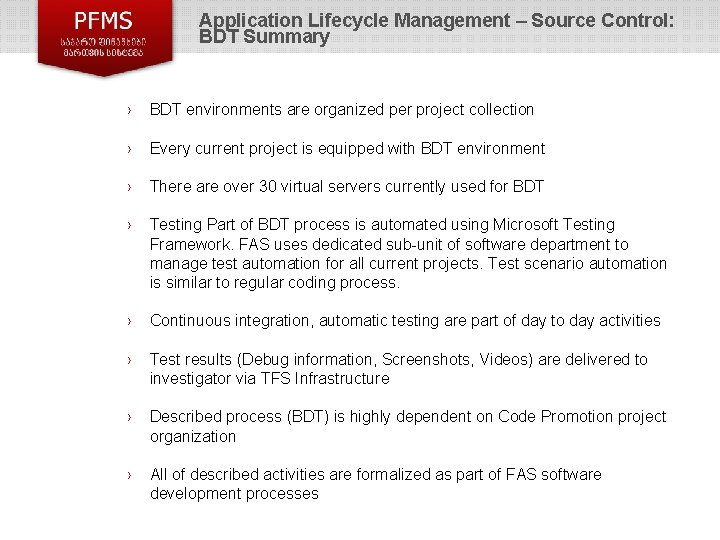
Application Lifecycle Management – Source Control: BDT Summary › BDT environments are organized per project collection › Every current project is equipped with BDT environment › There are over 30 virtual servers currently used for BDT › Testing Part of BDT process is automated using Microsoft Testing Framework. FAS uses dedicated sub-unit of software department to manage test automation for all current projects. Test scenario automation is similar to regular coding process. › Continuous integration, automatic testing are part of day to day activities › Test results (Debug information, Screenshots, Videos) are delivered to investigator via TFS Infrastructure › Described process (BDT) is highly dependent on Code Promotion project organization › All of described activities are formalized as part of FAS software development processes
Application Lifecycle Management – Source Control: BDT – Testing Results Video
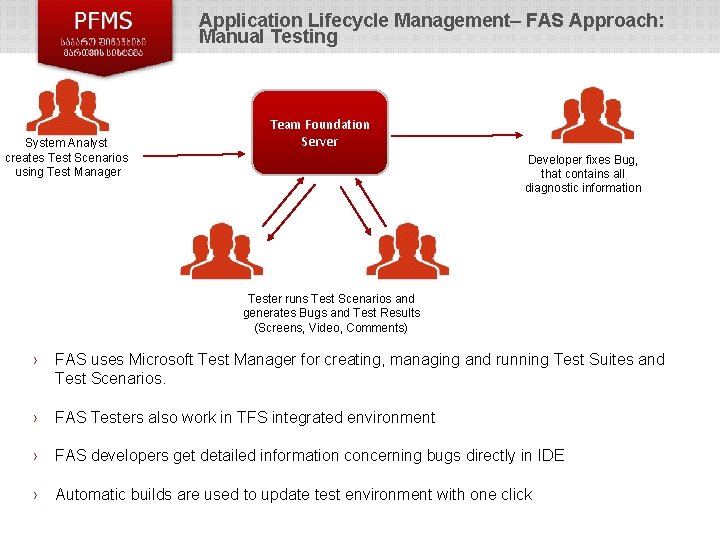
Application Lifecycle Management– FAS Approach: Manual Testing System Analyst creates Test Scenarios using Test Manager Team Foundation Server Developer fixes Bug, that contains all diagnostic information Tester runs Test Scenarios and generates Bugs and Test Results (Screens, Video, Comments) › FAS uses Microsoft Test Manager for creating, managing and running Test Suites and Test Scenarios. › FAS Testers also work in TFS integrated environment › FAS developers get detailed information concerning bugs directly in IDE › Automatic builds are used to update test environment with one click
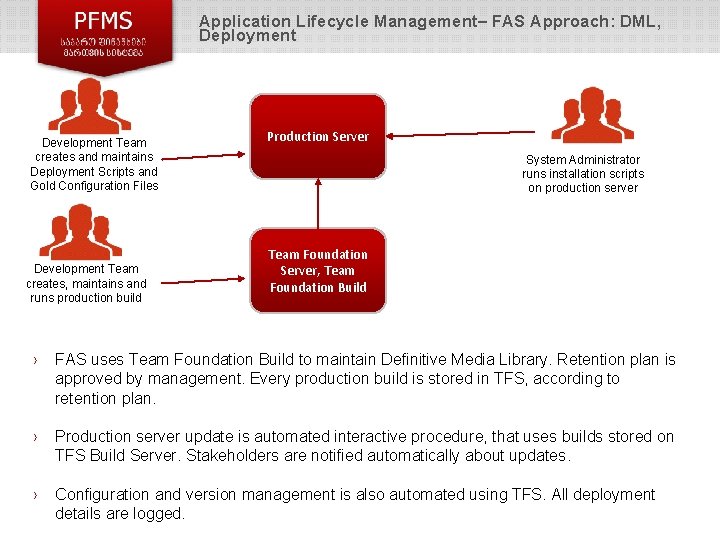
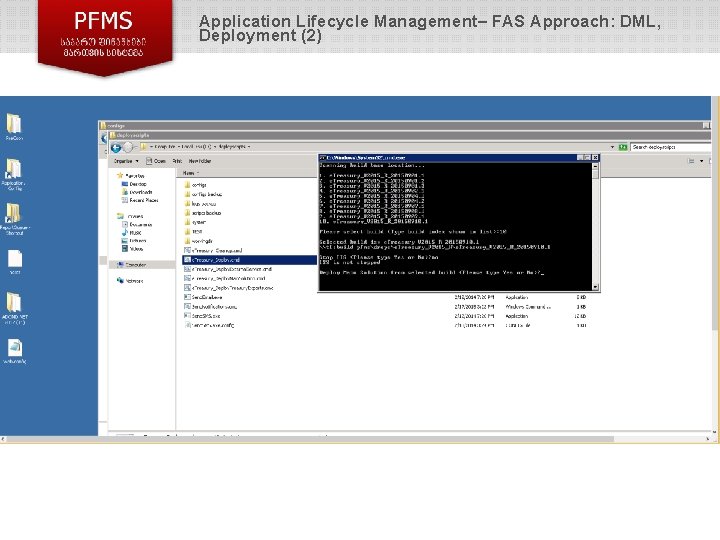
Application Lifecycle Management– FAS Approach: DML, Deployment Development Team creates and maintains Deployment Scripts and Gold Configuration Files Development Team creates, maintains and runs production build Production Server System Administrator runs installation scripts on production server Team Foundation Server, Team Foundation Build › FAS uses Team Foundation Build to maintain Definitive Media Library. Retention plan is approved by management. Every production build is stored in TFS, according to retention plan. › Production server update is automated interactive procedure, that uses builds stored on TFS Build Server. Stakeholders are notified automatically about updates. › Configuration and version management is also automated using TFS. All deployment details are logged.
Application Lifecycle Management– FAS Approach: DML, Deployment (2)
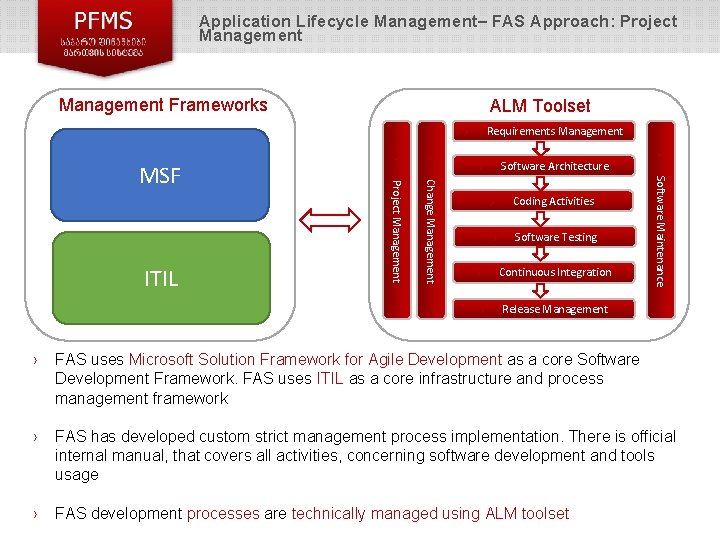
Application Lifecycle Management– FAS Approach: Project Management Frameworks ALM Toolset Requirements Management › Software Architecture › › Coding Activities › Software Testing › Continuous Integration › Release Management Software Maintenance Change Management › › Project Management ITIL › MSF › FAS uses Microsoft Solution Framework for Agile Development as a core Software Development Framework. FAS uses ITIL as a core infrastructure and process management framework › FAS has developed custom strict management process implementation. There is official internal manual, that covers all activities, concerning software development and tools usage › FAS development processes are technically managed using ALM toolset
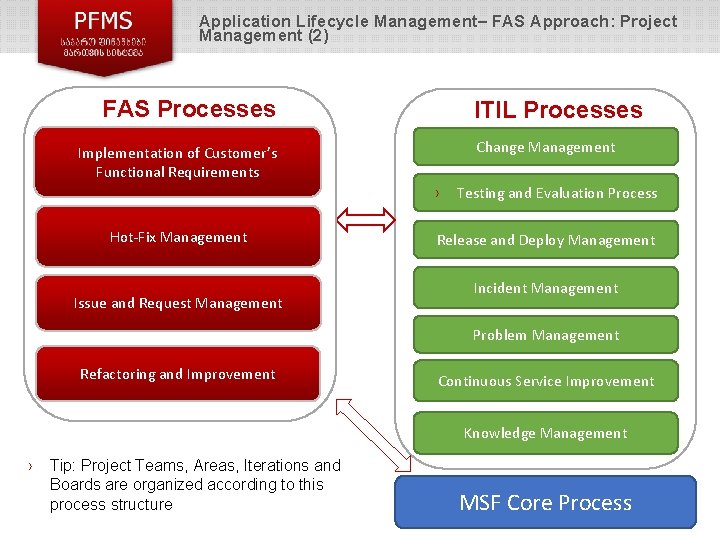
Application Lifecycle Management– FAS Approach: Project Management (2) FAS Processes ITIL Processes Change Management Implementation of Customer’s Functional Requirements › Hot-Fix Management Issue and Request Management Testing and Evaluation Process Release and Deploy Management Incident Management Problem Management Refactoring and Improvement Continuous Service Improvement Knowledge Management › Tip: Project Teams, Areas, Iterations and Boards are organized according to this process structure MSF Core Process
Thanks for your attention! Please feel free to ask questions.