
Tool Validator Dr Tateosian Internal validation Tool Validator

![Parameter props/methods • object. property and object. method if self. params[0]. altered: self. params[0].](https://slidetodoc.com/presentation_image_h/092af185333551ae5280480cc69d0f9e/image-10.jpg "Parameter props/methods • object. property and object. method if self. params[0]. altered: self. params[0].")

- Slides: 24
Tool. Validator Dr. Tateosian Internal validation Tool. Validator class methods Enable/disable parameters Updating parameters Debugging the Tool. Validator class
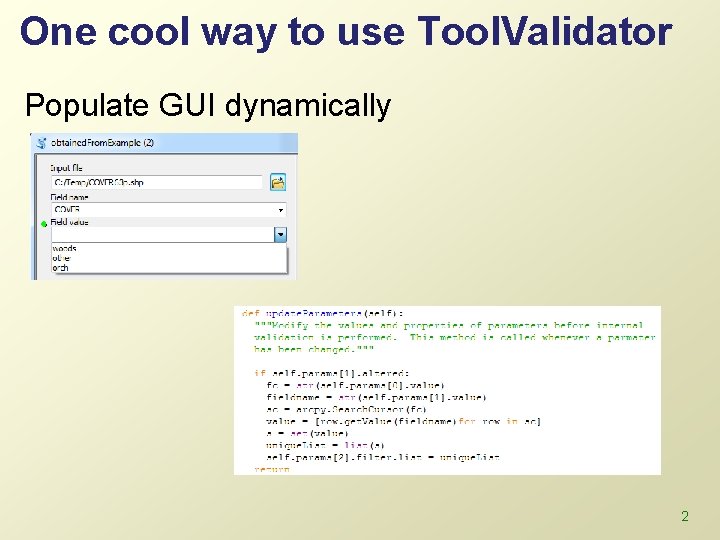
One cool way to use Tool. Validator Populate GUI dynamically 2
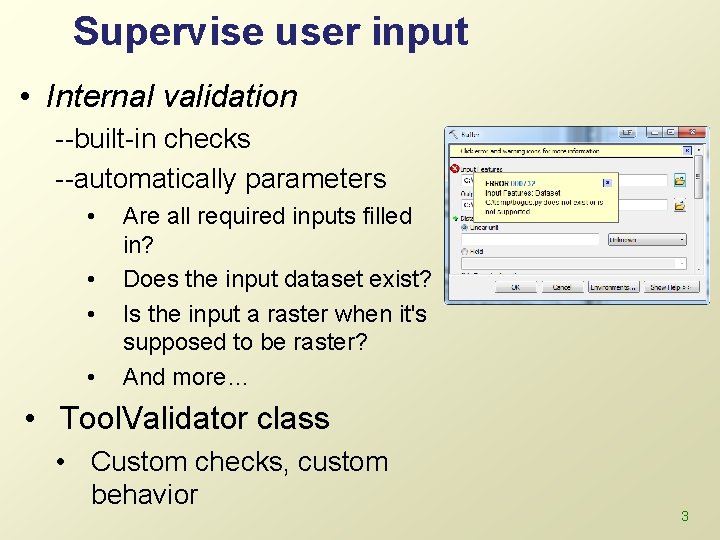
Supervise user input • Internal validation --built-in checks --automatically parameters • • Are all required inputs filled in? Does the input dataset exist? Is the input a raster when it's supposed to be raster? And more… • Tool. Validator class • Custom checks, custom behavior 3
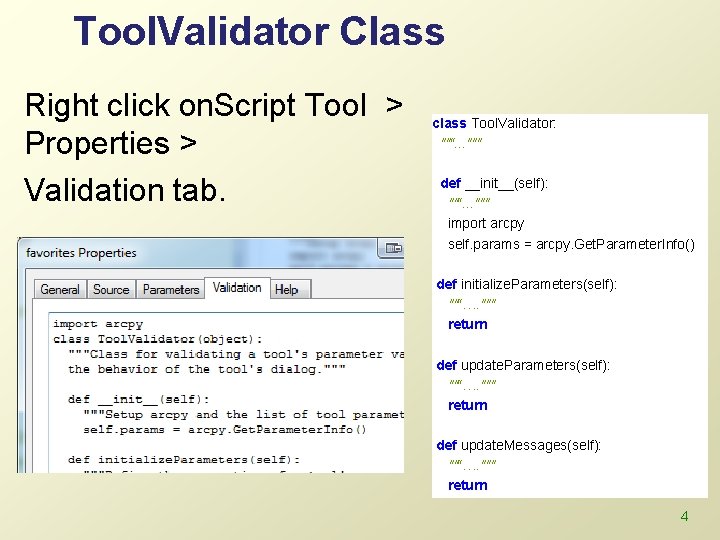
Tool. Validator Class Right click on. Script Tool > Properties > Validation tab. class Tool. Validator: ""“. . . """ def __init__(self): ""“. . . """ import arcpy self. params = arcpy. Get. Parameter. Info() def initialize. Parameters(self): ""“…. """ return def update. Messages(self): ""“…. """ return 4
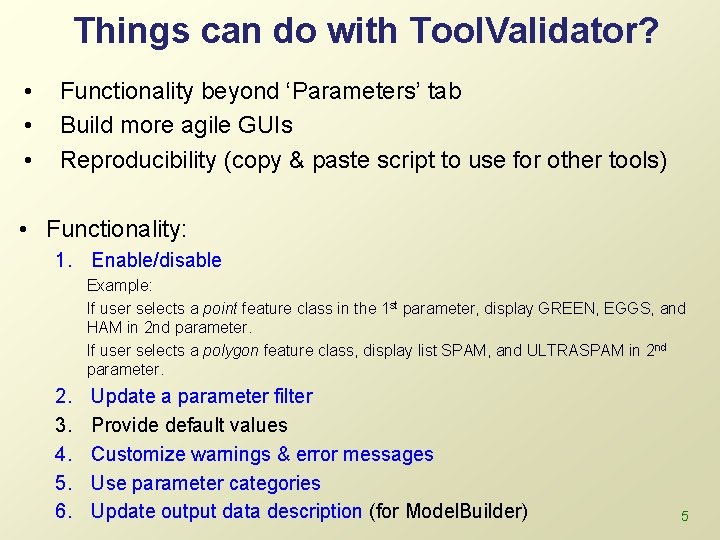
Things can do with Tool. Validator? • • • Functionality beyond ‘Parameters’ tab Build more agile GUIs Reproducibility (copy & paste script to use for other tools) • Functionality: 1. Enable/disable Example: If user selects a point feature class in the 1 st parameter, display GREEN, EGGS, and HAM in 2 nd parameter. If user selects a polygon feature class, display list SPAM, and ULTRASPAM in 2 nd parameter. 2. 3. 4. 5. 6. Update a parameter filter Provide default values Customize warnings & error messages Use parameter categories Update output data description (for Model. Builder) 5
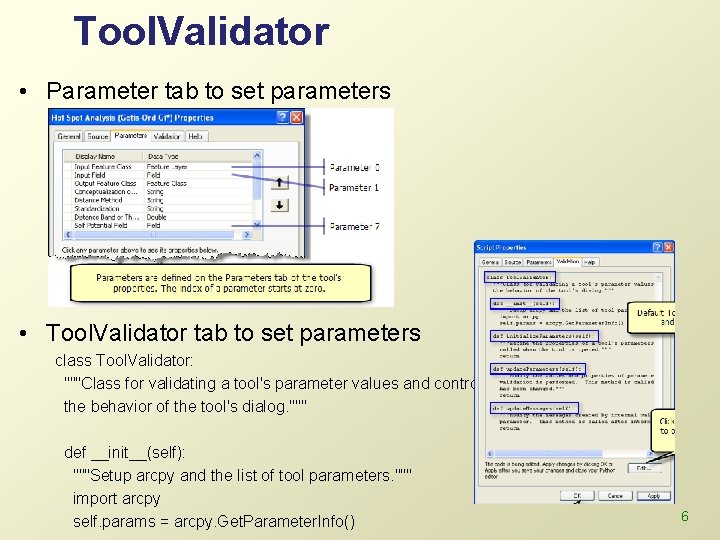
Tool. Validator • Parameter tab to set parameters • Tool. Validator tab to set parameters class Tool. Validator: """Class for validating a tool's parameter values and controlling the behavior of the tool's dialog. """ def __init__(self): """Setup arcpy and the list of tool parameters. """ import arcpy self. params = arcpy. Get. Parameter. Info() 6
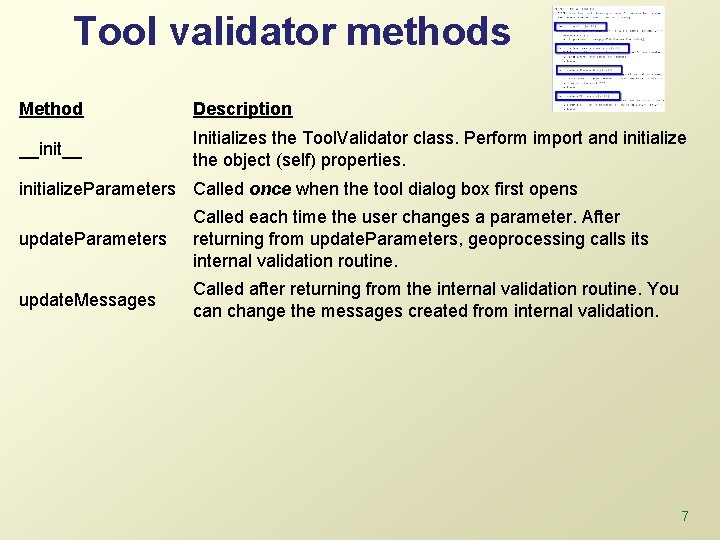
Tool validator methods Method Description __init__ Initializes the Tool. Validator class. Perform import and initialize the object (self) properties. initialize. Parameters Called once when the tool dialog box first opens update. Parameters Called each time the user changes a parameter. After returning from update. Parameters, geoprocessing calls its internal validation routine. update. Messages Called after returning from the internal validation routine. You can change the messages created from internal validation. 7
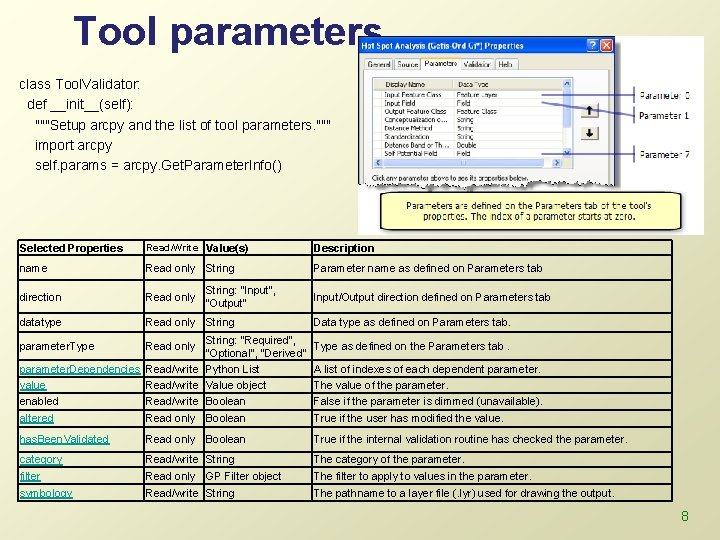
Tool parameters class Tool. Validator: def __init__(self): """Setup arcpy and the list of tool parameters. """ import arcpy self. params = arcpy. Get. Parameter. Info() Selected Properties Read/Write Value(s) Description name Read only String Parameter name as defined on Parameters tab direction Read only datatype Read only String: "Input", "Output" String: "Required", "Optional", "Derived" parameter. Dependencies Read/write Python List value Read/write Value object enabled Read/write Boolean parameter. Type Read only Input/Output direction defined on Parameters tab Data type as defined on Parameters tab. Type as defined on the Parameters tab. A list of indexes of each dependent parameter. The value of the parameter. False if the parameter is dimmed (unavailable). altered Read only Boolean True if the user has modified the value. has. Been. Validated Read only Boolean True if the internal validation routine has checked the parameter. category filter Read/write String Read only GP Filter object The category of the parameter. The filter to apply to values in the parameter. symbology Read/write String The pathname to a layer file (. lyr) used for drawing the output. 8
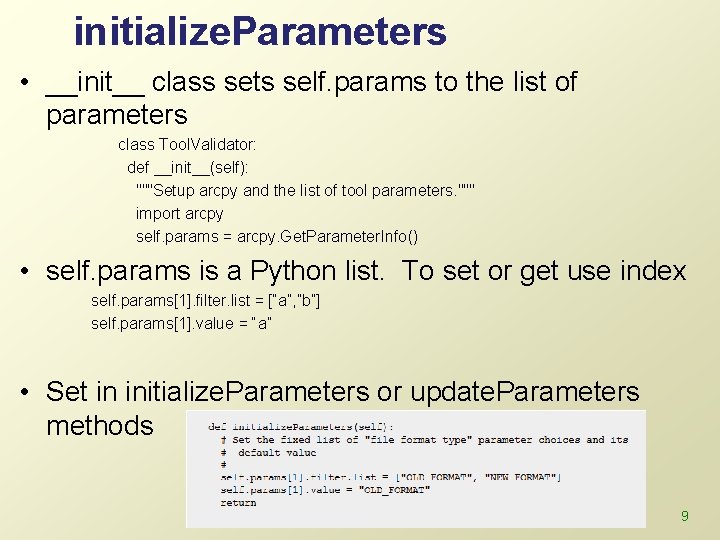
initialize. Parameters • __init__ class sets self. params to the list of parameters class Tool. Validator: def __init__(self): """Setup arcpy and the list of tool parameters. """ import arcpy self. params = arcpy. Get. Parameter. Info() • self. params is a Python list. To set or get use index self. params[1]. filter. list = [“a”, ”b”] self. params[1]. value = “a” • Set in initialize. Parameters or update. Parameters methods 9
Parameter props/methods • object. property and object. method if self. params[0]. altered: self. params[0]. set. Error. Message(“NO!!!") • object. property self. params[1]. filter. list = [“Spam”, ”Eggs”] • other useful properties self. params[1]. value = “Spam” if self. params[0]. enabled: self. params[0]. set. Error. Message(“WOOPEE!!!") 10
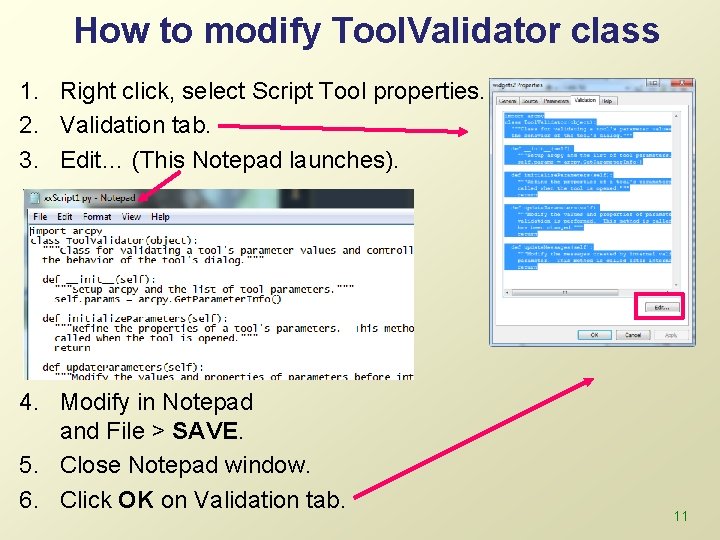
How to modify Tool. Validator class 1. Right click, select Script Tool properties. 2. Validation tab. 3. Edit… (This Notepad launches). 4. Modify in Notepad and File > SAVE. 5. Close Notepad window. 6. Click OK on Validation tab. 11
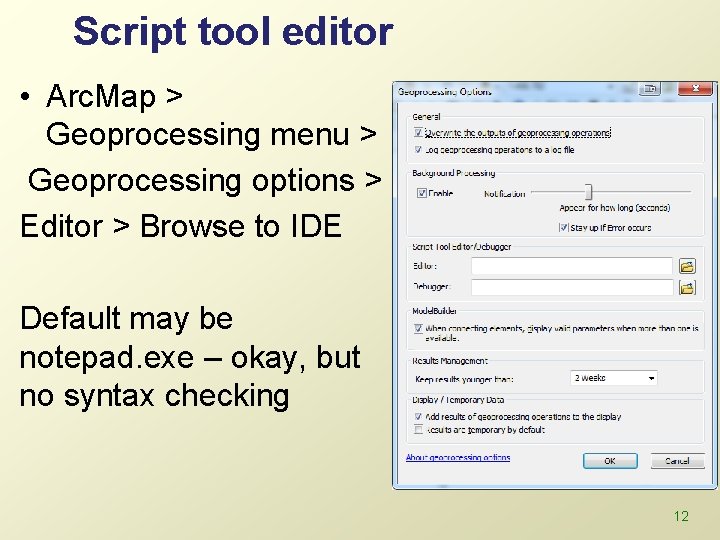
Script tool editor • Arc. Map > Geoprocessing menu > Geoprocessing options > Editor > Browse to IDE Default may be notepad. exe – okay, but no syntax checking 12
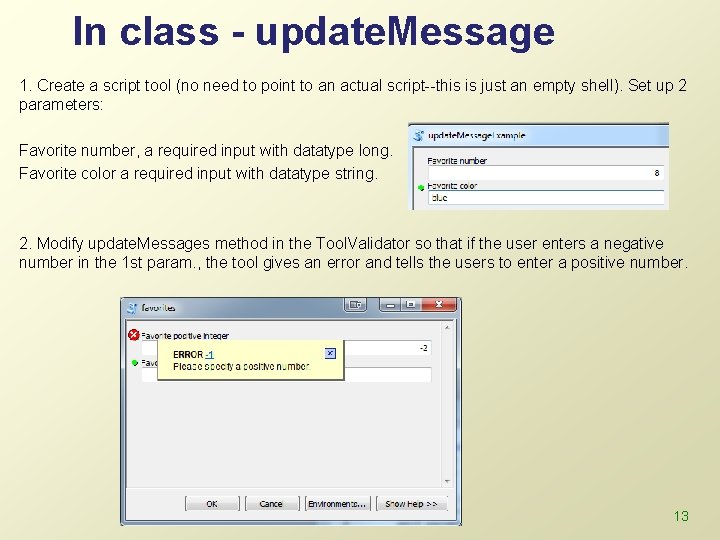
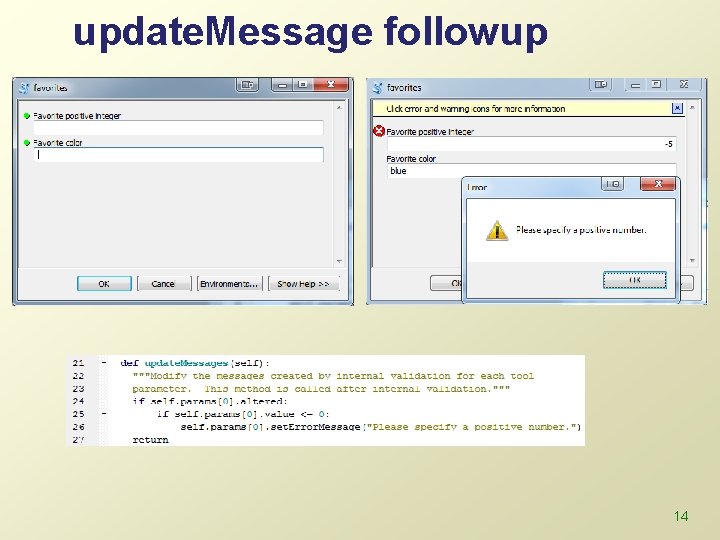
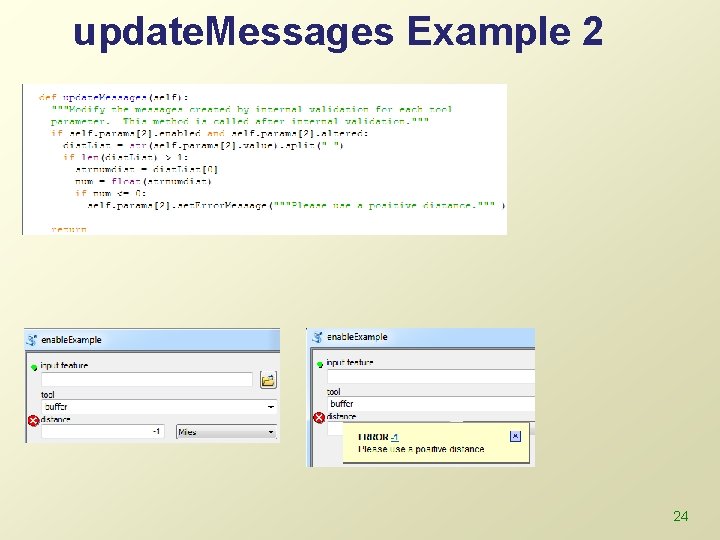
In class - update. Message 1. Create a script tool (no need to point to an actual script--this is just an empty shell). Set up 2 parameters: Favorite number, a required input with datatype long. Favorite color a required input with datatype string. 2. Modify update. Messages method in the Tool. Validator so that if the user enters a negative number in the 1 st param. , the tool gives an error and tells the users to enter a positive number. 13
update. Message followup 14
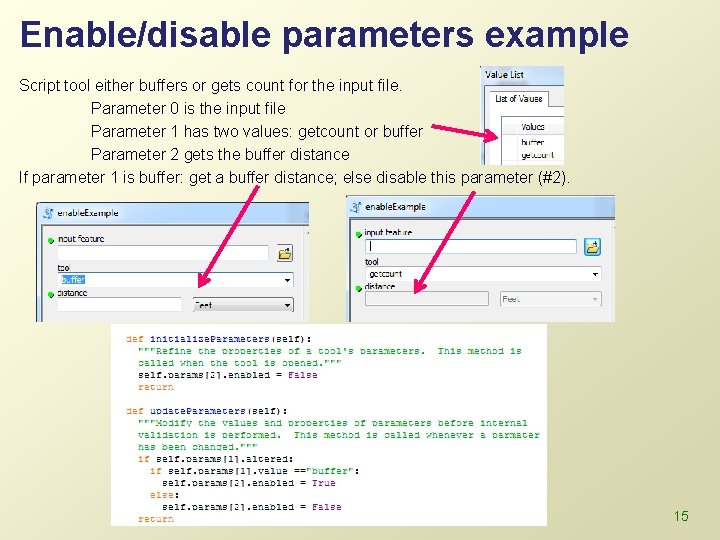
Enable/disable parameters example Script tool either buffers or gets count for the input file. Parameter 0 is the input file Parameter 1 has two values: getcount or buffer Parameter 2 gets the buffer distance If parameter 1 is buffer: get a buffer distance; else disable this parameter (#2). 15
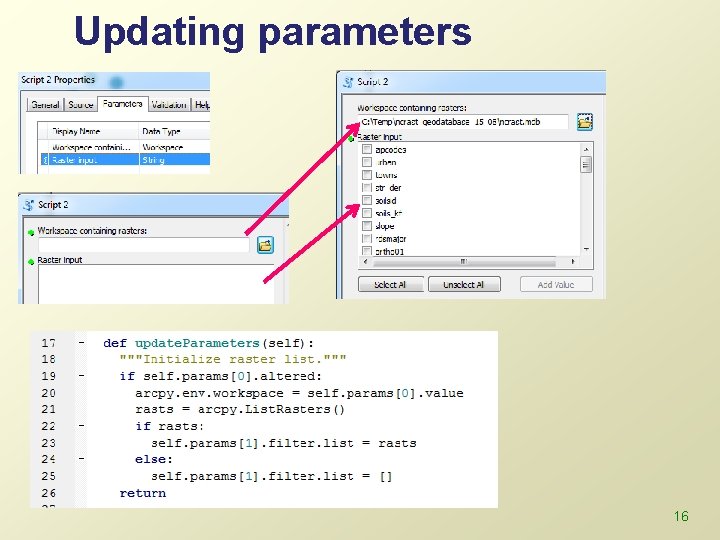
Updating parameters 16
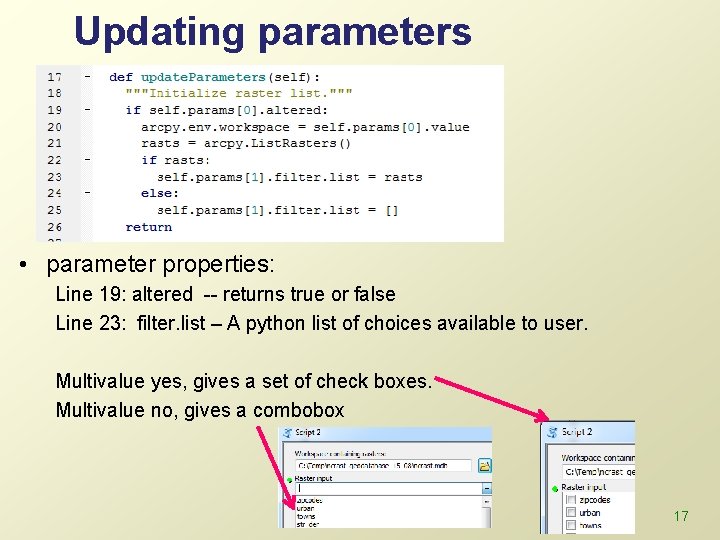
Updating parameters • parameter properties: Line 19: altered -- returns true or false Line 23: filter. list – A python list of choices available to user. Multivalue yes, gives a set of check boxes. Multivalue no, gives a combobox 17
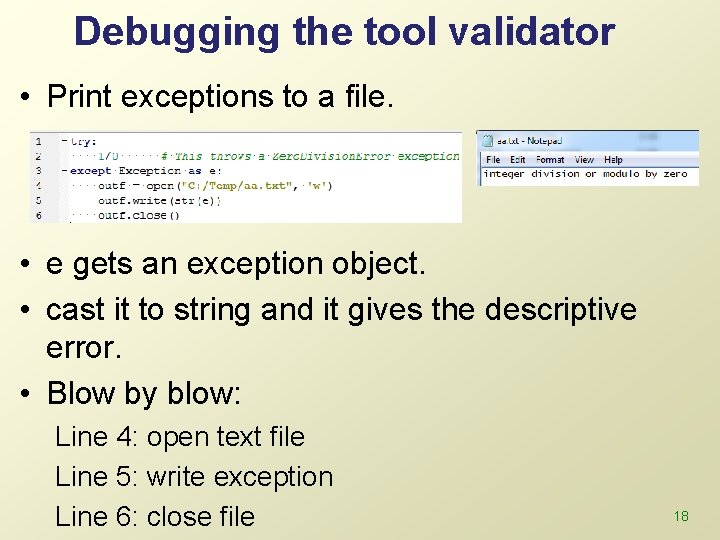
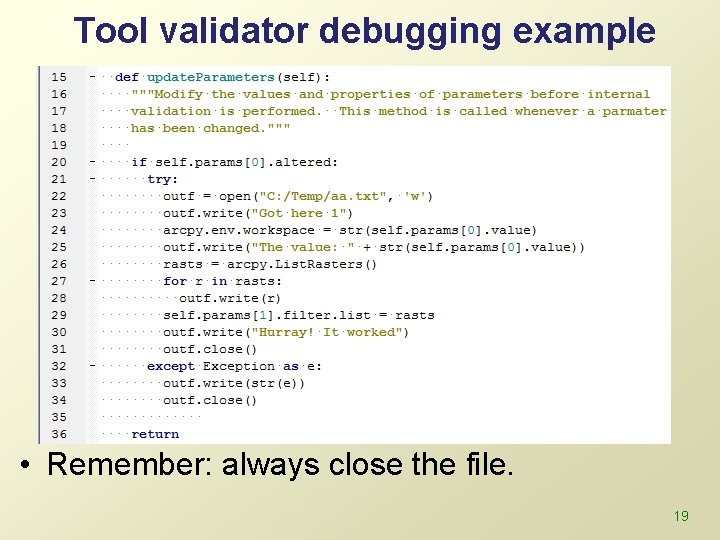
Debugging the tool validator • Print exceptions to a file. • e gets an exception object. • cast it to string and it gives the descriptive error. • Blow by blow: Line 4: open text file Line 5: write exception Line 6: close file 18
Tool validator debugging example • Remember: always close the file. 19
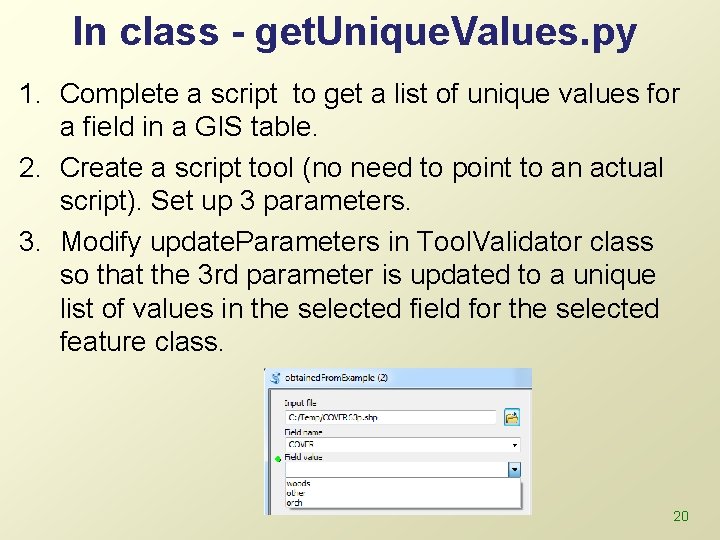
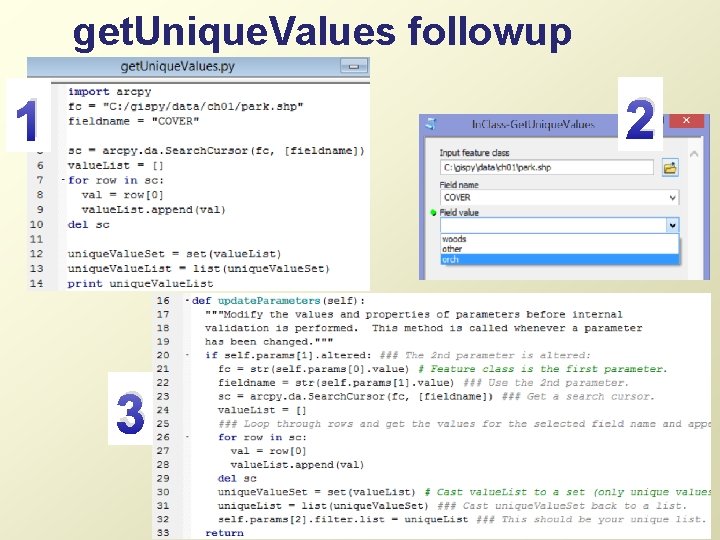
In class - get. Unique. Values. py 1. Complete a script to get a list of unique values for a field in a GIS table. 2. Create a script tool (no need to point to an actual script). Set up 3 parameters. 3. Modify update. Parameters in Tool. Validator class so that the 3 rd parameter is updated to a unique list of values in the selected field for the selected feature class. 20
get. Unique. Values followup 2 1 3 21
Summing up • Topics discussed • • • Internal validation Tool. Validator class methods Enable/disable parameters Updating parameters Debugging the Tool. Validator class 22
Appendix 23
update. Messages Example 2 24