
TODAYS QUOTE The computers do what you tell
























- Slides: 73
TODAY’S QUOTE "The computers do what you tell them to do, not what you want them to do. " (Alexander Atanasov)
CHAPTER 4 –DECISIONS 2
4. 1 – PART 1– ASCII 3
ASCII VALUES Standard characters available http: //www. asciitable. com/ 4
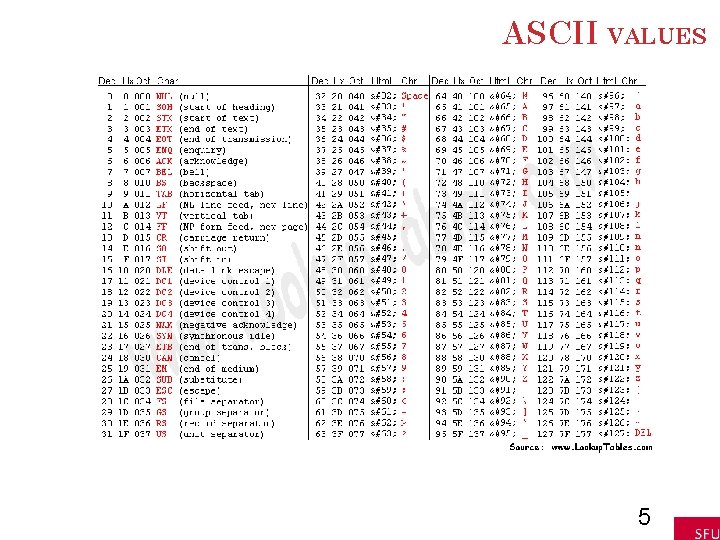
ASCII VALUES 5
EXTENDED ASCII VALUES
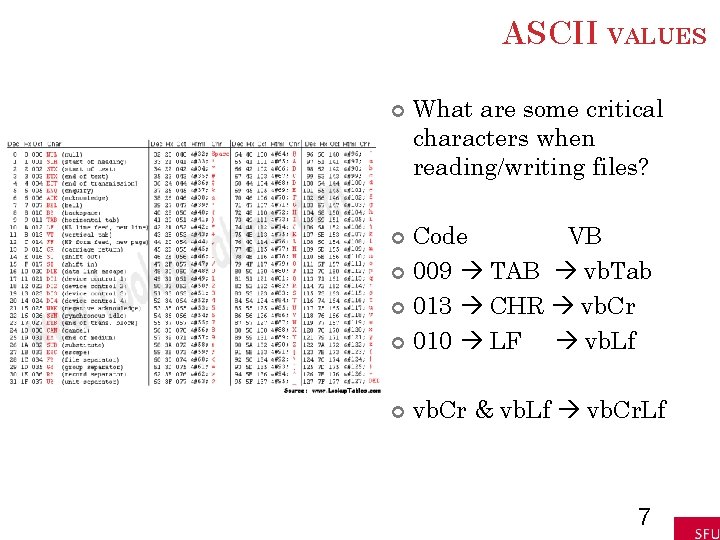
ASCII VALUES What are some critical characters when reading/writing files? Code VB 009 TAB vb. Tab 013 CHR vb. Cr 010 LF vb. Lf vb. Cr & vb. Lf vb. Cr. Lf 7
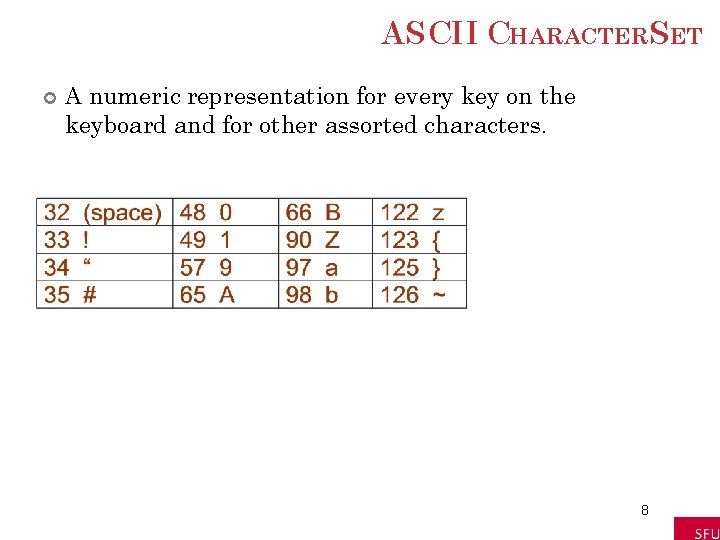
ASCII CHARACTERSET A numeric representation for every key on the keyboard and for other assorted characters. 8
ASCII CHARACTERSET: CONTINUED A numeric representation for every key on the keyboard and for other assorted characters. 9
CHR FUNCTION For n between 0 and 255, Chr(n) is the string consisting of the character with ASCII value n. EXAMPLES Chr(65) is "A" Chr(162) is "¢" 10
ASC FUNCTION For a string str, Asc(str) is ASCII value of the first character of str. EXAMPLES Asc("A") is 65 Asc("¢ 25") is 162 11
4. 1 – PART 2– LOGICAL OPERATORS 12
LOGICAL OPERATORS < <= > >= = <> less than or equal to greater than or equal to not equal to ASCII values are used to decide order for strings. 13
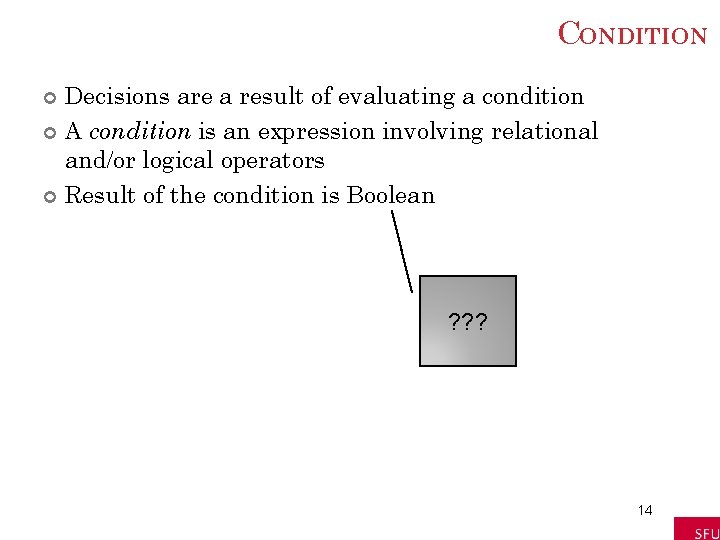
CONDITION Decisions are a result of evaluating a condition A condition is an expression involving relational and/or logical operators Result of the condition is Boolean ? ? ? 14
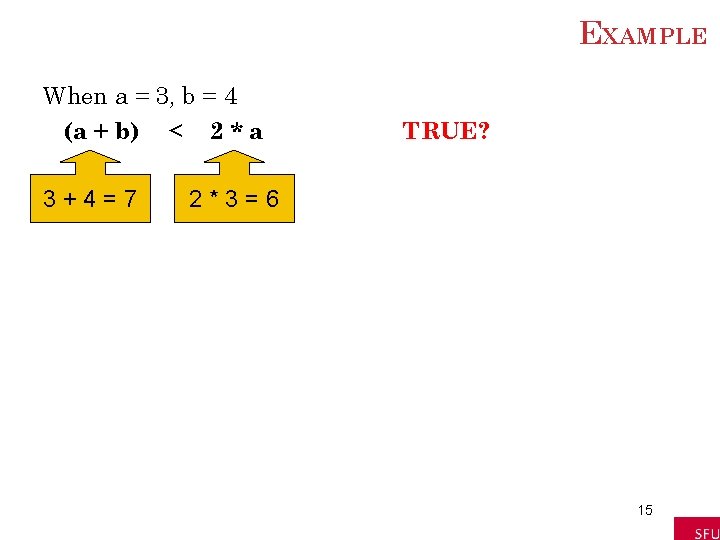
EXAMPLE When a = 3, b = 4 (a + b) < 2 * a 3+4=7 TRUE? 2*3=6 15
ANOTHER EXAMPLE a = 4 b = 3 c = "hello" d = "bye" ( c. Length – b ) = ( a / 2 ) 5– 3=2 4/2=2 TRUE? 16
RELATIONAL OPERATORNOTES Relational operators are binary – they require an operand on both sides of the operator Value of a relational expression will always be True or False Expressions are evaluated from left to right with no order of operations 17
LOGICAL OPERATORS Used with Boolean expressions Not – makes a False expression True and vice versa And – will yield a True if and only if both expressions are True Or – will yield a True if at least one of both expressions are True 18
EXAMPLE 4. 3 n = 4, answer = “Y” Are the following expressions true or false? 1) Not (n < 6) 2) (answer = "Y") Or (answer = "y") 3) (answer = "Y") And (answer = "y") 4) answer = "y") 19
BOOLEAN EXPRESSION An expression that evaluates to either True or False is said to have Boolean data type. Example: The statement txt. Box. Text = CStr((2+3)<6) displays True in the text box. 20
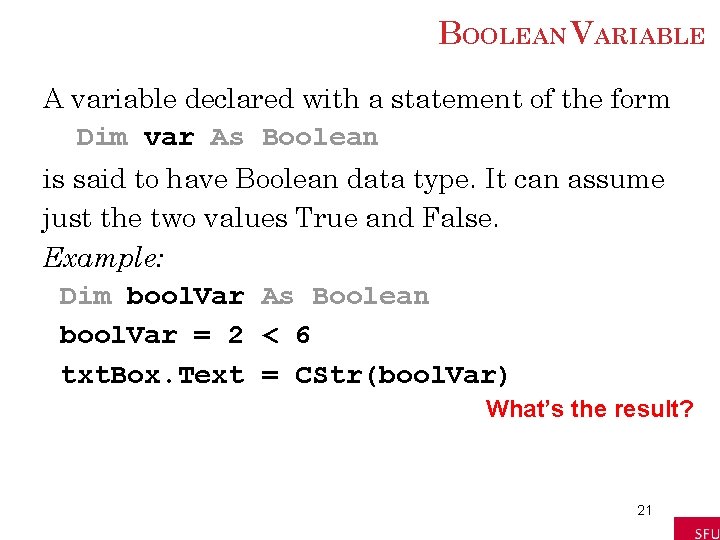
BOOLEAN VARIABLE A variable declared with a statement of the form Dim var As Boolean is said to have Boolean data type. It can assume just the two values True and False. Example: Dim bool. Var As Boolean bool. Var = 2 < 6 txt. Box. Text = CStr(bool. Var) What’s the result? 21
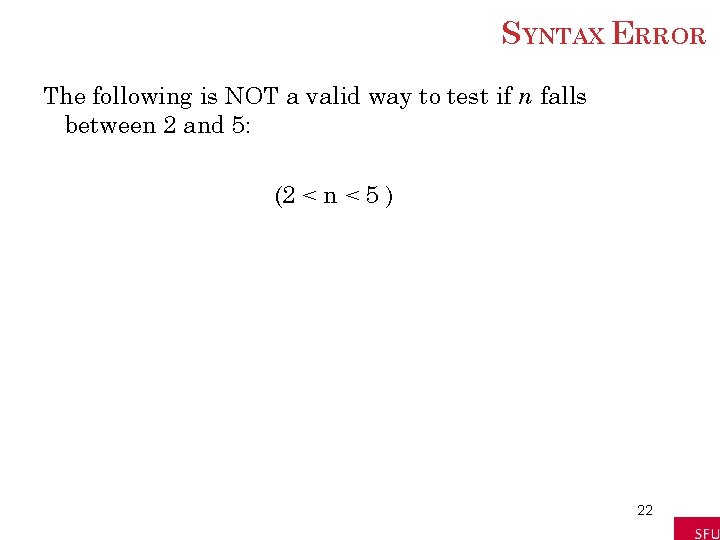
SYNTAX ERROR The following is NOT a valid way to test if n falls between 2 and 5: (2 < n < 5 ) 22
CORRECTION TOSYNTAX ERROR To test if n falls between 2 and 5 use: (2 < n ) And ( n < 5 ) A complete relational expression must be on either side of the logical operators And and Or. 23
COMMON ERROR INBOOLEAN EXPRESSIONS A common error is to replace the condition Not ( 2 < 3 ) with the condition (2>3) What’s wrong? ? 24
4. 2 IF BLOCKS If Block Else. If Clauses 25
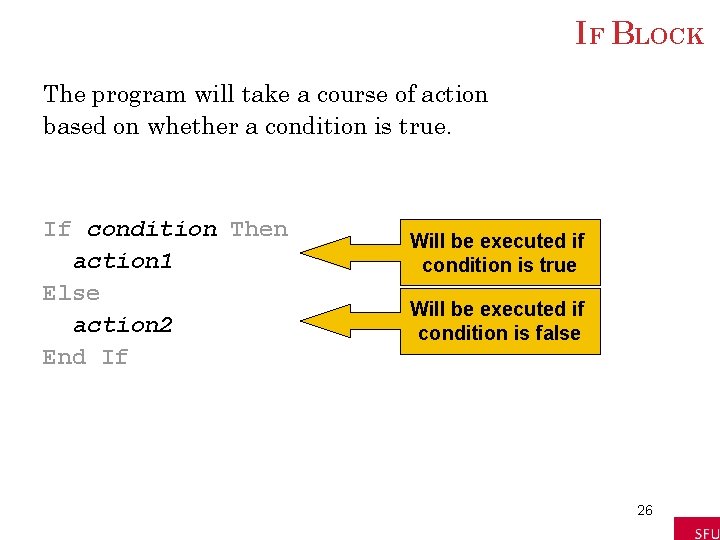
IF BLOCK The program will take a course of action based on whether a condition is true. If condition Then action 1 Else action 2 End If Will be executed if condition is true Will be executed if condition is false 26
ANOTHER EXAMPLEIF BLOCK If condition Then action 1 End If Statement 2 Statement 3 Regardless of whether the condition in the If statement is true or alse, these statements will be executed 27
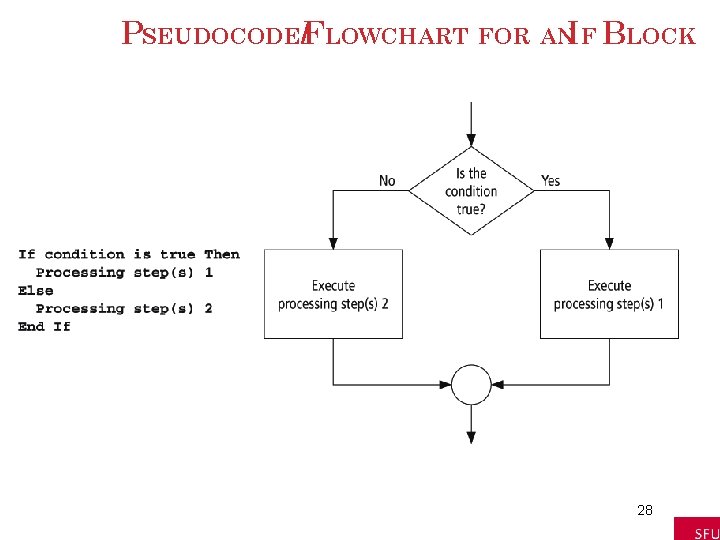
PSEUDOCODE/FLOWCHART FOR ANIF BLOCK 28
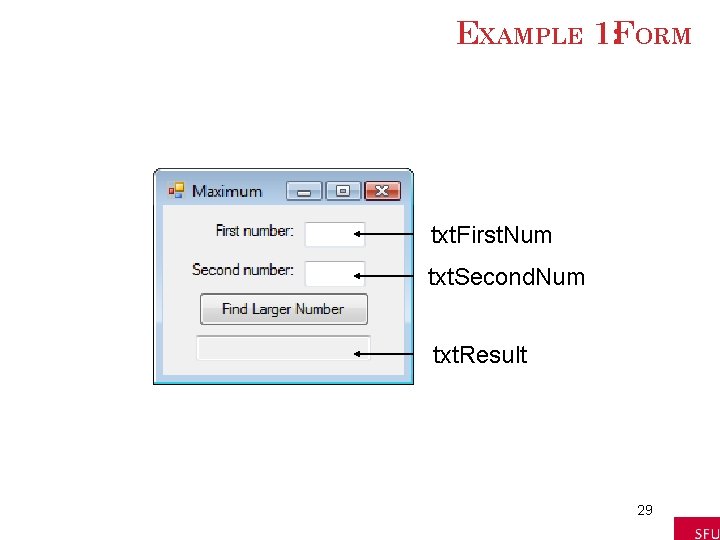
EXAMPLE 1: FORM txt. First. Num txt. Second. Num txt. Result 29
EXAMPLE 1: CODE Private Sub btn. Find. Larger_Click(. . . ) _ Handles btn. Find. Larger. Click Dim num 1, num 2, larger. Num As Double num 1 = CDbl(txt. First. Num. Text) num 2 = CDbl(txt. Second. Num. Text) If num 1 > num 2 Then larger. Num = num 1 Else larger. Num = num 2 End If txt. Result. Text = "The larger number is " & larger. Num End Sub What happens? 30
EXAMPLE 1: OUTPUT 31
EXAMPLE 2: FORM 32
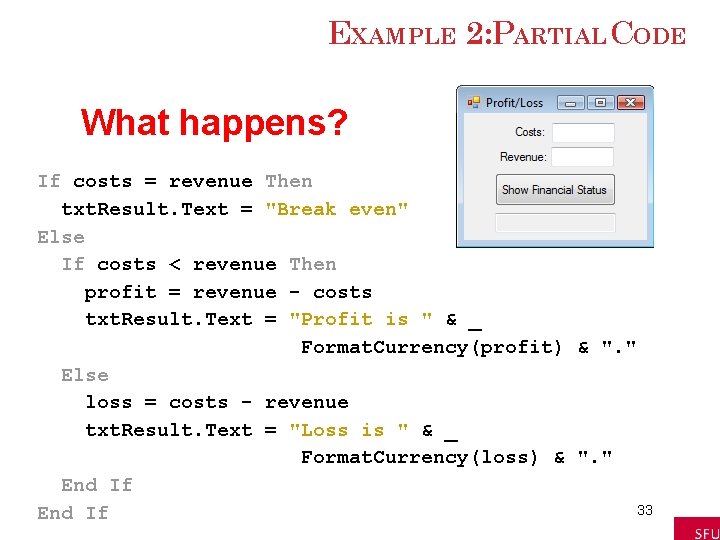
EXAMPLE 2: PARTIAL CODE What happens? If costs = revenue Then txt. Result. Text = "Break even" Else If costs < revenue Then profit = revenue - costs txt. Result. Text = "Profit is " & _ Format. Currency(profit) & ". " Else loss = costs - revenue txt. Result. Text = "Loss is " & _ Format. Currency(loss) & ". " End If 33 End If
EXAMPLE 2: OUTPUT 34
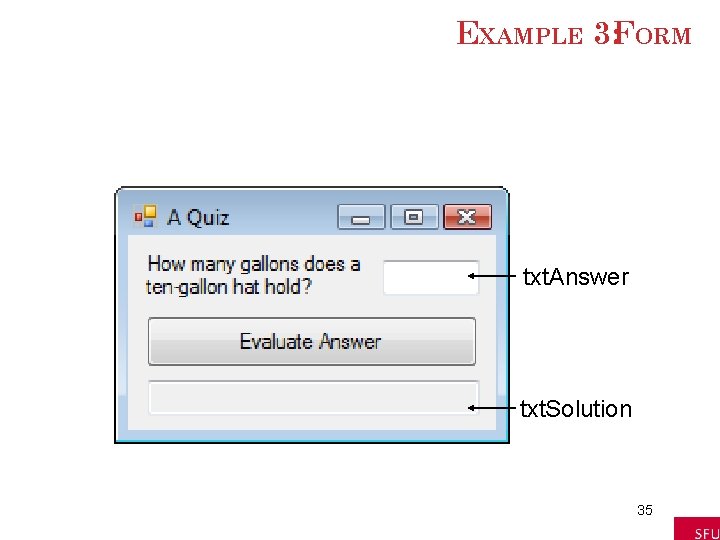
EXAMPLE 3: FORM txt. Answer txt. Solution 35
EXAMPLE 3: CODE Private Sub btn. Evaluate_Click(. . . ) _ Handles btn. Evaluate. Click Dim answer As Double answer = CDbl(txt. Answer. Text) If (answer >= 0. 5) And (answer <= 1) Then txt. Solution. Text = "Good, " Else txt. Solution. Text = "No, " End If txt. Solution. Text &= "it holds about 3/4 of" _ & " a gallon. " End Sub What happens? 36
EXAMPLE 3: OUTPUT 37
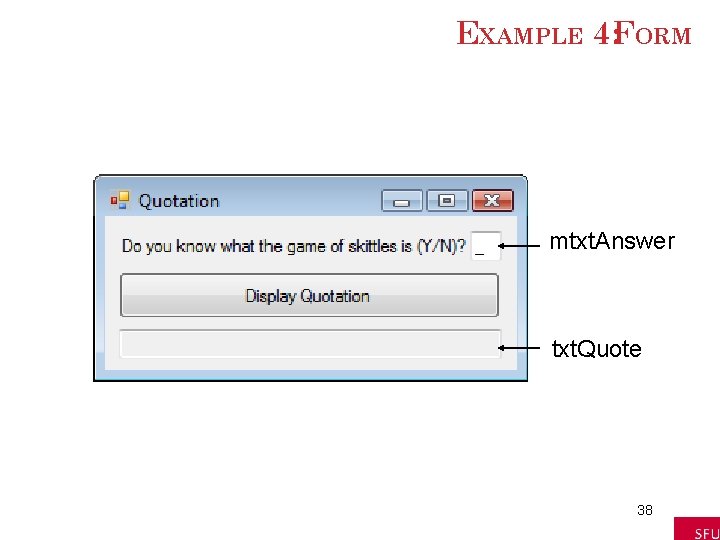
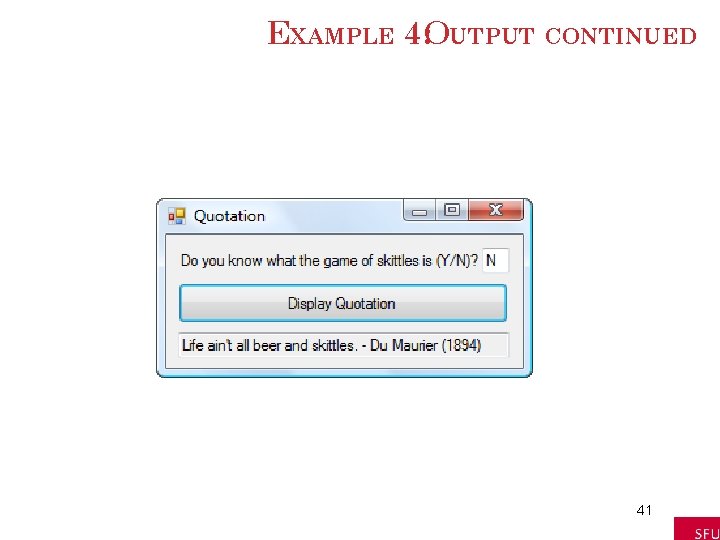
EXAMPLE 4: FORM mtxt. Answer txt. Quote 38
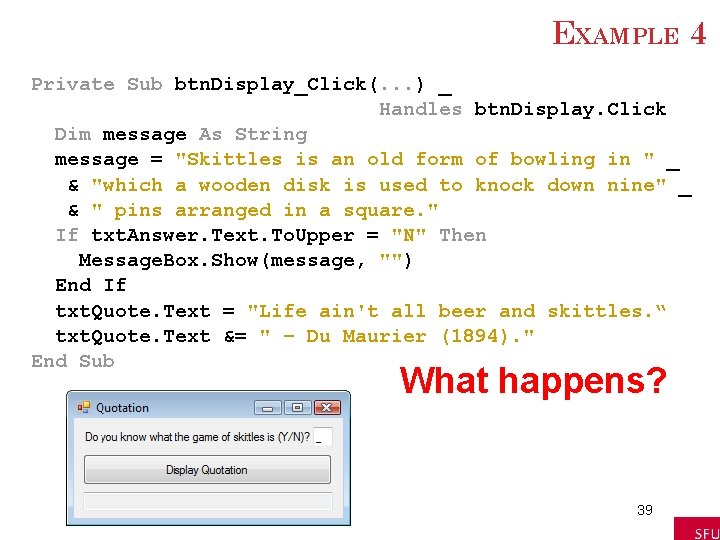
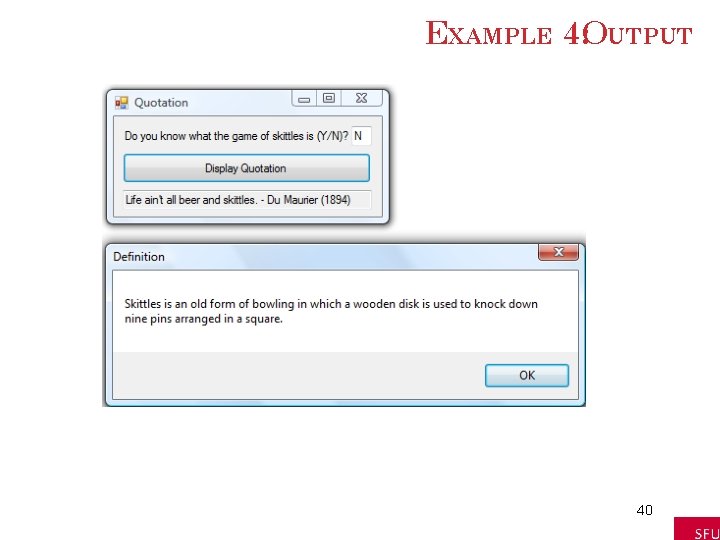
EXAMPLE 4 Private Sub btn. Display_Click(. . . ) _ Handles btn. Display. Click Dim message As String message = "Skittles is an old form of bowling in " _ & "which a wooden disk is used to knock down nine" _ & " pins arranged in a square. " If txt. Answer. Text. To. Upper = "N" Then Message. Box. Show(message, "") End If txt. Quote. Text = "Life ain't all beer and skittles. “ txt. Quote. Text &= " – Du Maurier (1894). " End Sub What happens? 39
EXAMPLE 4: OUTPUT 40
EXAMPLE 4: OUTPUT CONTINUED 41
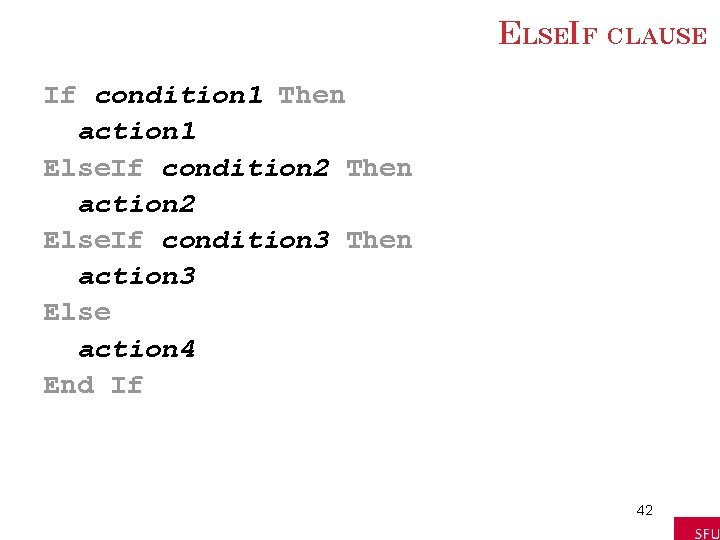
ELSEIF CLAUSE If condition 1 Then action 1 Else. If condition 2 Then action 2 Else. If condition 3 Then action 3 Else action 4 End If 42
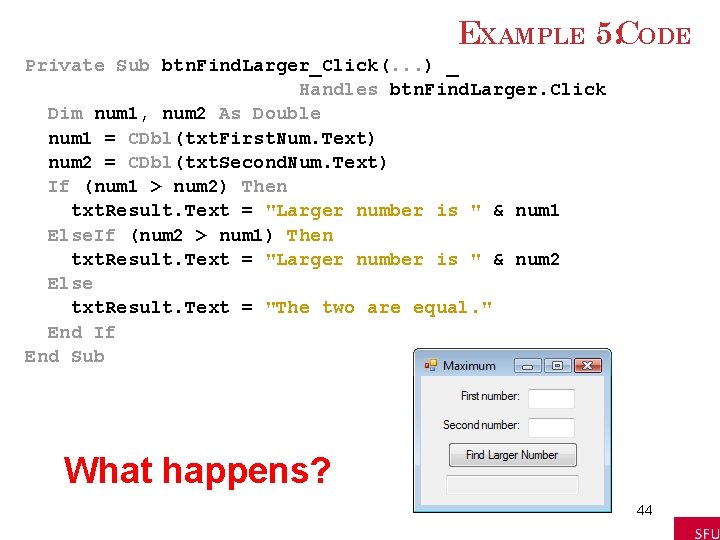
EXAMPLE 5: FORM txt. First. Num txt. Second. Num txt. Result 43
EXAMPLE 5: CODE Private Sub btn. Find. Larger_Click(. . . ) _ Handles btn. Find. Larger. Click Dim num 1, num 2 As Double num 1 = CDbl(txt. First. Num. Text) num 2 = CDbl(txt. Second. Num. Text) If (num 1 > num 2) Then txt. Result. Text = "Larger number is " & num 1 Else. If (num 2 > num 1) Then txt. Result. Text = "Larger number is " & num 2 Else txt. Result. Text = "The two are equal. " End If End Sub What happens? 44
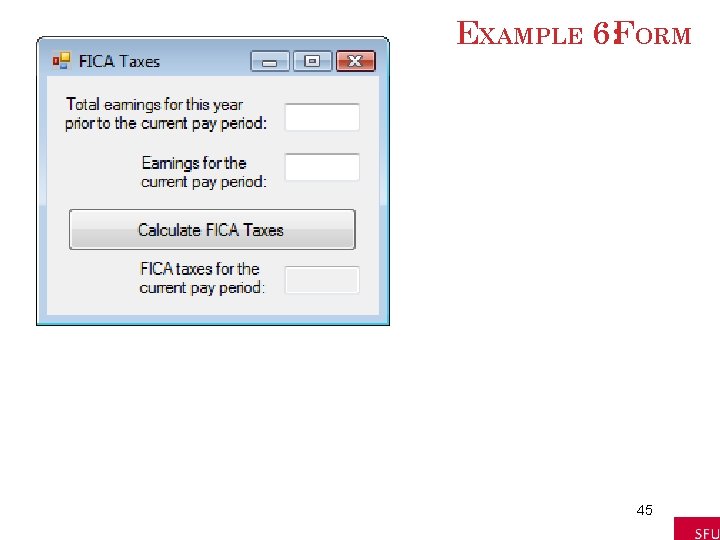
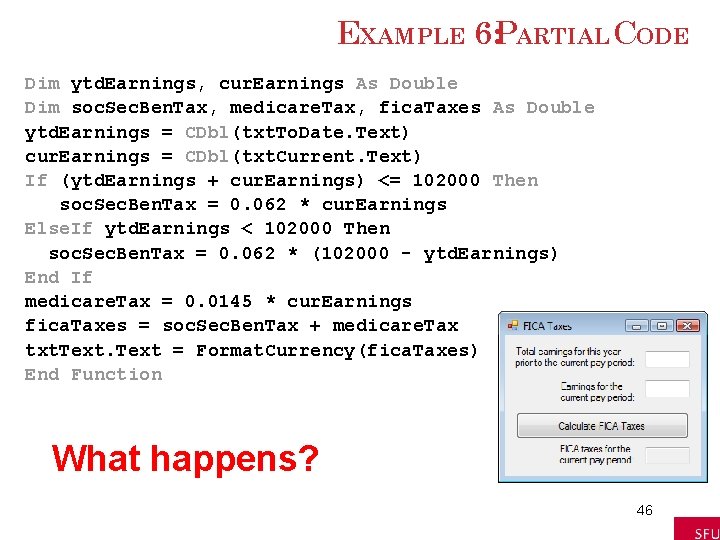
EXAMPLE 6: FORM 45
EXAMPLE 6: PARTIAL CODE Dim ytd. Earnings, cur. Earnings As Double Dim soc. Sec. Ben. Tax, medicare. Tax, fica. Taxes As Double ytd. Earnings = CDbl(txt. To. Date. Text) cur. Earnings = CDbl(txt. Current. Text) If (ytd. Earnings + cur. Earnings) <= 102000 Then soc. Sec. Ben. Tax = 0. 062 * cur. Earnings Else. If ytd. Earnings < 102000 Then soc. Sec. Ben. Tax = 0. 062 * (102000 - ytd. Earnings) End If medicare. Tax = 0. 0145 * cur. Earnings fica. Taxes = soc. Sec. Ben. Tax + medicare. Tax txt. Text = Format. Currency(fica. Taxes) End Function What happens? 46
EXAMPLE 6: OUTPUT 47
COMMENTS When one If block is contained inside another If block, the structure is referred to as nested If blocks. Care should be taken to make If blocks easy to understand. 48
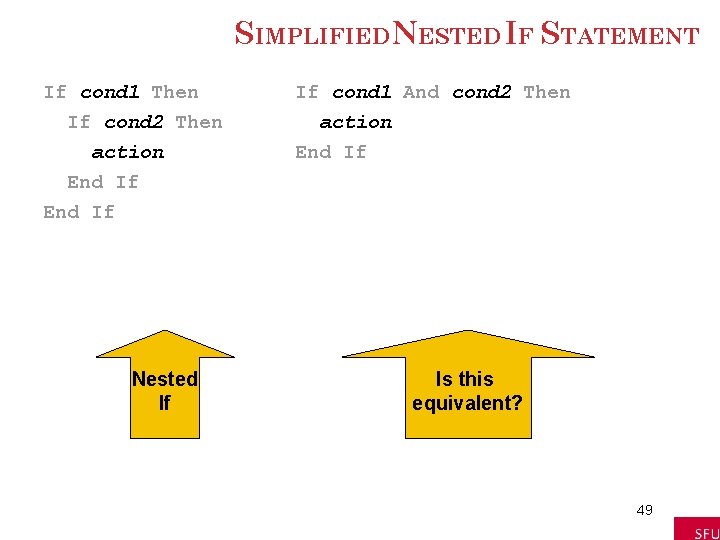
SIMPLIFIEDNESTED IF STATEMENT If cond 1 Then If cond 2 Then action End If If cond 1 And cond 2 Then action End If Nested If Is this equivalent? 49
MORE COMMENTS Some programs call for selecting among many possibilities Can be accomplished with complicated nested If blocks Select Case block is often a better alternative 50
4. 3 SELECT CASE BLOCKS 51
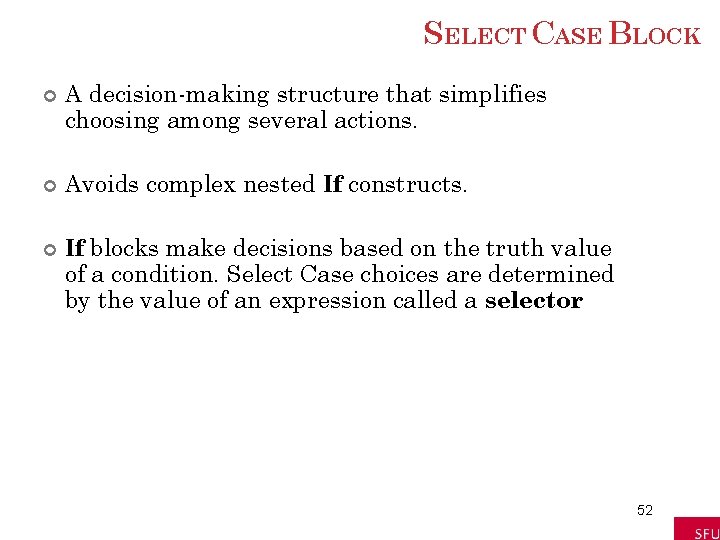
SELECT CASE BLOCK A decision-making structure that simplifies choosing among several actions. Avoids complex nested If constructs. If blocks make decisions based on the truth value of a condition. Select Case choices are determined by the value of an expression called a selector. 52
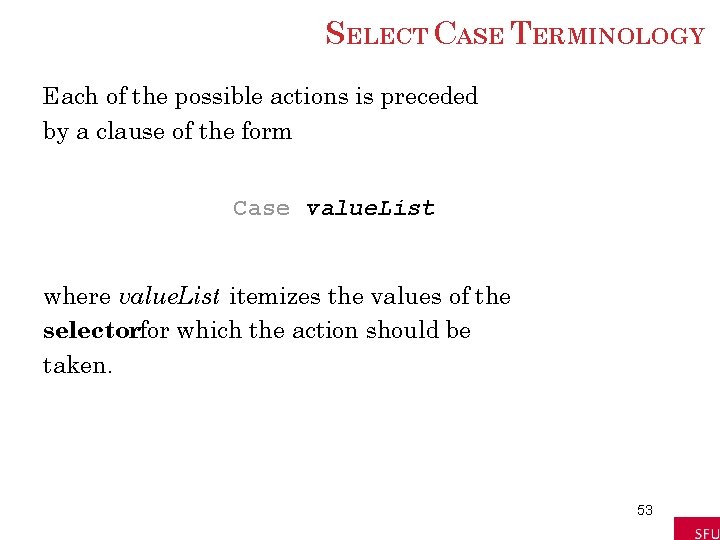
SELECT CASE TERMINOLOGY Each of the possible actions is preceded by a clause of the form Case value. List where value. List itemizes the values of the selectorfor which the action should be taken. 53
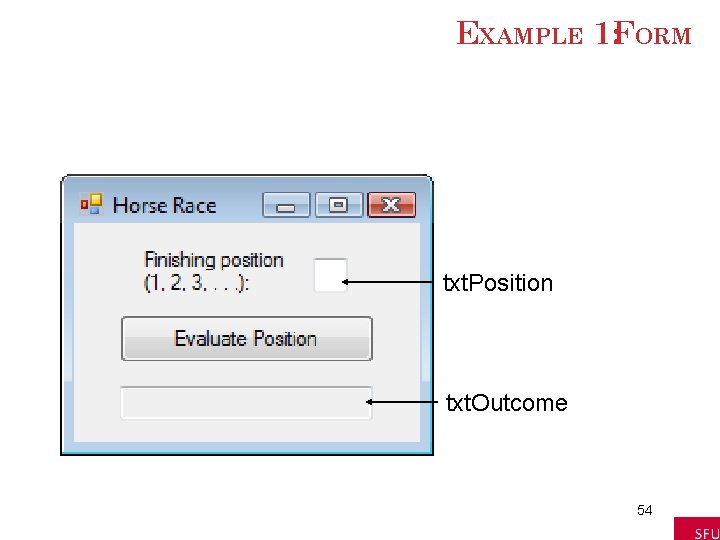
EXAMPLE 1: FORM txt. Position txt. Outcome 54
EXAMPLE 1: CODE What happens? Private Sub btn. Evaluate_Click(. . . ) _ Handles btn. Evaluate. Click Dim position As Integer = CInt(txt. Position. Text) Select Case position Selector Case 1 txt. Outcome. Text = "Win" Case 2 txt. Outcome. Text = "Place" Case 3 txt. Outcome. Text = "Show" Value Lists Case 4, 5 txt. Outcome. Text = "You almost placed in the money. " Case Else txt. Box. Text = "Out of the money. " End Select End Sub 55
EXAMPLE 1: OUTPUT 56
EXAMPLE 2: CODE Private Sub btn. Evaluate_Click(. . . ) _ Handles btn. Evaluate. Click Dim position As Integer = CInt(txt. Position. Text) Select Case position Case 1 To 3 txt. Outcome. Text = "In the money. Congratulations" Case Is >= 4 txt. Outcome. Text = "Not in the money. " End Select End Sub What happens? 57
EXAMPLE 2: OUTPUT 58
SELECT CASE SYNTAX The general form of the Select Caseblock is Select Case selector Case value. List 1 action 1 Case value. List 2 action 2 Case Else action of last resort End Select 59
RULES FORSELECT CASE Case Else(and its action) is optional Each value list contains one or more of the following types of items separated by commas: 1. 2. 3. 4. 5. a literal (value); a variable; an expression; an inequality sign preceded by Is and followed by a literal, variable, or expression; a range expressed in the form a To b, where a and b are literals, variables, or expressions. 60
FLOWCHART FORSELECT CASE 61
FLOWCHART FORSELECT CASE (not in book, but equivalent) 62
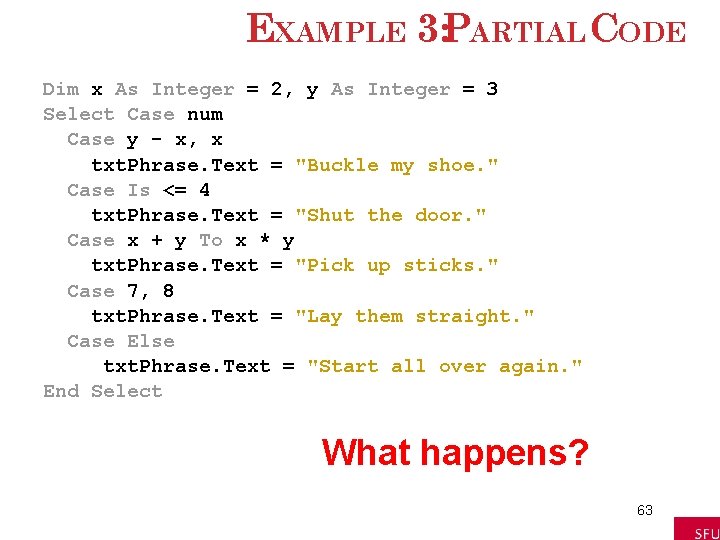
EXAMPLE 3: PARTIAL CODE Dim x As Integer = 2, y As Integer = 3 Select Case num Case y - x, x txt. Phrase. Text = "Buckle my shoe. " Case Is <= 4 txt. Phrase. Text = "Shut the door. " Case x + y To x * y txt. Phrase. Text = "Pick up sticks. " Case 7, 8 txt. Phrase. Text = "Lay them straight. " Case Else txt. Phrase. Text = "Start all over again. " End Select What happens? 63
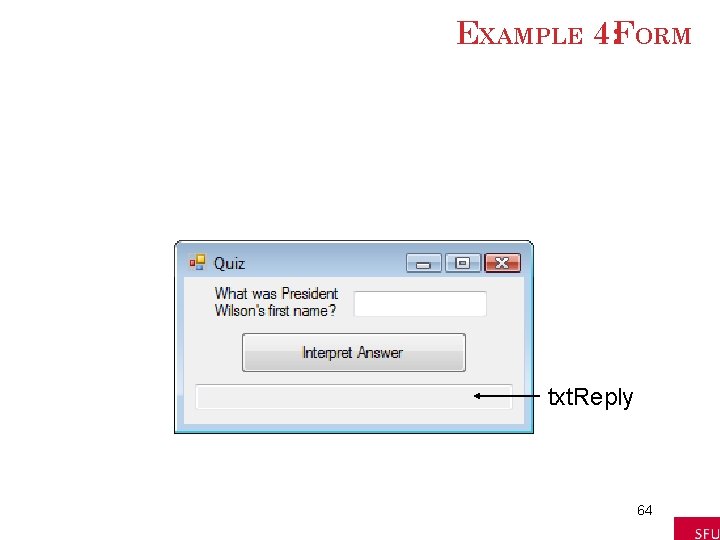
EXAMPLE 4: FORM txt. Reply 64
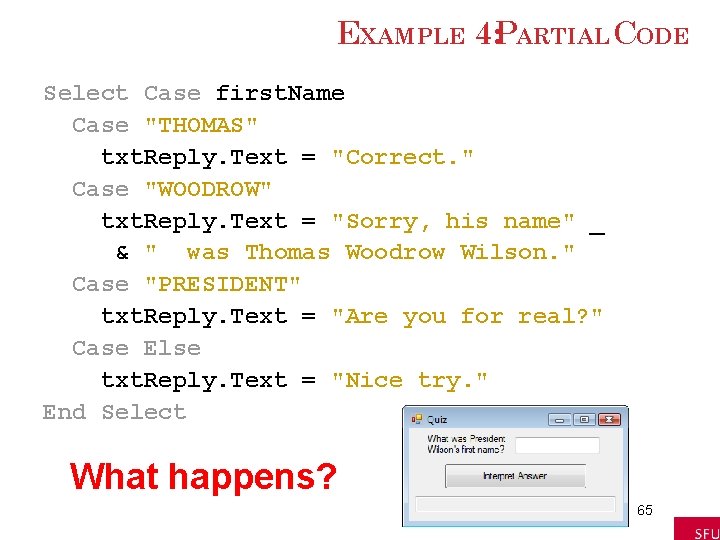
EXAMPLE 4: PARTIAL CODE Select Case first. Name Case "THOMAS" txt. Reply. Text = "Correct. " Case "WOODROW" txt. Reply. Text = "Sorry, his name" _ & " was Thomas Woodrow Wilson. " Case "PRESIDENT" txt. Reply. Text = "Are you for real? " Case Else txt. Reply. Text = "Nice try. " End Select What happens? 65
EXAMPLE 4: OUTPUT 66
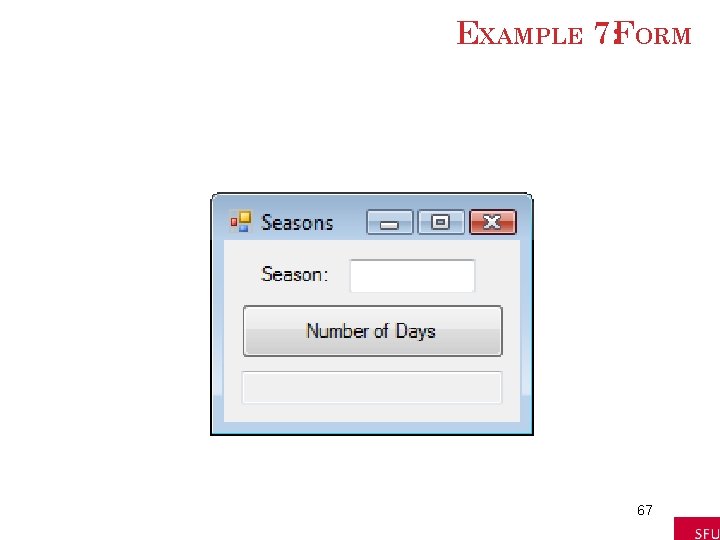
EXAMPLE 7: FORM 67
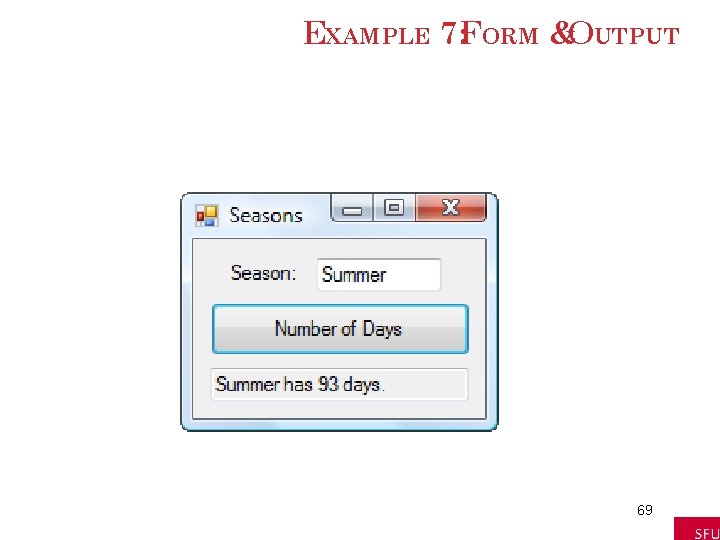
EXAMPLE 7: PARTIAL CODE Dim season As String, num. Days As Integer Select Case season. To. Upper Case "WINTER" num. Days = 87 Case "SPRING" num. Days = 92 Case "SUMMER", "AUTUMN", "FALL" num. Days = 93 End Select What happens? 68
EXAMPLE 7: FORM &OUTPUT 69
COMMENTS In a Case clause of the form Case b To c, the value of b should be less than or equal to the value of c The word Is should precede an inequality sign in a value list If the word Is is accidentally omitted where required, the editor will automatically insert it when checking the line 70
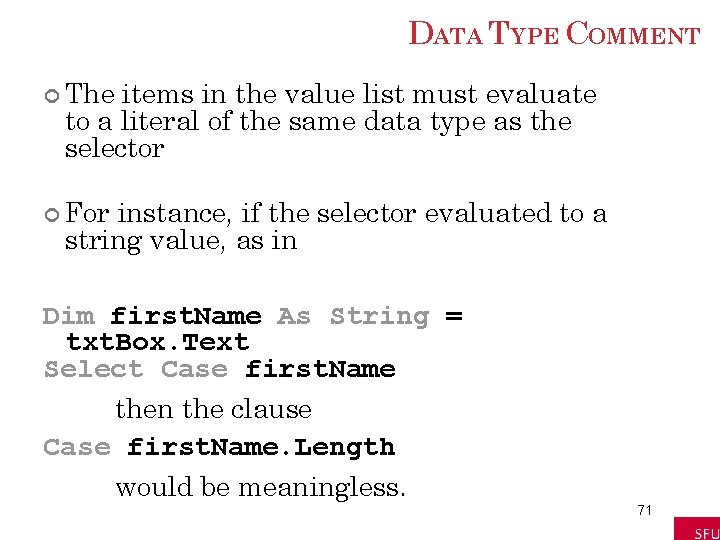
DATA TYPE COMMENT The items in the value list must evaluate to a literal of the same data type as the selector For instance, if the selector evaluated to a string value, as in Dim first. Name As String = txt. Box. Text Select Case first. Name then the clause Case first. Name. Length would be meaningless. 71
BLOCK-LEVELSCOPE A variable declared inside an If … Then or Select Caseblock has block-level scope The variable cannot be referred to outside the block 72