
to perform ETL data migrations with open source























- Slides: 62
to perform ETL data migrations with open source Jason Bell - Desk. Hoppa : Strata Conference London 2019
Hosts can rent out their desks. Guests can book them.
That Awkward About Me Slide • • • I’m a Machine Learning and Data Engineer for hire. Big. Data - Spark, Hadoop etc Kafka, KSQL, Streaming API Clojure, Java and Python Development Teach data things. Wrote a book for Wiley, plotting the second edition. Twitter: @jasonbelldata
That Awkward About Me Slide Tweeting, heckling, photography and random stuff is actively encouraged. Please use the hashtag #stratadata Twitter: @jasonbelldata
That Awkward About Me Slide If it’s in print it must be true!
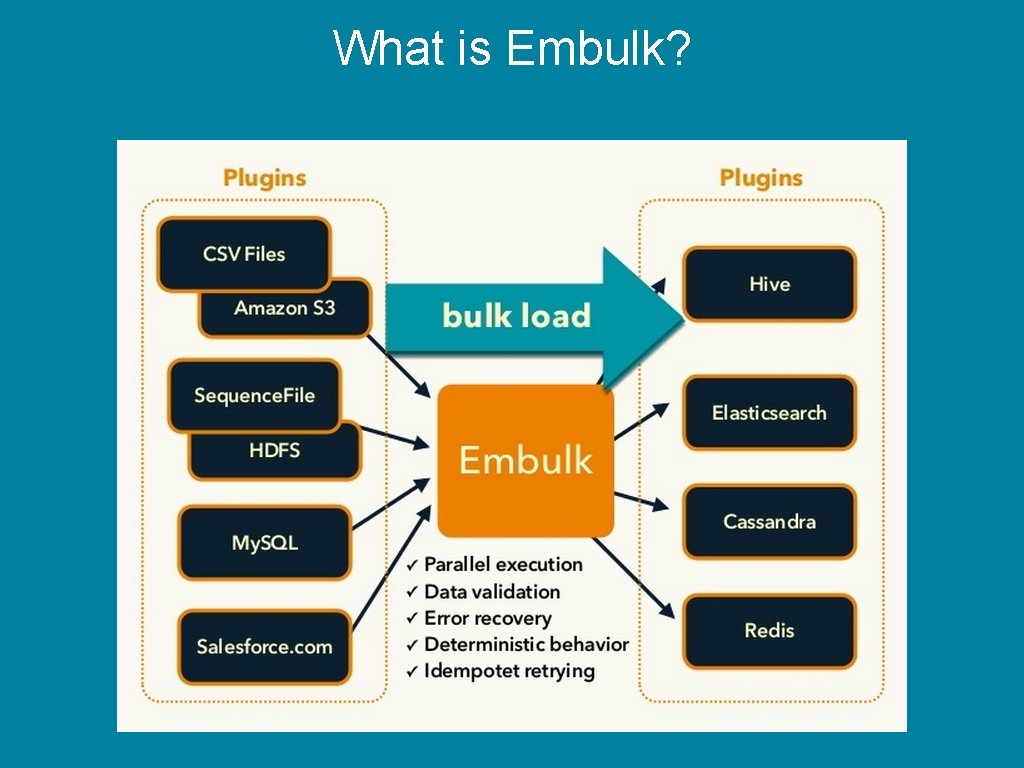
What is Embulk?
What is Embulk?
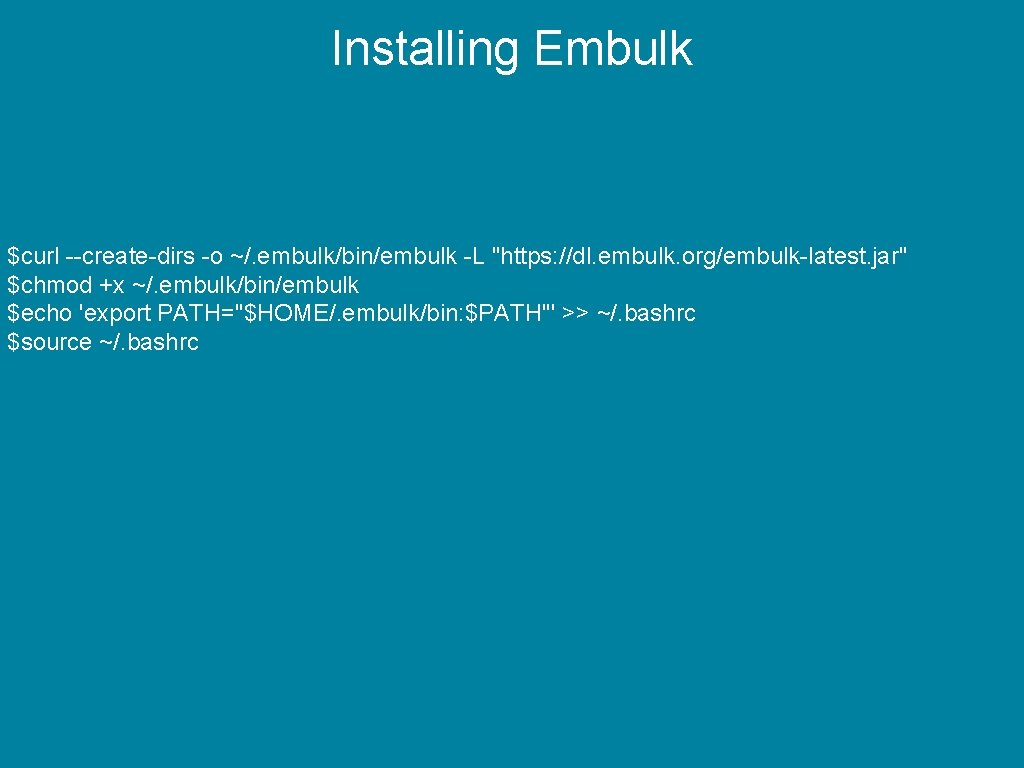
Installing Embulk
Installing Embulk $curl --create-dirs -o ~/. embulk/bin/embulk -L "https: //dl. embulk. org/embulk-latest. jar" $chmod +x ~/. embulk/bin/embulk $echo 'export PATH="$HOME/. embulk/bin: $PATH"' >> ~/. bashrc $source ~/. bashrc
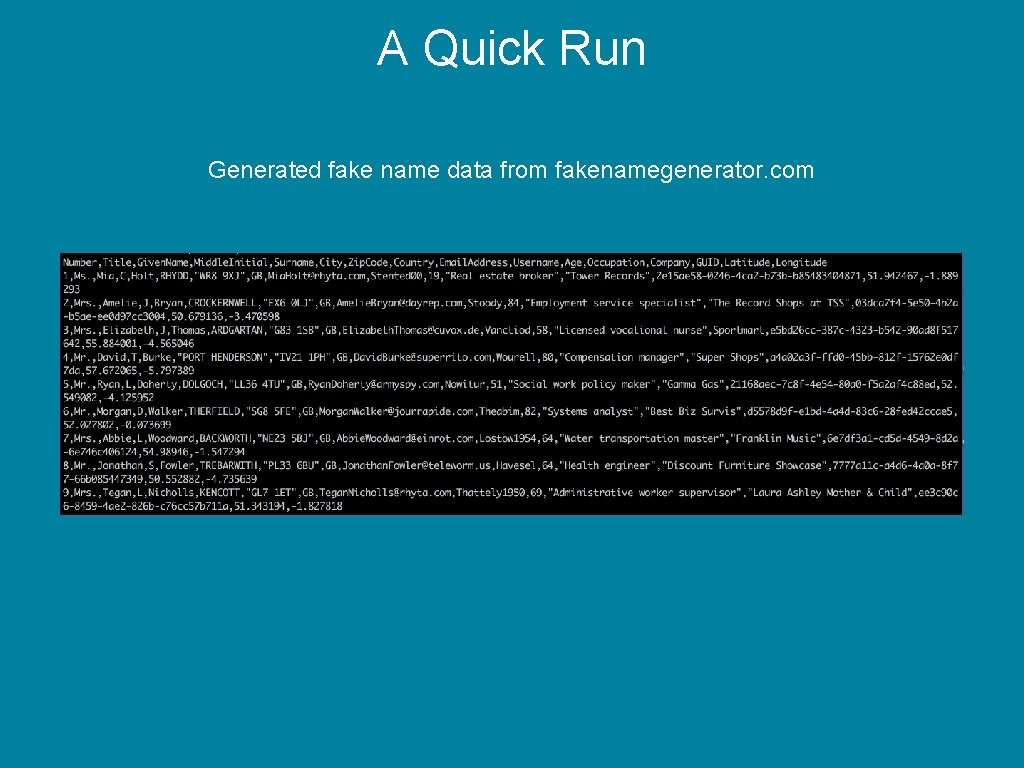
A Quick Run
A Quick Run Generated fake name data from fakenamegenerator. com
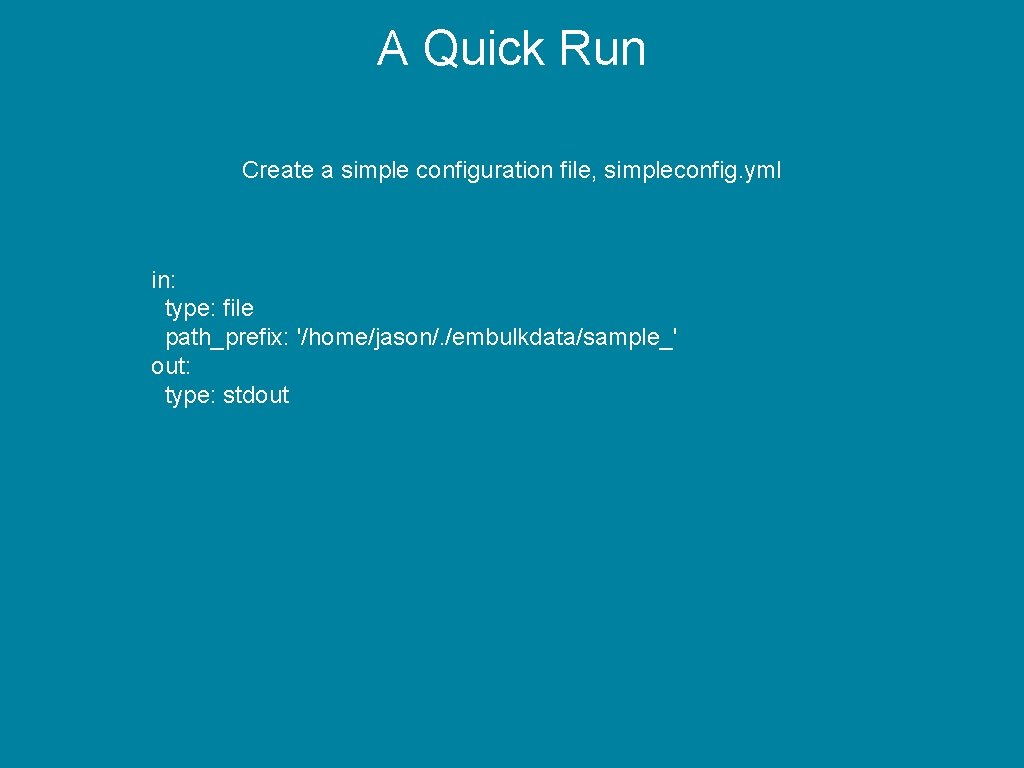
A Quick Run Create a simple configuration file, simpleconfig. yml in: type: file path_prefix: '/home/jason/. /embulkdata/sample_' out: type: stdout
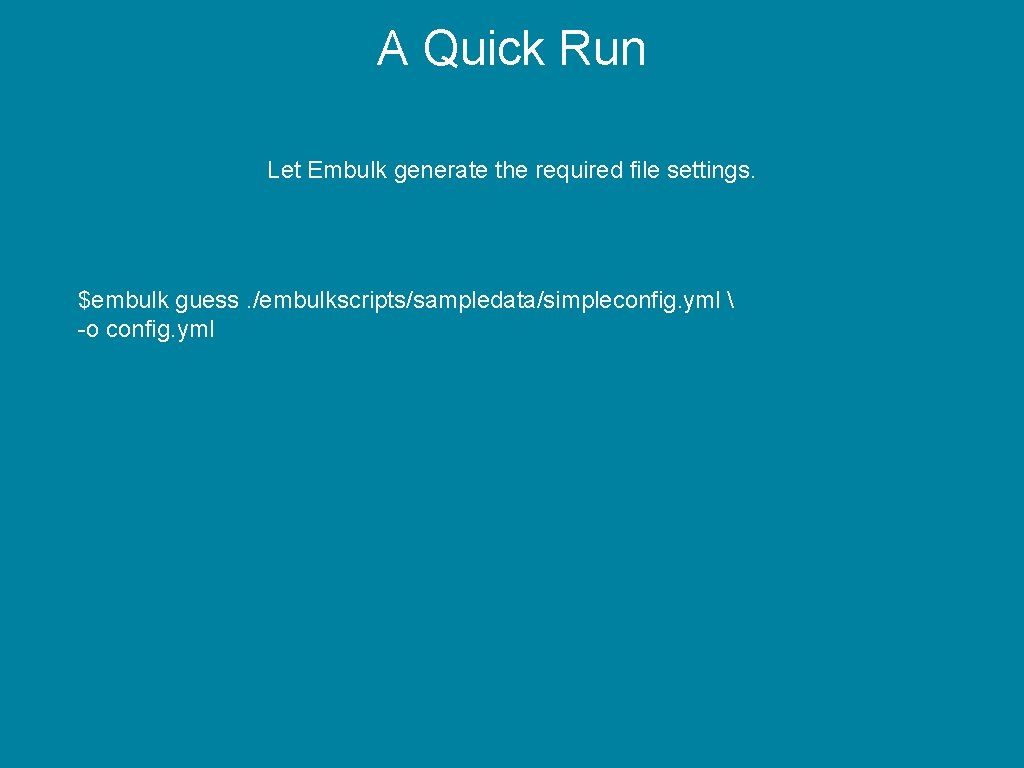
A Quick Run Let Embulk generate the required file settings. $embulk guess. /embulkscripts/sampledata/simpleconfig. yml -o config. yml
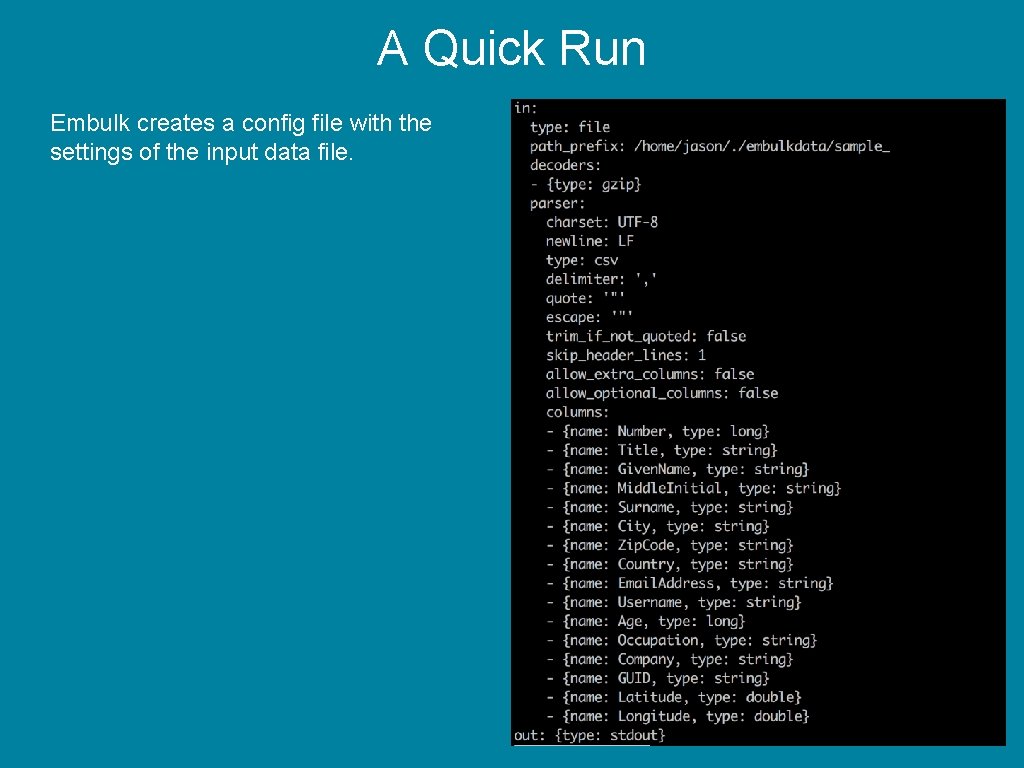
A Quick Run Embulk creates a config file with the settings of the input data file.
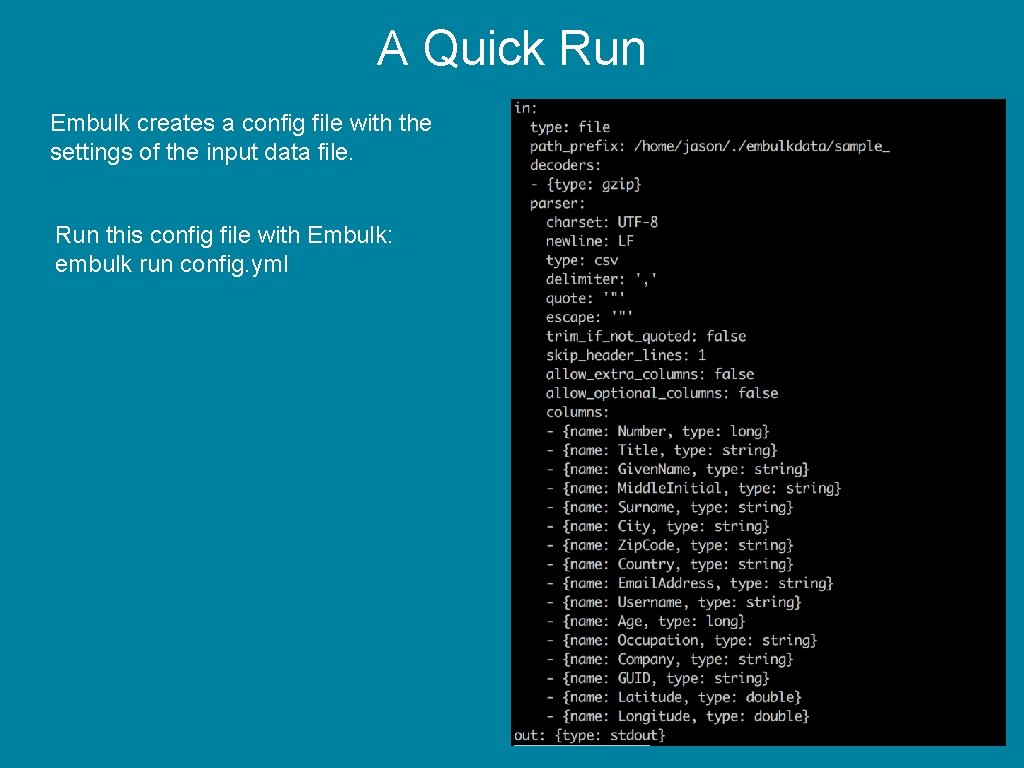
A Quick Run Embulk creates a config file with the settings of the input data file. Run this config file with Embulk: embulk run config. yml
A Quick Run Video has been removed.
Installing Plugins
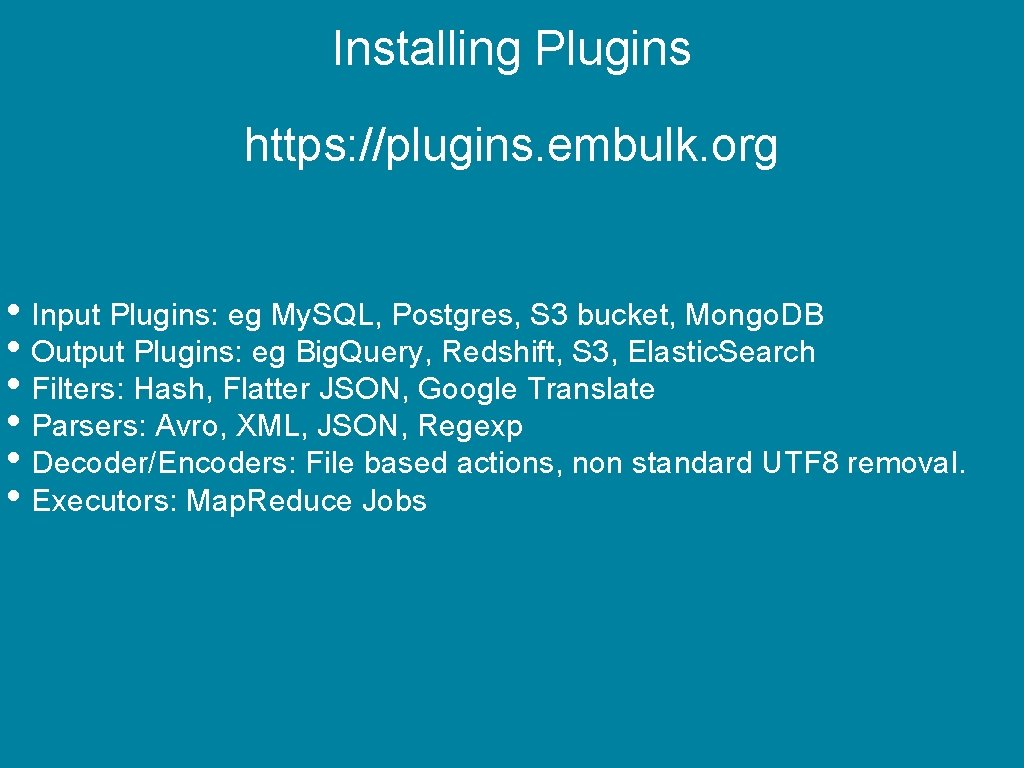
Installing Plugins https: //plugins. embulk. org • Input Plugins: eg My. SQL, Postgres, S 3 bucket, Mongo. DB • Output Plugins: eg Big. Query, Redshift, S 3, Elastic. Search • Filters: Hash, Flatter JSON, Google Translate • Parsers: Avro, XML, JSON, Regexp • Decoder/Encoders: File based actions, non standard UTF 8 removal. • Executors: Map. Reduce Jobs
Installing Plugins To install a plugin. $embulk gem install <embulk-plugin-name> $embulk gem list
A quick note on parallel execution. Map. Reduce plugin built for Hadoop YARN 2. 6. 0 It also works on YARN 2. 4. 0 ed on Embulk 0. 9. 18 but will be supported again in 0. 10 if there is
Scenario 1: File to Database
Scenario 2: Database to Data Warehouse There is a meeting……. . Photo by Campaign Creators on Unsplash
Scenario 2: Database to Data Warehouse ate millions of CSV files to our My. SQL d My. SQL is the biz! Etc etc Photo by Campaign Creators on Unsplash
Photo by Campaign Creators on Unsplash
Photo by Campaign Creators on Unsplash
Whooooa there!
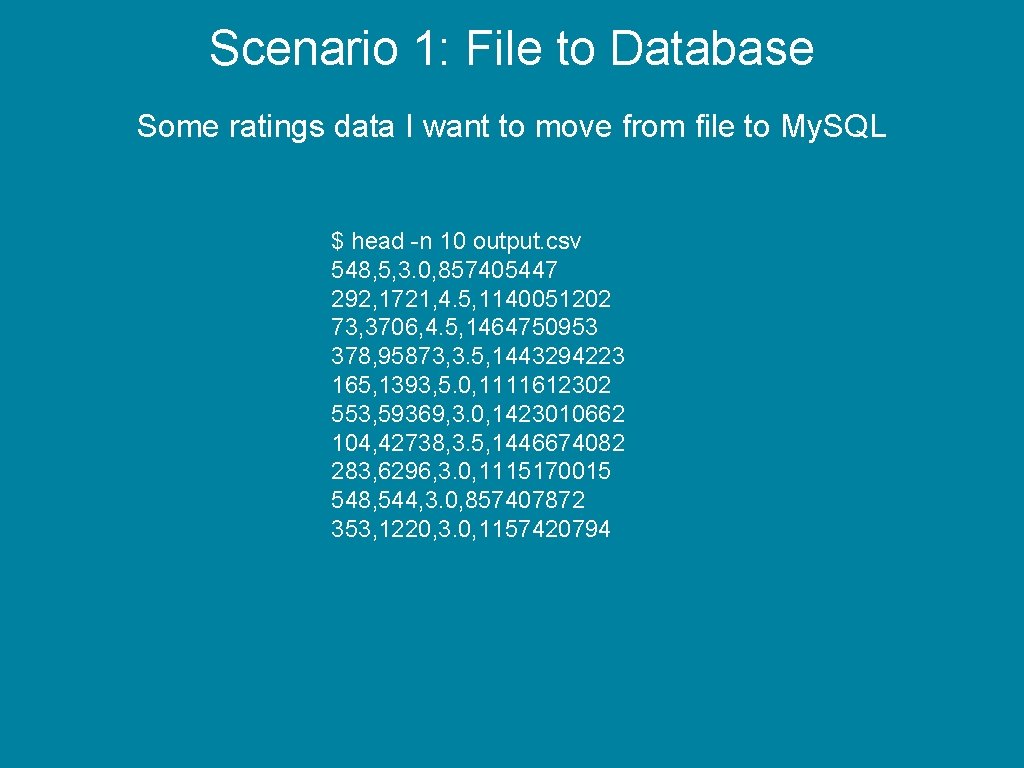
Scenario 1: File to Database Some ratings data I want to move from file to My. SQL $ head -n 10 output. csv 548, 5, 3. 0, 857405447 292, 1721, 4. 5, 1140051202 73, 3706, 4. 5, 1464750953 378, 95873, 3. 5, 1443294223 165, 1393, 5. 0, 1111612302 553, 59369, 3. 0, 1423010662 104, 42738, 3. 5, 1446674082 283, 6296, 3. 0, 1115170015 548, 544, 3. 0, 857407872 353, 1220, 3. 0, 1157420794
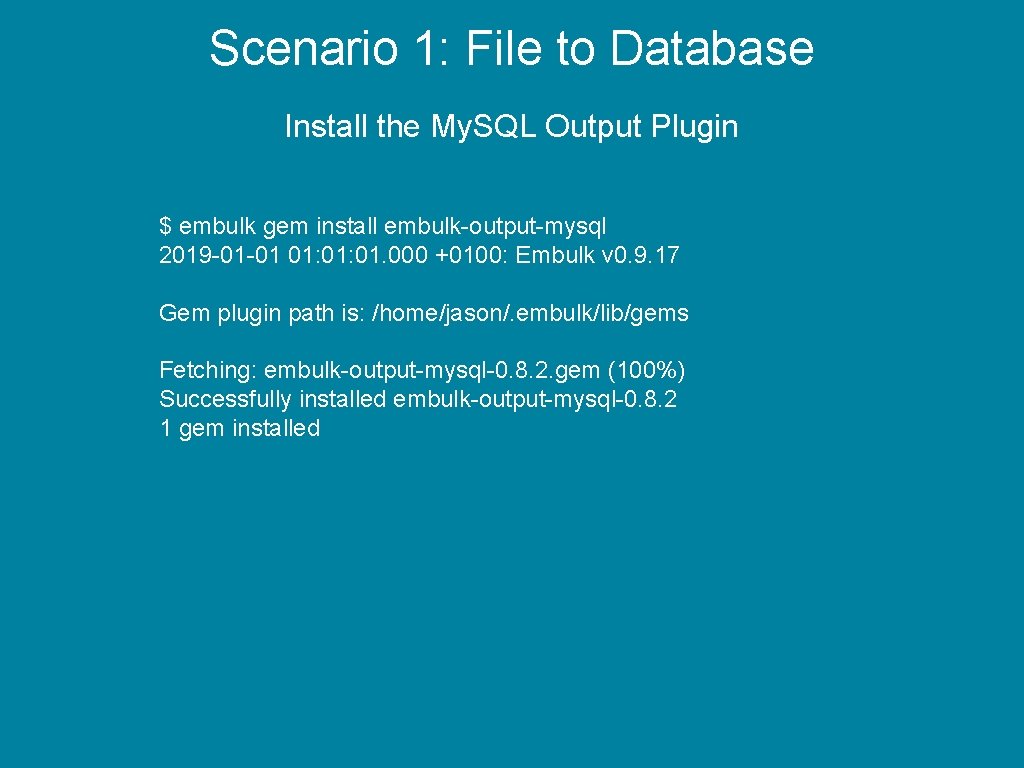
Scenario 1: File to Database Install the My. SQL Output Plugin $ embulk gem install embulk-output-mysql 2019 -01 -01 01: 01. 000 +0100: Embulk v 0. 9. 17 Gem plugin path is: /home/jason/. embulk/lib/gems Fetching: embulk-output-mysql-0. 8. 2. gem (100%) Successfully installed embulk-output-mysql-0. 8. 2 1 gem installed
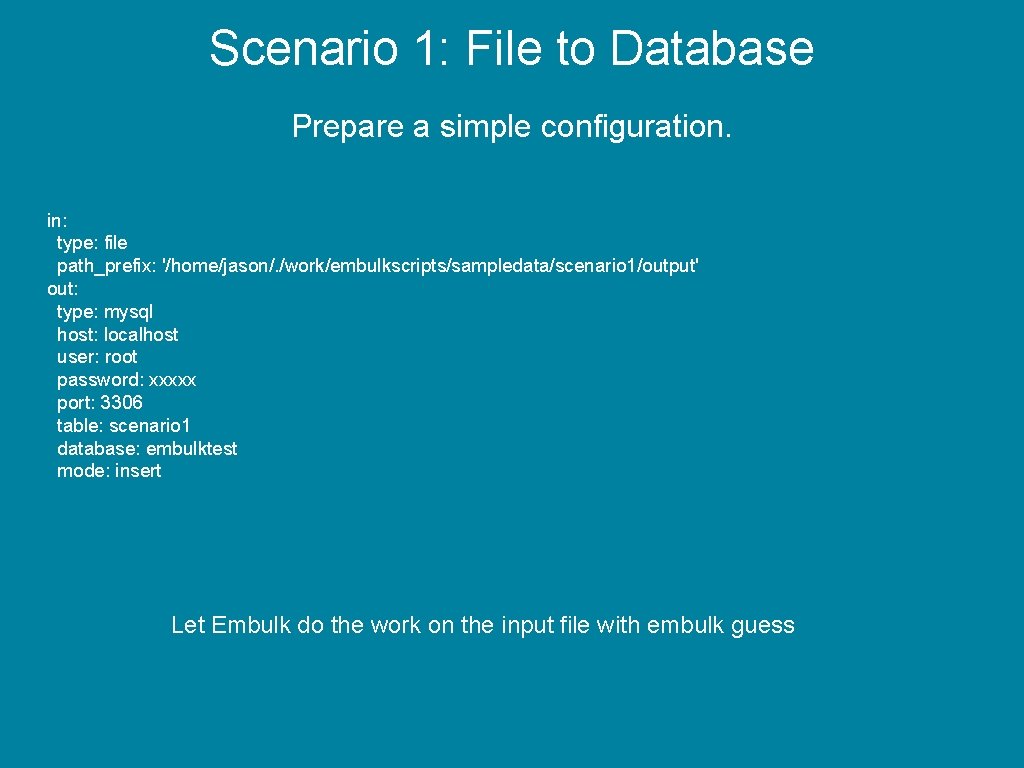
Scenario 1: File to Database Prepare a simple configuration. in: type: file path_prefix: '/home/jason/. /work/embulkscripts/sampledata/scenario 1/output' out: type: mysql host: localhost user: root password: xxxxx port: 3306 table: scenario 1 database: embulktest mode: insert Let Embulk do the work on the input file with embulk guess
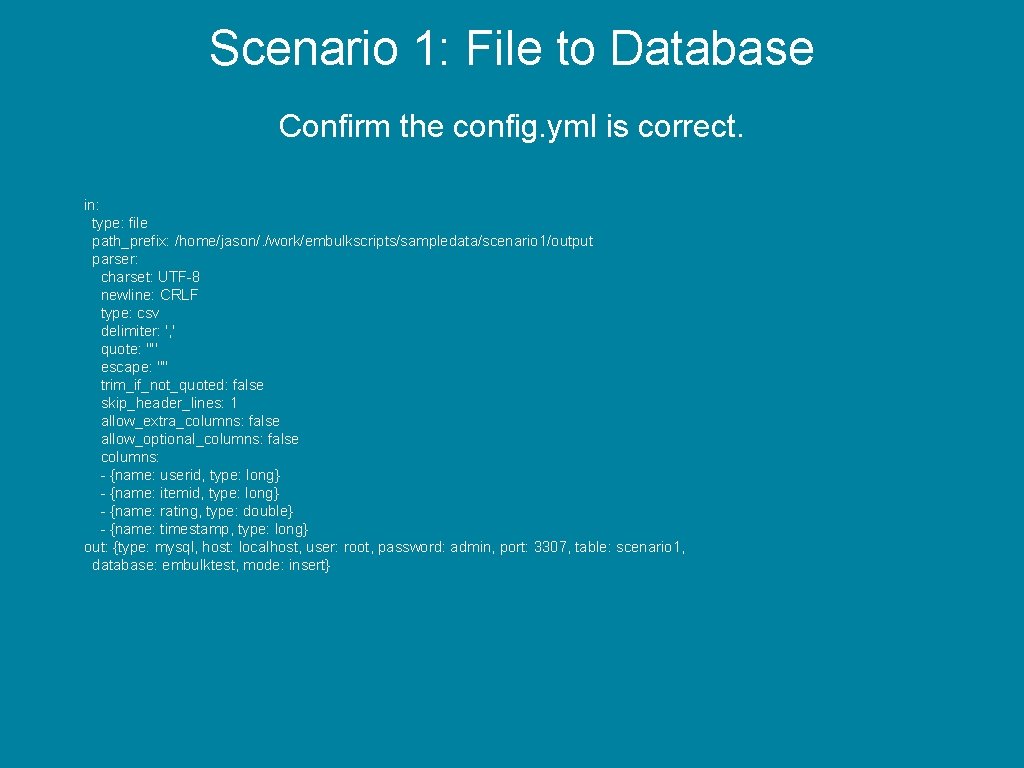
Scenario 1: File to Database Confirm the config. yml is correct. in: type: file path_prefix: /home/jason/. /work/embulkscripts/sampledata/scenario 1/output parser: charset: UTF-8 newline: CRLF type: csv delimiter: ', ' quote: '"' escape: '"' trim_if_not_quoted: false skip_header_lines: 1 allow_extra_columns: false allow_optional_columns: false columns: - {name: userid, type: long} - {name: itemid, type: long} - {name: rating, type: double} - {name: timestamp, type: long} out: {type: mysql, host: localhost, user: root, password: admin, port: 3307, table: scenario 1, database: embulktest, mode: insert}
Scenario 1: File to Database embulk run config. yml Video has been removed.
Scenario 2: Database to Data Warehouse
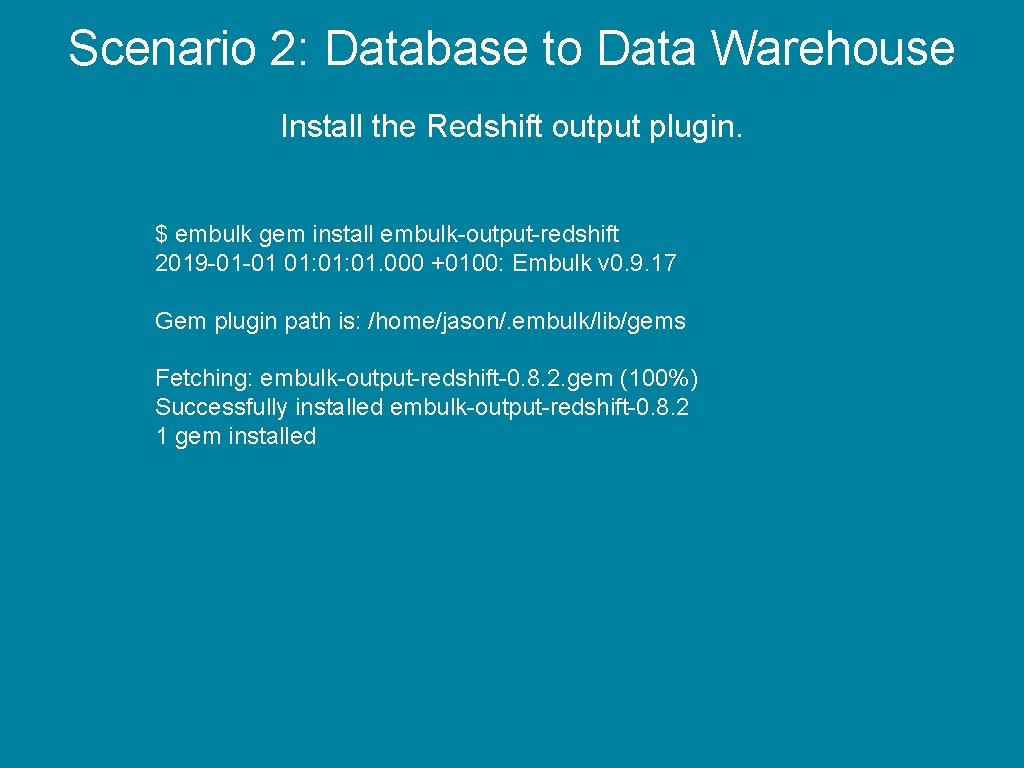
Scenario 2: Database to Data Warehouse Install the Redshift output plugin. $ embulk gem install embulk-output-redshift 2019 -01 -01 01: 01. 000 +0100: Embulk v 0. 9. 17 Gem plugin path is: /home/jason/. embulk/lib/gems Fetching: embulk-output-redshift-0. 8. 2. gem (100%) Successfully installed embulk-output-redshift-0. 8. 2 1 gem installed
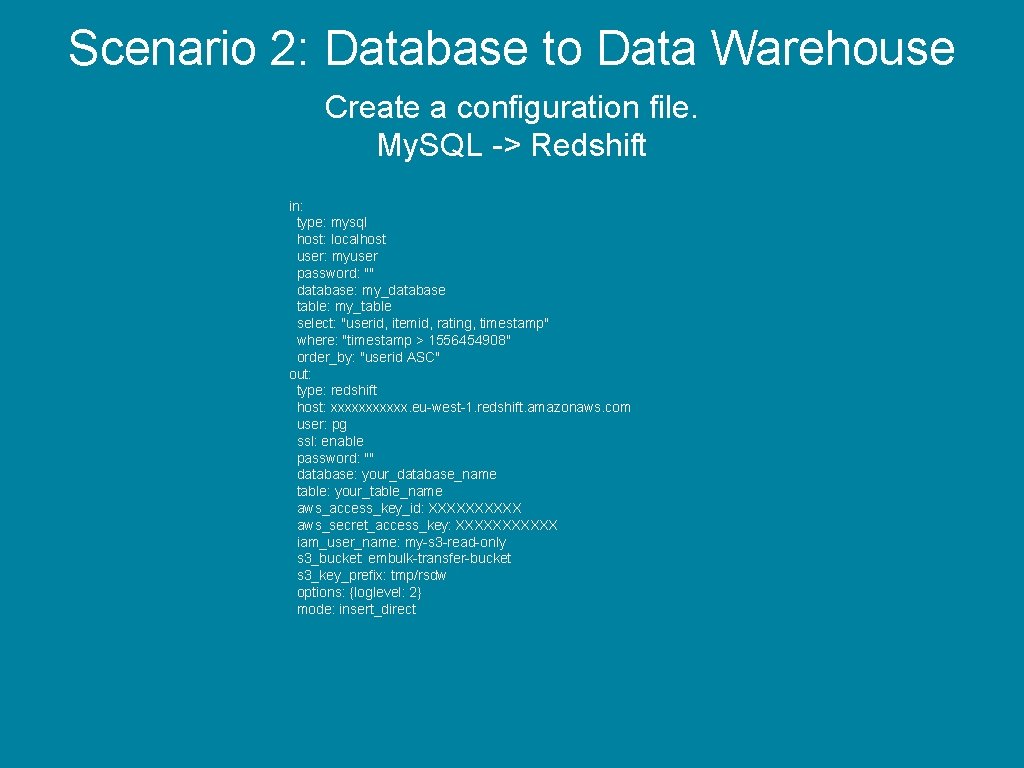
Scenario 2: Database to Data Warehouse Create a configuration file. My. SQL -> Redshift in: type: mysql host: localhost user: myuser password: "" database: my_database table: my_table select: "userid, itemid, rating, timestamp" where: "timestamp > 1556454908" order_by: "userid ASC" out: type: redshift host: xxxxxx. eu-west-1. redshift. amazonaws. com user: pg ssl: enable password: "" database: your_database_name table: your_table_name aws_access_key_id: XXXXX aws_secret_access_key: XXXXXX iam_user_name: my-s 3 -read-only s 3_bucket: embulk-transfer-bucket s 3_key_prefix: tmp/rsdw options: {loglevel: 2} mode: insert_direct
Scenario 2: Database to Data Warehouse en someone has yet another meeting… Photo by Campaign Creators on Unsplash
Scenario 2: Database to Data Warehouse e migrate data from My. SQL to Big. Quer Google Compute is the biz! Etc etc Photo by Campaign Creators on Unsplash
Photo by Campaign Creators on Unsplash
Photo by Campaign Creators on Unsplash
Whooooa there!
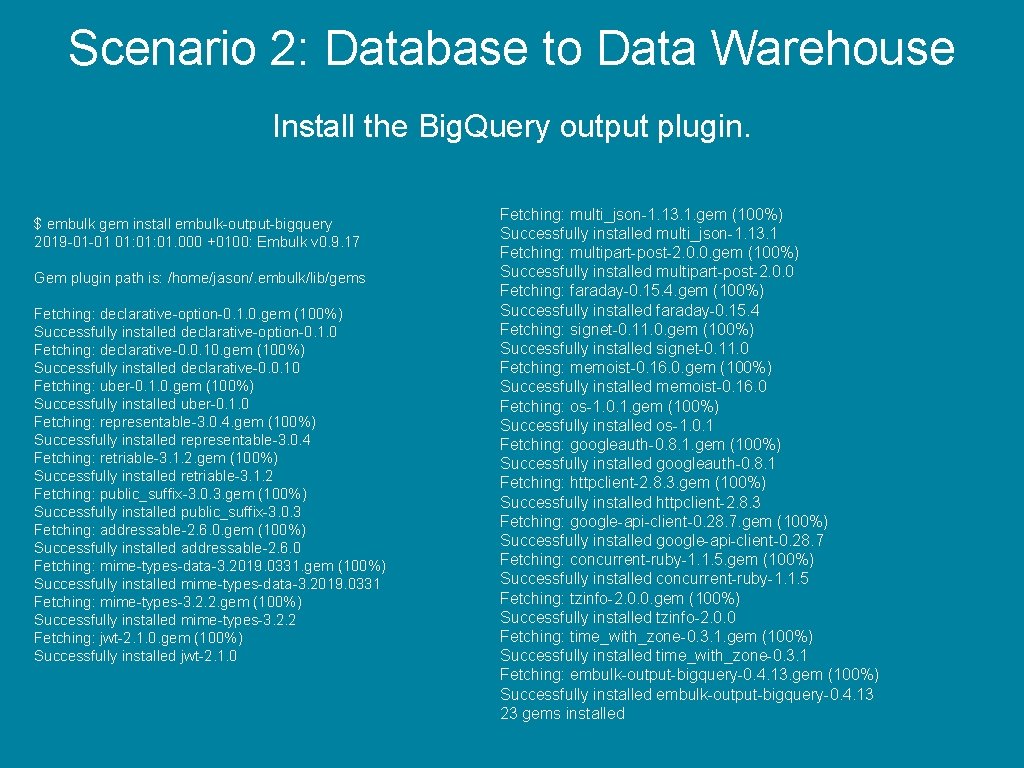
Scenario 2: Database to Data Warehouse Install the Big. Query output plugin. $ embulk gem install embulk-output-bigquery 2019 -01 -01 01: 01. 000 +0100: Embulk v 0. 9. 17 Gem plugin path is: /home/jason/. embulk/lib/gems Fetching: declarative-option-0. 1. 0. gem (100%) Successfully installed declarative-option-0. 1. 0 Fetching: declarative-0. 0. 10. gem (100%) Successfully installed declarative-0. 0. 10 Fetching: uber-0. 1. 0. gem (100%) Successfully installed uber-0. 1. 0 Fetching: representable-3. 0. 4. gem (100%) Successfully installed representable-3. 0. 4 Fetching: retriable-3. 1. 2. gem (100%) Successfully installed retriable-3. 1. 2 Fetching: public_suffix-3. 0. 3. gem (100%) Successfully installed public_suffix-3. 0. 3 Fetching: addressable-2. 6. 0. gem (100%) Successfully installed addressable-2. 6. 0 Fetching: mime-types-data-3. 2019. 0331. gem (100%) Successfully installed mime-types-data-3. 2019. 0331 Fetching: mime-types-3. 2. 2. gem (100%) Successfully installed mime-types-3. 2. 2 Fetching: jwt-2. 1. 0. gem (100%) Successfully installed jwt-2. 1. 0 Fetching: multi_json-1. 13. 1. gem (100%) Successfully installed multi_json-1. 13. 1 Fetching: multipart-post-2. 0. 0. gem (100%) Successfully installed multipart-post-2. 0. 0 Fetching: faraday-0. 15. 4. gem (100%) Successfully installed faraday-0. 15. 4 Fetching: signet-0. 11. 0. gem (100%) Successfully installed signet-0. 11. 0 Fetching: memoist-0. 16. 0. gem (100%) Successfully installed memoist-0. 16. 0 Fetching: os-1. 0. 1. gem (100%) Successfully installed os-1. 0. 1 Fetching: googleauth-0. 8. 1. gem (100%) Successfully installed googleauth-0. 8. 1 Fetching: httpclient-2. 8. 3. gem (100%) Successfully installed httpclient-2. 8. 3 Fetching: google-api-client-0. 28. 7. gem (100%) Successfully installed google-api-client-0. 28. 7 Fetching: concurrent-ruby-1. 1. 5. gem (100%) Successfully installed concurrent-ruby-1. 1. 5 Fetching: tzinfo-2. 0. 0. gem (100%) Successfully installed tzinfo-2. 0. 0 Fetching: time_with_zone-0. 3. 1. gem (100%) Successfully installed time_with_zone-0. 3. 1 Fetching: embulk-output-bigquery-0. 4. 13. gem (100%) Successfully installed embulk-output-bigquery-0. 4. 13 23 gems installed
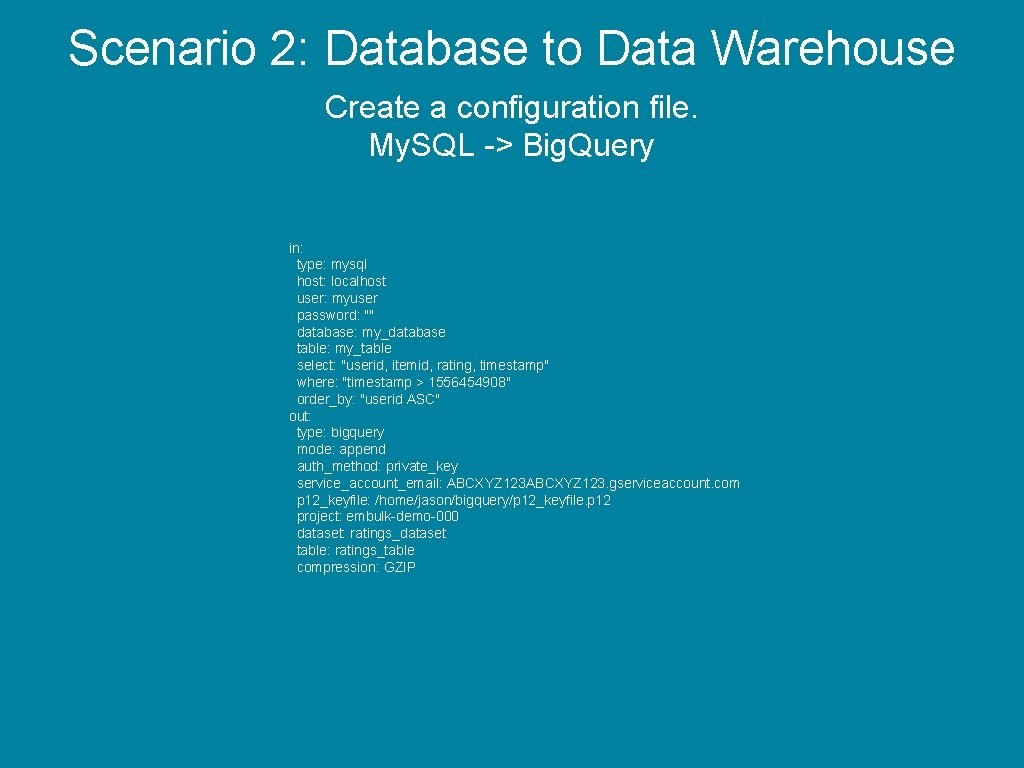
Scenario 2: Database to Data Warehouse Create a configuration file. My. SQL -> Big. Query in: type: mysql host: localhost user: myuser password: "" database: my_database table: my_table select: "userid, itemid, rating, timestamp" where: "timestamp > 1556454908" order_by: "userid ASC" out: type: bigquery mode: append auth_method: private_key service_account_email: ABCXYZ 123. gserviceaccount. com p 12_keyfile: /home/jason/bigquery/p 12_keyfile. p 12 project: embulk-demo-000 dataset: ratings_dataset table: ratings_table compression: GZIP
Scenario 3: Convert CSV to JSON
Scenario 3: Convert CSV to JSON Input data is a CSV file. I will use a filter plugin to convert the data. Then output to the console.
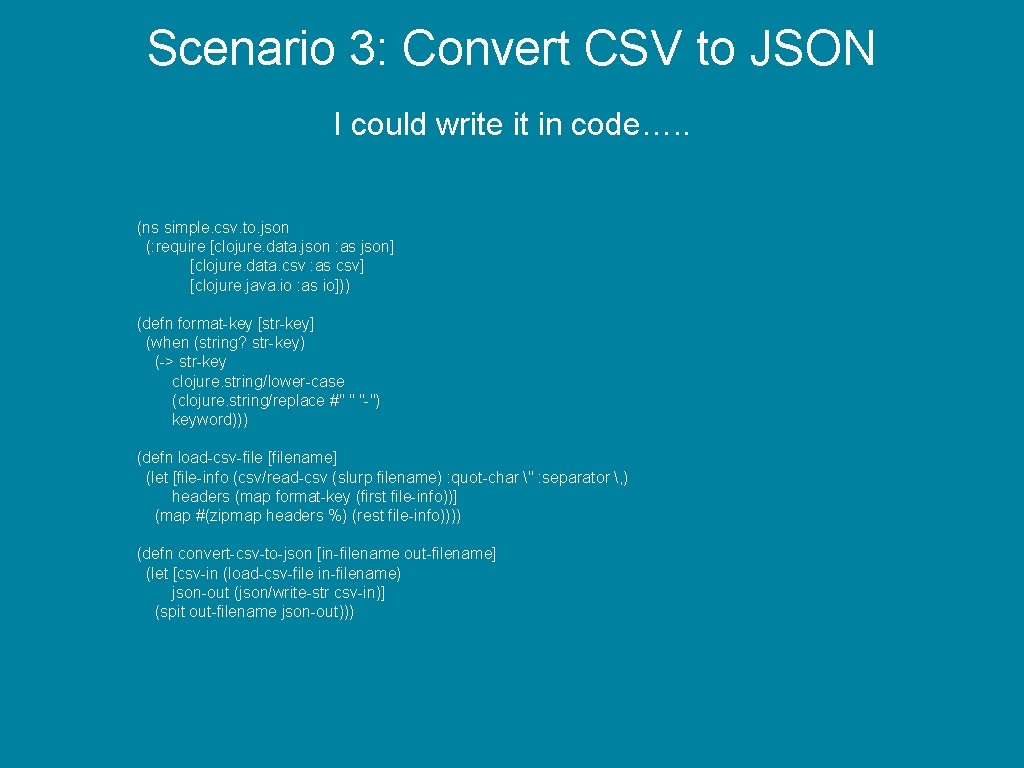
Scenario 3: Convert CSV to JSON I could write it in code…. . (ns simple. csv. to. json (: require [clojure. data. json : as json] [clojure. data. csv : as csv] [clojure. java. io : as io])) (defn format-key [str-key] (when (string? str-key) (-> str-key clojure. string/lower-case (clojure. string/replace #" " "-") keyword))) (defn load-csv-file [filename] (let [file-info (csv/read-csv (slurp filename) : quot-char " : separator , ) headers (map format-key (first file-info))] (map #(zipmap headers %) (rest file-info)))) (defn convert-csv-to-json [in-filename out-filename] (let [csv-in (load-csv-file in-filename) json-out (json/write-str csv-in)] (spit out-filename json-out)))
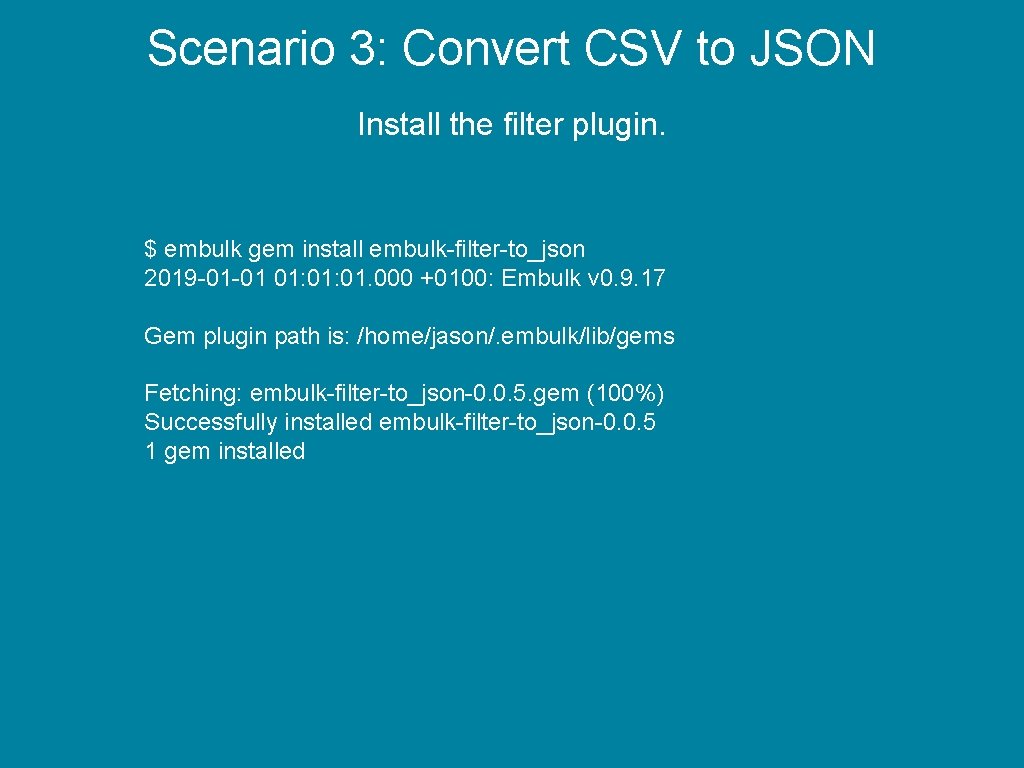
Scenario 3: Convert CSV to JSON Install the filter plugin. $ embulk gem install embulk-filter-to_json 2019 -01 -01 01: 01. 000 +0100: Embulk v 0. 9. 17 Gem plugin path is: /home/jason/. embulk/lib/gems Fetching: embulk-filter-to_json-0. 0. 5. gem (100%) Successfully installed embulk-filter-to_json-0. 0. 5 1 gem installed
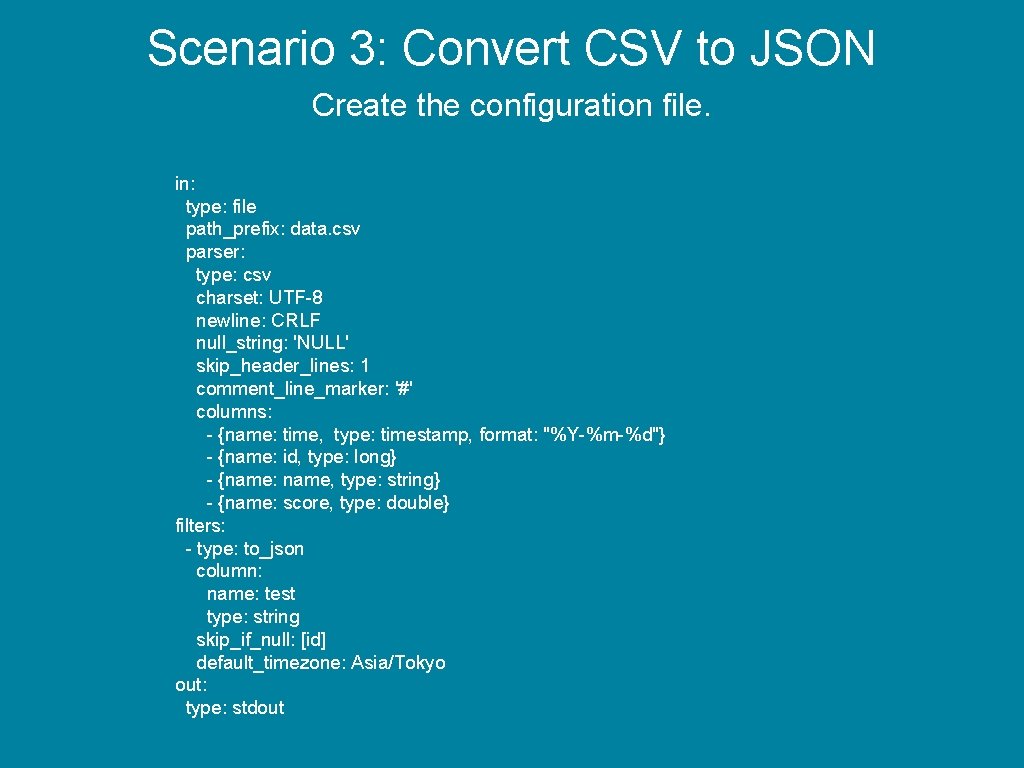
Scenario 3: Convert CSV to JSON Create the configuration file. in: type: file path_prefix: data. csv parser: type: csv charset: UTF-8 newline: CRLF null_string: 'NULL' skip_header_lines: 1 comment_line_marker: '#' columns: - {name: time, type: timestamp, format: "%Y-%m-%d"} - {name: id, type: long} - {name: name, type: string} - {name: score, type: double} filters: - type: to_json column: name: test type: string skip_if_null: [id] default_timezone: Asia/Tokyo out: type: stdout
Scenario 3: Convert CSV to JSON Run the job. Video has been removed.
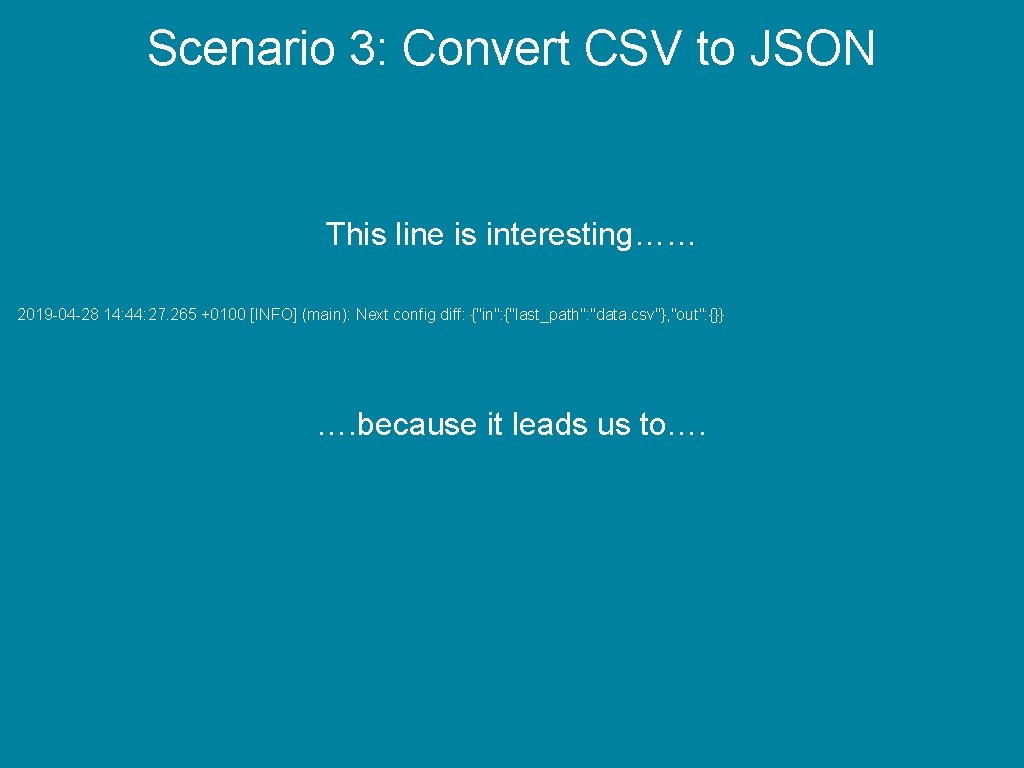
Scenario 3: Convert CSV to JSON This line is interesting…… 2019 -04 -28 14: 44: 27. 265 +0100 [INFO] (main): Next config diff: {"in": {"last_path": "data. csv"}, "out": {}} …. because it leads us to….
Incremental Embulk Runs
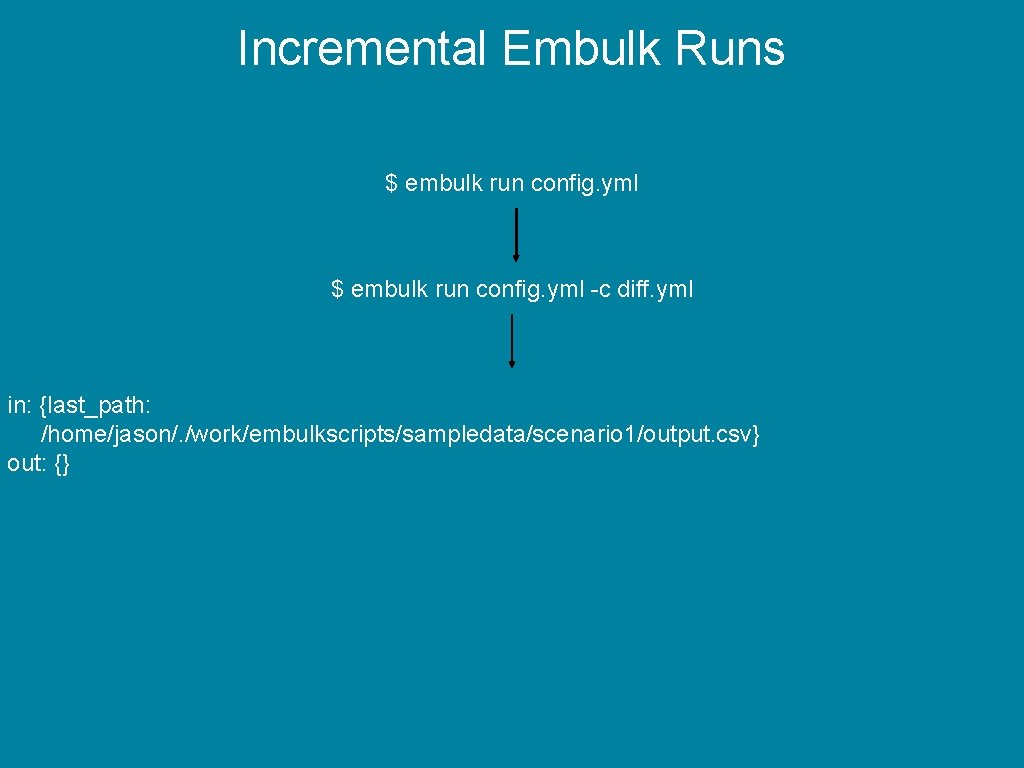
Incremental Embulk Runs $ embulk run config. yml -c diff. yml in: {last_path: /home/jason/. /work/embulkscripts/sampledata/scenario 1/output. csv} out: {}
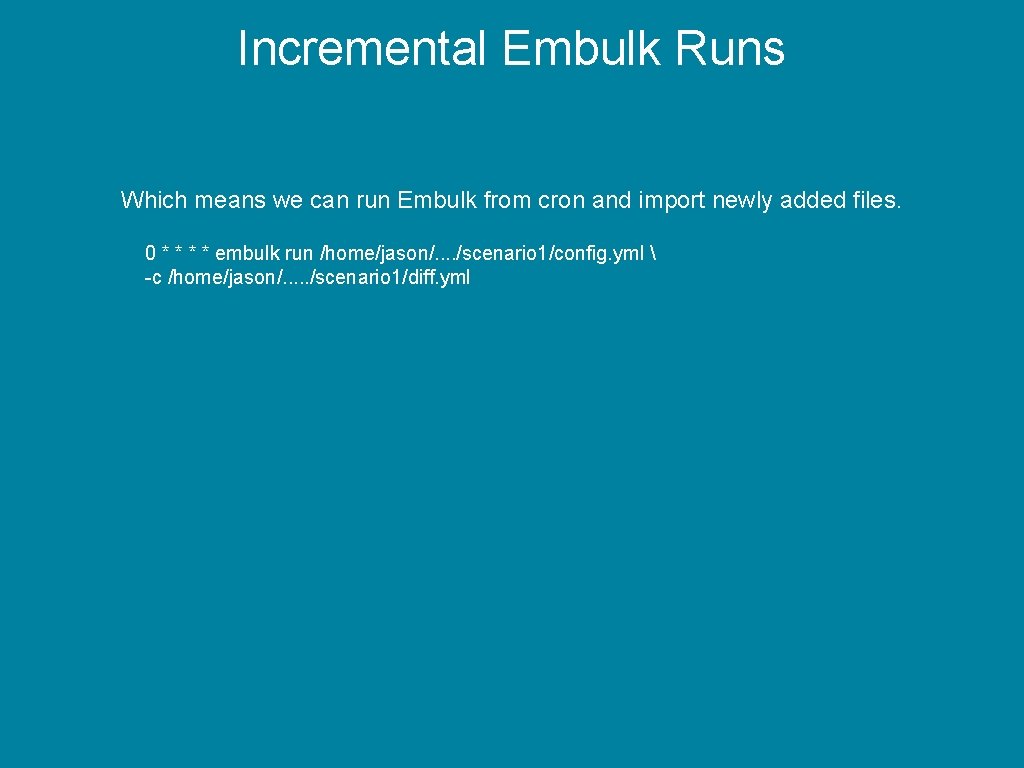
Incremental Embulk Runs Which means we can run Embulk from cron and import newly added files. 0 * * embulk run /home/jason/. . /scenario 1/config. yml -c /home/jason/. . . /scenario 1/diff. yml
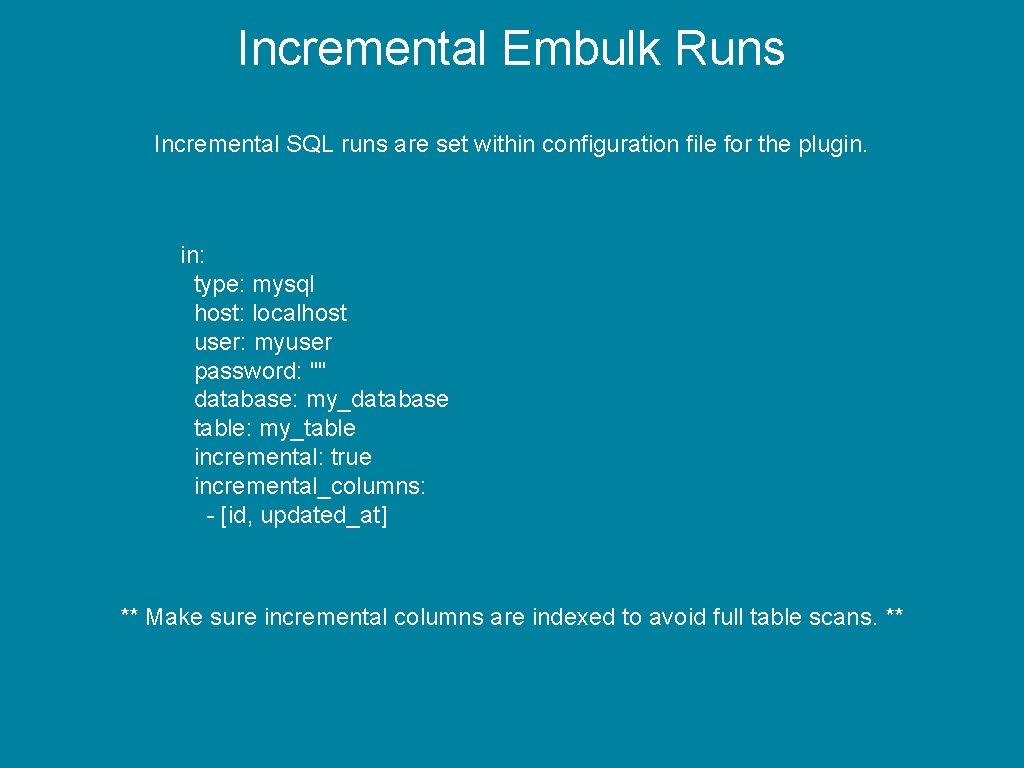
Incremental Embulk Runs Incremental SQL runs are set within configuration file for the plugin. in: type: mysql host: localhost user: myuser password: "" database: my_database table: my_table incremental: true incremental_columns: - [id, updated_at] ** Make sure incremental columns are indexed to avoid full table scans. **
Scheduling with Airflow
Scheduling with Airflow I honestly don’t mind if you use crontab -e, I use it plenty myself.
Scheduling with Airflow …. but….
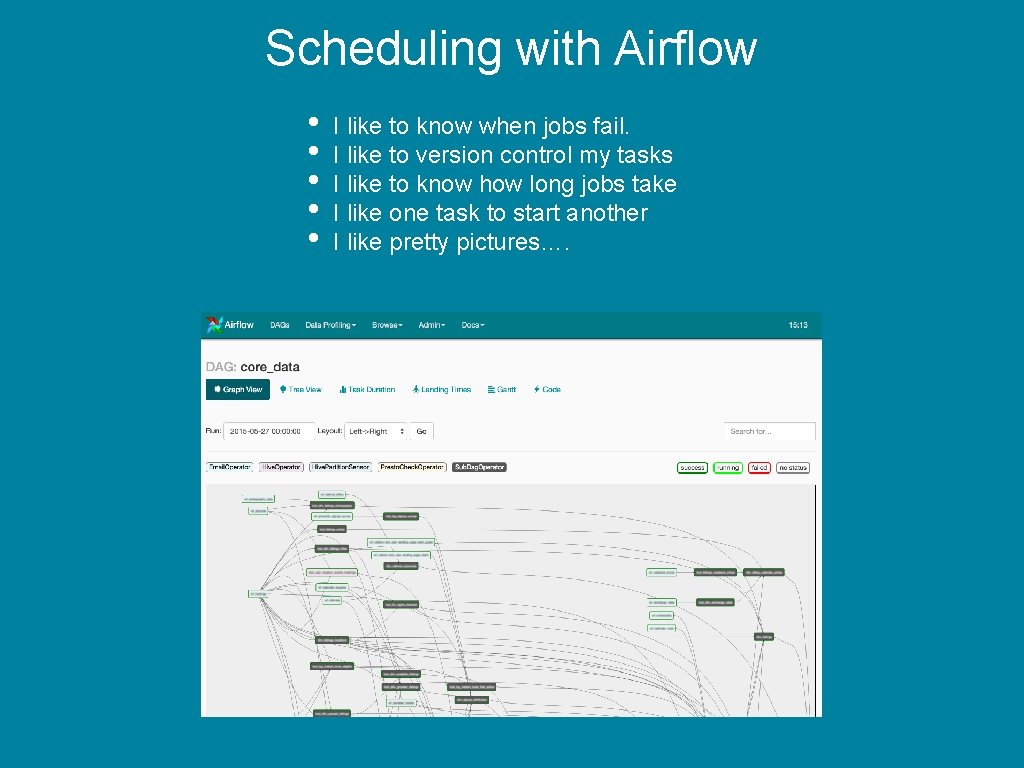
Scheduling with Airflow • • • I like to know when jobs fail. I like to version control my tasks I like to know how long jobs take I like one task to start another I like pretty pictures….
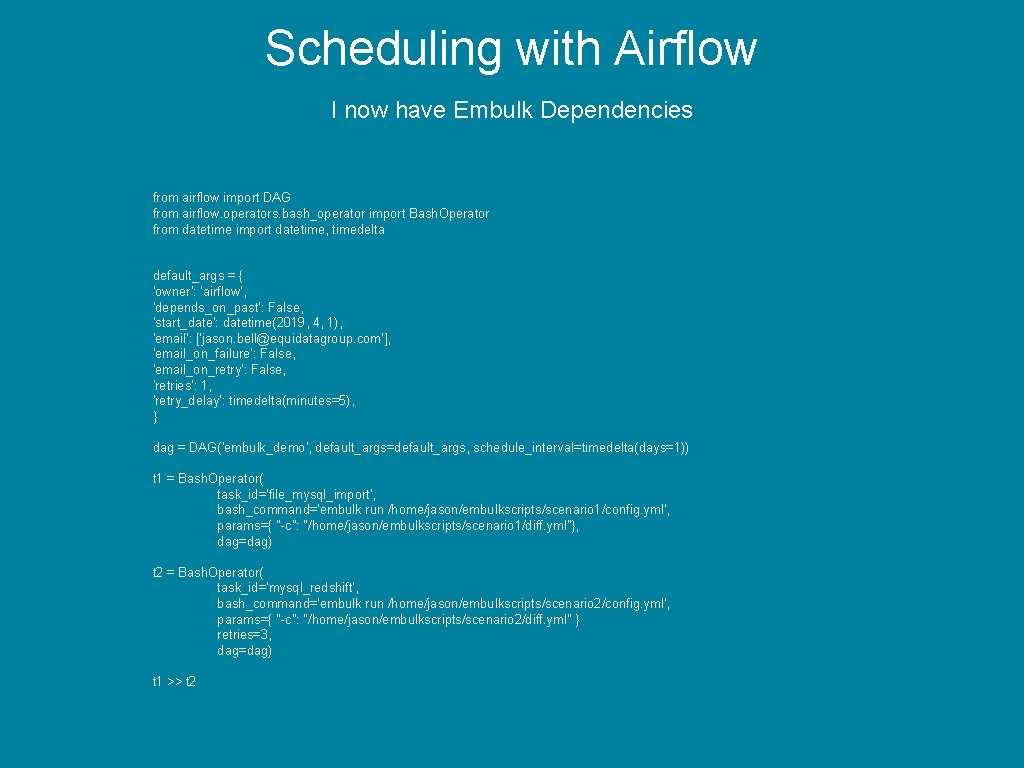
Scheduling with Airflow I now have Embulk Dependencies from airflow import DAG from airflow. operators. bash_operator import Bash. Operator from datetime import datetime, timedelta default_args = { 'owner': 'airflow', 'depends_on_past': False, 'start_date': datetime(2019, 4, 1), 'email': ['jason. bell@equidatagroup. com'], 'email_on_failure': False, 'email_on_retry': False, 'retries': 1, 'retry_delay': timedelta(minutes=5), } dag = DAG('embulk_demo', default_args=default_args, schedule_interval=timedelta(days=1)) t 1 = Bash. Operator( task_id='file_mysql_import', bash_command='embulk run /home/jason/embulkscripts/scenario 1/config. yml', params={ "-c": "/home/jason/embulkscripts/scenario 1/diff. yml"}, dag=dag) t 2 = Bash. Operator( task_id='mysql_redshift', bash_command='embulk run /home/jason/embulkscripts/scenario 2/config. yml', params={ "-c": "/home/jason/embulkscripts/scenario 2/diff. yml" } retries=3, dag=dag) t 1 >> t 2
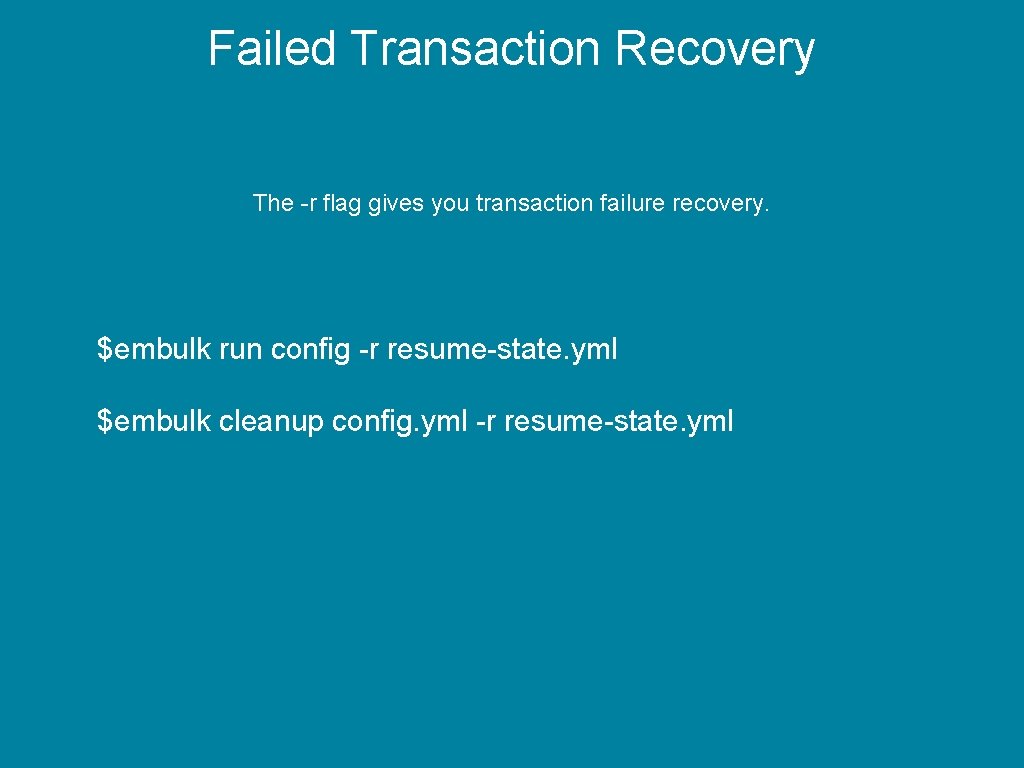
Failed Transaction Recovery The -r flag gives you transaction failure recovery. $embulk run config -r resume-state. yml $embulk cleanup config. yml -r resume-state. yml
Key Takeaways • Easy to install • Easy to setup input/output jobs • Will guess input file formats • Well maintained plugin system • Works well within Crontab or Airflow Website: https: //www. embulk. org/docs
Rate today ’s session Session page on conference website O’Reilly Events App
Thank you. Addition Q&A will be available in London City Airport Departure Lounge @jasonbelldata - @deskhoppa - https: //www. deskhoppa. com