
To activate the Educational Network and adding classes

- Slides: 13
To activate the Educational Network and adding classes
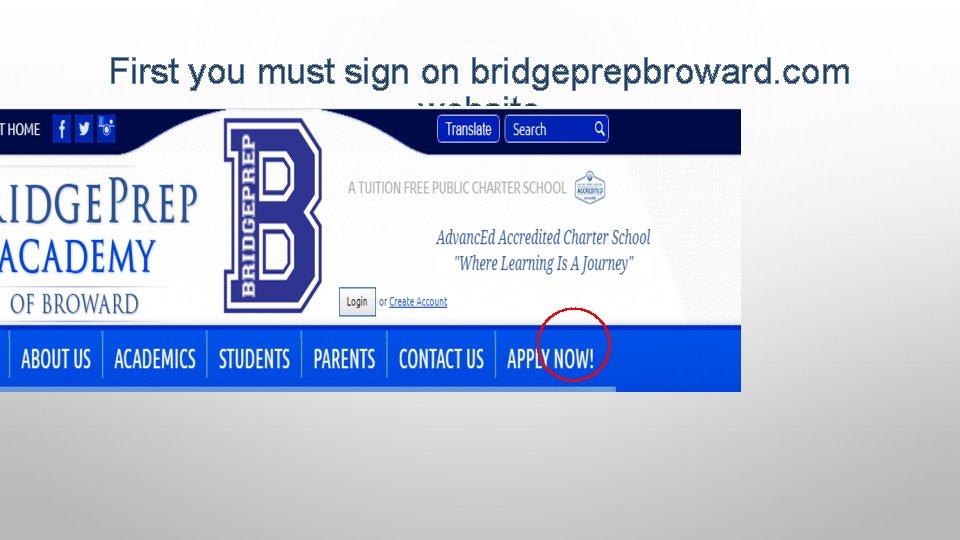
First you must sign on bridgeprepbroward. com website
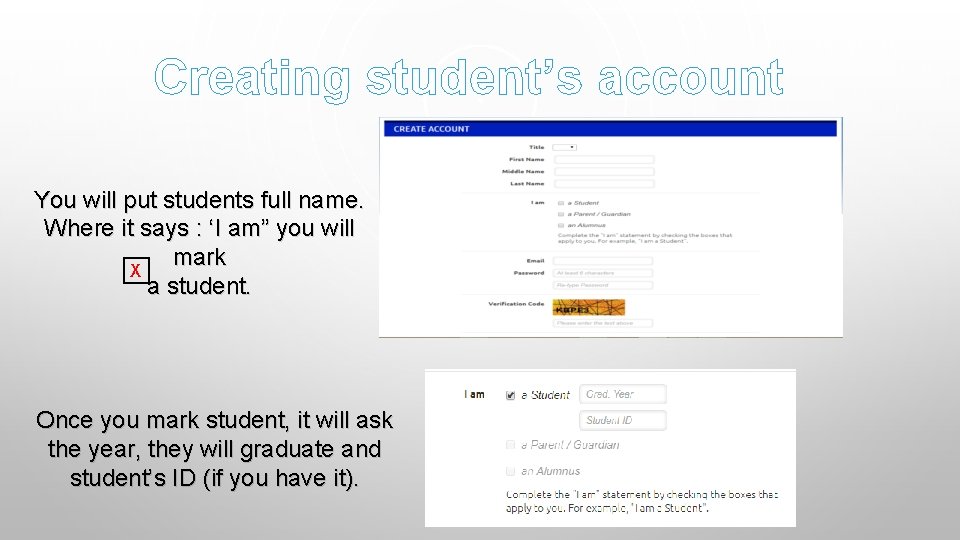
Creating student’s account You will put students full name. Where it says : ‘I am” you will mark X a student. Once you mark student, it will ask the year, they will graduate and student’s ID (if you have it).
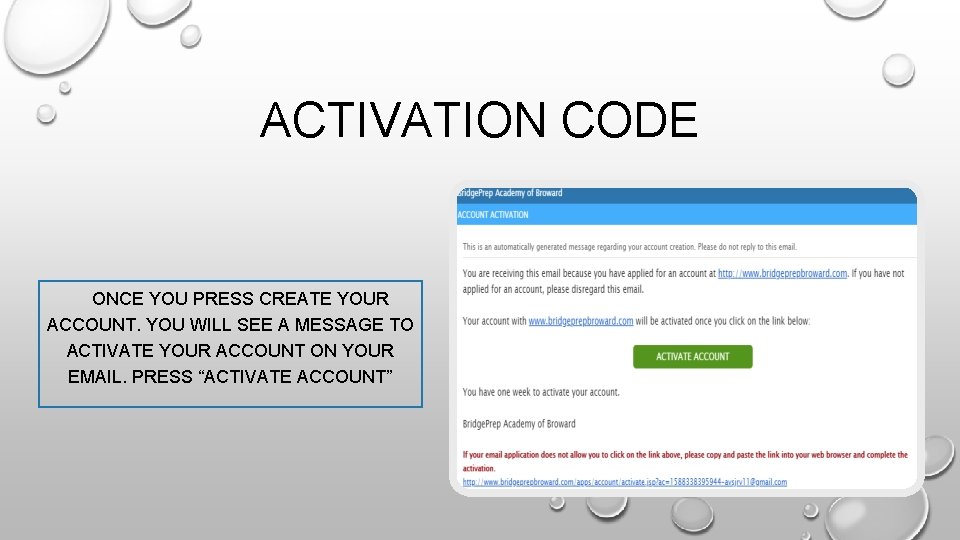
ACTIVATION CODE ONCE YOU PRESS CREATE YOUR ACCOUNT. YOU WILL SEE A MESSAGE TO ACTIVATE YOUR ACCOUNT ON YOUR EMAIL. PRESS “ACTIVATE ACCOUNT”
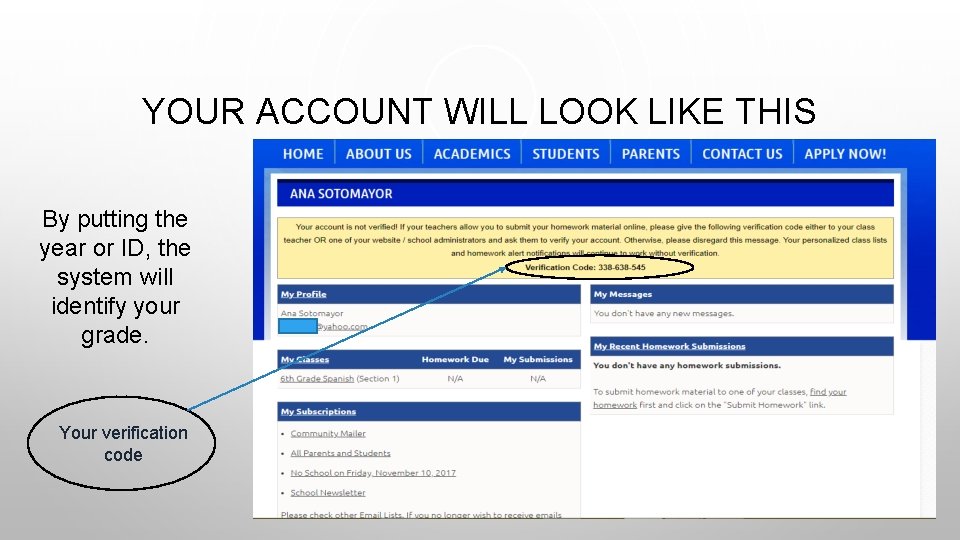
YOUR ACCOUNT WILL LOOK LIKE THIS By putting the year or ID, the system will identify your grade. Your verification code
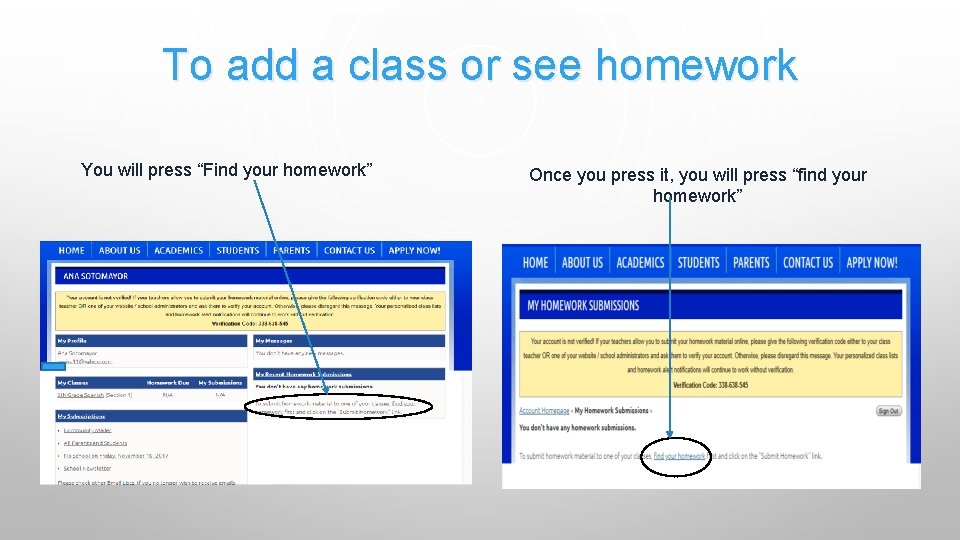
To add a class or see homework You will press “Find your homework” Once you press it, you will press “find your homework”
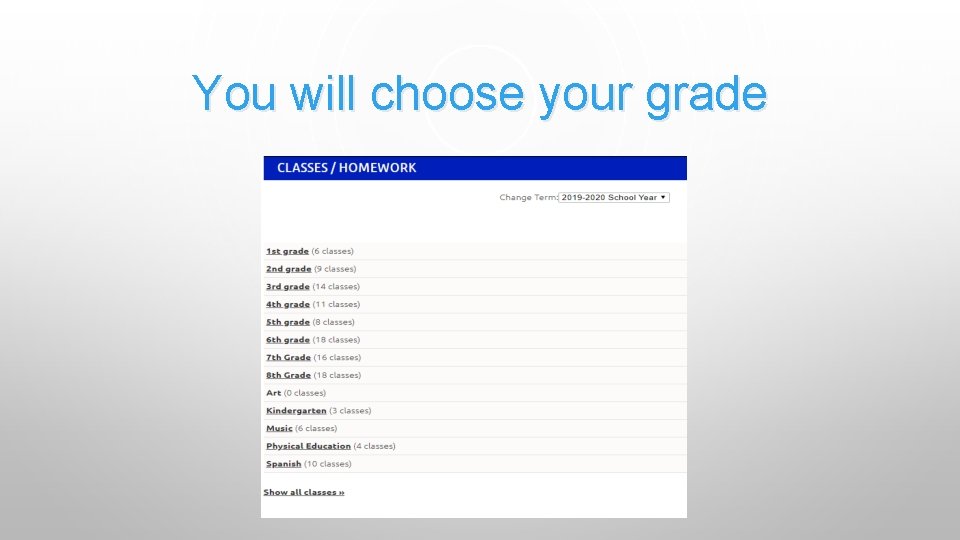
You will choose your grade
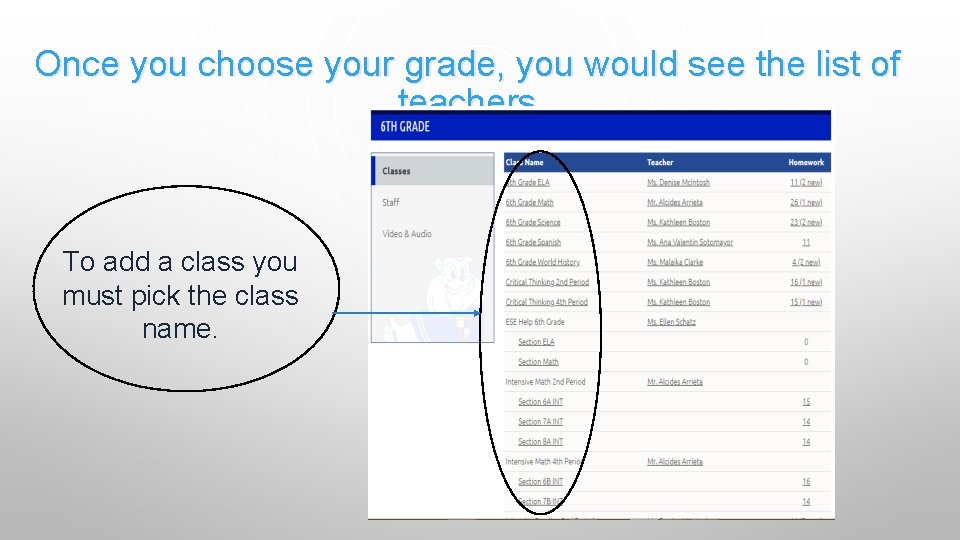
Once you choose your grade, you would see the list of teachers To add a class you must pick the class name.
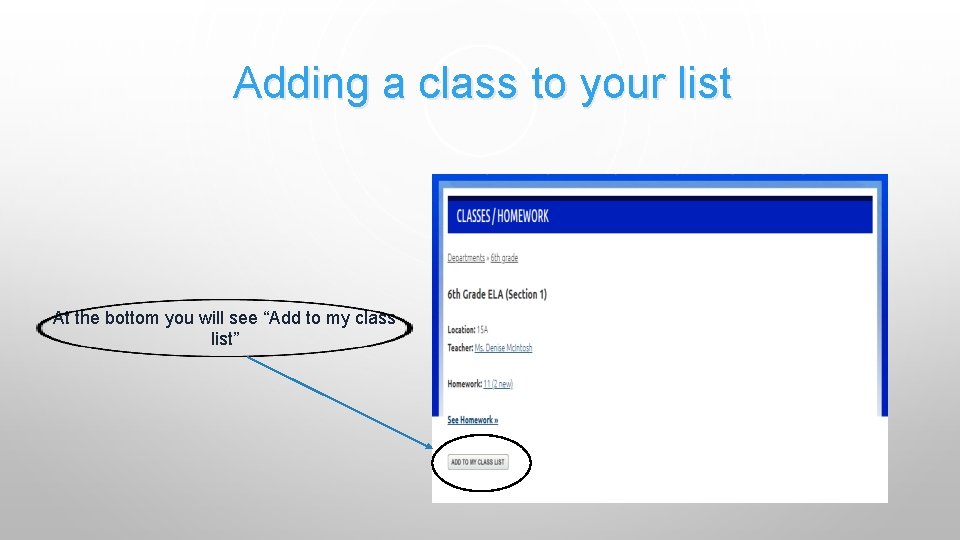
Adding a class to your list At the bottom you will see “Add to my class list”
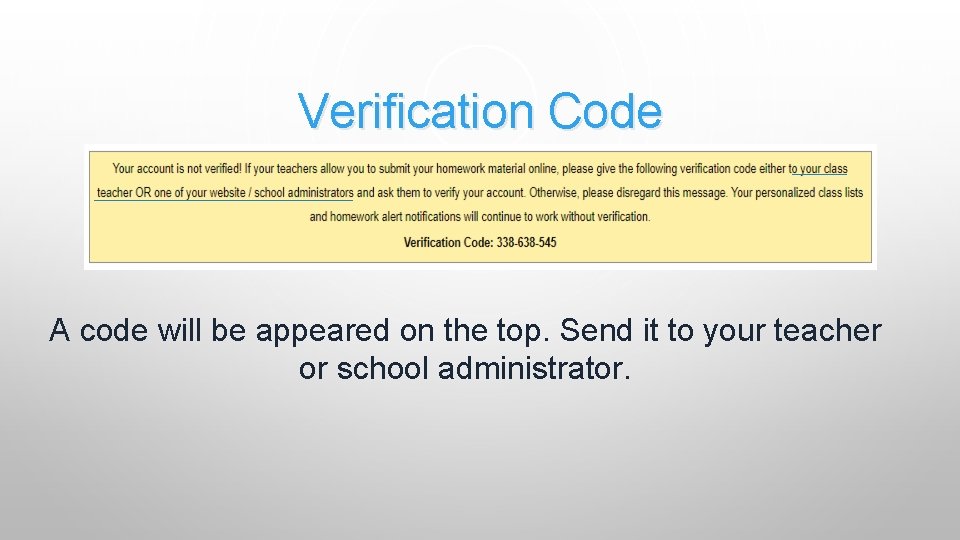
Verification Code A code will be appeared on the top. Send it to your teacher or school administrator.
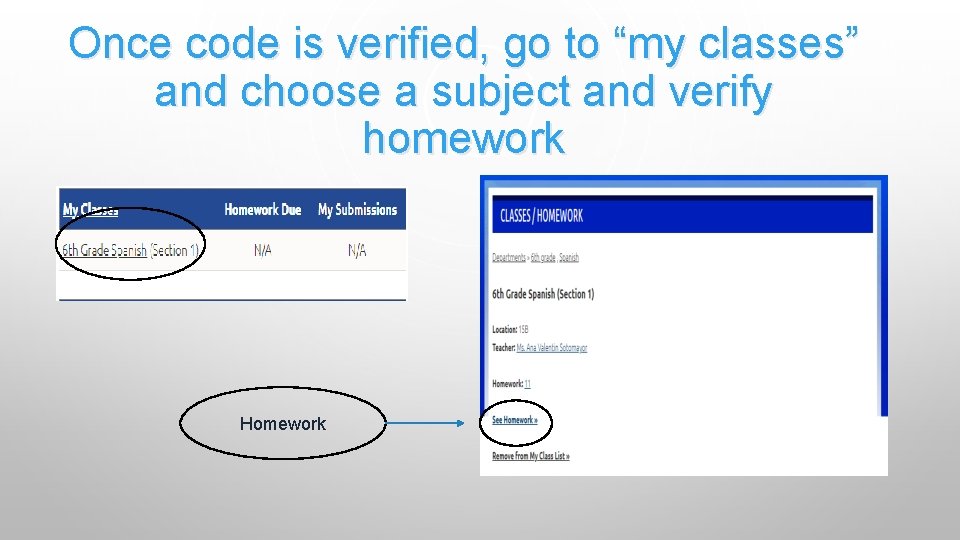
Once code is verified, go to “my classes” and choose a subject and verify homework Homework
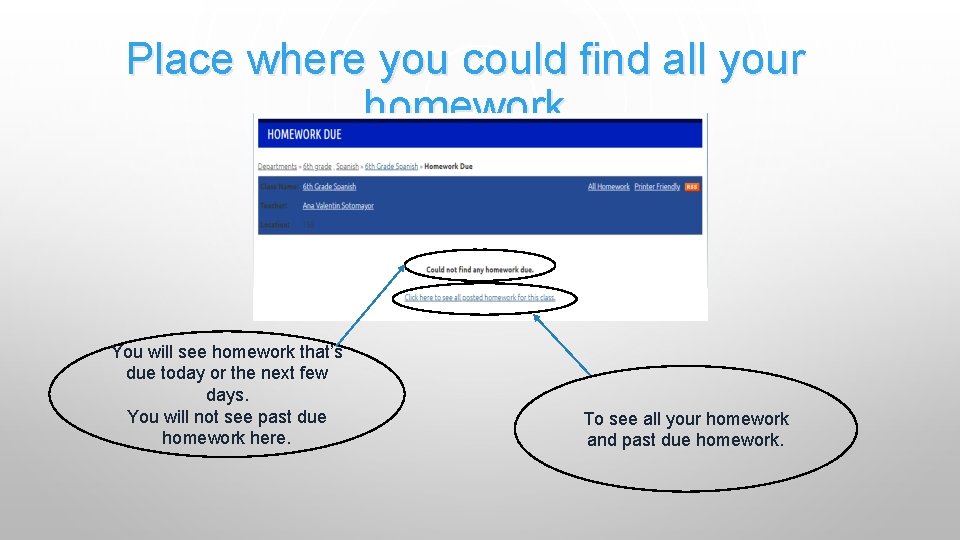
Place where you could find all your homework You will see homework that’s due today or the next few days. You will not see past due homework here. To see all your homework and past due homework.
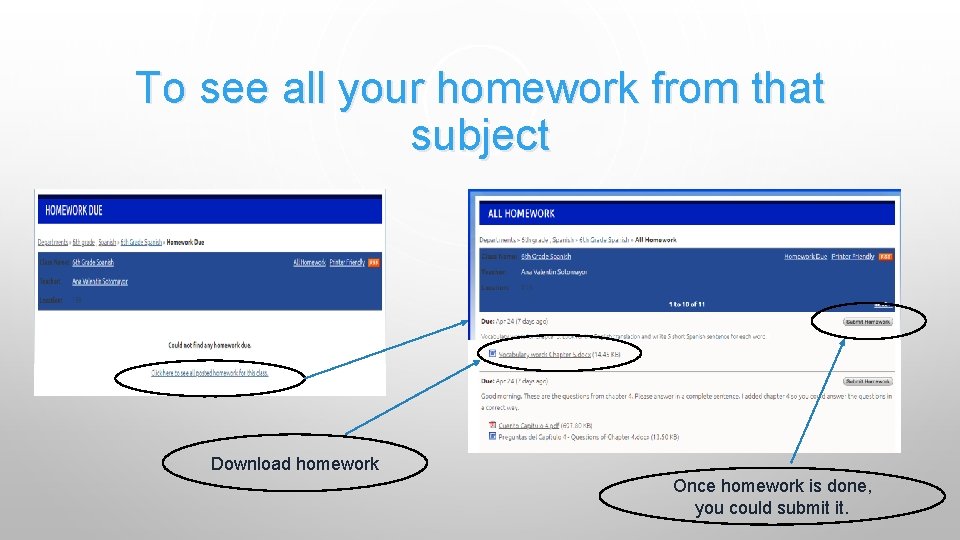
To see all your homework from that subject Download homework Once homework is done, you could submit it.