
Title in one line or two lines title

- Slides: 20
Title in one line (or two lines) (title) 1 stname 2 ndname Group Function City, Date
Title in one line (or two lines) (title) 1 stname 2 ndname Group Function City, Date
Title in one line (or two lines) (title) 1 stname 2 ndname Group Function City, Date Logo
Title of the presentation (title) 1 stname 2 ndname, Function, Date Headline Lorem ipsum dolor sit amet, consectetur adipiscing elit. Maecenas bibendum neque vitae dui pretium, at tempus sem lacinia. Phasellus scelerisque ligula ut scelerisque bibendum. Suspendisse potenti. Fusce felis ligula, porttitor nec tellus eu, volutpat sollicitudin quam. Aenean molestie dui a faucibus. In porta semper elementum. Integer cursus pharetra placerat. first level second level ► third level 4
Title of the presentation (title) 1 stname 2 ndname, Function, Date Basics Lorem ipsum dolor sit amet, consectetur adipiscing elit. Maecenas bibendum neque vitae dui pretium, at tempus sem lacinia. Phasellus scelerisque ligula ut scelerisque bibendum. Suspendisse potenti. Fusce felis ligula, porttitor nec tellus eu, volutpat sollicitudin quam. Aenean molestie. Maecenas rhoncus id felis quis condimentum. Fusce sit amet lacus quis felis aliquam placerat. Nam dapibus vestibulum quam, vel volutpat mi sagittis vitae. Cras ut libero pellentesque. Also nsequibea dolum eos con est eaque Pollam cullique. Guaredisch Nedwed nsequibea accentuation in bold and orange est eaque Dolori aceri cullique qu aspis esedi blacit vende prat. 5
Title of the presentation 6 (title) 1 stname 2 ndname, Function, Date Basics Lorem ipsum dolor sit amet, consectetur adipiscing elit. Maecenas bibendum neque vitae dui pretium, at tempus sem lacinia. Phasellus scelerisque ligula ut scelerisque bibendum. Suspendisse potenti. Fusce felis ligula, porttitor nec tellus eu, volutpat sollicitudin quam. Aenean molestie. Maecenas rhoncus id felis quis condimentum. Fusce sit amet lacus quis felis aliquam placerat. Nam dapibus vestibulum quam, vel volutpat mi sagittis vitae. Cras ut libero pellentesque. Also nsequibea dolum eos con est eaque Pollam cullique. Guaredisch Nedwed nsequibea accentuation in bold and orange est eaque Dolori aceri cullique qu aspis esedi blacit vende prat. Logo
Title of the presentation (title) 1 stname 2 ndname, Function, Date This a Headline in two lines Lorem Ipsum esta Dolores ned Lorem Ipsum esda Dolores Facculpa nonsequibea dolum eos con est eaque mi, optatio rrumque volori aceri cullique quaspis esedi blacit vende prat. Also nsequibea dolum eos con est eaque Pollam cullique. Guaredisch Nedwed nsequibea accentuation in bold and orange est eaque Dolori aceri cullique qu aspis esedi blacit vende prat. 7
Title of the presentation (title) 1 stname 2 ndname, Function, Date Title Lorem ipsum dolor sit amet, consectetur adipiscing elit. Maecenas bibendum neque vitae dui pretium, at tempus sem lacinia. Phasellus scelerisque ligula ut scelerisque bibendum. Suspendisse potenti. Maecenas rhoncus id felis quis condimentum. Fusce sit amet lacus quis felis aliquam placerat. Nam vestibulum quam, vel volutpat mi sagittis vitae. Cras ut libero pellentesque, venenatis turpis vel, iaculis. important points are placed here 8
Title of the presentation Chapter break (title) 1 stname 2 ndname, Function, Date 9
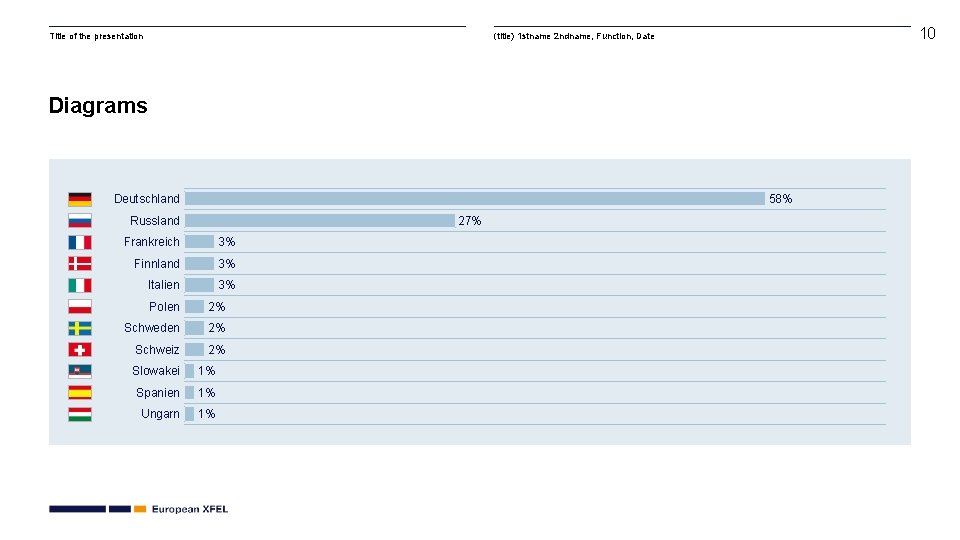
Title of the presentation 10 (title) 1 stname 2 ndname, Function, Date Diagrams Deutschland 58% Russland 27% Frankreich 3% Finnland 3% Italien 3% Polen 2% Schweden 2% Schweiz 2% Slowakei 1% Spanien 1% Ungarn 1%
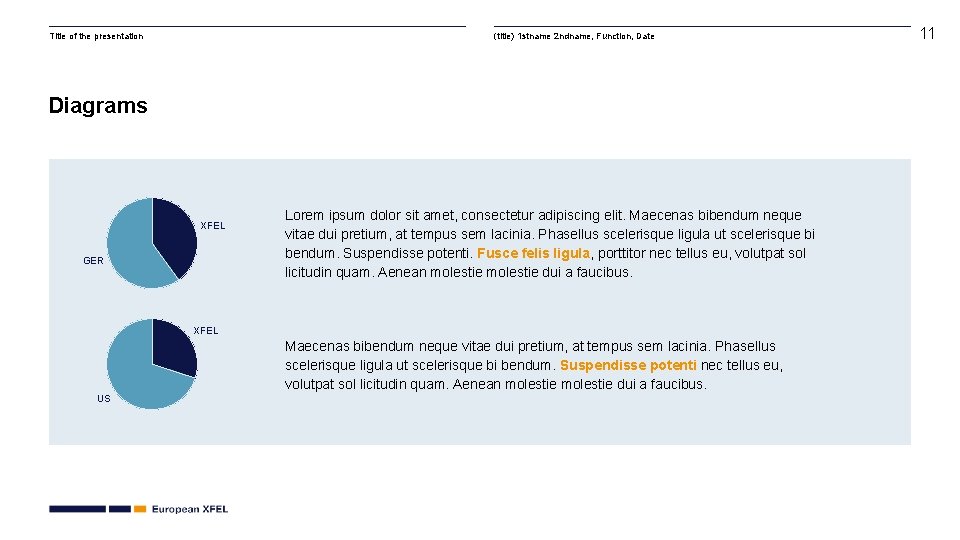
Title of the presentation (title) 1 stname 2 ndname, Function, Date Diagrams XFEL GER Lorem ipsum dolor sit amet, consectetur adipiscing elit. Maecenas bibendum neque vitae dui pretium, at tempus sem lacinia. Phasellus scelerisque ligula ut scelerisque bi bendum. Suspendisse potenti. Fusce felis ligula, porttitor nec tellus eu, volutpat sol licitudin quam. Aenean molestie dui a faucibus. XFEL Maecenas bibendum neque vitae dui pretium, at tempus sem lacinia. Phasellus scelerisque ligula ut scelerisque bi bendum. Suspendisse potenti nec tellus eu, volutpat sol licitudin quam. Aenean molestie dui a faucibus. US 11
Title of the presentation (title) 1 stname 2 ndname, Function, Date 12
Title of the presentation (title) 1 stname 2 ndname, Function, Date 13
Title of the presentation Two pictures with headline (title) 1 stname 2 ndname, Function, Date 14
Title of the presentation 15 (title) 1 stname 2 ndname, Function, Date Picture with headline and caption Lorem Ipsum esda Dolores Facculpa nonsequibea dolum eos Also nsequibea dolum eos con est eaque Pollam cullique. Uaredisch Nqu aspis esedi blacit vende prat.
Title of the presentation Guide (title) 1 stname 2 ndname, Function, Date 16
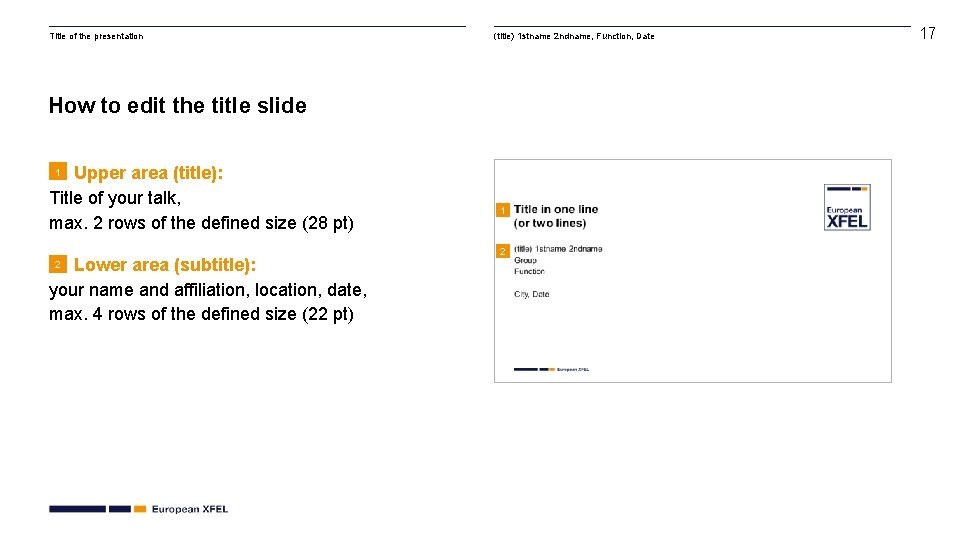
Title of the presentation (title) 1 stname 2 ndname, Function, Date How to edit the title slide Upper area (title): Title of your talk, max. 2 rows of the defined size (28 pt) 1 Lower area (subtitle): your name and affiliation, location, date, max. 4 rows of the defined size (22 pt) 2 17
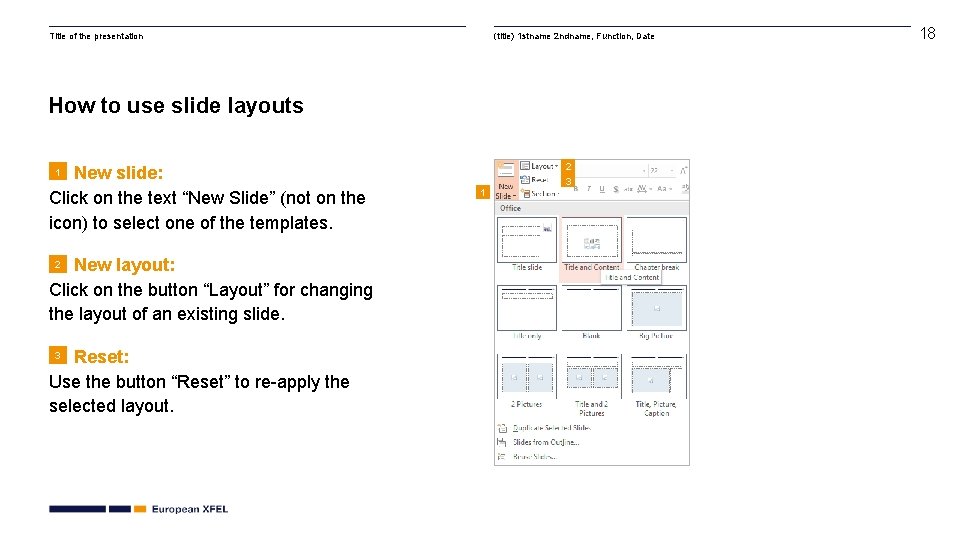
Title of the presentation (title) 1 stname 2 ndname, Function, Date How to use slide layouts New slide: Click on the text “New Slide” (not on the icon) to select one of the templates. 2 3 1 New layout: Click on the button “Layout” for changing the layout of an existing slide. 2 Reset: Use the button “Reset” to re-apply the selected layout. 3 1 18
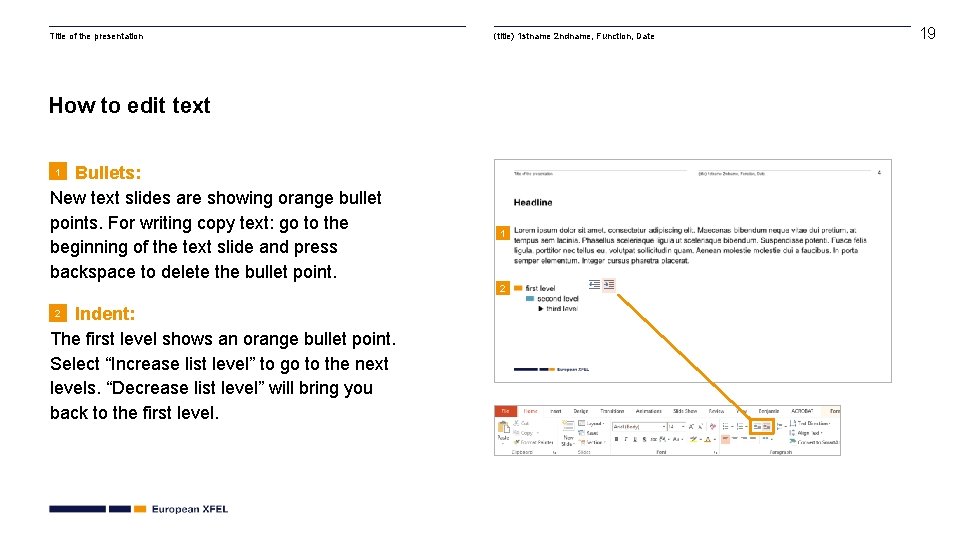
Title of the presentation (title) 1 stname 2 ndname, Function, Date How to edit text Bullets: New text slides are showing orange bullet points. For writing copy text: go to the beginning of the text slide and press backspace to delete the bullet point. 1 1 2 Indent: The first level shows an orange bullet point. Select “Increase list level” to go to the next levels. “Decrease list level” will bring you back to the first level. 2 19
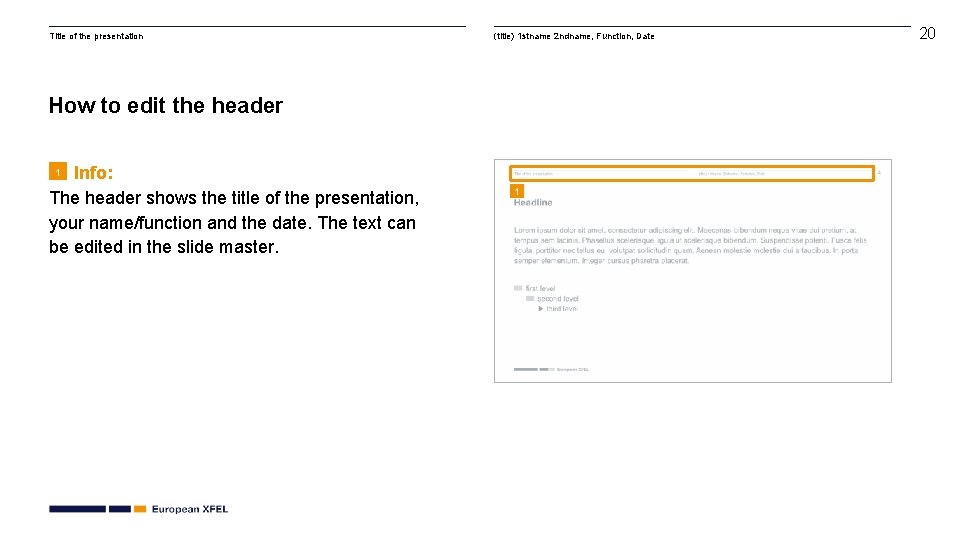
Title of the presentation (title) 1 stname 2 ndname, Function, Date How to edit the header Info: The header shows the title of the presentation, your name/function and the date. The text can be edited in the slide master. 1 1 20