
Tirgul 4 Methods OOP basics Tirgul 4 Methods
Tirgul 4 Methods & OOP basics
Tirgul 4 Methods Object Oriented Programming Basics Class Object Overloading Encapsulation Reference variables
![Method Definition <Access_level> [static] <Return type> <Method’s name> (<List of parameters>) Example: public static](http://slidetodoc.com/presentation_image_h/1827f194ad65601dc30da9124f0aaff8/image-3.jpg "Method Definition <Access_level> [static] <Return type> <Method’s name> (<List of parameters>) Example: public static")
Method Definition <Access_level> [static] <Return type> <Method’s name> (<List of parameters>) Example: public static int one(){ return 1; } Method naming should be like variables naming (starts with small letter, meaningful name, etc)
Return Type A method can return a value The return type is the type of the returned value If the method does not return anything (for example, if it only prints something to the screen), we define its return type as void. A method cannot return more than one value.
Calling the method The method is called by writing its name, followed by values for the parameters, separated by commas, inside parentheses. If the method does not require parameters, the name of the method is followed by empty parentheses.
![Example public static void main(String[] args) { example(); } public static void example() {](http://slidetodoc.com/presentation_image_h/1827f194ad65601dc30da9124f0aaff8/image-6.jpg "Example public static void main(String[] args) { example(); } public static void example() {")
Example public static void main(String[] args) { example(); } public static void example() { System. out. println(“This is an example!”); }
![Example public static void main(String[] args){ System. out. println(power 2(2)); The name does not](http://slidetodoc.com/presentation_image_h/1827f194ad65601dc30da9124f0aaff8/image-7.jpg "Example public static void main(String[] args){ System. out. println(power 2(2)); The name does not")
Example public static void main(String[] args){ System. out. println(power 2(2)); The name does not int x = 5; matter! System. out. println(power 2(x)); int y = 7; System. out. println(power 2(y)); Can assign return value to a variable. int z = power 2(y); System. out. println(z); } // the next method returns x to the power of 2 public static int power 2(int x){ return x*x; }
![The main method structure public My. Class{… public static void main(String[] args){ … }](http://slidetodoc.com/presentation_image_h/1827f194ad65601dc30da9124f0aaff8/image-8.jpg "The main method structure public My. Class{… public static void main(String[] args){ … }")
The main method structure public My. Class{… public static void main(String[] args){ … } } void – since the main doesn’t return any argument or value. public – the main method is accessible to all. static – the main method can be called without creating an instance of the My. Class class first.
The main method At runtime - execution starts with the main method. A class doesn’t necessarily have a main method. A program MUST have one. Usually a set of classes constitutes a program. Only one main is needed. Calling ‘java My. Class’ will run the main of My. Class even if other classes have main of their owns The main can be in a different separated class
Scope of variables A variable that is known inside a method is only known inside that method. A change to a variable with a similar name in a different method will not affect its value When a variable is passed as a parameter to a method, only its value is passed (it will not be changed by the method)
![Example - scope public static void main(String[] args){ int x = 1; System. out.](http://slidetodoc.com/presentation_image_h/1827f194ad65601dc30da9124f0aaff8/image-11.jpg "Example - scope public static void main(String[] args){ int x = 1; System. out.")
Example - scope public static void main(String[] args){ int x = 1; System. out. println(x); f(x); System. out. println(x); } public static void f( int x){ x = x + 1; System. out. println(x); } What is the output upon running?
Thinking in “Objects” A BIG conceptual leap. Objects try to integrate another human concept into computer programs: The notion of State. Objects may represent physical things (Car, Person) or abstract things (Position, Vector).
An object is defined by: State: The condition of the instance in a specific moment. Actions (typically by methods): Enable the object to change its state. Enables communication with other objects/users.
Car – states and actions License number. Gas tank (full? Empty? Half full? ) Maximal speed (0, …, 160) Capacity of the gas tank Current speed Motor (what kind? ) Number of passengers. Acceleration/slow down/Stop. Lights on/off …
Car states no fuel, stopped, no passengers, location X. 2. Fuel tank full, stopped, 1 passenger, location Y, lights on, flickering left. 3. Half full tank, now going 120 kph, 2 passengers, location Z. Notice that another object (the car driver) is responsible for turning the engine on, pressing the gas, slowing, etc. If the car is moving, we want the amount of gas to change “automatically”. 15 1.
Access modifiers The state of the object shouldn’t be exposed to “just anyone”. Manipulation of an object should be restricted. Right use of access modifiers helps encapsulation. 16
Documentation Always write comments that state what is the purpose of the method, what are the parameters and return types, what are the assumptions it has and everything else you think is needed Use javadoc to document your methods.
The public API of the class The Application Program Interface (API) is our “gateway” for interacting with the class. It is the set of public methods and members that we can use when we interact with it. It hides away a lot of the internal workings (on purpose). It is a contract – an exact behavior the class promises to uphold.
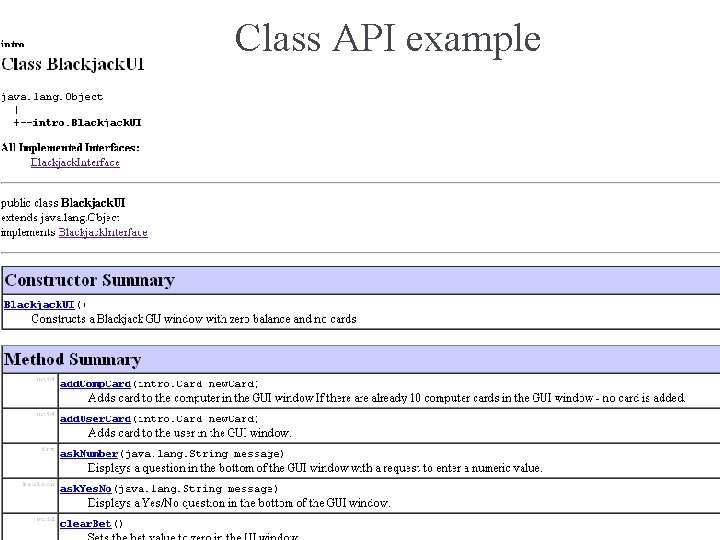
Class API example http: //download. oracle. com/javase/1. 5. 0/docs/api/ 19
Javadoc Javadoc is a JDK tool that converts the public documentation to nicely formatted html pages – that document the API You are required to document ALL methods and fields for public and protected you MUST use Javadoc, for private and default we recommend you to use Javadoc, but you may document them without Javadoc. Starting from ex 4! Only the public members will appear in the API. Javadoc comments appear between /** and */ Examples will follow…
Javadoc To run Javadoc on your java files type: javadoc *. java The –d option sends the output to a specified directory. For example: javadoc *. java –d docs Make sure you run javadoc on your files and check there are no errors! No need to submit the received html files.
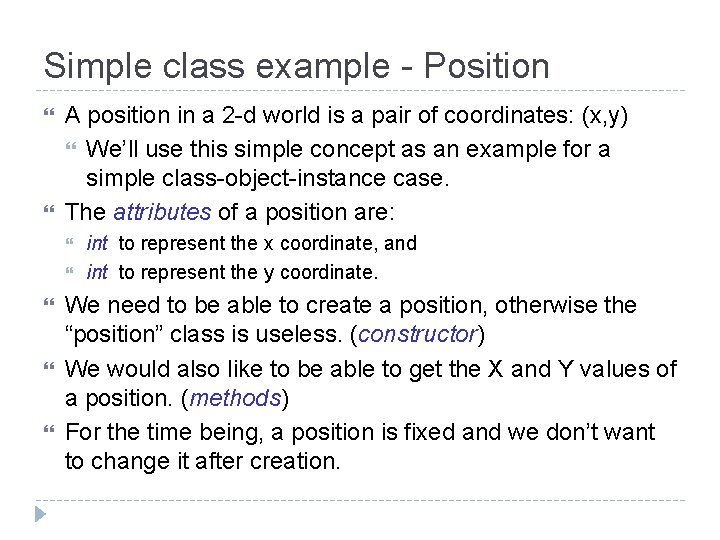
Simple class example - Position A position in a 2 -d world is a pair of coordinates: (x, y) We’ll use this simple concept as an example for a simple class-object-instance case. The attributes of a position are: int to represent the x coordinate, and int to represent the y coordinate. We need to be able to create a position, otherwise the “position” class is useless. (constructor) We would also like to be able to get the X and Y values of a position. (methods) For the time being, a position is fixed and we don’t want to change it after creation.
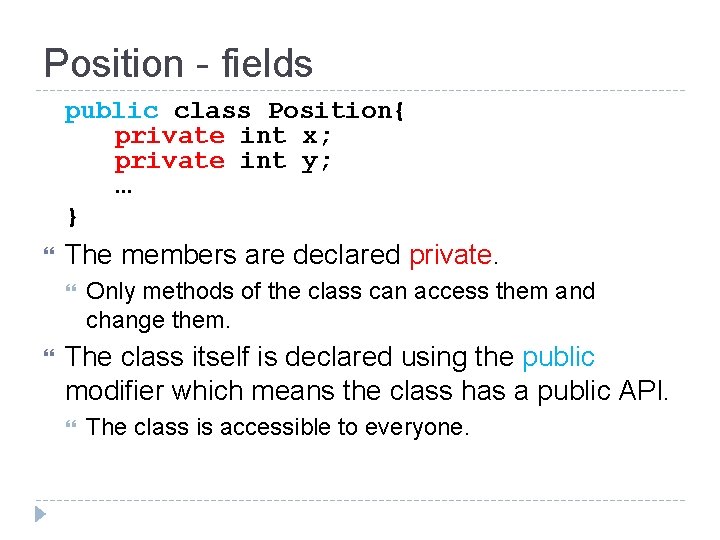
Position - fields public class Position{ private int x; private int y; … } The members are declared private. Only methods of the class can access them and change them. The class itself is declared using the public modifier which means the class has a public API. The class is accessible to everyone.
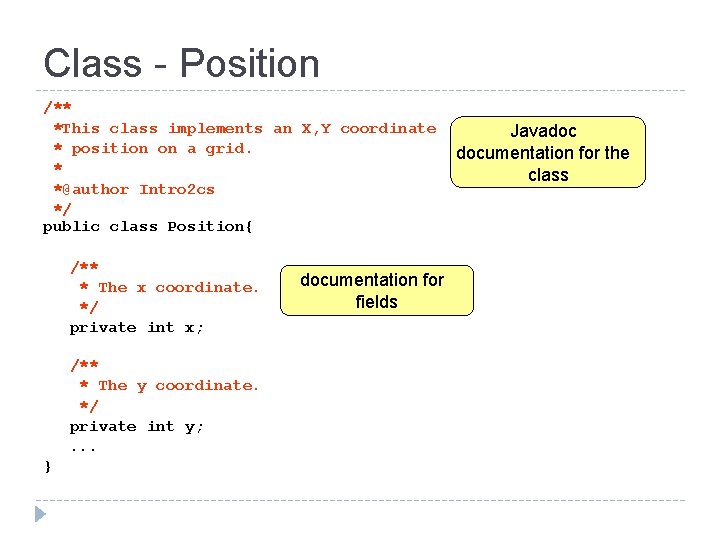
Class - Position /** *This class implements an X, Y coordinate * position on a grid. * *@author Intro 2 cs */ public class Position{ /** * The x coordinate. */ private int x; /** * The y coordinate. */ private int y; . . . } documentation for fields Javadoc documentation for the class
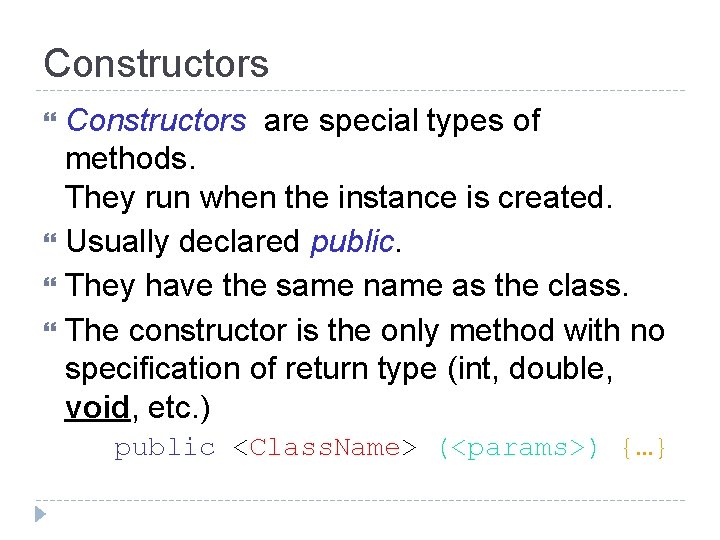
Constructors are special types of methods. They run when the instance is created. Usually declared public. They have the same name as the class. The constructor is the only method with no specification of return type (int, double, void, etc. ) public <Class. Name> (<params>) {…}
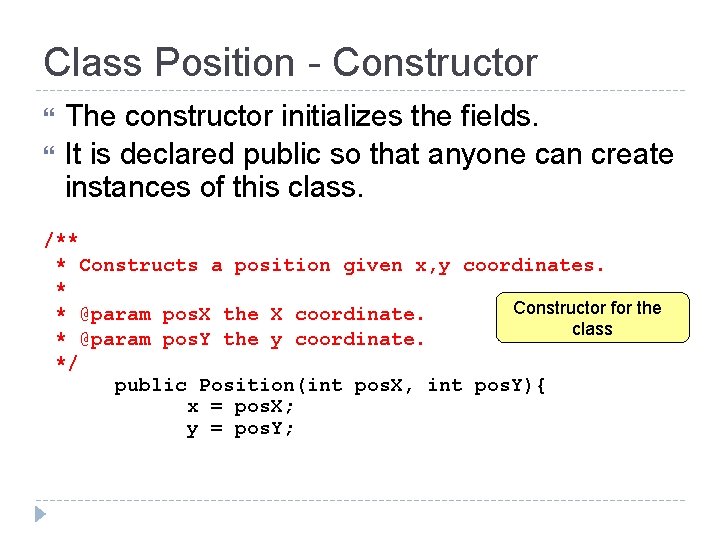
Class Position - Constructor The constructor initializes the fields. It is declared public so that anyone can create instances of this class. /** * Constructs a position given x, y coordinates. * Constructor for the * @param pos. X the X coordinate. class * @param pos. Y the y coordinate. */ public Position(int pos. X, int pos. Y){ x = pos. X; y = pos. Y;
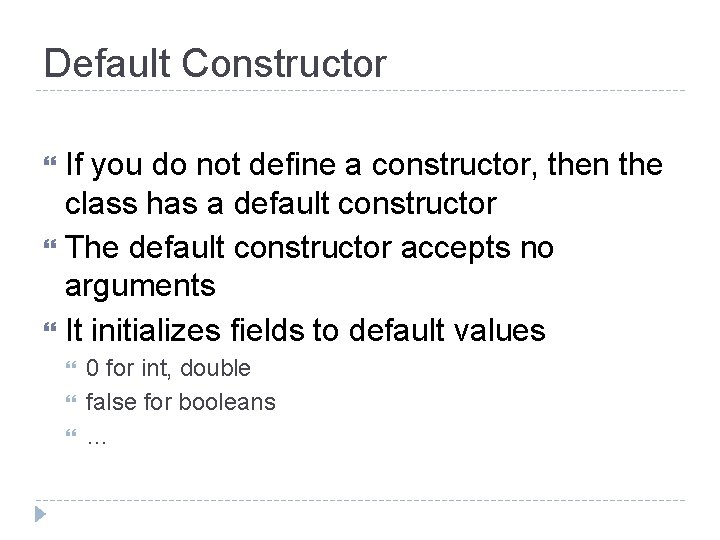
Default Constructor If you do not define a constructor, then the class has a default constructor The default constructor accepts no arguments It initializes fields to default values 0 for int, double false for booleans …
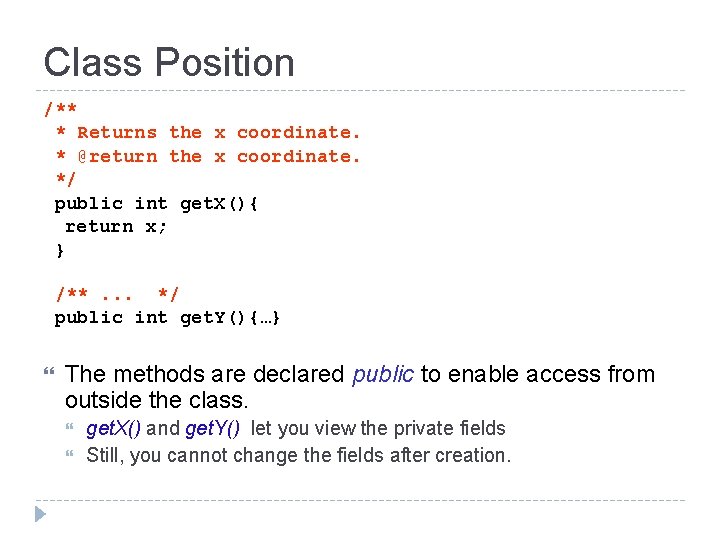
Class Position /** * Returns the x coordinate. * @return the x coordinate. */ public int get. X(){ return x; } /**. . . */ public int get. Y(){…} The methods are declared public to enable access from outside the class. get. X() and get. Y() let you view the private fields Still, you cannot change the fields after creation.
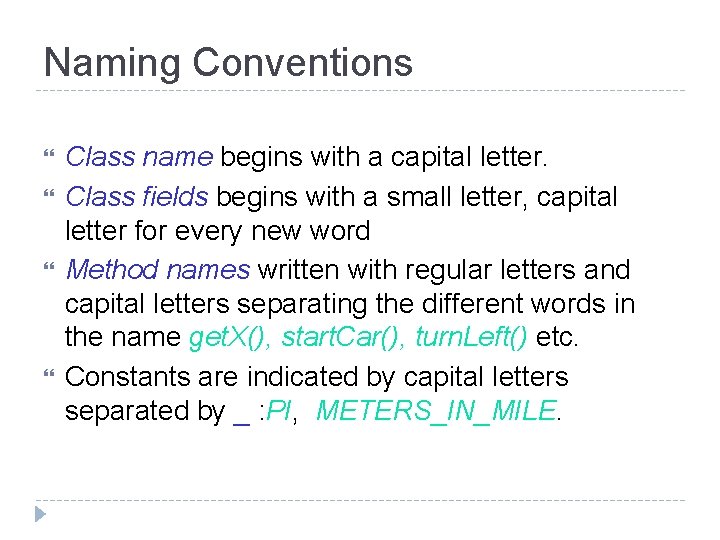
Naming Conventions Class name begins with a capital letter. Class fields begins with a small letter, capital letter for every new word Method names written with regular letters and capital letters separating the different words in the name get. X(), start. Car(), turn. Left() etc. Constants are indicated by capital letters separated by _ : PI, METERS_IN_MILE.
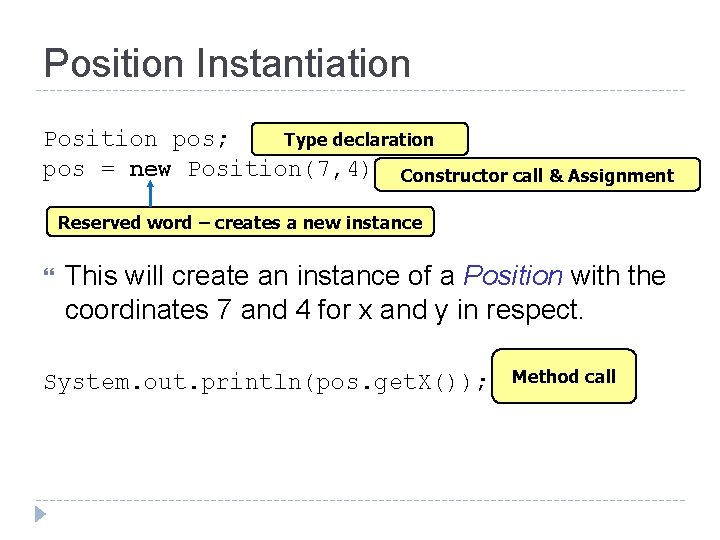
Position Instantiation Type declaration Position pos; pos = new Position(7, 4); Constructor call & Assignment Reserved word – creates a new instance This will create an instance of a Position with the coordinates 7 and 4 for x and y in respect. System. out. println(pos. get. X()); Method call
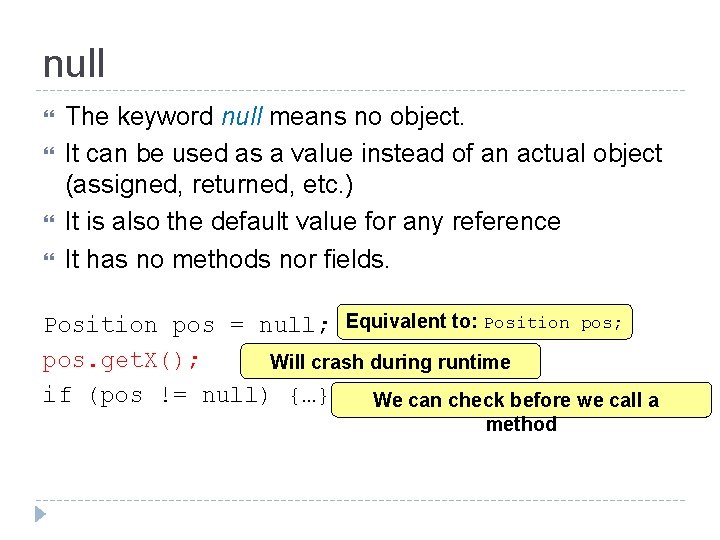
null The keyword null means no object. It can be used as a value instead of an actual object (assigned, returned, etc. ) It is also the default value for any reference It has no methods nor fields. Position pos = null; Equivalent to: Position pos; pos. get. X(); Will crash during runtime if (pos != null) {…} We can check before we call a method
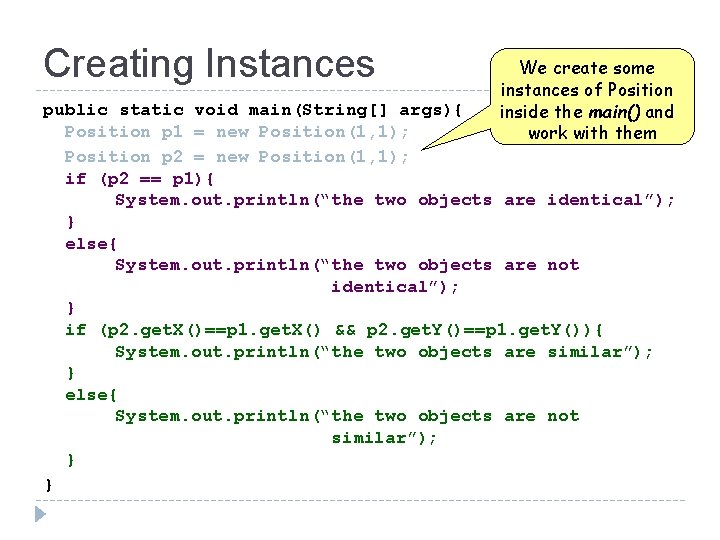
Creating Instances We create some instances of Position inside the main() and work with them public static void main(String[] args){ Position p 1 = new Position(1, 1); Position p 2 = new Position(1, 1); if (p 2 == p 1){ System. out. println(“the two objects are identical”); } else{ System. out. println(“the two objects are not identical”); } if (p 2. get. X()==p 1. get. X() && p 2. get. Y()==p 1. get. Y()){ System. out. println(“the two objects are similar”); } else{ System. out. println(“the two objects are not similar”); } }
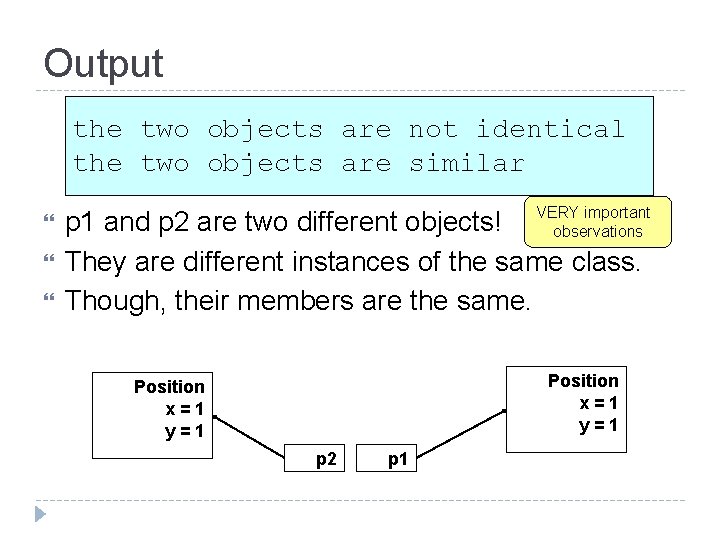
Output the two objects are not identical the two objects are similar p 1 and p 2 are two different objects! VERY important observations They are different instances of the same class. Though, their members are the same. Position x=1 y=1 p 2 p 1
![Creating Aliases Notice that we are not public static void main(String[] args){ creating a](http://slidetodoc.com/presentation_image_h/1827f194ad65601dc30da9124f0aaff8/image-34.jpg "Creating Aliases Notice that we are not public static void main(String[] args){ creating a")
Creating Aliases Notice that we are not public static void main(String[] args){ creating a new object Position p 1 = new Position(1, 1); for p 2 Position p 2 = p 1; if (p 2 == p 1){ System. out. println(“the two objects are identical”); } else{ System. out. println(“the two objects are not identical”); } if (p 2. get. X()==p 1. get. X() && p 2. get. Y()==p 1. get. Y()){ System. out. println(“the two objects are similar”); } else{ System. out. println(“the two objects are not similar”); } }
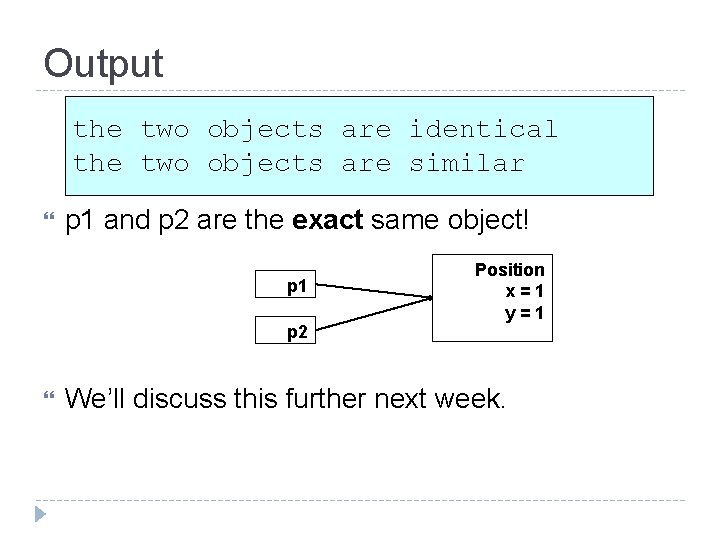
Output the two objects are identical the two objects are similar p 1 and p 2 are the exact same object! p 1 p 2 Position x=1 y=1 We’ll discuss this further next week.
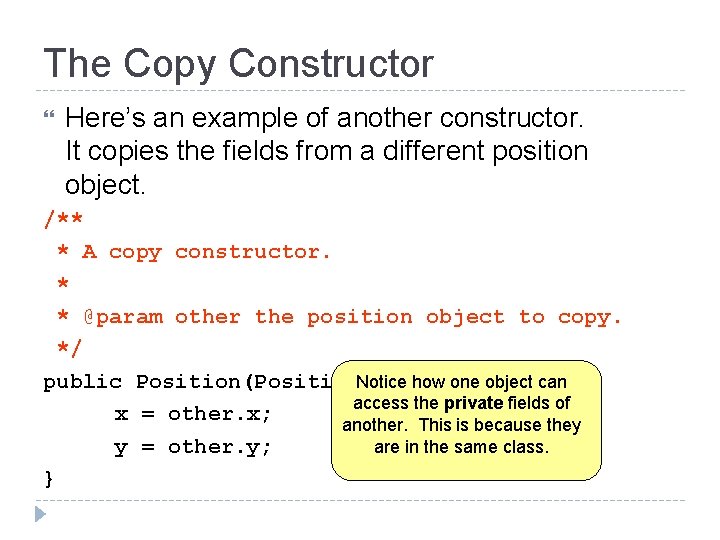
The Copy Constructor Here’s an example of another constructor. It copies the fields from a different position object. /** * A copy constructor. * * @param other the position object to copy. */ public Position(Position. Notice how one object can other){ access the private fields of x = other. x; another. This is because they are in the same class. y = other. y; }
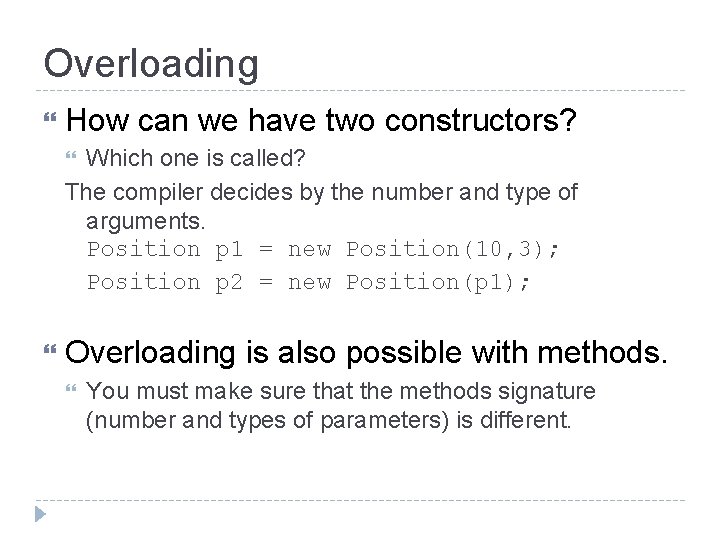
Overloading How can we have two constructors? Which one is called? The compiler decides by the number and type of arguments. Position p 1 = new Position(10, 3); Position p 2 = new Position(p 1); Overloading is also possible with methods. You must make sure that the methods signature (number and types of parameters) is different.
![Identical or Similar public static void main(String[] args){ Position p 1 = new Position(1,](http://slidetodoc.com/presentation_image_h/1827f194ad65601dc30da9124f0aaff8/image-38.jpg "Identical or Similar public static void main(String[] args){ Position p 1 = new Position(1,")
Identical or Similar public static void main(String[] args){ Position p 1 = new Position(1, 1); Position p 2 = new Position(p 1); if (p 2 == p 1){ System. out. println(“the two objects are identical”); } else{ System. out. println(“the two objects are not identical”); } if (p 2. get. X()==p 1. get. X() && p 2. get. Y()==p 1. get. Y()){ System. out. println(“the two objects are similar”); } else{ System. out. println(“the two objects are not similar”); } }
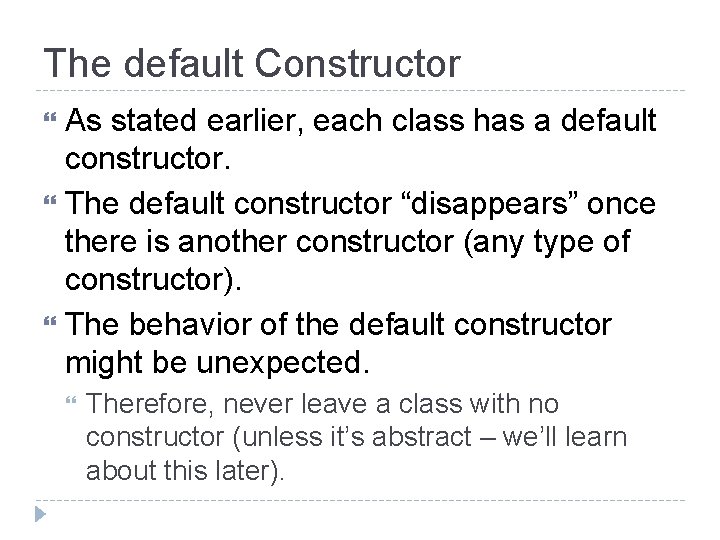
The default Constructor As stated earlier, each class has a default constructor. The default constructor “disappears” once there is another constructor (any type of constructor). The behavior of the default constructor might be unexpected. Therefore, never leave a class with no constructor (unless it’s abstract – we’ll learn about this later).
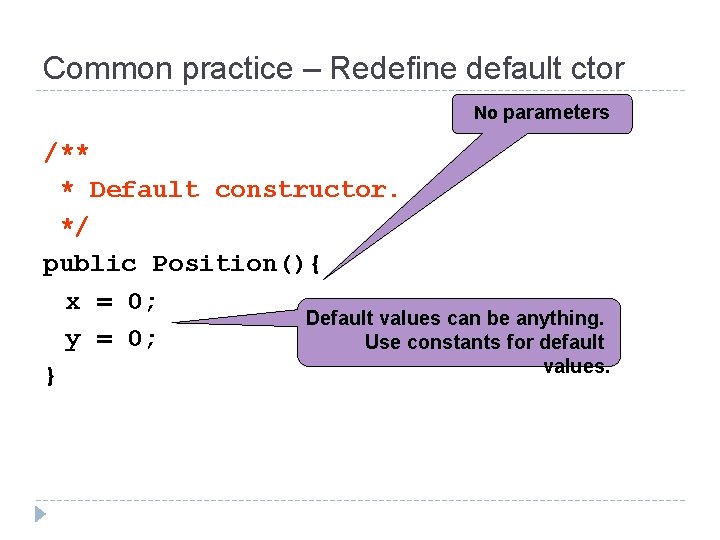
Common practice – Redefine default ctor No parameters /** * Default constructor. */ public Position(){ x = 0; Default values can be anything. y = 0; Use constants for default values. }
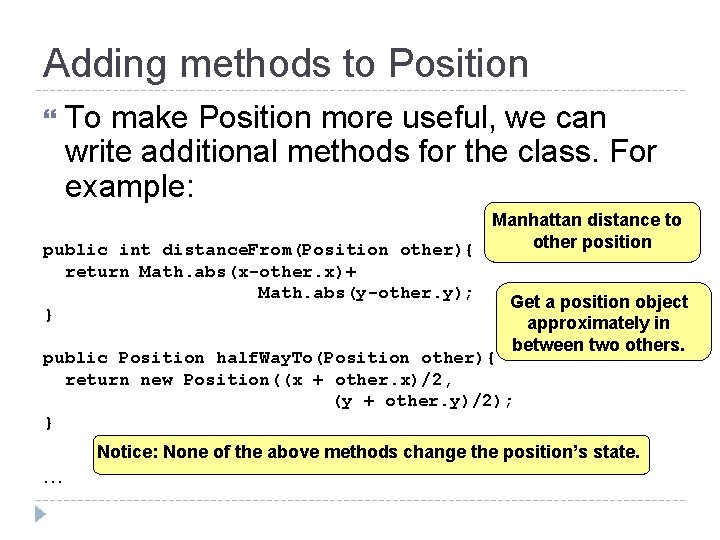
Adding methods to Position To make Position more useful, we can write additional methods for the class. For example: Manhattan distance to other position public int distance. From(Position other){ return Math. abs(x-other. x)+ Math. abs(y-other. y); Get a position object } approximately in between two others. public Position half. Way. To(Position other){ return new Position((x + other. x)/2, (y + other. y)/2); } Notice: None of the above methods change the position’s state. …
Encapsulation The fields and helper methods used inside a class should be kept hidden from other classes – private. Public methods and variables are the only way to access objects. The user doesn’t need to know the internal implementation. A car driver doesn’t know how the engine works, but he knows the interface (switch, gas, breaks, gear, …)
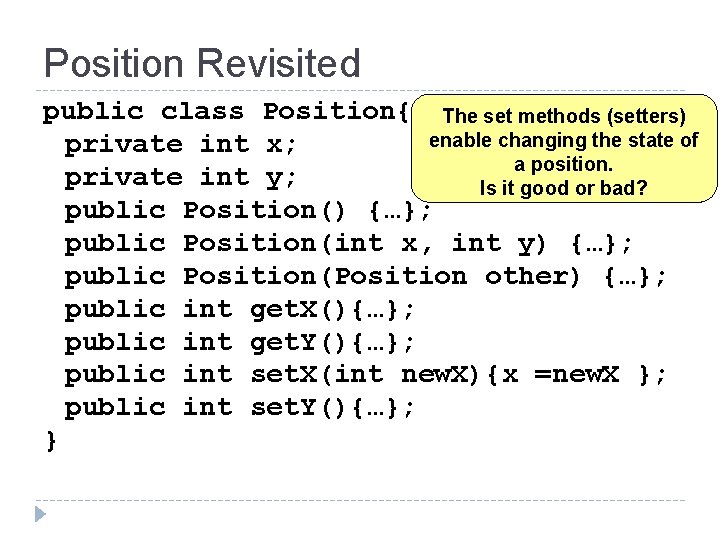
Position Revisited public class Position{ The set methods (setters) enable changing the state of private int x; a position. private int y; Is it good or bad? public Position() {…}; public Position(int x, int y) {…}; public Position(Position other) {…}; public int get. X(){…}; public int get. Y(){…}; public int set. X(int new. X){x =new. X }; public int set. Y(){…}; }
![Full Program Example public class Bank. Driver{ public static void main(String[] args) { Bank](http://slidetodoc.com/presentation_image_h/1827f194ad65601dc30da9124f0aaff8/image-44.jpg "Full Program Example public class Bank. Driver{ public static void main(String[] args) { Bank")
Full Program Example public class Bank. Driver{ public static void main(String[] args) { Bank bank = new Bank(); bank. open. Account("miss piggy"); bank. deposit("miss piggy", 20); bank. open. Account("kermit"); bank. withdraw("miss piggy", 5); bank. deposit("kermit" , 5); //maybe we should also have a “transfer” method? int balance = bank. account. Balance("miss piggy"); System. out. println("miss piggy's has: “+ balance + "$"); } } The Bank class contains Account objects. They are encapsulated – never shown through its API.
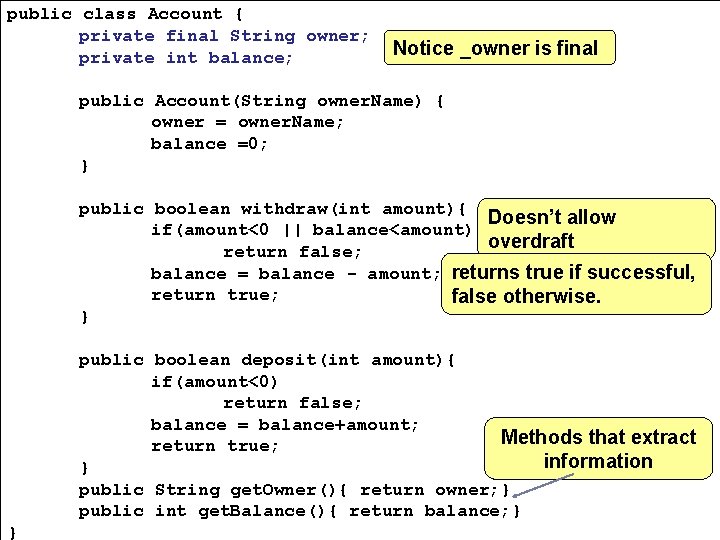
public class Account { private final String owner; private int balance; Notice _owner is final public Account(String owner. Name) { owner = owner. Name; balance =0; } public boolean withdraw(int amount){ Doesn’t allow if(amount<0 || balance<amount) overdraft return false; balance = balance - amount; returns true if successful, return true; false otherwise. } public boolean deposit(int amount){ if(amount<0) return false; balance = balance+amount; Methods that extract return true; information } public String get. Owner(){ return owner; } public int get. Balance(){ return balance; } }
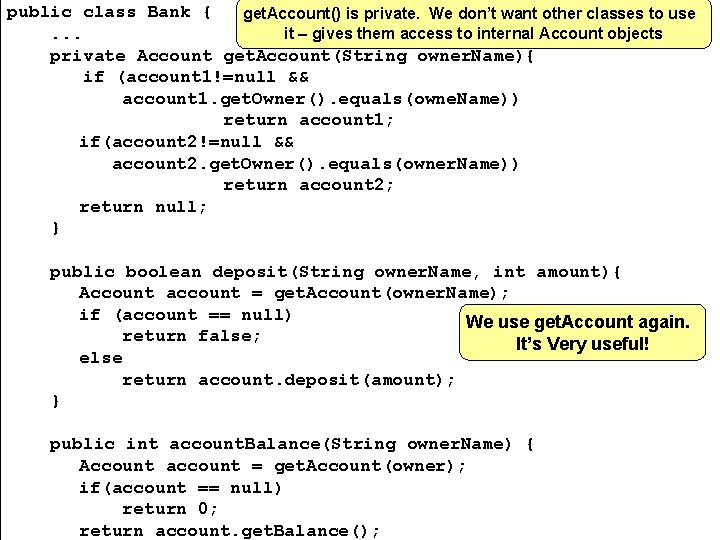
public class Bank { get. Account() is private. We don’t want other classes to use it – gives them access to internal Account objects. . . private Account get. Account(String owner. Name){ if (account 1!=null && account 1. get. Owner(). equals(owne. Name)) return account 1; if(account 2!=null && account 2. get. Owner(). equals(owner. Name)) return account 2; return null; } public boolean deposit(String owner. Name, int amount){ Account account = get. Account(owner. Name); if (account == null) We use get. Account again. return false; It’s Very useful! else return account. deposit(amount); } public int account. Balance(String owner. Name) { Account account = get. Account(owner); if(account == null) return 0; return account. get. Balance();
More methods can be added Closing an account Transferring money Loaning money from the bank Merging accounts … Think about how you would do these. How hard to write this as a procedural program? What if we had 2 banks? How hard then?
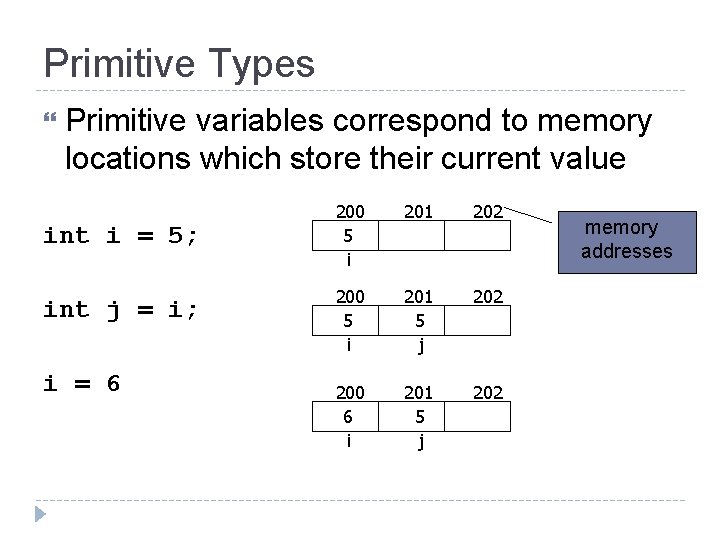
Primitive Types Primitive variables correspond to memory locations which store their current value int i = 5; int j = i; i = 6 200 5 i 201 202 200 5 i 201 5 j 202 200 6 i 201 5 j 202 memory addresses
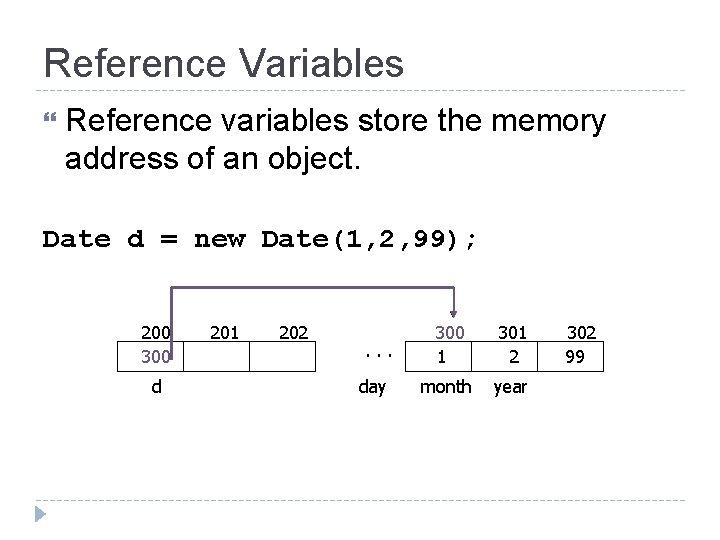
Reference Variables Reference variables store the memory address of an object. Date d = new Date(1, 2, 99); 200 300 d 201 202 . . . day 300 1 301 2 month year 302 99
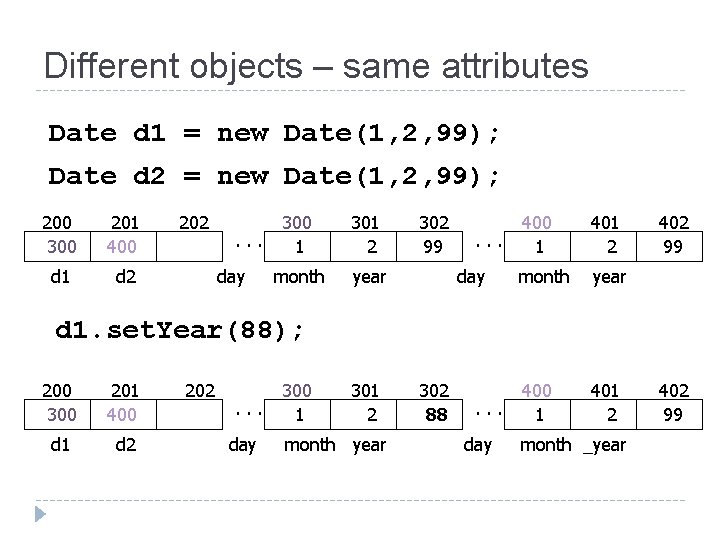
Different objects – same attributes Date d 1 = new Date(1, 2, 99); Date d 2 = new Date(1, 2, 99); 200 300 201 400 d 1 d 2 202 . . . day 300 1 301 2 month year 302 99 . . . day 400 1 401 2 month year 400 1 401 2 402 99 d 1. set. Year(88); 200 300 201 400 d 1 d 2 202 . . . day 300 1 301 2 month year 302 88 . . . day month _year 402 99
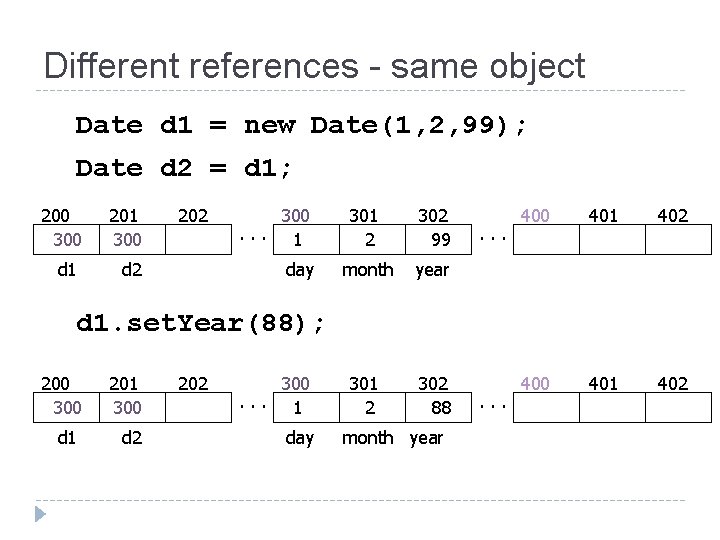
Different references - same object Date d 1 = new Date(1, 2, 99); Date d 2 = d 1; 200 300 201 300 d 1 d 2 202 300. . . 1 day 301 2 302 99 month year 301 2 302 88 . . . 400 401 402 d 1. set. Year(88); 200 300 201 300 d 1 d 2 202 300. . . 1 day month year . . .
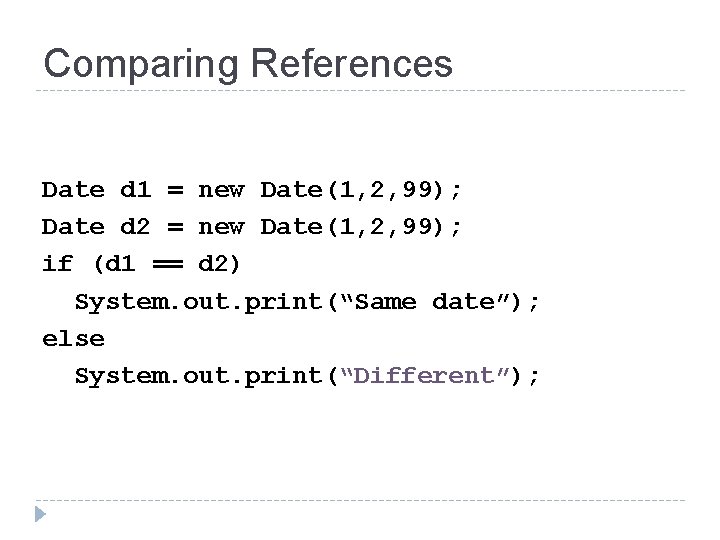
Comparing References Date d 1 = new Date(1, 2, 99); Date d 2 = new Date(1, 2, 99); if (d 1 == d 2) System. out. print(“Same date”); else System. out. print(“Different”);
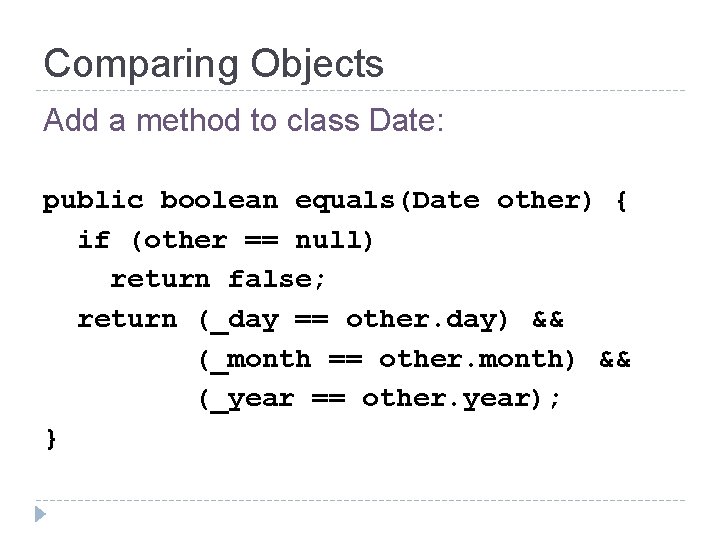
Comparing Objects Add a method to class Date: public boolean equals(Date other) { if (other == null) return false; return (_day == other. day) && (_month == other. month) && (_year == other. year); }
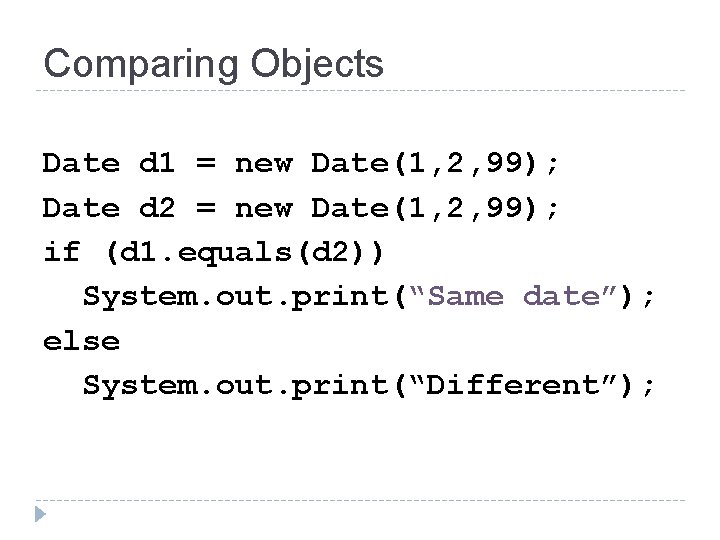
Comparing Objects Date d 1 = new Date(1, 2, 99); Date d 2 = new Date(1, 2, 99); if (d 1. equals(d 2)) System. out. print(“Same date”); else System. out. print(“Different”);
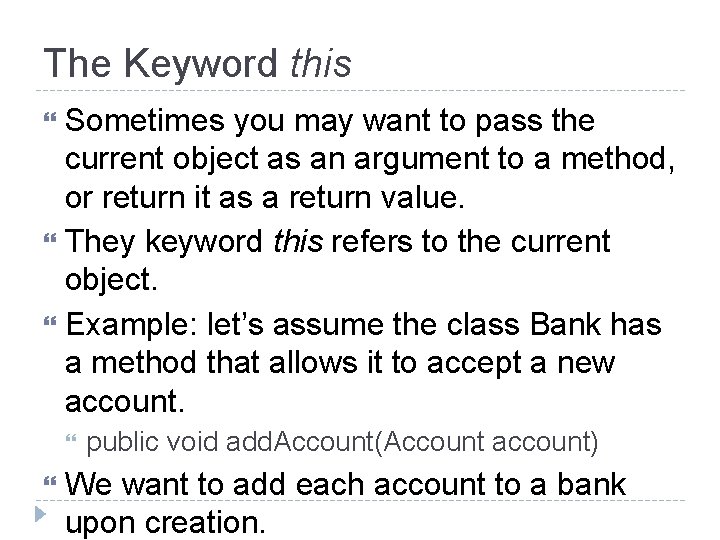
The Keyword this Sometimes you may want to pass the current object as an argument to a method, or return it as a return value. They keyword this refers to the current object. Example: let’s assume the class Bank has a method that allows it to accept a new account. public void add. Account(Account account) We want to add each account to a bank upon creation.
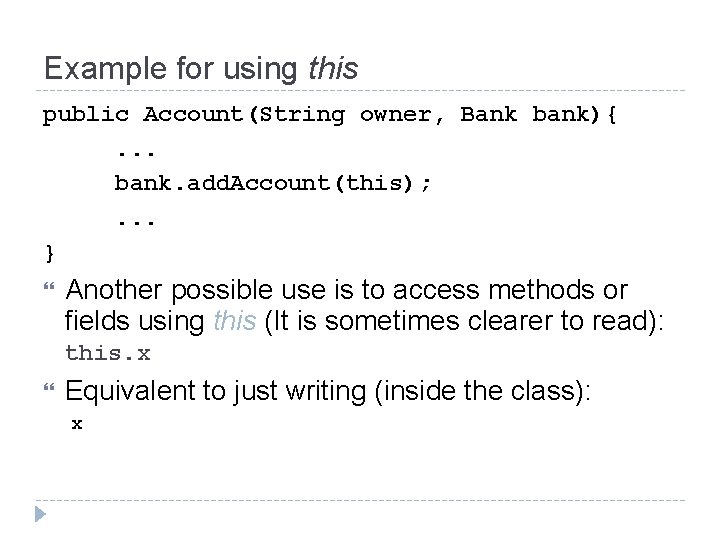
Example for using this public Account(String owner, Bank bank){. . . bank. add. Account(this); . . . } Another possible use is to access methods or fields using this (It is sometimes clearer to read): this. x Equivalent to just writing (inside the class): x
- Slides: 56