
TIPS AND TRICKS IN GP Tammy De Stefano
- Slides: 15
TIPS AND TRICKS IN GP Tammy De. Stefano Sikich LLP MEMBERSHIP HAS ITS BENEFITS @GPUG 1
TAMMY DESTEFANO SENIOR APPLICATION CONSULTANT SIKICH LLP § Tamara De. Stefano, senior application consultant, has over ten years experience working with Microsoft Dynamics GP. Her knowledge spans multiple industries, including telecommunications, manufacturing, legal and non-profit. Tamara works closely with clients to review and revise processes in order to streamline efficiencies and improve productivity. § She has implemented and trained clients on Management Reporter, Fr. X and many modules of Dynamics, such as: General Ledger, Bank Reconciliation, Safe Pay, Payables Management, Purchase Order Processing, Sales Order Processing, Receivables Management, Manufacturing, Inventory, Fixed Assets and Analytical Accounting. 1415 West Diehl Road Suite 400 Naperville, IL 60563 P: 630 -210 -3071 M: 630 -841 -2673 E: tamara. destefano@sikich. com § Bachelor of Science in Accountancy, De. Paul University § Microsoft GP 2010, 2013 and 2015 Financials Certifications @GPUG 2
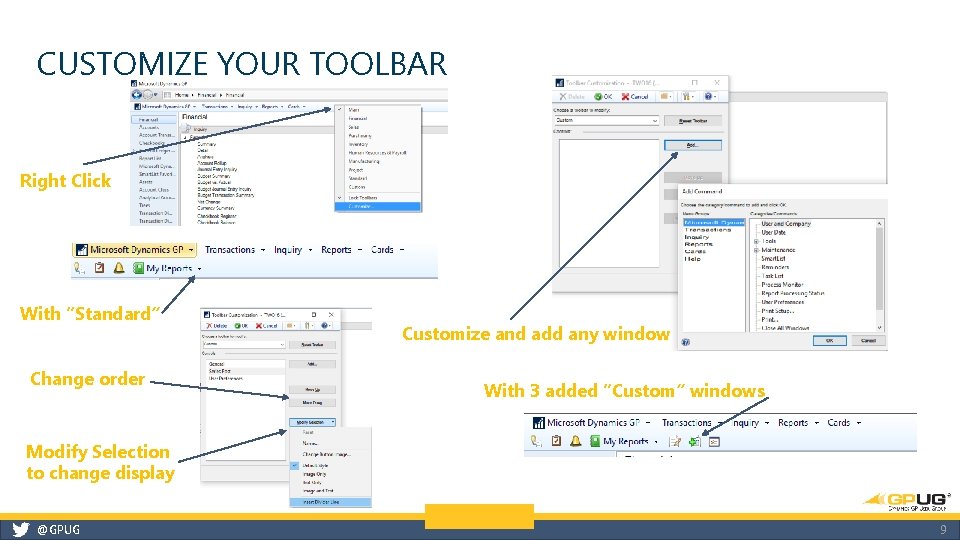
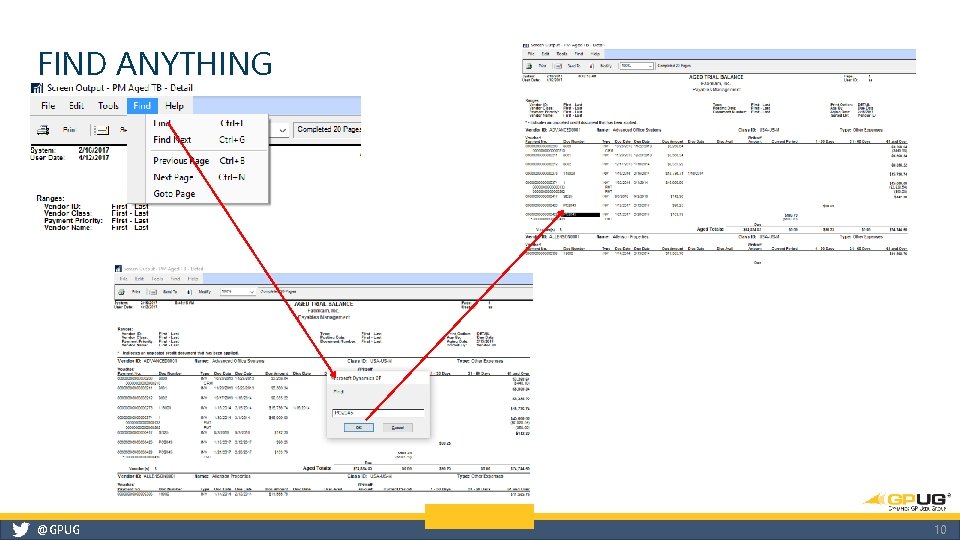
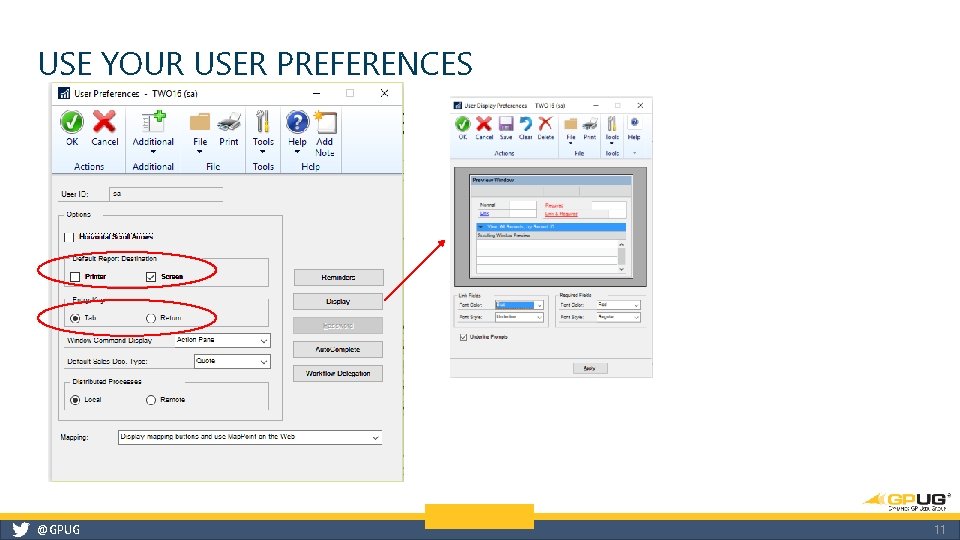
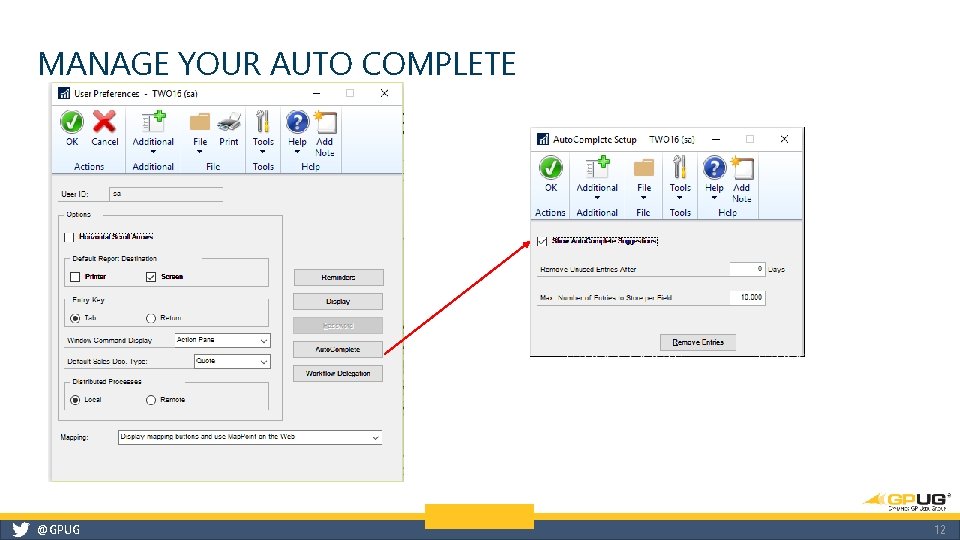
GP TIPS AND TRICKS 1. Change your date 2. Turn off pesky posting journals 3. Exclude inactive customers and vendors 4. Protect your dates 5. Choose your menu bar 6. Customize your Toolbar 7. Find anything 8. Use your user preferences 9. Manage your Auto Complete 10. Help is always available @GPUG 3
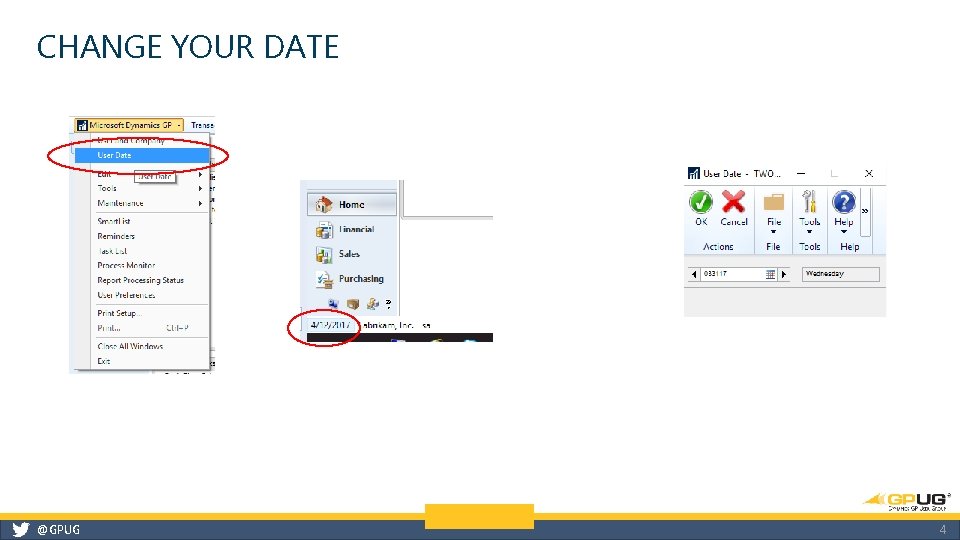
CHANGE YOUR DATE @GPUG 4
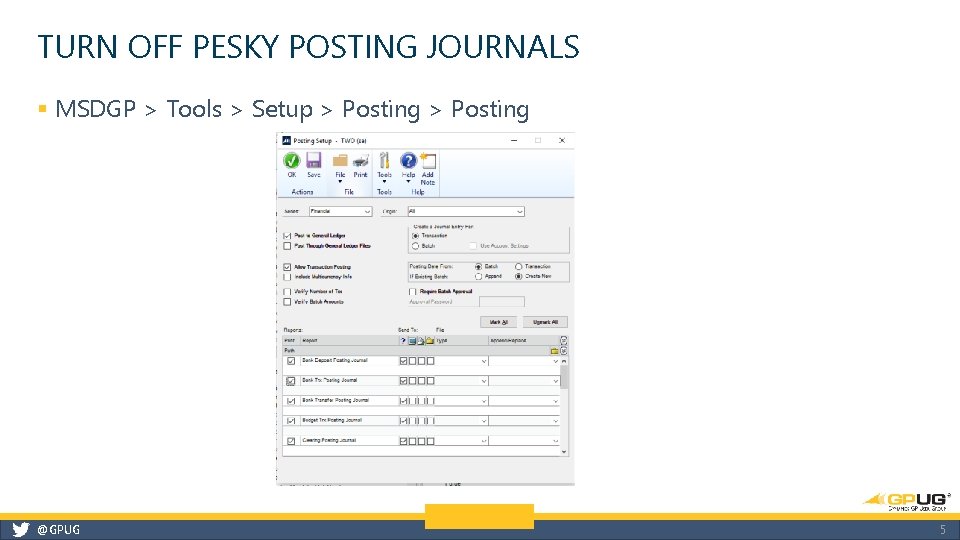
TURN OFF PESKY POSTING JOURNALS § MSDGP > Tools > Setup > Posting @GPUG 5
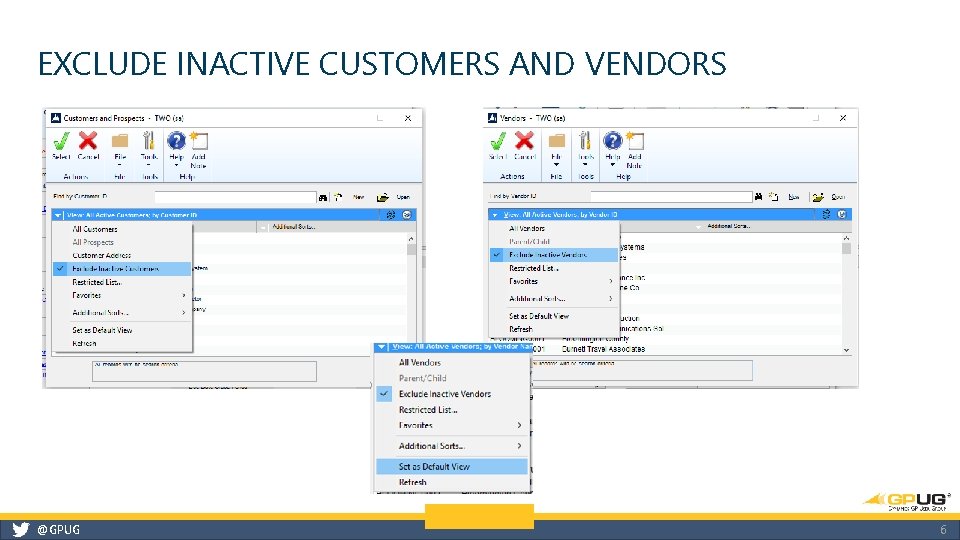
EXCLUDE INACTIVE CUSTOMERS AND VENDORS @GPUG 6
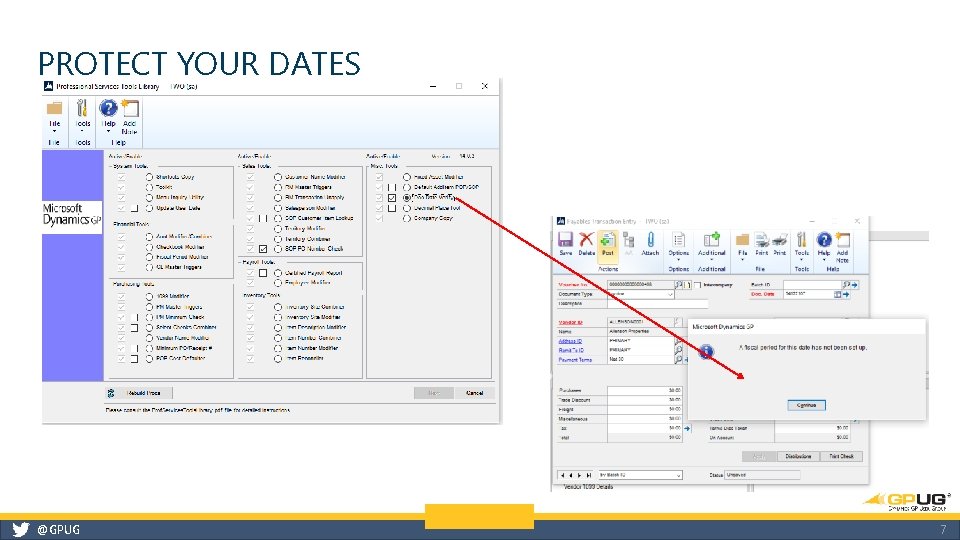
PROTECT YOUR DATES @GPUG 7
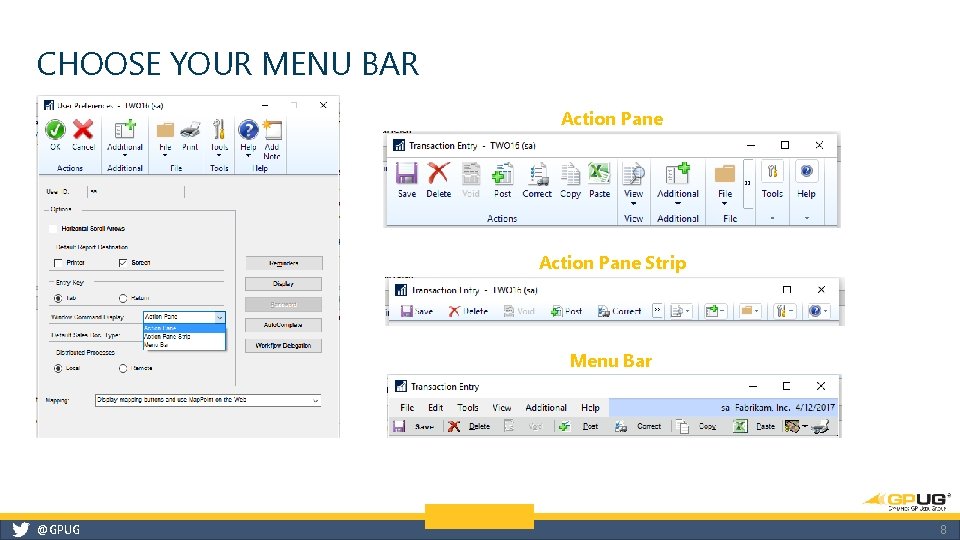
CHOOSE YOUR MENU BAR Action Pane Strip Menu Bar @GPUG 8
CUSTOMIZE YOUR TOOLBAR Right Click With “Standard” Change order Customize and add any window With 3 added “Custom” windows Modify Selection to change display @GPUG 9
FIND ANYTHING @GPUG 10
USE YOUR USER PREFERENCES @GPUG 11
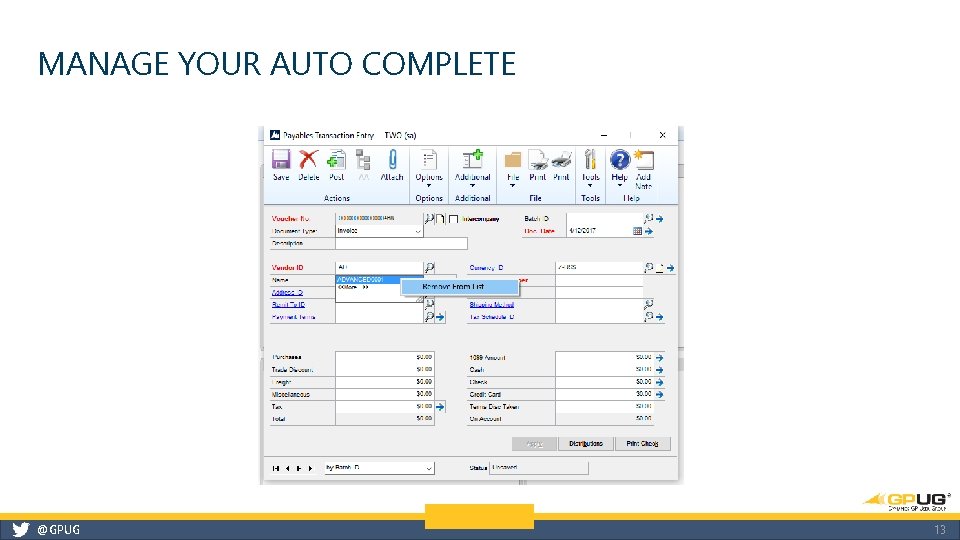
MANAGE YOUR AUTO COMPLETE @GPUG 12
MANAGE YOUR AUTO COMPLETE @GPUG 13
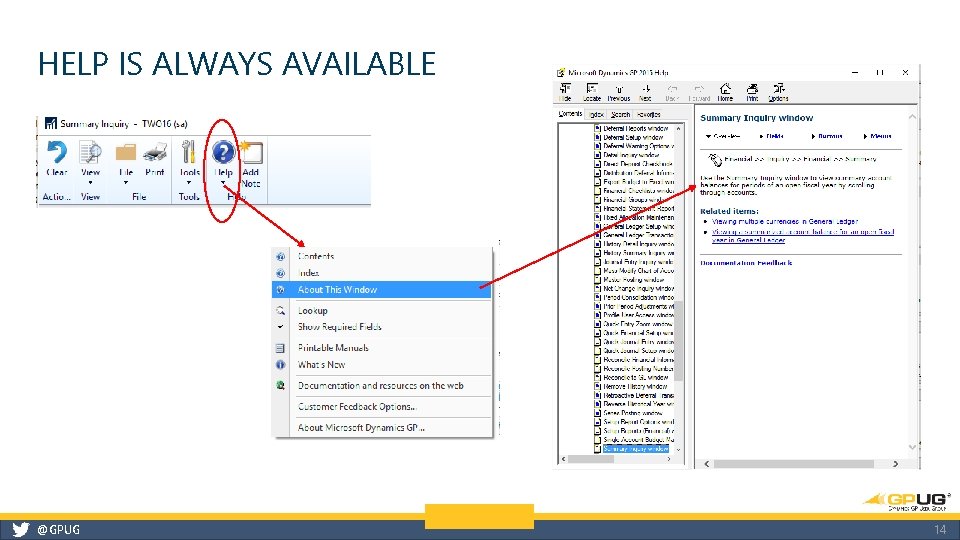
HELP IS ALWAYS AVAILABLE @GPUG 14
CONTACT INFORMATION Tammy De. Stefano Senior Application Consultant Sikich, LLP Tamara. De. Stefano@Sikich. com 630. 841. 2673 www. sikichtech. com - Blog @GPUG 15