
TInspire Lua ADVANCED SCRIPTING TECHNIQUES Adrien BERTRAND Adriweb
TI-nspire Lua ADVANCED SCRIPTING TECHNIQUES Adrien BERTRAND ( « Adriweb » ) T 3 Conference 2014 - March 8 th Adrien Bertrand
Table of Contents I. CODE OPTIMIZATION 1. Lua Performance Benchmarks 2. Tips and Tricks 3. Nspire-Lua Specific Things II. ADVANCED TECHNIQUES IN PRACTICE 1. Adding your own functions to gc 2. Using a screen manager T 3 Conference 2014 - March 8 th 2 Adrien Bertrand
CODE OPTIMIZATION LUA PERFORMANCE BENCHMARKS Credits : « Caspring » website’s wiki (now closed) Lua. org T 3 Conference 2014 - March 8 th 3 Adrien Bertrand
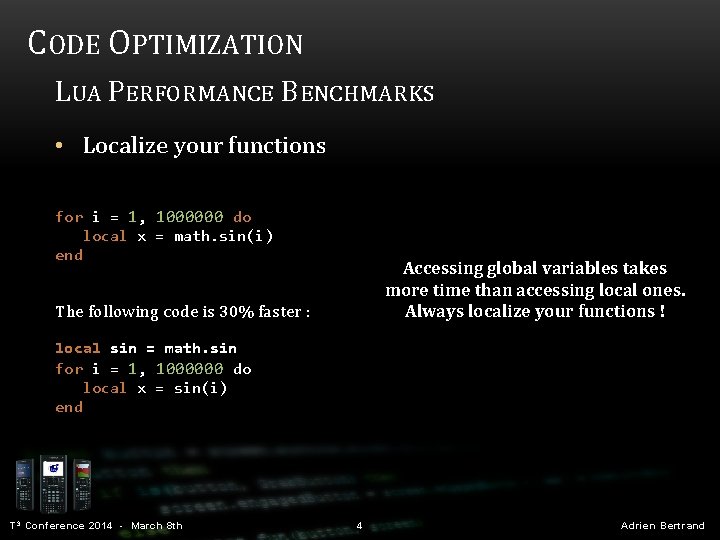
CODE OPTIMIZATION LUA PERFORMANCE BENCHMARKS • Localize your functions for i = 1, 1000000 do local x = math. sin(i) end Accessing global variables takes more time than accessing local ones. Always localize your functions ! The following code is 30% faster : local sin = math. sin for i = 1, 1000000 do local x = sin(i) end T 3 Conference 2014 - March 8 th 4 Adrien Bertrand
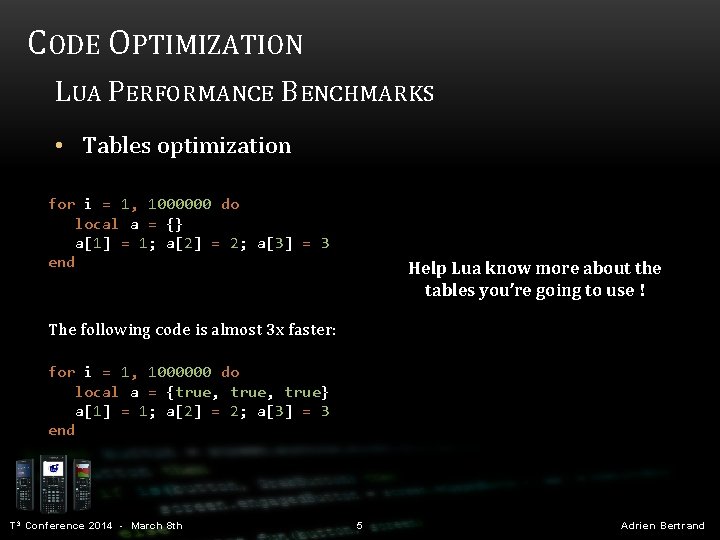
CODE OPTIMIZATION LUA PERFORMANCE BENCHMARKS • Tables optimization for i = 1, 1000000 do local a = {} a[1] = 1; a[2] = 2; a[3] = 3 end Help Lua know more about the tables you’re going to use ! The following code is almost 3 x faster: for i = 1, 1000000 do local a = {true, true} a[1] = 1; a[2] = 2; a[3] = 3 end T 3 Conference 2014 - March 8 th 5 Adrien Bertrand
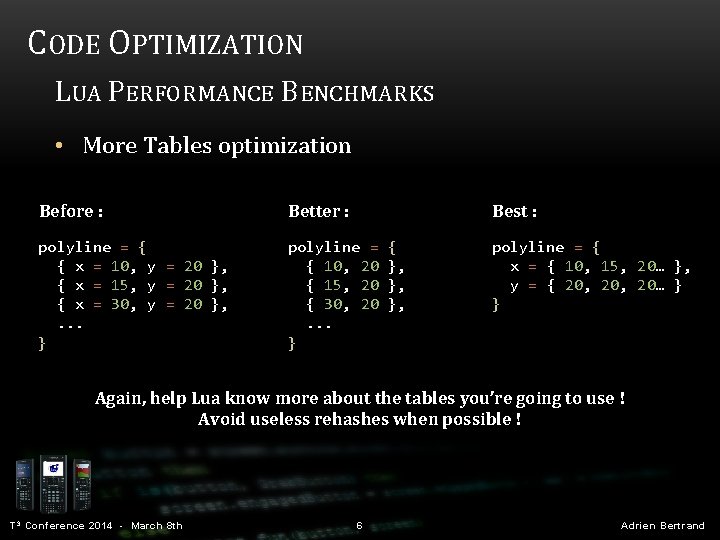
CODE OPTIMIZATION LUA PERFORMANCE BENCHMARKS • More Tables optimization Before : Better : Best : polyline = { { x = 10, y = 20 }, { x = 15, y = 20 }, { x = 30, y = 20 }, . . . } polyline = { { 10, 20 }, { 15, 20 }, { 30, 20 }, . . . } polyline = { x = { 10, 15, 20… }, y = { 20, 20… } } Again, help Lua know more about the tables you’re going to use ! Avoid useless rehashes when possible ! T 3 Conference 2014 - March 8 th 6 Adrien Bertrand
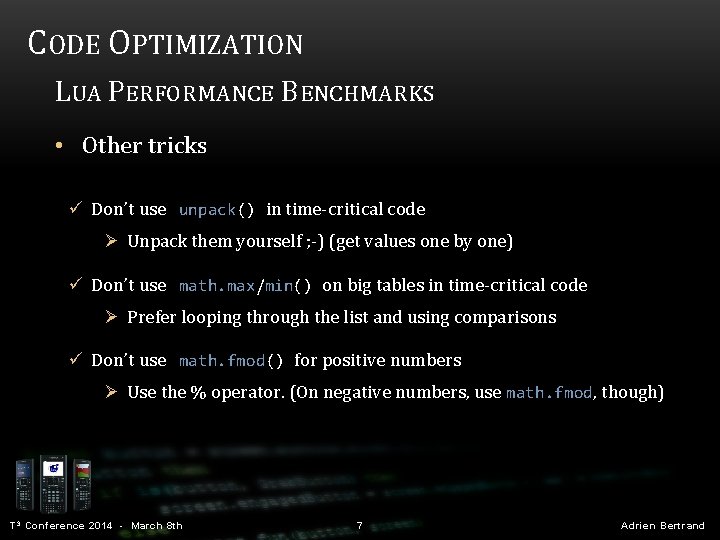
CODE OPTIMIZATION LUA PERFORMANCE BENCHMARKS • Other tricks ü Don’t use unpack() in time-critical code Ø Unpack them yourself ; -) (get values one by one) ü Don’t use math. max/min() on big tables in time-critical code Ø Prefer looping through the list and using comparisons ü Don’t use math. fmod() for positive numbers Ø Use the % operator. (On negative numbers, use math. fmod, though) T 3 Conference 2014 - March 8 th 7 Adrien Bertrand
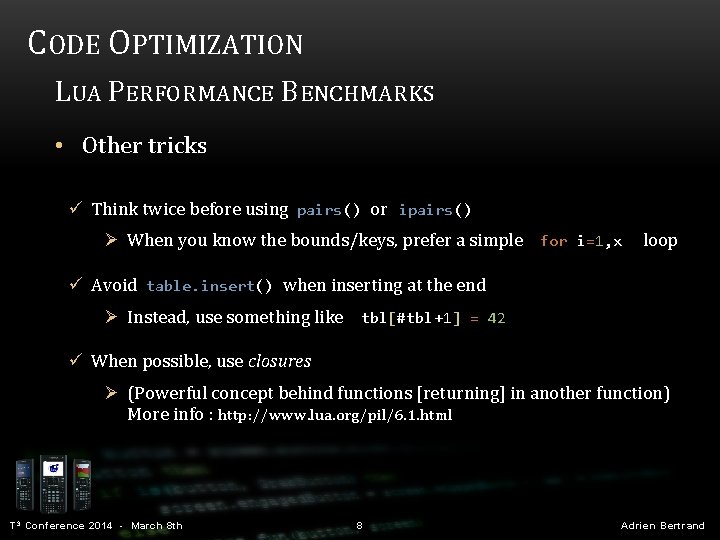
CODE OPTIMIZATION LUA PERFORMANCE BENCHMARKS • Other tricks ü Think twice before using pairs() or ipairs() Ø When you know the bounds/keys, prefer a simple for i=1, x loop ü Avoid table. insert() when inserting at the end Ø Instead, use something like tbl[#tbl+1] = 42 ü When possible, use closures Ø (Powerful concept behind functions [returning] in another function) More info : http: //www. lua. org/pil/6. 1. html T 3 Conference 2014 - March 8 th 8 Adrien Bertrand
CODE OPTIMIZATION TIPS AND TRICKS T 3 Conference 2014 - March 8 th 9 Adrien Bertrand
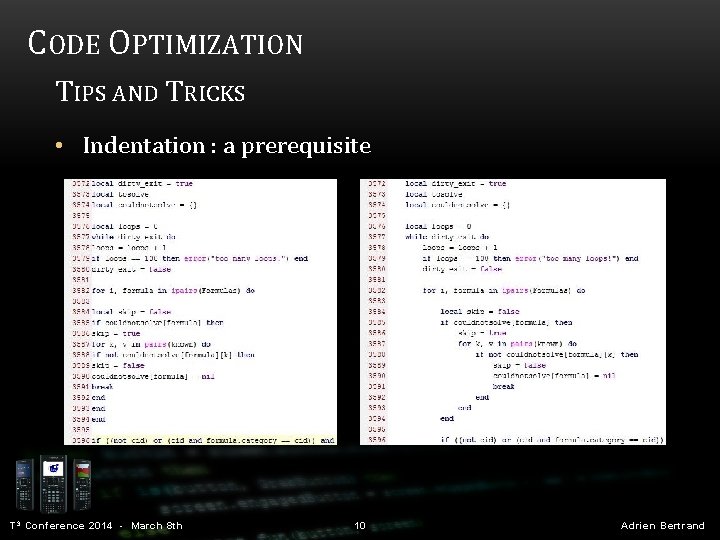
CODE OPTIMIZATION TIPS AND TRICKS • Indentation : a prerequisite T 3 Conference 2014 - March 8 th 10 Adrien Bertrand
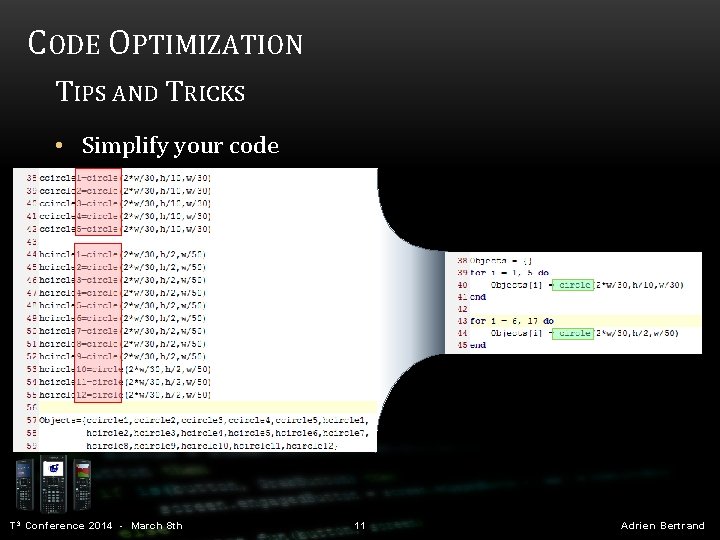
CODE OPTIMIZATION TIPS AND TRICKS • Simplify your code T 3 Conference 2014 - March 8 th 11 Adrien Bertrand
CODE OPTIMIZATION TIPS AND TRICKS Metatables A metatable is a table which can change the behavior of the table it's attached to. t = {} mt = {} setmetatable(t, mt) getmetatable(t) ----- our normal table our metatable (empty for now) sets mt to be t's metatable this will return mt ( same as t = setmetatable({}, {}) ) t = setmetatable({}, { __index = function(t, key) return (key == "foo" and 0 or t[key]) end }) T 3 Conference 2014 - March 8 th 12 Adrien Bertrand
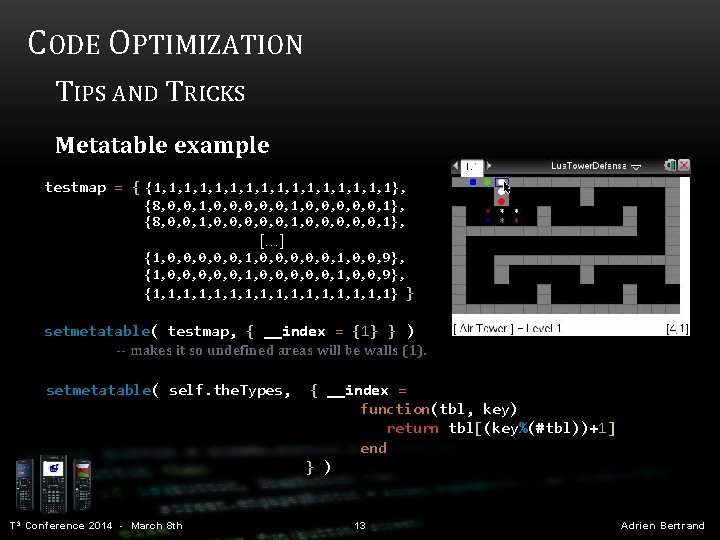
CODE OPTIMIZATION TIPS AND TRICKS Metatable example testmap = { {1, 1, 1, 1, 1}, {8, 0, 0, 1, 0, 0, 0, 0, 0, 1}, […] {1, 0, 0, 0, 0, 0, 1, 0, 0, 9}, {1, 1, 1, 1, 1} } setmetatable( testmap, { __index = {1} } ) -- makes it so undefined areas will be walls (1). setmetatable( self. the. Types, { __index = function(tbl, key) return tbl[(key%(#tbl))+1] end } ) T 3 Conference 2014 - March 8 th 13 Adrien Bertrand
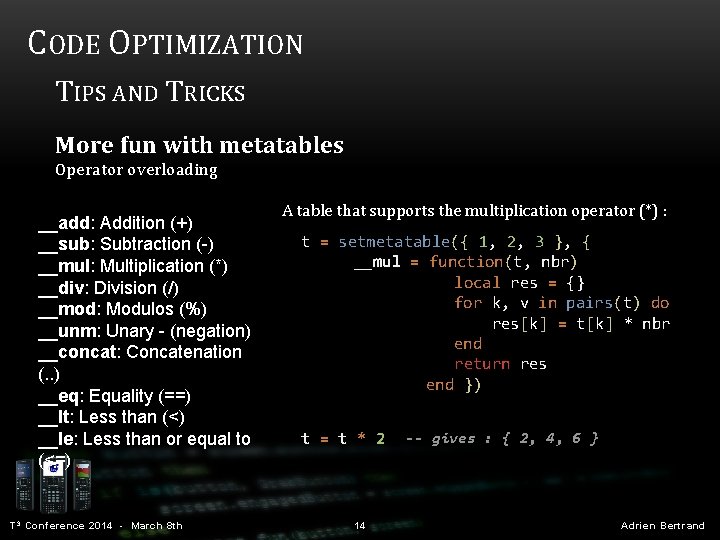
CODE OPTIMIZATION TIPS AND TRICKS More fun with metatables Operator overloading __add: Addition (+) __sub: Subtraction (-) __mul: Multiplication (*) __div: Division (/) __mod: Modulos (%) __unm: Unary - (negation) __concat: Concatenation (. . ) __eq: Equality (==) __lt: Less than (<) __le: Less than or equal to (<=) T 3 Conference 2014 - March 8 th A table that supports the multiplication operator (*) : t = setmetatable({ 1, 2, 3 }, { __mul = function(t, nbr) local res = {} for k, v in pairs(t) do res[k] = t[k] * nbr end return res end }) t = t * 2 14 -- gives : { 2, 4, 6 } Adrien Bertrand
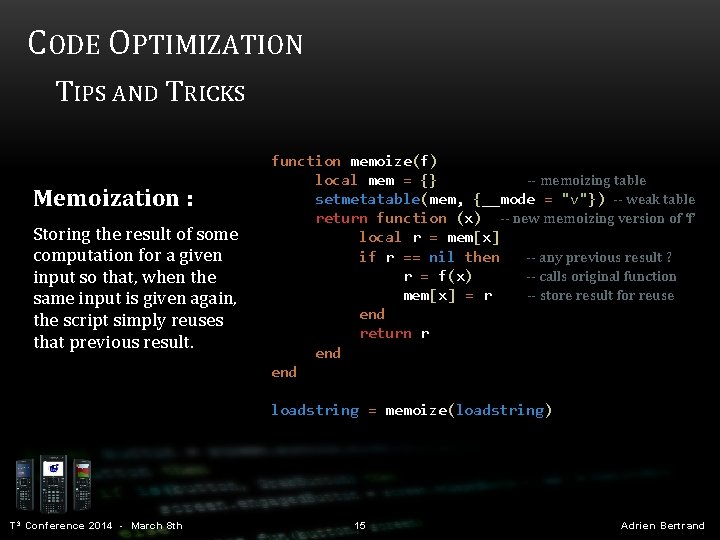
CODE OPTIMIZATION TIPS AND TRICKS Memoization : Storing the result of some computation for a given input so that, when the same input is given again, the script simply reuses that previous result. function memoize(f) local mem = {} -- memoizing table setmetatable(mem, {__mode = "v"}) -- weak table return function (x) -- new memoizing version of ‘f’ local r = mem[x] if r == nil then -- any previous result ? r = f(x) -- calls original function mem[x] = r -- store result for reuse end return r end loadstring = memoize(loadstring) T 3 Conference 2014 - March 8 th 15 Adrien Bertrand

CODE OPTIMIZATION NSPIRE-LUA SPECIFIC THINGS T 3 Conference 2014 - March 8 th 16 Adrien Bertrand
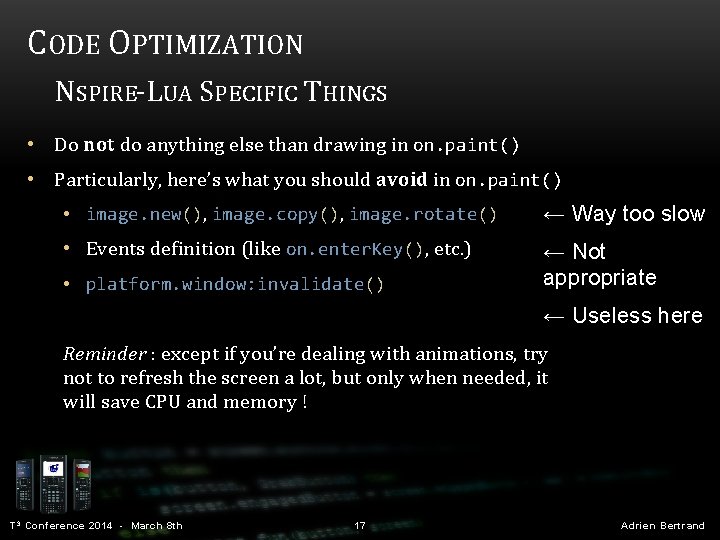
CODE OPTIMIZATION NSPIRE-LUA SPECIFIC THINGS • Do not do anything else than drawing in on. paint() • Particularly, here’s what you should avoid in on. paint() • image. new(), image. copy(), image. rotate() ← Way too slow • Events definition (like on. enter. Key(), etc. ) ← Not appropriate • platform. window: invalidate () ← Useless here Reminder : except if you’re dealing with animations, try not to refresh the screen a lot, but only when needed, it will save CPU and memory ! T 3 Conference 2014 - March 8 th 17 Adrien Bertrand
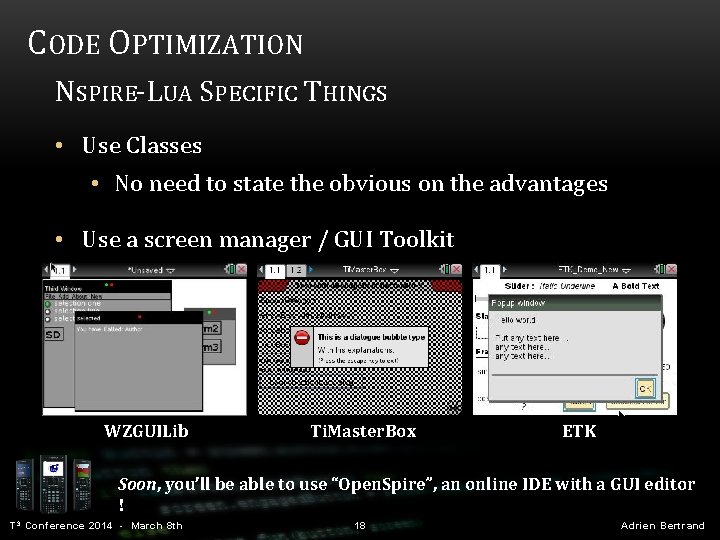
CODE OPTIMIZATION NSPIRE-LUA SPECIFIC THINGS • Use Classes • No need to state the obvious on the advantages • Use a screen manager / GUI Toolkit WZGUILib Ti. Master. Box ETK Soon, you’ll be able to use “Open. Spire”, an online IDE with a GUI editor ! T 3 Conference 2014 - March 8 th 18 Adrien Bertrand
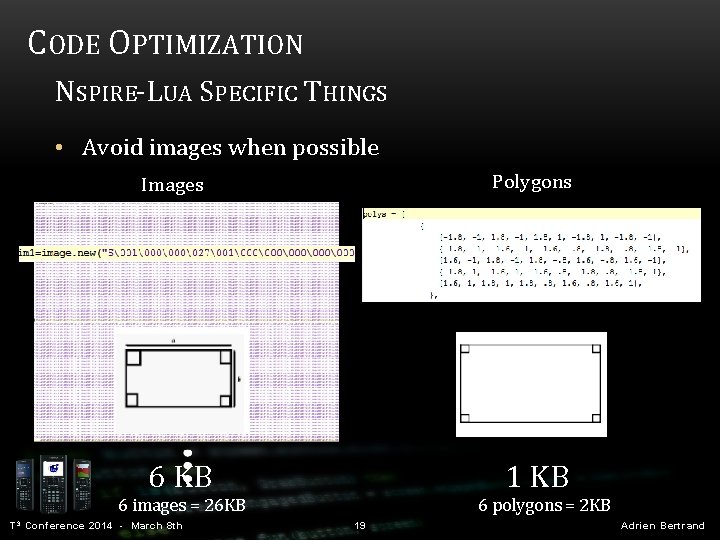
CODE OPTIMIZATION NSPIRE-LUA SPECIFIC THINGS • Avoid images when possible Polygons Images 1 KB 6 images = 26 KB T 3 Conference 2014 - March 8 th 6 polygons = 2 KB 19 Adrien Bertrand
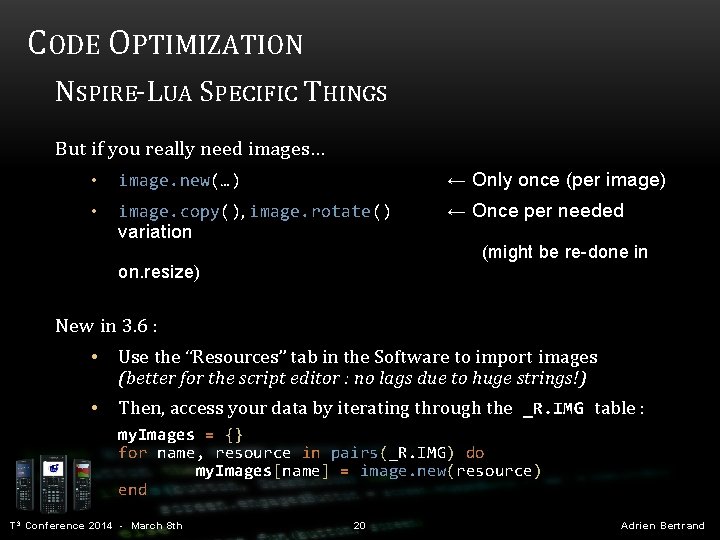
CODE OPTIMIZATION NSPIRE-LUA SPECIFIC THINGS But if you really need images… • image. new(…) ← Only once (per image) • image. copy(), image. rotate() ← Once per needed variation (might be re-done in on. resize) New in 3. 6 : • Use the “Resources” tab in the Software to import images (better for the script editor : no lags due to huge strings!) • Then, access your data by iterating through the _R. IMG table : my. Images = {} for name, resource in pairs(_R. IMG) do my. Images[name] = image. new(resource) end T 3 Conference 2014 - March 8 th 20 Adrien Bertrand
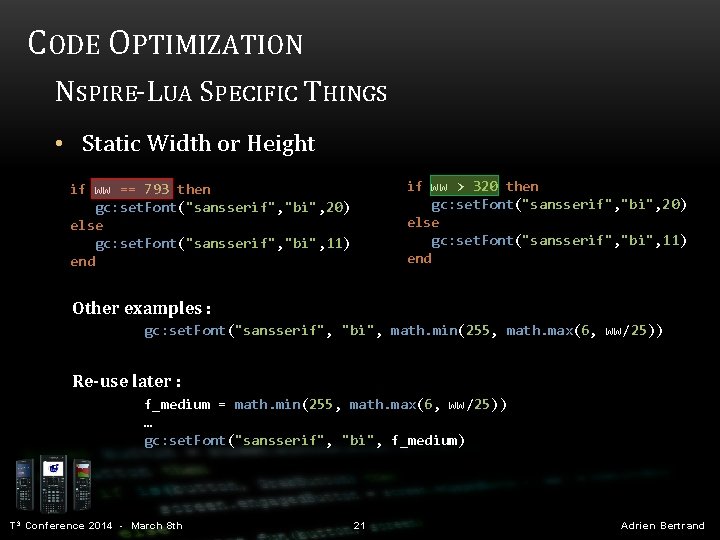
CODE OPTIMIZATION NSPIRE-LUA SPECIFIC THINGS • Static Width or Height if ww > 320 then gc: set. Font("sansserif", "bi", 20) else gc: set. Font("sansserif", "bi", 11) end if ww == 793 then gc: set. Font("sansserif", "bi", 20) else gc: set. Font("sansserif", "bi", 11) end Other examples : gc: set. Font("sansserif", "bi", math. min(255, math. max(6, ww/25)) Re-use later : f_medium = math. min(255, math. max(6, ww/25)) … gc: set. Font("sansserif", "bi", f_medium) T 3 Conference 2014 - March 8 th 21 Adrien Bertrand

CODE OPTIMIZATION NSPIRE-LUA SPECIFIC THINGS Use on. var. Change() instead of recalling variables in on. timer() function on. timer() ch = var. recall("ch") platform. window: invalidate() end timer. start(0. 1) T 3 Conference 2014 - March 8 th function on. construction() local v = {"quadrilateral"} vars = {} for i, k in ipairs(v) do vars[k] = var. recall(k) or 1 var. monitor(k) end function on. var. Change(list) for _, k in pairs(list) do if vars[k] then vars[k] = var. recall(k) or 1 end platform. window: invalidate() end 22 Adrien Bertrand
ADVANCED TECHNIQUES IN PRACTICE ADDING YOUR OWN FUNCTIONS TO GC T 3 Conference 2014 - March 8 th 23 Adrien Bertrand
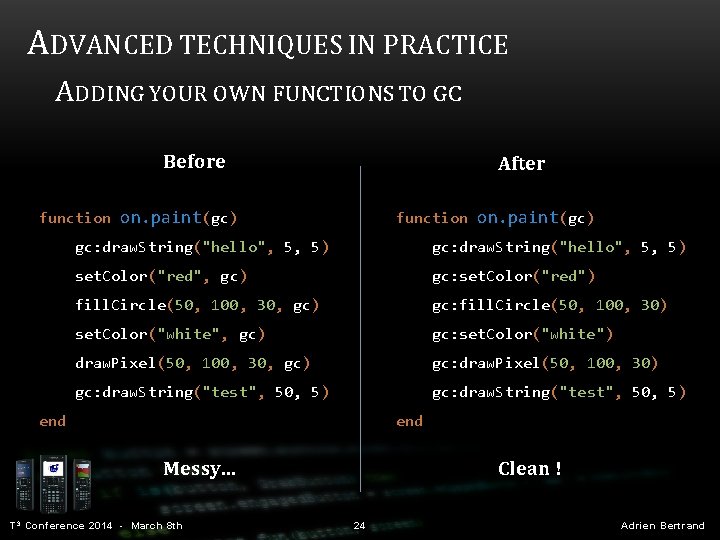
ADVANCED TECHNIQUES IN PRACTICE ADDING YOUR OWN FUNCTIONS TO GC Before After function on. paint(gc) gc: draw. String("hello", 5, 5) set. Color("red", gc) gc: set. Color("red") fill. Circle(50, 100, 30, gc) gc: fill. Circle(50, 100, 30) set. Color("white", gc) gc: set. Color("white") draw. Pixel(50, 100, 30, gc) gc: draw. Pixel(50, 100, 30) gc: draw. String("test", 50, 5) end Clean ! Messy. . . T 3 Conference 2014 - March 8 th 24 Adrien Bertrand
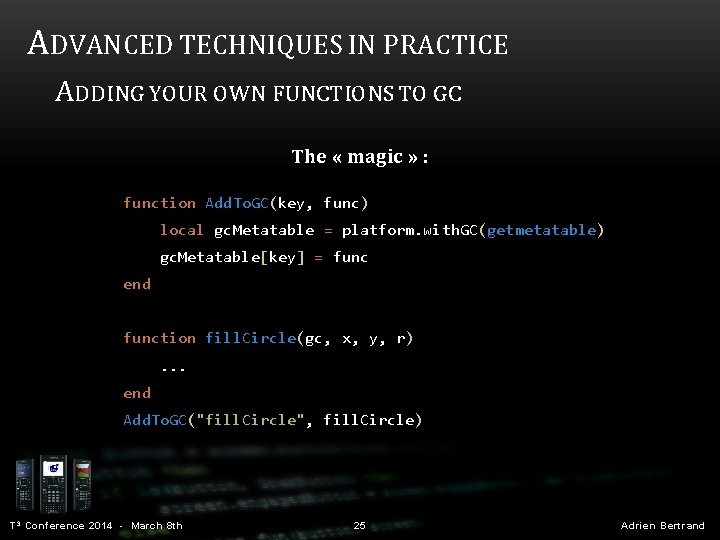
ADVANCED TECHNIQUES IN PRACTICE ADDING YOUR OWN FUNCTIONS TO GC The « magic » : function Add. To. GC(key, func) local gc. Metatable = platform. with. GC(getmetatable) gc. Metatable[key] = func end function fill. Circle(gc, x, y, r) . . . end Add. To. GC("fill. Circle", fill. Circle) T 3 Conference 2014 - March 8 th 25 Adrien Bertrand
ADVANCED TECHNIQUES IN PRACTICE USING A SCREEN MANAGER DEMO T 3 Conference 2014 - March 8 th 26 Adrien Bertrand
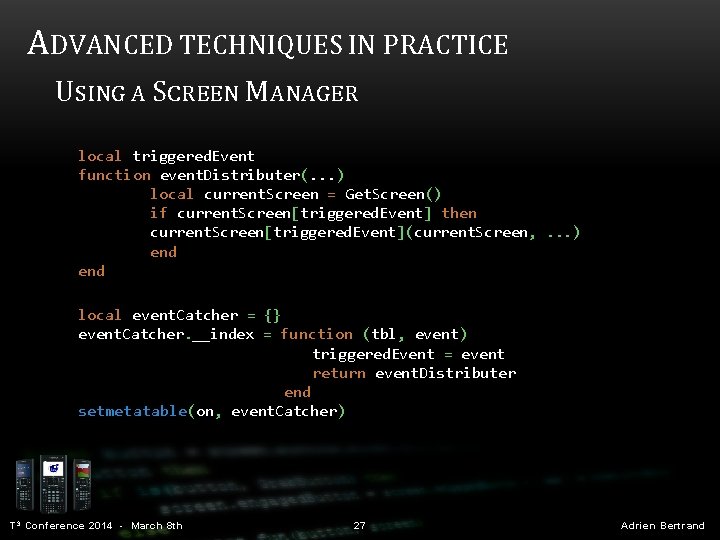
ADVANCED TECHNIQUES IN PRACTICE USING A SCREEN MANAGER local triggered. Event function event. Distributer(. . . ) local current. Screen = Get. Screen() if current. Screen[triggered. Event] then current. Screen[triggered. Event](current. Screen, . . . ) end local event. Catcher = {} event. Catcher. __index = function (tbl, event) triggered. Event = event return event. Distributer end setmetatable(on, event. Catcher) T 3 Conference 2014 - March 8 th 27 Adrien Bertrand
MANY THANKS TO… Jérémy Anselme (“Levak”) Jim Bauwens Steve Arnold John Powers Inspired-Lua. org TI-Planet. org T 3 Conference 2014 - March 8 th 36 Adrien Bertrand
ANY QUESTIONS ? (original images by TI) T 3 Conference 2014 - March 8 th 37 Adrien Bertrand
- Slides: 29