
THREE STEPS TO PREVENT MALWARE INFECTION Keep Your
- Slides: 27
THREE STEPS TO PREVENT MALWARE INFECTION Keep Your Computer Safe and Secure © 2016 by James Dudek
1. PREVENTION OF MALWARE INFECTION There are several general best practices that organizations and individual users should follow to prevent malware infections. Some malware cases require special prevention and treatment methods, but following these recommendations will greatly increase a user’s protection from a wide range of malware:
1. PREVENTION OF MALWARE INFECTION (CONTINUED) 1. 1. Keep software and operating systems up to date with current vulnerability patches. These patches are often released to patch bugs or other security flaws that could be exploited by attackers.
1. 1 KEEP SOFTWARE AND WINDOWS UP-TO-DATE Windows 7 • Windows 7 will do updates automatically when a shut down is performed. Windows 10 • Windows 10 schedules and performs updates automatically. However, you are given a choice to do the updates when a shut down is performed.
1. PREVENTION OF MALWARE INFECTION (CONTINUED) 1. 2. Install and run anti-malware and firewall software. When selecting software, choose a program that offers tools for detecting, quarantining, and removing multiple types of malware. At the minimum, anti-malware software should protect against viruses, spyware, adware, Trojans, and worms. The combination of anti-malware software and a firewall will ensure that all incoming and existing data gets scanned for malware and that malware can be safely removed once detected.
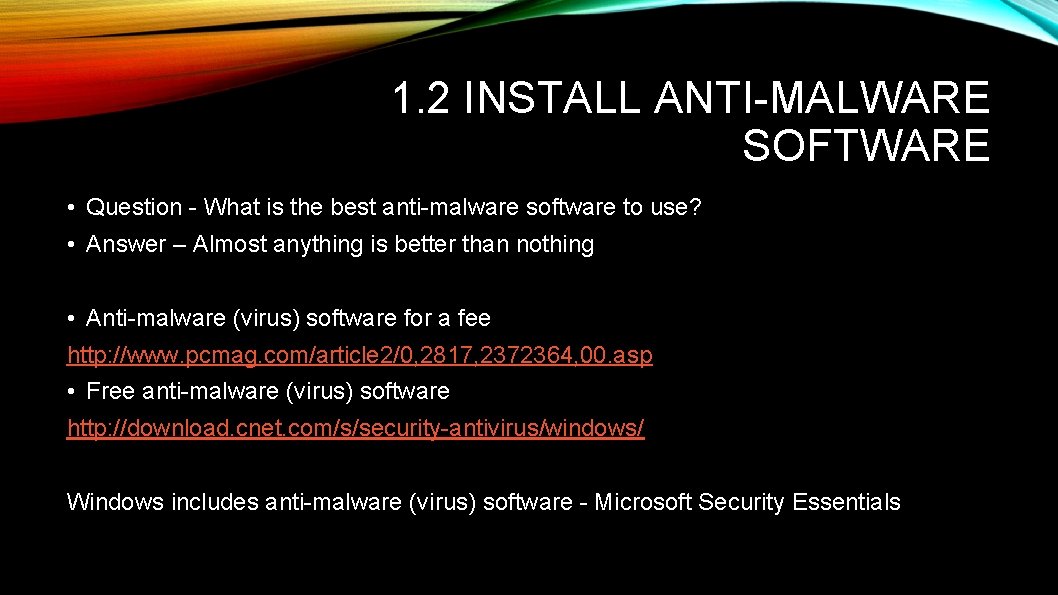
1. 2 INSTALL ANTI-MALWARE SOFTWARE • Question - What is the best anti-malware software to use? • Answer – Almost anything is better than nothing • Anti-malware (virus) software for a fee http: //www. pcmag. com/article 2/0, 2817, 2372364, 00. asp • Free anti-malware (virus) software http: //download. cnet. com/s/security-antivirus/windows/ Windows includes anti-malware (virus) software - Microsoft Security Essentials
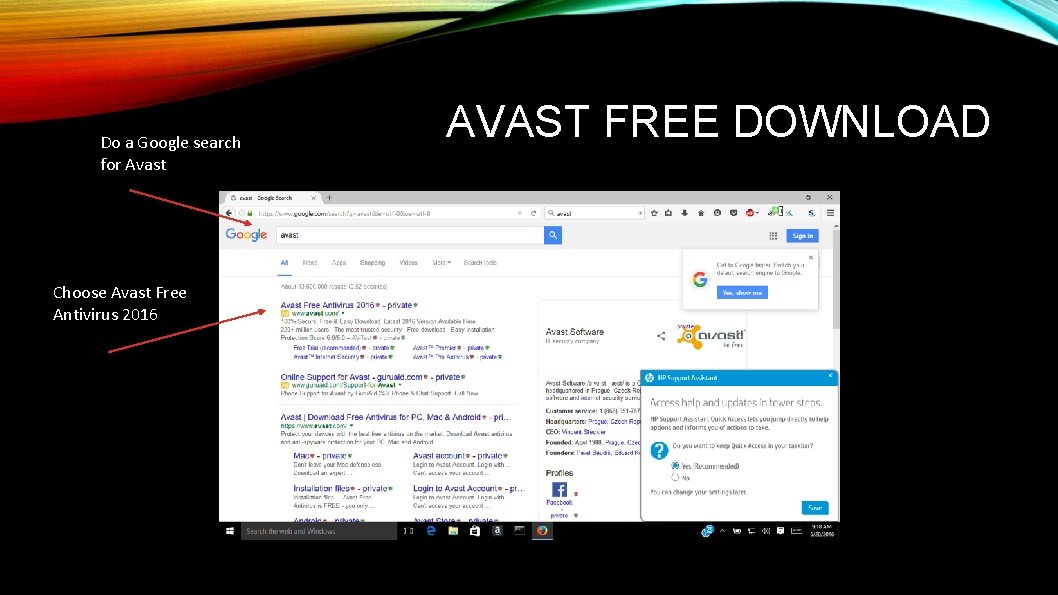
Do a Google search for Avast Choose Avast Free Antivirus 2016 AVAST FREE DOWNLOAD
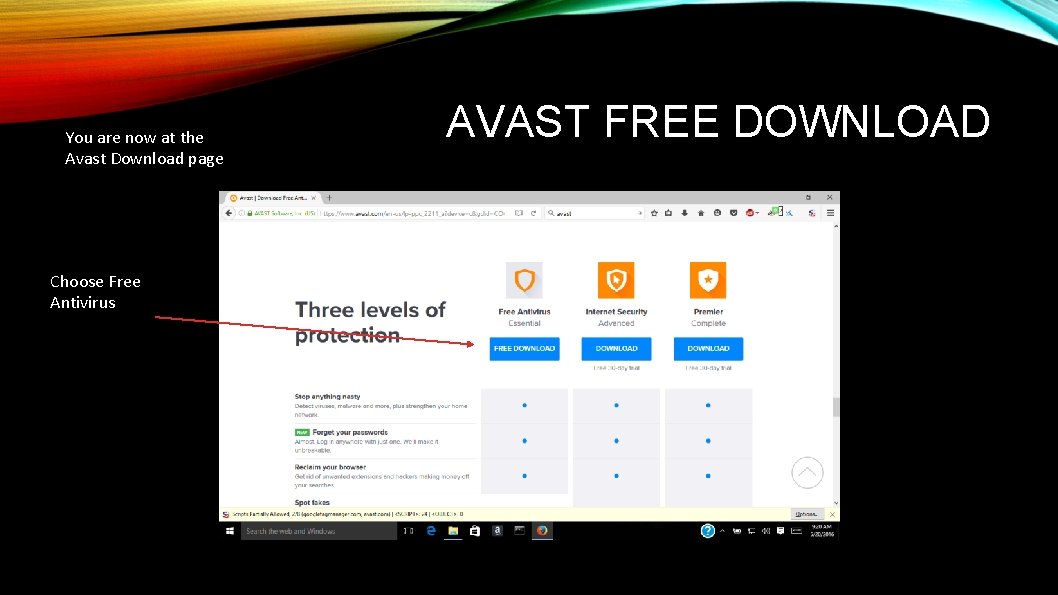
You are now at the Avast Download page Choose Free Antivirus AVAST FREE DOWNLOAD
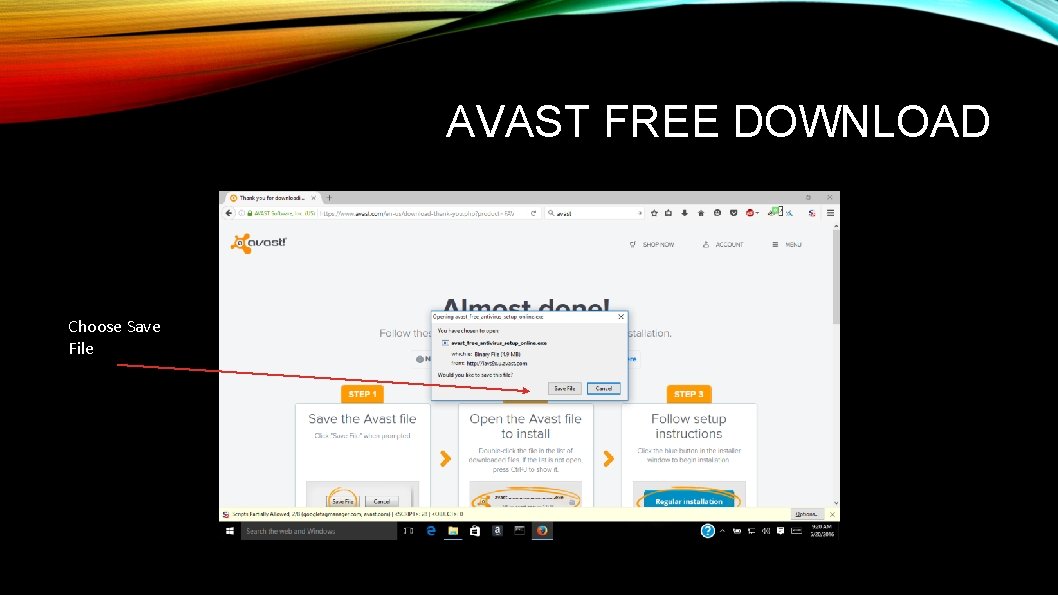
AVAST FREE DOWNLOAD Choose Save File
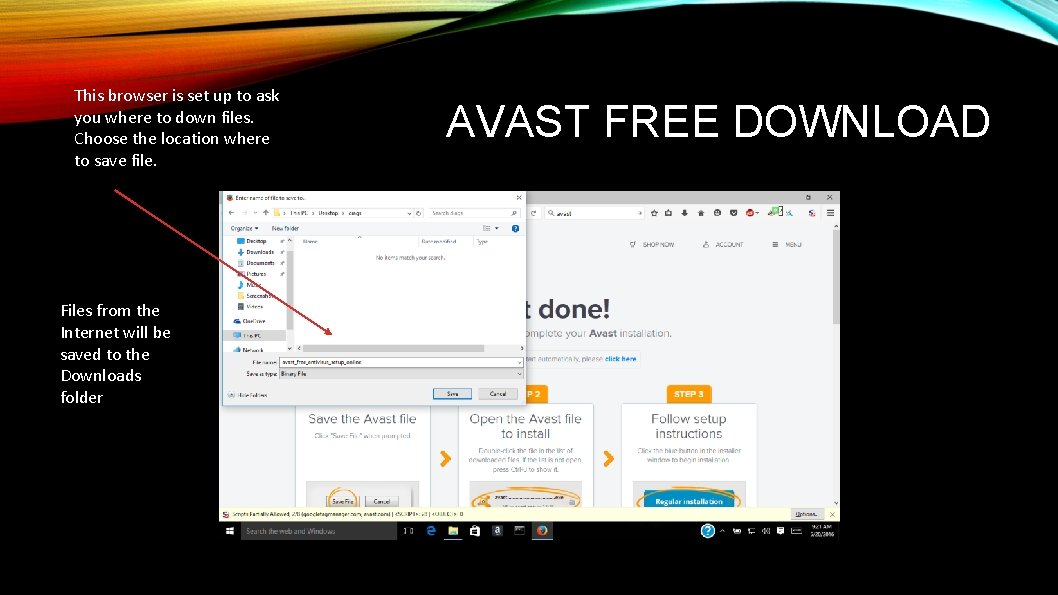
This browser is set up to ask you where to down files. Choose the location where to save file. Files from the Internet will be saved to the Downloads folder AVAST FREE DOWNLOAD
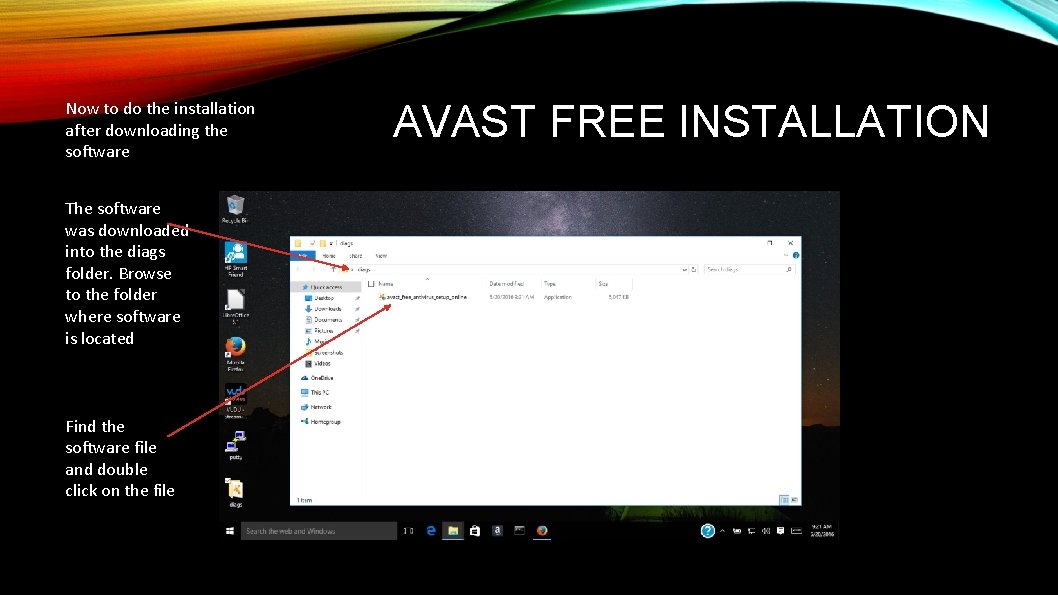
Now to do the installation after downloading the software The software was downloaded into the diags folder. Browse to the folder where software is located Find the software file and double click on the file AVAST FREE INSTALLATION
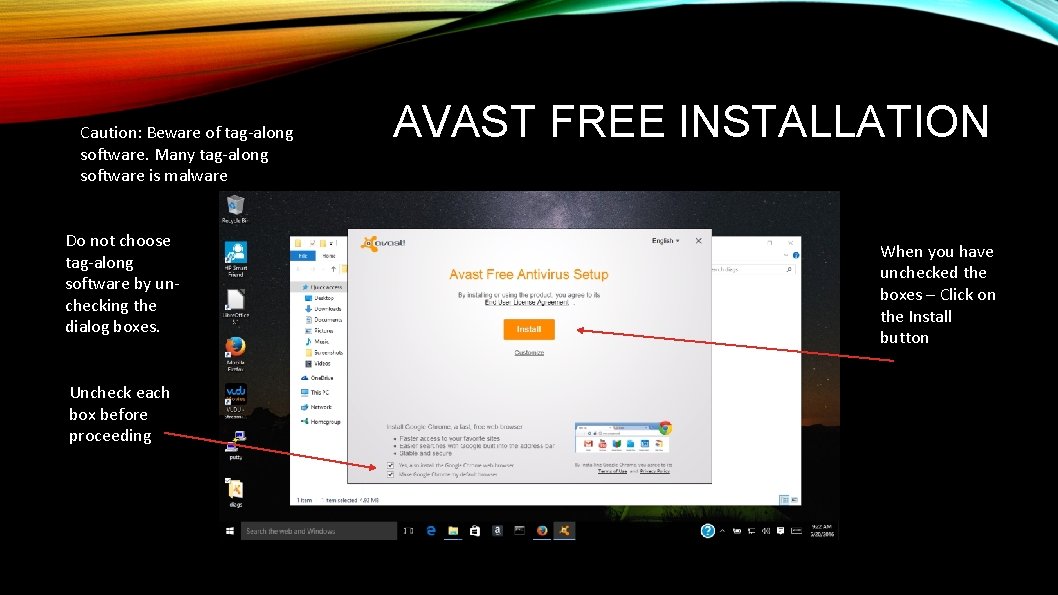
Caution: Beware of tag-along software. Many tag-along software is malware Do not choose tag-along software by unchecking the dialog boxes. Uncheck each box before proceeding AVAST FREE INSTALLATION When you have unchecked the boxes – Click on the Install button
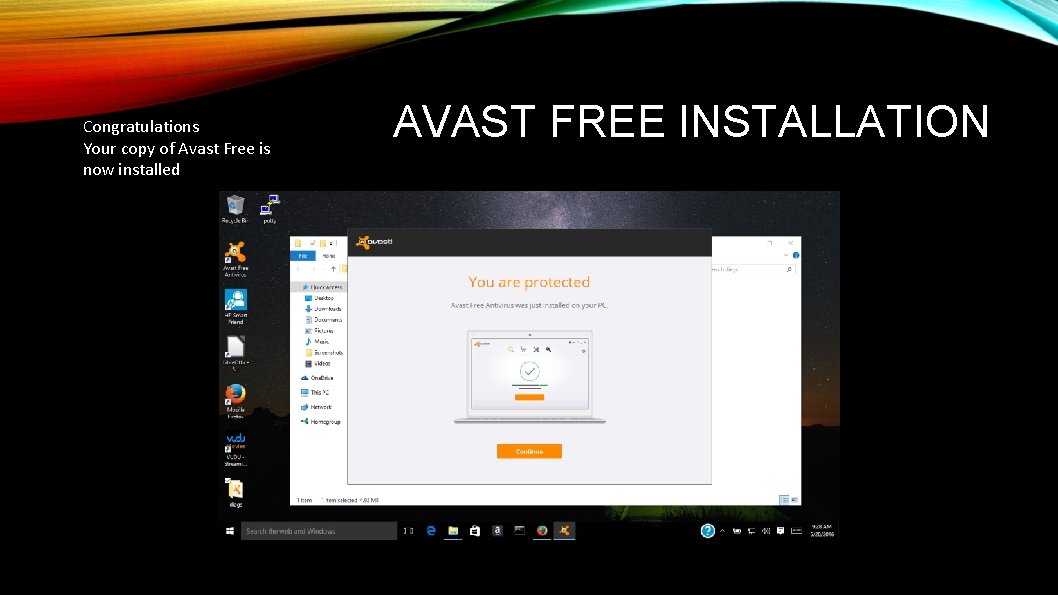
Congratulations Your copy of Avast Free is now installed AVAST FREE INSTALLATION
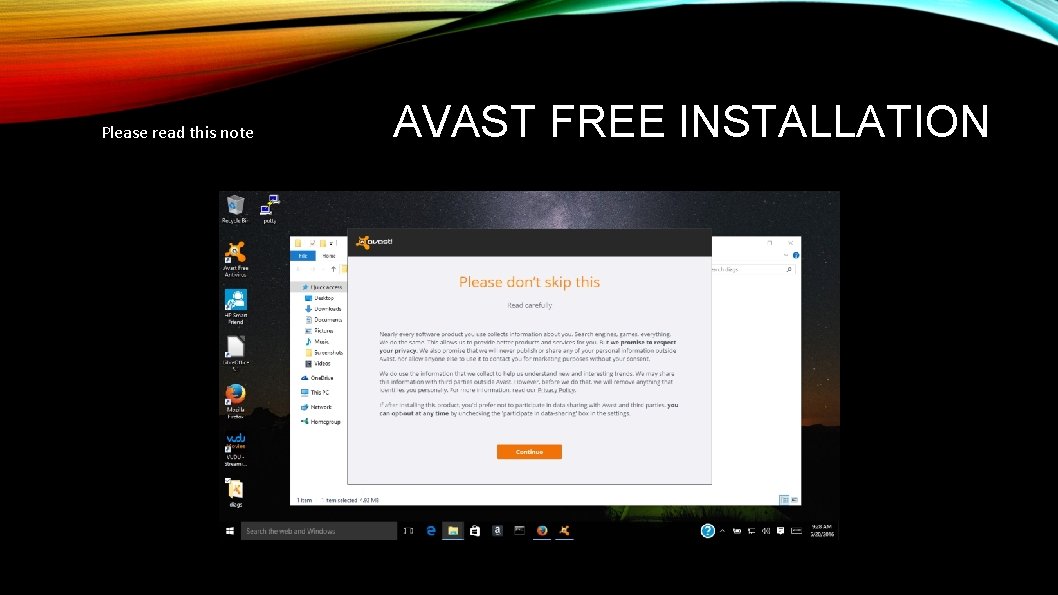
Please read this note AVAST FREE INSTALLATION
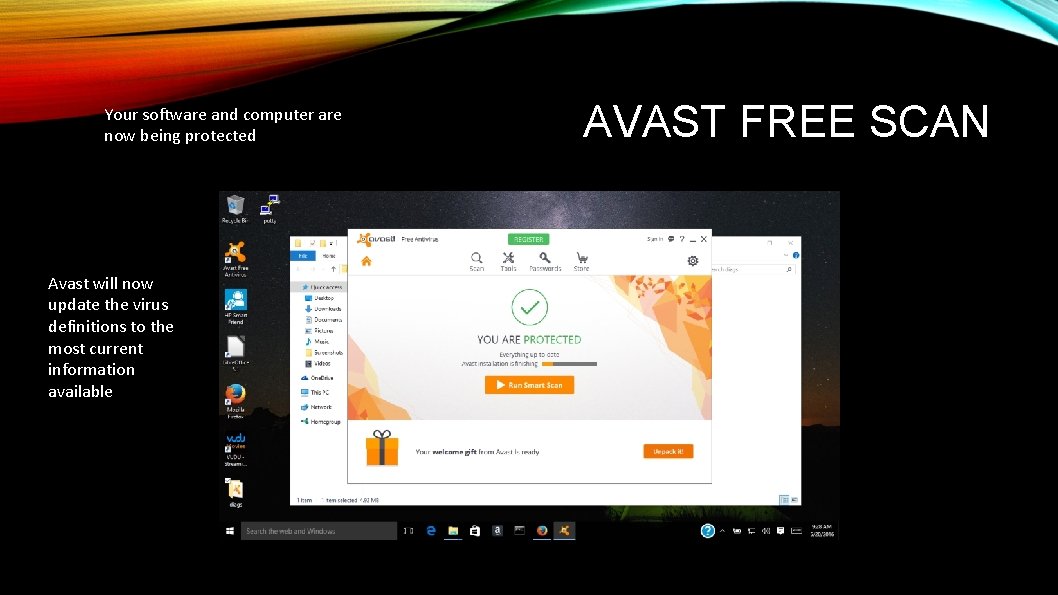
Your software and computer are now being protected Avast will now update the virus definitions to the most current information available AVAST FREE SCAN
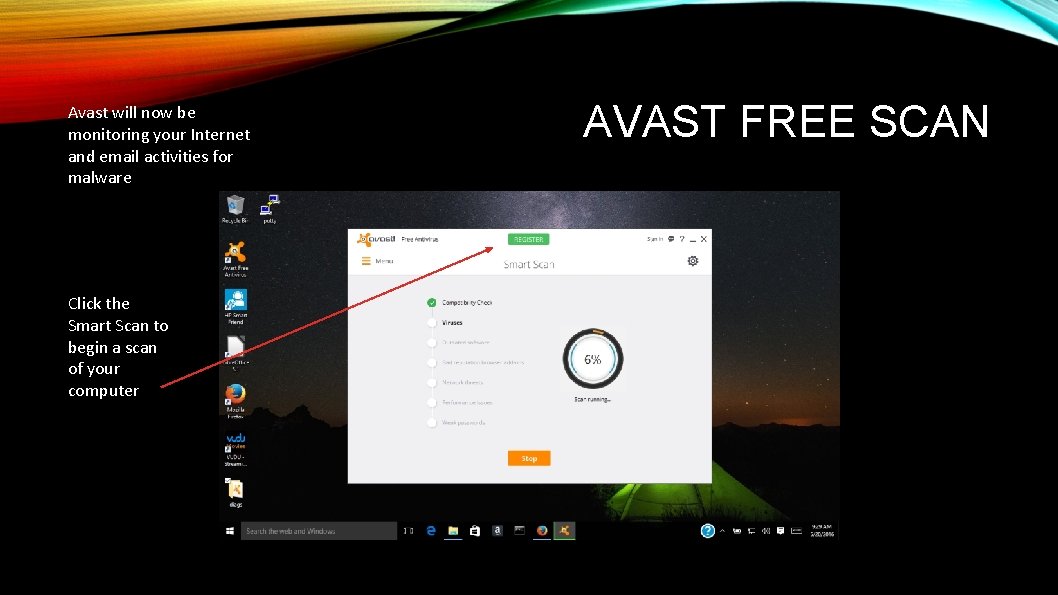
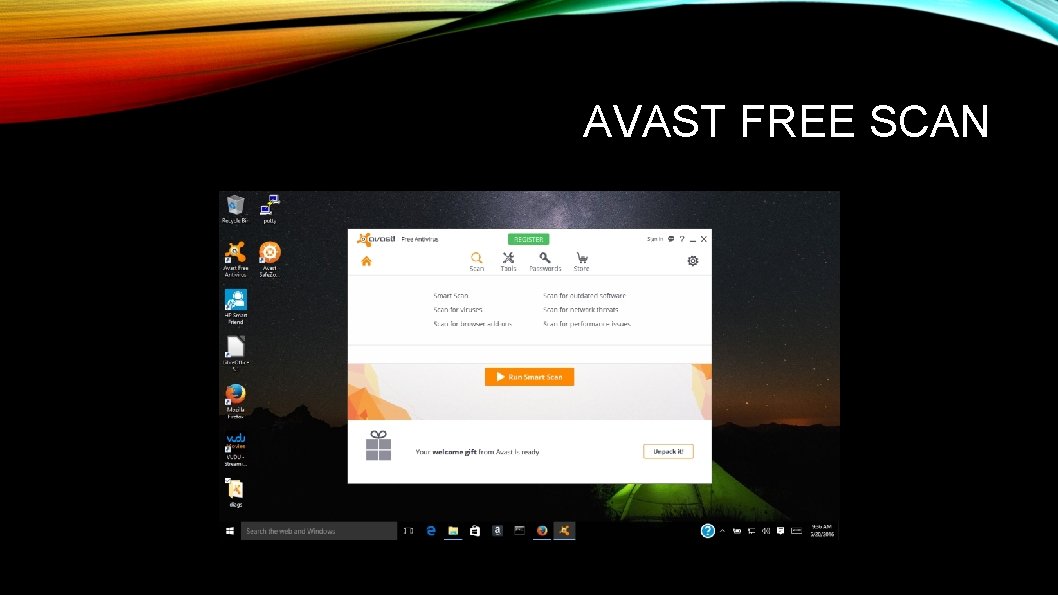
Avast will now be monitoring your Internet and email activities for malware Click the Smart Scan to begin a scan of your computer AVAST FREE SCAN
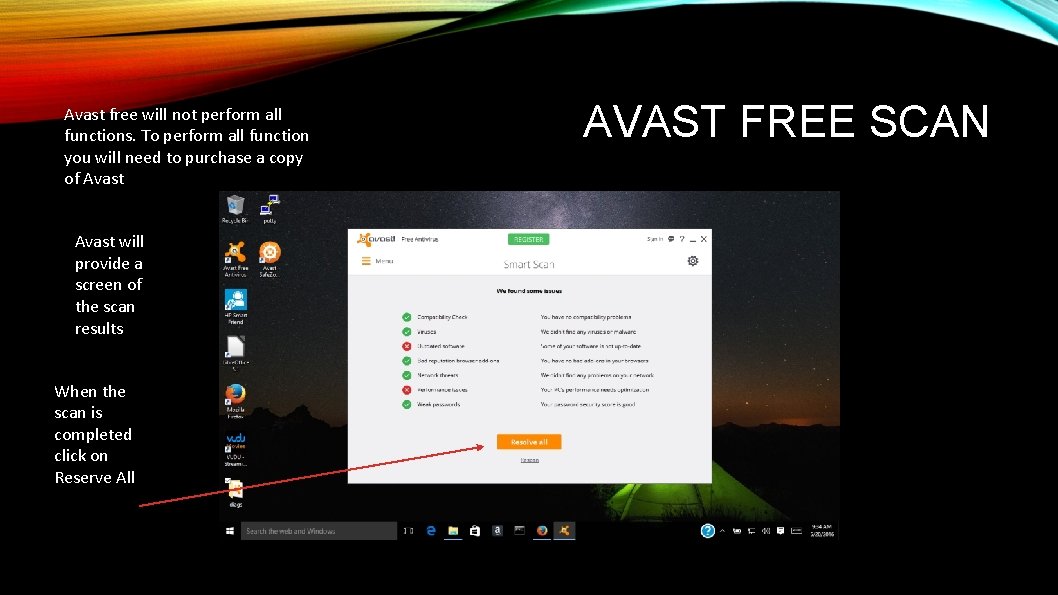
Avast free will not perform all functions. To perform all function you will need to purchase a copy of Avast will provide a screen of the scan results When the scan is completed click on Reserve All AVAST FREE SCAN
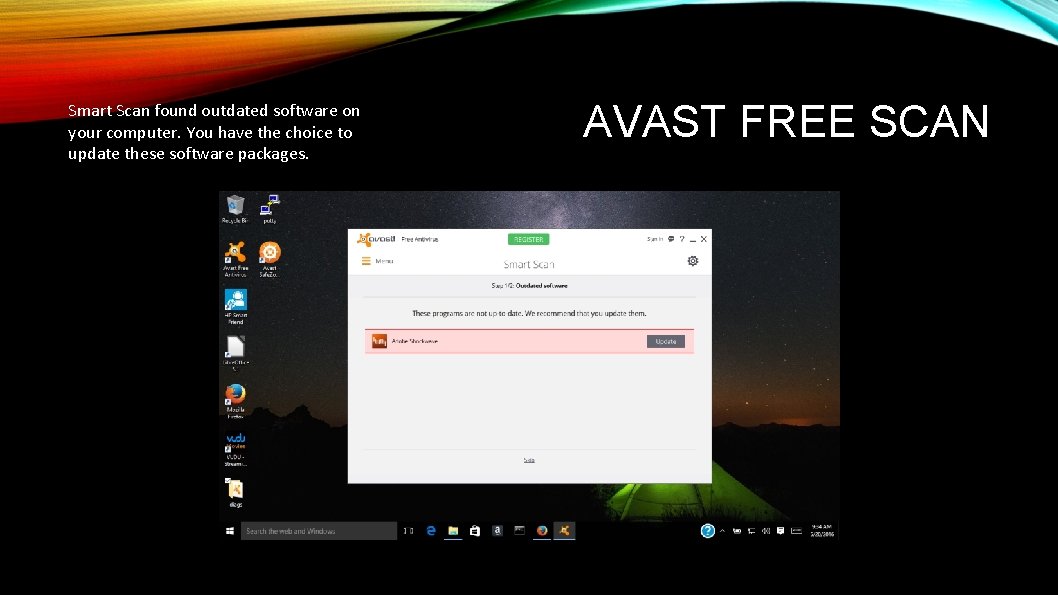
Smart Scan found outdated software on your computer. You have the choice to update these software packages. AVAST FREE SCAN
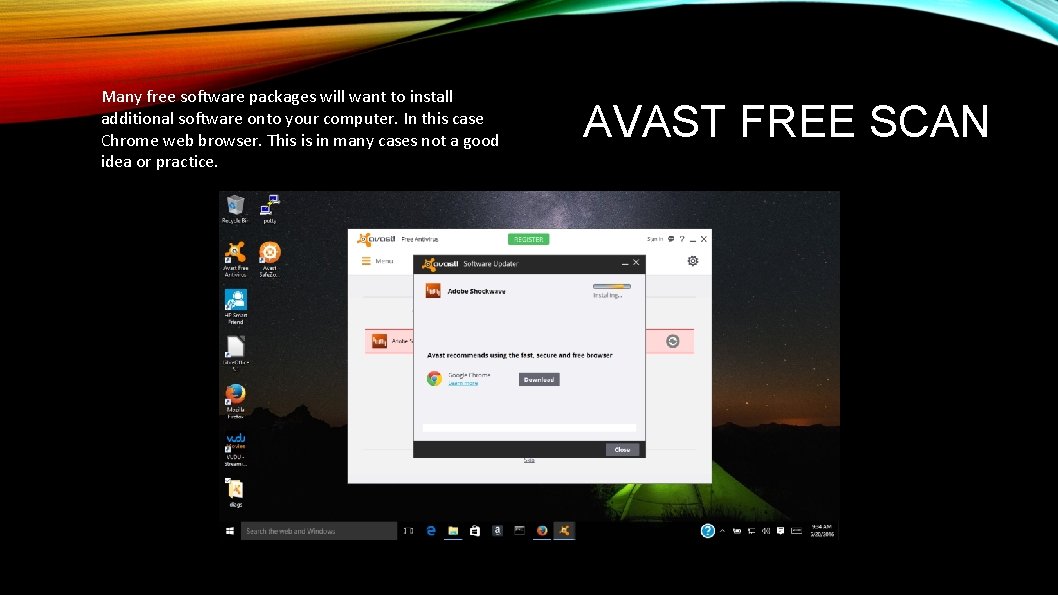
Many free software packages will want to install additional software onto your computer. In this case Chrome web browser. This is in many cases not a good idea or practice. AVAST FREE SCAN
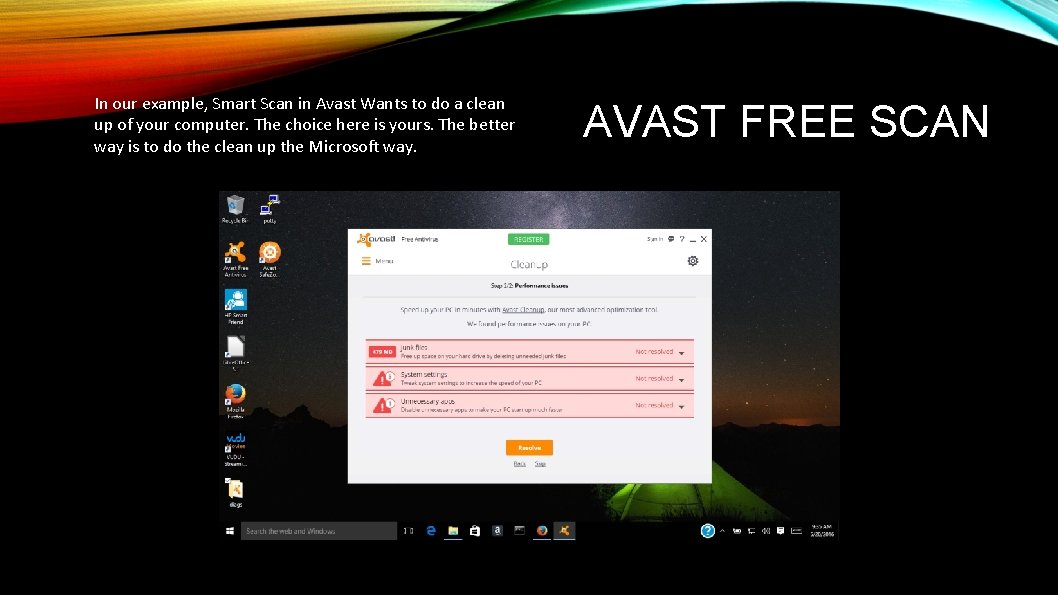
In our example, Smart Scan in Avast Wants to do a clean up of your computer. The choice here is yours. The better way is to do the clean up the Microsoft way. AVAST FREE SCAN
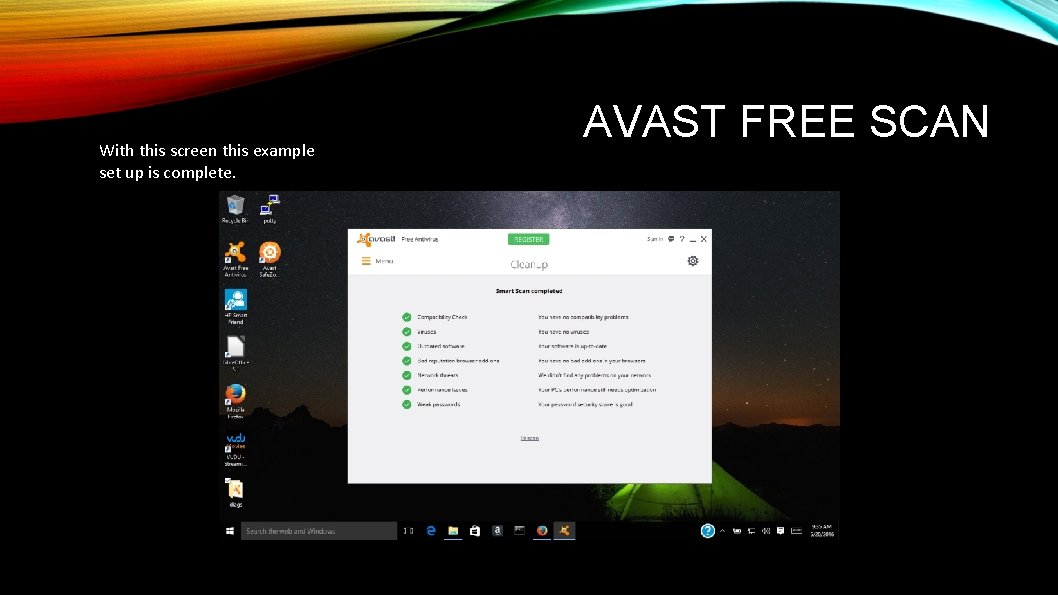
With this screen this example set up is complete. AVAST FREE SCAN
AVAST FREE SCAN
REAL TIME ANTIVIRUS FOR MAC The best antivirus for Mac. We reveal the best free- and paid for antivirus for Mac. Best Mac security software 2016. • • Avast Avira Sophos Kaspersky Symantec AVG ESET Bitdefender
REAL TIME ANTIVIRUS FOR WIN Download Best Antivirus for Windows 10 Free • Avast Free Antivirus will be the one of the best free Anti Virus for Windows 10 • Norton Antivirus • Microsoft Security Essentials • Avira Free Antivirus • Panda Cloud Antivirus • Bitdefender Free Antivirus
MALWARE REMOVAL Malware Bytes • The best Malware removal is Malware Bytes • Pay to play and free versions are available • Windows and Mac versions are available
1. PREVENTION OF MALWARE INFECTION (CONTINUED) 1. 3. Be vigilant when downloading files, programs, attachments, etc. Downloads that seem strange or are from an unfamiliar source often contain malware.
1. 3 USER VIGILANCE