
This presentation is for informational purposes only and



- Slides: 32
“This presentation is for informational purposes only and may not be incorporated into a contract or agreement. ”
The following is intended to outline our general product direction. It is intended for information purposes only, and may not be incorporated into any contract. It is not a commitment to deliver any material, code, or functionality, and should not be relied upon in making purchasing decision. The development, release, and timing of any features or functionality described for Oracle’s products remains at the sole discretion of Oracle.
Oracle XML Publisher Integration with People. Tools
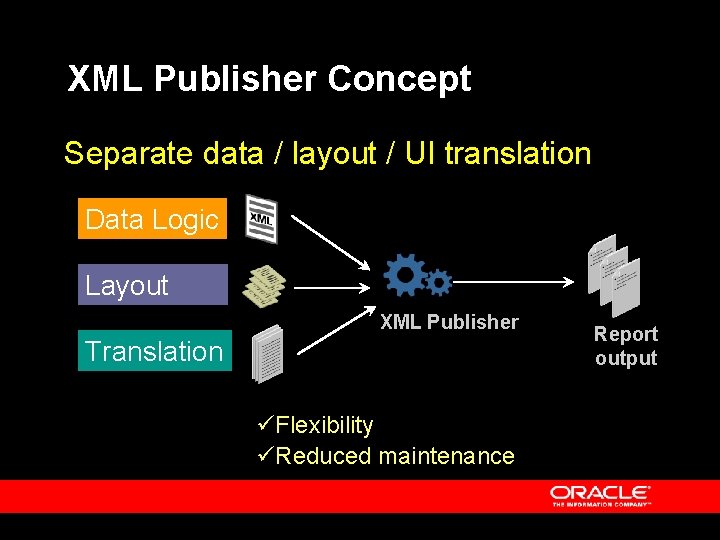
XML Publisher Concept Separate data / layout / UI translation Data Logic Layout XML Publisher Translation üFlexibility üReduced maintenance Report output
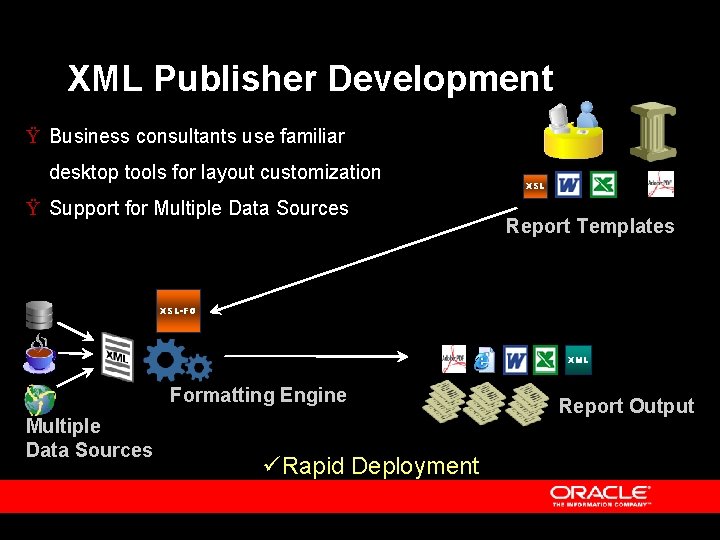
XML Publisher Development Ÿ Business consultants use familiar desktop tools for layout customization Ÿ Support for Multiple Data Sources XSL Report Templates XSL-FO XML Formatting Engine Multiple Data Sources üRapid Deployment Report Output
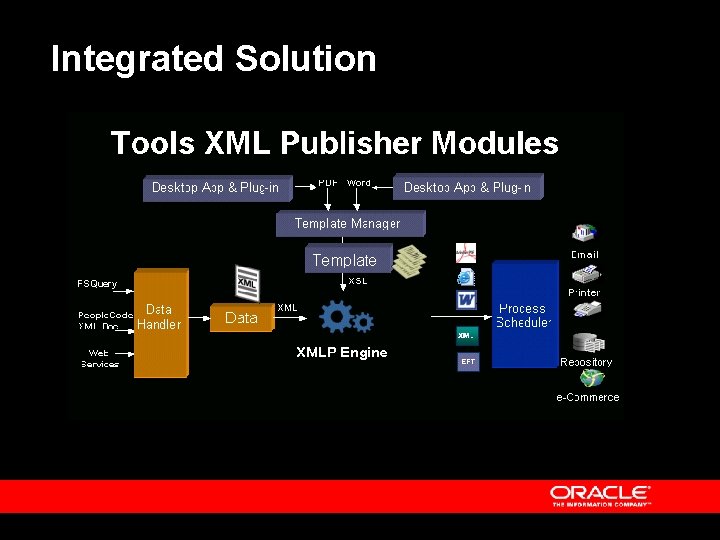
Integrated Solution
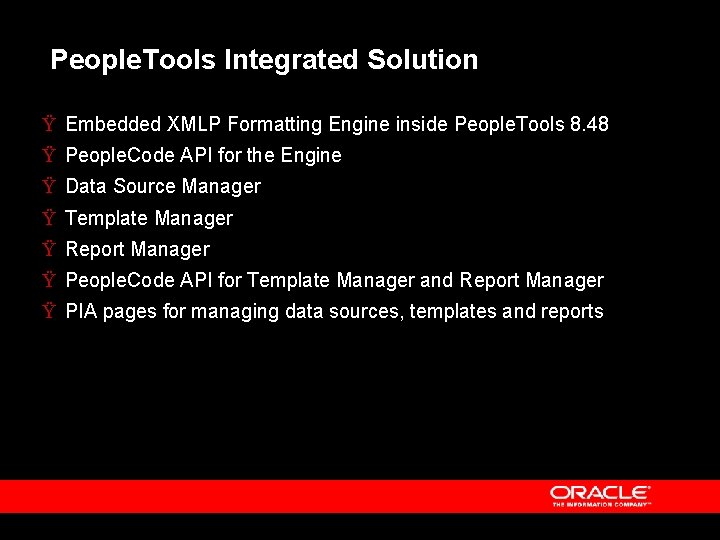
People. Tools Integrated Solution Ÿ Embedded XMLP Formatting Engine inside People. Tools 8. 48 Ÿ People. Code API for the Engine Ÿ Data Source Manager Ÿ Template Manager Ÿ Report Manager Ÿ People. Code API for Template Manager and Report Manager Ÿ PIA pages for managing data sources, templates and reports
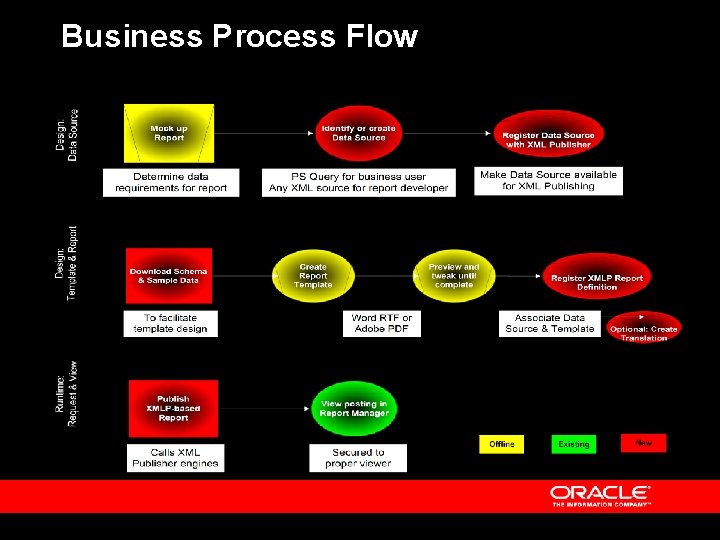
Business Process Flow
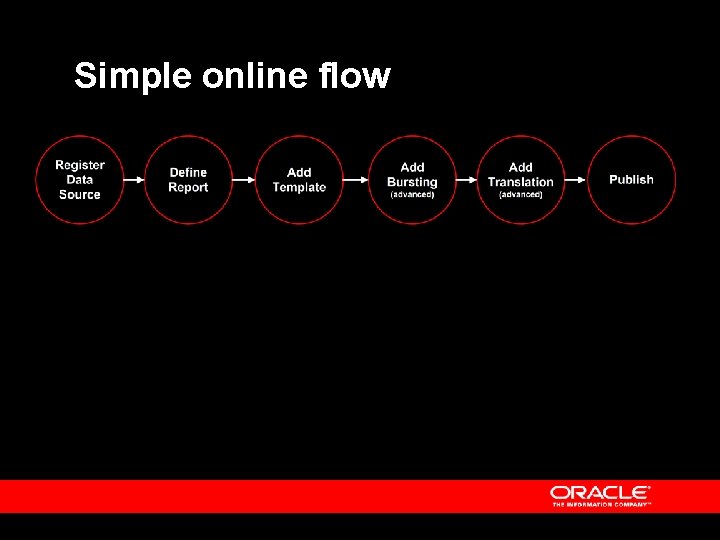
Simple online flow
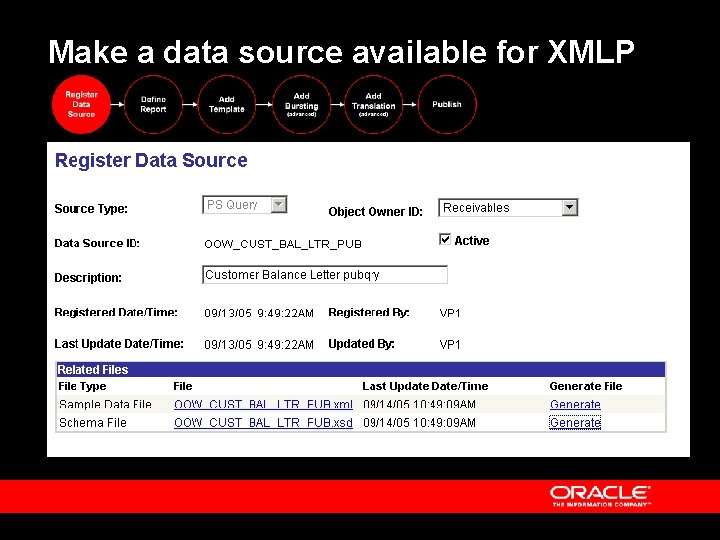
Make a data source available for XMLP
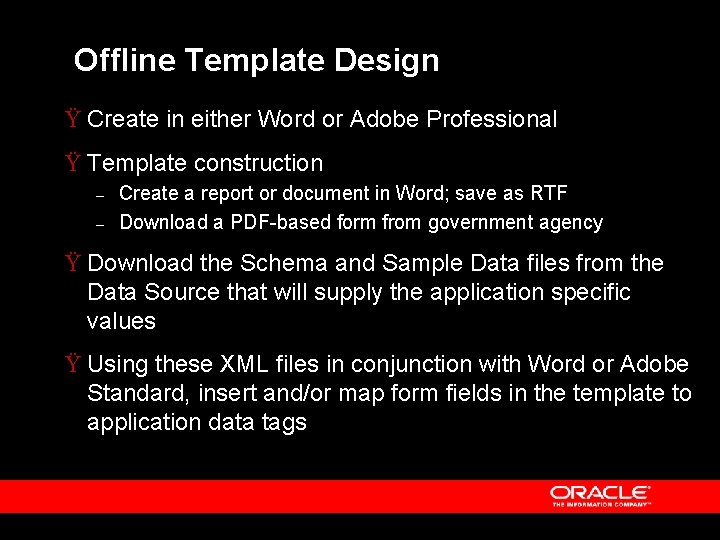
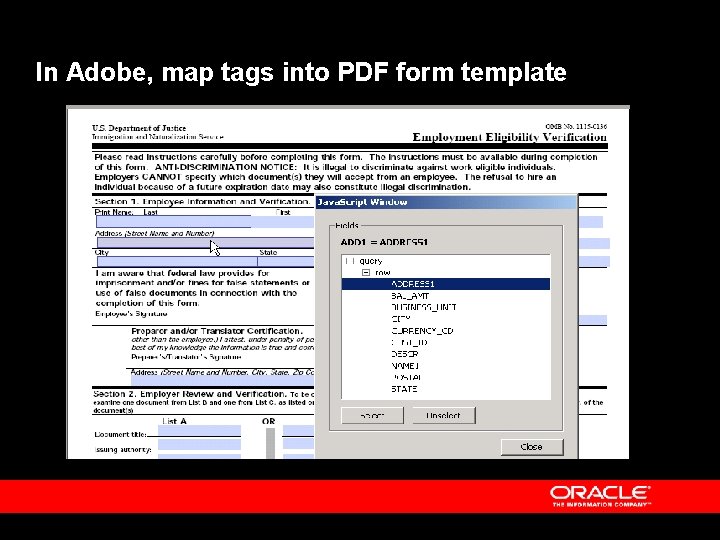
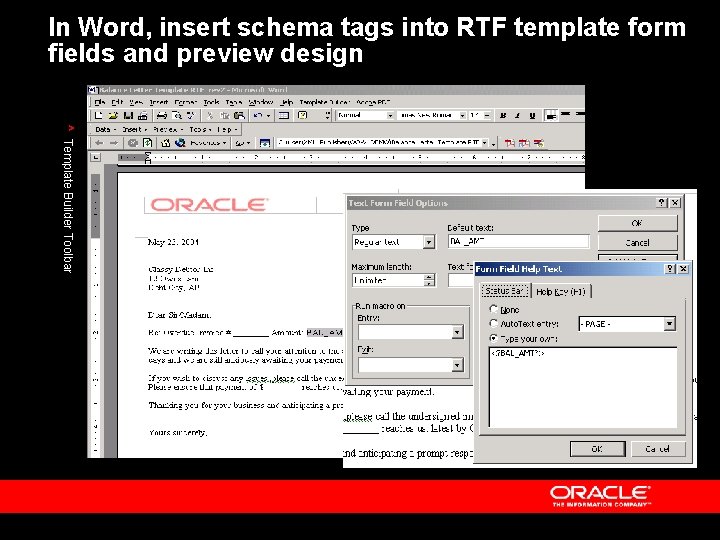
Offline Template Design Ÿ Create in either Word or Adobe Professional Ÿ Template construction – – Create a report or document in Word; save as RTF Download a PDF-based form from government agency Ÿ Download the Schema and Sample Data files from the Data Source that will supply the application specific values Ÿ Using these XML files in conjunction with Word or Adobe Standard, insert and/or map form fields in the template to application data tags
In Adobe, map tags into PDF form template
In Word, insert schema tags into RTF template form fields and preview design ^ Template Builder Toolbar
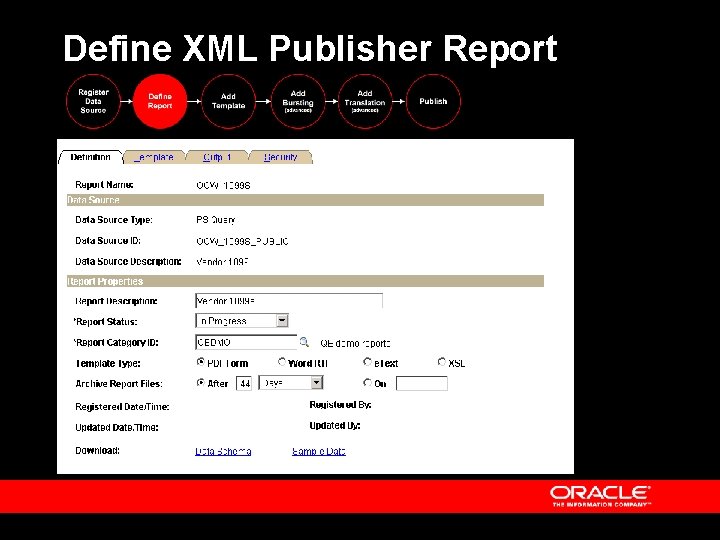
Define XML Publisher Report
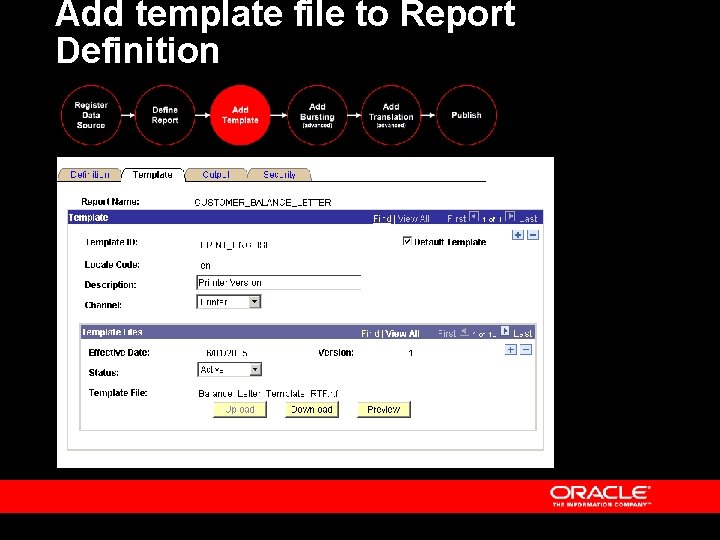
Add template file to Report Definition
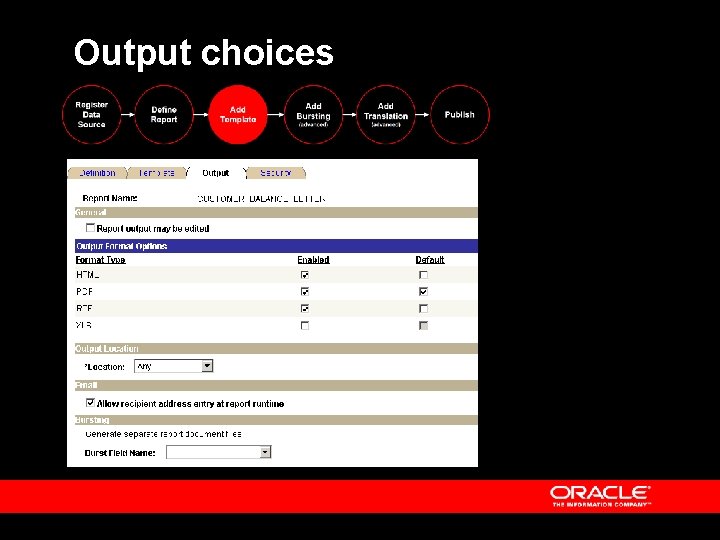
Output choices
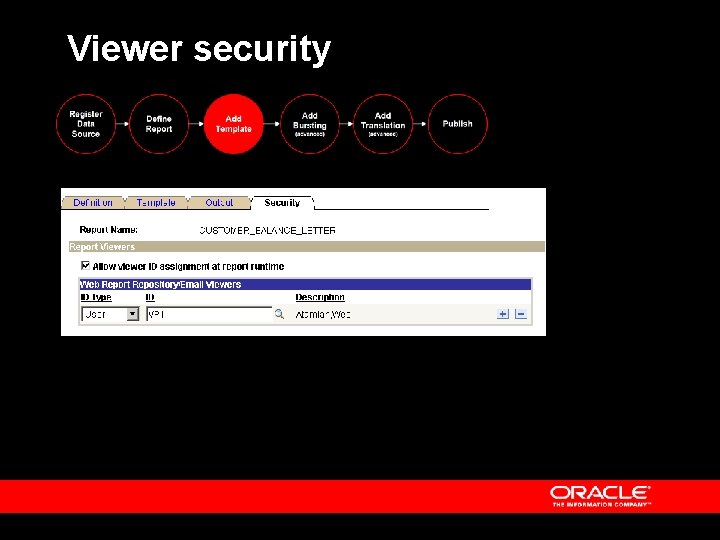
Viewer security
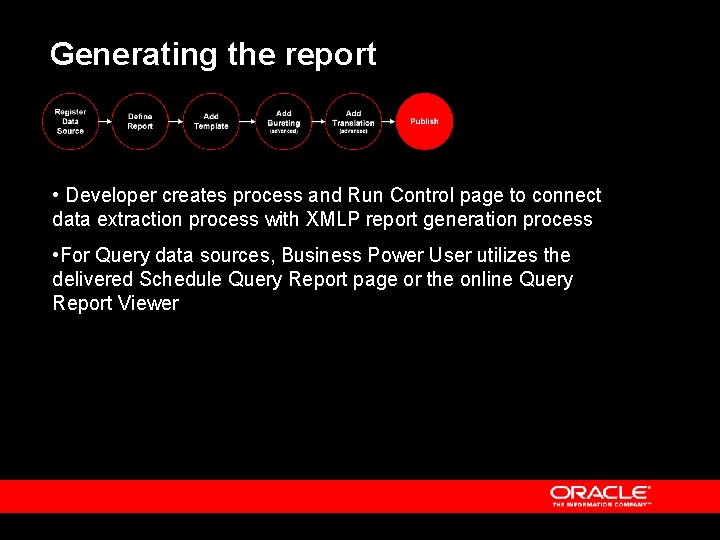
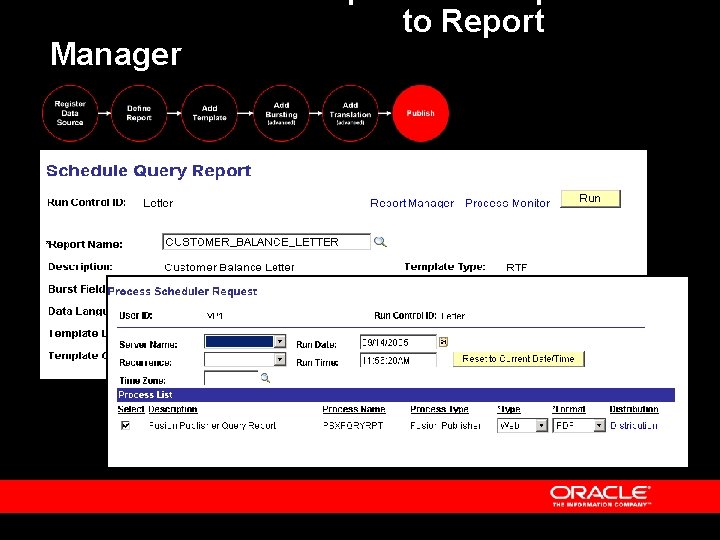
Generating the report • Developer creates process and Run Control page to connect data extraction process with XMLP report generation process • For Query data sources, Business Power User utilizes the delivered Schedule Query Report page or the online Query Report Viewer
Manager to Report
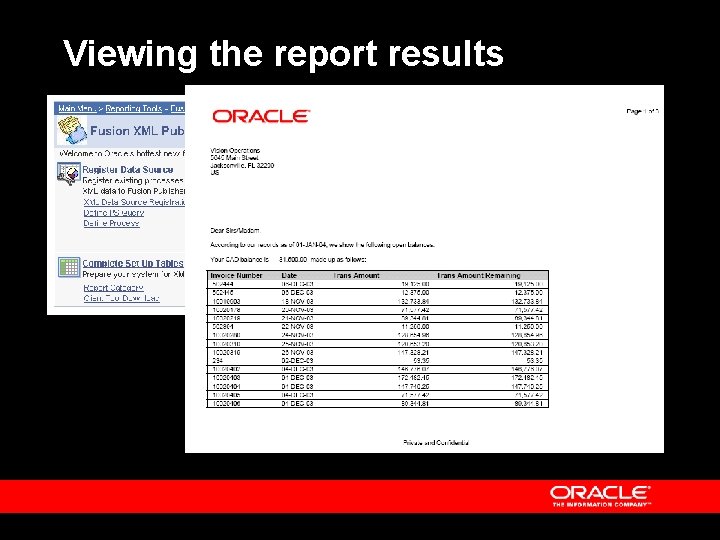
Viewing the report results
Advanced Options Bursting Content Library Translation
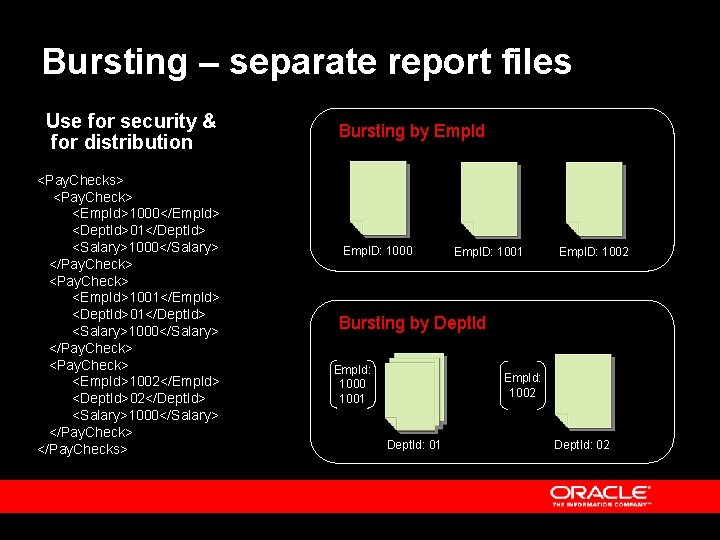
Bursting – separate report files Use for security & for distribution <Pay. Checks> <Pay. Check> <Emp. Id>1000</Empld> <Dept. Id>01</Dept. Id> <Salary>1000</Salary> </Pay. Check> <Emp. Id>1001</Empld> <Dept. Id>01</Dept. Id> <Salary>1000</Salary> </Pay. Check> <Emp. Id>1002</Empld> <Dept. Id>02</Dept. Id> <Salary>1000</Salary> </Pay. Checks> Bursting by Empld Empl. D: 1000 Empl. D: 1001 Empl. D: 1002 Bursting by Deptld Emp. Id: 1000 1001 Emp. Id: 1002 Dept. Id: 01 Dept. Id: 02
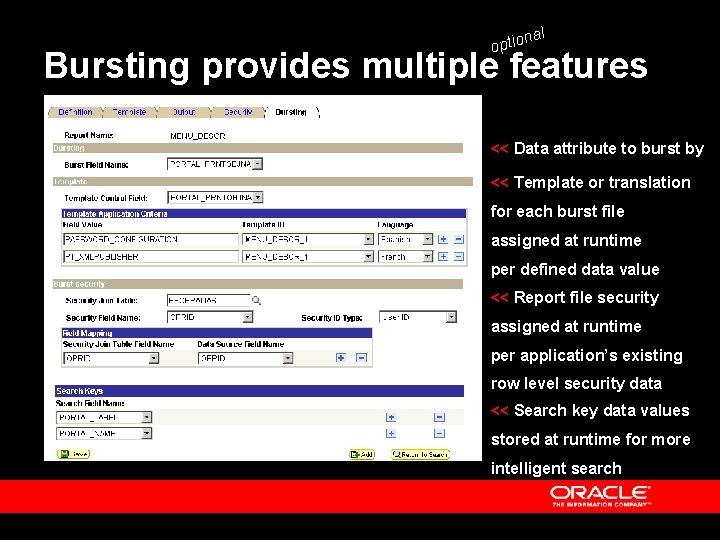
al n optio Bursting provides multiple features << Data attribute to burst by << Template or translation for each burst file assigned at runtime per defined data value << Report file security assigned at runtime per application’s existing row level security data << Search key data values stored at runtime for more intelligent search
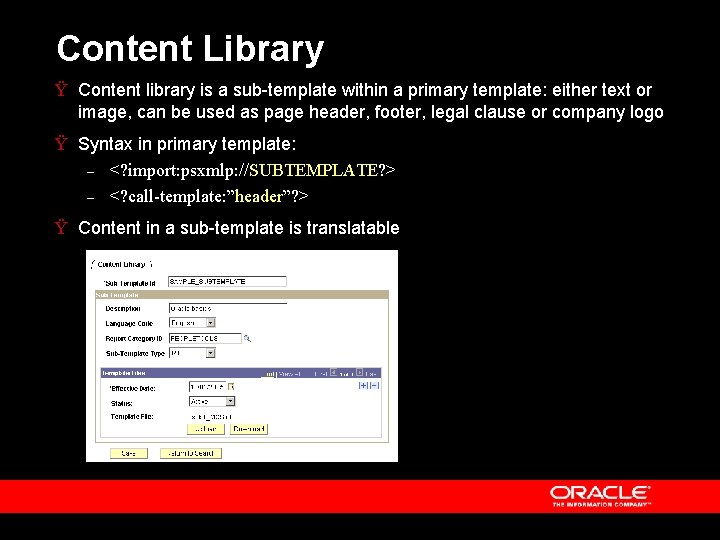
Content Library Ÿ Content library is a sub-template within a primary template: either text or image, can be used as page header, footer, legal clause or company logo Ÿ Syntax in primary template: – <? import: psxmlp: //SUBTEMPLATE? > – <? call-template: ”header”? > Ÿ Content in a sub-template is translatable
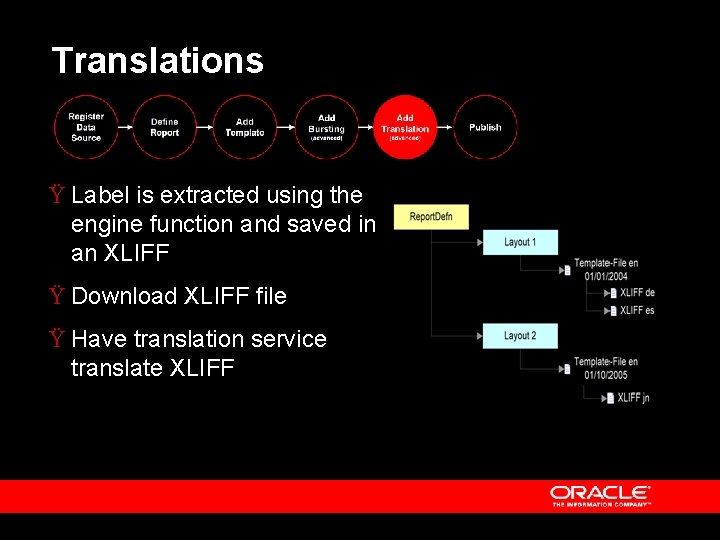
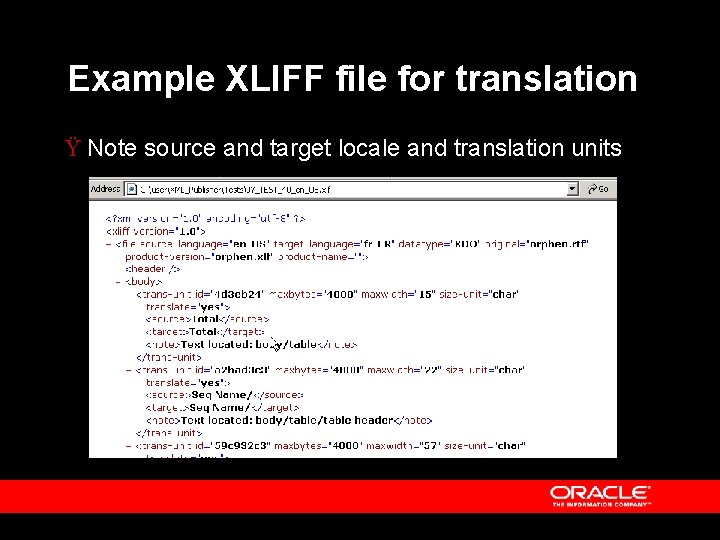
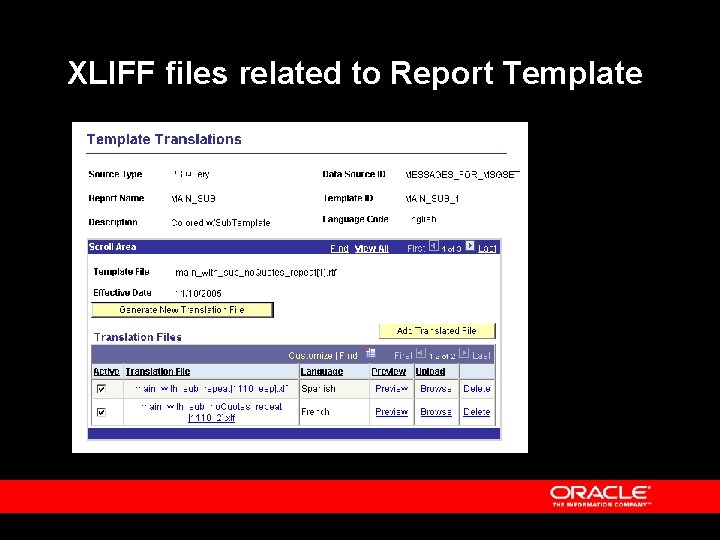
Translations Ÿ Label is extracted using the engine function and saved in an XLIFF Ÿ Download XLIFF file Ÿ Have translation service translate XLIFF
Example XLIFF file for translation Ÿ Note source and target locale and translation units
XLIFF files related to Report Template
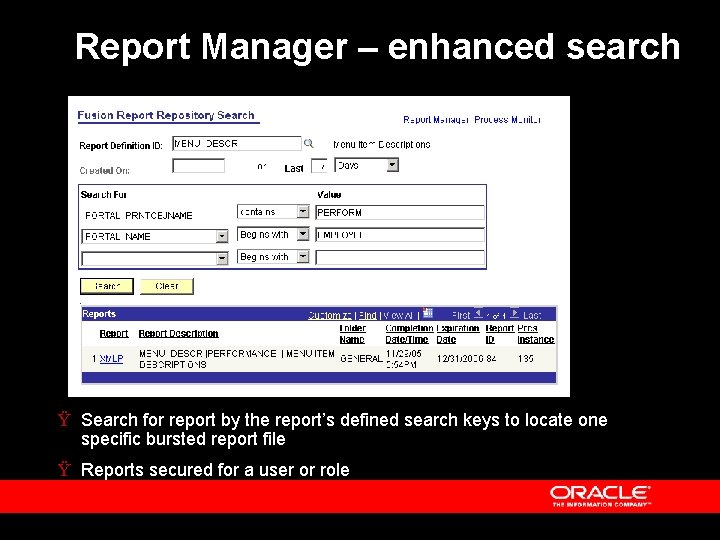
Report Manager – enhanced search Ÿ Search for report by the report’s defined search keys to locate one specific bursted report file Ÿ Reports secured for a user or role
Real life goal is reducing IT dependency Ÿ For ad hoc reports and documents – Business users can use Query as data source and design their own ad hoc reports and documents Ÿ For production reports and forms – – – Developers supply XML data extraction program from any source and the initial template designs Business users can tweak the template layouts as needed New form versions only require user to map data elements into the new template form; no coding required
Help for report developers Ÿ Registration, storage and management of report definitions and related files Ÿ Schema generator utility for xsd files Ÿ API’s, application classes, and People. Code examples to facilitate incorporation of XML Publisher reporting function onto application pages and run controls Ÿ Managed Object support to facilitate movement of new reports from development to production