
Thinking in Parallel Task Decomposition New Mexico Supercomputing


- Slides: 32
Thinking in Parallel – Task Decomposition New Mexico Supercomputing Challenge in partnership with Intel Corp. and NM EPSCo. R
Copyrights and Acknowledgments Intel and the Intel logo are trademarks or registered trademarks of Intel Corporation or its subsidiaries in the United States or other countries. New Mexico EPSCo. R Program is funded in part by the National Science Foundation award #0814449 and the State of New Mexico. Any opinions, findings, conclusions, or recommendations expressed in the material are those of the author(s) and do not necessarily reflect the views of the National Science Foundation. For questions about the Supercomputing Challenge, a 501(c)3 organization, contact us at: consult @ challenge. nm. org
Agenda Definition review of task decomposition Steps involved in task decomposition Conceptual example of task decomposition Hands-on task decomposition parallel activity
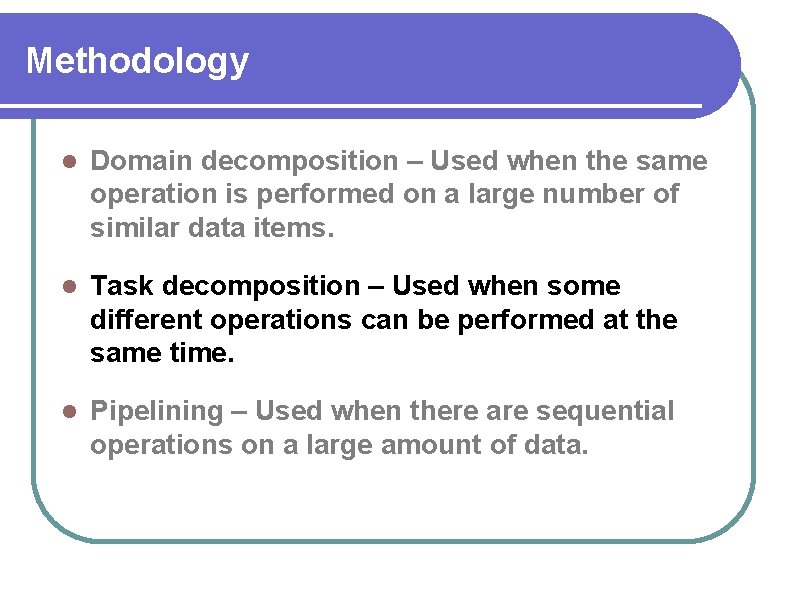
Methodology Domain decomposition – Used when the same operation is performed on a large number of similar data items. Task decomposition – Used when some different operations can be performed at the same time. Pipelining – Used when there are sequential operations on a large amount of data.
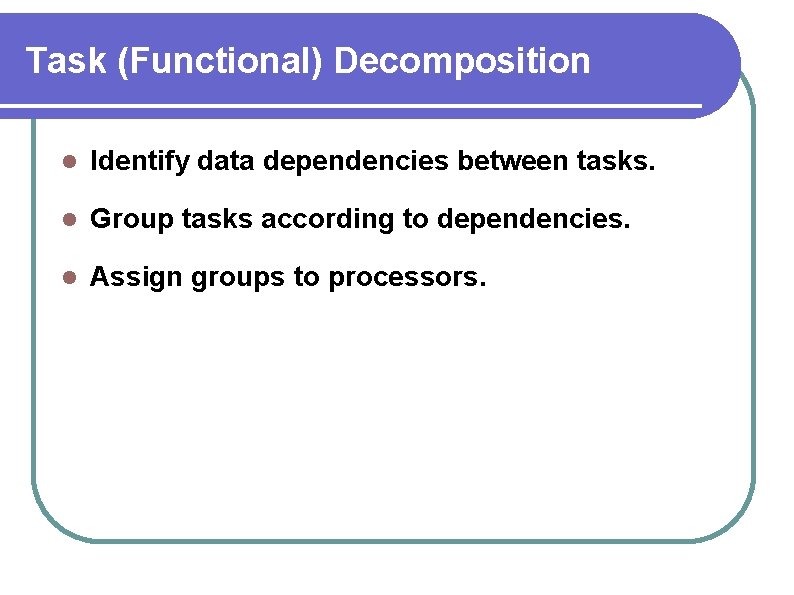
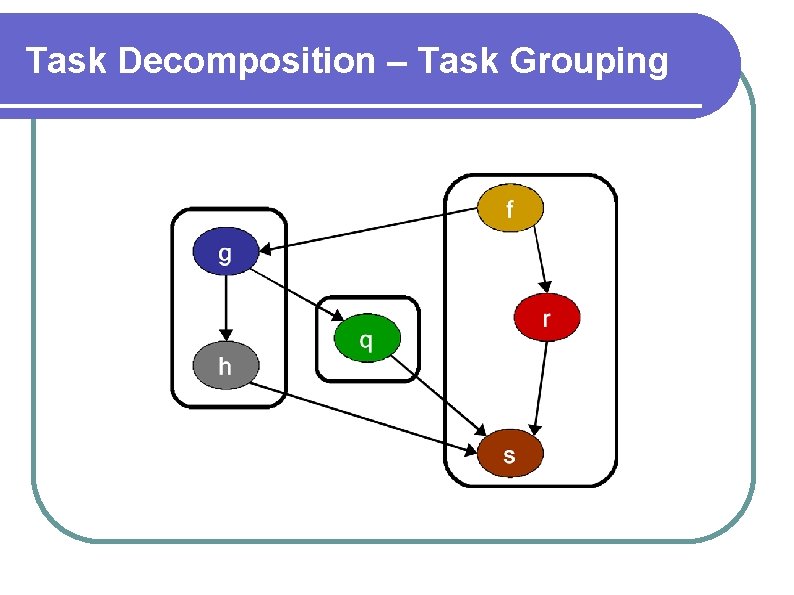
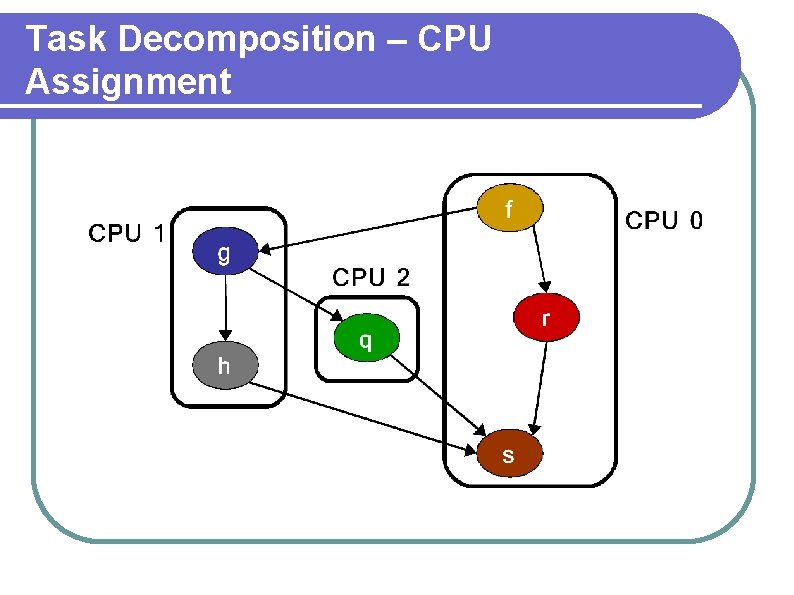
Task (Functional) Decomposition Identify data dependencies between tasks. Group tasks according to dependencies. Assign groups to processors.
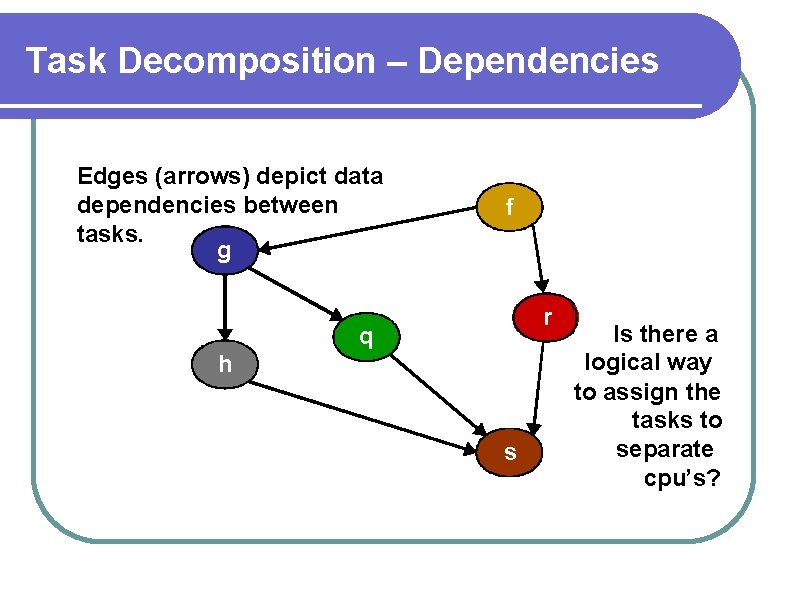
Task Decomposition – Dependencies Edges (arrows) depict data dependencies between tasks. g f r q h s Is there a logical way to assign the tasks to separate cpu’s?
Task Decomposition – Task Grouping
Task Decomposition – CPU Assignment
Task Decomposition – Step 1
Task Decomposition – Step 2
Task Decomposition – Step 3
Task Decomposition – Step 4
Hands-on Activity 1 – Box Stuffing Your team will perform a series of tasks. * See handout for detailed instructions
Activity 1 – Setup Give all items to each group.
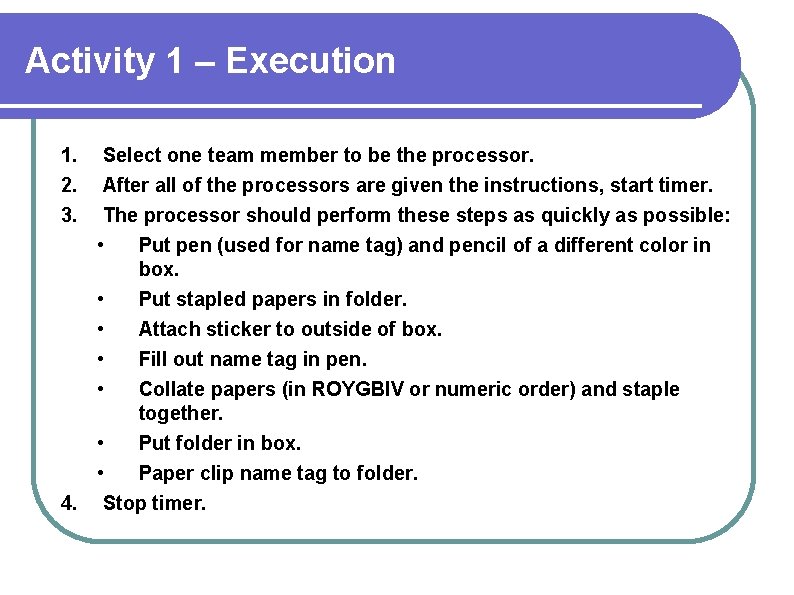
Activity 1 – Execution 1. 2. 3. Select one team member to be the processor. After all of the processors are given the instructions, start timer. The processor should perform these steps as quickly as possible: • Put pen (used for name tag) and pencil of a different color in box. • Put stapled papers in folder. • Attach sticker to outside of box. • Fill out name tag in pen. • Collate papers (in ROYGBIV or numeric order) and staple together. • Put folder in box. • Paper clip name tag to folder. 4. Stop timer.
Activity 1 – Debrief Was there any wasted effort? • If so, discuss possible reasons. • If not, discuss possible reasons.
Activity 2 – Discovering Dependencies Your team will identify dependencies between tasks.
Activity 2 – Setup Give task list and a pair of scissors to each group.
Activity 2 – Execution 1. Cut task list into strips. 2. Layout all task strips of paper on table. 3. Organize the task strips so that there would be minimal wasted effort if the tasks were performed in that order. 4. Explain how your group organized the list.
Activity 2 – Debrief Did every group arrive at the same task order? • If so, what were the key conclusions in common? • If not, discuss possible reasons for the differences.
Activity 3 – Box Stuffing with Dependencies Your team will perform tasks in the order dictated by the identified dependencies.
Activity 3 – Setup Give all items to each group.
Activity 3 – Execution 1. Pick a different team member to be the processor. 2. After all of the processors are given the instructions, start timer. 3. The processor should perform the tasks in the chosen order. 4. Stop timer.
Activity 3 – Debrief 1. Was there less wasted time or effort than in activity 1? 2. Which group was the fastest? 3. Was that group fastest due to the speed of its processor, or the task order? 4. Are there some tasks, or sets of tasks, that could be done simultaneously (in parallel)?
Activity 4 – Identifying Opportunities for Parallelism Your team will identify opportunities for parallelism, subject to dependencies
Activity 4 – Setup Give task list to each group.
Activity 4 – Execution 1. Lay out all task strips of paper on table. 2. Separate the tasks into groups that can be performed simultaneously. 3. Organize the tasks within each group according to the dependencies. 4. Explain how your group organized the list.
Activity 4 – Debrief Did every group arrive at the same task organization? • If so, what were the key conclusions in common? • If not, discuss possible reasons for the differences.
Activity 5 – Box Stuffing with Parallel Dependencies Your team will execute tasks with dependencies and parallelism, assigning sets of tasks to different team members.
Activity 5 – Setup Give all items to each group.
Activity 5 – Execution 1. After all of the processors are given the instructions, start timer. 2. Perform the tasks in the chosen order, and working in parallel to the extent possible (more than one person in the team can be working at the same time). 3. Stop timer.
Activity 5 – Debrief 1. Was this activity completed faster than activity 3? 2. Were the team members equally occupied? 3. Which group was the fastest? 4. Was that group fastest due to the speed of its members, or the task order?