
The x 86 Feature Flags On using the
- Slides: 22
The x 86 Feature Flags On using the CPUID instruction for processor identification and feature determination
Some features of interest • In our course we focus on EM 64 T and VT • A majority of x 86 processors today do not support either of these features (e. g. , our classroom and Lab machines lack them) • But machines with Intel’s newest CPUs, such as Core-2 Duo and Pentium-D 9 xx, do have both of these capabilities built-in • Software needs to detect these features (or risk crashing in case they’re missing)
Quotation NOTE Software must confirm that a processor feature is present using feature flags returned by CPUID prior to using the feature. Software should not depend on future offerings retaining all features. IA-32 Intel Architecture Software Developer’s Manual, volume 2 A, page 3 -165
The CPUID instruction • It exists if bit #21 in the EFLAGS register (the ID-bit) can be ‘toggled’ by software • It can be executed in any processor mode and at any of processor’s privilege-levels • It returns two categories of information: – Basic processor functions – Extended processor functions • It’s documented online (see class website)
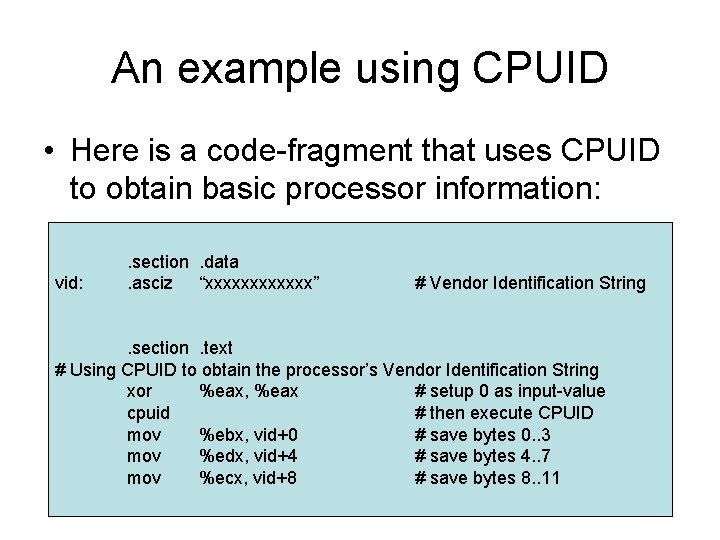
An example using CPUID • Here is a code-fragment that uses CPUID to obtain basic processor information: vid: . section. data. asciz “xxxxxx” # Vendor Identification String . section. text # Using CPUID to obtain the processor’s Vendor Identification String xor %eax, %eax # setup 0 as input-value cpuid # then execute CPUID mov %ebx, vid+0 # save bytes 0. . 3 mov %edx, vid+4 # save bytes 4. . 7 mov %ecx, vid+8 # save bytes 8. . 11
CPU feature information • You can execute CPUID with input-value 1 to get some processor feature information (as well as processor-version information) • The feature information is returned in the EDX and ECX registers, with individual bitsettings indicating whether or not specific features are present in the processor • These bits are documented in volume 2 A
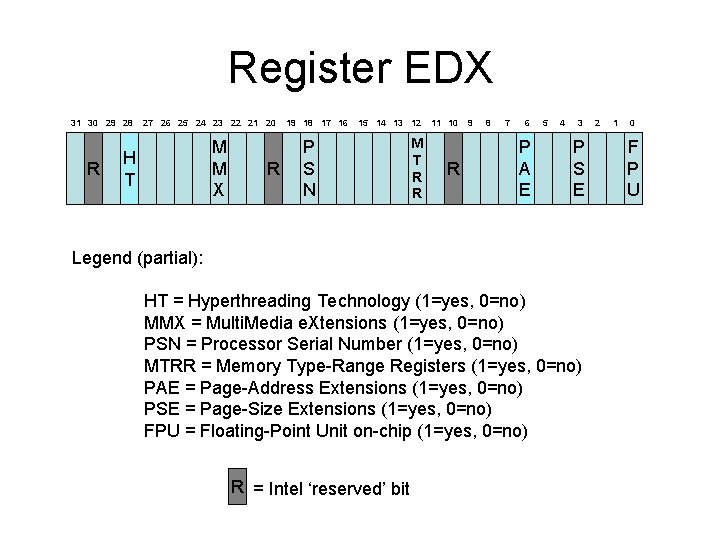
Register EDX 31 30 29 28 R 27 26 25 24 23 22 21 20 M M X H T R 19 18 17 16 15 14 13 12 P S N M T R R 11 10 R 9 8 7 6 P A E 5 4 3 P S E Legend (partial): HT = Hyperthreading Technology (1=yes, 0=no) MMX = Multi. Media e. Xtensions (1=yes, 0=no) PSN = Processor Serial Number (1=yes, 0=no) MTRR = Memory Type-Range Registers (1=yes, 0=no) PAE = Page-Address Extensions (1=yes, 0=no) PSE = Page-Size Extensions (1=yes, 0=no) FPU = Floating-Point Unit on-chip (1=yes, 0=no) R = Intel ‘reserved’ bit 2 1 0 F P U
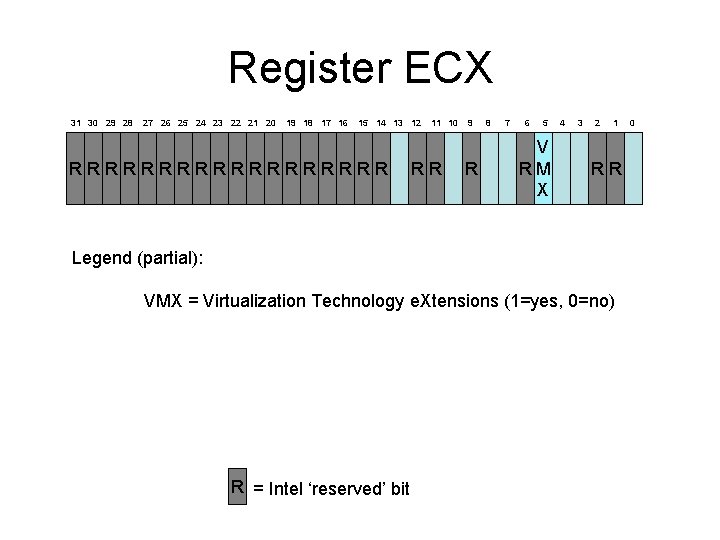
Register ECX 31 30 29 28 27 26 25 24 23 22 21 20 19 18 17 16 15 14 13 12 RRRRRRRRR 11 10 RR 9 R 8 7 6 5 V RM X 4 3 2 1 RR Legend (partial): VMX = Virtualization Technology e. Xtensions (1=yes, 0=no) R = Intel ‘reserved’ bit 0
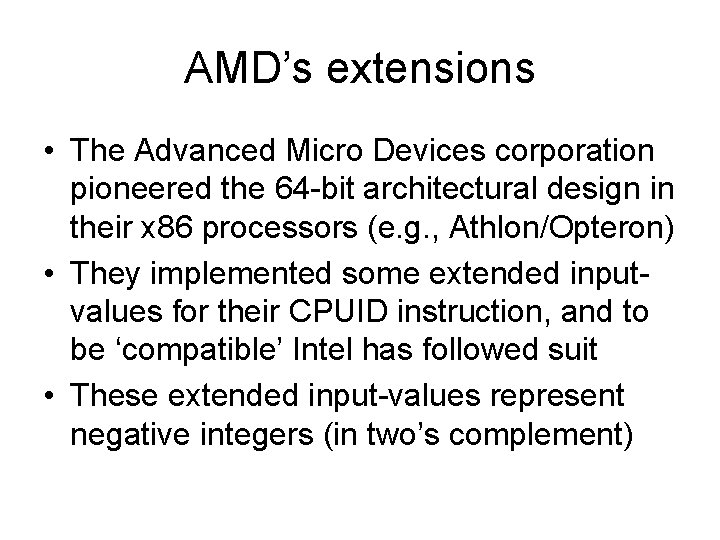
AMD’s extensions • The Advanced Micro Devices corporation pioneered the 64 -bit architectural design in their x 86 processors (e. g. , Athlon/Opteron) • They implemented some extended inputvalues for their CPUID instruction, and to be ‘compatible’ Intel has followed suit • These extended input-values represent negative integers (in two’s complement)
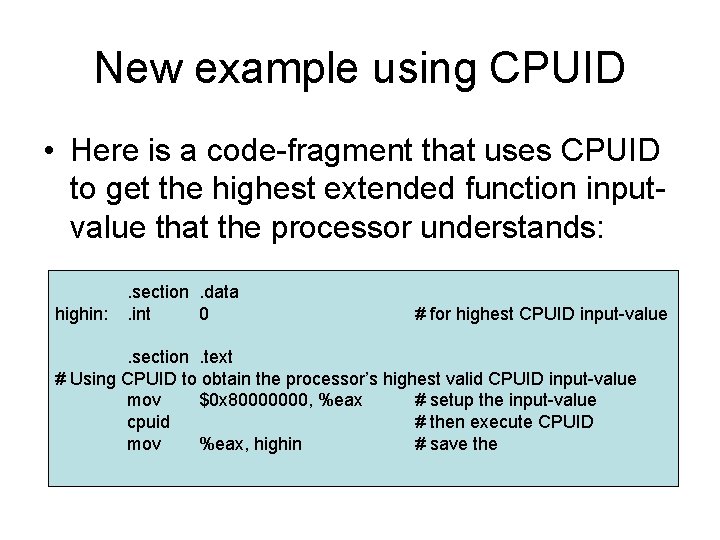
New example using CPUID • Here is a code-fragment that uses CPUID to get the highest extended function inputvalue that the processor understands: highin: . section. data. int 0 # for highest CPUID input-value . section. text # Using CPUID to obtain the processor’s highest valid CPUID input-value mov $0 x 80000000, %eax # setup the input-value cpuid # then execute CPUID mov %eax, highin # save the
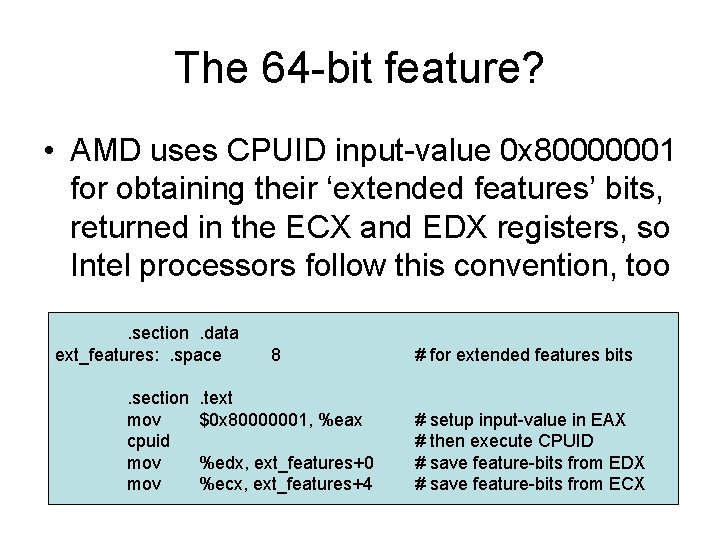
The 64 -bit feature? • AMD uses CPUID input-value 0 x 80000001 for obtaining their ‘extended features’ bits, returned in the ECX and EDX registers, so Intel processors follow this convention, too. section. data ext_features: . space. section mov cpuid mov 8 . text $0 x 80000001, %eax %edx, ext_features+0 %ecx, ext_features+4 # for extended features bits # setup input-value in EAX # then execute CPUID # save feature-bits from EDX # save feature-bits from ECX
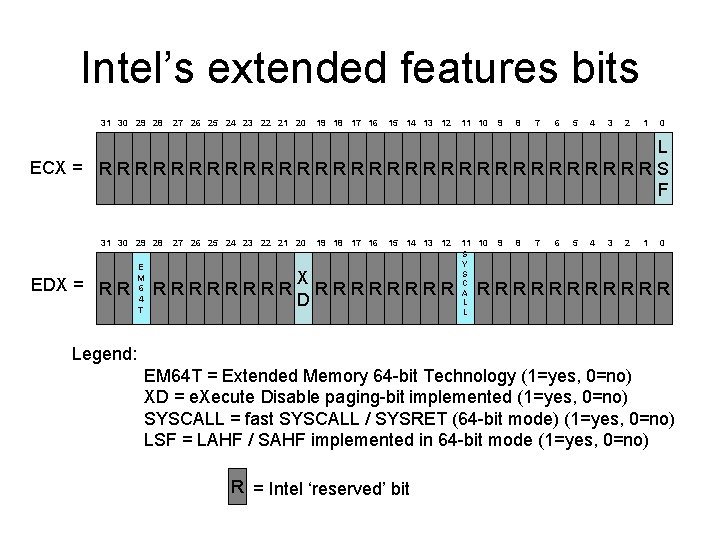
Intel’s extended features bits 31 30 29 28 27 26 25 24 23 22 21 20 19 18 17 16 15 14 13 12 11 10 9 8 7 6 5 4 3 2 1 0 L ECX = R R R R R R R R S F 31 30 29 28 EDX = R R E M 6 4 T 27 26 25 24 23 22 21 20 RRRR 19 18 17 16 15 14 13 12 X RRRR D 11 10 S Y S C A L L 9 8 7 6 5 4 3 2 1 0 RRRRRR Legend: EM 64 T = Extended Memory 64 -bit Technology (1=yes, 0=no) XD = e. Xecute Disable paging-bit implemented (1=yes, 0=no) SYSCALL = fast SYSCALL / SYSRET (64 -bit mode) (1=yes, 0=no) LSF = LAHF / SAHF implemented in 64 -bit mode (1=yes, 0=no) R = Intel ‘reserved’ bit
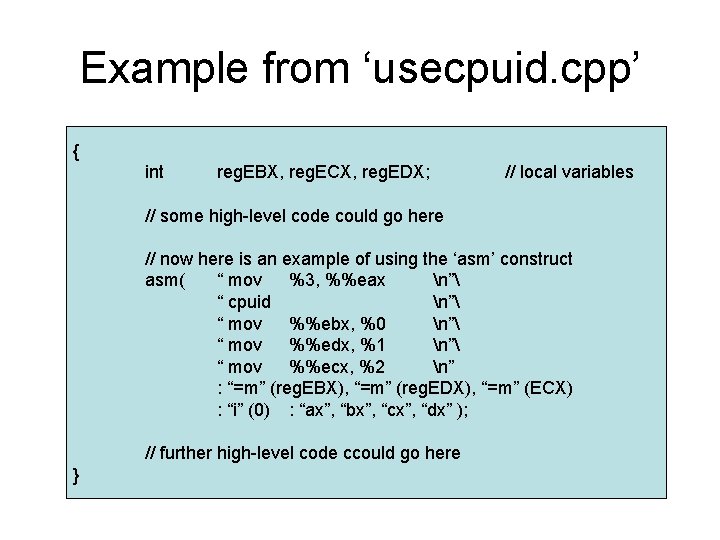
The ‘asm’ construct • When using C/C++ for systems programs, we sometimes need to employ processorspecific instructions (e. g. , to access CPU registers or the current stack area) • Because our high-level languages strive for ‘portability’ across different hardware platforms, these languages don’t provide direct access to CPU registers or stack
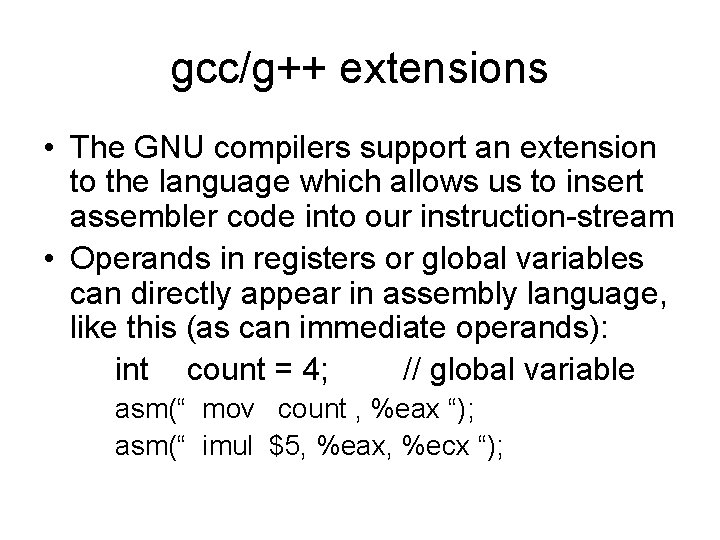
gcc/g++ extensions • The GNU compilers support an extension to the language which allows us to insert assembler code into our instruction-stream • Operands in registers or global variables can directly appear in assembly language, like this (as can immediate operands): int count = 4; // global variable asm(“ mov count , %eax “); asm(“ imul $5, %eax, %ecx “);
Local variables • Variables defined as local to a function are more awkward to reference by name with the ‘asm’ construct, because they reside on the stack and require the generation of offsets from the %ebp register-contents • A special syntax is available for handling such situations in a manner that gcc/g++ can decipher
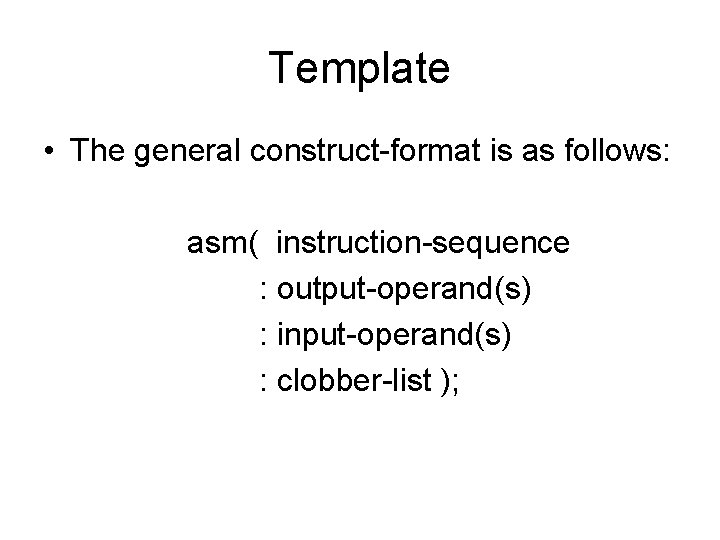
Template • The general construct-format is as follows: asm( instruction-sequence : output-operand(s) : input-operand(s) : clobber-list );
Example from ‘usecpuid. cpp’ { int reg. EBX, reg. ECX, reg. EDX; // local variables // some high-level code could go here // now here is an example of using the ‘asm’ construct asm( “ mov %3, %%eax n” “ cpuid n” “ mov %%ebx, %0 n” “ mov %%edx, %1 n” “ mov %%ecx, %2 n” : “=m” (reg. EBX), “=m” (reg. EDX), “=m” (ECX) : “i” (0) : “ax”, “bx”, “cx”, “dx” ); // further high-level code ccould go here }
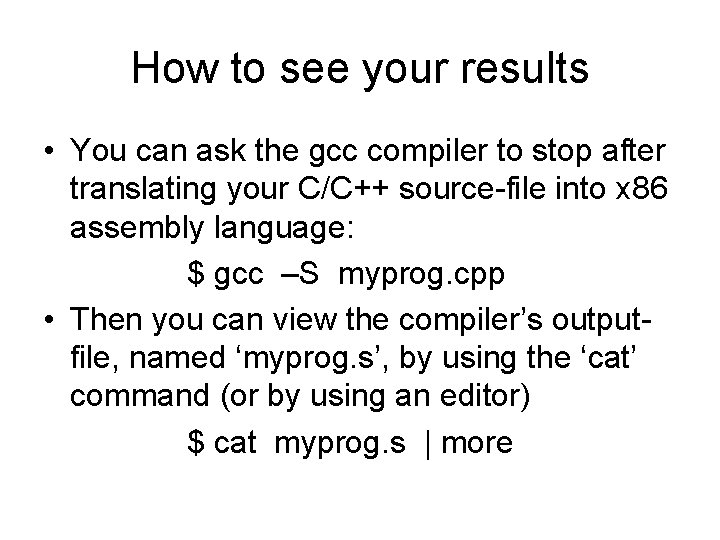
How to see your results • You can ask the gcc compiler to stop after translating your C/C++ source-file into x 86 assembly language: $ gcc –S myprog. cpp • Then you can view the compiler’s outputfile, named ‘myprog. s’, by using the ‘cat’ command (or by using an editor) $ cat myprog. s | more
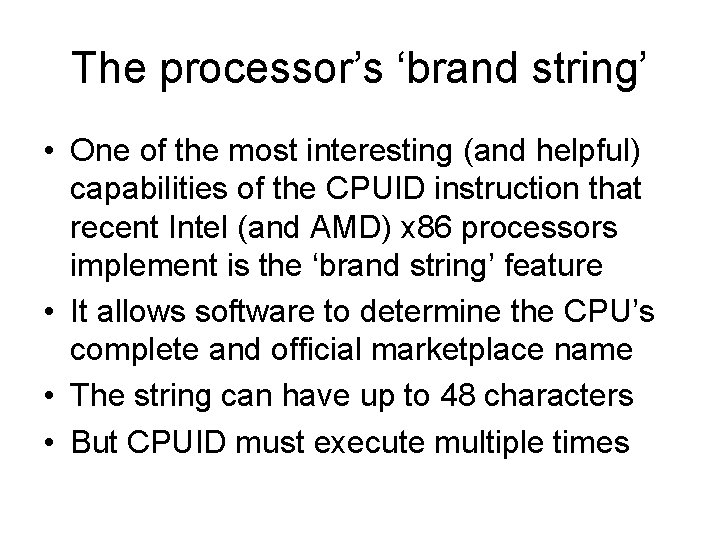
The processor’s ‘brand string’ • One of the most interesting (and helpful) capabilities of the CPUID instruction that recent Intel (and AMD) x 86 processors implement is the ‘brand string’ feature • It allows software to determine the CPU’s complete and official marketplace name • The string can have up to 48 characters • But CPUID must execute multiple times
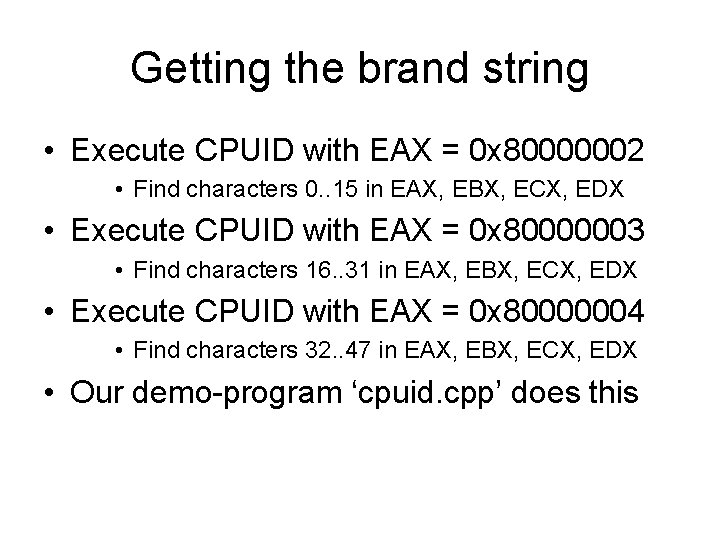
Getting the brand string • Execute CPUID with EAX = 0 x 80000002 • Find characters 0. . 15 in EAX, EBX, ECX, EDX • Execute CPUID with EAX = 0 x 80000003 • Find characters 16. . 31 in EAX, EBX, ECX, EDX • Execute CPUID with EAX = 0 x 80000004 • Find characters 32. . 47 in EAX, EBX, ECX, EDX • Our demo-program ‘cpuid. cpp’ does this
In-class exercise #1 • Compile and execute our ‘cpuid. cpp’ demo program on your classroom workstation, to see if EM 64 T and VT features are present, and to view the processor’s “brand string” • Then try running the program on ‘stargate’ and on ‘colby’, and finally try running it on your Core-2 Duo-based ‘anchor’ platform
In-class exercise #2 • Can you modify our ‘trycuid. s’ demo so it will display the processor’s ‘brand string’? • (You can see how our ‘cpuid. cpp’ does it) • Remember: Intel’s CPUID instruction is described in detail in Chapter 3 of “IA-32 Intel Architecture Software Developer’s Manual, Volume 2 B” (a web link is online)