
The Web Wizards Guide to PHP by David

The Web Wizard’s Guide to PHP by David Lash Copyright © 2003 Pearson Education, Inc. 1

CHAPTER 5 Using Arrays for List Data Copyright © 2003 Pearson Education, Inc. 2
Objectives n n n To understand the benefits of using arrays in PHP To learn how to create and use sequential arrays and their functions To learn how to create and use nonsequential arrays and their functions
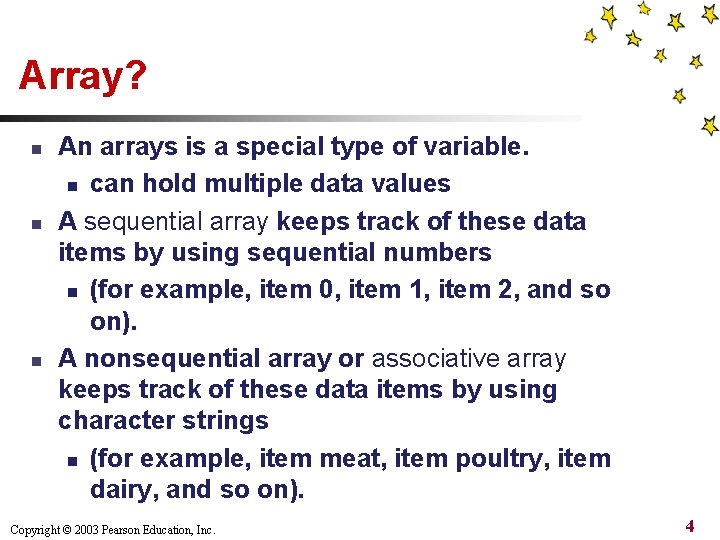
Array? n n n An arrays is a special type of variable. n can hold multiple data values A sequential array keeps track of these data items by using sequential numbers n (for example, item 0, item 1, item 2, and so on). A nonsequential array or associative array keeps track of these data items by using character strings n (for example, item meat, item poultry, item dairy, and so on). Copyright © 2003 Pearson Education, Inc. 4
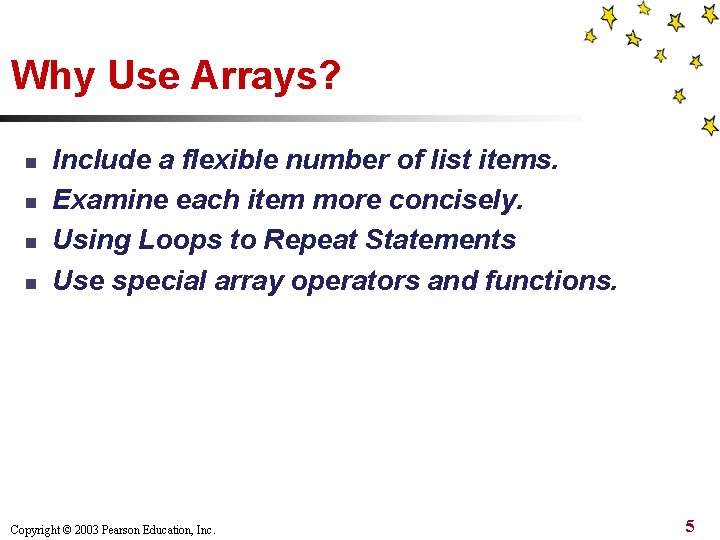
Why Use Arrays? n n Include a flexible number of list items. Examine each item more concisely. Using Loops to Repeat Statements Use special array operators and functions. Copyright © 2003 Pearson Education, Inc. 5

Creating Sequential Arrays n n Use the array() function to create an array You could also create an array with numerical data n $grades = array(66, 75, 80); Copyright © 2003 Pearson Education, Inc. 6
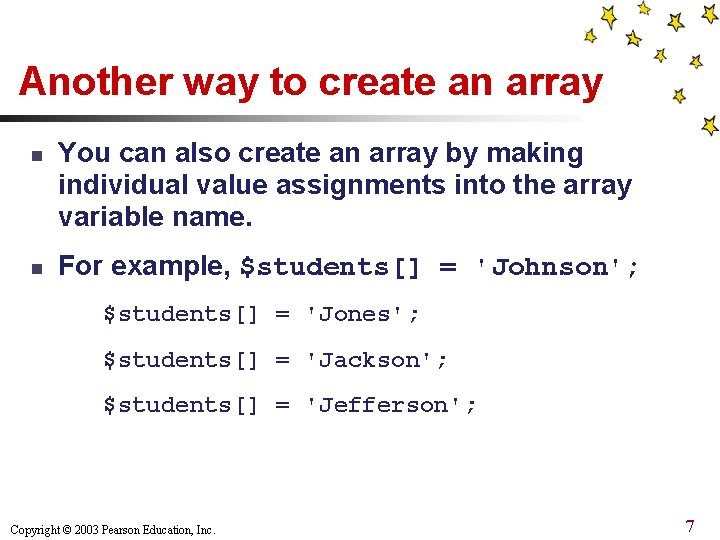
Another way to create an array n n You can also create an array by making individual value assignments into the array variable name. For example, $students[] = 'Johnson'; $students[] = 'Jones'; $students[] = 'Jackson'; $students[] = 'Jefferson'; Copyright © 2003 Pearson Education, Inc. 7
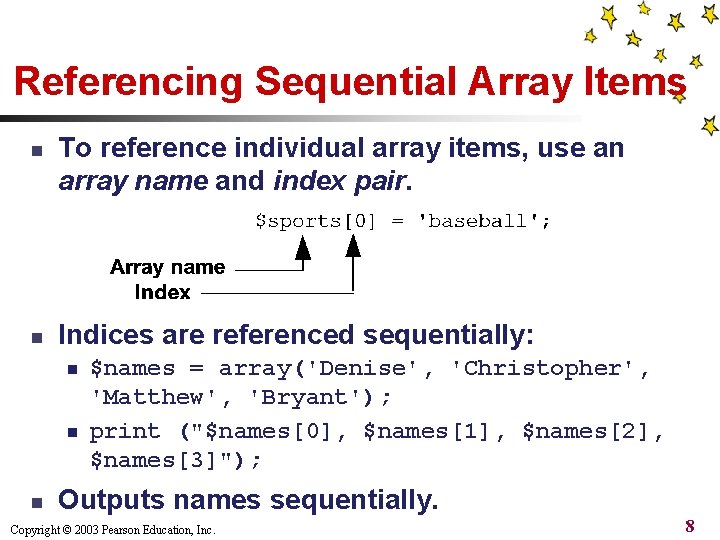
Referencing Sequential Array Items n n To reference individual array items, use an array name and index pair. Indices are referenced sequentially: n n n $names = array('Denise', 'Christopher', 'Matthew', 'Bryant'); print ("$names[0], $names[1], $names[2], $names[3]"); Outputs names sequentially. Copyright © 2003 Pearson Education, Inc. 8
Warning: Indices starts with 0 n You might think the arrays in the preceding code would be numbered with indices 1 through 4. n By default sequential arrays start with index 0, n so the indices above are numbered from 0 to 3. n Avoid referencing an item past the end of your array (for example, using $names[20] in an array that contains only four items). Copyright © 2003 Pearson Education, Inc. 9
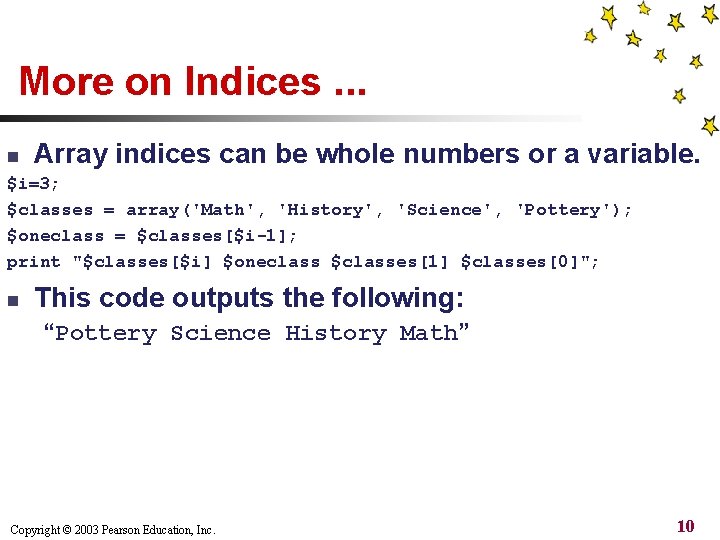
More on Indices. . . n Array indices can be whole numbers or a variable. $i=3; $classes = array('Math', 'History', 'Science', 'Pottery'); $oneclass = $classes[$i-1]; print "$classes[$i] $oneclass $classes[1] $classes[0]"; n This code outputs the following: “Pottery Science History Math” Copyright © 2003 Pearson Education, Inc. 10
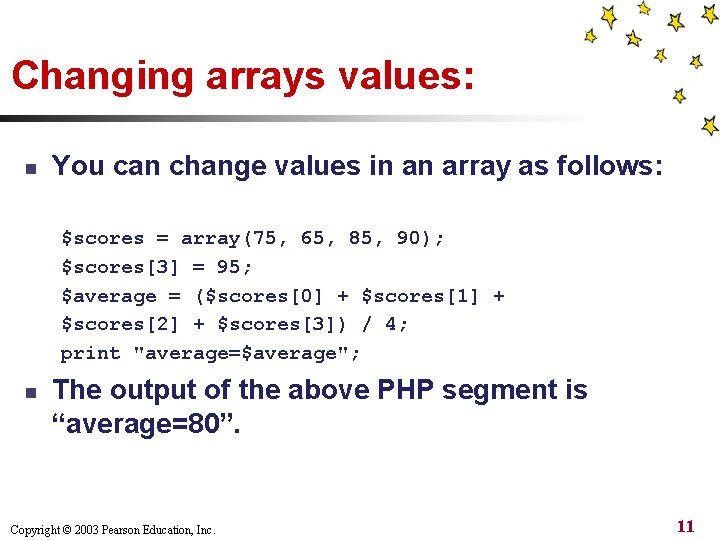
Changing arrays values: n You can change values in an array as follows: $scores = array(75, 65, 85, 90); $scores[3] = 95; $average = ($scores[0] + $scores[1] + $scores[2] + $scores[3]) / 4; print "average=$average"; n The output of the above PHP segment is “average=80”. Copyright © 2003 Pearson Education, Inc. 11
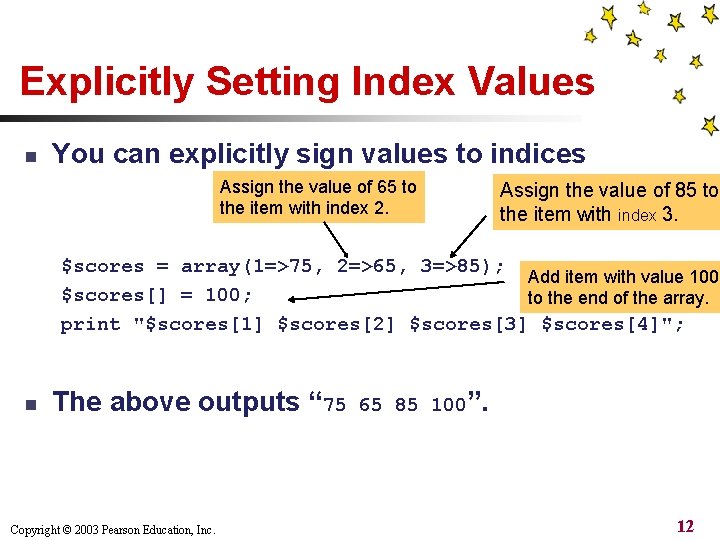
Explicitly Setting Index Values n You can explicitly sign values to indices Assign the value of 65 to the item with index 2. Assign the value of 85 to the item with index 3. $scores = array(1=>75, 2=>65, 3=>85); Add item with value 100 $scores[] = 100; to the end of the array. print "$scores[1] $scores[2] $scores[3] $scores[4]"; n The above outputs “ 75 Copyright © 2003 Pearson Education, Inc. 65 85 100”. 12
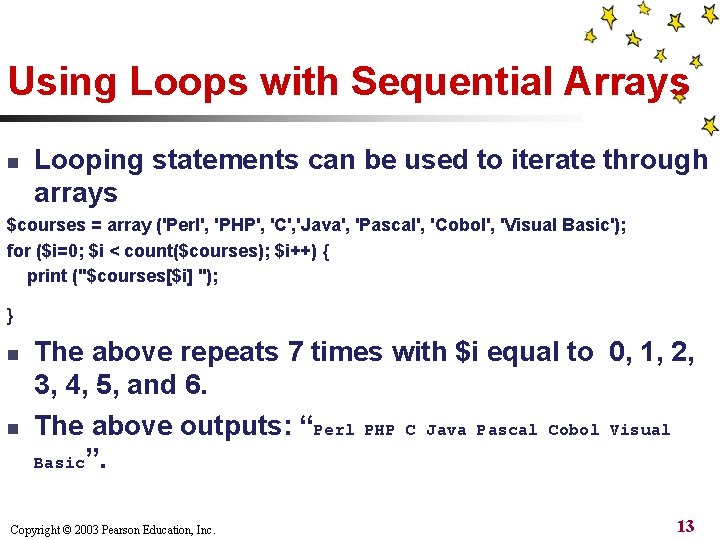
Using Loops with Sequential Arrays n Looping statements can be used to iterate through arrays $courses = array ('Perl', 'PHP', 'C', 'Java', 'Pascal', 'Cobol', 'Visual Basic'); for ($i=0; $i < count($courses); $i++) { print ("$courses[$i] "); } n n The above repeats 7 times with $i equal to 0, 1, 2, 3, 4, 5, and 6. The above outputs: “Perl PHP C Java Pascal Cobol Visual Basic”. Copyright © 2003 Pearson Education, Inc. 13
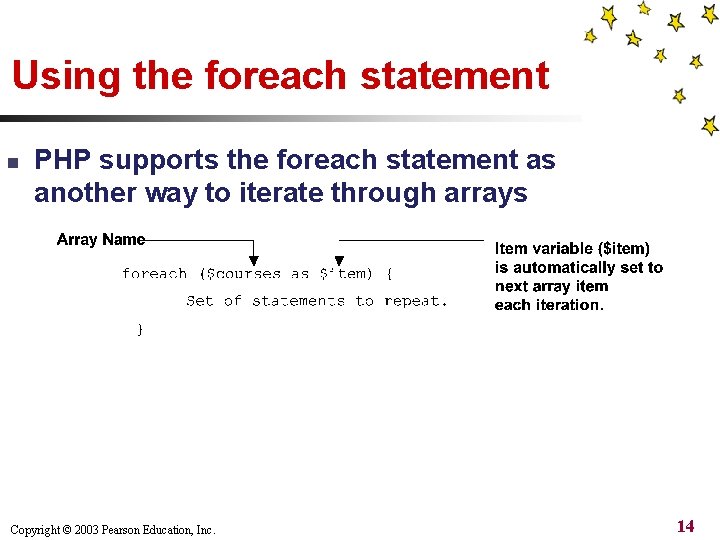
Using the foreach statement n PHP supports the foreach statement as another way to iterate through arrays Copyright © 2003 Pearson Education, Inc. 14
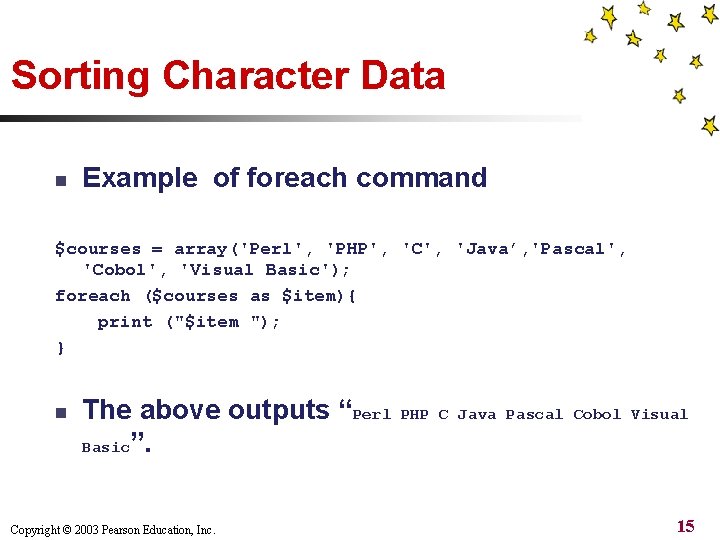
Sorting Character Data n Example of foreach command $courses = array('Perl', 'PHP', 'C', 'Java’, 'Pascal', 'Cobol', 'Visual Basic'); foreach ($courses as $item){ print ("$item "); } n The above outputs “Perl Basic”. Copyright © 2003 Pearson Education, Inc. PHP C Java Pascal Cobol Visual 15
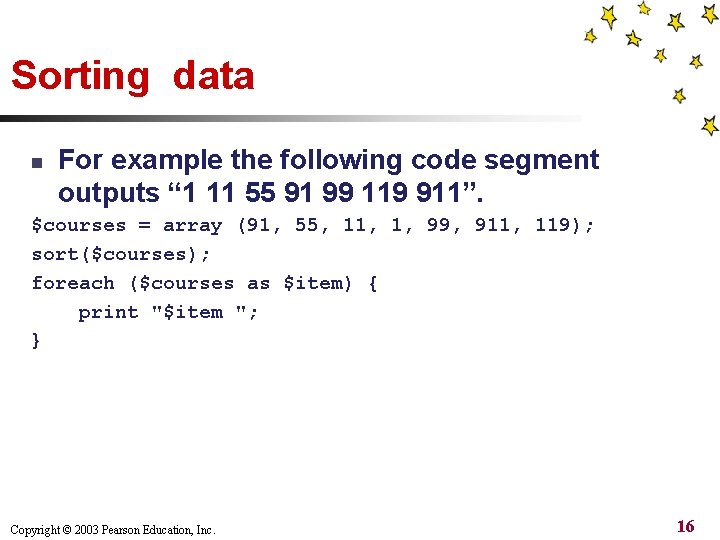
Sorting data n For example the following code segment outputs “ 1 11 55 91 99 119 911”. $courses = array (91, 55, 11, 1, 99, 911, 119); sort($courses); foreach ($courses as $item) { print "$item "; } Copyright © 2003 Pearson Education, Inc. 16
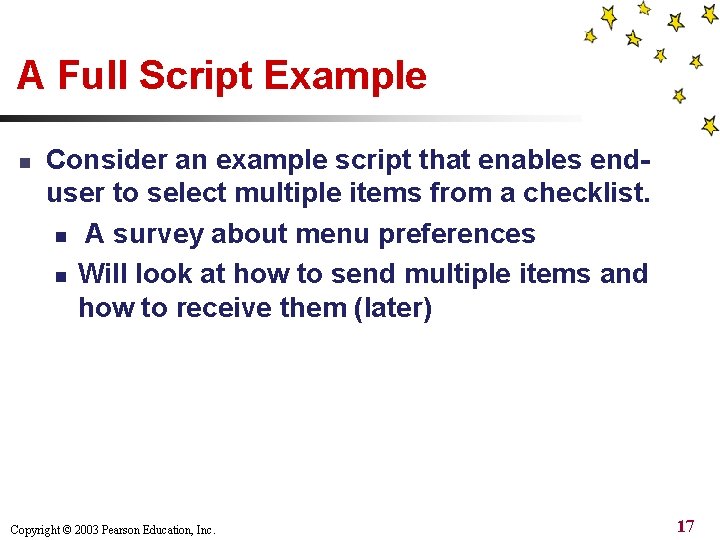
A Full Script Example n Consider an example script that enables enduser to select multiple items from a checklist. n A survey about menu preferences n Will look at how to send multiple items and how to receive them (later) Copyright © 2003 Pearson Education, Inc. 17
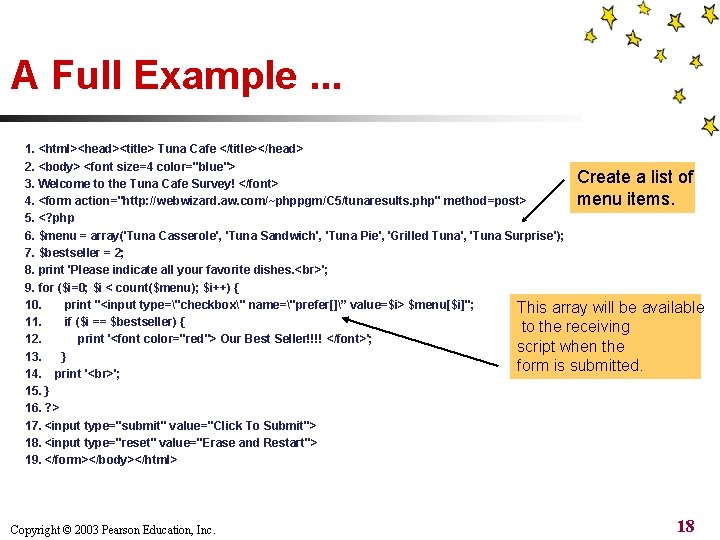
A Full Example. . . 1. <html><head><title> Tuna Cafe </title></head> 2. <body> <font size=4 color="blue"> Create a list of 3. Welcome to the Tuna Cafe Survey! </font> menu items. 4. <form action="http: //webwizard. aw. com/~phppgm/C 5/tunaresults. php" method=post> 5. <? php 6. $menu = array('Tuna Casserole', 'Tuna Sandwich', 'Tuna Pie', 'Grilled Tuna', 'Tuna Surprise'); 7. $bestseller = 2; 8. print 'Please indicate all your favorite dishes. '; 9. for ($i=0; $i < count($menu); $i++) { 10. print "<input type="checkbox" name="prefer[]” value=$i> $menu[$i]"; This array will be available 11. if ($i == $bestseller) { to the receiving 12. print '<font color="red"> Our Best Seller!!!! </font>'; script when the 13. } form is submitted. 14. print ' '; 15. } 16. ? > 17. <input type="submit" value="Click To Submit"> 18. <input type="reset" value="Erase and Restart"> 19. </form></body></html> Copyright © 2003 Pearson Education, Inc. 18
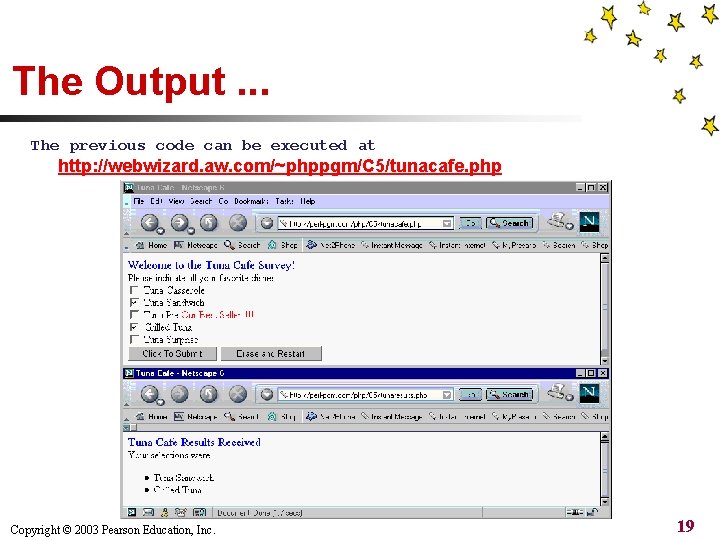
The Output. . . The previous code can be executed at http: //webwizard. aw. com/~phppgm/C 5/tunacafe. php Copyright © 2003 Pearson Education, Inc. 19
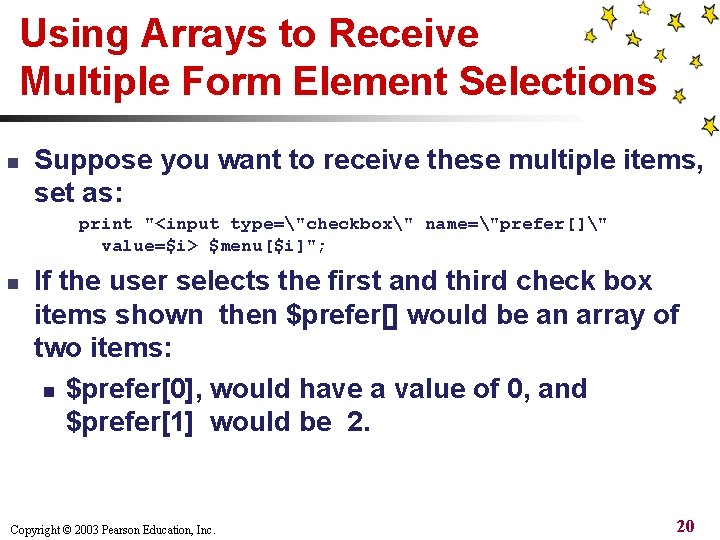
Using Arrays to Receive Multiple Form Element Selections n Suppose you want to receive these multiple items, set as: print "<input type="checkbox" name="prefer[]" value=$i> $menu[$i]"; n If the user selects the first and third check box items shown then $prefer[] would be an array of two items: n $prefer[0], would have a value of 0, and $prefer[1] would be 2. Copyright © 2003 Pearson Education, Inc. 20
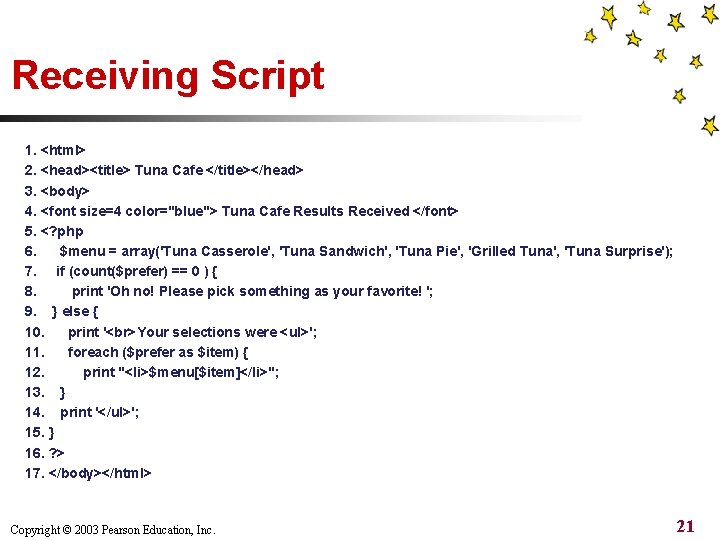
Receiving Script 1. <html> 2. <head><title> Tuna Cafe </title></head> 3. <body> 4. <font size=4 color="blue"> Tuna Cafe Results Received </font> 5. <? php 6. $menu = array('Tuna Casserole', 'Tuna Sandwich', 'Tuna Pie', 'Grilled Tuna', 'Tuna Surprise'); 7. if (count($prefer) == 0 ) { 8. print 'Oh no! Please pick something as your favorite! '; 9. } else { 10. print ' Your selections were <ul>'; 11. foreach ($prefer as $item) { 12. print "<li>$menu[$item]</li>"; 13. } 14. print '</ul>'; 15. } 16. ? > 17. </body></html> Copyright © 2003 Pearson Education, Inc. 21
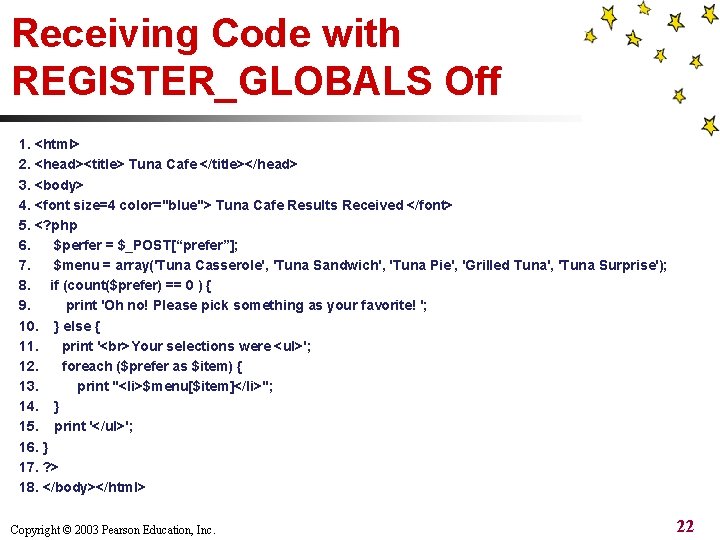
Receiving Code with REGISTER_GLOBALS Off 1. <html> 2. <head><title> Tuna Cafe </title></head> 3. <body> 4. <font size=4 color="blue"> Tuna Cafe Results Received </font> 5. <? php 6. $perfer = $_POST[“prefer”]; 7. $menu = array('Tuna Casserole', 'Tuna Sandwich', 'Tuna Pie', 'Grilled Tuna', 'Tuna Surprise'); 8. if (count($prefer) == 0 ) { 9. print 'Oh no! Please pick something as your favorite! '; 10. } else { 11. print ' Your selections were <ul>'; 12. foreach ($prefer as $item) { 13. print "<li>$menu[$item]</li>"; 14. } 15. print '</ul>'; 16. } 17. ? > 18. </body></html> Copyright © 2003 Pearson Education, Inc. 22
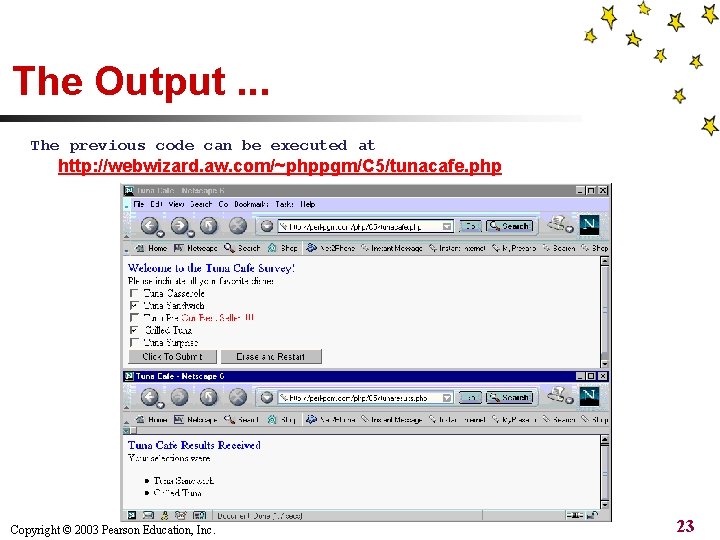
The Output. . . The previous code can be executed at http: //webwizard. aw. com/~phppgm/C 5/tunacafe. php Copyright © 2003 Pearson Education, Inc. 23
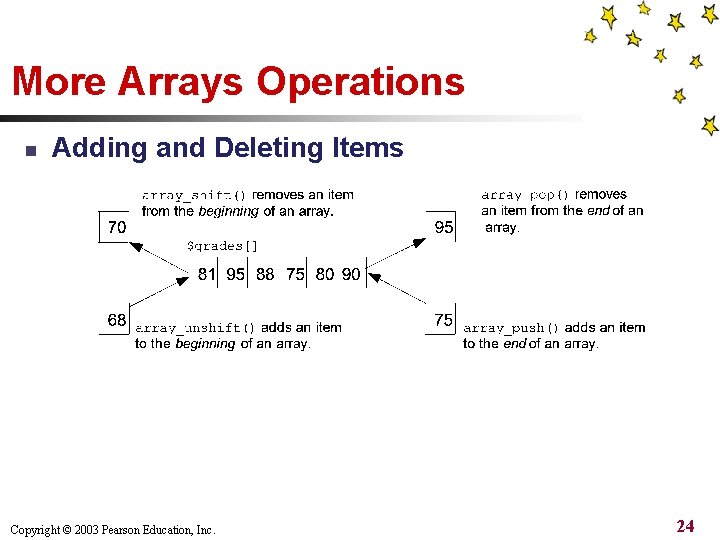
More Arrays Operations n Adding and Deleting Items Copyright © 2003 Pearson Education, Inc. 24
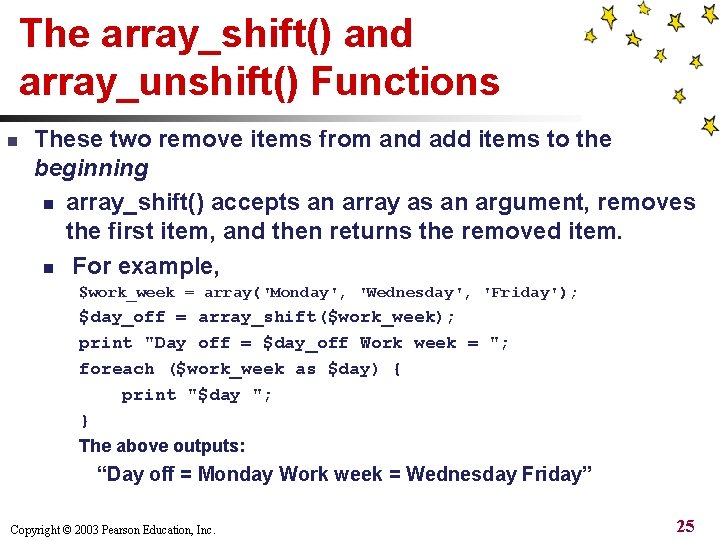
The array_shift() and array_unshift() Functions n These two remove items from and add items to the beginning n array_shift() accepts an array as an argument, removes the first item, and then returns the removed item. n For example, $work_week = array('Monday', 'Wednesday', 'Friday'); $day_off = array_shift($work_week); print "Day off = $day_off Work week = "; foreach ($work_week as $day) { print "$day "; } The above outputs: “Day off = Monday Work week = Wednesday Friday” Copyright © 2003 Pearson Education, Inc. 25
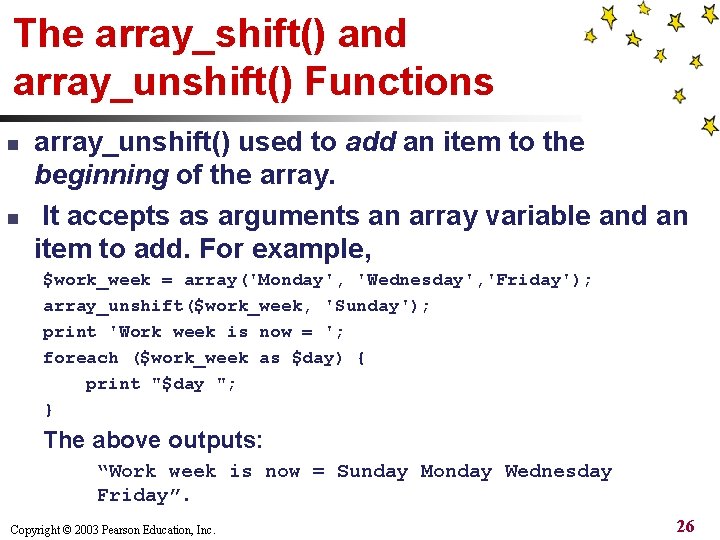
The array_shift() and array_unshift() Functions n n array_unshift() used to add an item to the beginning of the array. It accepts as arguments an array variable and an item to add. For example, $work_week = array('Monday', 'Wednesday', 'Friday'); array_unshift($work_week, 'Sunday'); print 'Work week is now = '; foreach ($work_week as $day) { print "$day "; } The above outputs: “Work week is now = Sunday Monday Wednesday Friday”. Copyright © 2003 Pearson Education, Inc. 26
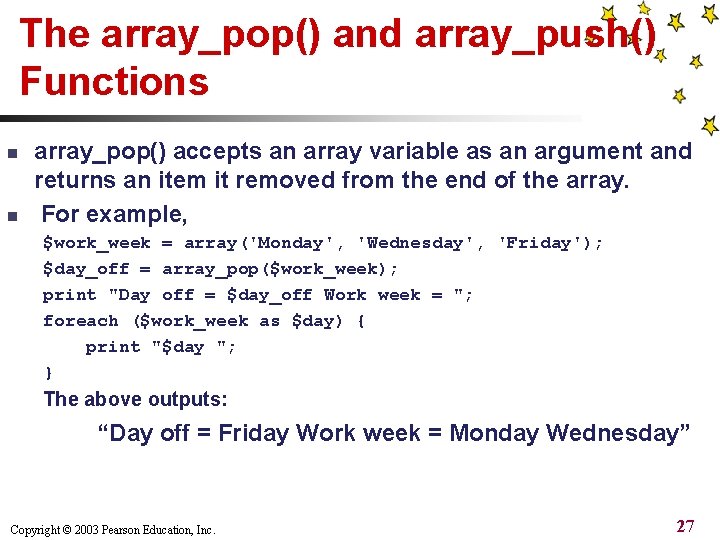
The array_pop() and array_push() Functions n n array_pop() accepts an array variable as an argument and returns an item it removed from the end of the array. For example, $work_week = array('Monday', 'Wednesday', 'Friday'); $day_off = array_pop($work_week); print "Day off = $day_off Work week = "; foreach ($work_week as $day) { print "$day "; } The above outputs: “Day off = Friday Work week = Monday Wednesday” Copyright © 2003 Pearson Education, Inc. 27
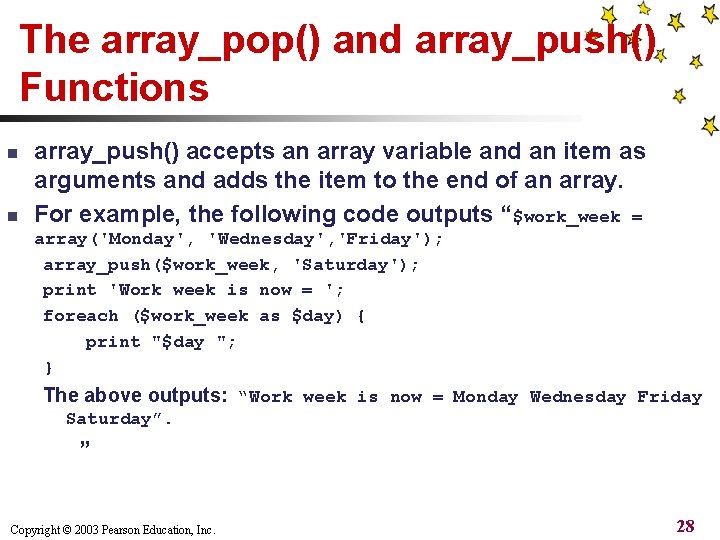
The array_pop() and array_push() Functions n n array_push() accepts an array variable and an item as arguments and adds the item to the end of an array. For example, the following code outputs “$work_week = array('Monday', 'Wednesday', 'Friday'); array_push($work_week, 'Saturday'); print 'Work week is now = '; foreach ($work_week as $day) { print "$day "; } The above outputs: “Work week is now = Monday Wednesday Friday Saturday”. ” Copyright © 2003 Pearson Education, Inc. 28
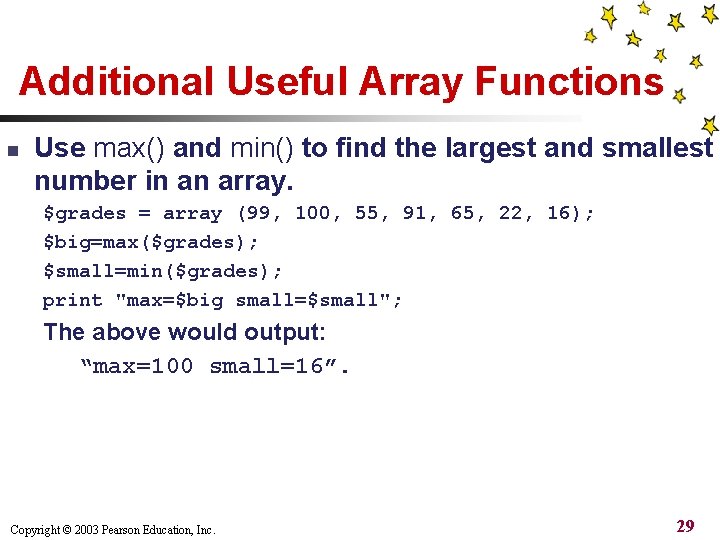
Additional Useful Array Functions n Use max() and min() to find the largest and smallest number in an array. $grades = array (99, 100, 55, 91, 65, 22, 16); $big=max($grades); $small=min($grades); print "max=$big small=$small"; The above would output: “max=100 small=16”. Copyright © 2003 Pearson Education, Inc. 29
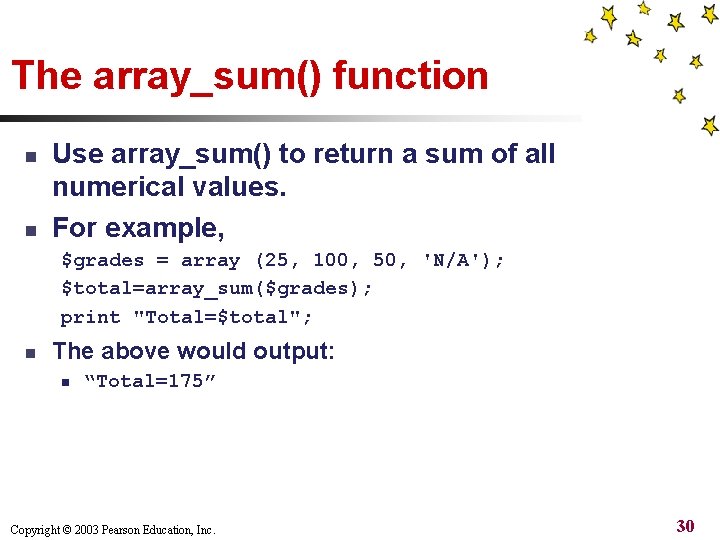
The array_sum() function n n Use array_sum() to return a sum of all numerical values. For example, $grades = array (25, 100, 50, 'N/A'); $total=array_sum($grades); print "Total=$total"; n The above would output: n “Total=175” Copyright © 2003 Pearson Education, Inc. 30
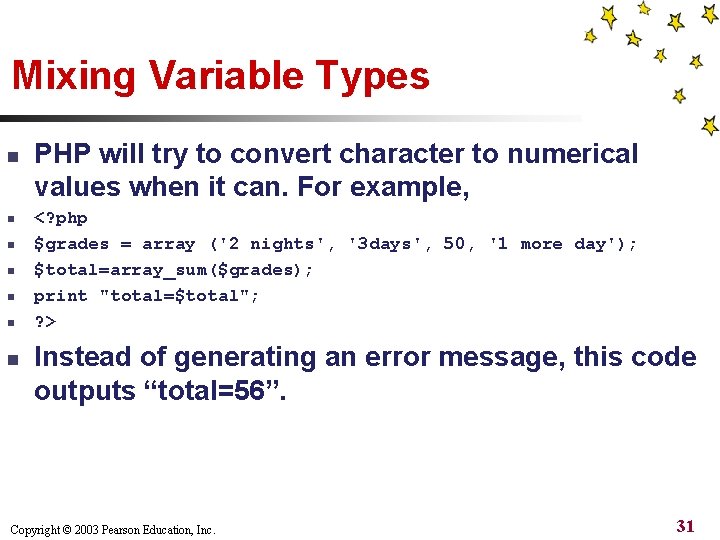
Mixing Variable Types n n n n PHP will try to convert character to numerical values when it can. For example, <? php $grades = array ('2 nights', '3 days', 50, '1 more day'); $total=array_sum($grades); print "total=$total"; ? > Instead of generating an error message, this code outputs “total=56”. Copyright © 2003 Pearson Education, Inc. 31
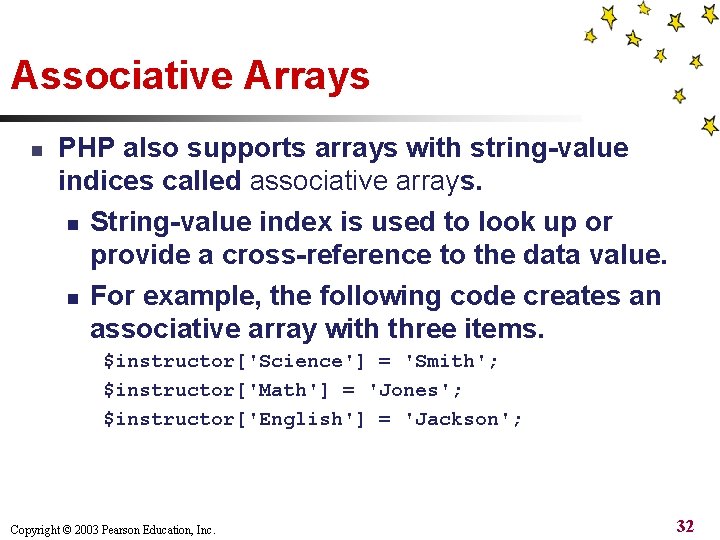
Associative Arrays n PHP also supports arrays with string-value indices called associative arrays. n String-value index is used to look up or provide a cross-reference to the data value. n For example, the following code creates an associative array with three items. $instructor['Science'] = 'Smith'; $instructor['Math'] = 'Jones'; $instructor['English'] = 'Jackson'; Copyright © 2003 Pearson Education, Inc. 32
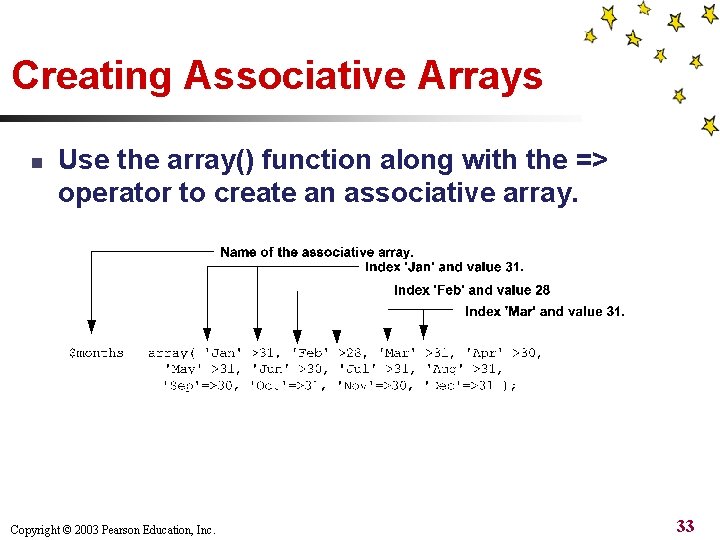
Creating Associative Arrays n Use the array() function along with the => operator to create an associative array. Copyright © 2003 Pearson Education, Inc. 33
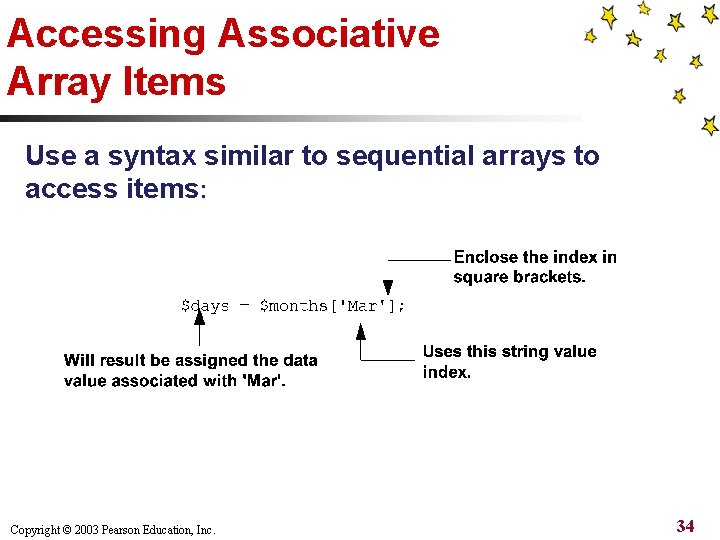
Accessing Associative Array Items Use a syntax similar to sequential arrays to access items: Copyright © 2003 Pearson Education, Inc. 34
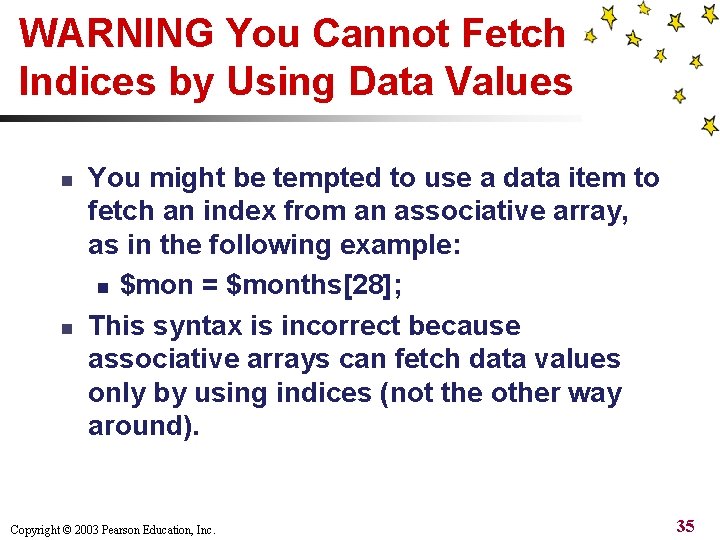
WARNING You Cannot Fetch Indices by Using Data Values n n You might be tempted to use a data item to fetch an index from an associative array, as in the following example: n $mon = $months[28]; This syntax is incorrect because associative arrays can fetch data values only by using indices (not the other way around). Copyright © 2003 Pearson Education, Inc. 35
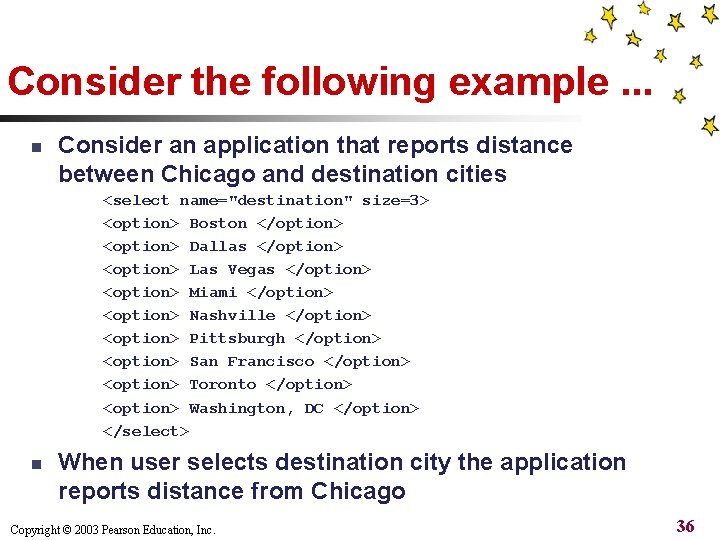
Consider the following example. . . n Consider an application that reports distance between Chicago and destination cities <select name="destination" size=3> <option> Boston </option> <option> Dallas </option> <option> Las Vegas </option> <option> Miami </option> <option> Nashville </option> <option> Pittsburgh </option> <option> San Francisco </option> <option> Toronto </option> <option> Washington, DC </option> </select> n When user selects destination city the application reports distance from Chicago Copyright © 2003 Pearson Education, Inc. 36
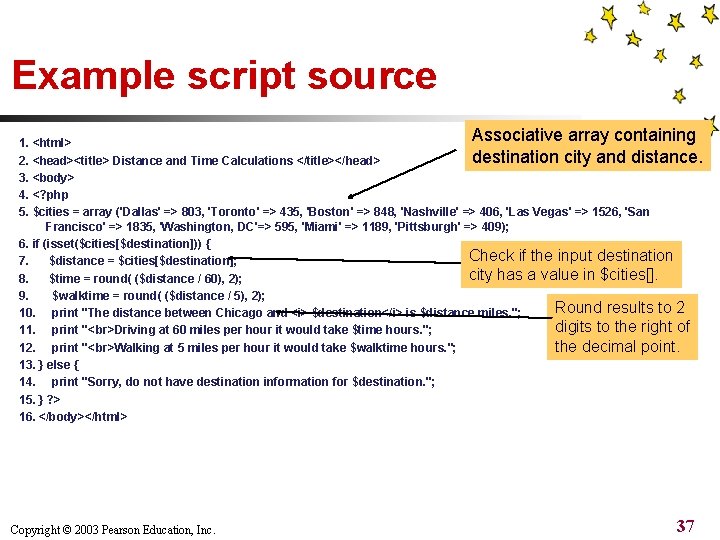
Example script source Associative array containing 1. <html> destination city and distance. 2. <head><title> Distance and Time Calculations </title></head> 3. <body> 4. <? php 5. $cities = array ('Dallas' => 803, 'Toronto' => 435, 'Boston' => 848, 'Nashville' => 406, 'Las Vegas' => 1526, 'San Francisco' => 1835, 'Washington, DC'=> 595, 'Miami' => 1189, 'Pittsburgh' => 409); 6. if (isset($cities[$destination])) { Check if the input destination 7. $distance = $cities[$destination]; city has a value in $cities[]. 8. $time = round( ($distance / 60), 2); 9. $walktime = round( ($distance / 5), 2); Round results to 2 10. print "The distance between Chicago and <i> $destination</i> is $distance miles. "; digits to the right of 11. print " Driving at 60 miles per hour it would take $time hours. "; the decimal point. 12. print " Walking at 5 miles per hour it would take $walktime hours. "; 13. } else { 14. print "Sorry, do not have destination information for $destination. "; 15. } ? > 16. </body></html> Copyright © 2003 Pearson Education, Inc. 37
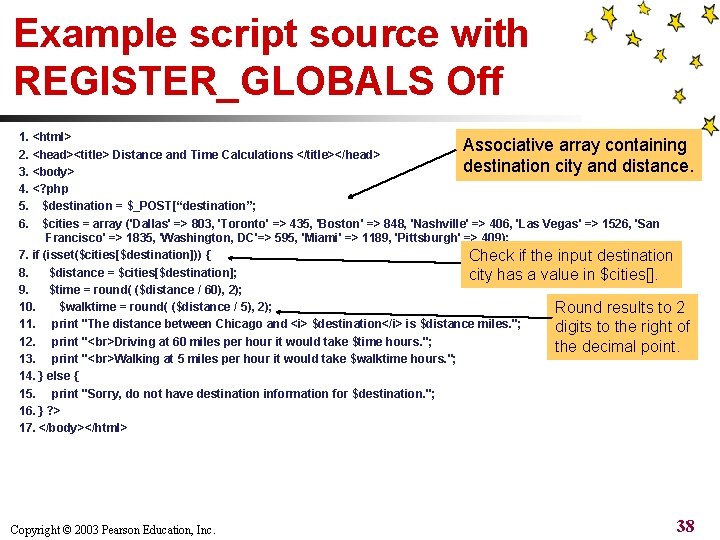
Example script source with REGISTER_GLOBALS Off 1. <html> Associative array containing 2. <head><title> Distance and Time Calculations </title></head> destination city and distance. 3. <body> 4. <? php 5. $destination = $_POST[“destination”; 6. $cities = array ('Dallas' => 803, 'Toronto' => 435, 'Boston' => 848, 'Nashville' => 406, 'Las Vegas' => 1526, 'San Francisco' => 1835, 'Washington, DC'=> 595, 'Miami' => 1189, 'Pittsburgh' => 409); 7. if (isset($cities[$destination])) { Check if the input destination 8. $distance = $cities[$destination]; city has a value in $cities[]. 9. $time = round( ($distance / 60), 2); 10. $walktime = round( ($distance / 5), 2); Round results to 2 11. print "The distance between Chicago and <i> $destination</i> is $distance miles. "; digits to the right of 12. print " Driving at 60 miles per hour it would take $time hours. "; the decimal point. 13. print " Walking at 5 miles per hour it would take $walktime hours. "; 14. } else { 15. print "Sorry, do not have destination information for $destination. "; 16. } ? > 17. </body></html> Copyright © 2003 Pearson Education, Inc. 38
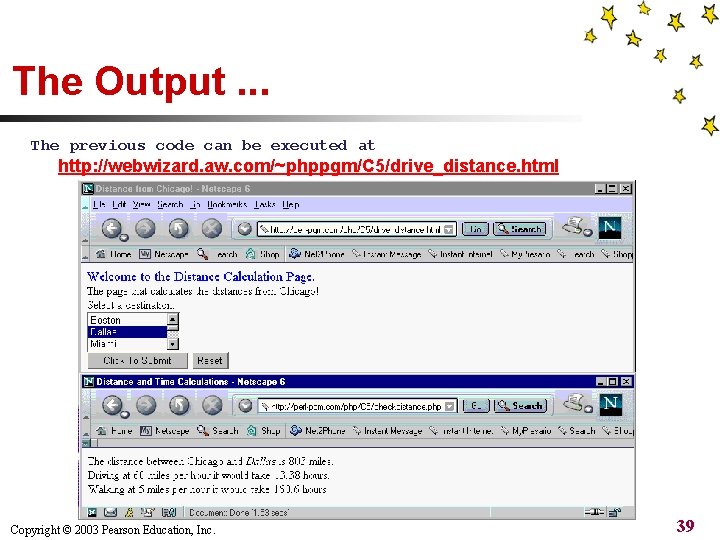
The Output. . . The previous code can be executed at http: //webwizard. aw. com/~phppgm/C 5/drive_distance. html Copyright © 2003 Pearson Education, Inc. 39
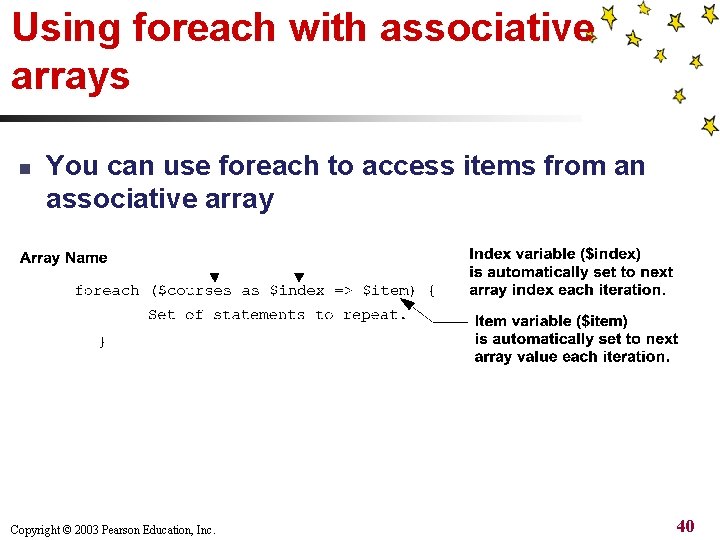
Using foreach with associative arrays n You can use foreach to access items from an associative array Copyright © 2003 Pearson Education, Inc. 40
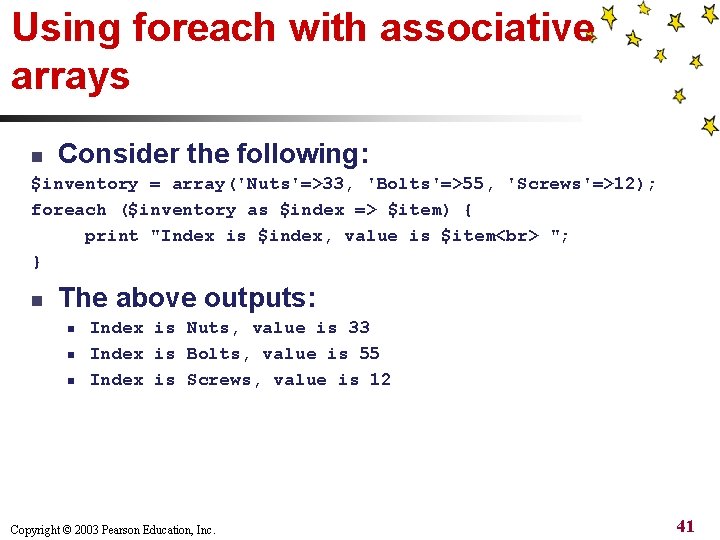
Using foreach with associative arrays n Consider the following: $inventory = array('Nuts'=>33, 'Bolts'=>55, 'Screws'=>12); foreach ($inventory as $index => $item) { print "Index is $index, value is $item "; } n The above outputs: n n n Index is Nuts, value is 33 Index is Bolts, value is 55 Index is Screws, value is 12 Copyright © 2003 Pearson Education, Inc. 41
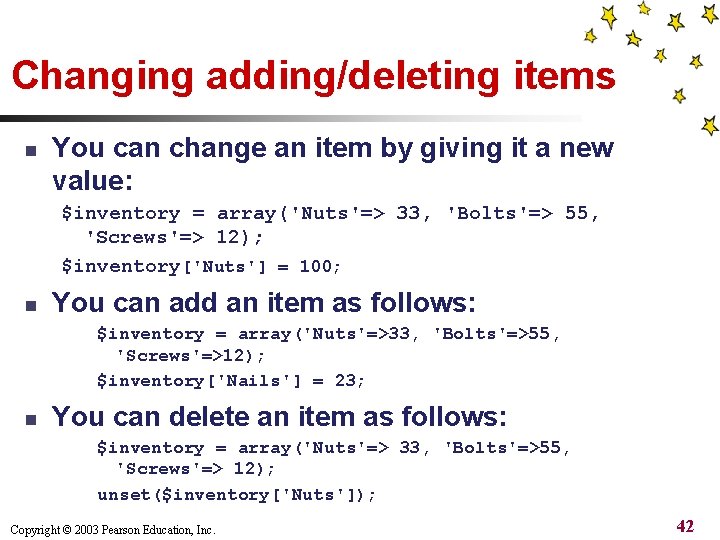
Changing adding/deleting items n You can change an item by giving it a new value: $inventory = array('Nuts'=> 33, 'Bolts'=> 55, 'Screws'=> 12); $inventory['Nuts'] = 100; n You can add an item as follows: $inventory = array('Nuts'=>33, 'Bolts'=>55, 'Screws'=>12); $inventory['Nails'] = 23; n You can delete an item as follows: $inventory = array('Nuts'=> 33, 'Bolts'=>55, 'Screws'=> 12); unset($inventory['Nuts']); Copyright © 2003 Pearson Education, Inc. 42
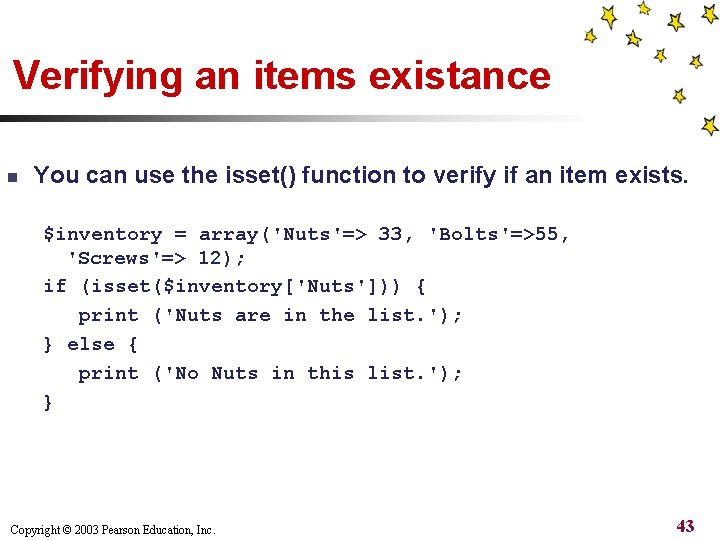
Verifying an items existance n You can use the isset() function to verify if an item exists. $inventory = array('Nuts'=> 33, 'Bolts'=>55, 'Screws'=> 12); if (isset($inventory['Nuts'])) { print ('Nuts are in the list. '); } else { print ('No Nuts in this list. '); } Copyright © 2003 Pearson Education, Inc. 43
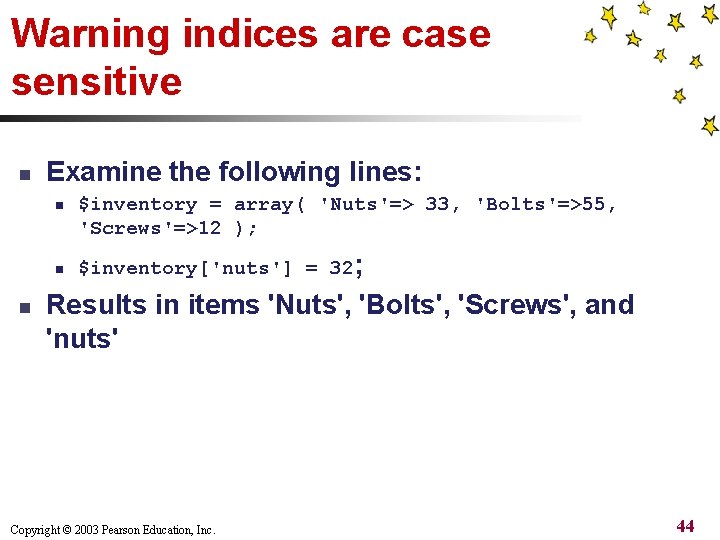
Warning indices are case sensitive n Examine the following lines: n n n $inventory = array( 'Nuts'=> 33, 'Bolts'=>55, 'Screws'=>12 ); $inventory['nuts'] = 32; Results in items 'Nuts', 'Bolts', 'Screws', and 'nuts' Copyright © 2003 Pearson Education, Inc. 44
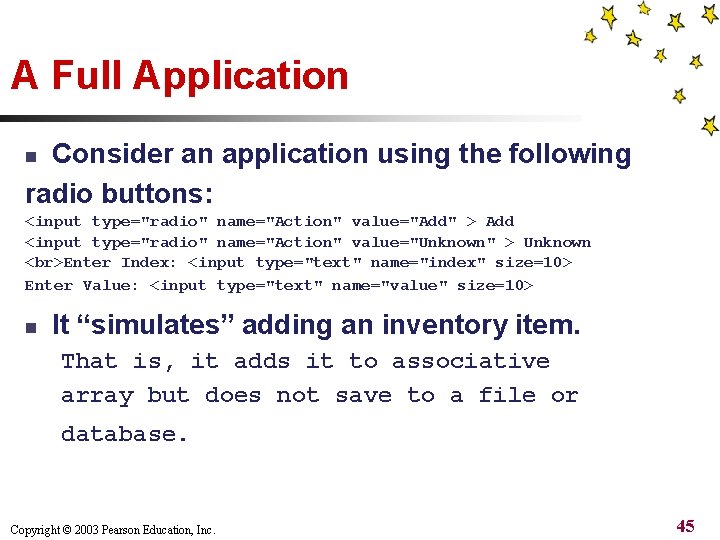
A Full Application Consider an application using the following radio buttons: n <input type="radio" name="Action" value="Add" > Add <input type="radio" name="Action" value="Unknown" > Unknown Enter Index: <input type="text" name="index" size=10> Enter Value: <input type="text" name="value" size=10> n It “simulates” adding an inventory item. That is, it adds it to associative array but does not save to a file or database. Copyright © 2003 Pearson Education, Inc. 45
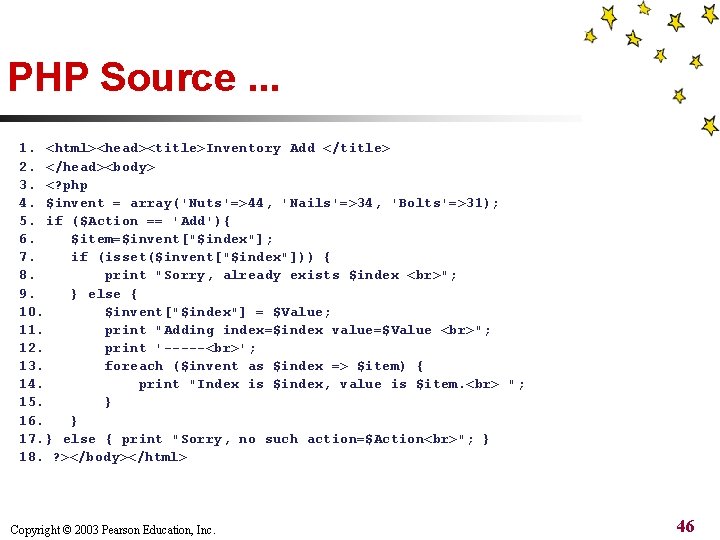
PHP Source. . . 1. <html><head><title>Inventory Add </title> 2. </head><body> 3. <? php 4. $invent = array('Nuts'=>44, 'Nails'=>34, 'Bolts'=>31); 5. if ($Action == 'Add'){ 6. $item=$invent["$index"]; 7. if (isset($invent["$index"])) { 8. print "Sorry, already exists $index "; 9. } else { 10. $invent["$index"] = $Value; 11. print "Adding index=$index value=$Value "; 12. print '----- '; 13. foreach ($invent as $index => $item) { 14. print "Index is $index, value is $item. "; 15. } 16. } 17. } else { print "Sorry, no such action=$Action "; } 18. ? ></body></html> Copyright © 2003 Pearson Education, Inc. 46
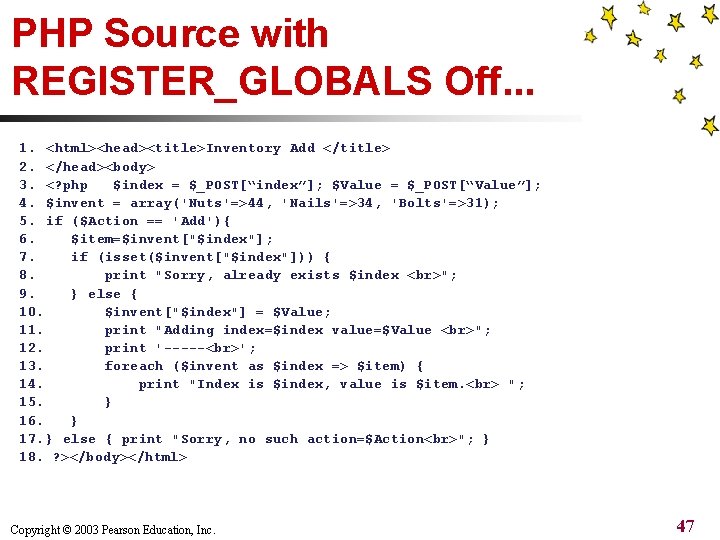
PHP Source with REGISTER_GLOBALS Off. . . 1. <html><head><title>Inventory Add </title> 2. </head><body> 3. <? php $index = $_POST[“index”]; $Value = $_POST[“Value”]; 4. $invent = array('Nuts'=>44, 'Nails'=>34, 'Bolts'=>31); 5. if ($Action == 'Add'){ 6. $item=$invent["$index"]; 7. if (isset($invent["$index"])) { 8. print "Sorry, already exists $index "; 9. } else { 10. $invent["$index"] = $Value; 11. print "Adding index=$index value=$Value "; 12. print '----- '; 13. foreach ($invent as $index => $item) { 14. print "Index is $index, value is $item. "; 15. } 16. } 17. } else { print "Sorry, no such action=$Action "; } 18. ? ></body></html> Copyright © 2003 Pearson Education, Inc. 47
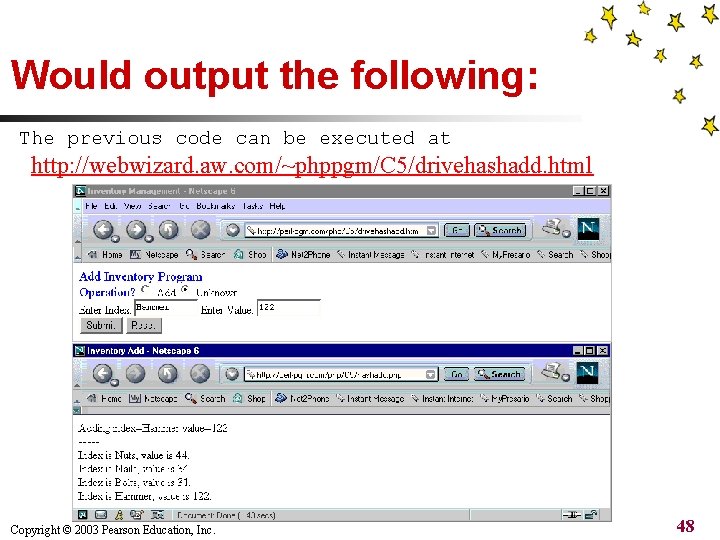
Would output the following: The previous code can be executed at http: //webwizard. aw. com/~phppgm/C 5/drivehashadd. html Copyright © 2003 Pearson Education, Inc. 48
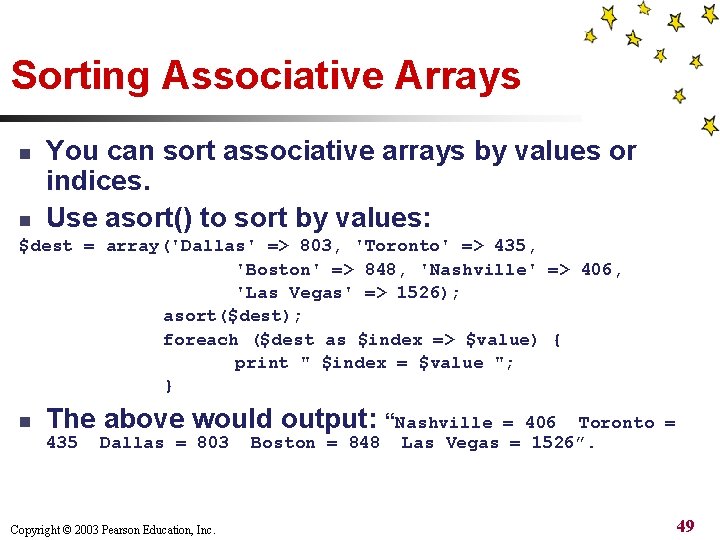
Sorting Associative Arrays n You can sort associative arrays by values or indices. Use asort() to sort by values: n $dest = array('Dallas' => 803, 'Toronto' => 435, 'Boston' => 848, 'Nashville' => 406, 'Las Vegas' => 1526); asort($dest); foreach ($dest as $index => $value) { print " $index = $value "; } n The above would output: “Nashville 435 Dallas = 803 Copyright © 2003 Pearson Education, Inc. Boston = 848 = 406 Toronto = Las Vegas = 1526”. 49
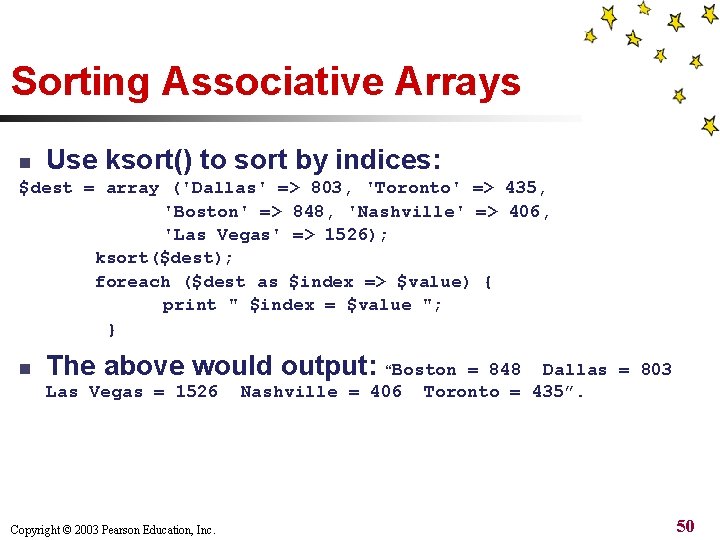
Sorting Associative Arrays Use ksort() to sort by indices: n $dest = array ('Dallas' => 803, 'Toronto' => 435, 'Boston' => 848, 'Nashville' => 406, 'Las Vegas' => 1526); ksort($dest); foreach ($dest as $index => $value) { print " $index = $value "; } n The above would output: “Boston Las Vegas = 1526 Copyright © 2003 Pearson Education, Inc. Nashville = 406 = 848 Dallas = 803 Toronto = 435”. 50
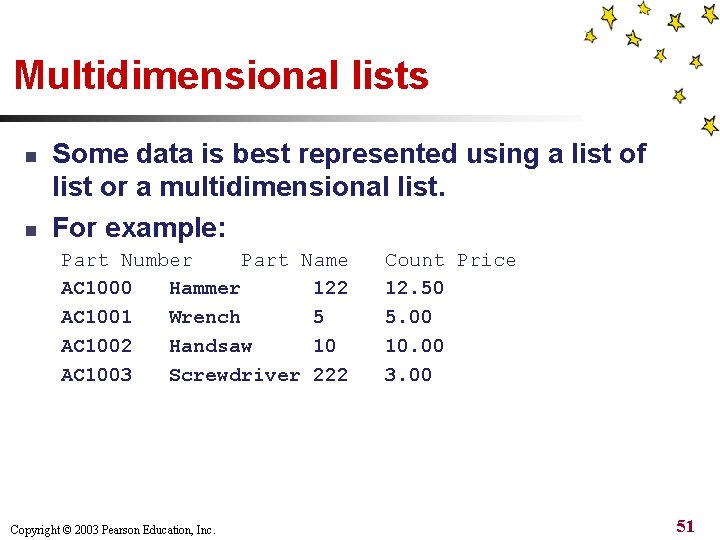
Multidimensional lists n n Some data is best represented using a list of list or a multidimensional list. For example: Part Number Part Name AC 1000 Hammer 122 AC 1001 Wrench 5 AC 1002 Handsaw 10 AC 1003 Screwdriver 222 Copyright © 2003 Pearson Education, Inc. Count Price 12. 50 5. 00 10. 00 3. 00 51
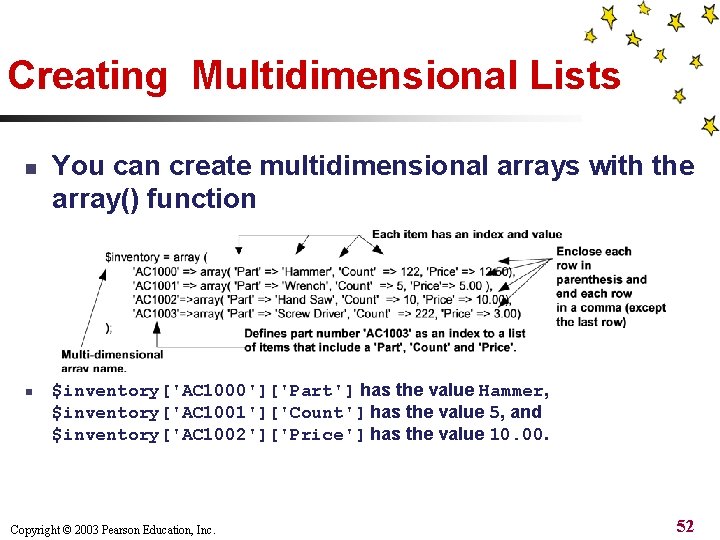
Creating Multidimensional Lists n n You can create multidimensional arrays with the array() function $inventory['AC 1000']['Part'] has the value Hammer, $inventory['AC 1001']['Count'] has the value 5, and $inventory['AC 1002']['Price'] has the value 10. 00. Copyright © 2003 Pearson Education, Inc. 52
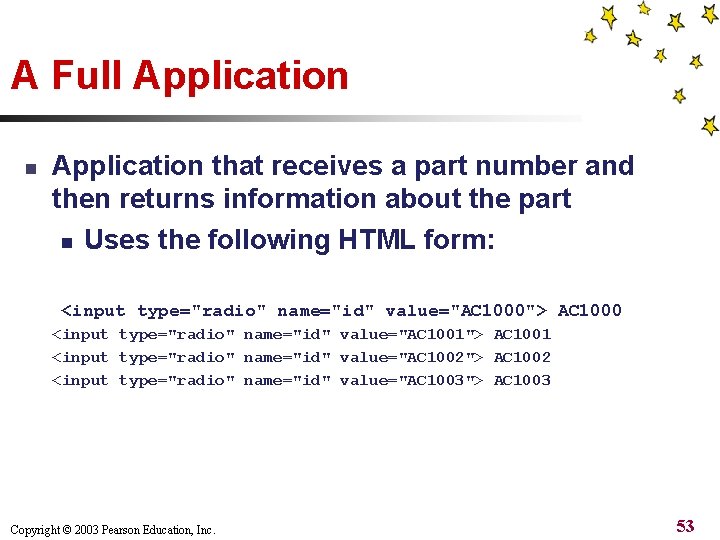
A Full Application n Application that receives a part number and then returns information about the part n Uses the following HTML form: <input type="radio" name="id" value="AC 1000"> AC 1000 <input type="radio" name="id" value="AC 1001"> AC 1001 <input type="radio" name="id" value="AC 1002"> AC 1002 <input type="radio" name="id" value="AC 1003"> AC 1003 Copyright © 2003 Pearson Education, Inc. 53
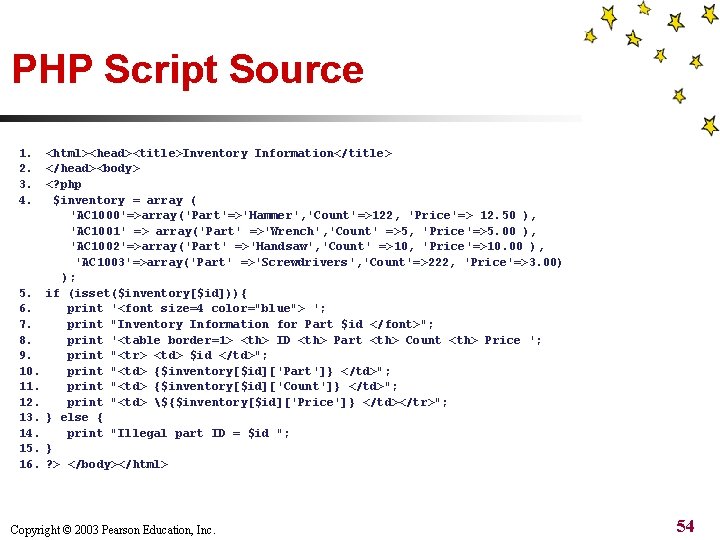
PHP Script Source 1. 2. 3. 4. 5. 6. 7. 8. 9. 10. 11. 12. 13. 14. 15. 16. <html><head><title>Inventory Information</title> </head><body> <? php $inventory = array ( 'AC 1000'=>array('Part'=>'Hammer', 'Count'=>122, 'Price'=> 12. 50 ), 'AC 1001' => array('Part' =>'Wrench', 'Count' =>5, 'Price'=>5. 00 ), 'AC 1002'=>array('Part' =>'Handsaw', 'Count' =>10, 'Price'=>10. 00 ), 'AC 1003'=>array('Part' =>'Screwdrivers', 'Count'=>222, 'Price'=>3. 00) ); if (isset($inventory[$id])){ print '<font size=4 color="blue"> '; print "Inventory Information for Part $id </font>"; print '<table border=1> <th> ID <th> Part <th> Count <th> Price '; print "<tr> <td> $id </td>"; print "<td> {$inventory[$id]['Part']} </td>"; print "<td> {$inventory[$id]['Count']} </td>"; print "<td> ${$inventory[$id]['Price']} </td></tr>"; } else { print "Illegal part ID = $id "; } ? > </body></html> Copyright © 2003 Pearson Education, Inc. 54
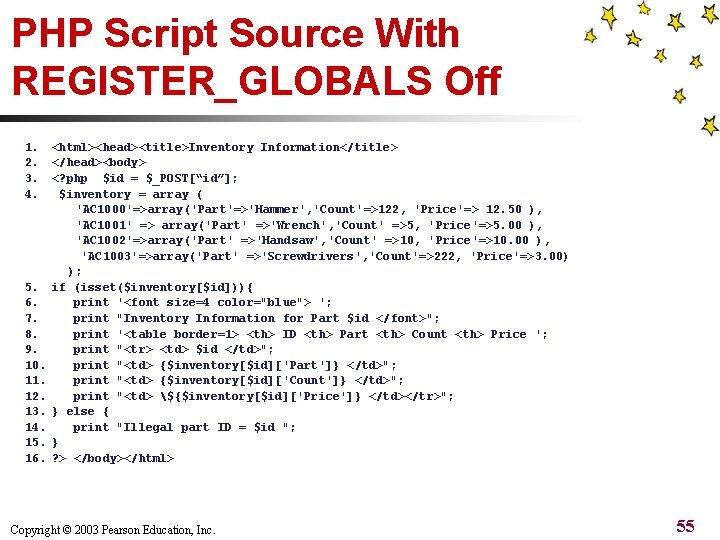
PHP Script Source With REGISTER_GLOBALS Off 1. 2. 3. 4. 5. 6. 7. 8. 9. 10. 11. 12. 13. 14. 15. 16. <html><head><title>Inventory Information</title> </head><body> <? php $id = $_POST[“id”]; $inventory = array ( 'AC 1000'=>array('Part'=>'Hammer', 'Count'=>122, 'Price'=> 12. 50 ), 'AC 1001' => array('Part' =>'Wrench', 'Count' =>5, 'Price'=>5. 00 ), 'AC 1002'=>array('Part' =>'Handsaw', 'Count' =>10, 'Price'=>10. 00 ), 'AC 1003'=>array('Part' =>'Screwdrivers', 'Count'=>222, 'Price'=>3. 00) ); if (isset($inventory[$id])){ print '<font size=4 color="blue"> '; print "Inventory Information for Part $id </font>"; print '<table border=1> <th> ID <th> Part <th> Count <th> Price '; print "<tr> <td> $id </td>"; print "<td> {$inventory[$id]['Part']} </td>"; print "<td> {$inventory[$id]['Count']} </td>"; print "<td> ${$inventory[$id]['Price']} </td></tr>"; } else { print "Illegal part ID = $id "; } ? > </body></html> Copyright © 2003 Pearson Education, Inc. 55
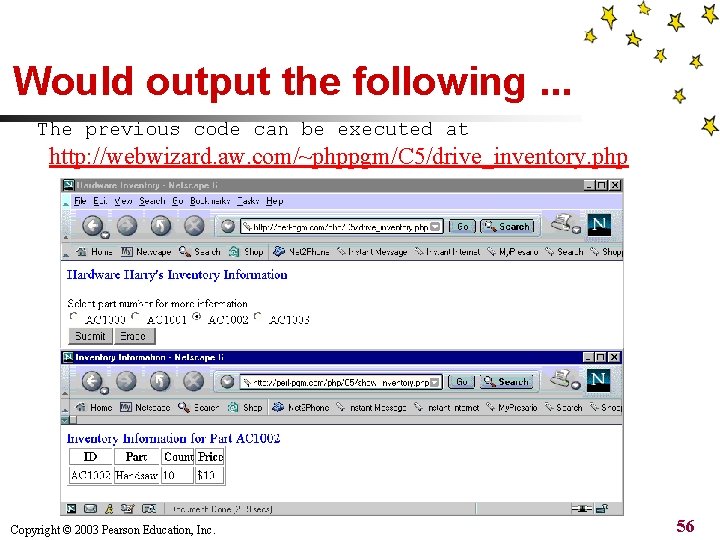
Would output the following. . . The previous code can be executed at http: //webwizard. aw. com/~phppgm/C 5/drive_inventory. php Copyright © 2003 Pearson Education, Inc. 56
Summary n n Using arrays helps you organize data into lists instead of separate variables. Sequential arrays use indices numbered with sequential numbers. By default indices start numbering from 0, then 1, 2, 3, and so on. n You can use the for loop and foreach loop to concisely examine the various items within an array. . Copyright © 2003 Pearson Education, Inc. 57
Summary n Associative arrays use string value indices rather than numerical values. They are useful for cross-referencing an index with a value. n You can use the foreach loop to concisely examine the various items within an associative array. Copyright © 2003 Pearson Education, Inc. 58
- Slides: 58