
The Web Wizards Guide To Java Script Chapter
The Web Wizard’s Guide To Java. Script Chapter 9 Applied Web Programming Techniques
Chapter Objectives • To learn how to use a triple nested loop to generate an interactive table of Web-safe colors • To discover how to combine Java. Script with client-side image mapping to enhance the user interface of your Web pages • To find out how to detect the visitor’s browser and platform • To understand how to change the text displayed in the visitor’s status bar to provide your own content • To learn how to create scrolling text in a text field • To get a glimpse of how Dynamic HTML and Cascading Style Sheets can boost the power of your Java. Script programming
Generating Content with Nested Looping • You can use a short group of nested loops to create lengthy and complex tables that include background colors and Java. Script code. • When you include quotes within quotes, you may need to escape the most deeply nested quote using the backslash character.
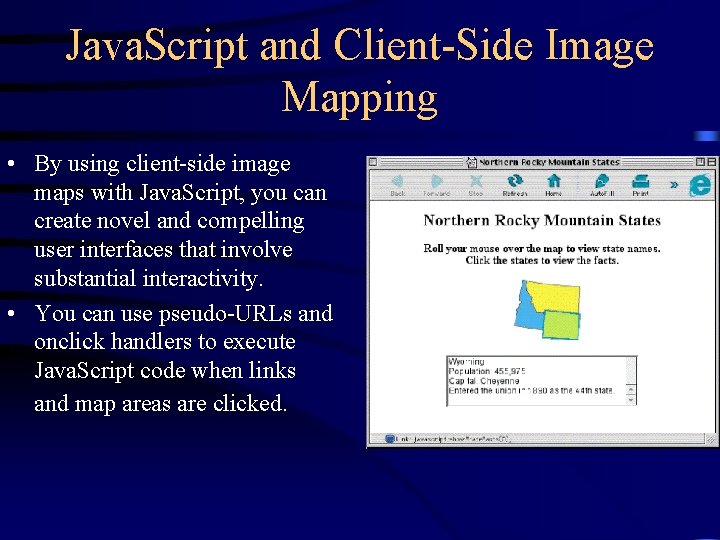
Java. Script and Client-Side Image Mapping • By using client-side image maps with Java. Script, you can create novel and compelling user interfaces that involve substantial interactivity. • You can use pseudo-URLs and onclick handlers to execute Java. Script code when links and map areas are clicked.
Browser Detection • Browser detection is often necessary to deliver different content for different browsers and platforms. • Browser detection scripts (sniffers) are ideal candidates for placement in external code libraries such as your mylibrary. js file.
Text in the Status Bar • You can control the text that is displayed in the status bar of visitors’ computers. • To avoid interfering with status messages coming from the browser, be sure to place only temporary information in the status bar. An example is a short message that appears when visitors move the mouse over a link.
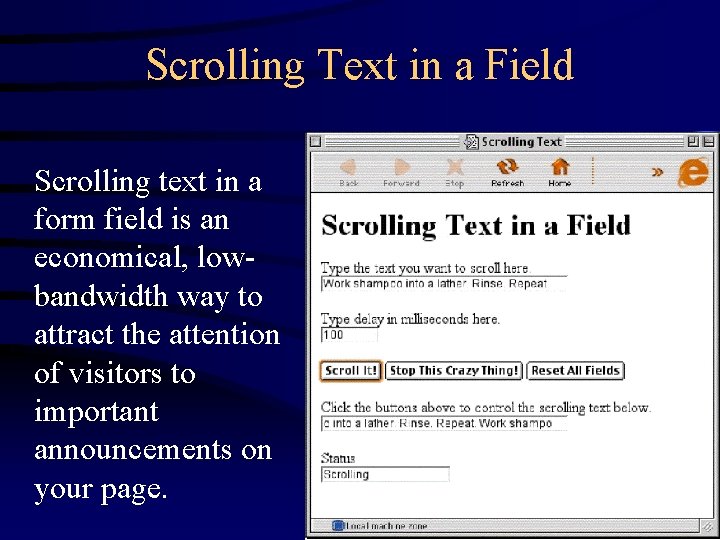
Scrolling Text in a Field Scrolling text in a form field is an economical, lowbandwidth way to attract the attention of visitors to important announcements on your page.
What’s Next? • Your new skills in Java. Script programming will assist you in creating Dynamic HTML and using authoring environments such as Flash and Director. • Dynamic HTML is the combination of Java. Script, HTML 4, and Cascading Style Sheets. • Flash and Director are two of many products that use Java. Script or Java. Script-like languages to create interactivity.
- Slides: 8