
The Web Wizards Guide to Flash by Michael
The Web Wizard’s Guide to Flash by Michael Kay Copyright © 2003 Pearson Education, Inc. 1
CHAPTER 7 Easing into Action. Script Copyright © 2003 Pearson Education, Inc. 2
Chapter Objectives n n n Write basic actions by hand How to apply built-in functions Understanding object-oriented programming and dot syntax Apply conditionals, operators, and variables Create a custom function Writing better Action. Script and fixing bugs Copyright © 2003 Pearson Education, Inc. 3
From Basic Actions to Action. Script n n The actions in Chapter 4 were all a form of Action. Script Similar to Java. Script, Action. Script is a programming language just for Flash Change the Actions to “Expert Mode” when working directly in Action. Script; and type directly in the text pane A Stop action in Action. Script: stop(); Copyright © 2003 Pearson Education, Inc. 4
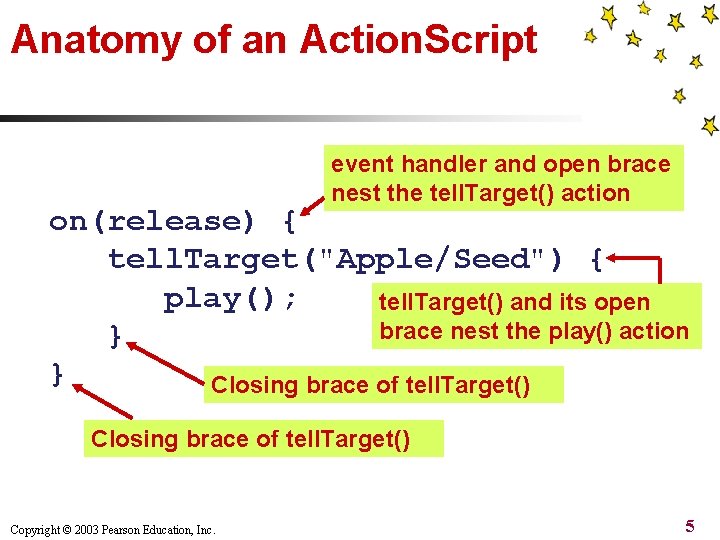
Anatomy of an Action. Script event handler and open brace nest the tell. Target() action on(release) { tell. Target("Apple/Seed") { play(); tell. Target() and its open brace nest the play() action } } Closing brace of tell. Target() Copyright © 2003 Pearson Education, Inc. 5
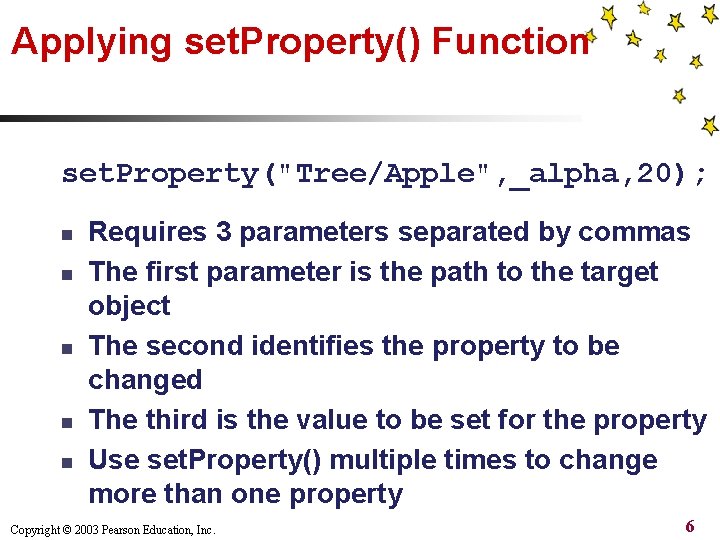
Applying set. Property() Function set. Property("Tree/Apple", _alpha, 20); n n n Requires 3 parameters separated by commas The first parameter is the path to the target object The second identifies the property to be changed The third is the value to be set for the property Use set. Property() multiple times to change more than one property Copyright © 2003 Pearson Education, Inc. 6

The trace() Function trace("Output this message"); n n Has no effect on the appearance or behavior of published movie Used for debugging purposes, to find errors On test, displays in Output window literal text surrounded by quote marks or interprets parameter Check “Omit Trace actions” when publishing movie to improve performance Copyright © 2003 Pearson Education, Inc. 7
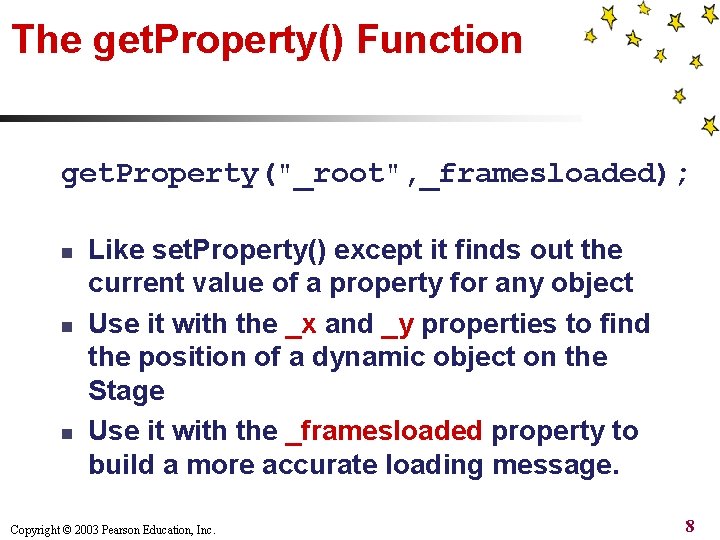
The get. Property() Function get. Property("_root", _framesloaded); n n n Like set. Property() except it finds out the current value of a property for any object Use it with the _x and _y properties to find the position of a dynamic object on the Stage Use it with the _framesloaded property to build a more accurate loading message. Copyright © 2003 Pearson Education, Inc. 8
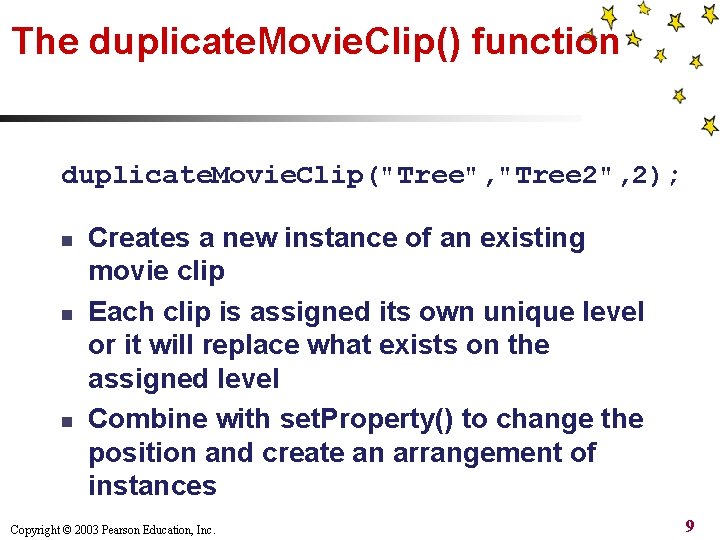
The duplicate. Movie. Clip() function duplicate. Movie. Clip("Tree", "Tree 2", 2); n n n Creates a new instance of an existing movie clip Each clip is assigned its own unique level or it will replace what exists on the assigned level Combine with set. Property() to change the position and create an arrangement of instances Copyright © 2003 Pearson Education, Inc. 9
Dot Syntax n n n Generally, uses dots in place of slashes to define relative paths Dot syntax is a programming standard Allows you to apply a method or access a property directly by appending it to a path: Apple. Seed. play(); Use it in place of the set. Property() function: Tree. Apple. _x = 200; Not compatible with Flash players earlier than version 5 Copyright © 2003 Pearson Education, Inc. 10
Conditionals If (condition) { some. Function() } n n n Use the “If” statement to set a requirement for a function If the condition is met the function will execute; otherwise it will be ignored The “else” statement allows you to define a function to be executed if a condition is not met Copyright © 2003 Pearson Education, Inc. 11
Loading Loop Conditional if (_framesloaded >= 50) { goto. And. Play("resume_movie"); } else { goto. And. Play("start_loop"); } Copyright © 2003 Pearson Education, Inc. 12
Variables and Operators n n n Assign a variable as a place to store numbers, text-strings, and other values: var first_name = "Francis"; A variable name placed in an Action. Script statement will be interpreted to its stored value: trace (first_name); will display "Francis" in the output window Combine a variable with operators to change its value: xy. Position += 5; Copyright © 2003 Pearson Education, Inc. 13
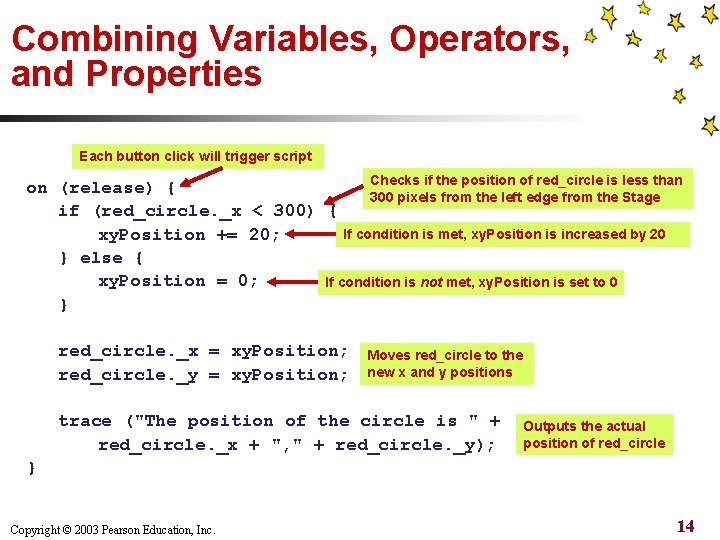
Combining Variables, Operators, and Properties Each button click will trigger script Checks if the position of red_circle is less than on (release) { 300 pixels from the left edge from the Stage if (red_circle. _x < 300) { If condition is met, xy. Position is increased by 20 xy. Position += 20; } else { xy. Position = 0; If condition is not met, xy. Position is set to 0 } red_circle. _x = xy. Position; red_circle. _y = xy. Position; Moves red_circle to the new x and y positions trace ("The position of the circle is " + red_circle. _x + ", " + red_circle. _y); Outputs the actual position of red_circle } Copyright © 2003 Pearson Education, Inc. 14
Building a Custom Function n Like a variable, define a custom function as a storage device but for other Action. Script functions and methods First, declare a function; then, call it from somewhere else to execute it. When declaring the function, define parameters with variables Copyright © 2003 Pearson Education, Inc. 15
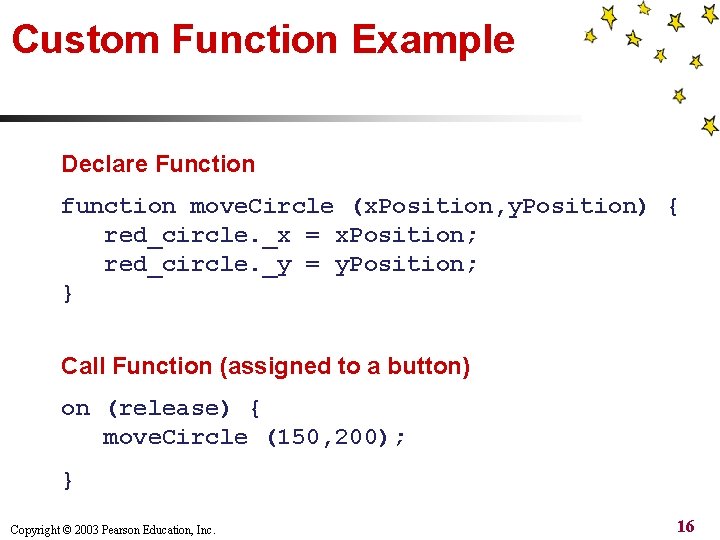
Custom Function Example Declare Function function move. Circle (x. Position, y. Position) { red_circle. _x = x. Position; red_circle. _y = y. Position; } Call Function (assigned to a button) on (release) { move. Circle (150, 200); } Copyright © 2003 Pearson Education, Inc. 16
Writing Good Code n n n n Designate a separate layer for actions Start simple and build complexity gradually Use white space to improve legibility Comment code to explain how it works Check your syntax for errors Get a friend to review your code Check your work with Control > Test Movie Use the trace() function to check values Copyright © 2003 Pearson Education, Inc. 17
- Slides: 17