
The VNXe Series Technical Presentation Name Title October
The VNXe Series Technical Presentation Name Title October 2011 © Copyright 2011 EMC Corporation. All rights reserved. 1
Topics • Architecture • Hardware • Operating Environment • Storage Pools • Data Services – Thin Provisioning – File-level Deduplication & Compression – Data Protection – Snapshots – Replication © Copyright 2011 EMC Corporation. All rights reserved. • Data Services (continued) – Antivirus – File Level Retention – Backup • Windows Integration & Support • Management • Support Ecosystem 2
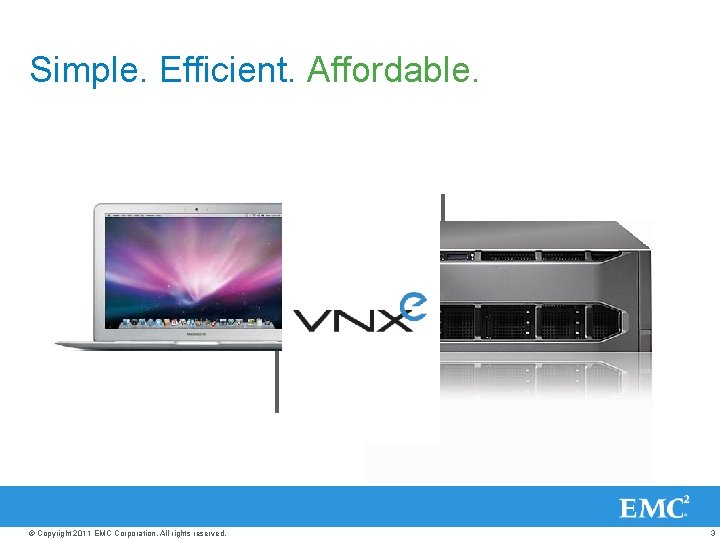
Simple. Efficient. Affordable. Configure in A new seconds way Get more to capacity at less cost think Rest easy, about rock solid shared Starting under storage $10 K © Copyright 2011 EMC Corporation. All rights reserved. 3
Architecture & Hardware © Copyright 2011 EMC Corporation. All rights reserved. 4
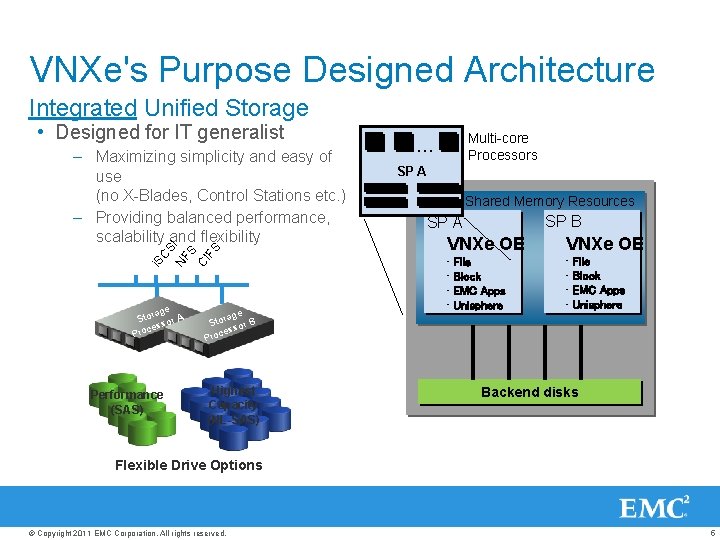
VNXe's Purpose Designed Architecture Integrated Unified Storage • Designed for IT generalist i. S CS NF I S CI FS – Maximizing simplicity and easy of use (no X-Blades, Control Stations etc. ) – Providing balanced performance, scalability and flexibility rage Sto sor A ces Pro Performance (SAS) rage Sto sor B ces Pro Highest Capacity (NL-SAS) Multi-core Processors … SP A Shared Memory Resources SP B SP A VNXe OE • File • Block • EMC Apps • Unisphere Flare Backend disks Flexible Drive Options © Copyright 2011 EMC Corporation. All rights reserved. 5
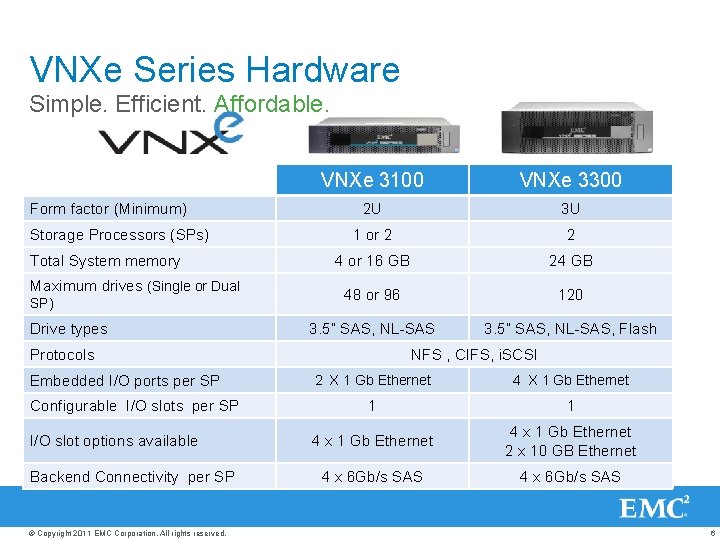
VNXe Series Hardware Simple. Efficient. Affordable. Form factor (Minimum) Storage Processors (SPs) Total System memory Maximum drives (Single or Dual SP) Drive types VNXe 3100 VNXe 3300 2 U 3 U 1 or 2 2 4 or 16 GB 24 GB 48 or 96 120 3. 5” SAS, NL-SAS, Flash Protocols Embedded I/O ports per SP Configurable I/O slots per SP I/O slot options available Backend Connectivity per SP © Copyright 2011 EMC Corporation. All rights reserved. NFS , CIFS, i. SCSI 2 X 1 Gb Ethernet 4 X 1 Gb Ethernet 1 1 4 x 1 Gb Ethernet 2 x 10 GB Ethernet 4 x 6 Gb/s SAS 6
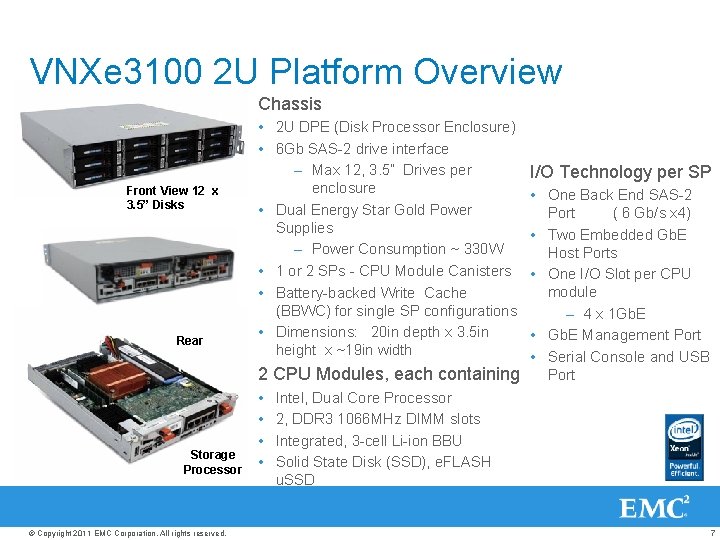
VNXe 3100 2 U Platform Overview Chassis Front View 12 x 3. 5” Disks Rear Storage Processor © Copyright 2011 EMC Corporation. All rights reserved. • 2 U DPE (Disk Processor Enclosure) • 6 Gb SAS-2 drive interface – Max 12, 3. 5” Drives per enclosure • Dual Energy Star Gold Power Supplies – Power Consumption ~ 330 W • 1 or 2 SPs - CPU Module Canisters • Battery-backed Write Cache (BBWC) for single SP configurations • Dimensions: 20 in depth x 3. 5 in height x ~19 in width I/O Technology per SP • One Back End SAS-2 Port ( 6 Gb/s x 4) • Two Embedded Gb. E Host Ports • One I/O Slot per CPU module – 4 x 1 Gb. E • Gb. E Management Port • Serial Console and USB Port 2 CPU Modules, each containing • Intel, Dual Core Processor • 2, DDR 3 1066 MHz DIMM slots • Integrated, 3 -cell Li-ion BBU • Solid State Disk (SSD), e. FLASH u. SSD 7
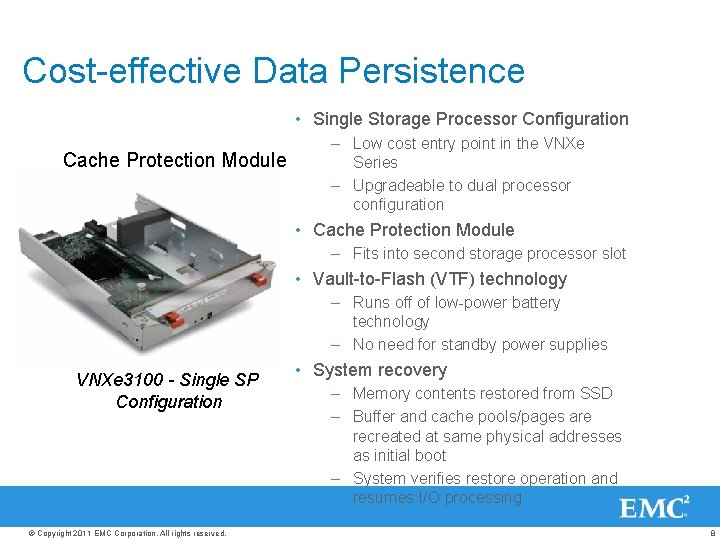
Cost-effective Data Persistence • Single Storage Processor Configuration Cache Protection Module – Low cost entry point in the VNXe Series – Upgradeable to dual processor configuration • Cache Protection Module – Fits into second storage processor slot • Vault-to-Flash (VTF) technology – Runs off of low-power battery technology – No need for standby power supplies VNXe 3100 - Single SP Configuration © Copyright 2011 EMC Corporation. All rights reserved. • System recovery – Memory contents restored from SSD – Buffer and cache pools/pages are recreated at same physical addresses as initial boot – System verifies restore operation and resumes I/O processing 8
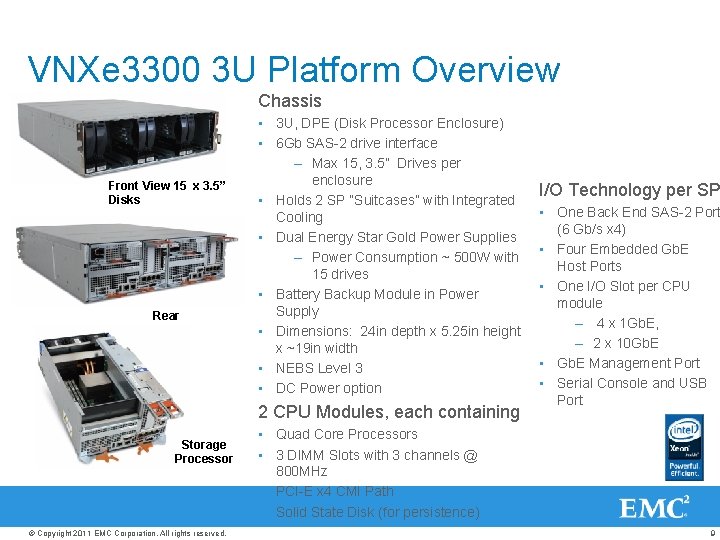
VNXe 3300 3 U Platform Overview Chassis Front View 15 x 3. 5” Disks Rear • 3 U, DPE (Disk Processor Enclosure) • 6 Gb SAS-2 drive interface – Max 15, 3. 5” Drives per enclosure • Holds 2 SP “Suitcases” with Integrated Cooling • Dual Energy Star Gold Power Supplies – Power Consumption ~ 500 W with 15 drives • Battery Backup Module in Power Supply • Dimensions: 24 in depth x 5. 25 in height x ~19 in width • NEBS Level 3 • DC Power option 2 CPU Modules, each containing Storage Processor © Copyright 2011 EMC Corporation. All rights reserved. I/O Technology per SP • One Back End SAS-2 Port (6 Gb/s x 4) • Four Embedded Gb. E Host Ports • One I/O Slot per CPU module – 4 x 1 Gb. E, – 2 x 10 Gb. E • Gb. E Management Port • Serial Console and USB Port • Quad Core Processors • 3 DIMM Slots with 3 channels @ 800 MHz • PCI-E x 4 CMI Path • Solid State Disk (for persistence) 9
Flexible Storage Capacity • Disk Options, 3. 5” Drives Flexible Storage Options – SAS Performance: 300 GB, 600 GB, 15 K RPM – Near line SAS Capacity: 1 TB, 2 TB, 7. 2 K RPM – Flash (Tier 0): 100 GB (VNXe 3300 only) • Scale – Up to 7 additional disk enclosures per system – Max 120 drives in VNXe 3300 – Max 96 drives in VNXe 3100 – Mix drive types within an enclosure • Optional “disk pack” offerings – SAS Performance pack: RAID 5 or RAID 10 – SAS Capacity pack: RAID 6 – Flash pack: RAID 5 • Scale to 240 Terabytes with 2 TB drive © Copyright 2011 EMC Corporation. All rights reserved. 10
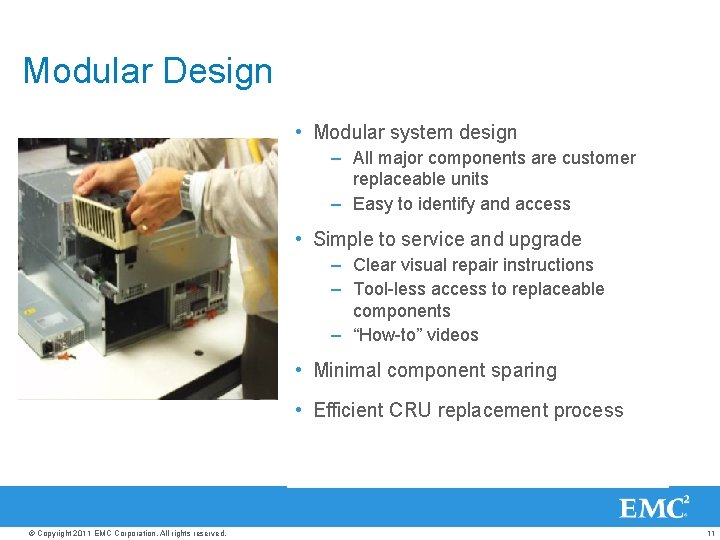
Modular Design • Modular system design – All major components are customer replaceable units – Easy to identify and access • Simple to service and upgrade – Clear visual repair instructions – Tool-less access to replaceable components – “How-to” videos • Minimal component sparing • Efficient CRU replacement process © Copyright 2011 EMC Corporation. All rights reserved. 11
VNXe Interoperability and Standards • Host Operating Systems – Microsoft Windows – Linux: SUSE, Red Hat, Asia. NUX – UNIX: AIX, HP-UX, Solaris – VMWare – Hyper-V – Citrix Xen. Server • US Dept of Defense – Common Criteria – DISA STIG • Telecom • Telcordia NEBS Level 3 • Storage Applications – NDMP Backup Software – Anti-Virus Scanning Software © Copyright 2011 EMC Corporation. All rights reserved. 12
High Availability © Copyright 2011 EMC Corporation. All rights reserved. 13
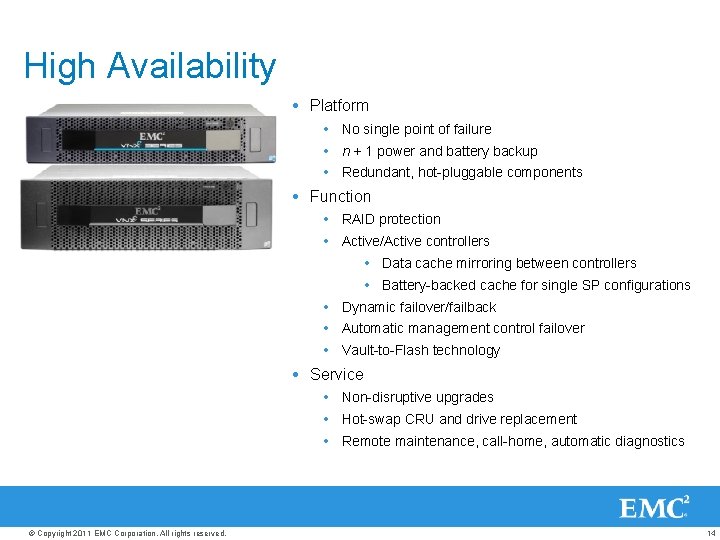
High Availability Platform No single point of failure n + 1 power and battery backup Redundant, hot-pluggable components Function RAID protection Active/Active controllers Data cache mirroring between controllers Battery-backed cache for single SP configurations Dynamic failover/failback Automatic management control failover Vault-to-Flash technology Service Non-disruptive upgrades Hot-swap CRU and drive replacement Remote maintenance, call-home, automatic diagnostics © Copyright 2011 EMC Corporation. All rights reserved. 14
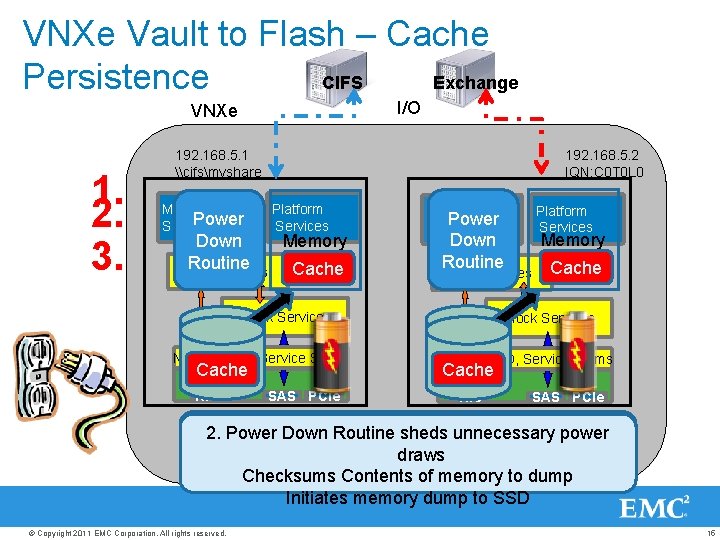
VNXe Vault to Flash – Cache Persistence CIFS Exchange I/O VNXe 1. 2. 3. 192. 168. 5. 1 \cifsmyshare Management Power Services 192. 168. 5. 2 IQN: C 0 T 0 L 0 Platform Services Memory Down Routine Cache File Services Down Routine Cache NIC SAS PCIe Memory File Services Block Services Network, I/O, Service Shims Platform Services Management Power Services Cache Block Services Network, I/O, Service Shims Cache NIC SAS PCIe 3. Power Down Code waits for dump complete 1. AC power is lost to array 2. Power Down Routine sheds unnecessary power Disables battery hold up A battery holds up SP and SSD device draws Transition to special power fail routine Checksums Contents of memory to dump Initiates memory dump to SSD © Copyright 2011 EMC Corporation. All rights reserved. 15
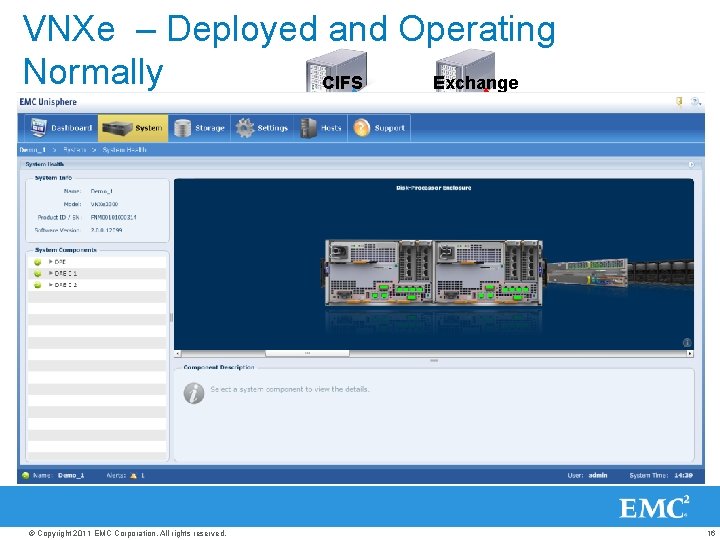
VNXe – Deployed and Operating Normally CIFS Exchange I/O VNXe 192. 168. 5. 1 \cifsmyshare 192. 168. 5. 2 IQN: C 0 T 0 L 0 Management Services Platform Services File Services Block Services Network, I/O, Service Shims NIC © Copyright 2011 EMC Corporation. All rights reserved. SAS PCIe Platform Services Management Services Block Services Network, I/O, Service Shims NIC SAS PCIe 16
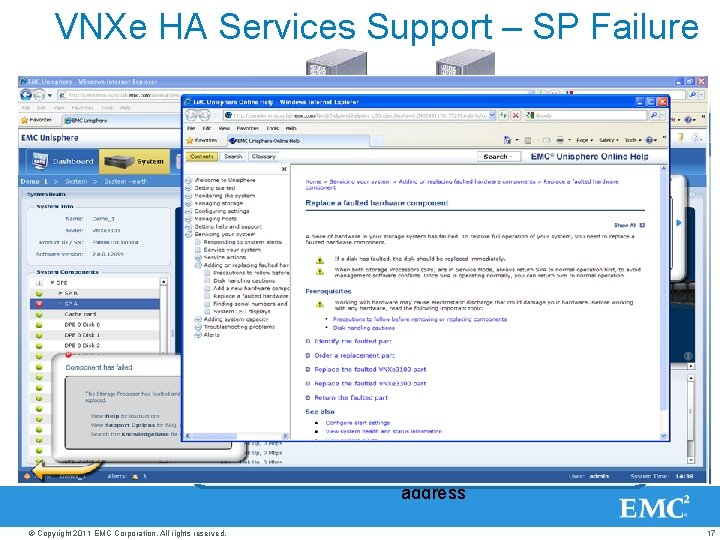
VNXe HA Services Support – SP Failure CIFS I/O VNXe 192. 168. 5. 1 \cifsmyshare 3. Exchange Management Services 192. 168. 5. 2 IQN: C 0 T 0 L 0 2. 1. Platform Services File Services Management Services File Services Block Services Network, I/O, Service Shims NIC SAS PCIe Platform Services Block Services Network, I/O, Service Shims NIC SAS PCIe 1. Cluster Manager Detects problem with other node 2. HA Service starts new file service 3. Health/Alert Business Logic detects status change Validates node failure IP network failover is invoked Indicates Alert to user Invokes HA failover service i. SCSI LUN is exported Email Alert to EMC Support & configured email address © Copyright 2011 EMC Corporation. All rights reserved. 17
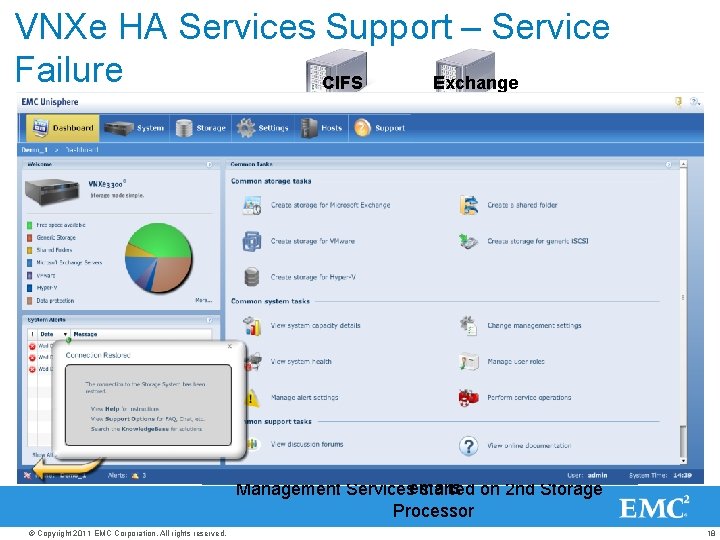
VNXe HA Services Support – Service Failure CIFS Exchange I/O VNXe 192. 168. 5. 1 \cifsmyshare Mgmt IP 192. 168. 5. 1 X 1. 2. Management Services Platform Services Mgmt IP 192. 168. 5. 1 3. Management Services Block Services NIC SAS PCIe Platform Services File Services Network, I/O, Service Shims 192. 168. 5. 2 IQN: C 0 T 0 L 0 Block Services Network, I/O, Service Shims NIC SAS PCIe 3. Health/Alert Business Logic detects status change 2. HA Service starts Management Service on other 1. Local Resource Manager Detects problem Indicates Alert to user node Tries restarting services 3 times Email Alert indicates to Support and configured IP network failover is invoked Invokes HA failover service emails Management Services started on 2 nd Storage Processor © Copyright 2011 EMC Corporation. All rights reserved. 18
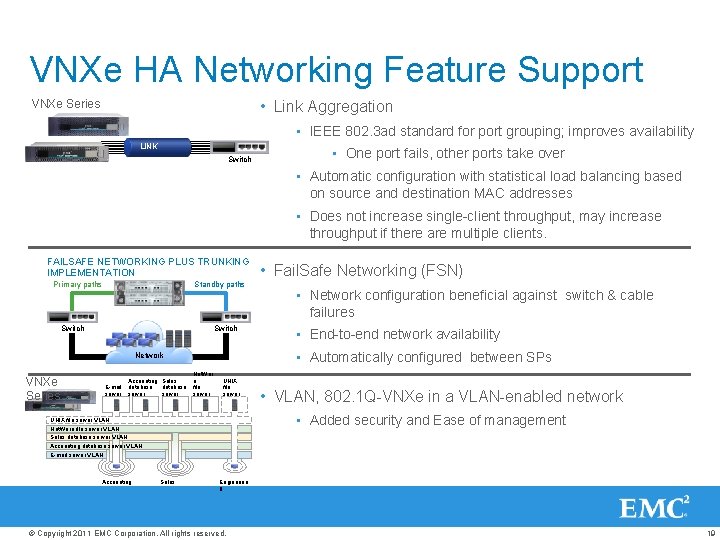
VNXe HA Networking Feature Support • Link Aggregation VNXe Series • IEEE 802. 3 ad standard for port grouping; improves availability LINK Switch • One port fails, other ports take over • Automatic configuration with statistical load balancing based on source and destination MAC addresses • Does not increase single-client throughput, may increase throughput if there are multiple clients. FAILSAFE NETWORKING PLUS TRUNKING IMPLEMENTATION Primary paths Standby paths Switch E-mail server Accounting Sales database server Net. War e file server UNIX file server • End-to-end network availability • VLAN, 802. 1 Q-VNXe in a VLAN-enabled network • Added security and Ease of management UNIX file server VLAN Net. Ware file server VLAN Sales database server VLAN Accounting database server VLAN E-mail server VLAN Accounting • Network configuration beneficial against switch & cable failures • Automatically configured between SPs Network VNXe Series • Fail. Safe Networking (FSN) Sales Engineerin g © Copyright 2011 EMC Corporation. All rights reserved. 19
Storage Pools © Copyright 2011 EMC Corporation. All rights reserved. 20
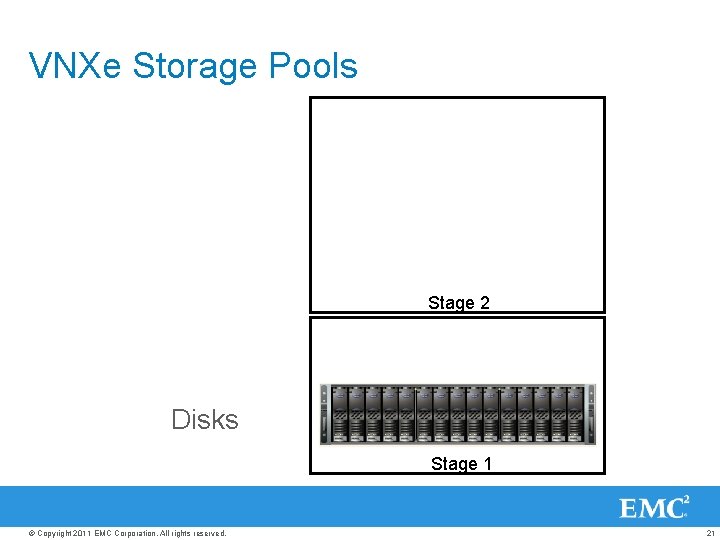
VNXe Storage Pools Stage 2 Disks Stage 1 © Copyright 2011 EMC Corporation. All rights reserved. 21
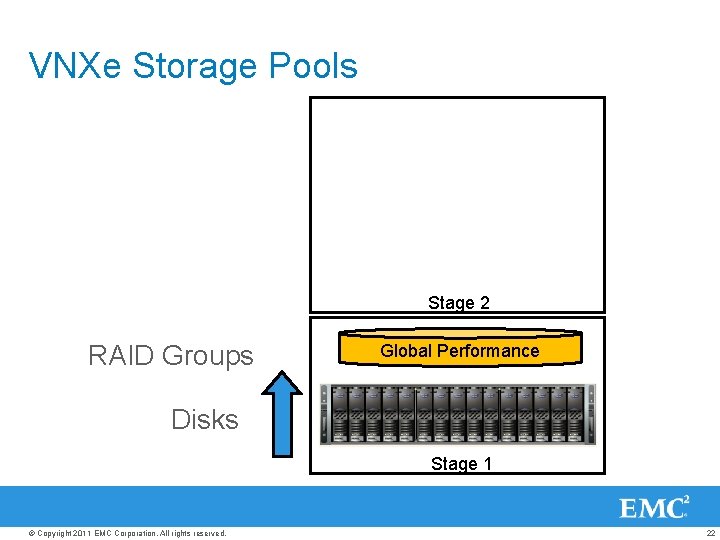
VNXe Storage Pools Stage 2 RAID Groups Global Performance Disks Stage 1 © Copyright 2011 EMC Corporation. All rights reserved. 22
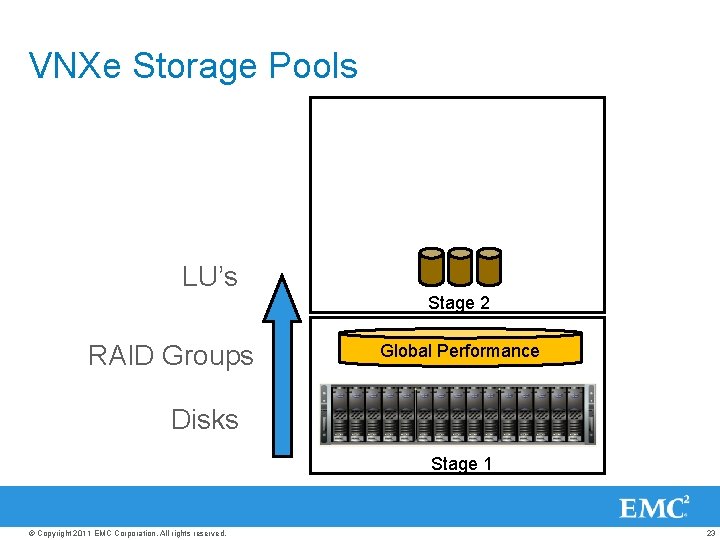
VNXe Storage Pools LU’s Stage 2 RAID Groups Global Performance Disks Stage 1 © Copyright 2011 EMC Corporation. All rights reserved. 23
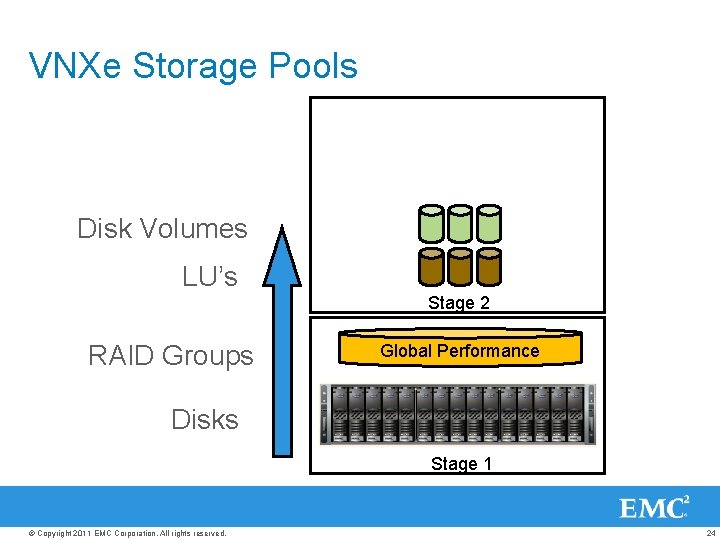
VNXe Storage Pools Disk Volumes LU’s Stage 2 RAID Groups Global Performance Disks Stage 1 © Copyright 2011 EMC Corporation. All rights reserved. 24
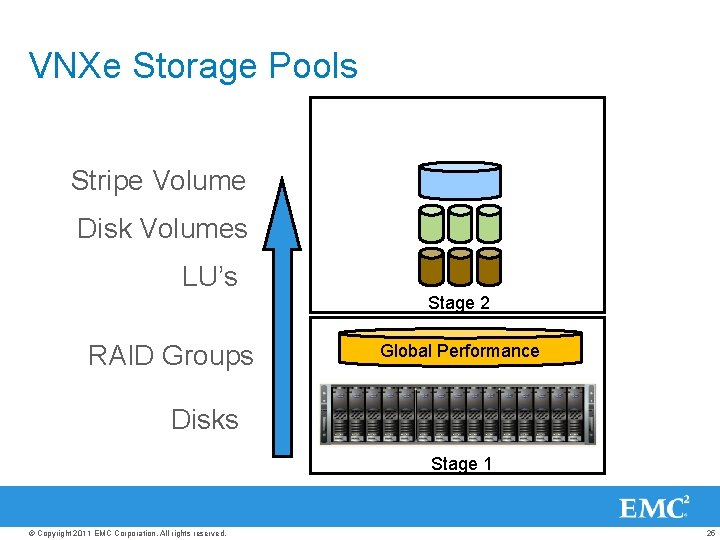
VNXe Storage Pools Stripe Volume Disk Volumes LU’s Stage 2 RAID Groups Global Performance Disks Stage 1 © Copyright 2011 EMC Corporation. All rights reserved. 25
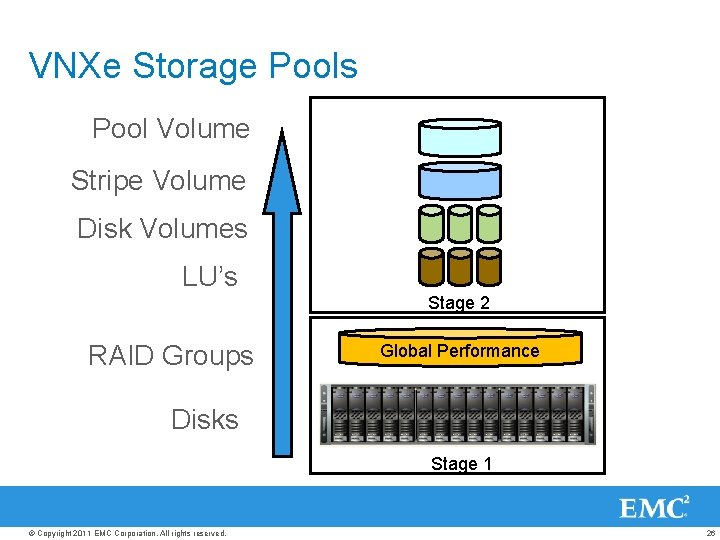
VNXe Storage Pools Pool Volume Stripe Volume Disk Volumes LU’s Stage 2 RAID Groups Global Performance Disks Stage 1 © Copyright 2011 EMC Corporation. All rights reserved. 26
Data Services © Copyright 2011 EMC Corporation. All rights reserved. 27
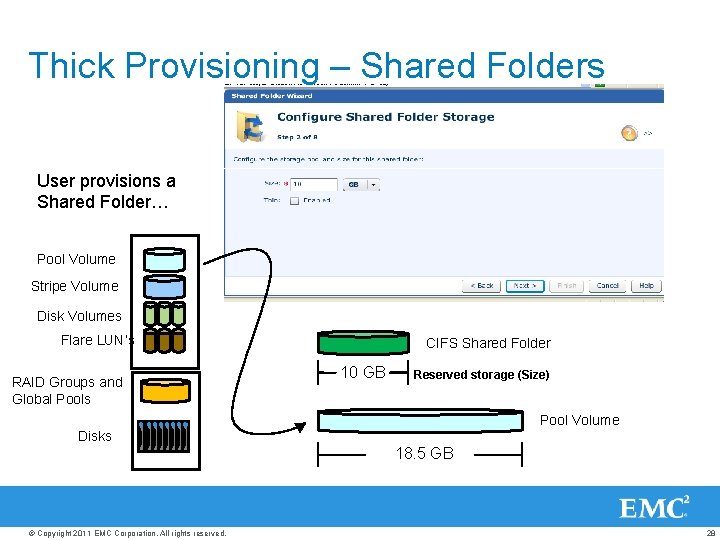
Thick Provisioning – Shared Folders User provisions a Shared Folder… Pool Volume Stripe Volume Disk Volumes Flare LUN’s RAID Groups and Global Pools CIFS Shared Folder 10 GB Reserved storage (Size) Pool Volume Disks 18. 5 GB © Copyright 2011 EMC Corporation. All rights reserved. 28
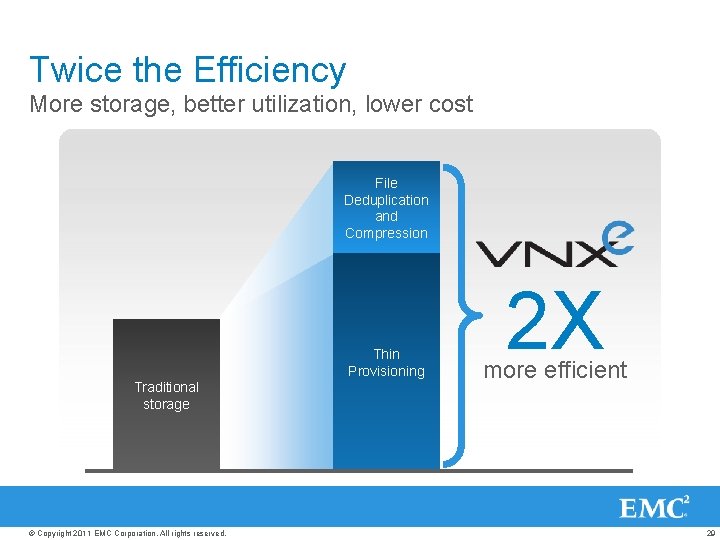
Twice the Efficiency More storage, better utilization, lower cost File Deduplication and Compression Thin Provisioning Traditional storage © Copyright 2011 EMC Corporation. All rights reserved. 2 X more efficient 29
Thin Provisioning © Copyright 2011 EMC Corporation. All rights reserved. 30
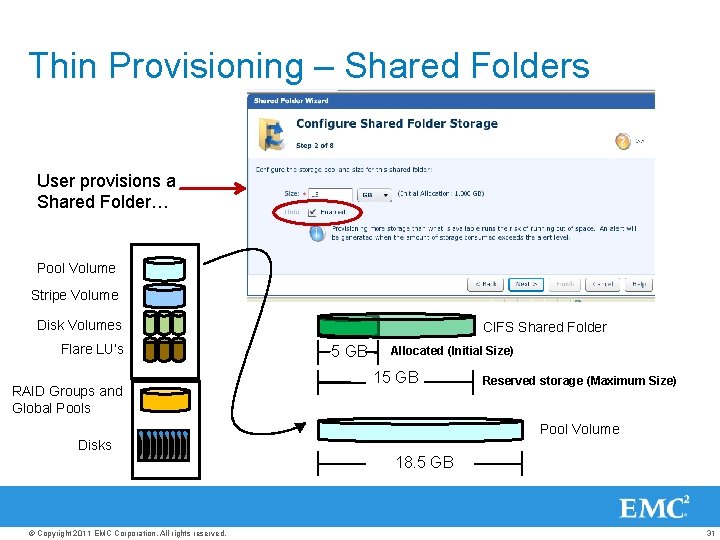
Thin Provisioning – Shared Folders User provisions a Shared Folder… Pool Volume Stripe Volume Disk Volumes Flare LU’s RAID Groups and Global Pools CIFS Shared Folder 5 GB Allocated (Initial Size) 15 GB Reserved storage (Maximum Size) Pool Volume Disks 18. 5 GB © Copyright 2011 EMC Corporation. All rights reserved. 31
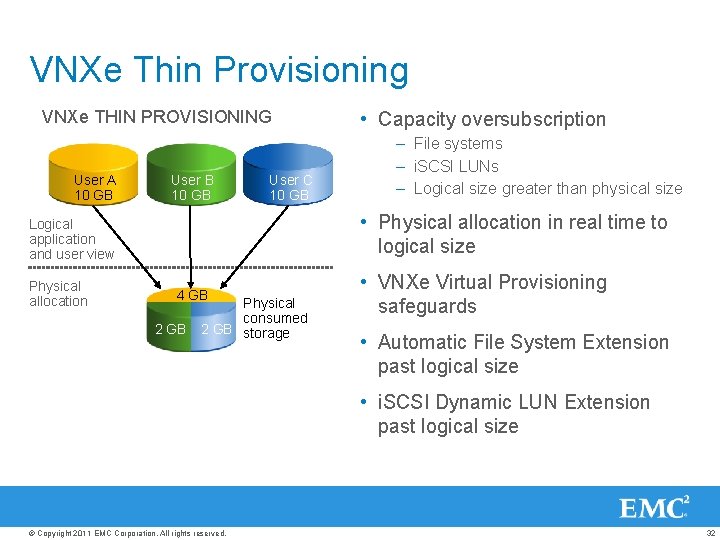
VNXe Thin Provisioning VNXe THIN PROVISIONING User A 10 GB User B 10 GB User C 10 GB – File systems – i. SCSI LUNs – Logical size greater than physical size • Physical allocation in real time to logical size Logical application and user view Physical allocation • Capacity oversubscription 4 GB 2 GB Physical consumed 2 GB storage • VNXe Virtual Provisioning safeguards • Automatic File System Extension past logical size • i. SCSI Dynamic LUN Extension past logical size © Copyright 2011 EMC Corporation. All rights reserved. 32
File-level deduplication © Copyright 2011 EMC Corporation. All rights reserved. 33
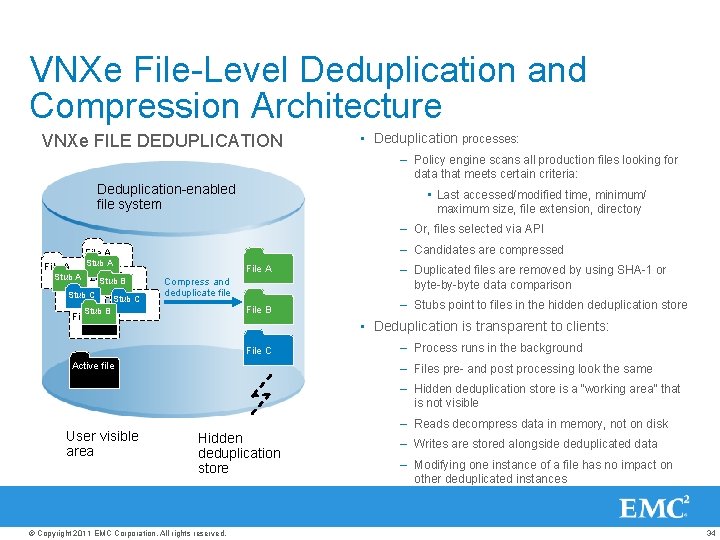
VNXe File-Level Deduplication and Compression Architecture VNXe FILE DEDUPLICATION • Deduplication processes: – Policy engine scans all production files looking for data that meets certain criteria: Deduplication-enabled file system • Last accessed/modified time, minimum/ maximum size, file extension, directory – Or, files selected via API – Candidates are compressed File A Stub A File B Stub A File C Stub B Stub C File A Compress and deduplicate file File B Stub B File B – Duplicated files are removed by using SHA-1 or byte-by-byte data comparison – Stubs point to files in the hidden deduplication store • Deduplication is transparent to clients: File C Active file – Process runs in the background – Files pre- and post processing look the same – Hidden deduplication store is a “working area” that is not visible User visible area Hidden deduplication store © Copyright 2011 EMC Corporation. All rights reserved. – Reads decompress data in memory, not on disk – Writes are stored alongside deduplicated data – Modifying one instance of a file has no impact on other deduplicated instances 34
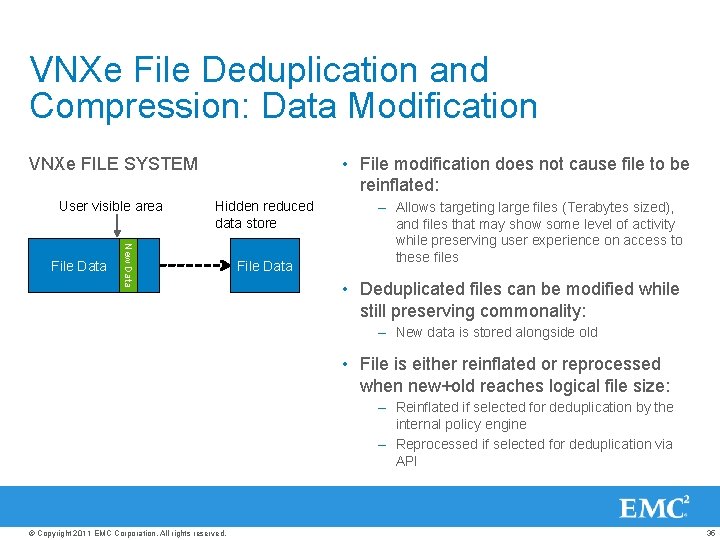
VNXe File Deduplication and Compression: Data Modification • File modification does not cause file to be reinflated: VNXe FILE SYSTEM User visible area New Data File Data Hidden reduced data store File Data – Allows targeting large files (Terabytes sized), and files that may show some level of activity while preserving user experience on access to these files • Deduplicated files can be modified while still preserving commonality: – New data is stored alongside old • File is either reinflated or reprocessed when new+old reaches logical file size: – Reinflated if selected for deduplication by the internal policy engine – Reprocessed if selected for deduplication via API © Copyright 2011 EMC Corporation. All rights reserved. 35
Data Protection © Copyright 2011 EMC Corporation. All rights reserved. 36
VNXe: Takes Care of the Complexities of Data Protection • Problem: – Calculating the space required for data protection is complicated. It require formulas and an intimate understanding of underlying snapshot and replication technology. • Typical Result: – Data Protection either gets slapped together in a “probably should work” fashion, or a Professional Services engagement is required. • VNXe eliminates complexity by: – Integrating best practices for provisioning data protection reserve space – Easy to configure snapshot schedules and Application Consistent Snapshots – Simplified replication configuration and management © Copyright 2011 EMC Corporation. All rights reserved. 37
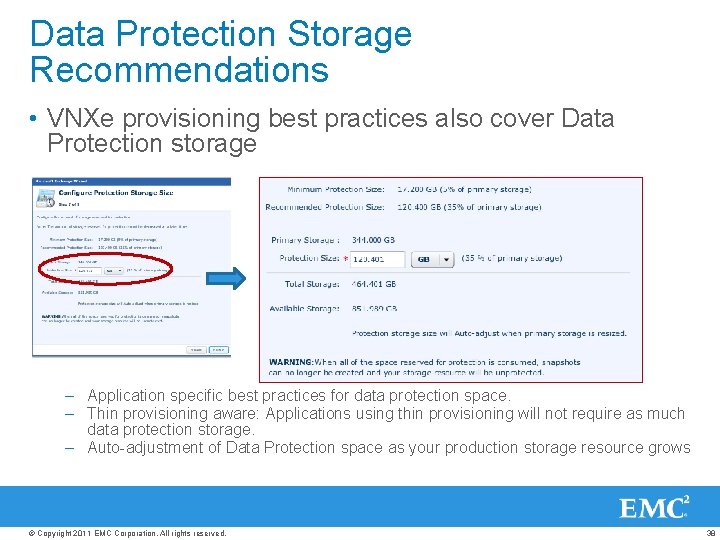
Data Protection Storage Recommendations • VNXe provisioning best practices also cover Data Protection storage – Application specific best practices for data protection space. – Thin provisioning aware: Applications using thin provisioning will not require as much data protection storage. – Auto-adjustment of Data Protection space as your production storage resource grows © Copyright 2011 EMC Corporation. All rights reserved. 38
Snapshots © Copyright 2011 EMC Corporation. All rights reserved. 39
The differences between Shared Folder & i. SCSI snapshots • Shared Folder snapshots use Copy On first Write (COW) – Snapshot creation and deletion is very quick – The space required for snapshots continues to grow as changes are made to the production volume • i. SCSI snapshots use Redirect on Write (ROW) – Snapshot creation is very quick – Perfect for your latency sensitive applications – Snapshots don’t grow once created © Copyright 2011 EMC Corporation. All rights reserved. 40
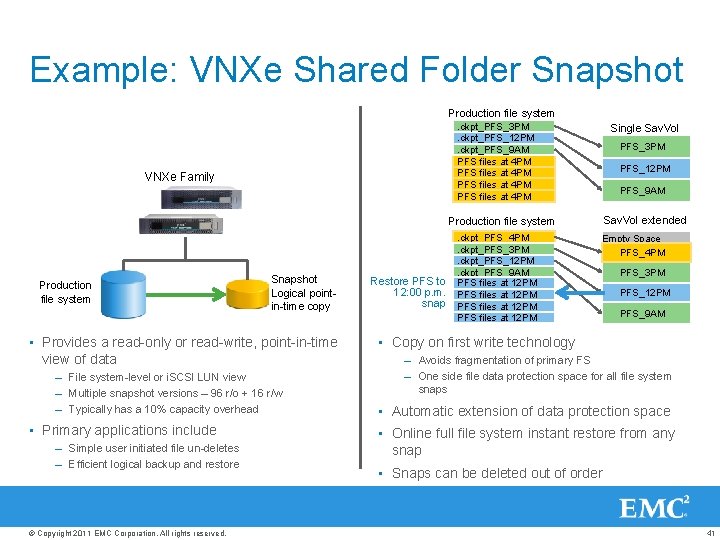
Example: VNXe Shared Folder Snapshot Production file system. ckpt_PFS_3 PM. ckpt_PFS_12 PM. ckpt_PFS_9 AM PFS files at 4 PM VNXe Family Single Sav. Vol PFS_3 PM PFS_12 PM PFS_9 AM Sav. Vol extended Production file system Snapshot Logical pointin-time copy • Provides a read-only or read-write, point-in-time view of data – File system-level or i. SCSI LUN view – Multiple snapshot versions – 96 r/o + 16 r/w – Typically has a 10% capacity overhead • Primary applications include – Simple user initiated file un-deletes – Efficient logical backup and restore © Copyright 2011 EMC Corporation. All rights reserved. . ckpt_PFS_4 PM. ckpt_PFS_3 PM. ckpt_PFS_12 PM. ckpt_PFS_9 AM Restore PFS to PFS files at 12 PM PFS files at 4 PM 12: 00 p. m. PFS files at 12 PM PFS files at 4 PM snap PFS files at 12 PM PFS files at 4 PM PFS files at 12 PM Empty Space PFS_4 PM PFS_3 PM PFS_12 PM PFS_9 AM • Copy on first write technology – Avoids fragmentation of primary FS – One side file data protection space for all file system snaps • Automatic extension of data protection space • Online full file system instant restore from any snap • Snaps can be deleted out of order 41
Snapshots Consistency Options • Crash consistent snapshots – VNXe provides the ability to create manual and scheduled crash consistent snapshots through Unisphere • Shared Folder: § Crash consistent snaps are acceptable • i. SCSI: § Good for an emergency. Only applicable to applications with a single virtual disk © Copyright 2011 EMC Corporation. All rights reserved. 42
Snapshots and Application Consistency • i. SCSI Application consistent snapshots – Using 3 rd party backup applications • Leverages the VSS framework for Microsoft Applications to create “Hardware Snapshots” for the application – Preferred Solution: Using the Application Protection Suite • Application protection Suite includes Replication Manager (RM) software • An RM agent runs on the host, which guarantees the applications using the storage are quiesced prior to creating snapshots • Leverages the VSS framework for Microsoft Applications • For applications with multiple virtual disks, Application Sets ensure consistency across all the storage resources • Exchange will automatically undergo snapshot consistency checks following the creation of the snapshot © Copyright 2011 EMC Corporation. All rights reserved. 43
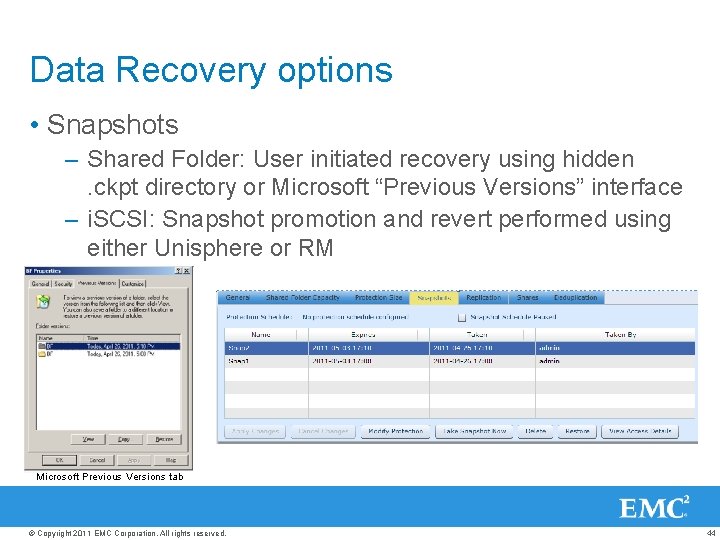
Data Recovery options • Snapshots – Shared Folder: User initiated recovery using hidden . ckpt directory or Microsoft “Previous Versions” interface – i. SCSI: Snapshot promotion and revert performed using either Unisphere or RM Microsoft Previous Versions tab © Copyright 2011 EMC Corporation. All rights reserved. 44
Replication © Copyright 2011 EMC Corporation. All rights reserved. 45
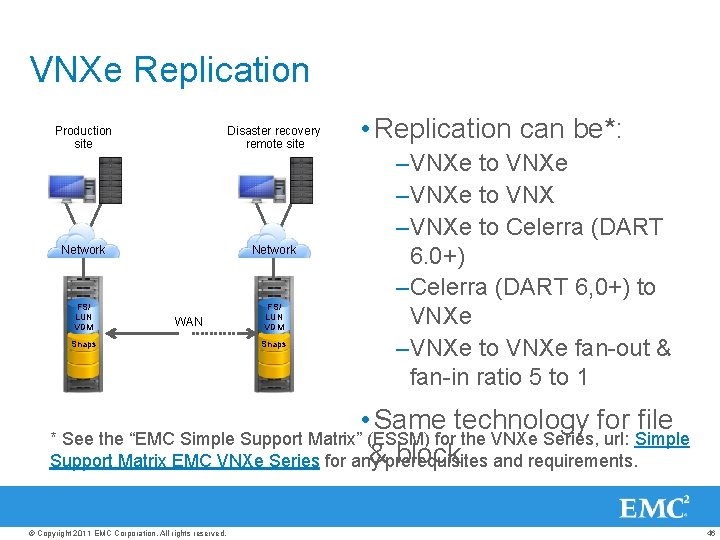
VNXe Replication Production site Disaster recovery remote site Network FS/ LUN VDM WAN Snaps • Replication can be*: –VNXe to VNXe –VNXe to VNX –VNXe to Celerra (DART 6. 0+) –Celerra (DART 6, 0+) to VNXe –VNXe to VNXe fan-out & fan-in ratio 5 to 1 • Same technology for file * See the “EMC Simple Support Matrix” (ESSM) for the VNXe Series, url: Simple & block Support Matrix EMC VNXe Series for any prerequisites and requirements. © Copyright 2011 EMC Corporation. All rights reserved. 46
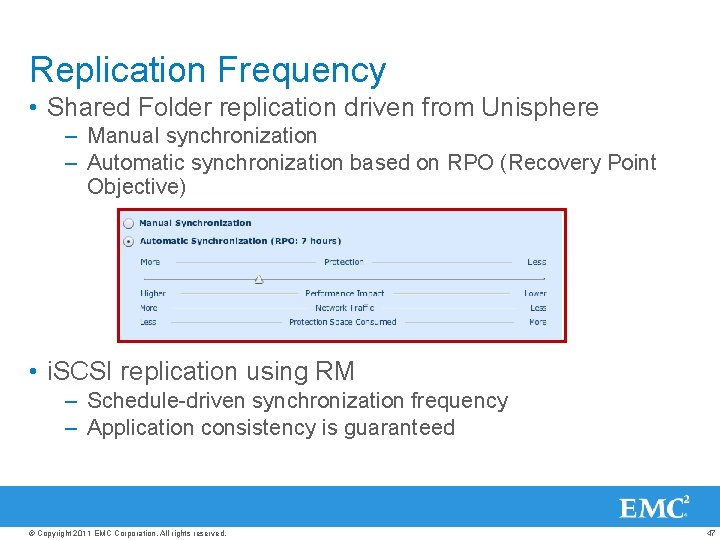
Replication Frequency • Shared Folder replication driven from Unisphere – Manual synchronization – Automatic synchronization based on RPO (Recovery Point Objective) • i. SCSI replication using RM – Schedule-driven synchronization frequency – Application consistency is guaranteed © Copyright 2011 EMC Corporation. All rights reserved. 47
Anti-Virus © Copyright 2011 EMC Corporation. All rights reserved. 48
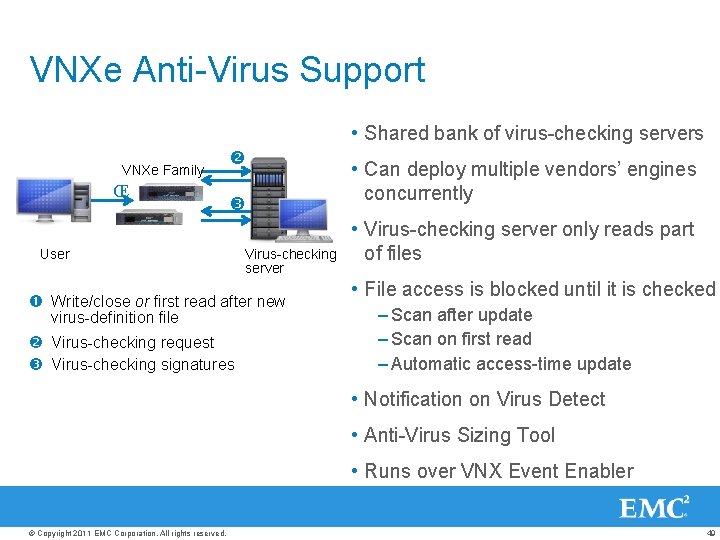
VNXe Anti-Virus Support • Shared bank of virus-checking servers VNXe Family Œ User • Can deploy multiple vendors’ engines concurrently Virus-checking server Write/close or first read after new virus-definition file Virus-checking request Virus-checking signatures • Virus-checking server only reads part of files • File access is blocked until it is checked – Scan after update – Scan on first read – Automatic access-time update • Notification on Virus Detect • Anti-Virus Sizing Tool • Runs over VNX Event Enabler © Copyright 2011 EMC Corporation. All rights reserved. 49
File Level Retention © Copyright 2011 EMC Corporation. All rights reserved. 50
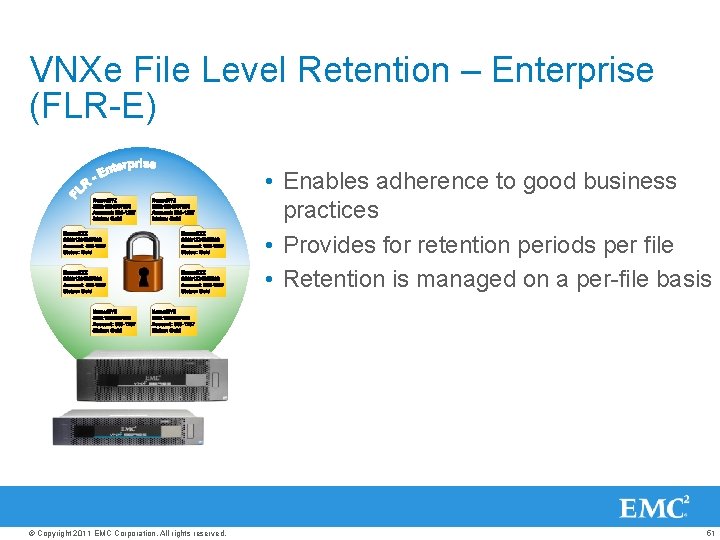
VNXe File Level Retention – Enterprise (FLR-E) • Enables adherence to good business practices • Provides for retention periods per file • Retention is managed on a per-file basis © Copyright 2011 EMC Corporation. All rights reserved. 51
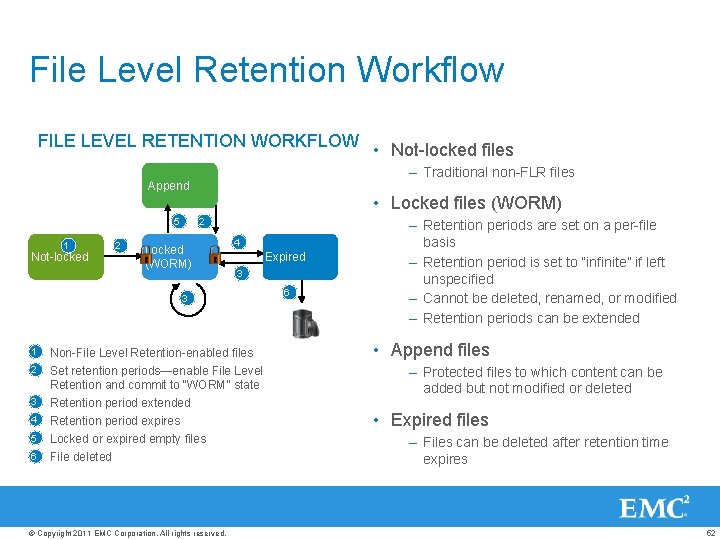
File Level Retention Workflow FILE LEVEL RETENTION WORKFLOW • Not-locked files – Traditional non-FLR files Append • Locked files (WORM) 5 1 Not-locked 2 2 Locked (WORM) 4 Expired 3 3 1 2 3 4 5 6 Non-File Level Retention-enabled files Set retention periods—enable File Level Retention and commit to “WORM” state Retention period extended Retention period expires Locked or expired empty files File deleted © Copyright 2011 EMC Corporation. All rights reserved. 6 – Retention periods are set on a per-file basis – Retention period is set to “infinite” if left unspecified – Cannot be deleted, renamed, or modified – Retention periods can be extended • Append files – Protected files to which content can be added but not modified or deleted • Expired files – Files can be deleted after retention time expires 52
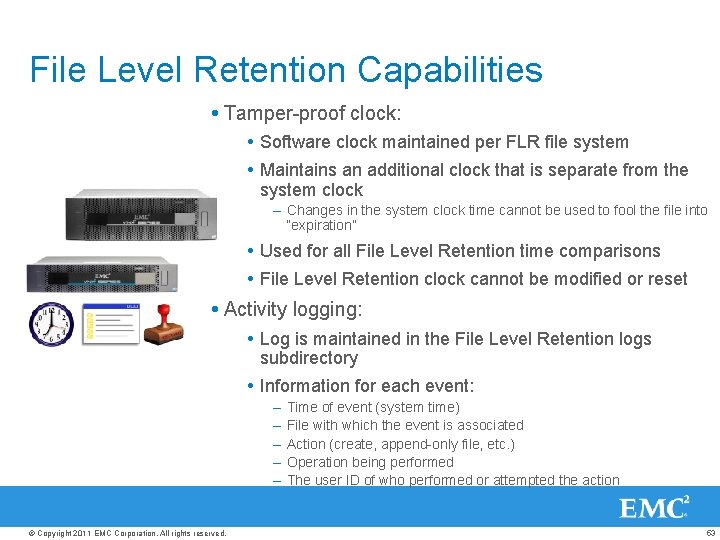
File Level Retention Capabilities Tamper-proof clock: Software clock maintained per FLR file system Maintains an additional clock that is separate from the system clock – Changes in the system clock time cannot be used to fool the file into “expiration” Used for all File Level Retention time comparisons File Level Retention clock cannot be modified or reset Activity logging: Log is maintained in the File Level Retention logs subdirectory Information for each event: – – – © Copyright 2011 EMC Corporation. All rights reserved. Time of event (system time) File with which the event is associated Action (create, append-only file, etc. ) Operation being performed The user ID of who performed or attempted the action 53
Backup © Copyright 2011 EMC Corporation. All rights reserved. 54
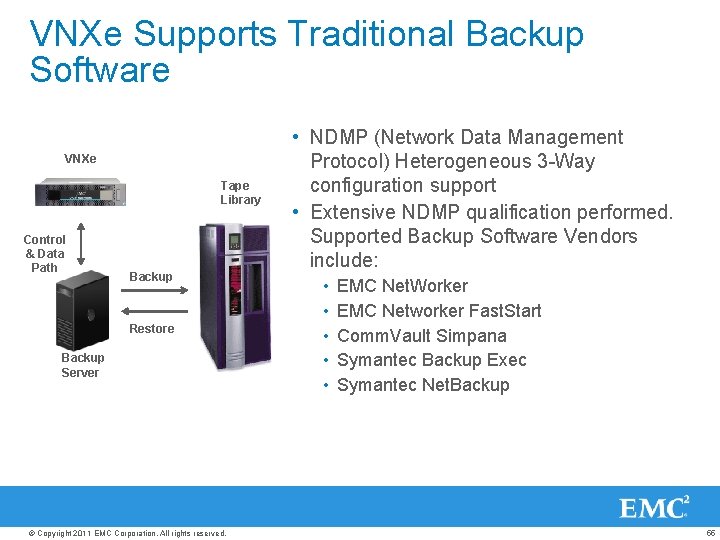
VNXe Supports Traditional Backup Software VNXe Tape Library Control & Data Path Backup Restore Backup Server © Copyright 2011 EMC Corporation. All rights reserved. • NDMP (Network Data Management Protocol) Heterogeneous 3 -Way configuration support • Extensive NDMP qualification performed. Supported Backup Software Vendors include: • • • EMC Net. Worker EMC Networker Fast. Start Comm. Vault Simpana Symantec Backup Exec Symantec Net. Backup 55
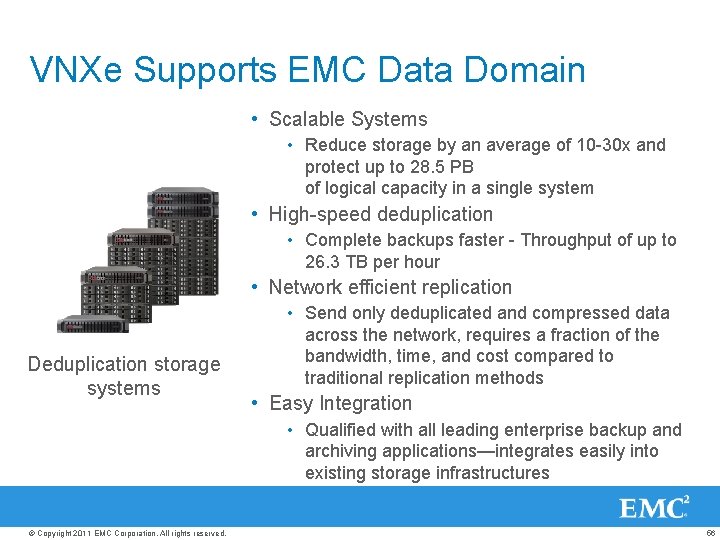
VNXe Supports EMC Data Domain • Scalable Systems • Reduce storage by an average of 10 -30 x and protect up to 28. 5 PB of logical capacity in a single system • High-speed deduplication • Complete backups faster - Throughput of up to 26. 3 TB per hour • Network efficient replication Deduplication storage systems • Send only deduplicated and compressed data across the network, requires a fraction of the bandwidth, time, and cost compared to traditional replication methods • Easy Integration • Qualified with all leading enterprise backup and archiving applications—integrates easily into existing storage infrastructures © Copyright 2011 EMC Corporation. All rights reserved. 56
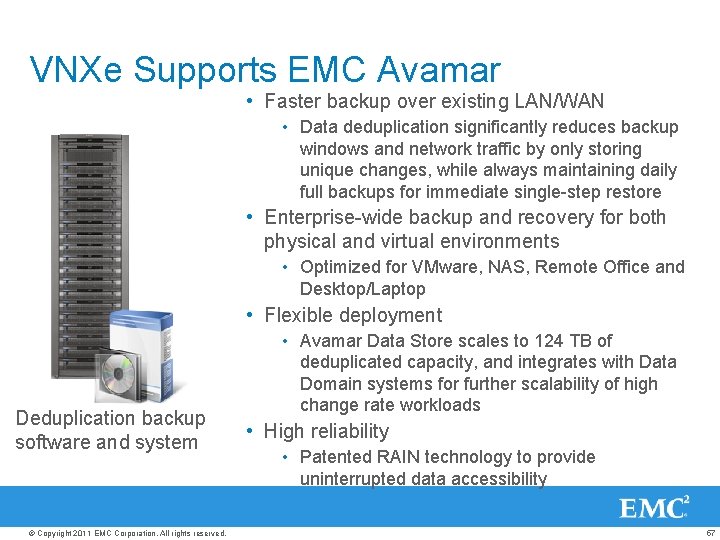
VNXe Supports EMC Avamar • Faster backup over existing LAN/WAN • Data deduplication significantly reduces backup windows and network traffic by only storing unique changes, while always maintaining daily full backups for immediate single-step restore • Enterprise-wide backup and recovery for both physical and virtual environments • Optimized for VMware, NAS, Remote Office and Desktop/Laptop • Flexible deployment Deduplication backup software and system © Copyright 2011 EMC Corporation. All rights reserved. • Avamar Data Store scales to 124 TB of deduplicated capacity, and integrates with Data Domain systems for further scalability of high change rate workloads • High reliability • Patented RAIN technology to provide uninterrupted data accessibility 57
Windows Integration & Support © Copyright 2011 EMC Corporation. All rights reserved. 58
VNXe Windows Integration • Quotas (groups and user) – Yes, supported through AD only • GPO’s – Defined & Parsed by AD • Home directories – Yes • Windows 2008 AD support – Yes • DFS support : • Supports root DFS in standalone mode only • Can be supported as a leaf node • Does not support DFS-R • Support ACLs at the share, level directory and the file – Yes via AD © Copyright 2011 EMC Corporation. All rights reserved. 59
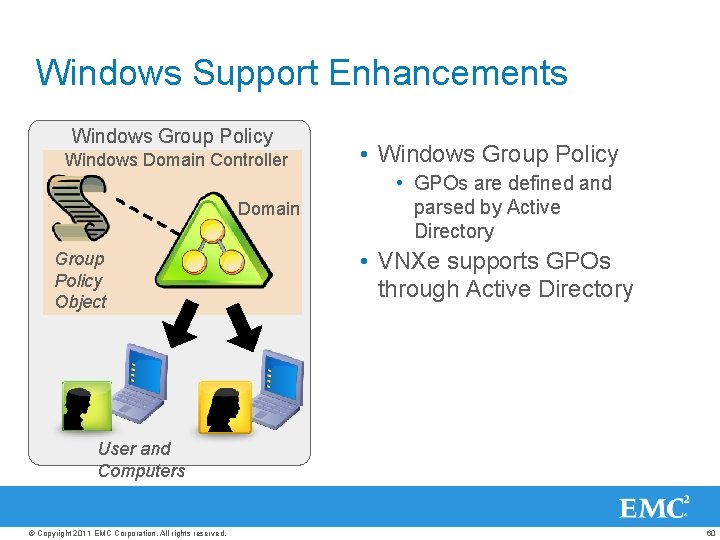
Windows Support Enhancements Windows Group Policy Windows Domain Controller Domain Group Policy Object • Windows Group Policy • GPOs are defined and parsed by Active Directory • VNXe supports GPOs through Active Directory User and Computers © Copyright 2011 EMC Corporation. All rights reserved. 60
Windows Support Enhancements • Windows 2008 R 2 Server Operating System Refresh © Copyright 2011 EMC Corporation. All rights reserved. • Based on the new “Windows 7” kernel • VNXe to support all Windows 2008 R 2 server flavors and platforms • Windows 2008 R 2 hosts can connect to the VNXe over CIFS SMB 2, CIFS SMB 1, i. SCSI • VNXe CIFS servers can be part of a Windows 2008 R 2 based domain • Listing in Microsoft Windows Server catalog 61
Management © Copyright 2011 EMC Corporation. All rights reserved. 62
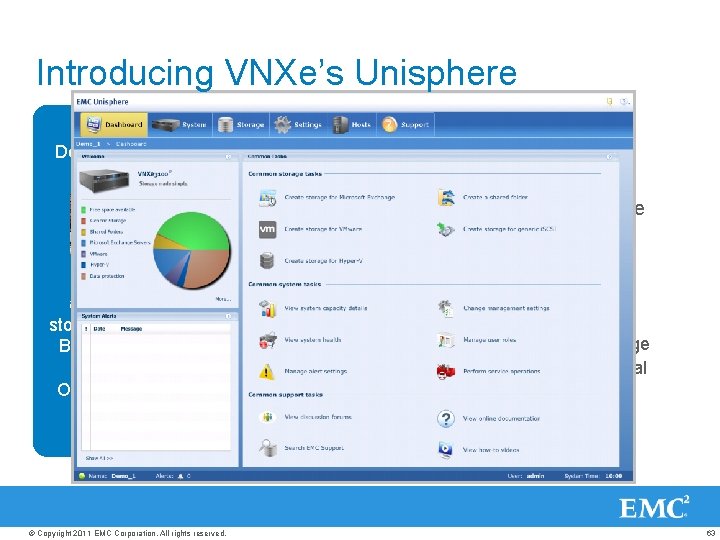
Introducing VNXe’s Unisphere Challenge • Graphical, task-oriented model – Approachable, intuitive design – “Web-familiar” look & feel Designed for IT Generalist • Simplifies management for the storage novice – No storage background required – Immediate productivity Focus on applications storage – Built-in Best Practices • Users can easily: Online Support Ecosystem © Copyright 2011 EMC Corporation. All rights reserved. – Create storage for an application – Monitor and manage that application’s storage – Customize the interface according to personal preferences or local language requirements – Identify and resolve hardware failures – Perform software upgrades from interface 63
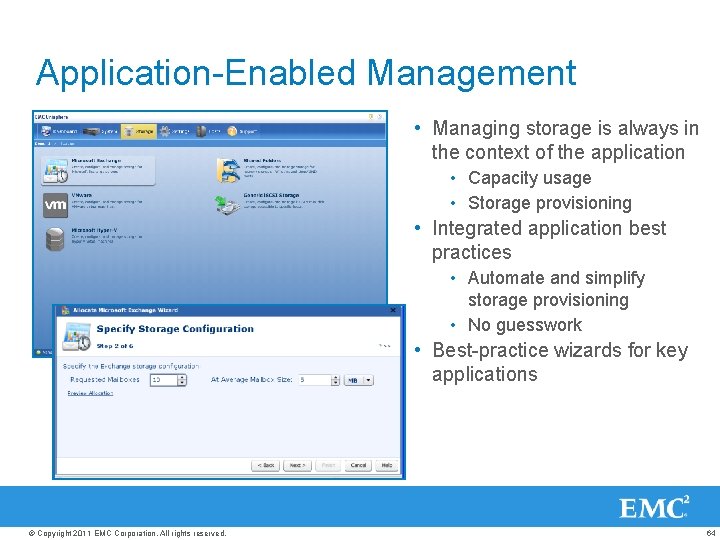
Application-Enabled Management • Managing storage is always in the context of the application • Capacity usage • Storage provisioning • Integrated application best practices • Automate and simplify storage provisioning • No guesswork • Best-practice wizards for key applications © Copyright 2011 EMC Corporation. All rights reserved. 64
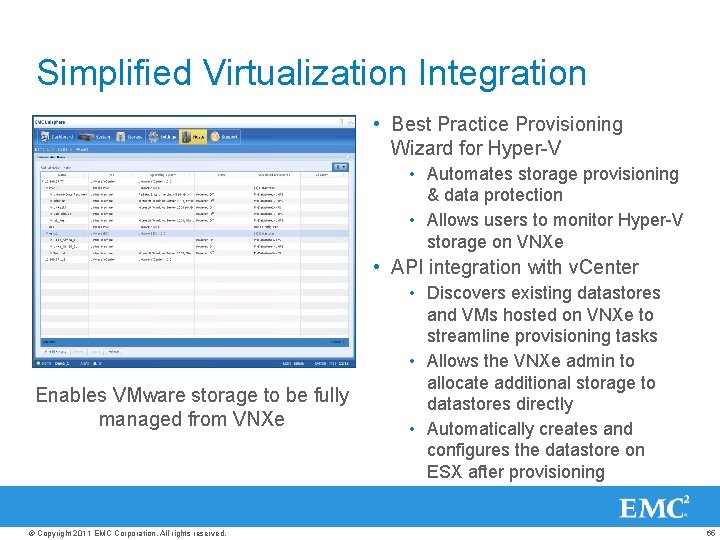
Simplified Virtualization Integration • Best Practice Provisioning Wizard for Hyper-V • Automates storage provisioning & data protection • Allows users to monitor Hyper-V storage on VNXe • API integration with v. Center • Discovers existing datastores and VMs hosted on VNXe to streamline provisioning tasks • Allows the VNXe admin to allocate additional storage to Enables VMware storage to be fully datastores directly managed from VNXe • Automatically creates and configures the datastore on ESX after provisioning © Copyright 2011 EMC Corporation. All rights reserved. 65
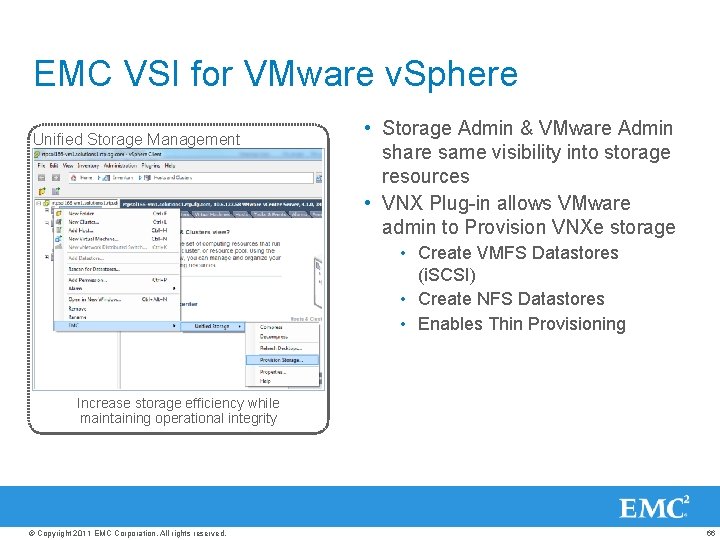
EMC VSI for VMware v. Sphere • Storage Admin & VMware Admin share same visibility into storage resources • VNX Plug-in allows VMware admin to Provision VNXe storage Unified Storage Management • Create VMFS Datastores (i. SCSI) • Create NFS Datastores • Enables Thin Provisioning Celerra Increase storage efficiency while maintaining operational integrity NFS data store management for the VMware Administrator © Copyright 2011 EMC Corporation. All rights reserved. 66
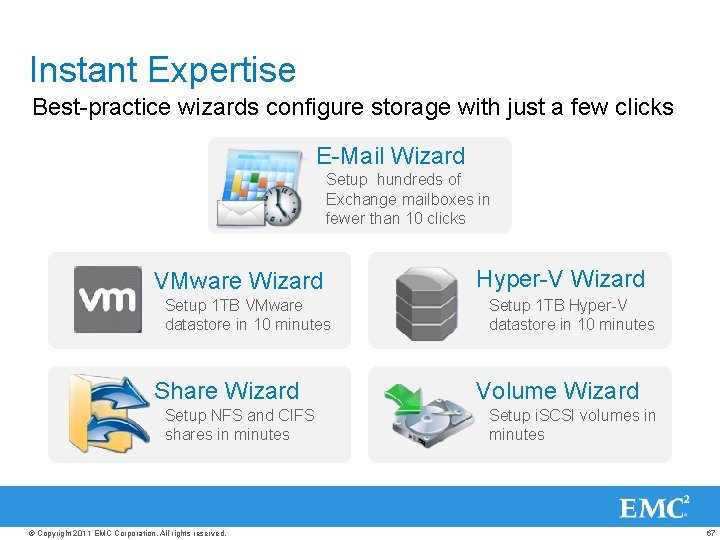
Instant Expertise Best-practice wizards configure storage with just a few clicks E-Mail Wizard Setup hundreds of Exchange mailboxes in fewer than 10 clicks VMware Wizard Setup 1 TB VMware datastore in 10 minutes Share Wizard Setup NFS and CIFS shares in minutes © Copyright 2011 EMC Corporation. All rights reserved. Hyper-V Wizard Setup 1 TB Hyper-V datastore in 10 minutes Volume Wizard Setup i. SCSI volumes in minutes 67
Built-In Best Practices Examples • Exchange • Calculating the number and size of Exchange storage groups • Selecting correct storage pool and RAID set for customer • Calculating the amount of storage for snapshots • VMware • Automatically updating VMware when storage changes take place • Thin provisioning enabled by default for NFS datastores • Default snapshot schedule for data protection © Copyright 2011 EMC Corporation. All rights reserved. 68
The VNXe Support Ecosystem © Copyright 2011 EMC Corporation. All rights reserved. 69
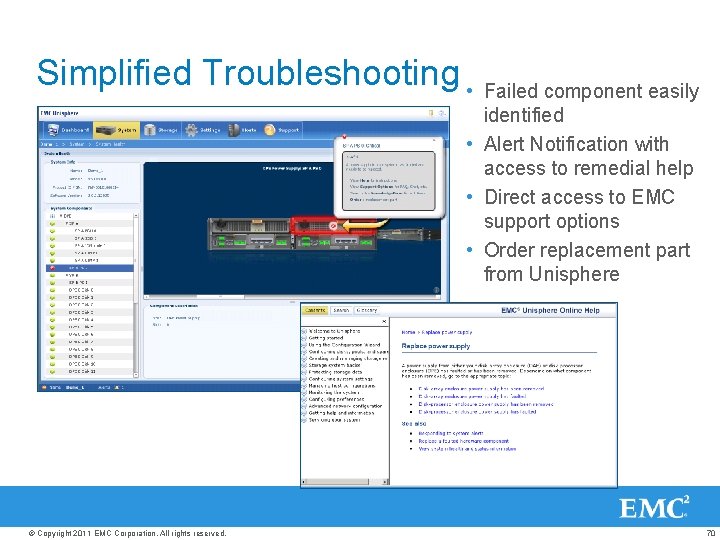
Simplified Troubleshooting • Failed component easily identified • Alert Notification with access to remedial help • Direct access to EMC support options • Order replacement part from Unisphere © Copyright 2011 EMC Corporation. All rights reserved. 70
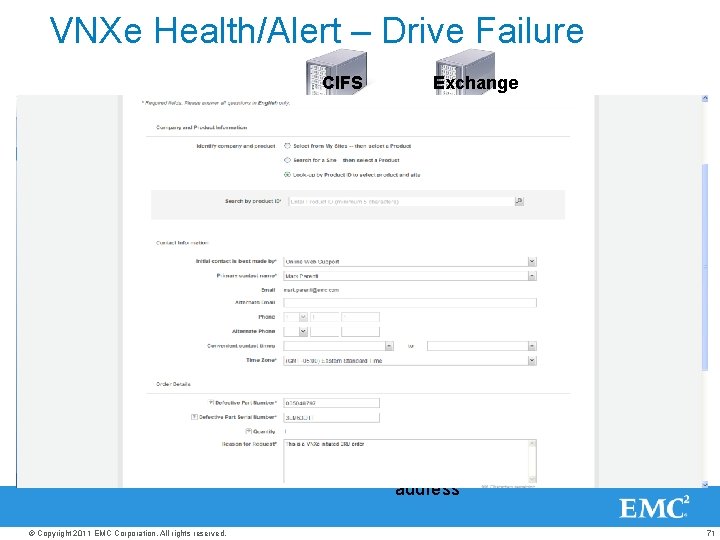
VNXe Health/Alert – Drive Failure CIFS VNXe Exchange I/O 192. 168. 5. 1 \cifsmyshare 192. 168. 5. 2 IQN: C 0 T 0 L 0 2. Management Services Platform Services File Services Management Services File Services 1. Block Services Network, I/O, Service Shims NIC Platform Services SAS PCIe Block Services Network, I/O, Service Shims NIC SAS PCIe 2. Health/Alert Business Logic detects status change 1. Disk driver detects failed or removed device Reconstructs data for pending I/O Indicates Alert to user Email Alert to EMC Support & configured email Marks device as removed from system address X © Copyright 2011 EMC Corporation. All rights reserved. 71
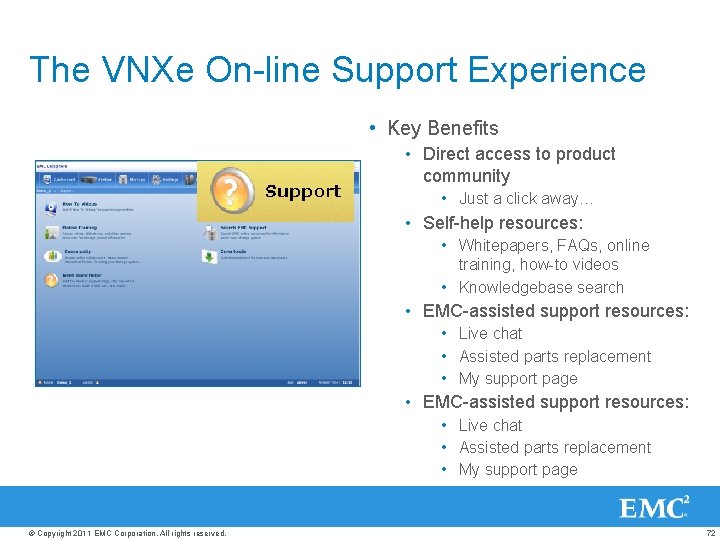
The VNXe On-line Support Experience • Key Benefits • Direct access to product community • Just a click away… • Self-help resources: • Whitepapers, FAQs, online training, how-to videos • Knowledgebase search • EMC-assisted support resources: • Live chat • Assisted parts replacement • My support page © Copyright 2011 EMC Corporation. All rights reserved. 72
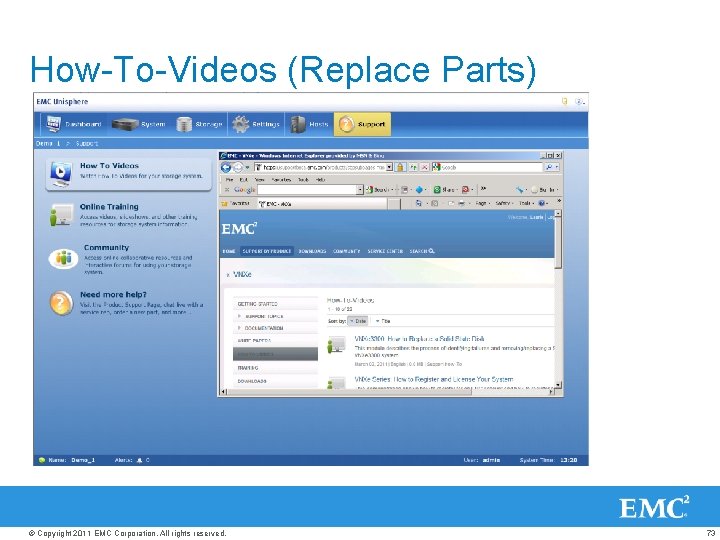
How-To-Videos (Replace Parts) © Copyright 2011 EMC Corporation. All rights reserved. 73
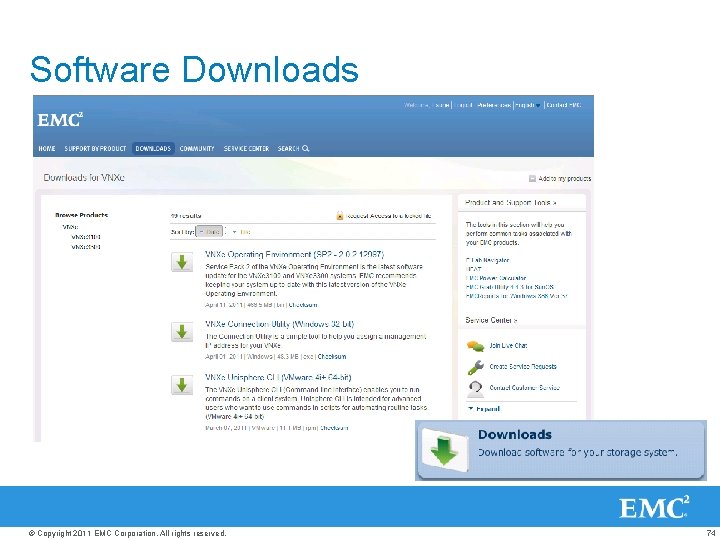
Software Downloads © Copyright 2011 EMC Corporation. All rights reserved. 74
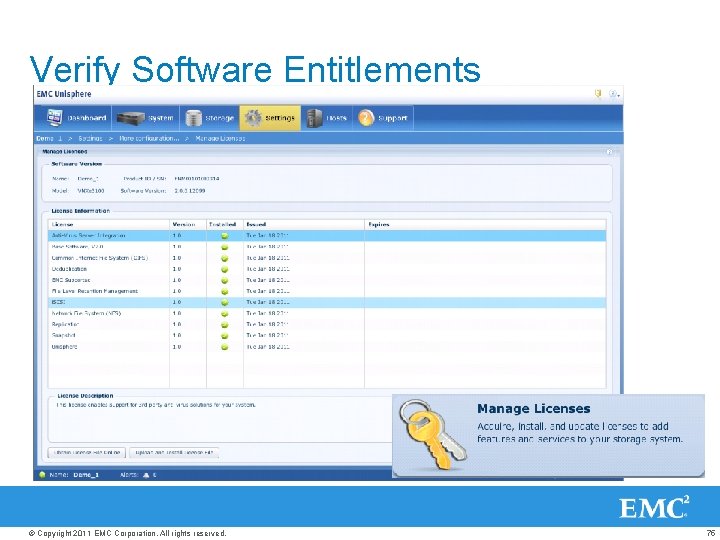
Verify Software Entitlements © Copyright 2011 EMC Corporation. All rights reserved. 75
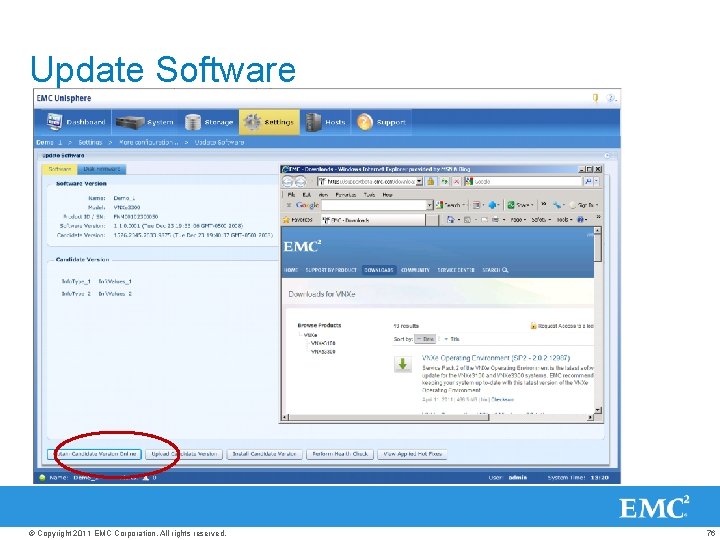
Update Software © Copyright 2011 EMC Corporation. All rights reserved. 76
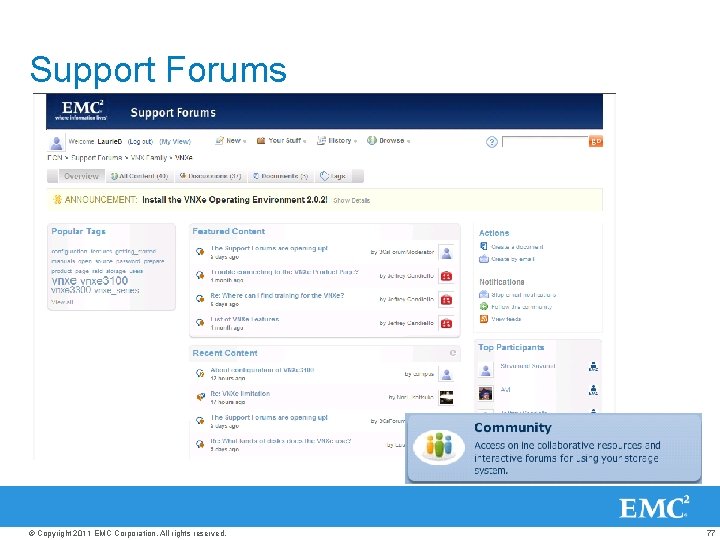
Support Forums © Copyright 2011 EMC Corporation. All rights reserved. 77
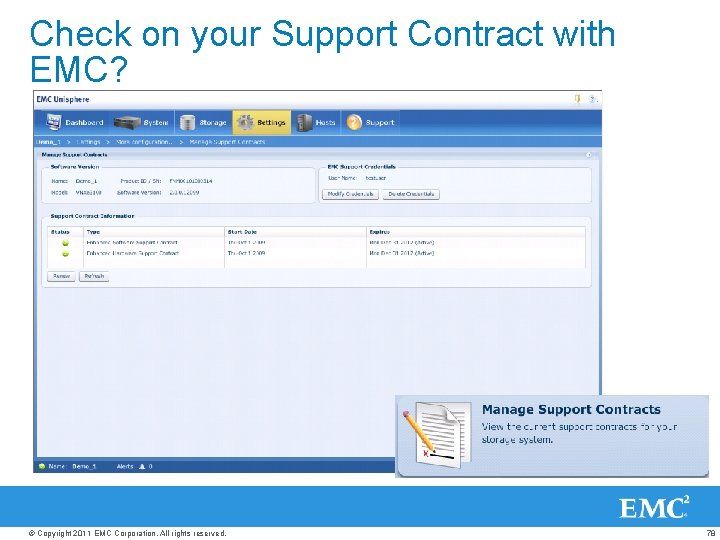
Check on your Support Contract with EMC? © Copyright 2011 EMC Corporation. All rights reserved. 78
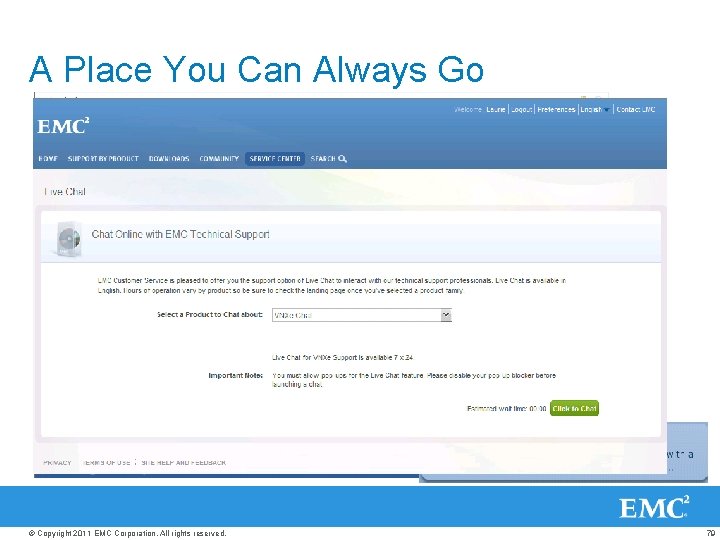
A Place You Can Always Go © Copyright 2011 EMC Corporation. All rights reserved. 79
Simple. Efficient. Affordable. Configure in A new seconds way Get more to capacity at less cost think Rest easy, about rock solid shared Starting under storage $10 K © Copyright 2011 EMC Corporation. All rights reserved. 80
THANK YOU © Copyright 2011 EMC Corporation. All rights reserved. 81
- Slides: 81