
The Verilog Hardware Description Language GUIDELINES n How



![Solution module shift(Clk, sh 1, a); [3: 0] a; In Verilog, output if you](https://slidetodoc.com/presentation_image/a1db72f18c297fe1a17cd26293a8dd0d/image-21.jpg "Solution module shift(Clk, sh 1, a); [3: 0] a; In Verilog, output if you")

![Task example begin module FP_task(); task conv 2 FP; input [15: 0] binary; output](https://slidetodoc.com/presentation_image/a1db72f18c297fe1a17cd26293a8dd0d/image-46.jpg "Task example begin module FP_task(); task conv 2 FP; input [15: 0] binary; output")
![Calling a Task module FP_task_tb (); FP_task UUT (); wire [15: 0] number; reg](https://slidetodoc.com/presentation_image/a1db72f18c297fe1a17cd26293a8dd0d/image-47.jpg "Calling a Task module FP_task_tb (); FP_task UUT (); wire [15: 0] number; reg")


- Slides: 70
The Verilog Hardware Description Language
GUIDELINES n How to write HDL code:
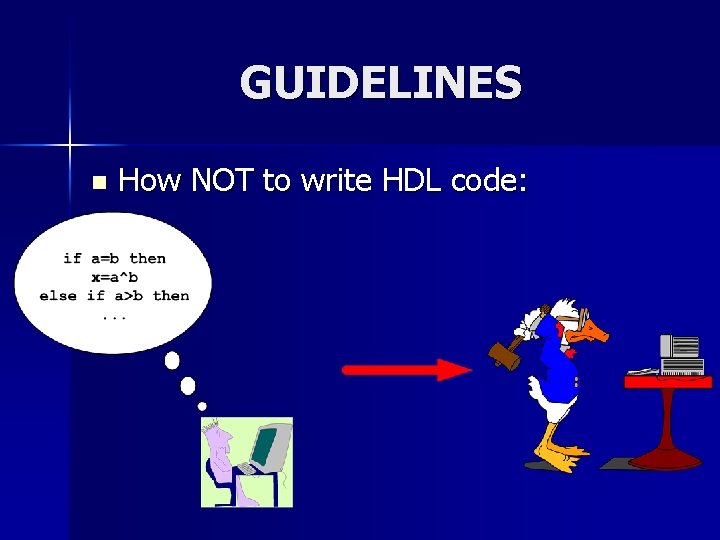
GUIDELINES n How NOT to write HDL code:
Think Hardware NOT Software n Poorly written HDL code will either be: – Unsynthesizable – Functionally incorrect – Lead to poor performance/area/power results
Conventions n Verilog IS case sensitive – CLOCK, clock and Clock are different n Syntax is based on C – but is interpreted differently
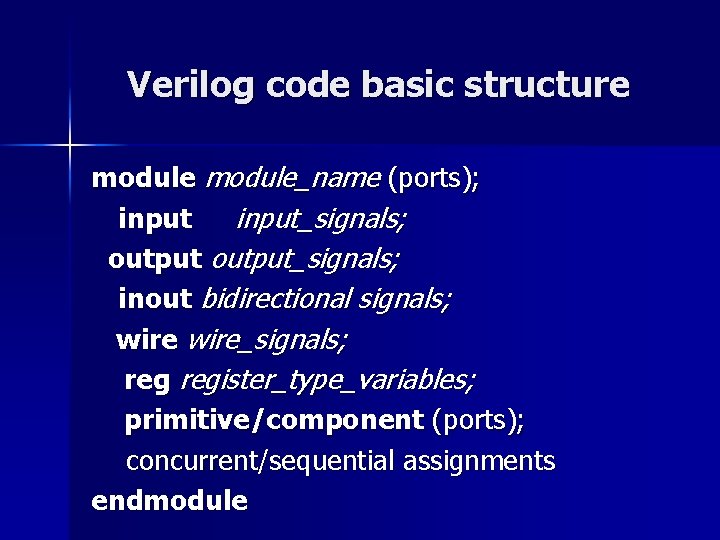
Verilog code basic structure module_name (ports); input_signals; output_signals; inout bidirectional signals; wire_signals; register_type_variables; primitive/component (ports); concurrent/sequential assignments endmodule
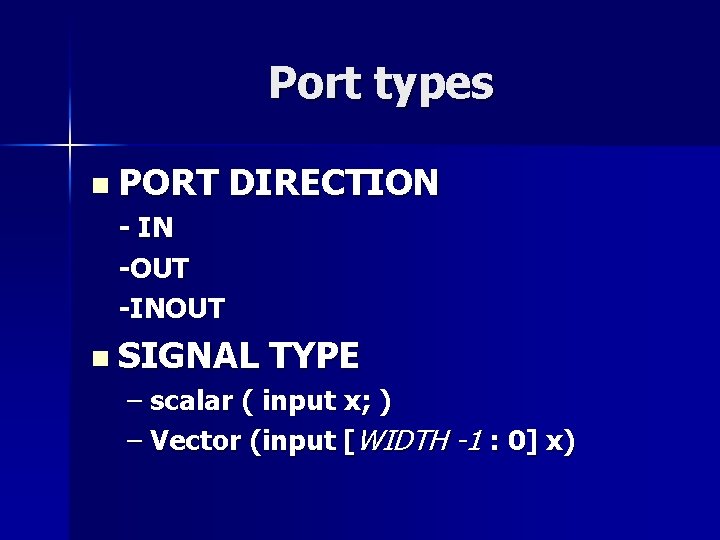
Port types n PORT DIRECTION - IN -OUT -INOUT n SIGNAL TYPE – scalar ( input x; ) – Vector (input [WIDTH -1 : 0] x)
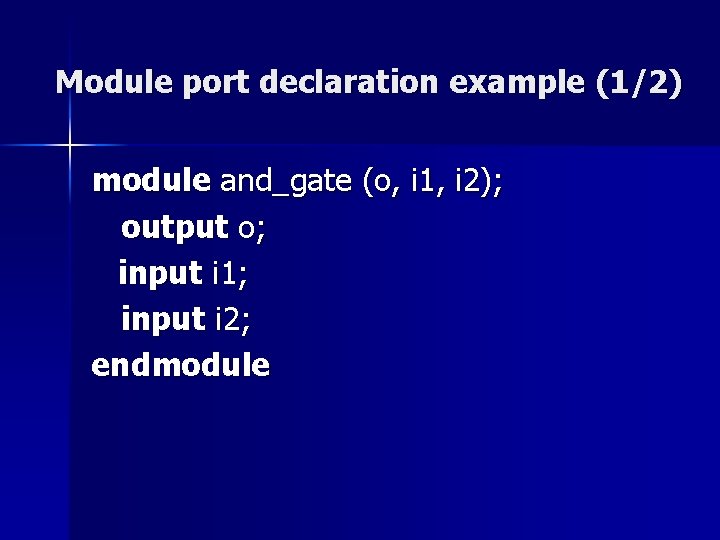
Module port declaration example (1/2) module and_gate (o, i 1, i 2); output o; input i 1; input i 2; endmodule
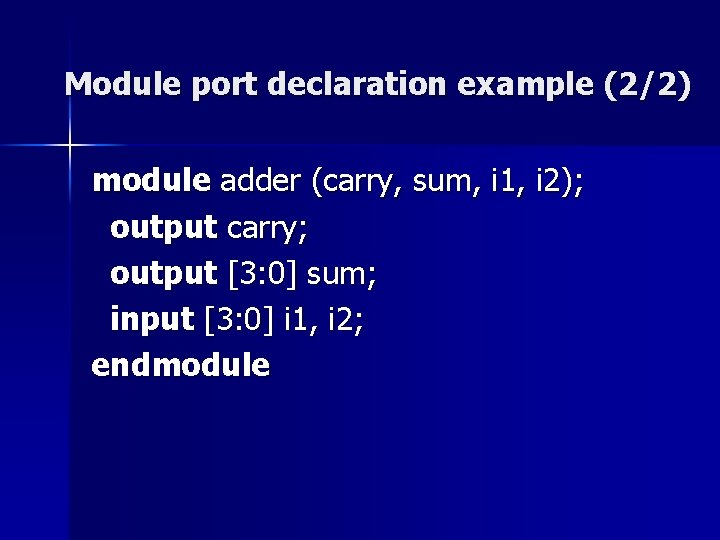
Module port declaration example (2/2) module adder (carry, sum, i 1, i 2); output carry; output [3: 0] sum; input [3: 0] i 1, i 2; endmodule
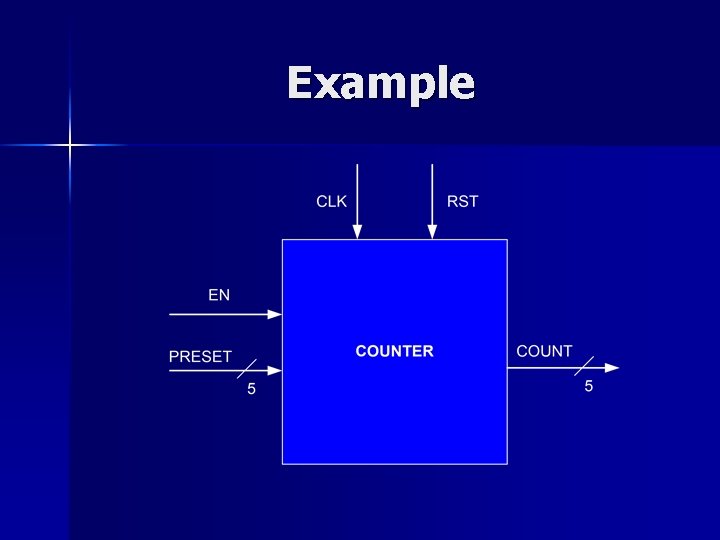
Example
Verilog Primitives Verilog primitives are models of common combinational logic gates n Their functionality is built into the language and can be instantiated in designs directly n The output port of a primitive must be first in the list of ports n
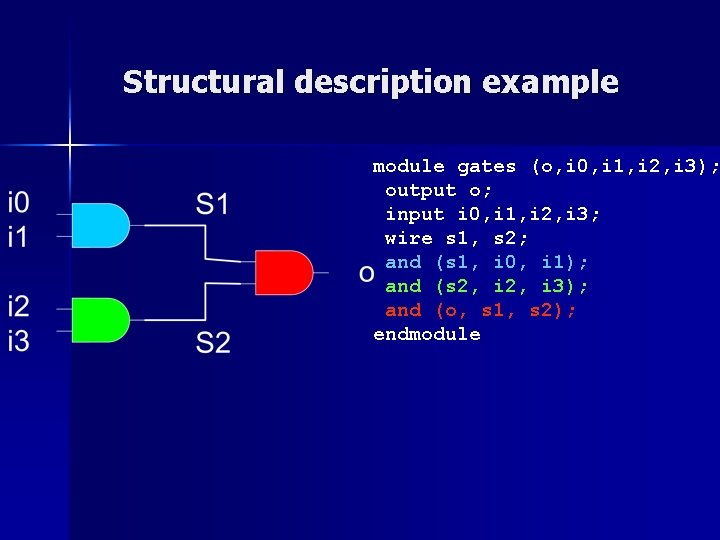
Structural description example module gates (o, i 0, i 1, i 2, i 3); output o; input i 0, i 1, i 2, i 3; wire s 1, s 2; and (s 1, i 0, i 1); and (s 2, i 3); and (o, s 1, s 2); endmodule
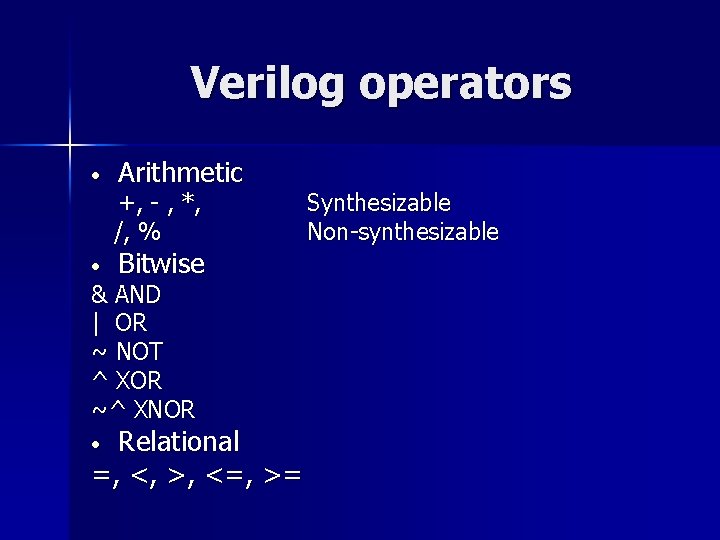
Verilog operators • Arithmetic +, - , *, /, % • Bitwise & AND | OR ~ NOT ^ XOR ~^ XNOR Relational =, <, >, <=, >= • Synthesizable Non-synthesizable
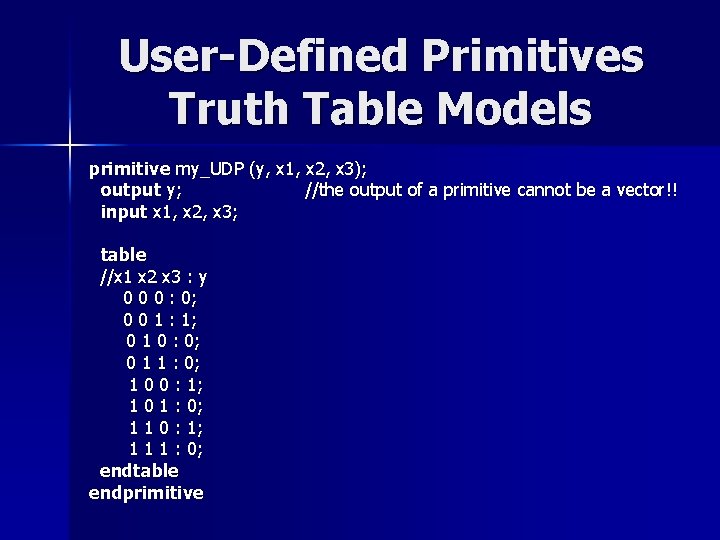
User-Defined Primitives Truth Table Models primitive my_UDP (y, x 1, x 2, x 3); output y; //the output of a primitive cannot be a vector!! input x 1, x 2, x 3; table //x 1 x 2 x 3 : y 0 0 0 : 0; 0 0 1 : 1; 0 1 0 : 0; 0 1 1 : 0; 1 0 0 : 1; 1 0 1 : 0; 1 1 0 : 1; 1 1 1 : 0; endtable endprimitive
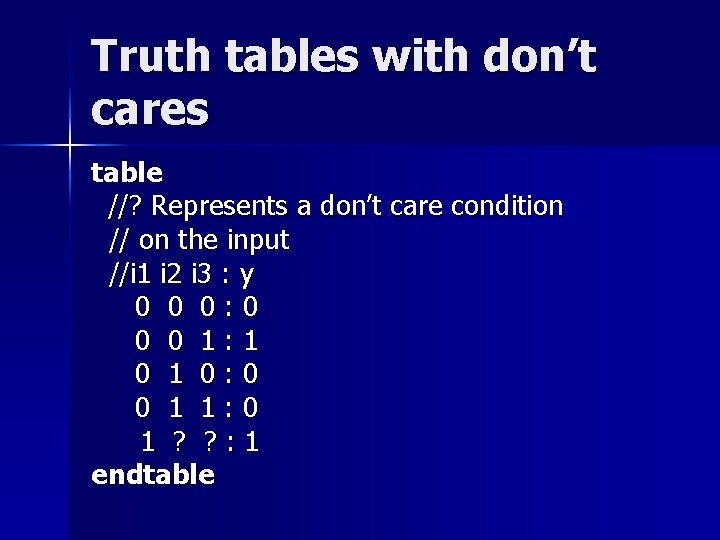
Truth tables with don’t cares table //? Represents a don’t care condition // on the input //i 1 i 2 i 3 : y 0 0 0: 0 0 0 1: 1 0: 0 0 1 1: 0 1 ? ? : 1 endtable
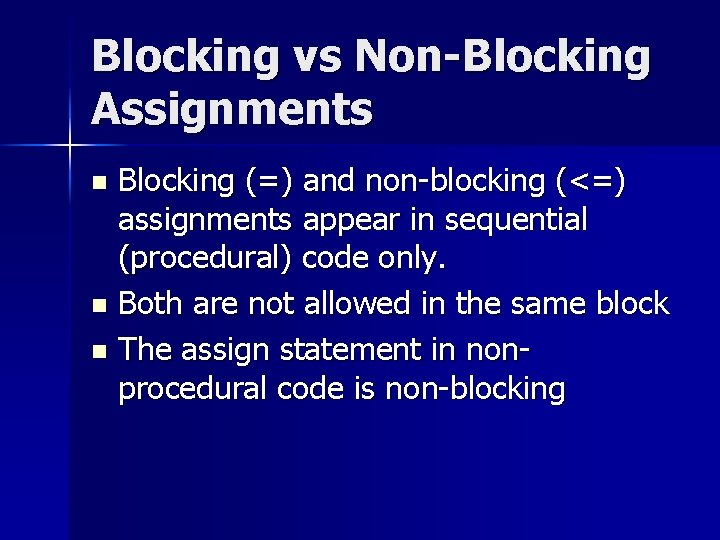
Blocking vs Non-Blocking Assignments Blocking (=) and non-blocking (<=) assignments appear in sequential (procedural) code only. n Both are not allowed in the same block n The assign statement in nonprocedural code is non-blocking n
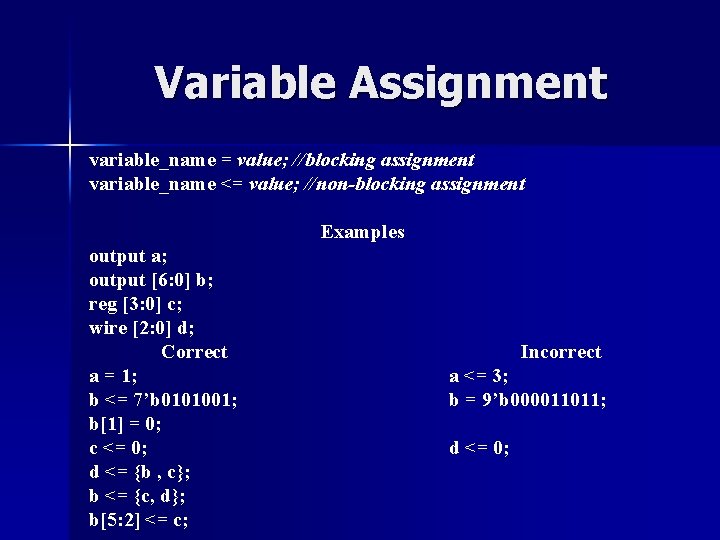
Variable Assignment variable_name = value; //blocking assignment variable_name <= value; //non-blocking assignment Examples output a; output [6: 0] b; reg [3: 0] c; wire [2: 0] d; Correct a = 1; b <= 7’b 0101001; b[1] = 0; c <= 0; d <= {b , c}; b <= {c, d}; b[5: 2] <= c; Incorrect a <= 3; b = 9’b 000011011; d <= 0;
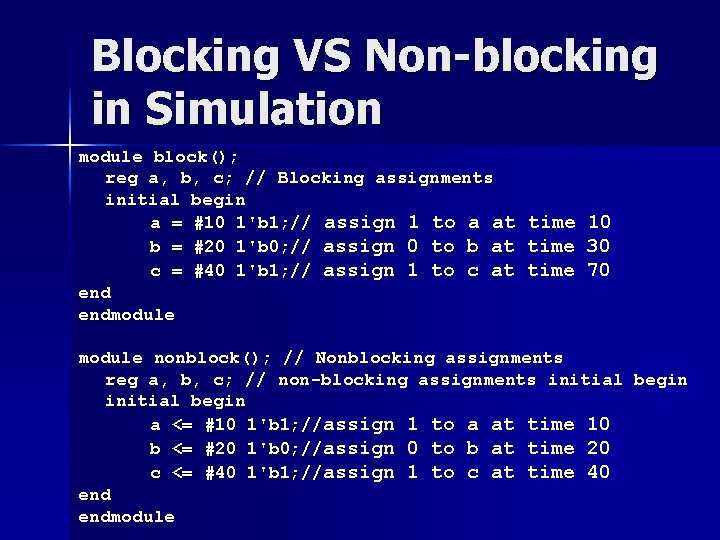
Blocking VS Non-blocking in Simulation module block(); reg a, b, c; // Blocking assignments initial begin a = #10 1'b 1; // assign 1 to a at time 10 b = #20 1'b 0; // assign 0 to b at time 30 c = #40 1'b 1; // assign 1 to c at time 70 endmodule nonblock(); // Nonblocking assignments reg a, b, c; // non-blocking assignments initial begin a <= #10 1'b 1; //assign 1 to a at time 10 b <= #20 1'b 0; //assign 0 to b at time 20 c <= #40 1'b 1; //assign 1 to c at time 40 endmodule
Blocking VS non-blocking in Hardware n Non-blocking assignments are closer to hardware behavior and should be preferred when describing flip-flops and registers.
Example n Design an 4 -bit shift register. Use first blocking and then non-blocking assignments for the flip-flops. Synthesize your descriptions. Which type of assignment corresponds to correct hardware?
Solution module shift(Clk, sh 1, a); [3: 0] a; In Verilog, output if you want to create sequential input Clk, sh 1; [3: 0]a; logic use areg clocked always block with always@(posedge Clk) begin Nonblocking assignments. a[0] = sh 1; a[1] = a[0]; a[2] = a[1]; If you want to create combinational logic a[3] = a[2]; end use an always block with Blocking endmodule assignments. Try not to mix the two in the same always block.
Propagation delay Used to assign variables or primitives with delay, modeling circuit behaviour n # 5 and (s, i 0, i 1); -- 5 ns and gate delay n #5 assign s = i 0 & i 1; -- 5 ns and gate delay n #1 assign a = b; --1 ns wire delay Not synthesizable, is ignored by synthesis tools Useful in testbenches for creating input signal waveforms n always #20 clk = ~clk -- 40 ns clock period n #0 rst_n = 0; n #10 rst_n = 1;
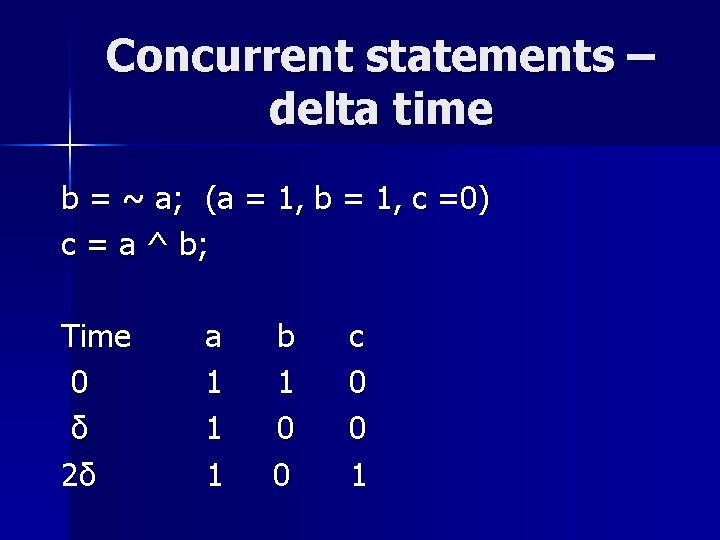
Concurrent statements – delta time b = ~ a; (a = 1, b = 1, c =0) c = a ^ b; Time 0 δ 2δ a 1 1 1 b 1 0 0 c 0 0 1
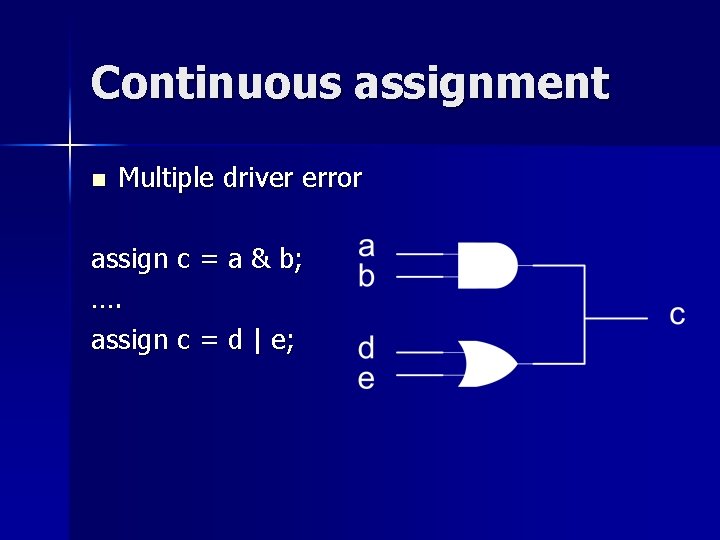
Continuous assignment n Multiple driver error assign c = a & b; …. assign c = d | e;
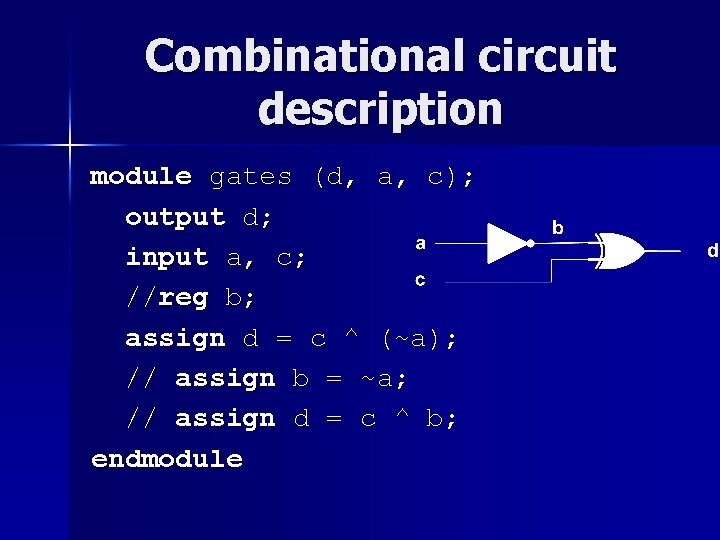
Combinational circuit description module gates (d, a, c); output d; input a, c; //reg b; assign d = c ^ (~a); // assign b = ~a; // assign d = c ^ b; endmodule
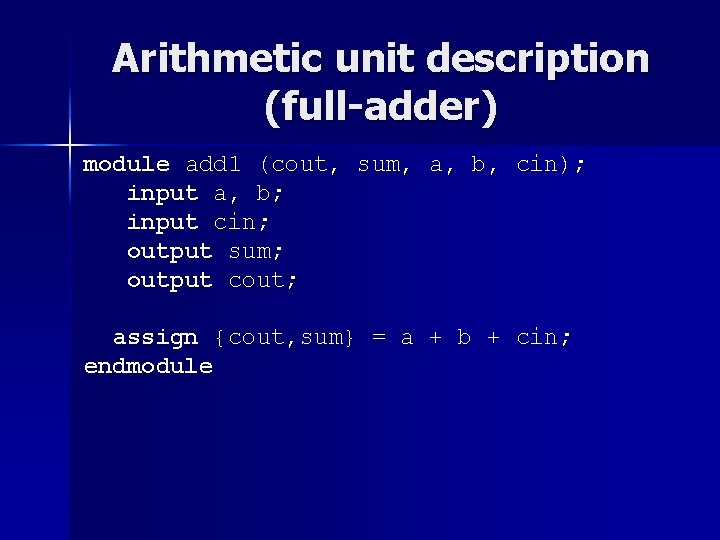
Arithmetic unit description (full-adder) module add 1 (cout, sum, a, b, cin); input a, b; input cin; output sum; output cout; assign {cout, sum} = a + b + cin; endmodule
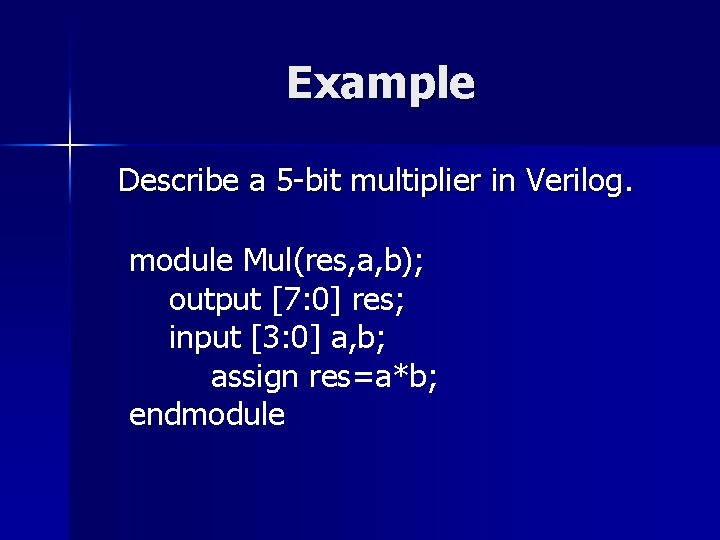
Example Describe a 5 -bit multiplier in Verilog. module Mul(res, a, b); output [7: 0] res; input [3: 0] a, b; assign res=a*b; endmodule
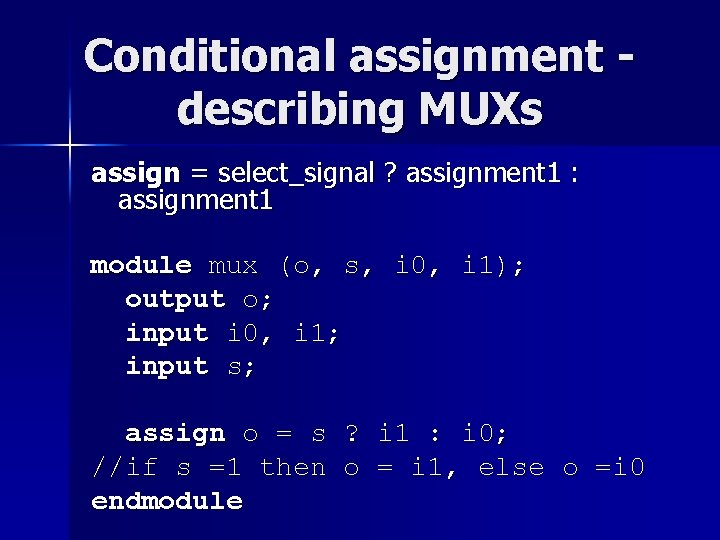
Conditional assignment describing MUXs assign = select_signal ? assignment 1 : assignment 1 module mux (o, s, i 0, i 1); output o; input i 0, i 1; input s; assign o = s ? i 1 : i 0; //if s =1 then o = i 1, else o =i 0 endmodule
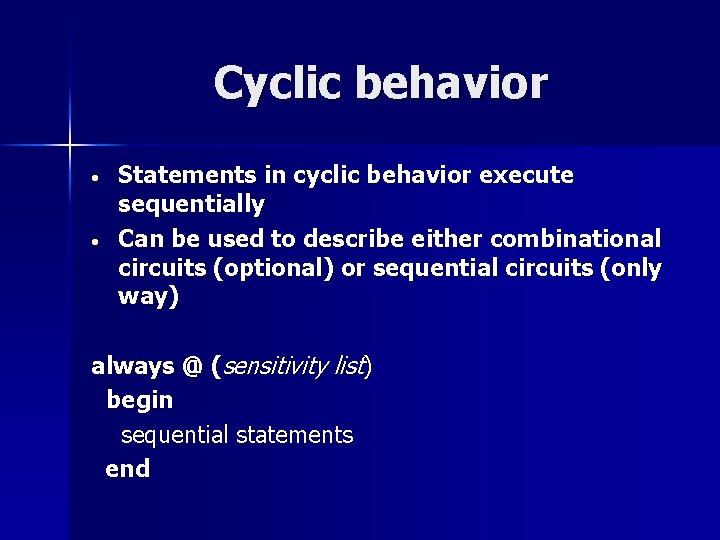
Cyclic behavior • • Statements in cyclic behavior execute sequentially Can be used to describe either combinational circuits (optional) or sequential circuits (only way) always @ (sensitivity list) begin sequential statements end
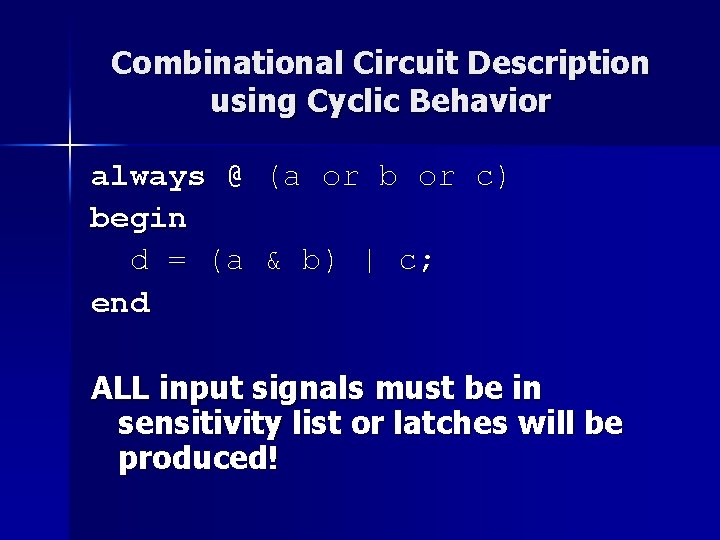
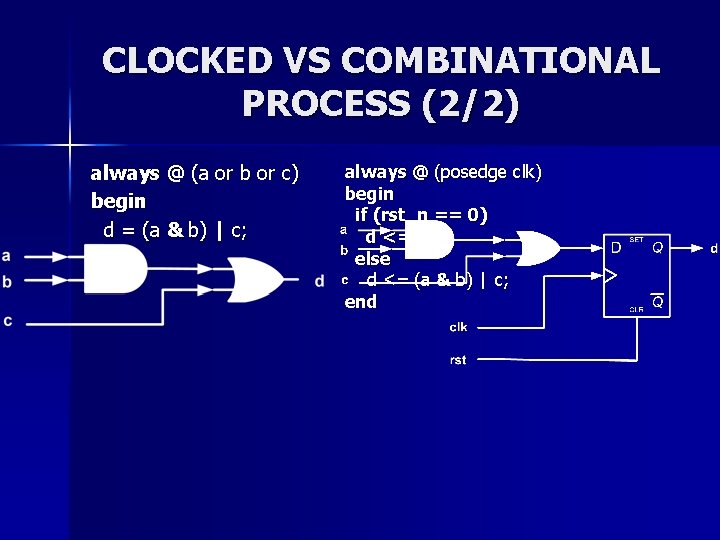
Combinational Circuit Description using Cyclic Behavior always @ (a or b or c) begin d = (a & b) | c; end ALL input signals must be in sensitivity list or latches will be produced!
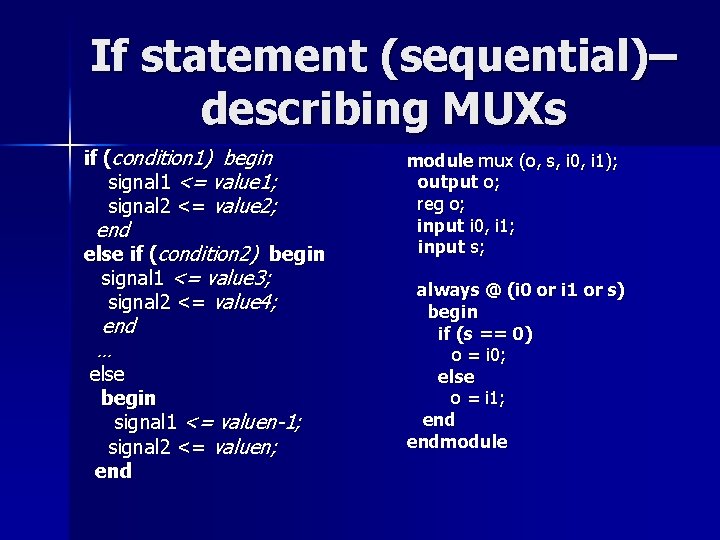
If statement (sequential)– describing MUXs if (condition 1) begin signal 1 <= value 1; signal 2 <= value 2; end else if (condition 2) begin signal 1 <= value 3; signal 2 <= value 4; end … else begin signal 1 <= valuen-1; signal 2 <= valuen; end module mux (o, s, i 0, i 1); output o; reg o; input i 0, i 1; input s; always @ (i 0 or i 1 or s) begin if (s == 0) o = i 0; else o = i 1; endmodule
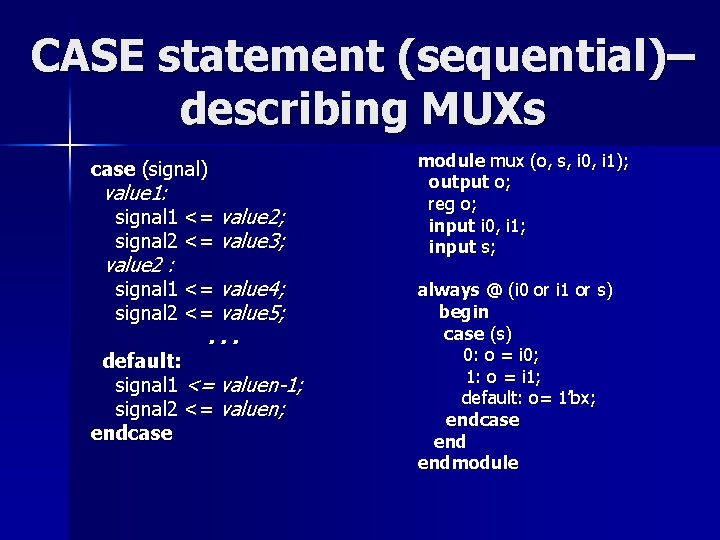
CASE statement (sequential)– describing MUXs case (signal) value 1: signal 1 <= value 2; signal 2 <= value 3; value 2 : signal 1 <= value 4; signal 2 <= value 5; . . . default: signal 1 <= valuen-1; signal 2 <= valuen; endcase module mux (o, s, i 0, i 1); output o; reg o; input i 0, i 1; input s; always @ (i 0 or i 1 or s) begin case (s) 0: o = i 0; 1: o = i 1; default: o= 1’bx; endcase endmodule
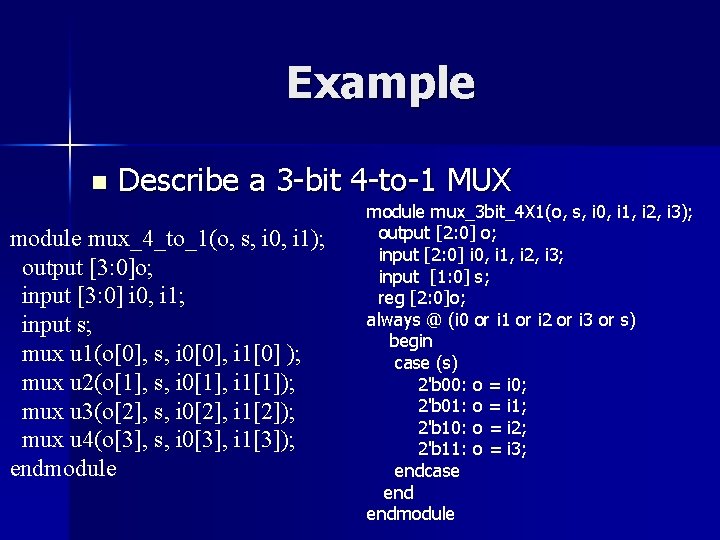
Example n Describe a 3 -bit 4 -to-1 MUX module mux_4_to_1(o, s, i 0, i 1); output [3: 0]o; input [3: 0] i 0, i 1; input s; mux u 1(o[0], s, i 0[0], i 1[0] ); mux u 2(o[1], s, i 0[1], i 1[1]); mux u 3(o[2], s, i 0[2], i 1[2]); mux u 4(o[3], s, i 0[3], i 1[3]); endmodule mux_3 bit_4 X 1(o, s, i 0, i 1, i 2, i 3); output [2: 0] o; input [2: 0] i 0, i 1, i 2, i 3; input [1: 0] s; reg [2: 0]o; always @ (i 0 or i 1 or i 2 or i 3 or s) begin case (s) 2'b 00: o = i 0; 2'b 01: o = i 1; 2'b 10: o = i 2; 2'b 11: o = i 3; endcase endmodule
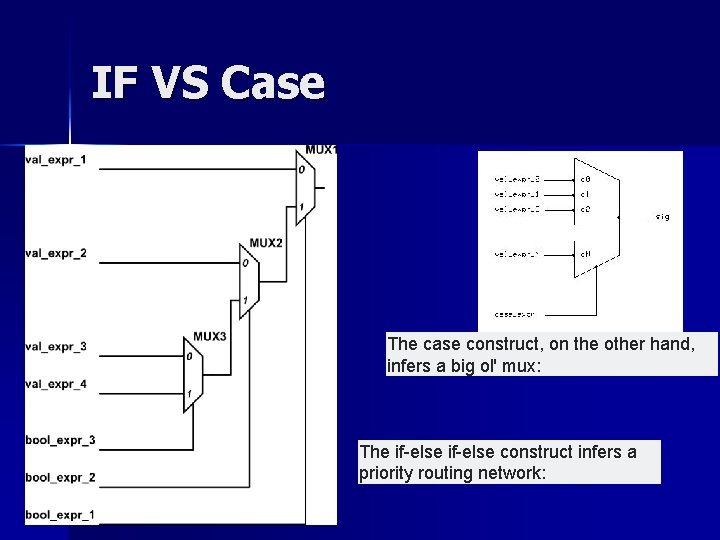
IF VS Case The case construct, on the other hand, infers a big ol' mux: The if-else construct infers a priority routing network:
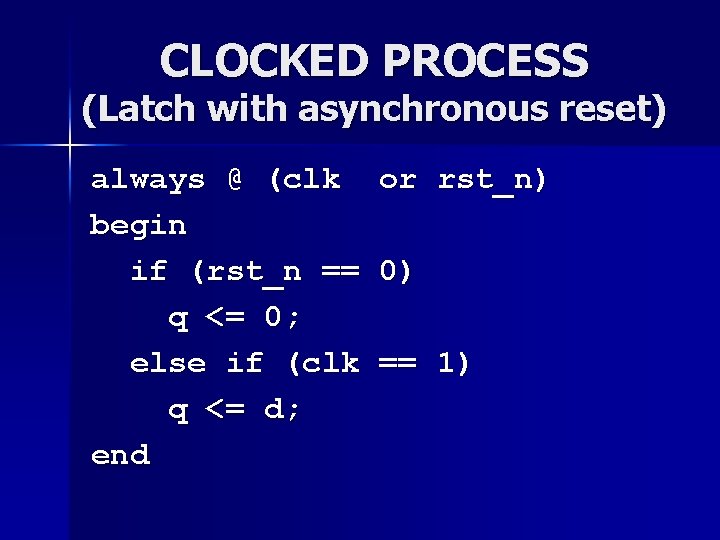
CLOCKED PROCESS (Latch with asynchronous reset) always @ (clk begin if (rst_n == q <= 0; else if (clk q <= d; end or rst_n) 0) == 1)
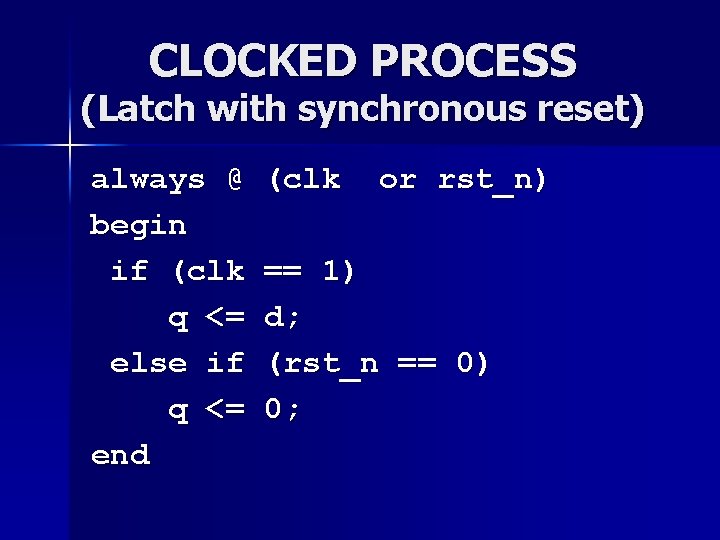
CLOCKED PROCESS (Latch with synchronous reset) always @ begin if (clk q <= else if q <= end (clk or rst_n) == 1) d; (rst_n == 0) 0;
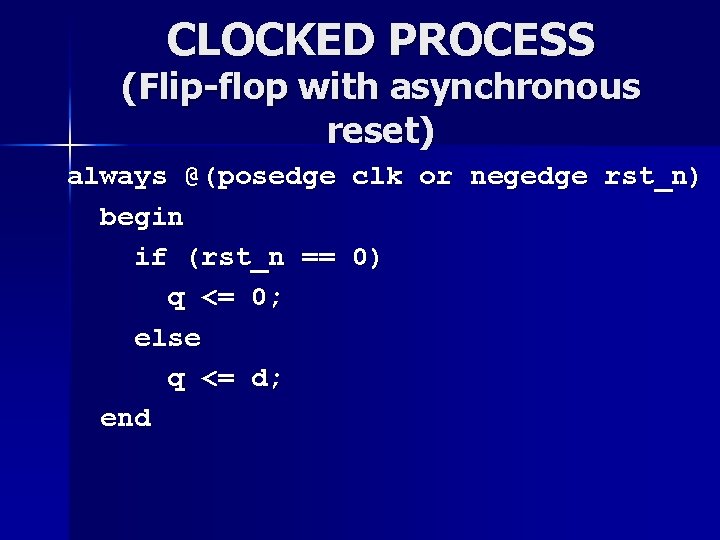
CLOCKED PROCESS (Flip-flop with asynchronous reset) always @(posedge clk or negedge rst_n) begin if (rst_n == 0) q <= 0; else q <= d; end
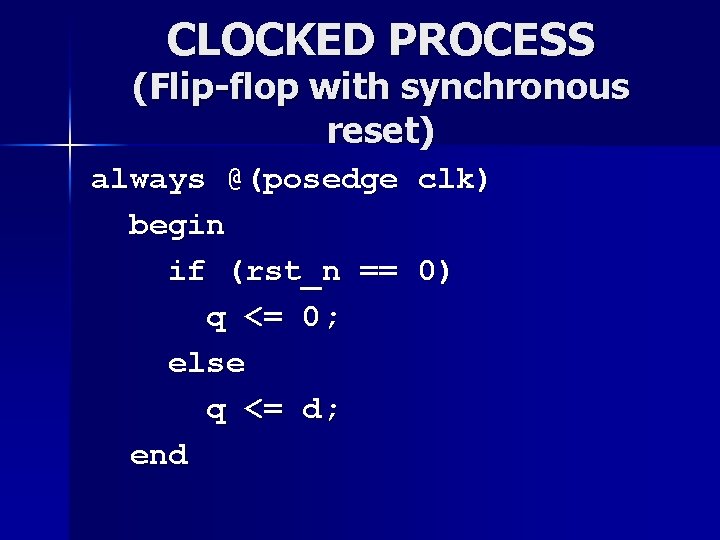
CLOCKED PROCESS (Flip-flop with synchronous reset) always @(posedge begin if (rst_n == q <= 0; else q <= d; end clk) 0)
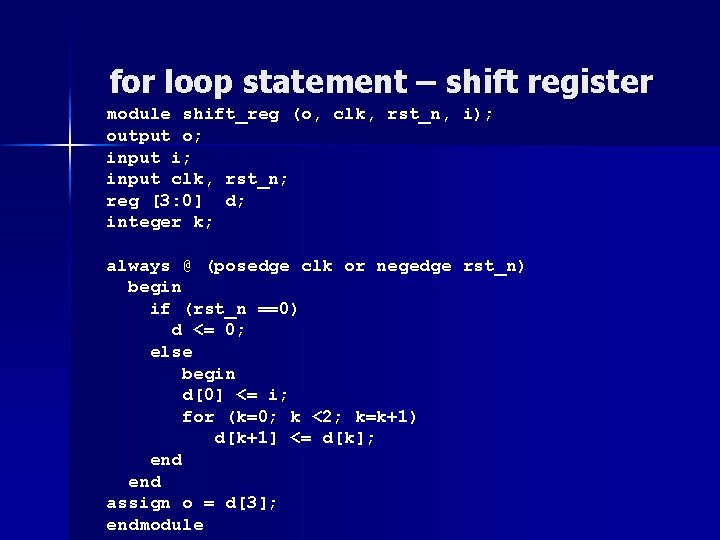
for loop statement – shift register module shift_reg (o, clk, rst_n, i); output o; input i; input clk, rst_n; reg [3: 0] d; integer k; always @ (posedge clk or negedge rst_n) begin if (rst_n ==0) d <= 0; else begin d[0] <= i; for (k=0; k <2; k=k+1) d[k+1] <= d[k]; end assign o = d[3]; endmodule
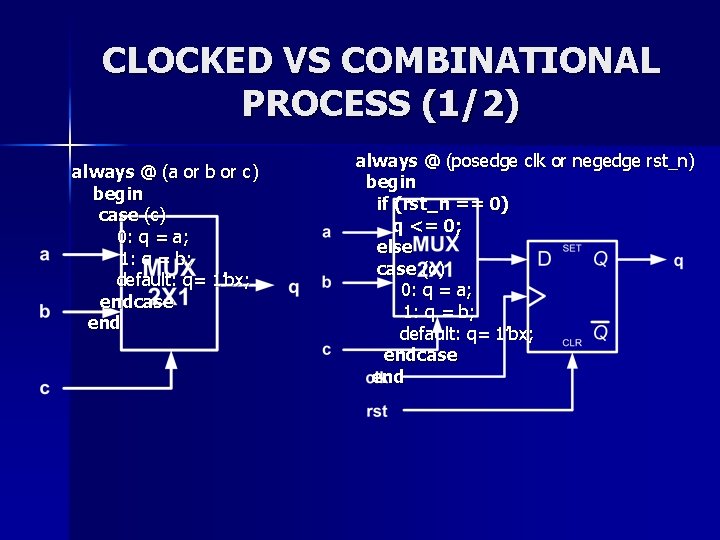
CLOCKED VS COMBINATIONAL PROCESS (1/2) always @ (a or b or c) begin case (c) 0: q = a; 1: q = b; default: q= 1’bx; endcase end always @ (posedge clk or negedge rst_n) begin if (rst_n == 0) q <= 0; else case (c) 0: q = a; 1: q = b; default: q= 1’bx; endcase end
CLOCKED VS COMBINATIONAL PROCESS (2/2) always @ (a or b or c) begin d = (a & b) | c; end always @ (posedge clk) begin if (rst_n == 0) d <= 0; else d <= (a & b) | c; end
EXAMPLE n DESCIBE A BINARY UP/DOWN COUNTER WITH ENABLE THAT COUNTS UPTO 12 AND THEN STARTS AGAIN FROM ZERO
Task and Function n Read the file document file Task and function
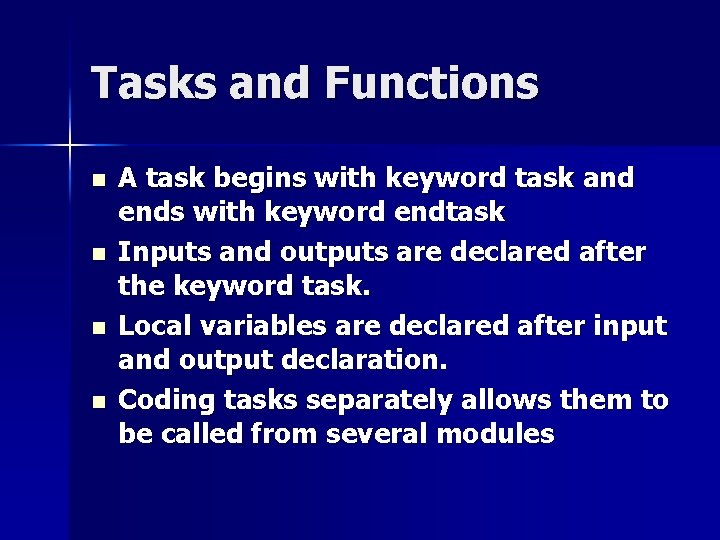
Tasks and Functions n n A task begins with keyword task and ends with keyword endtask Inputs and outputs are declared after the keyword task. Local variables are declared after input and output declaration. Coding tasks separately allows them to be called from several modules
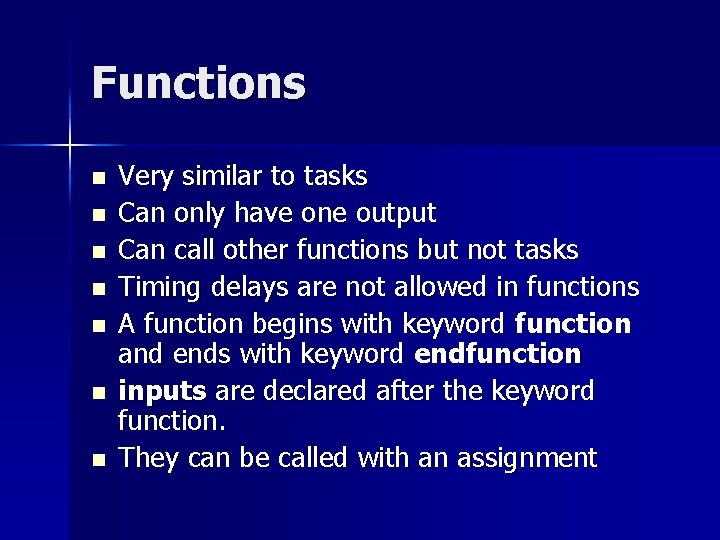
Functions n n n n Very similar to tasks Can only have one output Can call other functions but not tasks Timing delays are not allowed in functions A function begins with keyword function and ends with keyword endfunction inputs are declared after the keyword function. They can be called with an assignment
Task example begin module FP_task(); task conv 2 FP; input [15: 0] binary; output [31: 0] fp; reg sign; reg [7: 0] exponent; reg [22: 0] significand; integer i; integer dp; integer flag; flag=0; for (i=15; i>-1; i=i-1) begin if (binary[i]== 1 && flag==0) begin dp=i; flag=1; end else significand[i]=binary[i]; end exponent=127+15 -dp; significand[8: 0]=0; sign=0; fp={sign, exponent, significand}; endtask endmodule
Calling a Task module FP_task_tb (); FP_task UUT (); wire [15: 0] number; reg [31: 0] fp_out; assign number=9; always @ (number) conv 2 FP (number, fp_out); endmodule
Common Verilog Pitfalls
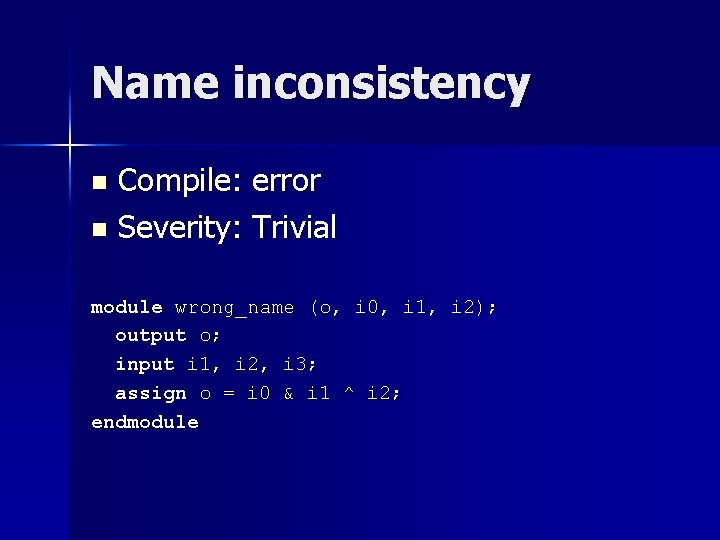
Name inconsistency Compile: error n Severity: Trivial n module wrong_name (o, i 0, i 1, i 2); output o; input i 1, i 2, i 3; assign o = i 0 & i 1 ^ i 2; endmodule
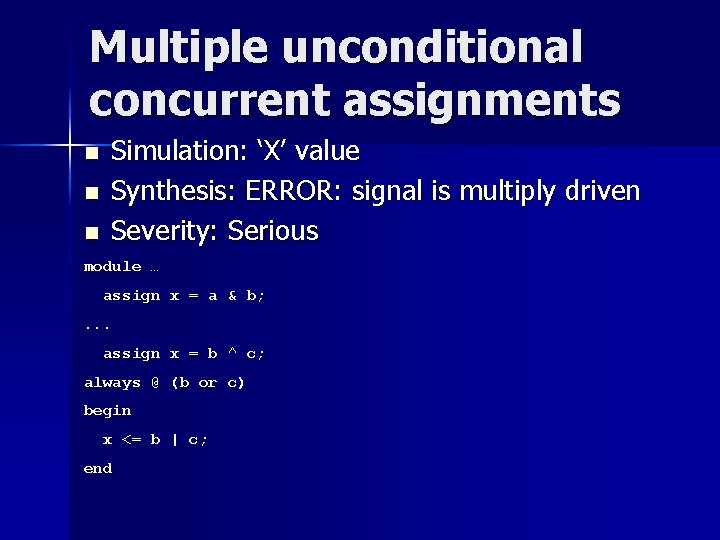
Multiple unconditional concurrent assignments n n n Simulation: ‘X’ value Synthesis: ERROR: signal is multiply driven Severity: Serious module … assign x = a & b; . . . assign x = b ^ c; always @ (b or c) begin x <= b | c; end
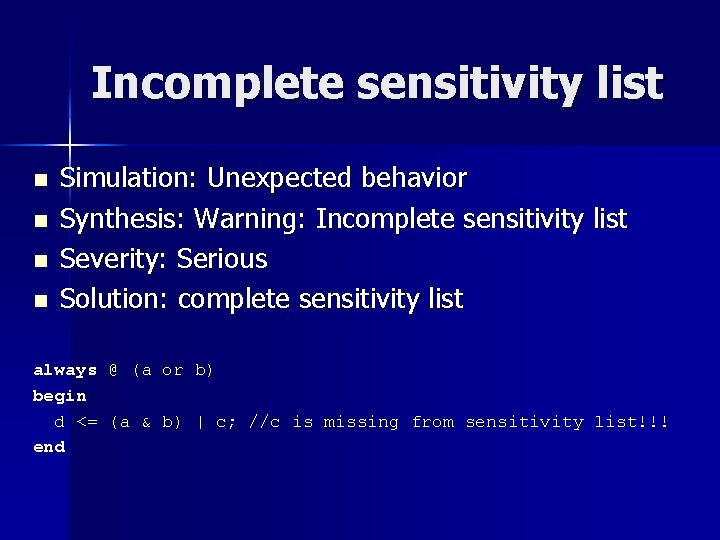
Incomplete sensitivity list n n Simulation: Unexpected behavior Synthesis: Warning: Incomplete sensitivity list Severity: Serious Solution: complete sensitivity list always @ (a or b) begin d <= (a & b) | c; //c is missing from sensitivity list!!! end
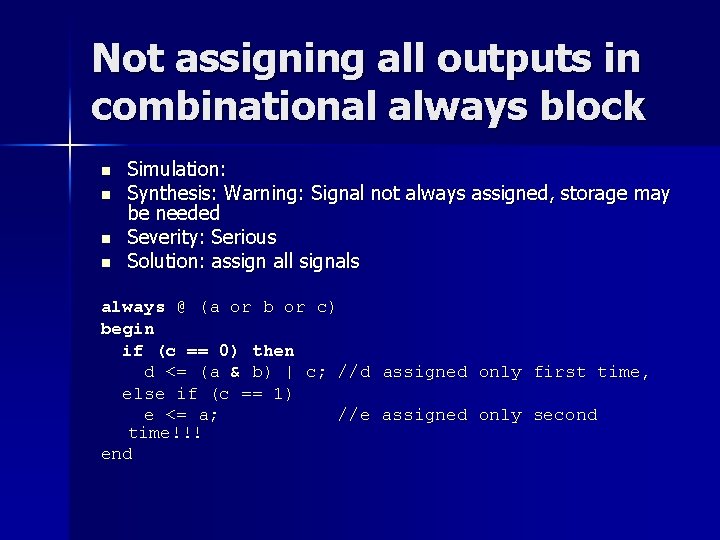
Not assigning all outputs in combinational always block n n Simulation: Synthesis: Warning: Signal not always assigned, storage may be needed Severity: Serious Solution: assign all signals always @ (a or b or c) begin if (c == 0) then d <= (a & b) | c; //d assigned only first time, else if (c == 1) e <= a; //e assigned only second time!!! end
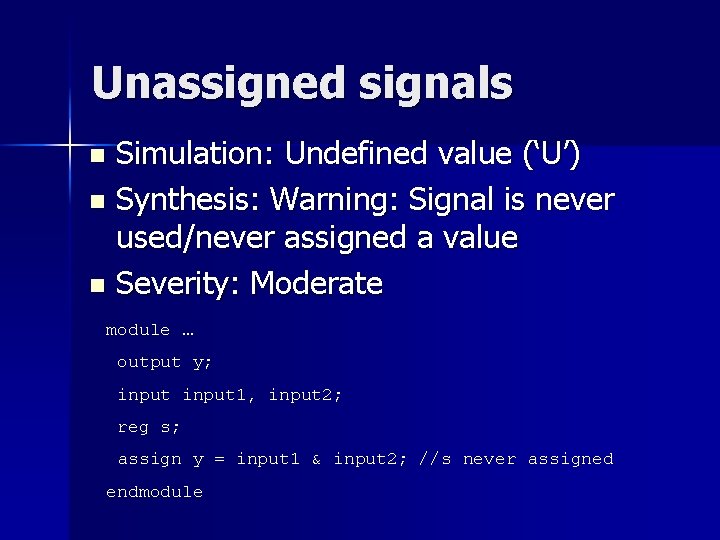
Unassigned signals Simulation: Undefined value (‘U’) n Synthesis: Warning: Signal is never used/never assigned a value n Severity: Moderate n module … output y; input 1, input 2; reg s; assign y = input 1 & input 2; //s never assigned endmodule
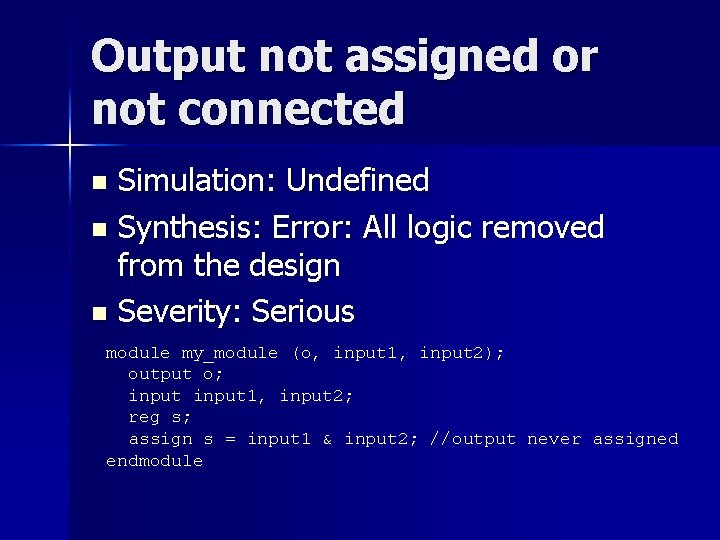
Output not assigned or not connected Simulation: Undefined n Synthesis: Error: All logic removed from the design n Severity: Serious n module my_module (o, input 1, input 2); output o; input 1, input 2; reg s; assign s = input 1 & input 2; //output never assigned endmodule
Using sequential instead of concurrent process Simulation: Unexpectedly delayed signals n Synthesis: More FFs than expected n
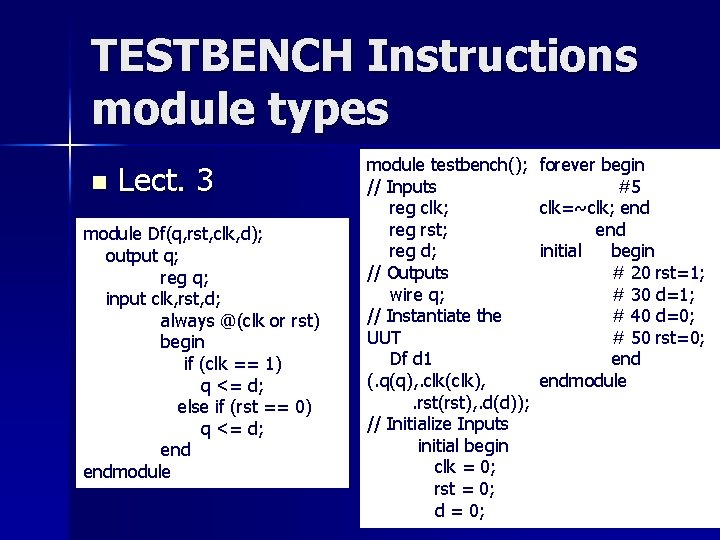
TESTBENCH Instructions module types n Lect. 3 module Df(q, rst, clk, d); output q; reg q; input clk, rst, d; always @(clk or rst) begin if (clk == 1) q <= d; else if (rst == 0) q <= d; endmodule testbench(); // Inputs reg clk; reg rst; reg d; // Outputs wire q; // Instantiate the UUT Df d 1 (. q(q), . clk(clk), . rst(rst), . d(d)); // Initialize Inputs initial begin clk = 0; rst = 0; d = 0; forever begin #5 clk=~clk; end initial begin # 20 rst=1; # 30 d=1; # 40 d=0; # 50 rst=0; endmodule
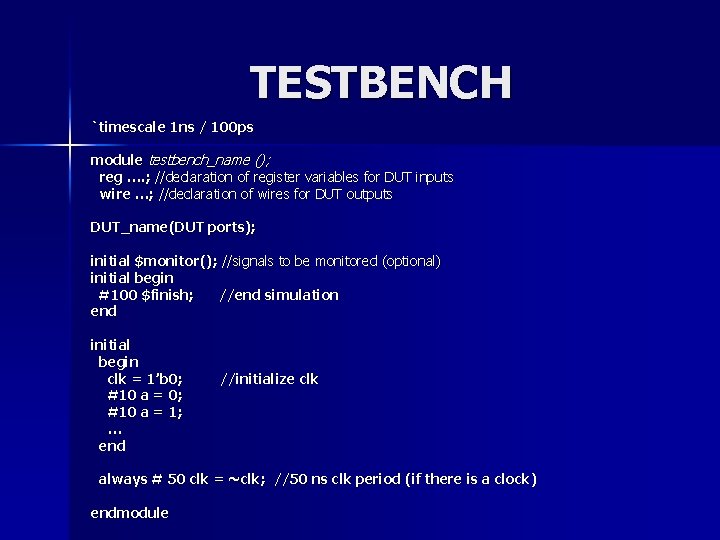
TESTBENCH `timescale 1 ns / 100 ps module testbench_name (); reg …. ; //declaration of register variables for DUT inputs wire …; //declaration of wires for DUT outputs DUT_name(DUT ports); initial $monitor(); //signals to be monitored (optional) initial begin #100 $finish; //end simulation end initial begin clk = 1’b 0; #10 a = 1; … end //initialize clk always # 50 clk = ~clk; //50 ns clk period (if there is a clock) endmodule
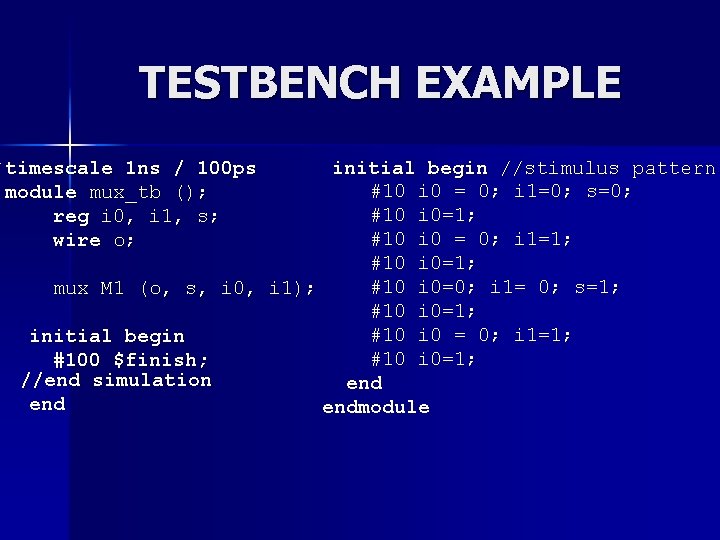
TESTBENCH EXAMPLE `timescale 1 ns / 100 ps module mux_tb (); reg i 0, i 1, s; wire o; initial begin //stimulus pattern #10 i 0 = 0; i 1=0; s=0; #10 i 0=1; #10 i 0 = 0; i 1=1; #10 i 0=0; i 1= 0; s=1; mux M 1 (o, s, i 0, i 1); #10 i 0=1; #10 i 0 = 0; i 1=1; initial begin #10 i 0=1; #100 $finish; //end simulation end endmodule
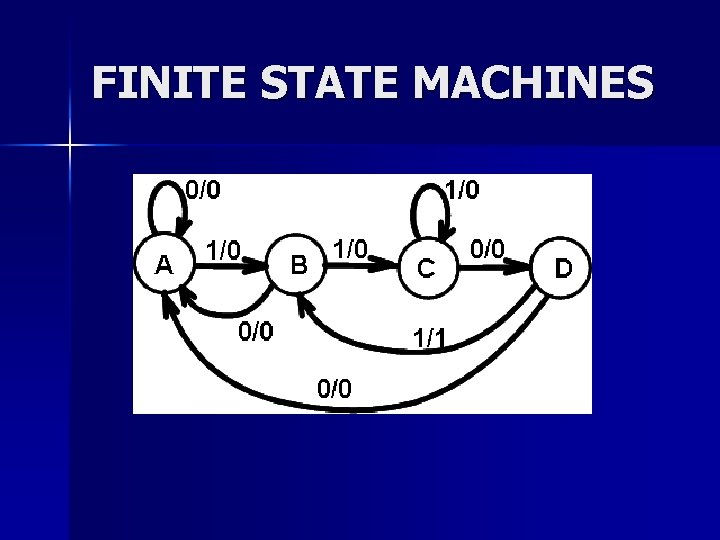
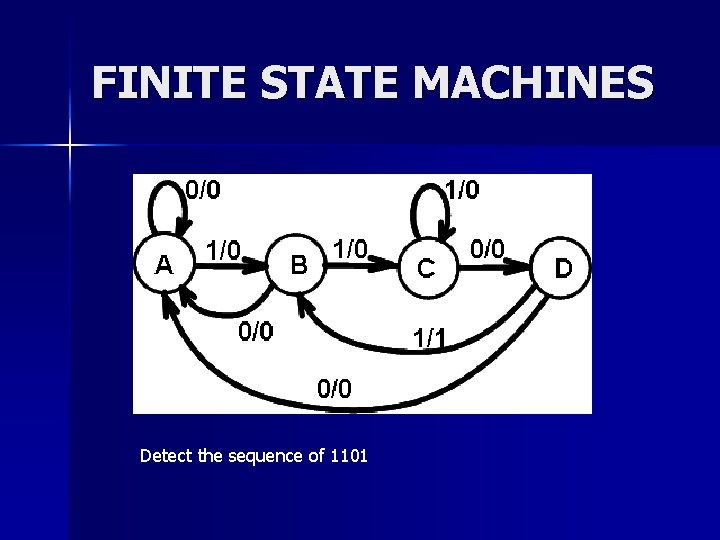
FINITE STATE MACHINES
FINITE STATE MACHINE IMPLEMENTATION
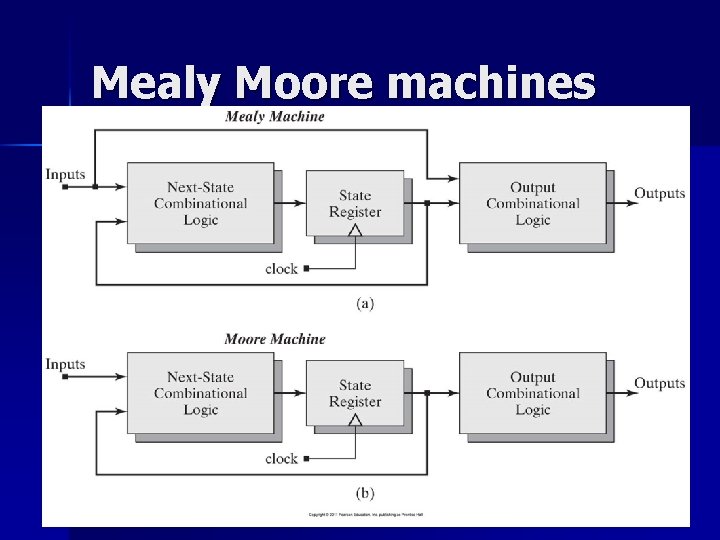
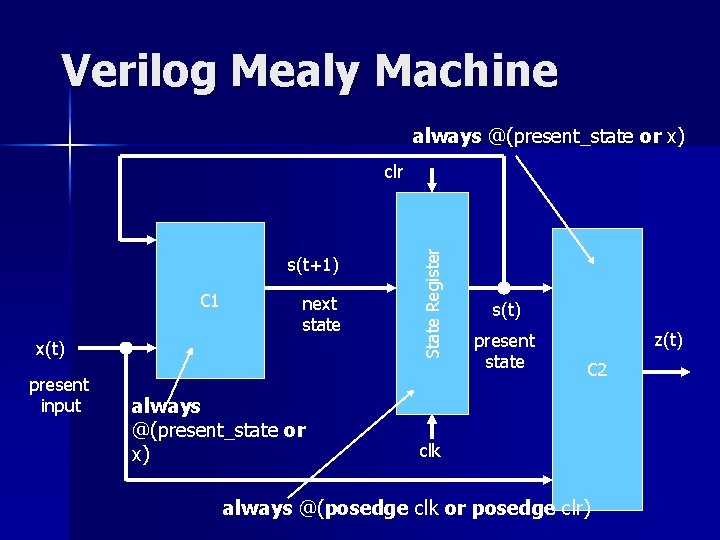
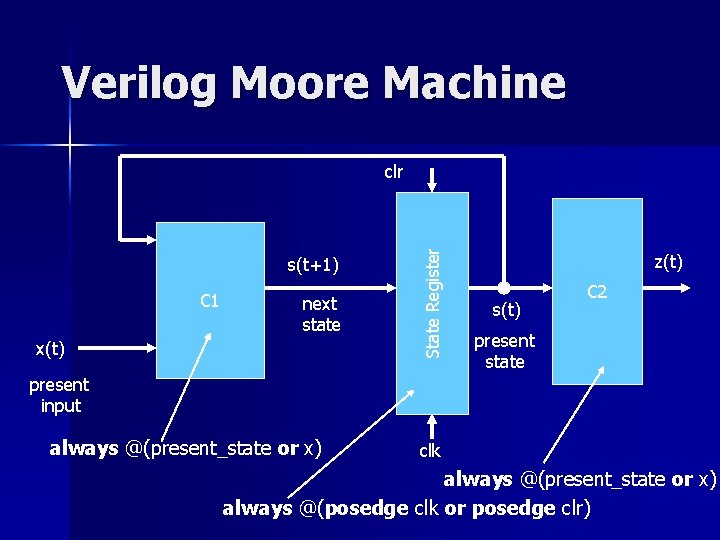
Mealy Moore machines
Verilog Mealy Machine always @(present_state or x) s(t+1) C 1 next state x(t) present input always @(present_state or x) State Register clr s(t) present state z(t) C 2 clk always @(posedge clk or posedge clr)
Verilog Moore Machine s(t+1) C 1 next state x(t) State Register clr z(t) s(t) C 2 present state present input always @(present_state or x) clk always @(present_state or x) always @(posedge clk or posedge clr)
FINITE STATE MACHINES Detect the sequence of 1101
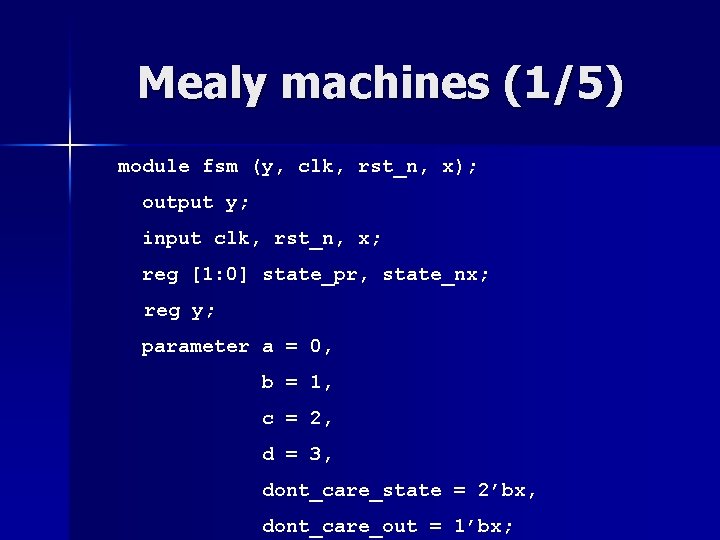
Mealy machines (1/5) module fsm (y, clk, rst_n, x); output y; input clk, rst_n, x; reg [1: 0] state_pr, state_nx; reg y; parameter a = 0, b = 1, c = 2, d = 3, dont_care_state = 2’bx, dont_care_out = 1’bx;
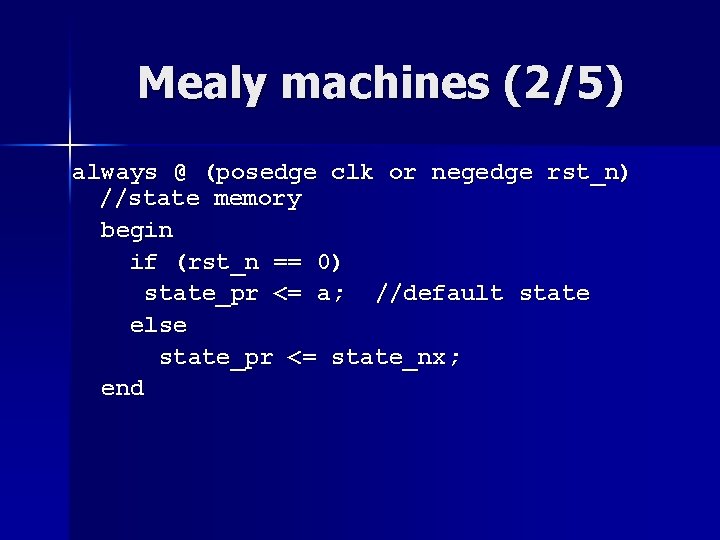
Mealy machines (2/5) always @ (posedge clk or negedge rst_n) //state memory begin if (rst_n == 0) state_pr <= a; //default state else state_pr <= state_nx; end
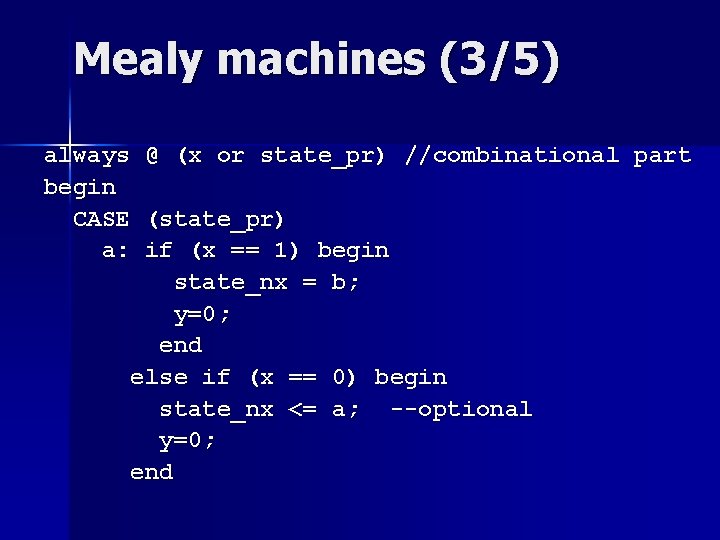
Mealy machines (3/5) always @ (x or state_pr) //combinational part begin CASE (state_pr) a: if (x == 1) begin state_nx = b; y=0; end else if (x == 0) begin state_nx <= a; --optional y=0; end
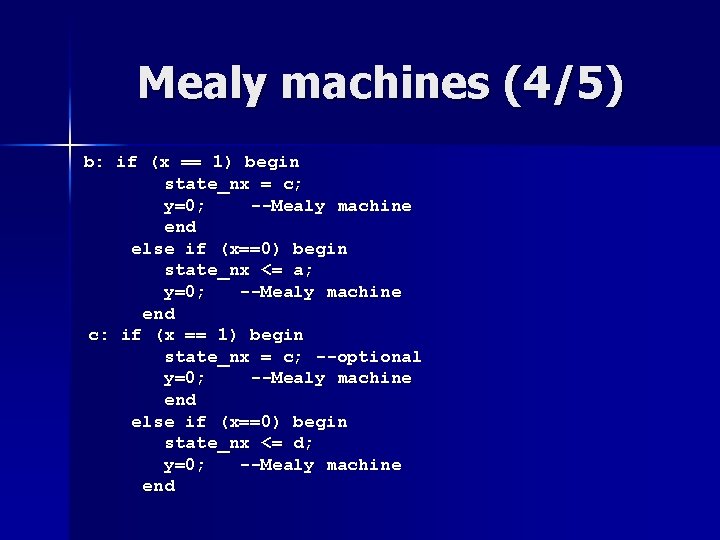
Mealy machines (4/5) b: if (x == 1) begin state_nx = c; y=0; --Mealy machine end else if (x==0) begin state_nx <= a; y=0; --Mealy machine end c: if (x == 1) begin state_nx = c; --optional y=0; --Mealy machine end else if (x==0) begin state_nx <= d; y=0; --Mealy machine end
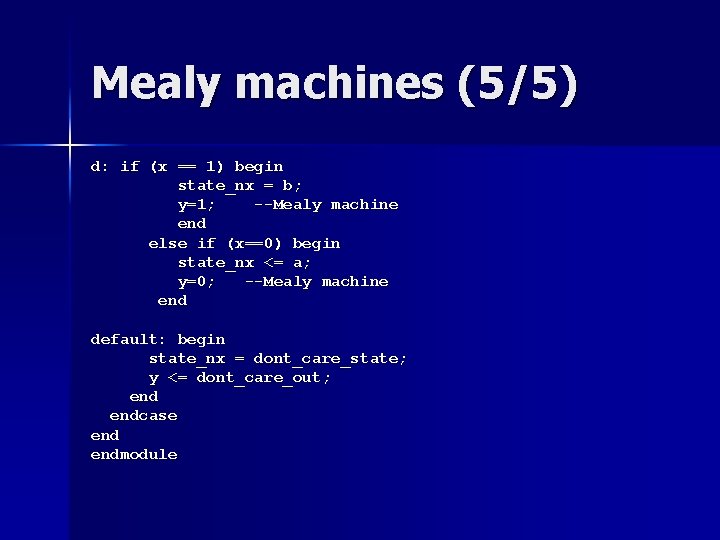
Mealy machines (5/5) d: if (x == 1) begin state_nx = b; y=1; --Mealy machine end else if (x==0) begin state_nx <= a; y=0; --Mealy machine end default: begin state_nx = dont_care_state; y <= dont_care_out; endcase endmodule
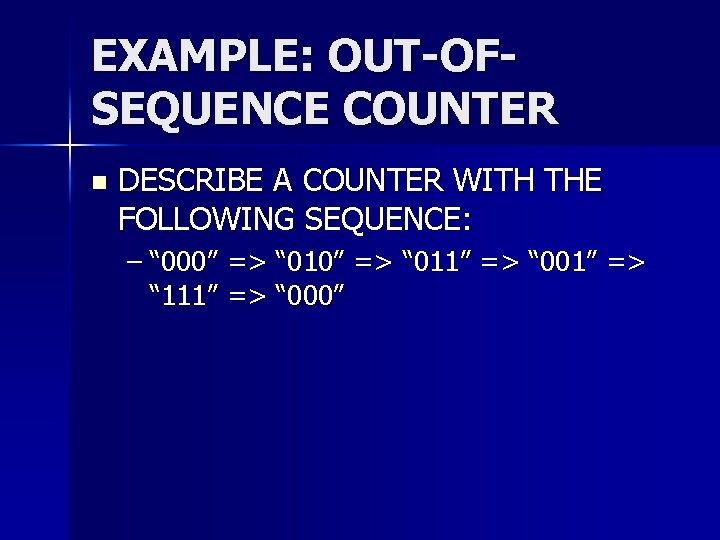
EXAMPLE: OUT-OFSEQUENCE COUNTER n DESCRIBE A COUNTER WITH THE FOLLOWING SEQUENCE: – “ 000” => “ 011” => “ 001” => “ 111” => “ 000”