
The Unified Modeling Language James Heliotis Rochester Institute
![Transition Details EVENT( ARGS )[ condition ] / action ^send-target. send-event(send-arguments) what caused the](https://slidetodoc.com/presentation_image/28ef50832a028f1ff966442a9202d96b/image-45.jpg "Transition Details EVENT( ARGS )[ condition ] / action ^send-target. send-event(send-arguments) what caused the")


- Slides: 71
The Unified Modeling Language James Heliotis Rochester Institute of Technology September 2004 © James Heliotis, RIT
UML Origins • A large number of data and execution models • Entity-Relationship Diagrams (ERD) • Finite State Machines • Harel Statecharts • 1994: over 70 Object models proposed • The market leaders Rumbaugh (OMT), Booch, and Jacobson called a truce • 1995: UML 0. 8 September 2004 © James Heliotis, RIT 2
UML and the OMG • Object Management Group (OMG), formed to encourage interoperability of software. • OMG began to look at the "interoperability" (standardization) of object modelijng tools in 1996. • • 1997: UML 1. 1 2000: UML 1. 3 Now: UML 1. 5 2. 0 on the verge of release September 2004 © James Heliotis, RIT 3
UML – Definition The UML is a graphical language for – specifying – visualizing – constructing – documenting the artifacts of software systems September 2004 © James Heliotis, RIT 4
Claimed Benefits (Consider everything to be quoted. ) • A unique and standard notation – known by all => a good language for communication of ideas/plans – suitable for all software application areas – suitable for all SE activities from early analysis to implementation – even usable outside software domain (industrial engineering, corporate workflows, …) • Semantics defined in terms of formal metamodel (written in UML) September 2004 © James Heliotis, RIT 5
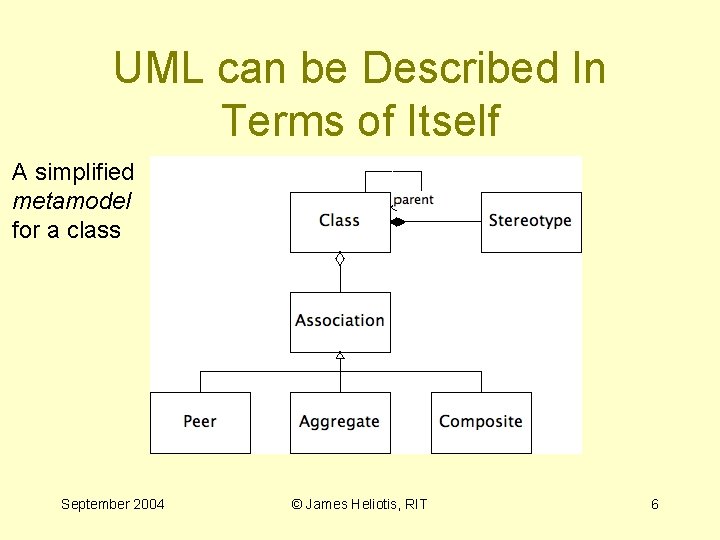
UML can be Described In Terms of Itself A simplified metamodel for a class September 2004 © James Heliotis, RIT 6
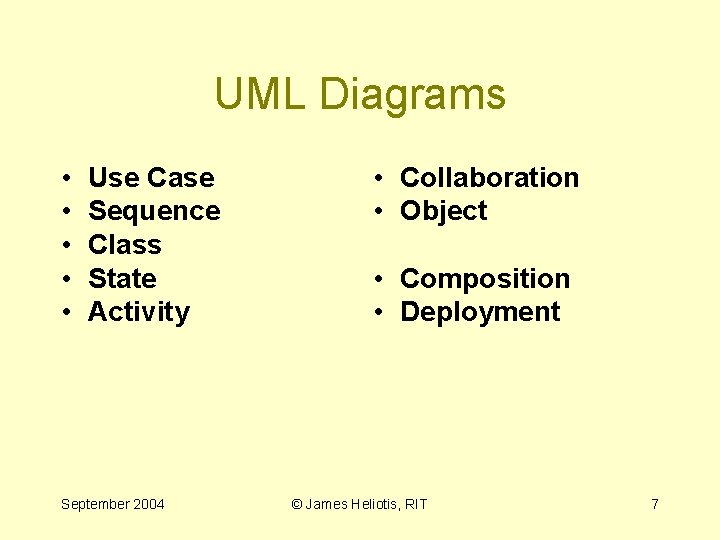
UML Diagrams • • • Use Case Sequence Class State Activity September 2004 • Collaboration • Object • Composition • Deployment © James Heliotis, RIT 7
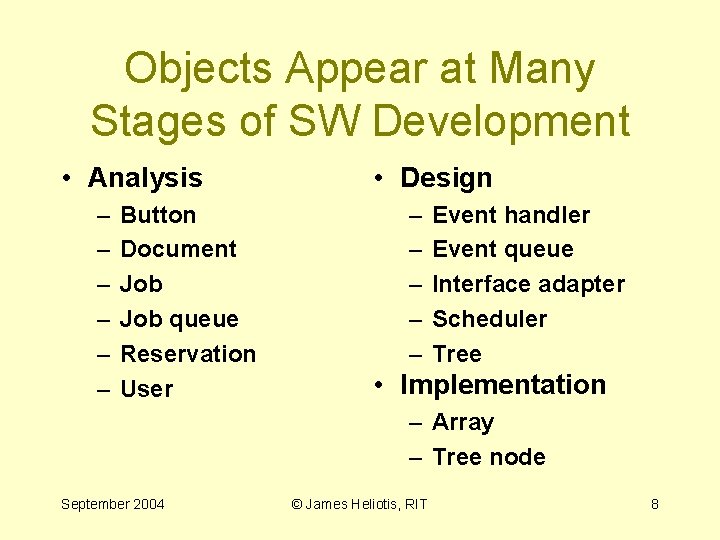
Objects Appear at Many Stages of SW Development • Analysis – – – Button Document Job queue Reservation User • Design – – – Event handler Event queue Interface adapter Scheduler Tree • Implementation – Array – Tree node September 2004 © James Heliotis, RIT 8
Use Cases for Requirements Analysis September 2004 © James Heliotis, RIT
Use Cases • Help organize gathered requirements. • Express system operation in terms of goals. – to define all interactions with the system – to clearly separate those things that are within the system’s control from those that are not September 2004 © James Heliotis, RIT 10
A Use Case • Is defined by – something that someone wants the system to do – a reaction of the system to some external event – a complete start-to-finish flow through the system (depending on granularity) • Includes pre- and post-conditions September 2004 © James Heliotis, RIT 11
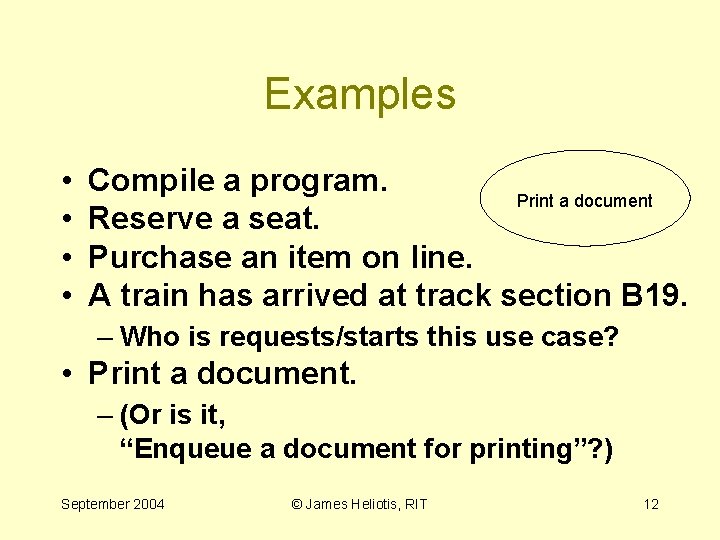
Examples • • Compile a program. Print a document Reserve a seat. Purchase an item on line. A train has arrived at track section B 19. – Who is requests/starts this use case? • Print a document. – (Or is it, “Enqueue a document for printing”? ) September 2004 © James Heliotis, RIT 12
Possible Counterexamples • • Link a program. Mark a seat as “reserved”. Confirm purchase selection. Select 2 -sided printing. September 2004 © James Heliotis, RIT 13
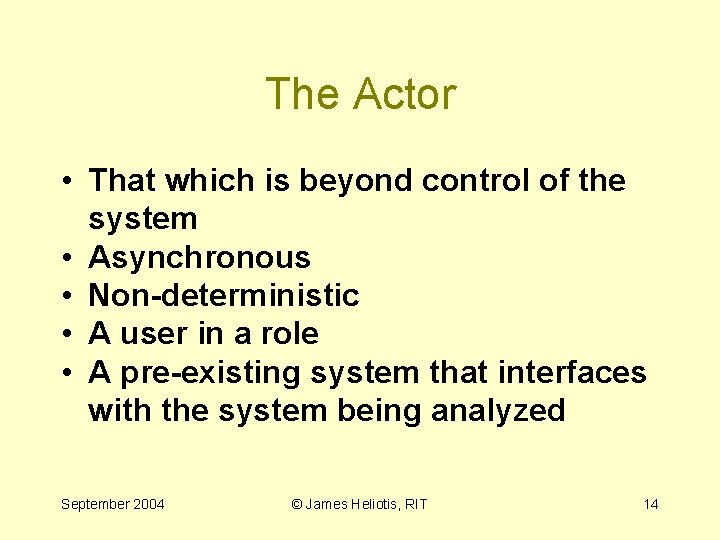
The Actor • That which is beyond control of the system • Asynchronous • Non-deterministic • A user in a role • A pre-existing system that interfaces with the system being analyzed September 2004 © James Heliotis, RIT 14
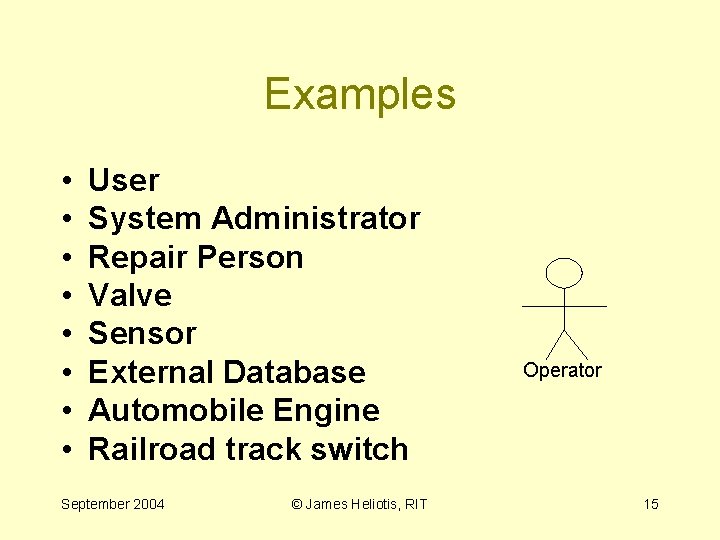
Examples • • User System Administrator Repair Person Valve Sensor External Database Automobile Engine Railroad track switch September 2004 © James Heliotis, RIT Operator 15
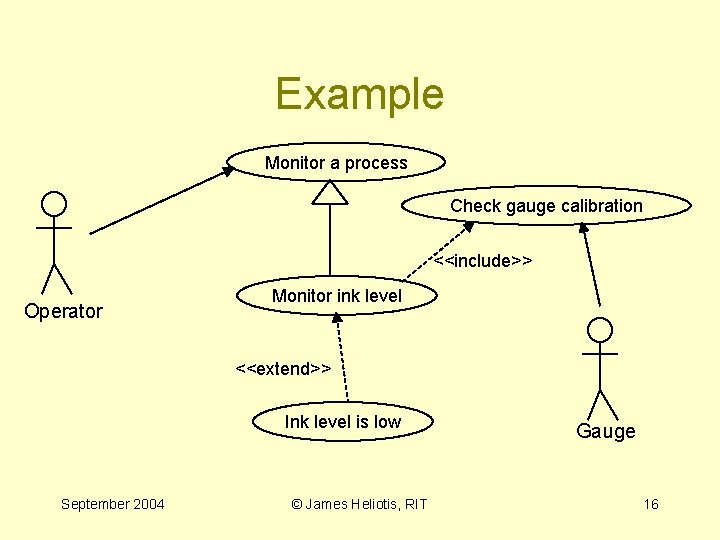
Example Monitor a process Check gauge calibration <<include>> Operator Monitor ink level <<extend>> Ink level is low September 2004 © James Heliotis, RIT Gauge 16
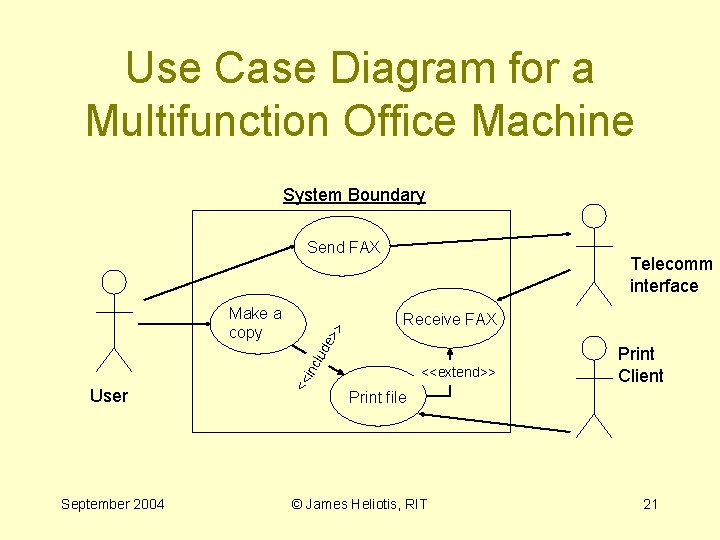
Use Case Relationships: <<extend>> • a stereotyped dependency within which the target use case "extends" the behavior of the source use case at the source's extension points. • generally used to model optional system behavior, such as error handling, or behavior that only occurs under certain conditions. September 2004 © James Heliotis, RIT 17
Use Case Relationships: <<include>> • a dependency within which the source use case explicitly incorporates the behavior of the target use case at a location specified within the source use case. • generally used to put behavior common to several use cases in its own use case. September 2004 © James Heliotis, RIT 18
Use Case Relationships: generalization • In UML in general, a generalization is a relationship in which things associated with a more specialized child are substitutable for a more general parent (“kind-of”). • In use cases, generalization is normally used to represent an abstraction for similar use cases. September 2004 © James Heliotis, RIT 19
Writing Use Cases • Determining system boundaries helps you choose actors. • Use cases are not: – System components. – Simple stimulus-response pairs (usually). – Functions. – Classes. September 2004 © James Heliotis, RIT 20
Use Case Diagram for a Multifunction Office Machine System Boundary User September 2004 Telecomm interface Receive FAX clu de > << in Make a copy > Send FAX <<extend>> Print Client Print file © James Heliotis, RIT 21
Common Use Case Abuse • A U. C. is not an ellipse with arrows. • A use case consists of – preconditions – associated actors, other use cases – a sequence of steps – postconditions • In other words, more than the graphics! September 2004 © James Heliotis, RIT 22
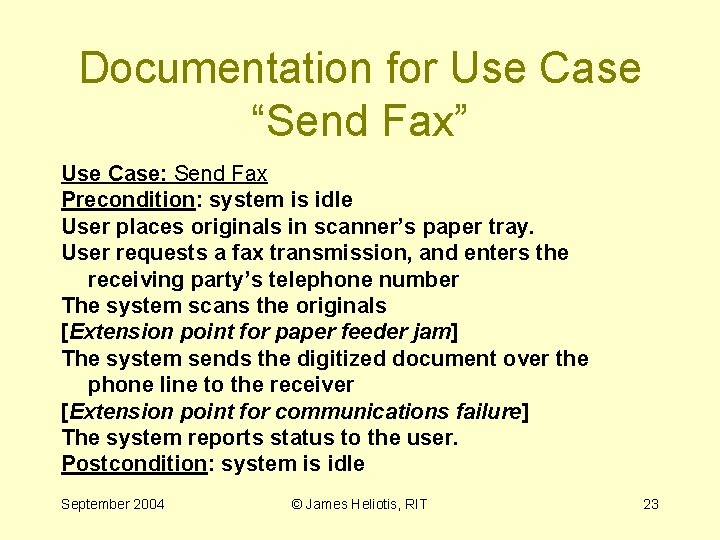
Documentation for Use Case “Send Fax” Use Case: Send Fax Precondition: system is idle User places originals in scanner’s paper tray. User requests a fax transmission, and enters the receiving party’s telephone number The system scans the originals [Extension point for paper feeder jam] The system sends the digitized document over the phone line to the receiver [Extension point for communications failure] The system reports status to the user. Postcondition: system is idle September 2004 © James Heliotis, RIT 23
Items Added in Detailed Specification • What does the UI for this look like? – What is the exact sequence of UI operations? • Exact FAX protocol(s) supported September 2004 © James Heliotis, RIT 24
miscellaneous • Traceability: Designs can be checked against system use cases for completeness. • Not everyone agrees on what a use case should be. – It is up to the team to decide on the granularity of the use cases. September 2004 © James Heliotis, RIT 25
Sequence Diagrams The Dynamic Side of Analysis & Design September 2004 © James Heliotis, RIT
Static versus Dynamic • Class/Responsibility/Collaboration analysis just shows the static structure of an OO system. • It is often difficult to see: – why a collaboration exists – when the collaboration is needed – which responsibilities of the client are needed in a collaboration September 2004 © James Heliotis, RIT 27
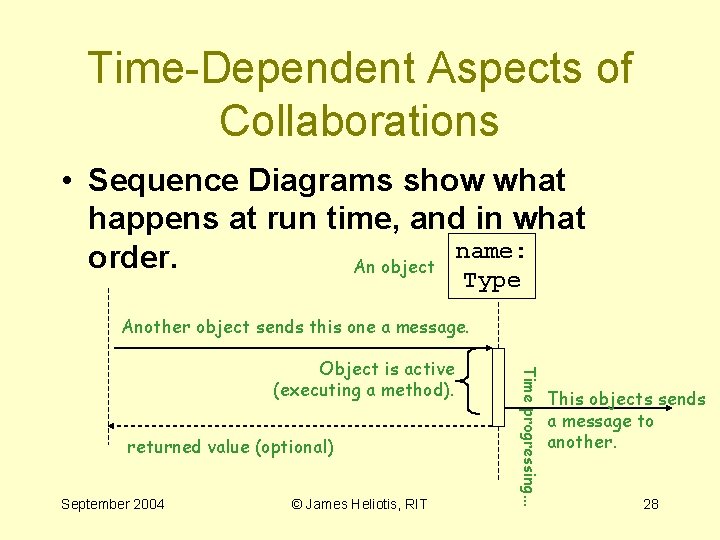
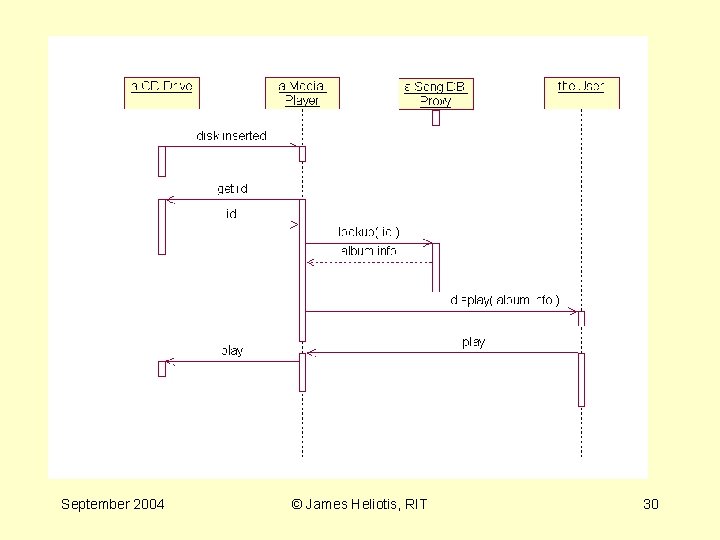
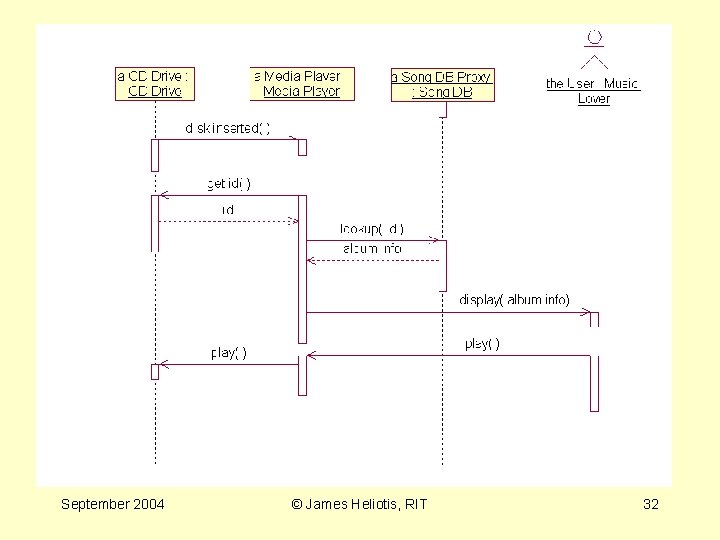
Time-Dependent Aspects of Collaborations • Sequence Diagrams show what happens at run time, and in what name: order. An object Type Another object sends this one a message. returned value (optional) September 2004 © James Heliotis, RIT Time progressing. . . Object is active (executing a method). This objects sends a message to another. 28
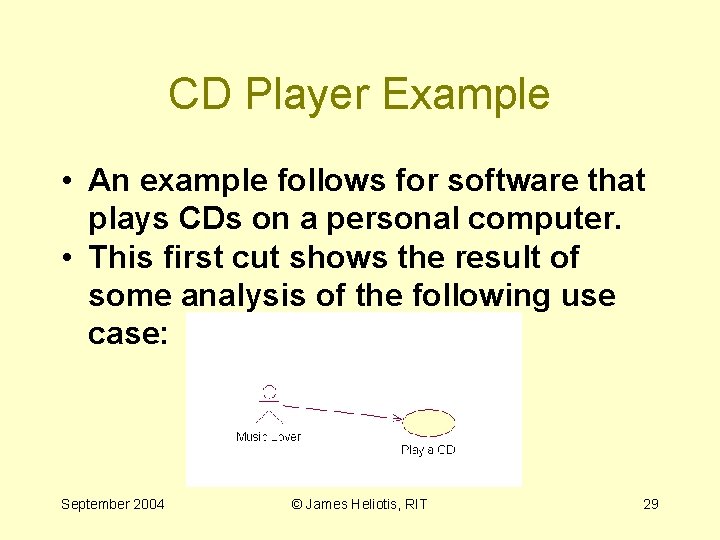
CD Player Example • An example follows for software that plays CDs on a personal computer. • This first cut shows the result of some analysis of the following use case: September 2004 © James Heliotis, RIT 29
September 2004 © James Heliotis, RIT 30
Example Revised • Now let's look at it again after actors, classes, and operations have been assigned to the elements of the diagram. September 2004 © James Heliotis, RIT 31
September 2004 © James Heliotis, RIT 32
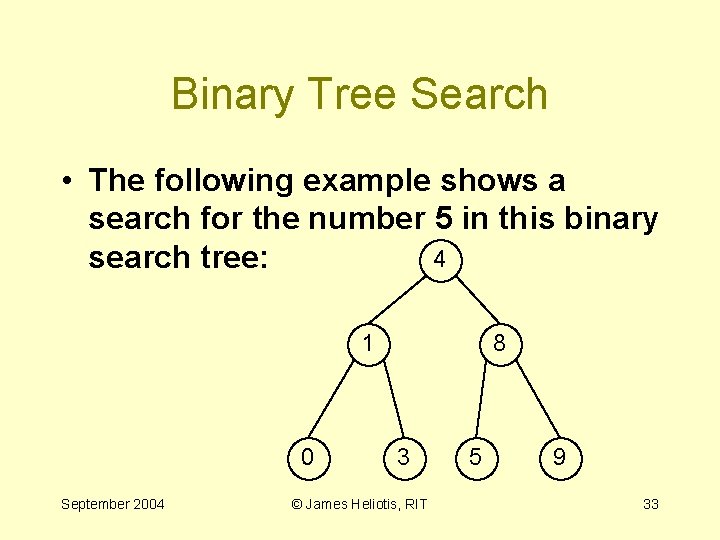
Binary Tree Search • The following example shows a search for the number 5 in this binary 4 search tree: 1 0 September 2004 8 3 © James Heliotis, RIT 5 9 33
September 2004 © James Heliotis, RIT 34
SD as Method Diagrams • Additional sequence diagram notations are available for – conditional execution – iteration • Some claim that this enables forward and reverse engineering of methods. September 2004 © James Heliotis, RIT 35
Collaboration Diagrams September 2004 © James Heliotis, RIT 36
Object Diagrams September 2004 © James Heliotis, RIT 37
State Diagrams An Alternate Dynamic View in Analysis & Design September 2004 © James Heliotis, RIT
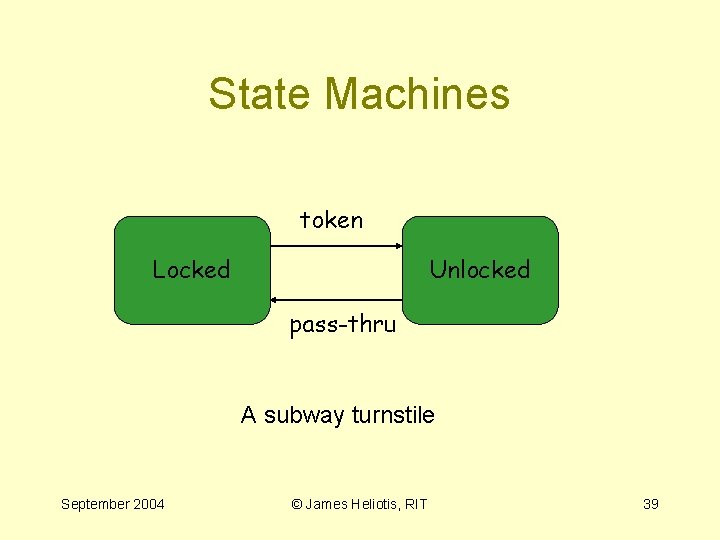
State Machines token Locked Unlocked pass-thru A subway turnstile September 2004 © James Heliotis, RIT 39
Why Divide a System or Component into States? • Vary behavior. – interpretation of stimuli – response to stimuli • A component’s state diagrams are often comprehensible and meaningful to the component’s client. September 2004 © James Heliotis, RIT 40
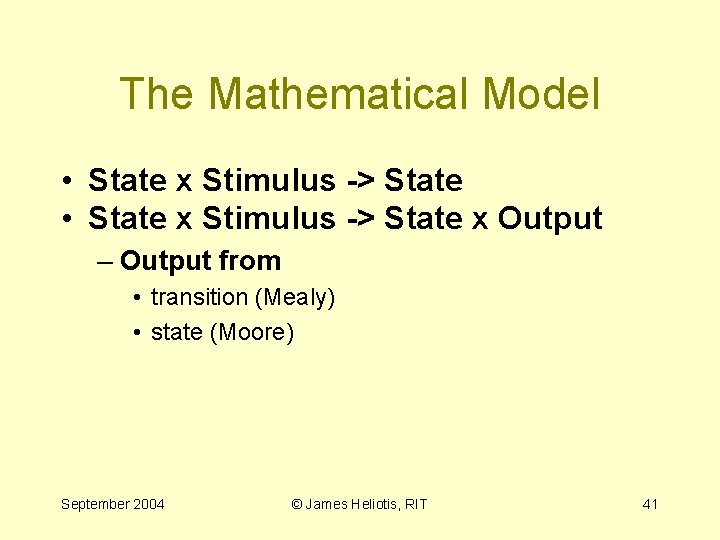
The Mathematical Model • State x Stimulus -> State x Output – Output from • transition (Mealy) • state (Moore) September 2004 © James Heliotis, RIT 41
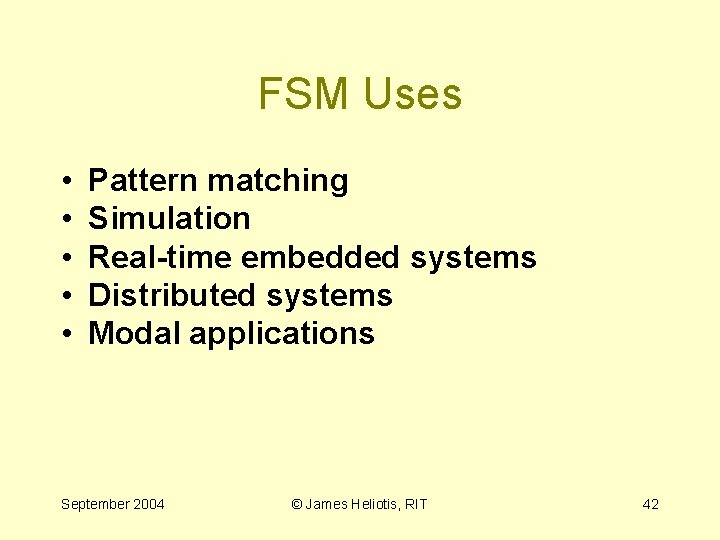
FSM Uses • • • Pattern matching Simulation Real-time embedded systems Distributed systems Modal applications September 2004 © James Heliotis, RIT 42
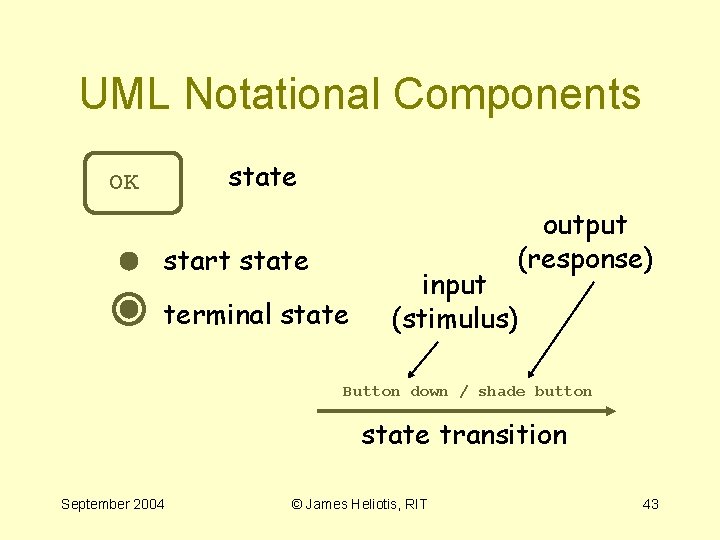
UML Notational Components state OK output (response) start state terminal state input (stimulus) Button down / shade button state transition September 2004 © James Heliotis, RIT 43
ATM Example September 2004 © James Heliotis, RIT 44
Transition Details EVENT( ARGS )[ condition ] / action ^send-target. send-event(send-arguments) what caused the transition September 2004 what will happen if the transition fires © James Heliotis, RIT 45
Example Domain: Distributed Systems • State transition diagrams (STDs) are excellent describers of protocol. • Each component in a distributed system may have moments in time where it expects certain messages and does not expect others. September 2004 © James Heliotis, RIT 46
Example 1: Stop-and-Wait Message Exchange • Two distributed components: – Producer, Consumer • Producer sends data packages to consumer. • Producer may not send subsequent package until it receives an acknowledgement for the previous one (flow control). September 2004 © James Heliotis, RIT 47
Communication Example The Receiver The Sender September 2004 © James Heliotis, RIT 48
Class Diagrams Communicating Static Structure in Analysis & Design September 2004 © James Heliotis, RIT
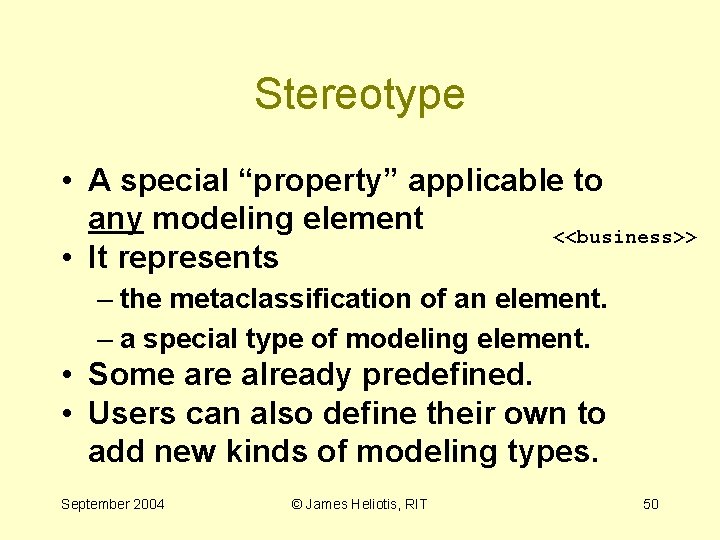
Stereotype • A special “property” applicable to any modeling element <<business>> • It represents – the metaclassification of an element. – a special type of modeling element. • Some are already predefined. • Users can also define their own to add new kinds of modeling types. September 2004 © James Heliotis, RIT 50
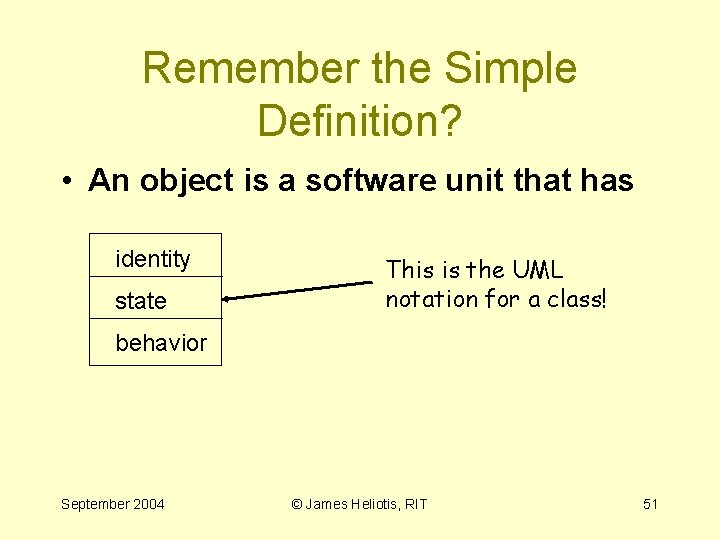
Remember the Simple Definition? • An object is a software unit that has identity state This is the UML notation for a class! behavior September 2004 © James Heliotis, RIT 51
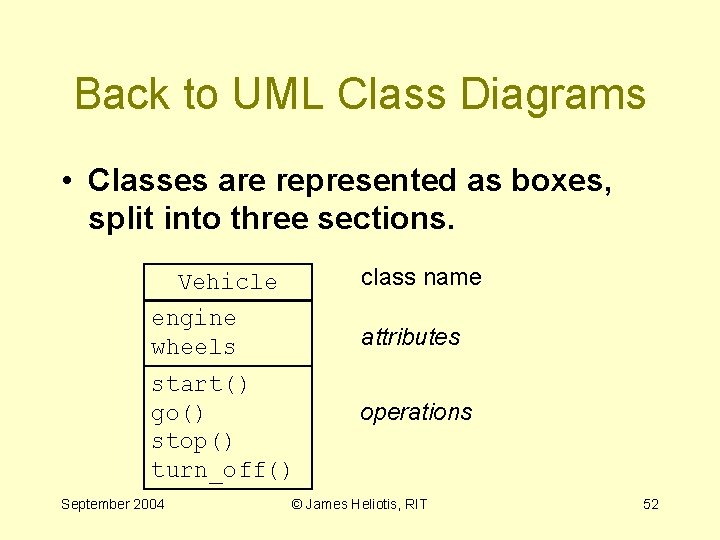
Back to UML Class Diagrams • Classes are represented as boxes, split into three sections. class name Vehicle engine wheels attributes start() go() stop() turn_off() September 2004 operations © James Heliotis, RIT 52
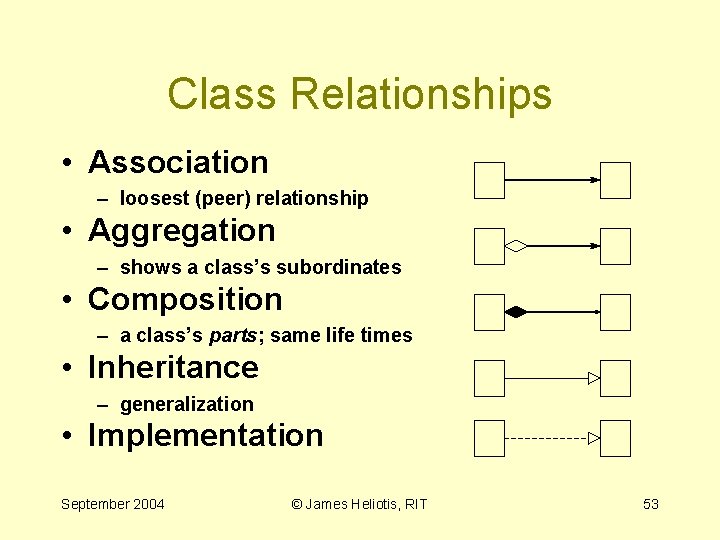
Class Relationships • Association – loosest (peer) relationship • Aggregation – shows a class’s subordinates • Composition – a class’s parts; same life times • Inheritance – generalization • Implementation September 2004 © James Heliotis, RIT 53
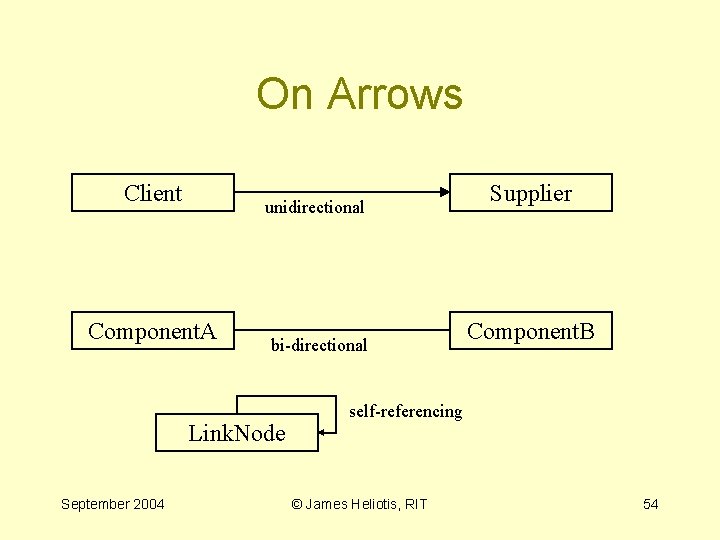
On Arrows Client unidirectional Component. A bi-directional Link. Node September 2004 Supplier Component. B self-referencing © James Heliotis, RIT 54
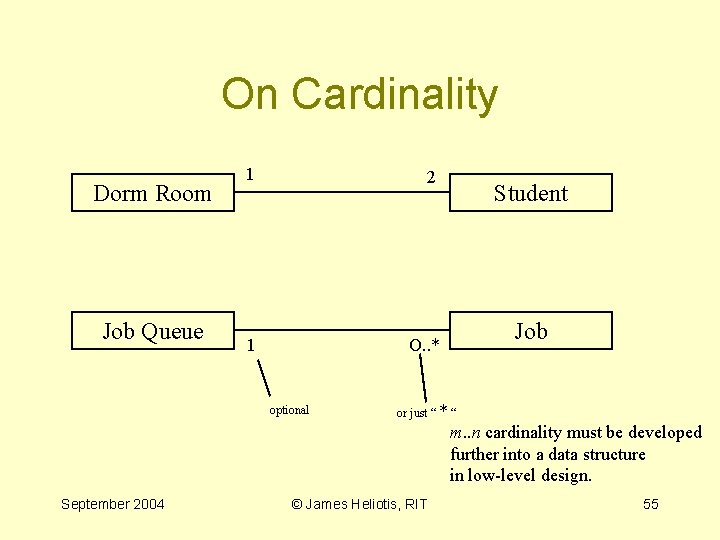
On Cardinality Dorm Room Job Queue 1 2 1 O. . * optional Student Job or just “ * “ m. . n cardinality must be developed further into a data structure in low-level design. September 2004 © James Heliotis, RIT 55
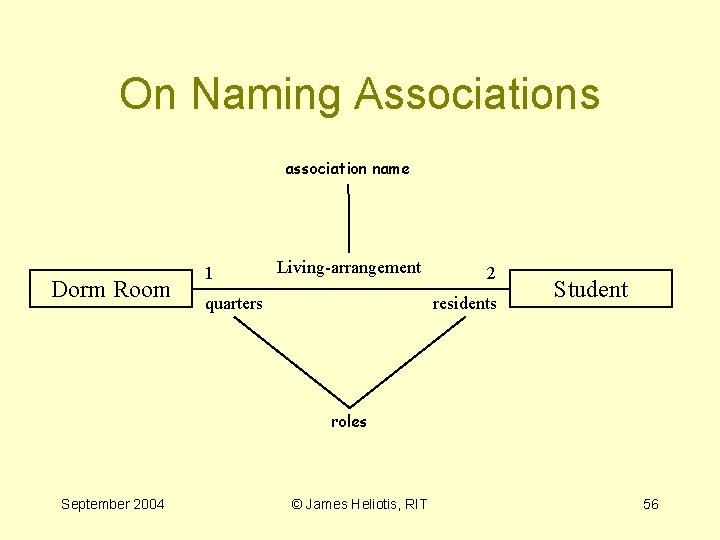
On Naming Associations association name Dorm Room 1 Living-arrangement quarters 2 residents Student roles September 2004 © James Heliotis, RIT 56
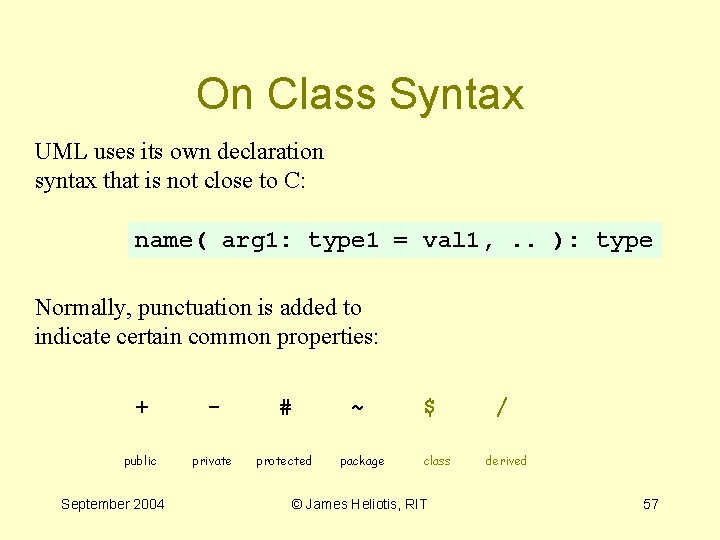
On Class Syntax UML uses its own declaration syntax that is not close to C: name( arg 1: type 1 = val 1, . . ): type Normally, punctuation is added to indicate certain common properties: + - # public private protected September 2004 ~ package $ class © James Heliotis, RIT / derived 57
September 2004 © James Heliotis, RIT 58
September 2004 © James Heliotis, RIT 59
Activity Diagrams • The closest thing in the UML to a flow chart • Illustrates – Sequential actions within a component – Synchronization between components September 2004 © James Heliotis, RIT 60
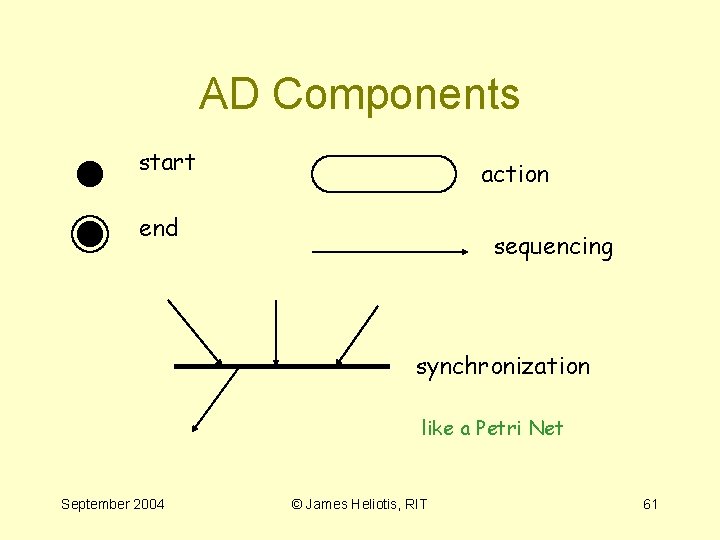
AD Components start action end sequencing synchronization like a Petri Net September 2004 © James Heliotis, RIT 61
Example: Store Checkout September 2004 © James Heliotis, RIT 62
Other Class Add-Ons • Stereotypes – <<interface>> • Template instantiation • Design-by-contract stuff (OCL) – pre/post conditions – invariants – http: //eiffel. com/doc/manuals/technology/contract/page. html – http: //www-4. ibm. com/software/ad/standards/ocl. html/ – http: //www. reliable-systems. com/tools/i. Contract. htm September 2004 © James Heliotis, RIT 63
September 2004 © James Heliotis, RIT 64
September 2004 © James Heliotis, RIT 65
September 2004 © James Heliotis, RIT 66
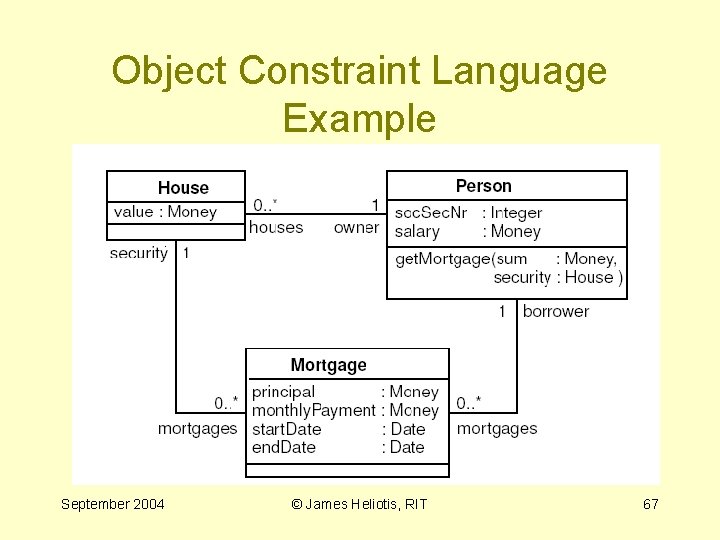
Object Constraint Language Example September 2004 © James Heliotis, RIT 67
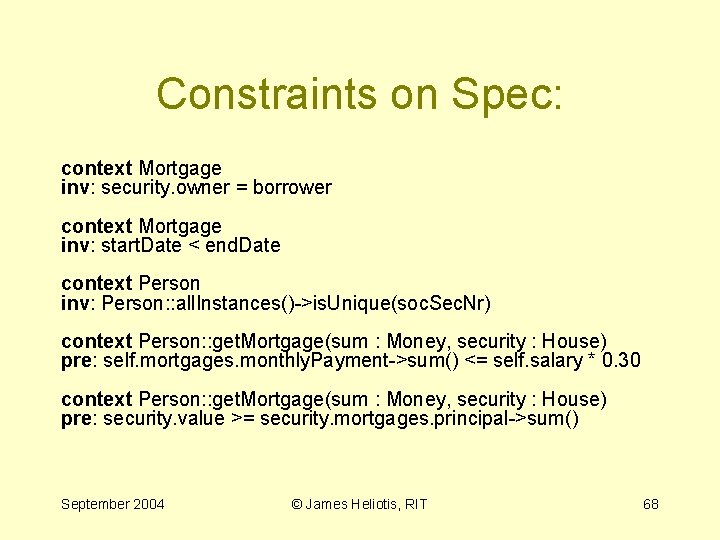
Constraints on Spec: context Mortgage inv: security. owner = borrower context Mortgage inv: start. Date < end. Date context Person inv: Person: : all. Instances()->is. Unique(soc. Sec. Nr) context Person: : get. Mortgage(sum : Money, security : House) pre: self. mortgages. monthly. Payment->sum() <= self. salary * 0. 30 context Person: : get. Mortgage(sum : Money, security : House) pre: security. value >= security. mortgages. principal->sum() September 2004 © James Heliotis, RIT 68
Example Courtesy of … September 2004 © James Heliotis, RIT 69
What's Coming in UML 2. 0? • Some examples: – Explicit declaration of U. C. extension points – Hierarchical and peer sequence diagrams – Improved support for defining entry points between connected diagram entities September 2004 © James Heliotis, RIT 70
Some UML Tool Resources • • http: //www. ibm. com/rational http: //www. borland. com/together http: //www. gnome. org/projects/dia/ http: //eclipse. org http: //www. gentleware. com/ http: //www. horstmann. com/violet/ http: //office. microsoft. com/visio/ http: //www. omnigroup. com/applicati ons/omnigraffle/ September 2004 © James Heliotis, RIT 71