
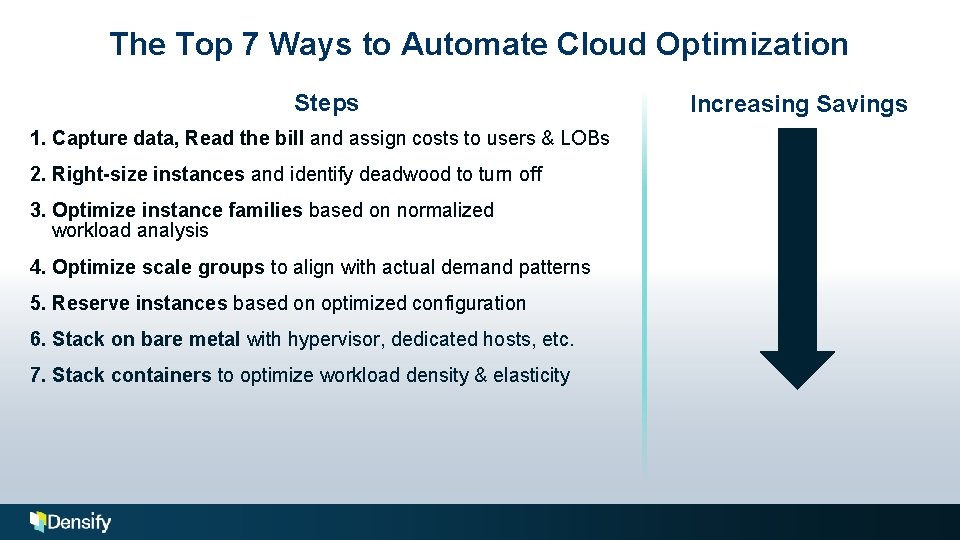
The Top 7 Ways to Automate Cloud Optimization
- Slides: 33
The Top 7 Ways to Automate Cloud Optimization Andy Walton, VP Technical Sales April 24, 2018 © 2018 Cirba Inc. d/b/a Densify. All rights reserved.
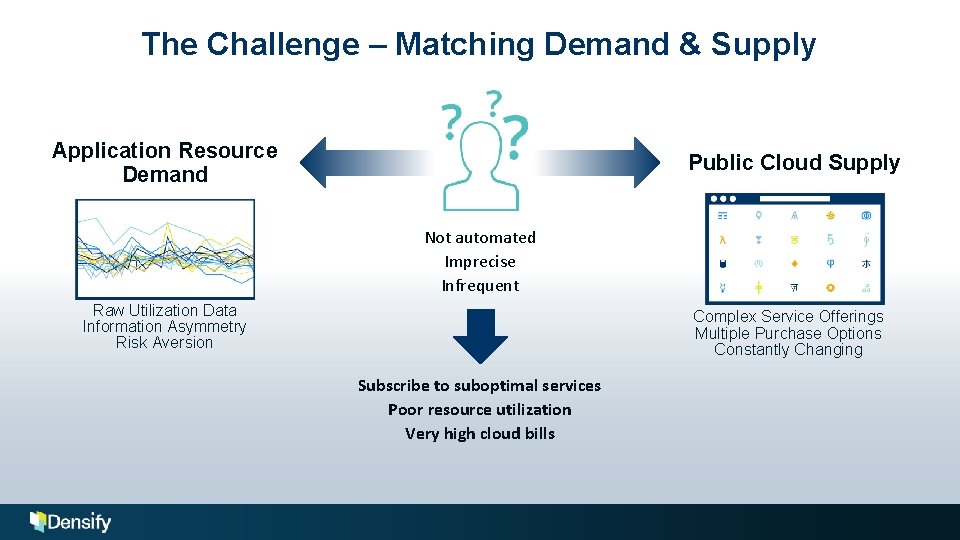
The Challenge – Matching Demand & Supply Application Resource Demand Public Cloud Supply Not automated Imprecise Infrequent Raw Utilization Data Information Asymmetry Risk Aversion Complex Service Offerings Multiple Purchase Options Constantly Changing Subscribe to suboptimal services Poor resource utilization Very high cloud bills
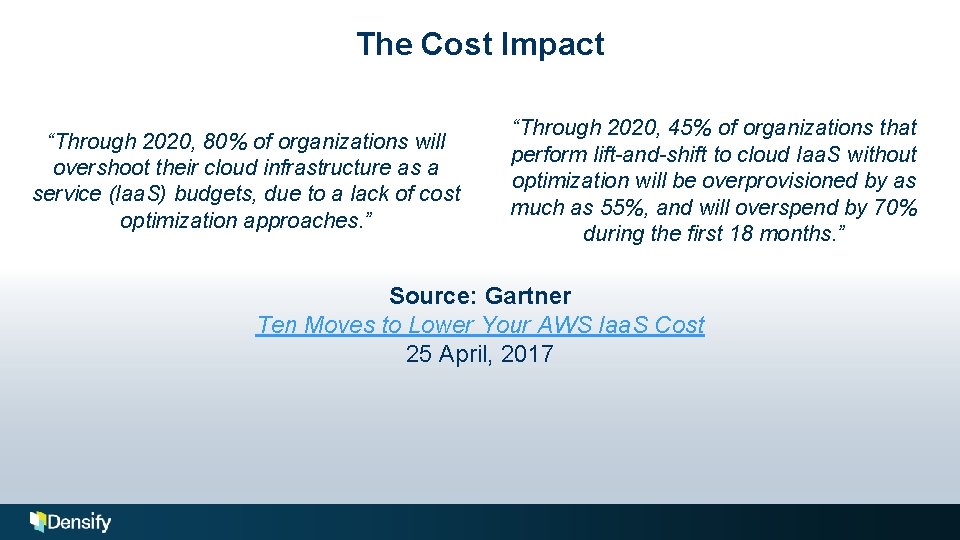
The Cost Impact “Through 2020, 80% of organizations will overshoot their cloud infrastructure as a service (Iaa. S) budgets, due to a lack of cost optimization approaches. ” “Through 2020, 45% of organizations that perform lift-and-shift to cloud Iaa. S without optimization will be overprovisioned by as much as 55%, and will overspend by 70% during the first 18 months. ” Source: Gartner Ten Moves to Lower Your AWS Iaa. S Cost 25 April, 2017
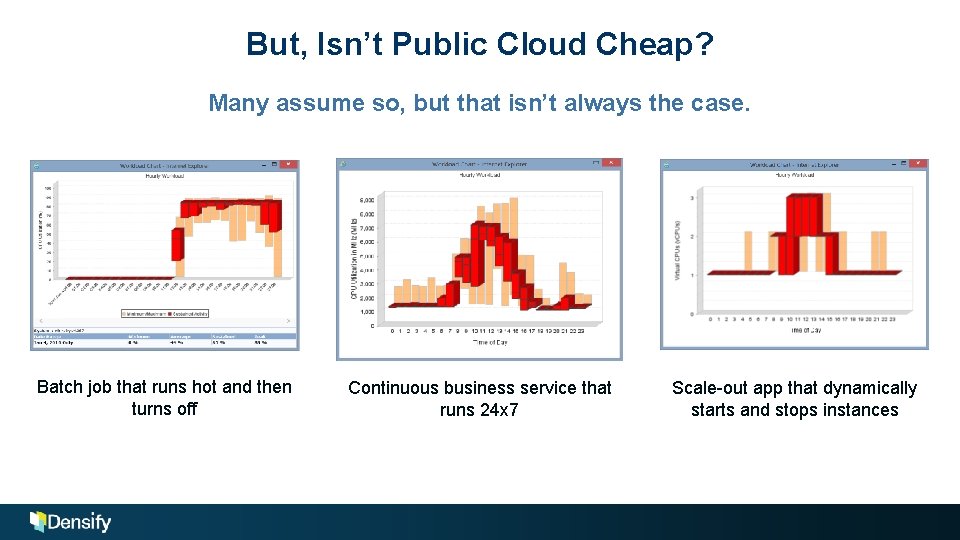
But, Isn’t Public Cloud Cheap? Many assume so, but that isn’t always the case. Batch job that runs hot and then turns off Continuous business service that runs 24 x 7 Scale-out app that dynamically starts and stops instances
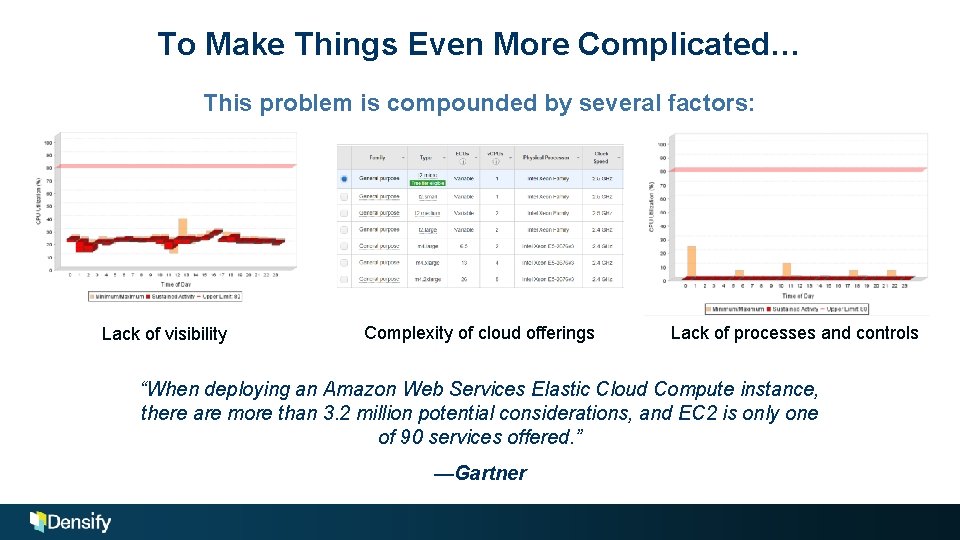
To Make Things Even More Complicated… This problem is compounded by several factors: Lack of visibility Complexity of cloud offerings Lack of processes and controls “When deploying an Amazon Web Services Elastic Cloud Compute instance, there are more than 3. 2 million potential considerations, and EC 2 is only one of 90 services offered. ” —Gartner
The Result The monthly bill is often far higher than expected. The monthly bill is very unpredictable. This is a monthly cost, not a sunk cost. The knee-jerk reaction is often to purchase a product that can read the bill and make sense of all the granular billing data. But, a high bill is simply a symptom of deeper problems. There are multiple ways you can optimize cloud cost, and the further you go, the greater your savings.
The Top 7 Ways to Automate Cloud Optimization Steps 1. Capture data, Read the bill and assign costs to users & LOBs 2. Right-size instances and identify deadwood to turn off 3. Optimize instance families based on normalized workload analysis 4. Optimize scale groups to align with actual demand patterns 5. Reserve instances based on optimized configuration 6. Stack on bare metal with hypervisor, dedicated hosts, etc. 7. Stack containers to optimize workload density & elasticity Increasing Savings
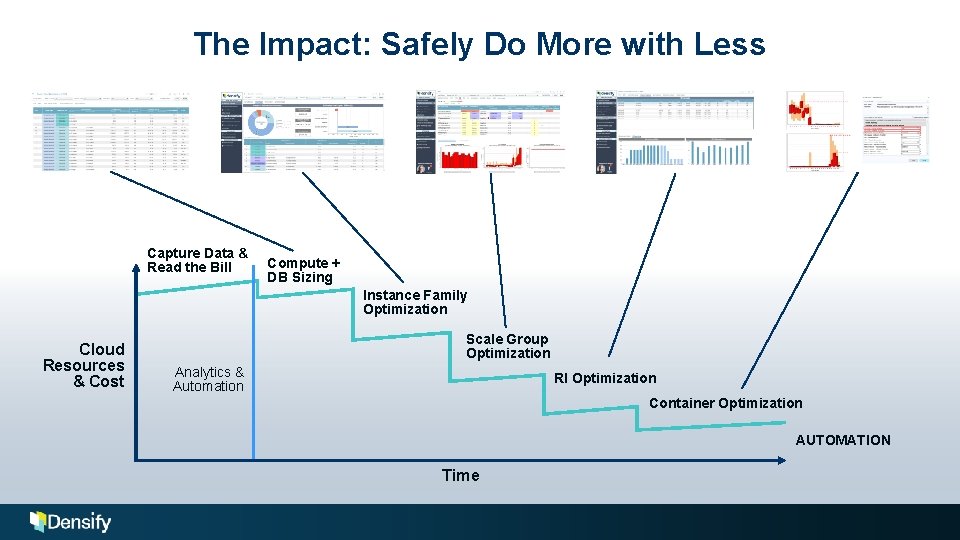
The Impact: Safely Do More with Less Capture Data & Read the Bill Compute + DB Sizing Instance Family Optimization Cloud Resources & Cost Scale Group Optimization Analytics & Automation RI Optimization Container Optimization AUTOMATION Time
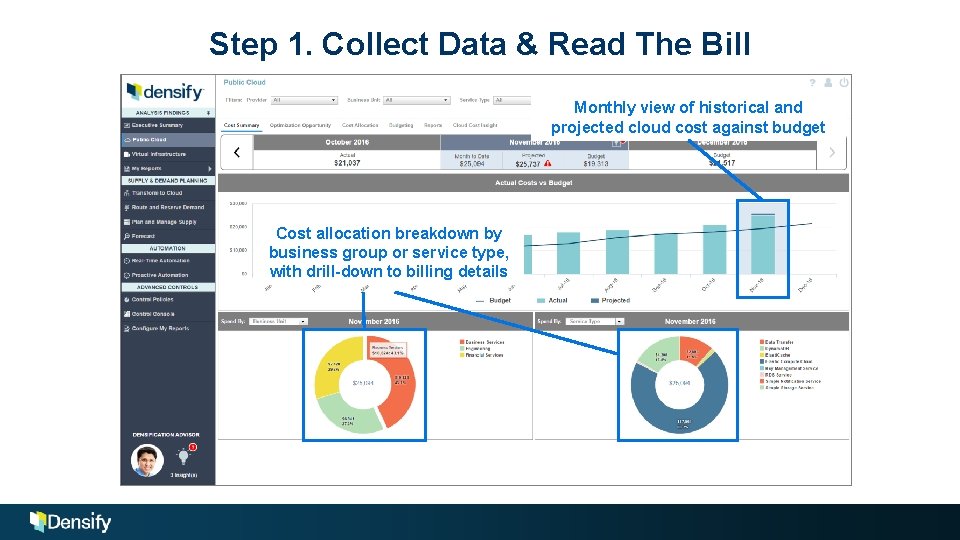
Step 1. Collect Data & Read The Bill Monthly view of historical and projected cloud cost against budget Cost allocation breakdown by business group or service type, with drill-down to billing details
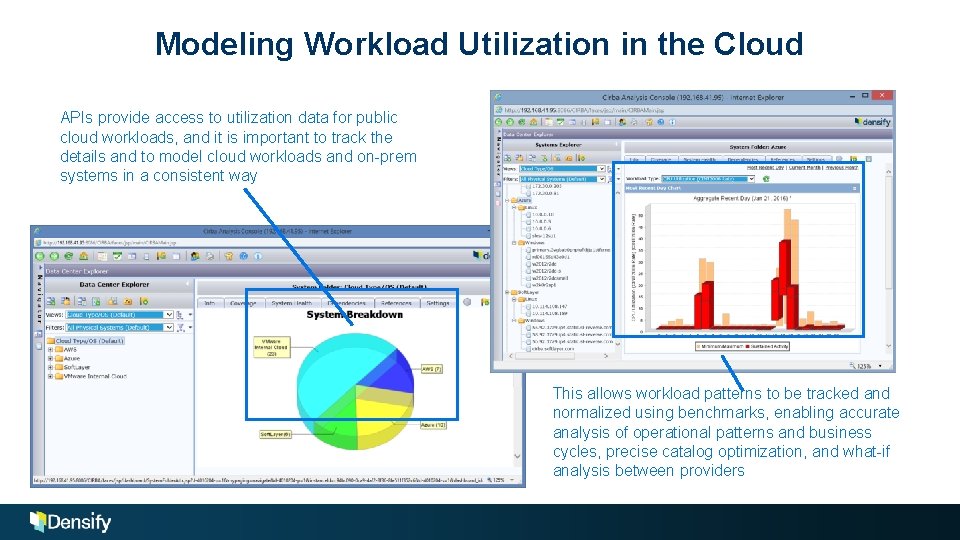
Modeling Workload Utilization in the Cloud APIs provide access to utilization data for public cloud workloads, and it is important to track the details and to model cloud workloads and on-prem systems in a consistent way This allows workload patterns to be tracked and normalized using benchmarks, enabling accurate analysis of operational patterns and business cycles, precise catalog optimization, and what-if analysis between providers
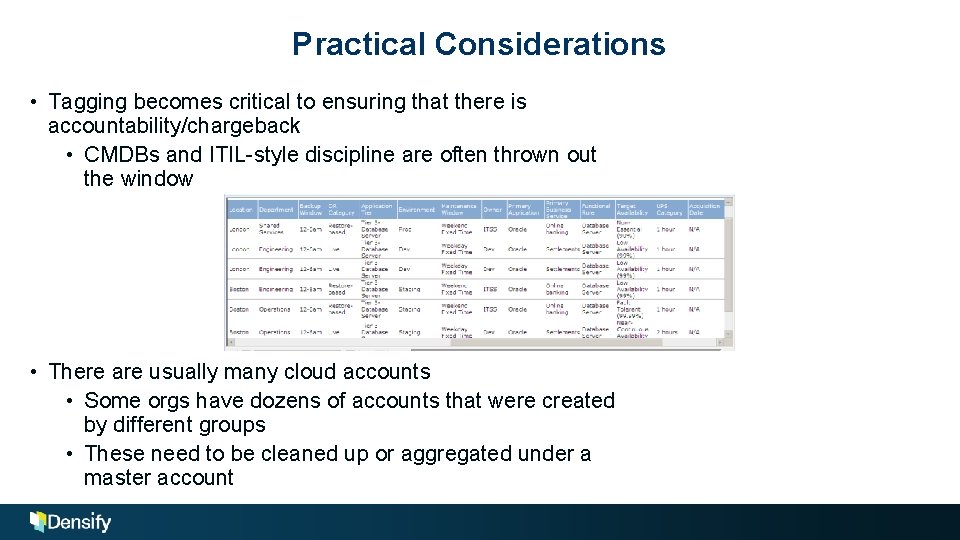
Practical Considerations • Tagging becomes critical to ensuring that there is accountability/chargeback • CMDBs and ITIL-style discipline are often thrown out the window • There are usually many cloud accounts • Some orgs have dozens of accounts that were created by different groups • These need to be cleaned up or aggregated under a master account
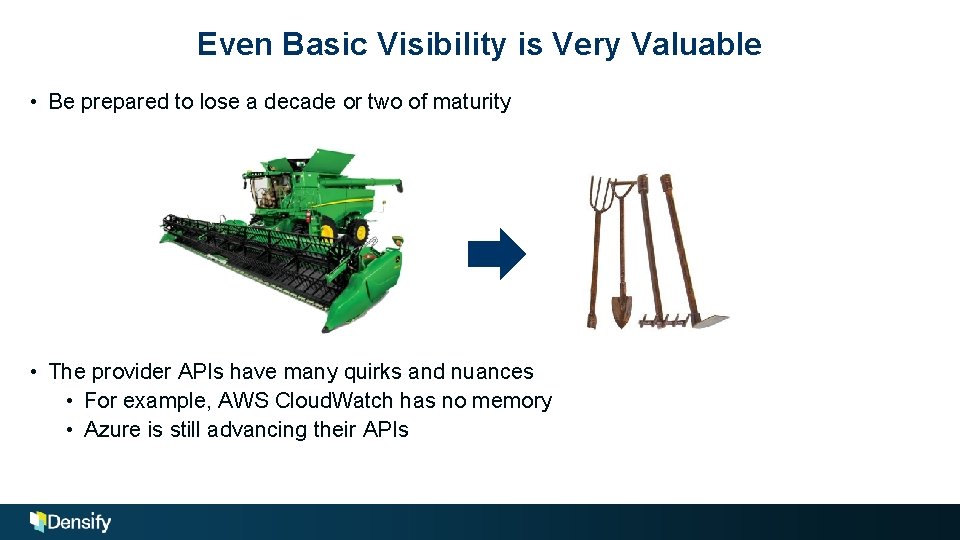
Even Basic Visibility is Very Valuable • Be prepared to lose a decade or two of maturity • The provider APIs have many quirks and nuances • For example, AWS Cloud. Watch has no memory • Azure is still advancing their APIs
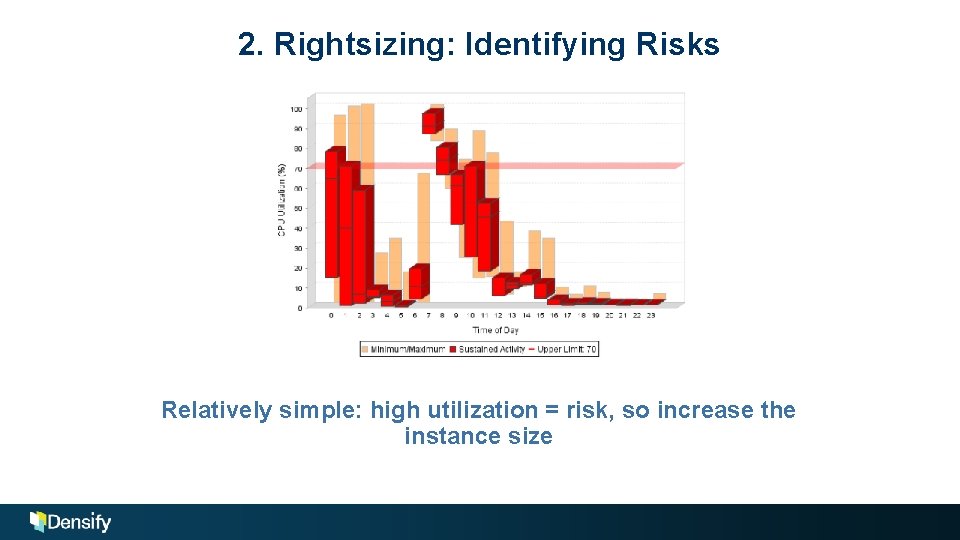
2. Rightsizing: Identifying Risks Relatively simple: high utilization = risk, so increase the instance size
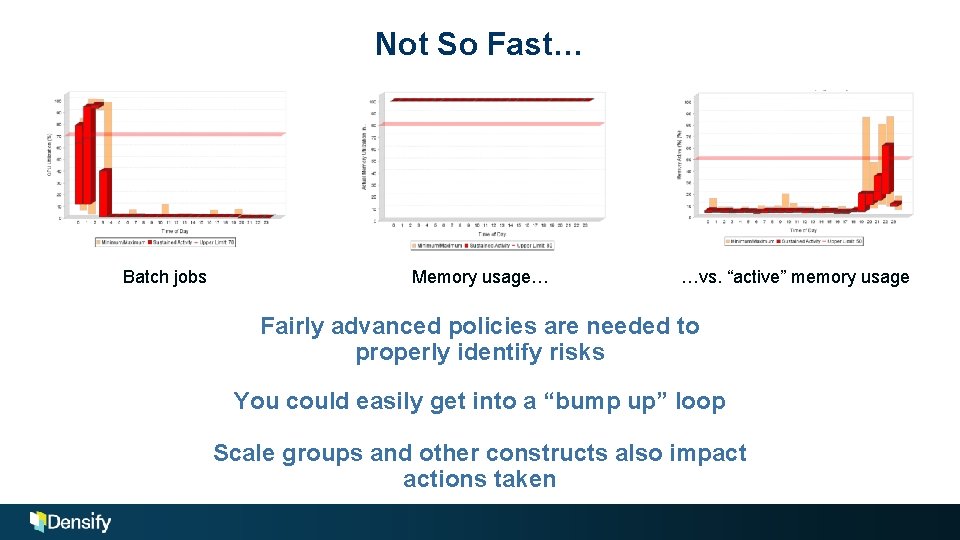
Not So Fast… Batch jobs Memory usage… …vs. “active” memory usage Fairly advanced policies are needed to properly identify risks You could easily get into a “bump up” loop Scale groups and other constructs also impact actions taken
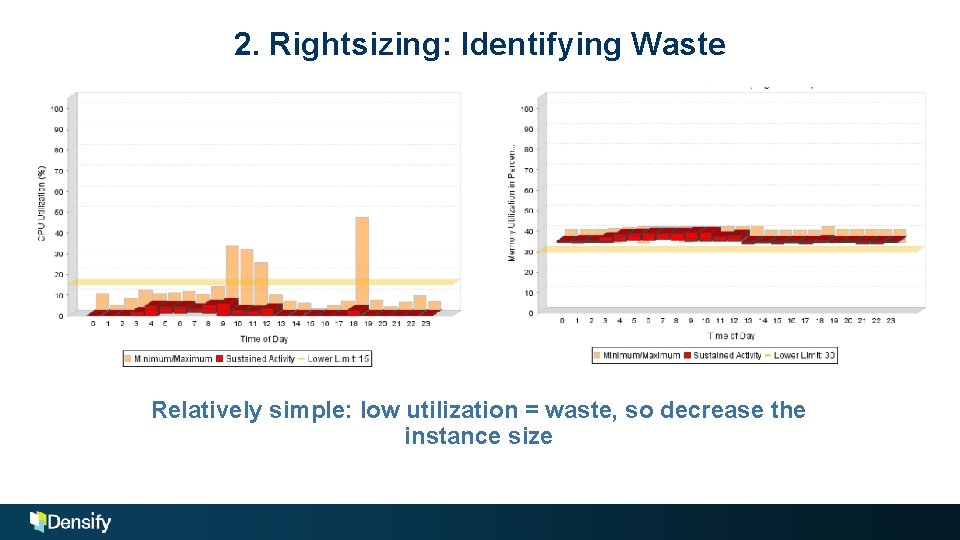
2. Rightsizing: Identifying Waste Relatively simple: low utilization = waste, so decrease the instance size
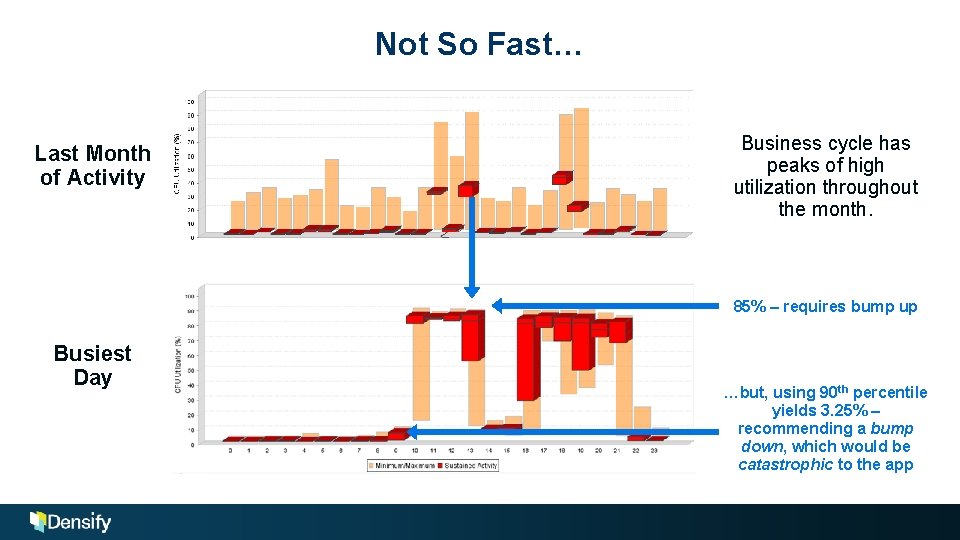
Not So Fast… Last Month of Activity Business cycle has peaks of high utilization throughout the month. 85% – requires bump up Busiest Day …but, using 90 th percentile yields 3. 25% – recommending a bump down, which would be catastrophic to the app
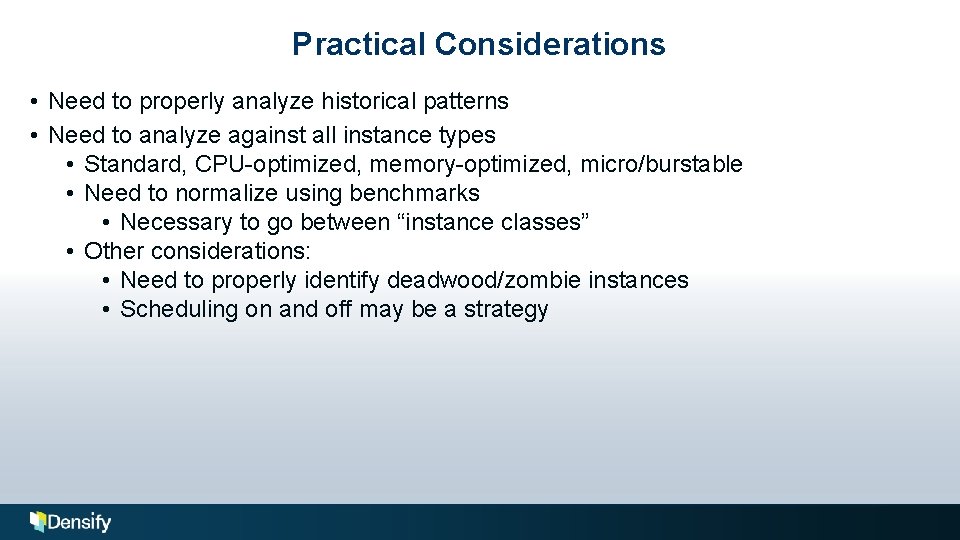
Practical Considerations • Need to properly analyze historical patterns • Need to analyze against all instance types • Standard, CPU-optimized, memory-optimized, micro/burstable • Need to normalize using benchmarks • Necessary to go between “instance classes” • Other considerations: • Need to properly identify deadwood/zombie instances • Scheduling on and off may be a strategy
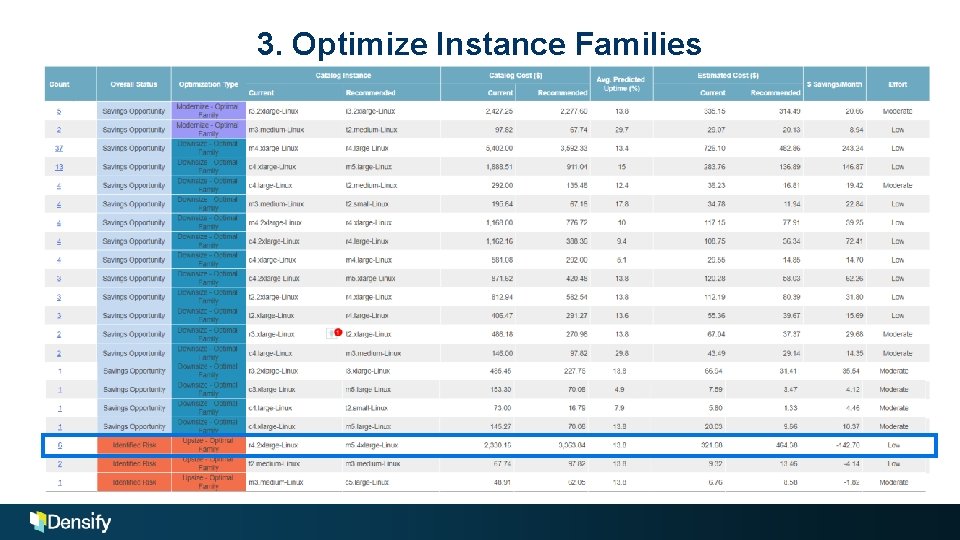
3. Optimize Instance Families
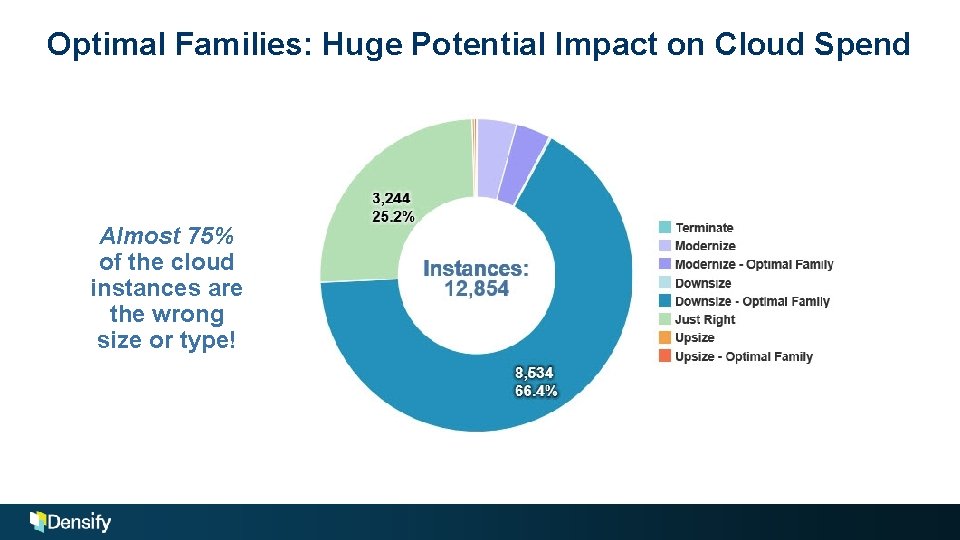
Optimal Families: Huge Potential Impact on Cloud Spend Almost 75% of the cloud instances are the wrong size or type!
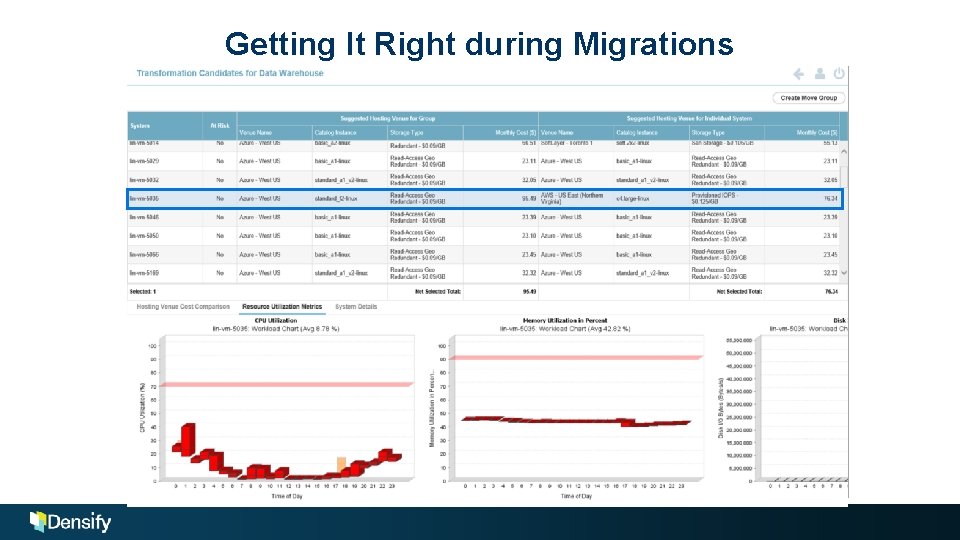
Getting It Right during Migrations
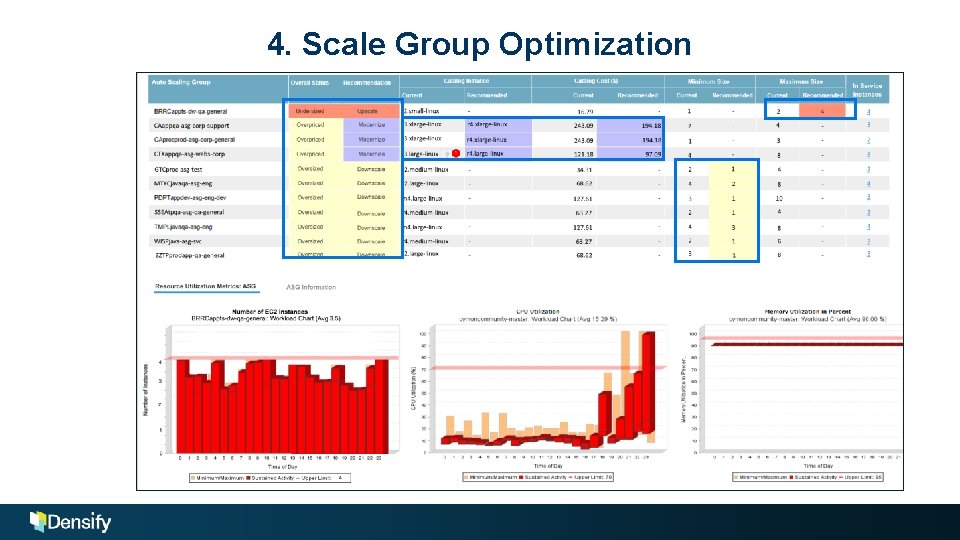
4. Scale Group Optimization
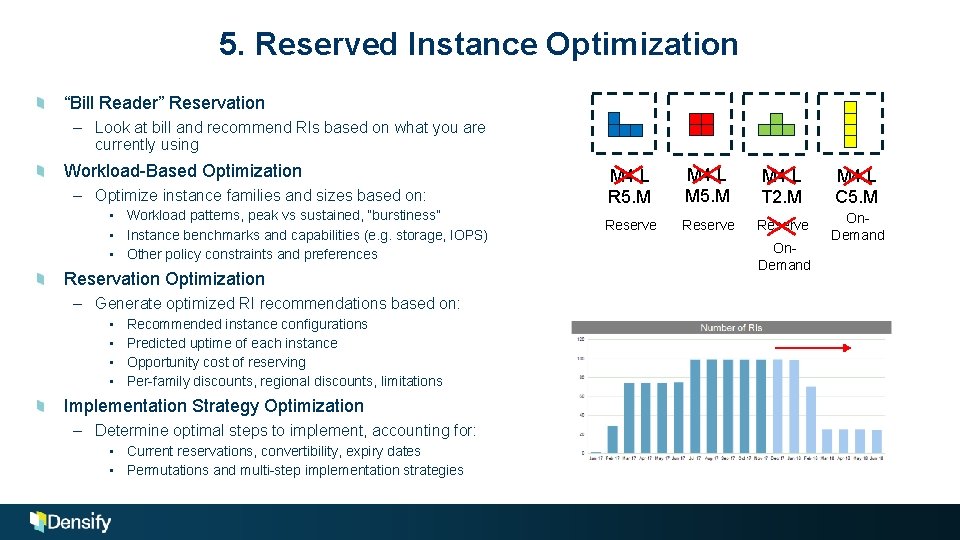
5. Reserved Instance Optimization “Bill Reader” Reservation – Look at bill and recommend RIs based on what you are currently using Workload-Based Optimization – Optimize instance families and sizes based on: • Workload patterns, peak vs sustained, “burstiness” • Instance benchmarks and capabilities (e. g. storage, IOPS) • Other policy constraints and preferences Reservation Optimization – Generate optimized RI recommendations based on: • • Recommended instance configurations Predicted uptime of each instance Opportunity cost of reserving Per-family discounts, regional discounts, limitations Implementation Strategy Optimization – Determine optimal steps to implement, accounting for: • Current reservations, convertibility, expiry dates • Permutations and multi-step implementation strategies M 4. L R 5. M M 4. L M 5. M M 4. L T 2. M M 4. L C 5. M Reserve On. Demand
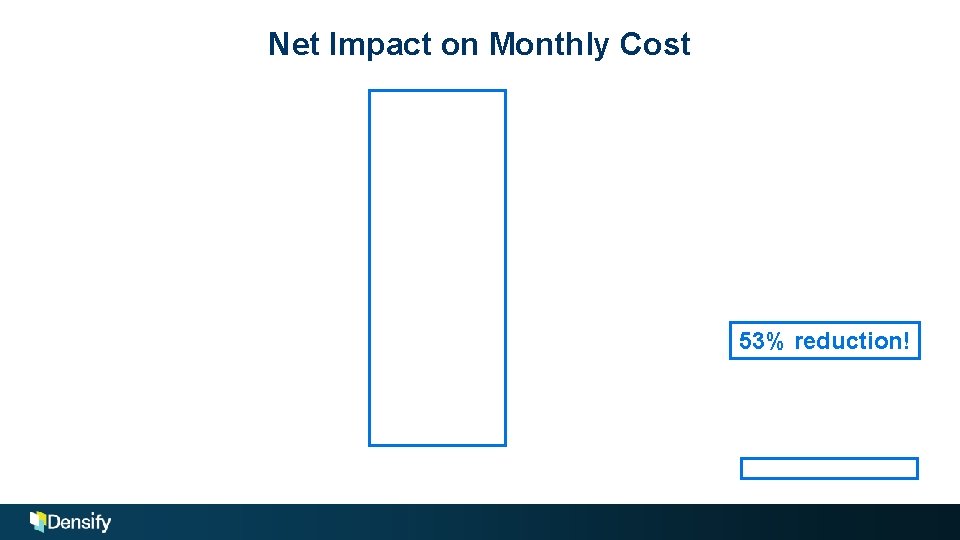
Net Impact on Monthly Cost 53% reduction!
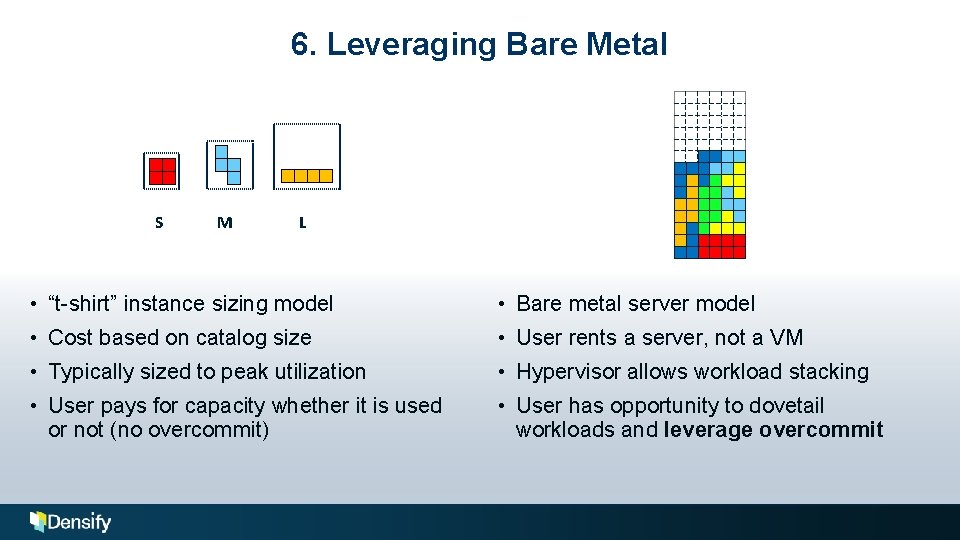
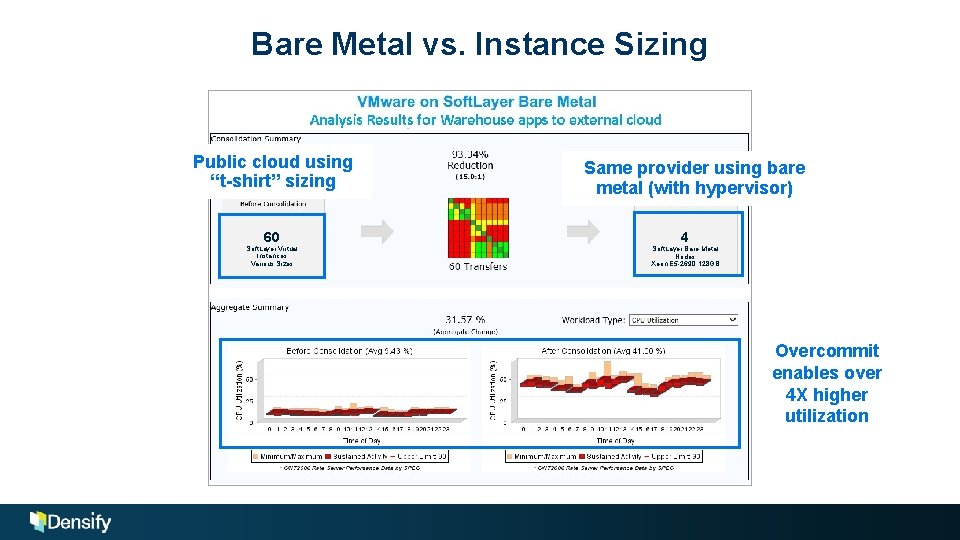
6. Leveraging Bare Metal S M L • “t-shirt” instance sizing model • Bare metal server model • Cost based on catalog size • User rents a server, not a VM • Typically sized to peak utilization • Hypervisor allows workload stacking • User pays for capacity whether it is used or not (no overcommit) • User has opportunity to dovetail workloads and leverage overcommit
Bare Metal vs. Instance Sizing Public cloud using “t-shirt” sizing 60 Soft. Layer Virtual Instances Various Sizes Same provider using bare metal (with hypervisor) 4 Soft. Layer Bare Metal Nodes Xeon E 5 -2690 128 GB Overcommit enables over 4 X higher utilization
What about On-Premises? “I&O leaders are being led to think that all Iaa. S workloads belong within the public cloud, causing some to attempt migrations that are not cost-effective or operationally effective. ” —Gartner
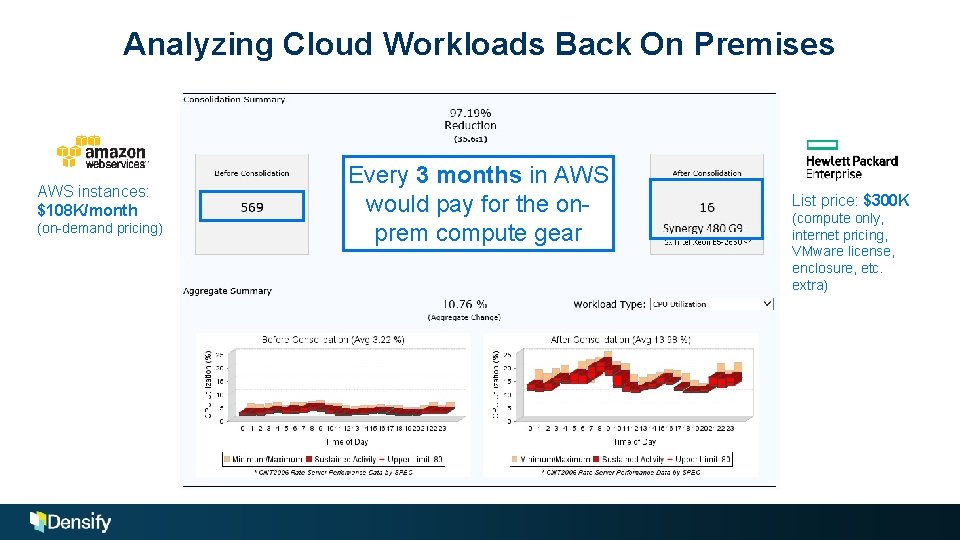
Analyzing Cloud Workloads Back On Premises AWS instances: $108 K/month (on-demand pricing) Every 3 months in AWS would pay for the onprem compute gear List price: $300 K (compute only, internet pricing, VMware license, enclosure, etc. extra)
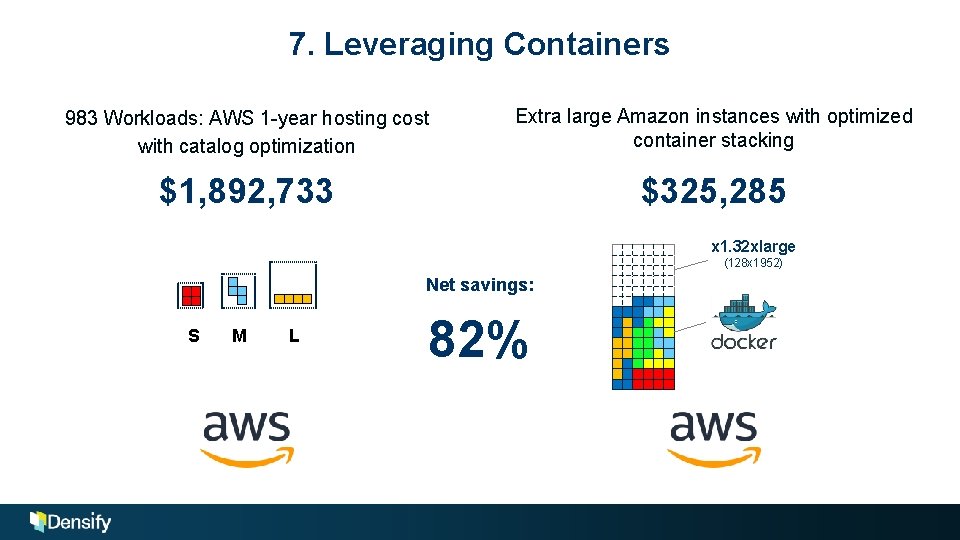
7. Leveraging Containers 983 Workloads: AWS 1 -year hosting cost with catalog optimization Extra large Amazon instances with optimized container stacking $1, 892, 733 $325, 285 x 1. 32 xlarge (128 x 1952) Net savings: S M L vs 82%
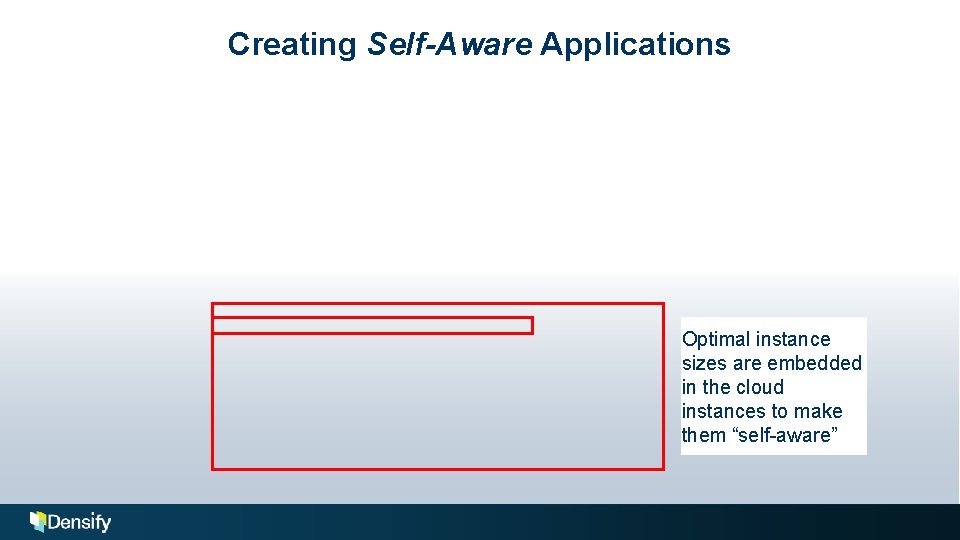
Creating Self-Aware Applications Optimal instance sizes are embedded in the cloud instances to make them “self-aware”
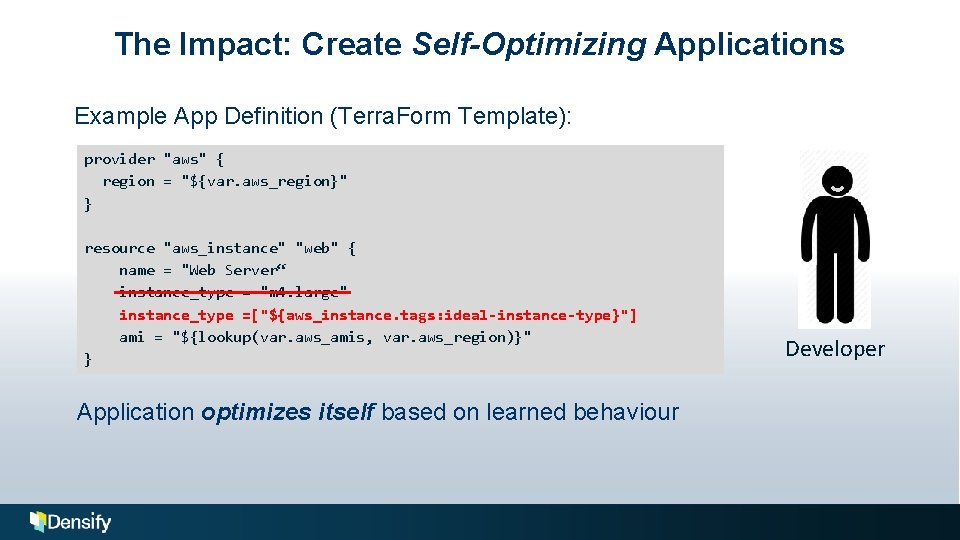
The Impact: Create Self-Optimizing Applications Example App Definition (Terra. Form Template): provider "aws" { region = "${var. aws_region}" } resource "aws_instance" "web" { name = "Web Server“ Server" instance_type = "m 4. large" instance_type =["${aws_instance. tags: ideal-instance-type}"] ami = "${lookup(var. aws_amis, var. aws_region)}" } } Application optimizes itself based on learned behaviour Developer
Conclusions There is a huge opportunity to optimize your public cloud if you have the ability to properly crunch the numbers. There are multiple strategies that can be employed, and the more strategies you can leverage, the higher the savings you will realize.
The Top 7 Ways to Automate Cloud Optimization Andy Walton, VP Technical Sales April 24, 2018 © 2018 Cirba Inc. d/b/a Densify. All rights reserved.
What is Densify? An analytics service that makes your applications self-optimizing by continuously and perfectly matching their demands to cloud supply. It combines a unique machine learning optimization engine with a team of dedicated experts to drive high levels of automation and cost efficiency.