
The Timer Control Invisible during run time Triggers
The Timer Control • Invisible during run time • Triggers an event after a specified period of time • The Interval property specifies the time period – measured in milliseconds • To begin timing, set the Enabled property to True • To stop timing, set the Enabled property to False • The event triggered each time Timer 1. Interval elapses is called Timer 1. Tick. Chapter 9 1
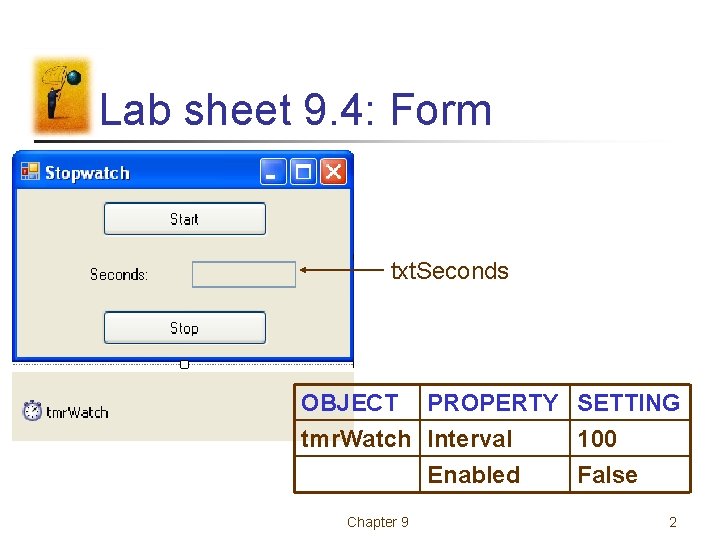
Lab sheet 9. 4: Form txt. Seconds OBJECT PROPERTY SETTING tmr. Watch Interval 100 Enabled False Chapter 9 2
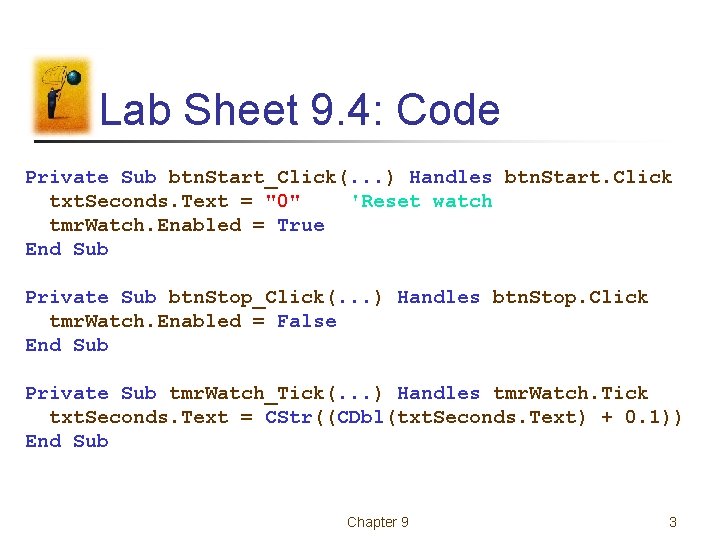
Lab Sheet 9. 4: Code Private Sub btn. Start_Click(. . . ) Handles btn. Start. Click txt. Seconds. Text = "0" 'Reset watch tmr. Watch. Enabled = True End Sub Private Sub btn. Stop_Click(. . . ) Handles btn. Stop. Click tmr. Watch. Enabled = False End Sub Private Sub tmr. Watch_Tick(. . . ) Handles tmr. Watch. Tick txt. Seconds. Text = CStr((CDbl(txt. Seconds. Text) + 0. 1)) End Sub Chapter 9 3
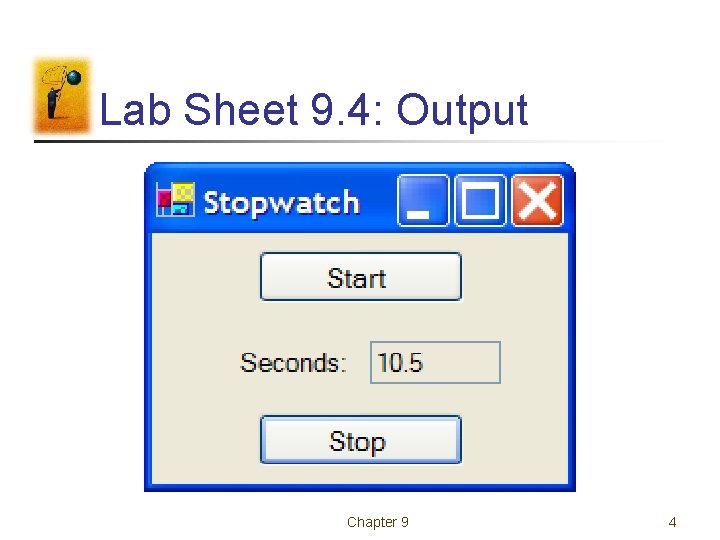
Lab Sheet 9. 4: Output Chapter 9 4
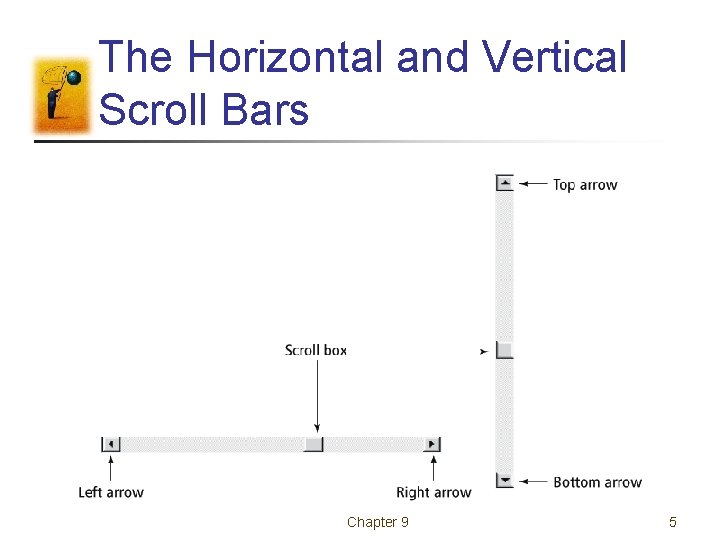
The Horizontal and Vertical Scroll Bars Chapter 9 5
Scroll Bar Behavior • When the user clicks on one of the arrow buttons, the scroll box moves a small amount toward that button. • When the user clicks between the scroll box and one of the arrow buttons, the scroll box moves a large amount toward that button. • The user can also move the scroll box by dragging it. Chapter 9 6
Scroll Bar Properties • The main properties of a scroll bar control are • • • Minimum Maximum Value Small. Change, Large. Change • hsb. Bar. Value, a number between hsb. Bar. Minimum and hsb. Bar. Maximum, gives the location of the scroll box, Chapter 9 7
Scroll Bar Notes • The setting for the Minimum property must be less than the setting for the Maximum property. • The Minimum property determines the values for the left and top arrow buttons. • The Maximum property determines the values for the right and bottom arrow buttons. • The Scroll event is triggered whenever any part of the scroll bar is clicked. Chapter 9 8
- Slides: 8