
The Three Rules of Data Analysis The three
- Slides: 14
The Three Rules of Data Analysis • The three rules of data analysis won’t be difficult to remember: 1. Make a picture—things may be revealed that are not obvious in the raw data. These will be things to think about. 2. Make a picture—important features of and patterns in the data will show up. 3. Make a picture—the best way to tell others about your data is with a wellchosen picture. Copyright © 2004 Pearson Education, Inc. Slide 3 -
Making Piles • We can “pile” the data by counting the number of data values in each category of interest. • We can organize these counts into a frequency table, which records the totals and the category names. • A relative frequency table is similar, but gives the percentages (instead of counts) for each category. Copyright © 2004 Pearson Education, Inc. Slide 3 -
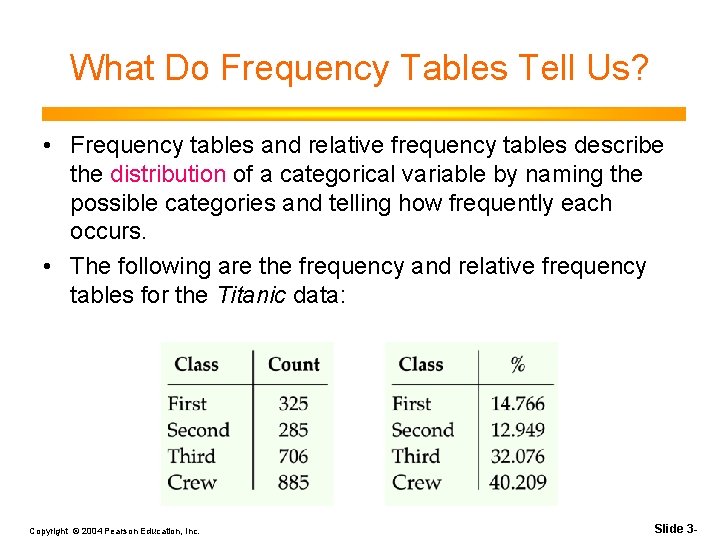
What Do Frequency Tables Tell Us? • Frequency tables and relative frequency tables describe the distribution of a categorical variable by naming the possible categories and telling how frequently each occurs. • The following are the frequency and relative frequency tables for the Titanic data: Copyright © 2004 Pearson Education, Inc. Slide 3 -
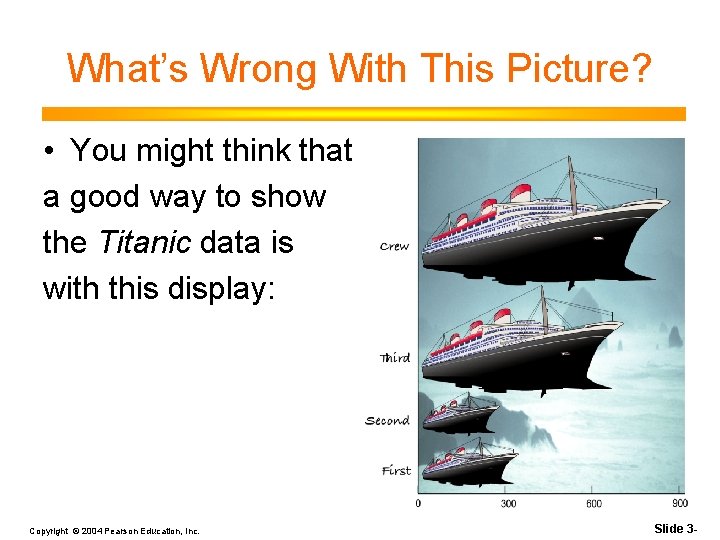
What’s Wrong With This Picture? • You might think that a good way to show the Titanic data is with this display: Copyright © 2004 Pearson Education, Inc. Slide 3 -
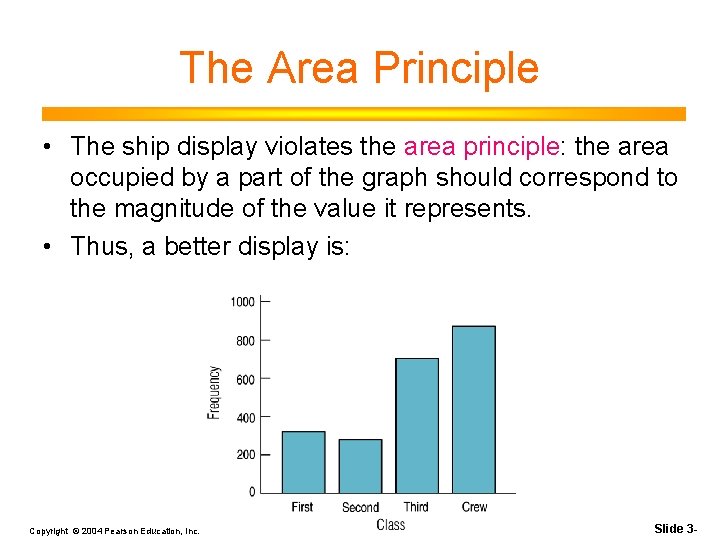
The Area Principle • The ship display violates the area principle: the area occupied by a part of the graph should correspond to the magnitude of the value it represents. • Thus, a better display is: Copyright © 2004 Pearson Education, Inc. Slide 3 -
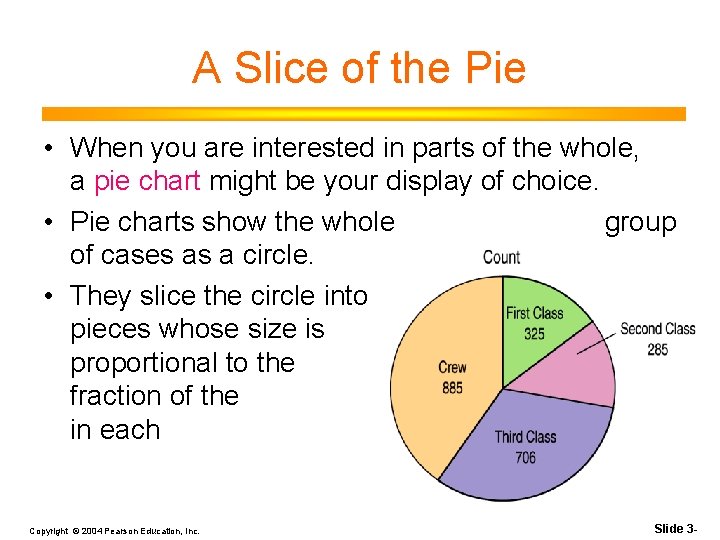
A Slice of the Pie • When you are interested in parts of the whole, a pie chart might be your display of choice. • Pie charts show the whole group of cases as a circle. • They slice the circle into pieces whose size is proportional to the fraction of the whole in each category. Copyright © 2004 Pearson Education, Inc. Slide 3 -
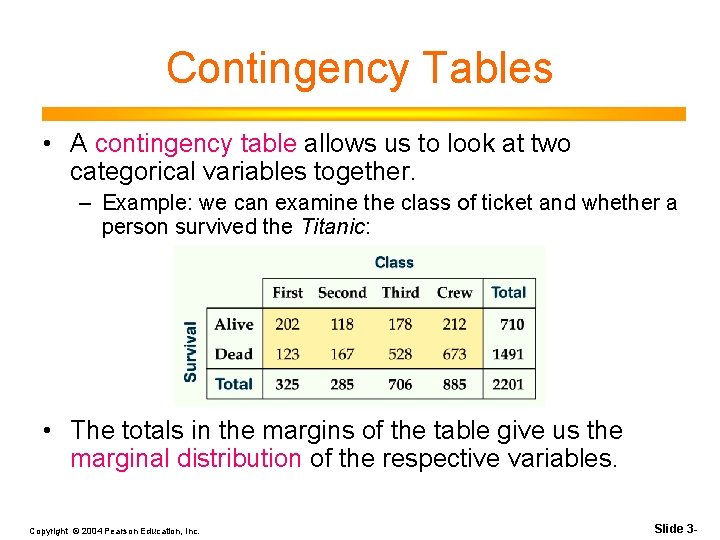
Contingency Tables • A contingency table allows us to look at two categorical variables together. – Example: we can examine the class of ticket and whether a person survived the Titanic: • The totals in the margins of the table give us the marginal distribution of the respective variables. Copyright © 2004 Pearson Education, Inc. Slide 3 -
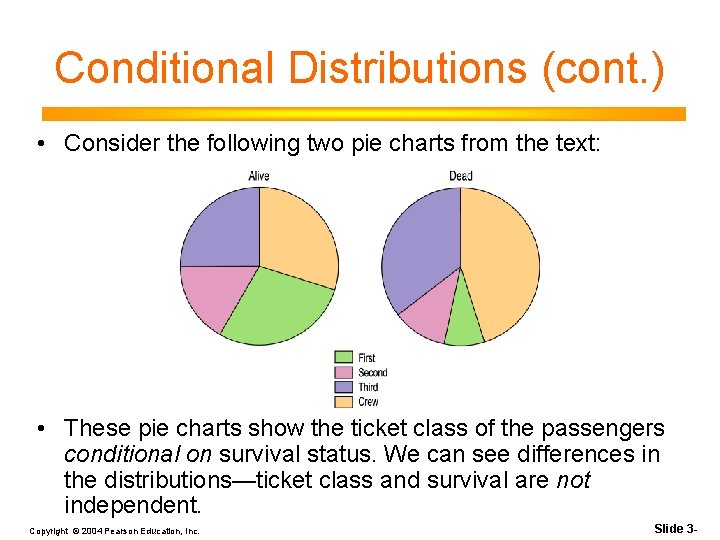
Conditional Distributions • A distribution of one variable for only those individuals or cases satisfying some condition on another variable is called a conditional distribution. • In a contingency table, variables are independent when the distribution of one variable is the same for all categories of another. Copyright © 2004 Pearson Education, Inc. Slide 3 -
Conditional Distributions (cont. ) • Consider the following two pie charts from the text: • These pie charts show the ticket class of the passengers conditional on survival status. We can see differences in the distributions—ticket class and survival are not independent. Copyright © 2004 Pearson Education, Inc. Slide 3 -
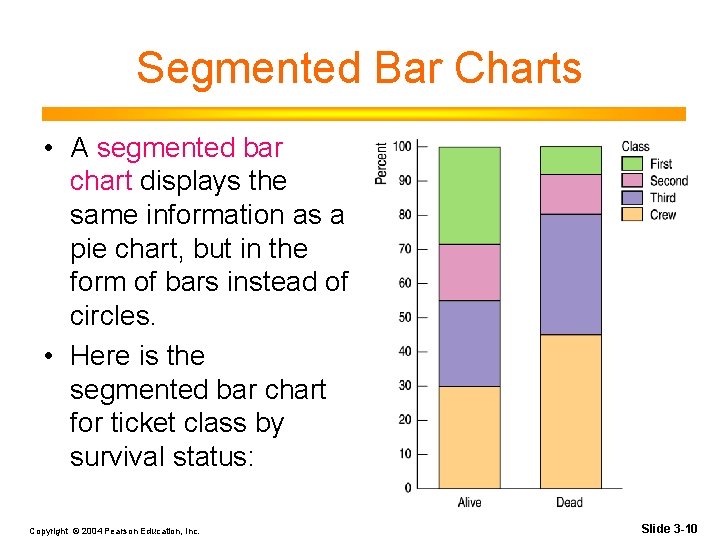
Segmented Bar Charts • A segmented bar chart displays the same information as a pie chart, but in the form of bars instead of circles. • Here is the segmented bar chart for ticket class by survival status: Copyright © 2004 Pearson Education, Inc. Slide 3 -10
What Can Go Wrong? • Don’t violate the area principle. • Keep it honest—make sure your display shows what it says it shows. • Don’t confuse similar-sounding percentages—pay particular attention to the wording of the context. • Be sure to use enough individuals! • Don’t overstate your case—don’t claim something you can’t. Copyright © 2004 Pearson Education, Inc. Slide 3 -
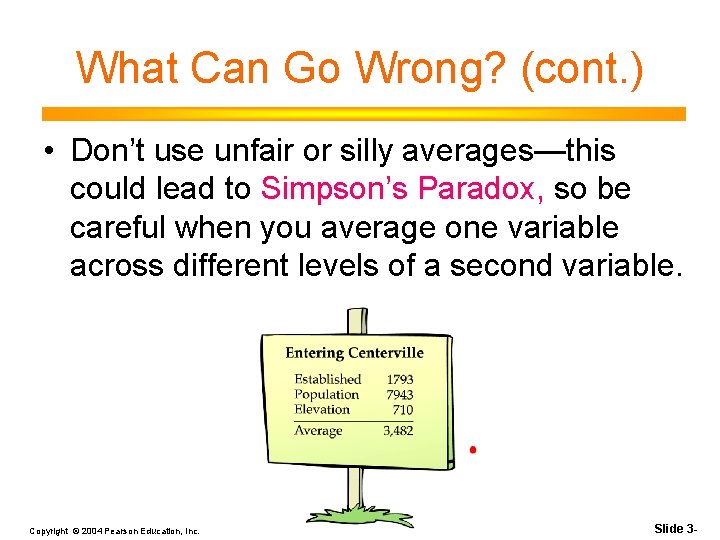
What Can Go Wrong? (cont. ) • Don’t use unfair or silly averages—this could lead to Simpson’s Paradox, so be careful when you average one variable across different levels of a second variable. Copyright © 2004 Pearson Education, Inc. Slide 3 -
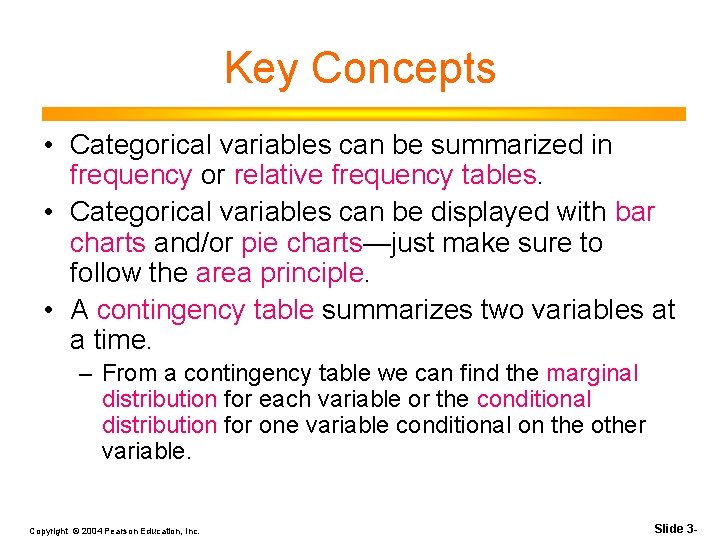
Key Concepts • Categorical variables can be summarized in frequency or relative frequency tables. • Categorical variables can be displayed with bar charts and/or pie charts—just make sure to follow the area principle. • A contingency table summarizes two variables at a time. – From a contingency table we can find the marginal distribution for each variable or the conditional distribution for one variable conditional on the other variable. Copyright © 2004 Pearson Education, Inc. Slide 3 -
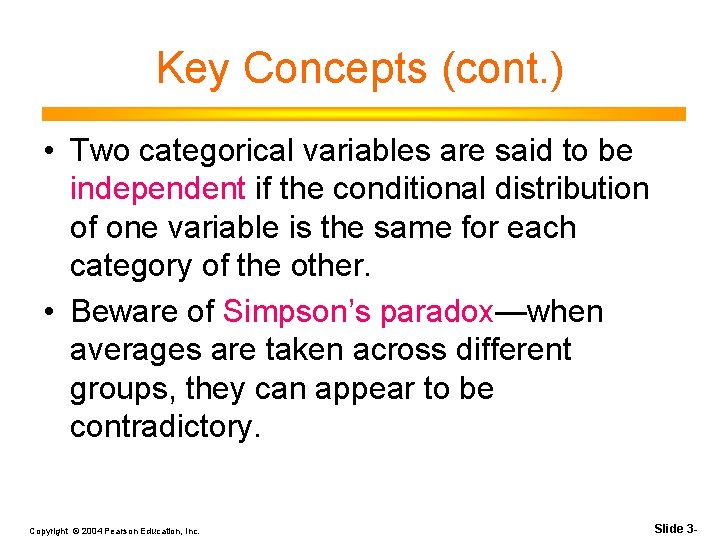
Key Concepts (cont. ) • Two categorical variables are said to be independent if the conditional distribution of one variable is the same for each category of the other. • Beware of Simpson’s paradox—when averages are taken across different groups, they can appear to be contradictory. Copyright © 2004 Pearson Education, Inc. Slide 3 -