
The Standard C Library The Standard C Library
The Standard C Library
The Standard C Library Common functions we don’t need to write ourselves Provides a portable interface to many system calls Analogous to class libraries in Java or C++ Function prototypes declared in standard header files #include <stdio. h> #include <stddef. h> #include <time. h> #include <math. h> #include <string. h> #include <stdarg. h> #include <stdlib. h> Must include the appropriate “. h” in source code “man 3 printf” on linuxlab shows which header file to include K&R Appendix B lists all functions Code linked in automatically At compile time (if statically linked) At run time (if dynamically linked)
The Standard C Library Examples (for this class) I/O Formatted: printf, scanf, fprintf, fscanf, sprintf, sscanf Unformatted: puts, gets, open, close, read, write, fopen, fclose, fread, fwrite Memory operations memcpy, memcmp, memset, malloc, free String operations strlen, strncpy, strncat, strncmp
The Standard C Library Examples for you to “man” Utility functions rand, srand, exit, system, getenv Time Processes • clock, time, gettimeofday • fork, execve Signals signal, raise, waitpid Implementation-defined constants INT_MAX, INT_MIN, DBL_MAX, DBL_MIN
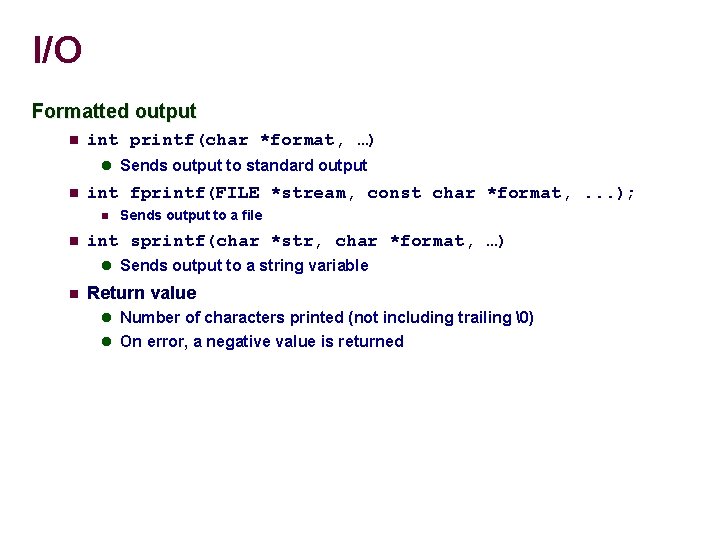
I/O Formatted output int printf(char *format, …) Sends output to standard output int fprintf(FILE *stream, const char *format, . . . ); Sends output to a file int sprintf(char *str, char *format, …) Sends output to a string variable Return value Number of characters printed (not including trailing ) On error, a negative value is returned
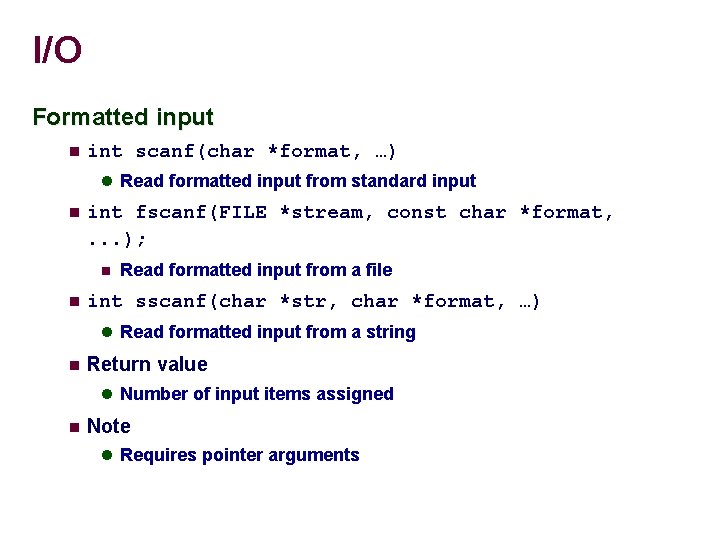
I/O Formatted input int scanf(char *format, …) Read formatted input from standard input int fscanf(FILE *stream, const char *format, . . . ); Read formatted input from a file int sscanf(char *str, char *format, …) Read formatted input from a string Return value Number of input items assigned Note Requires pointer arguments
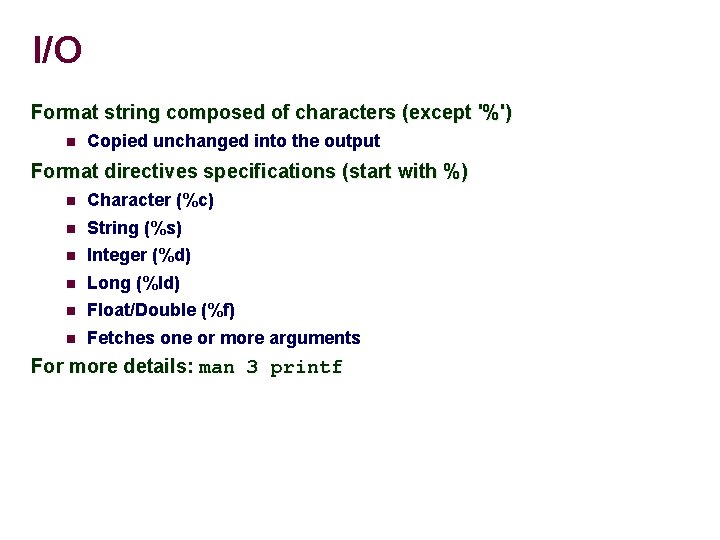
I/O Format string composed of characters (except '%') Copied unchanged into the output Format directives specifications (start with %) Character (%c) String (%s) Integer (%d) Long (%ld) Float/Double (%f) Fetches one or more arguments For more details: man 3 printf
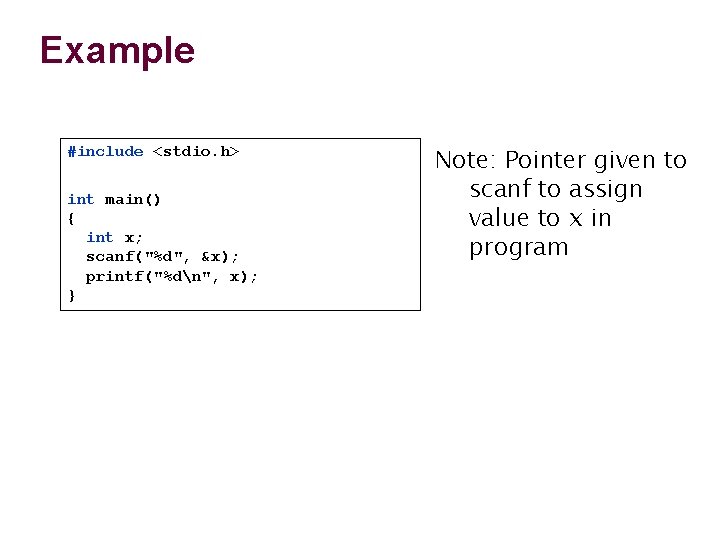
Example #include <stdio. h> int main() { int x; scanf("%d", &x); printf("%dn", x); } Note: Pointer given to scanf to assign value to x in program
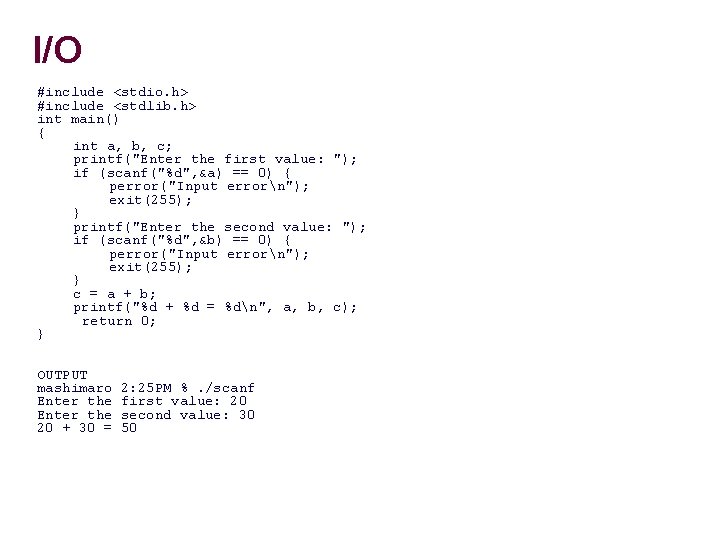
I/O #include <stdio. h> #include <stdlib. h> int main() { int a, b, c; printf("Enter the first value: "); if (scanf("%d", &a) == 0) { perror("Input errorn"); exit(255); } printf("Enter the second value: "); if (scanf("%d", &b) == 0) { perror("Input errorn"); exit(255); } c = a + b; printf("%d + %d = %dn", a, b, c); return 0; } OUTPUT mashimaro Enter the 20 + 30 = 2: 25 PM %. /scanf first value: 20 second value: 30 50
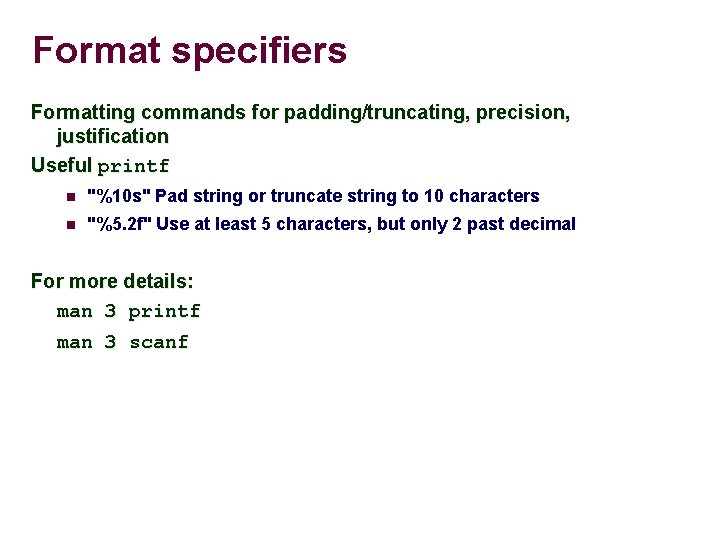
Format specifiers Formatting commands for padding/truncating, precision, justification Useful printf "%10 s" Pad string or truncate string to 10 characters "%5. 2 f" Use at least 5 characters, but only 2 past decimal For more details: man 3 printf man 3 scanf
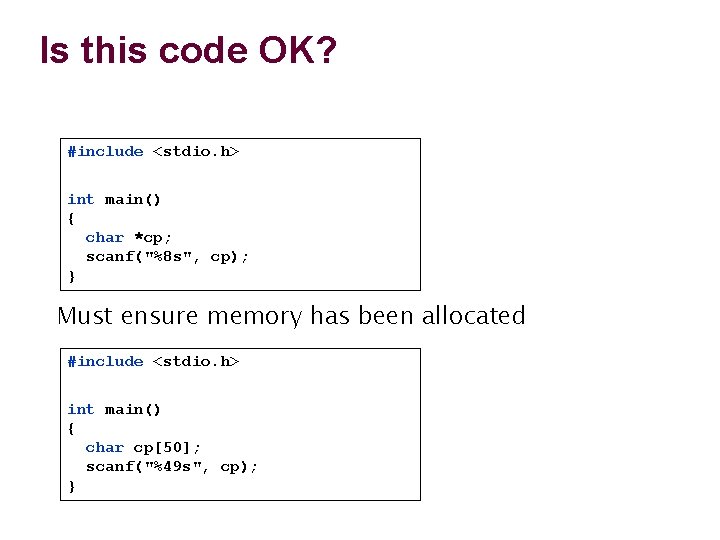
Is this code OK? #include <stdio. h> int main() { char *cp; scanf("%8 s", cp); } Must ensure memory has been allocated #include <stdio. h> int main() { char cp[50]; scanf("%49 s", cp); }
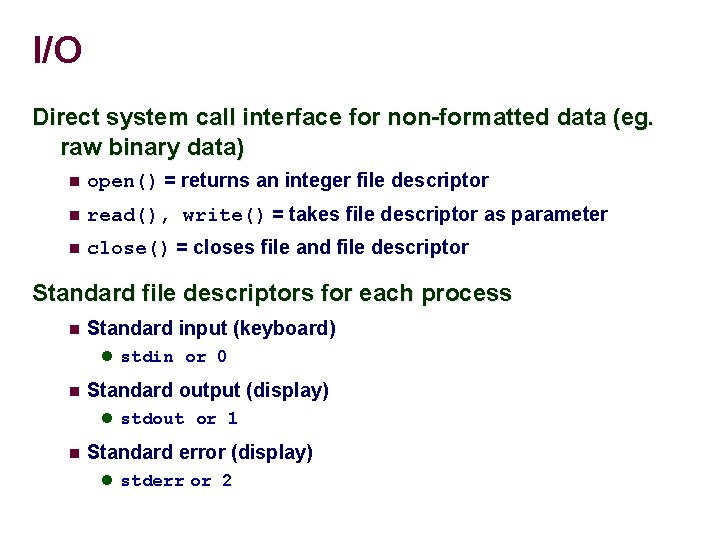
I/O Direct system call interface for non-formatted data (eg. raw binary data) open() = returns an integer file descriptor read(), write() = takes file descriptor as parameter close() = closes file and file descriptor Standard file descriptors for each process Standard input (keyboard) stdin or 0 Standard output (display) stdout or 1 Standard error (display) stderr or 2
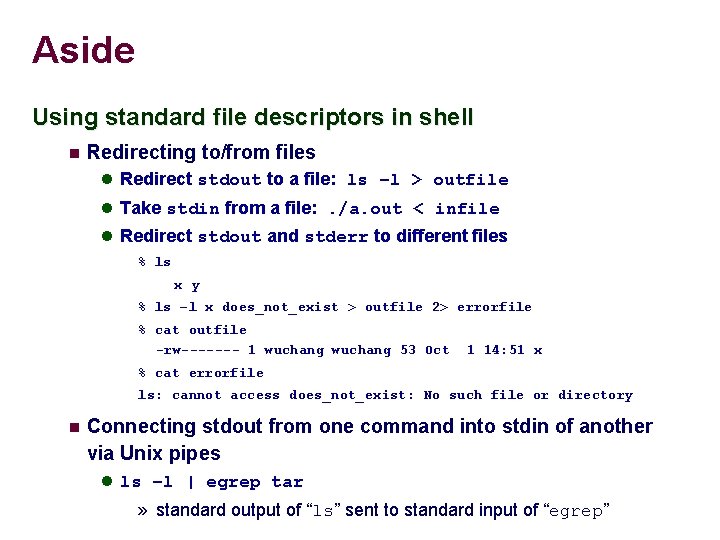
Aside Using standard file descriptors in shell Redirecting to/from files Redirect stdout to a file: ls –l > outfile Take stdin from a file: . /a. out < infile Redirect stdout and stderr to different files % ls x y % ls –l x does_not_exist > outfile 2> errorfile % cat outfile -rw------- 1 wuchang 53 Oct 1 14: 51 x % cat errorfile ls: cannot access does_not_exist: No such file or directory Connecting stdout from one command into stdin of another via Unix pipes ls –l | egrep tar » standard output of “ls” sent to standard input of “egrep”
Strings String functions are provided in an ANSI standard string library. #include <string. h> Includes functions such as: Computing length of string Copying strings Concatenating strings
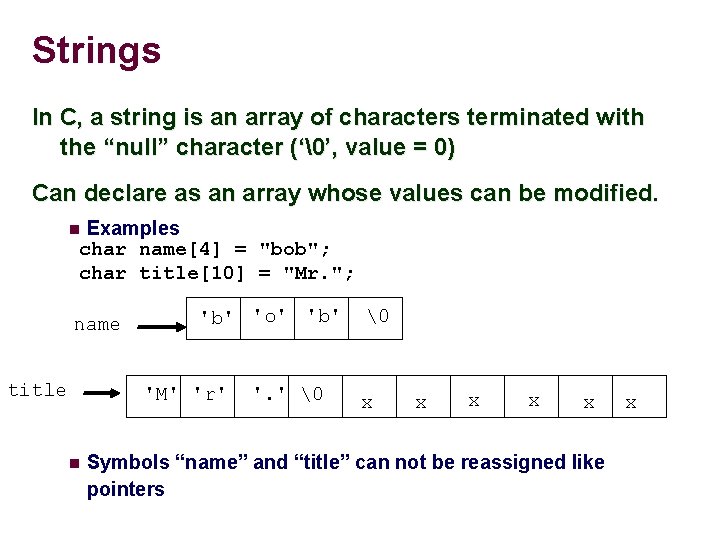
Strings In C, a string is an array of characters terminated with the “null” character (‘’, value = 0) Can declare as an array whose values can be modified. Examples char name[4] = "bob"; char title[10] = "Mr. "; name title 'b' 'o' 'b' 'M' 'r' '. ' x x x Symbols “name” and “title” can not be reassigned like pointers x
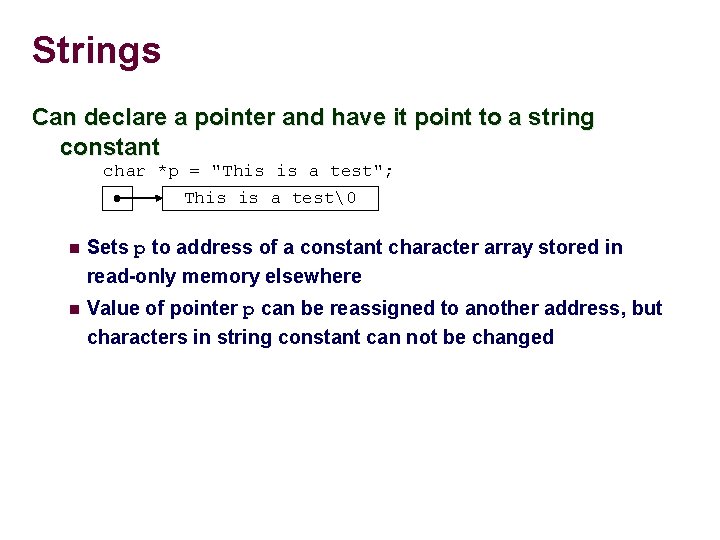
Strings Can declare a pointer and have it point to a string constant char *p = "This is a test"; This is a test Sets p to address of a constant character array stored in read-only memory elsewhere Value of pointer p can be reassigned to another address, but characters in string constant can not be changed
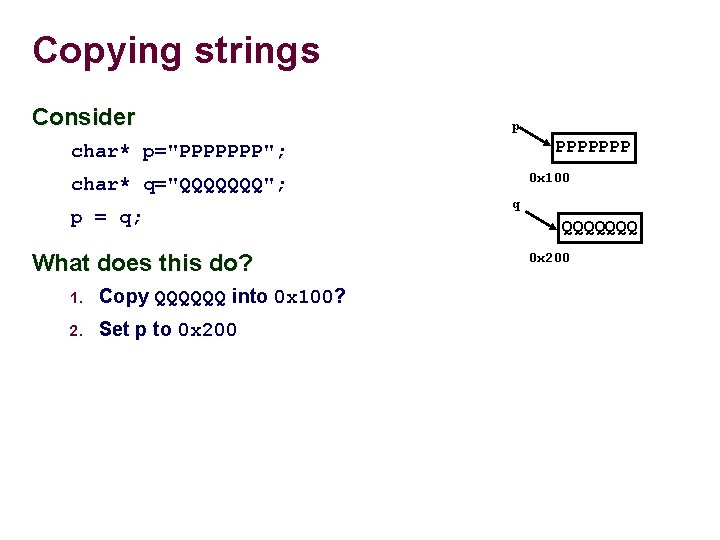
Copying strings Consider p PPPPPPP char* p="PPPPPPP"; 0 x 100 char* q="QQQQQQQ"; p = q; What does this do? 1. Copy QQQQQQ into 0 x 100? 2. Set p to 0 x 200 q QQQQQQQ 0 x 200
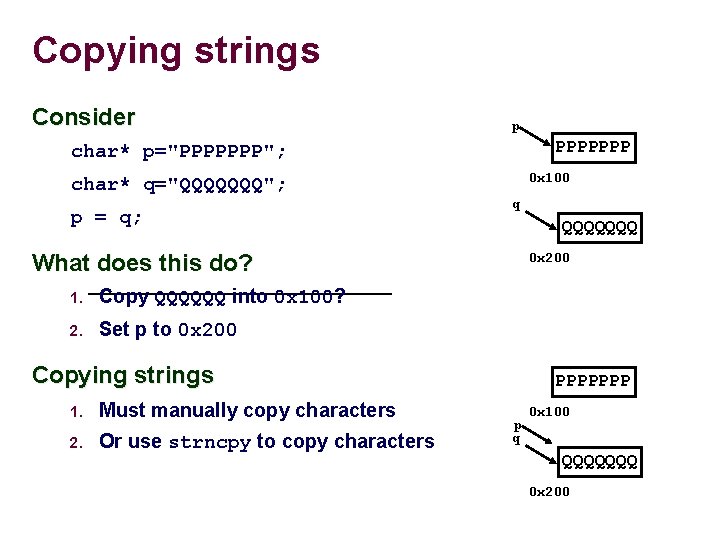
Copying strings Consider p PPPPPPP char* p="PPPPPPP"; 0 x 100 char* q="QQQQQQQ"; p = q; q QQQQQQQ What does this do? 1. Copy QQQQQQ into 0 x 100? 2. Set p to 0 x 200 Copying strings 1. Must manually copy characters 2. Or use strncpy to copy characters PPPPPPP p q 0 x 100 QQQQQQQ 0 x 200
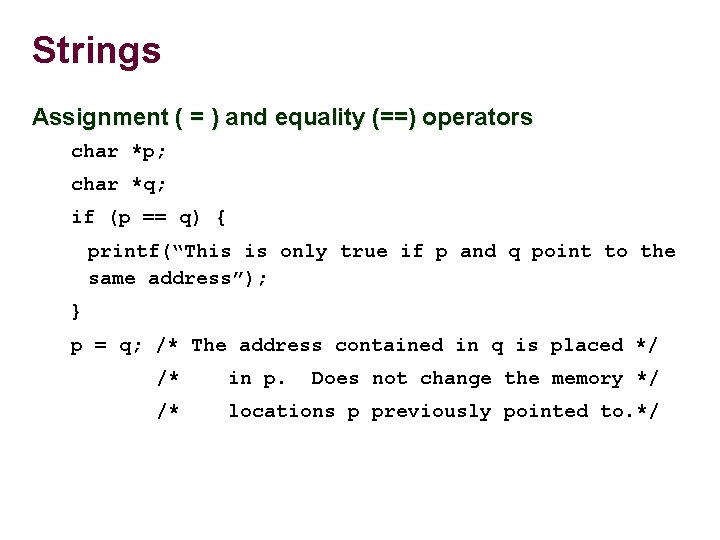
Strings Assignment ( = ) and equality (==) operators char *p; char *q; if (p == q) { printf(“This is only true if p and q point to the same address”); } p = q; /* The address contained in q is placed */ /* in p. Does not change the memory */ /* locations p previously pointed to. */
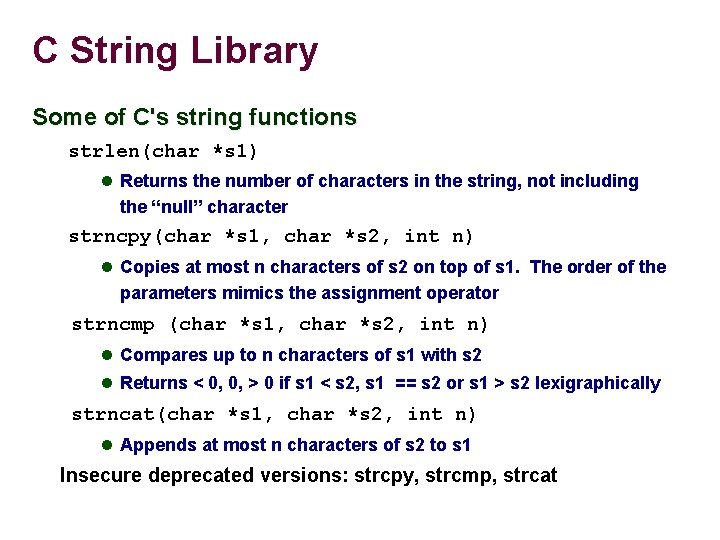
C String Library Some of C's string functions strlen(char *s 1) Returns the number of characters in the string, not including the “null” character strncpy(char *s 1, char *s 2, int n) Copies at most n characters of s 2 on top of s 1. The order of the parameters mimics the assignment operator strncmp (char *s 1, char *s 2, int n) Compares up to n characters of s 1 with s 2 Returns < 0, 0, > 0 if s 1 < s 2, s 1 == s 2 or s 1 > s 2 lexigraphically strncat(char *s 1, char *s 2, int n) Appends at most n characters of s 2 to s 1 Insecure deprecated versions: strcpy, strcmp, strcat
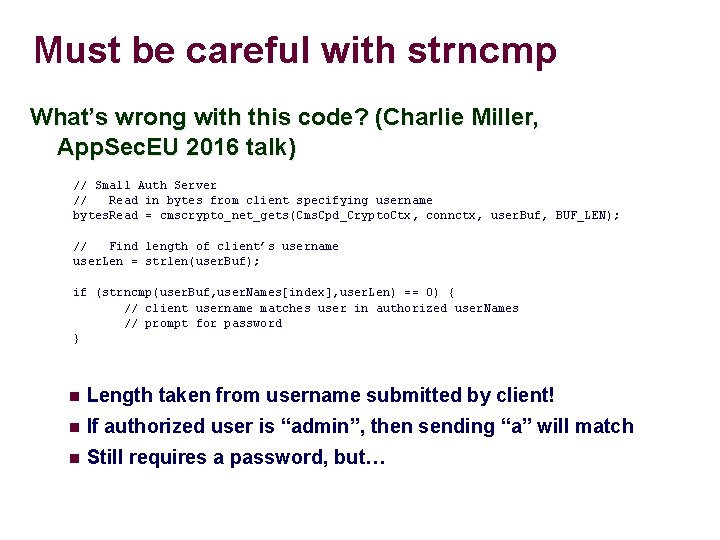
Must be careful with strncmp What’s wrong with this code? (Charlie Miller, App. Sec. EU 2016 talk) // Small Auth Server // Read in bytes from client specifying username bytes. Read = cmscrypto_net_gets(Cms. Cpd_Crypto. Ctx, connctx, user. Buf, BUF_LEN); // Find length of client’s username user. Len = strlen(user. Buf); if (strncmp(user. Buf, user. Names[index], user. Len) == 0) { // client username matches user in authorized user. Names // prompt for password } Length taken from username submitted by client! If authorized user is “admin”, then sending “a” will match Still requires a password, but…
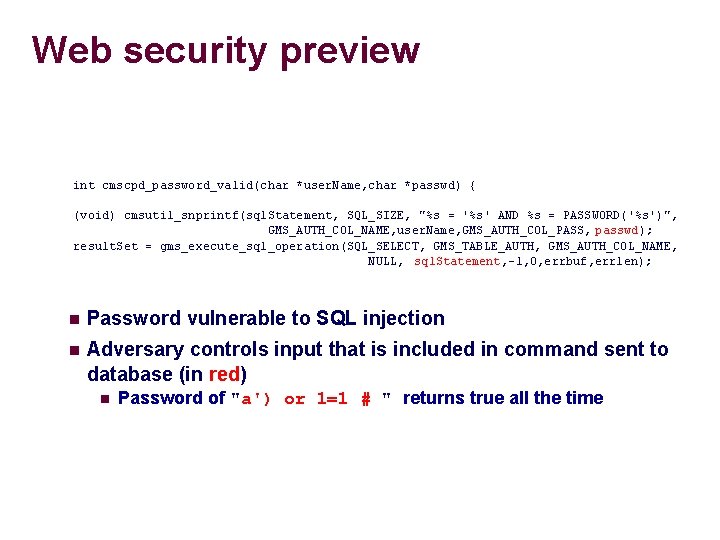
Web security preview int cmscpd_password_valid(char *user. Name, char *passwd) { (void) cmsutil_snprintf(sql. Statement, SQL_SIZE, "%s = '%s' AND %s = PASSWORD('%s')", GMS_AUTH_COL_NAME, user. Name, GMS_AUTH_COL_PASS, passwd); result. Set = gms_execute_sql_operation(SQL_SELECT, GMS_TABLE_AUTH, GMS_AUTH_COL_NAME, NULL, sql. Statement, -1, 0, errbuf, errlen); Password vulnerable to SQL injection Adversary controls input that is included in command sent to database (in red) Password of "a') or 1=1 # " returns true all the time
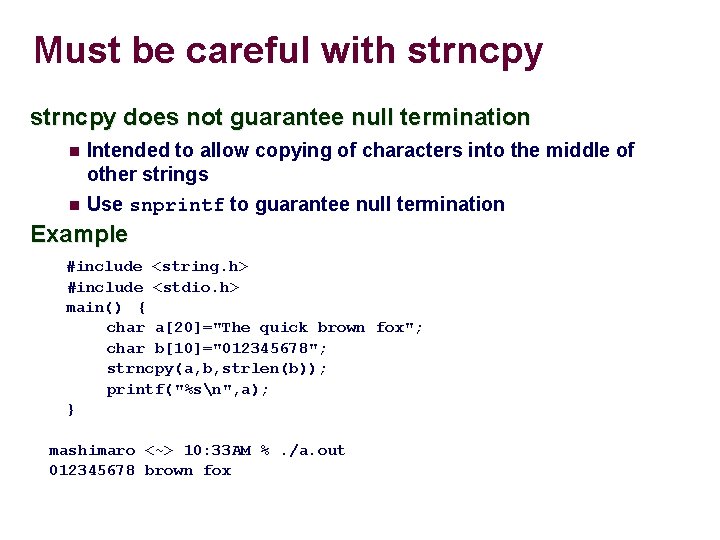
Must be careful with strncpy does not guarantee null termination Intended to allow copying of characters into the middle of other strings Use snprintf to guarantee null termination Example #include <string. h> #include <stdio. h> main() { char a[20]="The quick brown fox"; char b[10]="012345678"; strncpy(a, b, strlen(b)); printf("%sn", a); } mashimaro <~> 10: 33 AM %. /a. out 012345678 brown fox
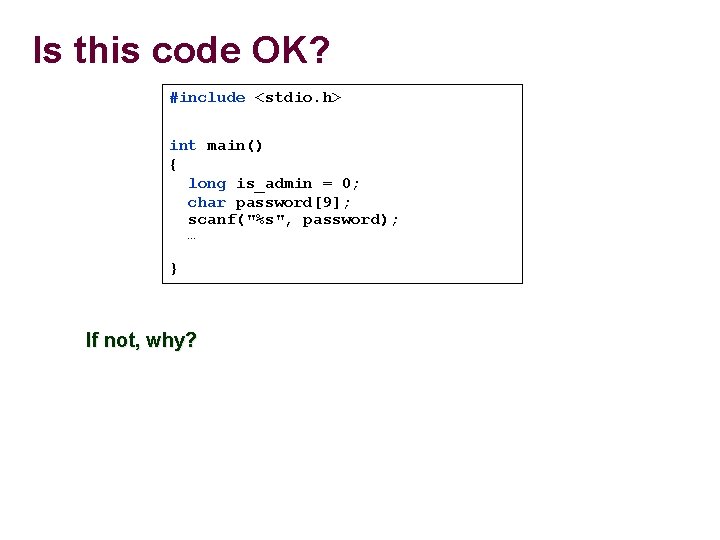
Is this code OK? #include <stdio. h> int main() { long is_admin = 0; char password[9]; scanf("%s", password); … } If not, why?
![Why do format specifiers matter? #include <stdio. h> int main(int argc, char* argv[]) {](http://slidetodoc.com/presentation_image_h2/653c48c1e0fa3efc2897ea4c53225837/image-25.jpg "Why do format specifiers matter? #include <stdio. h> int main(int argc, char* argv[]) {")
Why do format specifiers matter? #include <stdio. h> int main(int argc, char* argv[]) { long is_admin=0; char password[9]; printf("password at %p and is_admin at %pn", password, &is_admin); printf("is_admin=%lun", is_admin); scanf("%s", password); printf("password is %s, is_admin is %lun", password, is_admin); if (is_admin) { printf("Congratulations, you’re an administrator!n"); return 0; } Format specifier critical in string input with scanf "%8 s" Accept no more than 8 characters from user and terminate with "null" as the 9 th character http: //thefengs. com/wuchang/courses/cs 201/class/02/scanf. c
![Why do format specifiers matter? #include <stdio. h> int main(int argc, char* argv[]) {](http://slidetodoc.com/presentation_image_h2/653c48c1e0fa3efc2897ea4c53225837/image-26.jpg "Why do format specifiers matter? #include <stdio. h> int main(int argc, char* argv[]) {")
Why do format specifiers matter? #include <stdio. h> int main(int argc, char* argv[]) { long is_admin=0; char password[9]; printf("password at %p and is_admin at %pn", password, &is_admin); printf("is_admin is %lun", is_admin); scanf("%8 s", password); printf("password is %s, is_admin is %lun", password, is_admin); if (is_admin) printf("Congratulations, you're an administrator!n"); return 0; } http: //thefengs. com/wuchang/courses/cs 201/class/02/scanf_bounded. c
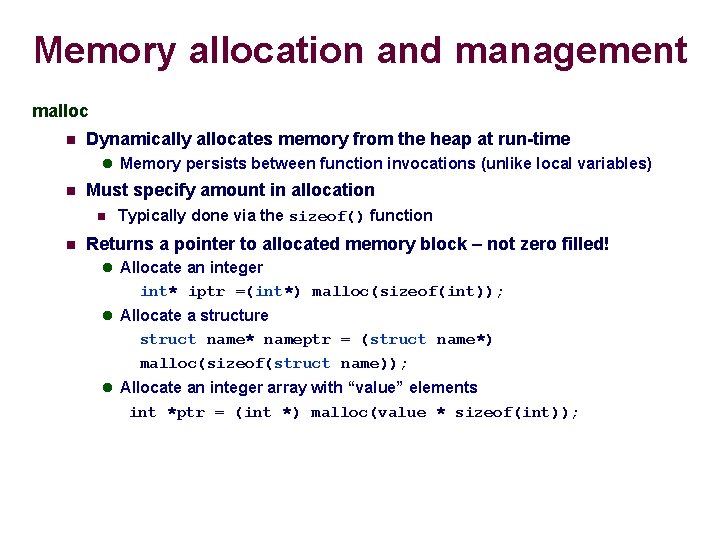
Memory allocation and management malloc Dynamically allocates memory from the heap at run-time Memory persists between function invocations (unlike local variables) Must specify amount in allocation Typically done via the sizeof() function Returns a pointer to allocated memory block – not zero filled! Allocate an integer int* iptr =(int*) malloc(sizeof(int)); Allocate a structure struct name* nameptr = (struct name*) malloc(sizeof(struct name)); Allocate an integer array with “value” elements int *ptr = (int *) malloc(value * sizeof(int));
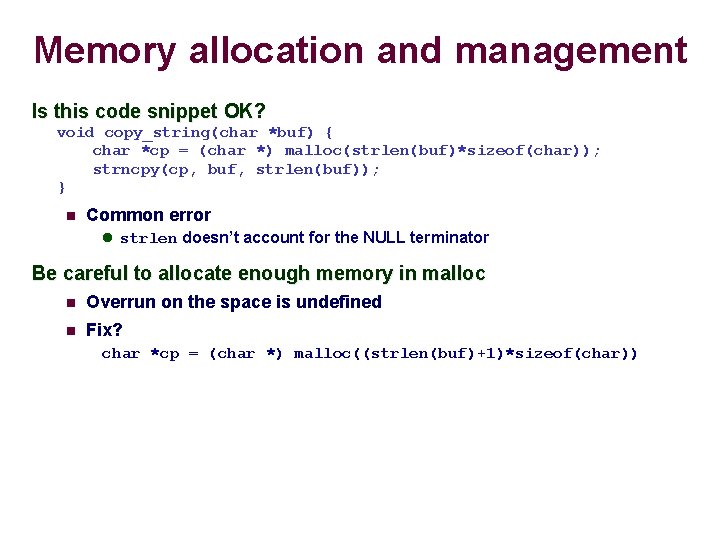
Memory allocation and management Is this code snippet OK? void copy_string(char *buf) { char *cp = (char *) malloc(strlen(buf)*sizeof(char)); strncpy(cp, buf, strlen(buf)); } Common error strlen doesn’t account for the NULL terminator Be careful to allocate enough memory in malloc Overrun on the space is undefined Fix? char *cp = (char *) malloc((strlen(buf)+1)*sizeof(char))
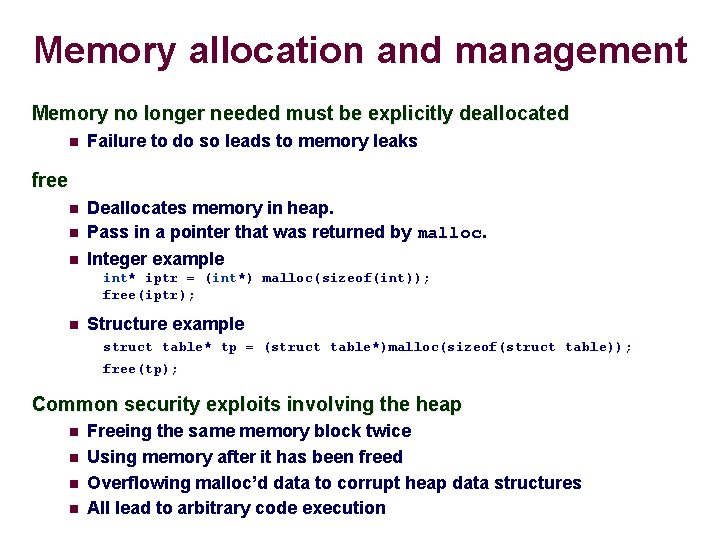
Memory allocation and management Memory no longer needed must be explicitly deallocated Failure to do so leads to memory leaks free Deallocates memory in heap. Pass in a pointer that was returned by malloc. Integer example int* iptr = (int*) malloc(sizeof(int)); free(iptr); Structure example struct table* tp = (struct table*)malloc(sizeof(struct table)); free(tp); Common security exploits involving the heap Freeing the same memory block twice Using memory after it has been freed Overflowing malloc’d data to corrupt heap data structures All lead to arbitrary code execution
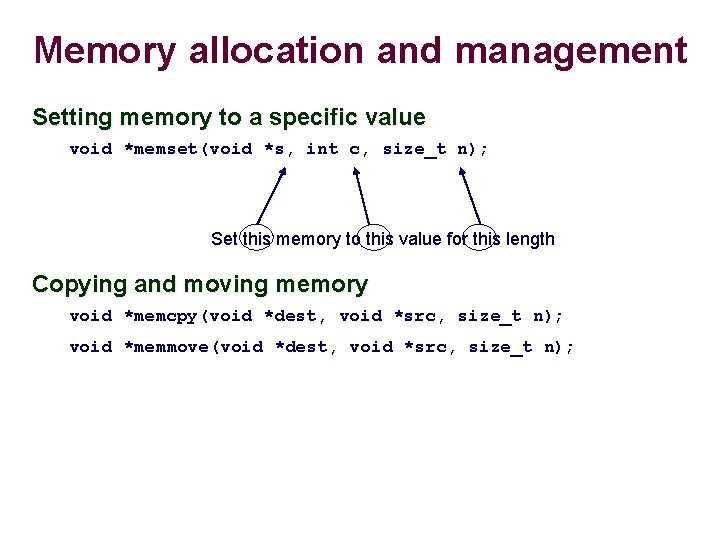
Memory allocation and management Setting memory to a specific value void *memset(void *s, int c, size_t n); Set this memory to this value for this length Copying and moving memory void *memcpy(void *dest, void *src, size_t n); void *memmove(void *dest, void *src, size_t n);
Random number generation Generate pseudo-random numbers Deterministic algorithm based on seed void srand(unsigned int seed); Sets seed for PRNG int rand(void); Gets next random number man 3 rand
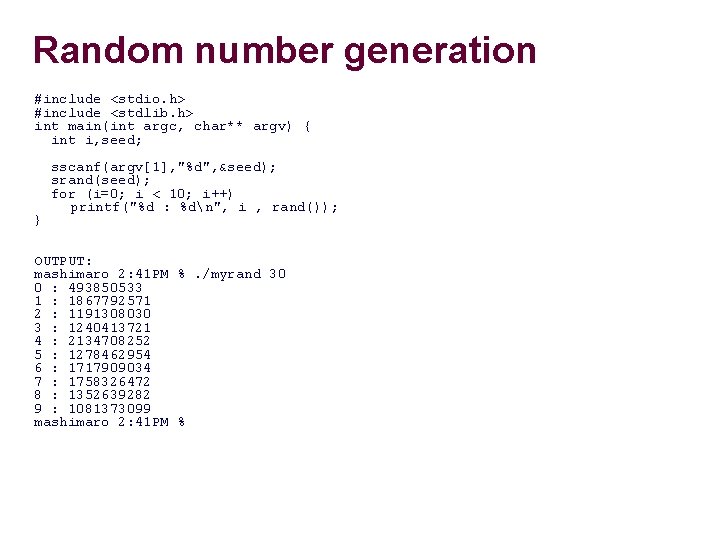
Random number generation #include <stdio. h> #include <stdlib. h> int main(int argc, char** argv) { int i, seed; } sscanf(argv[1], "%d", &seed); srand(seed); for (i=0; i < 10; i++) printf("%d : %dn", i , rand()); OUTPUT: mashimaro 2: 41 PM %. /myrand 30 0 : 493850533 1 : 1867792571 2 : 1191308030 3 : 1240413721 4 : 2134708252 5 : 1278462954 6 : 1717909034 7 : 1758326472 8 : 1352639282 9 : 1081373099 mashimaro 2: 41 PM %

Make
Makefiles Recipe for compiling and running your code Makefile The “make” utility will use this file by default First rule in the Makefile is used by default if “make” used with no arguments Second line of each rule (the command) must start with a tab, not spaces
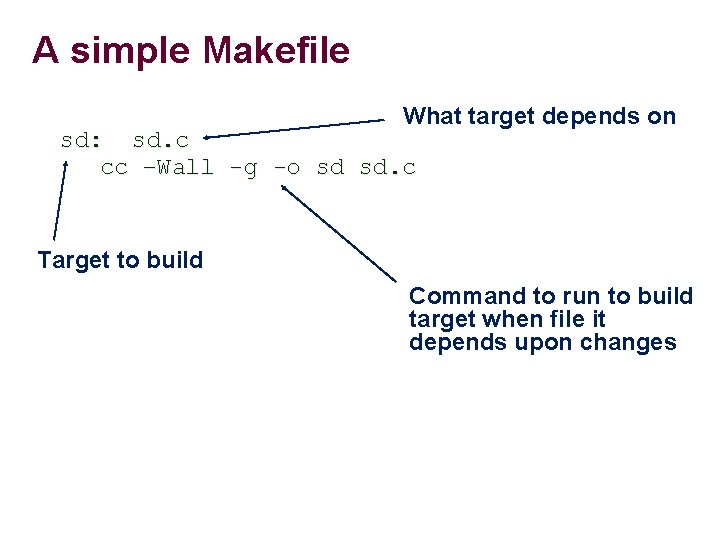
A simple Makefile What target depends on sd: sd. c cc –Wall -g -o sd sd. c Target to build Command to run to build target when file it depends upon changes
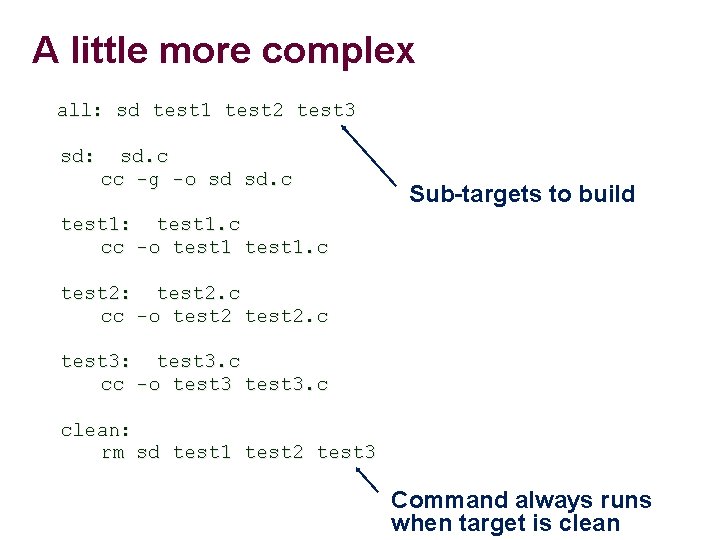
A little more complex all: sd test 1 test 2 test 3 sd: sd. c cc -g -o sd sd. c Sub-targets to build test 1: test 1. c cc -o test 1. c test 2: test 2. c cc -o test 2. c test 3: test 3. c cc -o test 3. c clean: rm sd test 1 test 2 test 3 Command always runs when target is clean
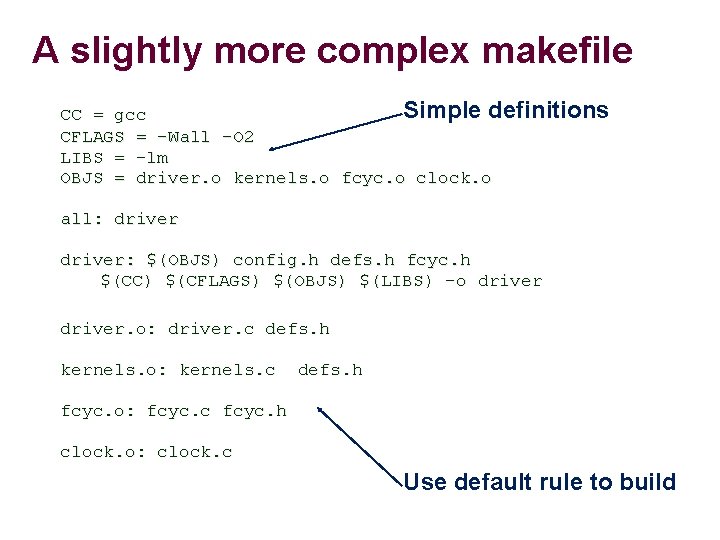
A slightly more complex makefile Simple definitions CC = gcc CFLAGS = -Wall -O 2 LIBS = -lm OBJS = driver. o kernels. o fcyc. o clock. o all: driver: $(OBJS) config. h defs. h fcyc. h $(CC) $(CFLAGS) $(OBJS) $(LIBS) -o driver. o: driver. c defs. h kernels. o: kernels. c defs. h fcyc. o: fcyc. c fcyc. h clock. o: clock. c Use default rule to build
GDB debugger
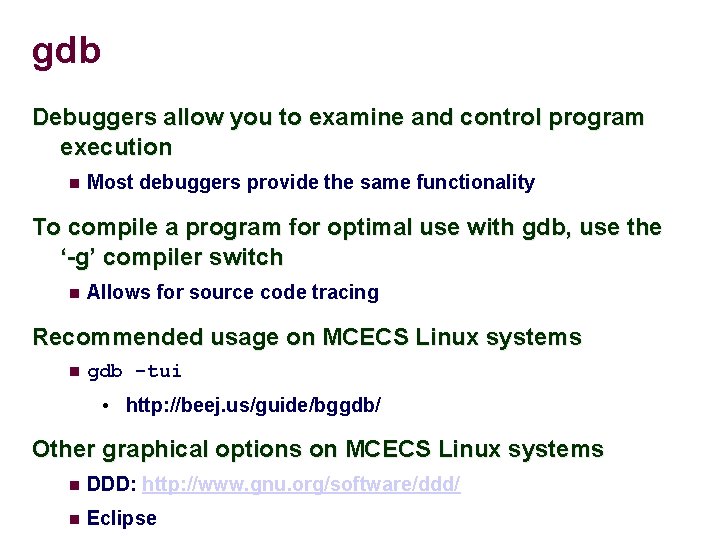
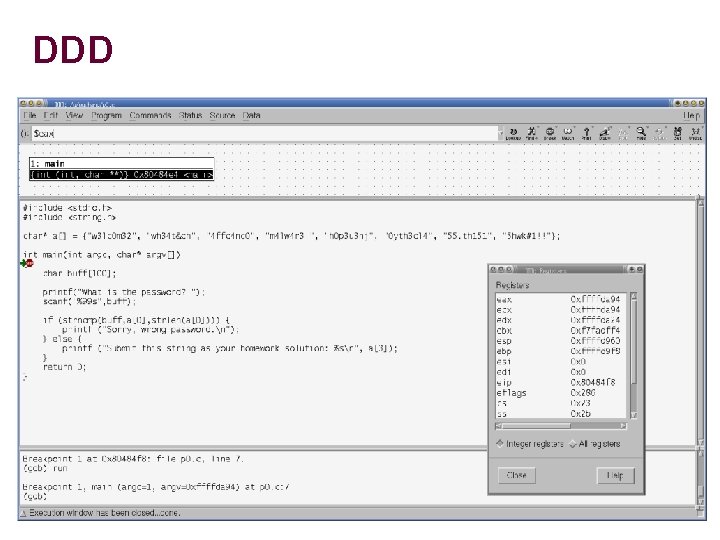
gdb Debuggers allow you to examine and control program execution Most debuggers provide the same functionality To compile a program for optimal use with gdb, use the ‘-g’ compiler switch Allows for source code tracing Recommended usage on MCECS Linux systems gdb -tui • http: //beej. us/guide/bggdb/ Other graphical options on MCECS Linux systems DDD: http: //www. gnu. org/software/ddd/ Eclipse
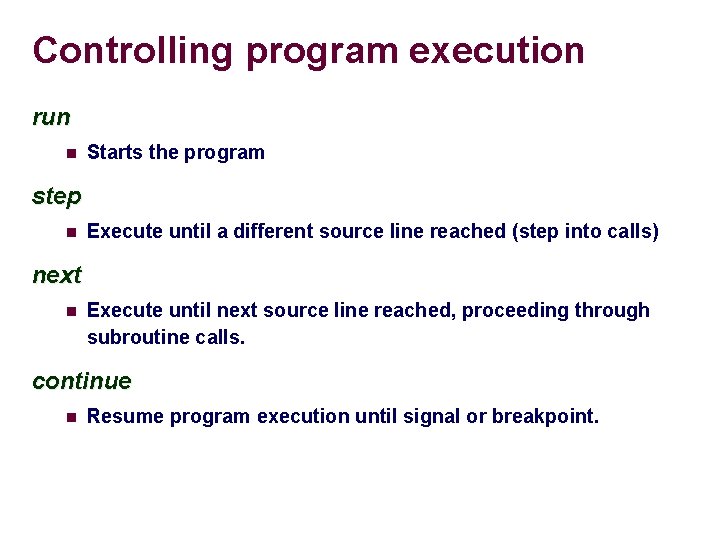
Controlling program execution run Starts the program step Execute until a different source line reached (step into calls) next Execute until next source line reached, proceeding through subroutine calls. continue Resume program execution until signal or breakpoint.
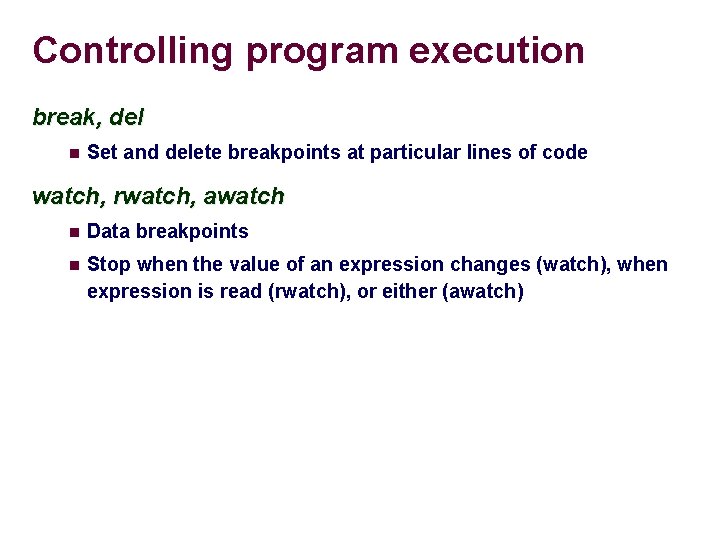
Controlling program execution break, del Set and delete breakpoints at particular lines of code watch, rwatch, awatch Data breakpoints Stop when the value of an expression changes (watch), when expression is read (rwatch), or either (awatch)
![Displaying data print Print expression Basic print argv[0] print $rsp print /x addr ‘/x’](http://slidetodoc.com/presentation_image_h2/653c48c1e0fa3efc2897ea4c53225837/image-42.jpg "Displaying data print Print expression Basic print argv[0] print $rsp print /x addr ‘/x’")
Displaying data print Print expression Basic print argv[0] print $rsp print /x addr ‘/x’ says to print in hex. See “help x” for more formats Same as examine memory address command (x) printf “format string” arg-list (gdb) printf "%sn", argv[0] x (examine) Examine memory x /s $rax => print the string at address contained in %rax x /32 xw 0 x 4006 b 7 => print 32 words at 0 x 4006 b 7 in hexadecimal
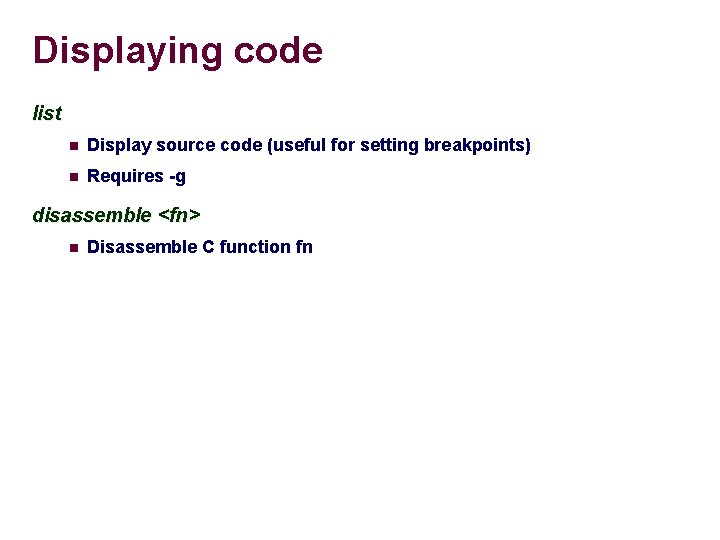
Displaying code list Display source code (useful for setting breakpoints) Requires -g disassemble <fn> Disassemble C function fn
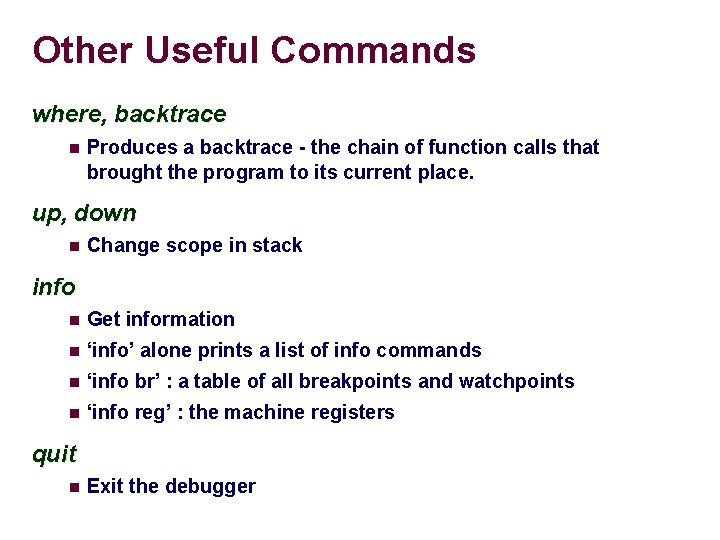
Other Useful Commands where, backtrace Produces a backtrace - the chain of function calls that brought the program to its current place. up, down Change scope in stack info Get information ‘info’ alone prints a list of info commands ‘info br’ : a table of all breakpoints and watchpoints ‘info reg’ : the machine registers quit Exit the debugger
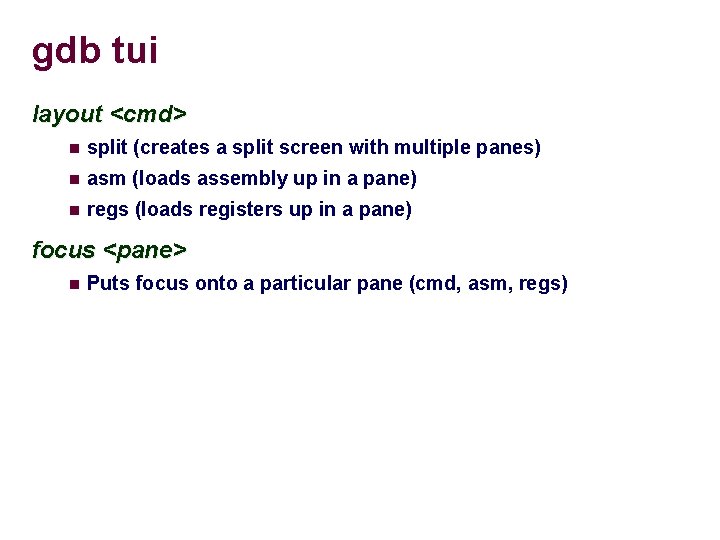
gdb tui layout <cmd> split (creates a split screen with multiple panes) asm (loads assembly up in a pane) regs (loads registers up in a pane) focus <pane> Puts focus onto a particular pane (cmd, asm, regs)
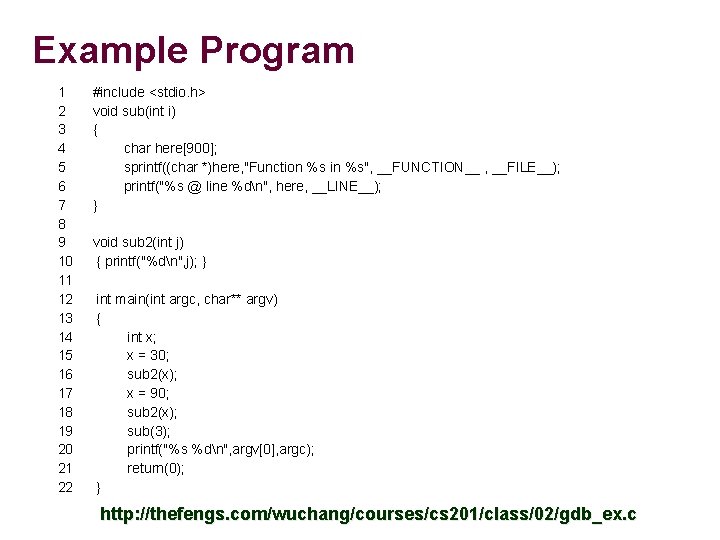
Example Program 1 2 3 4 5 6 7 8 9 10 11 12 13 14 15 16 17 18 19 20 21 22 #include <stdio. h> void sub(int i) { char here[900]; sprintf((char *)here, "Function %s in %s", __FUNCTION__ , __FILE__); printf("%s @ line %dn", here, __LINE__); } void sub 2(int j) { printf("%dn", j); } int main(int argc, char** argv) { int x; x = 30; sub 2(x); x = 90; sub 2(x); sub(3); printf("%s %dn", argv[0], argc); return(0); } http: //thefengs. com/wuchang/courses/cs 201/class/02/gdb_ex. c
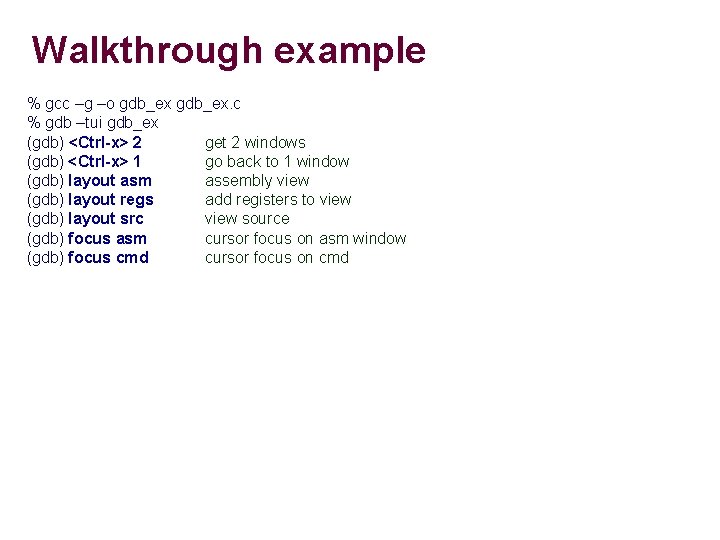
Walkthrough example % gcc –g –o gdb_ex. c % gdb –tui gdb_ex (gdb) <Ctrl-x> 2 get 2 windows (gdb) <Ctrl-x> 1 go back to 1 window (gdb) layout asm assembly view (gdb) layout regs add registers to view (gdb) layout src view source (gdb) focus asm cursor focus on asm window (gdb) focus cmd cursor focus on cmd
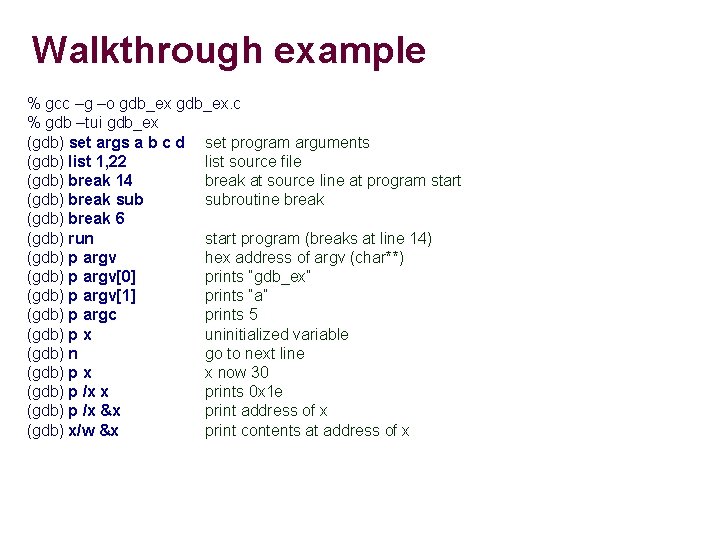
Walkthrough example % gcc –g –o gdb_ex. c % gdb –tui gdb_ex (gdb) set args a b c d set program arguments (gdb) list 1, 22 list source file (gdb) break 14 break at source line at program start (gdb) break subroutine break (gdb) break 6 (gdb) run start program (breaks at line 14) (gdb) p argv hex address of argv (char**) (gdb) p argv[0] prints “gdb_ex” (gdb) p argv[1] prints “a” (gdb) p argc prints 5 (gdb) p x uninitialized variable (gdb) n go to next line (gdb) p x x now 30 (gdb) p /x x prints 0 x 1 e (gdb) p /x &x print address of x (gdb) x/w &x print contents at address of x
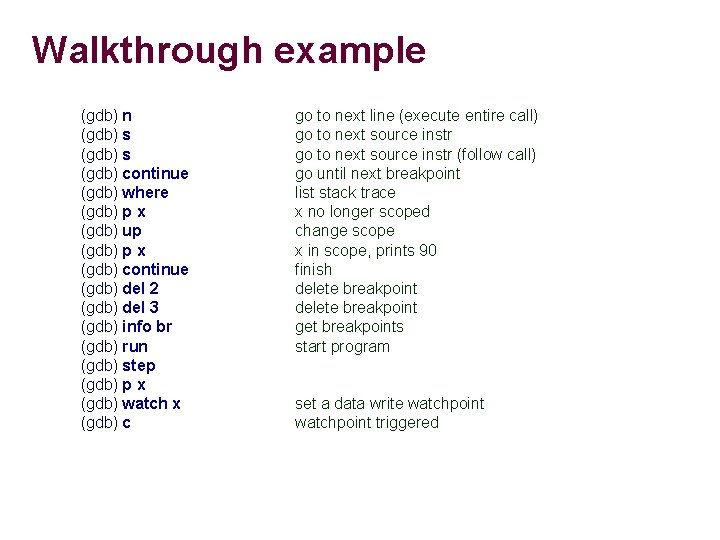
Walkthrough example (gdb) n (gdb) s (gdb) continue (gdb) where (gdb) p x (gdb) up (gdb) p x (gdb) continue (gdb) del 2 (gdb) del 3 (gdb) info br (gdb) run (gdb) step (gdb) p x (gdb) watch x (gdb) c go to next line (execute entire call) go to next source instr (follow call) go until next breakpoint list stack trace x no longer scoped change scope x in scope, prints 90 finish delete breakpoint get breakpoints start program set a data write watchpoint triggered
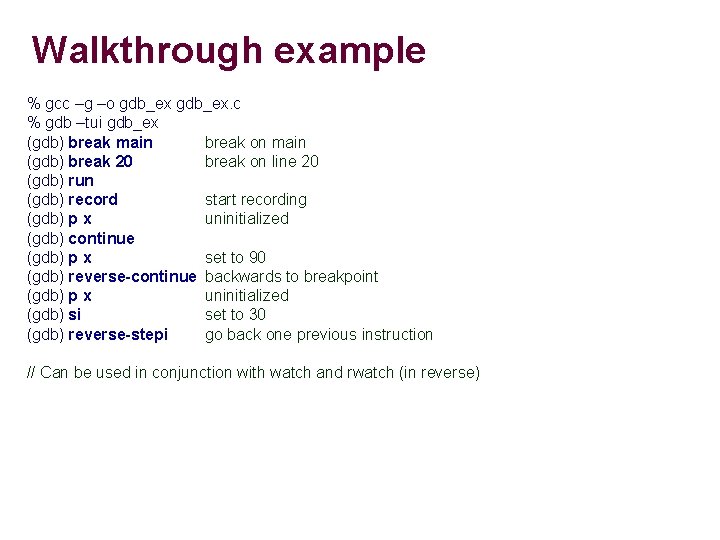
Walkthrough example % gcc –g –o gdb_ex. c % gdb –tui gdb_ex (gdb) break main break on main (gdb) break 20 break on line 20 (gdb) run (gdb) record start recording (gdb) p x uninitialized (gdb) continue (gdb) p x set to 90 (gdb) reverse-continue backwards to breakpoint (gdb) p x uninitialized (gdb) si set to 30 (gdb) reverse-stepi go back one previous instruction // Can be used in conjunction with watch and rwatch (in reverse)

Extra
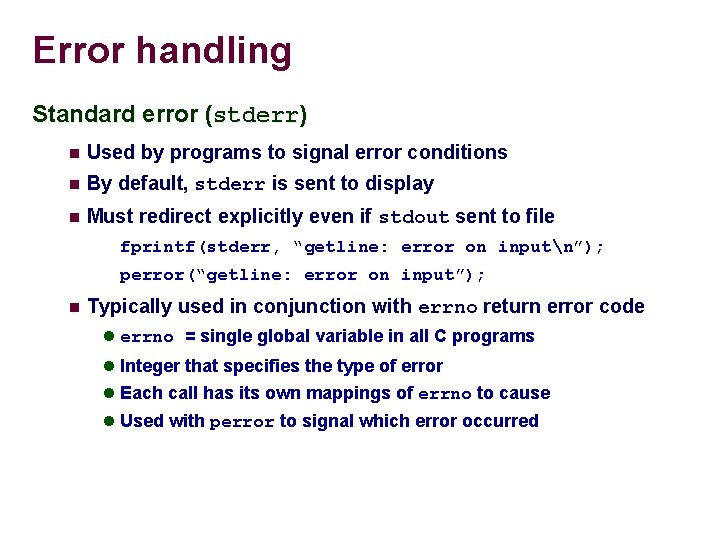
Error handling Standard error (stderr) Used by programs to signal error conditions By default, stderr is sent to display Must redirect explicitly even if stdout sent to file fprintf(stderr, “getline: error on inputn”); perror(“getline: error on input”); Typically used in conjunction with errno return error code errno = single global variable in all C programs Integer that specifies the type of error Each call has its own mappings of errno to cause Used with perror to signal which error occurred
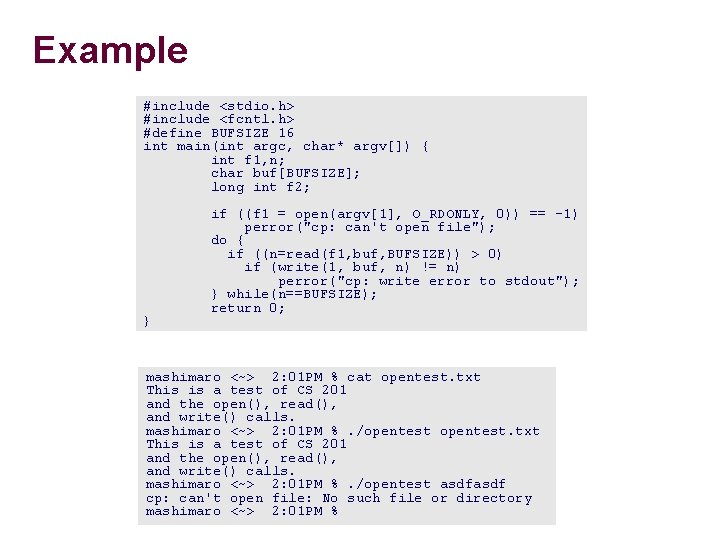
Example #include <stdio. h> #include <fcntl. h> #define BUFSIZE 16 int main(int argc, char* argv[]) { int f 1, n; char buf[BUFSIZE]; long int f 2; } if ((f 1 = open(argv[1], O_RDONLY, 0)) == -1) perror("cp: can't open file"); do { if ((n=read(f 1, buf, BUFSIZE)) > 0) if (write(1, buf, n) != n) perror("cp: write error to stdout"); } while(n==BUFSIZE); return 0; mashimaro <~> 2: 01 PM % cat opentest. txt This is a test of CS 201 and the open(), read(), and write() calls. mashimaro <~> 2: 01 PM %. /opentest asdf cp: can't open file: No such file or directory mashimaro <~> 2: 01 PM %
![Strings Static arrays Similar to character arrays char amsg[ ] = “This is a](http://slidetodoc.com/presentation_image_h2/653c48c1e0fa3efc2897ea4c53225837/image-54.jpg "Strings Static arrays Similar to character arrays char amsg[ ] = “This is a")
Strings Static arrays Similar to character arrays char amsg[ ] = “This is a test”; This is a test Symbol amsg points to a fixed location in memory Can change characters in string (amsg[3] = 'x'; ) Can not reassign amsg to point elsewhere (i. e. amsg = p)
DDD
- Slides: 55