
THE SOCIAL PROTECTION FLOOR SPF COST CALCULATOR The
- Slides: 19
THE SOCIAL PROTECTION FLOOR (SPF) COST CALCULATOR The SPF Cost Calculator helps to: • Estimate the costs involved in providing Social Protection Floor benefits for the population of a specified country or set of countries • Provide policy makers and the general public with an initial assessment of the affordability of basic social protection benefits • Explore and compare different policy options towards a gradual implemention of a Social Protection Floor (based on ILO Recommendation No. 202)
Inputs and Data Sources It is based on most recent data provided by • Country specific statistics • The World Bank Development Indicators • The UN World Population Prospects • The IMF World Economic Outlook • The ILO and other relevant data sources This data is then used directly, combined and/or adjusted to 2014 level to create a comprehensive list of variables necessary to conduct the SPF calculations. The specific sources used for each indicator are listed in the model.
How to use the Calculator The cost estimation assessment follows Five (5) simple steps: 1. Choosing relevant country / set of countries 2. Choosing required benefit 3. Specify desired program architecture 4. Save the results file 5. Read the results
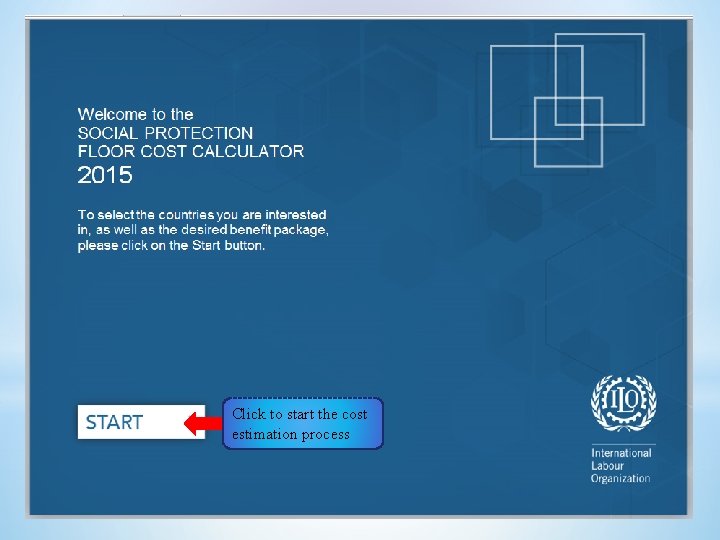
Click to start the cost estimation process
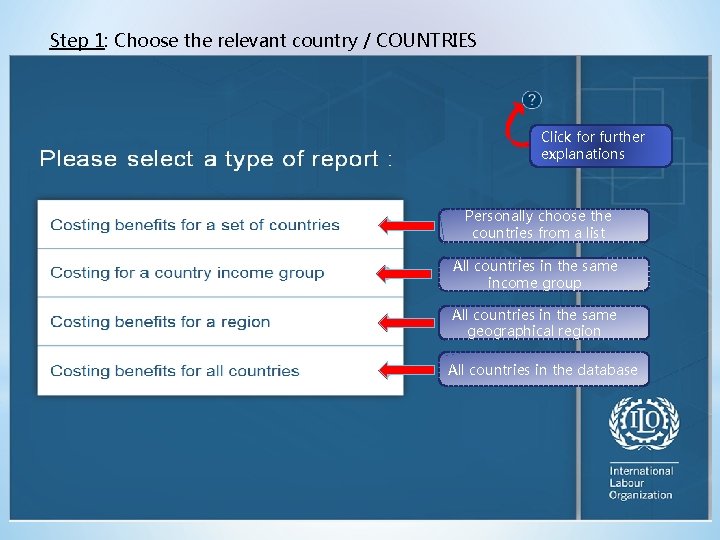
Step 1: Choose the relevant country / COUNTRIES Click for further explanations Personally choose the countries from a list All countries in the same income group All countries in the same geographical region All countries in the database
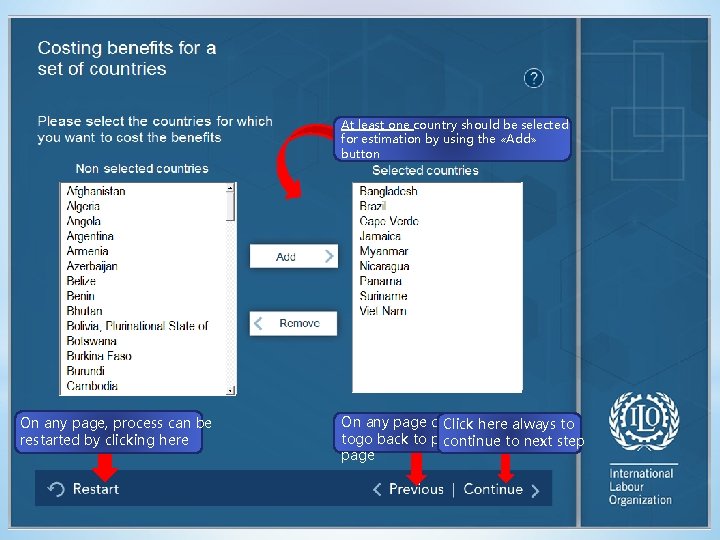
At least one country should be selected for estimation by using the «Add» button On any page, process can be restarted by clicking here On any page clock Click here always to togo back to previous continue to next step page
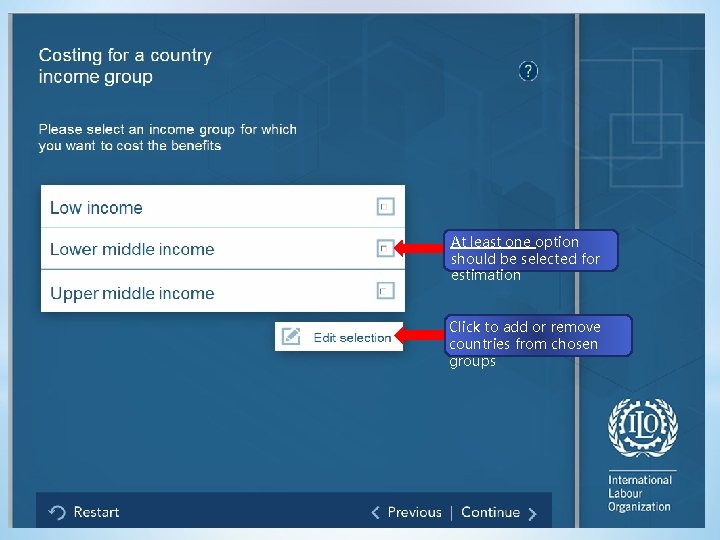
At least one option should be selected for estimation Click to add or remove countries from chosen groups
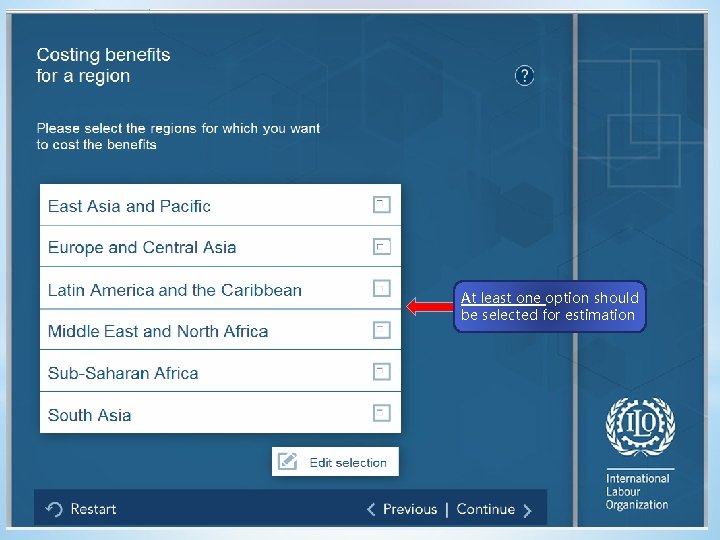
At least one option should be selected for estimation
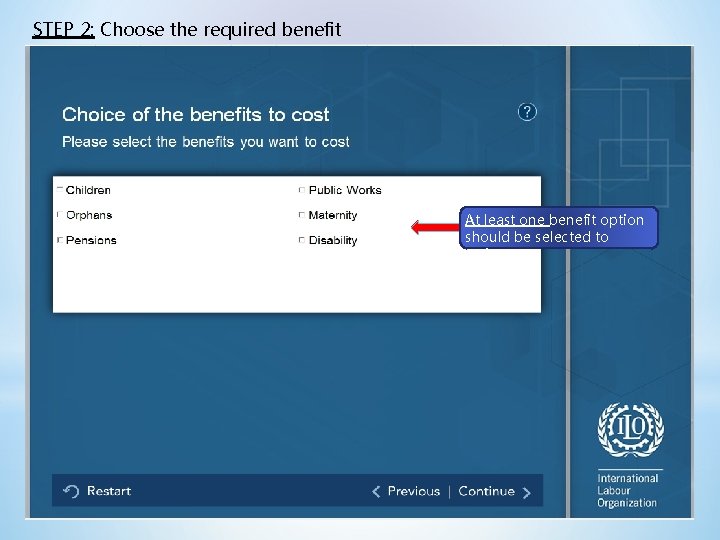
STEP 2: Choose the required benefit At least one benefit option should be selected to estimate
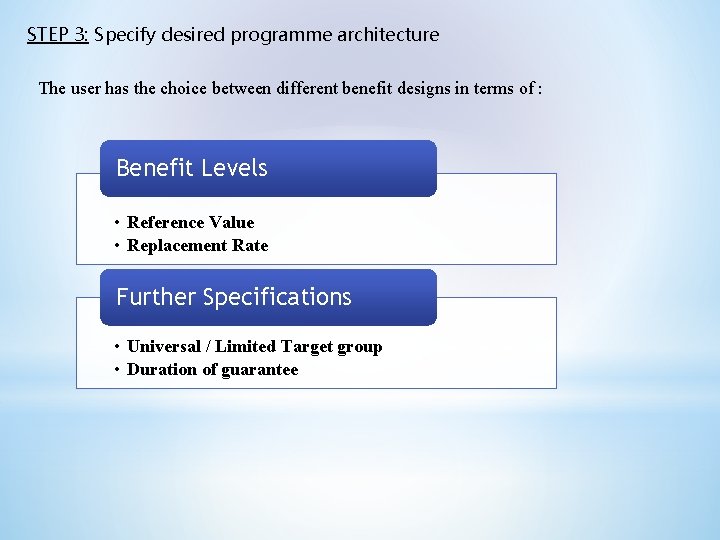
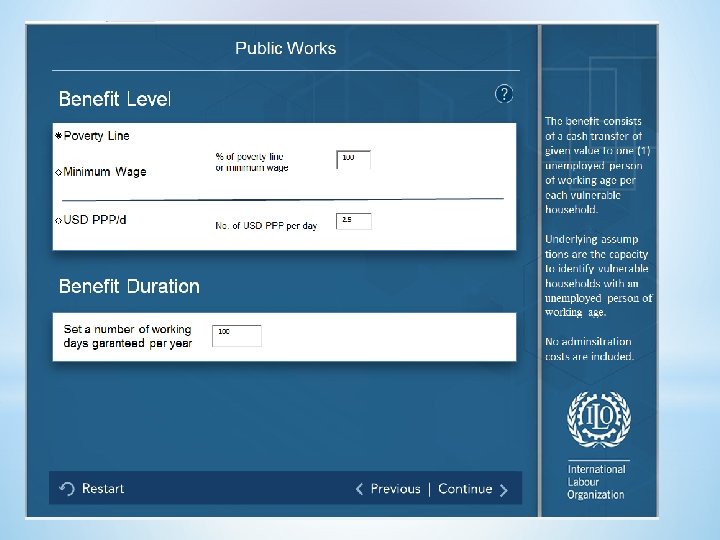
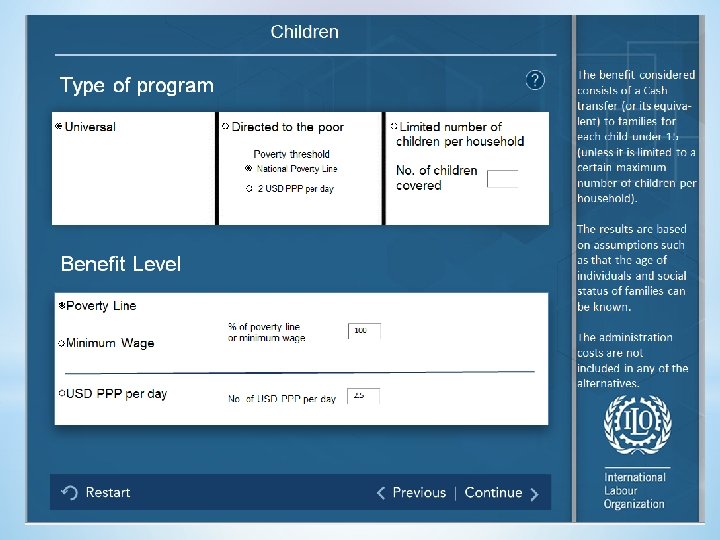
STEP 3: Specify desired programme architecture The user has the choice between different benefit designs in terms of : Benefit Levels • Reference Value • Replacement Rate Further Specifications • Universal / Limited Target group • Duration of guarantee
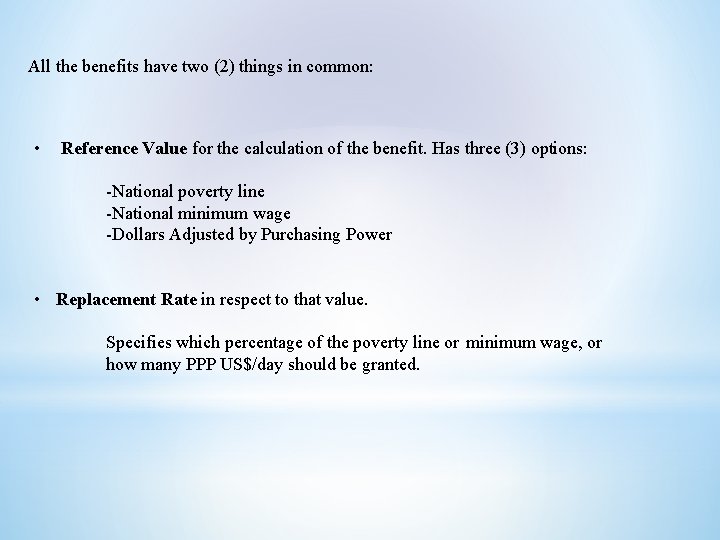
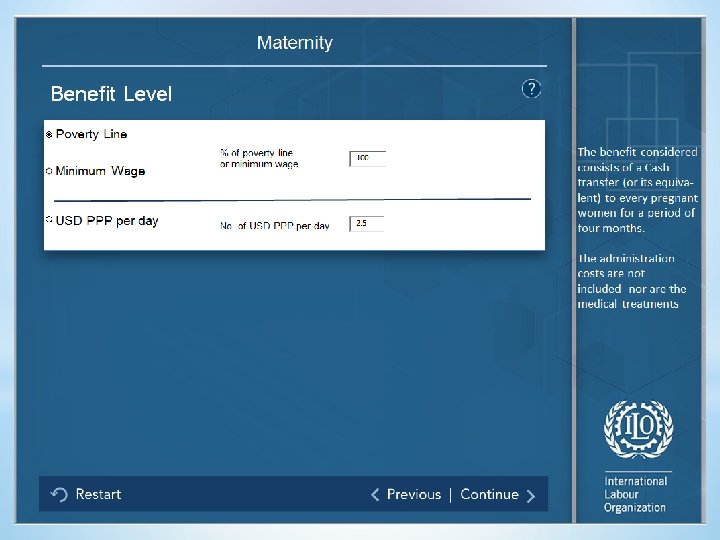
All the benefits have two (2) things in common: • Reference Value for the calculation of the benefit. Has three (3) options: -National poverty line -National minimum wage -Dollars Adjusted by Purchasing Power • Replacement Rate in respect to that value. Specifies which percentage of the poverty line or minimum wage, or how many PPP US$/day should be granted.
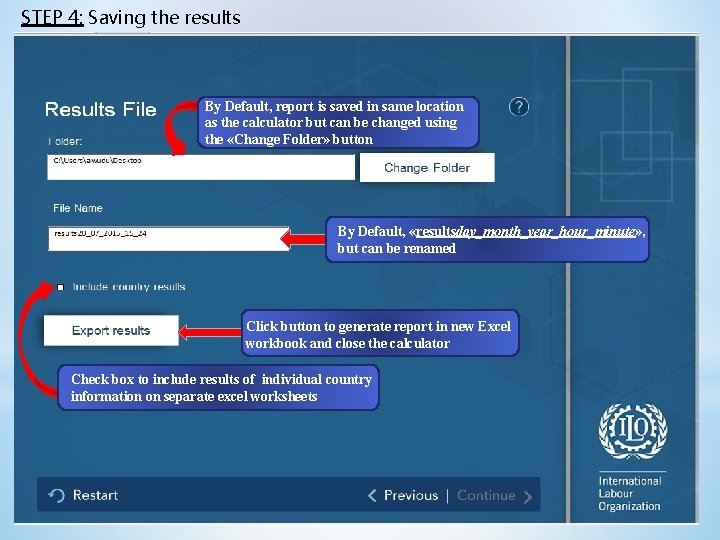
STEP 4: Saving the results By Default, report is saved in same location as the calculator but can be changed using the «Change Folder» button By Default, «resultsday_month_year_hour_minute» , but can be renamed Click button to generate report in new Excel workbook and close the calculator Check box to include results of individual country information on separate excel worksheets
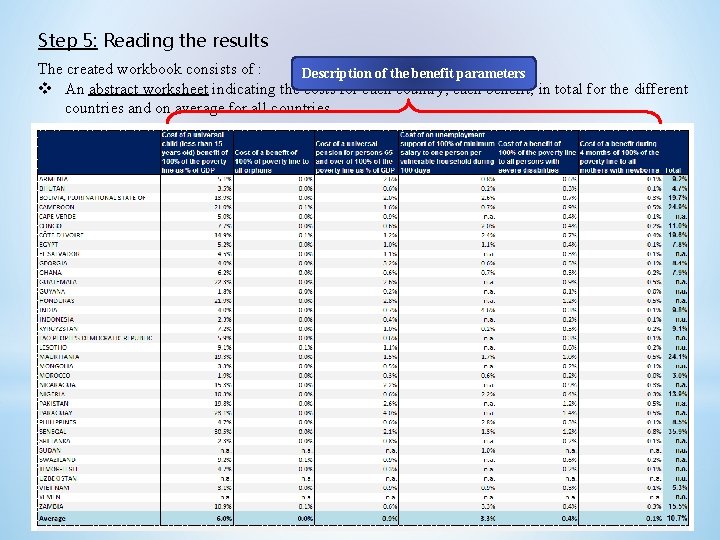
Step 5: Reading the results The created workbook consists of : Description of the benefit parameters v An abstract worksheet indicating the costs for each country, each benefit, in total for the different countries and on average for all countries.
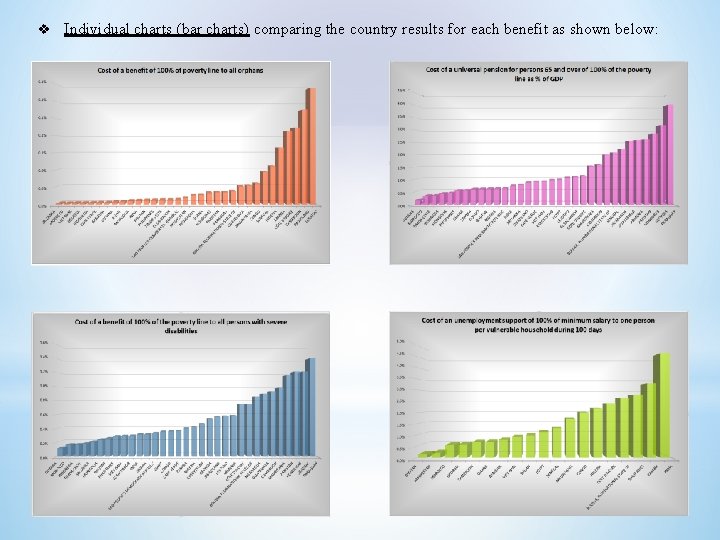
v Individual charts (bar charts) comparing the country results for each benefit as shown below:
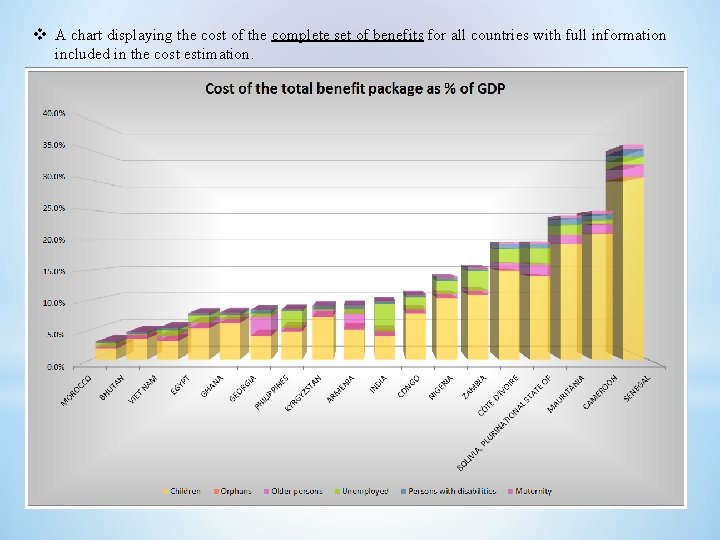
v A chart displaying the cost of the complete set of benefits for all countries with full information included in the cost estimation.
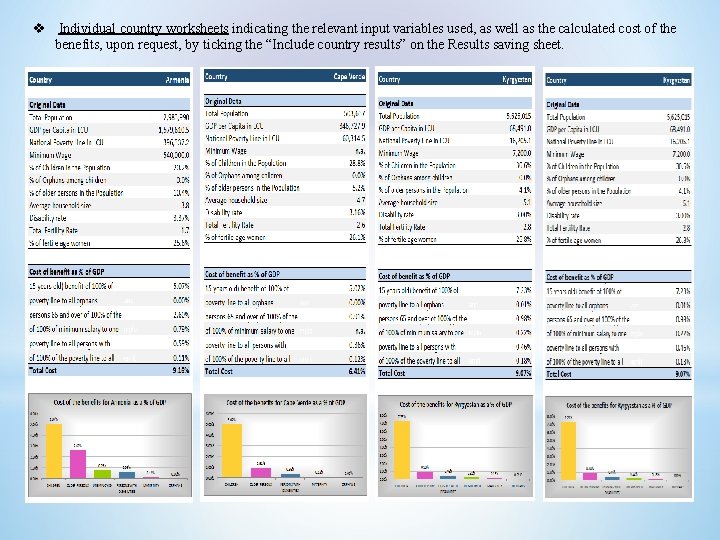
v Individual country worksheets indicating the relevant input variables used, as well as the calculated cost of the benefits, upon request, by ticking the “Include country results” on the Results saving sheet.