
The Social Learning Network for the Classroom Presented
- Slides: 9
The Social Learning Network for the Classroom Presented by ELA Elementary January 2013
Session Outcomes • Teachers will be introduced to grade level Edmodo groups • Teachers will learn how to use the site for professional development purposes • Teachers will view appropriate posts created by grade level peers
Joining Edmodo • Go to fcps. edmodo. com • Click on “I’m a Teacher” • Fill out the school code (provided by your Literacy Specialist) • Enter the remainder of the information
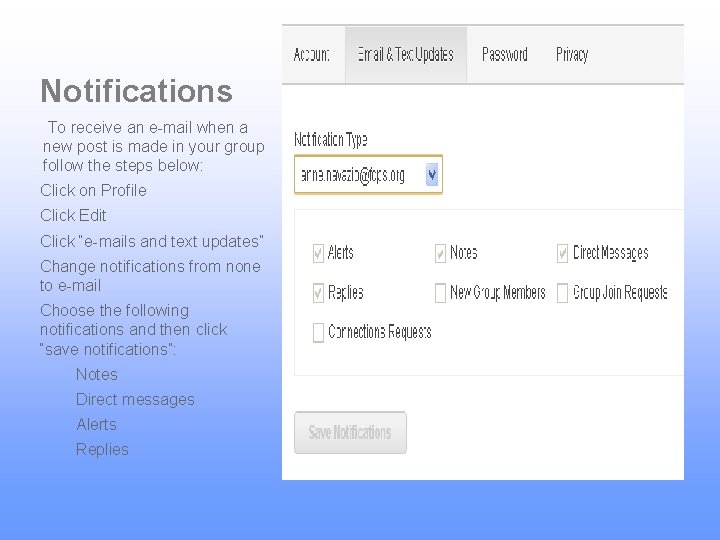
Notifications To receive an e-mail when a new post is made in your group follow the steps below: Click on Profile Click Edit Click “e-mails and text updates” Change notifications from none to e-mail Choose the following notifications and then click “save notifications”: Notes Direct messages Alerts Replies
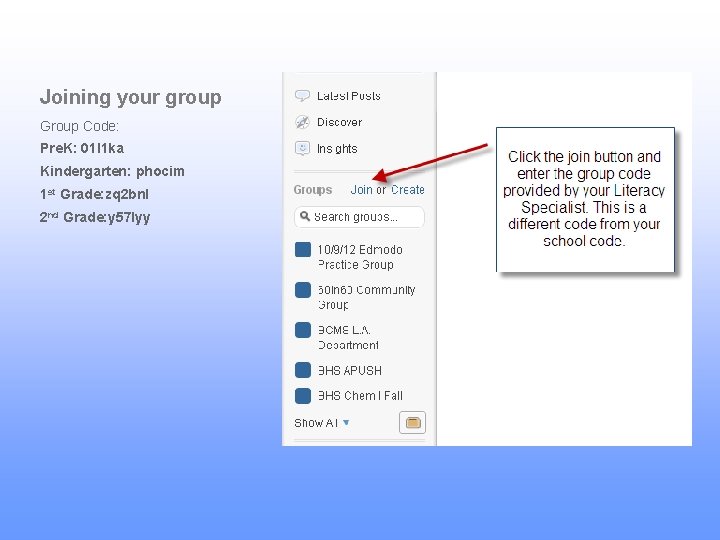
Joining your group Group Code: Pre. K: 01 l 1 ka Kindergarten: phocim 1 st Grade: zq 2 bnl 2 nd Grade: y 57 lyy
Purpose The grade level Edmodo groups are to provide teachers with an online collaboration tool for sharing instructional ideas and resources. Please take a minute to read through the appropriate and professional posts already in your group Edmodo pages.
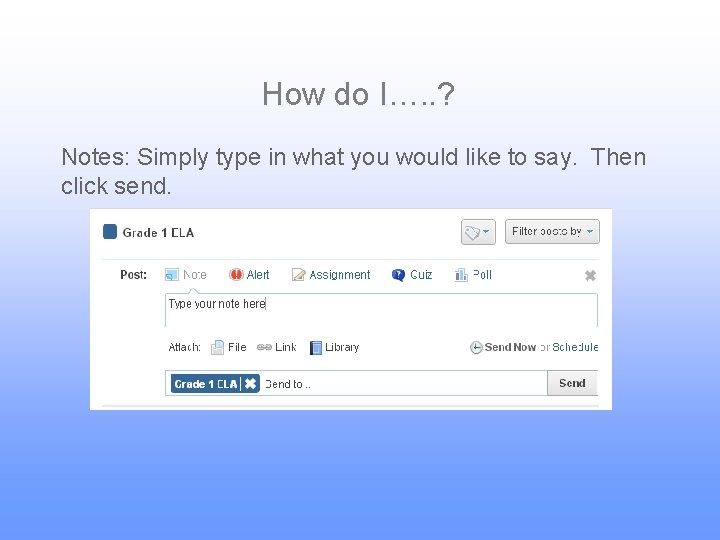
How do I…. . ? Notes: Simply type in what you would like to say. Then click send.
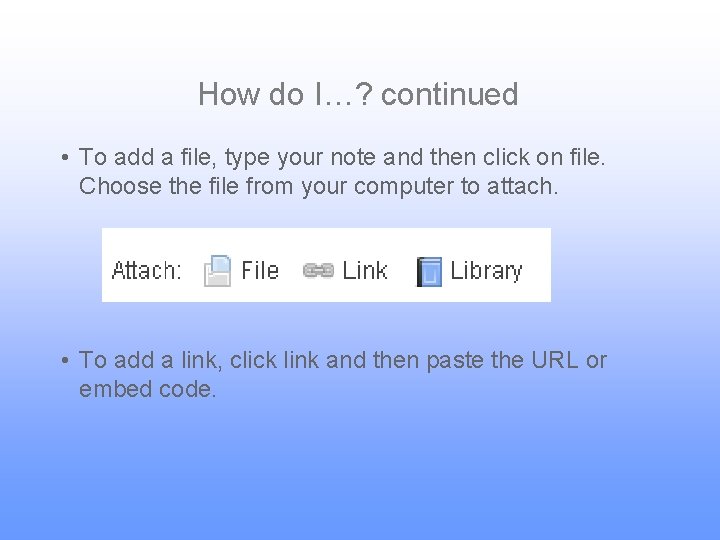
How do I…? continued • To add a file, type your note and then click on file. Choose the file from your computer to attach. • To add a link, click link and then paste the URL or embed code.
The Power of Collaboration As we transition together to the common core, many resources are being created around the county. This forum will give us an opportunity to share and learn from one another during this transitional period.