
The Shaw Group Inc Web VPN Access Anywhere
The Shaw Group Inc. Web. VPN - Access Anywhere Users Manual
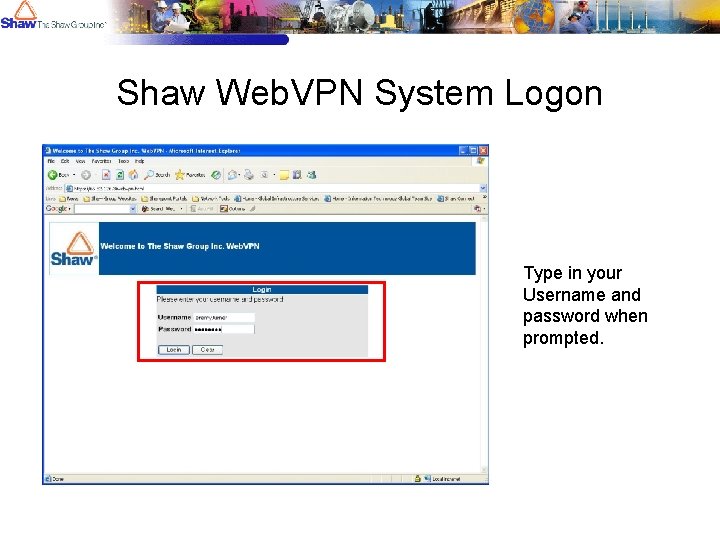
Shaw Web. VPN System Logon Type in your Username and password when prompted.

Successful Login! After entering your username and password you will see the following page. Clicking continue will bring you to the Web. VPN homepage.
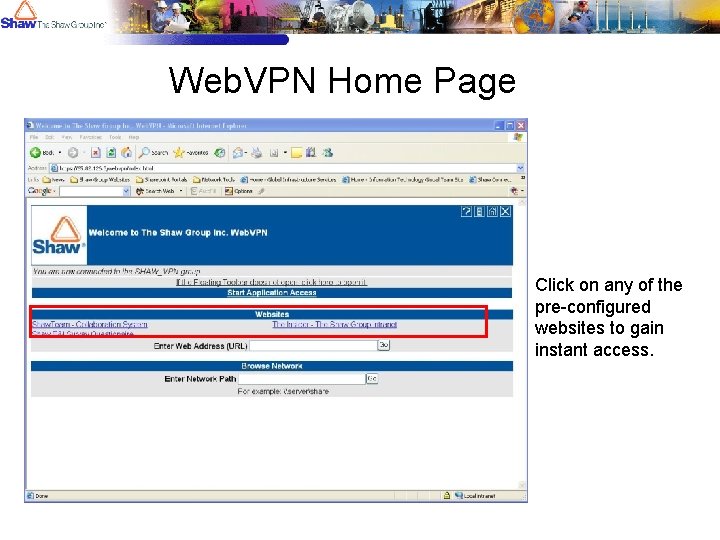
Web. VPN Home Page Click on any of the pre-configured websites to gain instant access.

Secure Website Authentication Prompt When attempting to access secure websites like the Insider or Shaw. Team, you will be prompted to reenter you username and password. Note: You will only be prompted the first time you attempt to enter this site.
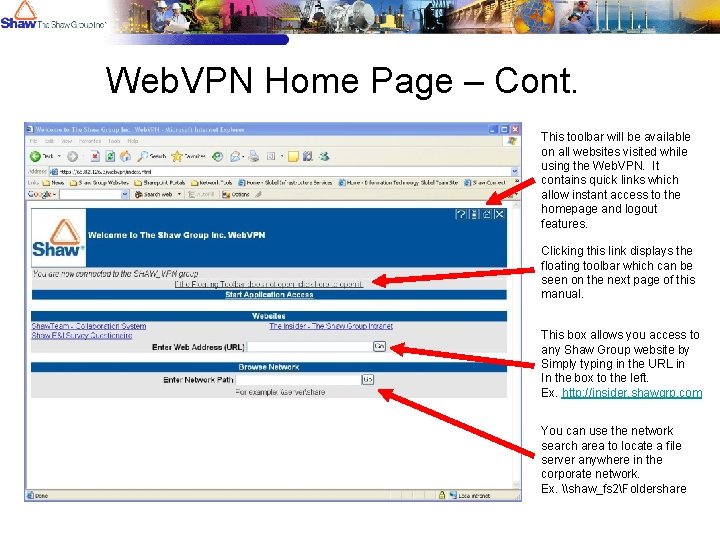
Web. VPN Home Page – Cont. This toolbar will be available on all websites visited while using the Web. VPN. It contains quick links which allow instant access to the homepage and logout features. Clicking this link displays the floating toolbar which can be seen on the next page of this manual. This box allows you access to any Shaw Group website by Simply typing in the URL in In the box to the left. Ex. http: //insider. shawgrp. com You can use the network search area to locate a file server anywhere in the corporate network. Ex. \shaw_fs 2Foldershare
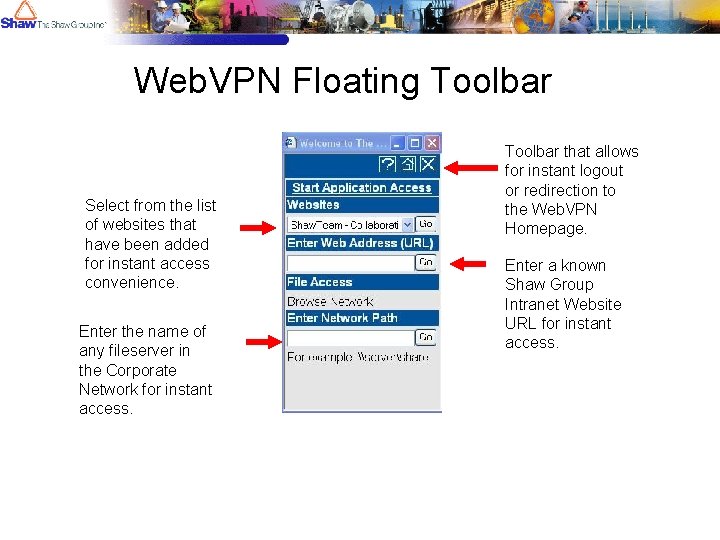
Web. VPN Floating Toolbar Select from the list of websites that have been added for instant access convenience. Enter the name of any fileserver in the Corporate Network for instant access. Toolbar that allows for instant logout or redirection to the Web. VPN Homepage. Enter a known Shaw Group Intranet Website URL for instant access.
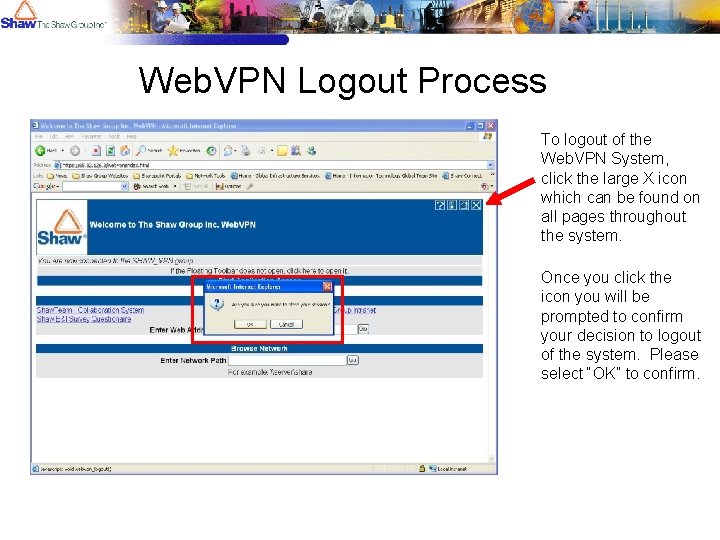
Web. VPN Logout Process To logout of the Web. VPN System, click the large X icon which can be found on all pages throughout the system. Once you click the icon you will be prompted to confirm your decision to logout of the system. Please select “OK” to confirm.
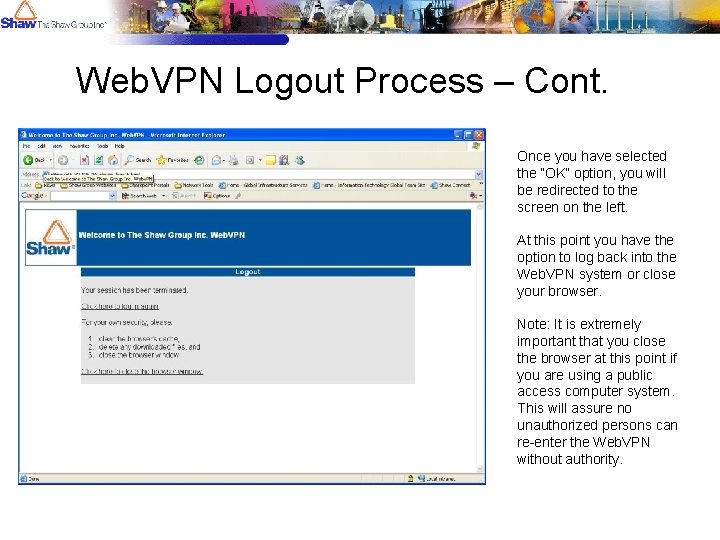
Web. VPN Logout Process – Cont. Once you have selected the “OK” option, you will be redirected to the screen on the left. At this point you have the option to log back into the Web. VPN system or close your browser. Note: It is extremely important that you close the browser at this point if you are using a public access computer system. This will assure no unauthorized persons can re-enter the Web. VPN without authority.
- Slides: 9