
The Search for Information Where do I start













- Slides: 29
The Search for Information Where do I start?
Google, right? o No, not really… o It’s not the best place to go for research information. It would be better to use http: //scholar. google. com/ But, even better if you used your Library’s resources!
Why not Google? o Google is a “generic” website, a site that provides access to all kinds of information, not just medical, research, evidence-based, scholarly, or necessarily credible information, so there always a lot of links to pick through to find what you need. AND o It always links to Wikipedia information which should NOT be used as a reference source!
Why not Wikipedia? o Wikipedia information can be added to and edited by anyone, even if they know nothing about the topic or subject matter. o While it is a good source of overview information, if you want to use something from this site, find it in its original source and cite this. DO NOT cite Wikipedia on your reference page!
More Reasons Not To Rely on Wikipedia • You shouldn’t rely on information that has no author. • Sometimes false information goes uncorrected for months. • It’s not a good idea to rely on any one source for important information.
Even More Reasons Not To Rely on Wikipedia • There is little diversity among editors. (Based on 2010 stats, 85% were male, with an average of 26) • Accurate contributors can be silenced by editors that decide what is reliable. • Individuals with agendas sometimes have significant editing authority.
What Wikipedia Says About Itself on Its “About Wikipedia” Page Wikipedia is written collaboratively by largely anonymous Internet volunteers who write without pay. Anyone with Internet access can write and make changes to Wikipedia articles, except in limited cases where editing is restricted to prevent disruption or vandalism. Users should be aware that not all articles are of encyclopedic quality from the start: they may contain false or debatable information. Indeed, many articles start their lives as displaying a single viewpoint; and, after a long process of discussion, debate, and argument, they gradually take on a neutral point of view reached through consensus. Others may, for a while, become caught up in a heavily unbalanced viewpoint which can take some time—months perhaps—to achieve better balanced coverage of their subject. In part, this is because editors often contribute content in which they have a particular interest and do not attempt to make each article that they edit comprehensive.
Evaluating Sources found on Google and similar search engines Do you know how to tell if a source is a good one to use? It’s really important to evaluate the information you are going to use for a paper or project. To determine if the book, article, website, or other resource is a valid, credible one, you should consider several points.
Evaluation points – Ask… Who? Who is the author? Are his/her credentials listed? What? What information is available from this resource? Is it a citation, an abstract, a complete article? Is it research based on facts? Is it someone’s opinion? Where did the author(s) get the information? Does he/she provide a list of his/her sources? Are citations provided?
Evaluation points – Ask… When? When was the resource produced? For books, check the copyright date. For articles, check the publication date. For websites, look for a "created on" or "last updated on" date. (Website copyright dates don’t tell when the information was added or updated. ) Why? Why does this resource exist? Is the purpose to entertain, persuade, inform, etc. ? Is the resource biased?
Clues that will help The Internet address (URL or domain name) extension at the end correlates to the server which is the "home base" for that Internet address. Based on this extension, you can make an educated guess as to the credibility of the information. EXAMPLES: www. google. com www. nih. gov - government sites (credible and reliable). edu – education sites (most are credible and reliable). org - organization sites (check their “About Us” link). com - commercial sites (some are ok – check for bias). net - network infrastructures (some are ok). jp for Japan - abbreviation of a country
So, where should you start? The best place is in CAMS –in your Online Learning Library!
Why start here? The Online Learning Library resources give you: o access to databases that are subscribed to because they contain credible, peerreviewed, evidence-based, scholarly research - the information you should be using for your papers and projects Using these resources will make your instructor and librarian VERY happy! And, you’ll most likely get a better grade because you did! You’ll learn a lot too! So, it’s a win-win!
Let’s take a look at the Online Learning Library!
What are these resources? o CINAHL – Cumulative Index to Nursing and Allied Health Literature – access to thousands of journals in the fields of nursing and allied health Ovid. SP- Provides full-text access to six nursing journals’ articles plus abstracts from scientific, medical, and academic research journals
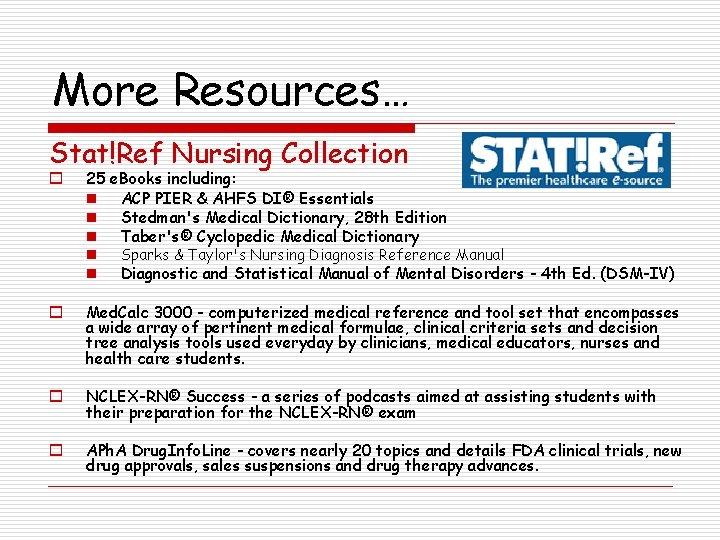
More Resources… Stat!Ref Nursing Collection o 25 e. Books including: n ACP PIER & AHFS DI® Essentials n Stedman's Medical Dictionary, 28 th Edition n Taber's® Cyclopedic Medical Dictionary n Sparks & Taylor's Nursing Diagnosis Reference Manual n Diagnostic and Statistical Manual of Mental Disorders - 4 th Ed. (DSM-IV) o Med. Calc 3000 - computerized medical reference and tool set that encompasses a wide array of pertinent medical formulae, clinical criteria sets and decision tree analysis tools used everyday by clinicians, medical educators, nurses and health care students. o NCLEX-RN® Success - a series of podcasts aimed at assisting students with their preparation for the NCLEX-RN® exam o APh. A Drug. Info. Line - covers nearly 20 topics and details FDA clinical trials, new drug approvals, sales suspensions and drug therapy advances.
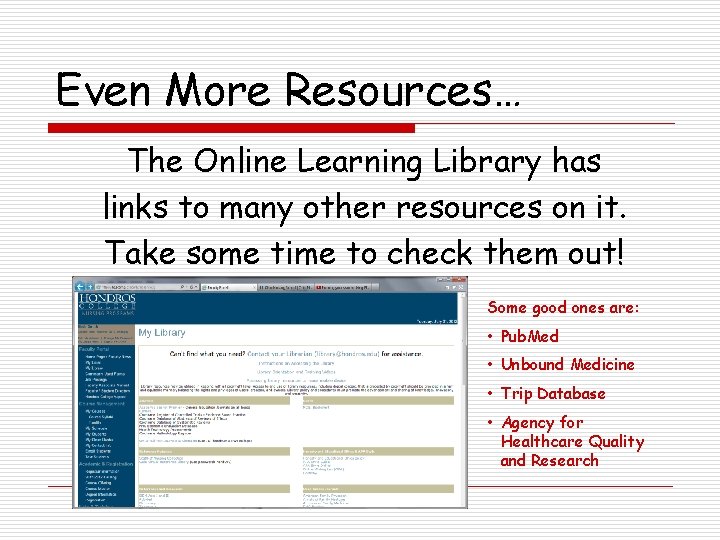
Even More Resources… The Online Learning Library has links to many other resources on it. Take some time to check them out! Some good ones are: • Pub. Med • Unbound Medicine • Trip Database • Agency for Healthcare Quality and Research
Next Steps? o Decide on a database to use based on the results you want. o Figure out your search term(s). n Remember to think of synonyms of the term(s) you have chosen too!
Deciding on a Database o CINAHL (accessed through Academic Search Premier) o Your best source for FREE full-text articles from peer-reviewed, evidence-based information in the fields of nursing and allied health. (Remember: you MUST use the check boxes on the search screen to limit your results to these types of articles. )
Deciding on a Database (continued) Ovid o o Your best source for FREE full-text articles from these nursing journals: n n n AJN – American Journal of Nursing (2007 -2010) AORN Journal (2007 -2010) Home Healthcare Nurse (2007 -2010) MCN – American Journal of Maternal Child Nursing Nurse Educator (2007 -current issue) Nursing Research (2007 -2010) (Remember: you MUST check the box marked Hondros Full Text Journals if you want free full-text articles from these journals. If you don’t, you will only have access to abstracts of articles. )
Search Terms o If you are having trouble finding what you are looking for, it may be that your search terms are not specific enough or that you should be using the medical terms and not commonly used terms Example: n hand washing with soap and water vs. hand foam or gel sanitizers n soap OR sanitizer AND handwashing n Propanols OR disinfectants OR soaps AND handwashing
Search Help o If you are not finding what you are looking for using your search terms n check the “subjects” field of a good article you’ve found to see what other terms have been used for your terms n you may need to use Me. SH (Medical Subject Headings) terms (The Me. SH vocabulary is designed for indexing and searching of the MEDLINE database of journal citations and other data. This enables retrieval systems, such as NLM's Pub. Med, to provide subject searching of the data. )
Search using PICOT o PICOT is an acronym you can use to help you formulate a clinical question and guide your search for evidence. Using this format can help you find the best evidence available in a quicker, more efficient manner. P = patient population I = intervention or issue of interest C = comparison intervention or issue of interest O = outcome T = time frame Your search should include the P + O or P + I + O. The C and/or T can be added to reduce your retrieval number if it is too high.
Search using PICOT(continued) For example, if you wanted to know the effect of flu vaccination on the development of pneumonia in older adults, you could fill in these blanks In _____(P), how does _____ (I) compared to _____ (C) influence _____ (O) over ____ (T)? like this: In patients ages 65 and older, how does the use of an influenza vaccine compared to not receiving the vaccine influence their risk of developing pneumonia during the flu season?
Search using PICOT(continued) o There is a detailed tutorial on the Online Learning Library page that discusses using this method. It is: Module 3: Searching by Subject o To view the tutorial, n Click on the Library Orientation and Training Videos link at the top of the Online Library page. n Then click on View Module 3 link.
More Search Help o Use Boolean operators AND narrows the search OR broadens the search NOT narrows the search AND OR NOT Each result contains all search terms. EXAMPLE: The search heart and lung finds items that contain both heart and lung. Each result contains at least one search term. EXAMPLE: The search heart or lung finds items that contain either heart or items that contain lung or both. Results do not contain the specified terms. EXAMPLE: The search heart not lung finds items that contain heart but do not contain lung.
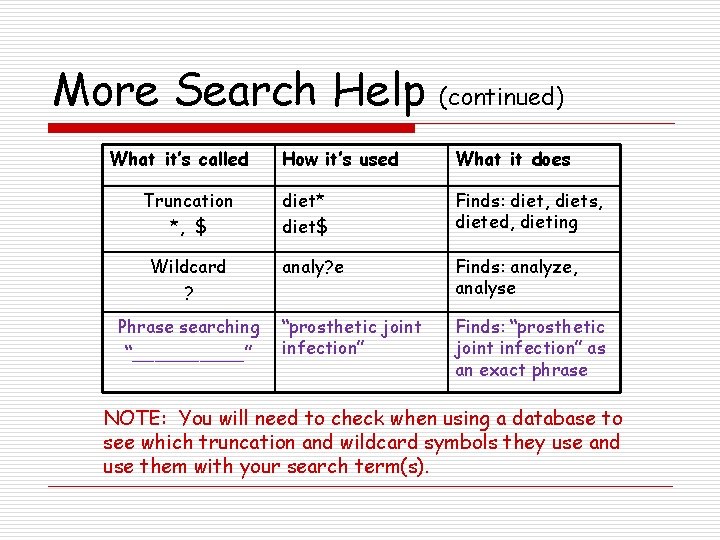
More Search Help What it’s called Truncation *, $ Wildcard ? Phrase searching “_____” (continued) How it’s used What it does diet* diet$ Finds: diet, diets, dieted, dieting analy? e Finds: analyze, analyse “prosthetic joint infection” Finds: “prosthetic joint infection” as an exact phrase NOTE: You will need to check when using a database to see which truncation and wildcard symbols they use and use them with your search term(s).
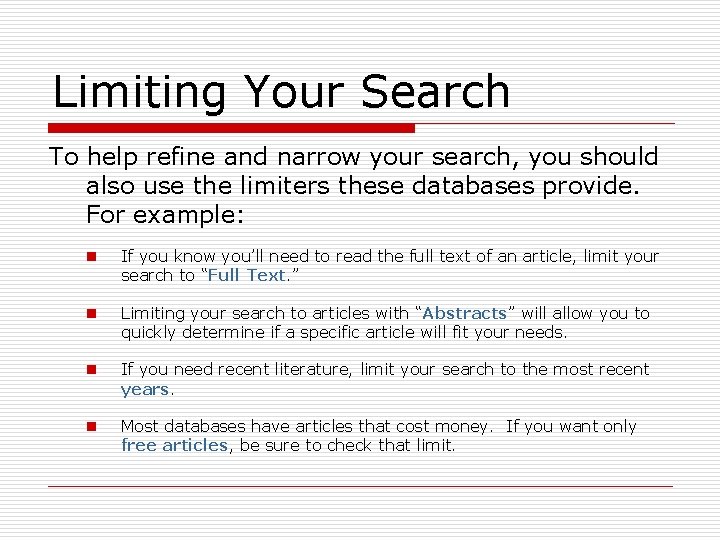
Limiting Your Search To help refine and narrow your search, you should also use the limiters these databases provide. For example: n If you know you’ll need to read the full text of an article, limit your search to “Full Text. ” n Limiting your search to articles with “Abstracts” will allow you to quickly determine if a specific article will fit your needs. n If you need recent literature, limit your search to the most recent years. n Most databases have articles that cost money. If you want only free articles, be sure to check that limit.
I found something! What do I do now? o Evaluate the source if you did not use the Library’s databases. If you did, you should be good to go! o Read and evaluate the information to see if it’s what you need. o Make sure you keep a list of citations/ references for each article that you are using for your reference page.